Basic introduction to running Siesta
Eduardo Anglada
Siesta foundation-UAM-Nanotec
eduardo.anglada@uam.es
eduardo.anglada@nanotec.es
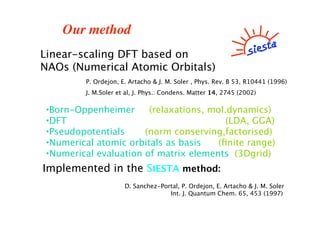
Our method
Linear-scaling DFT based on
NAOs (Numerical Atomic Orbitals)
P. Ordejon, E. Artacho & J. M. Soler , Phys. Rev. B 53, R10441 (1996)
J. M.Soler et al, J. Phys.: Condens. Matter 14, 2745 (2002)
•Born-Oppenheimer (relaxations, mol.dynamics)
•DFT (LDA, GGA)
•Pseudopotentials (norm conserving,factorised)
•Numerical atomic orbitals as basis (finite range)
•Numerical evaluation of matrix elements (3Dgrid)
Implemented in the SIESTA method:
D. Sanchez-Portal, P. Ordejon, E. Artacho & J. M. Soler
Int. J. Quantum Chem. 65, 453 (1997)
Siesta resources (I)
•Web page: http://www.uam.es/siesta
•Pseudos and basis database
•Mailing list
•Usage manual
•Soon: http://cygni.fmc.uam.es/mediawiki
•Issue tracker (for bugs, etc)
•Mailing list archives
•Wiki
4
Siesta resources (2)
• Andrei Postnikov Siesta utils page:
http://www.home.uni-
osnabrueck.de/apostnik/download.html
•Lev Kantorovich Siesta utils page:
http://www.cmmp.ucl.ac.uk/~lev/codes/lev00/ind
ex.html
Siesta software package:
•Src: Sources of the Siesta code.
•Src/Sys: makefiles for the compilation
•Src/Tests: A collection of tests.
•Docs: Documentation and user conditions:
•User’s Guide (siesta.tex)
•Pseudo: ATOM program to generate and test pseudos.
(A. García; Pseudopotential and basis generation, Tu 11:10)
•Examples: fdf and pseudos input files for simple systems.
•Tutorials: Tutorials for basis and pseudo generation.
•Utils: Programs or scripts to analyze the results.
To run Siesta you need:
1.- Access to the executable file: T. White: “And now that
you are back at home ... what?” Friday 13:00.
2.- An input file: written in ascii (plain text) using:
Flexible Data Format (FDF) (A. García and J. M. Soler)
3.- A pseudopotential file for each kind of element in the
input file. Two different formats:
Unformatted binary (.vps)
Formatted ASCII (.psf) (more transportable and easy to look at)
Running siesta
Main input file: “name”.fdf
•Contents:
•Physical data of the system
•Variables to control the aproximations
•Format:
•Flexible Data Format (FDF) developed by A. García and J.
M. Soler
Siesta has no windows, it is run from a UNIX terminal or from a
MSDOS console.
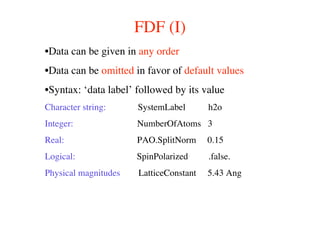
FDF (I)
•Data can be given in any order
•Data can be omitted in favor of default values
•Syntax: ‘data label’ followed by its value
Character string: SystemLabel h2o
Integer: NumberOfAtoms 3
Real: PAO.SplitNorm 0.15
Logical: SpinPolarized .false.
Physical magnitudes LatticeConstant 5.43 Ang
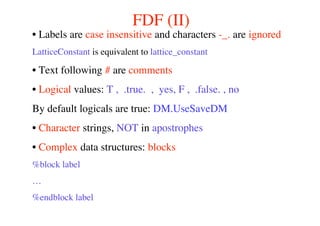
FDF (II)
• Labels are case insensitive and characters -_. are ignored
LatticeConstant is equivalent to lattice_constant
• Text following # are comments
• Logical values: T , .true. , yes, F , .false. , no
By default logicals are true: DM.UseSaveDM
• Character strings, NOT in apostrophes
• Complex data structures: blocks
%block label
…
%endblock label
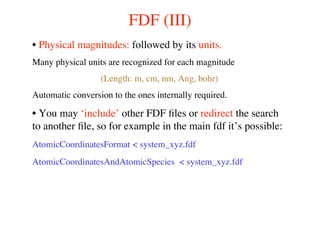
FDF (III)
• Physical magnitudes: followed by its units.
Many physical units are recognized for each magnitude
(Length: m, cm, nm, Ang, bohr)
Automatic conversion to the ones internally required.
• You may ‘include’ other FDF files or redirect the search
to another file, so for example in the main fdf it’s possible:
AtomicCoordinatesFormat < system_xyz.fdf
AtomicCoordinatesAndAtomicSpecies < system_xyz.fdf
Basic input variables
1.- General system descriptors
2.- Structural and geometrical variables
3.- Functional and solution mehod (Order-N/diagonalization)
4.- Convergence of the results
5.- Self-consistency
6.- Basis set generation related variables:
“How to test and generate basis sets”, Tu 12:00
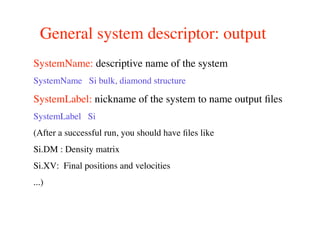
General system descriptor: output
SystemName: descriptive name of the system
SystemName Si bulk, diamond structure
SystemLabel: nickname of the system to name output files
SystemLabel Si
(After a successful run, you should have files like
Si.DM : Density matrix
Si.XV: Final positions and velocities
...)
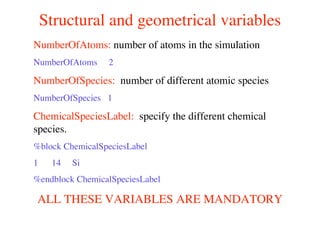
Structural and geometrical variables
NumberOfAtoms: number of atoms in the simulation
NumberOfAtoms 2
NumberOfSpecies: number of different atomic species
NumberOfSpecies 1
ChemicalSpeciesLabel: specify the different chemical
species.
%block ChemicalSpeciesLabel
1 14 Si
%endblock ChemicalSpeciesLabel
ALL THESE VARIABLES ARE MANDATORY
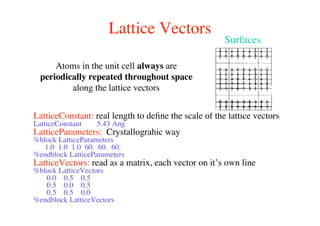
Lattice Vectors
LatticeConstant: real length to define the scale of the lattice vectors
LatticeConstant 5.43 Ang
LatticeParameters: Crystallograhic way
%block LatticeParameters
1.0 1.0 1.0 60. 60. 60.
%endblock LatticeParameters
LatticeVectors: read as a matrix, each vector on it’s own line
%block LatticeVectors
0.0 0.5 0.5
0.5 0.0 0.5
0.5 0.5 0.0
%endblock LatticeVectors
Atoms in the unit cell always are
periodically repeated throughout space
along the lattice vectors
Surfaces
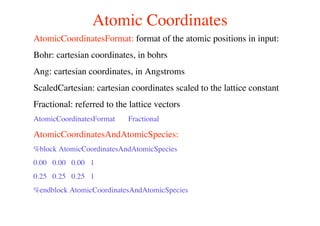
Atomic Coordinates
AtomicCoordinatesFormat: format of the atomic positions in input:
Bohr: cartesian coordinates, in bohrs
Ang: cartesian coordinates, in Angstroms
ScaledCartesian: cartesian coordinates scaled to the lattice constant
Fractional: referred to the lattice vectors
AtomicCoordinatesFormat Fractional
AtomicCoordinatesAndAtomicSpecies:
%block AtomicCoordinatesAndAtomicSpecies
0.00 0.00 0.00 1
0.25 0.25 0.25 1
%endblock AtomicCoordinatesAndAtomicSpecies
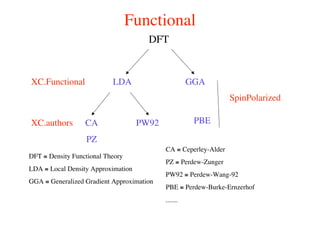
Functional
DFT
XC.Functional LDA GGA
XC.authors PW92CA
PZ
PBE
DFT ≡ Density Functional Theory
LDA ≡ Local Density Approximation
GGA ≡ Generalized Gradient Approximation
CA ≡ Ceperley-Alder
PZ ≡ Perdew-Zunger
PW92 ≡ Perdew-Wang-92
PBE ≡ Perdew-Burke-Ernzerhof
.......
SpinPolarized
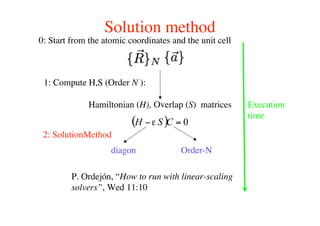
Solution method
Hamiltonian (H), Overlap (S) matrices
1: Compute H,S (Order N ):
2: SolutionMethod
diagon Order-N
0: Start from the atomic coordinates and the unit cell
P. Ordejón, “How to run with linear-scaling
solvers”, Wed 11:10
Execution
time
k-sampling
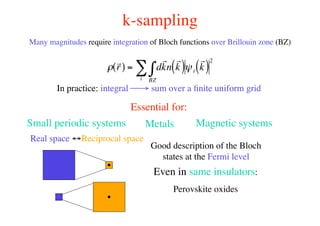
Many magnitudes require integration of Bloch functions over Brillouin zone (BZ)
!
r
r( ) = d
r
kn
r
k( )
BZ
"i
# $i
r
k( )
2
In practice: integral → sum over a finite uniform grid
Essential for:
Real space ↔Reciprocal space
Small periodic systems Metals Magnetic systems
Good description of the Bloch
states at the Fermi level
Even in same insulators:
Perovskite oxides
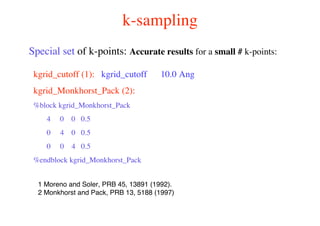
k-sampling
kgrid_cutoff (1): kgrid_cutoff 10.0 Ang
kgrid_Monkhorst_Pack (2):
%block kgrid_Monkhorst_Pack
4 0 0 0.5
0 4 0 0.5
0 0 4 0.5
%endblock kgrid_Monkhorst_Pack
Special set of k-points: Accurate results for a small # k-points:
1 Moreno and Soler, PRB 45, 13891 (1992).
2 Monkhorst and Pack, PRB 13, 5188 (1997)
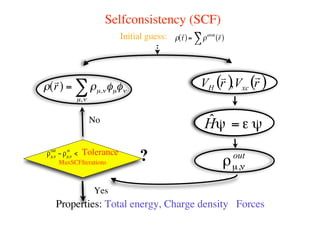
Selfconsistency (SCF)
Initial guess: !
r
r( )= !atom r
r( )"
!
r
r( ) = !µ,"#µ#"
µ,"
$
Properties: Total energy, Charge density Forces
MaxSCFIterations
Tolerance
Yes
No
?
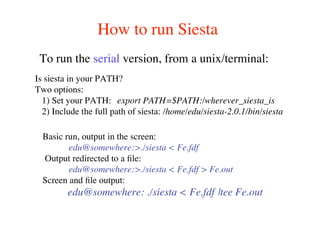
How to run Siesta
To run the serial version, from a unix/terminal:
Basic run, output in the screen:
edu@somewhere:>./siesta < Fe.fdf
Output redirected to a file:
edu@somewhere:>./siesta < Fe.fdf > Fe.out
Screen and file output:
edu@somewhere: ./siesta < Fe.fdf |tee Fe.out
Is siesta in your PATH?
Two options:
1) Set your PATH: export PATH=$PATH:/wherever_siesta_is
2) Include the full path of siesta: /home/edu/siesta-2.0.1/bin/siesta
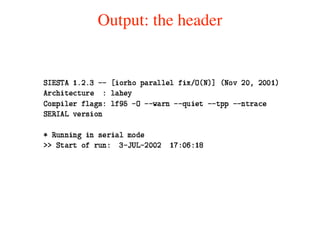
Output: the header
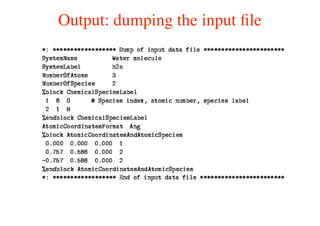
Output: dumping the input file
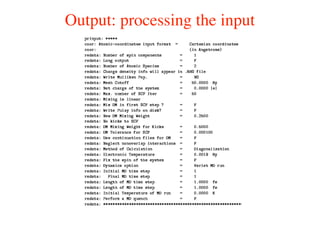
Output: processing the input
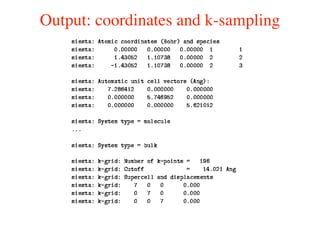
Output: coordinates and k-sampling
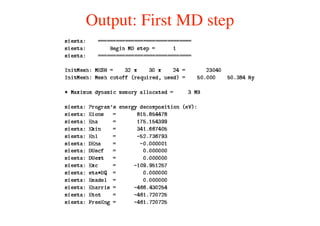
Output: First MD step
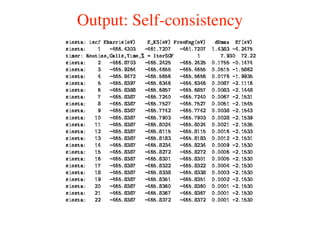
Output: Self-consistency
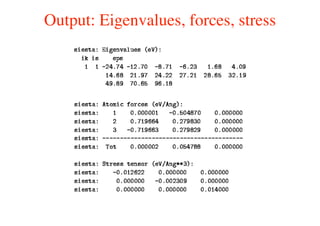
Output: Eigenvalues, forces, stress
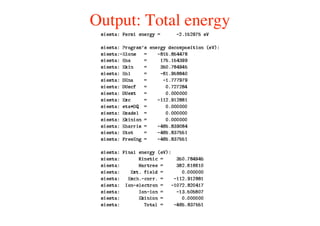
Output: Total energy
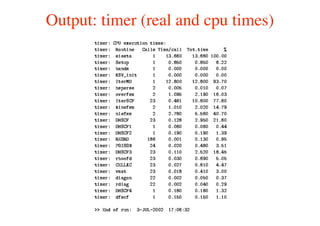
Output: timer (real and cpu times)
Saving and reading information (I)
Some information is stored by Siesta to restart simulations from:
•Density matrix: DM.UseSaveDM
•Localized wave functions (Order-N): ON.UseSaveLWF
•Atomic positions and velocities: MD.UseSaveXV
•Conjugent gradient history (minimizations): MD.UseSaveCG
All of them are logical variables
EXTREMLY USEFUL TO SAVE LOT OF TIME!
Saving and reading information (II)
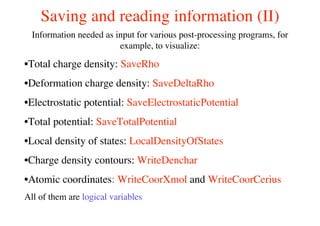
Information needed as input for various post-processing programs, for
example, to visualize:
•Total charge density: SaveRho
•Deformation charge density: SaveDeltaRho
•Electrostatic potential: SaveElectrostaticPotential
•Total potential: SaveTotalPotential
•Local density of states: LocalDensityOfStates
•Charge density contours: WriteDenchar
•Atomic coordinates: WriteCoorXmol and WriteCoorCerius
All of them are logical variables
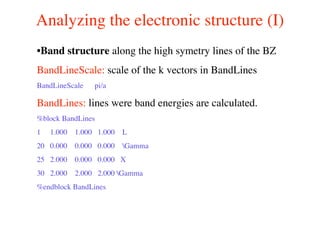
Analyzing the electronic structure (I)
•Band structure along the high symetry lines of the BZ
BandLineScale: scale of the k vectors in BandLines
BandLineScale pi/a
BandLines: lines were band energies are calculated.
%block BandLines
1 1.000 1.000 1.000 L
20 0.000 0.000 0.000 Gamma
25 2.000 0.000 0.000 X
30 2.000 2.000 2.000 Gamma
%endblock BandLines
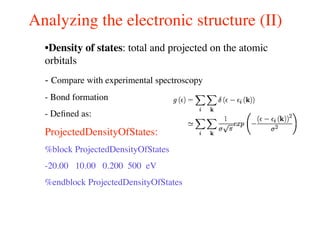
Analyzing the electronic structure (II)
•Density of states: total and projected on the atomic
orbitals
- Compare with experimental spectroscopy
- Bond formation
- Defined as:
ProjectedDensityOfStates:
%block ProjectedDensityOfStates
-20.00 10.00 0.200 500 eV
%endblock ProjectedDensityOfStates
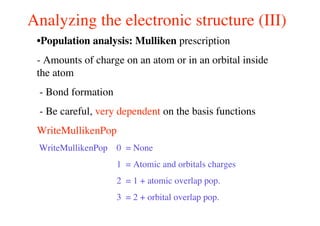
Analyzing the electronic structure (III)
•Population analysis: Mulliken prescription
- Amounts of charge on an atom or in an orbital inside
the atom
- Bond formation
- Be careful, very dependent on the basis functions
WriteMullikenPop
WriteMullikenPop 0 = None
1 = Atomic and orbitals charges
2 = 1 + atomic overlap pop.
3 = 2 + orbital overlap pop.
Tools (I)
•Various post-processing programs:
-PHONONS:
-Finite differences: VIBRA (P. Ordejón)
-Linear response: LINRES ( J. M. Alons-Pruneda et al.)
-Interphase with Phonon program (Parlinsky)
-Visualize of the CHARGE DENSITY and POTENTIALS
-3D: PLRHO (J. M. Soler)
-2D: CONTOUR (E. Artacho)
-2D: DENCHAR (J. Junquera)
-3D: sies2xsf (Xcrysden) (A. Postnikov: Friday 11:15)
-3D: grid2cube (Gaussian) (P. Ordejón)
-3D: rho2grd (Materials Studio) (O. Paz)
Tools (II)
-TRANSPORT PROPERTIES:
-TRANSIESTA (M. Brandbydge et al.)
-PSEUDOPOTENTIAL and BASIS information:
-PyAtom (A. García)
-ATOMIC COORDINATES:
-Sies2arc (J. Gale)
- DOS, PDOS, Bands:
-PlotUtils (O. Paz)

Basic execution

  • 1.
    Basic introduction torunning Siesta Eduardo Anglada Siesta foundation-UAM-Nanotec eduardo.anglada@uam.es eduardo.anglada@nanotec.es
  • 2.
    Our method Linear-scaling DFTbased on NAOs (Numerical Atomic Orbitals) P. Ordejon, E. Artacho & J. M. Soler , Phys. Rev. B 53, R10441 (1996) J. M.Soler et al, J. Phys.: Condens. Matter 14, 2745 (2002) •Born-Oppenheimer (relaxations, mol.dynamics) •DFT (LDA, GGA) •Pseudopotentials (norm conserving,factorised) •Numerical atomic orbitals as basis (finite range) •Numerical evaluation of matrix elements (3Dgrid) Implemented in the SIESTA method: D. Sanchez-Portal, P. Ordejon, E. Artacho & J. M. Soler Int. J. Quantum Chem. 65, 453 (1997)
  • 3.
    Siesta resources (I) •Webpage: http://www.uam.es/siesta •Pseudos and basis database •Mailing list •Usage manual •Soon: http://cygni.fmc.uam.es/mediawiki •Issue tracker (for bugs, etc) •Mailing list archives •Wiki
  • 4.
    4 Siesta resources (2) •Andrei Postnikov Siesta utils page: http://www.home.uni- osnabrueck.de/apostnik/download.html •Lev Kantorovich Siesta utils page: http://www.cmmp.ucl.ac.uk/~lev/codes/lev00/ind ex.html
  • 5.
    Siesta software package: •Src:Sources of the Siesta code. •Src/Sys: makefiles for the compilation •Src/Tests: A collection of tests. •Docs: Documentation and user conditions: •User’s Guide (siesta.tex) •Pseudo: ATOM program to generate and test pseudos. (A. García; Pseudopotential and basis generation, Tu 11:10) •Examples: fdf and pseudos input files for simple systems. •Tutorials: Tutorials for basis and pseudo generation. •Utils: Programs or scripts to analyze the results.
  • 6.
    To run Siestayou need: 1.- Access to the executable file: T. White: “And now that you are back at home ... what?” Friday 13:00. 2.- An input file: written in ascii (plain text) using: Flexible Data Format (FDF) (A. García and J. M. Soler) 3.- A pseudopotential file for each kind of element in the input file. Two different formats: Unformatted binary (.vps) Formatted ASCII (.psf) (more transportable and easy to look at)
  • 7.
    Running siesta Main inputfile: “name”.fdf •Contents: •Physical data of the system •Variables to control the aproximations •Format: •Flexible Data Format (FDF) developed by A. García and J. M. Soler Siesta has no windows, it is run from a UNIX terminal or from a MSDOS console.
  • 8.
    FDF (I) •Data canbe given in any order •Data can be omitted in favor of default values •Syntax: ‘data label’ followed by its value Character string: SystemLabel h2o Integer: NumberOfAtoms 3 Real: PAO.SplitNorm 0.15 Logical: SpinPolarized .false. Physical magnitudes LatticeConstant 5.43 Ang
  • 9.
    FDF (II) • Labelsare case insensitive and characters -_. are ignored LatticeConstant is equivalent to lattice_constant • Text following # are comments • Logical values: T , .true. , yes, F , .false. , no By default logicals are true: DM.UseSaveDM • Character strings, NOT in apostrophes • Complex data structures: blocks %block label … %endblock label
  • 10.
    FDF (III) • Physicalmagnitudes: followed by its units. Many physical units are recognized for each magnitude (Length: m, cm, nm, Ang, bohr) Automatic conversion to the ones internally required. • You may ‘include’ other FDF files or redirect the search to another file, so for example in the main fdf it’s possible: AtomicCoordinatesFormat < system_xyz.fdf AtomicCoordinatesAndAtomicSpecies < system_xyz.fdf
  • 11.
    Basic input variables 1.-General system descriptors 2.- Structural and geometrical variables 3.- Functional and solution mehod (Order-N/diagonalization) 4.- Convergence of the results 5.- Self-consistency 6.- Basis set generation related variables: “How to test and generate basis sets”, Tu 12:00
  • 12.
    General system descriptor:output SystemName: descriptive name of the system SystemName Si bulk, diamond structure SystemLabel: nickname of the system to name output files SystemLabel Si (After a successful run, you should have files like Si.DM : Density matrix Si.XV: Final positions and velocities ...)
  • 13.
    Structural and geometricalvariables NumberOfAtoms: number of atoms in the simulation NumberOfAtoms 2 NumberOfSpecies: number of different atomic species NumberOfSpecies 1 ChemicalSpeciesLabel: specify the different chemical species. %block ChemicalSpeciesLabel 1 14 Si %endblock ChemicalSpeciesLabel ALL THESE VARIABLES ARE MANDATORY
  • 14.
    Lattice Vectors LatticeConstant: reallength to define the scale of the lattice vectors LatticeConstant 5.43 Ang LatticeParameters: Crystallograhic way %block LatticeParameters 1.0 1.0 1.0 60. 60. 60. %endblock LatticeParameters LatticeVectors: read as a matrix, each vector on it’s own line %block LatticeVectors 0.0 0.5 0.5 0.5 0.0 0.5 0.5 0.5 0.0 %endblock LatticeVectors Atoms in the unit cell always are periodically repeated throughout space along the lattice vectors Surfaces
  • 15.
    Atomic Coordinates AtomicCoordinatesFormat: formatof the atomic positions in input: Bohr: cartesian coordinates, in bohrs Ang: cartesian coordinates, in Angstroms ScaledCartesian: cartesian coordinates scaled to the lattice constant Fractional: referred to the lattice vectors AtomicCoordinatesFormat Fractional AtomicCoordinatesAndAtomicSpecies: %block AtomicCoordinatesAndAtomicSpecies 0.00 0.00 0.00 1 0.25 0.25 0.25 1 %endblock AtomicCoordinatesAndAtomicSpecies
  • 16.
    Functional DFT XC.Functional LDA GGA XC.authorsPW92CA PZ PBE DFT ≡ Density Functional Theory LDA ≡ Local Density Approximation GGA ≡ Generalized Gradient Approximation CA ≡ Ceperley-Alder PZ ≡ Perdew-Zunger PW92 ≡ Perdew-Wang-92 PBE ≡ Perdew-Burke-Ernzerhof ....... SpinPolarized
  • 17.
    Solution method Hamiltonian (H),Overlap (S) matrices 1: Compute H,S (Order N ): 2: SolutionMethod diagon Order-N 0: Start from the atomic coordinates and the unit cell P. Ordejón, “How to run with linear-scaling solvers”, Wed 11:10 Execution time
  • 18.
    k-sampling Many magnitudes requireintegration of Bloch functions over Brillouin zone (BZ) ! r r( ) = d r kn r k( ) BZ "i # $i r k( ) 2 In practice: integral → sum over a finite uniform grid Essential for: Real space ↔Reciprocal space Small periodic systems Metals Magnetic systems Good description of the Bloch states at the Fermi level Even in same insulators: Perovskite oxides
  • 19.
    k-sampling kgrid_cutoff (1): kgrid_cutoff10.0 Ang kgrid_Monkhorst_Pack (2): %block kgrid_Monkhorst_Pack 4 0 0 0.5 0 4 0 0.5 0 0 4 0.5 %endblock kgrid_Monkhorst_Pack Special set of k-points: Accurate results for a small # k-points: 1 Moreno and Soler, PRB 45, 13891 (1992). 2 Monkhorst and Pack, PRB 13, 5188 (1997)
  • 20.
    Selfconsistency (SCF) Initial guess:! r r( )= !atom r r( )" ! r r( ) = !µ,"#µ#" µ," $ Properties: Total energy, Charge density Forces MaxSCFIterations Tolerance Yes No ?
  • 21.
    How to runSiesta To run the serial version, from a unix/terminal: Basic run, output in the screen: edu@somewhere:>./siesta < Fe.fdf Output redirected to a file: edu@somewhere:>./siesta < Fe.fdf > Fe.out Screen and file output: edu@somewhere: ./siesta < Fe.fdf |tee Fe.out Is siesta in your PATH? Two options: 1) Set your PATH: export PATH=$PATH:/wherever_siesta_is 2) Include the full path of siesta: /home/edu/siesta-2.0.1/bin/siesta
  • 22.
  • 23.
  • 24.
  • 25.
  • 26.
  • 27.
  • 28.
  • 29.
  • 30.
    Output: timer (realand cpu times)
  • 31.
    Saving and readinginformation (I) Some information is stored by Siesta to restart simulations from: •Density matrix: DM.UseSaveDM •Localized wave functions (Order-N): ON.UseSaveLWF •Atomic positions and velocities: MD.UseSaveXV •Conjugent gradient history (minimizations): MD.UseSaveCG All of them are logical variables EXTREMLY USEFUL TO SAVE LOT OF TIME!
  • 32.
    Saving and readinginformation (II) Information needed as input for various post-processing programs, for example, to visualize: •Total charge density: SaveRho •Deformation charge density: SaveDeltaRho •Electrostatic potential: SaveElectrostaticPotential •Total potential: SaveTotalPotential •Local density of states: LocalDensityOfStates •Charge density contours: WriteDenchar •Atomic coordinates: WriteCoorXmol and WriteCoorCerius All of them are logical variables
  • 33.
    Analyzing the electronicstructure (I) •Band structure along the high symetry lines of the BZ BandLineScale: scale of the k vectors in BandLines BandLineScale pi/a BandLines: lines were band energies are calculated. %block BandLines 1 1.000 1.000 1.000 L 20 0.000 0.000 0.000 Gamma 25 2.000 0.000 0.000 X 30 2.000 2.000 2.000 Gamma %endblock BandLines
  • 34.
    Analyzing the electronicstructure (II) •Density of states: total and projected on the atomic orbitals - Compare with experimental spectroscopy - Bond formation - Defined as: ProjectedDensityOfStates: %block ProjectedDensityOfStates -20.00 10.00 0.200 500 eV %endblock ProjectedDensityOfStates
  • 35.
    Analyzing the electronicstructure (III) •Population analysis: Mulliken prescription - Amounts of charge on an atom or in an orbital inside the atom - Bond formation - Be careful, very dependent on the basis functions WriteMullikenPop WriteMullikenPop 0 = None 1 = Atomic and orbitals charges 2 = 1 + atomic overlap pop. 3 = 2 + orbital overlap pop.
  • 36.
    Tools (I) •Various post-processingprograms: -PHONONS: -Finite differences: VIBRA (P. Ordejón) -Linear response: LINRES ( J. M. Alons-Pruneda et al.) -Interphase with Phonon program (Parlinsky) -Visualize of the CHARGE DENSITY and POTENTIALS -3D: PLRHO (J. M. Soler) -2D: CONTOUR (E. Artacho) -2D: DENCHAR (J. Junquera) -3D: sies2xsf (Xcrysden) (A. Postnikov: Friday 11:15) -3D: grid2cube (Gaussian) (P. Ordejón) -3D: rho2grd (Materials Studio) (O. Paz)
  • 37.
    Tools (II) -TRANSPORT PROPERTIES: -TRANSIESTA(M. Brandbydge et al.) -PSEUDOPOTENTIAL and BASIS information: -PyAtom (A. García) -ATOMIC COORDINATES: -Sies2arc (J. Gale) - DOS, PDOS, Bands: -PlotUtils (O. Paz)