

Basic Computer Concepts
Definition of Computer A device that computes, especially a programmable electronic machine that performs high-speed mathematical or logical operations or that assembles, stores, correlates, or otherwise processes information.  Go back to Table of Contents
What is computer Electronic device used to  store,  retrieve, and  manipulate the data
History of Computers Charles Babbage - father of computer 1800’s planned analytical engine ENIAC - developed at end of WW II 1951 - 1963 1st and 2nd generation very large, used unreliable vacuum tubes 1963 - present - 3rd and 4th generation smaller, faster - use transistors and integrated circuits
History - Microcomputers Apple First sold in late 1970’s  Developed by Jobs and Wozniak IBM Personal Computers First sold in 1981 Was quickly accepted by businesses IBM compatibles soon developed
Computers Have Two Main Parts Computer Hardware Computer Software
Benefits of using computers Speed Accuracy Consistency Storage capacity and Flexibility
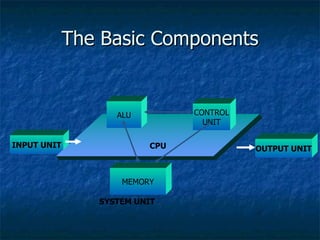
The Basic Components INPUT UNIT OUTPUT UNIT CPU ALU CONTROL UNIT MEMORY SYSTEM UNIT
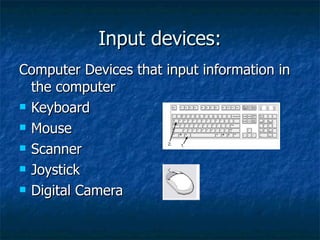
Input devices: Computer Devices that input information in the computer Keyboard Mouse Scanner Joystick Digital Camera
Output devices: Computer Devices that output information from the computer. Monitor Printer Plotter
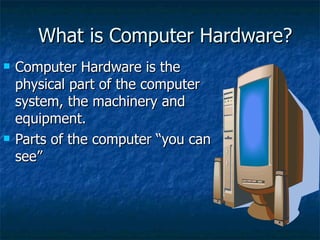
What is Computer Hardware? Computer Hardware is the physical part of the computer system, the machinery and equipment.  Parts of the computer “you can see”
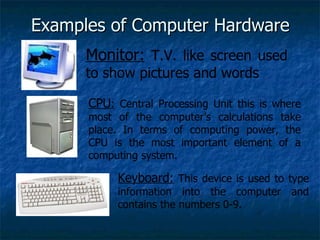
Examples of Computer Hardware Monitor:  T.V. like screen used to show pictures and words CPU :  Central Processing Unit this is where most of the computer’s calculations take place. In terms of computing power, the CPU is the most important element of a computing system. Keyboard:  This device is used to type information into the computer and contains the numbers 0-9.
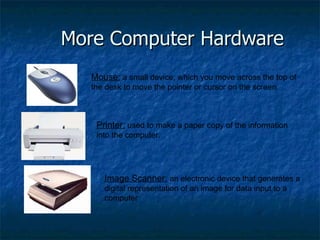
More Computer Hardware Mouse:  a small device, which you move across the top of the desk to move the pointer or cursor on the screen. Printer:  used to make a paper copy of the information into the computer. Image Scanner:  an electronic device that generates a digital representation of an image for data input to a computer
What is Computer Software? Computer Software are programs that tell the computer what to do. Examples Microsoft Word-word processing program Microsoft PowerPoint-presentation program Microsoft Excel-work book program used to track, calculate, and analyze numeric data
Input devices: Computer Devices that input information in the computer Keyboard Mouse Scanner Joystick Digital Camera
Output devices: Monitor Printer Plotter
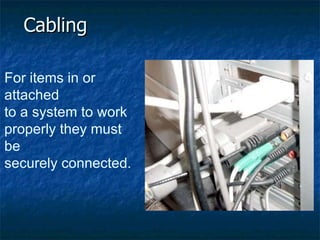
Cabling For items in or attached to a system to work  properly they must be  securely connected.
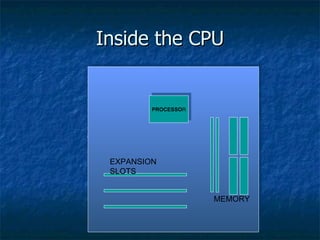
Inside the CPU PROCESSO R MEMORY EXPANSION SLOTS
Inside the CPU Microprocessor Memory Bus Expansion slots
Microprocessor Performs numerical computations Logical comparisons Transfers data, addresses and control signals using buses
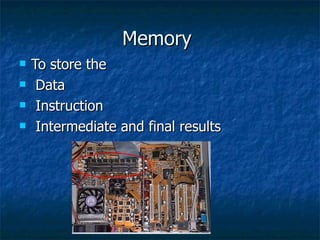
Memory  To store the Data Instruction Intermediate and final results
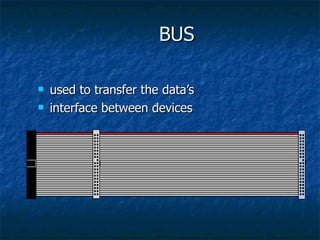
BUS used to transfer the data’s interface between devices
Built-in programs The programs written in the ROM at the time of mother board manufacturing
Expansion Slot To upgrade the PC
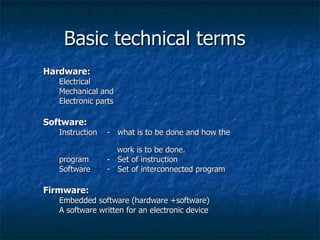
Basic technical terms Hardware: Electrical  Mechanical and  Electronic parts Software: Instruction -  what is to be done and how the    work is to be done. program  -  Set of instruction Software -  Set of interconnected program  Firmware: Embedded software (hardware +software) A software written for an electronic device
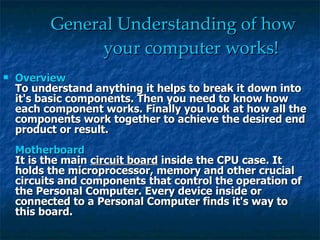
General Understanding of how   your computer works! Overview To understand anything it helps to break it down into it's basic components. Then you need to know how each component works. Finally you look at how all the components work together to achieve the desired end product or result.  Motherboard It is the main  circuit board  inside the CPU case. It holds the microprocessor, memory and other crucial circuits and components that control the operation of the Personal Computer. Every device inside or connected to a Personal Computer finds it's way to this board.
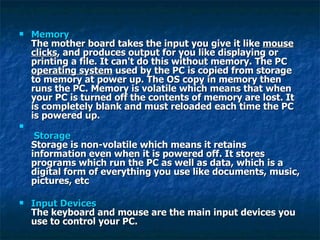
Memory The mother board takes the input you give it like  mouse clicks , and produces output for you like displaying or printing a file. It can't do this without memory. The PC  operating system  used by the PC is copied from storage to memory at power up. The OS copy in memory then runs the PC. Memory is volatile which means that when your PC is turned off the contents of memory are lost. It is completely blank and must reloaded each time the PC is powered up.   Storage Storage is non-volatile which means it retains information even when it is powered off. It stores programs which run the PC as well as data, which is a digital form of everything you use like documents, music, pictures, etc  Input Devices The keyboard and mouse are the main input devices you use to control your PC.
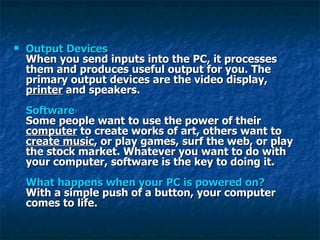
Output Devices When you send inputs into the PC, it processes them and produces useful output for you. The primary output devices are the video display,  printer  and speakers.  Software Some people want to use the power of their  computer  to create works of art, others want to  create music , or play games, surf the web, or play the stock market. Whatever you want to do with your computer, software is the key to doing it.  What happens when your PC is powered on? With a simple push of a button, your computer comes to life.
NETWORKS A  network  is a collection of computers and devices connected together so users can share data and resources A  local area network (LAN)  connects computers in a limited geographic area A  wide area network (WAN)  covers a large geographical area
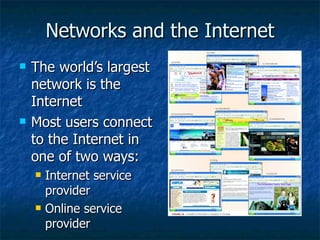
Networks and the Internet The world’s largest network is the Internet Most users connect to the Internet in one of two ways: Internet service provider Online service provider
The World Wide Web One of the more popular segments of the Internet is the  World Wide Web , also called the Web. A  Web page  is a document that contains text, graphics, sound, and/or video and has built-in connections, or hyperlinks to other Web documents A  Web site  is a related collection of Web pages You access and view Web pages using a software program called a  Web browser A Web page has a unique address, called a  Uniform Resource Locator (URL) A  hyperlink  is a virtual connection to another place on the Web
More Internet Terms Cookies  –  a text file created by a Web server and your Web browser, that sits on your hard drive Search engine   – a Web site containing a database of web pages and their content Electronic commerce  – conducting business online, such as shopping or investing. Portal   -- a launching point for browsing online; one of the most well-known is Yahoo!, where you can search the Web, shop, chat, check e-mail, build a Web site, and view news articles.
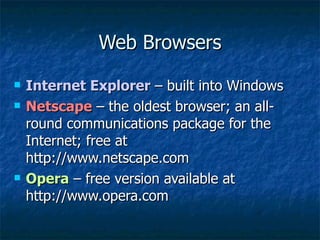
Web Browsers Internet Explorer  – built into Windows Netscape  – the oldest browser; an all-round communications package for the Internet; free at http://www.netscape.com Opera  – free version available at http://www.opera.com
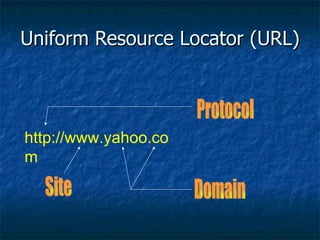
Uniform Resource Locator (URL) http://www.yahoo.com Protocol Domain Site

Basic computer

  • 1.
  • 2.
  • 3.
  • 4.
    Definition of ComputerA device that computes, especially a programmable electronic machine that performs high-speed mathematical or logical operations or that assembles, stores, correlates, or otherwise processes information. Go back to Table of Contents
  • 5.
    What is computerElectronic device used to store, retrieve, and manipulate the data
  • 6.
    History of ComputersCharles Babbage - father of computer 1800’s planned analytical engine ENIAC - developed at end of WW II 1951 - 1963 1st and 2nd generation very large, used unreliable vacuum tubes 1963 - present - 3rd and 4th generation smaller, faster - use transistors and integrated circuits
  • 7.
    History - MicrocomputersApple First sold in late 1970’s Developed by Jobs and Wozniak IBM Personal Computers First sold in 1981 Was quickly accepted by businesses IBM compatibles soon developed
  • 8.
    Computers Have TwoMain Parts Computer Hardware Computer Software
  • 9.
    Benefits of usingcomputers Speed Accuracy Consistency Storage capacity and Flexibility
  • 10.
    The Basic ComponentsINPUT UNIT OUTPUT UNIT CPU ALU CONTROL UNIT MEMORY SYSTEM UNIT
  • 11.
    Input devices: ComputerDevices that input information in the computer Keyboard Mouse Scanner Joystick Digital Camera
  • 12.
    Output devices: ComputerDevices that output information from the computer. Monitor Printer Plotter
  • 13.
    What is ComputerHardware? Computer Hardware is the physical part of the computer system, the machinery and equipment. Parts of the computer “you can see”
  • 14.
    Examples of ComputerHardware Monitor: T.V. like screen used to show pictures and words CPU : Central Processing Unit this is where most of the computer’s calculations take place. In terms of computing power, the CPU is the most important element of a computing system. Keyboard: This device is used to type information into the computer and contains the numbers 0-9.
  • 15.
    More Computer HardwareMouse: a small device, which you move across the top of the desk to move the pointer or cursor on the screen. Printer: used to make a paper copy of the information into the computer. Image Scanner: an electronic device that generates a digital representation of an image for data input to a computer
  • 16.
    What is ComputerSoftware? Computer Software are programs that tell the computer what to do. Examples Microsoft Word-word processing program Microsoft PowerPoint-presentation program Microsoft Excel-work book program used to track, calculate, and analyze numeric data
  • 17.
    Input devices: ComputerDevices that input information in the computer Keyboard Mouse Scanner Joystick Digital Camera
  • 18.
    Output devices: MonitorPrinter Plotter
  • 19.
    Cabling For itemsin or attached to a system to work properly they must be securely connected.
  • 20.
    Inside the CPUPROCESSO R MEMORY EXPANSION SLOTS
  • 21.
    Inside the CPUMicroprocessor Memory Bus Expansion slots
  • 22.
    Microprocessor Performs numericalcomputations Logical comparisons Transfers data, addresses and control signals using buses
  • 23.
    Memory Tostore the Data Instruction Intermediate and final results
  • 24.
    BUS used totransfer the data’s interface between devices
  • 25.
    Built-in programs Theprograms written in the ROM at the time of mother board manufacturing
  • 26.
    Expansion Slot Toupgrade the PC
  • 27.
    Basic technical termsHardware: Electrical Mechanical and Electronic parts Software: Instruction - what is to be done and how the work is to be done. program - Set of instruction Software - Set of interconnected program Firmware: Embedded software (hardware +software) A software written for an electronic device
  • 28.
    General Understanding ofhow your computer works! Overview To understand anything it helps to break it down into it's basic components. Then you need to know how each component works. Finally you look at how all the components work together to achieve the desired end product or result. Motherboard It is the main circuit board inside the CPU case. It holds the microprocessor, memory and other crucial circuits and components that control the operation of the Personal Computer. Every device inside or connected to a Personal Computer finds it's way to this board.
  • 29.
    Memory The motherboard takes the input you give it like mouse clicks , and produces output for you like displaying or printing a file. It can't do this without memory. The PC operating system used by the PC is copied from storage to memory at power up. The OS copy in memory then runs the PC. Memory is volatile which means that when your PC is turned off the contents of memory are lost. It is completely blank and must reloaded each time the PC is powered up. Storage Storage is non-volatile which means it retains information even when it is powered off. It stores programs which run the PC as well as data, which is a digital form of everything you use like documents, music, pictures, etc Input Devices The keyboard and mouse are the main input devices you use to control your PC.
  • 30.
    Output Devices Whenyou send inputs into the PC, it processes them and produces useful output for you. The primary output devices are the video display, printer and speakers. Software Some people want to use the power of their computer to create works of art, others want to create music , or play games, surf the web, or play the stock market. Whatever you want to do with your computer, software is the key to doing it. What happens when your PC is powered on? With a simple push of a button, your computer comes to life.
  • 31.
    NETWORKS A network is a collection of computers and devices connected together so users can share data and resources A local area network (LAN) connects computers in a limited geographic area A wide area network (WAN) covers a large geographical area
  • 32.
    Networks and theInternet The world’s largest network is the Internet Most users connect to the Internet in one of two ways: Internet service provider Online service provider
  • 33.
    The World WideWeb One of the more popular segments of the Internet is the World Wide Web , also called the Web. A Web page is a document that contains text, graphics, sound, and/or video and has built-in connections, or hyperlinks to other Web documents A Web site is a related collection of Web pages You access and view Web pages using a software program called a Web browser A Web page has a unique address, called a Uniform Resource Locator (URL) A hyperlink is a virtual connection to another place on the Web
  • 34.
    More Internet TermsCookies – a text file created by a Web server and your Web browser, that sits on your hard drive Search engine – a Web site containing a database of web pages and their content Electronic commerce – conducting business online, such as shopping or investing. Portal -- a launching point for browsing online; one of the most well-known is Yahoo!, where you can search the Web, shop, chat, check e-mail, build a Web site, and view news articles.
  • 35.
    Web Browsers InternetExplorer – built into Windows Netscape – the oldest browser; an all-round communications package for the Internet; free at http://www.netscape.com Opera – free version available at http://www.opera.com
  • 36.
    Uniform Resource Locator(URL) http://www.yahoo.com Protocol Domain Site