Automatizzare la creazione
di risorse con ARM
Template e Powershell
Marco Obinu - @OmegaMadLab
Thanks to
Who am I?
Marco Obinu
@OmegaMadLab
marco.obinu@omegamadlab.com
http://www.omegamadlab.com
https://github.com/OmegaMadLab
https://www.linkedin.com/in/marco-obinu-omegamadlab/
https://www.youtube.com/channel/UCpkBeQSscC1iBvpNP4VNTKQ
• Geek to the bone 
• Azure Solution Architect Expert
Advisory Engineer
SoftJam S.p.A.
AGENDA
• Introduzione al mondo IaC in Azure con ARM Templates
• PowerShell DSC
• Deployment di una VM
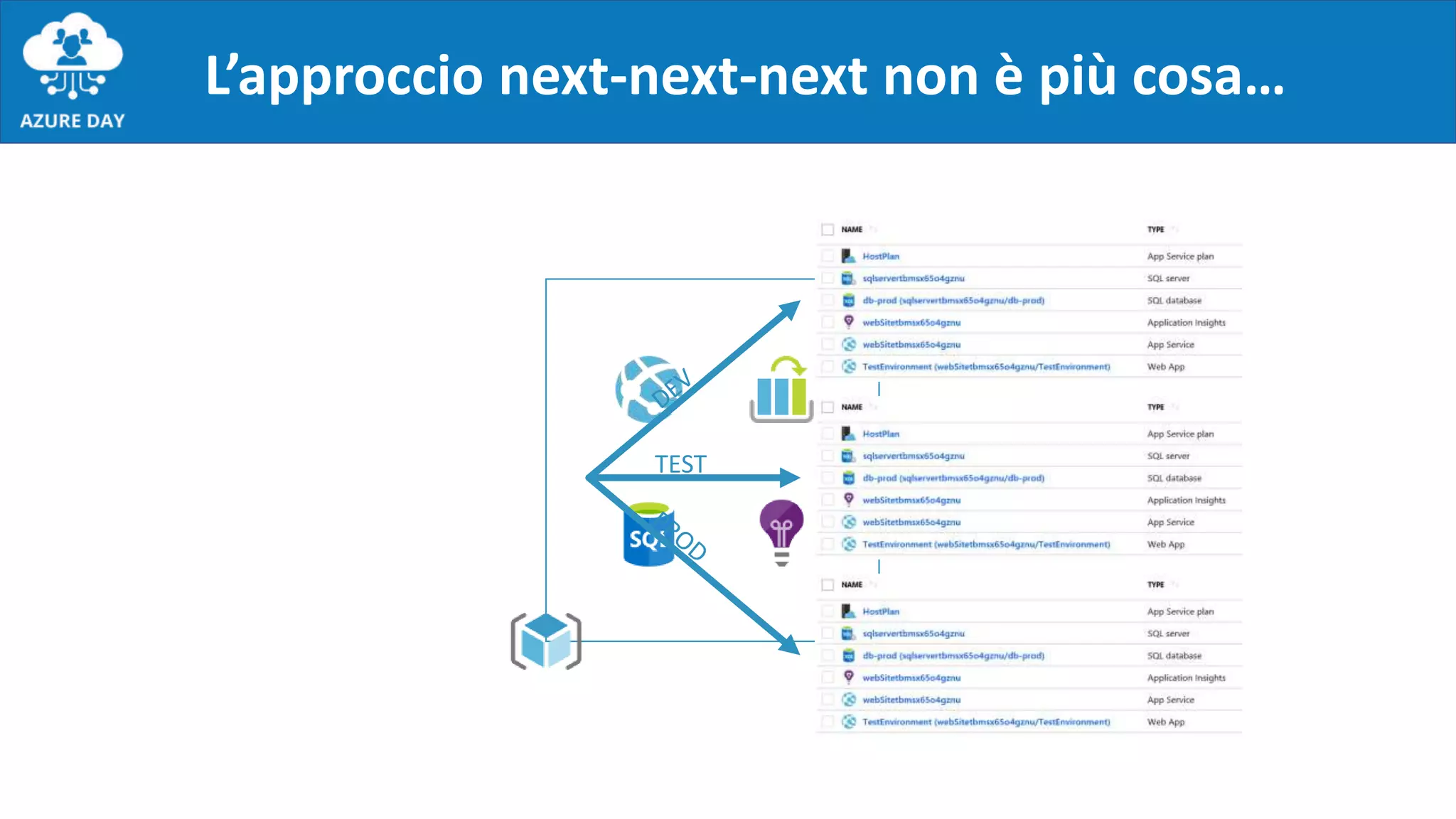
L’approccio next-next-next non è più cosa…
TEST
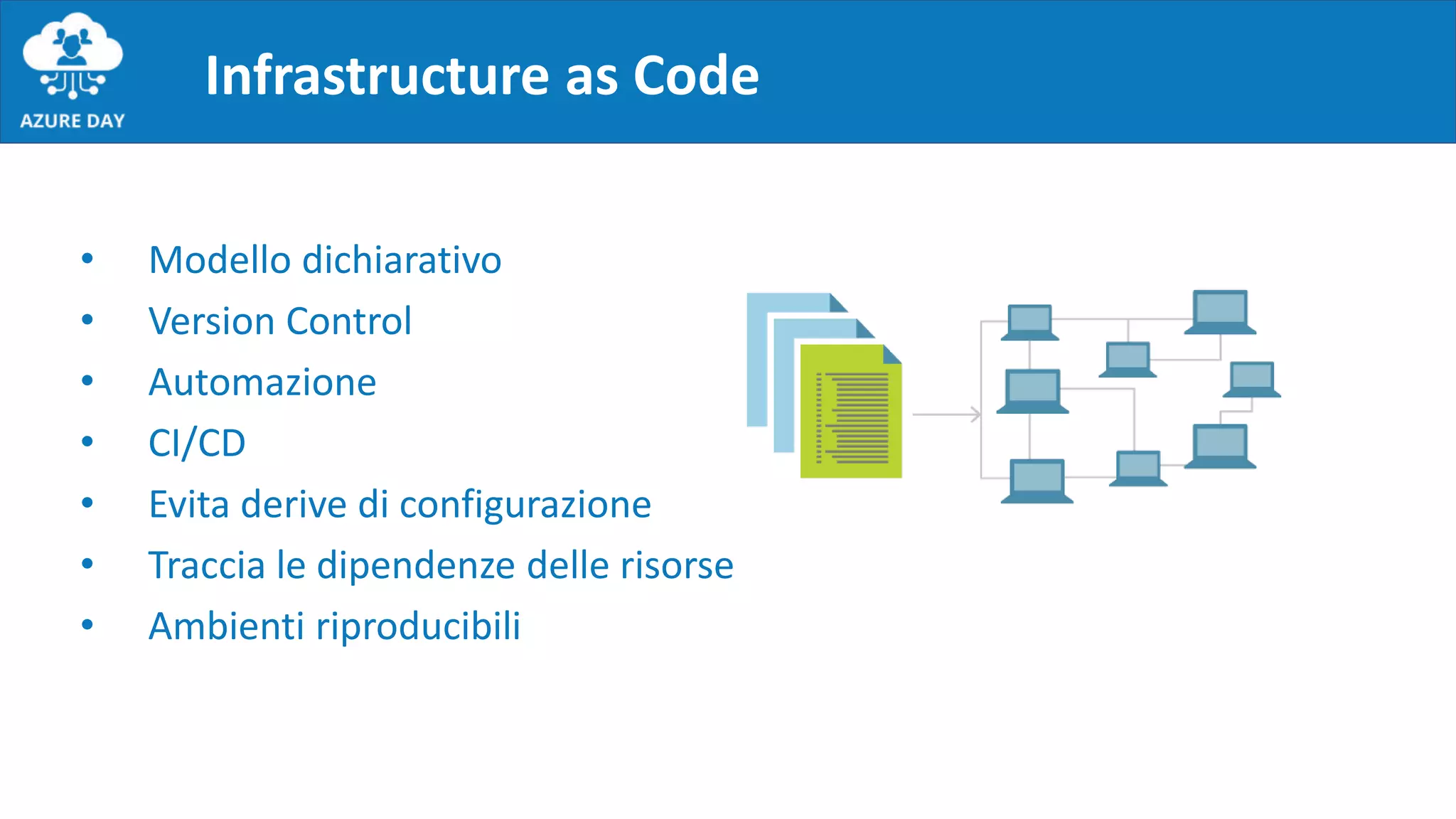
Infrastructure as Code
• Modello dichiarativo
• Version Control
• Automazione
• CI/CD
• Evita derive di configurazione
• Traccia le dipendenze delle risorse
• Ambienti riproducibili
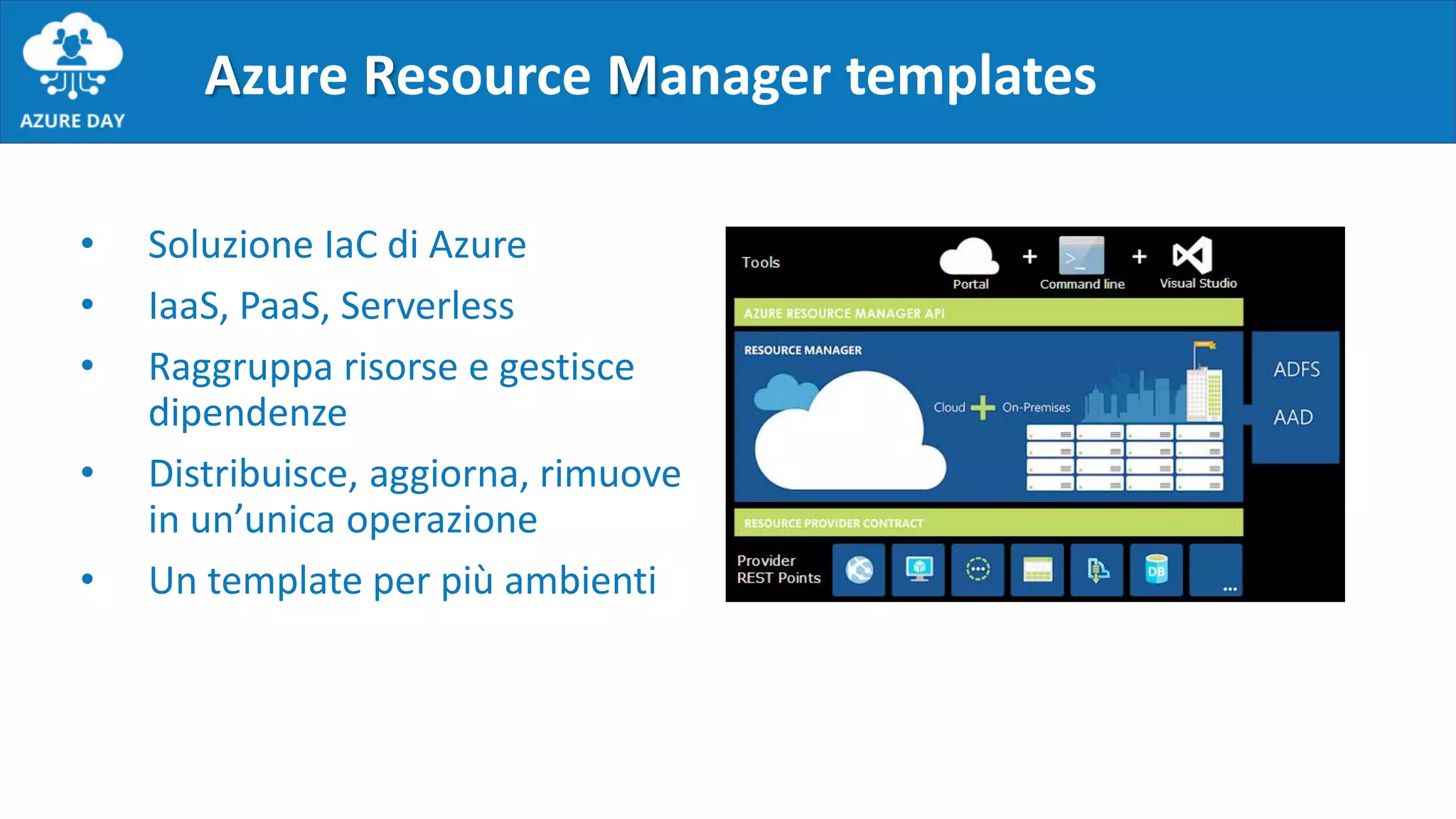
• Soluzione IaC di Azure
• IaaS, PaaS, Serverless
• Raggruppa risorse e gestisce
dipendenze
• Distribuisce, aggiorna, rimuove
in un’unica operazione
• Un template per più ambienti
Azure Resource Manager templates
{
"$schema": "https://schema.management.azure.com/schemas/2015-01-01/deploymentTemplate.json#",
"contentVersion": "1.0.0.0",
"parameters": {},
"variables": {},
"functions": []
"resources": [],
"outputs": {}
}
Struttura di un template
Parametri
Schema:
"parameters": {
"<parameter-name>" : {
"type" : "<type-of-parameter-value>",
"defaultValue": "<default-value-of-parameter>",
"allowedValues": [ "<array-of-allowed-values>" ],
"minValue": <minimum-value-for-int>,
"maxValue": <maximum-value-for-int>,
"minLength": <min-length-for-string-or-array>,
"maxLength": <max-length-for-string-or-array>,
"metadata": {
"description": "<description-of-the parameter>"
}
}
}
Esempio:
"parameters": {
"storageSKU": {
"type": "string",
"allowedValues": [
"Standard_LRS",
"Premium_LRS"
],
"defaultValue": "Standard_LRS",
"metadata": {
"description": "The tier of storage account."
}
}
}
Utilizzo all’interno del template:
"resources": [
{
"type": "Microsoft.Storage/storageAccounts",
"sku": {
"name": "[parameters('storageSKU')]"
},
...
}
]
https://docs.microsoft.com/en-us/azure/azure-resource-manager/resource-manager-templates-parameters
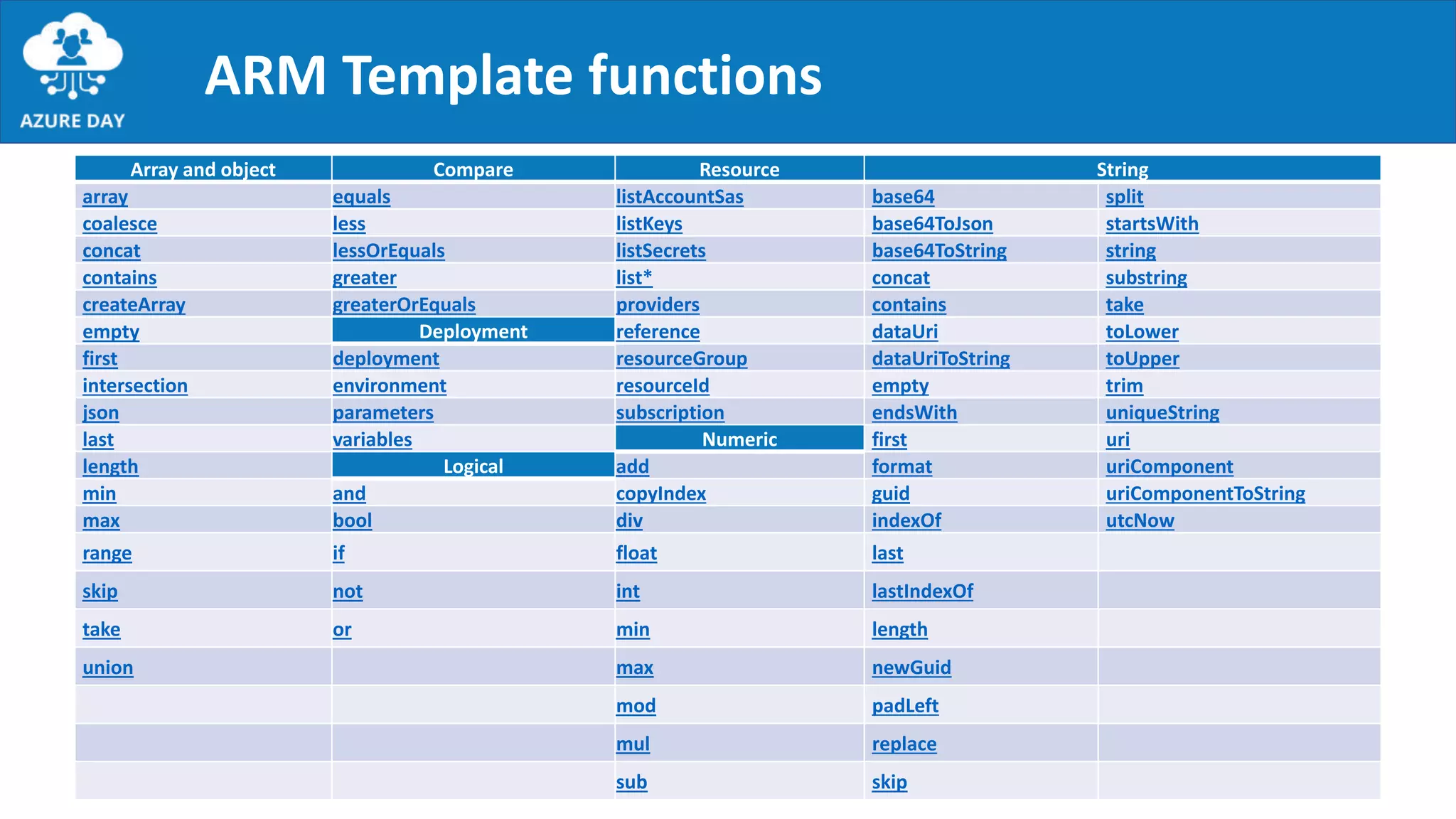
Array and object Compare Resource String
array equals listAccountSas base64 split
coalesce less listKeys base64ToJson startsWith
concat lessOrEquals listSecrets base64ToString string
contains greater list* concat substring
createArray greaterOrEquals providers contains take
empty Deployment reference dataUri toLower
first deployment resourceGroup dataUriToString toUpper
intersection environment resourceId empty trim
json parameters subscription endsWith uniqueString
last variables Numeric first uri
length Logical add format uriComponent
min and copyIndex guid uriComponentToString
max bool div indexOf utcNow
range if float last
skip not int lastIndexOf
take or min length
union max newGuid
mod padLeft
mul replace
sub skip
ARM Template functions
{
"$schema": "https://schema.management.azure.com/schemas/2015-01-01/deploymentTemplate.json#",
"contentVersion": "1.0.0.0",
"parameters": {},
"variables": {},
"functions": []
"resources": [],
"outputs": {}
}
Struttura di un template
Variabili
Schema:
"variables": {
"<variable-name>": "<variable-value>",
"<variable-name>": {
<variable-complex-type-value>
},
"<variable-object-name>": {
"copy": [
{
"name": "<name-of-array-property>",
"count": <number-of-iterations>,
"input": {
<properties-to-repeat>
}
}
]
},
"copy": [
{
"name": "<variable-array-name>",
"count": <number-of-iterations>,
"input": {
<properties-to-repeat>
}
}
]
}
Esempio:
"variables": {
"VmName": "Server01",
"ConcatExample": [concat(parameters('size'), 'string2')]
}
Utilizzo all’interno del template:
"resources": [
{
"type": "Microsoft.Compute/VirtualMachine",
"name": [variables('VmName'),
"property": [variables('ConcatExample'),
...
}
]
https://docs.microsoft.com/en-us/azure/azure-resource-manager/resource-manager-templates-variables
{
"$schema": "https://schema.management.azure.com/schemas/2015-01-01/deploymentTemplate.json#",
"contentVersion": "1.0.0.0",
"parameters": {},
"variables": {},
"functions": []
"resources": [],
"outputs": {}
}
Struttura di un template
Custom functions
Utilizzo all’interno del template:
"resources": [
{
"name":
"[contoso.uniqueName(parameters('storageNamePrefix'))]",
"type": "Microsoft.Storage/storageAccounts",
…
}
]
Esempio:
"functions": [
{
"namespace": "contoso",
"members": {
"uniqueName": {
"parameters": [
{
"name": "namePrefix",
"type": "string"
}
],
"output": {
"type": "string",
"value":
"[concat(toLower(parameters('namePrefix')),
uniqueString(resourceGroup().id))]"
}
}
}
}
],
https://docs.microsoft.com/en-us/azure/azure-resource-manager/resource-group-authoring-templates#functions
{
"$schema": "https://schema.management.azure.com/schemas/2015-01-01/deploymentTemplate.json#",
"contentVersion": "1.0.0.0",
"parameters": {},
"variables": {},
"functions": []
"resources": [],
"outputs": {}
}
Struttura di un template
Risorse
Schema:
"resources": [
{
"condition": "<true-to-deploy-this-resource>",
"apiVersion": "<api-version-of-resource>",
"type": "<resource-provider-namespace/resource-type-name>",
"name": "<name-of-the-resource>",
"location": "<location-of-resource>",
"tags": {
"<tag-name1>": "<tag-value1>“
},
"comments": "<your-reference-notes>",
"copy": {
"name": "<name-of-copy-loop>",
"count": <number-of-iterations>,
"mode": "<serial-or-parallel>",
"batchSize": <number-to-deploy-serially>
},
"dependsOn": [
"<array-of-related-resource-names>"
],
"properties": {
…
}
"resources": []
}
]
Esempio:
"resources": [
{
"name": "[variables('storageAccountName')]",
"type": "Microsoft.Storage/storageAccounts",
"apiVersion": "2016-01-01",
"location": "[resourceGroup().location]",
"comments": "This storage account is used to store the VM
disks.",
...
}
]
https://docs.microsoft.com/en-us/azure/azure-resource-manager/resource-manager-templates-resources
{
"$schema": "https://schema.management.azure.com/schemas/2015-01-01/deploymentTemplate.json#",
"contentVersion": "1.0.0.0",
"parameters": {},
"variables": {},
"functions": []
"resources": [],
"outputs": {}
}
Struttura di un template
Output
Schema:
"outputs": {
"<outputName>" : {
"type" : "<type-of-output-value>",
"value": "<output-value-expression>"
}
}
Esempio:
"outputs": {
"resourceID": {
"type": "string",
"value":
"[resourceId('Microsoft.Network/publicIPAddresses',
parameters('publicIPAddresses_name'))]"
}
}
https://docs.microsoft.com/en-us/azure/azure-resource-manager/resource-manager-templates-outputs
Strumenti del mestiere
• Visual Studio Code
• Estensione PowerShell
• Estensione Azure Tools
• PowerShell con modulo Az o Azure Cloud Shell
• Repo per templates/artifacts
• ARM Template Reference  https://docs.microsoft.com/en-us/azure/templates/
Aiutati, che il ciel ti aiuta!
• Generazione script di automazione da portale
• Azure Quickstart Templates
• https://azure.microsoft.com/en-us/resources/templates/
• https://github.com/Azure/azure-quickstart-templates
• Reverse engineering
Deployment
• Tramite portale
• Da GitHub 
• Da PowerShell, Azure CLI, Cloud Shell…
"resources": [
{
"apiVersion": "2016-01-01",
"type": "Microsoft.Storage/storageAccounts",
"name": "mystorageaccount",
…
]
PUT
https://management.azure.com/subscriptions/{
subscriptionId}/resourceGroups/{resourceGrou
pName}/providers/Microsoft.Storage/storageAc
counts/mystorageaccount?api-version=2016-01-
01
REQUEST BODY
{
PowerShell Desired State Configuration
• Sistema di configuration management basato su PowerShell
• Funziona sia su Windows che su OSS
• Elementi chiave:
• Configurazioni  componente dichiarativa
• Risorse  componente imperativa
• Tre funzioni: Test, Get, Set
• Reperibili da PSGallery  Find-DscResource
• Local Configuration Manager
• PUSH e PULL
• Integrazione negli ARM template  https://docs.microsoft.com/en-
us/azure/virtual-machines/extensions/dsc-template
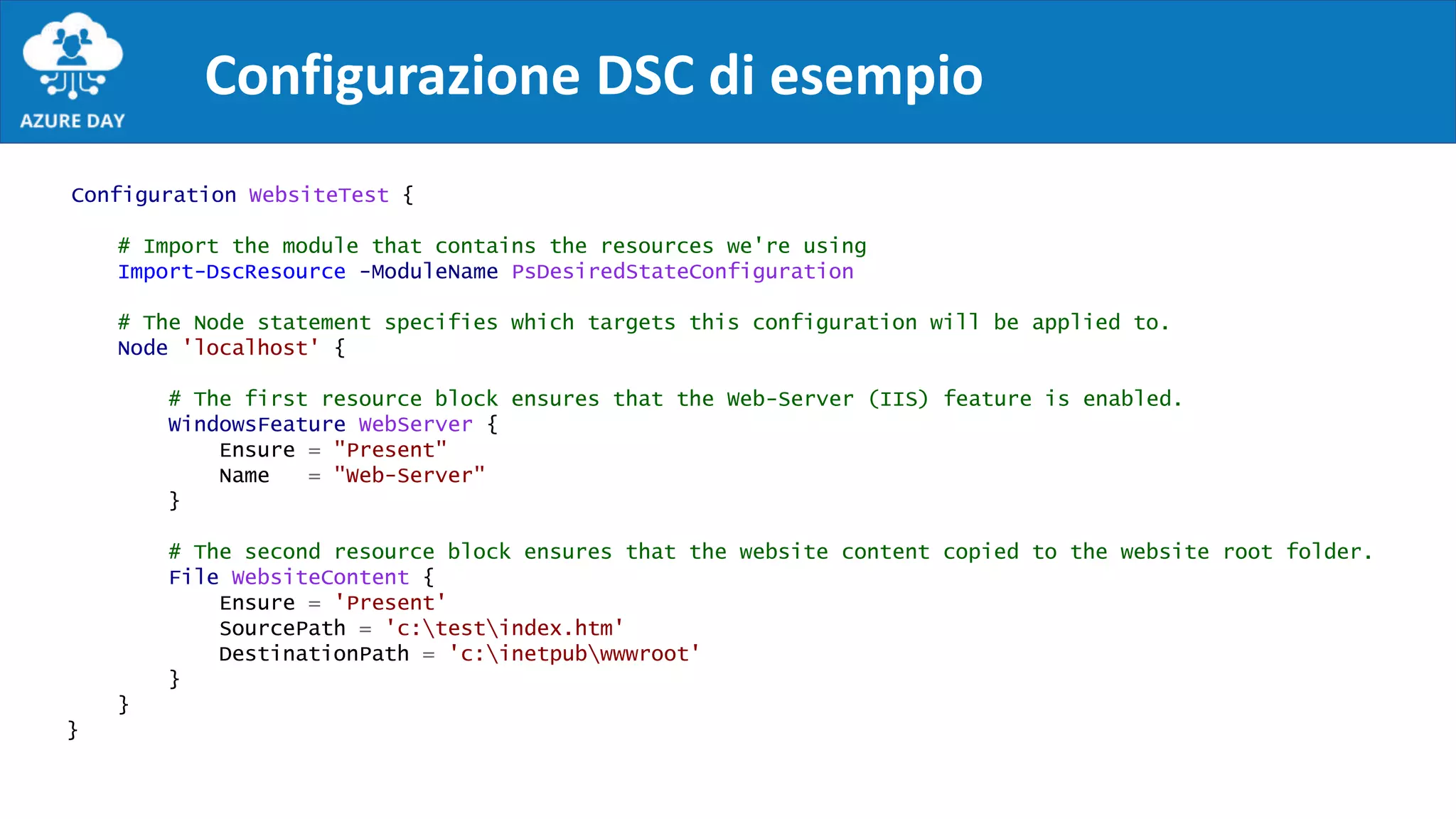
Configurazione DSC di esempio
Configuration WebsiteTest {
# Import the module that contains the resources we're using
Import-DscResource -ModuleName PsDesiredStateConfiguration
# The Node statement specifies which targets this configuration will be applied to.
Node 'localhost' {
# The first resource block ensures that the Web-Server (IIS) feature is enabled.
WindowsFeature WebServer {
Ensure = "Present"
Name = "Web-Server"
}
# The second resource block ensures that the website content copied to the website root folder.
File WebsiteContent {
Ensure = 'Present'
SourcePath = 'c:testindex.htm'
DestinationPath = 'c:inetpubwwwroot'
}
}
}
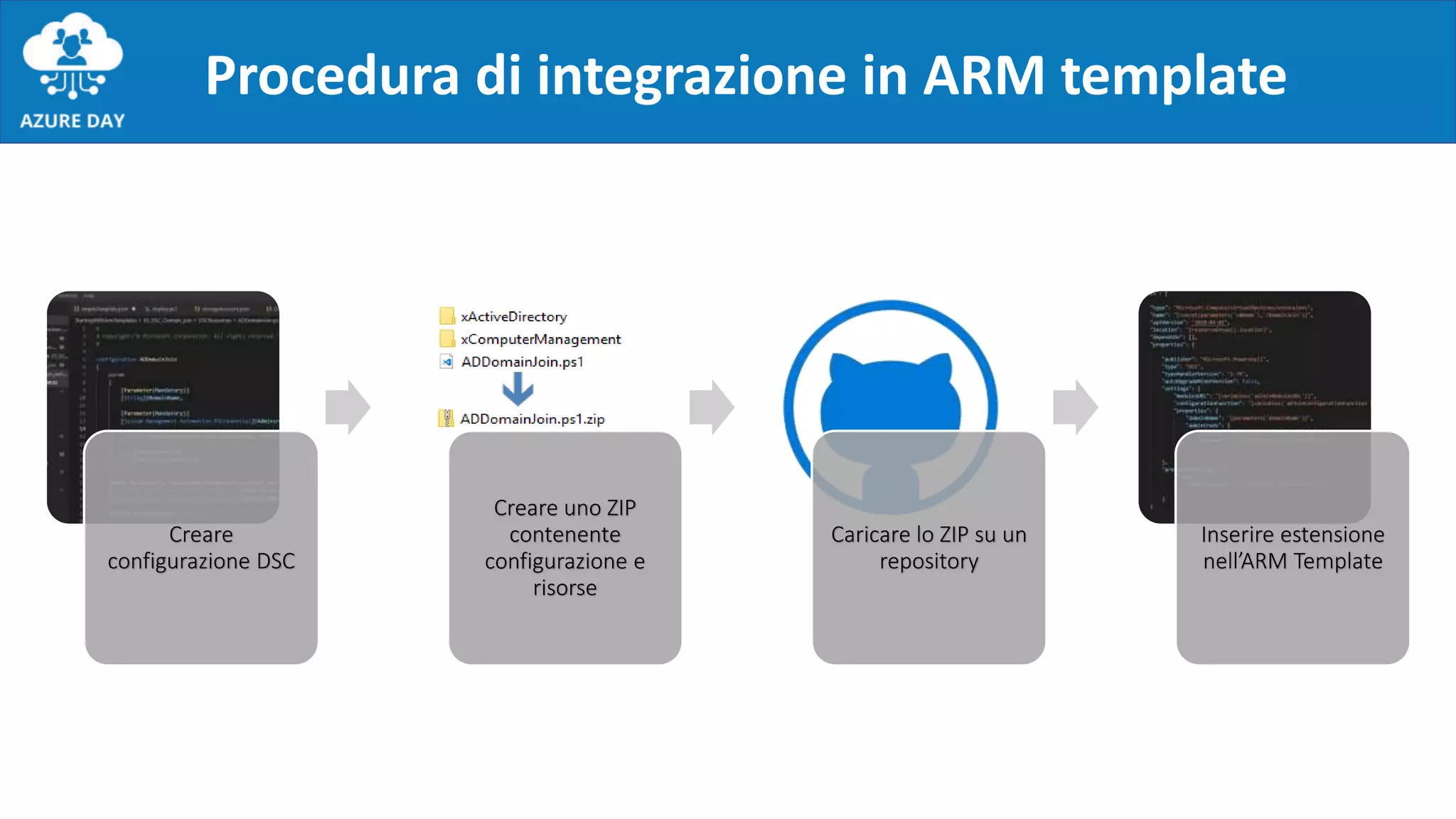
Procedura di integrazione in ARM template
Creare
configurazione DSC
Creare uno ZIP
contenente
configurazione e
risorse
Caricare lo ZIP su un
repository
Inserire estensione
nell’ARM Template
Risorsa PowerShell DSC
{
"name": "Microsoft.Powershell.DSC",
"type": " Microsoft.Compute/virtualMachines/extensions",
"location": "[resourceGroup().location]",
"apiVersion": "2018-06-30",
"dependsOn": [],
"properties": {
"publisher": "Microsoft.Powershell",
"type": "DSC",
"typeHandlerVersion": "2.77",
"autoUpgradeMinorVersion": true,
"settings": {
"configuration": {
"url": "http://validURLToConfigLocation",
"script": "ConfigurationScript.ps1",
"function": "ConfigurationFunction"
},
"configurationArguments": {
"argument1": "Value1",
"argument2": "Value2"
},
},
"protectedSettings": {
"configurationArguments": {
"parameterOfTypePSCredential1": {
"userName": "UsernameValue1",
"password": "PasswordValue1"
},
}
}
}
Custom Script Extensions
{
"apiVersion": "2018-06-01",
"type": "Microsoft.Compute/virtualMachines/extensions",
"name": "config-app",
"location": "[resourceGroup().location]",
"dependsOn": [],
"properties": {
"publisher": "Microsoft.Compute",
"type": "CustomScriptExtension",
"typeHandlerVersion": "1.9",
"autoUpgradeMinorVersion": true,
"settings": {
"fileUris": [
"script location"
],
"timestamp": 12345678,
},
"protectedSettings": {
"commandToExecute": "myExecutionCommand",
"storageAccountName": "myStorageAccountName",
"storageAccountKey": "myStorageAccountKey"
}
}
}
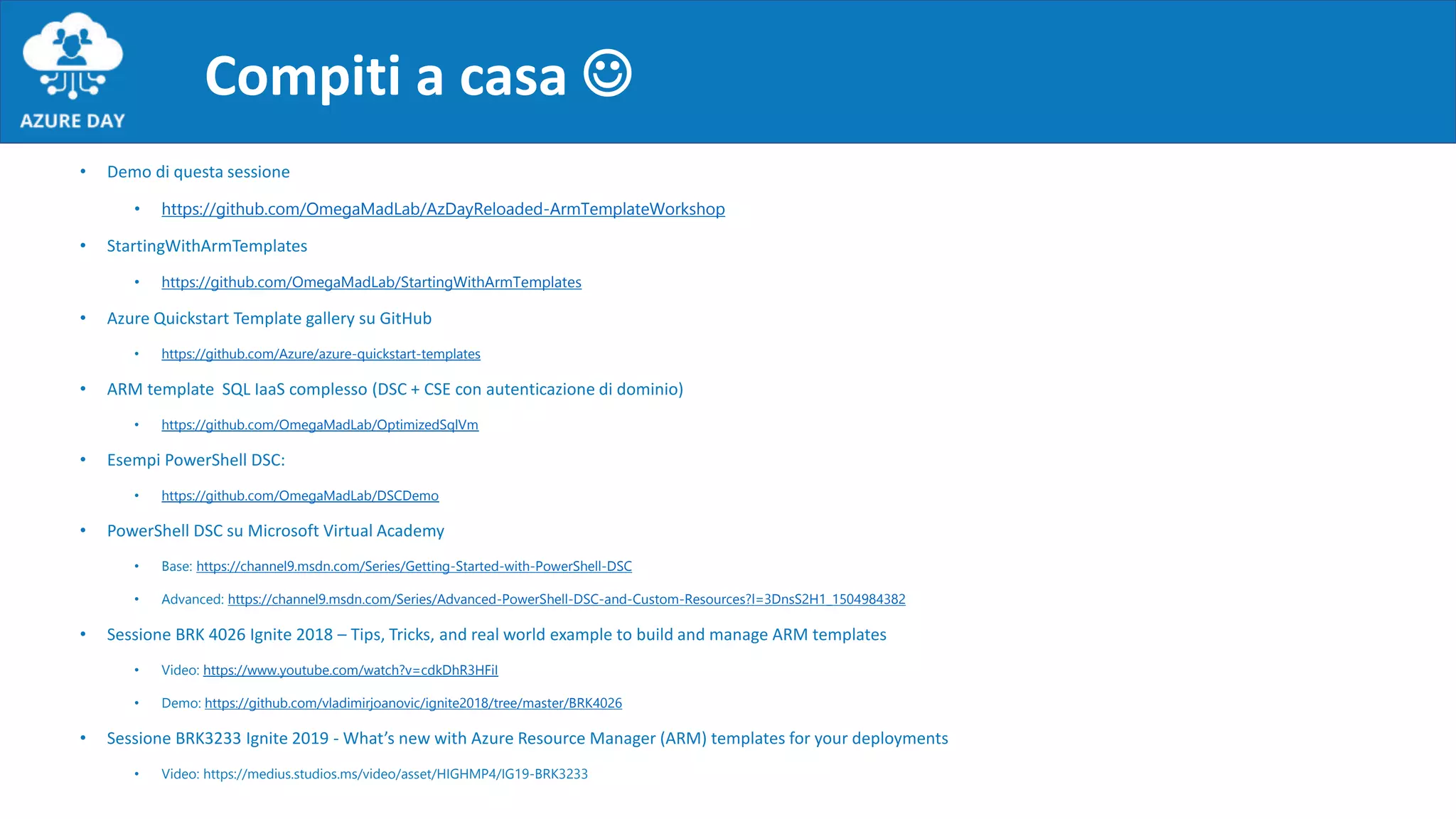
Compiti a casa 
• Demo di questa sessione
• https://github.com/OmegaMadLab/AzDayReloaded-ArmTemplateWorkshop
• StartingWithArmTemplates
• https://github.com/OmegaMadLab/StartingWithArmTemplates
• Azure Quickstart Template gallery su GitHub
• https://github.com/Azure/azure-quickstart-templates
• ARM template SQL IaaS complesso (DSC + CSE con autenticazione di dominio)
• https://github.com/OmegaMadLab/OptimizedSqlVm
• Esempi PowerShell DSC:
• https://github.com/OmegaMadLab/DSCDemo
• PowerShell DSC su Microsoft Virtual Academy
• Base: https://channel9.msdn.com/Series/Getting-Started-with-PowerShell-DSC
• Advanced: https://channel9.msdn.com/Series/Advanced-PowerShell-DSC-and-Custom-Resources?l=3DnsS2H1_1504984382
• Sessione BRK 4026 Ignite 2018 – Tips, Tricks, and real world example to build and manage ARM templates
• Video: https://www.youtube.com/watch?v=cdkDhR3HFiI
• Demo: https://github.com/vladimirjoanovic/ignite2018/tree/master/BRK4026
• Sessione BRK3233 Ignite 2019 - What’s new with Azure Resource Manager (ARM) templates for your deployments
• Video: https://medius.studios.ms/video/asset/HIGHMP4/IG19-BRK3233
Thank You!!!
Thanks to

Azure Day Reloaded 2019 - ARM Template workshop

  • 1.
    Automatizzare la creazione dirisorse con ARM Template e Powershell Marco Obinu - @OmegaMadLab
  • 2.
  • 3.
    Who am I? MarcoObinu @OmegaMadLab marco.obinu@omegamadlab.com http://www.omegamadlab.com https://github.com/OmegaMadLab https://www.linkedin.com/in/marco-obinu-omegamadlab/ https://www.youtube.com/channel/UCpkBeQSscC1iBvpNP4VNTKQ • Geek to the bone  • Azure Solution Architect Expert Advisory Engineer SoftJam S.p.A.
  • 4.
    AGENDA • Introduzione almondo IaC in Azure con ARM Templates • PowerShell DSC • Deployment di una VM
  • 5.
  • 6.
    Infrastructure as Code •Modello dichiarativo • Version Control • Automazione • CI/CD • Evita derive di configurazione • Traccia le dipendenze delle risorse • Ambienti riproducibili
  • 7.
    • Soluzione IaCdi Azure • IaaS, PaaS, Serverless • Raggruppa risorse e gestisce dipendenze • Distribuisce, aggiorna, rimuove in un’unica operazione • Un template per più ambienti Azure Resource Manager templates
  • 8.
    { "$schema": "https://schema.management.azure.com/schemas/2015-01-01/deploymentTemplate.json#", "contentVersion": "1.0.0.0", "parameters":{}, "variables": {}, "functions": [] "resources": [], "outputs": {} } Struttura di un template
  • 9.
    Parametri Schema: "parameters": { "<parameter-name>" :{ "type" : "<type-of-parameter-value>", "defaultValue": "<default-value-of-parameter>", "allowedValues": [ "<array-of-allowed-values>" ], "minValue": <minimum-value-for-int>, "maxValue": <maximum-value-for-int>, "minLength": <min-length-for-string-or-array>, "maxLength": <max-length-for-string-or-array>, "metadata": { "description": "<description-of-the parameter>" } } } Esempio: "parameters": { "storageSKU": { "type": "string", "allowedValues": [ "Standard_LRS", "Premium_LRS" ], "defaultValue": "Standard_LRS", "metadata": { "description": "The tier of storage account." } } } Utilizzo all’interno del template: "resources": [ { "type": "Microsoft.Storage/storageAccounts", "sku": { "name": "[parameters('storageSKU')]" }, ... } ] https://docs.microsoft.com/en-us/azure/azure-resource-manager/resource-manager-templates-parameters
  • 10.
    Array and objectCompare Resource String array equals listAccountSas base64 split coalesce less listKeys base64ToJson startsWith concat lessOrEquals listSecrets base64ToString string contains greater list* concat substring createArray greaterOrEquals providers contains take empty Deployment reference dataUri toLower first deployment resourceGroup dataUriToString toUpper intersection environment resourceId empty trim json parameters subscription endsWith uniqueString last variables Numeric first uri length Logical add format uriComponent min and copyIndex guid uriComponentToString max bool div indexOf utcNow range if float last skip not int lastIndexOf take or min length union max newGuid mod padLeft mul replace sub skip ARM Template functions
  • 11.
    { "$schema": "https://schema.management.azure.com/schemas/2015-01-01/deploymentTemplate.json#", "contentVersion": "1.0.0.0", "parameters":{}, "variables": {}, "functions": [] "resources": [], "outputs": {} } Struttura di un template
  • 12.
    Variabili Schema: "variables": { "<variable-name>": "<variable-value>", "<variable-name>":{ <variable-complex-type-value> }, "<variable-object-name>": { "copy": [ { "name": "<name-of-array-property>", "count": <number-of-iterations>, "input": { <properties-to-repeat> } } ] }, "copy": [ { "name": "<variable-array-name>", "count": <number-of-iterations>, "input": { <properties-to-repeat> } } ] } Esempio: "variables": { "VmName": "Server01", "ConcatExample": [concat(parameters('size'), 'string2')] } Utilizzo all’interno del template: "resources": [ { "type": "Microsoft.Compute/VirtualMachine", "name": [variables('VmName'), "property": [variables('ConcatExample'), ... } ] https://docs.microsoft.com/en-us/azure/azure-resource-manager/resource-manager-templates-variables
  • 13.
    { "$schema": "https://schema.management.azure.com/schemas/2015-01-01/deploymentTemplate.json#", "contentVersion": "1.0.0.0", "parameters":{}, "variables": {}, "functions": [] "resources": [], "outputs": {} } Struttura di un template
  • 14.
    Custom functions Utilizzo all’internodel template: "resources": [ { "name": "[contoso.uniqueName(parameters('storageNamePrefix'))]", "type": "Microsoft.Storage/storageAccounts", … } ] Esempio: "functions": [ { "namespace": "contoso", "members": { "uniqueName": { "parameters": [ { "name": "namePrefix", "type": "string" } ], "output": { "type": "string", "value": "[concat(toLower(parameters('namePrefix')), uniqueString(resourceGroup().id))]" } } } } ], https://docs.microsoft.com/en-us/azure/azure-resource-manager/resource-group-authoring-templates#functions
  • 15.
    { "$schema": "https://schema.management.azure.com/schemas/2015-01-01/deploymentTemplate.json#", "contentVersion": "1.0.0.0", "parameters":{}, "variables": {}, "functions": [] "resources": [], "outputs": {} } Struttura di un template
  • 16.
    Risorse Schema: "resources": [ { "condition": "<true-to-deploy-this-resource>", "apiVersion":"<api-version-of-resource>", "type": "<resource-provider-namespace/resource-type-name>", "name": "<name-of-the-resource>", "location": "<location-of-resource>", "tags": { "<tag-name1>": "<tag-value1>“ }, "comments": "<your-reference-notes>", "copy": { "name": "<name-of-copy-loop>", "count": <number-of-iterations>, "mode": "<serial-or-parallel>", "batchSize": <number-to-deploy-serially> }, "dependsOn": [ "<array-of-related-resource-names>" ], "properties": { … } "resources": [] } ] Esempio: "resources": [ { "name": "[variables('storageAccountName')]", "type": "Microsoft.Storage/storageAccounts", "apiVersion": "2016-01-01", "location": "[resourceGroup().location]", "comments": "This storage account is used to store the VM disks.", ... } ] https://docs.microsoft.com/en-us/azure/azure-resource-manager/resource-manager-templates-resources
  • 17.
    { "$schema": "https://schema.management.azure.com/schemas/2015-01-01/deploymentTemplate.json#", "contentVersion": "1.0.0.0", "parameters":{}, "variables": {}, "functions": [] "resources": [], "outputs": {} } Struttura di un template
  • 18.
    Output Schema: "outputs": { "<outputName>" :{ "type" : "<type-of-output-value>", "value": "<output-value-expression>" } } Esempio: "outputs": { "resourceID": { "type": "string", "value": "[resourceId('Microsoft.Network/publicIPAddresses', parameters('publicIPAddresses_name'))]" } } https://docs.microsoft.com/en-us/azure/azure-resource-manager/resource-manager-templates-outputs
  • 19.
    Strumenti del mestiere •Visual Studio Code • Estensione PowerShell • Estensione Azure Tools • PowerShell con modulo Az o Azure Cloud Shell • Repo per templates/artifacts • ARM Template Reference  https://docs.microsoft.com/en-us/azure/templates/
  • 20.
    Aiutati, che ilciel ti aiuta! • Generazione script di automazione da portale • Azure Quickstart Templates • https://azure.microsoft.com/en-us/resources/templates/ • https://github.com/Azure/azure-quickstart-templates • Reverse engineering
  • 21.
    Deployment • Tramite portale •Da GitHub  • Da PowerShell, Azure CLI, Cloud Shell… "resources": [ { "apiVersion": "2016-01-01", "type": "Microsoft.Storage/storageAccounts", "name": "mystorageaccount", … ] PUT https://management.azure.com/subscriptions/{ subscriptionId}/resourceGroups/{resourceGrou pName}/providers/Microsoft.Storage/storageAc counts/mystorageaccount?api-version=2016-01- 01 REQUEST BODY {
  • 22.
    PowerShell Desired StateConfiguration • Sistema di configuration management basato su PowerShell • Funziona sia su Windows che su OSS • Elementi chiave: • Configurazioni  componente dichiarativa • Risorse  componente imperativa • Tre funzioni: Test, Get, Set • Reperibili da PSGallery  Find-DscResource • Local Configuration Manager • PUSH e PULL • Integrazione negli ARM template  https://docs.microsoft.com/en- us/azure/virtual-machines/extensions/dsc-template
  • 23.
    Configurazione DSC diesempio Configuration WebsiteTest { # Import the module that contains the resources we're using Import-DscResource -ModuleName PsDesiredStateConfiguration # The Node statement specifies which targets this configuration will be applied to. Node 'localhost' { # The first resource block ensures that the Web-Server (IIS) feature is enabled. WindowsFeature WebServer { Ensure = "Present" Name = "Web-Server" } # The second resource block ensures that the website content copied to the website root folder. File WebsiteContent { Ensure = 'Present' SourcePath = 'c:testindex.htm' DestinationPath = 'c:inetpubwwwroot' } } }
  • 24.
    Procedura di integrazionein ARM template Creare configurazione DSC Creare uno ZIP contenente configurazione e risorse Caricare lo ZIP su un repository Inserire estensione nell’ARM Template
  • 25.
    Risorsa PowerShell DSC { "name":"Microsoft.Powershell.DSC", "type": " Microsoft.Compute/virtualMachines/extensions", "location": "[resourceGroup().location]", "apiVersion": "2018-06-30", "dependsOn": [], "properties": { "publisher": "Microsoft.Powershell", "type": "DSC", "typeHandlerVersion": "2.77", "autoUpgradeMinorVersion": true, "settings": { "configuration": { "url": "http://validURLToConfigLocation", "script": "ConfigurationScript.ps1", "function": "ConfigurationFunction" }, "configurationArguments": { "argument1": "Value1", "argument2": "Value2" }, }, "protectedSettings": { "configurationArguments": { "parameterOfTypePSCredential1": { "userName": "UsernameValue1", "password": "PasswordValue1" }, } } }
  • 26.
    Custom Script Extensions { "apiVersion":"2018-06-01", "type": "Microsoft.Compute/virtualMachines/extensions", "name": "config-app", "location": "[resourceGroup().location]", "dependsOn": [], "properties": { "publisher": "Microsoft.Compute", "type": "CustomScriptExtension", "typeHandlerVersion": "1.9", "autoUpgradeMinorVersion": true, "settings": { "fileUris": [ "script location" ], "timestamp": 12345678, }, "protectedSettings": { "commandToExecute": "myExecutionCommand", "storageAccountName": "myStorageAccountName", "storageAccountKey": "myStorageAccountKey" } } }
  • 28.
    Compiti a casa • Demo di questa sessione • https://github.com/OmegaMadLab/AzDayReloaded-ArmTemplateWorkshop • StartingWithArmTemplates • https://github.com/OmegaMadLab/StartingWithArmTemplates • Azure Quickstart Template gallery su GitHub • https://github.com/Azure/azure-quickstart-templates • ARM template SQL IaaS complesso (DSC + CSE con autenticazione di dominio) • https://github.com/OmegaMadLab/OptimizedSqlVm • Esempi PowerShell DSC: • https://github.com/OmegaMadLab/DSCDemo • PowerShell DSC su Microsoft Virtual Academy • Base: https://channel9.msdn.com/Series/Getting-Started-with-PowerShell-DSC • Advanced: https://channel9.msdn.com/Series/Advanced-PowerShell-DSC-and-Custom-Resources?l=3DnsS2H1_1504984382 • Sessione BRK 4026 Ignite 2018 – Tips, Tricks, and real world example to build and manage ARM templates • Video: https://www.youtube.com/watch?v=cdkDhR3HFiI • Demo: https://github.com/vladimirjoanovic/ignite2018/tree/master/BRK4026 • Sessione BRK3233 Ignite 2019 - What’s new with Azure Resource Manager (ARM) templates for your deployments • Video: https://medius.studios.ms/video/asset/HIGHMP4/IG19-BRK3233
  • 30.
  • 31.