
Azure Resource Manager (ARM) Template
A Beginner Guide for Developers
Juv Chan @juvchan juvchan@hotmail.com
Senior Azure Developer
https://www.linkedin.com/in/juv-chan-6104a540
https://github.com/juvchan
http://stackoverflow.com/users/3203213/juvchan
Agenda
• Personal & Professional Background
• ARM Overview
• ARM Template Basics
• ARM Template Usage - Practical Scenarios Demo
• ARM Template Authoring Best Practice
• Known Issues / Limitations
• ARM Template Troubleshooting Tips
• Graduated with a B.ENG. (Computer) Honors degree from the School of Computer
Engineering, Nanyang Technological University some years back…
• Study & Work in Singapore for 8 year
• 2 years of professional hands-on development experience on the Microsoft Azure platform &
services.
(Azure App Service Web App, Azure Resource Manager Template, Azure PowerShell, Azure SQL Database,
Azure Storage Blob, Azure Storage Table, Azure Traffic Manager, Azure HDInsight, Azure Virtual Machine,
Azure Active Directory etc. )
• Working closely with the Azure Product Development team based in Redmond, Seattle
Background
• 3 technical videos on Azure Development & Big Data Analytics featured on Microsoft’s
Channel 9 website.
• URL: https://channel9.msdn.com/Events/Speakers/juv-chan
• Interactive IIS Log Analysis with Azure HDInsight Spark (Linux)
• Azure Resource Management (ARM) .NET SDK - A Hands-on Beginner Guide
• Azure Web App Management .NET SDK - A Hands-on Guide
Technical Videos Featured on CH9
Azure Resource Manager (ARM) Overview
• Application depend on Infrastructure resources,
e.g. Virtual Machine, Web Server, Database, Storage, Virtual Network etc.
• Traditionally, these resources are viewed as separate, independent entities
E.g. Affinity Group in Azure Service Management (Classic)
• Azure Resource Manager (ARM) Key Concepts:
 Resource Group
 Resource Providers
 Template Deployment
 Tags
 Access Control
• Backbone of Azure Infrastructure As A Service (IaaS)
Azure Resource Manager (ARM) Overview
• Resource Group
Container for a set of resources for an application
• Resource Provider
Service Provider that supplies the resources that can be deployed and managed
through ARM
E.g. Microsoft.Web, Microsoft.Storage, Microsoft.Compute, Microsoft.Network
• Template Deployment
ARM Template (JSON format) defines the infrastructure for your app, how to
configure the infrastructure, and how to publish your app code to that infrastructure
Azure Resource Manager (ARM) Overview
• Tags
Tagging feature enables you to categorize resources based on requirements
• Access Control
Using Role-Based Access Control (RBAC) to control access to resources
Roles: Owner, Reader, Contributor
• REST APIs
Relying on REST APIs to perform create, read, update, delete (CRUD) operations
on resources
ARM Template Basics
• Define the resources that are needed for the application and specify
deployment parameters to input values for different environments.
• Deploys and provisions all of the resources for your application in a single,
coordinated operation
• JSON format
• Infrastructure As Code
• Single Template File (xxx.template.json) +
Single Template Parameter File (xxx.param.json)
ARM Template Basic Format
{
"$schema": "http://schema.management.azure.com/schemas/2015-01-01/deploymentTemplate.json#",
"contentVersion": "",
"parameters": { },
"variables": { },
"resources": [ ],
"outputs": { }
}
ARM Template Parameter Basic Format
"parameters": {
"<parameterName>" :
{ "type" : "<type-of-parameter-value>",
"defaultValue": "<optional-default-value-of-parameter>",
"allowedValues": [ "<optional-array-of-allowed-values>" ],
"minValue": <optional-minimum-value-for-int-parameters>,
"maxValue": <optional-maximum-value-for-int-parameters>,
"minLength": <optional-minimum-length-for-string-secureString-array-parameters>,
"maxLength": <optional-maximum-length-for-string-secureString-array-parameters>,
"metadata": { "description": "<optional-description-of-the parameter>" } } }
These parameter values enable you to customize the deployment by providing values
that are tailored for a particular environment (such as dev, test, and production).
You do not have to provide parameters in your template, but without parameters your
template would always deploy the same resources with the same names, locations, and
properties.
Plan Your Template
Before getting started with the template, you should take some time to figure out
what you wish to deploy and how you will use the template.
Key points to consider:
• Which resources types you need to deploy?
• Where those resources will reside?
• Which version of the resource provider API you will use?
• Whether any of the resources must be deployed after other resources?
• Which values you want to pass in during deployment, and which values you
want to define directly in the template?
• Whether you need to return values from the deployment?
Ways to deploy ARM Template
• Azure Portal
• Azure PowerShell
• Azure CLI (Cross-Platform Command Line Interface)
• Azure SDK (.NET, Java, Python, Node.js, Ruby)
ARM Template Usage - Practical Scenarios Demo
ARM Template Authoring Best Practice
• Visual Studio 2015 is the best authoring tool for ARM Template!
• Define Api Versions for different Resource Providers as variables
instead of parameters. Much easier to find and replace.
• Use ARM Template expression function such as trim(), toLower() as a
data cleaning measure to ensure input consistency
• Azure Quick Start Template (GitHub)
• Azure Resource Manager Schema (GitHub) to get the latest Api Version
for the resource providers you’re going to use
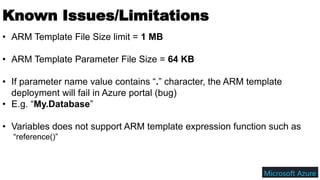
Known Issues/Limitations
• ARM Template File Size limit = 1 MB
• ARM Template Parameter File Size = 64 KB
• If parameter name value contains “.” character, the ARM template
deployment will fail in Azure portal (bug)
• E.g. “My.Database”
• Variables does not support ARM template expression function such as
“reference()”
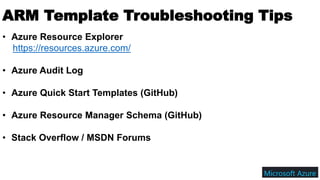
ARM Template Troubleshooting Tips
• Azure Resource Explorer
https://resources.azure.com/
• Azure Audit Log
• Azure Quick Start Templates (GitHub)
• Azure Resource Manager Schema (GitHub)
• Stack Overflow / MSDN Forums
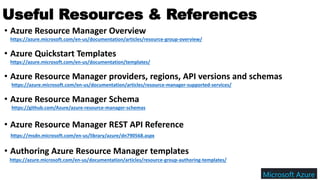
• Azure Resource Manager Overview
https://azure.microsoft.com/en-us/documentation/articles/resource-group-overview/
• Azure Quickstart Templates
https://azure.microsoft.com/en-us/documentation/templates/
• Azure Resource Manager providers, regions, API versions and schemas
https://azure.microsoft.com/en-us/documentation/articles/resource-manager-supported-services/
• Azure Resource Manager Schema
https://github.com/Azure/azure-resource-manager-schemas
• Azure Resource Manager REST API Reference
https://msdn.microsoft.com/en-us/library/azure/dn790568.aspx
• Authoring Azure Resource Manager templates
https://azure.microsoft.com/en-us/documentation/articles/resource-group-authoring-templates/
Useful Resources & References
Thank You!

Azure Resource Manager (ARM) Template - A Beginner Guide for Developers

  • 1.
    Azure Resource Manager(ARM) Template A Beginner Guide for Developers Juv Chan @juvchan juvchan@hotmail.com Senior Azure Developer https://www.linkedin.com/in/juv-chan-6104a540 https://github.com/juvchan http://stackoverflow.com/users/3203213/juvchan
  • 2.
    Agenda • Personal &Professional Background • ARM Overview • ARM Template Basics • ARM Template Usage - Practical Scenarios Demo • ARM Template Authoring Best Practice • Known Issues / Limitations • ARM Template Troubleshooting Tips
  • 3.
    • Graduated witha B.ENG. (Computer) Honors degree from the School of Computer Engineering, Nanyang Technological University some years back… • Study & Work in Singapore for 8 year • 2 years of professional hands-on development experience on the Microsoft Azure platform & services. (Azure App Service Web App, Azure Resource Manager Template, Azure PowerShell, Azure SQL Database, Azure Storage Blob, Azure Storage Table, Azure Traffic Manager, Azure HDInsight, Azure Virtual Machine, Azure Active Directory etc. ) • Working closely with the Azure Product Development team based in Redmond, Seattle Background
  • 4.
    • 3 technicalvideos on Azure Development & Big Data Analytics featured on Microsoft’s Channel 9 website. • URL: https://channel9.msdn.com/Events/Speakers/juv-chan • Interactive IIS Log Analysis with Azure HDInsight Spark (Linux) • Azure Resource Management (ARM) .NET SDK - A Hands-on Beginner Guide • Azure Web App Management .NET SDK - A Hands-on Guide Technical Videos Featured on CH9
  • 5.
    Azure Resource Manager(ARM) Overview • Application depend on Infrastructure resources, e.g. Virtual Machine, Web Server, Database, Storage, Virtual Network etc. • Traditionally, these resources are viewed as separate, independent entities E.g. Affinity Group in Azure Service Management (Classic) • Azure Resource Manager (ARM) Key Concepts:  Resource Group  Resource Providers  Template Deployment  Tags  Access Control • Backbone of Azure Infrastructure As A Service (IaaS)
  • 6.
    Azure Resource Manager(ARM) Overview • Resource Group Container for a set of resources for an application • Resource Provider Service Provider that supplies the resources that can be deployed and managed through ARM E.g. Microsoft.Web, Microsoft.Storage, Microsoft.Compute, Microsoft.Network • Template Deployment ARM Template (JSON format) defines the infrastructure for your app, how to configure the infrastructure, and how to publish your app code to that infrastructure
  • 7.
    Azure Resource Manager(ARM) Overview • Tags Tagging feature enables you to categorize resources based on requirements • Access Control Using Role-Based Access Control (RBAC) to control access to resources Roles: Owner, Reader, Contributor • REST APIs Relying on REST APIs to perform create, read, update, delete (CRUD) operations on resources
  • 8.
    ARM Template Basics •Define the resources that are needed for the application and specify deployment parameters to input values for different environments. • Deploys and provisions all of the resources for your application in a single, coordinated operation • JSON format • Infrastructure As Code • Single Template File (xxx.template.json) + Single Template Parameter File (xxx.param.json)
  • 9.
    ARM Template BasicFormat { "$schema": "http://schema.management.azure.com/schemas/2015-01-01/deploymentTemplate.json#", "contentVersion": "", "parameters": { }, "variables": { }, "resources": [ ], "outputs": { } }
  • 10.
    ARM Template ParameterBasic Format "parameters": { "<parameterName>" : { "type" : "<type-of-parameter-value>", "defaultValue": "<optional-default-value-of-parameter>", "allowedValues": [ "<optional-array-of-allowed-values>" ], "minValue": <optional-minimum-value-for-int-parameters>, "maxValue": <optional-maximum-value-for-int-parameters>, "minLength": <optional-minimum-length-for-string-secureString-array-parameters>, "maxLength": <optional-maximum-length-for-string-secureString-array-parameters>, "metadata": { "description": "<optional-description-of-the parameter>" } } } These parameter values enable you to customize the deployment by providing values that are tailored for a particular environment (such as dev, test, and production). You do not have to provide parameters in your template, but without parameters your template would always deploy the same resources with the same names, locations, and properties.
  • 11.
    Plan Your Template Beforegetting started with the template, you should take some time to figure out what you wish to deploy and how you will use the template. Key points to consider: • Which resources types you need to deploy? • Where those resources will reside? • Which version of the resource provider API you will use? • Whether any of the resources must be deployed after other resources? • Which values you want to pass in during deployment, and which values you want to define directly in the template? • Whether you need to return values from the deployment?
  • 12.
    Ways to deployARM Template • Azure Portal • Azure PowerShell • Azure CLI (Cross-Platform Command Line Interface) • Azure SDK (.NET, Java, Python, Node.js, Ruby)
  • 13.
    ARM Template Usage- Practical Scenarios Demo
  • 14.
    ARM Template AuthoringBest Practice • Visual Studio 2015 is the best authoring tool for ARM Template! • Define Api Versions for different Resource Providers as variables instead of parameters. Much easier to find and replace. • Use ARM Template expression function such as trim(), toLower() as a data cleaning measure to ensure input consistency • Azure Quick Start Template (GitHub) • Azure Resource Manager Schema (GitHub) to get the latest Api Version for the resource providers you’re going to use
  • 15.
    Known Issues/Limitations • ARMTemplate File Size limit = 1 MB • ARM Template Parameter File Size = 64 KB • If parameter name value contains “.” character, the ARM template deployment will fail in Azure portal (bug) • E.g. “My.Database” • Variables does not support ARM template expression function such as “reference()”
  • 16.
    ARM Template TroubleshootingTips • Azure Resource Explorer https://resources.azure.com/ • Azure Audit Log • Azure Quick Start Templates (GitHub) • Azure Resource Manager Schema (GitHub) • Stack Overflow / MSDN Forums
  • 17.
    • Azure ResourceManager Overview https://azure.microsoft.com/en-us/documentation/articles/resource-group-overview/ • Azure Quickstart Templates https://azure.microsoft.com/en-us/documentation/templates/ • Azure Resource Manager providers, regions, API versions and schemas https://azure.microsoft.com/en-us/documentation/articles/resource-manager-supported-services/ • Azure Resource Manager Schema https://github.com/Azure/azure-resource-manager-schemas • Azure Resource Manager REST API Reference https://msdn.microsoft.com/en-us/library/azure/dn790568.aspx • Authoring Azure Resource Manager templates https://azure.microsoft.com/en-us/documentation/articles/resource-group-authoring-templates/ Useful Resources & References
  • 18.