Azure ARM Template
Agenda
● What is ARM Template?
● Key Features of Template
● ARM Template Structure
● Benefits of ARM
● Demo
What is ARM Template?
● It was announced at 2014 and currently one of the preferred method for deployment of resource in
Azure
● An Azure Resource Manager (ARM) template is a JSON file that defines the infrastructure and
configuration for your Azure resources
● ARM templates are used to automate the deployment and management of Azure resources in a
consistent and repeatable manner
Key Features of Template
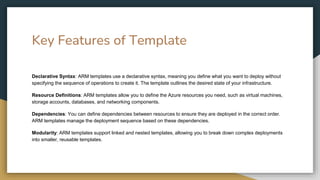
Declarative Syntax: ARM templates use a declarative syntax, meaning you define what you want to deploy without
specifying the sequence of operations to create it. The template outlines the desired state of your infrastructure.
Resource Definitions: ARM templates allow you to define the Azure resources you need, such as virtual machines,
storage accounts, databases, and networking components.
Dependencies: You can define dependencies between resources to ensure they are deployed in the correct order.
ARM templates manage the deployment sequence based on these dependencies.
Modularity: ARM templates support linked and nested templates, allowing you to break down complex deployments
into smaller, reusable templates.
Template Structure
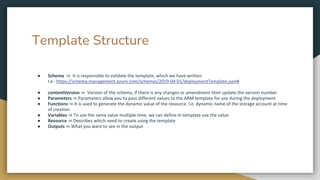
● Schema ⇒ It is responsible to validate the template, which we have written
I.e : https://schema.management.azure.com/schemas/2019-04-01/deploymentTemplate.json#
● contentVersion ⇒ Version of the schema, If there is any changes or amendment then update the version number
● Parameters ⇒ Parameters allow you to pass different values to the ARM template for use during the deployment
● Functions ⇒ It is used to generate the dynamic value of the resource. I.e. dynamic name of the storage account at time
of creation
● Variables ⇒ To use the same value multiple time, we can define in template use the value
● Resource ⇒ Describes which need to create using the template
● Outputs ⇒ What you want to see in the output
Demo
● Create Virtual Machine and Storage account
Github URL: https://github.com/harpal1990/Azure-techserverglobal.git
Thank You

Azure ARM Template by Techserverglobal.pptx

  • 1.
  • 2.
    Agenda ● What isARM Template? ● Key Features of Template ● ARM Template Structure ● Benefits of ARM ● Demo
  • 3.
    What is ARMTemplate? ● It was announced at 2014 and currently one of the preferred method for deployment of resource in Azure ● An Azure Resource Manager (ARM) template is a JSON file that defines the infrastructure and configuration for your Azure resources ● ARM templates are used to automate the deployment and management of Azure resources in a consistent and repeatable manner
  • 4.
    Key Features ofTemplate Declarative Syntax: ARM templates use a declarative syntax, meaning you define what you want to deploy without specifying the sequence of operations to create it. The template outlines the desired state of your infrastructure. Resource Definitions: ARM templates allow you to define the Azure resources you need, such as virtual machines, storage accounts, databases, and networking components. Dependencies: You can define dependencies between resources to ensure they are deployed in the correct order. ARM templates manage the deployment sequence based on these dependencies. Modularity: ARM templates support linked and nested templates, allowing you to break down complex deployments into smaller, reusable templates.
  • 5.
    Template Structure ● Schema⇒ It is responsible to validate the template, which we have written I.e : https://schema.management.azure.com/schemas/2019-04-01/deploymentTemplate.json# ● contentVersion ⇒ Version of the schema, If there is any changes or amendment then update the version number ● Parameters ⇒ Parameters allow you to pass different values to the ARM template for use during the deployment ● Functions ⇒ It is used to generate the dynamic value of the resource. I.e. dynamic name of the storage account at time of creation ● Variables ⇒ To use the same value multiple time, we can define in template use the value ● Resource ⇒ Describes which need to create using the template ● Outputs ⇒ What you want to see in the output
  • 6.
    Demo ● Create VirtualMachine and Storage account Github URL: https://github.com/harpal1990/Azure-techserverglobal.git
  • 7.