
21st February 2013
Automating Business Processes
Aonghus Fraser SharePoint Lead Consultant (C5 Alliance)
Jessica Meats Partner Technology Advisor (Microsoft)


                                          www.c5alliance.com
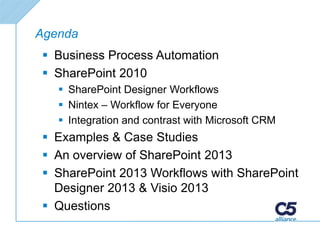
Agenda
 Business Process Automation
 SharePoint 2010
    SharePoint Designer Workflows
    Nintex – Workflow for Everyone
    Integration and contrast with Microsoft CRM
 Examples & Case Studies
 An overview of SharePoint 2013
 SharePoint 2013 Workflows with SharePoint
  Designer 2013 & Visio 2013
 Questions
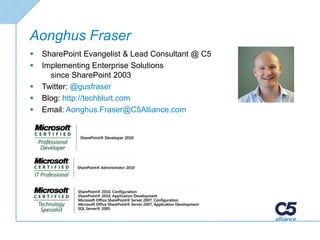
Aonghus Fraser
   SharePoint Evangelist & Lead Consultant @ C5
   Implementing Enterprise Solutions
      since SharePoint 2003
   Twitter: @gusfraser
   Blog: http://techblurt.com
   Email: Aonghus.Fraser@C5Alliance.com
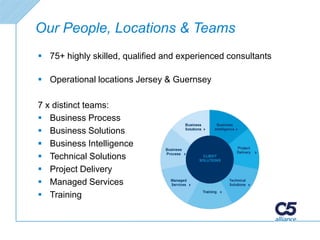
Our People, Locations & Teams
 75+ highly skilled, qualified and experienced consultants

 Operational locations Jersey & Guernsey

7 x distinct teams:
 Business Process
 Business Solutions
 Business Intelligence
 Technical Solutions
 Project Delivery
 Managed Services
 Training
C5 Client Base
Automating Business Processes
Why Automate Business Processes?


   Reduce Costs
   Increase Consistency & Confidence
   Increase Efficiency
   Improve Customer Service
   Reporting & Management Information
   Process Optimisation
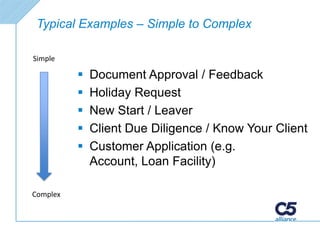
Typical Examples – Simple to Complex

Simple

             Document Approval / Feedback
             Holiday Request
             New Start / Leaver
             Client Due Diligence / Know Your Client
             Customer Application (e.g.
              Account, Loan Facility)

Complex
SharePoint 2010 Options


 Out Of The Box
   Approval, Feedback, Disposition
 SharePoint Designer
   Free. No loops.
 Nintex Workflow
   Flexible Drag/Drop Designer, State Machine &
    Loops, Reporting Integration
 Visual Studio
   Code
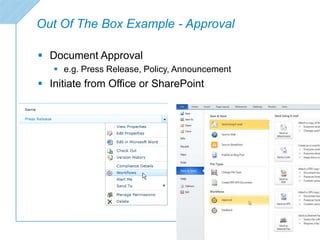
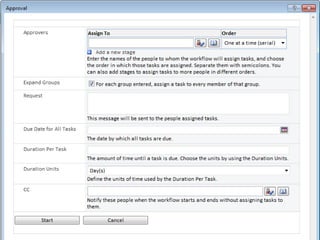
Out Of The Box Example - Approval

 Document Approval
    e.g. Press Release, Policy, Announcement
 Initiate from Office or SharePoint
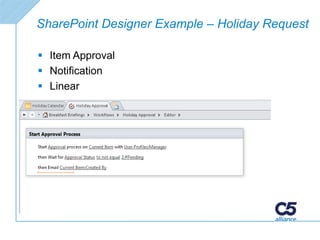
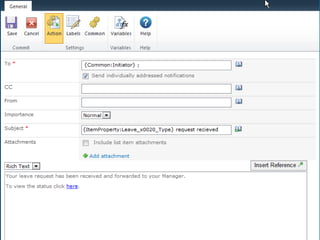
SharePoint Designer Example – Holiday Request

 Item Approval
 Notification
 Linear
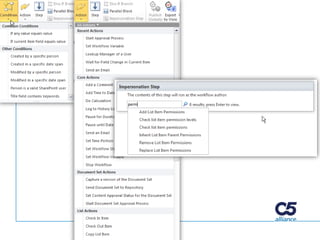
SharePoint Designer Demo


      Holiday Request
SharePoint Designer 2010 Summary

   Easy to use
   Free
   Basic linear workflows
   No loops or state machines (2010)
   Extensible
   Impersonation (Permissions)
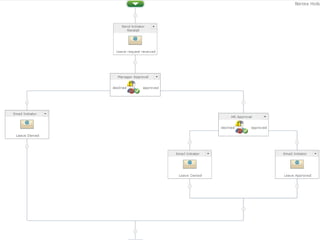
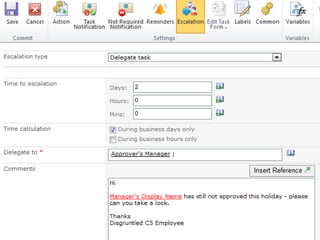
Nintex Workflow Demo


Templates, Drag & Drop, Holiday
     Request, Escalation
Nintex Workflow Summary

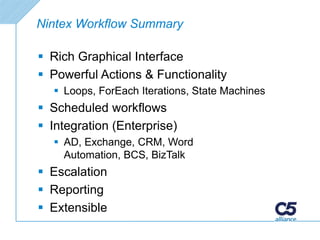
 Rich Graphical Interface
 Powerful Actions & Functionality
   Loops, ForEach Iterations, State Machines
 Scheduled workflows
 Integration (Enterprise)
   AD, Exchange, CRM, Word
    Automation, BCS, BizTalk
 Escalation
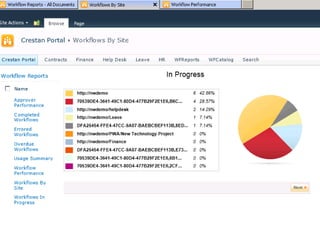
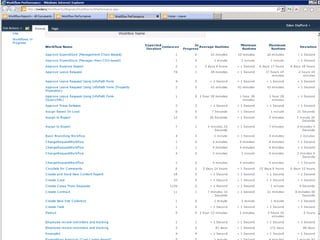
 Reporting
 Extensible
Microsoft Dynamics CRM


   Workflow & Integration
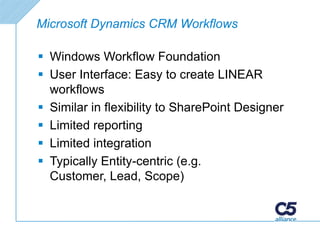
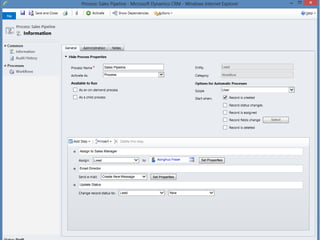
Microsoft Dynamics CRM Workflows

 Windows Workflow Foundation
 User Interface: Easy to create LINEAR
  workflows
 Similar in flexibility to SharePoint Designer
 Limited reporting
 Limited integration
 Typically Entity-centric (e.g.
  Customer, Lead, Scope)
Workflow Integration with CRM

 SharePoint Designer Custom Action
 Nintex Workflow (Enterprise)
 Custom Code (Visual Studio Workflow)
Examples & Case Studies
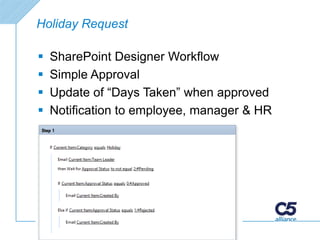
Holiday Request

   SharePoint Designer Workflow
   Simple Approval
   Update of “Days Taken” when approved
   Notification to employee, manager & HR
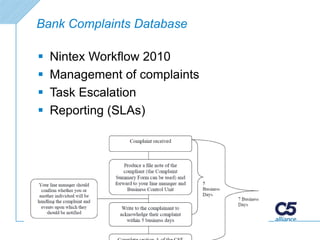
Bank Complaints Database

   Nintex Workflow 2010
   Management of complaints
   Task Escalation
   Reporting (SLAs)
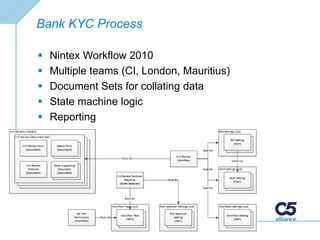
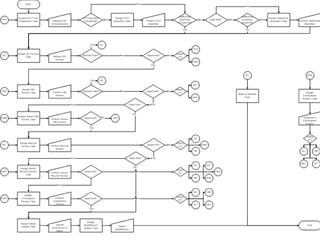
Bank KYC Process

   Nintex Workflow 2010
   Multiple teams (CI, London, Mauritius)
   Document Sets for collating data
   State machine logic
   Reporting
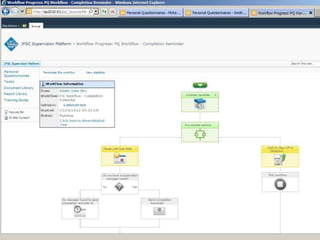
Jersey Financial Services Commission
Personal Questionnaire
   Nintex Workflow 2010
   Complex back-end integration
   Multiple departments
   Long-running workflow
   Document generation
   Scanning integration
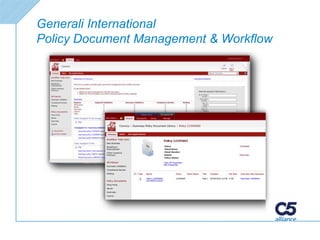
Generali International
Policy Document Management & Workflow
Over to Jess…
Share
Questions?
Thank You!

Automating Business Processes with SharePoint

  • 1.
    21st February 2013 AutomatingBusiness Processes Aonghus Fraser SharePoint Lead Consultant (C5 Alliance) Jessica Meats Partner Technology Advisor (Microsoft) www.c5alliance.com
  • 2.
    Agenda  Business ProcessAutomation  SharePoint 2010  SharePoint Designer Workflows  Nintex – Workflow for Everyone  Integration and contrast with Microsoft CRM  Examples & Case Studies  An overview of SharePoint 2013  SharePoint 2013 Workflows with SharePoint Designer 2013 & Visio 2013  Questions
  • 3.
    Aonghus Fraser  SharePoint Evangelist & Lead Consultant @ C5  Implementing Enterprise Solutions since SharePoint 2003  Twitter: @gusfraser  Blog: http://techblurt.com  Email: Aonghus.Fraser@C5Alliance.com
  • 4.
    Our People, Locations& Teams  75+ highly skilled, qualified and experienced consultants  Operational locations Jersey & Guernsey 7 x distinct teams:  Business Process  Business Solutions  Business Intelligence  Technical Solutions  Project Delivery  Managed Services  Training
  • 5.
  • 6.
  • 7.
    Why Automate BusinessProcesses?  Reduce Costs  Increase Consistency & Confidence  Increase Efficiency  Improve Customer Service  Reporting & Management Information  Process Optimisation
  • 8.
    Typical Examples –Simple to Complex Simple  Document Approval / Feedback  Holiday Request  New Start / Leaver  Client Due Diligence / Know Your Client  Customer Application (e.g. Account, Loan Facility) Complex
  • 9.
    SharePoint 2010 Options Out Of The Box  Approval, Feedback, Disposition  SharePoint Designer  Free. No loops.  Nintex Workflow  Flexible Drag/Drop Designer, State Machine & Loops, Reporting Integration  Visual Studio  Code
  • 10.
    Out Of TheBox Example - Approval  Document Approval  e.g. Press Release, Policy, Announcement  Initiate from Office or SharePoint
  • 12.
    SharePoint Designer Example– Holiday Request  Item Approval  Notification  Linear
  • 13.
  • 15.
    SharePoint Designer 2010Summary  Easy to use  Free  Basic linear workflows  No loops or state machines (2010)  Extensible  Impersonation (Permissions)
  • 16.
    Nintex Workflow Demo Templates,Drag & Drop, Holiday Request, Escalation
  • 22.
    Nintex Workflow Summary Rich Graphical Interface  Powerful Actions & Functionality  Loops, ForEach Iterations, State Machines  Scheduled workflows  Integration (Enterprise)  AD, Exchange, CRM, Word Automation, BCS, BizTalk  Escalation  Reporting  Extensible
  • 23.
    Microsoft Dynamics CRM Workflow & Integration
  • 24.
    Microsoft Dynamics CRMWorkflows  Windows Workflow Foundation  User Interface: Easy to create LINEAR workflows  Similar in flexibility to SharePoint Designer  Limited reporting  Limited integration  Typically Entity-centric (e.g. Customer, Lead, Scope)
  • 26.
    Workflow Integration withCRM  SharePoint Designer Custom Action  Nintex Workflow (Enterprise)  Custom Code (Visual Studio Workflow)
  • 27.
  • 28.
    Holiday Request  SharePoint Designer Workflow  Simple Approval  Update of “Days Taken” when approved  Notification to employee, manager & HR
  • 29.
    Bank Complaints Database  Nintex Workflow 2010  Management of complaints  Task Escalation  Reporting (SLAs)
  • 30.
    Bank KYC Process  Nintex Workflow 2010  Multiple teams (CI, London, Mauritius)  Document Sets for collating data  State machine logic  Reporting
  • 32.
    Jersey Financial ServicesCommission Personal Questionnaire  Nintex Workflow 2010  Complex back-end integration  Multiple departments  Long-running workflow  Document generation  Scanning integration
  • 34.
  • 35.
  • 37.
  • 43.
  • 44.

Editor's Notes

  • #8 Reduce costs: paperwork, resourcesConsistency: repeatable process, expected results – confidence Efficiency: reduce the time it takes vs paper-basedCustomer Service: efficiency + notificationReporting & MI: Process Optimisation: After metrics, possible to fine-tune
  • #9 Linear
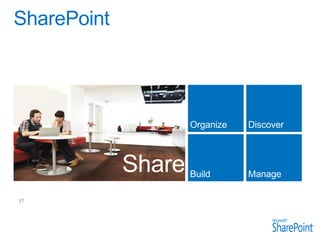
  • #38 SharePoint is the place to share ideas, content and the vision of your company. It’s scalable enough to organize and manage all your information assets but it’s also designed to organize and store documents to enable personal productivity, keep teams’ in sync, and projects on track. It’s where you go to discover experts, share knowledge and uncover connections to information and people. It’s a hub for developers to build and deploy modern apps and for designers to build eye-catching websites. And because its built in the cloud IT Pros can manage cost, and meet the demands of compliance to manage risk. Finally, SharePoint 2013 has been built to handle almost anything our customers can throw at it so IT Pros can spend more time managing information, delivering innovation and manage their time effectively.
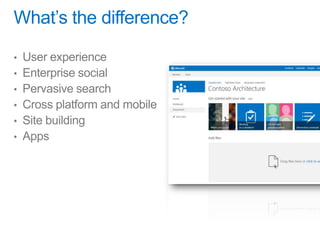
  • #40 Search: Cross platform: build a site the responds to the size of browser, or the device (e.g. this is an iPad, don’t show Silverlight web part)Site building: page translation, different design tools, dynamic page creation
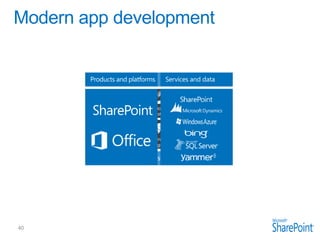
  • #41 It’s worth spending some time taking you through how we think about modern app development at Microsoft. We have a series of products and platforms like SharePoint and Office that provide a lot of great out-of-the box functionality to help us be productive. To get even more from these products we want to be able to bring information in from other places. Services and data sources like Dynamics, Bing or something that lives out on the web or in the cloud. With the latest version of SharePoint we’re making it easier to bring together rich web services and data to create powerful new apps. Apps run outside of the SharePoint process, are hosted externally and can be exposed through REST API’s. Today there are more than 700,000 SharePoint application developers and with this release we’re providing them with a place to surface their apps through an online marketplace of rich partner solutions and applications designed to work with SharePoint and Office.
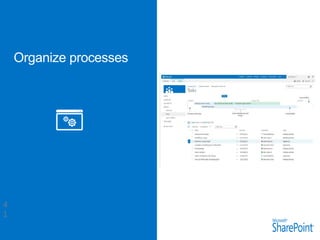
  • #42 With the latest version of SharePoint and Project you can organize everything from personal tasks, lightweight group or team projects, or organization wide change projects.