
CTO, RealActivity
www.paulswider..com
@pswider
Extending the Business
Process Management
features of Office 365
3 | SharePoint Saturday New York City 2013
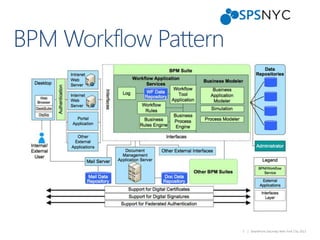
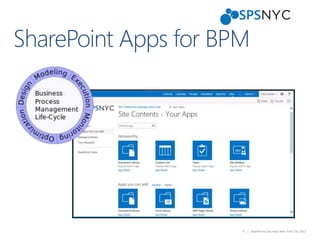
 Business Process Management (BPM)
 Office 365
 Content Types
 InfoPath Forms
 Workflows
 Social Features and BPM
4 | SharePoint Saturday New York City 2013
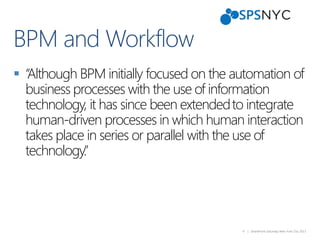
 “Although BPM initially focused on the automation of
business processes with the use of information
technology, it has since been extendedto integrate
human-driven processes in which human interaction
takes place in series or parallel with the use of
technology.”
5 | SharePoint Saturday New York City 2013
7 | SharePoint Saturday New York City 2013
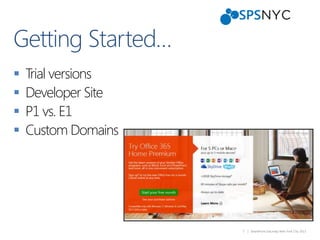
 Trial versions
 Developer Site
 P1 vs. E1
 Custom Domains
8 | SharePoint Saturday New York City 2013
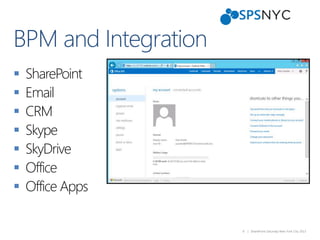
 SharePoint
 Email
 CRM
 Skype
 SkyDrive
 Office
 Office Apps
9 | SharePoint Saturday New York City 2013
10 | SharePoint Saturday New York City 2013
 Social Features and Office 365
 My Tasks and My Site
 A single aggregated view of all SharePoint, Exchange
and Project task items
 Work Management Service Application
 Aggregated tasks can be synced with Exchange
My Tasks
13 | SharePoint Saturday New York City 2013
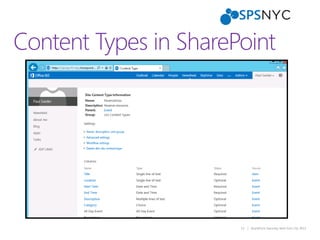
Content Types in SharePoint
14 | SharePoint Saturday New York City 2013
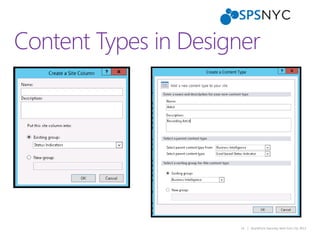
Content Types in Designer
17 | SharePoint Saturday New York City 2013
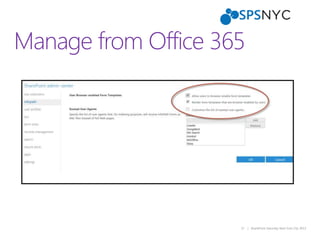
Manage from Office 365
18 | SharePoint Saturday New York City 2013
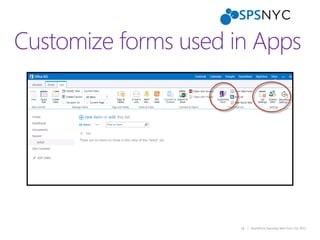
Customize forms used in Apps
21 | SharePoint Saturday New York City 2013
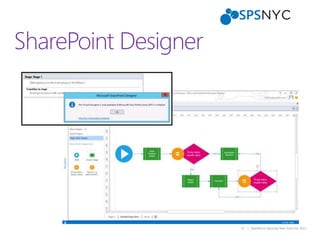
SharePoint Designer
22 | SharePoint Saturday New York City 2013
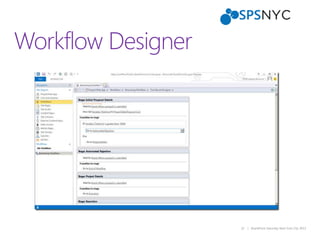
Workflow Designer
23 | SharePoint Saturday New York City 2013
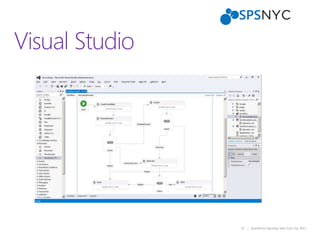
Visual Studio
24 | SharePoint Saturday New York City 2013
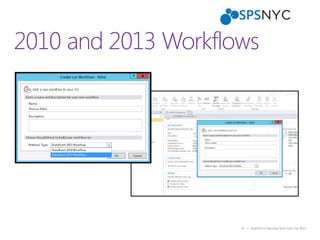
2010 and 2013 Workflows
27 | SharePoint Saturday New York City 2013
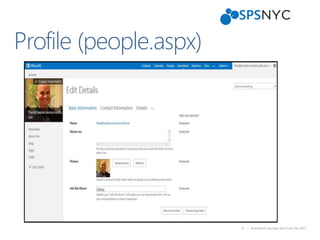
Profile (people.aspx)
28 | SharePoint Saturday New York City 2013
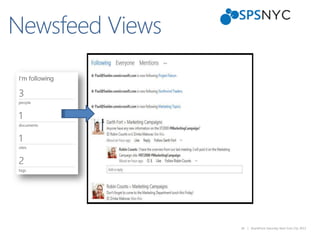
Newsfeed Views
29 | SharePoint Saturday New York City 2013
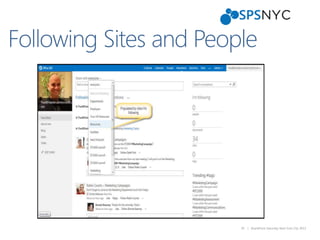
Following Sites and People
30 | SharePoint Saturday New York City 2013
 Following Infrastructure is the same as 2010
 Stored in User Profile Database
 2 Million Items per UP Database
 Integration with Consolidated Feeds Web part
 People can see who are their followers
Following People
31 | SharePoint Saturday New York City 2013
 Track and get information on document changes
and activities
 When a document or metadata changes new
system feed is posted
 People following get notified
 Not meant to replace alerts
Document Following
32 | SharePoint Saturday New York City 2013
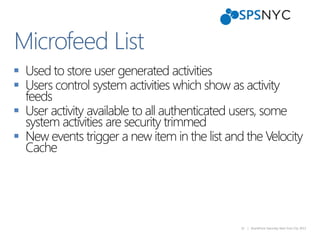
 Used to store user generated activities
 Users control system activities which show as activity
feeds
 User activity available to all authenticated users, some
system activities are security trimmed
 New events trigger a new item in the list and the Velocity
Cache
Microfeed List
33 | SharePoint Saturday New York City 2013
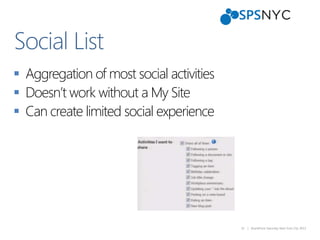
 Aggregation of most social activities
 Doesn’t work without a My Site
 Can create limited social experience
Social List
34 | SharePoint Saturday New York City 2013
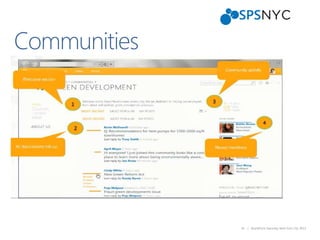
Communities
35 | SharePoint Saturday New York City 2013
Communities Design
36 | SharePoint Saturday New York City 2013
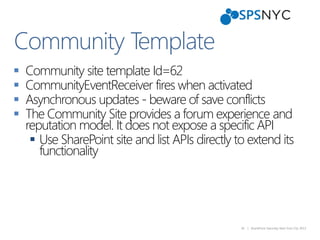
 Community site template Id=62
 CommunityEventReceiver fires when activated
 Asynchronous updates - beware of save conflicts
 The Community Site provides a forum experience and
reputation model. It does not expose a specific API
 Use SharePoint site and list APIs directly to extend its
functionality
Community Template
37 | SharePoint Saturday New York City 2013
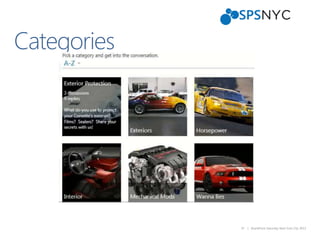
Categories
38 | SharePoint Saturday New York City 2013
 Ratings and comments not in socialdb
 Reputation is based on Community silos
 Can use Feature Stapling to add reputation
functionality across the communities
Ratings and Reputation
39 | SharePoint Saturday New York City 2013
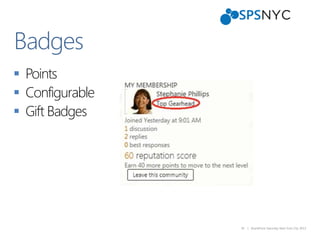
 Points
 Configurable
 Gift Badges
Badges
40 | SharePoint Saturday New York City 2013
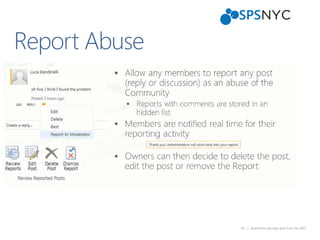
Report Abuse
41 | SharePoint Saturday New York City 2013
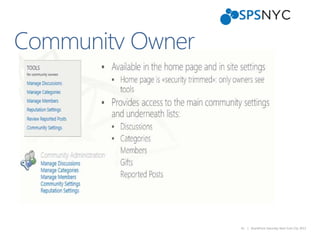
Community Owner
43 | SharePoint Saturday New York City 2013
 Please remember to turn in your filled out bingo
cards and event evaluations for prizes.
 SharePint is sponsored by Slalom at Whiskey Trader
(Between 55th and 56th on 6th Avenue).
 Follow SharePoint Saturday New York City on Twitter
@spsnyc and hashtag #spsnyc
Thanksto OurSponsors!

Business Process Management with Office 365

  • 1.
    CTO, RealActivity www.paulswider..com @pswider Extending theBusiness Process Management features of Office 365
  • 3.
    3 | SharePointSaturday New York City 2013  Business Process Management (BPM)  Office 365  Content Types  InfoPath Forms  Workflows  Social Features and BPM
  • 4.
    4 | SharePointSaturday New York City 2013  “Although BPM initially focused on the automation of business processes with the use of information technology, it has since been extendedto integrate human-driven processes in which human interaction takes place in series or parallel with the use of technology.”
  • 5.
    5 | SharePointSaturday New York City 2013
  • 7.
    7 | SharePointSaturday New York City 2013  Trial versions  Developer Site  P1 vs. E1  Custom Domains
  • 8.
    8 | SharePointSaturday New York City 2013  SharePoint  Email  CRM  Skype  SkyDrive  Office  Office Apps
  • 9.
    9 | SharePointSaturday New York City 2013
  • 10.
    10 | SharePointSaturday New York City 2013  Social Features and Office 365  My Tasks and My Site  A single aggregated view of all SharePoint, Exchange and Project task items  Work Management Service Application  Aggregated tasks can be synced with Exchange My Tasks
  • 13.
    13 | SharePointSaturday New York City 2013 Content Types in SharePoint
  • 14.
    14 | SharePointSaturday New York City 2013 Content Types in Designer
  • 17.
    17 | SharePointSaturday New York City 2013 Manage from Office 365
  • 18.
    18 | SharePointSaturday New York City 2013 Customize forms used in Apps
  • 21.
    21 | SharePointSaturday New York City 2013 SharePoint Designer
  • 22.
    22 | SharePointSaturday New York City 2013 Workflow Designer
  • 23.
    23 | SharePointSaturday New York City 2013 Visual Studio
  • 24.
    24 | SharePointSaturday New York City 2013 2010 and 2013 Workflows
  • 27.
    27 | SharePointSaturday New York City 2013 Profile (people.aspx)
  • 28.
    28 | SharePointSaturday New York City 2013 Newsfeed Views
  • 29.
    29 | SharePointSaturday New York City 2013 Following Sites and People
  • 30.
    30 | SharePointSaturday New York City 2013  Following Infrastructure is the same as 2010  Stored in User Profile Database  2 Million Items per UP Database  Integration with Consolidated Feeds Web part  People can see who are their followers Following People
  • 31.
    31 | SharePointSaturday New York City 2013  Track and get information on document changes and activities  When a document or metadata changes new system feed is posted  People following get notified  Not meant to replace alerts Document Following
  • 32.
    32 | SharePointSaturday New York City 2013  Used to store user generated activities  Users control system activities which show as activity feeds  User activity available to all authenticated users, some system activities are security trimmed  New events trigger a new item in the list and the Velocity Cache Microfeed List
  • 33.
    33 | SharePointSaturday New York City 2013  Aggregation of most social activities  Doesn’t work without a My Site  Can create limited social experience Social List
  • 34.
    34 | SharePointSaturday New York City 2013 Communities
  • 35.
    35 | SharePointSaturday New York City 2013 Communities Design
  • 36.
    36 | SharePointSaturday New York City 2013  Community site template Id=62  CommunityEventReceiver fires when activated  Asynchronous updates - beware of save conflicts  The Community Site provides a forum experience and reputation model. It does not expose a specific API  Use SharePoint site and list APIs directly to extend its functionality Community Template
  • 37.
    37 | SharePointSaturday New York City 2013 Categories
  • 38.
    38 | SharePointSaturday New York City 2013  Ratings and comments not in socialdb  Reputation is based on Community silos  Can use Feature Stapling to add reputation functionality across the communities Ratings and Reputation
  • 39.
    39 | SharePointSaturday New York City 2013  Points  Configurable  Gift Badges Badges
  • 40.
    40 | SharePointSaturday New York City 2013 Report Abuse
  • 41.
    41 | SharePointSaturday New York City 2013 Community Owner
  • 43.
    43 | SharePointSaturday New York City 2013  Please remember to turn in your filled out bingo cards and event evaluations for prizes.  SharePint is sponsored by Slalom at Whiskey Trader (Between 55th and 56th on 6th Avenue).  Follow SharePoint Saturday New York City on Twitter @spsnyc and hashtag #spsnyc
  • 44.

Editor's Notes

  • #28 Profile lets you find out more information about somebody, including what you have in common with them. It also lets you access the content that they have shared with you.
  • #29 Newsfeed (soon to be called Following)Made up of updates from the People, Documents, Sites, and Tags that you’re following.EveryoneMade up of the public microblog posts from people across the company.MentionsWhen somebody calls your attention to a post by @mentioning you, you’ll see those.
  • #35 OverviewCommunity sites can be created to give people a chance to talk about a particular topic (or set of topics). Features include categories, reputation, moderation, etc. Robin Miller is the PM contact if more information is desired.My Site IntegrationThe ‘Sites’ hub will provide a link to a community portal where communities can be seen and searched. One additional goal is to add community-related activities into the newsfeed, but that is not going to be visible in Beta2.