

SharePoint 2010
               Intranet Branding
               #SPSUK25
SharePoint Saturday
12th November 2011
Aonghus (Gus) Fraser
SharePoint Lead Consultant, C5 Alliance
                                          www.c5alliance.com
SharePoint 2010 Intranet Branding

    Introductions
    Branding – What & Why?
    Branding – How?
    Governance
    Demos
        Master pages & CSS
        Control adapters
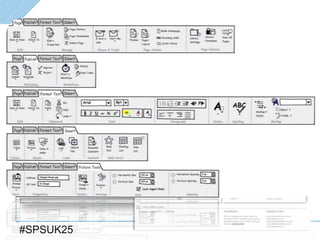
        The Ribbon
    Top Tips
    Examples
    Useful Links


#SPSUK25
Gus Fraser
   SharePoint Evangelist & Lead Consultant @ C5
   Developing Enterprise Solutions since SharePoint 2003
   Twitter: @gusfraser
   Email: af@c5.je
   C5 Alliance; ~60 IT consultants (17 SharePoint)
      Based in Jersey & Guernsey
      Probably the highest concentration of SharePoint consultants on the planet*
 *unconfirmed

    Use the #SPSUK25 hashtag for opinion/feedback/debate


#SPSUK25
#SPSUK25
C5 Client Base


#SPSUK25
#SPSUK25
What is Branding?


#SPSUK25
#SPSUK25
What is Branding?


   Identity
   Ownership
   Culture
   User Experience


#SPSUK25
Why Brand?


#SPSUK25
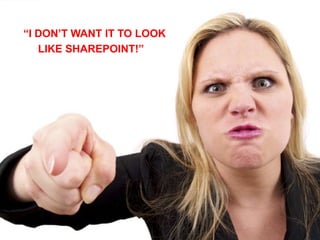
“I DON’T WANT IT TO LOOK
   Why Brand an internal system?
   LIKE SHAREPOINT!”


#SPSUK25
Why Brand an internal system?


   EVERYBODY is a client!
   Adoption - faster/easier/cheaper..
    Sometimes necessary!
   Marketing/communications stakeholder
   Just because you CAN… doesn’t mean
    you SHOULD


#SPSUK25
Internet vs Intranet


#SPSUK25
Public Facing SharePoint WCM Site


   Rigid design
   Low number of contributors
   Lots of great examples
      www.topsharepoint.com


#SPSUK25
SharePoint Intranet


   Must be flexible
   Wider scope
   High number of contributors – everybody
    in the organisation!
   Few examples; not many companies
    willing to share


#SPSUK25
How to Brand SharePoint 2010


#SPSUK25
Wireframing

     Start with a Wireframing tool (e.g. Balsamiq)


#SPSUK25
Branding Governance

     Defined set of guidelines:
        Master pages & CSS
        SharePoint Designer policy
        Web part policy
        Ribbon options (Font restrictions etc.)
     Procurement/preferred supplier list
        Reduces risk of non-compliance with style guide
        Quality assurance


#SPSUK25
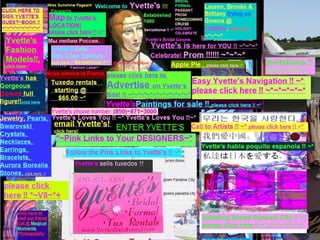
Without Governance..


#SPSUK25
#SPSUK25
Without Governance


     Navigation
     Adoption
     Consistency
     Search


#SPSUK25
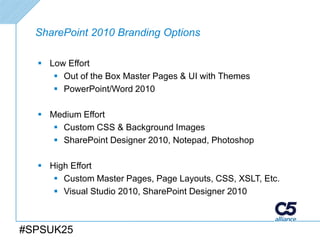
SharePoint 2010 Branding Options

   Low Effort
      Out of the Box Master Pages & UI with Themes
      PowerPoint/Word 2010

   Medium Effort
      Custom CSS & Background Images
      SharePoint Designer 2010, Notepad, Photoshop

   High Effort
      Custom Master Pages, Page Layouts, CSS, XSLT, Etc.
      Visual Studio 2010, SharePoint Designer 2010


#SPSUK25
Demos


#SPSUK25
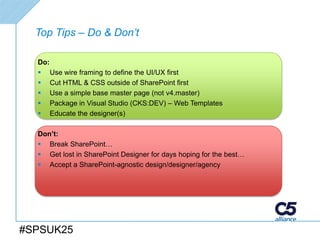
Top Tips – Do & Don’t

  Do:
   Use wire framing to define the UI/UX first
   Cut HTML & CSS outside of SharePoint first
   Use a simple base master page (not v4.master)
   Package in Visual Studio (CKS:DEV) – Web Templates
   Educate the designer(s)

  Don’t:
   Break SharePoint…
   Get lost in SharePoint Designer for days hoping for the best…
   Accept a SharePoint-agnostic design/designer/agency


#SPSUK25
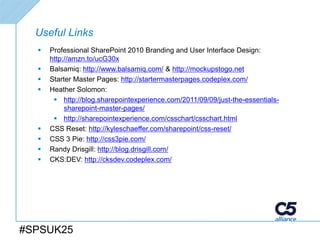
Useful Links
     Professional SharePoint 2010 Branding and User Interface Design:
      http://amzn.to/ucG30x
     Balsamiq: http://www.balsamiq.com/ & http://mockupstogo.net
     Starter Master Pages: http://startermasterpages.codeplex.com/
     Heather Solomon:
        http://blog.sharepointexperience.com/2011/09/09/just-the-essentials-
           sharepoint-master-pages/
        http://sharepointexperience.com/csschart/csschart.html
     CSS Reset: http://kyleschaeffer.com/sharepoint/css-reset/
     CSS 3 Pie: http://css3pie.com/
     Randy Drisgill: http://blog.drisgill.com/
     CKS:DEV: http://cksdev.codeplex.com/


#SPSUK25
Thank You


   Gus Fraser
   Twitter: @gusfraser
   Email: af@c5.je


#SPSUK25

SharePoint Saturday UK - Intranet Branding for Developers

  • 1.
    SharePoint 2010 Intranet Branding #SPSUK25 SharePoint Saturday 12th November 2011 Aonghus (Gus) Fraser SharePoint Lead Consultant, C5 Alliance www.c5alliance.com
  • 2.
    SharePoint 2010 IntranetBranding  Introductions  Branding – What & Why?  Branding – How?  Governance  Demos  Master pages & CSS  Control adapters  The Ribbon  Top Tips  Examples  Useful Links #SPSUK25
  • 3.
    Gus Fraser  SharePoint Evangelist & Lead Consultant @ C5  Developing Enterprise Solutions since SharePoint 2003  Twitter: @gusfraser  Email: af@c5.je  C5 Alliance; ~60 IT consultants (17 SharePoint)  Based in Jersey & Guernsey  Probably the highest concentration of SharePoint consultants on the planet* *unconfirmed  Use the #SPSUK25 hashtag for opinion/feedback/debate #SPSUK25
  • 4.
  • 5.
  • 6.
  • 7.
  • 8.
  • 9.
    What is Branding?  Identity  Ownership  Culture  User Experience #SPSUK25
  • 10.
  • 11.
    “I DON’T WANTIT TO LOOK Why Brand an internal system? LIKE SHAREPOINT!” #SPSUK25
  • 12.
    Why Brand aninternal system?  EVERYBODY is a client!  Adoption - faster/easier/cheaper.. Sometimes necessary!  Marketing/communications stakeholder  Just because you CAN… doesn’t mean you SHOULD #SPSUK25
  • 13.
  • 14.
    Public Facing SharePointWCM Site  Rigid design  Low number of contributors  Lots of great examples  www.topsharepoint.com #SPSUK25
  • 15.
    SharePoint Intranet  Must be flexible  Wider scope  High number of contributors – everybody in the organisation!  Few examples; not many companies willing to share #SPSUK25
  • 16.
    How to BrandSharePoint 2010 #SPSUK25
  • 17.
    Wireframing  Start with a Wireframing tool (e.g. Balsamiq) #SPSUK25
  • 18.
    Branding Governance  Defined set of guidelines:  Master pages & CSS  SharePoint Designer policy  Web part policy  Ribbon options (Font restrictions etc.)  Procurement/preferred supplier list  Reduces risk of non-compliance with style guide  Quality assurance #SPSUK25
  • 19.
  • 20.
  • 21.
    Without Governance  Navigation  Adoption  Consistency  Search #SPSUK25
  • 22.
    SharePoint 2010 BrandingOptions  Low Effort  Out of the Box Master Pages & UI with Themes  PowerPoint/Word 2010  Medium Effort  Custom CSS & Background Images  SharePoint Designer 2010, Notepad, Photoshop  High Effort  Custom Master Pages, Page Layouts, CSS, XSLT, Etc.  Visual Studio 2010, SharePoint Designer 2010 #SPSUK25
  • 23.
  • 24.
    Top Tips –Do & Don’t Do:  Use wire framing to define the UI/UX first  Cut HTML & CSS outside of SharePoint first  Use a simple base master page (not v4.master)  Package in Visual Studio (CKS:DEV) – Web Templates  Educate the designer(s) Don’t:  Break SharePoint…  Get lost in SharePoint Designer for days hoping for the best…  Accept a SharePoint-agnostic design/designer/agency #SPSUK25
  • 25.
    Useful Links  Professional SharePoint 2010 Branding and User Interface Design: http://amzn.to/ucG30x  Balsamiq: http://www.balsamiq.com/ & http://mockupstogo.net  Starter Master Pages: http://startermasterpages.codeplex.com/  Heather Solomon:  http://blog.sharepointexperience.com/2011/09/09/just-the-essentials- sharepoint-master-pages/  http://sharepointexperience.com/csschart/csschart.html  CSS Reset: http://kyleschaeffer.com/sharepoint/css-reset/  CSS 3 Pie: http://css3pie.com/  Randy Drisgill: http://blog.drisgill.com/  CKS:DEV: http://cksdev.codeplex.com/ #SPSUK25
  • 26.
    Thank You  Gus Fraser  Twitter: @gusfraser  Email: af@c5.je #SPSUK25

Editor's Notes

  • #8 Ogier portal – David Edge / Thomas /
  • #9 Who is in the room
  • #13 Mechanics