Download to read offline
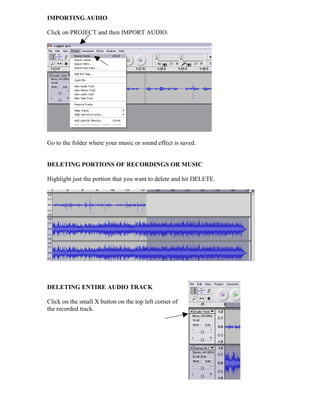
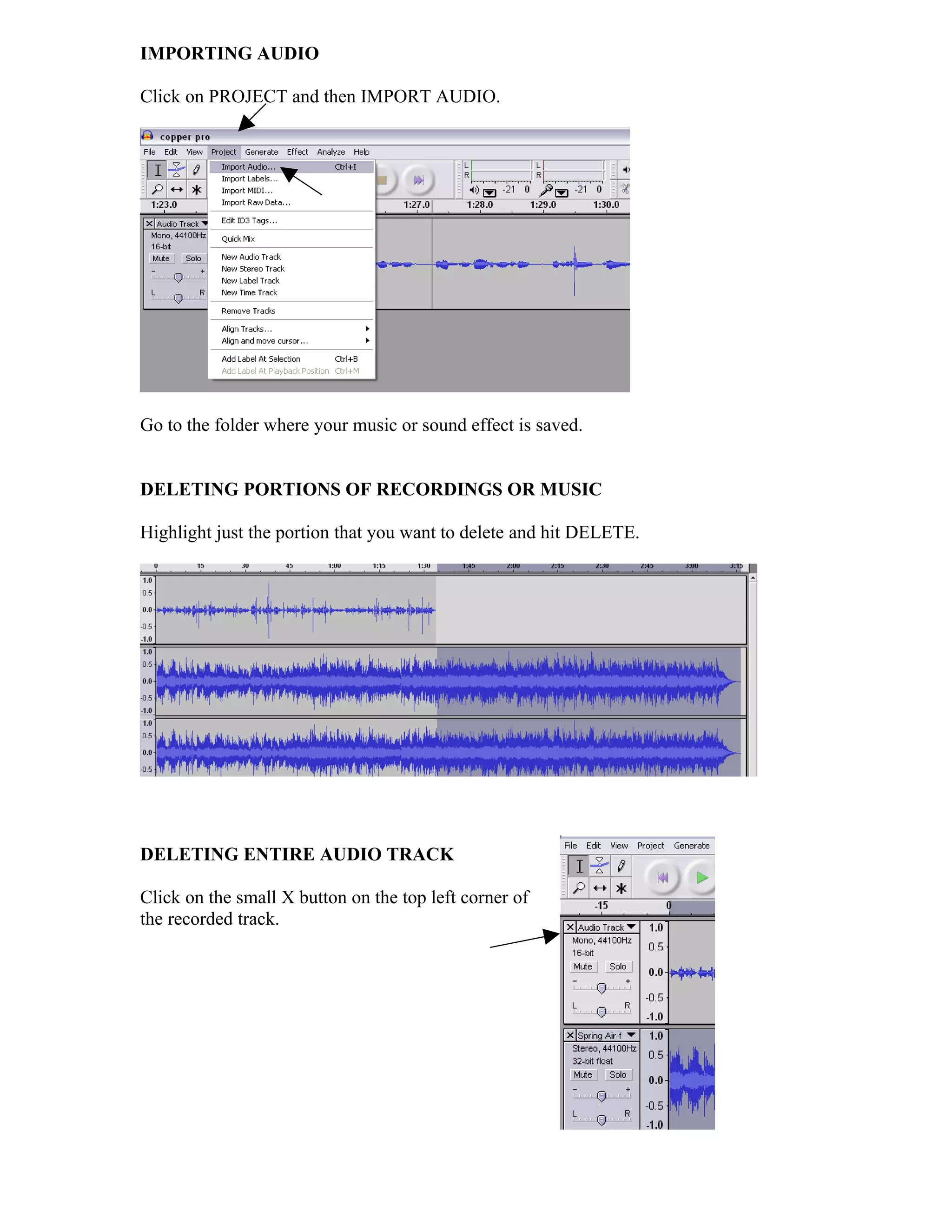
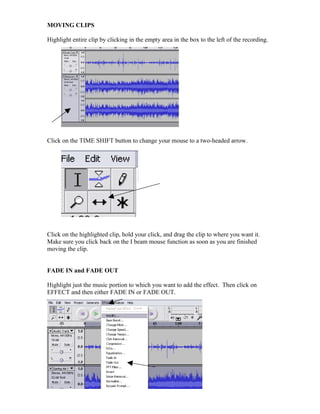
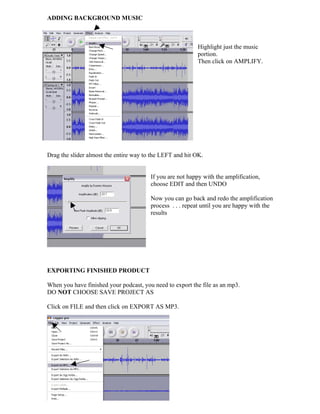
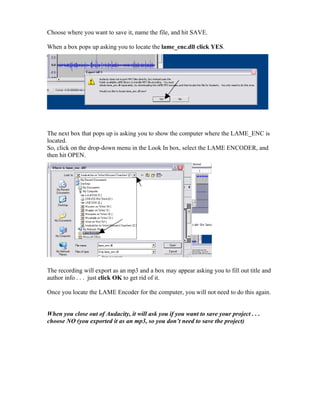

This document provides instructions for importing audio, deleting portions or entire tracks of recordings, moving clips within a track, adding fade ins and outs, amplifying background music, exporting the finished product as an MP3 file, and closing the project in Audacity without saving. Key steps include clicking "Project" then "Import Audio" to import files, highlighting sections and using delete or edit functions, dragging clips to move them, adjusting effects like fade and amplify, exporting as MP3 instead of saving the project, and locating LAME encoder when prompted.


