At Your Service
Using Jenkins in Operations
mandi walls
Velocity NYC
14 OCT 13

Monday, October 14, 13
whoami
•
•
•

Monday, October 14, 13

Mandi Walls
Technical Practice Manager at Opscode
@lnxchk
What is Jenkins?
•

Open source continuous integration and
build server

•

A bit of complex history we don’t have to
get into

•

One of a family of similar tools commonly
found on the “dev” side of the team

•

http://jenkins-ci.org/

Monday, October 14, 13

Other CI tools include Hudson and Travis. Many, if not all, commercial source code management systems have some kind of job
builder included in their software package.
Common Uses of Jenkins
•
•
•

Monday, October 14, 13

Continuous build and integration of a project
Hooks up directly to source control
Go from code checkin to completed build hands-free
What is This Workshop?
•
•

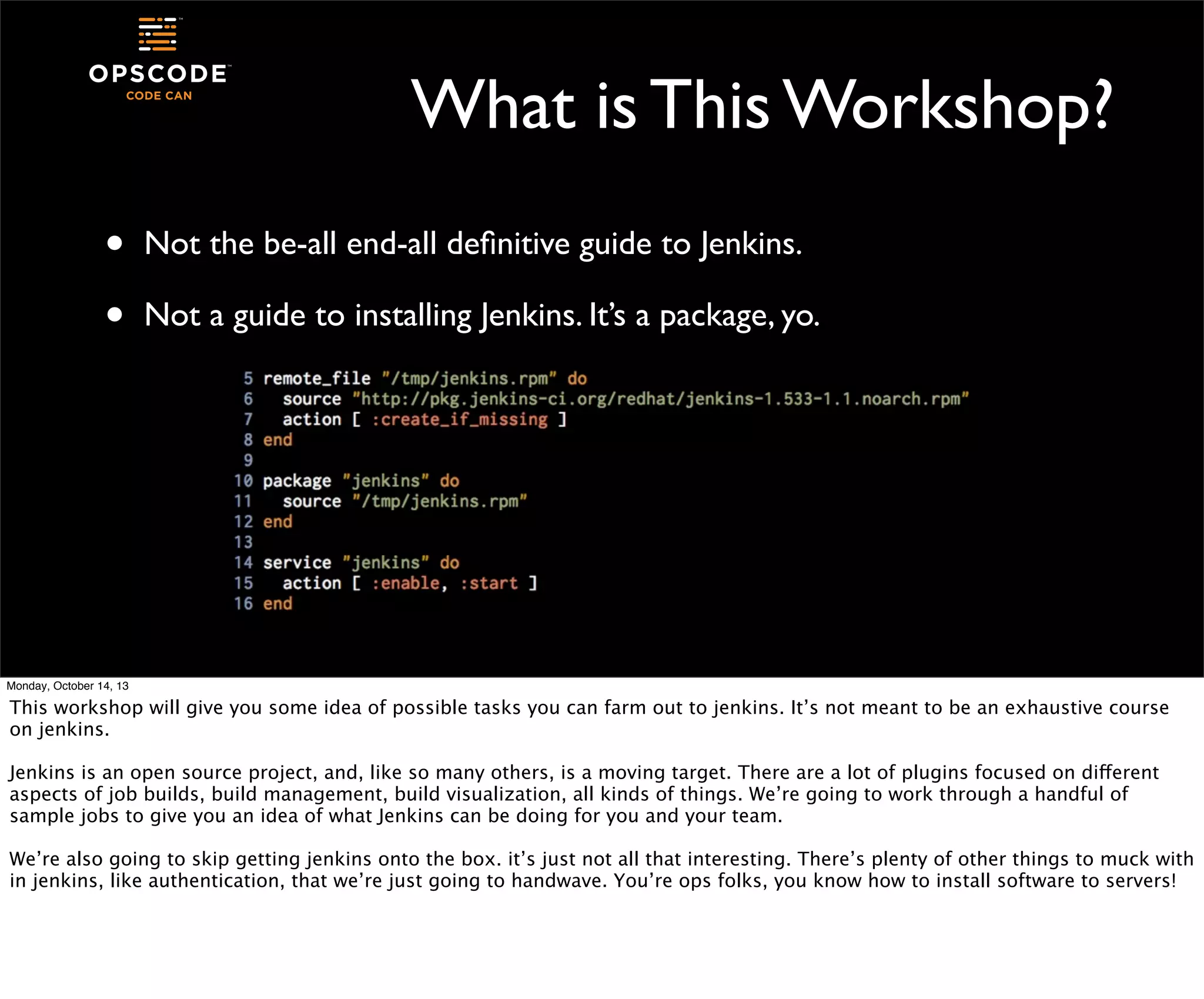
Not the be-all end-all definitive guide to Jenkins.
Not a guide to installing Jenkins. It’s a package, yo.

Monday, October 14, 13

This workshop will give you some idea of possible tasks you can farm out to jenkins. It’s not meant to be an exhaustive course
on jenkins.
Jenkins is an open source project, and, like so many others, is a moving target. There are a lot of plugins focused on different
aspects of job builds, build management, build visualization, all kinds of things. We’re going to work through a handful of
sample jobs to give you an idea of what Jenkins can be doing for you and your team.
We’re also going to skip getting jenkins onto the box. it’s just not all that interesting. There’s plenty of other things to muck with
in jenkins, like authentication, that we’re just going to handwave. You’re ops folks, you know how to install software to servers!
Why Would Ops Want It?
•

Run commands the same way every time

•
•
•

Guard against those fat fingers or forgotten steps

Trigger processes off a main action, like checkin or other status
Automatically perform tests and checks that get lost or skipped

Monday, October 14, 13

Jenkins has a number of different job types. We’re going to talk about only a few of the features that you might find useful in a
jenkins server, and there are lots more where they came from.
Choose Your Yaks Wisely
Monday, October 14, 13

Could you slap something together to do what Jenkins does? sure, some kind of cron-launched polling thing, with bits of
whatever else you deemed cool or necessary. And then you have to support it. Why? Why not get right to the building of stuff and
running of tests and doing of awesome?
First Look at Jenkins
•
•
•
•
Monday, October 14, 13

http://$YOUR_IP_HERE:8080/
The first page is the Jenkins dashboard.
All of your jobs will show up here.
You have no jobs, so there’s nothing listed yet.
Primitives
•
•
•
•
Monday, October 14, 13

Your build projects in Jenkins are called “jobs”
Each job can have multiple steps
Any time a job is run on the jenkins server, it creates a “build”
For a build to be successful, all the steps in the project must succeed
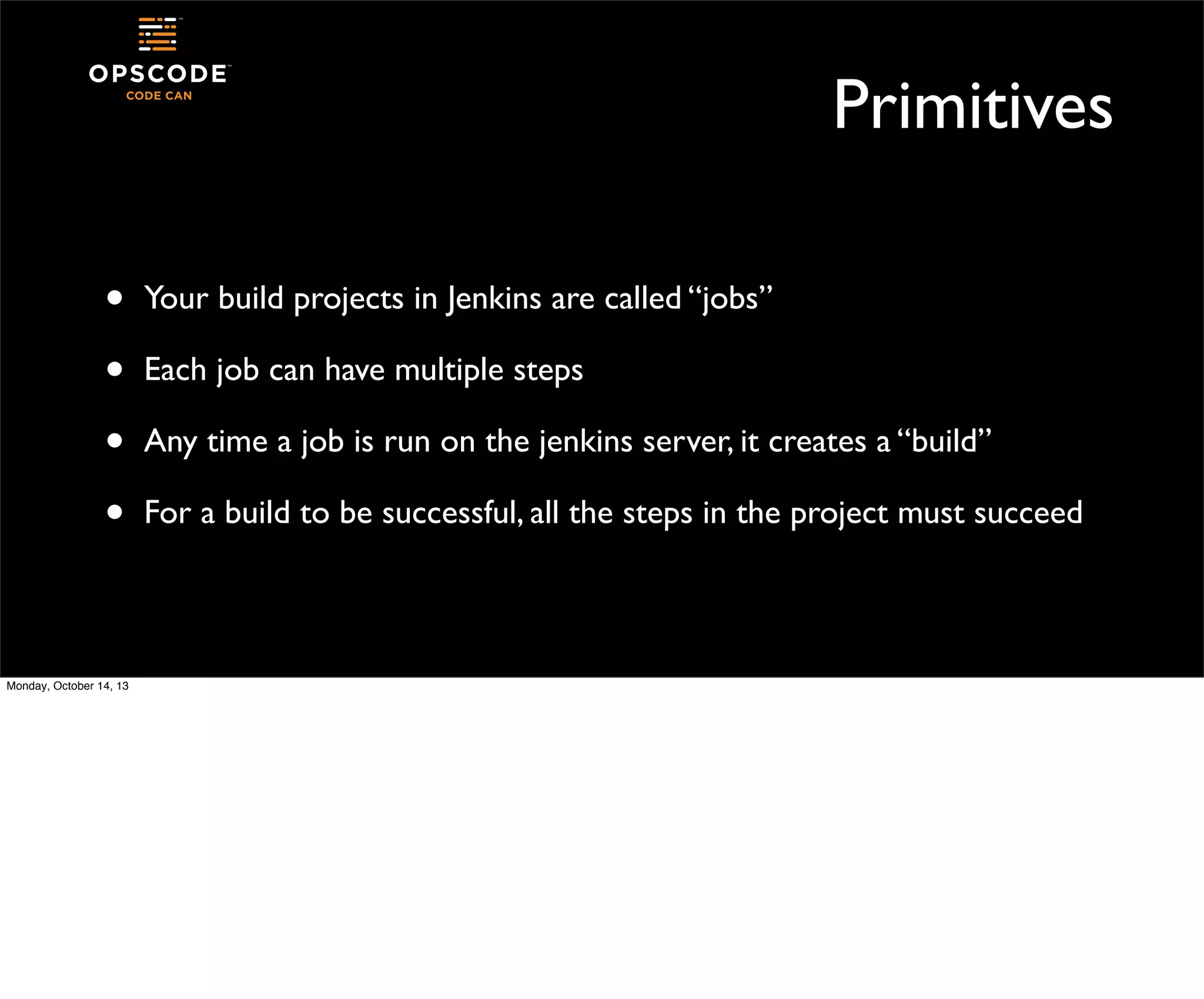
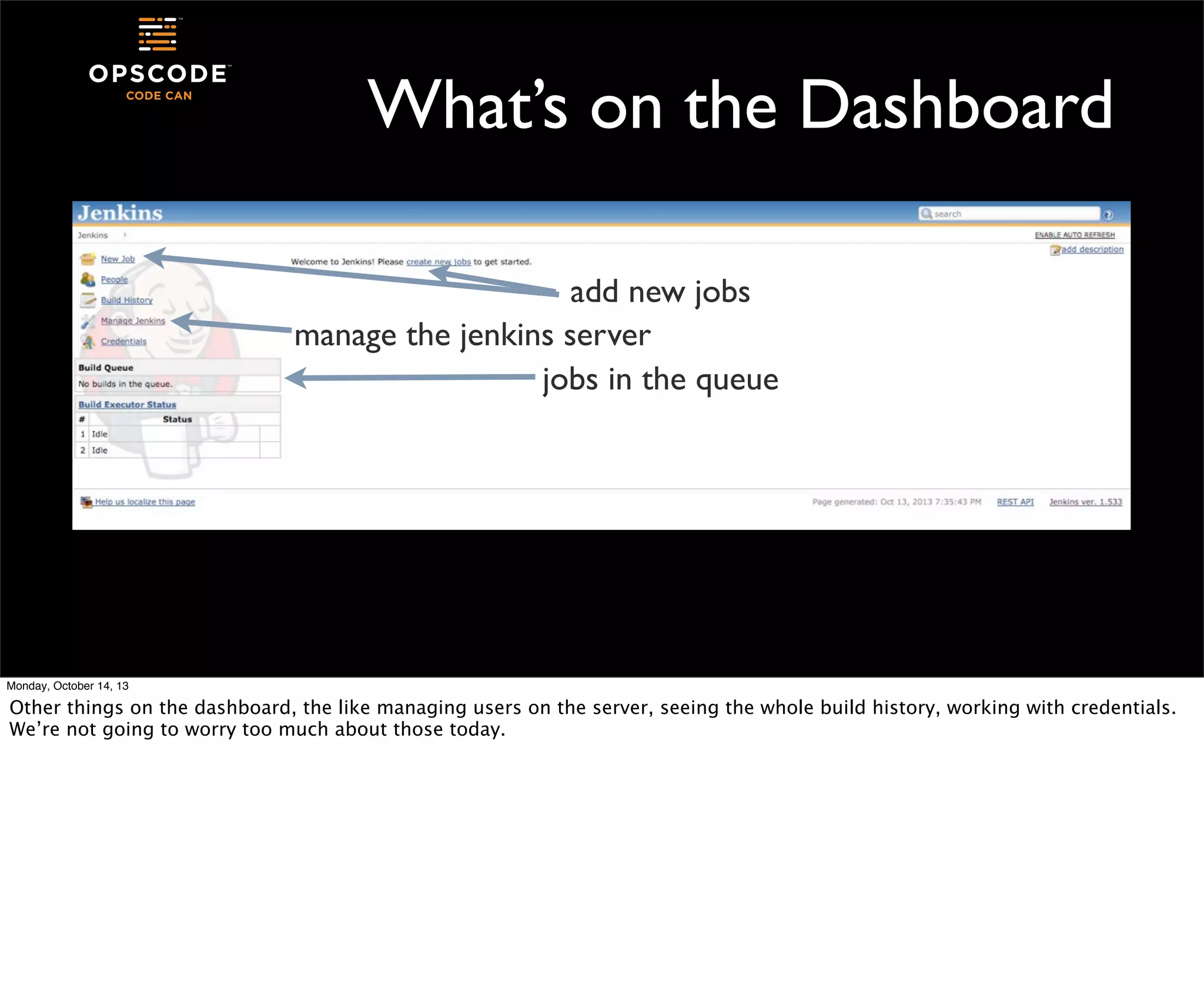
What’s on the Dashboard

Monday, October 14, 13

Other things on the dashboard, the like managing users on the server, seeing the whole build history, working with credentials.
We’re not going to worry too much about those today.
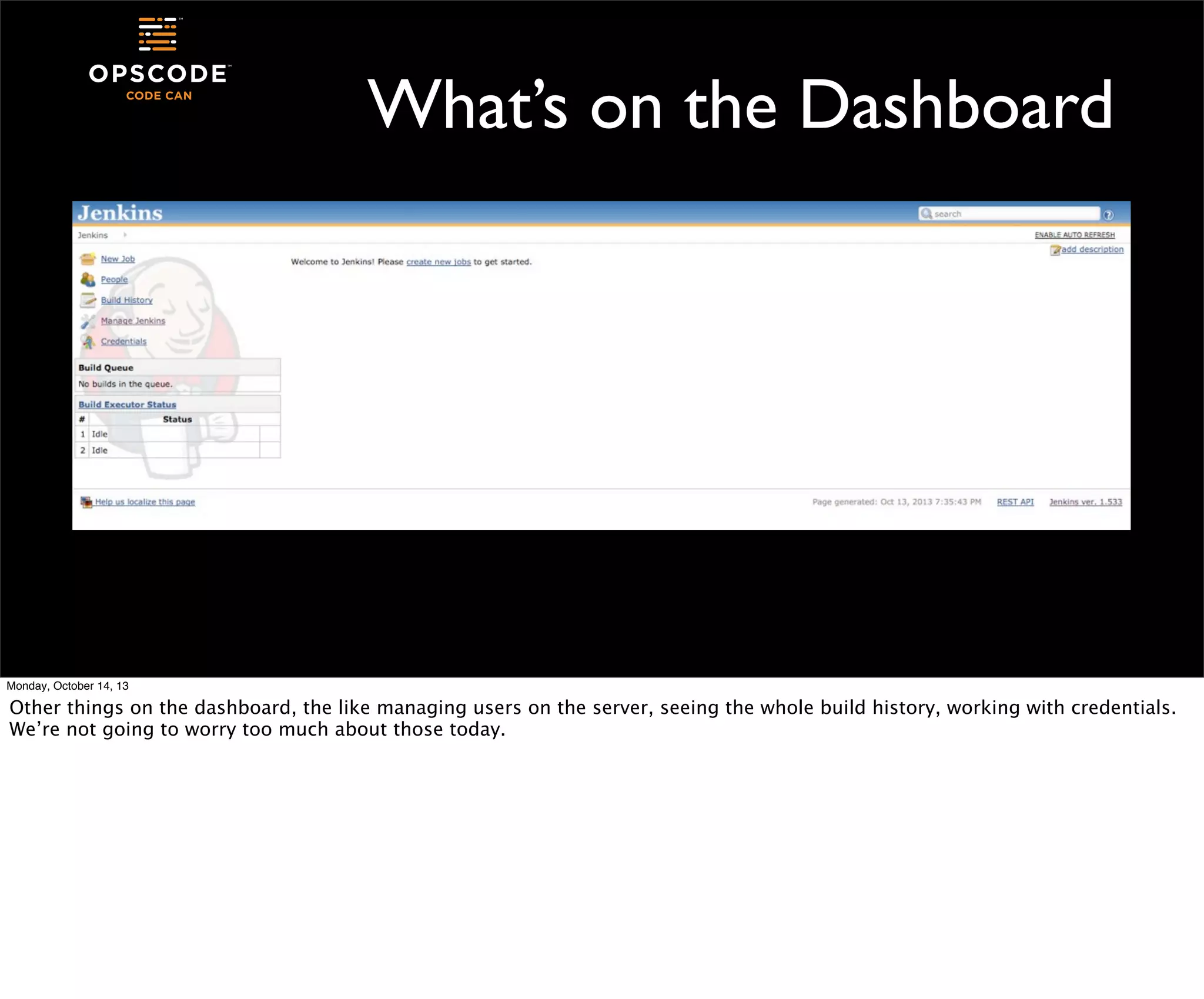
What’s on the Dashboard
add new jobs

Monday, October 14, 13

Other things on the dashboard, the like managing users on the server, seeing the whole build history, working with credentials.
We’re not going to worry too much about those today.
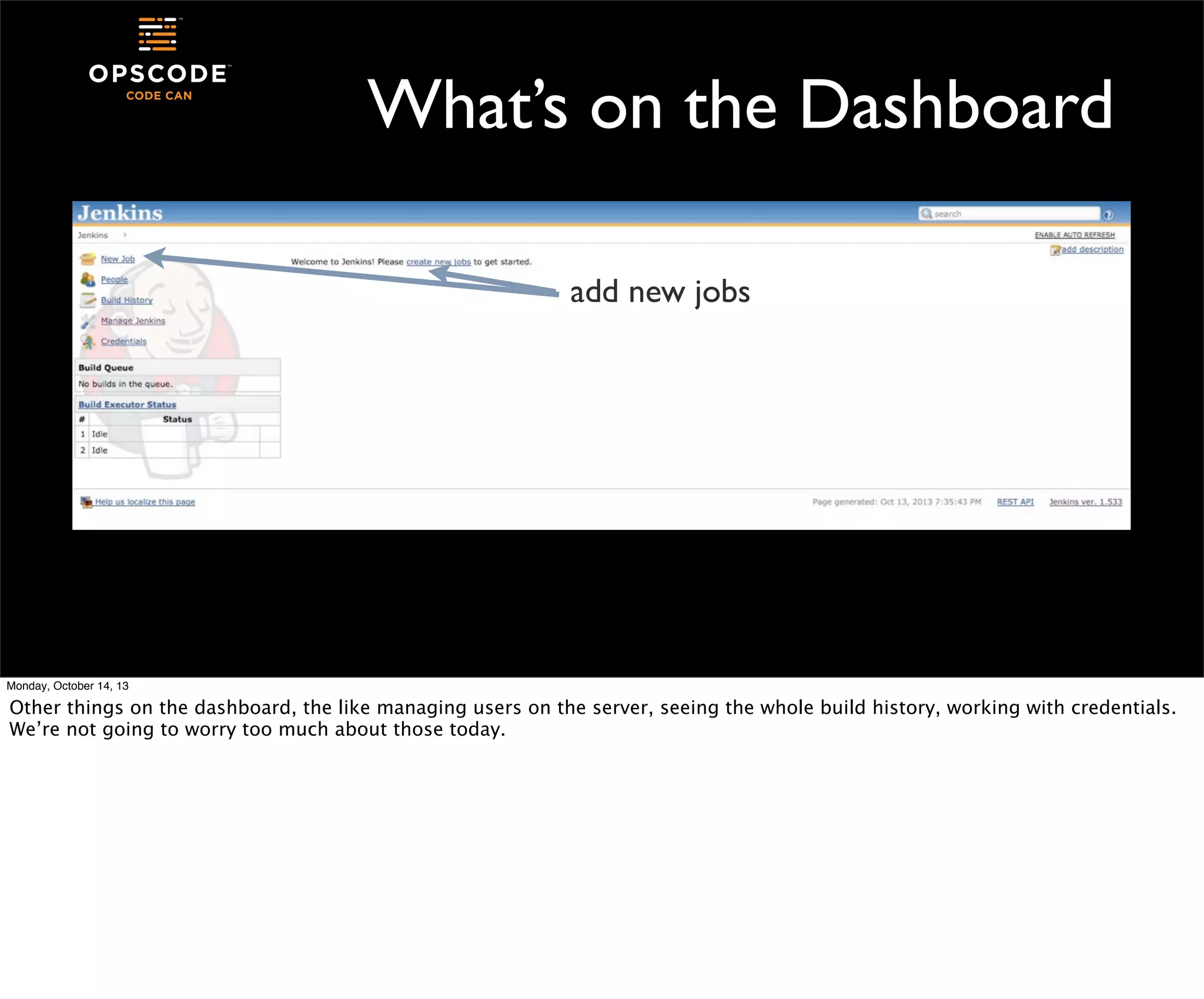
What’s on the Dashboard
add new jobs
manage the jenkins server

Monday, October 14, 13

Other things on the dashboard, the like managing users on the server, seeing the whole build history, working with credentials.
We’re not going to worry too much about those today.
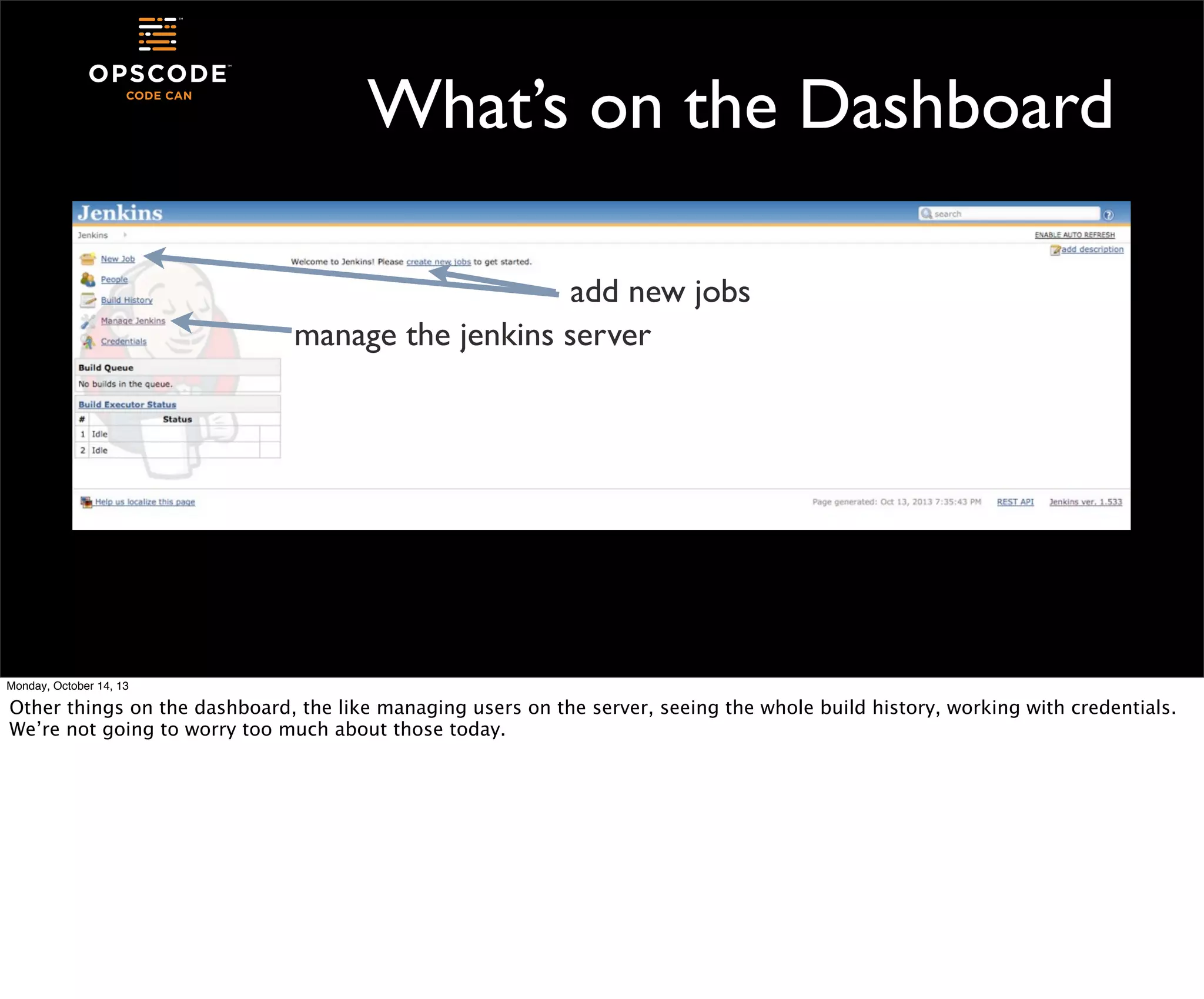
What’s on the Dashboard
add new jobs
manage the jenkins server
jobs in the queue

Monday, October 14, 13

Other things on the dashboard, the like managing users on the server, seeing the whole build history, working with credentials.
We’re not going to worry too much about those today.
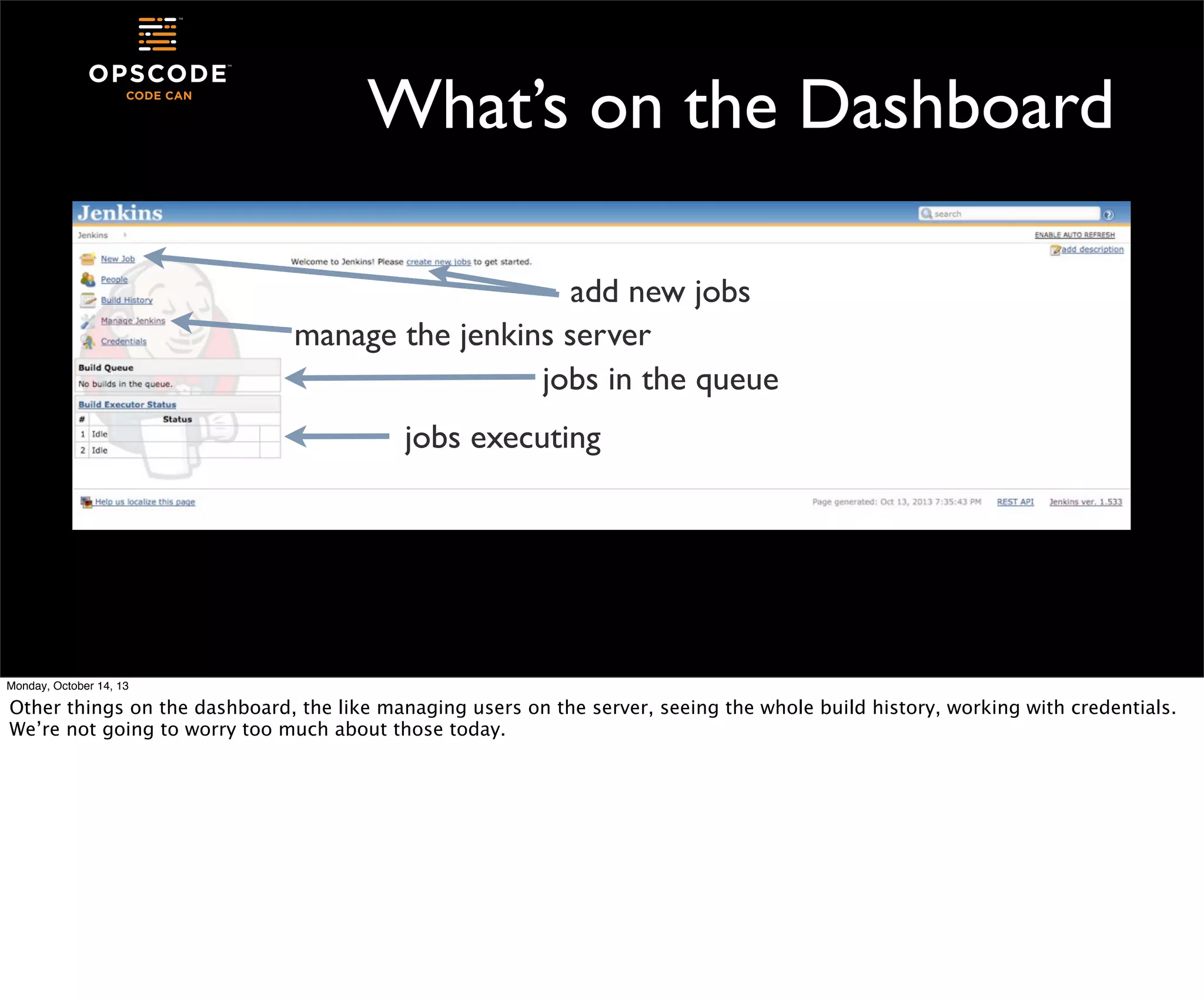
What’s on the Dashboard
add new jobs
manage the jenkins server
jobs in the queue
jobs executing

Monday, October 14, 13

Other things on the dashboard, the like managing users on the server, seeing the whole build history, working with credentials.
We’re not going to worry too much about those today.
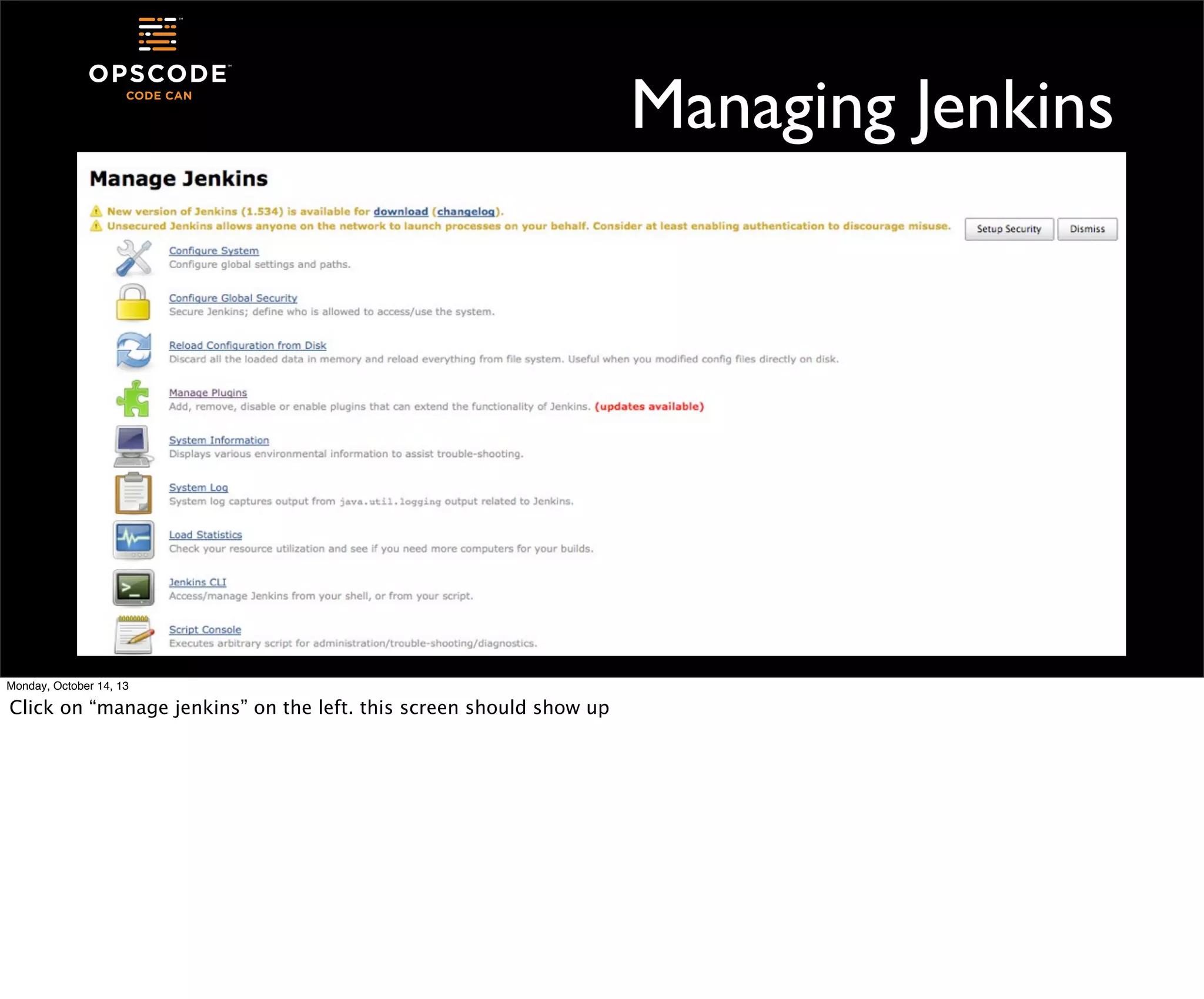
Managing Jenkins

Monday, October 14, 13

Click on “manage jenkins” on the left. this screen should show up
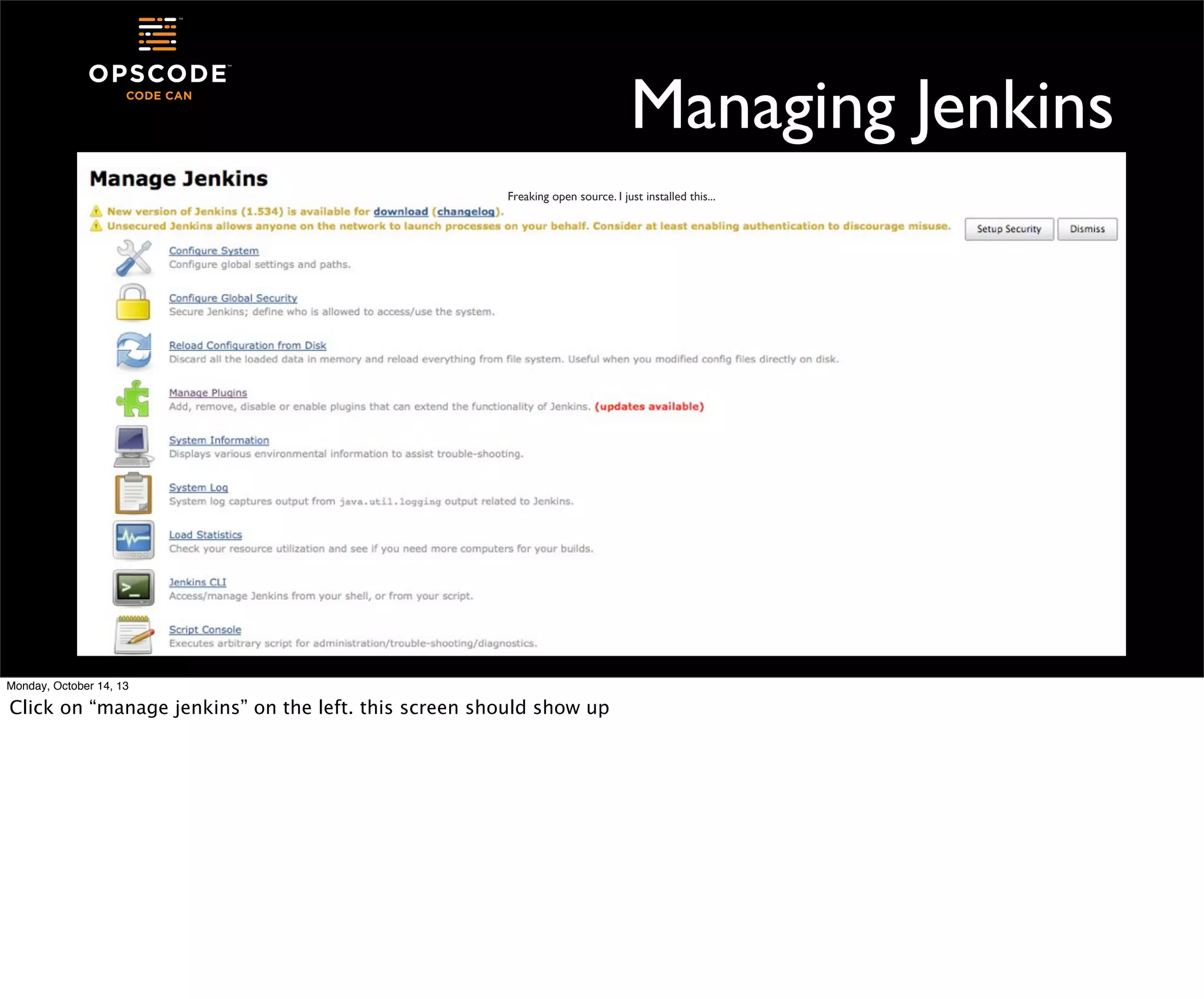
Managing Jenkins
Freaking open source. I just installed this...

Monday, October 14, 13

Click on “manage jenkins” on the left. this screen should show up
Jenkins Plugins
•
•
•

Click on “Manage Plugins” and then select the “Available” tab

•

There’s a whole lot of them

Plugins add features and functionality to Jenkins
They help Jenkins integrate with other software, provide more
sophisticated job management, add authentication to the server, etc

Monday, October 14, 13

You can see from the list the types of software, services, and components that are available to be added to your Jenkins server.
We’re certainly not going to look at most of these. We’re going to keep this simple.
When you add plugins to the Jenkins server, you can request that it restart on its own as long as no jobs are currently running.
When you add new plugins, your existing jobs can be modified to take advantage of their features, you don’t have to recreate
your jobs when you add new plugins.
Configure Jenkins Job
•
•

Monday, October 14, 13

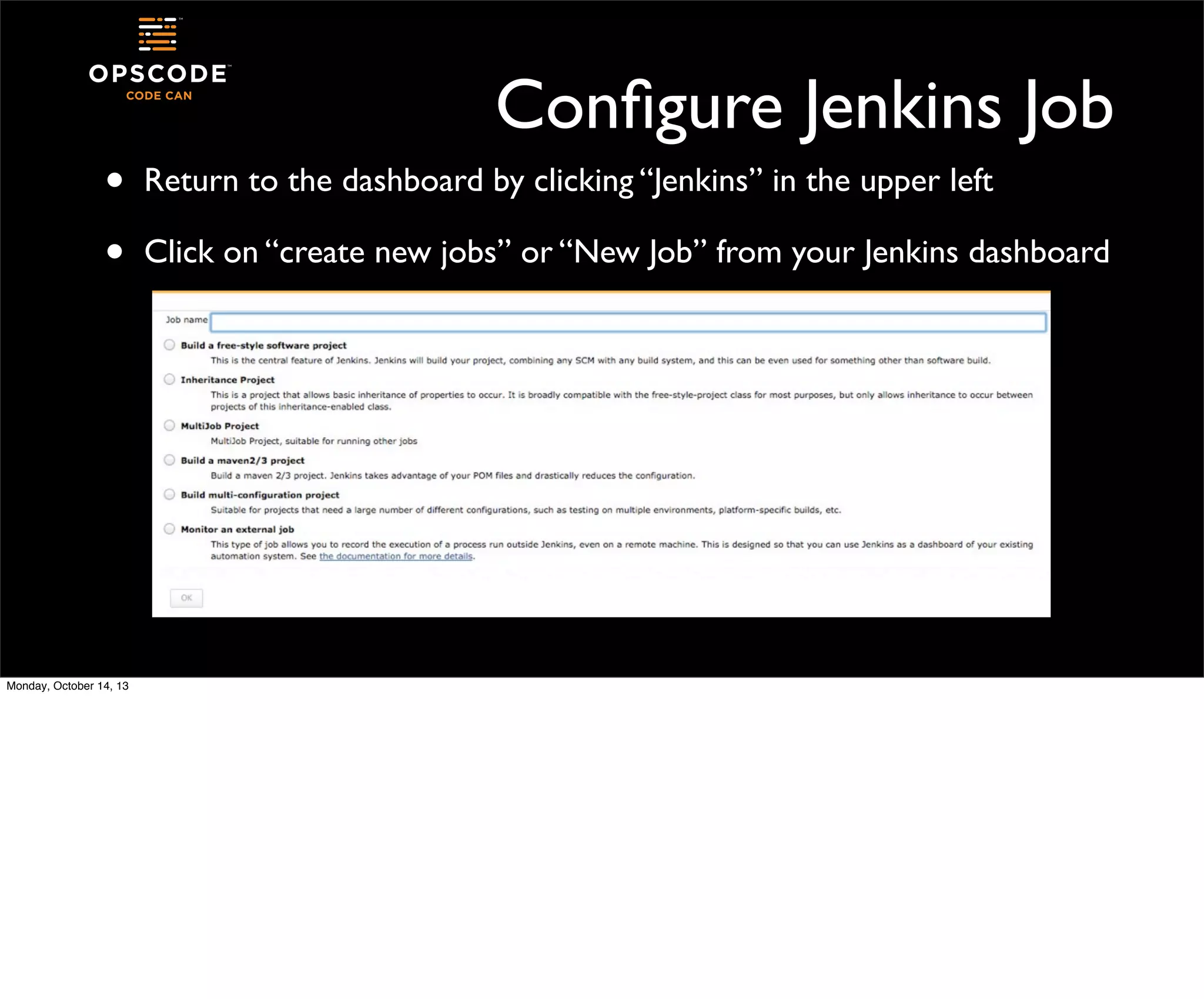
Return to the dashboard by clicking “Jenkins” in the upper left
Click on “create new jobs” or “New Job” from your Jenkins dashboard
Types of Jobs
•

Free-style: build projects, integrate with source code managers, do
stuff with things

•

Maven 2-3 project: build projects using Maven. Jenkins knows stuff
about Maven and helps you with the configuration

•

Monitor an External Job: run jobs on other systems with a Jenkins
watcher, which reports in when the job finishes

•

Other types: added by plugins, extensions, etc

Monday, October 14, 13
Our first project will be free-style

Monday, October 14, 13
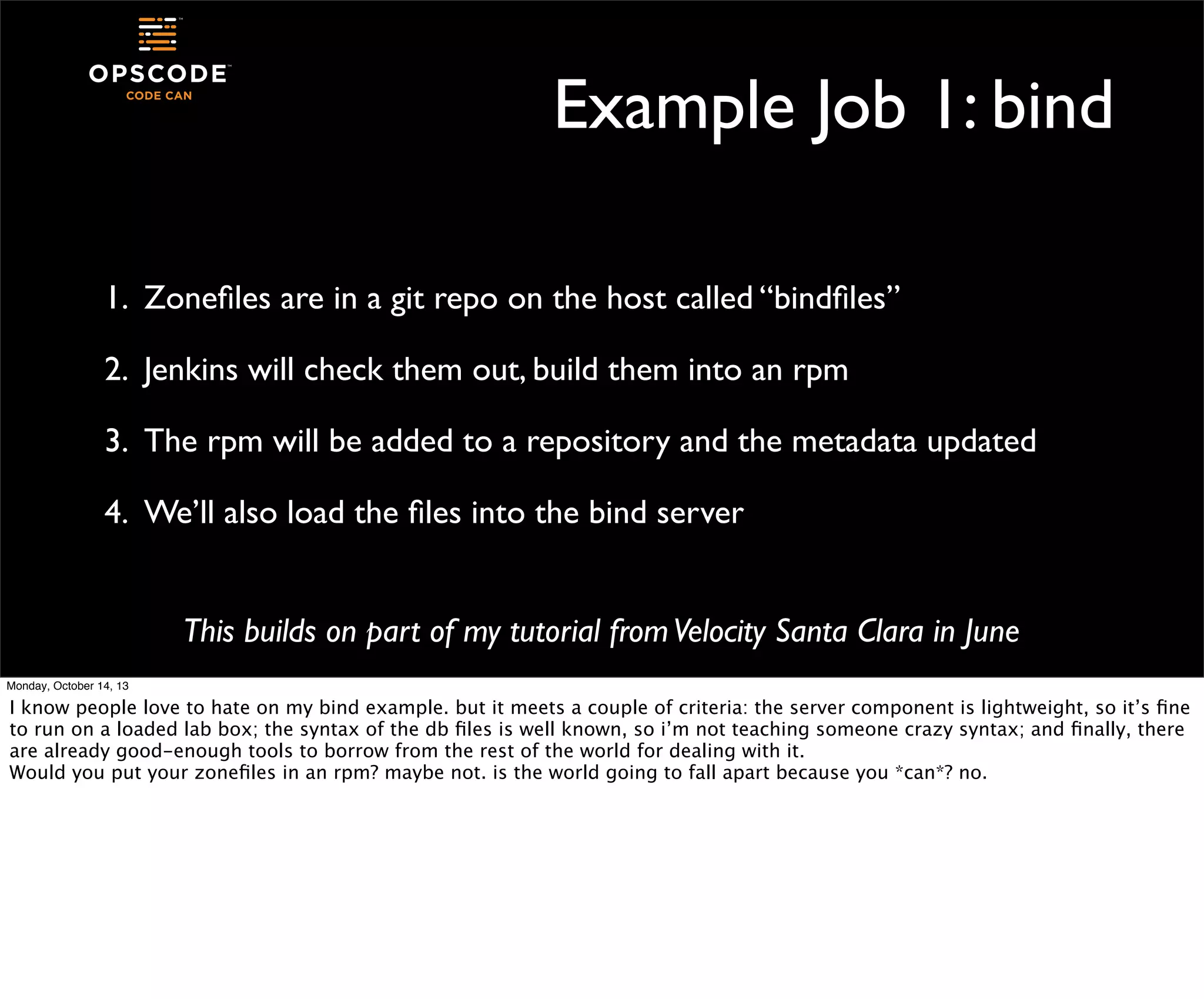
Example Job 1: bind
1. Zonefiles are in a git repo on the host called “bindfiles”
2. Jenkins will check them out, build them into an rpm
3. The rpm will be added to a repository and the metadata updated
4. We’ll also load the files into the bind server
This builds on part of my tutorial from Velocity Santa Clara in June
Monday, October 14, 13

I know people love to hate on my bind example. but it meets a couple of criteria: the server component is lightweight, so it’s fine
to run on a loaded lab box; the syntax of the db files is well known, so i’m not teaching someone crazy syntax; and finally, there
are already good-enough tools to borrow from the rest of the world for dealing with it.
Would you put your zonefiles in an rpm? maybe not. is the world going to fall apart because you *can*? no.
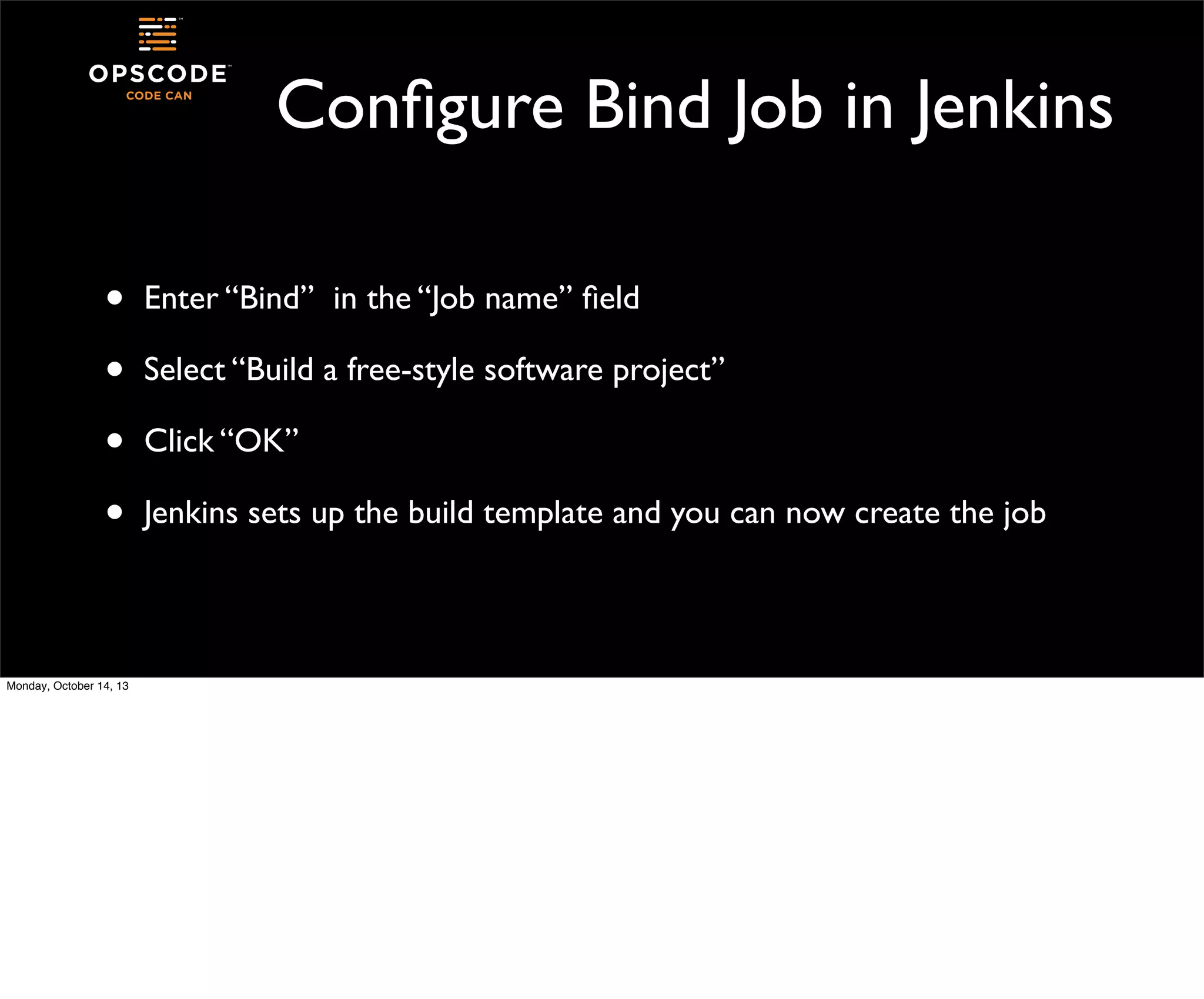
Configure Bind Job in Jenkins
•
•
•
•
Monday, October 14, 13

Enter “Bind” in the “Job name” field
Select “Build a free-style software project”
Click “OK”
Jenkins sets up the build template and you can now create the job
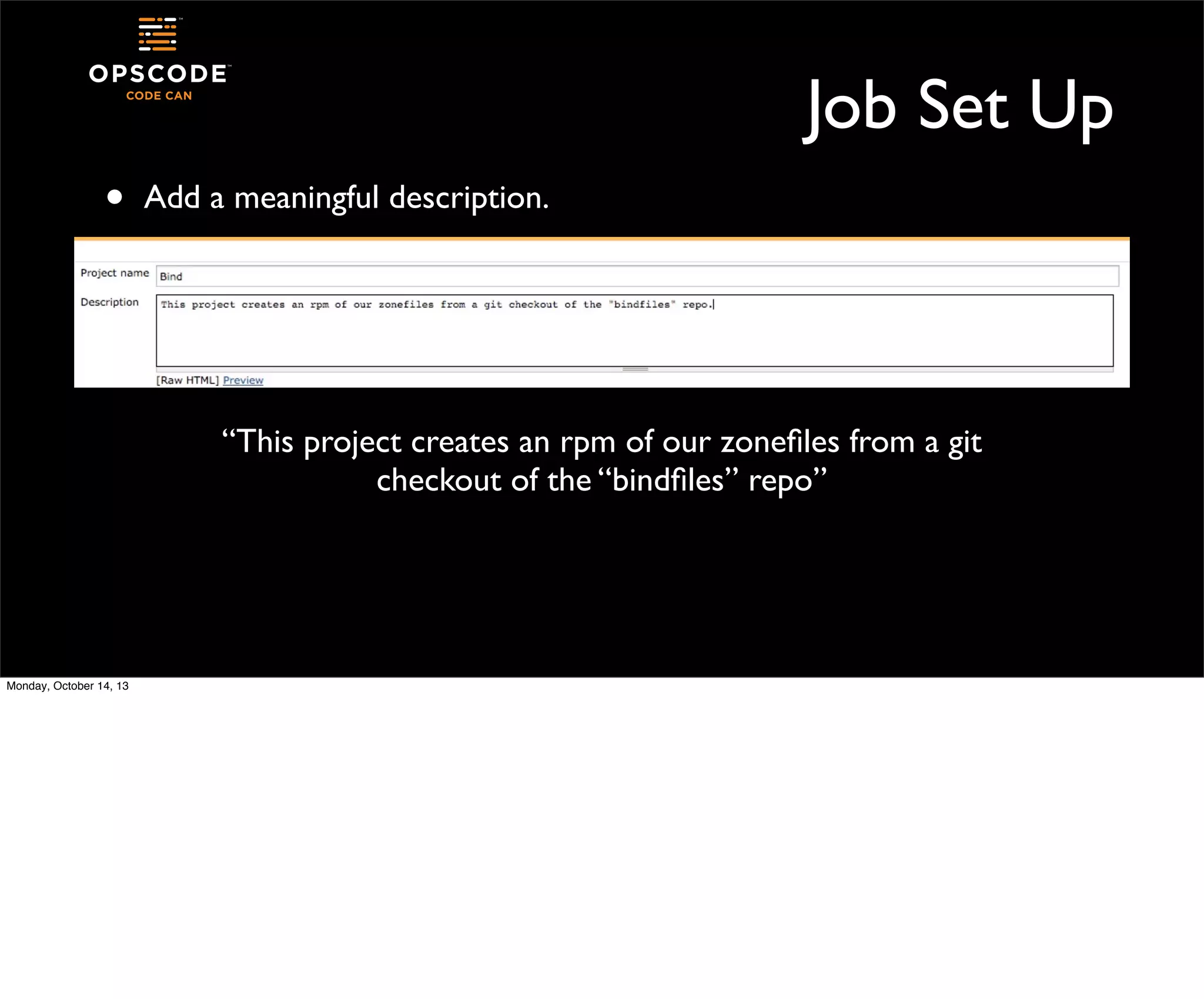
Job Set Up
•

Add a meaningful description.

“This project creates an rpm of our zonefiles from a git
checkout of the “bindfiles” repo”

Monday, October 14, 13
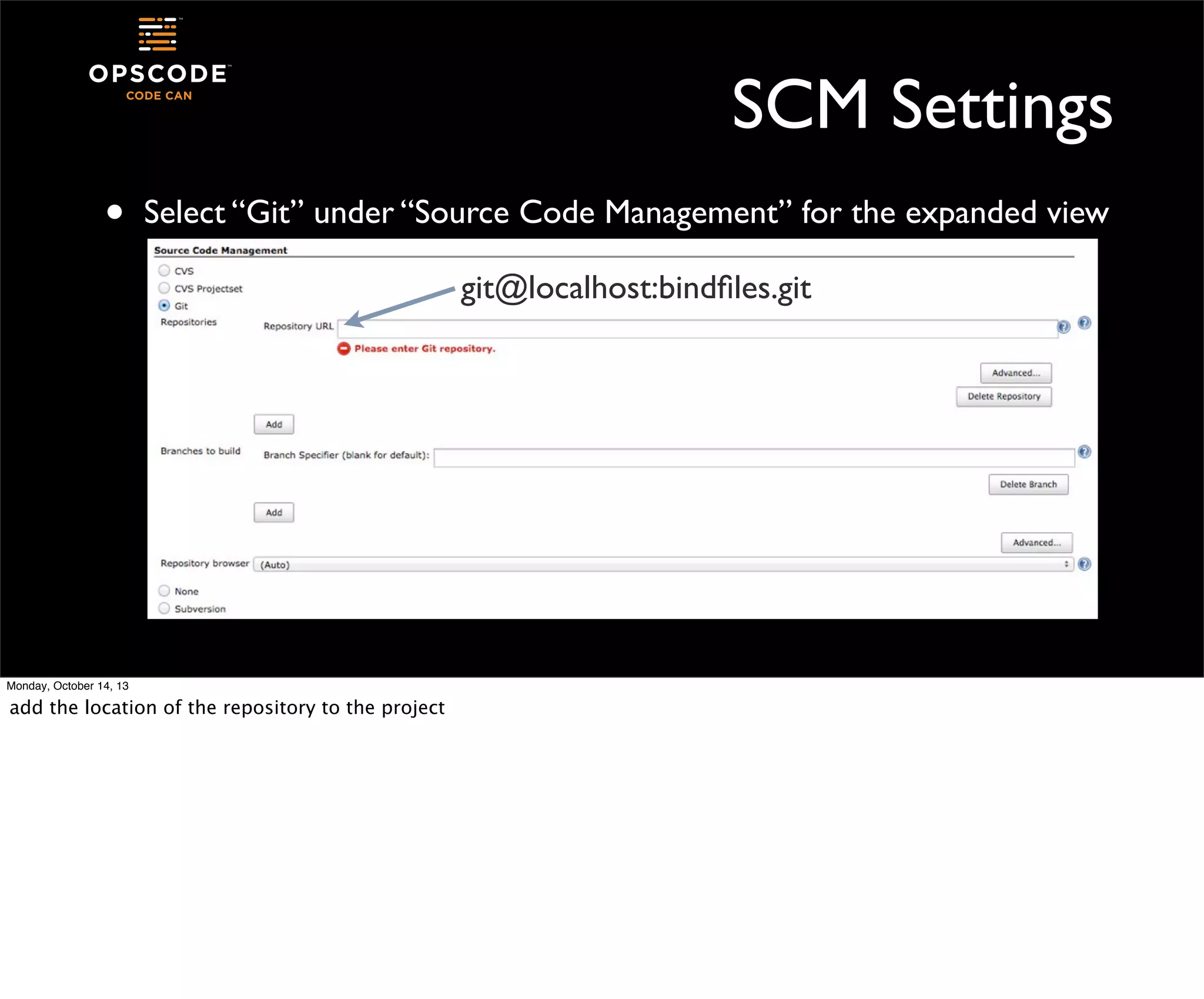
SCM Settings
•

Select “Git” under “Source Code Management” for the expanded view
git@localhost:bindfiles.git

Monday, October 14, 13

add the location of the repository to the project
•

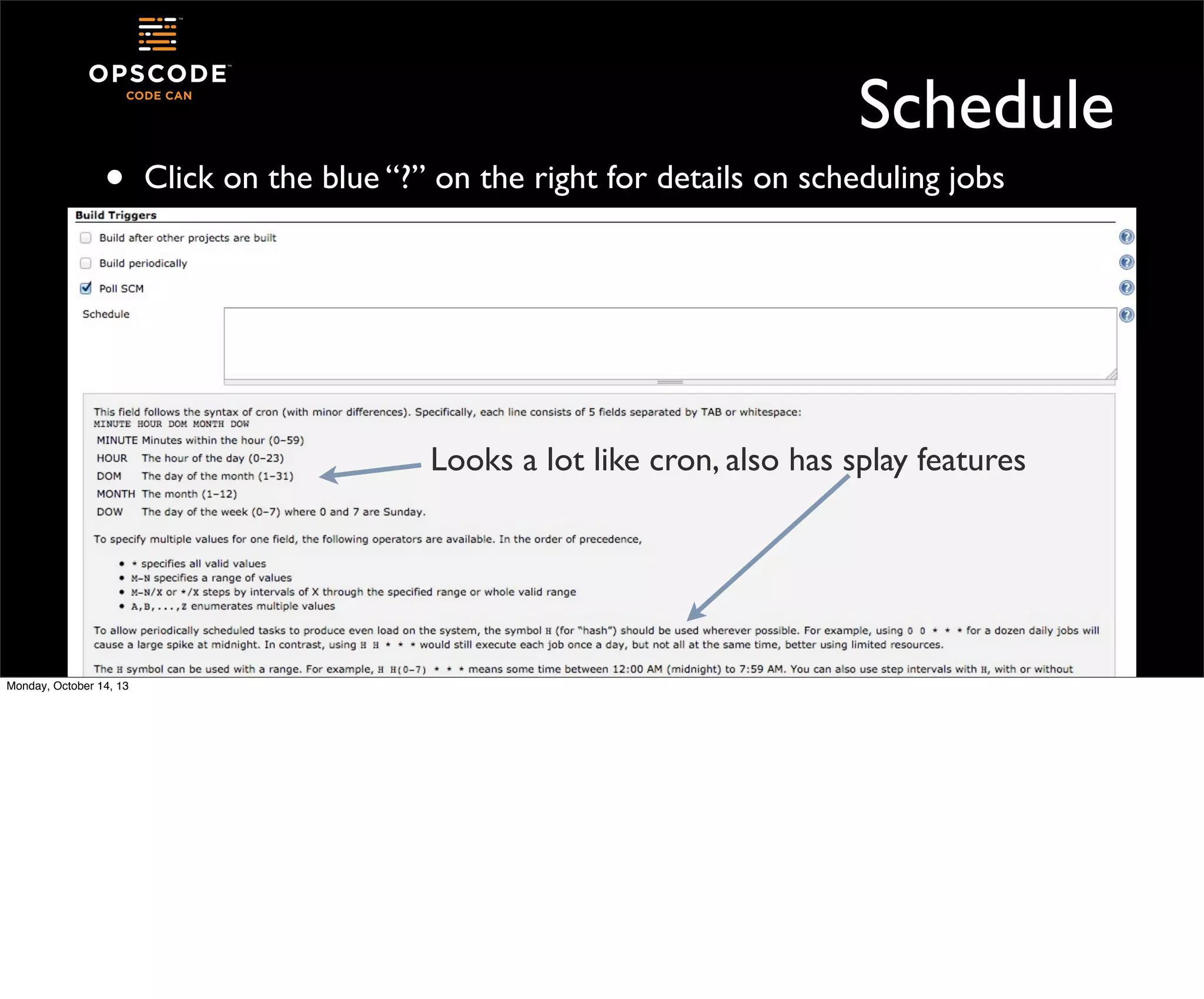
Schedule
Click on the blue “?” on the right for details on scheduling jobs

Looks a lot like cron, also has splay features

Monday, October 14, 13
•

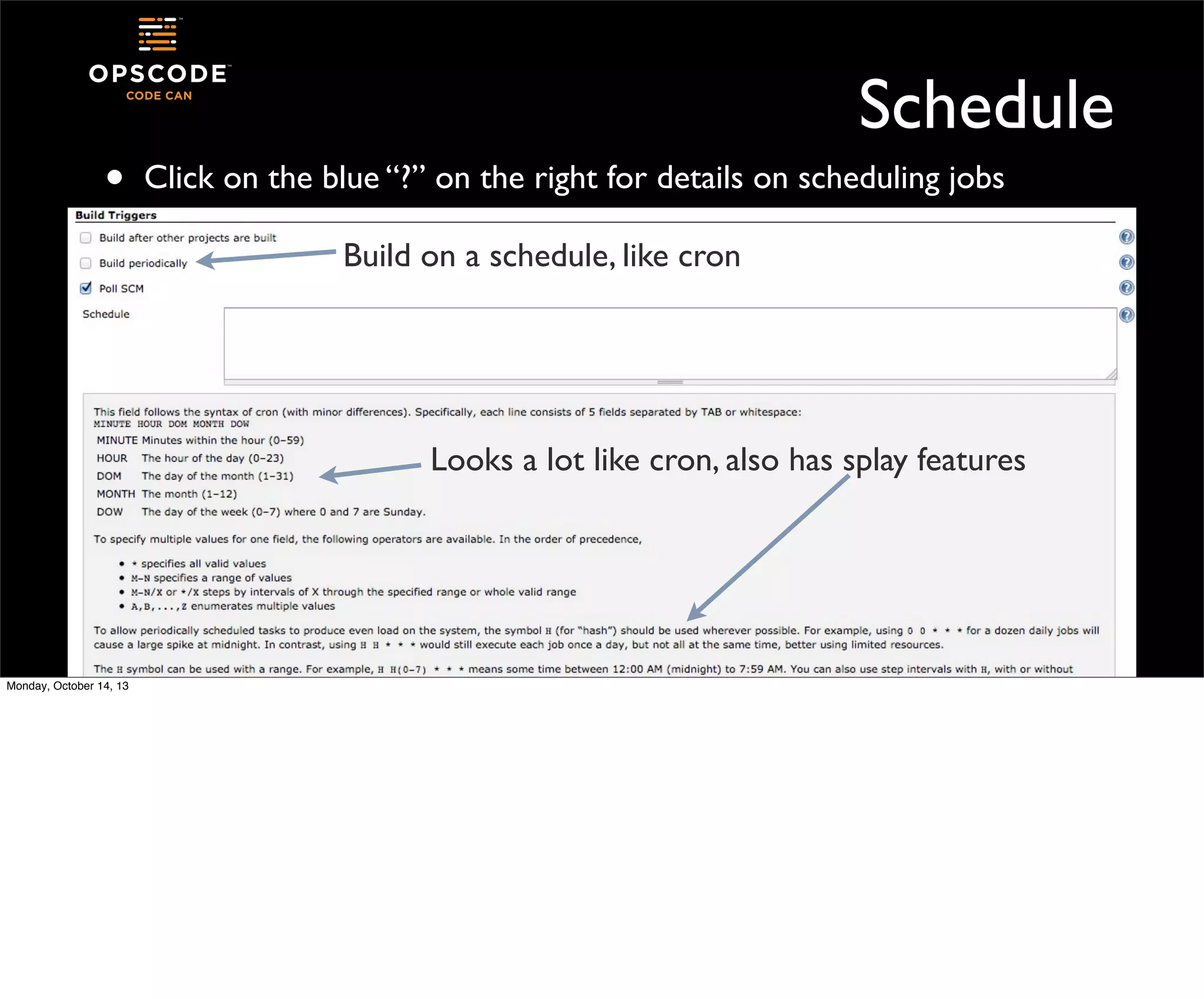
Schedule
Click on the blue “?” on the right for details on scheduling jobs
Build on a schedule, like cron

Looks a lot like cron, also has splay features

Monday, October 14, 13
•

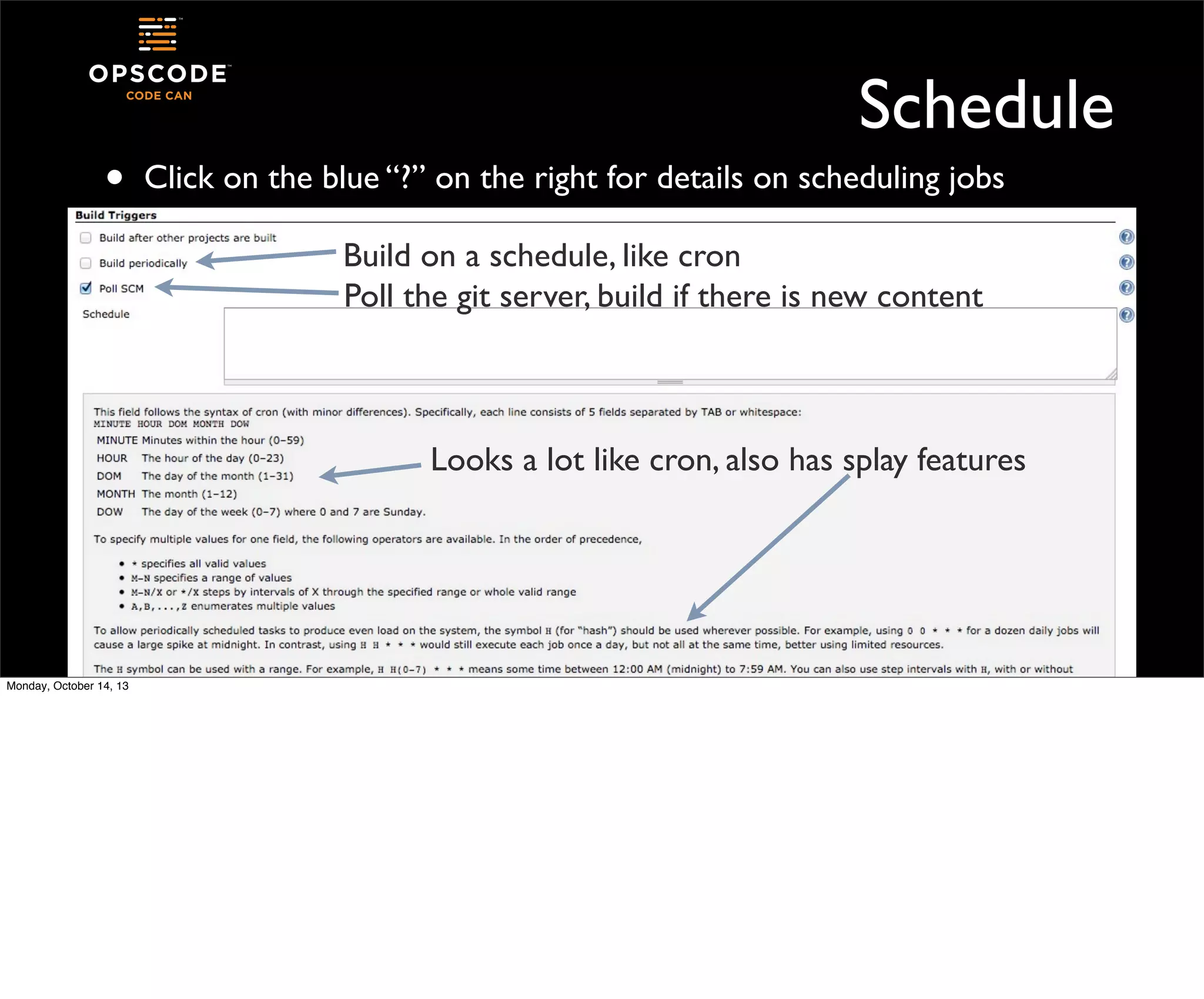
Schedule
Click on the blue “?” on the right for details on scheduling jobs
Build on a schedule, like cron
Poll the git server, build if there is new content

Looks a lot like cron, also has splay features

Monday, October 14, 13
Schedule
•

In the “Schedule” box, enter

• H/5

13 * * *

•

The “H” allows Jenkins to spread out jobs that might all be requested
to run at the same time

•

This job will run every five minutes during the 1300 hour - the boxes
are in UTC

Monday, October 14, 13
Adding Build Steps
•

Since we’re freestyling, we can add whatever commands we need to
the build steps

•
•

Jenkins will take care of checking files out of git

Monday, October 14, 13

We’ll build a package using fpm
A quick aside
•
•
•
•
•
Monday, October 14, 13

fpm
“f’ing package managers”!
by Jordan Sissell
https://github.com/jordansissel/fpm
A ruby gem that creates various package types from a number of
different content sources
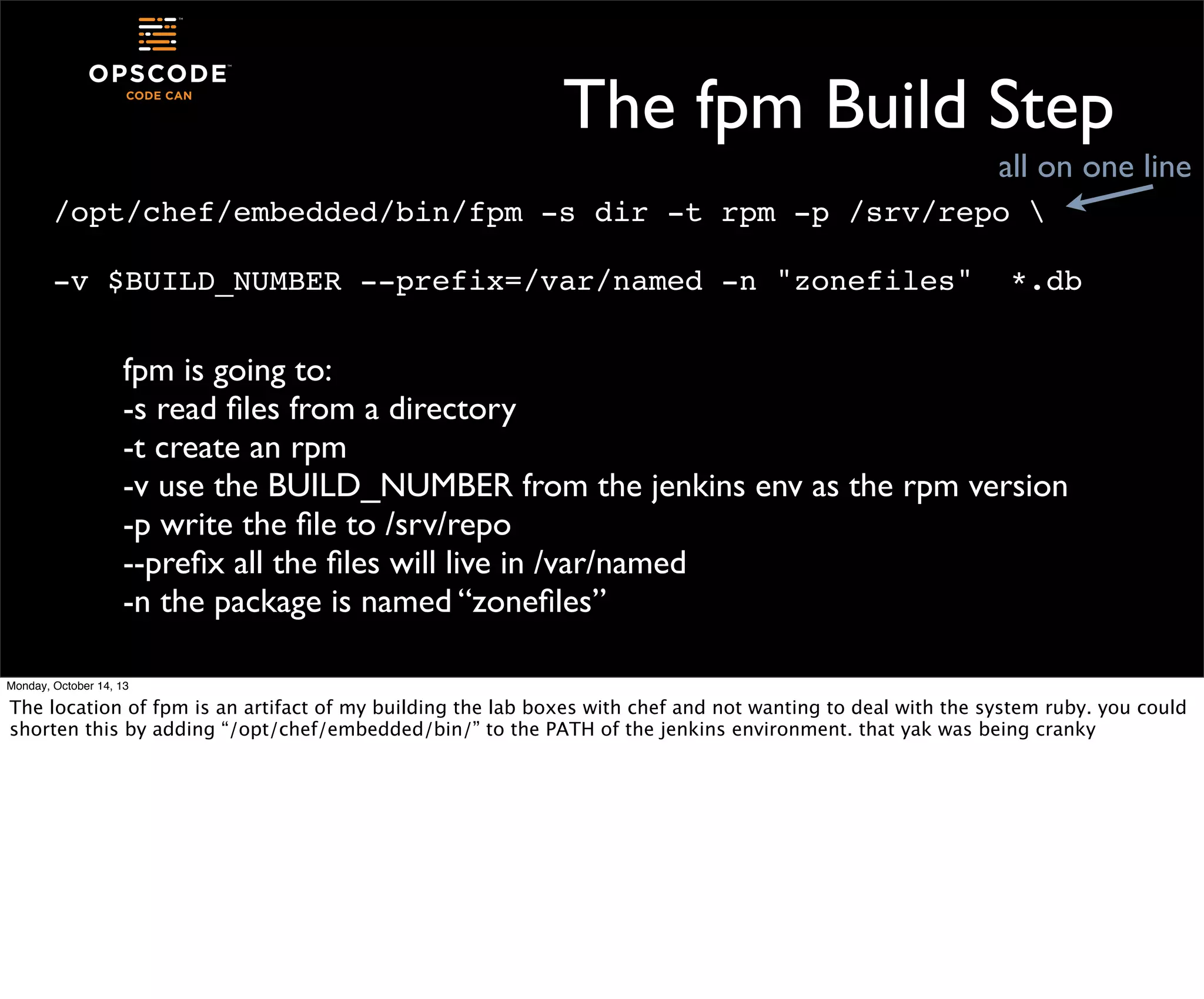
The fpm Build Step
all on one line
/opt/chef/embedded/bin/fpm -s dir -t rpm -p /srv/repo 
-v $BUILD_NUMBER --prefix=/var/named -n "zonefiles"

*.db

fpm is going to:
-s read files from a directory
-t create an rpm
-v use the BUILD_NUMBER from the jenkins env as the rpm version
-p write the file to /srv/repo
--prefix all the files will live in /var/named
-n the package is named “zonefiles”
Monday, October 14, 13

The location of fpm is an artifact of my building the lab boxes with chef and not wanting to deal with the system ruby. you could
shorten this by adding “/opt/chef/embedded/bin/” to the PATH of the jenkins environment. that yak was being cranky
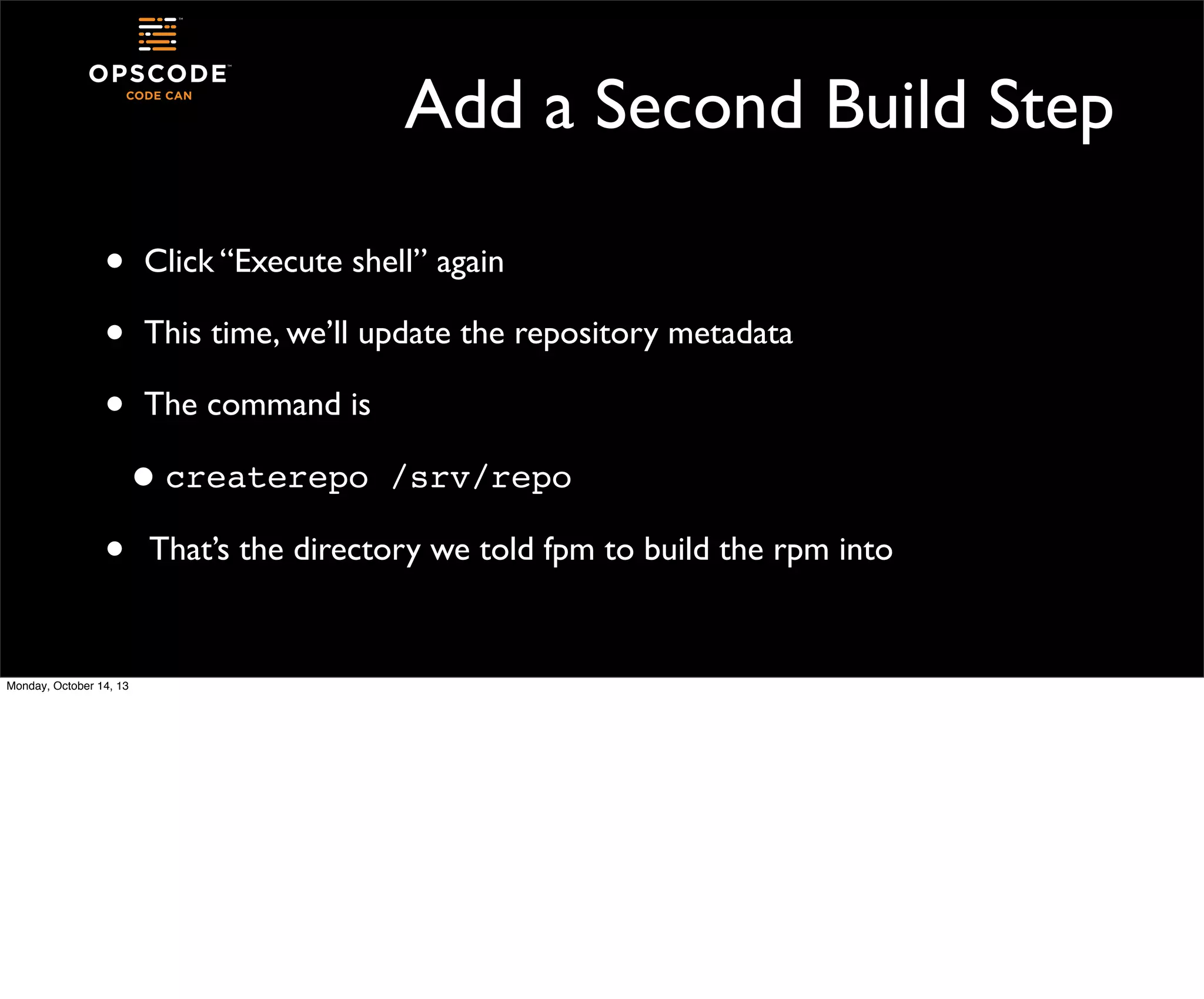
Add a Second Build Step
•
•
•

Click “Execute shell” again
This time, we’ll update the repository metadata
The command is

• createrepo
•
Monday, October 14, 13

/srv/repo

That’s the directory we told fpm to build the rpm into
Let’s Run It

•
•

Monday, October 14, 13

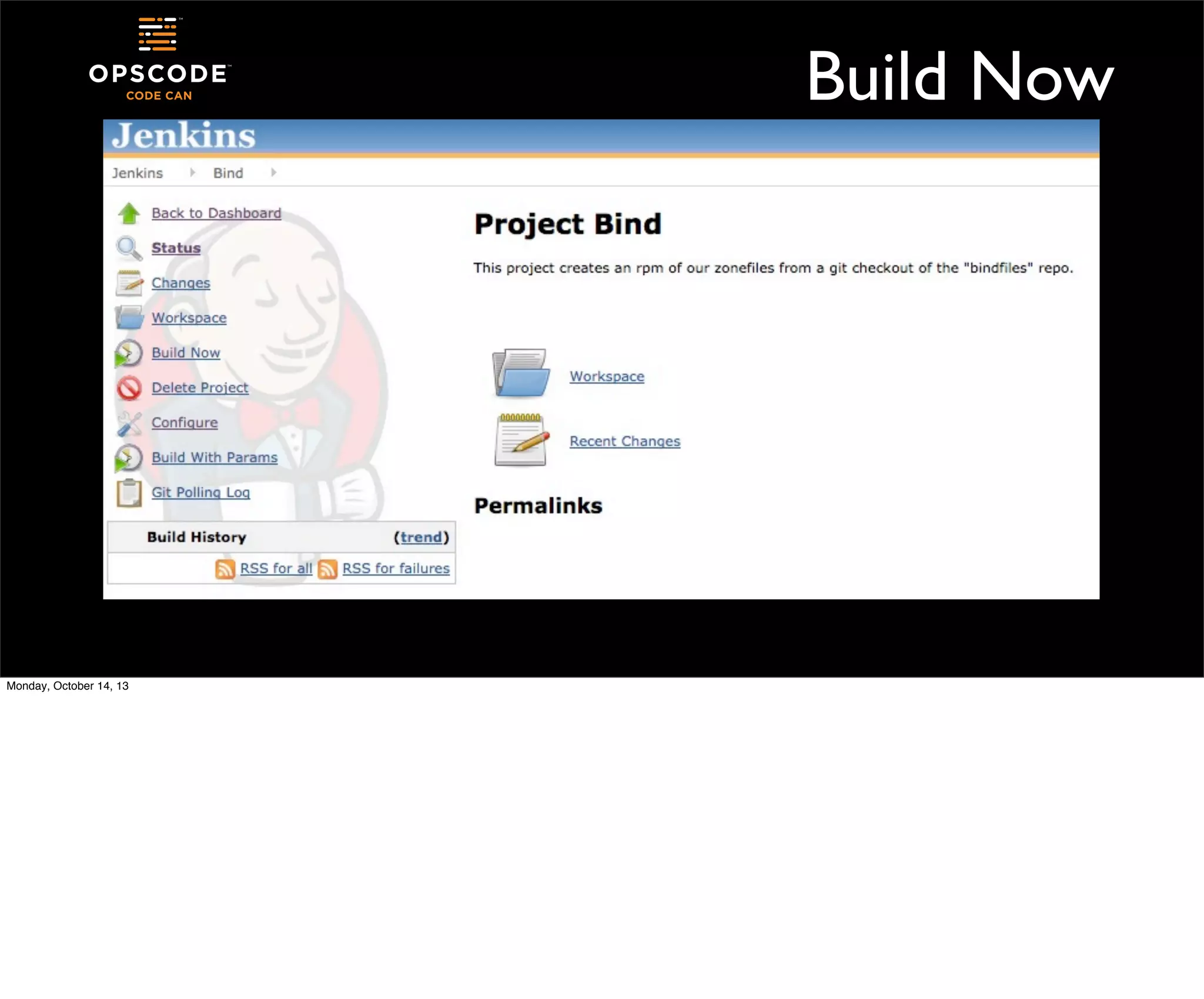
At the bottom of the page, click “Save”
You’ll now see the project menu on the left side of the page
Build Now

Monday, October 14, 13
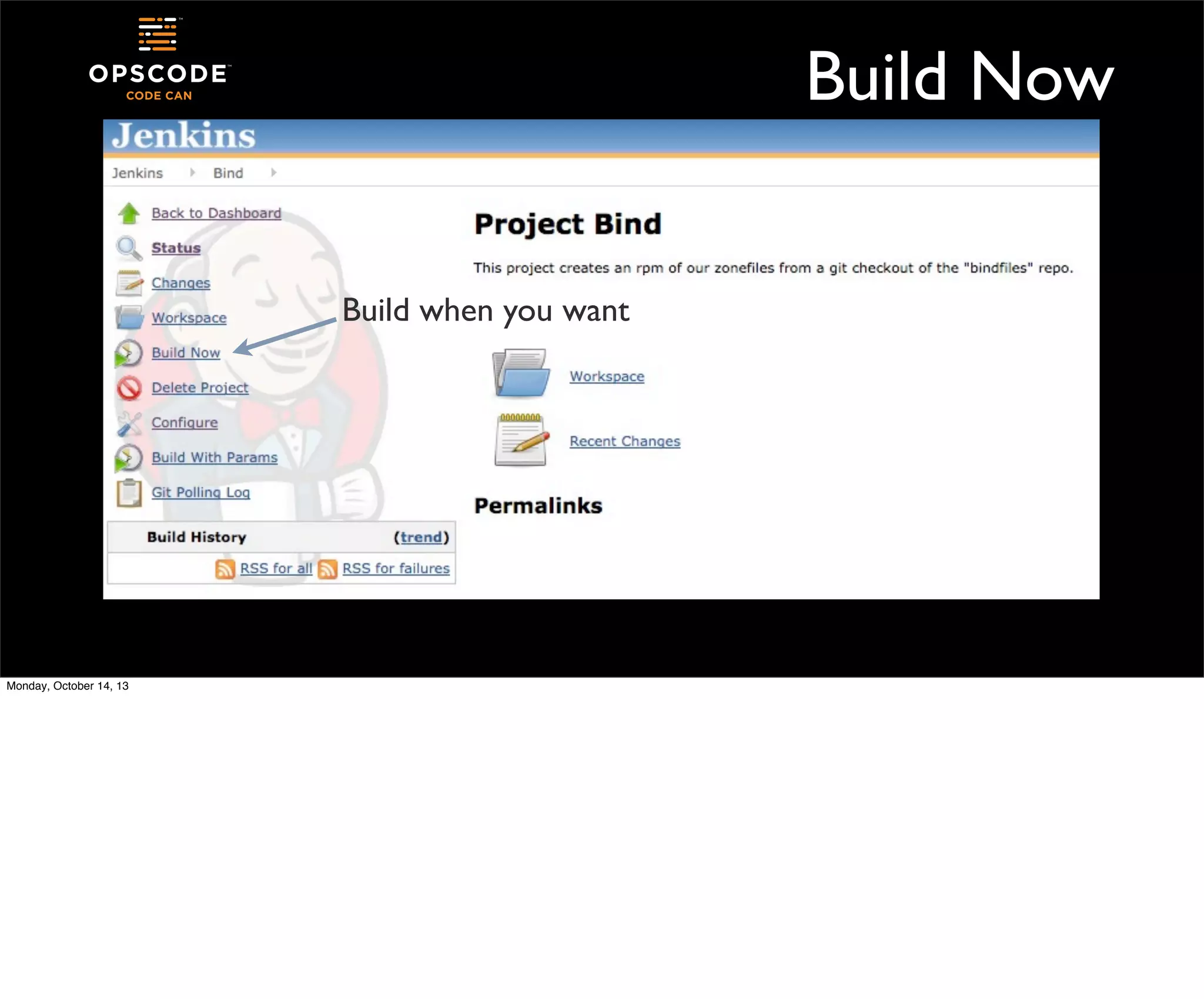
Build Now
Build when you want

Monday, October 14, 13
First Build
•
•
•
•

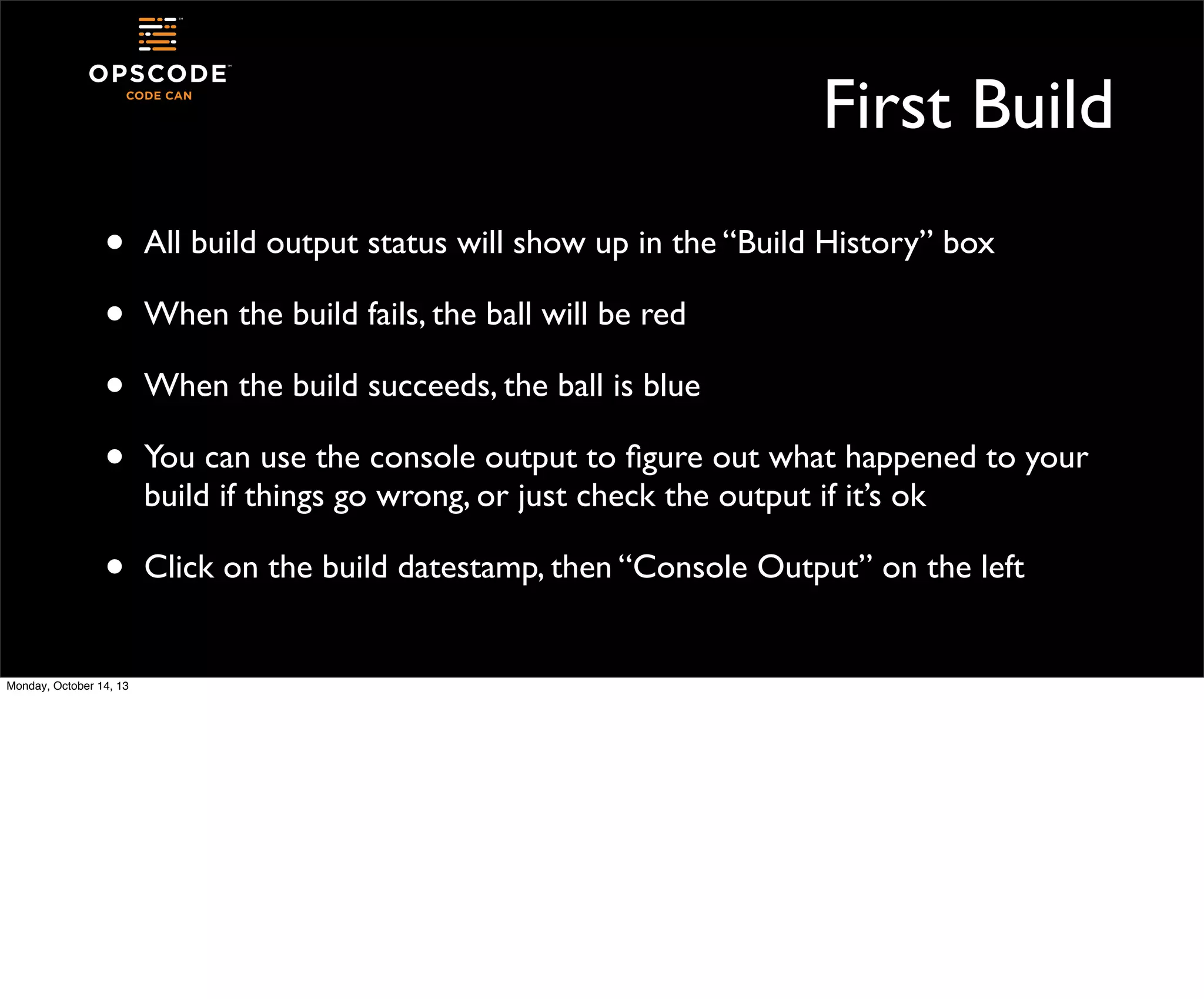
All build output status will show up in the “Build History” box

•

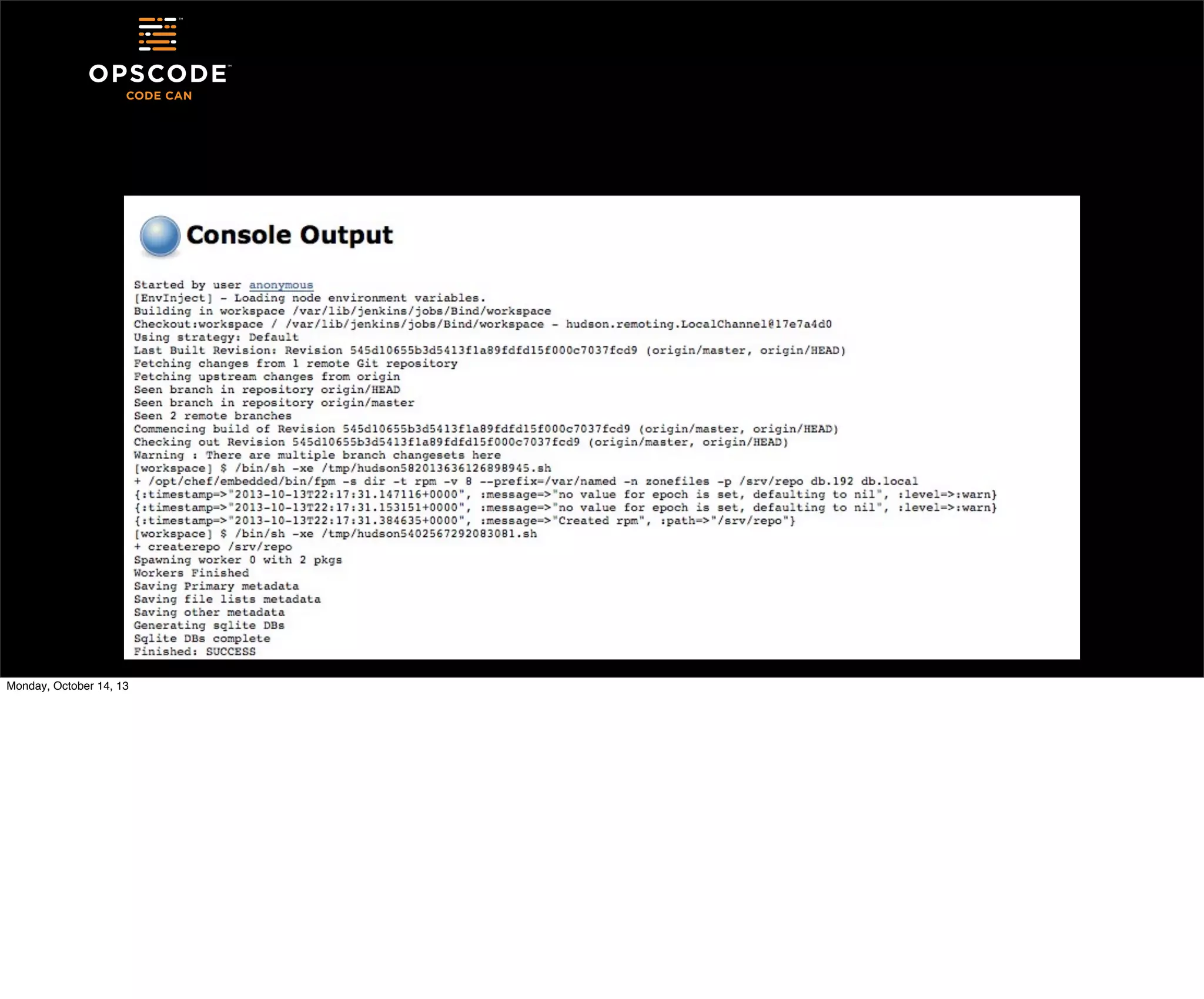
Click on the build datestamp, then “Console Output” on the left

Monday, October 14, 13

When the build fails, the ball will be red
When the build succeeds, the ball is blue
You can use the console output to figure out what happened to your
build if things go wrong, or just check the output if it’s ok
Monday, October 14, 13
Debugging Jobs
•
•
•

Monday, October 14, 13

Console output is your friend
Part of the output will include where the build is happening
All errors from included commands will show up in the output
Add More Steps to Our Job
•
•

Let’s load the zonefiles we built onto our server, and restart bind
Install the rpm we built into /srv/repo

•

Since we built a repo, we could yum it from there, but I’ve not given
you a web server

•

The “jenkins” system user has full sudo on this host for cookingshow type magic

Monday, October 14, 13
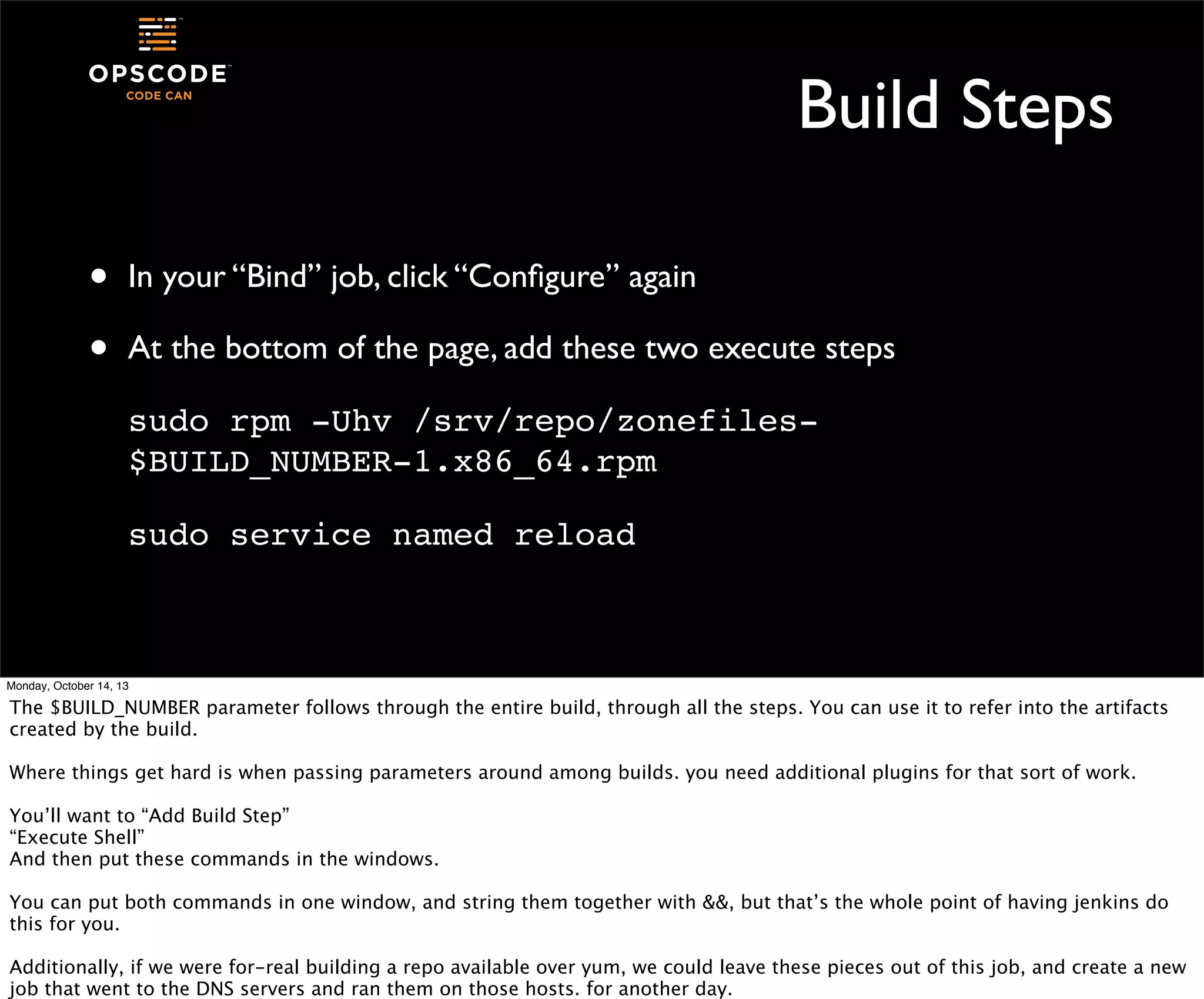
Build Steps
•
•

In your “Bind” job, click “Configure” again
At the bottom of the page, add these two execute steps
sudo rpm -Uhv /srv/repo/zonefiles$BUILD_NUMBER-1.x86_64.rpm
sudo service named reload

Monday, October 14, 13

The $BUILD_NUMBER parameter follows through the entire build, through all the steps. You can use it to refer into the artifacts
created by the build.
Where things get hard is when passing parameters around among builds. you need additional plugins for that sort of work.
You’ll want to “Add Build Step”
“Execute Shell”
And then put these commands in the windows.
You can put both commands in one window, and string them together with &&, but that’s the whole point of having jenkins do
this for you.
Additionally, if we were for-real building a repo available over yum, we could leave these pieces out of this job, and create a new
job that went to the DNS servers and ran them on those hosts. for another day.
Build It!
•
•
•

Monday, October 14, 13

Save your changes
Click Build Now
Check your console output, you should see the output from rpm and
the bind reload
Ok, Pause
•
•
•

Monday, October 14, 13

Shake it out.
Now we’ve got some basics.
What other stuff can Jenkins do for us?
Example 2: mysql Backup
•

The mysql server has the sample employees database installed from
http://dev.mysql.com/doc/employee/en/index.html

•

We can back it up, load it into a new database, and validate the backup
in a Jenkins job

•

Other pieces could copy the backup to another host, push it to long
term storage, etc

Monday, October 14, 13
Create a New Job
•

Create a new free style job, call it “MySQL Backup” or similar

•
•
•
Monday, October 14, 13

If you already have a mysqldump running on your servers, you could
configure them to notify Jenkins when they’re done, and make this
job “monitor external job”

We’re not going to put a trigger on this job - we’ll just run it ourselves
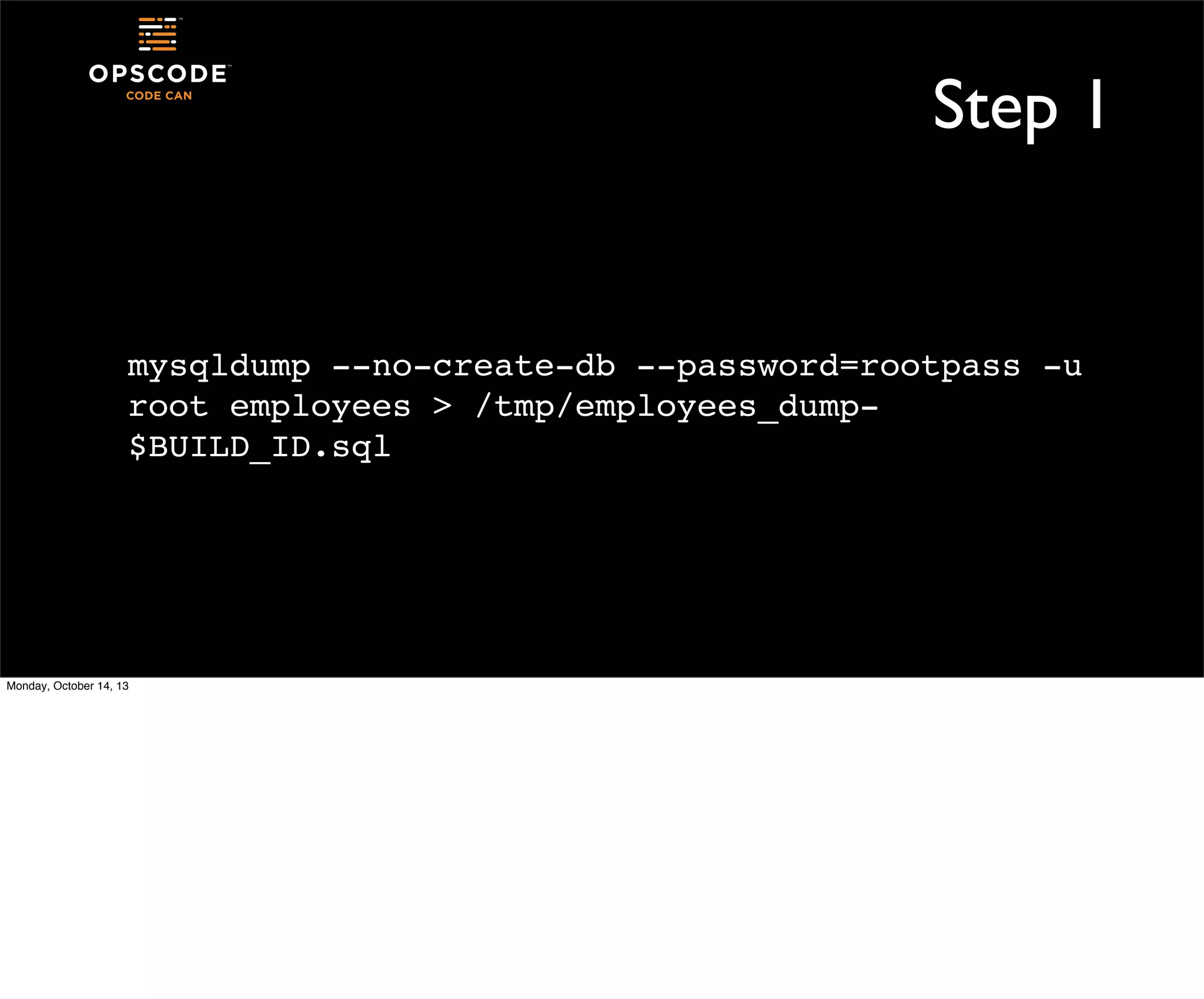
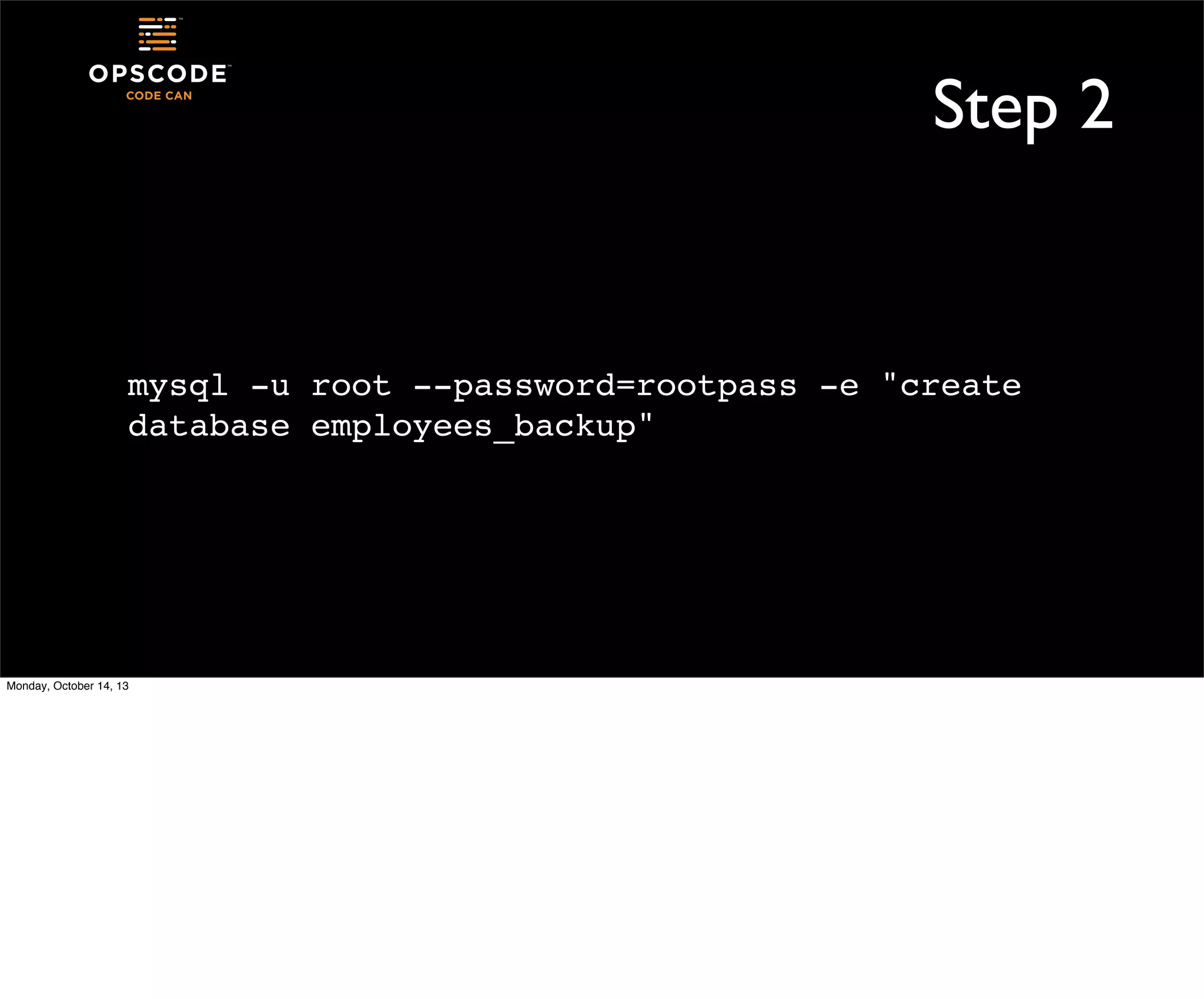
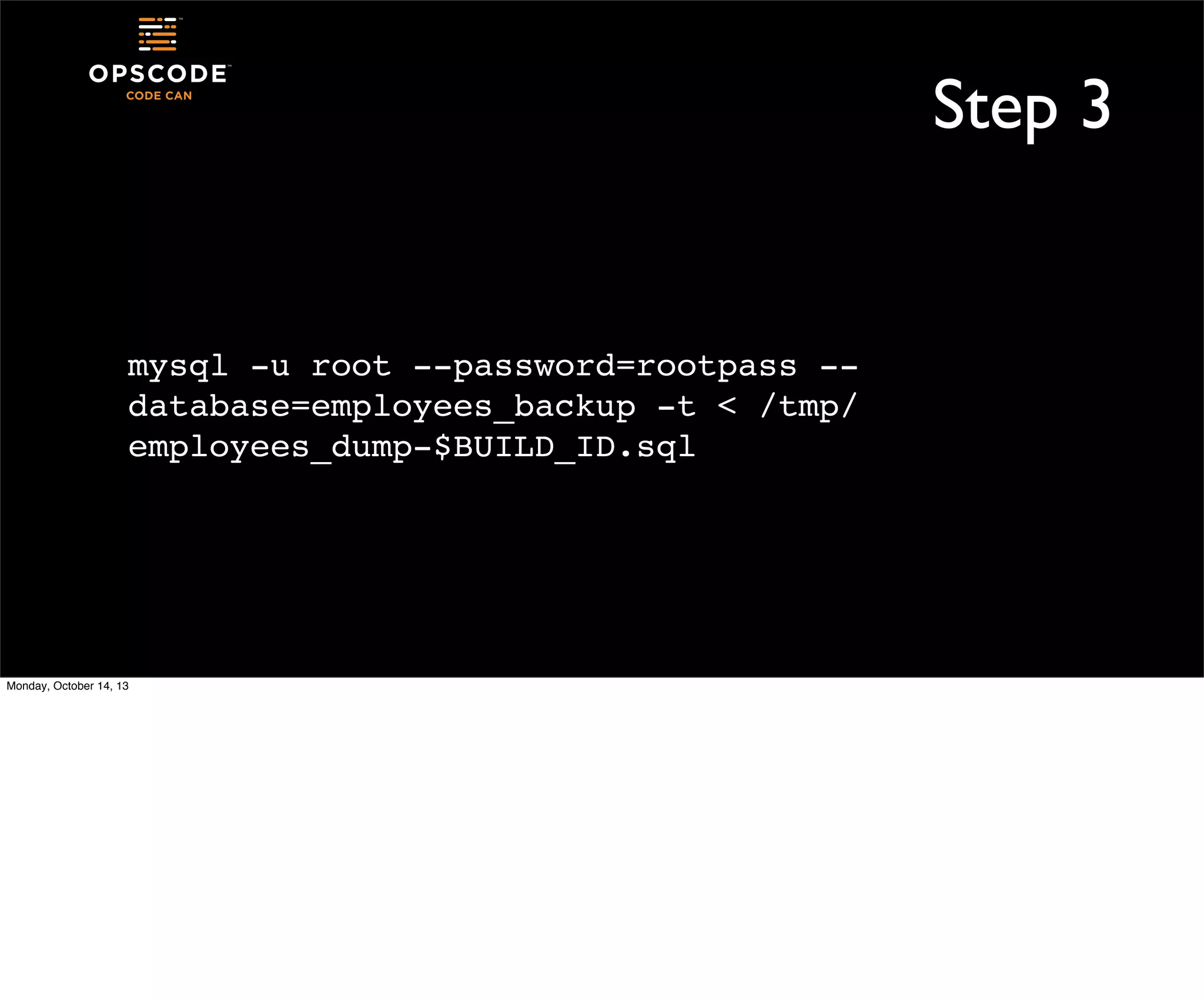
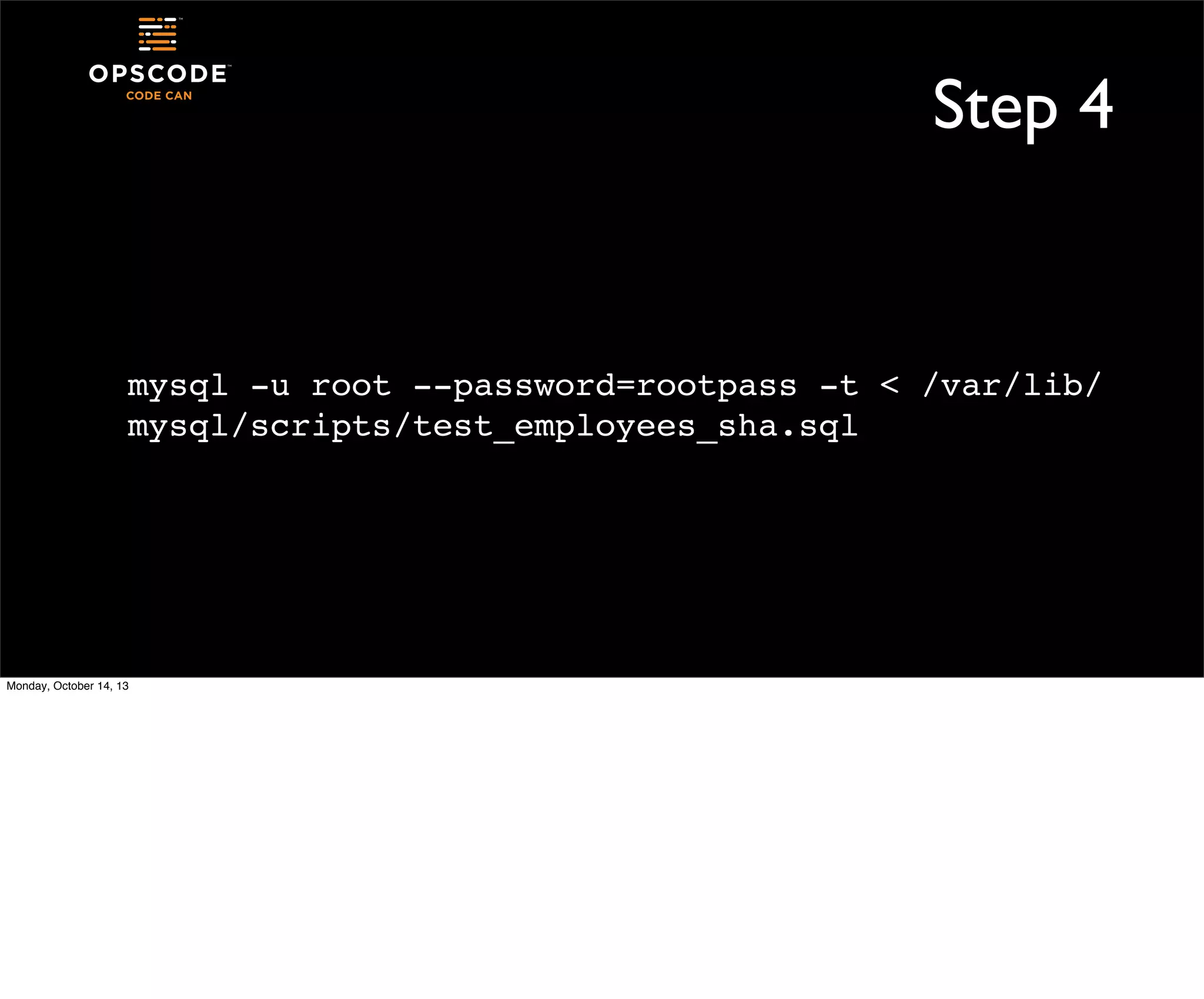
There are four steps
Step 1

mysqldump --no-create-db --password=rootpass -u
root employees > /tmp/employees_dump$BUILD_ID.sql

Monday, October 14, 13
Step 2

mysql -u root --password=rootpass -e "create
database employees_backup"

Monday, October 14, 13
Step 3

mysql -u root --password=rootpass -database=employees_backup -t < /tmp/
employees_dump-$BUILD_ID.sql

Monday, October 14, 13
Step 4

mysql -u root --password=rootpass -t < /var/lib/
mysql/scripts/test_employees_sha.sql

Monday, October 14, 13
Build Now
•
•
•
•
•

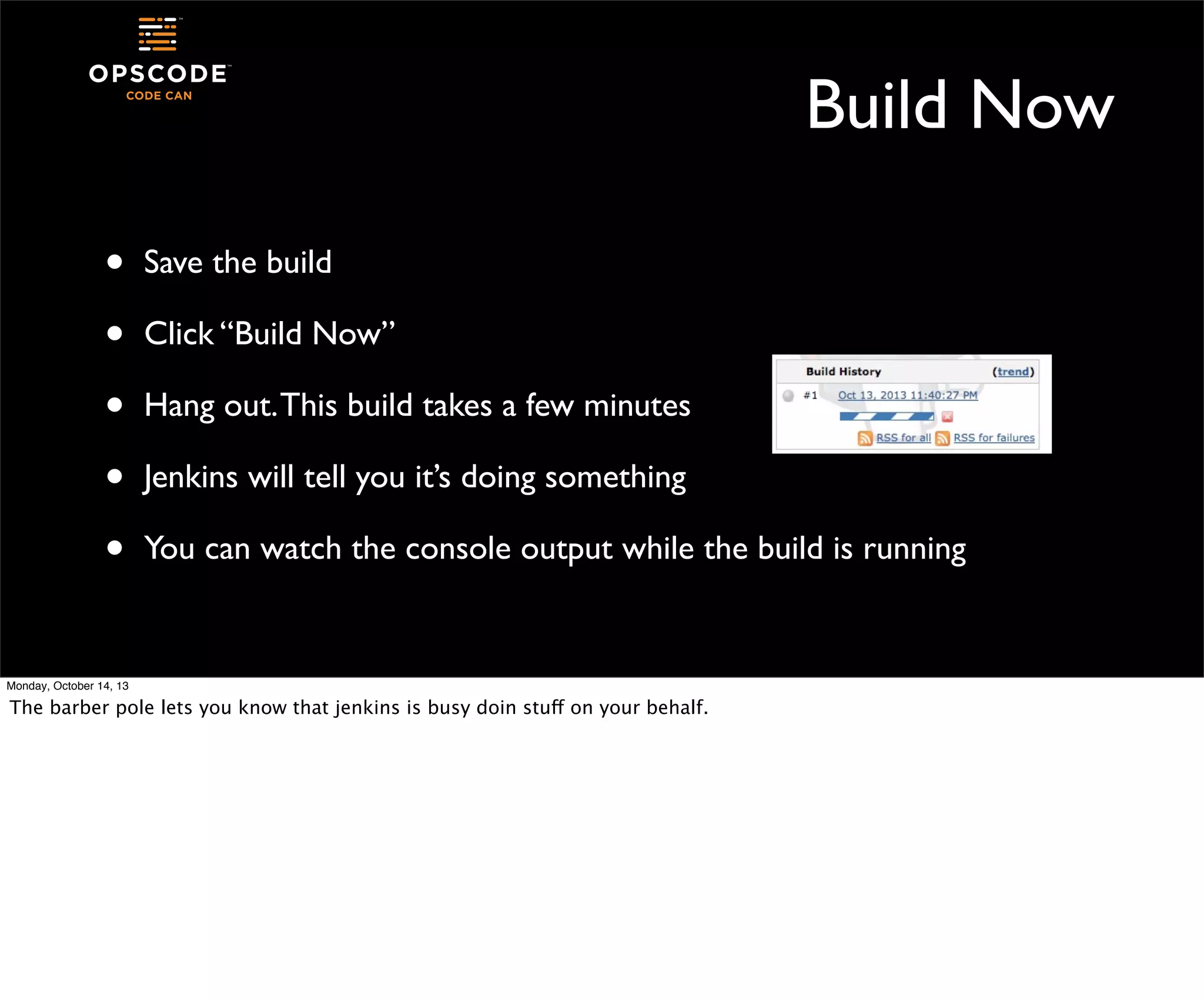
Save the build
Click “Build Now”
Hang out. This build takes a few minutes
Jenkins will tell you it’s doing something
You can watch the console output while the build is running

Monday, October 14, 13

The barber pole lets you know that jenkins is busy doin stuff on your behalf.
What else?
•

When this build is done, we could

•
•
•
Monday, October 14, 13

clean up the old dumpfile
drop the back up database we used for testing
have a beer, huzzah! we tested our backup for reals!
Jenkins Dashboard
•

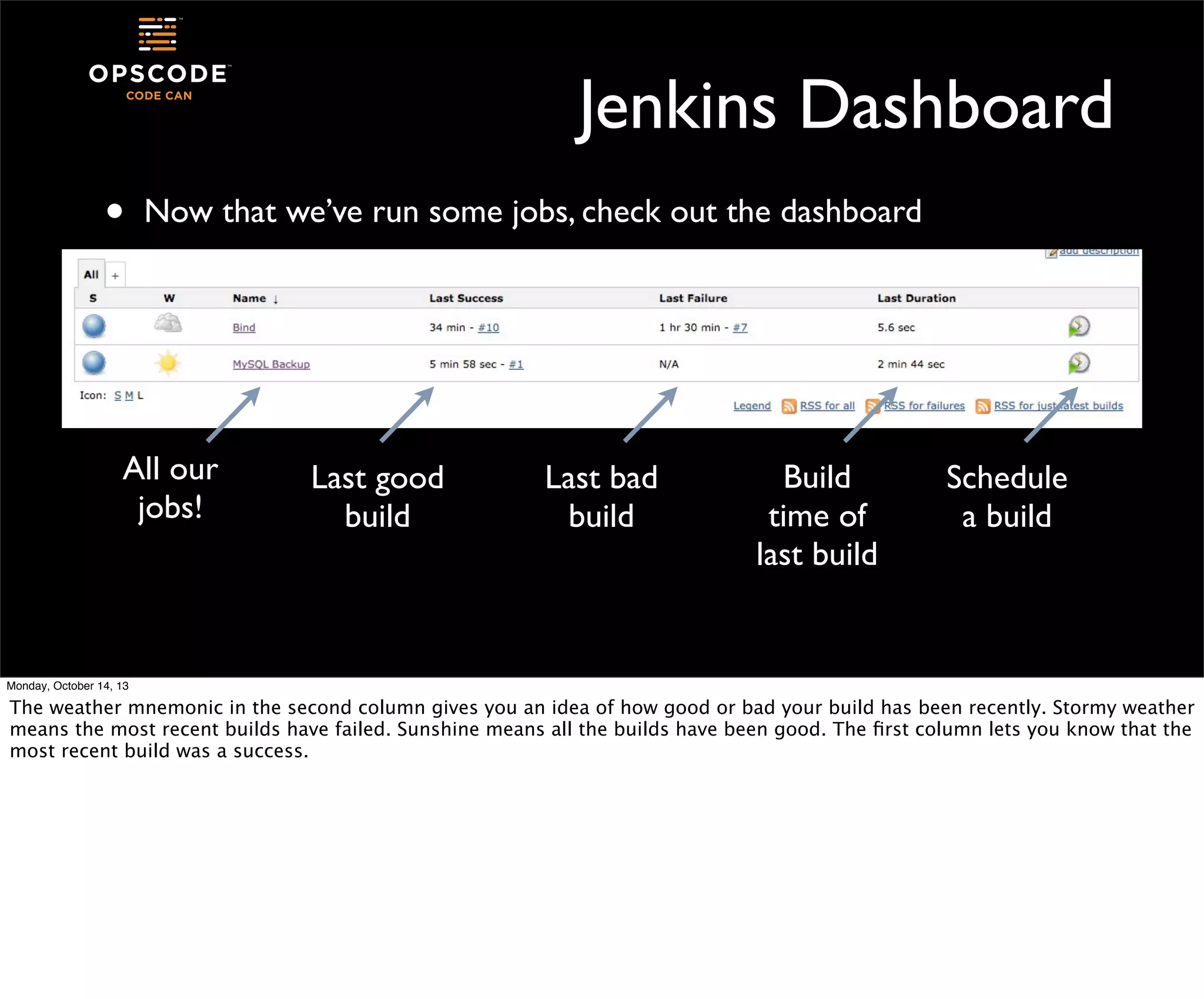
Now that we’ve run some jobs, check out the dashboard

All our
jobs!

Last good
build

Last bad
build

Build
time of
last build

Schedule
a build

Monday, October 14, 13

The weather mnemonic in the second column gives you an idea of how good or bad your build has been recently. Stormy weather
means the most recent builds have failed. Sunshine means all the builds have been good. The first column lets you know that the
most recent build was a success.
Let’s Add One More
•
•
•
•

Monday, October 14, 13

Different kind of project - multijob
This is a plugin that I’ve added to your Jenkins server
We build the child jobs first, then the parent job
The jobs run in phases, and each phase can have multiple jobs that run
in parallel
First Job: Build Server Docs
•

I’ve borrowed the Chef documentation from our github repo

•
•
•

Monday, October 14, 13

https://github.com/opscode/chef-docs

We use a python-based document processor called sphinx
Sphinx can build a number of outputs from your source content using
a plain old Makefile
New Job - Server Docs
•
•
•

Create a new free style software project
Name is “build server docs”
It will have one execute step
cd /srv/docs/chefdocs; make server

•

Save the job

Monday, October 14, 13
New Job - Open-Source Docs
•
•
•

Create another free style software project
Name it “build open source docs”
It has one execution step
cd /srv/docs/chefdocs; make open_source

•

Save the job

Monday, October 14, 13
Parent Job
•
•

Now we build a multi-job project
This project type is good for jobs that can be run parallel but still
make sense to run together

Monday, October 14, 13

you’ll be able to execute as many of the subjobs as you have executors for.
Parent Job
•
•
•

Monday, October 14, 13

Create one more new job
This job will have a different type: Multijob Project
Name it “build docs” or similar
Add build step
•
•

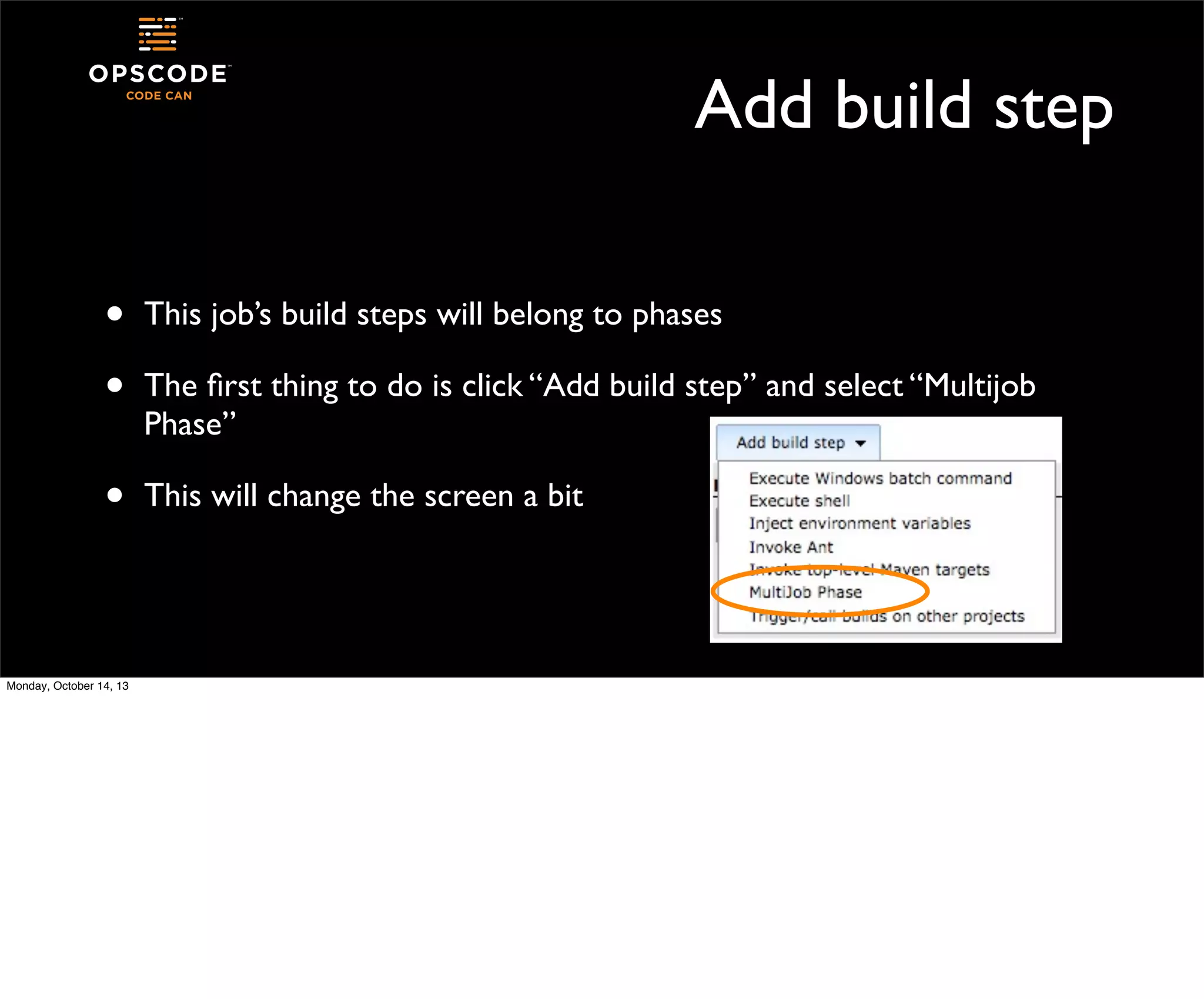
This job’s build steps will belong to phases

•

This will change the screen a bit

Monday, October 14, 13

The first thing to do is click “Add build step” and select “Multijob
Phase”
Phases
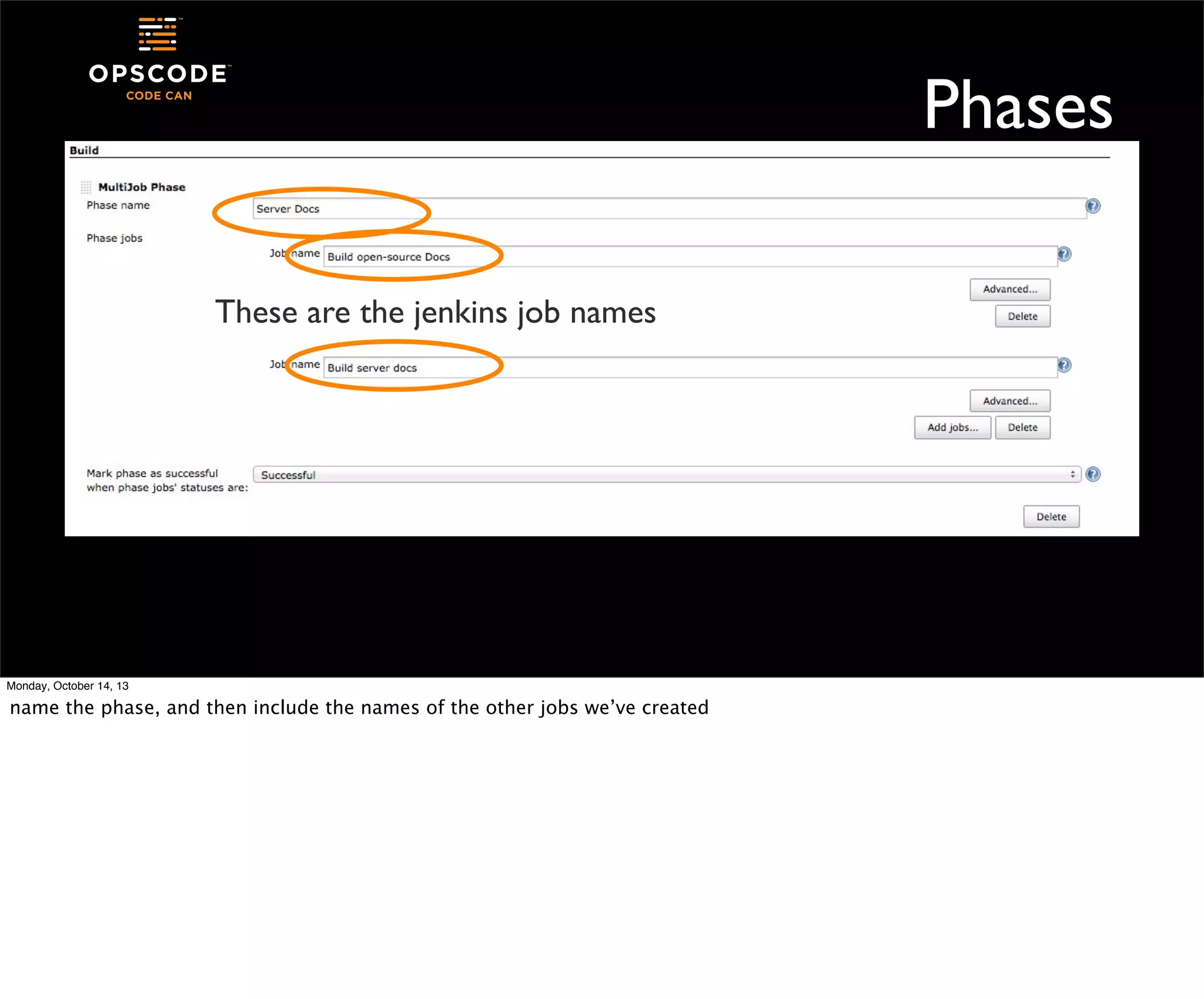
These are the jenkins job names

Monday, October 14, 13

name the phase, and then include the names of the other jobs we’ve created
Phase Success
•

A single phase of multiple jobs can be successful when:

•
•
•
•
Monday, October 14, 13

all member jobs are successful
member jobs are stable or unstable but not failed
complete - always continue

Our two build jobs will run in parallel, then the job will move on
•
•

Execute Shell
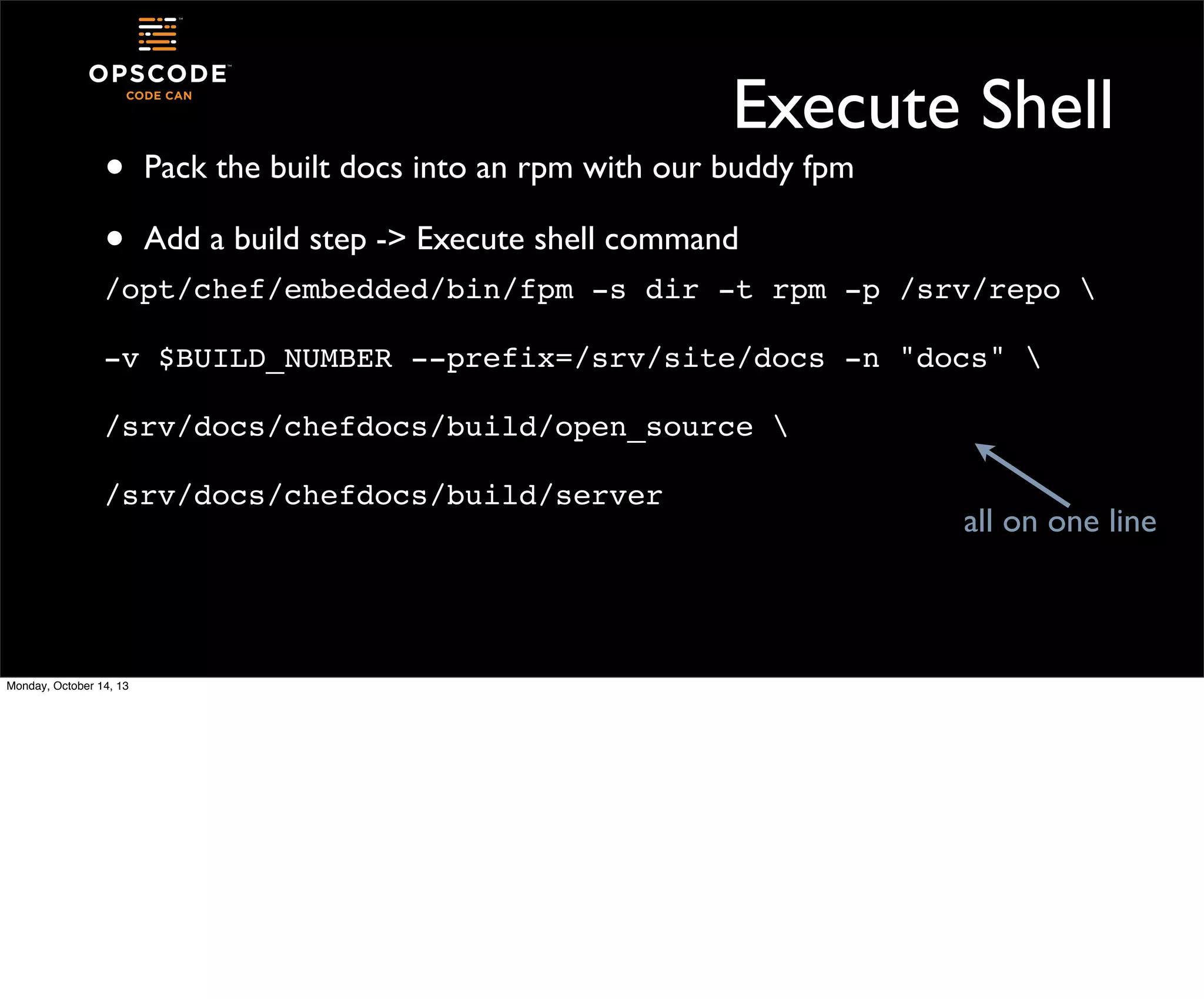
Pack the built docs into an rpm with our buddy fpm
Add a build step -> Execute shell command

/opt/chef/embedded/bin/fpm -s dir -t rpm -p /srv/repo 
-v $BUILD_NUMBER --prefix=/srv/site/docs -n "docs" 
/srv/docs/chefdocs/build/open_source 
/srv/docs/chefdocs/build/server

Monday, October 14, 13

all on one line
Final Execute
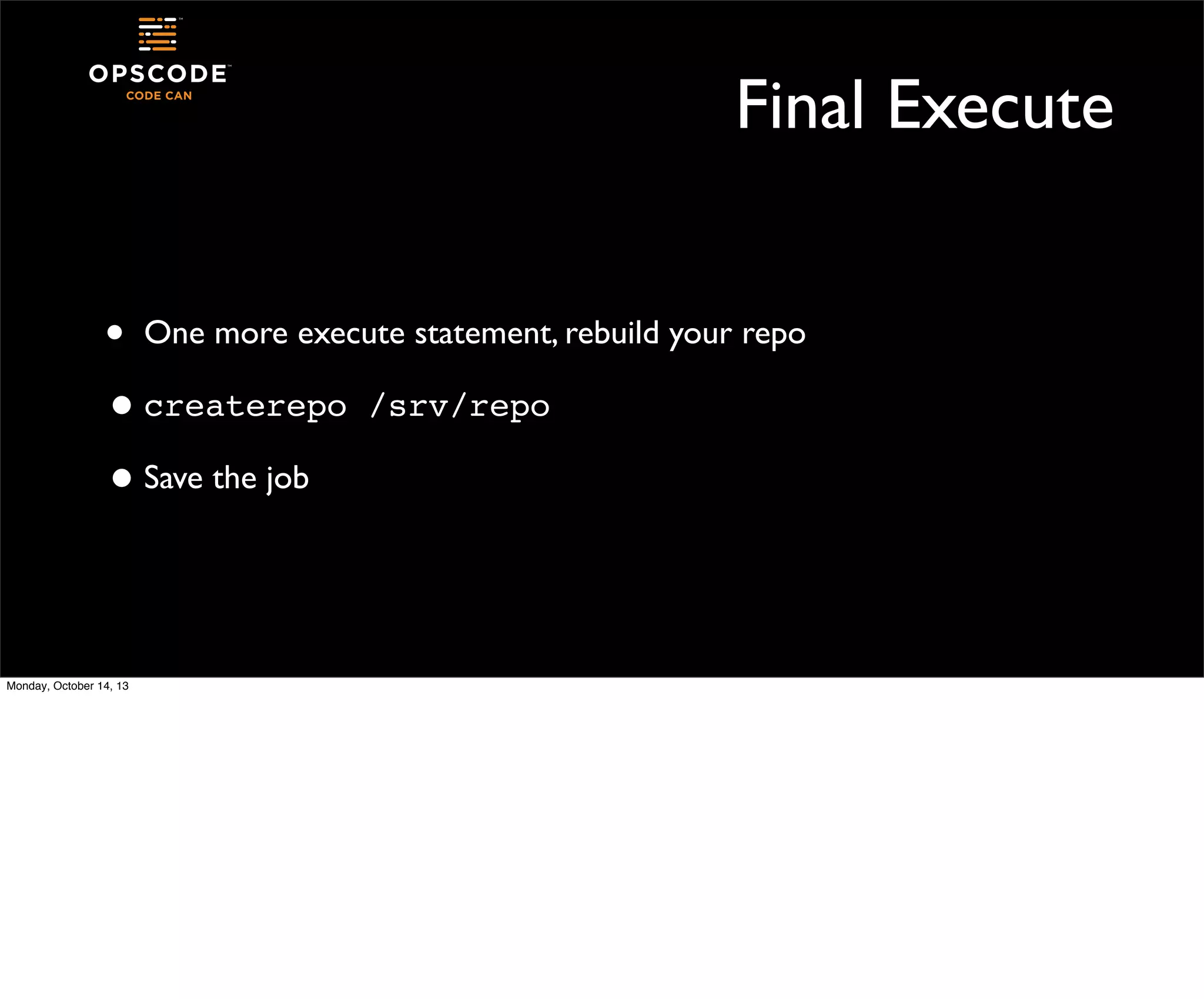
• One more execute statement, rebuild your repo
• createrepo /srv/repo
• Save the job

Monday, October 14, 13
Project Dashboard
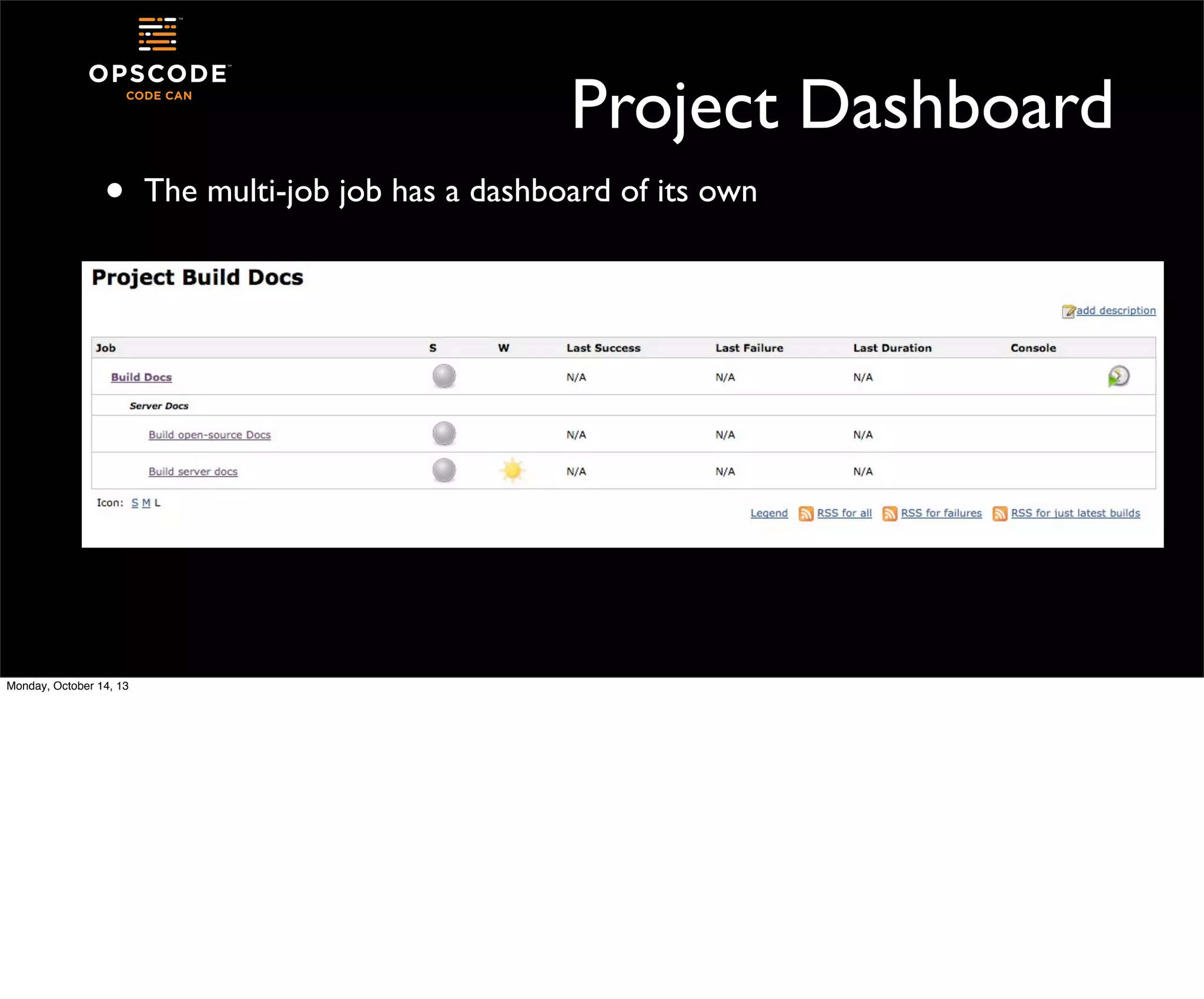
•

Monday, October 14, 13

The multi-job job has a dashboard of its own
All Successful

Monday, October 14, 13

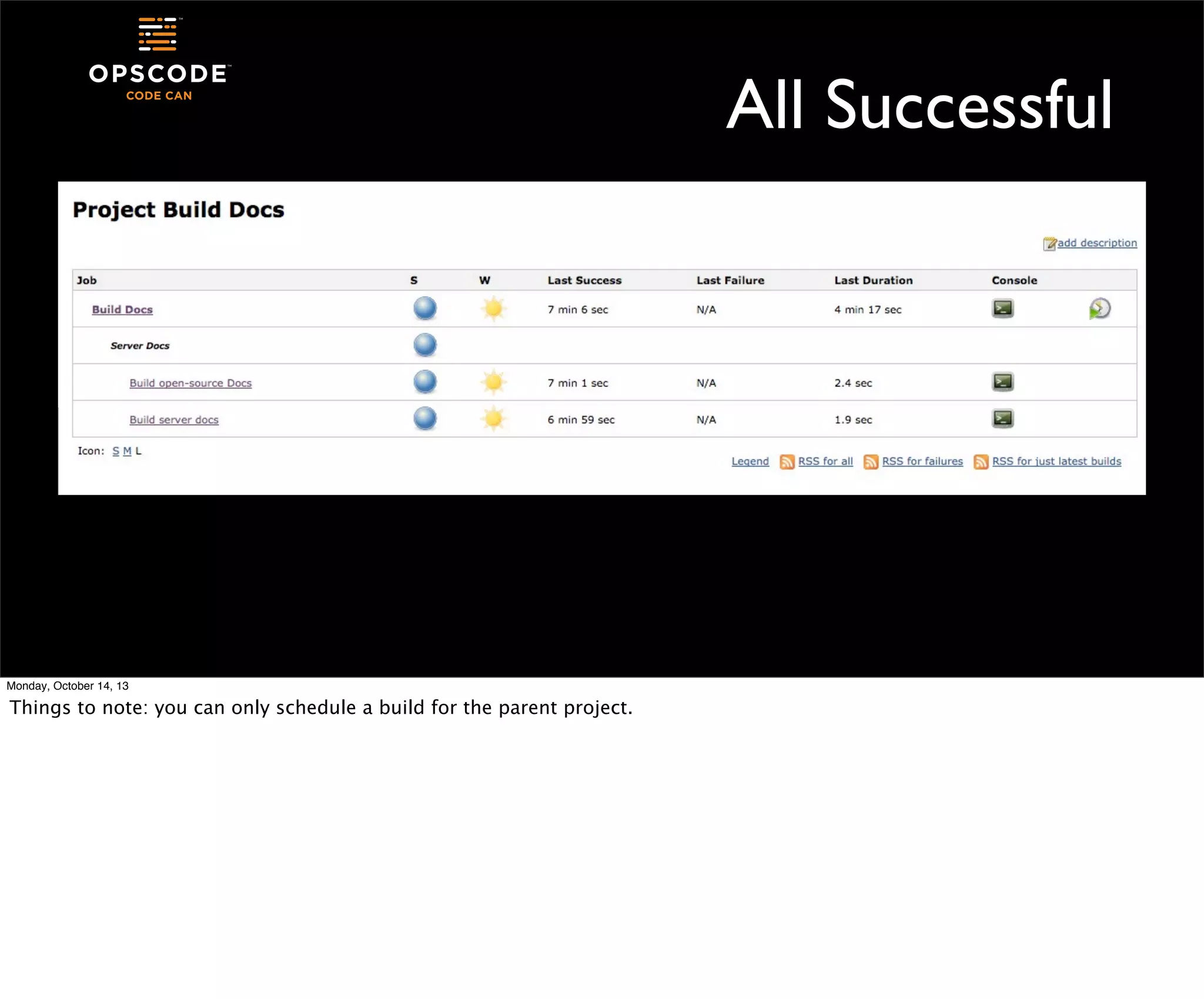
Things to note: you can only schedule a build for the parent project.
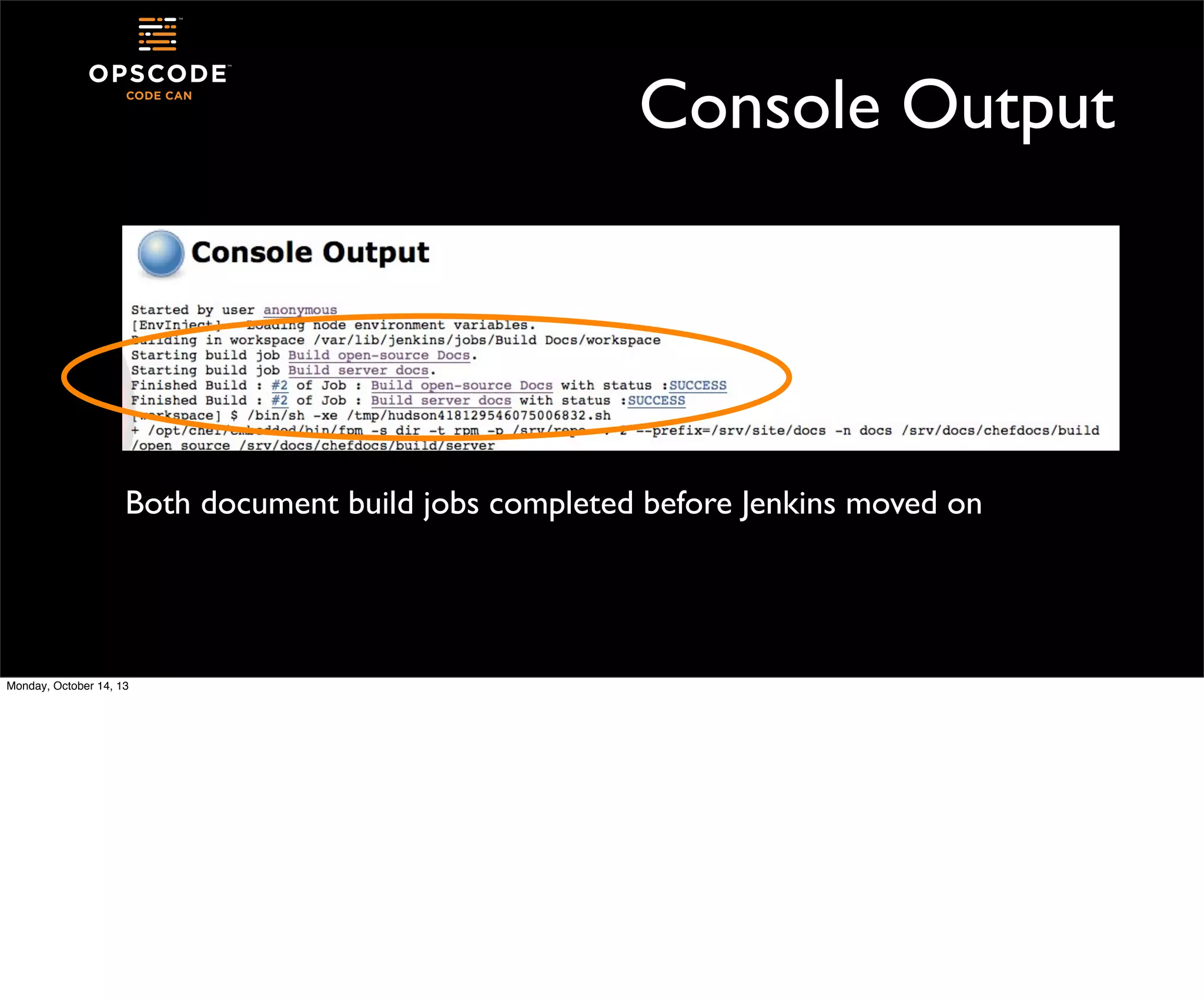
Console Output

Both document build jobs completed before Jenkins moved on

Monday, October 14, 13
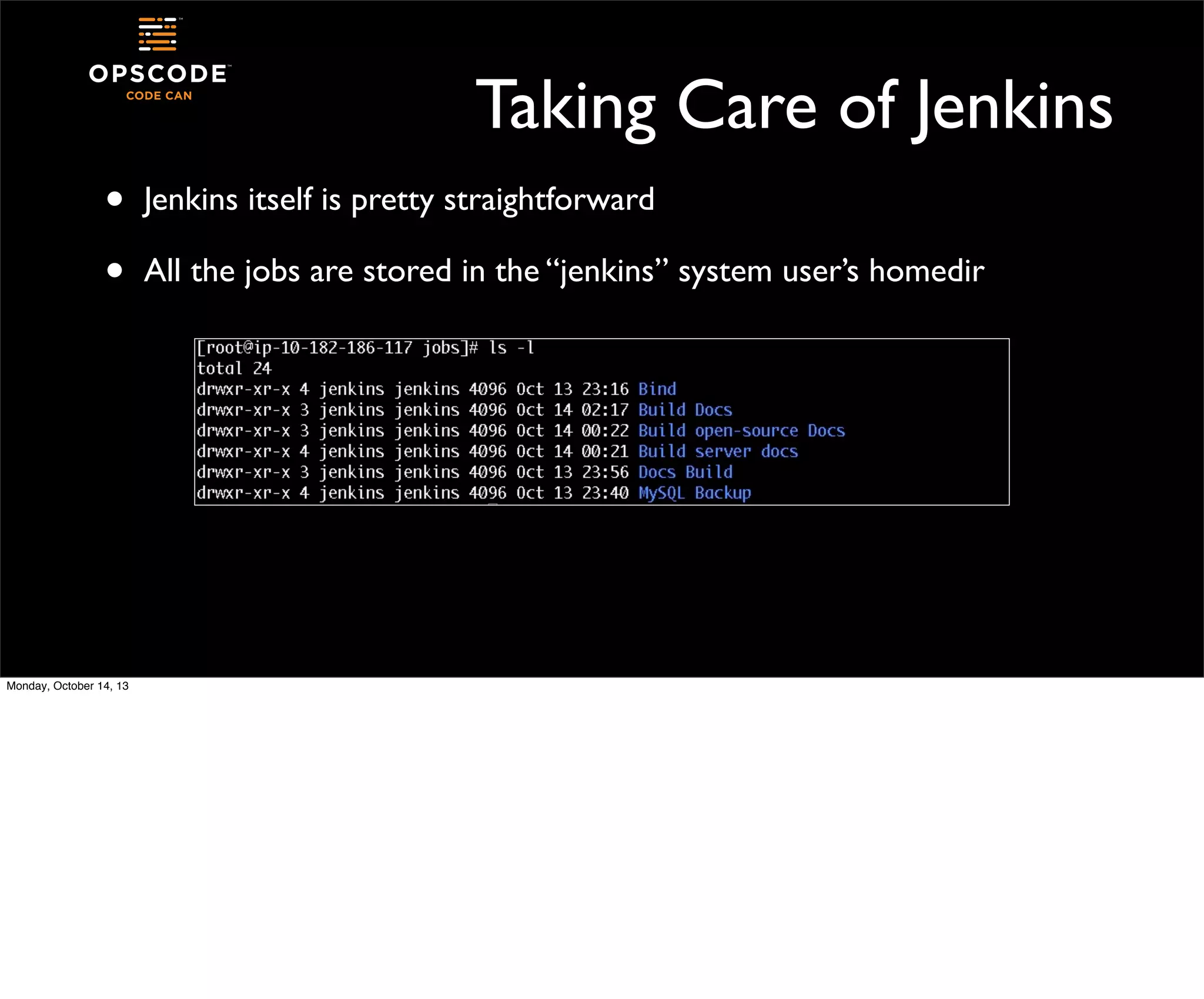
Taking Care of Jenkins
•
•

Monday, October 14, 13

Jenkins itself is pretty straightforward
All the jobs are stored in the “jenkins” system user’s homedir
Saving Jobs
•
•

To back up or move a job, simply back up or move its directory
Managing the access jenkins needs is also important

•
•
•
•

SSH keys for getting around to other hosts
Access to source code repositories
sudo or privileged access to complete tasks
Jenkins user must have a shell!

Monday, October 14, 13

depending on your source for the jenkins things, your jenkins user might be installed with /bin/false as its shell. you’re going to
want it to be able to do stuff with things, give it a shell.
Adding Capacity
•
•
•

Monday, October 14, 13

Jenkins is able to farm jobs out to remote nodes
These nodes are “build slaves”
They run an agent, not a full Jenkins server
Other Neat Stuff
•
•

Jenkins jobs also have post-complete actions
Work can be sent downstream from one job to another

•
•
•
Monday, October 14, 13

Plugins allow for parameterized triggered builds

Send email notifications
Talk to your change management system
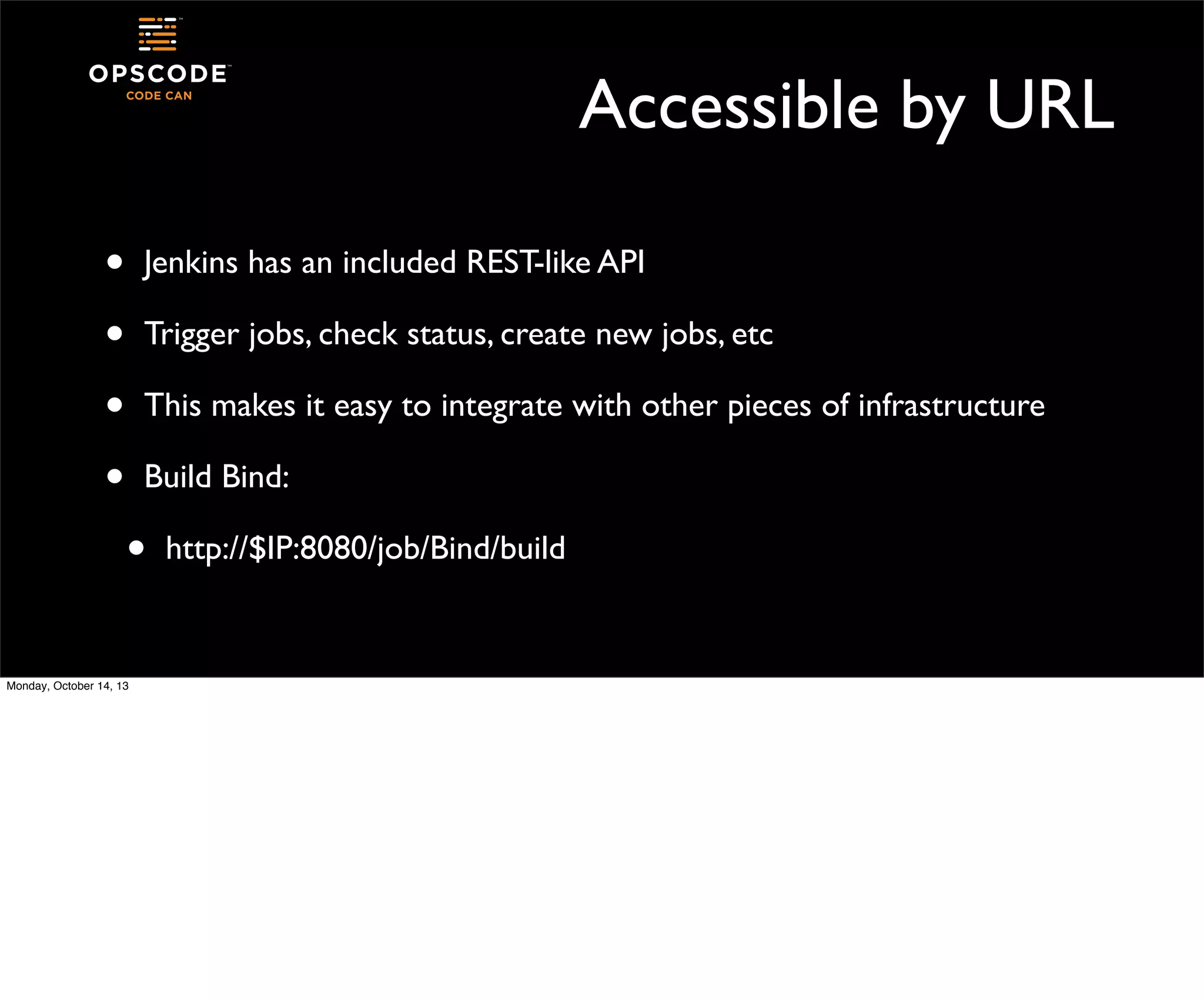
Accessible by URL
•
•
•
•

Jenkins has an included REST-like API
Trigger jobs, check status, create new jobs, etc
This makes it easy to integrate with other pieces of infrastructure
Build Bind:

•
Monday, October 14, 13

http://$IP:8080/job/Bind/build
Post-Receive Hooks From Git
•
•

The Jenkins plugin from git adds a trigger feature to builds

•

curl http://localhost:8080/git/notifyCommit?
url=git@localhost:bindfiles.git

•

Must be the same url you used in the set up of the job

It tells the Jenkins server that a new checkin has been made, so a new
build should be run

Monday, October 14, 13
curl http://yourserver/jenkins/git/notifyCommit?url=<URL of the Git repository>[&branches=branch1[,branch2]*]

git@localhost:bindfiles.git
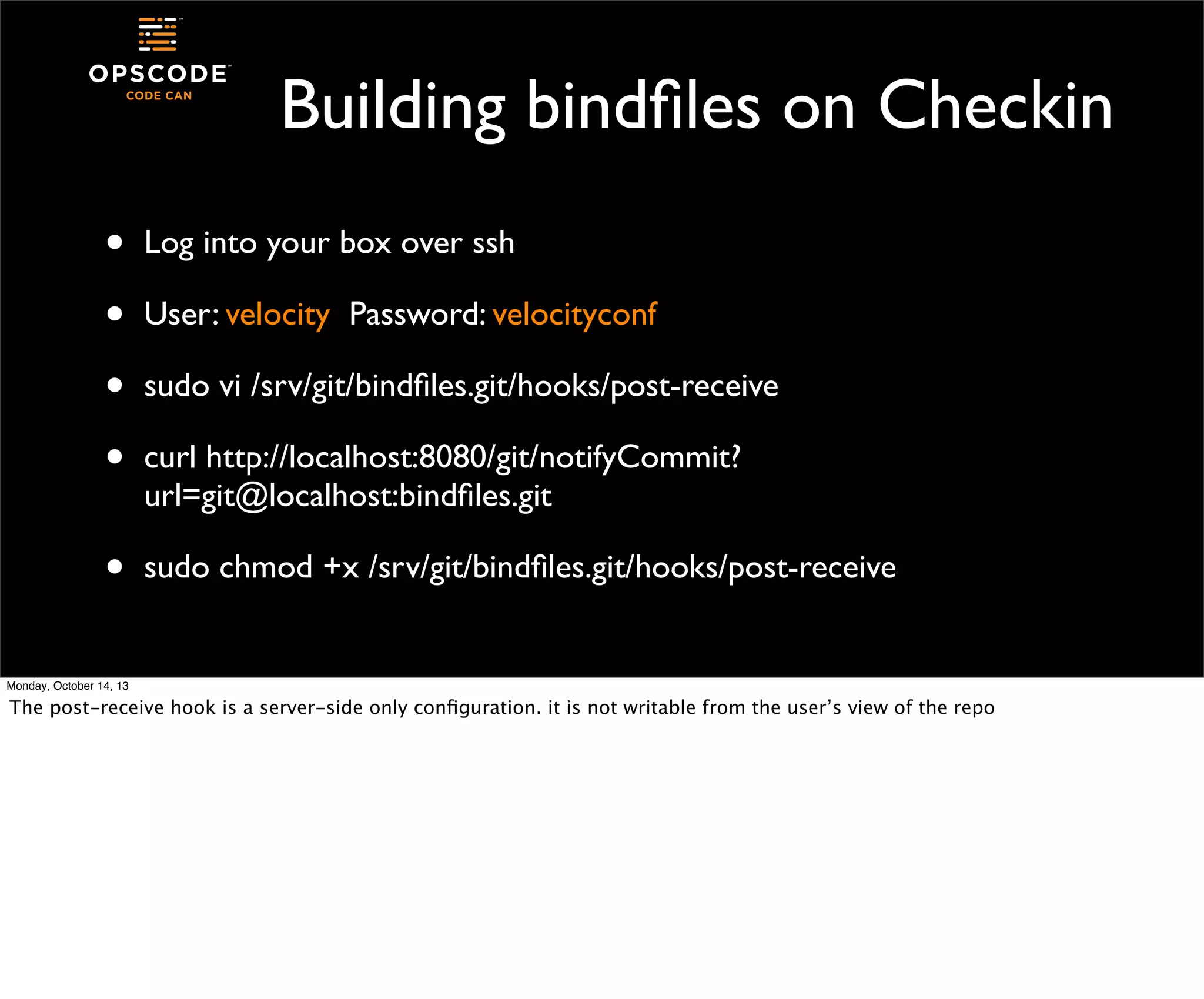
Building bindfiles on Checkin
•
•
•
•

Log into your box over ssh

•

sudo chmod +x /srv/git/bindfiles.git/hooks/post-receive

User: velocity Password: velocityconf
sudo vi /srv/git/bindfiles.git/hooks/post-receive
curl http://localhost:8080/git/notifyCommit?
url=git@localhost:bindfiles.git

Monday, October 14, 13

The post-receive hook is a server-side only configuration. it is not writable from the user’s view of the repo
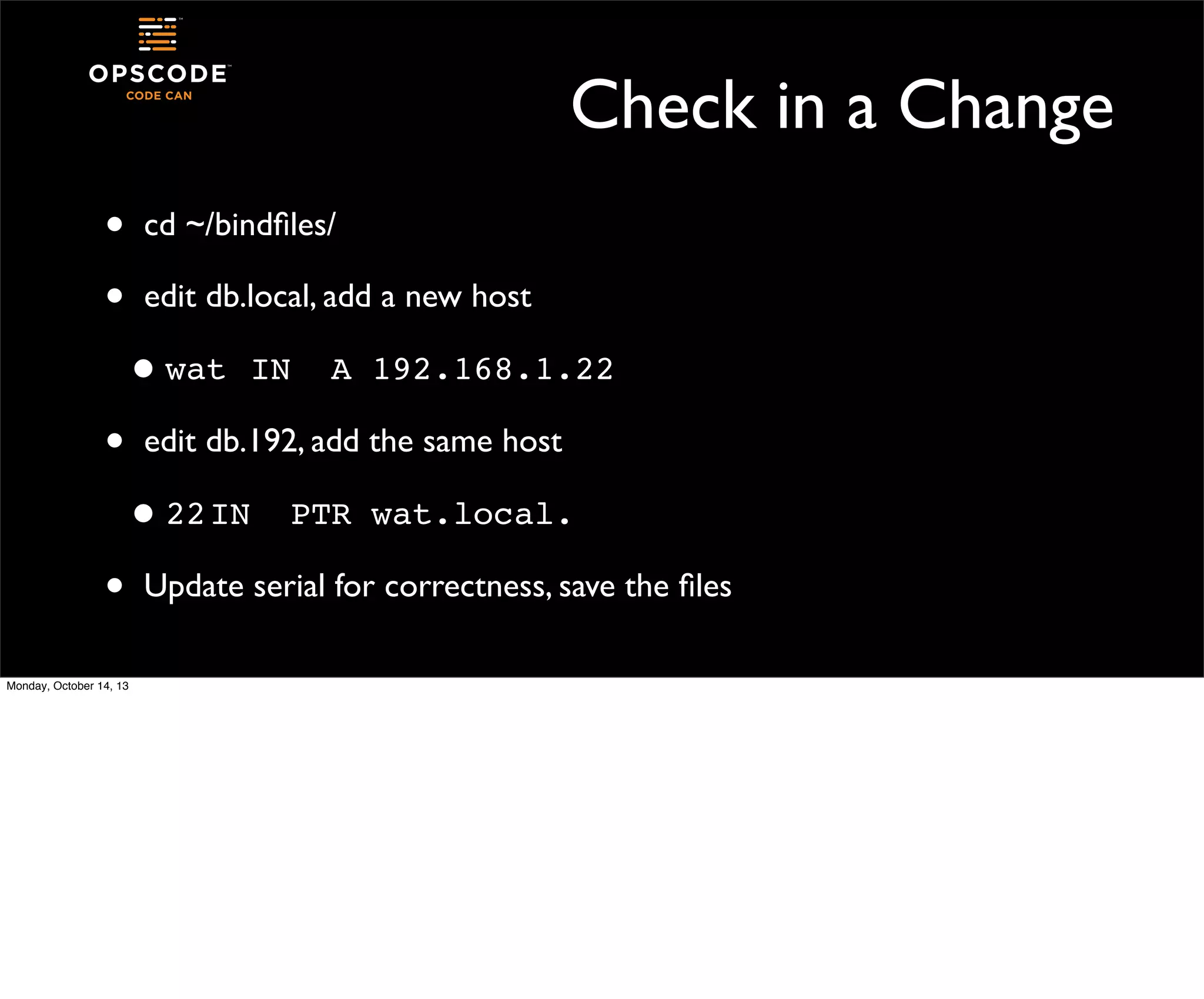
Check in a Change
•
•

cd ~/bindfiles/
edit db.local, add a new host

• wat!IN!
•

A!192.168.1.22

edit db.192, add the same host
I
• 22! N!

•
Monday, October 14, 13

PTR!wat.local.

Update serial for correctness, save the files
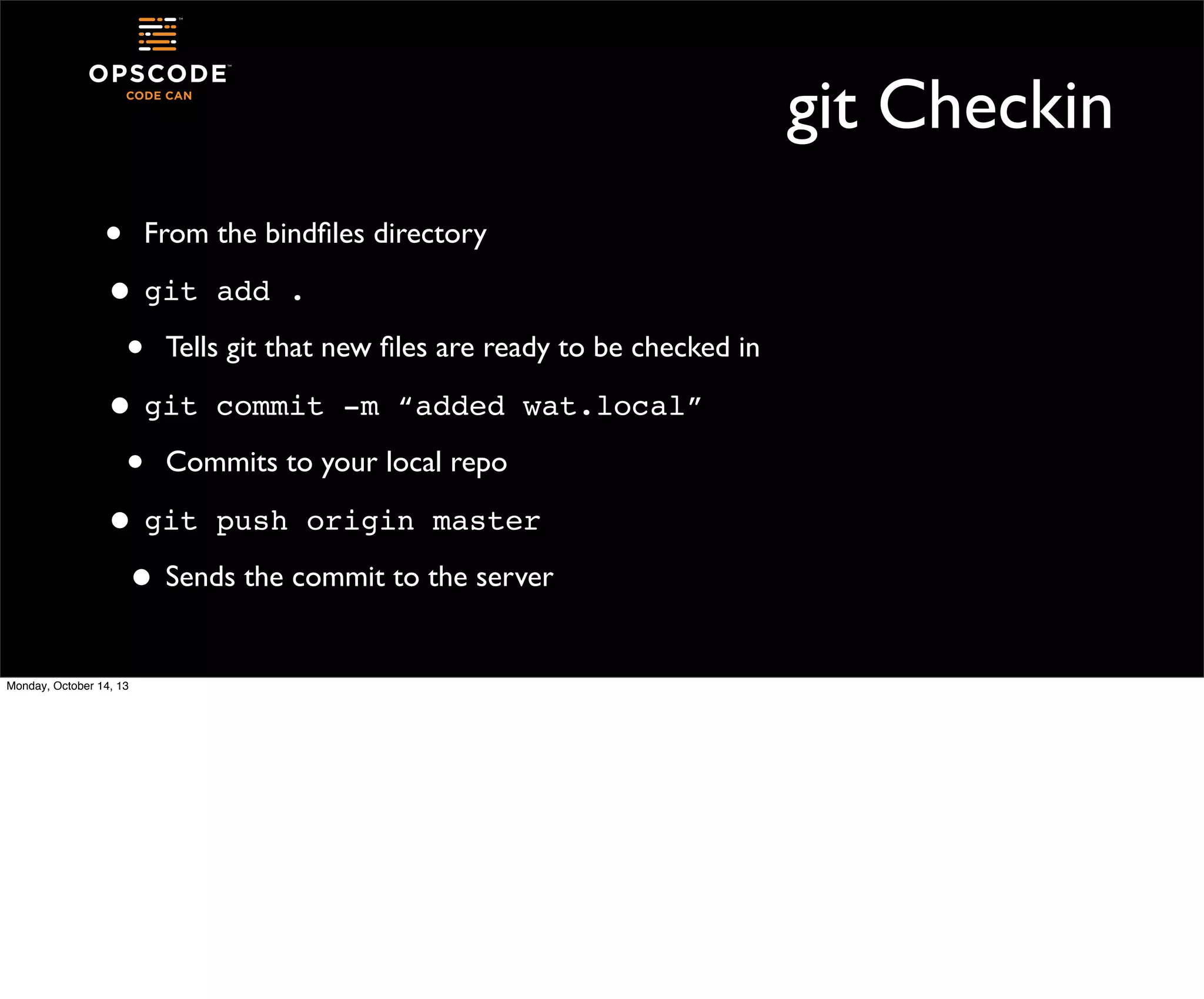
git Checkin
• From the bindfiles directory
• git add .
• Tells git that new files are ready to be checked in
• git commit -m “added wat.local”
• Commits to your local repo
• git push origin master
• Sends the commit to the server
Monday, October 14, 13
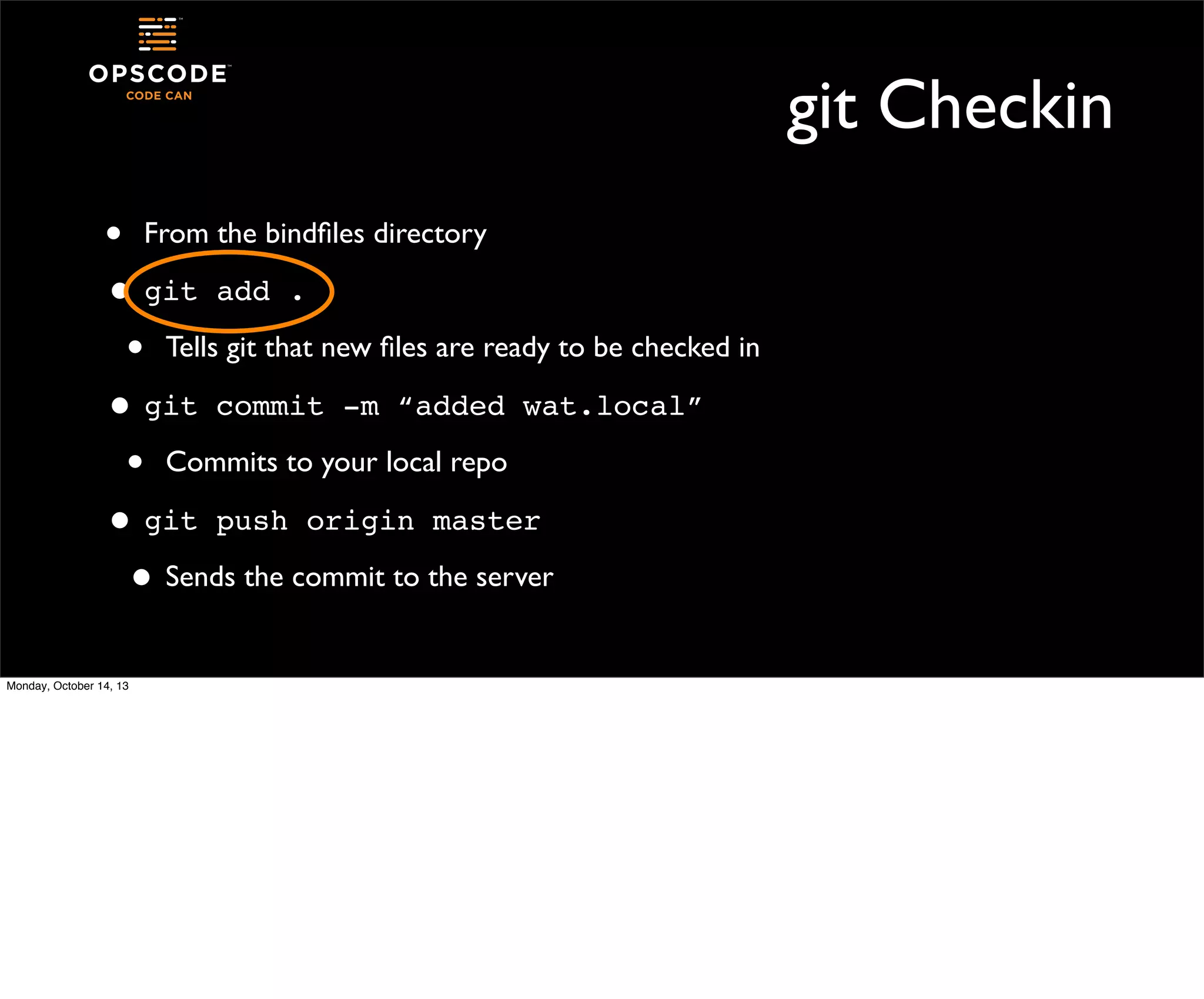
git Checkin
• From the bindfiles directory
• git add .
• Tells git that new files are ready to be checked in
• git commit -m “added wat.local”
• Commits to your local repo
• git push origin master
• Sends the commit to the server
Monday, October 14, 13
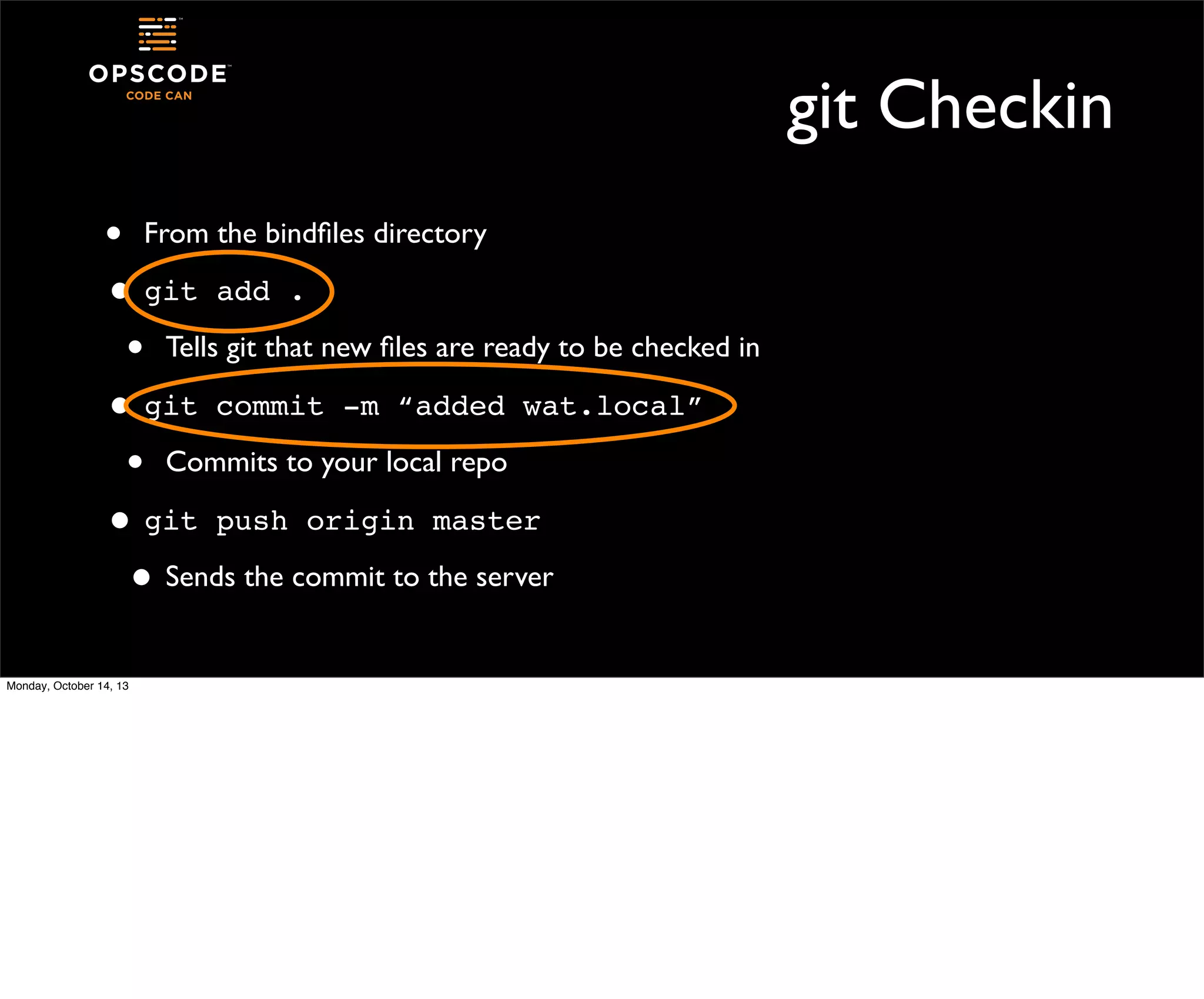
git Checkin
• From the bindfiles directory
• git add .
• Tells git that new files are ready to be checked in
• git commit -m “added wat.local”
• Commits to your local repo
• git push origin master
• Sends the commit to the server
Monday, October 14, 13
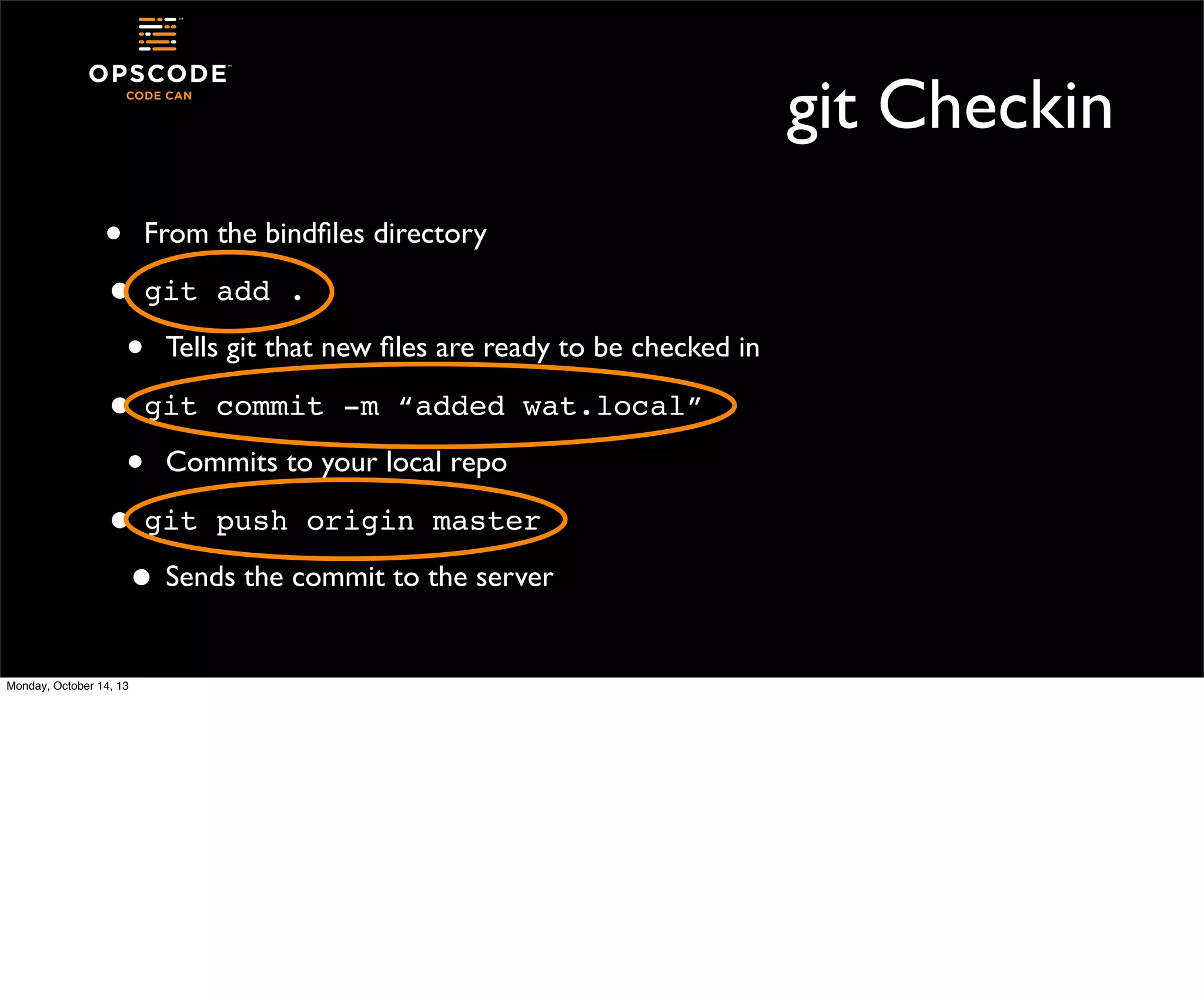
git Checkin
• From the bindfiles directory
• git add .
• Tells git that new files are ready to be checked in
• git commit -m “added wat.local”
• Commits to your local repo
• git push origin master
• Sends the commit to the server
Monday, October 14, 13
Watch Jenkins!
•
•

You’ll have a new build running of your Bind job!
You could go back and turn off the polling in the job config

•

Monday, October 14, 13

Jenkins will build every checkin
Dude.

We are so totally continuously deploying all the things.

Monday, October 14, 13
Go Forth and Build
•

Manage your configuration management

•
•

See me at Office Hour tonight at 5pm if you want to talk Chef+CI

Work better with your developers

•
•

Speak the same language, use the same tools

Don’t be bored

•
Monday, October 14, 13

Let Jenkins be your bot of all work for boring stuff
For the Archaeologists
•

If you’re lost and just want to see the finished product of these labs:

•
•

boot a box in AWS with the ami, log in with the creds in the deck
sudo tar -xf .jobs.tar ~jenkins/

Monday, October 14, 13

I know, these decks lose some of their flavor on the bedpost over night.
Thanks!
•
•
•

Monday, October 14, 13

More on Jenkins: http://jenkins-ci.org/
More on fpm: https://github.com/jordansissel/fpm
More on CI / CD: http://continuousdelivery.com/
Pre Stuff

•
•
•
Monday, October 14, 13

If you’ve got an AWS account, boot ami-0195c668
http://bit.ly/velojenkins for notes
The image is just ridiculously huge

At Your Service: Using Jenkins in Operations

  • 1.
    At Your Service UsingJenkins in Operations mandi walls Velocity NYC 14 OCT 13 Monday, October 14, 13
  • 2.
    whoami • • • Monday, October 14,13 Mandi Walls Technical Practice Manager at Opscode @lnxchk
  • 3.
    What is Jenkins? • Opensource continuous integration and build server • A bit of complex history we don’t have to get into • One of a family of similar tools commonly found on the “dev” side of the team • http://jenkins-ci.org/ Monday, October 14, 13 Other CI tools include Hudson and Travis. Many, if not all, commercial source code management systems have some kind of job builder included in their software package.
  • 4.
    Common Uses ofJenkins • • • Monday, October 14, 13 Continuous build and integration of a project Hooks up directly to source control Go from code checkin to completed build hands-free
  • 5.
    What is ThisWorkshop? • • Not the be-all end-all definitive guide to Jenkins. Not a guide to installing Jenkins. It’s a package, yo. Monday, October 14, 13 This workshop will give you some idea of possible tasks you can farm out to jenkins. It’s not meant to be an exhaustive course on jenkins. Jenkins is an open source project, and, like so many others, is a moving target. There are a lot of plugins focused on different aspects of job builds, build management, build visualization, all kinds of things. We’re going to work through a handful of sample jobs to give you an idea of what Jenkins can be doing for you and your team. We’re also going to skip getting jenkins onto the box. it’s just not all that interesting. There’s plenty of other things to muck with in jenkins, like authentication, that we’re just going to handwave. You’re ops folks, you know how to install software to servers!
  • 6.
    Why Would OpsWant It? • Run commands the same way every time • • • Guard against those fat fingers or forgotten steps Trigger processes off a main action, like checkin or other status Automatically perform tests and checks that get lost or skipped Monday, October 14, 13 Jenkins has a number of different job types. We’re going to talk about only a few of the features that you might find useful in a jenkins server, and there are lots more where they came from.
  • 7.
    Choose Your YaksWisely Monday, October 14, 13 Could you slap something together to do what Jenkins does? sure, some kind of cron-launched polling thing, with bits of whatever else you deemed cool or necessary. And then you have to support it. Why? Why not get right to the building of stuff and running of tests and doing of awesome?
  • 8.
    First Look atJenkins • • • • Monday, October 14, 13 http://$YOUR_IP_HERE:8080/ The first page is the Jenkins dashboard. All of your jobs will show up here. You have no jobs, so there’s nothing listed yet.
  • 9.
    Primitives • • • • Monday, October 14,13 Your build projects in Jenkins are called “jobs” Each job can have multiple steps Any time a job is run on the jenkins server, it creates a “build” For a build to be successful, all the steps in the project must succeed
  • 10.
    What’s on theDashboard Monday, October 14, 13 Other things on the dashboard, the like managing users on the server, seeing the whole build history, working with credentials. We’re not going to worry too much about those today.
  • 11.
    What’s on theDashboard add new jobs Monday, October 14, 13 Other things on the dashboard, the like managing users on the server, seeing the whole build history, working with credentials. We’re not going to worry too much about those today.
  • 12.
    What’s on theDashboard add new jobs manage the jenkins server Monday, October 14, 13 Other things on the dashboard, the like managing users on the server, seeing the whole build history, working with credentials. We’re not going to worry too much about those today.
  • 13.
    What’s on theDashboard add new jobs manage the jenkins server jobs in the queue Monday, October 14, 13 Other things on the dashboard, the like managing users on the server, seeing the whole build history, working with credentials. We’re not going to worry too much about those today.
  • 14.
    What’s on theDashboard add new jobs manage the jenkins server jobs in the queue jobs executing Monday, October 14, 13 Other things on the dashboard, the like managing users on the server, seeing the whole build history, working with credentials. We’re not going to worry too much about those today.
  • 15.
    Managing Jenkins Monday, October14, 13 Click on “manage jenkins” on the left. this screen should show up
  • 16.
    Managing Jenkins Freaking opensource. I just installed this... Monday, October 14, 13 Click on “manage jenkins” on the left. this screen should show up
  • 17.
    Jenkins Plugins • • • Click on“Manage Plugins” and then select the “Available” tab • There’s a whole lot of them Plugins add features and functionality to Jenkins They help Jenkins integrate with other software, provide more sophisticated job management, add authentication to the server, etc Monday, October 14, 13 You can see from the list the types of software, services, and components that are available to be added to your Jenkins server. We’re certainly not going to look at most of these. We’re going to keep this simple. When you add plugins to the Jenkins server, you can request that it restart on its own as long as no jobs are currently running. When you add new plugins, your existing jobs can be modified to take advantage of their features, you don’t have to recreate your jobs when you add new plugins.
  • 18.
    Configure Jenkins Job • • Monday,October 14, 13 Return to the dashboard by clicking “Jenkins” in the upper left Click on “create new jobs” or “New Job” from your Jenkins dashboard
  • 19.
    Types of Jobs • Free-style:build projects, integrate with source code managers, do stuff with things • Maven 2-3 project: build projects using Maven. Jenkins knows stuff about Maven and helps you with the configuration • Monitor an External Job: run jobs on other systems with a Jenkins watcher, which reports in when the job finishes • Other types: added by plugins, extensions, etc Monday, October 14, 13
  • 20.
    Our first projectwill be free-style Monday, October 14, 13
  • 21.
    Example Job 1:bind 1. Zonefiles are in a git repo on the host called “bindfiles” 2. Jenkins will check them out, build them into an rpm 3. The rpm will be added to a repository and the metadata updated 4. We’ll also load the files into the bind server This builds on part of my tutorial from Velocity Santa Clara in June Monday, October 14, 13 I know people love to hate on my bind example. but it meets a couple of criteria: the server component is lightweight, so it’s fine to run on a loaded lab box; the syntax of the db files is well known, so i’m not teaching someone crazy syntax; and finally, there are already good-enough tools to borrow from the rest of the world for dealing with it. Would you put your zonefiles in an rpm? maybe not. is the world going to fall apart because you *can*? no.
  • 22.
    Configure Bind Jobin Jenkins • • • • Monday, October 14, 13 Enter “Bind” in the “Job name” field Select “Build a free-style software project” Click “OK” Jenkins sets up the build template and you can now create the job
  • 23.
    Job Set Up • Adda meaningful description. “This project creates an rpm of our zonefiles from a git checkout of the “bindfiles” repo” Monday, October 14, 13
  • 24.
    SCM Settings • Select “Git”under “Source Code Management” for the expanded view git@localhost:bindfiles.git Monday, October 14, 13 add the location of the repository to the project
  • 25.
    • Schedule Click on theblue “?” on the right for details on scheduling jobs Looks a lot like cron, also has splay features Monday, October 14, 13
  • 26.
    • Schedule Click on theblue “?” on the right for details on scheduling jobs Build on a schedule, like cron Looks a lot like cron, also has splay features Monday, October 14, 13
  • 27.
    • Schedule Click on theblue “?” on the right for details on scheduling jobs Build on a schedule, like cron Poll the git server, build if there is new content Looks a lot like cron, also has splay features Monday, October 14, 13
  • 28.
    Schedule • In the “Schedule”box, enter • H/5 13 * * * • The “H” allows Jenkins to spread out jobs that might all be requested to run at the same time • This job will run every five minutes during the 1300 hour - the boxes are in UTC Monday, October 14, 13
  • 29.
    Adding Build Steps • Sincewe’re freestyling, we can add whatever commands we need to the build steps • • Jenkins will take care of checking files out of git Monday, October 14, 13 We’ll build a package using fpm
  • 30.
    A quick aside • • • • • Monday,October 14, 13 fpm “f’ing package managers”! by Jordan Sissell https://github.com/jordansissel/fpm A ruby gem that creates various package types from a number of different content sources
  • 31.
    The fpm BuildStep all on one line /opt/chef/embedded/bin/fpm -s dir -t rpm -p /srv/repo -v $BUILD_NUMBER --prefix=/var/named -n "zonefiles" *.db fpm is going to: -s read files from a directory -t create an rpm -v use the BUILD_NUMBER from the jenkins env as the rpm version -p write the file to /srv/repo --prefix all the files will live in /var/named -n the package is named “zonefiles” Monday, October 14, 13 The location of fpm is an artifact of my building the lab boxes with chef and not wanting to deal with the system ruby. you could shorten this by adding “/opt/chef/embedded/bin/” to the PATH of the jenkins environment. that yak was being cranky
  • 32.
    Add a SecondBuild Step • • • Click “Execute shell” again This time, we’ll update the repository metadata The command is • createrepo • Monday, October 14, 13 /srv/repo That’s the directory we told fpm to build the rpm into
  • 33.
    Let’s Run It • • Monday,October 14, 13 At the bottom of the page, click “Save” You’ll now see the project menu on the left side of the page
  • 34.
  • 35.
    Build Now Build whenyou want Monday, October 14, 13
  • 36.
    First Build • • • • All buildoutput status will show up in the “Build History” box • Click on the build datestamp, then “Console Output” on the left Monday, October 14, 13 When the build fails, the ball will be red When the build succeeds, the ball is blue You can use the console output to figure out what happened to your build if things go wrong, or just check the output if it’s ok
  • 37.
  • 38.
    Debugging Jobs • • • Monday, October14, 13 Console output is your friend Part of the output will include where the build is happening All errors from included commands will show up in the output
  • 39.
    Add More Stepsto Our Job • • Let’s load the zonefiles we built onto our server, and restart bind Install the rpm we built into /srv/repo • Since we built a repo, we could yum it from there, but I’ve not given you a web server • The “jenkins” system user has full sudo on this host for cookingshow type magic Monday, October 14, 13
  • 40.
    Build Steps • • In your“Bind” job, click “Configure” again At the bottom of the page, add these two execute steps sudo rpm -Uhv /srv/repo/zonefiles$BUILD_NUMBER-1.x86_64.rpm sudo service named reload Monday, October 14, 13 The $BUILD_NUMBER parameter follows through the entire build, through all the steps. You can use it to refer into the artifacts created by the build. Where things get hard is when passing parameters around among builds. you need additional plugins for that sort of work. You’ll want to “Add Build Step” “Execute Shell” And then put these commands in the windows. You can put both commands in one window, and string them together with &&, but that’s the whole point of having jenkins do this for you. Additionally, if we were for-real building a repo available over yum, we could leave these pieces out of this job, and create a new job that went to the DNS servers and ran them on those hosts. for another day.
  • 41.
    Build It! • • • Monday, October14, 13 Save your changes Click Build Now Check your console output, you should see the output from rpm and the bind reload
  • 42.
    Ok, Pause • • • Monday, October14, 13 Shake it out. Now we’ve got some basics. What other stuff can Jenkins do for us?
  • 43.
    Example 2: mysqlBackup • The mysql server has the sample employees database installed from http://dev.mysql.com/doc/employee/en/index.html • We can back it up, load it into a new database, and validate the backup in a Jenkins job • Other pieces could copy the backup to another host, push it to long term storage, etc Monday, October 14, 13
  • 44.
    Create a NewJob • Create a new free style job, call it “MySQL Backup” or similar • • • Monday, October 14, 13 If you already have a mysqldump running on your servers, you could configure them to notify Jenkins when they’re done, and make this job “monitor external job” We’re not going to put a trigger on this job - we’ll just run it ourselves There are four steps
  • 45.
    Step 1 mysqldump --no-create-db--password=rootpass -u root employees > /tmp/employees_dump$BUILD_ID.sql Monday, October 14, 13
  • 46.
    Step 2 mysql -uroot --password=rootpass -e "create database employees_backup" Monday, October 14, 13
  • 47.
    Step 3 mysql -uroot --password=rootpass -database=employees_backup -t < /tmp/ employees_dump-$BUILD_ID.sql Monday, October 14, 13
  • 48.
    Step 4 mysql -uroot --password=rootpass -t < /var/lib/ mysql/scripts/test_employees_sha.sql Monday, October 14, 13
  • 49.
    Build Now • • • • • Save thebuild Click “Build Now” Hang out. This build takes a few minutes Jenkins will tell you it’s doing something You can watch the console output while the build is running Monday, October 14, 13 The barber pole lets you know that jenkins is busy doin stuff on your behalf.
  • 50.
    What else? • When thisbuild is done, we could • • • Monday, October 14, 13 clean up the old dumpfile drop the back up database we used for testing have a beer, huzzah! we tested our backup for reals!
  • 51.
    Jenkins Dashboard • Now thatwe’ve run some jobs, check out the dashboard All our jobs! Last good build Last bad build Build time of last build Schedule a build Monday, October 14, 13 The weather mnemonic in the second column gives you an idea of how good or bad your build has been recently. Stormy weather means the most recent builds have failed. Sunshine means all the builds have been good. The first column lets you know that the most recent build was a success.
  • 52.
    Let’s Add OneMore • • • • Monday, October 14, 13 Different kind of project - multijob This is a plugin that I’ve added to your Jenkins server We build the child jobs first, then the parent job The jobs run in phases, and each phase can have multiple jobs that run in parallel
  • 53.
    First Job: BuildServer Docs • I’ve borrowed the Chef documentation from our github repo • • • Monday, October 14, 13 https://github.com/opscode/chef-docs We use a python-based document processor called sphinx Sphinx can build a number of outputs from your source content using a plain old Makefile
  • 54.
    New Job -Server Docs • • • Create a new free style software project Name is “build server docs” It will have one execute step cd /srv/docs/chefdocs; make server • Save the job Monday, October 14, 13
  • 55.
    New Job -Open-Source Docs • • • Create another free style software project Name it “build open source docs” It has one execution step cd /srv/docs/chefdocs; make open_source • Save the job Monday, October 14, 13
  • 56.
    Parent Job • • Now webuild a multi-job project This project type is good for jobs that can be run parallel but still make sense to run together Monday, October 14, 13 you’ll be able to execute as many of the subjobs as you have executors for.
  • 57.
    Parent Job • • • Monday, October14, 13 Create one more new job This job will have a different type: Multijob Project Name it “build docs” or similar
  • 58.
    Add build step • • Thisjob’s build steps will belong to phases • This will change the screen a bit Monday, October 14, 13 The first thing to do is click “Add build step” and select “Multijob Phase”
  • 59.
    Phases These are thejenkins job names Monday, October 14, 13 name the phase, and then include the names of the other jobs we’ve created
  • 60.
    Phase Success • A singlephase of multiple jobs can be successful when: • • • • Monday, October 14, 13 all member jobs are successful member jobs are stable or unstable but not failed complete - always continue Our two build jobs will run in parallel, then the job will move on
  • 61.
    • • Execute Shell Pack thebuilt docs into an rpm with our buddy fpm Add a build step -> Execute shell command /opt/chef/embedded/bin/fpm -s dir -t rpm -p /srv/repo -v $BUILD_NUMBER --prefix=/srv/site/docs -n "docs" /srv/docs/chefdocs/build/open_source /srv/docs/chefdocs/build/server Monday, October 14, 13 all on one line
  • 62.
    Final Execute • Onemore execute statement, rebuild your repo • createrepo /srv/repo • Save the job Monday, October 14, 13
  • 63.
    Project Dashboard • Monday, October14, 13 The multi-job job has a dashboard of its own
  • 64.
    All Successful Monday, October14, 13 Things to note: you can only schedule a build for the parent project.
  • 65.
    Console Output Both documentbuild jobs completed before Jenkins moved on Monday, October 14, 13
  • 66.
    Taking Care ofJenkins • • Monday, October 14, 13 Jenkins itself is pretty straightforward All the jobs are stored in the “jenkins” system user’s homedir
  • 67.
    Saving Jobs • • To backup or move a job, simply back up or move its directory Managing the access jenkins needs is also important • • • • SSH keys for getting around to other hosts Access to source code repositories sudo or privileged access to complete tasks Jenkins user must have a shell! Monday, October 14, 13 depending on your source for the jenkins things, your jenkins user might be installed with /bin/false as its shell. you’re going to want it to be able to do stuff with things, give it a shell.
  • 68.
    Adding Capacity • • • Monday, October14, 13 Jenkins is able to farm jobs out to remote nodes These nodes are “build slaves” They run an agent, not a full Jenkins server
  • 69.
    Other Neat Stuff • • Jenkinsjobs also have post-complete actions Work can be sent downstream from one job to another • • • Monday, October 14, 13 Plugins allow for parameterized triggered builds Send email notifications Talk to your change management system
  • 70.
    Accessible by URL • • • • Jenkinshas an included REST-like API Trigger jobs, check status, create new jobs, etc This makes it easy to integrate with other pieces of infrastructure Build Bind: • Monday, October 14, 13 http://$IP:8080/job/Bind/build
  • 71.
    Post-Receive Hooks FromGit • • The Jenkins plugin from git adds a trigger feature to builds • curl http://localhost:8080/git/notifyCommit? url=git@localhost:bindfiles.git • Must be the same url you used in the set up of the job It tells the Jenkins server that a new checkin has been made, so a new build should be run Monday, October 14, 13 curl http://yourserver/jenkins/git/notifyCommit?url=<URL of the Git repository>[&branches=branch1[,branch2]*] git@localhost:bindfiles.git
  • 72.
    Building bindfiles onCheckin • • • • Log into your box over ssh • sudo chmod +x /srv/git/bindfiles.git/hooks/post-receive User: velocity Password: velocityconf sudo vi /srv/git/bindfiles.git/hooks/post-receive curl http://localhost:8080/git/notifyCommit? url=git@localhost:bindfiles.git Monday, October 14, 13 The post-receive hook is a server-side only configuration. it is not writable from the user’s view of the repo
  • 73.
    Check in aChange • • cd ~/bindfiles/ edit db.local, add a new host • wat!IN! • A!192.168.1.22 edit db.192, add the same host I • 22! N! • Monday, October 14, 13 PTR!wat.local. Update serial for correctness, save the files
  • 74.
    git Checkin • Fromthe bindfiles directory • git add . • Tells git that new files are ready to be checked in • git commit -m “added wat.local” • Commits to your local repo • git push origin master • Sends the commit to the server Monday, October 14, 13
  • 75.
    git Checkin • Fromthe bindfiles directory • git add . • Tells git that new files are ready to be checked in • git commit -m “added wat.local” • Commits to your local repo • git push origin master • Sends the commit to the server Monday, October 14, 13
  • 76.
    git Checkin • Fromthe bindfiles directory • git add . • Tells git that new files are ready to be checked in • git commit -m “added wat.local” • Commits to your local repo • git push origin master • Sends the commit to the server Monday, October 14, 13
  • 77.
    git Checkin • Fromthe bindfiles directory • git add . • Tells git that new files are ready to be checked in • git commit -m “added wat.local” • Commits to your local repo • git push origin master • Sends the commit to the server Monday, October 14, 13
  • 78.
    Watch Jenkins! • • You’ll havea new build running of your Bind job! You could go back and turn off the polling in the job config • Monday, October 14, 13 Jenkins will build every checkin
  • 79.
    Dude. We are sototally continuously deploying all the things. Monday, October 14, 13
  • 80.
    Go Forth andBuild • Manage your configuration management • • See me at Office Hour tonight at 5pm if you want to talk Chef+CI Work better with your developers • • Speak the same language, use the same tools Don’t be bored • Monday, October 14, 13 Let Jenkins be your bot of all work for boring stuff
  • 81.
    For the Archaeologists • Ifyou’re lost and just want to see the finished product of these labs: • • boot a box in AWS with the ami, log in with the creds in the deck sudo tar -xf .jobs.tar ~jenkins/ Monday, October 14, 13 I know, these decks lose some of their flavor on the bedpost over night.
  • 82.
    Thanks! • • • Monday, October 14,13 More on Jenkins: http://jenkins-ci.org/ More on fpm: https://github.com/jordansissel/fpm More on CI / CD: http://continuousdelivery.com/
  • 83.
    Pre Stuff • • • Monday, October14, 13 If you’ve got an AWS account, boot ami-0195c668 http://bit.ly/velojenkins for notes The image is just ridiculously huge