CI/CD with Jenkins
and Docker
Hello!
Teerapat Khunpech
@engineerball
https://github.com/engineerball
https://engineerball.com
2
DevOps keys
http://web.premsco.com/wp-content/uploads/2014/09/Premsco-industrial-automation.jpg
What is Continuous integration
▷ A development methodology
▷ Verified by builds
○ Unit test
○ Functional test
○ Integration test
▷ Every commit trigger a build
What is Continuous delivery
▷ Continuous delivery/deployment
▷ Every commit that passed a build
could be deploy to production
▷ Automation deploy
What is Jenkins?
▷ CI/CD application
▷ Easy installation
▷ Rich plugin
▷ Distributed build
Jenkins Workflow
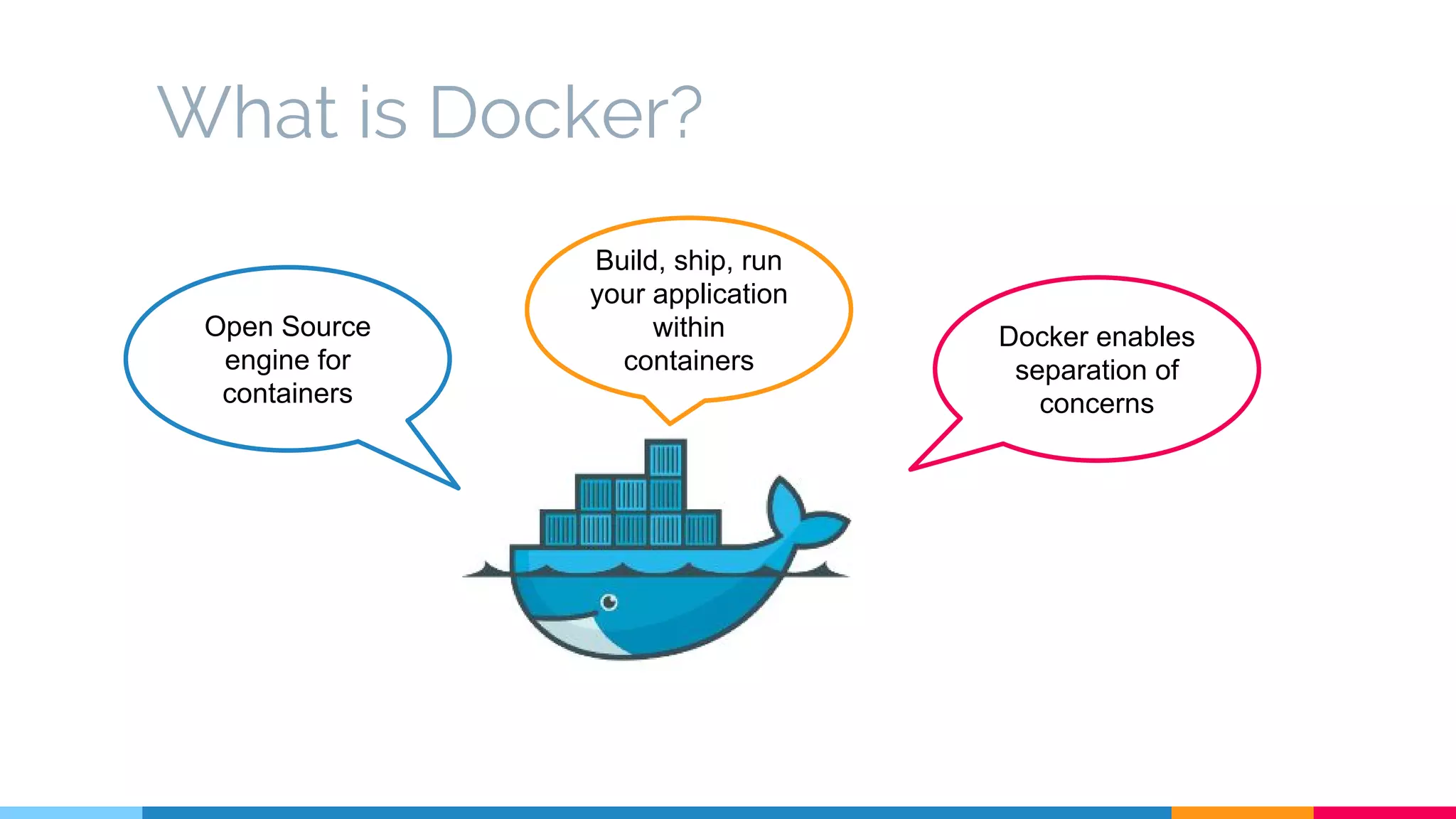
What is Docker?
Open Source
engine for
containers
Build, ship, run
your application
within
containers
Docker enables
separation of
concerns
How can you use Jenkins & Docker
together?
Run Jenkins Master & Slave in Docker Build, Test & Deploy Docker Image from Jenkins
Example
CI/CD with Docker
CI/CD Workflow
Tools
▷ SCM: Github
▷ CI/CD: Jenkins 2.0
▷ Platform: docker
▷ Container Orchestration: docker swarm
▷ Service Discovery Tool: Consul
Setup
Node0 set up
▷ Start the Consul container
$ docker run -d -p 8500:8500 -h consul --name consul progrium/consul
-server -bootstrap
Unable to find image 'progrium/consul:latest' locally
latest: Pulling from progrium/consul
3b4d28ce80e4: Pull complete
e5ab901dcf2d: Pull complete
<snip>
Node1-3 set up
▷ Edit DOCKER_OPTS daemon
(/etc/default/docker)
DOCKER_OPTS="-H tcp://0.0.0.0:2375 -H unix:///var/run/docker.sock
--cluster-store=consul://10.128.0.2:8500/network --cluster-advertise=ens4:2375"
Install Docker Swarm Cluster
▷ Node0: Create Swarm Master
# Create Swarm Master
$ export TOKEN=$(docker run --rm swarm create)
$ docker run -d -p 3375:2375 swarm manage token://$TOKEN
# Join Swarm Node
$ docker run -d swarm join --addr=10.128.0.3:2375 token://$TOKEN
$ docker run -d swarm join --addr=10.128.0.4:2375 token://$TOKEN
$ docker run -d swarm join --addr=10.128.0.5:2375 token://$TOKEN
Jenkins Setup
▷ Build Docker image inside a docker
container
▷ SSH Node with access to docker
engine
Jenkins Setup
▷ Node0: Install Jenkins Master
$ docker -H unix:///var/run/docker.sock run -d -p 8080:8080 jenkins
Jenkins Setup
▷ Node0: Configure Jenkins Master
○ Configure Global Security
○ Install plugins
■ Github plugin
■ CloudBees Docker Build and Publish
○ Create Jenkins Slave node (node1)
Example Voting App
▷ A Python webapp which lets you vote between two options
▷ A Redis queue which collects new votes
▷ A Java worker which consumes votes and stores them in…
▷ A Postgres database backed by a Docker volume
▷ A Node.js webapp which shows the results of the voting in real time
Voting App
Dockerfile
# Using official python runtime base image
FROM python:2.7
# Set the application directory
WORKDIR /app
# Install our requirements.txt
ADD requirements.txt /app/requirements.txt
RUN pip install -r requirements.txt
# Copy our code from the current folder to /app inside the container
ADD . /app
# Make port 5000 available for links and/or publish
EXPOSE 80
# Define our command to be run when launching the container
CMD ["python", "app.py"]
Result App
Dockerfile
FROM node:0.10
RUN mkdir /app
WORKDIR /app
ADD package.json /app/package.json
RUN npm install && npm ls
RUN mv /app/node_modules /node_modules
ADD . /app
ENV PORT 80
EXPOSE 80
CMD ["node", "server.js"]
Worker
Dockerfile
FROM java:7
RUN apt-get update -qq && apt-get install -y maven && apt-get clean
WORKDIR /code
ADD pom.xml /code/pom.xml
RUN ["mvn", "dependency:resolve"]
RUN ["mvn", "verify"]
# Adding source, compile and package into a fat jar
ADD src /code/src
RUN ["mvn", "package"]
CMD ["/usr/lib/jvm/java-7-openjdk-amd64/bin/java", "-jar", "target/worker-jar-with-dependencies.jar"]
Github Webhook Setup
▷ Automatically build job when
pushes are made to Github
The Build Jobs
▷ Create 3 Jenkins jobs
○ build-voting-app
○ build-worker
○ build-result-app
The Build Jobs
The Build Jobs
The Build Jobs
The Deploy Job
▷ Create a Jenkins jobs
○ Build section, Execute shell
export DOCKER_HOST=10.128.0.4:2375
export DTR="https://registry.hub.docker.com/u"
docker-compose -f vote-apps/docker-compose.yml stop voting-app result-app worker
docker-compose -f vote-apps/docker-compose.yml rm -f
docker-compose -f vote-apps/docker-compose.yml pull voting-app result-app worker
docker-compose -f vote-apps/docker-compose.yml up -d
The Deploy Job
docker-compose.yml
version: "2"
services:
voting-app:
build: ./voting-app/.
networks:
- front-tier
- back-tier
result-app:
build: ./result-app/.
networks:
- front-tier
- back-tier
worker:
image: manomarks/worker
networks:
- back-tier
redis:
image: redis:alpine
container_name: redis
networks:
- back-tier
db:
image: postgres:9.4
container_name: db
volumes:
- "db-data:/var/lib/postgresql/data"
networks:
- back-tier
volumes:
db-data:
networks:
front-tier:
back-tier:
Deploying The App
▷ Clone SCM, edit README.md and
push to SCM
Deploying The App
root@node2:~# docker ps -a
CONTAINER ID IMAGE COMMAND CREATED
STATUS PORTS NAMES
0100cf6b0c14 engineerball/result-app:47d362f35a115f2098c80a11e161eef626e1dbcb "node server.js" 2 hours ago
Up 2 hours 0.0.0.0:5001->80/tcp voteapps_result-app_1
296eee196e4e engineerball/voting-app:47d362f35a115f2098c80a11e161eef626e1dbcb "python app.py" 2 hours ago
Up 2 hours 0.0.0.0:5000->80/tcp voteapps_voting-app_1
40f8d8aec4ca engineerball/worker:47d362f35a115f2098c80a11e161eef626e1dbcb "/usr/lib/jvm/java-7-" 2 hours ago
Up 2 hours voteapps_worker_1
44da08df3d5c postgres:9.4 "/docker-entrypoint.s" 2 hours ago
Up 2 hours 5432/tcp voteapps_db_1
fa10362631cb redis "docker-entrypoint.sh" 2 hours ago
Up 2 hours 6379/tcp voteapps_redis_1
The Voting App
The Voting Result
DEMO
In Conclusion
In Conclusion
▷ Automate is the key
▷ Docker simplifies environment problems
▷ Jenkins is ready for Docker and CD
CI/CD with Jenkins and Docker - DevOps Meetup Day Thailand

CI/CD with Jenkins and Docker - DevOps Meetup Day Thailand

  • 1.
  • 2.
  • 3.
  • 4.
    What is Continuousintegration ▷ A development methodology ▷ Verified by builds ○ Unit test ○ Functional test ○ Integration test ▷ Every commit trigger a build
  • 5.
    What is Continuousdelivery ▷ Continuous delivery/deployment ▷ Every commit that passed a build could be deploy to production ▷ Automation deploy
  • 6.
    What is Jenkins? ▷CI/CD application ▷ Easy installation ▷ Rich plugin ▷ Distributed build
  • 7.
  • 8.
    What is Docker? OpenSource engine for containers Build, ship, run your application within containers Docker enables separation of concerns
  • 9.
    How can youuse Jenkins & Docker together? Run Jenkins Master & Slave in Docker Build, Test & Deploy Docker Image from Jenkins
  • 10.
  • 11.
  • 12.
    Tools ▷ SCM: Github ▷CI/CD: Jenkins 2.0 ▷ Platform: docker ▷ Container Orchestration: docker swarm ▷ Service Discovery Tool: Consul
  • 14.
  • 15.
    Node0 set up ▷Start the Consul container $ docker run -d -p 8500:8500 -h consul --name consul progrium/consul -server -bootstrap Unable to find image 'progrium/consul:latest' locally latest: Pulling from progrium/consul 3b4d28ce80e4: Pull complete e5ab901dcf2d: Pull complete <snip>
  • 16.
    Node1-3 set up ▷Edit DOCKER_OPTS daemon (/etc/default/docker) DOCKER_OPTS="-H tcp://0.0.0.0:2375 -H unix:///var/run/docker.sock --cluster-store=consul://10.128.0.2:8500/network --cluster-advertise=ens4:2375"
  • 17.
    Install Docker SwarmCluster ▷ Node0: Create Swarm Master # Create Swarm Master $ export TOKEN=$(docker run --rm swarm create) $ docker run -d -p 3375:2375 swarm manage token://$TOKEN # Join Swarm Node $ docker run -d swarm join --addr=10.128.0.3:2375 token://$TOKEN $ docker run -d swarm join --addr=10.128.0.4:2375 token://$TOKEN $ docker run -d swarm join --addr=10.128.0.5:2375 token://$TOKEN
  • 18.
    Jenkins Setup ▷ BuildDocker image inside a docker container ▷ SSH Node with access to docker engine
  • 19.
    Jenkins Setup ▷ Node0:Install Jenkins Master $ docker -H unix:///var/run/docker.sock run -d -p 8080:8080 jenkins
  • 20.
    Jenkins Setup ▷ Node0:Configure Jenkins Master ○ Configure Global Security ○ Install plugins ■ Github plugin ■ CloudBees Docker Build and Publish ○ Create Jenkins Slave node (node1)
  • 21.
    Example Voting App ▷A Python webapp which lets you vote between two options ▷ A Redis queue which collects new votes ▷ A Java worker which consumes votes and stores them in… ▷ A Postgres database backed by a Docker volume ▷ A Node.js webapp which shows the results of the voting in real time
  • 22.
    Voting App Dockerfile # Usingofficial python runtime base image FROM python:2.7 # Set the application directory WORKDIR /app # Install our requirements.txt ADD requirements.txt /app/requirements.txt RUN pip install -r requirements.txt # Copy our code from the current folder to /app inside the container ADD . /app # Make port 5000 available for links and/or publish EXPOSE 80 # Define our command to be run when launching the container CMD ["python", "app.py"]
  • 23.
    Result App Dockerfile FROM node:0.10 RUNmkdir /app WORKDIR /app ADD package.json /app/package.json RUN npm install && npm ls RUN mv /app/node_modules /node_modules ADD . /app ENV PORT 80 EXPOSE 80 CMD ["node", "server.js"]
  • 24.
    Worker Dockerfile FROM java:7 RUN apt-getupdate -qq && apt-get install -y maven && apt-get clean WORKDIR /code ADD pom.xml /code/pom.xml RUN ["mvn", "dependency:resolve"] RUN ["mvn", "verify"] # Adding source, compile and package into a fat jar ADD src /code/src RUN ["mvn", "package"] CMD ["/usr/lib/jvm/java-7-openjdk-amd64/bin/java", "-jar", "target/worker-jar-with-dependencies.jar"]
  • 25.
    Github Webhook Setup ▷Automatically build job when pushes are made to Github
  • 26.
    The Build Jobs ▷Create 3 Jenkins jobs ○ build-voting-app ○ build-worker ○ build-result-app
  • 27.
  • 28.
  • 29.
  • 30.
    The Deploy Job ▷Create a Jenkins jobs ○ Build section, Execute shell export DOCKER_HOST=10.128.0.4:2375 export DTR="https://registry.hub.docker.com/u" docker-compose -f vote-apps/docker-compose.yml stop voting-app result-app worker docker-compose -f vote-apps/docker-compose.yml rm -f docker-compose -f vote-apps/docker-compose.yml pull voting-app result-app worker docker-compose -f vote-apps/docker-compose.yml up -d
  • 31.
    The Deploy Job docker-compose.yml version:"2" services: voting-app: build: ./voting-app/. networks: - front-tier - back-tier result-app: build: ./result-app/. networks: - front-tier - back-tier worker: image: manomarks/worker networks: - back-tier redis: image: redis:alpine container_name: redis networks: - back-tier db: image: postgres:9.4 container_name: db volumes: - "db-data:/var/lib/postgresql/data" networks: - back-tier volumes: db-data: networks: front-tier: back-tier:
  • 32.
    Deploying The App ▷Clone SCM, edit README.md and push to SCM
  • 33.
    Deploying The App root@node2:~#docker ps -a CONTAINER ID IMAGE COMMAND CREATED STATUS PORTS NAMES 0100cf6b0c14 engineerball/result-app:47d362f35a115f2098c80a11e161eef626e1dbcb "node server.js" 2 hours ago Up 2 hours 0.0.0.0:5001->80/tcp voteapps_result-app_1 296eee196e4e engineerball/voting-app:47d362f35a115f2098c80a11e161eef626e1dbcb "python app.py" 2 hours ago Up 2 hours 0.0.0.0:5000->80/tcp voteapps_voting-app_1 40f8d8aec4ca engineerball/worker:47d362f35a115f2098c80a11e161eef626e1dbcb "/usr/lib/jvm/java-7-" 2 hours ago Up 2 hours voteapps_worker_1 44da08df3d5c postgres:9.4 "/docker-entrypoint.s" 2 hours ago Up 2 hours 5432/tcp voteapps_db_1 fa10362631cb redis "docker-entrypoint.sh" 2 hours ago Up 2 hours 6379/tcp voteapps_redis_1
  • 34.
  • 35.
  • 36.
  • 37.
  • 38.
    In Conclusion ▷ Automateis the key ▷ Docker simplifies environment problems ▷ Jenkins is ready for Docker and CD