by Anton Egorov
July 2016
Deliver Python Apps
with Docker
Who am I?
• Software Engineer, 10 years in web development
• Scripting mostly with Python
• 2 years using Docker, dockerized about 50
apps, 80% of them were Python apps
• Ex Lead Developer at ostrovok.ru
• CTO and Founder at sabaka.io
Plan
• Quick introduction to Docker
• App dockerization example
• Production deployment notes
• Treasure Goblin lives on special slides
Docker in a few slides
What is Docker?
• It’s an open-source project that automates
application deployment using containers
• Initial release was in March 2013
• Written in Go
• Works on Linux, OS X, Windows
Why Docker?
• The best tool for software packaging
• Easy to build, just follow best practices
• Fast at runtime, overhead is close to nothing
• You have identical installation at any
environment (dev, stage, prod)
• Predictable, easy to test, makes QA happy
Image
• An image is a container basis
• It’s a filesystem and a set of parameters to use at
runtime (libs, bins, your software)
• It doesn’t have a state and never changes
• Dockerfile contains instructions to build the
image
Container
• A container is a running instance of the image
• It consists of
• Docker image
• Execution environment
• Set of instructions
Data Volume
• Directory within one or more containers that
bypasses the Union File System
• Designed to persist data, independent of the
container’s life cycle
Notes
• Treat containers as read-only instances
• Use data volumes to take care of persistent data
Layers
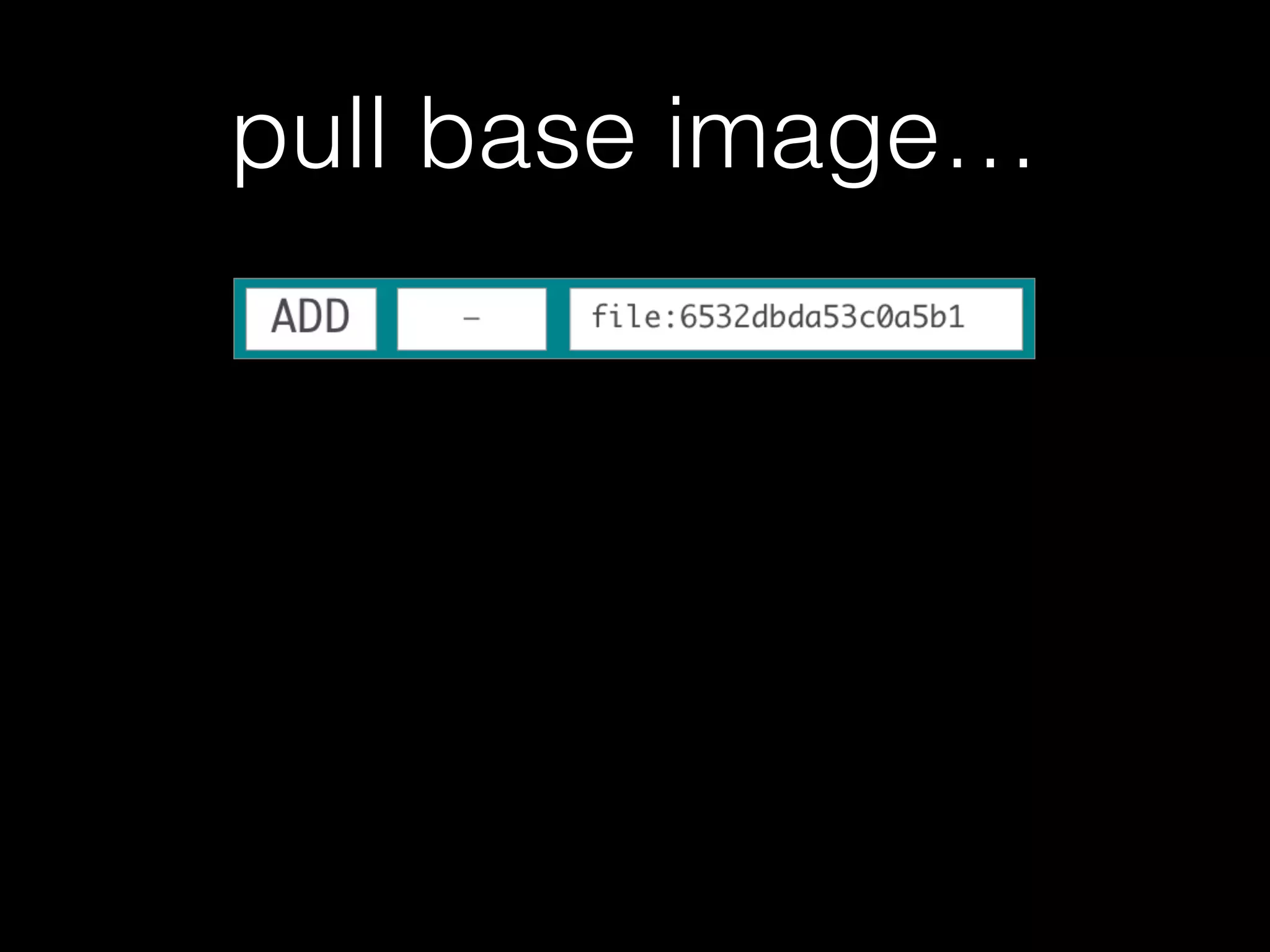
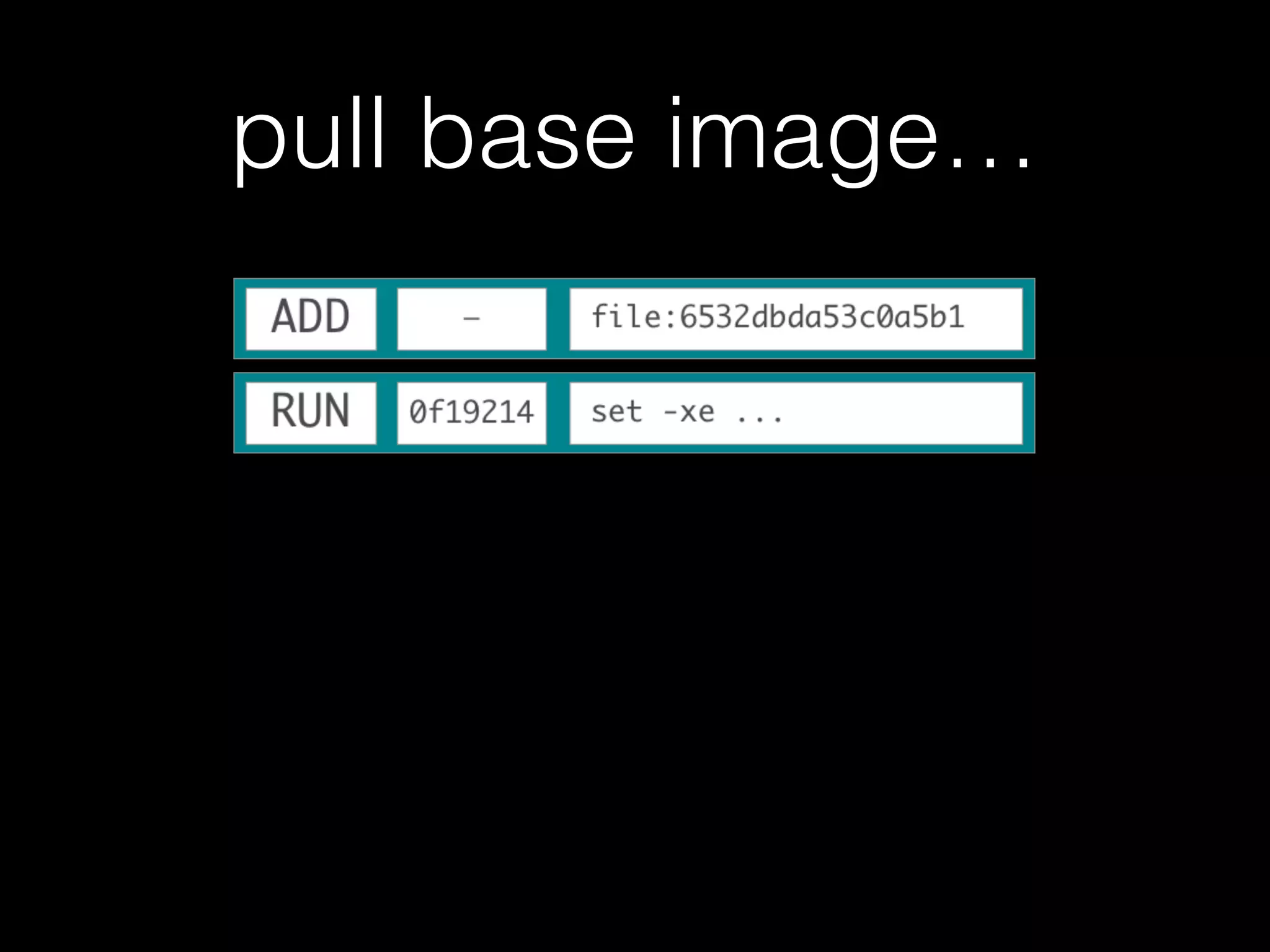
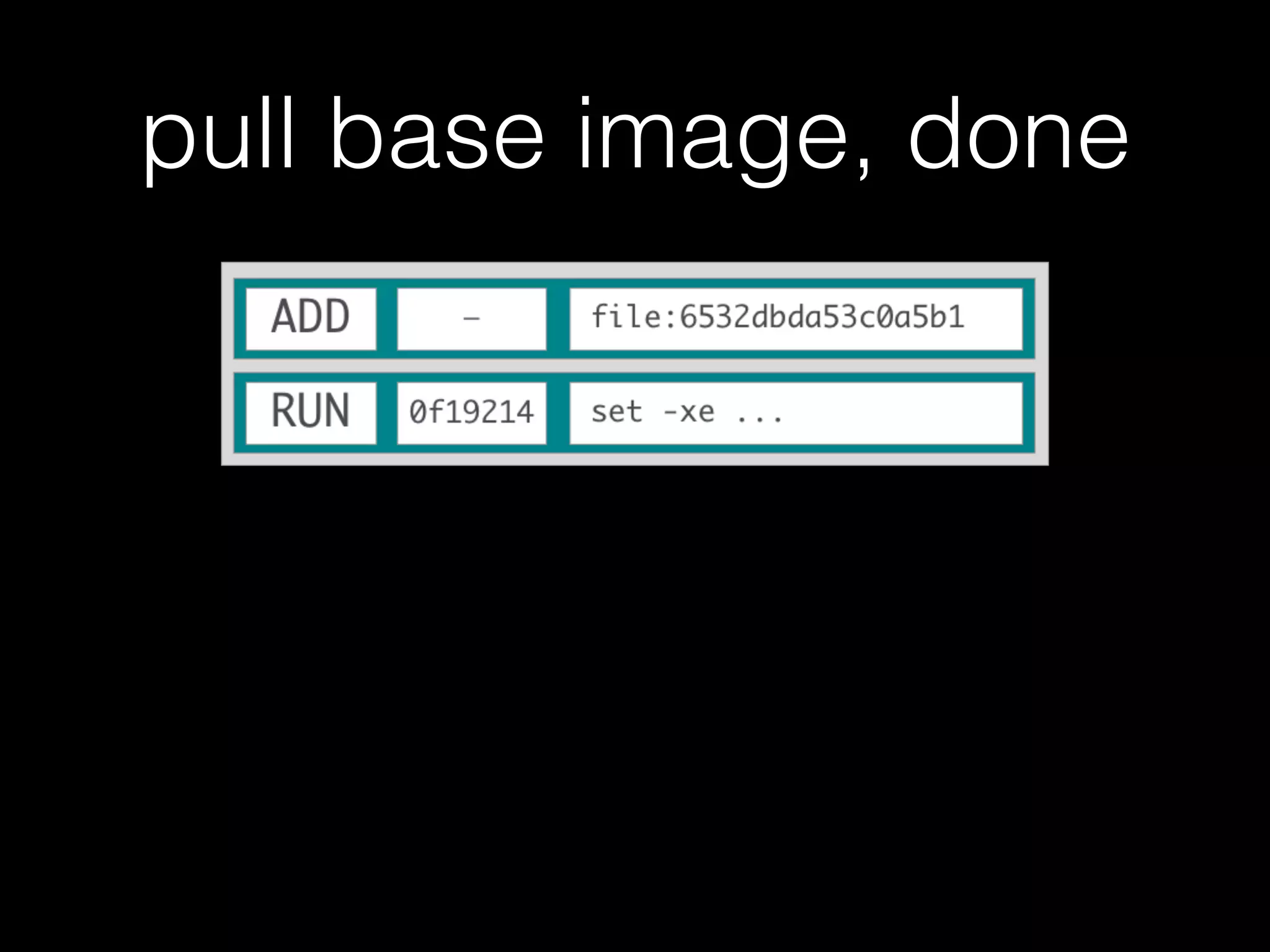
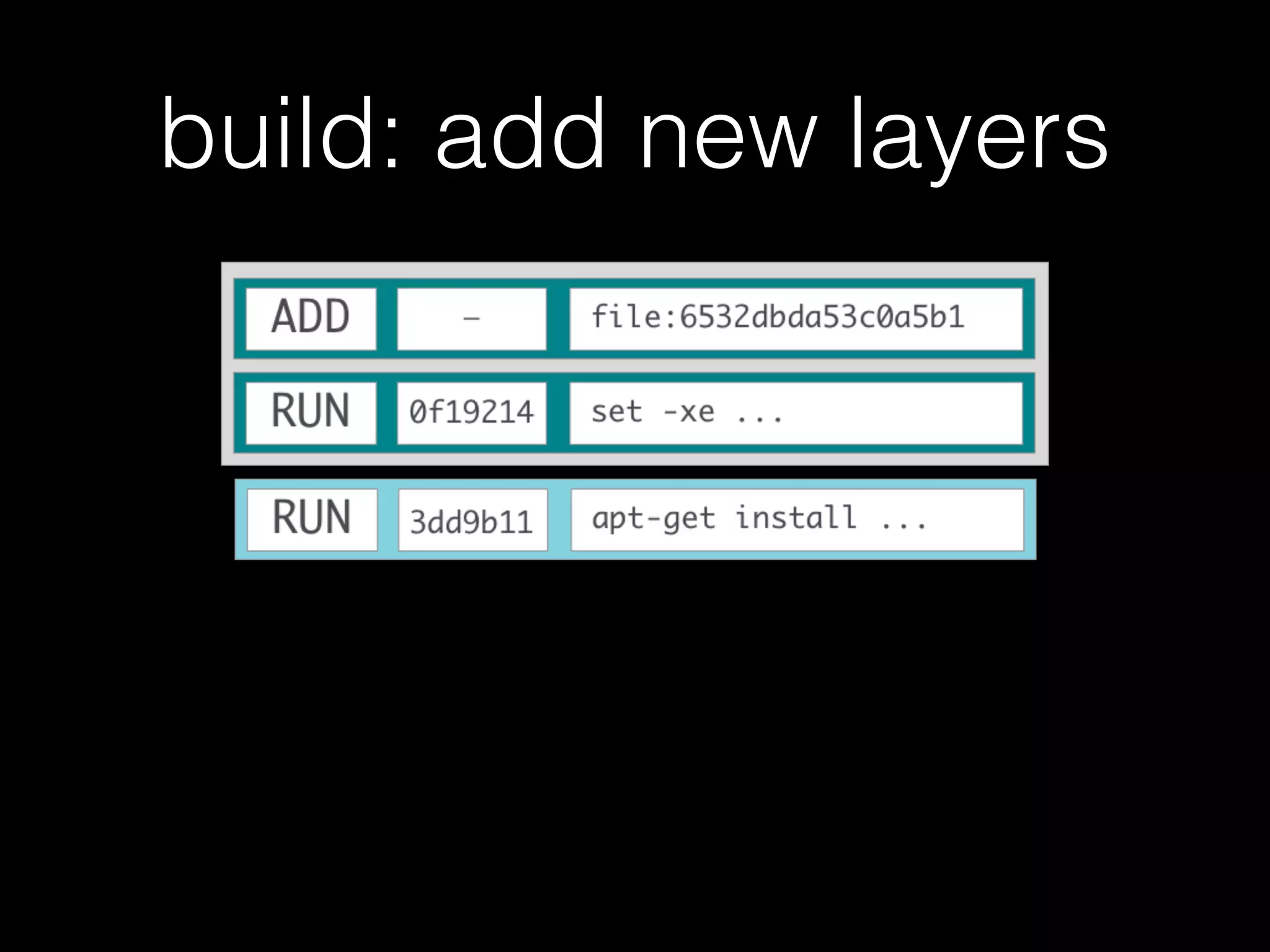
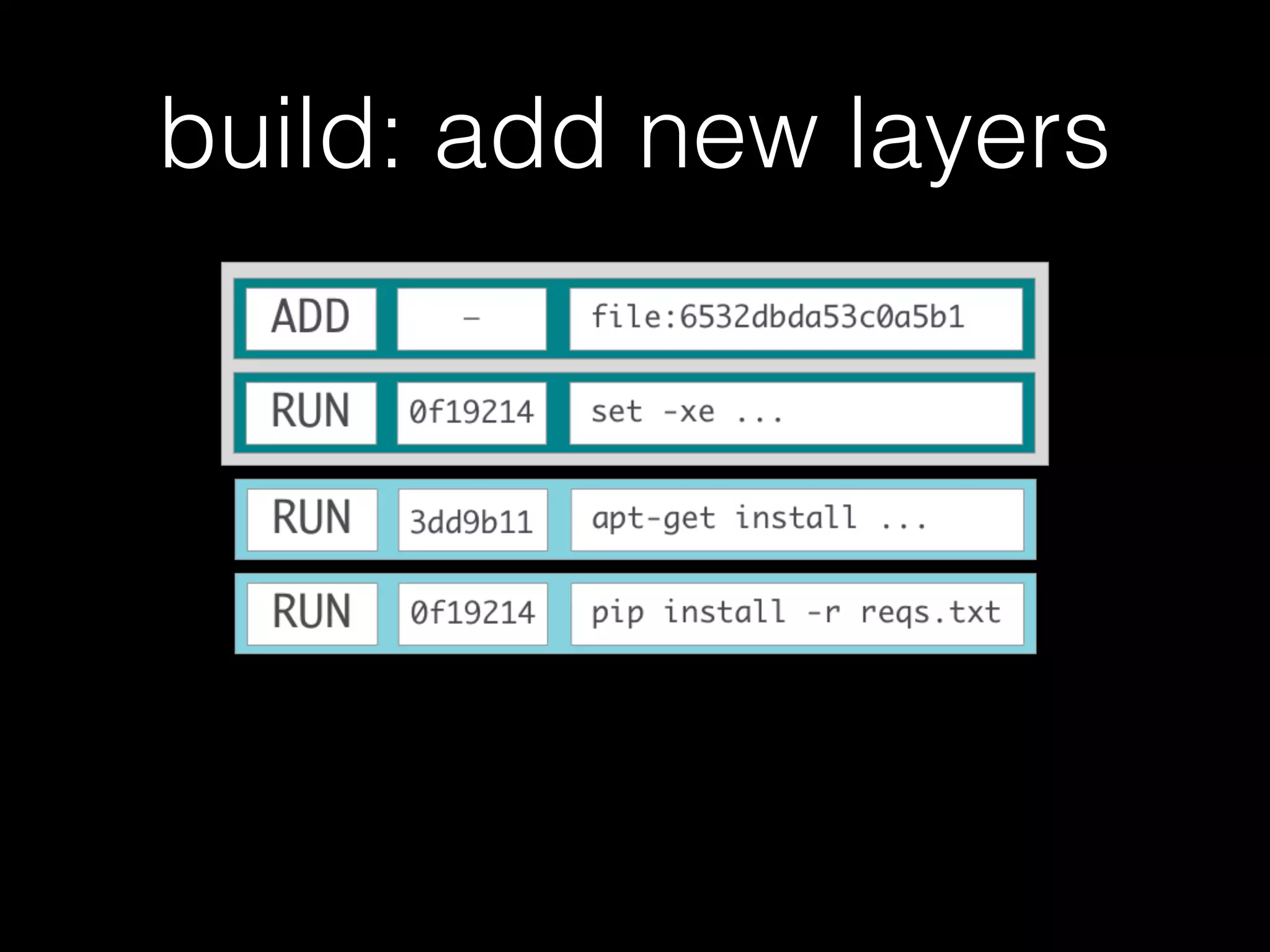
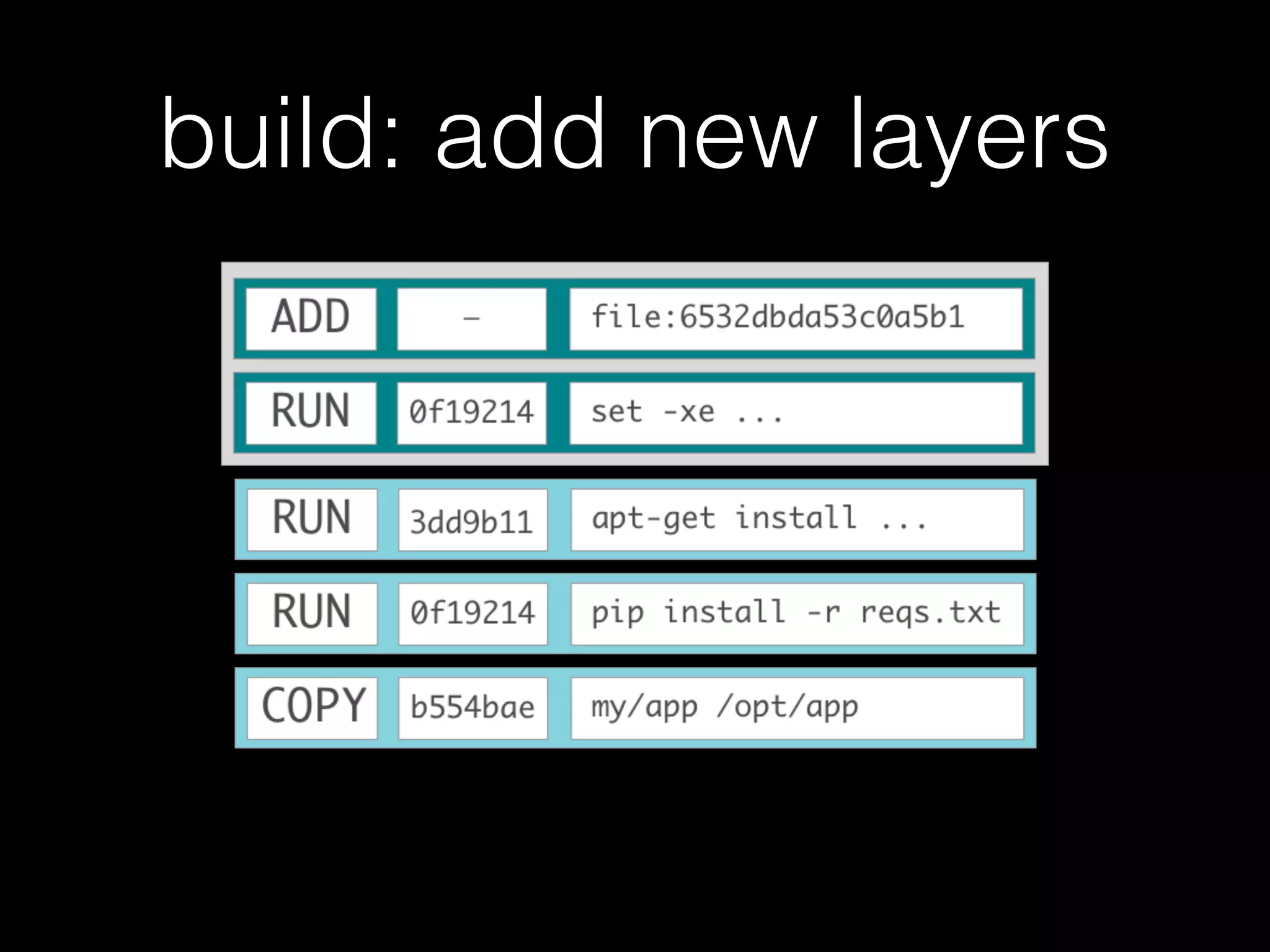
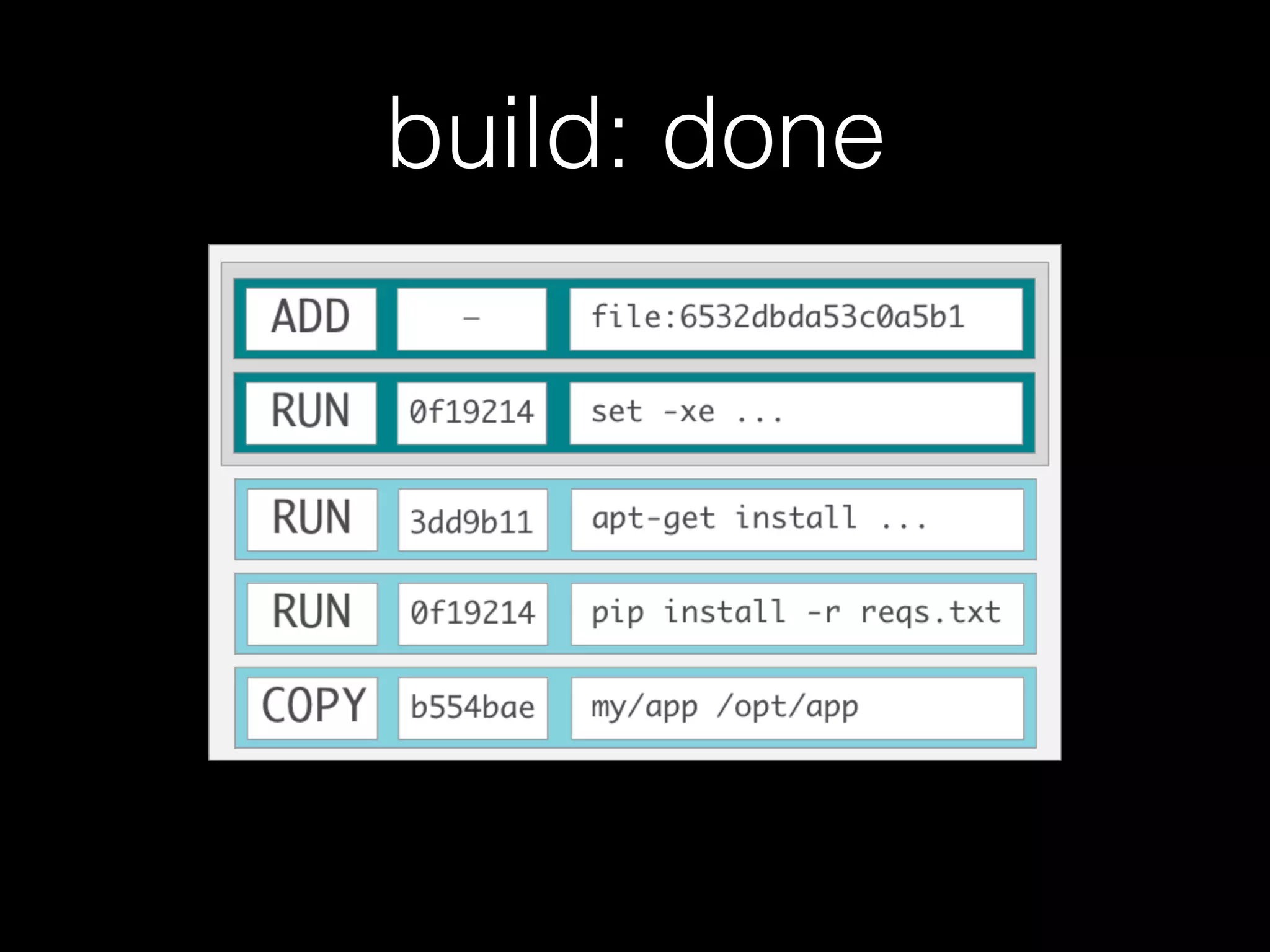
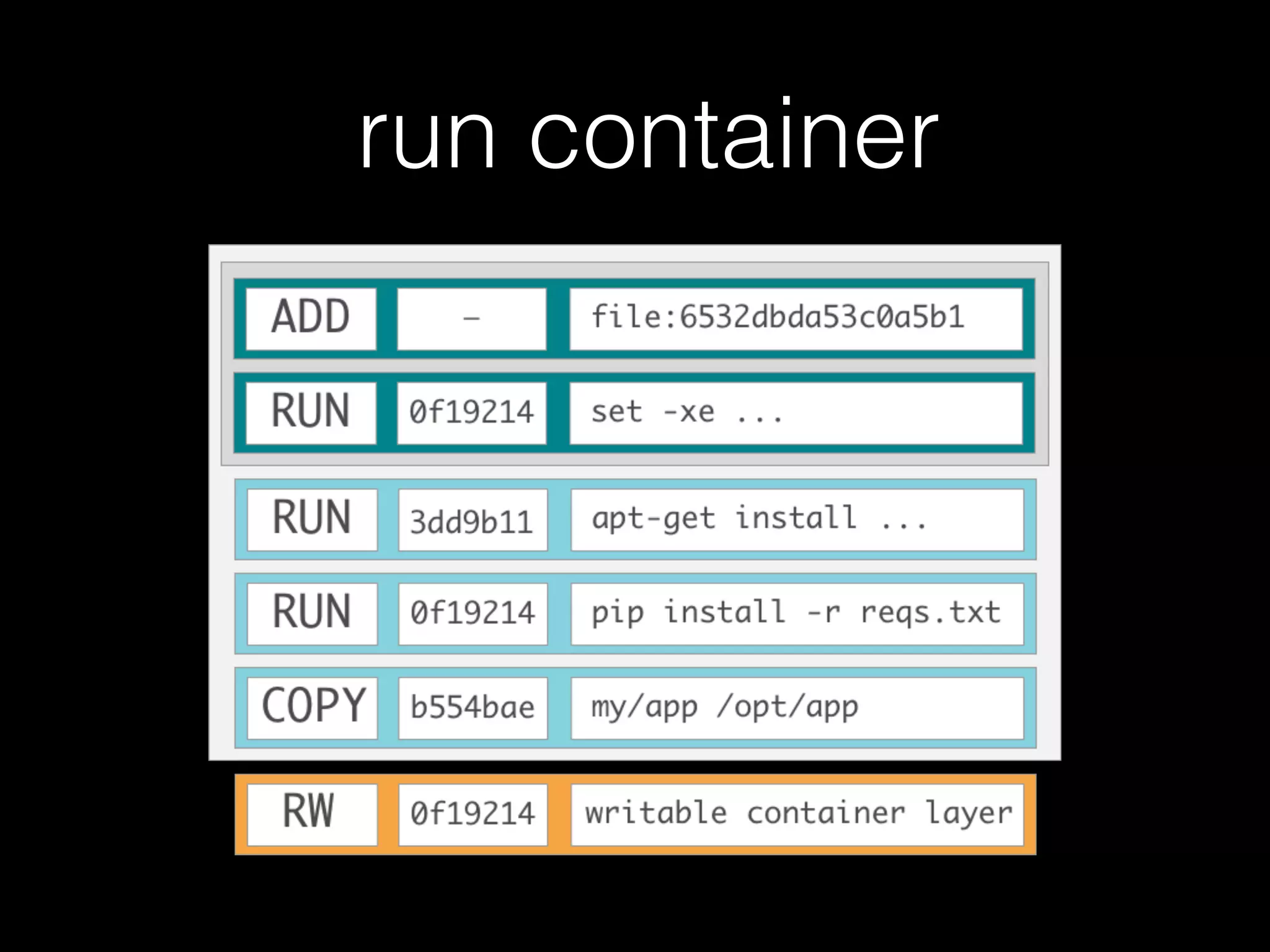
Images are layered
• Docker store images in a layered file system
• Each instruction from Dockerfile is a distinct
read only layer
• When you create a new container, you add a
new, thin, writable layer
pull base image…
pull base image…
pull base image, done
build: add new layers
build: done
run container
Practice
Application
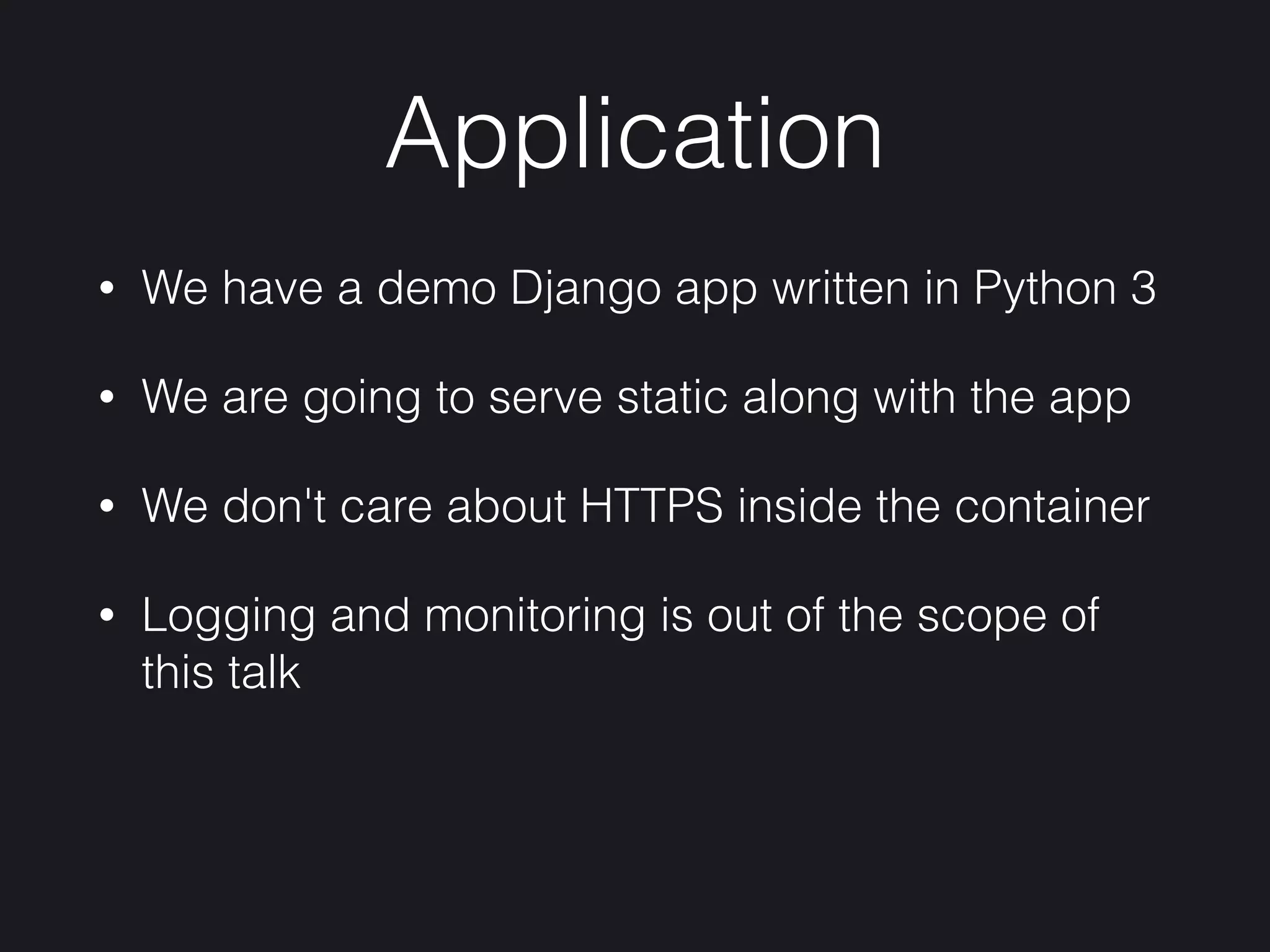
• We have a demo Django app written in Python 3
• We are going to serve static along with the app
• We don't care about HTTPS inside the container
• Logging and monitoring is out of the scope of
this talk
ls -la
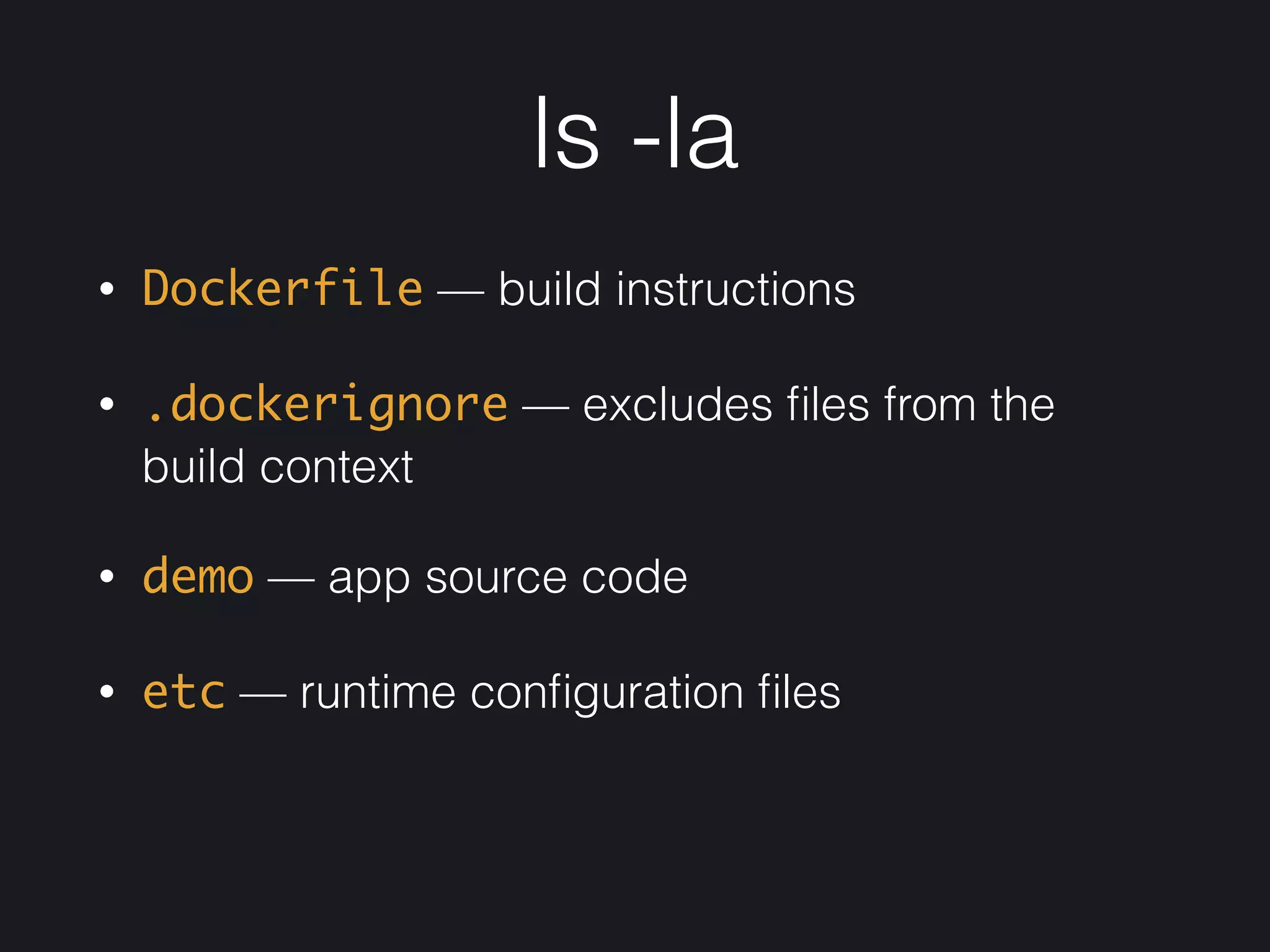
• Dockerfile — build instructions
• .dockerignore — excludes files from the
build context
• demo — app source code
• etc — runtime configuration files
Dockerfile
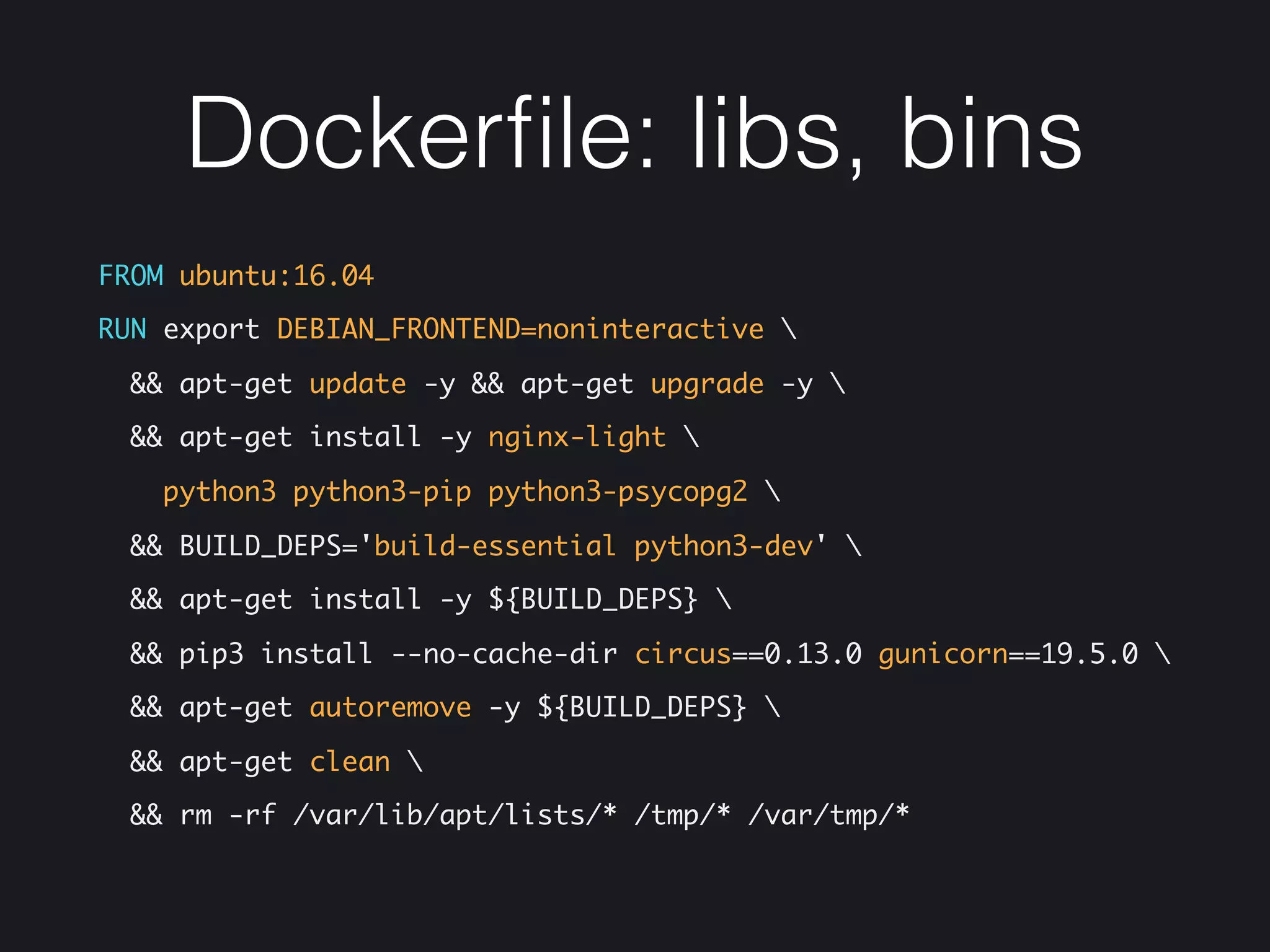
Dockerfile: libs, bins
FROM ubuntu:16.04
RUN export DEBIAN_FRONTEND=noninteractive 
&& apt-get update -y && apt-get upgrade -y 
&& apt-get install -y nginx-light 
python3 python3-pip python3-psycopg2 
&& BUILD_DEPS='build-essential python3-dev' 
&& apt-get install -y ${BUILD_DEPS} 
&& pip3 install --no-cache-dir circus==0.13.0 gunicorn==19.5.0 
&& apt-get autoremove -y ${BUILD_DEPS} 
&& apt-get clean 
&& rm -rf /var/lib/apt/lists/* /tmp/* /var/tmp/*
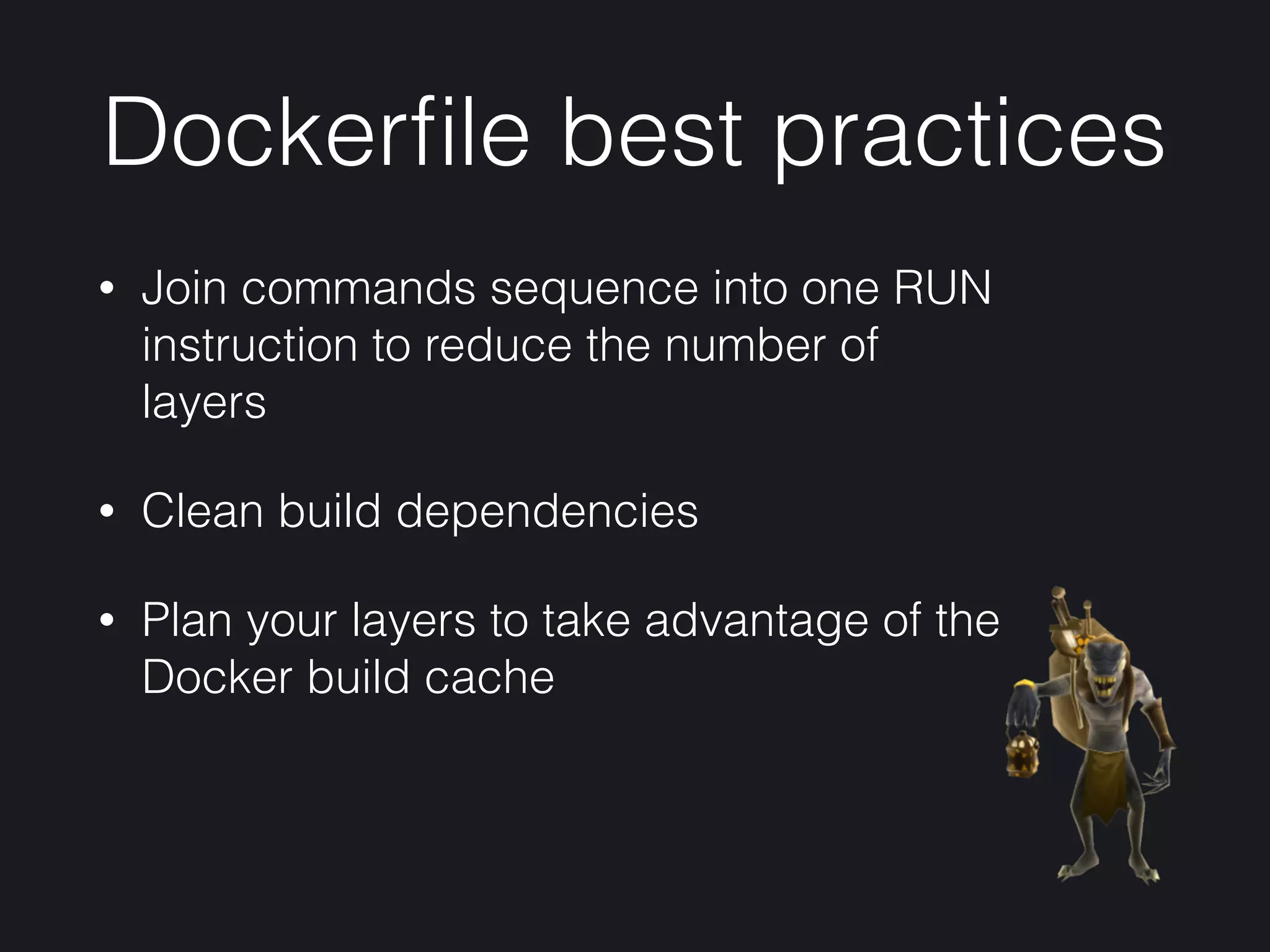
Dockerfile best practices
• Join commands sequence into one RUN
instruction to reduce the number of
layers
• Clean build dependencies
• Plan your layers to take advantage of the
Docker build cache
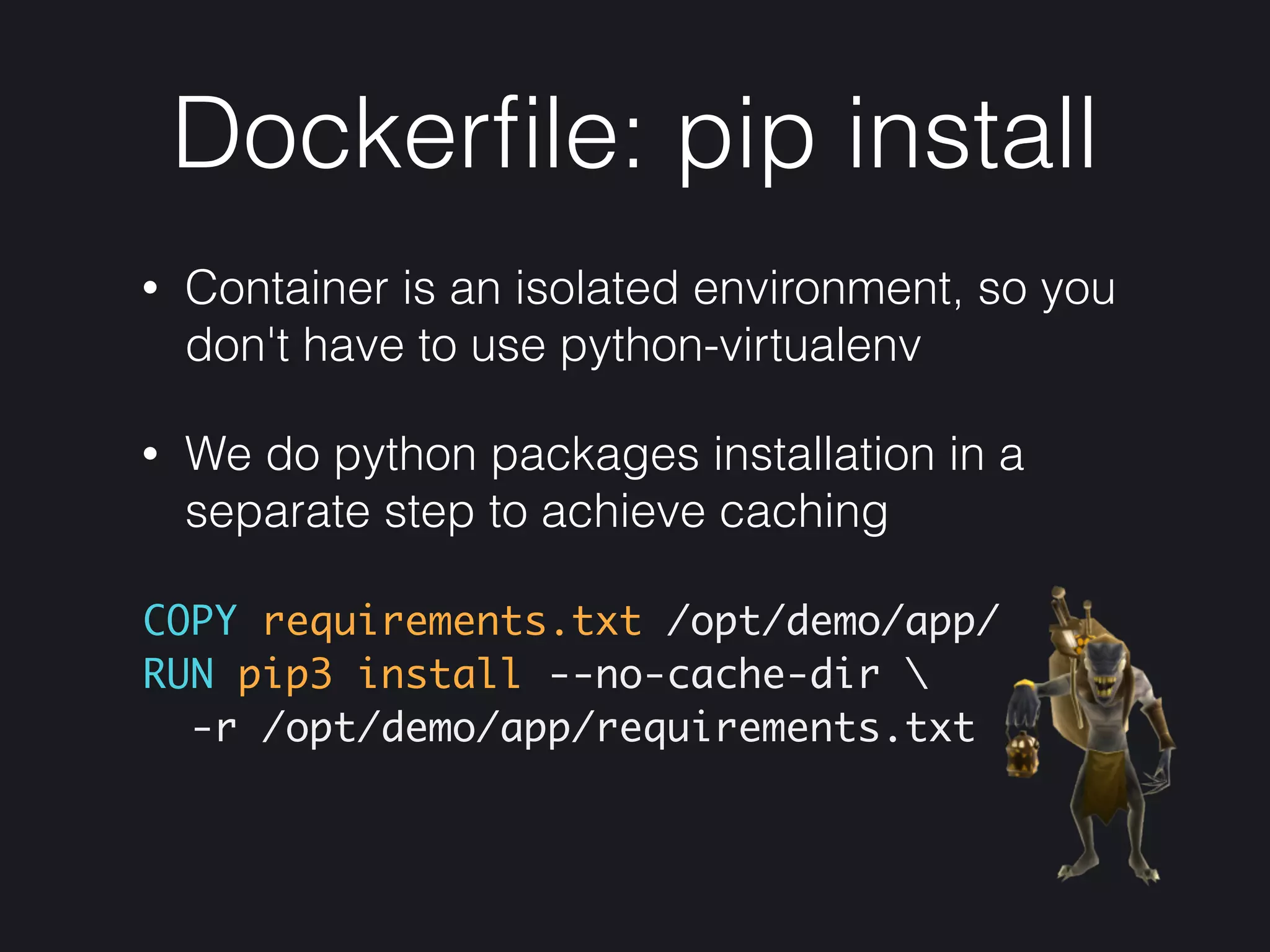
Dockerfile: pip install
• Container is an isolated environment, so you
don't have to use python-virtualenv
• We do python packages installation in a
separate step to achieve caching
COPY requirements.txt /opt/demo/app/

RUN pip3 install --no-cache-dir 
-r /opt/demo/app/requirements.txt
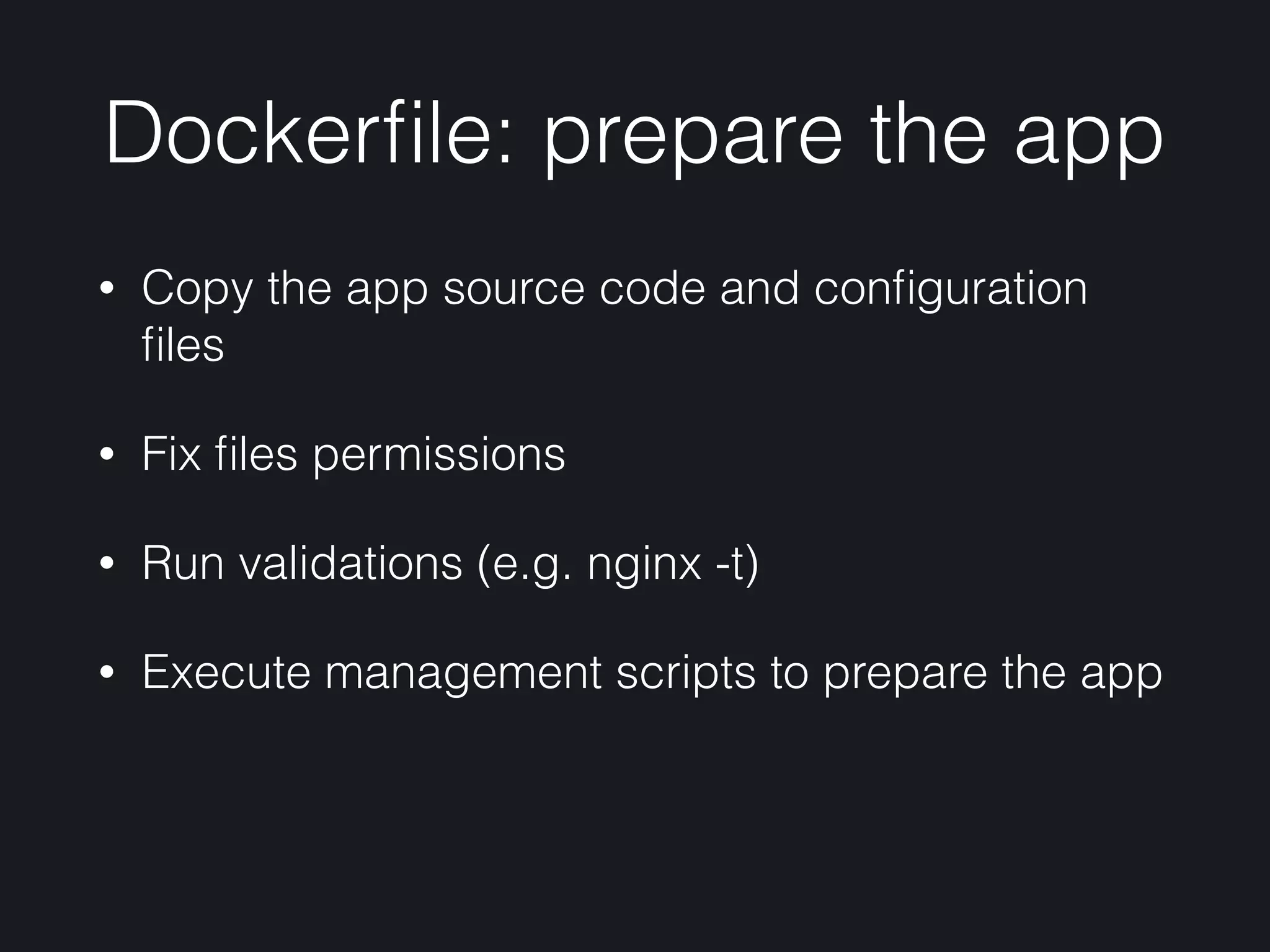
Dockerfile: prepare the app
• Copy the app source code and configuration
files
• Fix files permissions
• Run validations (e.g. nginx -t)
• Execute management scripts to prepare the app
Dockerfile: prepare the app
COPY etc/ /etc/
COPY demo/ /opt/demo/app/
WORKDIR /opt/demo/app
ENV STATIC_ROOT=/opt/demo/static
RUN nginx -t 
&& ./manage.py collectstatic 
--settings=demo.settings --no-input -v0
CMD ["circusd", "/etc/circus/web.ini"]
etc
etc/circus/web.ini
[watcher:web]

cmd=/usr/local/bin/gunicorn 
demo.wsgi:application -c gunicorn.py

working_dir = /opt/demo/app

copy_env = True

user = www-data
[watcher:nginx]

cmd = /usr/sbin/nginx

stop_signal = QUIT

user = root
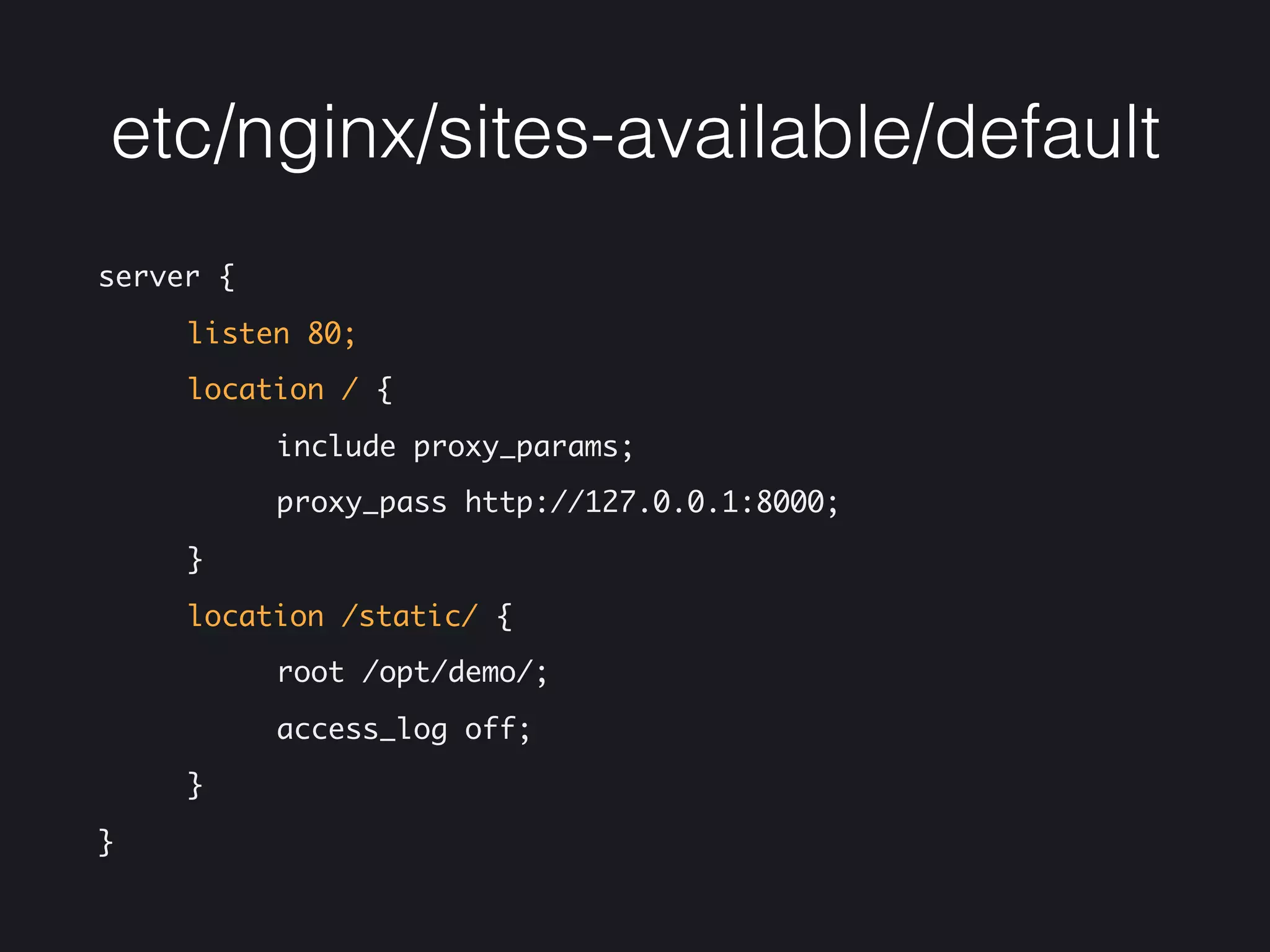
etc/nginx/sites-available/default
server {

listen 80;

location / {

include proxy_params;

proxy_pass http://127.0.0.1:8000;

}

location /static/ {

root /opt/demo/;

access_log off;

}

}
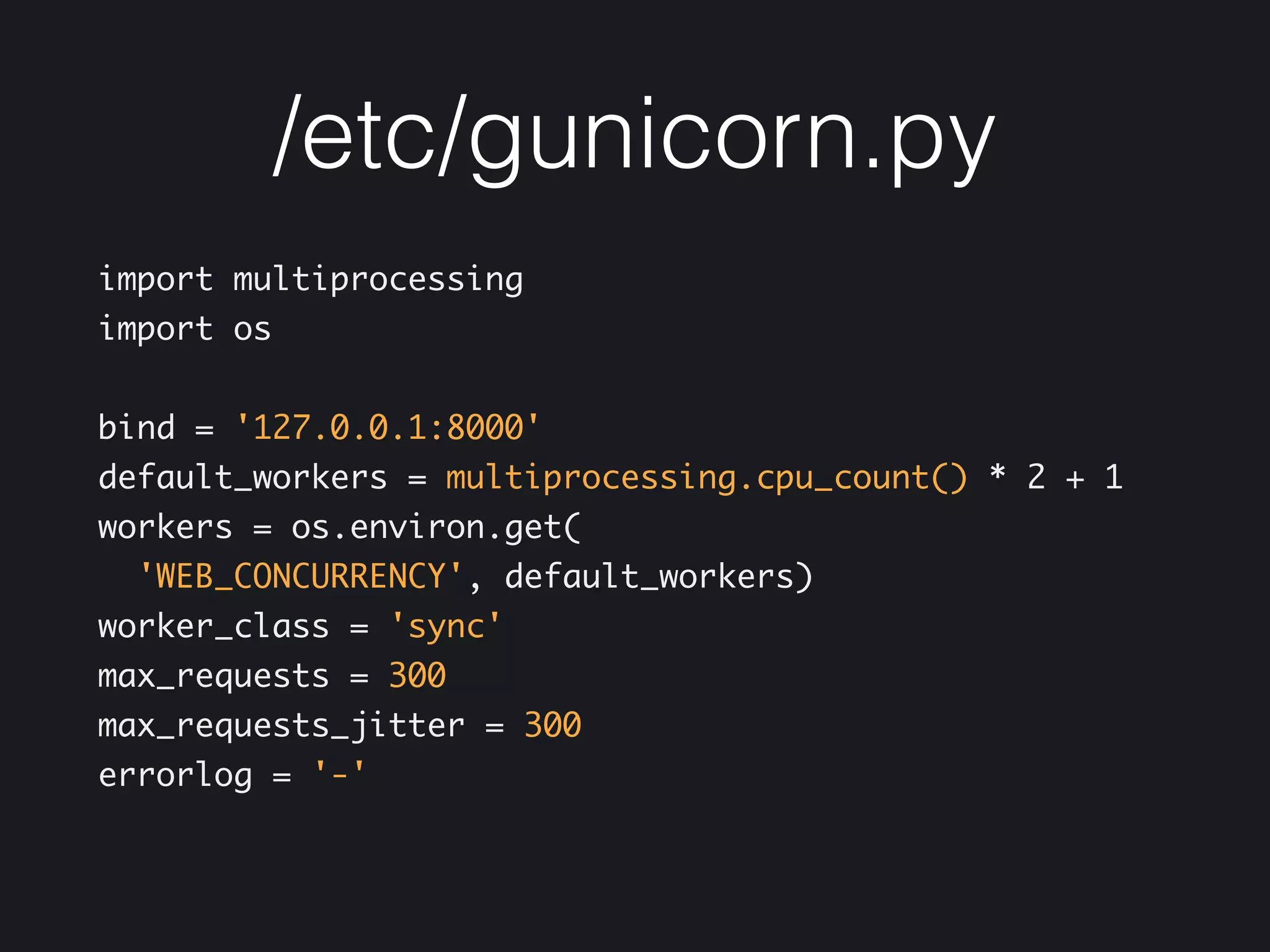
/etc/gunicorn.py
import multiprocessing

import os


bind = '127.0.0.1:8000'

default_workers = multiprocessing.cpu_count() * 2 + 1

workers = os.environ.get(
'WEB_CONCURRENCY', default_workers)

worker_class = 'sync'

max_requests = 300
max_requests_jitter = 300

errorlog = '-'
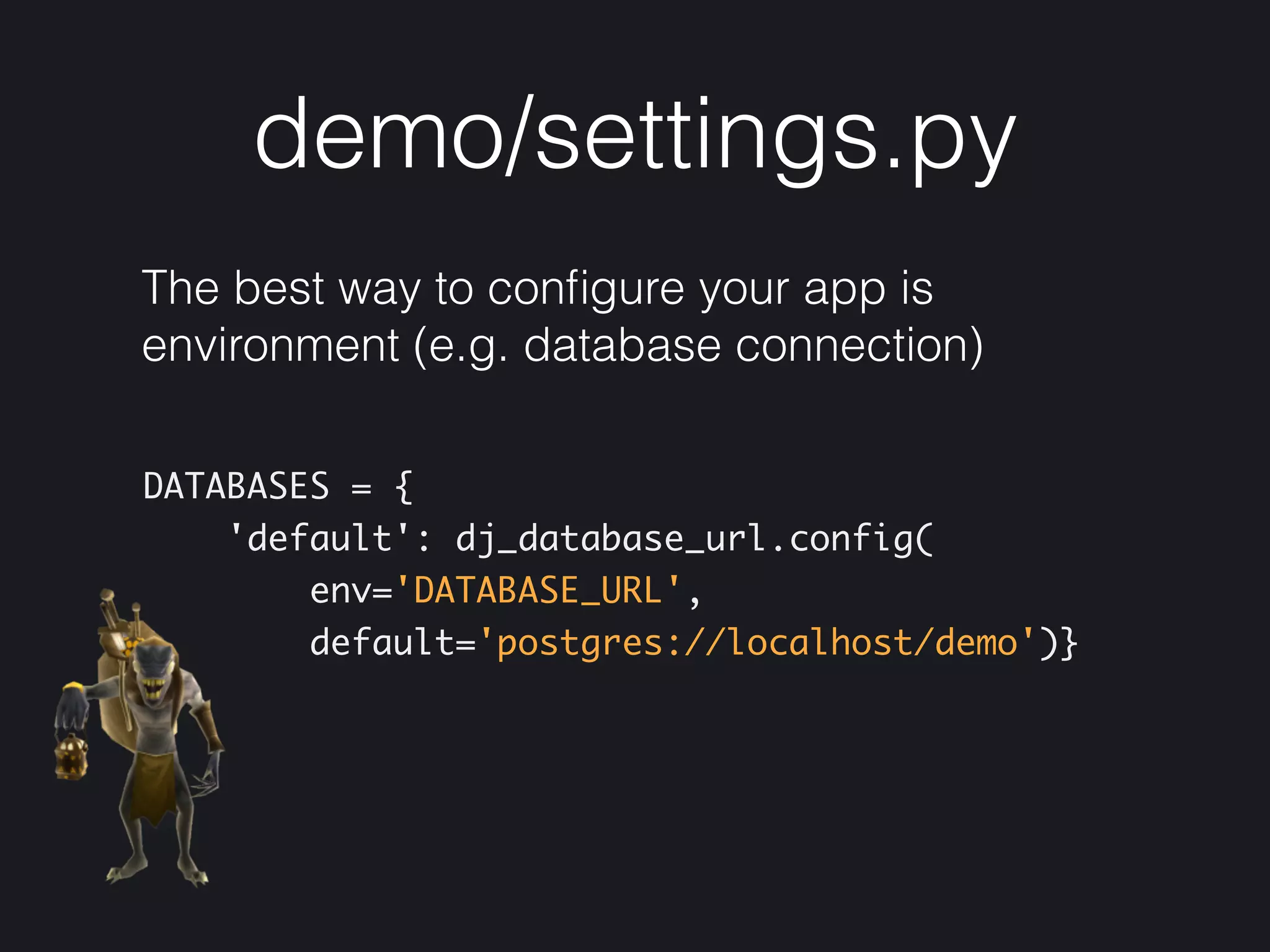
demo/settings.py
The best way to configure your app is
environment (e.g. database connection)
DATABASES = {

'default': dj_database_url.config(

env='DATABASE_URL',

default='postgres://localhost/demo')}
Demo
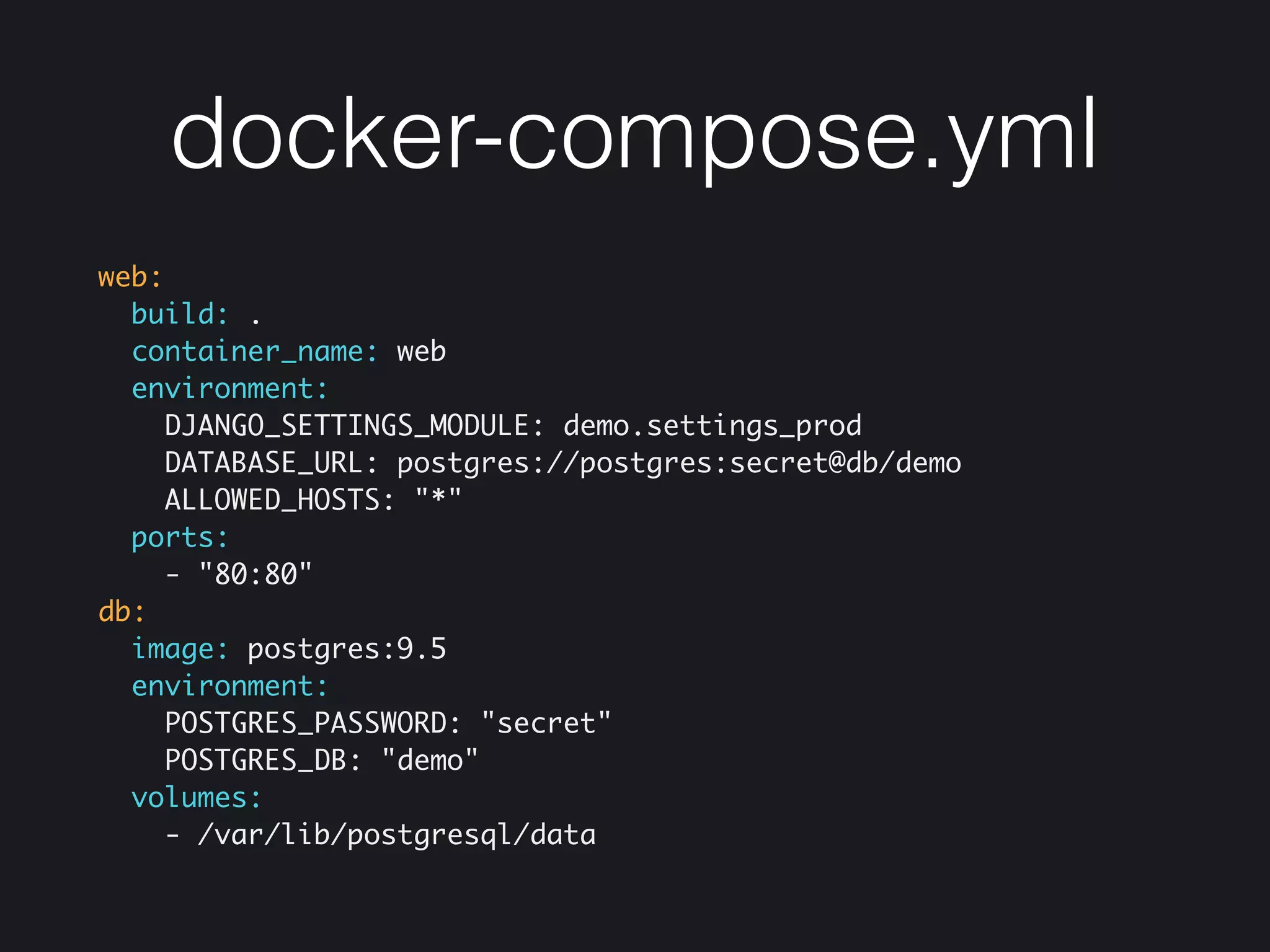
docker-compose.yml
web:
build: .
container_name: web
environment:
DJANGO_SETTINGS_MODULE: demo.settings_prod
DATABASE_URL: postgres://postgres:secret@db/demo
ALLOWED_HOSTS: "*"
ports:
- "80:80"
db:
image: postgres:9.5
environment:
POSTGRES_PASSWORD: "secret"
POSTGRES_DB: "demo"
volumes:
- /var/lib/postgresql/data
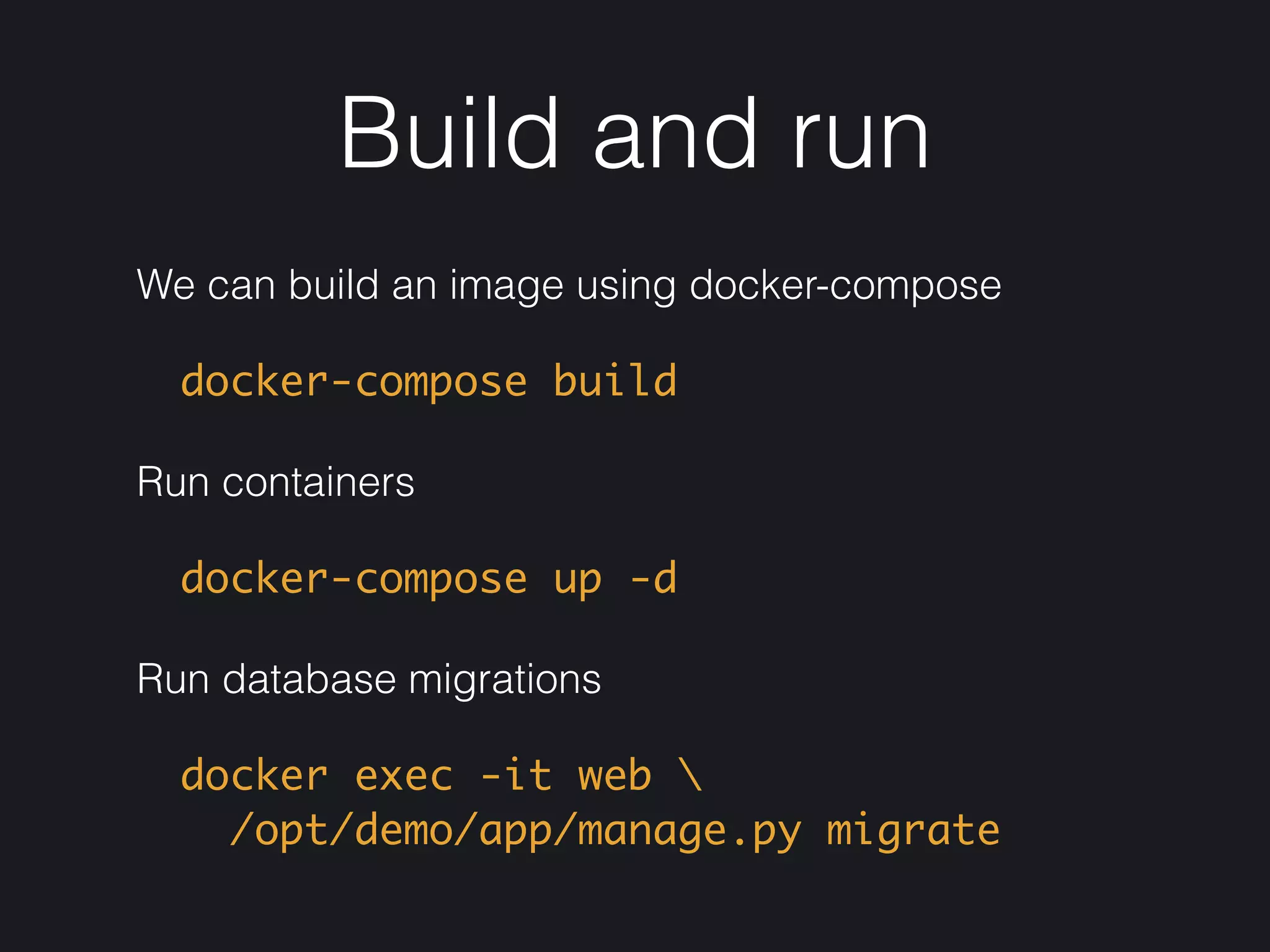
Build and run
We can build an image using docker-compose
docker-compose build
Run containers
docker-compose up -d
Run database migrations
docker exec -it web 

/opt/demo/app/manage.py migrate
Production
Docker Registry
• You can use any SaaS solution (e.g. Docker
Hub, Quay, Amazon ECR, Google Container
Registry)
• Or deploy and configure your own Registry, it's
easy and fully automated
Orchestration
• Docker Compose is a good choice for small projects
• You should automate your deployment with tools like
Ansible or have a look at Docker Swarm if you want
to manage a medium-sized cluster
• Kubernetes and Mesosphere are complex tools with
advanced features
• Alternatively you can use SaaS solutions like Docker
Cloud, Amazon ECS, Google Container Engine
Good luck!
Links
• Demo https://github.com/satyrius/paid
• Docs https://docs.docker.com/
• Best practices https://docs.docker.com/engine/
userguide/eng-image/dockerfile_best-practices/
• Circus https://circus.readthedocs.io/en/latest/for-ops/
configuration/
• Gunicorn http://docs.gunicorn.org/en/stable/
settings.html
Jobs
• ostrovok.ru is looking for Python/Golang/iOS/
Android developers and much more

https://jobs.lever.co/ostrovok.ru
• sabaka.io is looking for DevOps/SysOps
engineers and Python/Golang talents

https://angel.co/sabaka/jobs
Questions?
anton.egoroff@gmail.com

Deliver Python Apps with Docker

  • 1.
    by Anton Egorov July2016 Deliver Python Apps with Docker
  • 2.
    Who am I? •Software Engineer, 10 years in web development • Scripting mostly with Python • 2 years using Docker, dockerized about 50 apps, 80% of them were Python apps • Ex Lead Developer at ostrovok.ru • CTO and Founder at sabaka.io
  • 3.
    Plan • Quick introductionto Docker • App dockerization example • Production deployment notes • Treasure Goblin lives on special slides
  • 4.
    Docker in afew slides
  • 5.
    What is Docker? •It’s an open-source project that automates application deployment using containers • Initial release was in March 2013 • Written in Go • Works on Linux, OS X, Windows
  • 6.
    Why Docker? • Thebest tool for software packaging • Easy to build, just follow best practices • Fast at runtime, overhead is close to nothing • You have identical installation at any environment (dev, stage, prod) • Predictable, easy to test, makes QA happy
  • 7.
    Image • An imageis a container basis • It’s a filesystem and a set of parameters to use at runtime (libs, bins, your software) • It doesn’t have a state and never changes • Dockerfile contains instructions to build the image
  • 8.
    Container • A containeris a running instance of the image • It consists of • Docker image • Execution environment • Set of instructions
  • 9.
    Data Volume • Directorywithin one or more containers that bypasses the Union File System • Designed to persist data, independent of the container’s life cycle
  • 10.
    Notes • Treat containersas read-only instances • Use data volumes to take care of persistent data
  • 11.
  • 12.
    Images are layered •Docker store images in a layered file system • Each instruction from Dockerfile is a distinct read only layer • When you create a new container, you add a new, thin, writable layer
  • 13.
  • 14.
  • 15.
  • 16.
  • 17.
  • 18.
  • 19.
  • 20.
  • 21.
  • 22.
    Application • We havea demo Django app written in Python 3 • We are going to serve static along with the app • We don't care about HTTPS inside the container • Logging and monitoring is out of the scope of this talk
  • 23.
    ls -la • Dockerfile— build instructions • .dockerignore — excludes files from the build context • demo — app source code • etc — runtime configuration files
  • 24.
  • 25.
    Dockerfile: libs, bins FROMubuntu:16.04 RUN export DEBIAN_FRONTEND=noninteractive && apt-get update -y && apt-get upgrade -y && apt-get install -y nginx-light python3 python3-pip python3-psycopg2 && BUILD_DEPS='build-essential python3-dev' && apt-get install -y ${BUILD_DEPS} && pip3 install --no-cache-dir circus==0.13.0 gunicorn==19.5.0 && apt-get autoremove -y ${BUILD_DEPS} && apt-get clean && rm -rf /var/lib/apt/lists/* /tmp/* /var/tmp/*
  • 26.
    Dockerfile best practices •Join commands sequence into one RUN instruction to reduce the number of layers • Clean build dependencies • Plan your layers to take advantage of the Docker build cache
  • 27.
    Dockerfile: pip install •Container is an isolated environment, so you don't have to use python-virtualenv • We do python packages installation in a separate step to achieve caching COPY requirements.txt /opt/demo/app/
 RUN pip3 install --no-cache-dir -r /opt/demo/app/requirements.txt
  • 28.
    Dockerfile: prepare theapp • Copy the app source code and configuration files • Fix files permissions • Run validations (e.g. nginx -t) • Execute management scripts to prepare the app
  • 29.
    Dockerfile: prepare theapp COPY etc/ /etc/ COPY demo/ /opt/demo/app/ WORKDIR /opt/demo/app ENV STATIC_ROOT=/opt/demo/static RUN nginx -t && ./manage.py collectstatic --settings=demo.settings --no-input -v0 CMD ["circusd", "/etc/circus/web.ini"]
  • 30.
  • 31.
    etc/circus/web.ini [watcher:web]
 cmd=/usr/local/bin/gunicorn demo.wsgi:application -cgunicorn.py
 working_dir = /opt/demo/app
 copy_env = True
 user = www-data [watcher:nginx]
 cmd = /usr/sbin/nginx
 stop_signal = QUIT
 user = root
  • 32.
    etc/nginx/sites-available/default server {
 listen 80;
 location/ {
 include proxy_params;
 proxy_pass http://127.0.0.1:8000;
 }
 location /static/ {
 root /opt/demo/;
 access_log off;
 }
 }
  • 33.
    /etc/gunicorn.py import multiprocessing
 import os
 
 bind= '127.0.0.1:8000'
 default_workers = multiprocessing.cpu_count() * 2 + 1
 workers = os.environ.get( 'WEB_CONCURRENCY', default_workers)
 worker_class = 'sync'
 max_requests = 300 max_requests_jitter = 300
 errorlog = '-'
  • 34.
    demo/settings.py The best wayto configure your app is environment (e.g. database connection) DATABASES = {
 'default': dj_database_url.config(
 env='DATABASE_URL',
 default='postgres://localhost/demo')}
  • 35.
  • 36.
    docker-compose.yml web: build: . container_name: web environment: DJANGO_SETTINGS_MODULE:demo.settings_prod DATABASE_URL: postgres://postgres:secret@db/demo ALLOWED_HOSTS: "*" ports: - "80:80" db: image: postgres:9.5 environment: POSTGRES_PASSWORD: "secret" POSTGRES_DB: "demo" volumes: - /var/lib/postgresql/data
  • 37.
    Build and run Wecan build an image using docker-compose docker-compose build Run containers docker-compose up -d Run database migrations docker exec -it web 
 /opt/demo/app/manage.py migrate
  • 38.
  • 39.
    Docker Registry • Youcan use any SaaS solution (e.g. Docker Hub, Quay, Amazon ECR, Google Container Registry) • Or deploy and configure your own Registry, it's easy and fully automated
  • 40.
    Orchestration • Docker Composeis a good choice for small projects • You should automate your deployment with tools like Ansible or have a look at Docker Swarm if you want to manage a medium-sized cluster • Kubernetes and Mesosphere are complex tools with advanced features • Alternatively you can use SaaS solutions like Docker Cloud, Amazon ECS, Google Container Engine
  • 41.
  • 42.
    Links • Demo https://github.com/satyrius/paid •Docs https://docs.docker.com/ • Best practices https://docs.docker.com/engine/ userguide/eng-image/dockerfile_best-practices/ • Circus https://circus.readthedocs.io/en/latest/for-ops/ configuration/ • Gunicorn http://docs.gunicorn.org/en/stable/ settings.html
  • 43.
    Jobs • ostrovok.ru islooking for Python/Golang/iOS/ Android developers and much more
 https://jobs.lever.co/ostrovok.ru • sabaka.io is looking for DevOps/SysOps engineers and Python/Golang talents
 https://angel.co/sabaka/jobs
  • 44.