Database System Sunita M. Dol
Page 1
HANDOUT#07
Aim:
Write SQL queries for different integrity constraints and authorization commands.
Theory:
Integrity Constraints
Integrity constraints guard against accidental damage to the database, by ensuring that authorized
changes to the database do not result in a loss of data consistency. There are following integrity
constraints that can be applied on CREATE command
• Primary key constraints
• Not null constraints
• Check constraints
• Foreign key constraints
• Unique
• Default
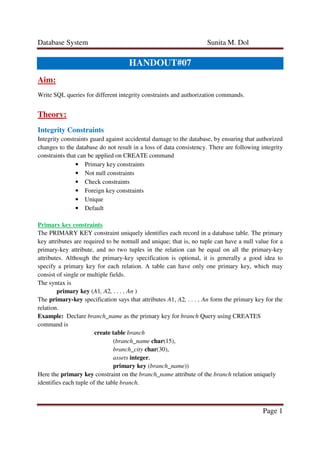
Primary key constraints
The PRIMARY KEY constraint uniquely identifies each record in a database table. The primary
key attributes are required to be notnull and unique; that is, no tuple can have a null value for a
primary-key attribute, and no two tuples in the relation can be equal on all the primary-key
attributes. Although the primary-key specification is optional, it is generally a good idea to
specify a primary key for each relation. A table can have only one primary key, which may
consist of single or multiple fields.
The syntax is
primary key (A1, A2, . . . , An )
The primary-key specification says that attributes A1, A2, . . . , An form the primary key for the
relation.
Example: Declare branch_name as the primary key for branch Query using CREATES
command is
create table branch
(branch_name char(15),
branch_city char(30),
assets integer,
primary key (branch_name))
Here the primary key constraint on the branch_name attribute of the branch relation uniquely
identifies each tuple of the table branch.
Database System Sunita M. Dol
Page 2
NOT NULL Constraints
The not null constraint on an attribute specifies that the null value is not allowed for that
attribute; in other words, the constraint excludes the null value from the domain of that attribute.
It means that a field should always contain a value and you cannot insert a new record, or update
a record without adding a value to this field.
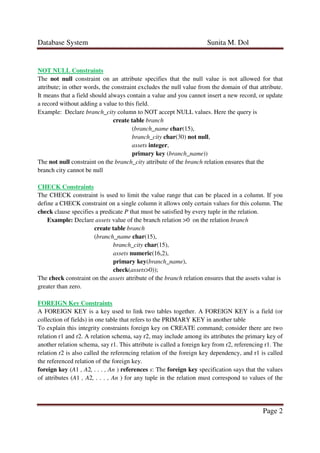
Example: Declare branch_city column to NOT accept NULL values. Here the query is
create table branch
(branch_name char(15),
branch_city char(30) not null,
assets integer,
primary key (branch_name))
The not null constraint on the branch_city attribute of the branch relation ensures that the
branch city cannot be null
CHECK Constraints
The CHECK constraint is used to limit the value range that can be placed in a column. If you
define a CHECK constraint on a single column it allows only certain values for this column. The
check clause specifies a predicate P that must be satisfied by every tuple in the relation.
Example: Declare assets value of the branch relation >0 on the relation branch
create table branch
(branch_name char(15),
branch_city char(15),
assets numeric(16,2),
primary key(branch_name),
check(assets>0));
The check constraint on the assets attribute of the branch relation ensures that the assets value is
greater than zero.
FOREIGN Key Constraints
A FOREIGN KEY is a key used to link two tables together. A FOREIGN KEY is a field (or
collection of fields) in one table that refers to the PRIMARY KEY in another table
To explain this integrity constraints foreign key on CREATE command; consider there are two
relation r1 and r2. A relation schema, say r2, may include among its attributes the primary key of
another relation schema, say r1. This attribute is called a foreign key from r2, referencing r1. The
relation r2 is also called the referencing relation of the foreign key dependency, and r1 is called
the referenced relation of the foreign key.
foreign key (A1 , A2, . . . , An ) references s: The foreign key specification says that the values
of attributes (A1 , A2, . . . , An ) for any tuple in the relation must correspond to values of the
Database System Sunita M. Dol
Page 3
primary key attributes of some tuple in relation s. Here s is called the referenced relation of the
foreign key
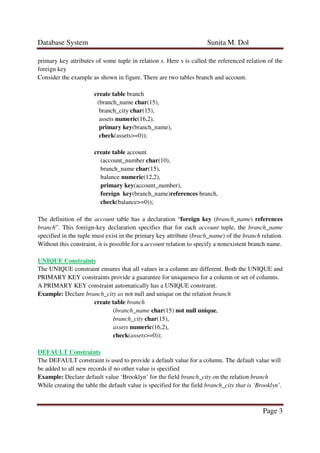
Consider the example as shown in figure. There are two tables branch and account.
create table branch
(branch_name char(15),
branch_city char(15),
assets numeric(16,2),
primary key(branch_name),
check(assets>=0));
create table account
(account_number char(10),
branch_name char(15),
balance numeric(12,2),
primary key(account_number),
foreign key(branch_name)references branch,
check(balance>=0));
The definition of the account table has a declaration “foreign key (branch_name) references
branch”. This foreign-key declaration specifies that for each account tuple, the branch_name
specified in the tuple must exist in the primary key attribute (brach_name) of the branch relation.
Without this constraint, it is possible for a account relation to specify a nonexistent branch name.
UNIQUE Constraints
The UNIQUE constraint ensures that all values in a column are different. Both the UNIQUE and
PRIMARY KEY constraints provide a guarantee for uniqueness for a column or set of columns.
A PRIMARY KEY constraint automatically has a UNIQUE constraint.
Example: Declare branch_city as not null and unique on the relation branch
create table branch
(branch_name char(15) not null unique,
branch_city char(15),
assets numeric(16,2),
check(assets>=0));
DEFAULT Constraints
The DEFAULT constraint is used to provide a default value for a column. The default value will
be added to all new records if no other value is specified
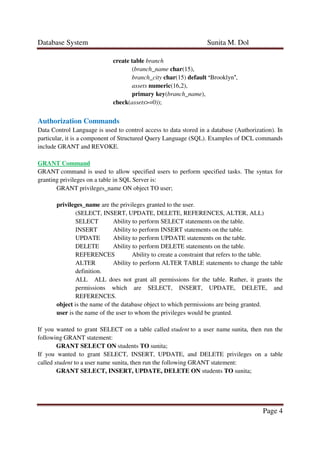
Example: Declare default value ‘Brooklyn’ for the field branch_city on the relation branch
While creating the table the default value is specified for the field branch_city that is ‘Brooklyn’.
Database System Sunita M. Dol
Page 4
create table branch
(branch_name char(15),
branch_city char(15) default ‘Brooklyn’,
assets numeric(16,2),
primary key(branch_name),
check(assets>=0));
Authorization Commands
Data Control Language is used to control access to data stored in a database (Authorization). In
particular, it is a component of Structured Query Language (SQL). Examples of DCL commands
include GRANT and REVOKE.
GRANT Command
GRANT command is used to allow specified users to perform specified tasks. The syntax for
granting privileges on a table in SQL Server is:
GRANT privileges_name ON object TO user;
privileges_name are the privileges granted to the user.
(SELECT, INSERT, UPDATE, DELETE, REFERENCES, ALTER, ALL)
SELECT Ability to perform SELECT statements on the table.
INSERT Ability to perform INSERT statements on the table.
UPDATE Ability to perform UPDATE statements on the table.
DELETE Ability to perform DELETE statements on the table.
REFERENCES Ability to create a constraint that refers to the table.
ALTER Ability to perform ALTER TABLE statements to change the table
definition.
ALL ALL does not grant all permissions for the table. Rather, it grants the
permissions which are SELECT, INSERT, UPDATE, DELETE, and
REFERENCES.
object is the name of the database object to which permissions are being granted.
user is the name of the user to whom the privileges would be granted.
If you wanted to grant SELECT on a table called student to a user name sunita, then run the
following GRANT statement:
GRANT SELECT ON students TO sunita;
If you wanted to grant SELECT, INSERT, UPDATE, and DELETE privileges on a table
called student to a user name sunita, then run the following GRANT statement:
GRANT SELECT, INSERT, UPDATE, DELETE ON students TO sunita;
Database System Sunita M. Dol
Page 5
You can also use the ALL keyword to indicate that you wish to grant the permissions (i.e.:
SELECT, INSERT, UPDATE, DELETE, and REFERENCES) to a user named Sunita is written
as:
GRANT ALL ON students TO sunita;
If you wanted to grant only SELECT access on the student table to all users, then grant the
privileges to the public role as given here
GRANT SELECT ON employees TO public;
REVOKE Command
REVOKE command is used to cancel previously granted or denied permissions. The syntax for
granting privileges on a table in SQL Server is:
GRANT privileges ON object TO user;
privileges_name are the privileges granted to the user.
(SELECT, INSERT, UPDATE, DELETE, REFERENCES, ALTER, ALL)
SELECT Ability to perform SELECT statements on the table.
INSERT Ability to perform INSERT statements on the table.
UPDATE Ability to perform UPDATE statements on the table.
DELETE Ability to perform DELETE statements on the table.
REFERENCES Ability to create a constraint that refers to the table.
ALTER Ability to perform ALTER TABLE statements to change the table
definition.
ALL ALL does not grant all permissions for the table. Rather, it grants the
permissions which are SELECT, INSERT, UPDATE, DELETE, and
REFERENCES.
object is the name of the database object to which permissions are being granted.
user is the name of the user to whom the privileges would be granted.
If you wanted to grant SELECT on a table called student to a user name sunita, then run the
following GRANT statement:
GRANT SELECT ON students TO sunita;
If you wanted to grant SELECT, INSERT, UPDATE, and DELETE privileges on a table
called student to a user name sunita, then run the following GRANT statement:
GRANT SELECT, INSERT, UPDATE, DELETE ON students TO sunita;
You can also use the ALL keyword to indicate that you wish to grant the permissions (i.e.:
SELECT, INSERT, UPDATE, DELETE, and REFERENCES) to a user named Sunita is written
as:
GRANT ALL ON students TO sunita;
If you wanted to grant only SELECT access on the student table to all users, then grant the
privileges to the public role as given here
GRANT SELECT ON employees TO public;
Database System Sunita M. Dol
Page 6
Queries and Output:
Conclusion:
Thus we studies SQL queries for different integrity constraints like
• Primary Key
• Foreign Key
• NOT NULL
• CHECK
• UNIQUE
• DEFAULT
and authorization commands like
• GRANT and
• REVOKE
References:
• Database system concepts by Abraham Silberschatz, Henry F. Korth, S. Sudarshan
(McGraw Hill International Edition) sixth edition.
• Database system concepts by Abraham Silberschatz, Henry F. Korth, S. Sudarshan
(McGraw Hill International Edition) fifth edition.
• http://codex.cs.yale.edu/avi/db-book/db4/slide-dir/
• http://codex.cs.yale.edu/avi/db-book/db5/slide-dir/
• http://codex.cs.yale.edu/avi/db-book/db6/slide-dir/

Assignment#07

  • 1.
    Database System SunitaM. Dol Page 1 HANDOUT#07 Aim: Write SQL queries for different integrity constraints and authorization commands. Theory: Integrity Constraints Integrity constraints guard against accidental damage to the database, by ensuring that authorized changes to the database do not result in a loss of data consistency. There are following integrity constraints that can be applied on CREATE command • Primary key constraints • Not null constraints • Check constraints • Foreign key constraints • Unique • Default Primary key constraints The PRIMARY KEY constraint uniquely identifies each record in a database table. The primary key attributes are required to be notnull and unique; that is, no tuple can have a null value for a primary-key attribute, and no two tuples in the relation can be equal on all the primary-key attributes. Although the primary-key specification is optional, it is generally a good idea to specify a primary key for each relation. A table can have only one primary key, which may consist of single or multiple fields. The syntax is primary key (A1, A2, . . . , An ) The primary-key specification says that attributes A1, A2, . . . , An form the primary key for the relation. Example: Declare branch_name as the primary key for branch Query using CREATES command is create table branch (branch_name char(15), branch_city char(30), assets integer, primary key (branch_name)) Here the primary key constraint on the branch_name attribute of the branch relation uniquely identifies each tuple of the table branch.
  • 2.
    Database System SunitaM. Dol Page 2 NOT NULL Constraints The not null constraint on an attribute specifies that the null value is not allowed for that attribute; in other words, the constraint excludes the null value from the domain of that attribute. It means that a field should always contain a value and you cannot insert a new record, or update a record without adding a value to this field. Example: Declare branch_city column to NOT accept NULL values. Here the query is create table branch (branch_name char(15), branch_city char(30) not null, assets integer, primary key (branch_name)) The not null constraint on the branch_city attribute of the branch relation ensures that the branch city cannot be null CHECK Constraints The CHECK constraint is used to limit the value range that can be placed in a column. If you define a CHECK constraint on a single column it allows only certain values for this column. The check clause specifies a predicate P that must be satisfied by every tuple in the relation. Example: Declare assets value of the branch relation >0 on the relation branch create table branch (branch_name char(15), branch_city char(15), assets numeric(16,2), primary key(branch_name), check(assets>0)); The check constraint on the assets attribute of the branch relation ensures that the assets value is greater than zero. FOREIGN Key Constraints A FOREIGN KEY is a key used to link two tables together. A FOREIGN KEY is a field (or collection of fields) in one table that refers to the PRIMARY KEY in another table To explain this integrity constraints foreign key on CREATE command; consider there are two relation r1 and r2. A relation schema, say r2, may include among its attributes the primary key of another relation schema, say r1. This attribute is called a foreign key from r2, referencing r1. The relation r2 is also called the referencing relation of the foreign key dependency, and r1 is called the referenced relation of the foreign key. foreign key (A1 , A2, . . . , An ) references s: The foreign key specification says that the values of attributes (A1 , A2, . . . , An ) for any tuple in the relation must correspond to values of the
  • 3.
    Database System SunitaM. Dol Page 3 primary key attributes of some tuple in relation s. Here s is called the referenced relation of the foreign key Consider the example as shown in figure. There are two tables branch and account. create table branch (branch_name char(15), branch_city char(15), assets numeric(16,2), primary key(branch_name), check(assets>=0)); create table account (account_number char(10), branch_name char(15), balance numeric(12,2), primary key(account_number), foreign key(branch_name)references branch, check(balance>=0)); The definition of the account table has a declaration “foreign key (branch_name) references branch”. This foreign-key declaration specifies that for each account tuple, the branch_name specified in the tuple must exist in the primary key attribute (brach_name) of the branch relation. Without this constraint, it is possible for a account relation to specify a nonexistent branch name. UNIQUE Constraints The UNIQUE constraint ensures that all values in a column are different. Both the UNIQUE and PRIMARY KEY constraints provide a guarantee for uniqueness for a column or set of columns. A PRIMARY KEY constraint automatically has a UNIQUE constraint. Example: Declare branch_city as not null and unique on the relation branch create table branch (branch_name char(15) not null unique, branch_city char(15), assets numeric(16,2), check(assets>=0)); DEFAULT Constraints The DEFAULT constraint is used to provide a default value for a column. The default value will be added to all new records if no other value is specified Example: Declare default value ‘Brooklyn’ for the field branch_city on the relation branch While creating the table the default value is specified for the field branch_city that is ‘Brooklyn’.
  • 4.
    Database System SunitaM. Dol Page 4 create table branch (branch_name char(15), branch_city char(15) default ‘Brooklyn’, assets numeric(16,2), primary key(branch_name), check(assets>=0)); Authorization Commands Data Control Language is used to control access to data stored in a database (Authorization). In particular, it is a component of Structured Query Language (SQL). Examples of DCL commands include GRANT and REVOKE. GRANT Command GRANT command is used to allow specified users to perform specified tasks. The syntax for granting privileges on a table in SQL Server is: GRANT privileges_name ON object TO user; privileges_name are the privileges granted to the user. (SELECT, INSERT, UPDATE, DELETE, REFERENCES, ALTER, ALL) SELECT Ability to perform SELECT statements on the table. INSERT Ability to perform INSERT statements on the table. UPDATE Ability to perform UPDATE statements on the table. DELETE Ability to perform DELETE statements on the table. REFERENCES Ability to create a constraint that refers to the table. ALTER Ability to perform ALTER TABLE statements to change the table definition. ALL ALL does not grant all permissions for the table. Rather, it grants the permissions which are SELECT, INSERT, UPDATE, DELETE, and REFERENCES. object is the name of the database object to which permissions are being granted. user is the name of the user to whom the privileges would be granted. If you wanted to grant SELECT on a table called student to a user name sunita, then run the following GRANT statement: GRANT SELECT ON students TO sunita; If you wanted to grant SELECT, INSERT, UPDATE, and DELETE privileges on a table called student to a user name sunita, then run the following GRANT statement: GRANT SELECT, INSERT, UPDATE, DELETE ON students TO sunita;
  • 5.
    Database System SunitaM. Dol Page 5 You can also use the ALL keyword to indicate that you wish to grant the permissions (i.e.: SELECT, INSERT, UPDATE, DELETE, and REFERENCES) to a user named Sunita is written as: GRANT ALL ON students TO sunita; If you wanted to grant only SELECT access on the student table to all users, then grant the privileges to the public role as given here GRANT SELECT ON employees TO public; REVOKE Command REVOKE command is used to cancel previously granted or denied permissions. The syntax for granting privileges on a table in SQL Server is: GRANT privileges ON object TO user; privileges_name are the privileges granted to the user. (SELECT, INSERT, UPDATE, DELETE, REFERENCES, ALTER, ALL) SELECT Ability to perform SELECT statements on the table. INSERT Ability to perform INSERT statements on the table. UPDATE Ability to perform UPDATE statements on the table. DELETE Ability to perform DELETE statements on the table. REFERENCES Ability to create a constraint that refers to the table. ALTER Ability to perform ALTER TABLE statements to change the table definition. ALL ALL does not grant all permissions for the table. Rather, it grants the permissions which are SELECT, INSERT, UPDATE, DELETE, and REFERENCES. object is the name of the database object to which permissions are being granted. user is the name of the user to whom the privileges would be granted. If you wanted to grant SELECT on a table called student to a user name sunita, then run the following GRANT statement: GRANT SELECT ON students TO sunita; If you wanted to grant SELECT, INSERT, UPDATE, and DELETE privileges on a table called student to a user name sunita, then run the following GRANT statement: GRANT SELECT, INSERT, UPDATE, DELETE ON students TO sunita; You can also use the ALL keyword to indicate that you wish to grant the permissions (i.e.: SELECT, INSERT, UPDATE, DELETE, and REFERENCES) to a user named Sunita is written as: GRANT ALL ON students TO sunita; If you wanted to grant only SELECT access on the student table to all users, then grant the privileges to the public role as given here GRANT SELECT ON employees TO public;
  • 6.
    Database System SunitaM. Dol Page 6 Queries and Output: Conclusion: Thus we studies SQL queries for different integrity constraints like • Primary Key • Foreign Key • NOT NULL • CHECK • UNIQUE • DEFAULT and authorization commands like • GRANT and • REVOKE References: • Database system concepts by Abraham Silberschatz, Henry F. Korth, S. Sudarshan (McGraw Hill International Edition) sixth edition. • Database system concepts by Abraham Silberschatz, Henry F. Korth, S. Sudarshan (McGraw Hill International Edition) fifth edition. • http://codex.cs.yale.edu/avi/db-book/db4/slide-dir/ • http://codex.cs.yale.edu/avi/db-book/db5/slide-dir/ • http://codex.cs.yale.edu/avi/db-book/db6/slide-dir/