Aadarsh Present
What is ASP.NET?
Overview of ASP.NET
Benefits of ASP.NET
What is ASP.NET File?
IIS
How Does ASP.NETWork?
Creating aVirtual Directory
Web Sharing the Project Folder
Deleting a Web Project
SESSION OBJECTIVES
Creation, deployment, and execution ofWebApplications andWeb Services
ASP.NET is a MicrosoftTechnology
ASP stands for Active Server Pages
What is ASP.NET ?
Server Side Scripting
Language Interoperability
Browser Independent
Interactive Web application & DataBase management
Maintaining State Management
ASP.NET is a program that runs inside IIS
Overview of ASP.NET
Separation of Code from HTML
Graphical Development Environment
Update files while the server is running!
Support for compiled languages
State management
Benefits of ASP.NET
An ASP.NET file is just the same as an HTML file
An ASP.NET file can contain HTML, XML & scripts
Scripts in an ASP.NET file are executed on the server
An ASP.NET file has the file extension ".aspx“
What is in a ASP.NET File?
Internet Information Service
IIS (Internet Information Services) is Microsoft's Internet server
IIS comes as a free component withWindows servers
IIS is also a part of Windows 2000 and XP Professional
IIS – Internet Information Services
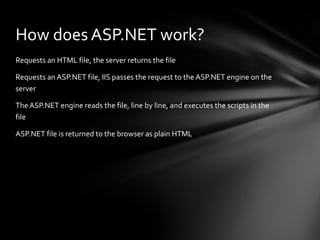
Requests an HTML file, the server returns the file
Requests an ASP.NET file, IIS passes the request to the ASP.NET engine on the
server
The ASP.NET engine reads the file, line by line, and executes the scripts in the
file
ASP.NET file is returned to the browser as plain HTML
How does ASP.NET work?
Start, Settings, Control Panel, AdministrativeTools, Internet Services Manager
Expand node for computer and defaultWeb site
Right-click DefaultWeb site icon, select New,Virtual Directory
InVirtual Directory CreationWizard enter your project folder name as the alias
and enter the folder and path
Creating aVirtual Directory
Select the Project folder in My Computer
Right-click, select Properties,Web Sharing, activate ShareThis Folder
In Edit Alias dialog click OK
Web Sharing the Project Folder
Project in IISVirtual Directory
• Delete the directory
Project in Web Shared Folder
• “Unshare” it from Properties dialog
• Either Reboot Computer or Stop and Restart IIS
• Delete Folder
Deleting aWeb Project
What is ASP.NET?
Overview of ASP.NET
Benefits of ASP.NET
What is ASP.NET File?
IIS
How Does ASP.NET Work?
Creating a Virtual Directory
Web Sharing the Project Folder
Deleting a Web Project

Asp.net Project

  • 1.
  • 3.
    What is ASP.NET? Overviewof ASP.NET Benefits of ASP.NET What is ASP.NET File? IIS How Does ASP.NETWork? Creating aVirtual Directory Web Sharing the Project Folder Deleting a Web Project SESSION OBJECTIVES
  • 4.
    Creation, deployment, andexecution ofWebApplications andWeb Services ASP.NET is a MicrosoftTechnology ASP stands for Active Server Pages What is ASP.NET ?
  • 5.
    Server Side Scripting LanguageInteroperability Browser Independent Interactive Web application & DataBase management Maintaining State Management ASP.NET is a program that runs inside IIS Overview of ASP.NET
  • 6.
    Separation of Codefrom HTML Graphical Development Environment Update files while the server is running! Support for compiled languages State management Benefits of ASP.NET
  • 7.
    An ASP.NET fileis just the same as an HTML file An ASP.NET file can contain HTML, XML & scripts Scripts in an ASP.NET file are executed on the server An ASP.NET file has the file extension ".aspx“ What is in a ASP.NET File?
  • 8.
    Internet Information Service IIS(Internet Information Services) is Microsoft's Internet server IIS comes as a free component withWindows servers IIS is also a part of Windows 2000 and XP Professional IIS – Internet Information Services
  • 9.
    Requests an HTMLfile, the server returns the file Requests an ASP.NET file, IIS passes the request to the ASP.NET engine on the server The ASP.NET engine reads the file, line by line, and executes the scripts in the file ASP.NET file is returned to the browser as plain HTML How does ASP.NET work?
  • 10.
    Start, Settings, ControlPanel, AdministrativeTools, Internet Services Manager Expand node for computer and defaultWeb site Right-click DefaultWeb site icon, select New,Virtual Directory InVirtual Directory CreationWizard enter your project folder name as the alias and enter the folder and path Creating aVirtual Directory
  • 11.
    Select the Projectfolder in My Computer Right-click, select Properties,Web Sharing, activate ShareThis Folder In Edit Alias dialog click OK Web Sharing the Project Folder
  • 12.
    Project in IISVirtualDirectory • Delete the directory Project in Web Shared Folder • “Unshare” it from Properties dialog • Either Reboot Computer or Stop and Restart IIS • Delete Folder Deleting aWeb Project
  • 13.
    What is ASP.NET? Overviewof ASP.NET Benefits of ASP.NET What is ASP.NET File? IIS How Does ASP.NET Work? Creating a Virtual Directory Web Sharing the Project Folder Deleting a Web Project