SharePoint 2013 Search and
Creating Dynamic Content
Management Solutions
Ryan McIntyre
MCITP, MCPD
National Architect
@ryanmcintyre
© Copyright 2014, Neudesic. All rights reserved.
• SharePoint 2013 Search Overview
• Changes from 2010
• Search Solutions
• OOTB Web Parts Review
• API
• Server side
• Client side
• Packaging & Deployment
Leave Now…Or…
© Copyright 2014, Neudesic. All rights reserved.
Scenarios
© Copyright 2014, Neudesic. All rights reserved.
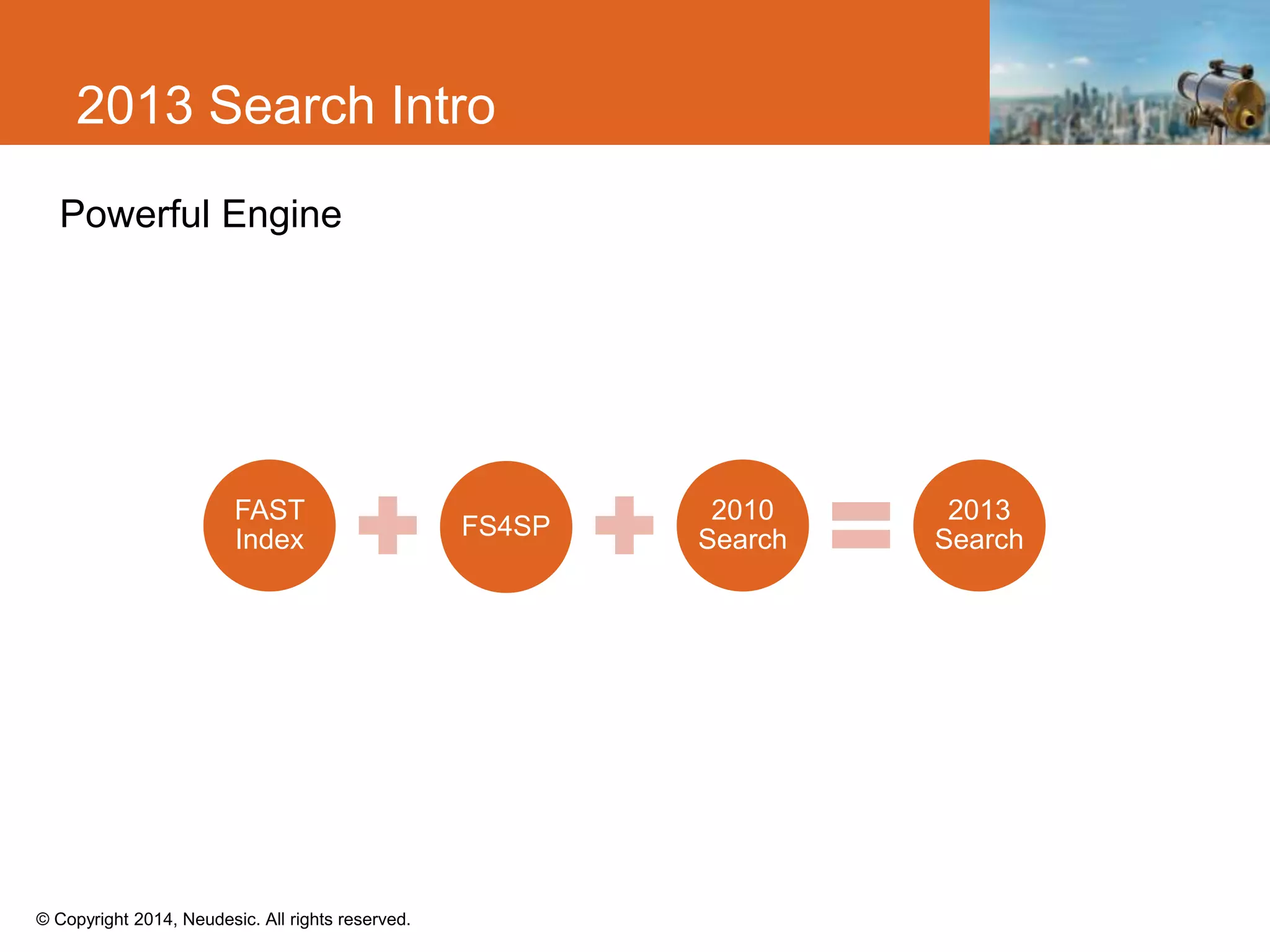
Powerful Engine
2013 Search Intro
FAST
Index FS4SP
2010
Search
2013
Search
© Copyright 2014, Neudesic. All rights reserved.
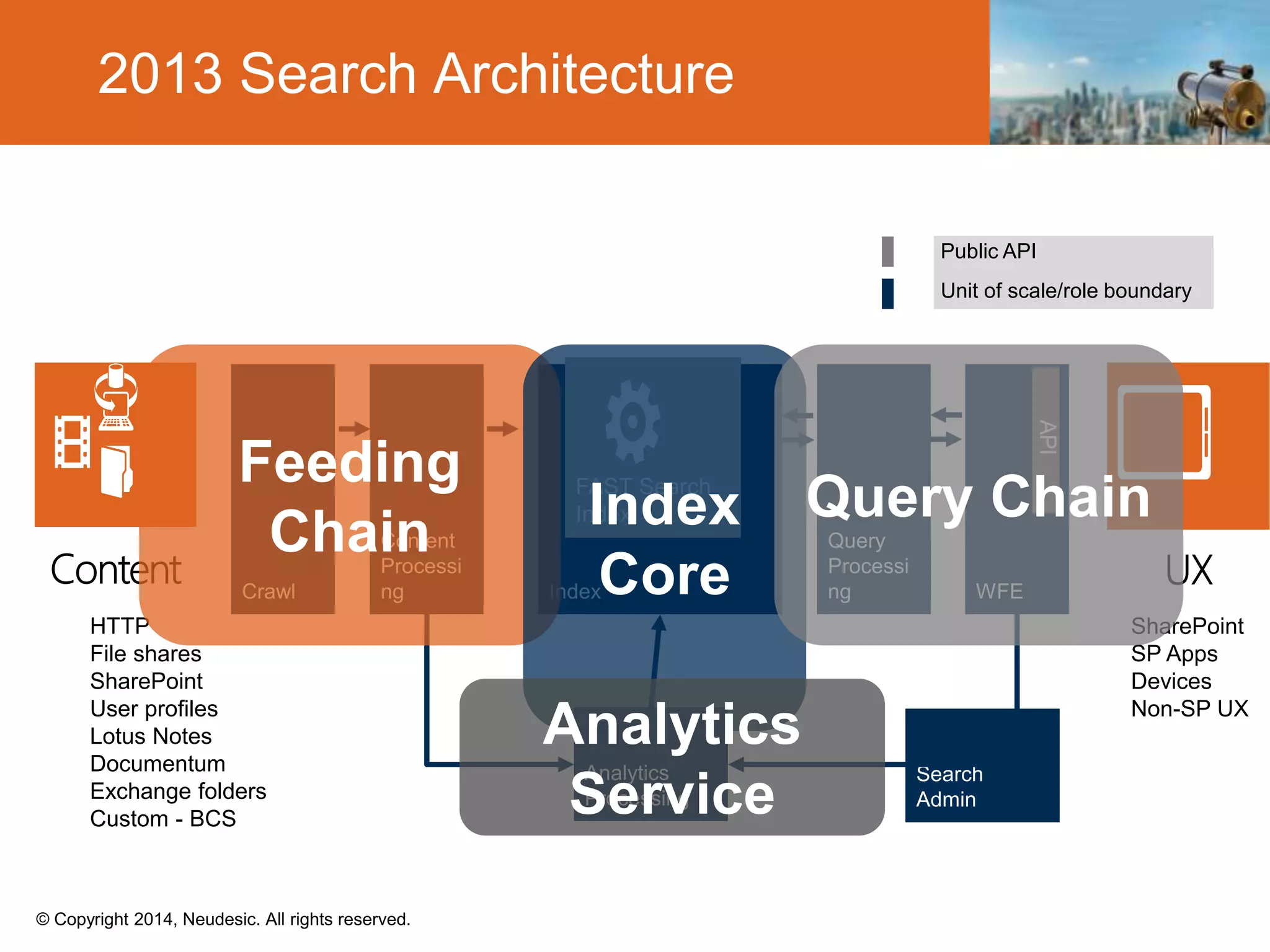
2013 Search Architecture
HTTP
File shares
SharePoint
User profiles
Lotus Notes
Documentum
Exchange folders
Custom - BCS
SharePoint
SP Apps
Devices
Non-SP UX
Public API
Unit of scale/role boundary
© Copyright 2014, Neudesic. All rights reserved.
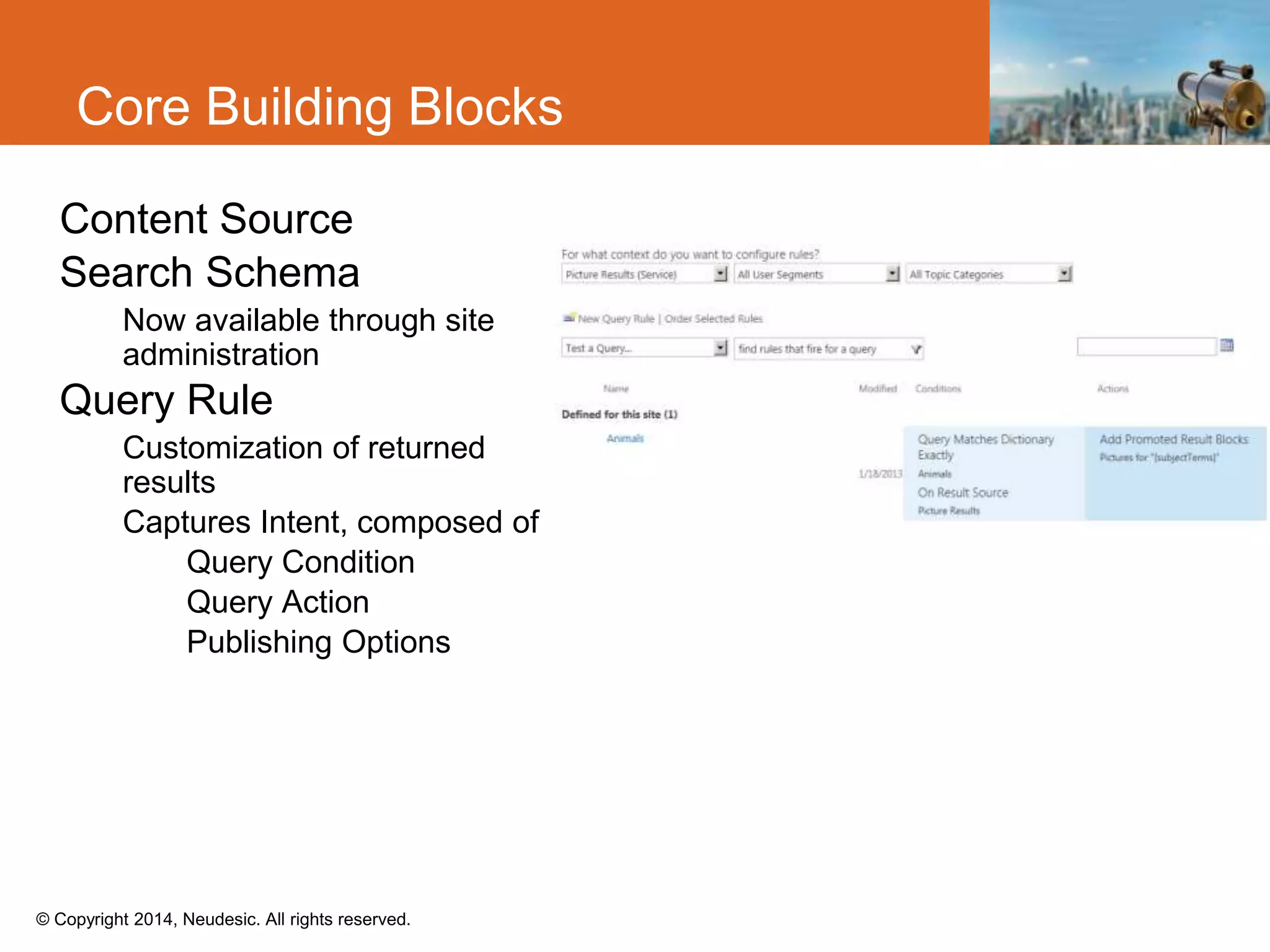
Core Building Blocks
Content Source
Search Schema
Now available through site
administration
Query Rule
Customization of returned
results
Captures Intent, composed of
Query Condition
Query Action
Publishing Options
© Copyright 2014, Neudesic. All rights reserved.
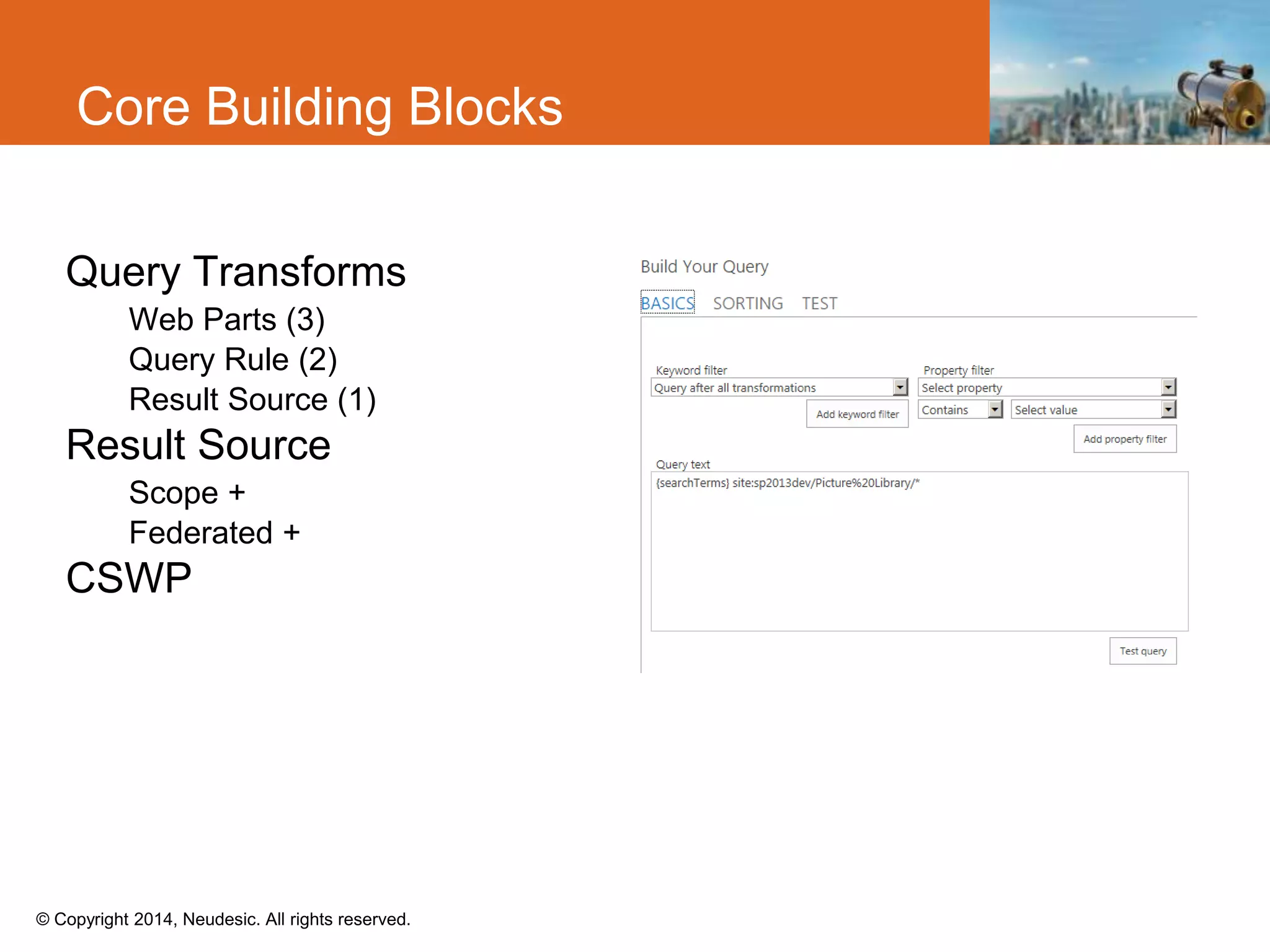
Core Building Blocks
Query Transforms
Web Parts (3)
Query Rule (2)
Result Source (1)
Result Source
Scope +
Federated +
CSWP
© Copyright 2014, Neudesic. All rights reserved.
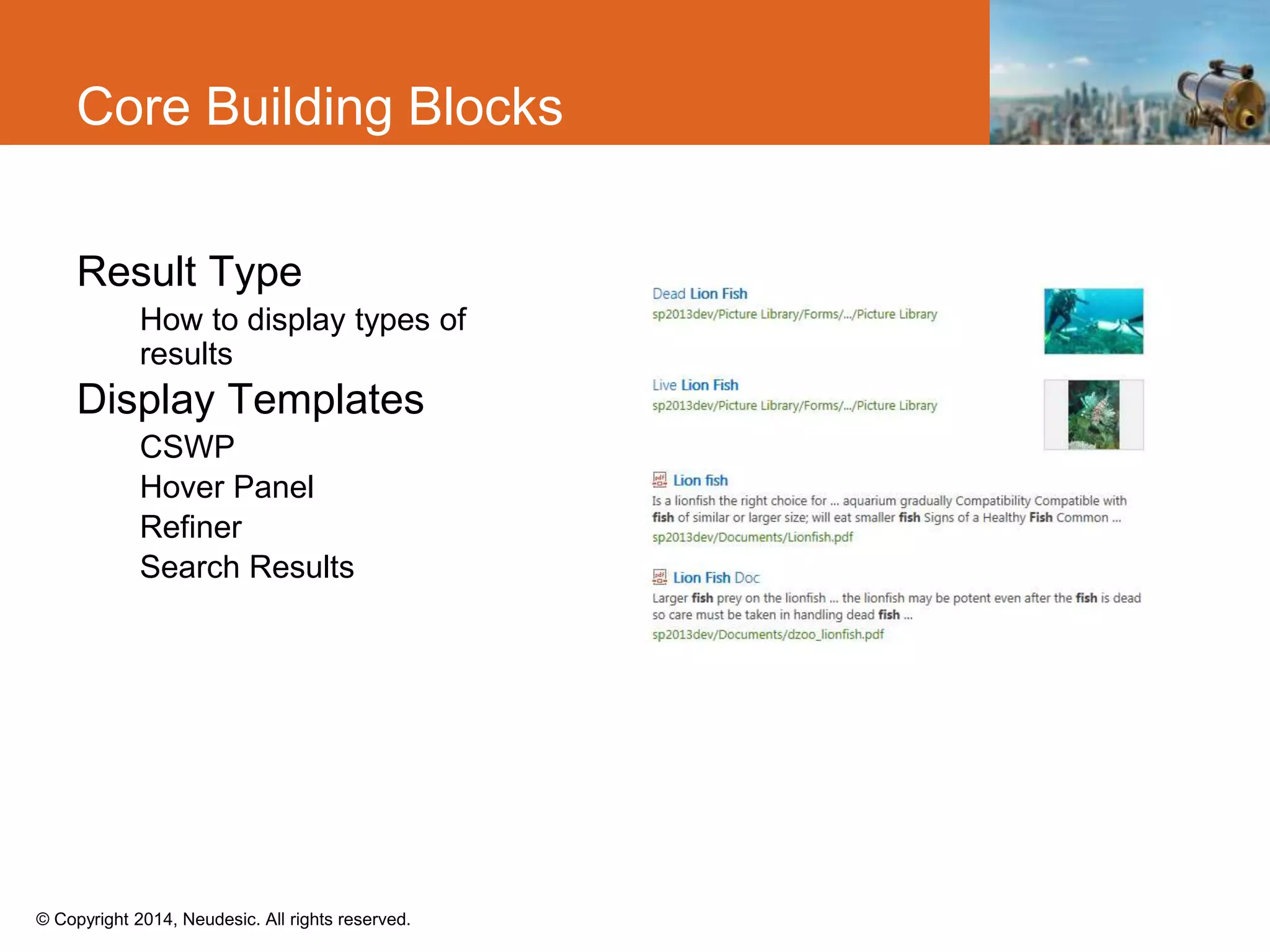
Core Building Blocks
Result Type
How to display types of
results
Display Templates
CSWP
Hover Panel
Refiner
Search Results
© Copyright 2014, Neudesic. All rights reserved.
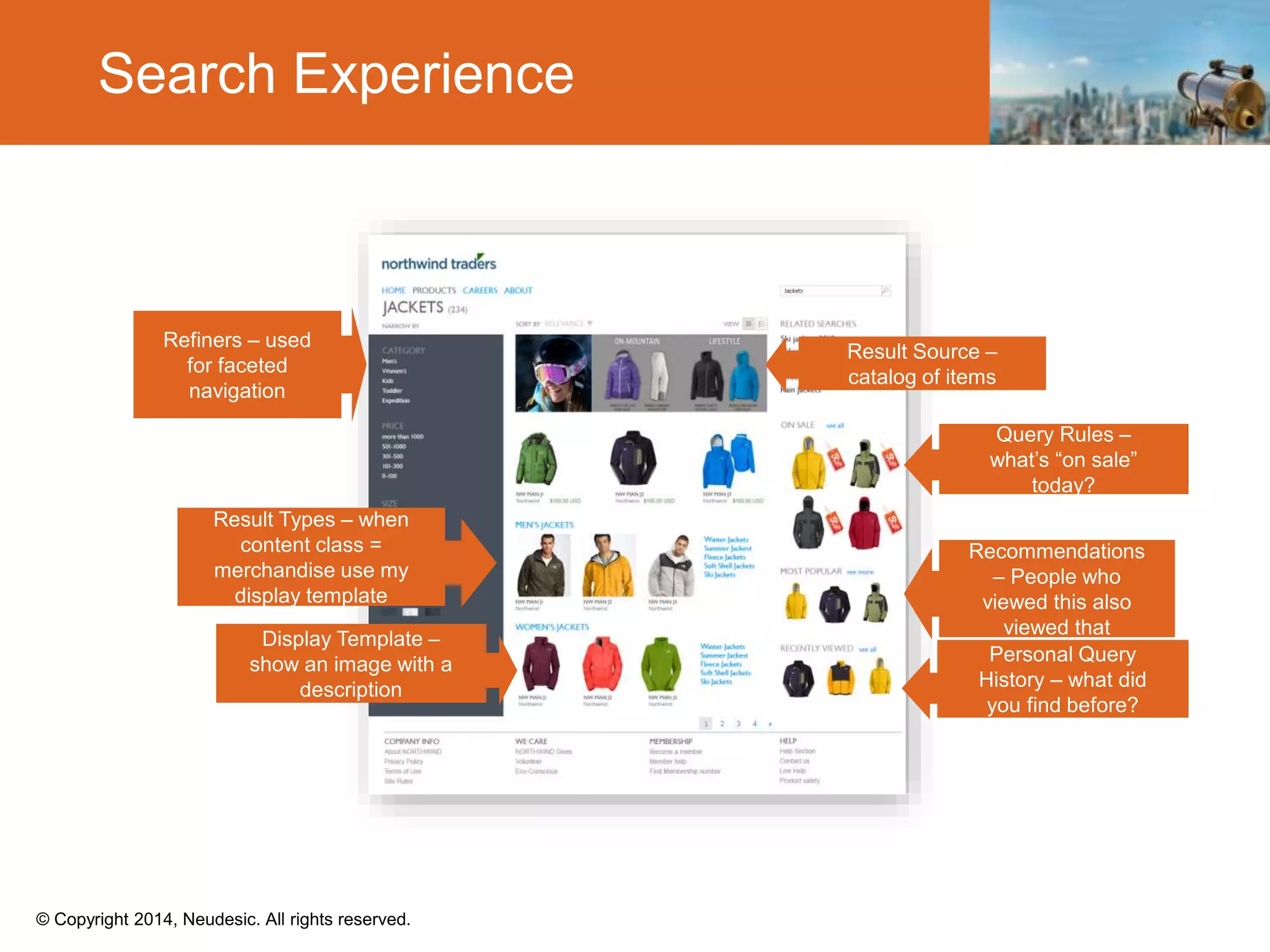
Search Experience
© Copyright 2014, Neudesic. All rights reserved.
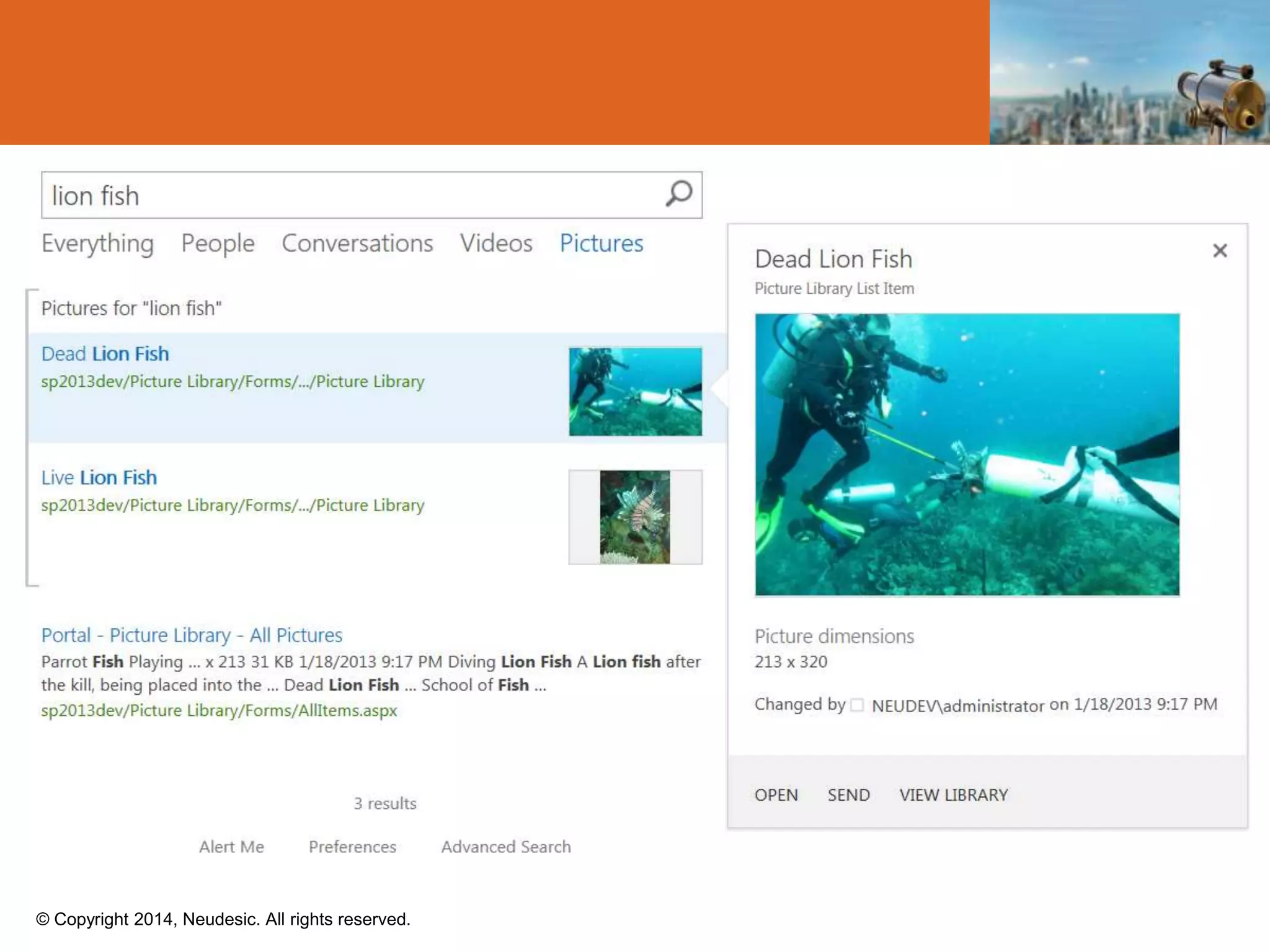
Search in Action Demo
© Copyright 2014, Neudesic. All rights reserved.
Executing Queries
© Copyright 2014, Neudesic. All rights reserved.
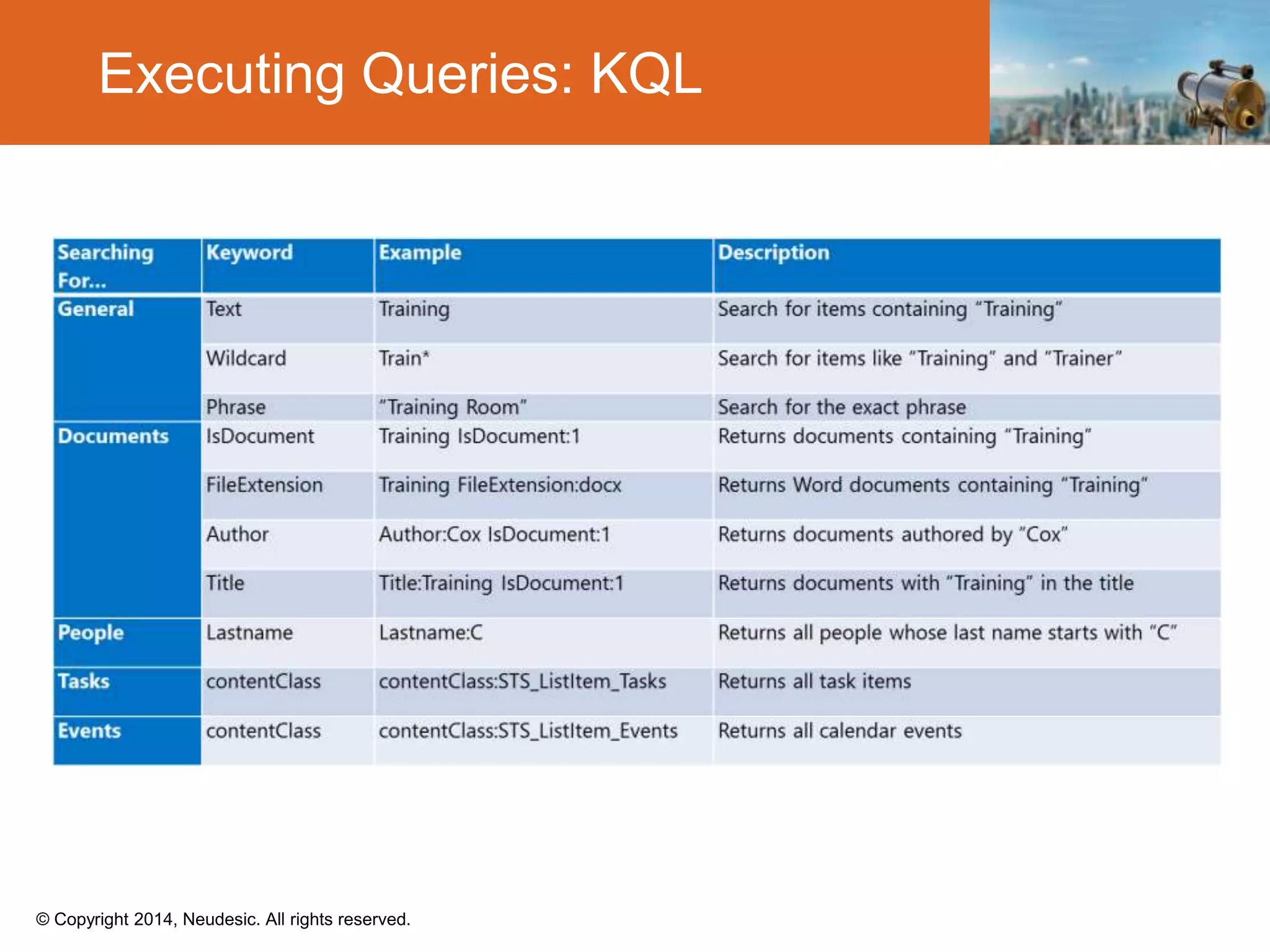
Executing Queries: KQL
© Copyright 2014, Neudesic. All rights reserved.
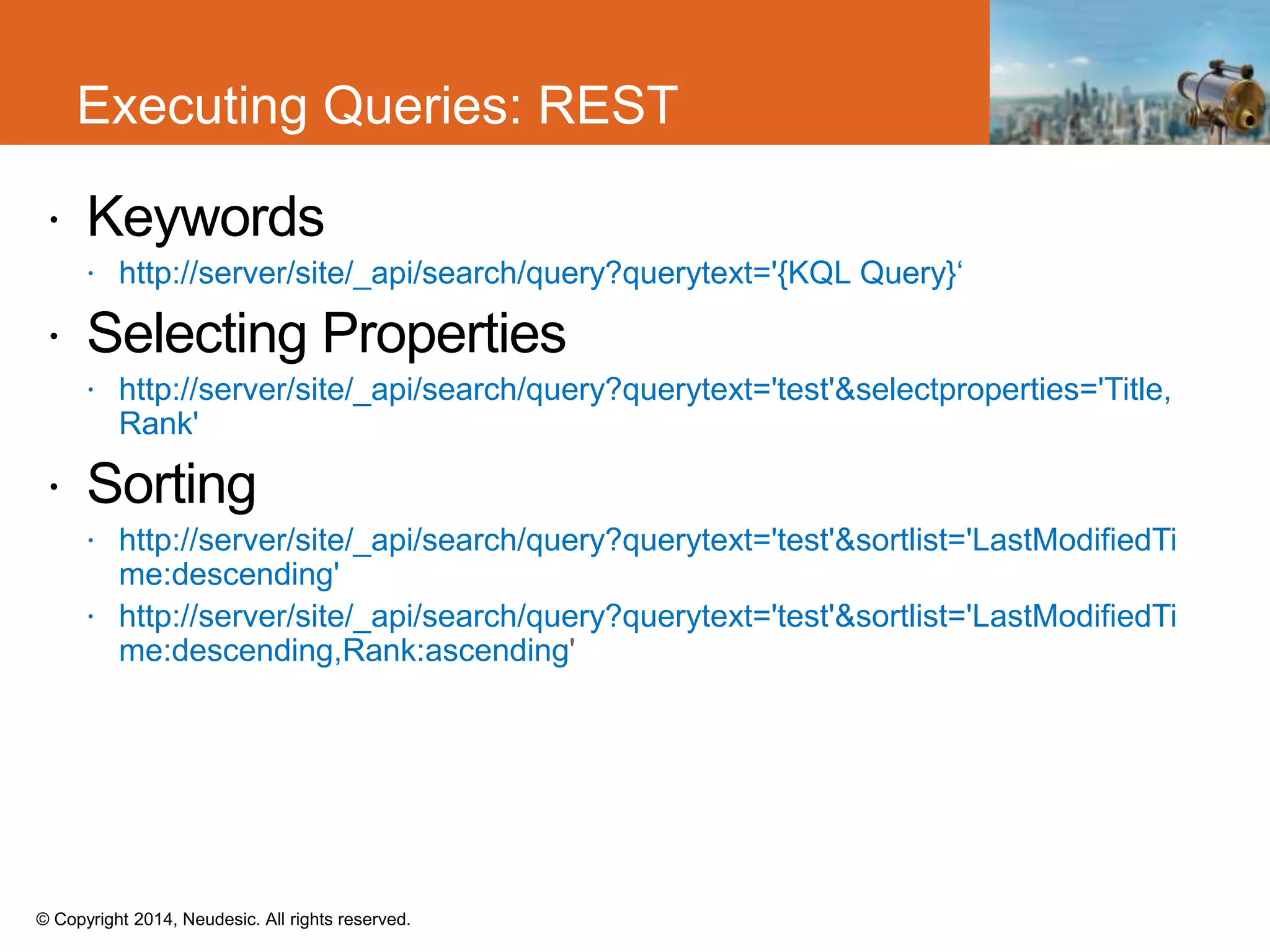
 Keywords
 http://server/site/_api/search/query?querytext='{KQL Query}‘
 Selecting Properties
 http://server/site/_api/search/query?querytext='test'&selectproperties='Title,
Rank'
 Sorting
 http://server/site/_api/search/query?querytext='test'&sortlist='LastModifiedTi
me:descending'
 http://server/site/_api/search/query?querytext='test'&sortlist='LastModifiedTi
me:descending,Rank:ascending
Executing Queries: REST
© Copyright 2014, Neudesic. All rights reserved.
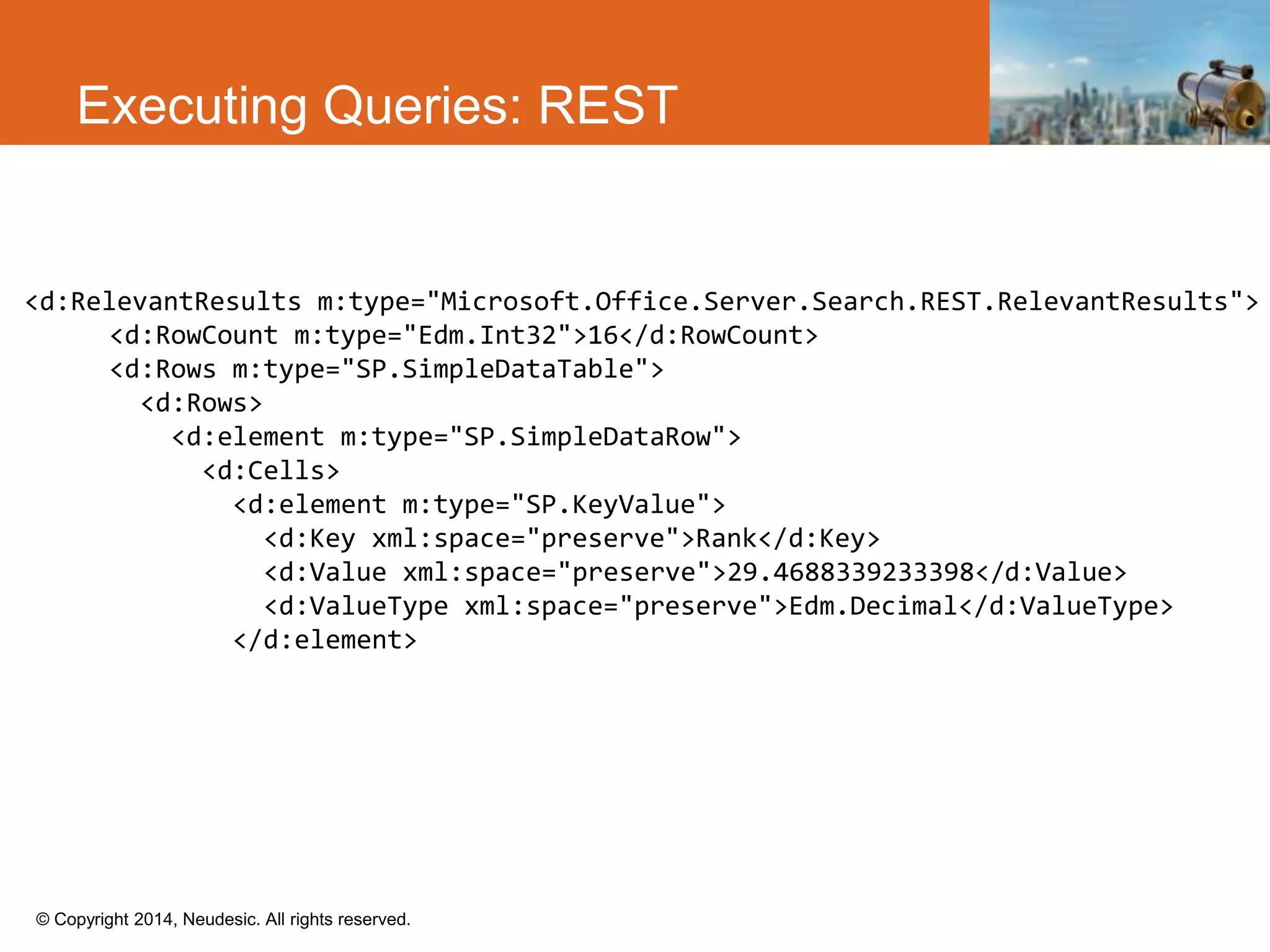
Executing Queries: REST
<d:RelevantResults m:type="Microsoft.Office.Server.Search.REST.RelevantResults">
<d:RowCount m:type="Edm.Int32">16</d:RowCount>
<d:Rows m:type="SP.SimpleDataTable">
<d:Rows>
<d:element m:type="SP.SimpleDataRow">
<d:Cells>
<d:element m:type="SP.KeyValue">
<d:Key xml:space="preserve">Rank</d:Key>
<d:Value xml:space="preserve">29.4688339233398</d:Value>
<d:ValueType xml:space="preserve">Edm.Decimal</d:ValueType>
</d:element>
© Copyright 2014, Neudesic. All rights reserved.
Executing Queries: CSOM
ClientContext ctx = new ClientContext("http://sharepointonline/site");
var query = new KeywordQuery(ctx, ctx.Site);
query.QueryText = "Search terms";
query.ResultTypes = ResultType.RelevantResults;
query.Id = Guid.NewGuid();
var queries = new KeywordQuery[1];
queries[0] = query;
SearchExecutor searchExecutor = new SearchExecutor(ctx);
var rcc = searchExecutor.ExecuteQueries(queries);
ctx.ExecuteQuery();
© Copyright 2014, Neudesic. All rights reserved.
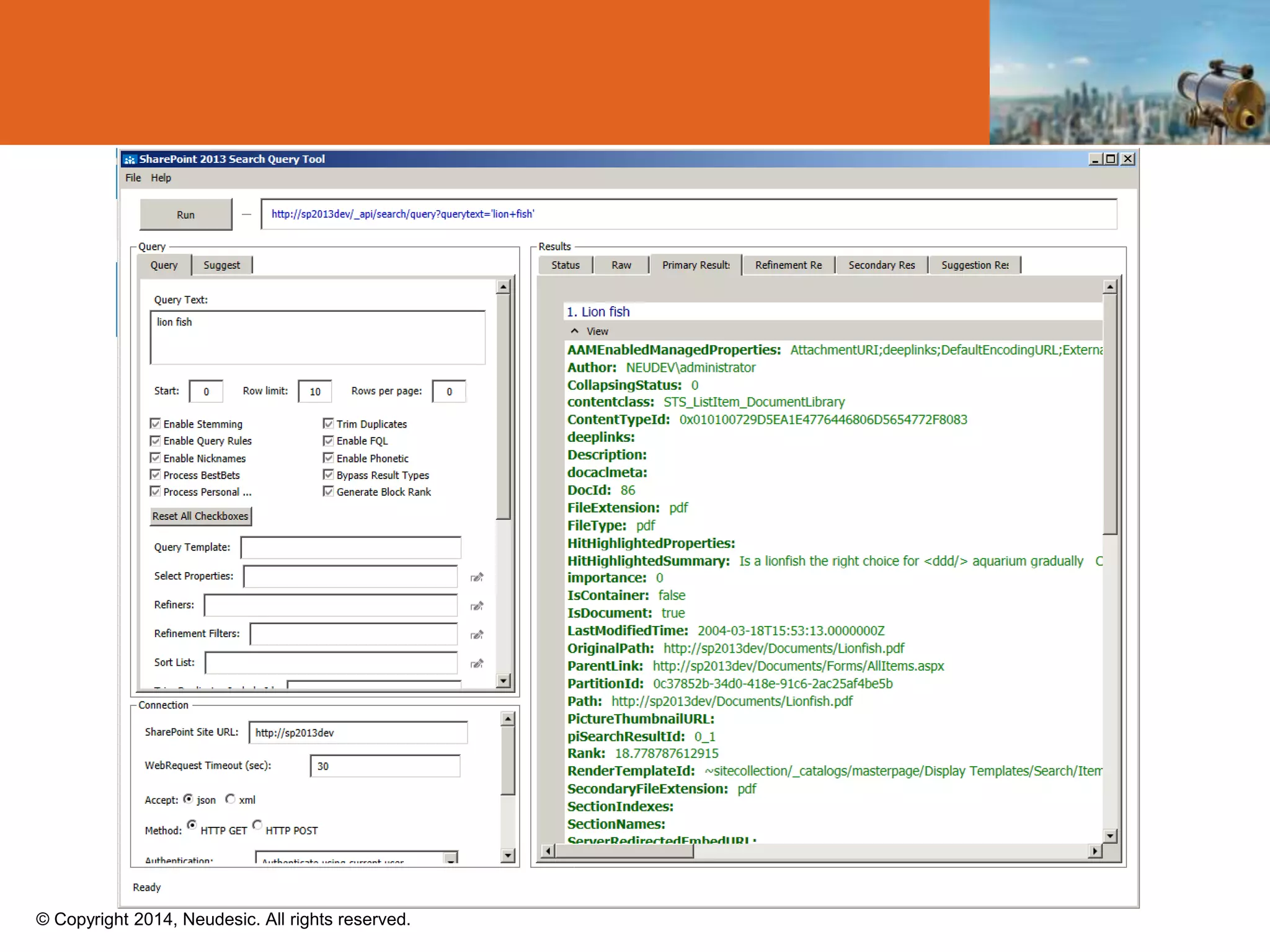
Query Debugging
© Copyright 2014, Neudesic. All rights reserved.
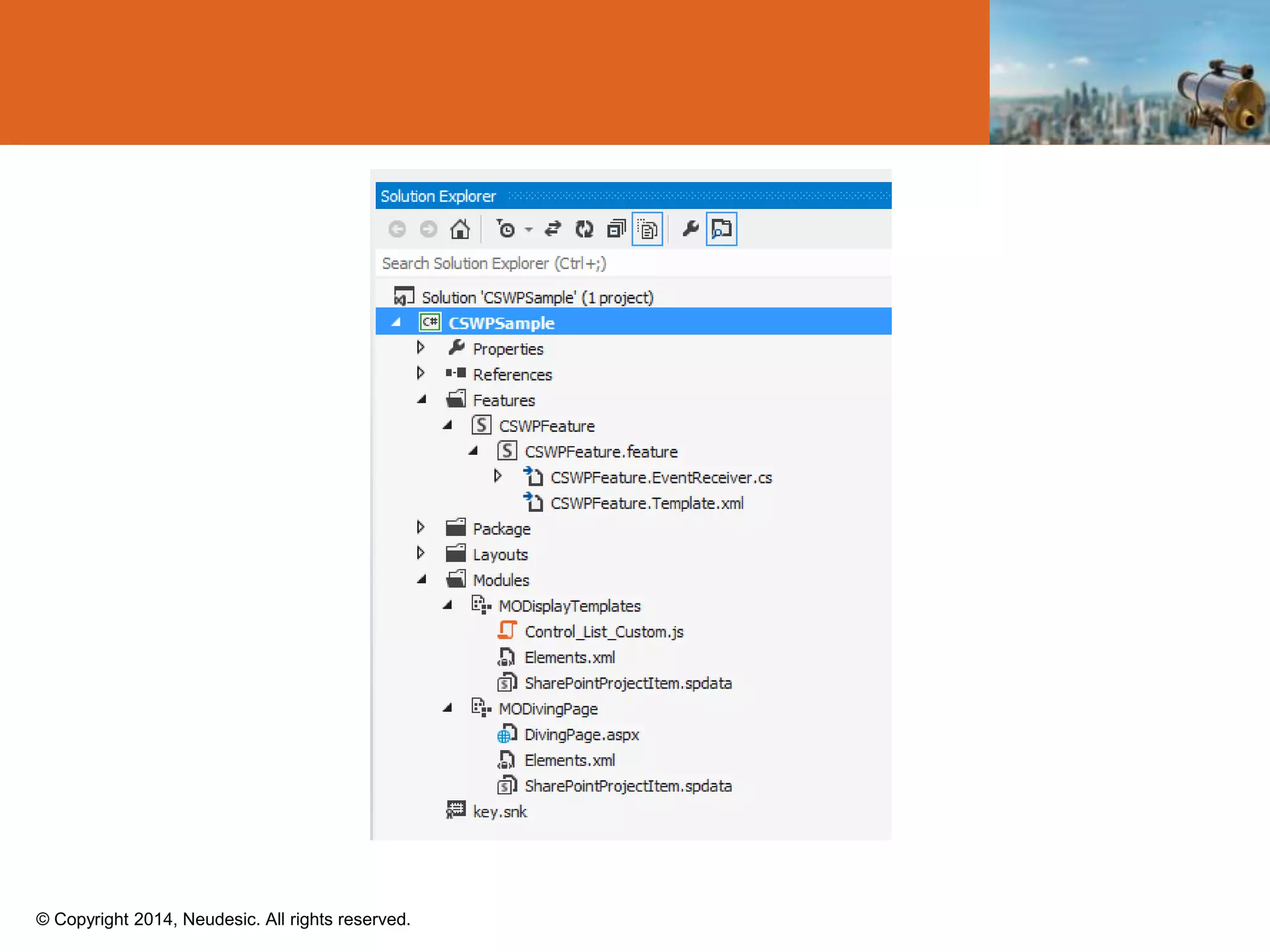
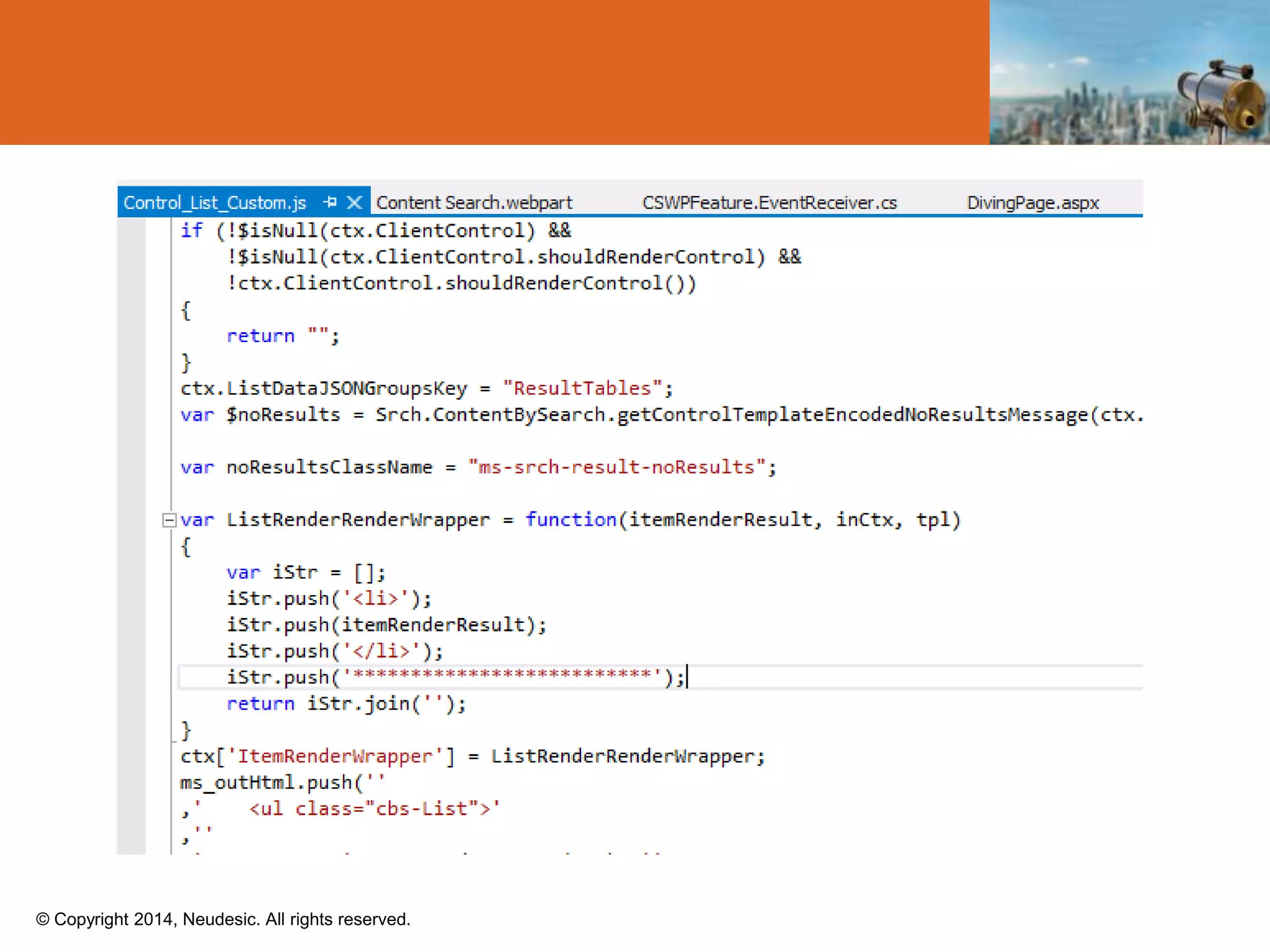
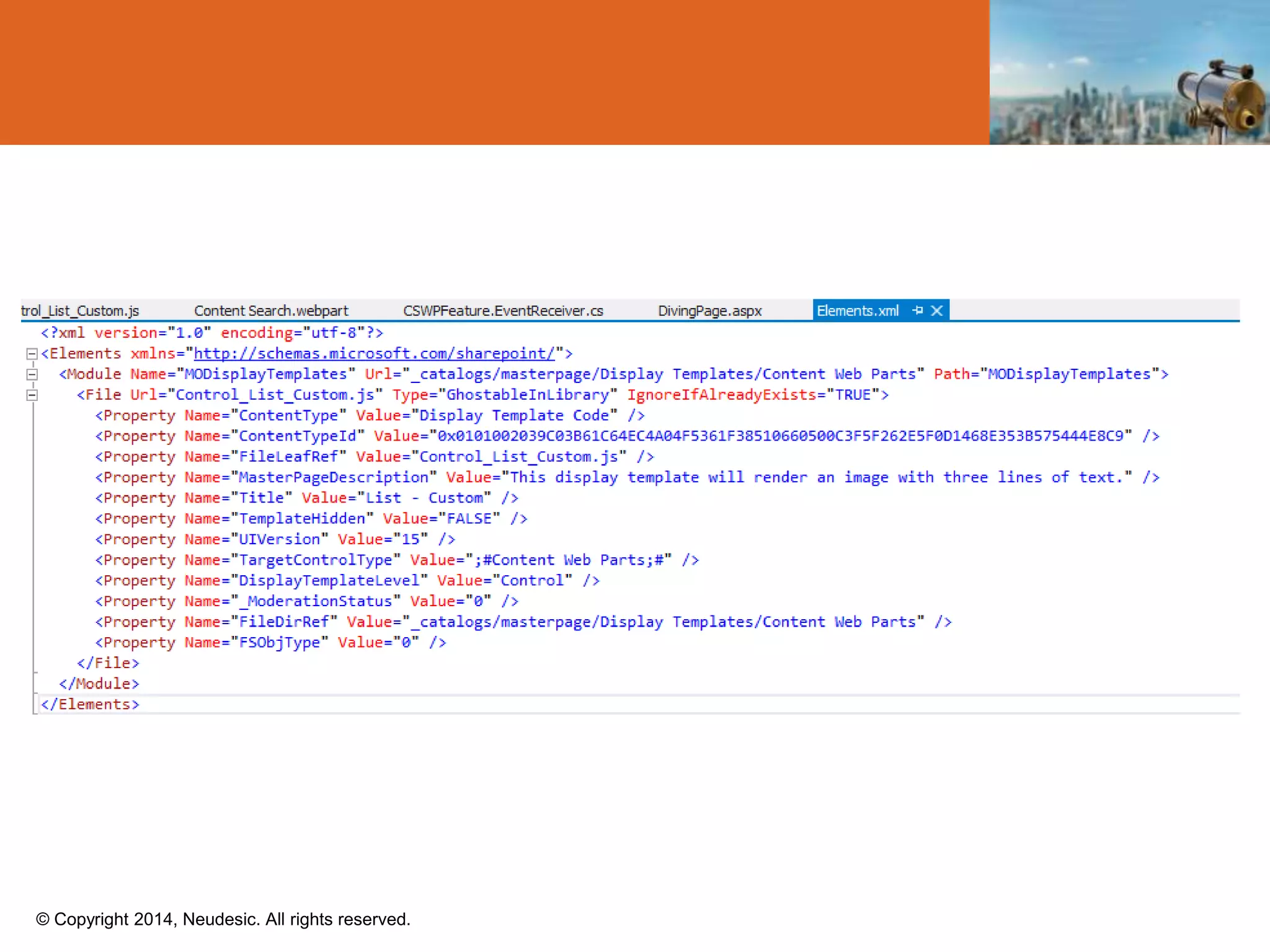
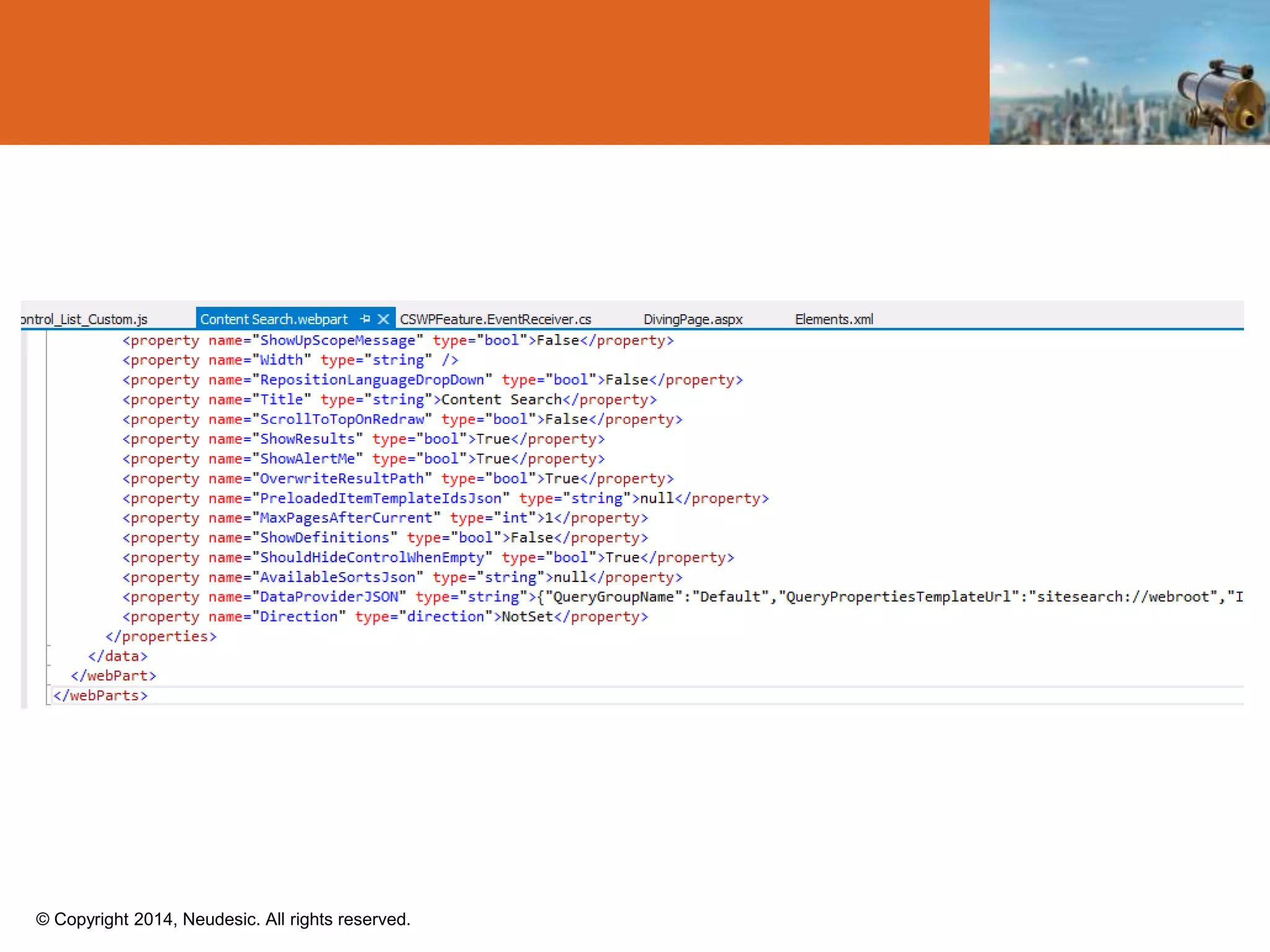
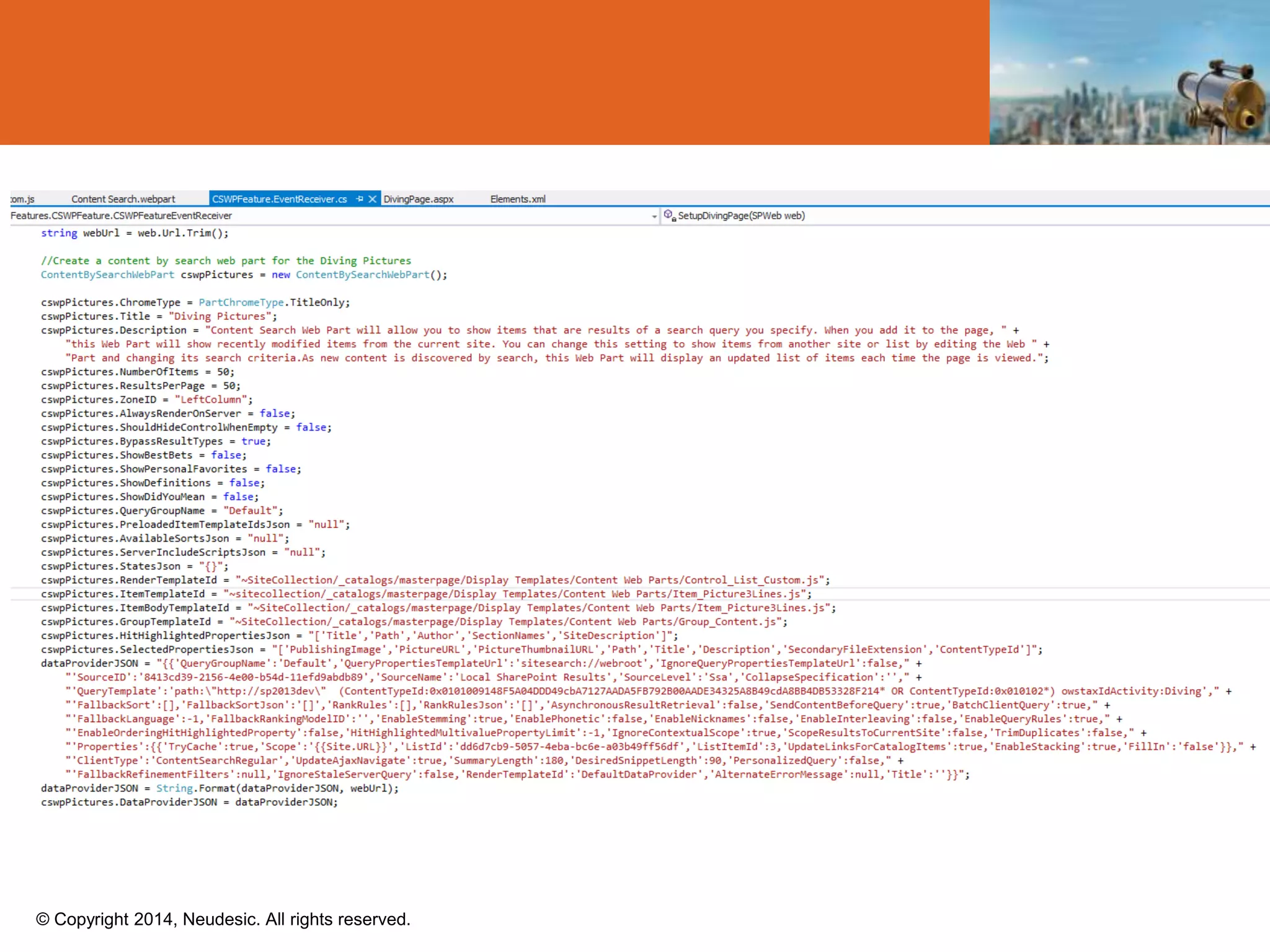
CSWP & Display Template Deployment
© Copyright 2014, Neudesic. All rights reserved.
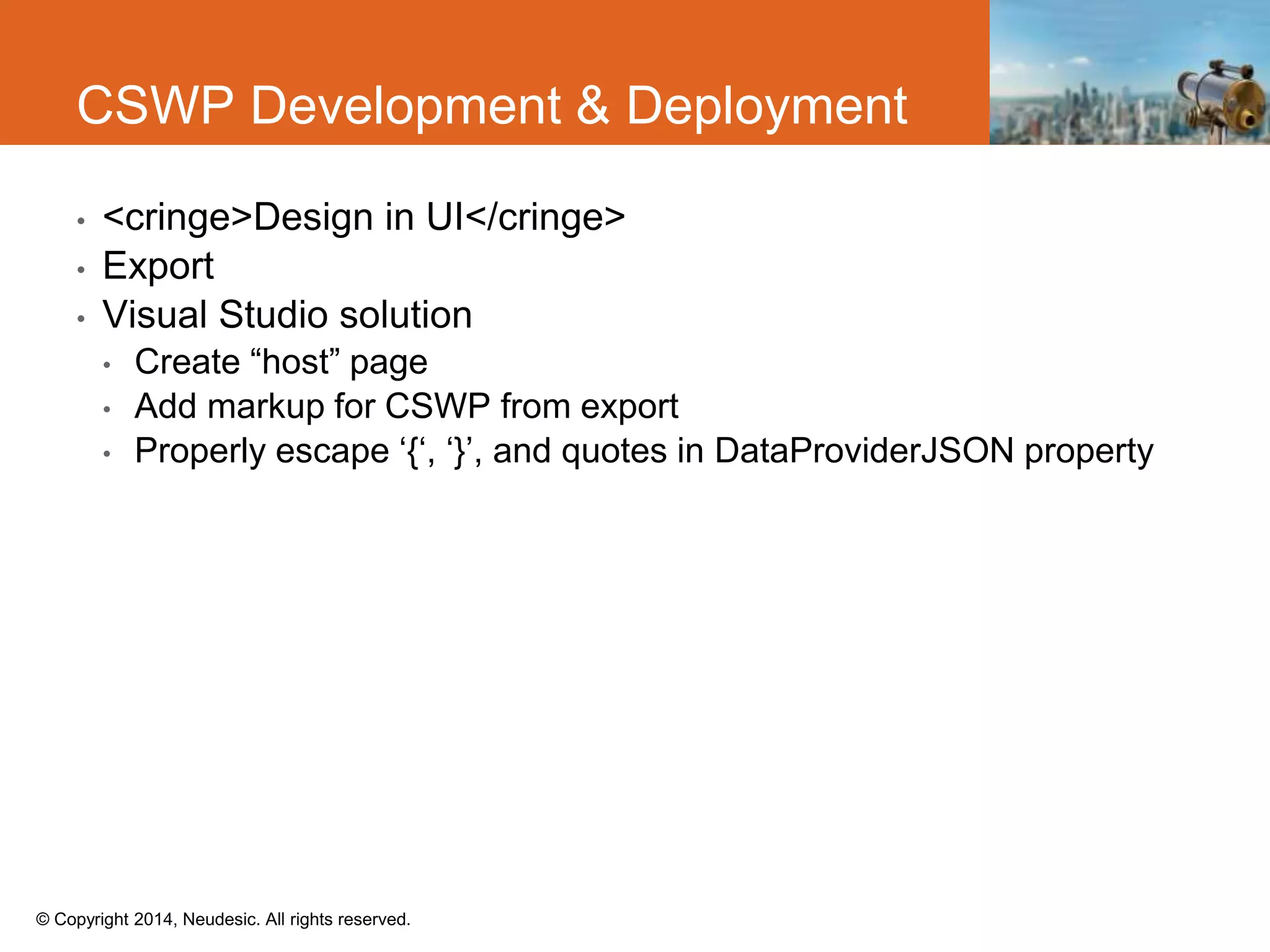
• <cringe>Design in UI</cringe>
• Export
• Visual Studio solution
• Create “host” page
• Add markup for CSWP from export
• Properly escape ‘{‘, ‘}’, and quotes in DataProviderJSON property
CSWP Development & Deployment
© Copyright 2014, Neudesic. All rights reserved.
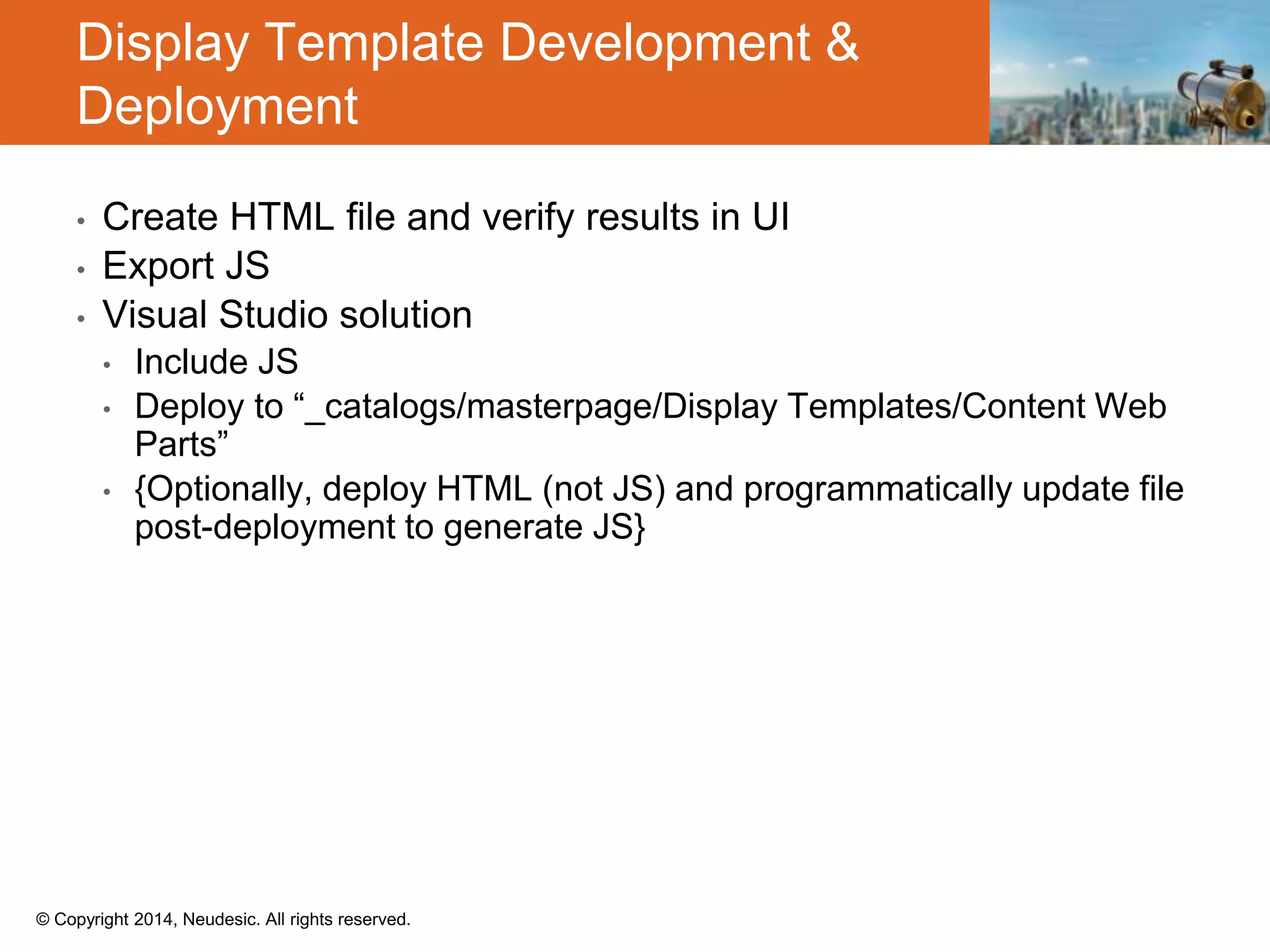
• Create HTML file and verify results in UI
• Export JS
• Visual Studio solution
• Include JS
• Deploy to “_catalogs/masterpage/Display Templates/Content Web
Parts”
• {Optionally, deploy HTML (not JS) and programmatically update file
post-deployment to generate JS}
Display Template Development &
Deployment
© Copyright 2014, Neudesic. All rights reserved.
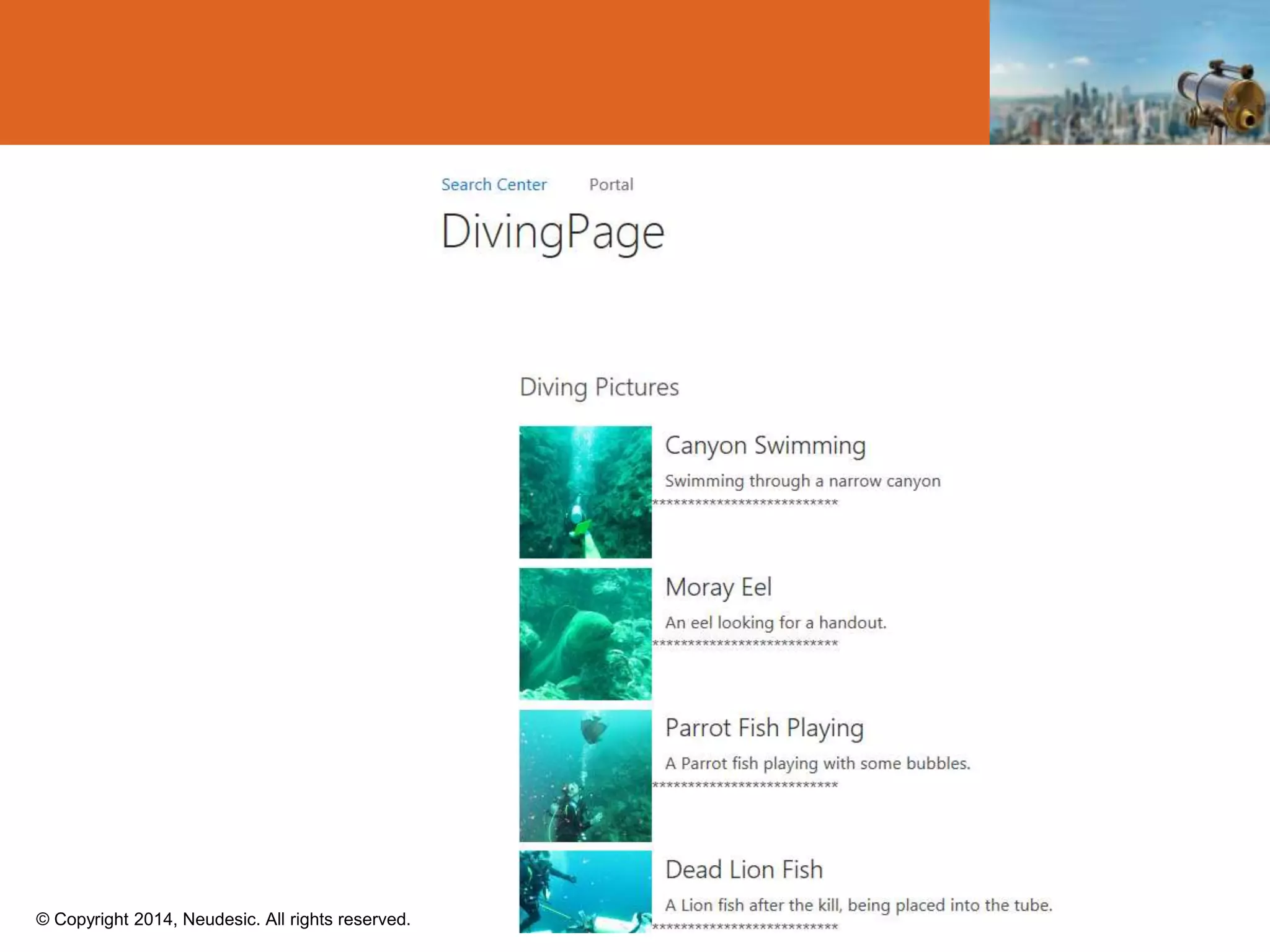
Deployment Demo
© Copyright 2014, Neudesic. All rights reserved.
Scenarios
© Copyright 2014, Neudesic. All rights reserved.
Ryan McIntyre
ryan.mcintyre@neudesic.com
http://blog.randomdust.com
@ryanmcintyre
303-520-6337
© Copyright 2014, Neudesic. All rights reserved.
• http://sp2013searchtool.codeplex.com/
Resources
© Copyright 2014, Neudesic. All rights reserved.

SharePoint 2013 Search and Creating Dynamic Content Management Solutions

  • 1.
    SharePoint 2013 Searchand Creating Dynamic Content Management Solutions Ryan McIntyre MCITP, MCPD National Architect @ryanmcintyre
  • 2.
    © Copyright 2014,Neudesic. All rights reserved. • SharePoint 2013 Search Overview • Changes from 2010 • Search Solutions • OOTB Web Parts Review • API • Server side • Client side • Packaging & Deployment Leave Now…Or…
  • 3.
    © Copyright 2014,Neudesic. All rights reserved. Scenarios
  • 4.
    © Copyright 2014,Neudesic. All rights reserved. Powerful Engine 2013 Search Intro FAST Index FS4SP 2010 Search 2013 Search
  • 5.
    © Copyright 2014,Neudesic. All rights reserved. 2013 Search Architecture HTTP File shares SharePoint User profiles Lotus Notes Documentum Exchange folders Custom - BCS SharePoint SP Apps Devices Non-SP UX Public API Unit of scale/role boundary
  • 6.
    © Copyright 2014,Neudesic. All rights reserved. Core Building Blocks Content Source Search Schema Now available through site administration Query Rule Customization of returned results Captures Intent, composed of Query Condition Query Action Publishing Options
  • 7.
    © Copyright 2014,Neudesic. All rights reserved. Core Building Blocks Query Transforms Web Parts (3) Query Rule (2) Result Source (1) Result Source Scope + Federated + CSWP
  • 8.
    © Copyright 2014,Neudesic. All rights reserved. Core Building Blocks Result Type How to display types of results Display Templates CSWP Hover Panel Refiner Search Results
  • 9.
    © Copyright 2014,Neudesic. All rights reserved. Search Experience
  • 10.
    © Copyright 2014,Neudesic. All rights reserved. Search in Action Demo
  • 11.
    © Copyright 2014,Neudesic. All rights reserved. Executing Queries
  • 12.
    © Copyright 2014,Neudesic. All rights reserved. Executing Queries: KQL
  • 13.
    © Copyright 2014,Neudesic. All rights reserved.  Keywords  http://server/site/_api/search/query?querytext='{KQL Query}‘  Selecting Properties  http://server/site/_api/search/query?querytext='test'&selectproperties='Title, Rank'  Sorting  http://server/site/_api/search/query?querytext='test'&sortlist='LastModifiedTi me:descending'  http://server/site/_api/search/query?querytext='test'&sortlist='LastModifiedTi me:descending,Rank:ascending Executing Queries: REST
  • 14.
    © Copyright 2014,Neudesic. All rights reserved. Executing Queries: REST <d:RelevantResults m:type="Microsoft.Office.Server.Search.REST.RelevantResults"> <d:RowCount m:type="Edm.Int32">16</d:RowCount> <d:Rows m:type="SP.SimpleDataTable"> <d:Rows> <d:element m:type="SP.SimpleDataRow"> <d:Cells> <d:element m:type="SP.KeyValue"> <d:Key xml:space="preserve">Rank</d:Key> <d:Value xml:space="preserve">29.4688339233398</d:Value> <d:ValueType xml:space="preserve">Edm.Decimal</d:ValueType> </d:element>
  • 15.
    © Copyright 2014,Neudesic. All rights reserved. Executing Queries: CSOM ClientContext ctx = new ClientContext("http://sharepointonline/site"); var query = new KeywordQuery(ctx, ctx.Site); query.QueryText = "Search terms"; query.ResultTypes = ResultType.RelevantResults; query.Id = Guid.NewGuid(); var queries = new KeywordQuery[1]; queries[0] = query; SearchExecutor searchExecutor = new SearchExecutor(ctx); var rcc = searchExecutor.ExecuteQueries(queries); ctx.ExecuteQuery();
  • 16.
    © Copyright 2014,Neudesic. All rights reserved. Query Debugging
  • 17.
    © Copyright 2014,Neudesic. All rights reserved. CSWP & Display Template Deployment
  • 18.
    © Copyright 2014,Neudesic. All rights reserved. • <cringe>Design in UI</cringe> • Export • Visual Studio solution • Create “host” page • Add markup for CSWP from export • Properly escape ‘{‘, ‘}’, and quotes in DataProviderJSON property CSWP Development & Deployment
  • 19.
    © Copyright 2014,Neudesic. All rights reserved. • Create HTML file and verify results in UI • Export JS • Visual Studio solution • Include JS • Deploy to “_catalogs/masterpage/Display Templates/Content Web Parts” • {Optionally, deploy HTML (not JS) and programmatically update file post-deployment to generate JS} Display Template Development & Deployment
  • 20.
    © Copyright 2014,Neudesic. All rights reserved. Deployment Demo
  • 21.
    © Copyright 2014,Neudesic. All rights reserved. Scenarios
  • 22.
    © Copyright 2014,Neudesic. All rights reserved. Ryan McIntyre ryan.mcintyre@neudesic.com http://blog.randomdust.com @ryanmcintyre 303-520-6337
  • 23.
    © Copyright 2014,Neudesic. All rights reserved. • http://sp2013searchtool.codeplex.com/ Resources
  • 24.
    © Copyright 2014,Neudesic. All rights reserved.
  • 25.
    © Copyright 2014,Neudesic. All rights reserved.
  • 26.
    © Copyright 2014,Neudesic. All rights reserved.
  • 27.
    © Copyright 2014,Neudesic. All rights reserved.
  • 28.
    © Copyright 2014,Neudesic. All rights reserved.
  • 29.
    © Copyright 2014,Neudesic. All rights reserved.
  • 30.
    © Copyright 2014,Neudesic. All rights reserved.
  • 31.
    © Copyright 2014,Neudesic. All rights reserved.
  • 32.
    © Copyright 2014,Neudesic. All rights reserved.
  • 33.
    © Copyright 2014,Neudesic. All rights reserved.
  • 34.
    © Copyright 2014,Neudesic. All rights reserved.
  • 35.
    © Copyright 2014,Neudesic. All rights reserved.