Disclaimer: This presentation is prepared by trainees of
baabtra as a part of mentoring program. This is not official
document of baabtra –Mentoring Partner
Baabtra-Mentoring Partner is the mentoring division of baabte System Technologies Pvt .
Ltd
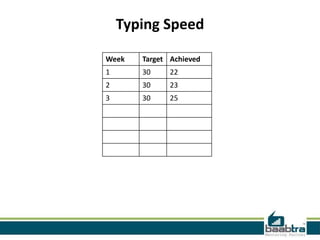
Week Target Achieved
1 30 22
2 30 23
3 30 25
Typing Speed
Jobs Applied
Week Company Designation Applied Date Current Status
1
2
3
ASP .Net Page Life Cycle
MuhammedAjmal
ajuik2008@gmail.com
www.facebook.com/username
twitter.com/username
in.linkedin.com/in/profilename
9745020951
Overview
• Introduction
• General stages
• Events
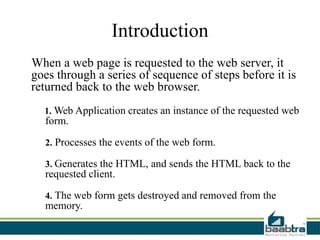
Introduction
When a web page is requested to the web server, it
goes through a series of sequence of steps before it is
returned back to the web browser.
1. Web Application creates an instance of the requested web
form.
2. Processes the events of the web form.
3. Generates the HTML, and sends the HTML back to the
requested client.
4. The web form gets destroyed and removed from the
memory.
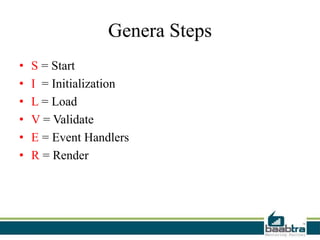
Genera Steps
• S = Start
• I = Initialization
• L = Load
• V = Validate
• E = Event Handlers
• R = Render
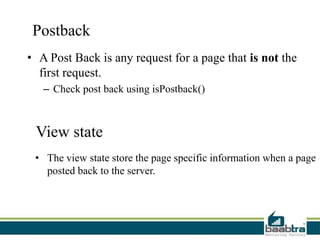
Postback
• A Post Back is any request for a page that is not the
first request.
– Check post back using isPostback()
View state
• The view state store the page specific information when a page
posted back to the server.
Page life cycle Events
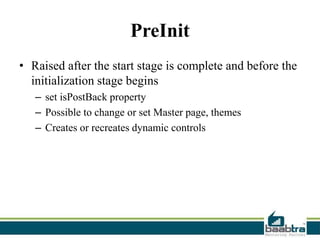
PreInit
• Raised after the start stage is complete and before the
initialization stage begins
– set isPostBack property
– Possible to change or set Master page, themes
– Creates or recreates dynamic controls
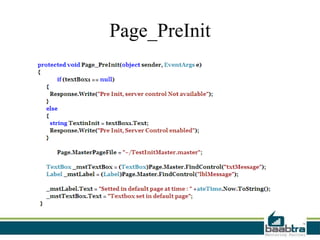
Page_PreInit
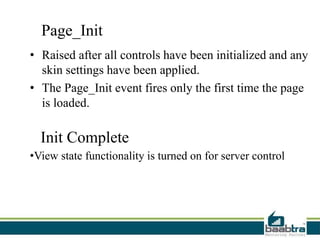
Page_Init
• Raised after all controls have been initialized and any
skin settings have been applied.
• The Page_Init event fires only the first time the page
is loaded.
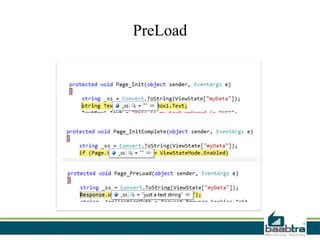
Init Complete
•View state functionality is turned on for server control
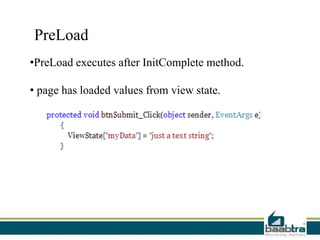
PreLoad
•PreLoad executes after InitComplete method.
• page has loaded values from view state.
PreLoad
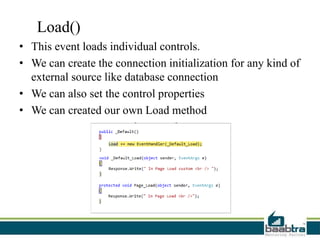
Load()
• This event loads individual controls.
• We can create the connection initialization for any kind of
external source like database connection
• We can also set the control properties
• We can created our own Load method
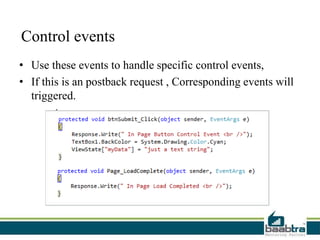
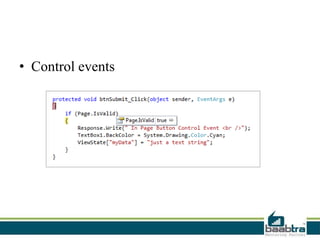
Control events
• Use these events to handle specific control events,
• If this is an postback request , Corresponding events will
triggered.
• Control events
LoadComplete
• This event can be used when all the event processing has
been done in the page.
PreRender
• Each control of the page has a PreRender event which is
being invoked.
• DataBind method for all control has also been called
• If we want to change any thing to any control this is the
last event where we can do because after the pageRender
starts
• SaveViewState
• ViewState Monitoring is turned off as here all the
ViewState Data need to be saved.
• View State data saved in hidden filed called
_VIEWSTATE
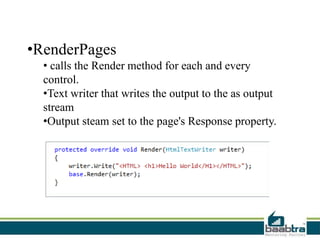
•RenderPages
• calls the Render method for each and every
control.
•Text writer that writes the output to the as output
stream
•Output steam set to the page's Response property.
Unload
• This is the last event of asp.net page life cycle
• This ensure the Request and Response has been set to
null.
• This is called only after the content of the page fully
rendered and response sent to client
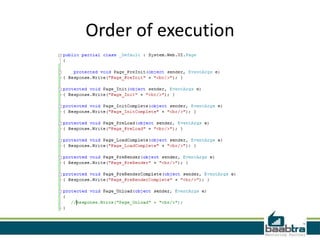
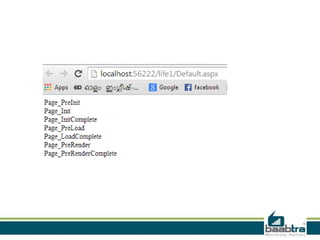
Order of execution
Thank you
If this presentation helped you, please visit our
page facebook.com/baabtra and like it.
Thanks in advance.
www.baabtra.com | www.massbaab.com |www.baabte.com
Contact Us
Emarald Mall (Big Bazar Building)
Mavoor Road, Kozhikode,
Kerala, India.
Ph: + 91 – 495 40 25 550
NC Complex, Near Bus Stand
Mukkam, Kozhikode,
Kerala, India.
Ph: + 91 – 495 40 25 550
Start up Village
Eranakulam,
Kerala, India.
Email: info@baabtra.com
IKK Road,
East Hill, Kozhikode
Kerala, India.
Ph: + 91 – 495 30 63 624
NIT-TBI,
NIT Campus, Kozhikode,
Kerala, India.

ASP.NET Page Life Cycle

  • 2.
    Disclaimer: This presentationis prepared by trainees of baabtra as a part of mentoring program. This is not official document of baabtra –Mentoring Partner Baabtra-Mentoring Partner is the mentoring division of baabte System Technologies Pvt . Ltd
  • 3.
    Week Target Achieved 130 22 2 30 23 3 30 25 Typing Speed
  • 4.
    Jobs Applied Week CompanyDesignation Applied Date Current Status 1 2 3
  • 5.
    ASP .Net PageLife Cycle MuhammedAjmal ajuik2008@gmail.com www.facebook.com/username twitter.com/username in.linkedin.com/in/profilename 9745020951
  • 6.
  • 7.
    Introduction When a webpage is requested to the web server, it goes through a series of sequence of steps before it is returned back to the web browser. 1. Web Application creates an instance of the requested web form. 2. Processes the events of the web form. 3. Generates the HTML, and sends the HTML back to the requested client. 4. The web form gets destroyed and removed from the memory.
  • 8.
    Genera Steps • S= Start • I = Initialization • L = Load • V = Validate • E = Event Handlers • R = Render
  • 9.
    Postback • A PostBack is any request for a page that is not the first request. – Check post back using isPostback() View state • The view state store the page specific information when a page posted back to the server.
  • 10.
  • 11.
    PreInit • Raised afterthe start stage is complete and before the initialization stage begins – set isPostBack property – Possible to change or set Master page, themes – Creates or recreates dynamic controls
  • 12.
  • 13.
    Page_Init • Raised afterall controls have been initialized and any skin settings have been applied. • The Page_Init event fires only the first time the page is loaded. Init Complete •View state functionality is turned on for server control
  • 14.
    PreLoad •PreLoad executes afterInitComplete method. • page has loaded values from view state.
  • 15.
  • 16.
    Load() • This eventloads individual controls. • We can create the connection initialization for any kind of external source like database connection • We can also set the control properties • We can created our own Load method
  • 17.
    Control events • Usethese events to handle specific control events, • If this is an postback request , Corresponding events will triggered.
  • 18.
  • 19.
    LoadComplete • This eventcan be used when all the event processing has been done in the page.
  • 20.
    PreRender • Each controlof the page has a PreRender event which is being invoked. • DataBind method for all control has also been called • If we want to change any thing to any control this is the last event where we can do because after the pageRender starts
  • 21.
    • SaveViewState • ViewStateMonitoring is turned off as here all the ViewState Data need to be saved. • View State data saved in hidden filed called _VIEWSTATE
  • 22.
    •RenderPages • calls theRender method for each and every control. •Text writer that writes the output to the as output stream •Output steam set to the page's Response property.
  • 23.
    Unload • This isthe last event of asp.net page life cycle • This ensure the Request and Response has been set to null. • This is called only after the content of the page fully rendered and response sent to client
  • 24.
  • 26.
  • 27.
    If this presentationhelped you, please visit our page facebook.com/baabtra and like it. Thanks in advance. www.baabtra.com | www.massbaab.com |www.baabte.com
  • 28.
    Contact Us Emarald Mall(Big Bazar Building) Mavoor Road, Kozhikode, Kerala, India. Ph: + 91 – 495 40 25 550 NC Complex, Near Bus Stand Mukkam, Kozhikode, Kerala, India. Ph: + 91 – 495 40 25 550 Start up Village Eranakulam, Kerala, India. Email: info@baabtra.com IKK Road, East Hill, Kozhikode Kerala, India. Ph: + 91 – 495 30 63 624 NIT-TBI, NIT Campus, Kozhikode, Kerala, India.