ARIADNE is funded by the European Commission's Seventh Framework Programme
Overview
Kate Fernie
• ARIADNE
• Introductions
• Digital data in
archaeology
• Why preserving data is
important
Overview
ARIADNE
• Funded under the EU’s 7th Framework
programme
• ARIADNE is an infrastructure project
• Aims to integrate archaeological research
data infrastructures
• So that researchers can use distributed
datasets and new technologies
• Offering training is an integral part of the
project
Introductions
Holly Wright
PhD in Archaeology and an MSc in Archaeological Information Systems
from the University of York. Her teaching and research focusses on field
drawing, vector graphics, visualisation, Web design, Web standards and
the Semantic Web in archaeology. European Projects Manager for the
Archaeology Data Service (ADS) in ARIADNE.
Kate Fernie
an experienced professional with a background in Archaeology,
museums, information management, standards and digitization in the
cultural heritage sector. Director of 2Culture Associates she participates
in ARIADNE for PIN scrl.
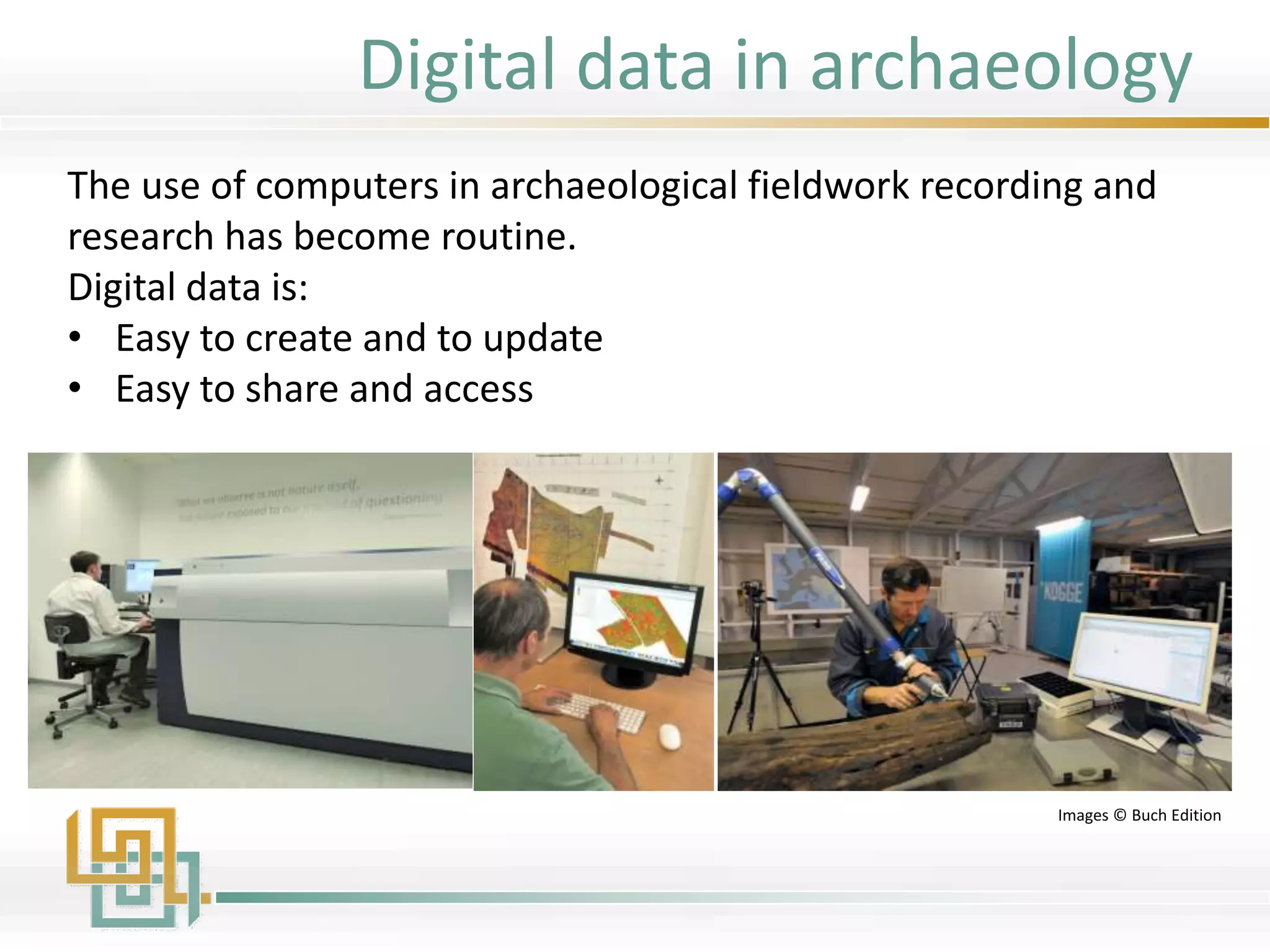
The use of computers in archaeological fieldwork recording and
research has become routine.
Digital data is:
• Easy to create and to update
• Easy to share and access
Images © Buch Edition
Digital data in archaeology
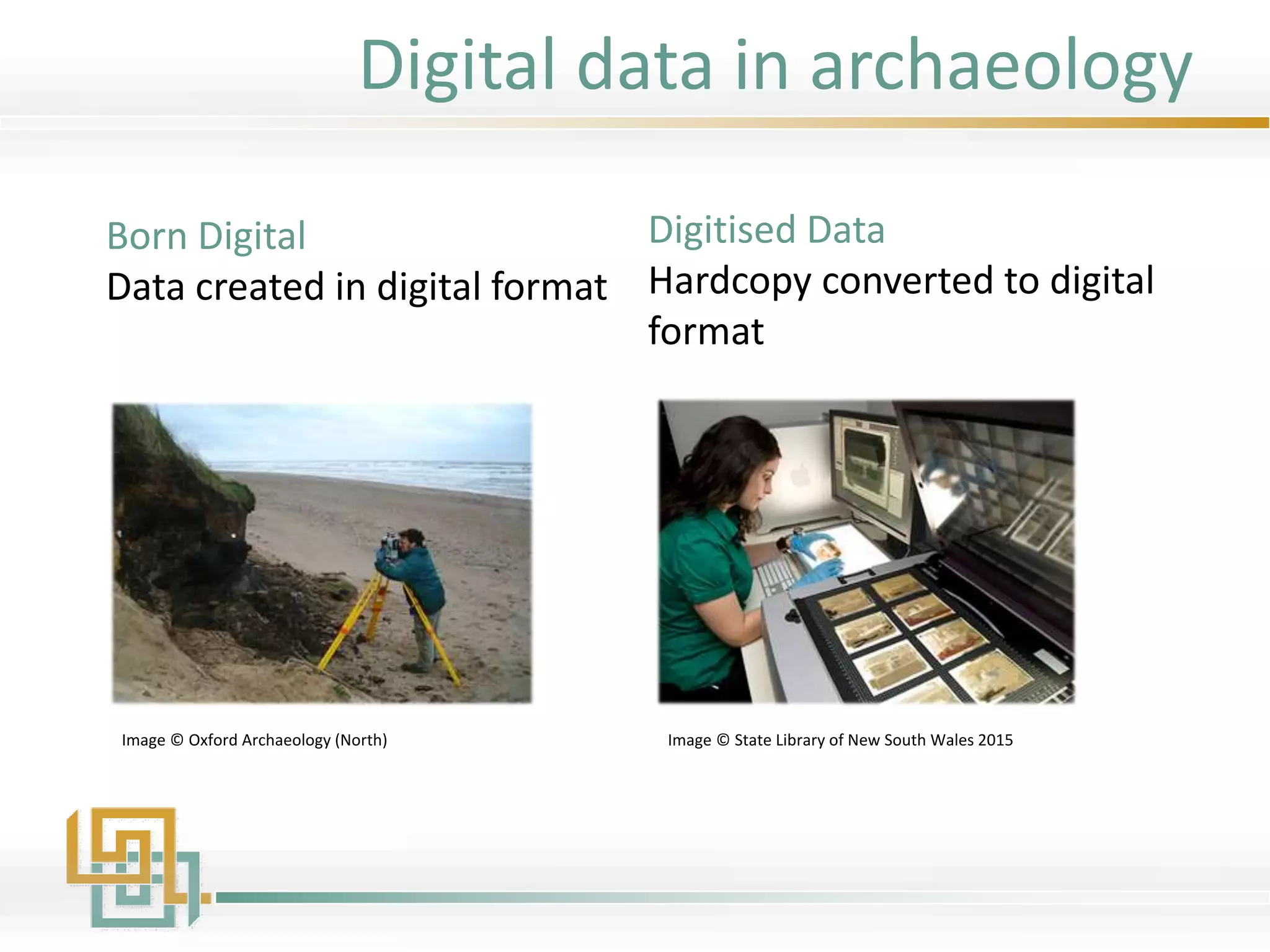
Born Digital
Data created in digital format
Digitised Data
Hardcopy converted to digital
format
Image © State Library of New South Wales 2015Image © Oxford Archaeology (North)
Digital data in archaeology
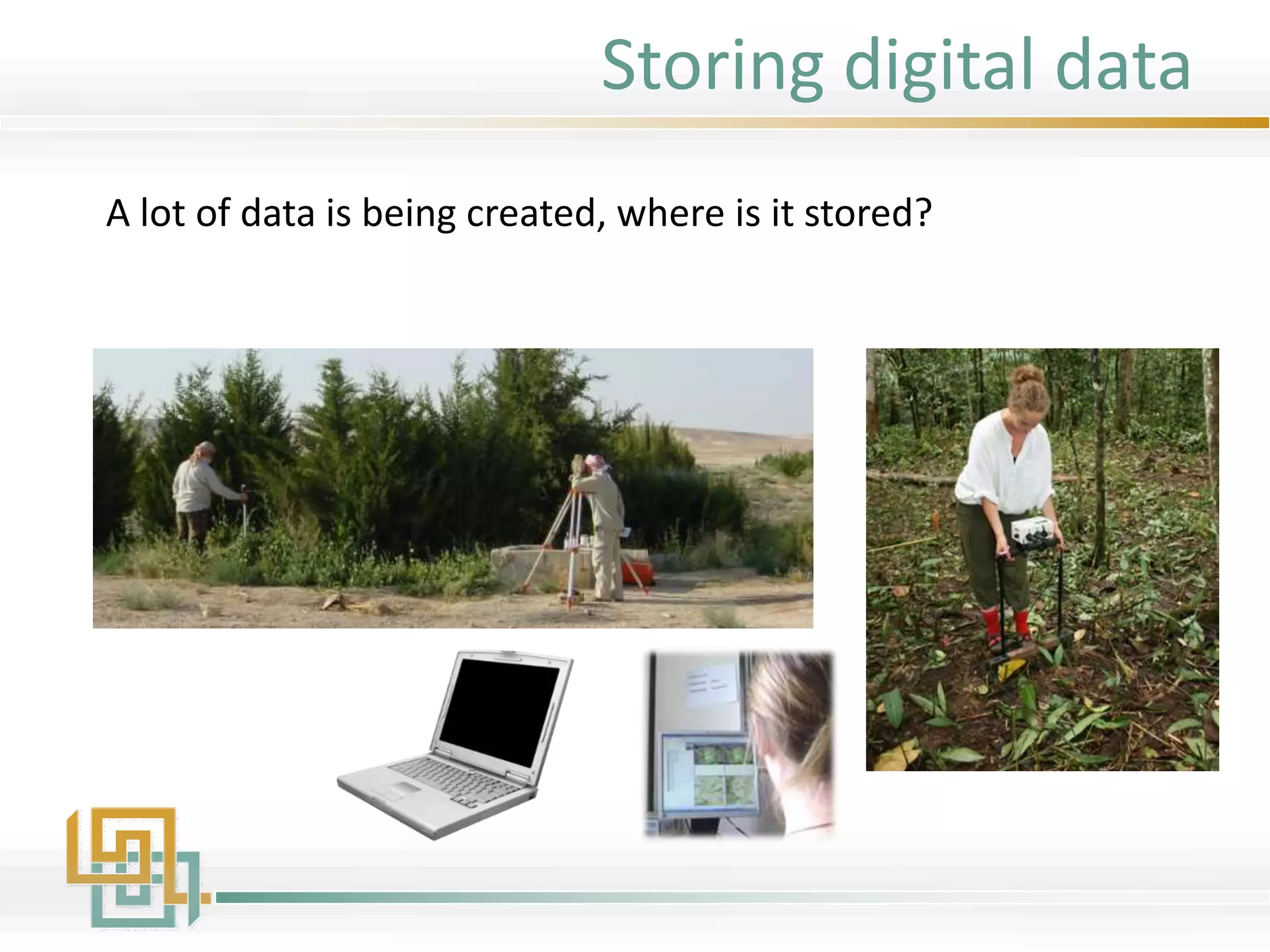
Storing digital data
A lot of data is being created, where is it stored?
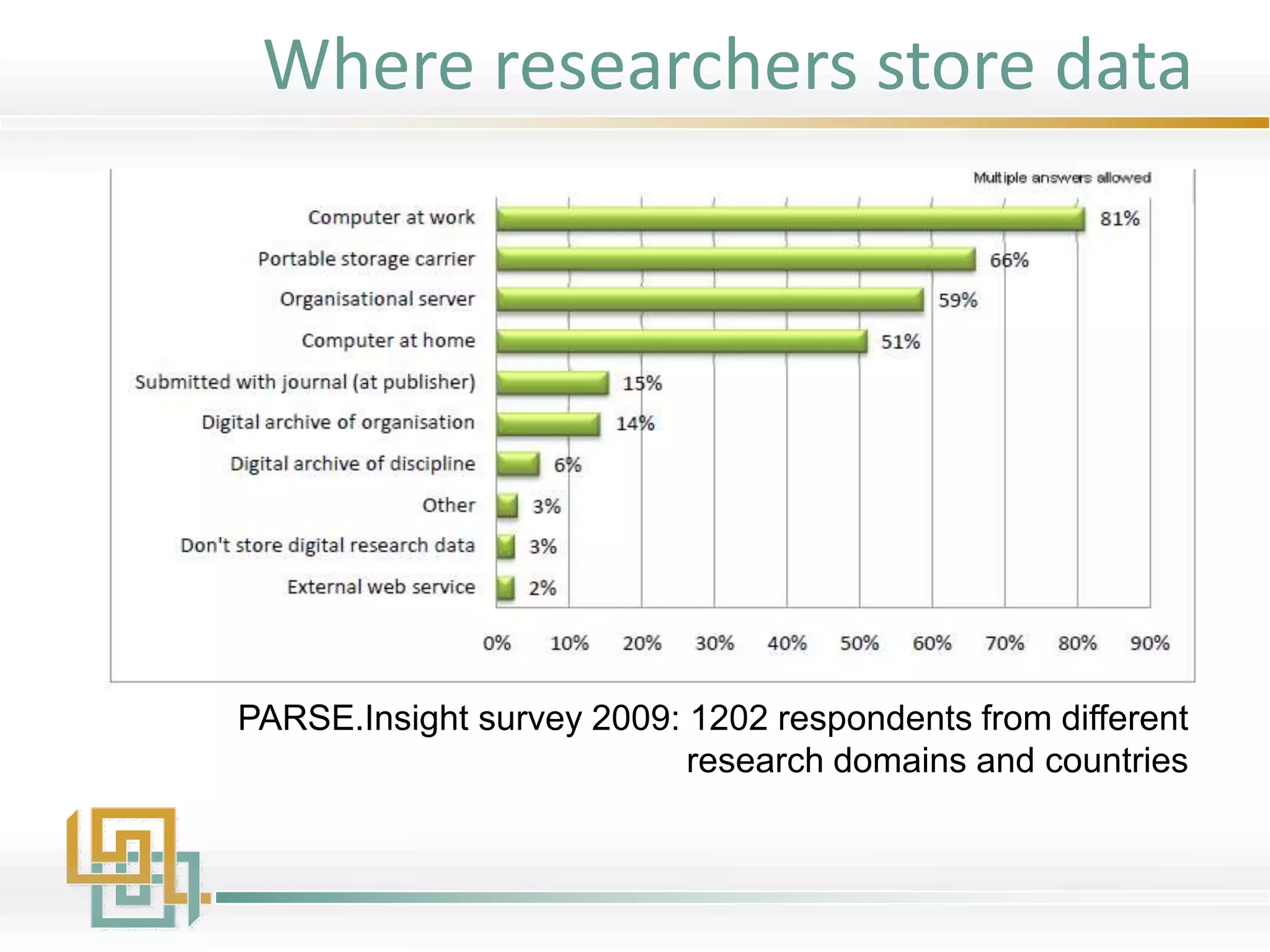
Where researchers store data
PARSE.Insight survey 2009: 1202 respondents from different
research domains and countries
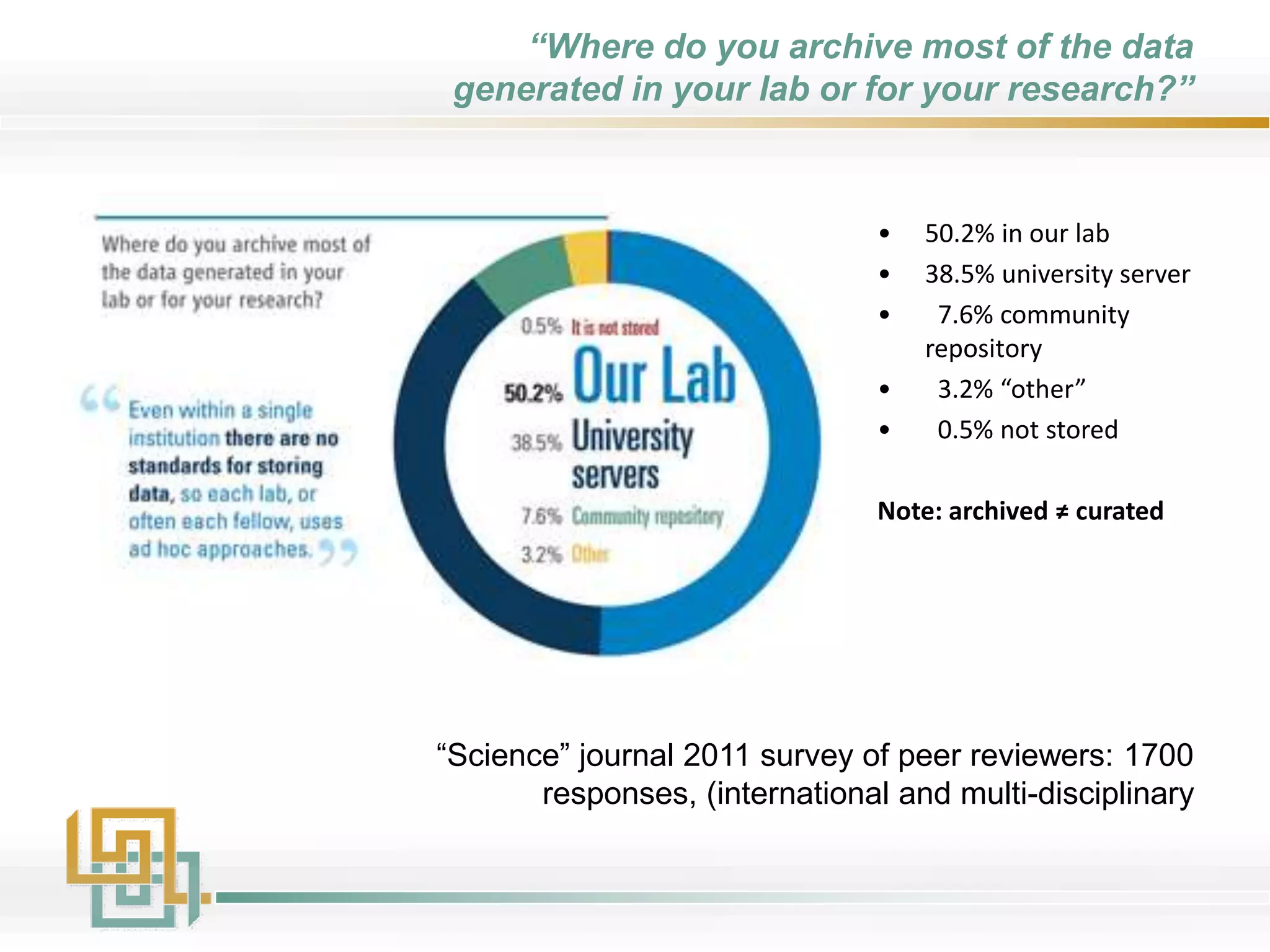
“Where do you archive most of the data
generated in your lab or for your research?”
“Science” journal 2011 survey of peer reviewers: 1700
responses, (international and multi-disciplinary
• 50.2% in our lab
• 38.5% university server
• 7.6% community
repository
• 3.2% “other”
• 0.5% not stored
Note: archived ≠ curated
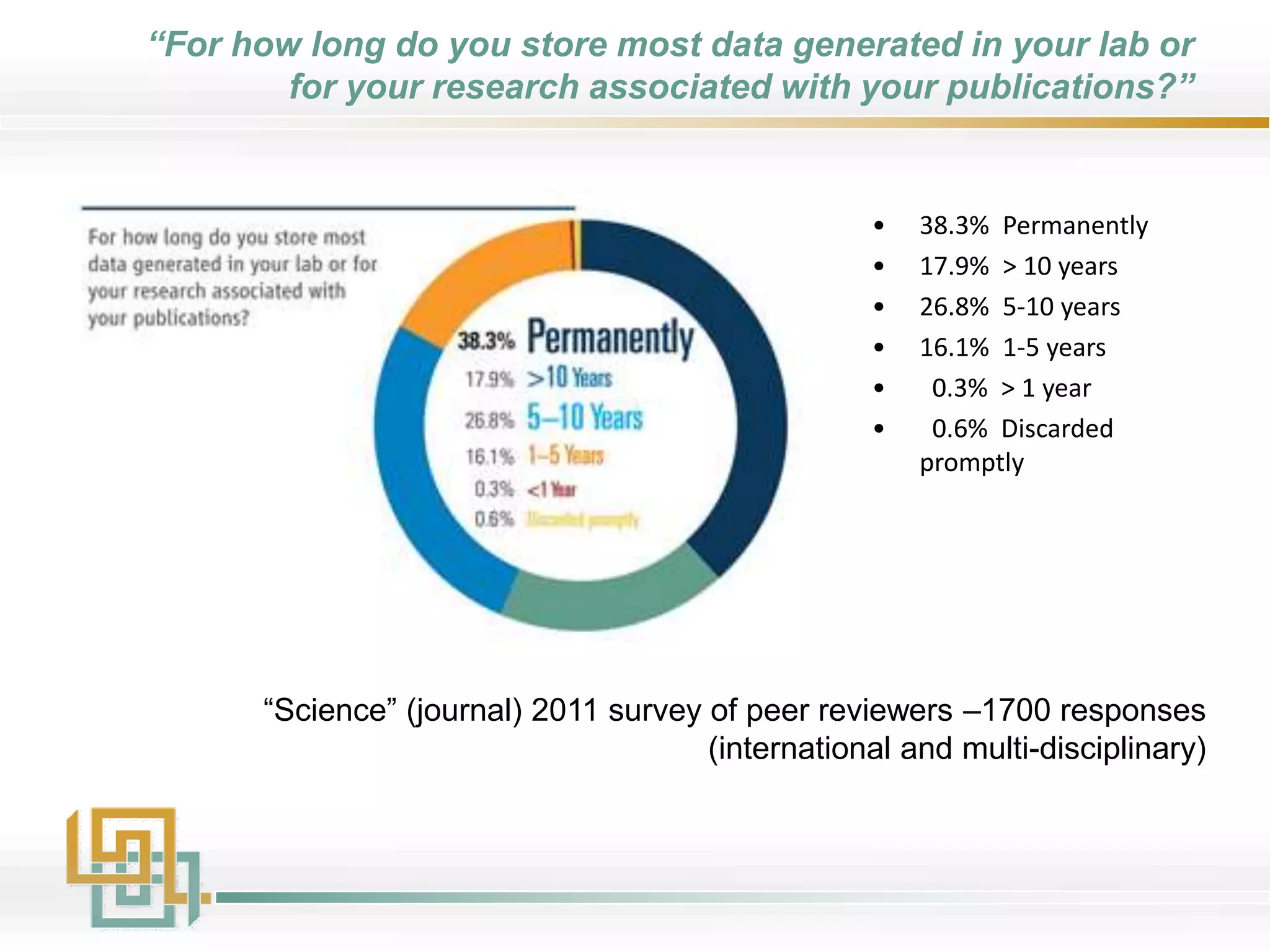
“For how long do you store most data generated in your lab or
for your research associated with your publications?”
“Science” (journal) 2011 survey of peer reviewers –1700 responses
(international and multi-disciplinary)
• 38.3% Permanently
• 17.9% > 10 years
• 26.8% 5-10 years
• 16.1% 1-5 years
• 0.3% > 1 year
• 0.6% Discarded
promptly
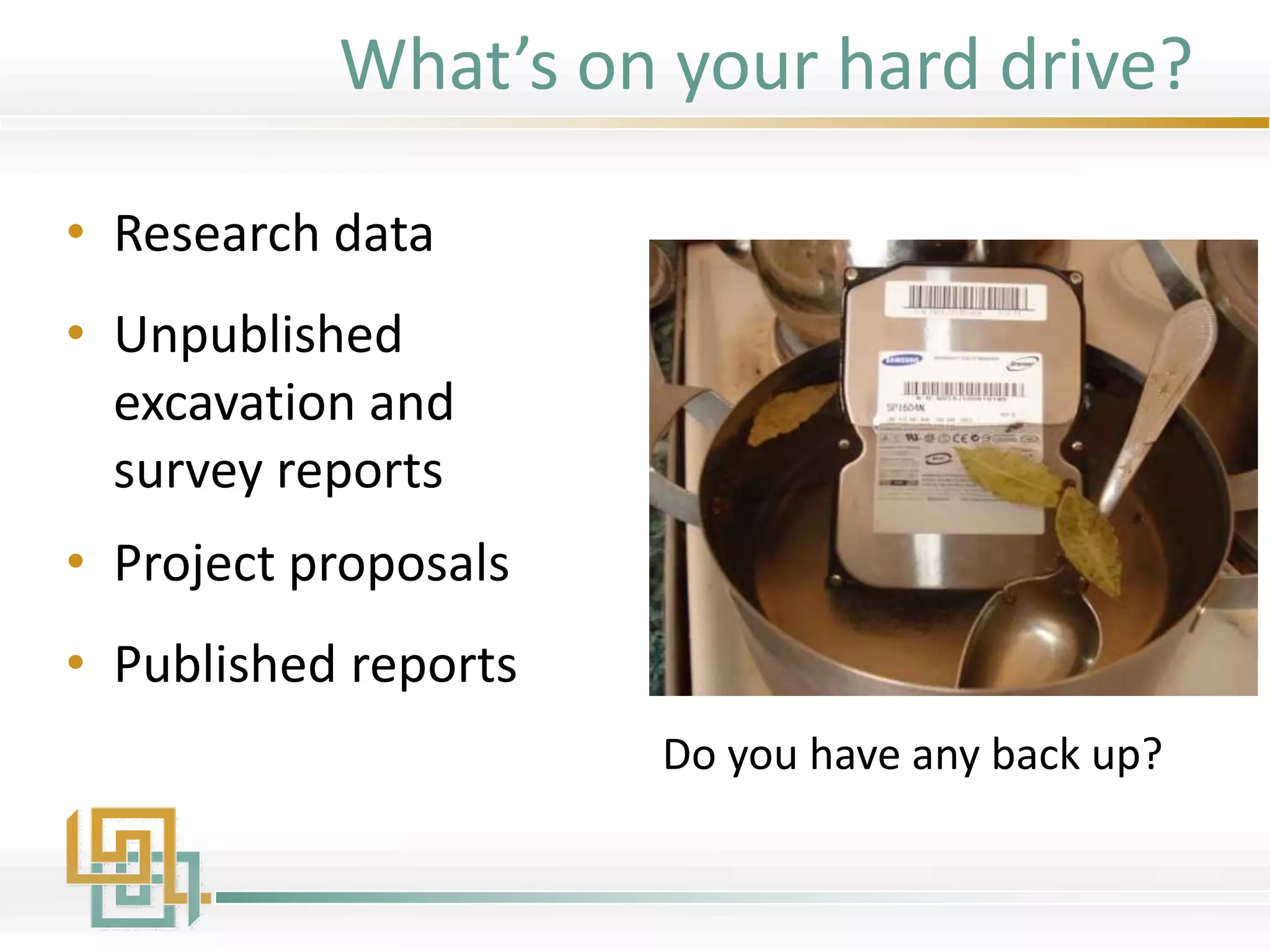
What’s on your hard drive?
• Research data
• Unpublished
excavation and
survey reports
• Project proposals
• Published reports
Do you have any back up?
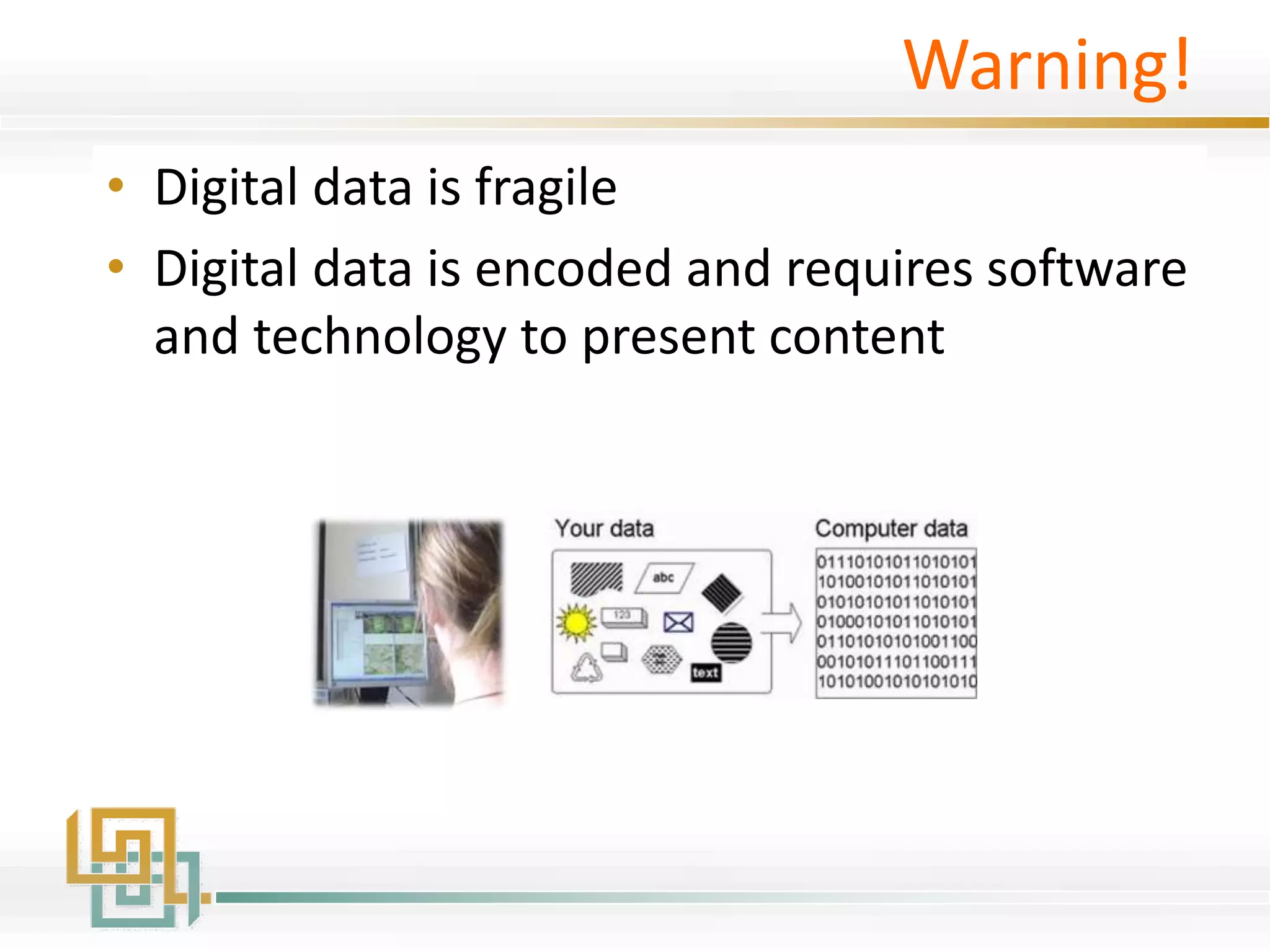
Warning!
• Digital data is fragile
• Digital data is encoded and requires software
and technology to present content
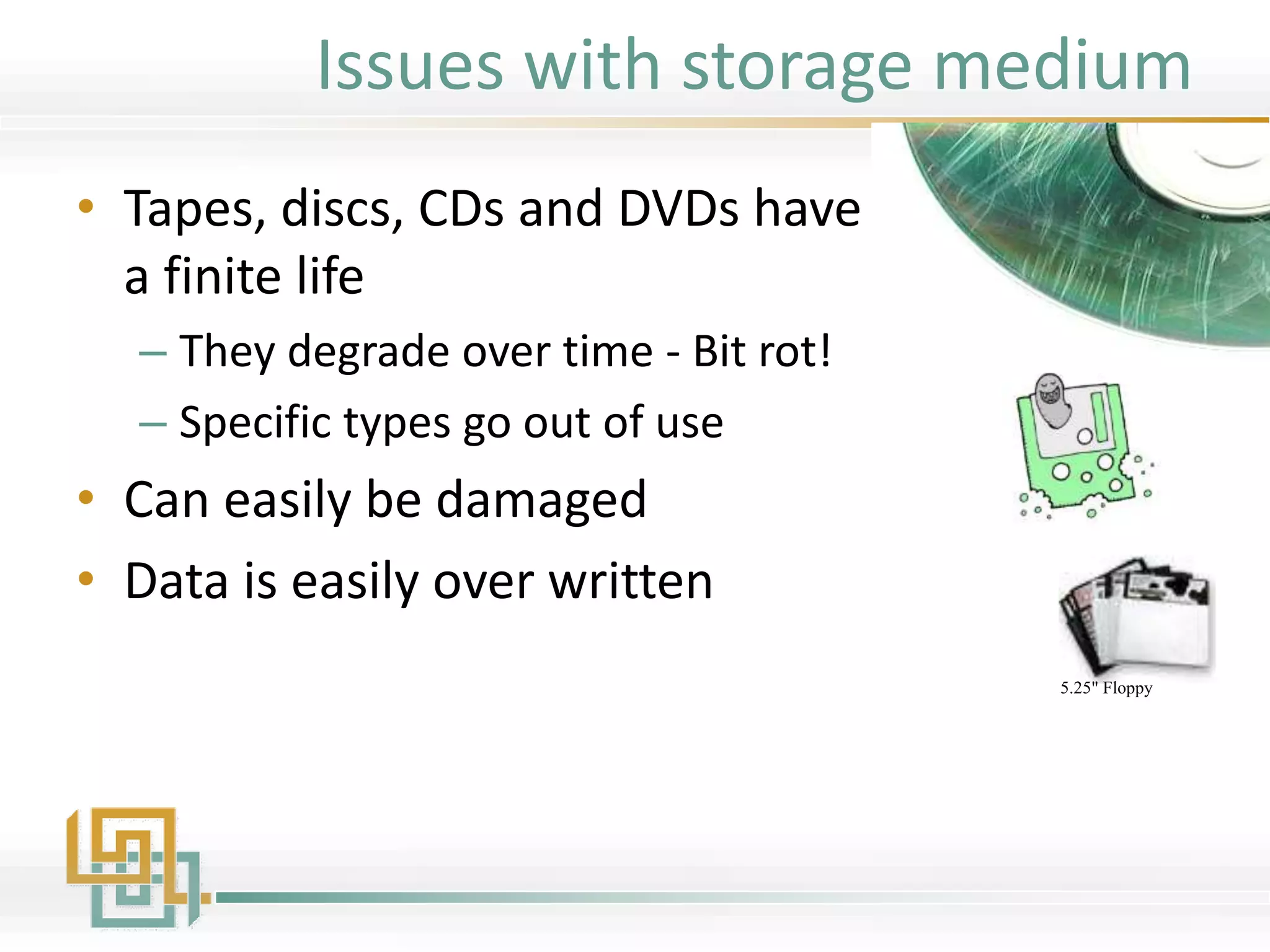
Issues with storage medium
• Tapes, discs, CDs and DVDs have
a finite life
– They degrade over time - Bit rot!
– Specific types go out of use
• Can easily be damaged
• Data is easily over written
5.25" Floppy
8" Floppy
3.5" Floppy
5.25" Floppy
12" Optical Disk
5.25" Optical Disk
CD-ROM
Sparq Disk Cartridge
Zip Disk
Click!
DVD-ROM
Jaz Disk
Floptical Disk
Punch Tape
Rectangular Hole
Punch Card
IBM 3480
DLT Tape
DG90M Tape
DC4_120
8mmD-eight
QIC DC600
G2000 Tape
4mm Tape
Ditto Max
9-Track Reel
Cassette tape
Memory Stick
MultiMedia Card
SD Memory Card
xD Picture Card
Smart Media
CompactFlash
Travan
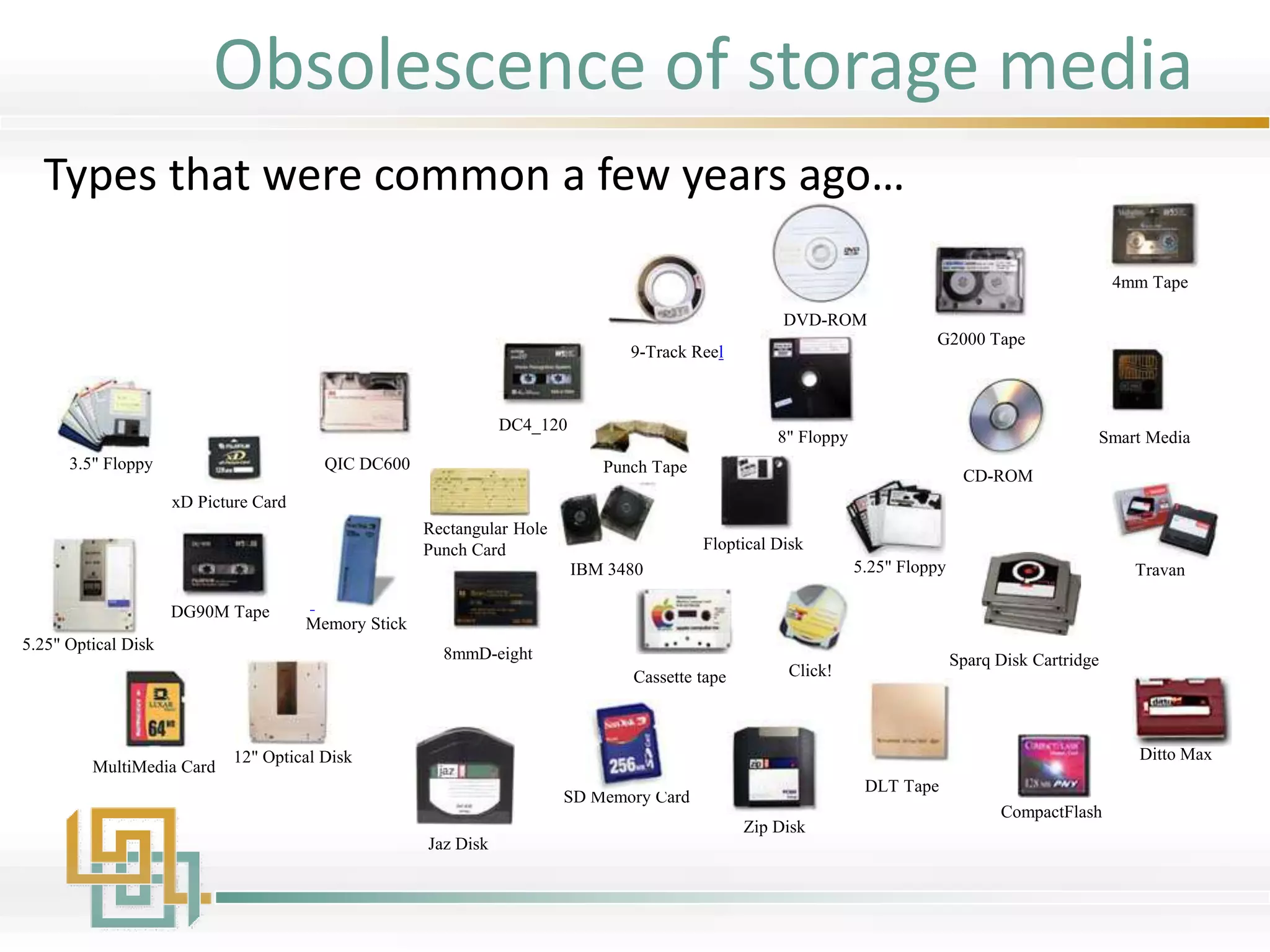
Types that were common a few years ago…
Obsolescence of storage media
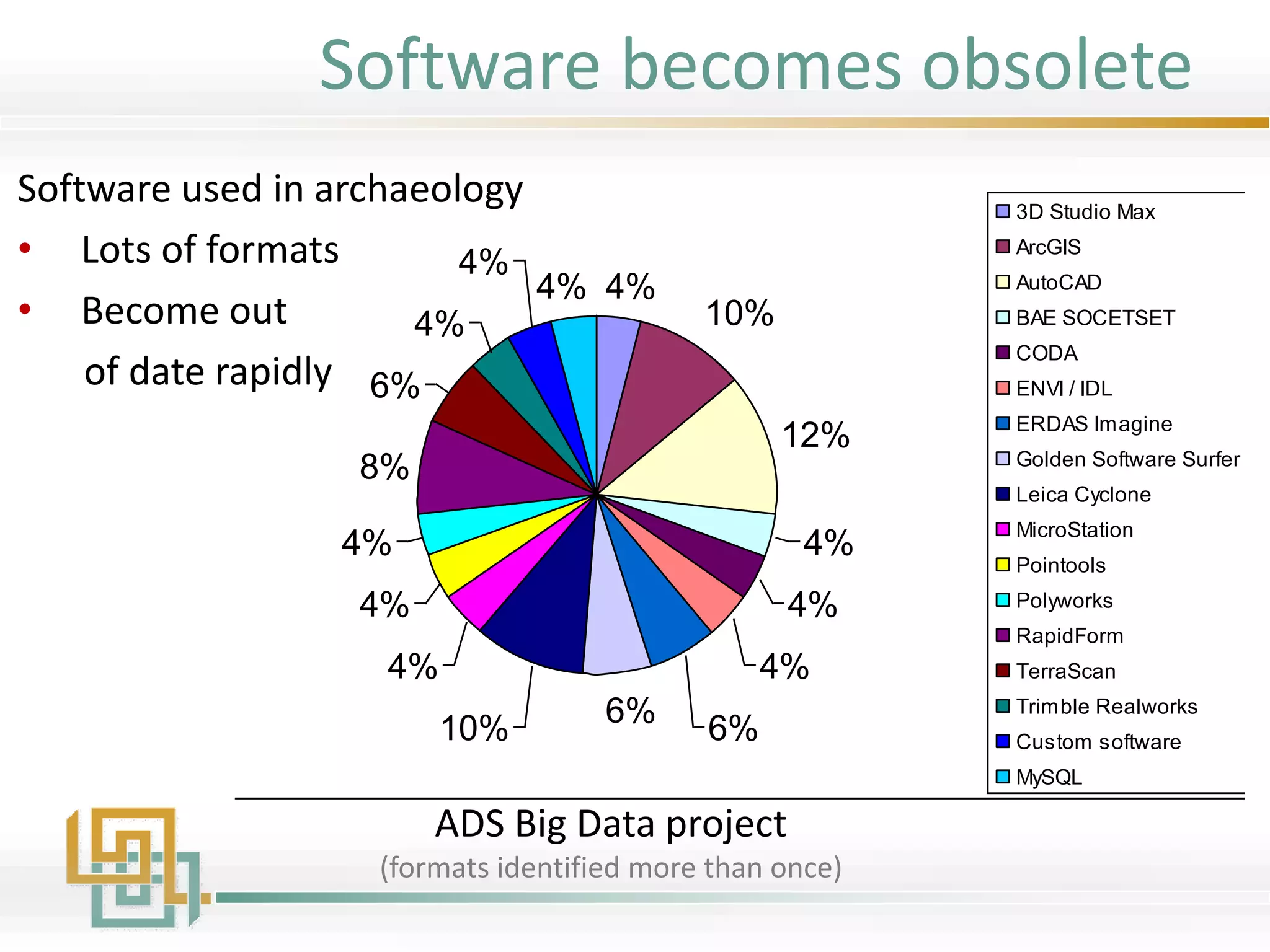
Software (noted more than once)
4%
10%
12%
4%
4%
4%
6%6%10%
4%
4%
4%
8%
6%
4%
4%
4%
3D Studio Max
ArcGIS
AutoCAD
BAE SOCETSET
CODA
ENVI / IDL
ERDAS Imagine
Golden Software Surfer
Leica Cyclone
MicroStation
Pointools
Polyworks
RapidForm
TerraScan
Trimble Realworks
Custom software
MySQL
Software used in archaeology
• Lots of formats
• Become out
of date rapidly
ADS Big Data project
(formats identified more than once)
Software becomes obsolete
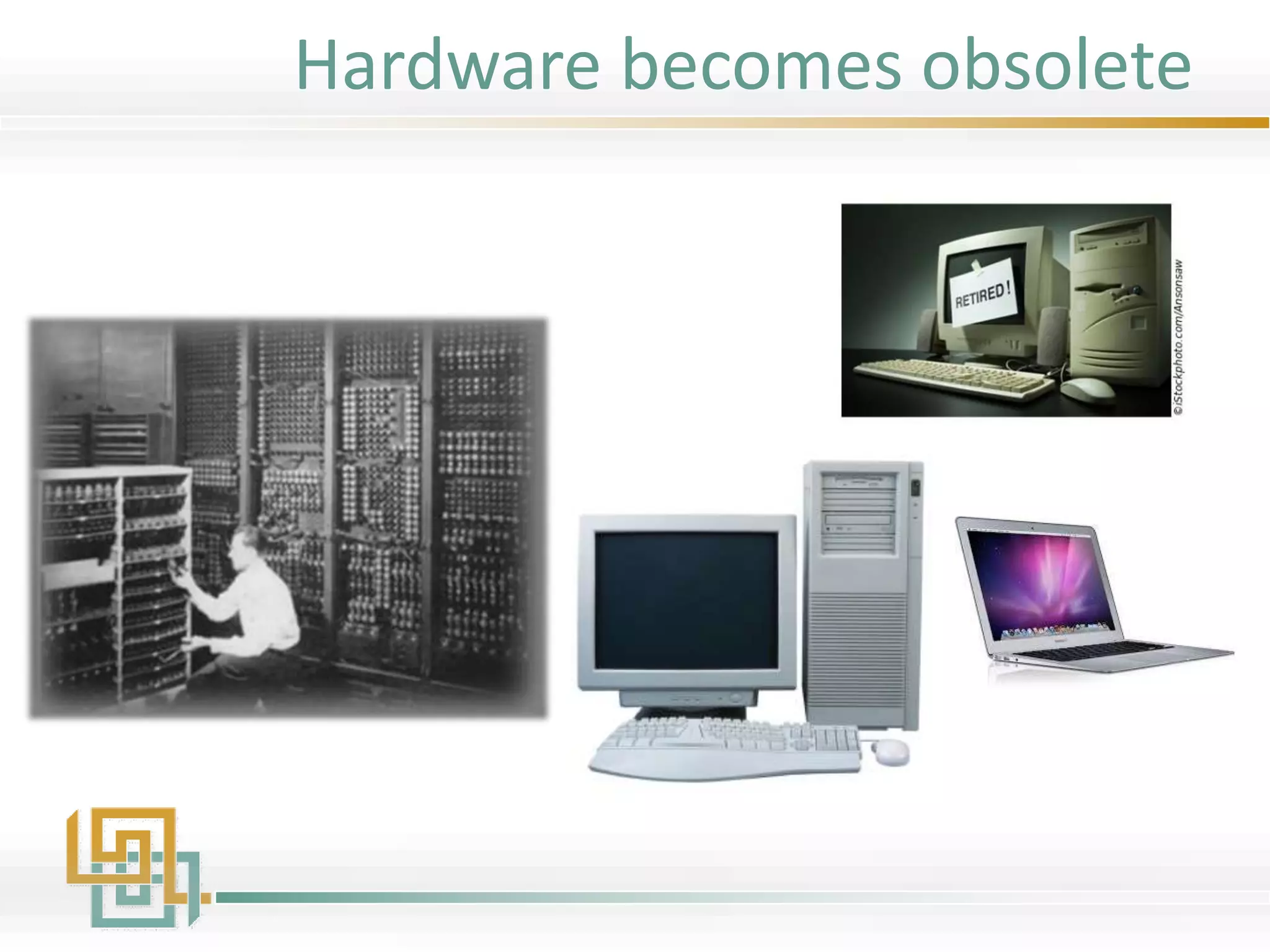
Hardware becomes obsolete
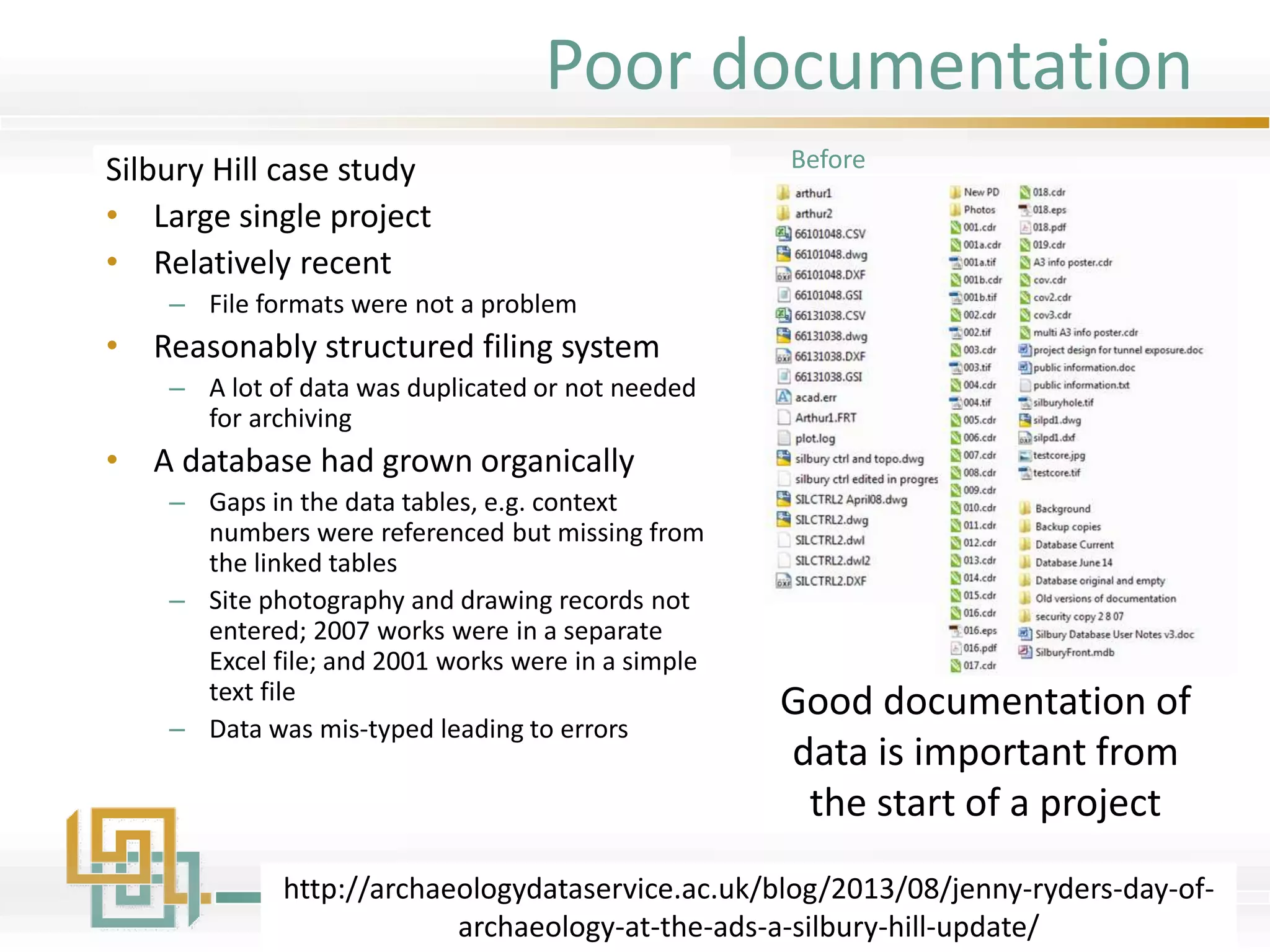
Poor documentation
Silbury Hill case study
• Large single project
• Relatively recent
– File formats were not a problem
• Reasonably structured filing system
– A lot of data was duplicated or not needed
for archiving
• A database had grown organically
– Gaps in the data tables, e.g. context
numbers were referenced but missing from
the linked tables
– Site photography and drawing records not
entered; 2007 works were in a separate
Excel file; and 2001 works were in a simple
text file
– Data was mis-typed leading to errors
http://archaeologydataservice.ac.uk/blog/2013/08/jenny-ryders-day-of-
archaeology-at-the-ads-a-silbury-hill-update/
Good documentation of
data is important from
the start of a project
Before
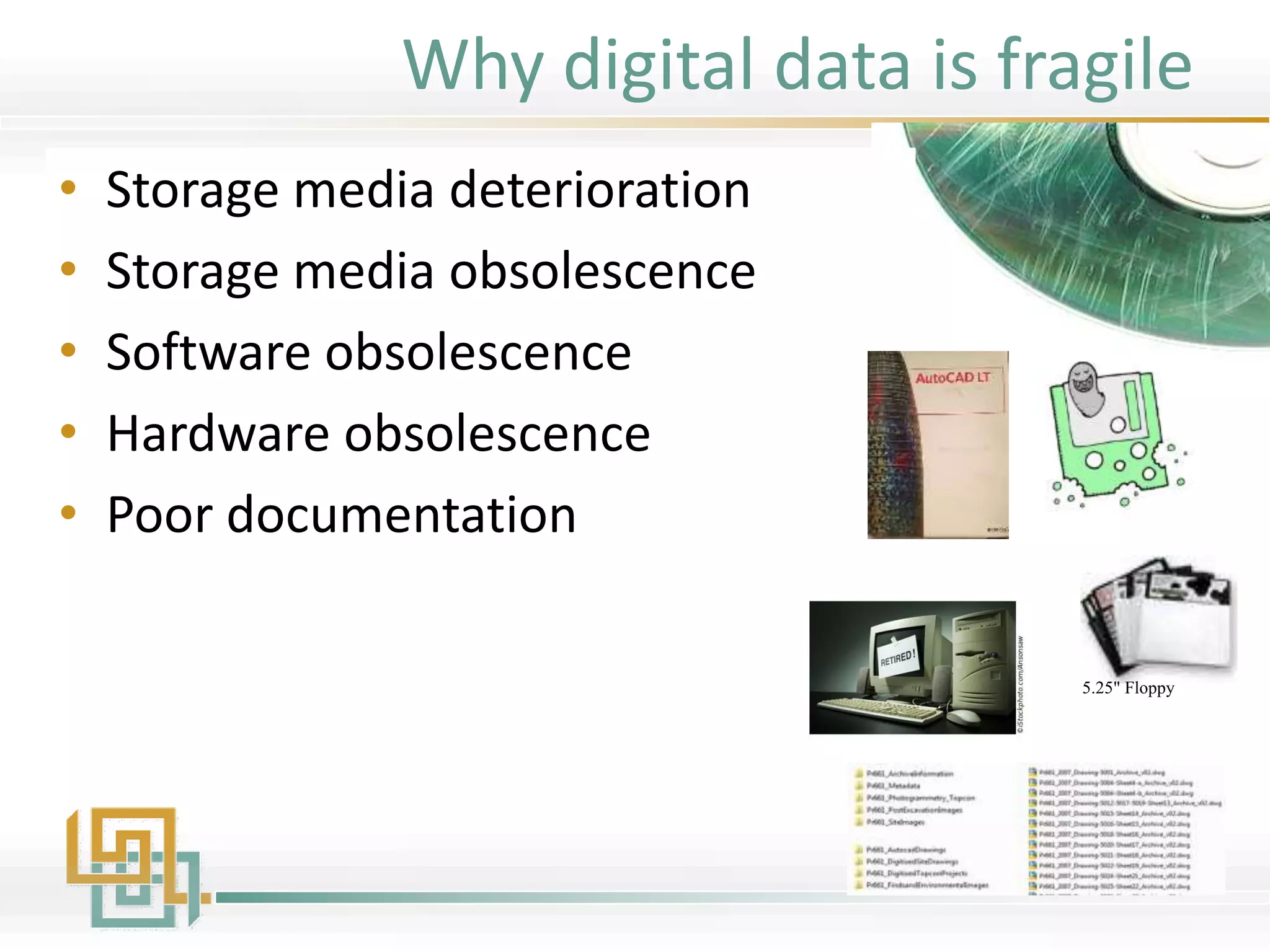
Why digital data is fragile
• Storage media deterioration
• Storage media obsolescence
• Software obsolescence
• Hardware obsolescence
• Poor documentation
5.25" Floppy
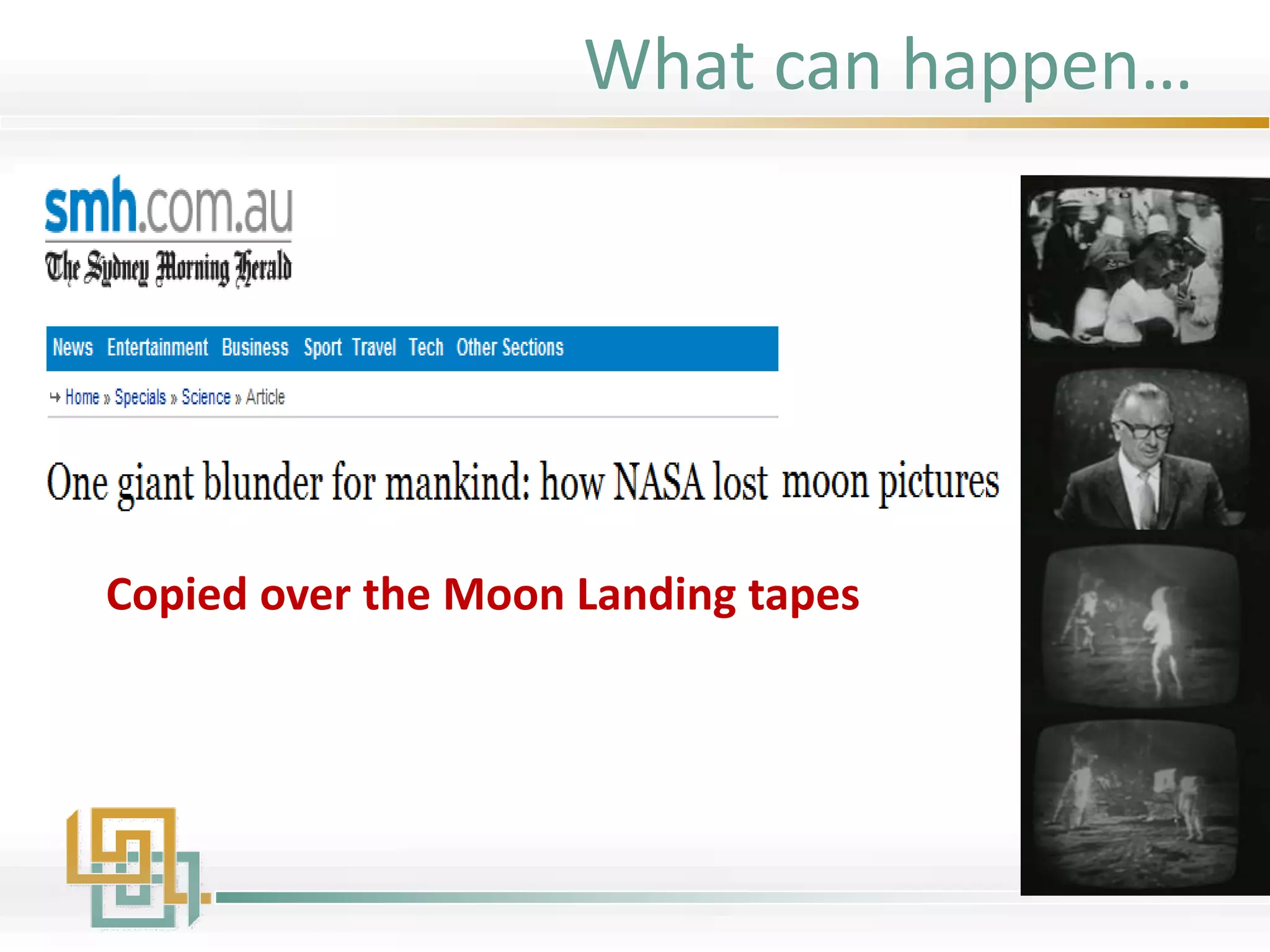
Copied over the Moon Landing tapes
What can happen…
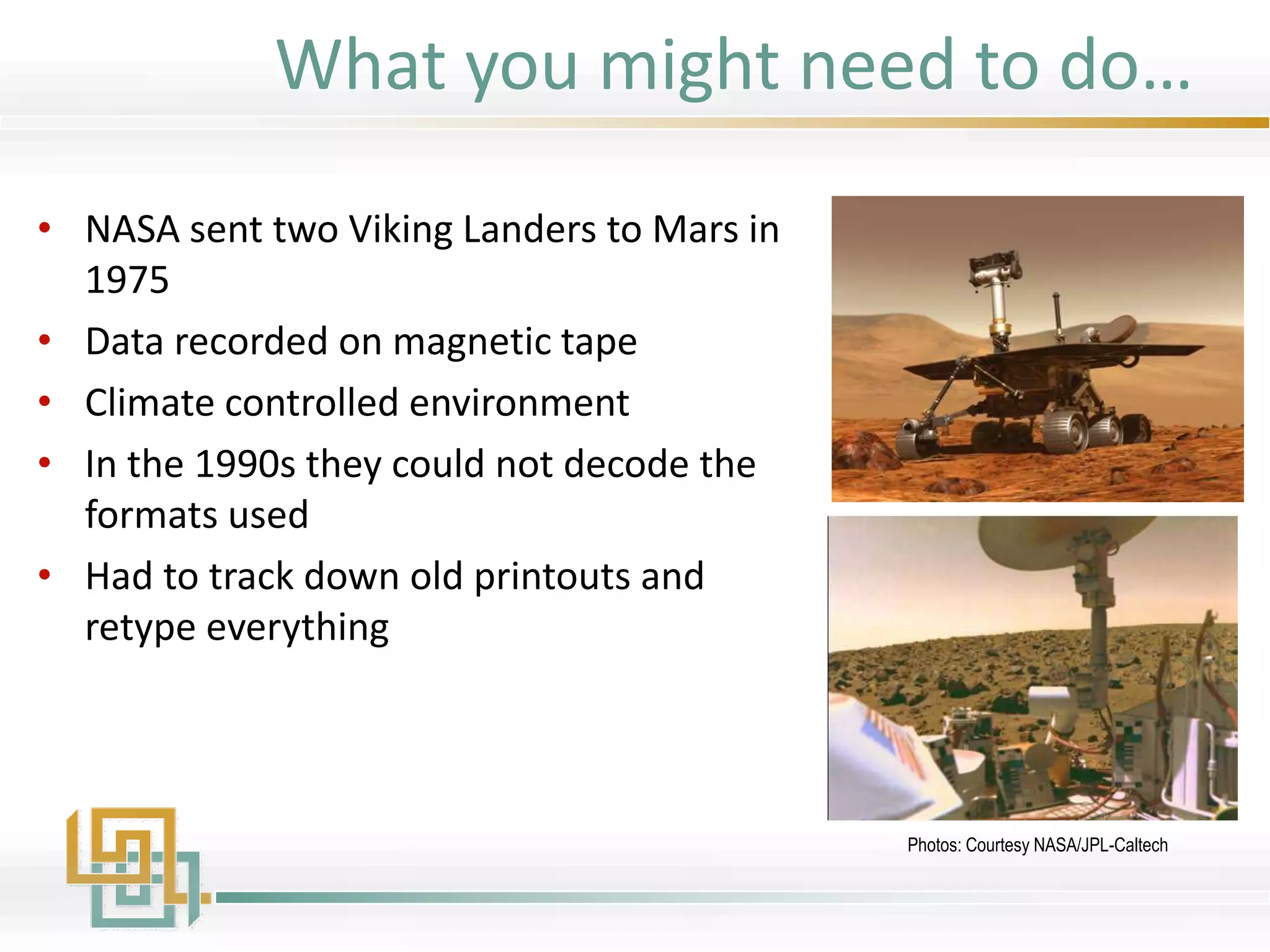
• NASA sent two Viking Landers to Mars in
1975
• Data recorded on magnetic tape
• Climate controlled environment
• In the 1990s they could not decode the
formats used
• Had to track down old printouts and
retype everything
Photos: Courtesy NASA/JPL-Caltech
What you might need to do…
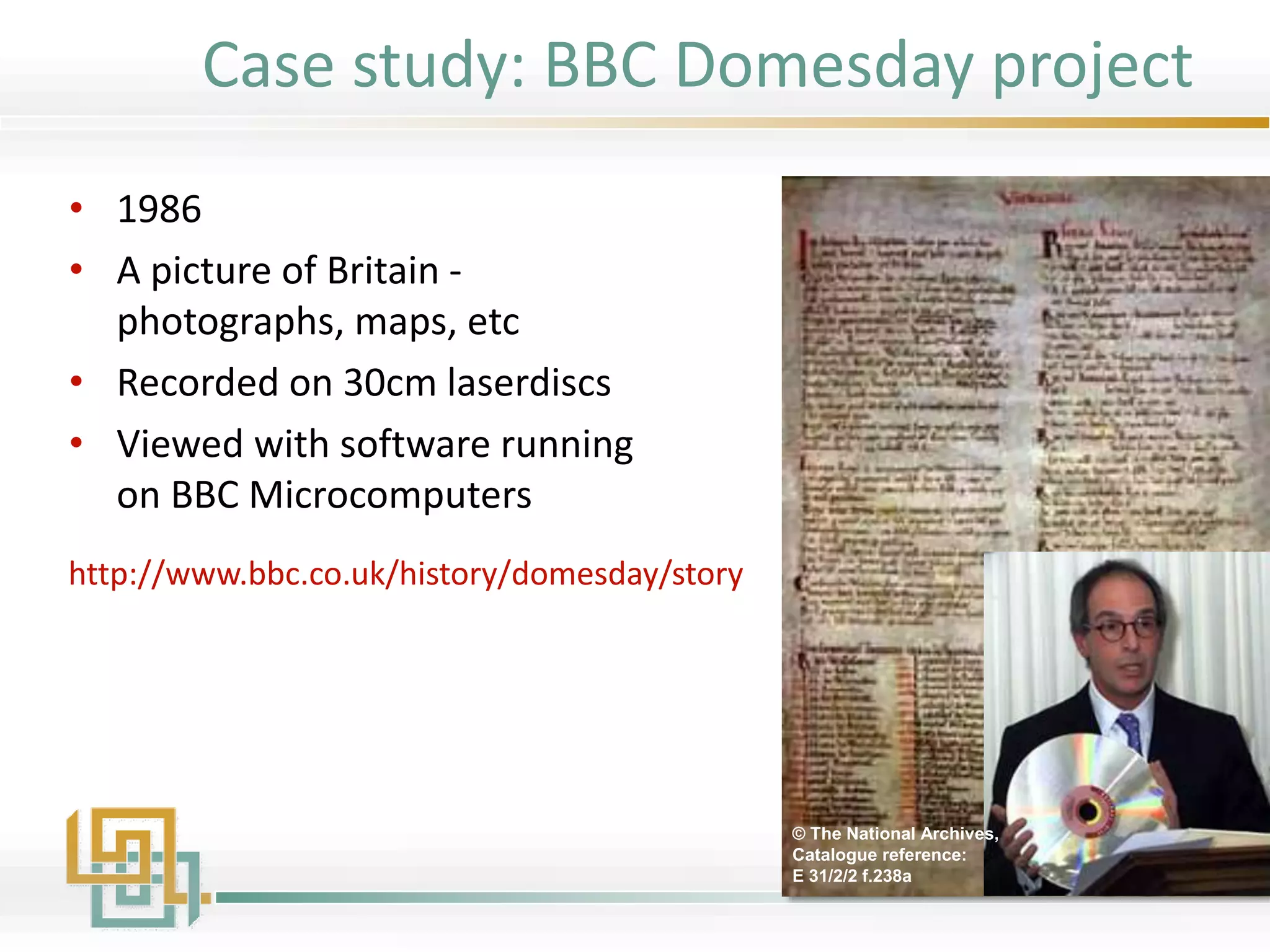
• 1986
• A picture of Britain -
photographs, maps, etc
• Recorded on 30cm laserdiscs
• Viewed with software running
on BBC Microcomputers
© The National Archives,
Catalogue reference:
E 31/2/2 f.238a
http://www.bbc.co.uk/history/domesday/story
Case study: BBC Domesday project
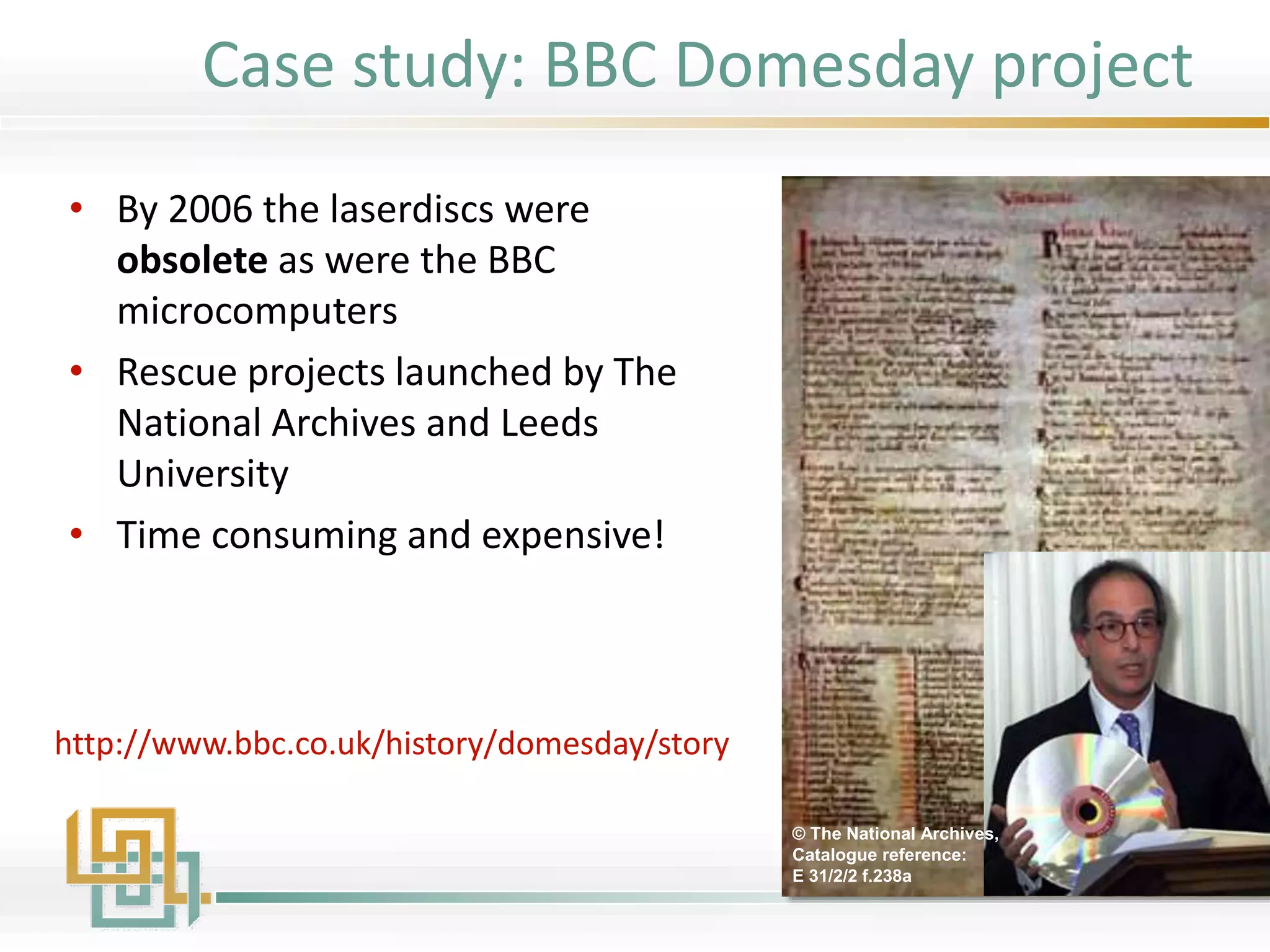
• By 2006 the laserdiscs were
obsolete as were the BBC
microcomputers
• Rescue projects launched by The
National Archives and Leeds
University
• Time consuming and expensive!
© The National Archives,
Catalogue reference:
E 31/2/2 f.238a
http://www.bbc.co.uk/history/domesday/story
Case study: BBC Domesday project
"Digital information lasts forever - or five years,
whichever comes first."
(Jeff Rothenberg, RAND Corp., 1997)
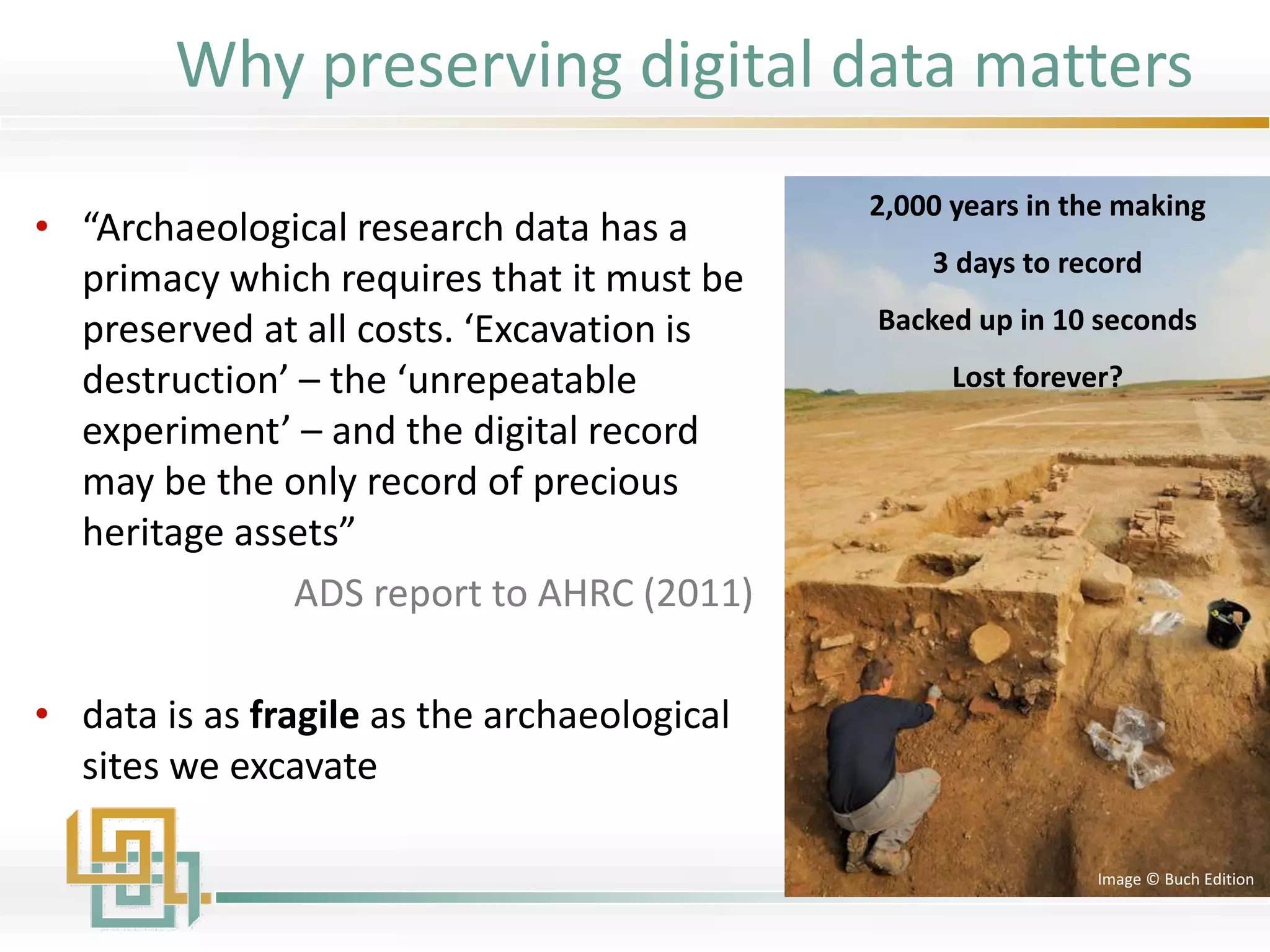
• “Archaeological research data has a
primacy which requires that it must be
preserved at all costs. ‘Excavation is
destruction’ – the ‘unrepeatable
experiment’ – and the digital record
may be the only record of precious
heritage assets”
ADS report to AHRC (2011)
• data is as fragile as the archaeological
sites we excavate
2,000 years in the making
3 days to record
Backed up in 10 seconds
Lost forever?
Image © Buch Edition
Why preserving digital data matters
The Newham Museum Archaeological Service was active in
archaeological fieldwork across North East London for several
decades.
• It closed suddenly in 1998 with little notice
• Their computers were sold by the local council
• Staff went their separate ways
Case study:
Newham museum archaeological service
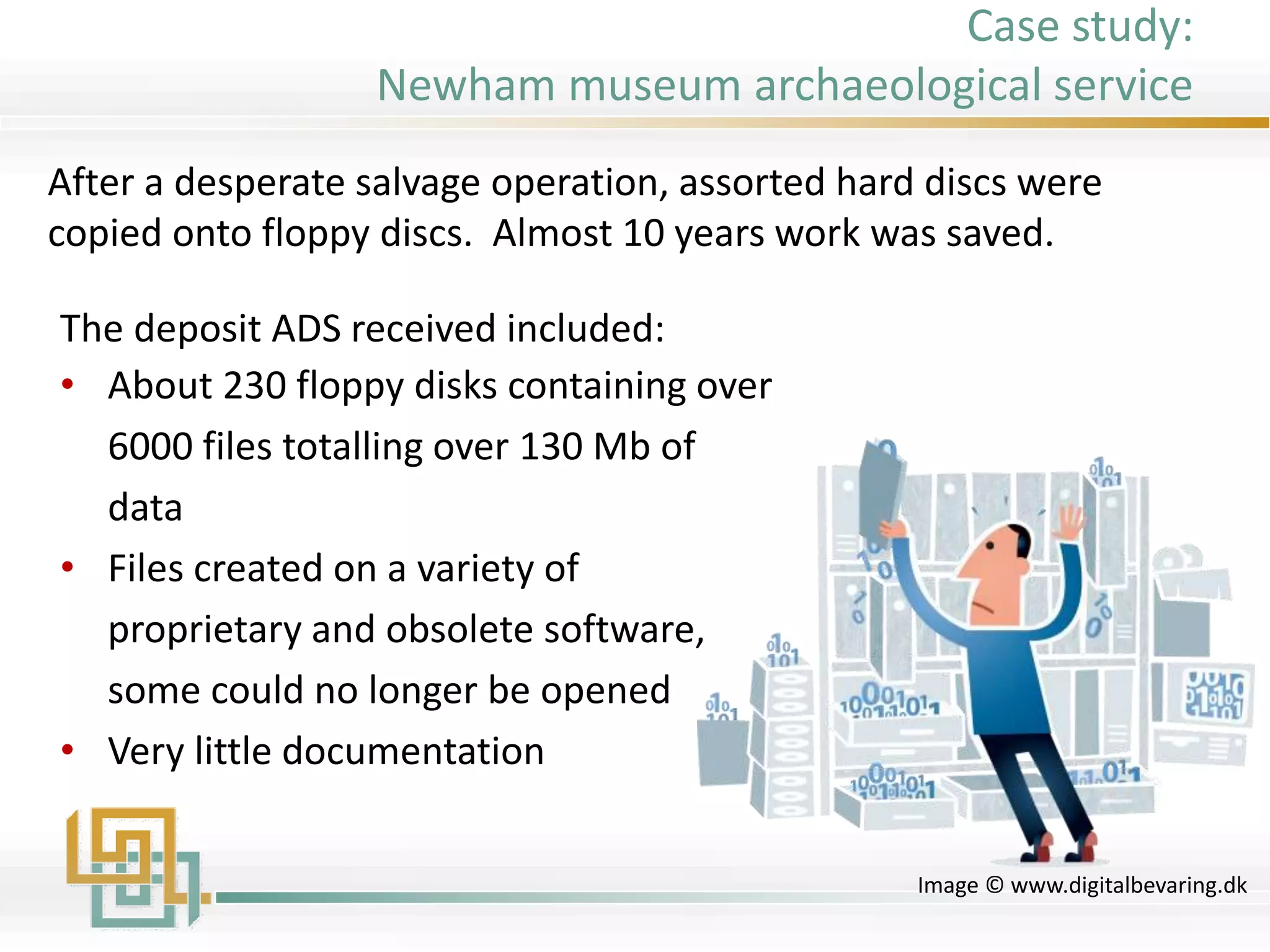
The deposit ADS received included:
• About 230 floppy disks containing over
6000 files totalling over 130 Mb of
data
• Files created on a variety of
proprietary and obsolete software,
some could no longer be opened
• Very little documentation
Image © www.digitalbevaring.dk
After a desperate salvage operation, assorted hard discs were
copied onto floppy discs. Almost 10 years work was saved.
Case study:
Newham museum archaeological service
“Archaeology is in a special position with
respect to archiving because the act of data
creation, e.g. archaeological excavation,
results in the destruction of the primary
archaeological evidence itself. Increasingly,
the digital record may be the only source of
precious research materials”
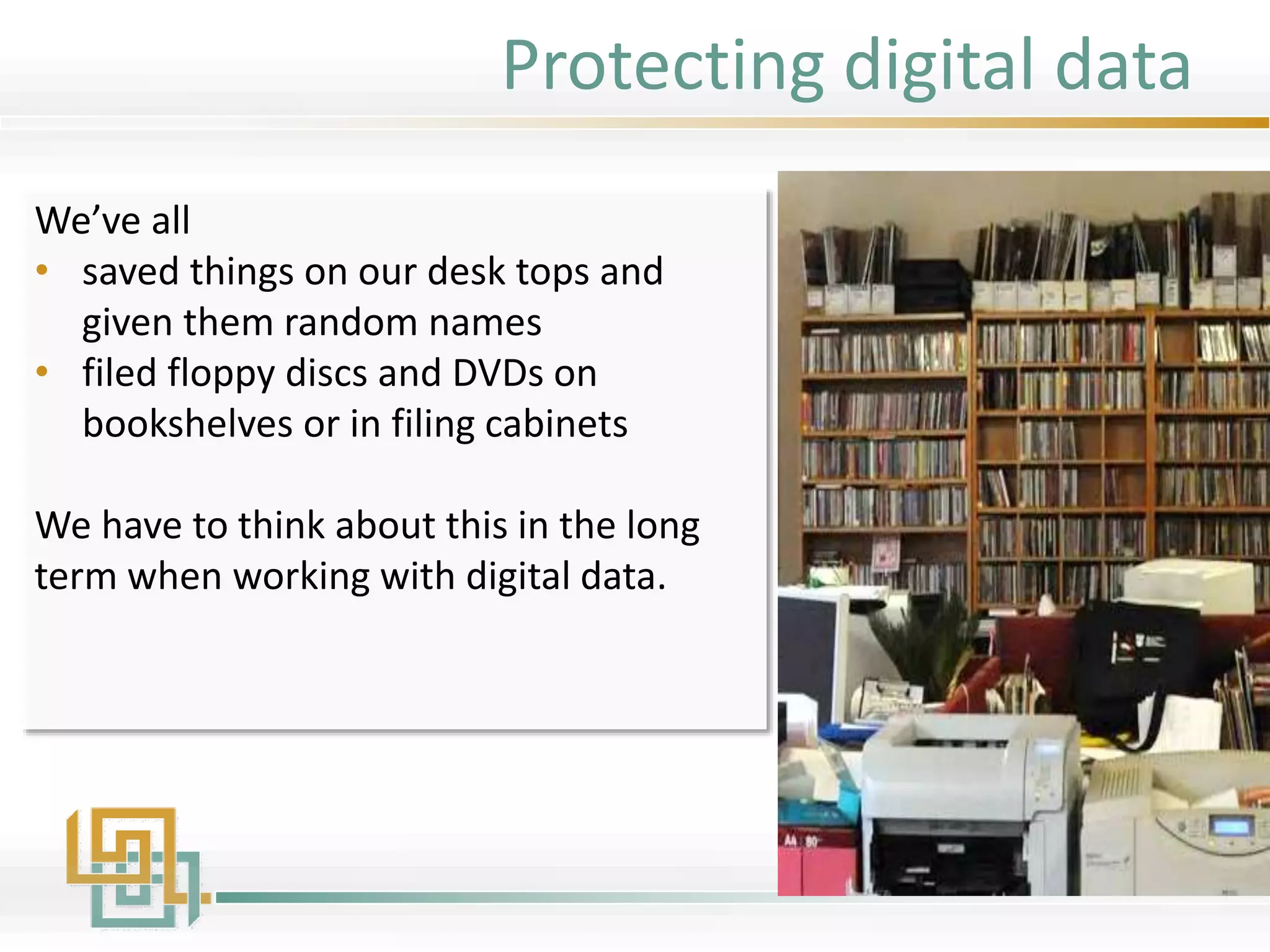
We’ve all
• saved things on our desk tops and
given them random names
• filed floppy discs and DVDs on
bookshelves or in filing cabinets
We have to think about this in the long
term when working with digital data.
Protecting digital data
Digital Data and the Archaeological Record
27/01/2016http://archaeologydataservice.ac.uk 30
Protecting Digital Data
• Recognise data is as fragile as the
archaeological record we excavate
• Stop archiving data as objects rather
than computerised information
• Recognise the challenges of digital
data
• Professionally archive digital material
• Create Data Management Plans
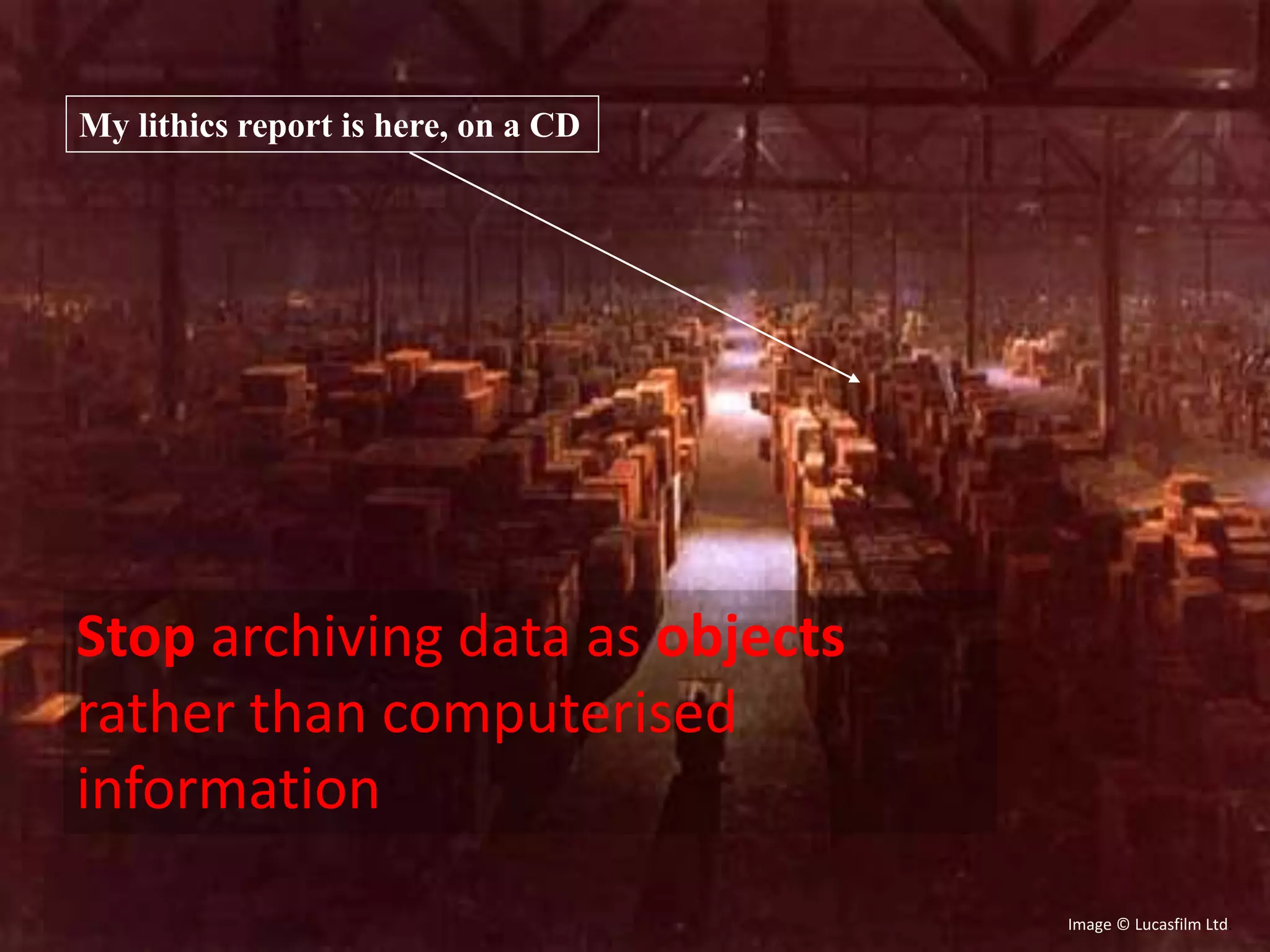
My lithics report is here, on a CD
Image © Lucasfilm Ltd.
Stop archiving data as objects
rather than computerised
information
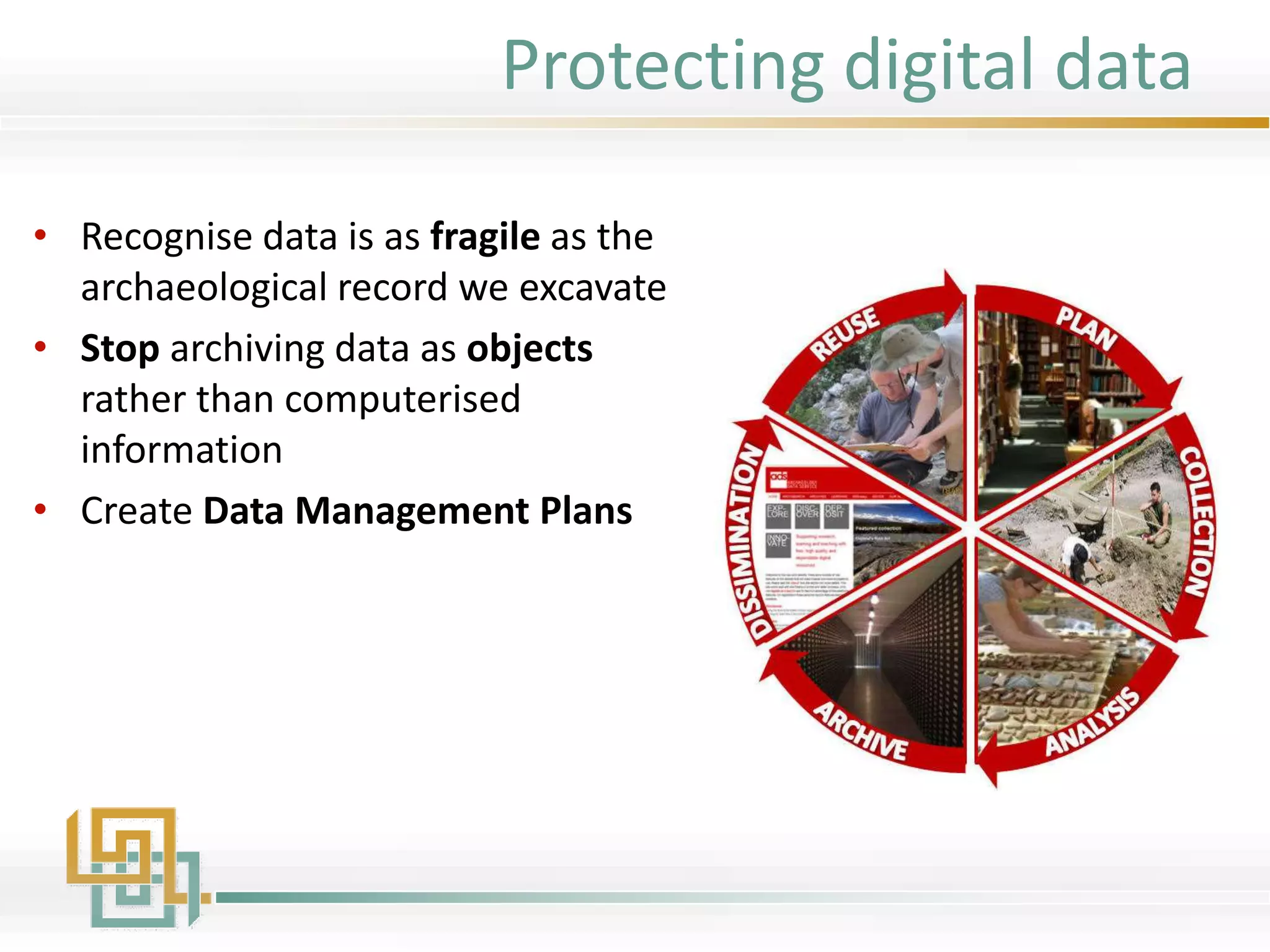
• Recognise data is as fragile as the
archaeological record we excavate
• Stop archiving data as objects
rather than computerised
information
• Create Data Management Plans
Protecting digital data
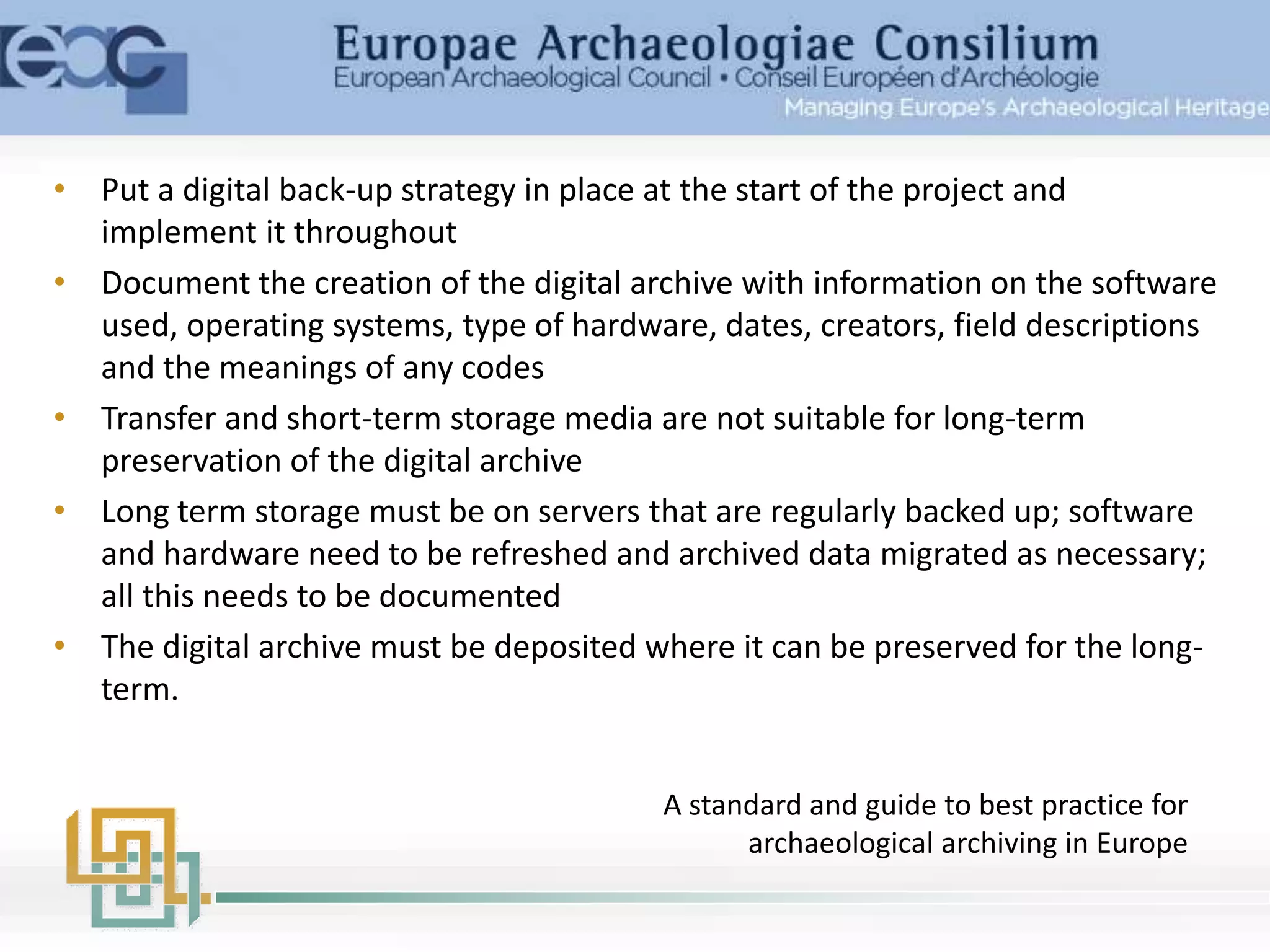
• Put a digital back-up strategy in place at the start of the project and
implement it throughout
• Document the creation of the digital archive with information on the software
used, operating systems, type of hardware, dates, creators, field descriptions
and the meanings of any codes
• Transfer and short-term storage media are not suitable for long-term
preservation of the digital archive
• Long term storage must be on servers that are regularly backed up; software
and hardware need to be refreshed and archived data migrated as necessary;
all this needs to be documented
• The digital archive must be deposited where it can be preserved for the long-
term.
A standard and guide to best practice for
archaeological archiving in Europe
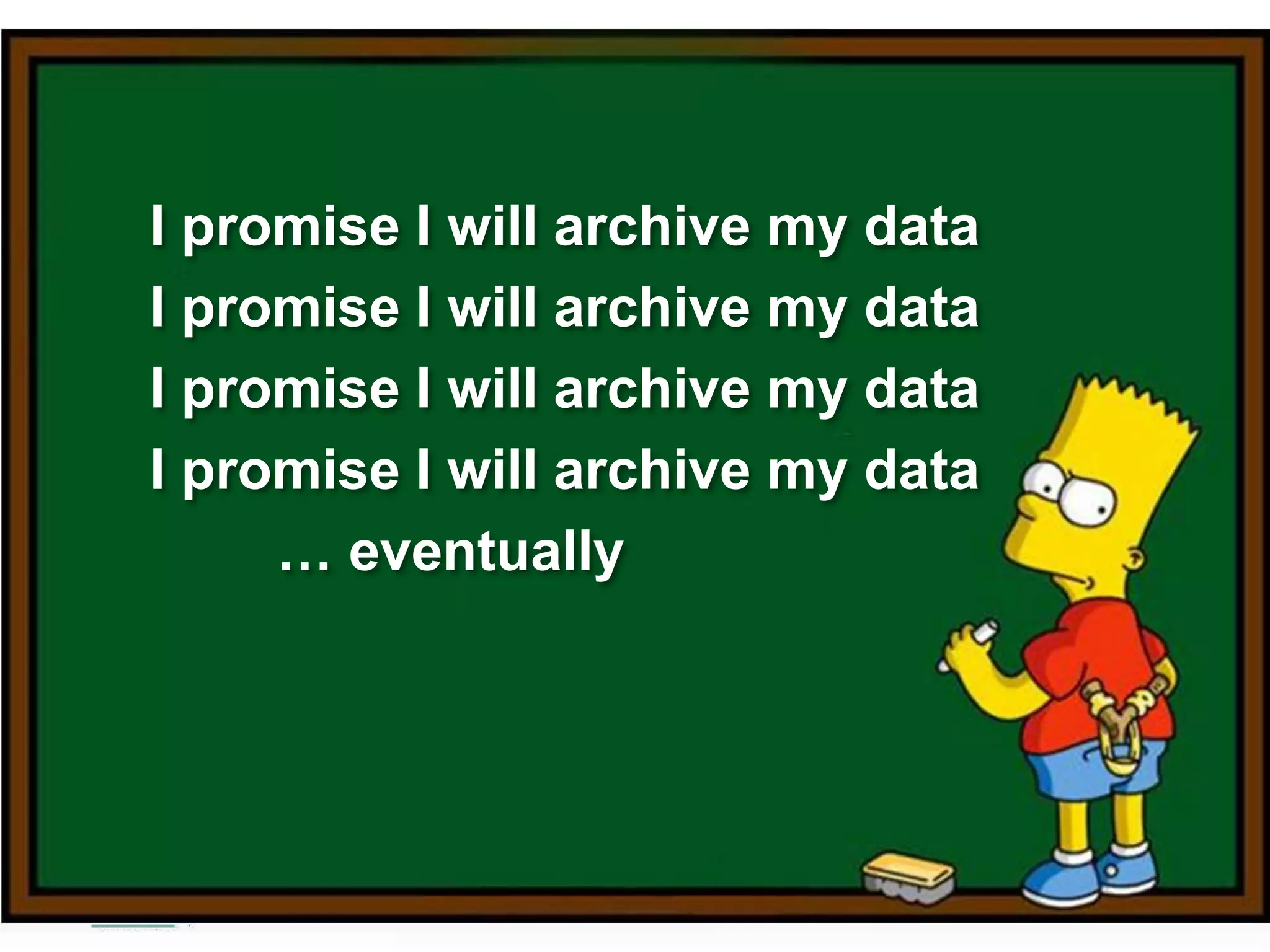
I promise I will archive my data
… eventually
Workshop programme
• Context
• Lifecycles
– Good practices
• Data Management Plans
– Project and professional data
• Archiving & repositories
– Collection management software, Preservation, Dissemination
• Data sharing
– Open access, rights, licences, considerations
• Interoperability
– metadata, controlled vocabularies, Geo-data, LOD
– Portals (ARIADNE)
• ARIADNE services
Acknowledgements
Dr. Katie Green, Archaeology Data Service
Jenny Ryder, Archaeology Data Service
Dr. Jeremy Huggett, University of Glasgow
ARIADNE is a project funded by the European Commission under the
Community’s Seventh Framework Programme, contract no. FP7-
INFRASTRUCTURES-2012-1-313193.
The views and opinions expressed in this presentation are the sole
responsibility of the authors and do not necessarily reflect the views of the
European Commission.

Ariadne overview

  • 1.
    ARIADNE is fundedby the European Commission's Seventh Framework Programme Overview Kate Fernie
  • 2.
    • ARIADNE • Introductions •Digital data in archaeology • Why preserving data is important Overview
  • 3.
    ARIADNE • Funded underthe EU’s 7th Framework programme • ARIADNE is an infrastructure project • Aims to integrate archaeological research data infrastructures • So that researchers can use distributed datasets and new technologies • Offering training is an integral part of the project
  • 4.
    Introductions Holly Wright PhD inArchaeology and an MSc in Archaeological Information Systems from the University of York. Her teaching and research focusses on field drawing, vector graphics, visualisation, Web design, Web standards and the Semantic Web in archaeology. European Projects Manager for the Archaeology Data Service (ADS) in ARIADNE. Kate Fernie an experienced professional with a background in Archaeology, museums, information management, standards and digitization in the cultural heritage sector. Director of 2Culture Associates she participates in ARIADNE for PIN scrl.
  • 5.
    The use ofcomputers in archaeological fieldwork recording and research has become routine. Digital data is: • Easy to create and to update • Easy to share and access Images © Buch Edition Digital data in archaeology
  • 6.
    Born Digital Data createdin digital format Digitised Data Hardcopy converted to digital format Image © State Library of New South Wales 2015Image © Oxford Archaeology (North) Digital data in archaeology
  • 7.
    Storing digital data Alot of data is being created, where is it stored?
  • 8.
    Where researchers storedata PARSE.Insight survey 2009: 1202 respondents from different research domains and countries
  • 9.
    “Where do youarchive most of the data generated in your lab or for your research?” “Science” journal 2011 survey of peer reviewers: 1700 responses, (international and multi-disciplinary • 50.2% in our lab • 38.5% university server • 7.6% community repository • 3.2% “other” • 0.5% not stored Note: archived ≠ curated
  • 10.
    “For how longdo you store most data generated in your lab or for your research associated with your publications?” “Science” (journal) 2011 survey of peer reviewers –1700 responses (international and multi-disciplinary) • 38.3% Permanently • 17.9% > 10 years • 26.8% 5-10 years • 16.1% 1-5 years • 0.3% > 1 year • 0.6% Discarded promptly
  • 11.
    What’s on yourhard drive? • Research data • Unpublished excavation and survey reports • Project proposals • Published reports Do you have any back up?
  • 12.
    Warning! • Digital datais fragile • Digital data is encoded and requires software and technology to present content
  • 13.
    Issues with storagemedium • Tapes, discs, CDs and DVDs have a finite life – They degrade over time - Bit rot! – Specific types go out of use • Can easily be damaged • Data is easily over written 5.25" Floppy
  • 14.
    8" Floppy 3.5" Floppy 5.25"Floppy 12" Optical Disk 5.25" Optical Disk CD-ROM Sparq Disk Cartridge Zip Disk Click! DVD-ROM Jaz Disk Floptical Disk Punch Tape Rectangular Hole Punch Card IBM 3480 DLT Tape DG90M Tape DC4_120 8mmD-eight QIC DC600 G2000 Tape 4mm Tape Ditto Max 9-Track Reel Cassette tape Memory Stick MultiMedia Card SD Memory Card xD Picture Card Smart Media CompactFlash Travan Types that were common a few years ago… Obsolescence of storage media
  • 15.
    Software (noted morethan once) 4% 10% 12% 4% 4% 4% 6%6%10% 4% 4% 4% 8% 6% 4% 4% 4% 3D Studio Max ArcGIS AutoCAD BAE SOCETSET CODA ENVI / IDL ERDAS Imagine Golden Software Surfer Leica Cyclone MicroStation Pointools Polyworks RapidForm TerraScan Trimble Realworks Custom software MySQL Software used in archaeology • Lots of formats • Become out of date rapidly ADS Big Data project (formats identified more than once) Software becomes obsolete
  • 16.
  • 17.
    Poor documentation Silbury Hillcase study • Large single project • Relatively recent – File formats were not a problem • Reasonably structured filing system – A lot of data was duplicated or not needed for archiving • A database had grown organically – Gaps in the data tables, e.g. context numbers were referenced but missing from the linked tables – Site photography and drawing records not entered; 2007 works were in a separate Excel file; and 2001 works were in a simple text file – Data was mis-typed leading to errors http://archaeologydataservice.ac.uk/blog/2013/08/jenny-ryders-day-of- archaeology-at-the-ads-a-silbury-hill-update/ Good documentation of data is important from the start of a project Before
  • 18.
    Why digital datais fragile • Storage media deterioration • Storage media obsolescence • Software obsolescence • Hardware obsolescence • Poor documentation 5.25" Floppy
  • 19.
    Copied over theMoon Landing tapes What can happen…
  • 20.
    • NASA senttwo Viking Landers to Mars in 1975 • Data recorded on magnetic tape • Climate controlled environment • In the 1990s they could not decode the formats used • Had to track down old printouts and retype everything Photos: Courtesy NASA/JPL-Caltech What you might need to do…
  • 21.
    • 1986 • Apicture of Britain - photographs, maps, etc • Recorded on 30cm laserdiscs • Viewed with software running on BBC Microcomputers © The National Archives, Catalogue reference: E 31/2/2 f.238a http://www.bbc.co.uk/history/domesday/story Case study: BBC Domesday project
  • 22.
    • By 2006the laserdiscs were obsolete as were the BBC microcomputers • Rescue projects launched by The National Archives and Leeds University • Time consuming and expensive! © The National Archives, Catalogue reference: E 31/2/2 f.238a http://www.bbc.co.uk/history/domesday/story Case study: BBC Domesday project
  • 24.
    "Digital information lastsforever - or five years, whichever comes first." (Jeff Rothenberg, RAND Corp., 1997)
  • 25.
    • “Archaeological researchdata has a primacy which requires that it must be preserved at all costs. ‘Excavation is destruction’ – the ‘unrepeatable experiment’ – and the digital record may be the only record of precious heritage assets” ADS report to AHRC (2011) • data is as fragile as the archaeological sites we excavate 2,000 years in the making 3 days to record Backed up in 10 seconds Lost forever? Image © Buch Edition Why preserving digital data matters
  • 26.
    The Newham MuseumArchaeological Service was active in archaeological fieldwork across North East London for several decades. • It closed suddenly in 1998 with little notice • Their computers were sold by the local council • Staff went their separate ways Case study: Newham museum archaeological service
  • 27.
    The deposit ADSreceived included: • About 230 floppy disks containing over 6000 files totalling over 130 Mb of data • Files created on a variety of proprietary and obsolete software, some could no longer be opened • Very little documentation Image © www.digitalbevaring.dk After a desperate salvage operation, assorted hard discs were copied onto floppy discs. Almost 10 years work was saved. Case study: Newham museum archaeological service
  • 28.
    “Archaeology is ina special position with respect to archiving because the act of data creation, e.g. archaeological excavation, results in the destruction of the primary archaeological evidence itself. Increasingly, the digital record may be the only source of precious research materials”
  • 29.
    We’ve all • savedthings on our desk tops and given them random names • filed floppy discs and DVDs on bookshelves or in filing cabinets We have to think about this in the long term when working with digital data. Protecting digital data
  • 30.
    Digital Data andthe Archaeological Record 27/01/2016http://archaeologydataservice.ac.uk 30 Protecting Digital Data • Recognise data is as fragile as the archaeological record we excavate • Stop archiving data as objects rather than computerised information • Recognise the challenges of digital data • Professionally archive digital material • Create Data Management Plans My lithics report is here, on a CD Image © Lucasfilm Ltd. Stop archiving data as objects rather than computerised information
  • 31.
    • Recognise datais as fragile as the archaeological record we excavate • Stop archiving data as objects rather than computerised information • Create Data Management Plans Protecting digital data
  • 32.
    • Put adigital back-up strategy in place at the start of the project and implement it throughout • Document the creation of the digital archive with information on the software used, operating systems, type of hardware, dates, creators, field descriptions and the meanings of any codes • Transfer and short-term storage media are not suitable for long-term preservation of the digital archive • Long term storage must be on servers that are regularly backed up; software and hardware need to be refreshed and archived data migrated as necessary; all this needs to be documented • The digital archive must be deposited where it can be preserved for the long- term. A standard and guide to best practice for archaeological archiving in Europe
  • 33.
    I promise Iwill archive my data I promise I will archive my data I promise I will archive my data I promise I will archive my data … eventually
  • 34.
    Workshop programme • Context •Lifecycles – Good practices • Data Management Plans – Project and professional data • Archiving & repositories – Collection management software, Preservation, Dissemination • Data sharing – Open access, rights, licences, considerations • Interoperability – metadata, controlled vocabularies, Geo-data, LOD – Portals (ARIADNE) • ARIADNE services
  • 35.
    Acknowledgements Dr. Katie Green,Archaeology Data Service Jenny Ryder, Archaeology Data Service Dr. Jeremy Huggett, University of Glasgow ARIADNE is a project funded by the European Commission under the Community’s Seventh Framework Programme, contract no. FP7- INFRASTRUCTURES-2012-1-313193. The views and opinions expressed in this presentation are the sole responsibility of the authors and do not necessarily reflect the views of the European Commission.

Editor's Notes

  • #6 Over the past decade as a result of advances in technology, the use of computers in archaeological fieldwork recording and research has become routine and archaeologists are now generating digital data in unprecedented volumes and varieties of formats. Today a large quantity of archaeological information exists in digital forms and modern recording and analytical procedures result in digital material, such as databases, images, CAD and GIS files, spreadsheet and word-processed files.
  • #7 The data we use is both born digital data (created in digital formats) and Digitised - as archaeologists are increasingly digitising context sheets, plans, drawings and even old journal runs.
  • #9 This survey was carried out in 2009 and shows that researchers mainly store their research data on computers at work and at home, on their insitution’s servers and portable storage media (discs and external hard drives). A relatively small percentage of research data was reported as being stored in an archive.
  • #10 “Science”, a well known journal, carried out a survey in 2011 which again showed that most research data was being stored in labs and on university servers. The survey found that most institutions didn’t have a standard approach to storing data, so individual labs and individual researchers followed different approaches.
  • #11 Although the approaches being followed are a bit ad-hoc, 38% of the researchers consulted in the Science survey reported that their data was stored permanently, and almost 18% reported that their data was stored for more than 10 years.
  • #12 What about you? What’s stored on your computer’s hard drive? One researcher reported that he was keeping research data, unpublished excavation and survey reports, project proposals and published reports on his hard drive. This is probably true of many. If this is your situation, do you have any back up?
  • #14 Digital data is fragile for several reasons. One important reason is that the storage media we use (tapes, disks and even CDs and DVDs) have a finite lifespan. Manufacturer claims on CD’s lifespan can be as low as 20 years. The media degrade over time and start to loose data (we call this bit rot!) They are easily damaged (they can be scratched, knocked, damaged by dust, or dropped in water) And data is easily over written.
  • #15  These are just some of the storage media that have been used over the last 10 or 20 years.
  • #16 Archaeologist use lots of different software. This survey was carried out by the ADS in its “Big Data” project. This found a lot of different software packages being used, producing various formats. These become out of data rapidly.
  • #17 Computers have changed almost beyond recognition since the 1940s!
  • #18 A colleague at the Ads worked through the digital archive from the Silbury hill project. One large single project’s data. It was quite recent so file formats were not as much an issue. For the last part of the project a digital data manager was employed. However despite this by the end of the project the digital data was still in no state to be archived. Jenny Ryder was employed for over a year to try get the files ready for archiving process. The challenges she faced are described in two blog posts on the ADS website. What Silbury hill shows is that good management of the data is important in the first place. A data management plan is need from the beginnings of a project. And one thing to never forget is the importance of metadata - the information about the data. For example this tells us what excavation a database is from, in what format the data has been stored in and provides any codes used. With out this the data itself is useless.
  • #19 The final difficulty we face when storing digital data for the long term is failure to document it properly.
  • #20 NASA lost the original high definition recordings of the moon landing! What happened was that someone at NASA had the great idea in attempt to save money of recycling about 2000 old tapes thought to be unreadable because the formats were obsolete an recorded over them. Those tapes included the moon landings.. A massive loss of the records of one of the major event in the history of the human race. Everything we see today is from lower definition copies kept by the TV broadcaster. As a result NASA had to pay a company lots of money to have the low resolution copies processed and sharpened by a Hollywood company. The lesson is that if NASA can mess up so spectacularly anyone can!
  • #21 Another example from NASA who you’d expect to know better!   in 1975 When NASA sent two Viking Landers to find out whether life might exist on Mars, it was assumed that the datasets painstakingly compiled by scientists at the time would be available for future generations of scientists to work on. However despite their best efforts to preserve the physical media + magnetic tapes. In climate controlled, fire and flood safe environments. Just a couple of decades later, when they attempted to re-use some of the data in the late 1990s, NASA found that they could not decode the formats used.   In the end they had to track down old printouts and retype everything which as you can imaging was extremely expensive and time consuming
  • #22 An example from the UK where developments in hardware caused problems for data, is the Domesday Project. This project was launched in 1986 mark the 900th anniversary of the original Domesday book. The BBC set out to recreate a modern Domesday book.  Thousands of photographs and maps were collected and combined with statistical, written and visual information to produce a picture of Britain in 1986. The project was recorded onto 30cm laserdiscs and could be viewed with software running on BBC Microcomputers.
  • #23 Less than 20 years later, not only were the 30cm laserdiscs obsolete, but so were BBC microcomputers.   This resulted in lots of separate projects launched by The National Archives and by Leeds University to rescue the data and the software. This was only achieved thanks to a surviving laserdisc player and more than a year’s effort by specialist teams.   This cost time and money. It was probably more expensive that original project.
  • #24 Its important not to hide from these problems!
  • #25 The problems of digital data are nicely summed up in this quote from Jeff Rothenburg ‘Digital information lasts forever - or five years, whichever comes first’ Preservation strategy’s are really important otherwise all the lovely data you collect over the course of your careers will eventually be lost and therefore can’t be used again.
  • #27 The Newham Museum Archaeological Service who were active in archaeological fieldwork across North East London for several decades closed abruptly in 1998. with only a few days notice. The computers upon which their work had been carried out, and on which much of the data was stored, were seized by the local council and promptly sold. The staff of the unit went their separate ways, taking new posts largely unconnected with their previous work:
  • #28 Luckily after a desperate salvage operation in which the entire contents of the assorted hard disks were copied onto floppy disks almost ten years worth of work was saved. The ADS received two shoe boxes of floppy disks, not only those from the computer hard drives but also floppy from the beginning of unit. The problems with these was the contents from computers just had lots of irrelevant personal stuff on them. Much of the data had been created on now obsolete software , like early cad FORMS WHICH WE COULD NOLONGER OPEN. but most importantly there was very little documentation, recording THE file structures and very little metadata accompanying the data. So despite the saving of the data the majority of it was unusable because it was entirely out of context and had to be effectively discarded just like a find that’s lost its context label. An example was a database of the human bone finds from a particular excavation. There were thousands of records in this database but there was no record of which excavation it belonged to and the data in the table was all in code. As you know archaeologist often use codes to represent types, for example LRA1 could be used to represent Late roman amphora one. In this table all the bone fragments except 1 record, of a patella, had been recorded by a code number, using a system only used by Newham and the codes descriptions had not been recorded so the data was undecipherable. This problems like this are not just an isolated problem  
  • #31 Unfortunately research shows that archaeologists are still filing away CDs as if they were objects