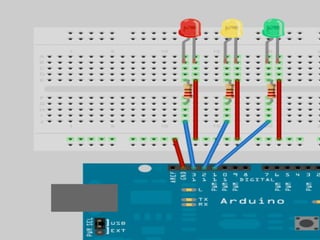
ARDUINO TRAFFIC LIGHTS
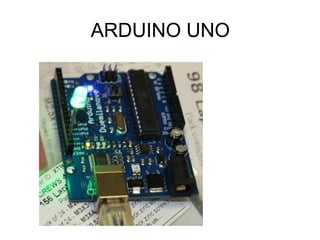
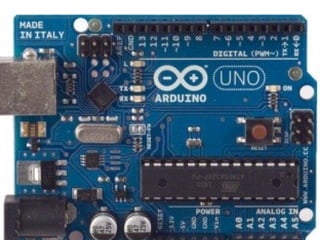
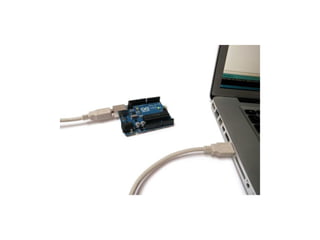
ARDUINO UNO
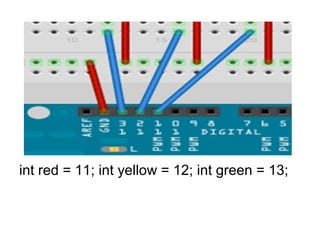
int red = 11; int yellow = 12; int green = 13;
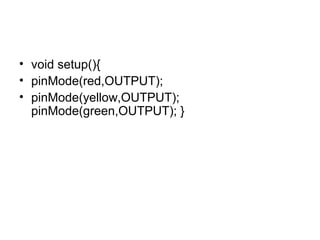
• void setup(){
• pinMode(red,OUTPUT);
• pinMode(yellow,OUTPUT);
pinMode(green,OUTPUT); }
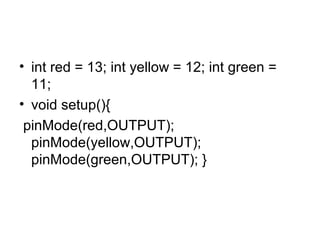
• int red = 13; int yellow = 12; int green =
11;
• void setup(){
pinMode(red,OUTPUT);
pinMode(yellow,OUTPUT);
pinMode(green,OUTPUT); }
• void loop(){
• changeLights(); delay(15000); }
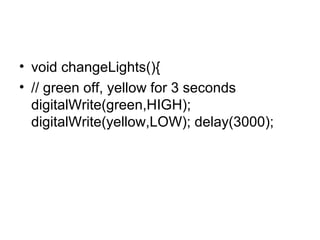
• void changeLights(){
• // green off, yellow for 3 seconds digitalWrite(green,HIGH);
• digitalWrite(yellow,LOW);
• delay(3000);
• // turn off yellow, then turn red on for 5 seconds
• digitalWrite(yellow,LOW);
digitalWrite(red,HIGH);
delay(5000);
// red and yellow on for 2 seconds (red is already on though)
digitalWrite(yellow,HIGH); delay(2000); // turn off red and yellow,
then turn on green digitalWrite(yellow,LOW); digitalWrite(red,LOW);
digitalWrite(green,HIGH); }
• void changeLights(){
• // green off, yellow for 3 seconds
digitalWrite(green,HIGH);
digitalWrite(yellow,LOW); delay(3000);
•
•
•
•
•

// turn off yellow, then turn red on for 5 seconds
digitalWrite(yellow,LOW); digitalWrite(red,HIGH);
delay(5000);
// turn off red and yellow, then turn on green
digitalWrite(yellow,LOW); digitalWrite(red,LOW);
digitalWrite(green,HIGH); }
ARDUINO SOFTWARE
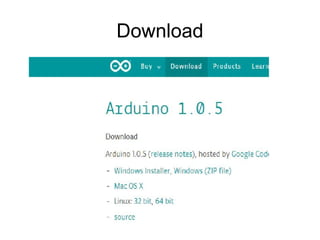
Download
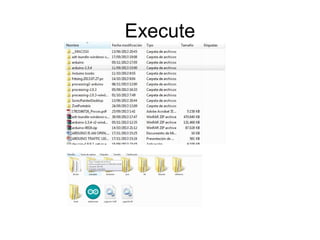
Execute
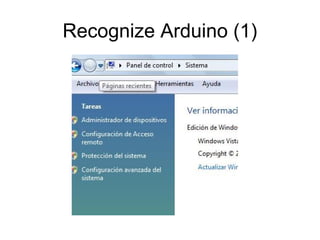
Recognize Arduino (1)
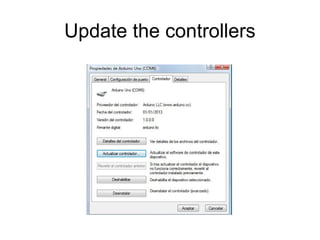
Update the controllers
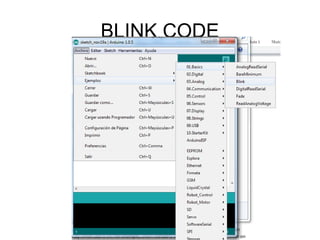
BLINK CODE
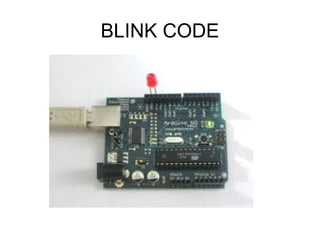
BLINK CODE
Arduino can speak with Processing

Arduino traffic lights

  • 1.
  • 2.
  • 5.
    int red =11; int yellow = 12; int green = 13;
  • 6.
    • void setup(){ •pinMode(red,OUTPUT); • pinMode(yellow,OUTPUT); pinMode(green,OUTPUT); }
  • 8.
    • int red= 13; int yellow = 12; int green = 11; • void setup(){ pinMode(red,OUTPUT); pinMode(yellow,OUTPUT); pinMode(green,OUTPUT); }
  • 9.
    • void loop(){ •changeLights(); delay(15000); } • void changeLights(){ • // green off, yellow for 3 seconds digitalWrite(green,HIGH); • digitalWrite(yellow,LOW); • delay(3000); • // turn off yellow, then turn red on for 5 seconds • digitalWrite(yellow,LOW); digitalWrite(red,HIGH); delay(5000); // red and yellow on for 2 seconds (red is already on though) digitalWrite(yellow,HIGH); delay(2000); // turn off red and yellow, then turn on green digitalWrite(yellow,LOW); digitalWrite(red,LOW); digitalWrite(green,HIGH); }
  • 10.
    • void changeLights(){ •// green off, yellow for 3 seconds digitalWrite(green,HIGH); digitalWrite(yellow,LOW); delay(3000);
  • 11.
    • • • • • // turn offyellow, then turn red on for 5 seconds digitalWrite(yellow,LOW); digitalWrite(red,HIGH); delay(5000); // turn off red and yellow, then turn on green digitalWrite(yellow,LOW); digitalWrite(red,LOW); digitalWrite(green,HIGH); }
  • 12.
  • 13.
  • 14.
  • 16.
  • 17.
  • 18.
  • 19.
  • 20.
    Arduino can speakwith Processing