Chapter Six
GUI and Java Applets
 Overview of Java Applets
 Java Applet vs Java Applications
 Running Applet
Applet
• All applets are subclasses of Applet.
• All applets must import java.applet.
• Applets are not executed by the console-based Java
run-time interpreter
• executed by Web browser Execution
• Java applets are usually compact, so that they can be
easily downloaded across the web
• Applets are not permitted to perform file or certain
memory operations on the client machine
• Applets have no main() method. Instead they have a
set of methods that will be called in a particular order.
Cont.,
• execution of an applet is started and controlled by
appletviewer.
• appletviewer Packaged with JDK
• The appletviewer is the minimum requirement for a
web-browser, that allows applets to run without
having to use a full web browser.
• calling the appletviewer you must pass the name of a
HTML file that contains the <APPLET> tag an
extension to the HTML language.
• This <APPLET> tag specifies the name of the initial
Java class to load and the initial width and height of
the applet.
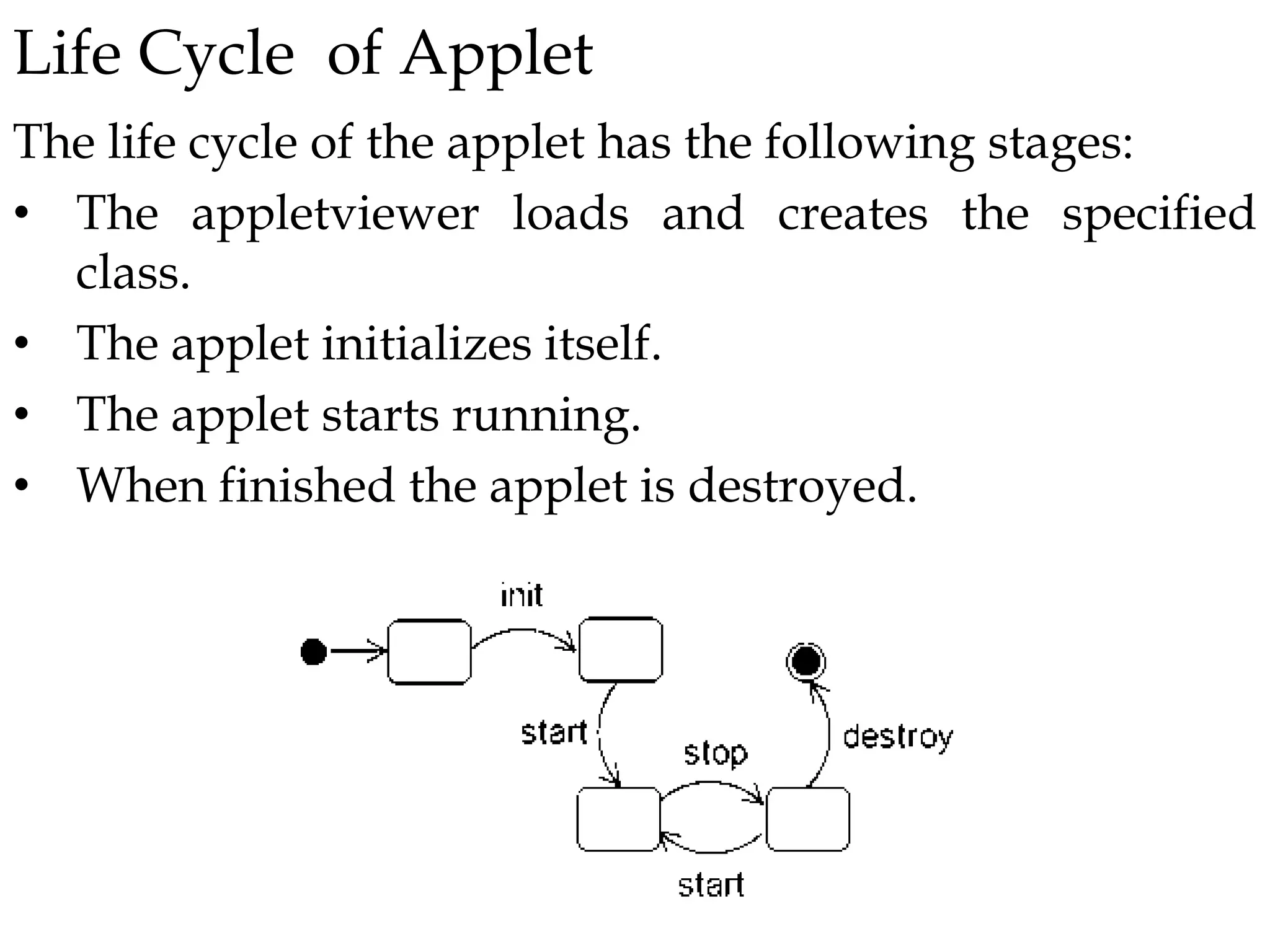
Life Cycle of Applet
The life cycle of the applet has the following stages:
• The appletviewer loads and creates the specified
class.
• The applet initializes itself.
• The applet starts running.
• When finished the applet is destroyed.
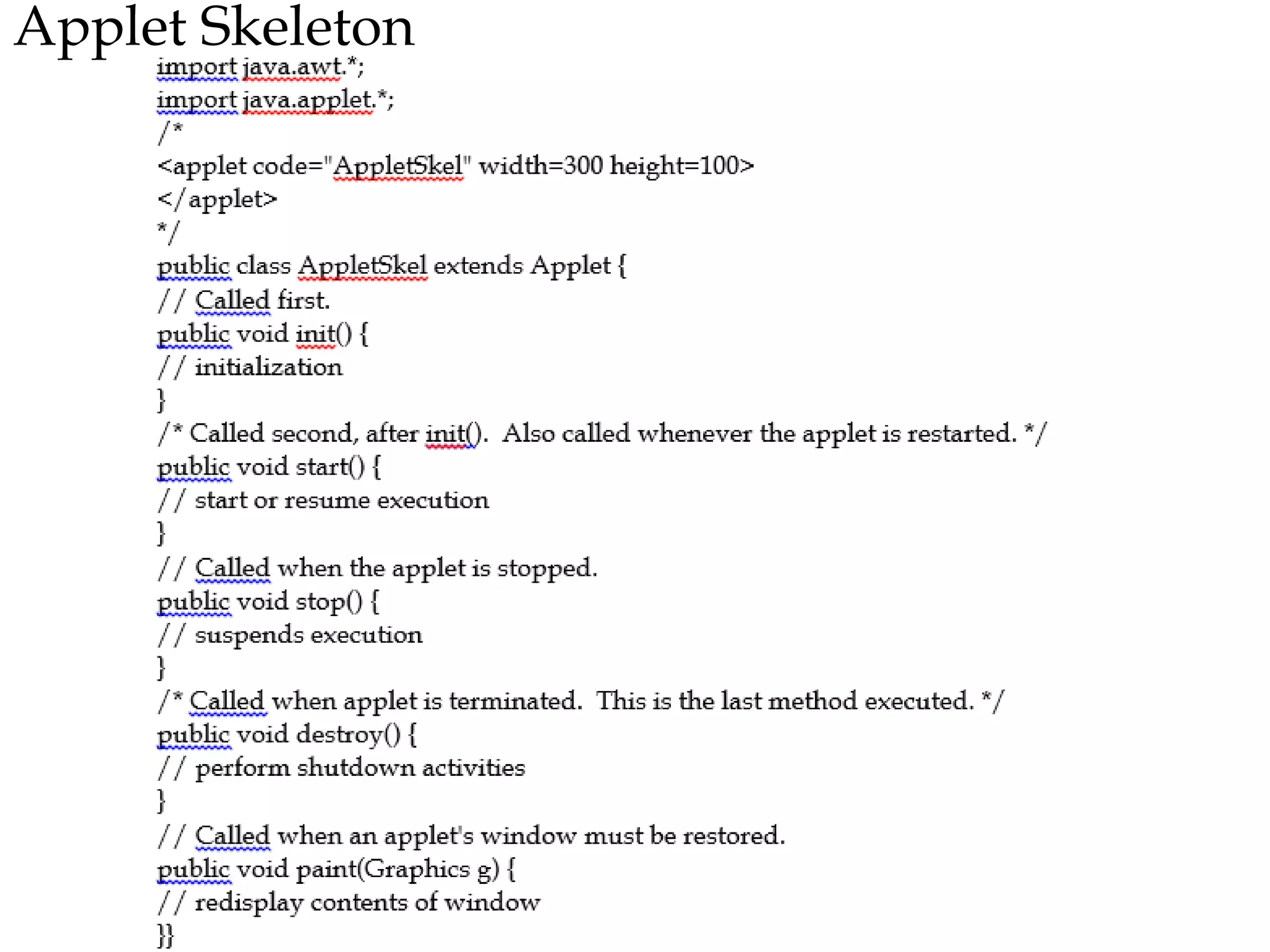
Applet Skeleton
Cont.,
Although this skeleton does not do anything, it can be
compiled and run. When run, it generates the following
window when viewed with an applet viewer:
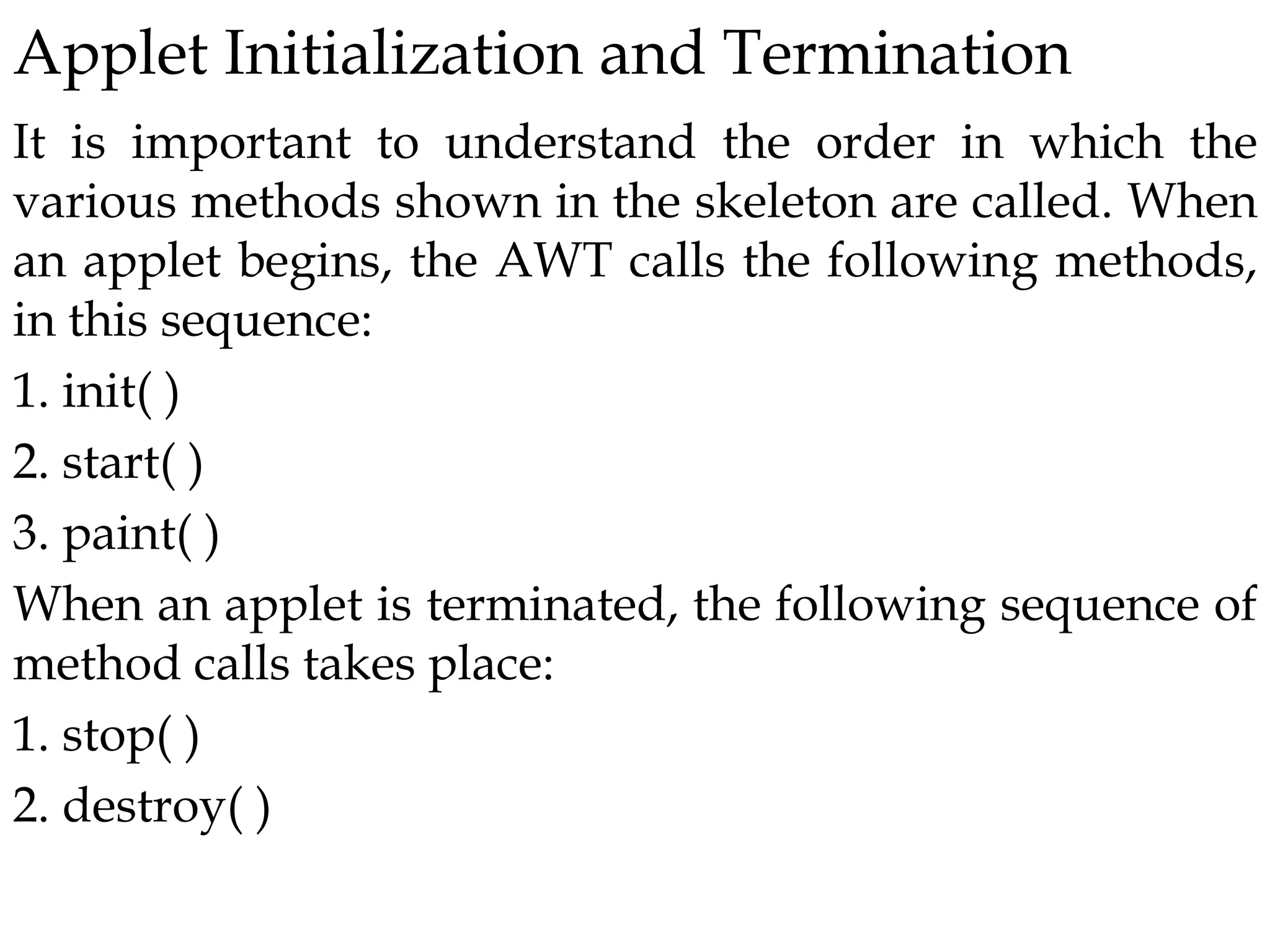
Applet Initialization and Termination
It is important to understand the order in which the
various methods shown in the skeleton are called. When
an applet begins, the AWT calls the following methods,
in this sequence:
1. init( )
2. start( )
3. paint( )
When an applet is terminated, the following sequence of
method calls takes place:
1. stop( )
2. destroy( )
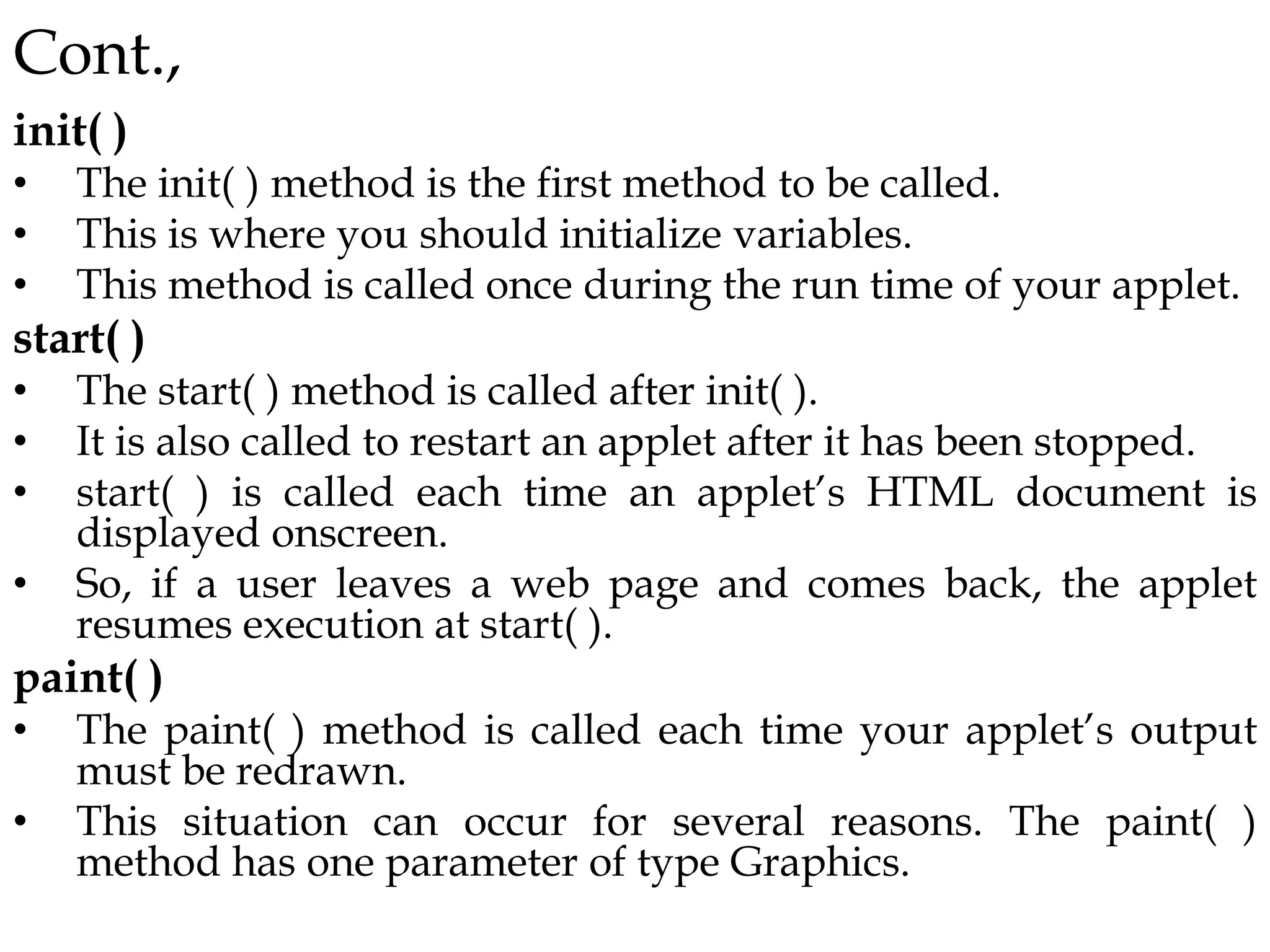
Cont.,
init( )
• The init( ) method is the first method to be called.
• This is where you should initialize variables.
• This method is called once during the run time of your applet.
start( )
• The start( ) method is called after init( ).
• It is also called to restart an applet after it has been stopped.
• start( ) is called each time an applet’s HTML document is
displayed onscreen.
• So, if a user leaves a web page and comes back, the applet
resumes execution at start( ).
paint( )
• The paint( ) method is called each time your applet’s output
must be redrawn.
• This situation can occur for several reasons. The paint( )
method has one parameter of type Graphics.
Cont.,
stop( )
• The stop( ) method is called when a web browser leaves the
HTML document containing the applet.
• when it goes to another page, for example.
• When stop( ) is called, the applet is probably running. You
should use stop( ) to suspend threads.
destroy( )
• The destroy( ) method is called when the environment
determines that your applet needs to be removed completely
from memory.
• At this point, you should free up any resources the applet may
be using.
• The stop( ) method is always called before destroy( ).
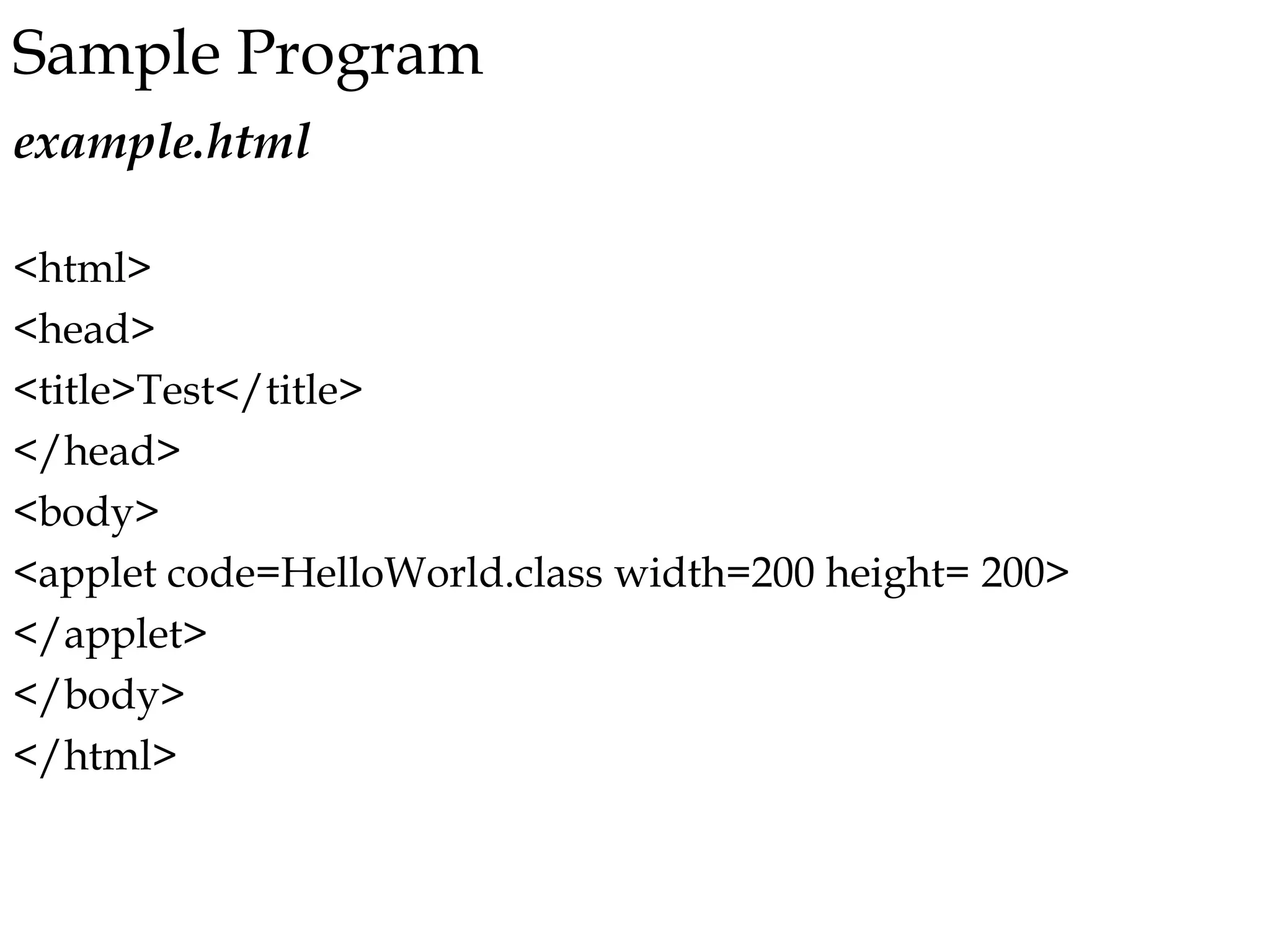
Sample Program
example.html
<html>
<head>
<title>Test</title>
</head>
<body>
<applet code=HelloWorld.class width=200 height= 200>
</applet>
</body>
</html>
Cont.,
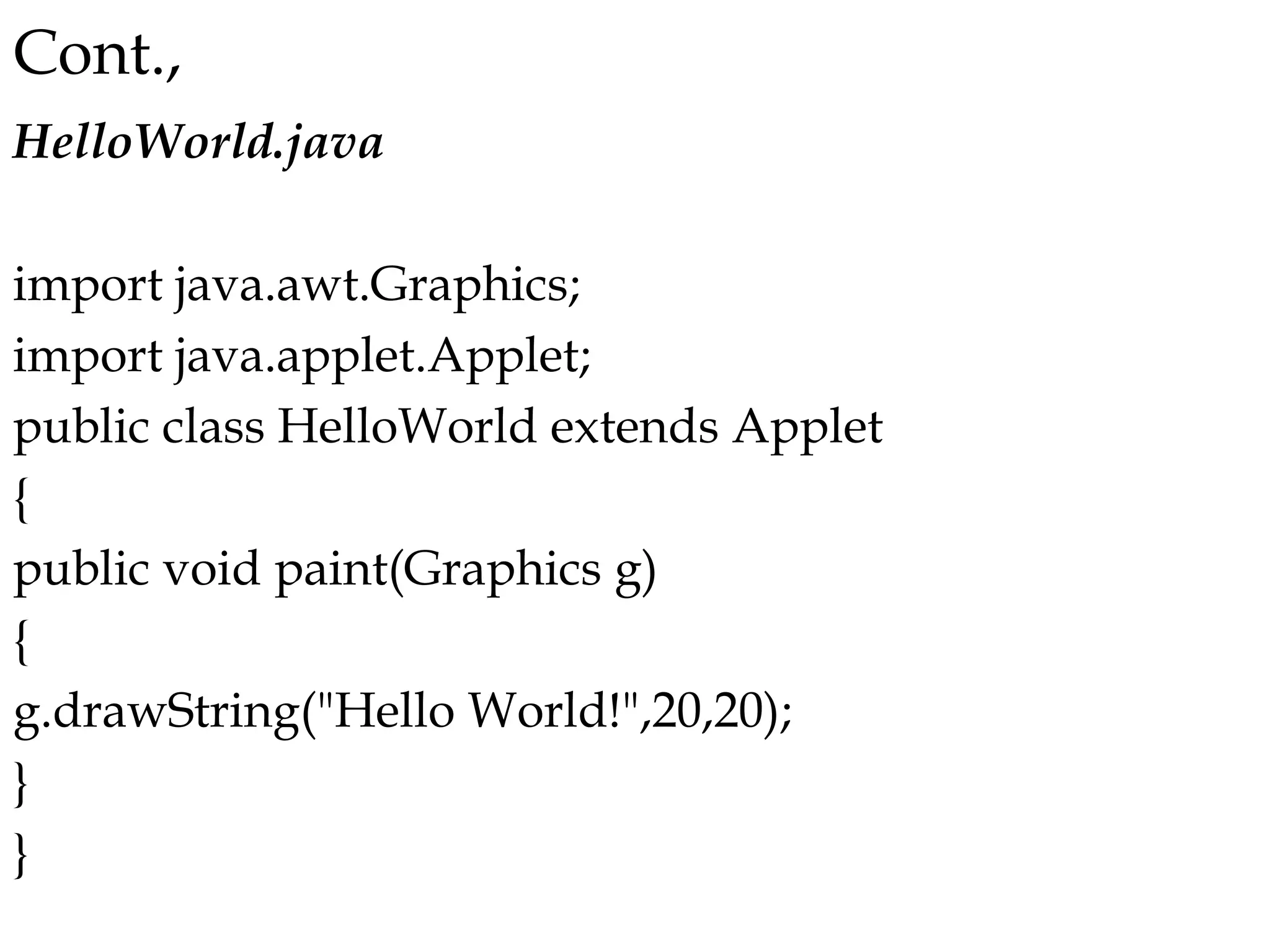
HelloWorld.java
import java.awt.Graphics;
import java.applet.Applet;
public class HelloWorld extends Applet
{
public void paint(Graphics g)
{
g.drawString("Hello World!",20,20);
}
}
Running applet program
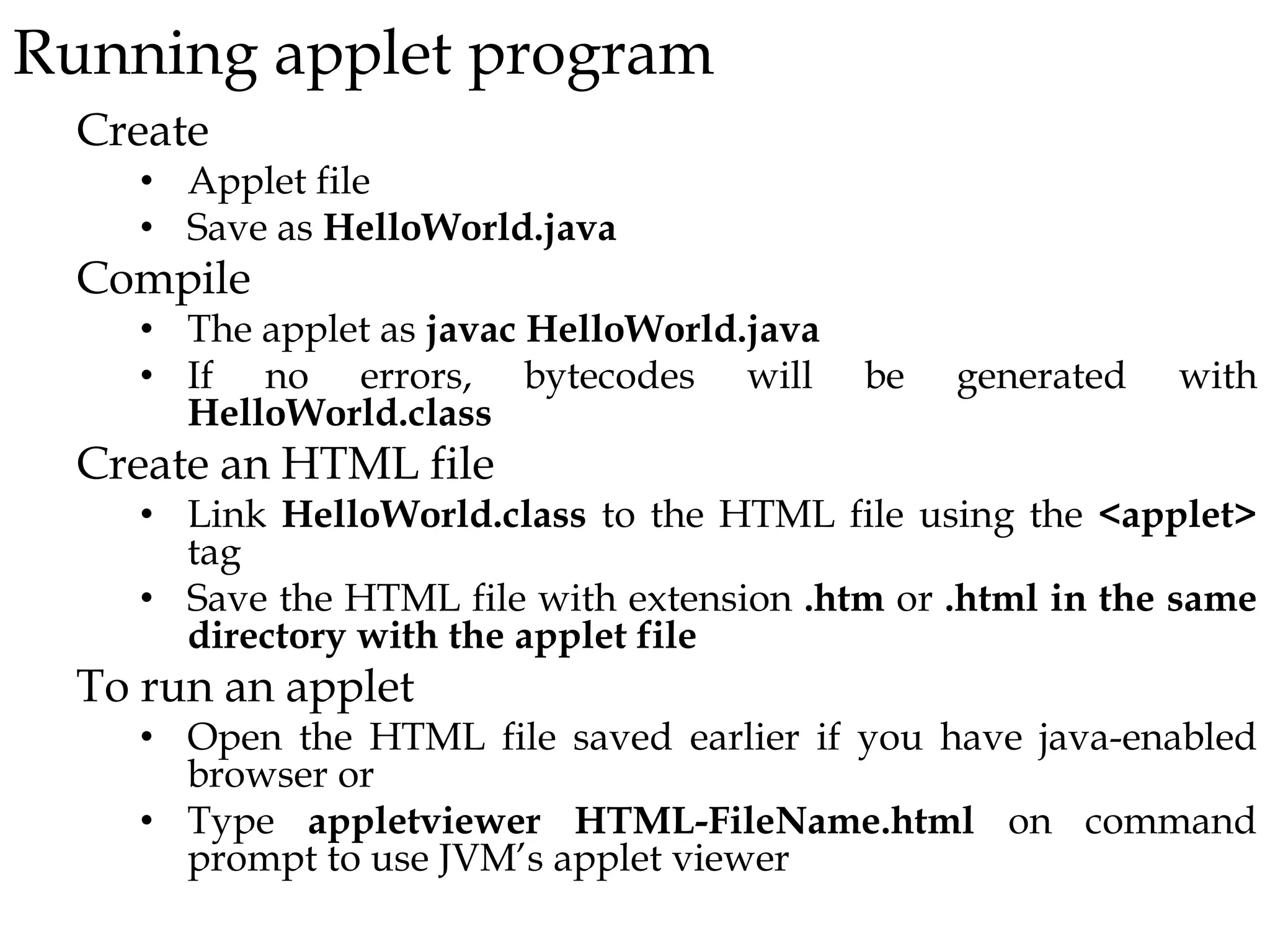
Create
• Applet file
• Save as HelloWorld.java
Compile
• The applet as javac HelloWorld.java
• If no errors, bytecodes will be generated with
HelloWorld.class
Create an HTML file
• Link HelloWorld.class to the HTML file using the <applet>
tag
• Save the HTML file with extension .htm or .html in the same
directory with the applet file
To run an applet
• Open the HTML file saved earlier if you have java-enabled
browser or
• Type appletviewer HTML-FileName.html on command
prompt to use JVM’s applet viewer
Java Application vs Java Applet
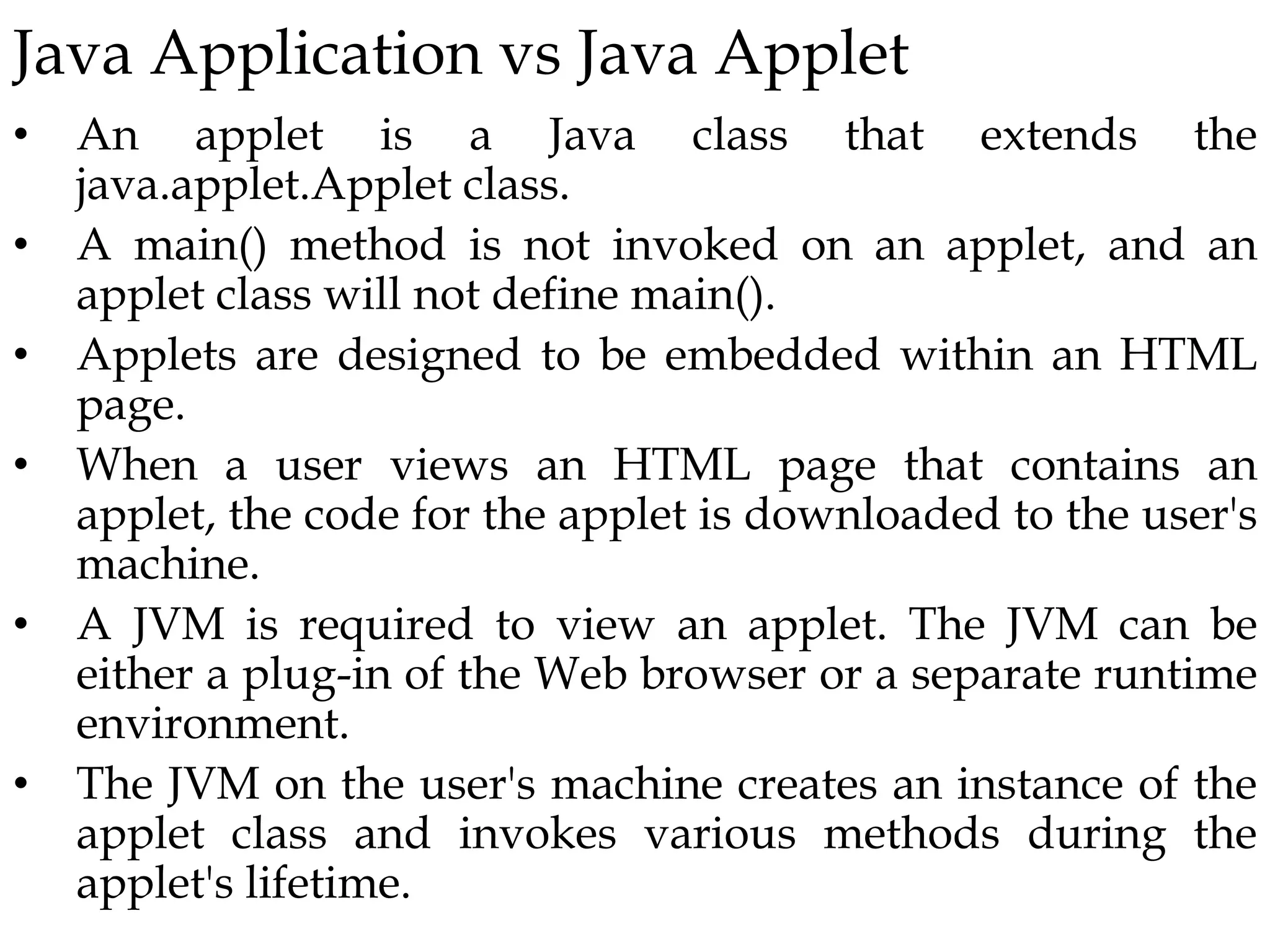
• An applet is a Java class that extends the
java.applet.Applet class.
• A main() method is not invoked on an applet, and an
applet class will not define main().
• Applets are designed to be embedded within an HTML
page.
• When a user views an HTML page that contains an
applet, the code for the applet is downloaded to the user's
machine.
• A JVM is required to view an applet. The JVM can be
either a plug-in of the Web browser or a separate runtime
environment.
• The JVM on the user's machine creates an instance of the
applet class and invokes various methods during the
applet's lifetime.
Application
Trusted (i.e., has full access to system resources)
Invoked by Java Virtual Machine (JVM, java),
e.g.,java HelloWorld
Should contain a main method, i.e., public static void
main(String[])
Applet
Not trusted (i.e., has limited access to system resource
to prevent security breaches)
Invoked automatically by the web browser
Should be a subclass of class java.applet.Applet

Applet.pptx

  • 1.
    Chapter Six GUI andJava Applets  Overview of Java Applets  Java Applet vs Java Applications  Running Applet
  • 2.
    Applet • All appletsare subclasses of Applet. • All applets must import java.applet. • Applets are not executed by the console-based Java run-time interpreter • executed by Web browser Execution • Java applets are usually compact, so that they can be easily downloaded across the web • Applets are not permitted to perform file or certain memory operations on the client machine • Applets have no main() method. Instead they have a set of methods that will be called in a particular order.
  • 3.
    Cont., • execution ofan applet is started and controlled by appletviewer. • appletviewer Packaged with JDK • The appletviewer is the minimum requirement for a web-browser, that allows applets to run without having to use a full web browser. • calling the appletviewer you must pass the name of a HTML file that contains the <APPLET> tag an extension to the HTML language. • This <APPLET> tag specifies the name of the initial Java class to load and the initial width and height of the applet.
  • 4.
    Life Cycle ofApplet The life cycle of the applet has the following stages: • The appletviewer loads and creates the specified class. • The applet initializes itself. • The applet starts running. • When finished the applet is destroyed.
  • 5.
  • 6.
    Cont., Although this skeletondoes not do anything, it can be compiled and run. When run, it generates the following window when viewed with an applet viewer:
  • 7.
    Applet Initialization andTermination It is important to understand the order in which the various methods shown in the skeleton are called. When an applet begins, the AWT calls the following methods, in this sequence: 1. init( ) 2. start( ) 3. paint( ) When an applet is terminated, the following sequence of method calls takes place: 1. stop( ) 2. destroy( )
  • 8.
    Cont., init( ) • Theinit( ) method is the first method to be called. • This is where you should initialize variables. • This method is called once during the run time of your applet. start( ) • The start( ) method is called after init( ). • It is also called to restart an applet after it has been stopped. • start( ) is called each time an applet’s HTML document is displayed onscreen. • So, if a user leaves a web page and comes back, the applet resumes execution at start( ). paint( ) • The paint( ) method is called each time your applet’s output must be redrawn. • This situation can occur for several reasons. The paint( ) method has one parameter of type Graphics.
  • 9.
    Cont., stop( ) • Thestop( ) method is called when a web browser leaves the HTML document containing the applet. • when it goes to another page, for example. • When stop( ) is called, the applet is probably running. You should use stop( ) to suspend threads. destroy( ) • The destroy( ) method is called when the environment determines that your applet needs to be removed completely from memory. • At this point, you should free up any resources the applet may be using. • The stop( ) method is always called before destroy( ).
  • 10.
  • 11.
    Cont., HelloWorld.java import java.awt.Graphics; import java.applet.Applet; publicclass HelloWorld extends Applet { public void paint(Graphics g) { g.drawString("Hello World!",20,20); } }
  • 12.
    Running applet program Create •Applet file • Save as HelloWorld.java Compile • The applet as javac HelloWorld.java • If no errors, bytecodes will be generated with HelloWorld.class Create an HTML file • Link HelloWorld.class to the HTML file using the <applet> tag • Save the HTML file with extension .htm or .html in the same directory with the applet file To run an applet • Open the HTML file saved earlier if you have java-enabled browser or • Type appletviewer HTML-FileName.html on command prompt to use JVM’s applet viewer
  • 13.
    Java Application vsJava Applet • An applet is a Java class that extends the java.applet.Applet class. • A main() method is not invoked on an applet, and an applet class will not define main(). • Applets are designed to be embedded within an HTML page. • When a user views an HTML page that contains an applet, the code for the applet is downloaded to the user's machine. • A JVM is required to view an applet. The JVM can be either a plug-in of the Web browser or a separate runtime environment. • The JVM on the user's machine creates an instance of the applet class and invokes various methods during the applet's lifetime.
  • 14.
    Application Trusted (i.e., hasfull access to system resources) Invoked by Java Virtual Machine (JVM, java), e.g.,java HelloWorld Should contain a main method, i.e., public static void main(String[]) Applet Not trusted (i.e., has limited access to system resource to prevent security breaches) Invoked automatically by the web browser Should be a subclass of class java.applet.Applet