Android Loaders
R E L O A D E D
Christophe Beyls
Brussels GTUG
13th march 2013 READY.
LOAD "*",8,1
SEARCHING FOR *
LOADING
READY.
RUN▀
About the speaker
● Developer living in Brussels.
● Likes coding, hacking devices,
travelling, movies, music, (LOL)cats.
● Programs mainly in Java and C#.
● Uses the Android SDK nearly every
day at work.
@BladeCoder
About the speaker
(Big) Agenda
● A bit of History: from Threads to Loaders
● Introduction to Loaders
● Using the LoaderManager
● Avoiding common mistakes
● Implementing a basic Loader
● More Loader examples
● Databases and CursorLoaders
● Overcoming Loaders limitations
A bit of History
1. Plain Threads
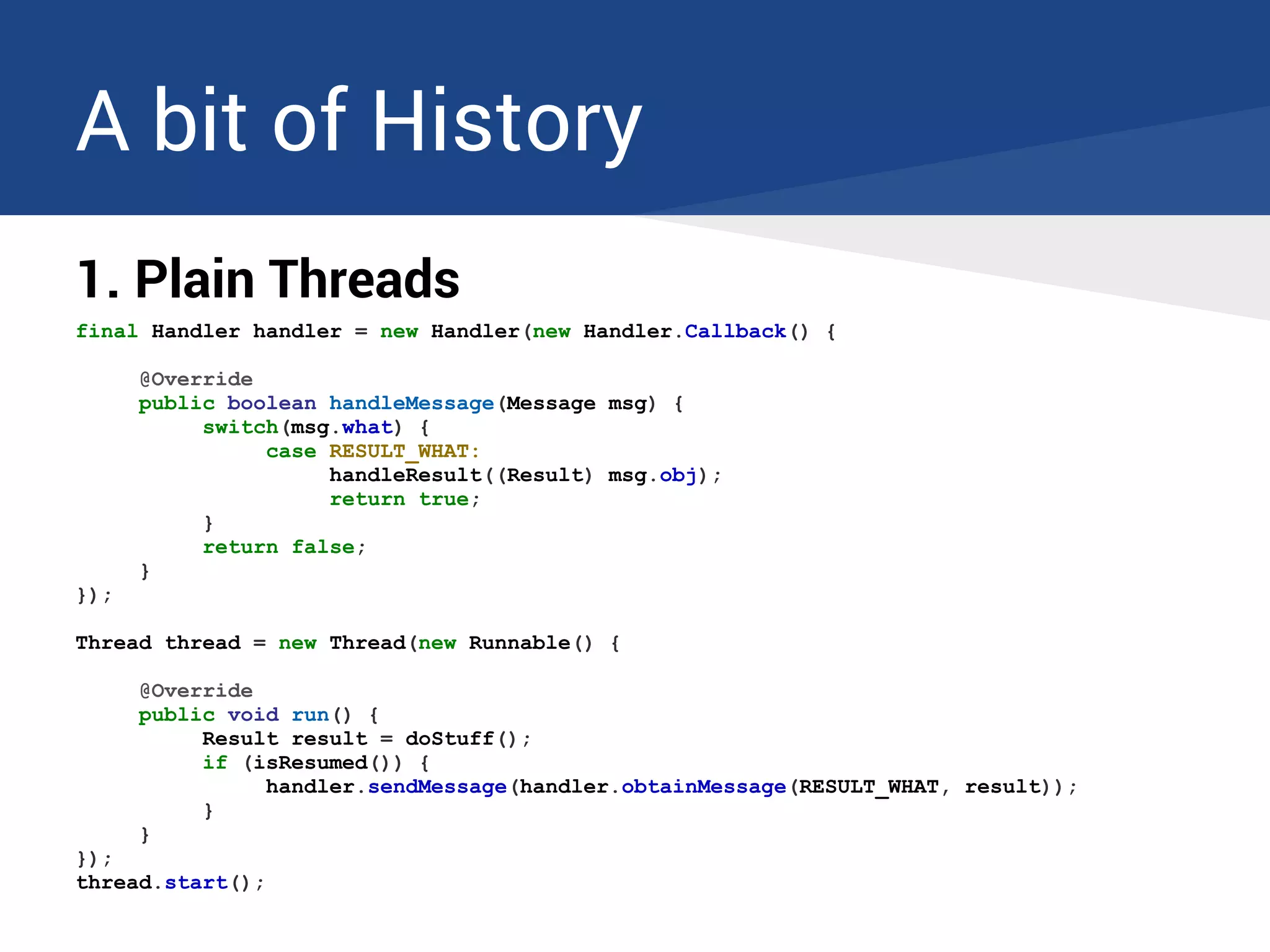
final Handler handler = new Handler(new Handler.Callback() {
@Override
public boolean handleMessage(Message msg) {
switch(msg.what) {
case RESULT_WHAT:
handleResult((Result) msg.obj);
return true;
}
return false;
}
});
Thread thread = new Thread(new Runnable() {
@Override
public void run() {
Result result = doStuff();
if (isResumed()) {
handler.sendMessage(handler.obtainMessage(RESULT_WHAT, result));
}
}
});
thread.start();
A bit of History
1. Plain Threads
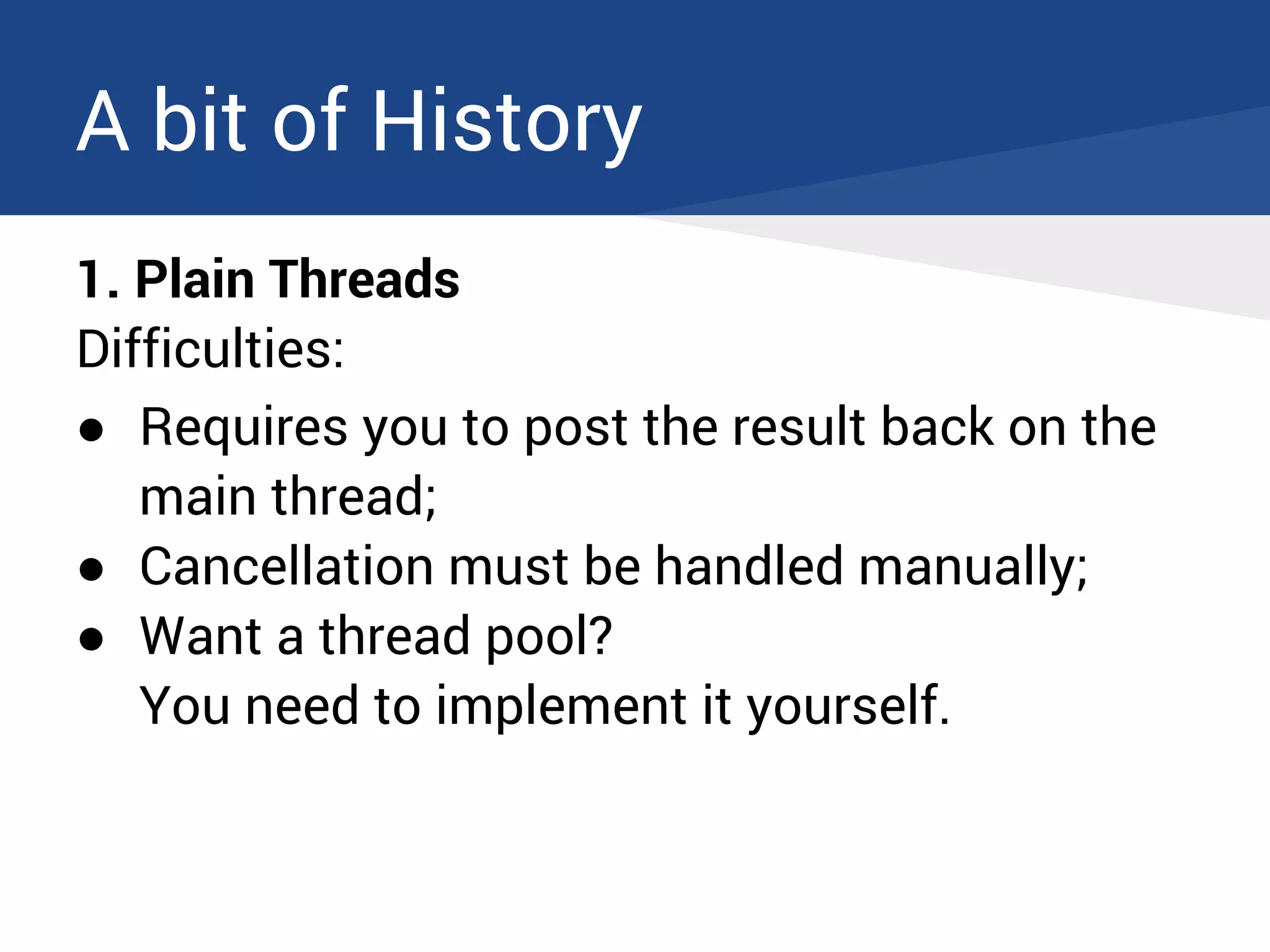
Difficulties:
● Requires you to post the result back on the
main thread;
● Cancellation must be handled manually;
● Want a thread pool?
You need to implement it yourself.
A bit of History
2. AsyncTask (Android's SwingWorker)
● Handles thread switching for you : result is
posted to the main thread.
● Manages scheduling for you.
● Handles cancellation: if you call cancel(),
onPostExecute() will not be called.
● Allows to report progress.
A bit of History
2. AsyncTask
private class DownloadFilesTask extends AsyncTask<Void, Integer, Result> {
@Override
protected void onPreExecute() {
// Something like showing a progress bar
}
@Override
protected Result doInBackground(Void... params) {
Result result = new Result();
for (int i = 0; i < STEPS; i++) {
result.add(doStuff());
publishProgress(100 * i / STEPS);
}
return result;
}
@Override
protected void onProgressUpdate(Integer... progress) {
setProgressPercent(progress[0]);
}
@Override
protected void onPostExecute(Result result) {
handleResult(result);
}
}
A bit of History
2. AsyncTask
Problems:
● You need to keep a reference to each running
AsyncTask to be able to cancel it when your
Activity is destroyed.
● Memory leaks: as long as the AsyncTask runs, it
keeps a reference to its enclosing Activity even if
the Activity has already been destroyed.
● Results arriving after the Activity has been
recreated (orientation change) are lost.
A bit of History
2. AsyncTask
A less known but big problem.
Demo
A bit of History
2. AsyncTask
AsyncTask scheduling varies between Android versions:
● Before 1.6, they run in sequence on a single thread.
● From 1.6 to 2.3, they run in parallel on a thread pool.
● Since 3.0, back to the old behaviour by default! They
run in sequence, unless you execute them with
executeOnExecutor() with a
ThreadPoolExecutor.
→ No parallelization by default on modern phones.
A bit of History
2. AsyncTask
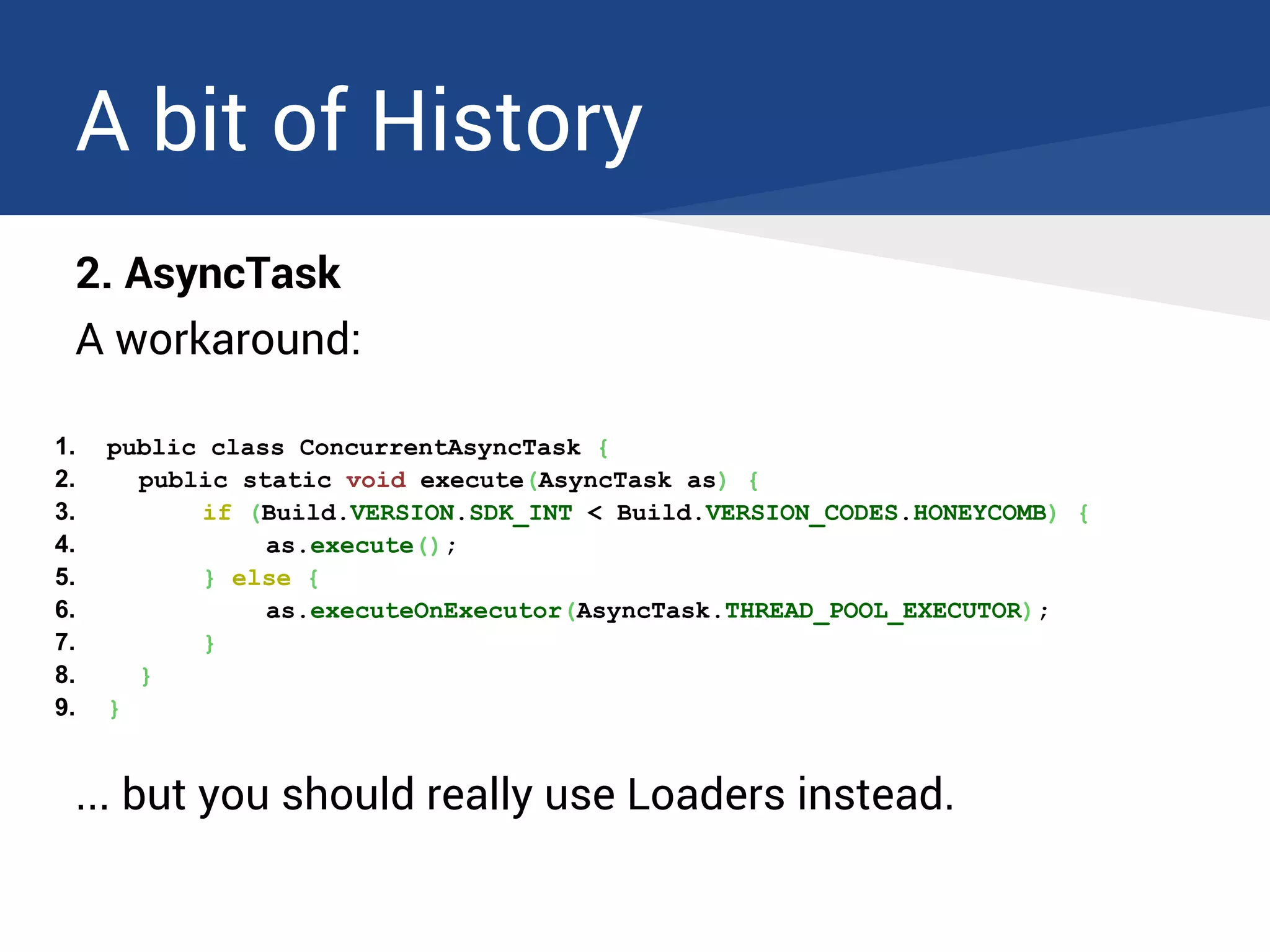
A workaround:
1. public class ConcurrentAsyncTask {
2. public static void execute(AsyncTask as) {
3. if (Build.VERSION.SDK_INT < Build.VERSION_CODES.HONEYCOMB) {
4. as.execute();
5. } else {
6. as.executeOnExecutor(AsyncTask.THREAD_POOL_EXECUTOR);
7. }
8. }
9. }
... but you should really use Loaders instead.
Loaders to the rescue
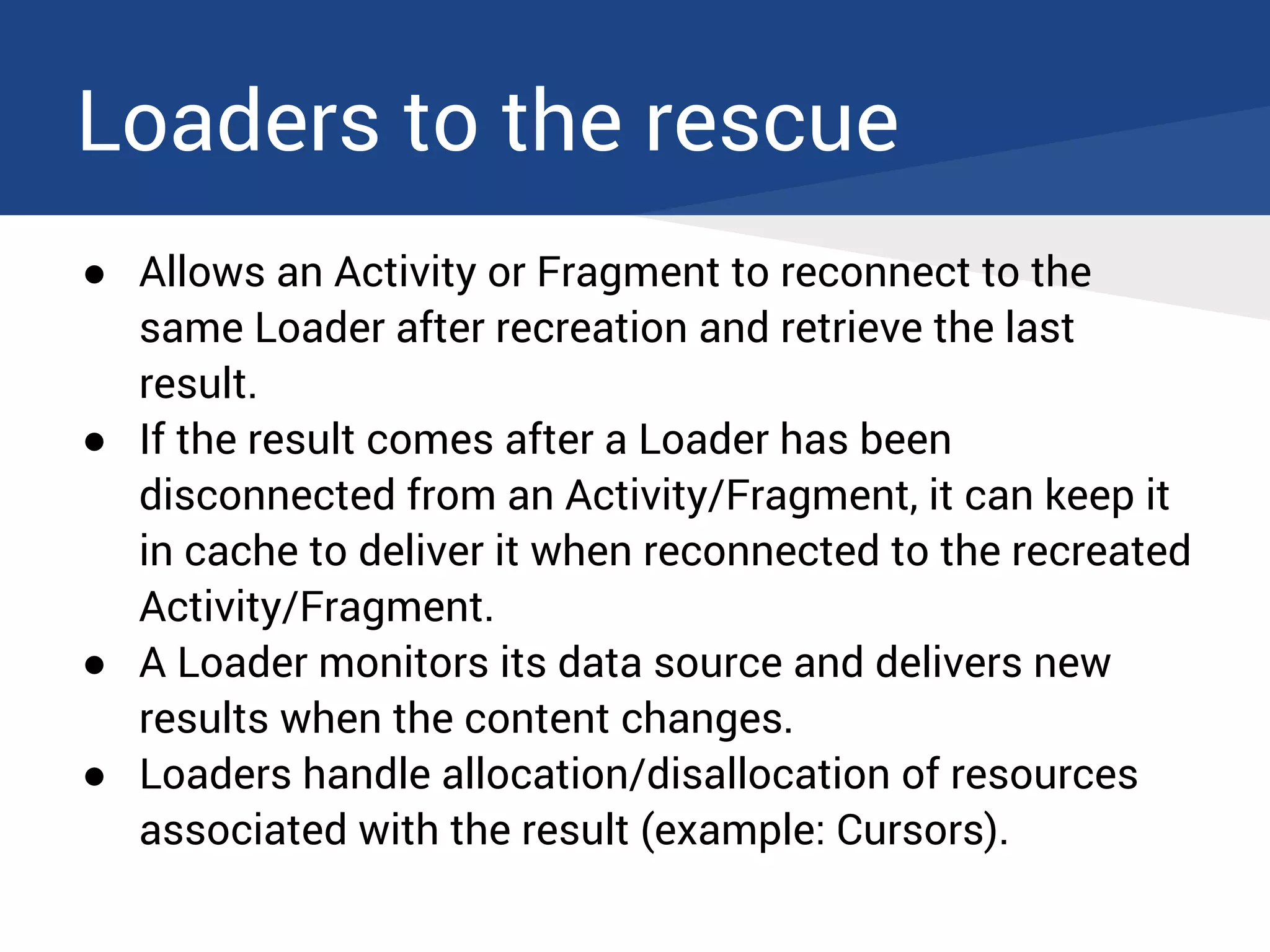
● Allows an Activity or Fragment to reconnect to the
same Loader after recreation and retrieve the last
result.
● If the result comes after a Loader has been
disconnected from an Activity/Fragment, it can keep it
in cache to deliver it when reconnected to the recreated
Activity/Fragment.
● A Loader monitors its data source and delivers new
results when the content changes.
● Loaders handle allocation/disallocation of resources
associated with the result (example: Cursors).
Loaders to the rescue
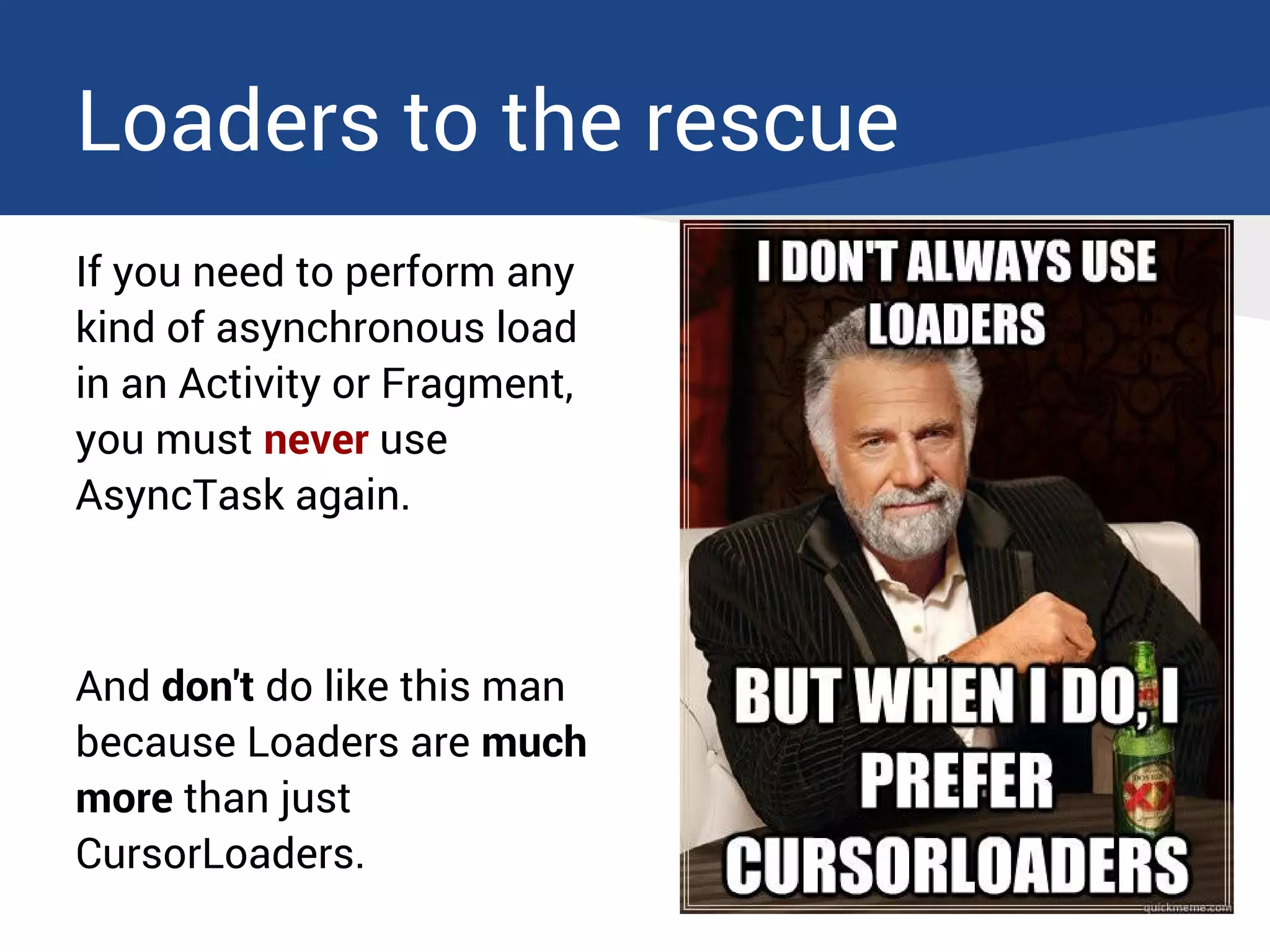
If you need to perform any
kind of asynchronous load
in an Activity or Fragment,
you must never use
AsyncTask again.
And don't do like this man
because Loaders are much
more than just
CursorLoaders.
Using the LoaderManager
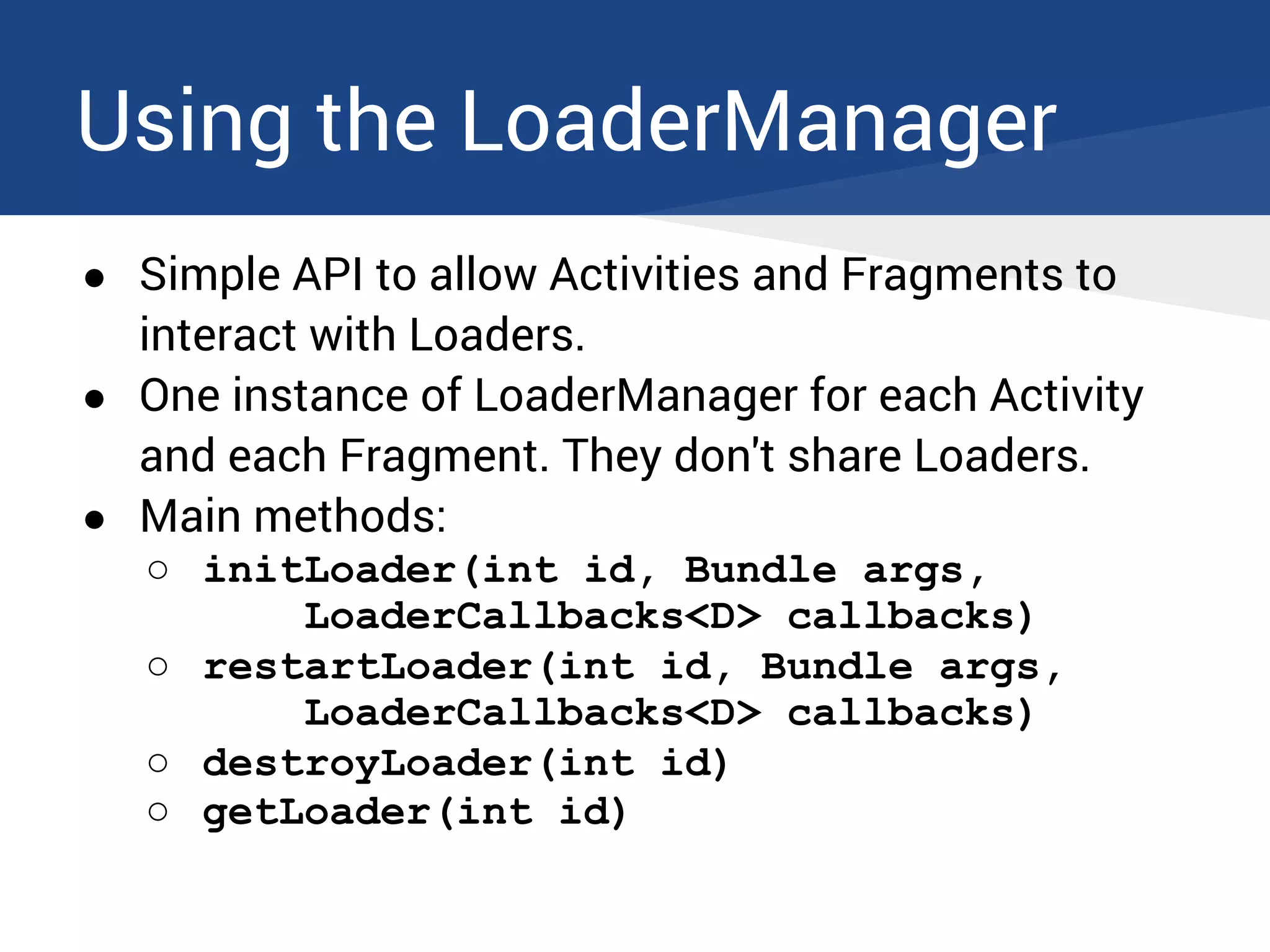
● Simple API to allow Activities and Fragments to
interact with Loaders.
● One instance of LoaderManager for each Activity
and each Fragment. They don't share Loaders.
● Main methods:
○ initLoader(int id, Bundle args,
LoaderCallbacks<D> callbacks)
○ restartLoader(int id, Bundle args,
LoaderCallbacks<D> callbacks)
○ destroyLoader(int id)
○ getLoader(int id)
Using the LoaderManager
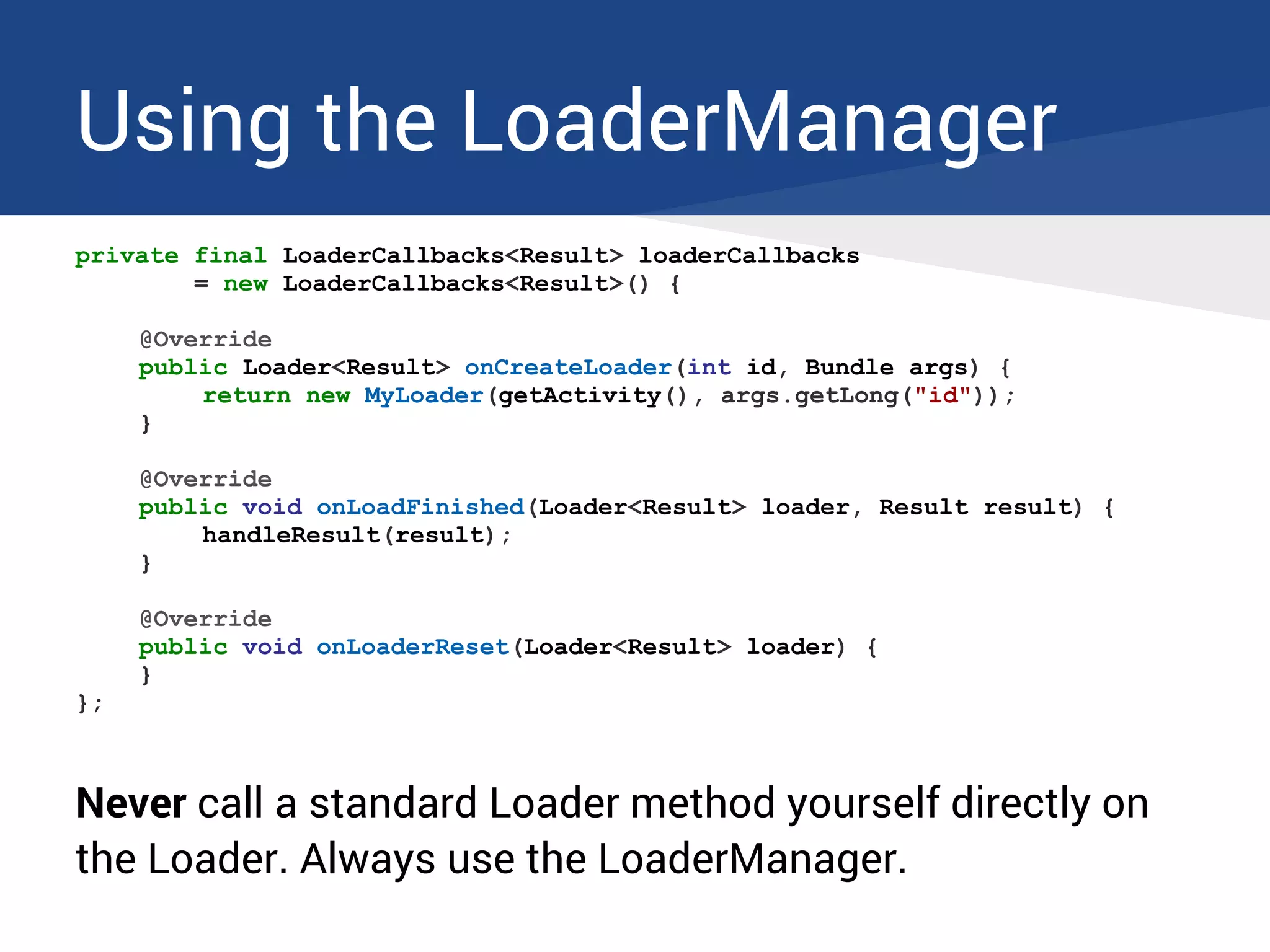
private final LoaderCallbacks<Result> loaderCallbacks
= new LoaderCallbacks<Result>() {
@Override
public Loader<Result> onCreateLoader(int id, Bundle args) {
return new MyLoader(getActivity(), args.getLong("id"));
}
@Override
public void onLoadFinished(Loader<Result> loader, Result result) {
handleResult(result);
}
@Override
public void onLoaderReset(Loader<Result> loader) {
}
};
Never call a standard Loader method yourself directly on
the Loader. Always use the LoaderManager.
Using the LoaderManager
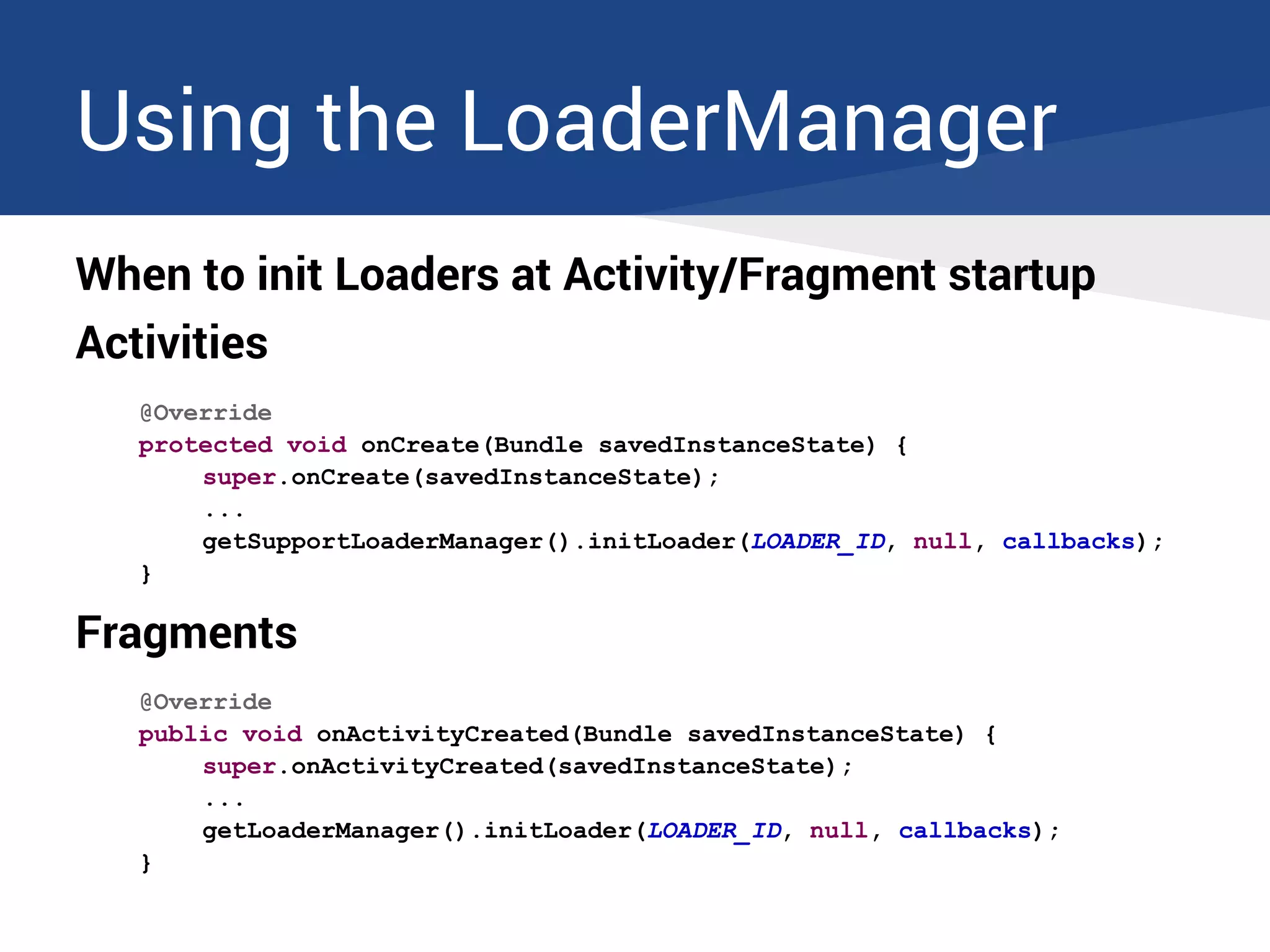
When to init Loaders at Activity/Fragment startup
Activities
@Override
protected void onCreate(Bundle savedInstanceState) {
super.onCreate(savedInstanceState);
...
getSupportLoaderManager().initLoader(LOADER_ID, null, callbacks);
}
Fragments
@Override
public void onActivityCreated(Bundle savedInstanceState) {
super.onActivityCreated(savedInstanceState);
...
getLoaderManager().initLoader(LOADER_ID, null, callbacks);
}
Loaders lifecycle
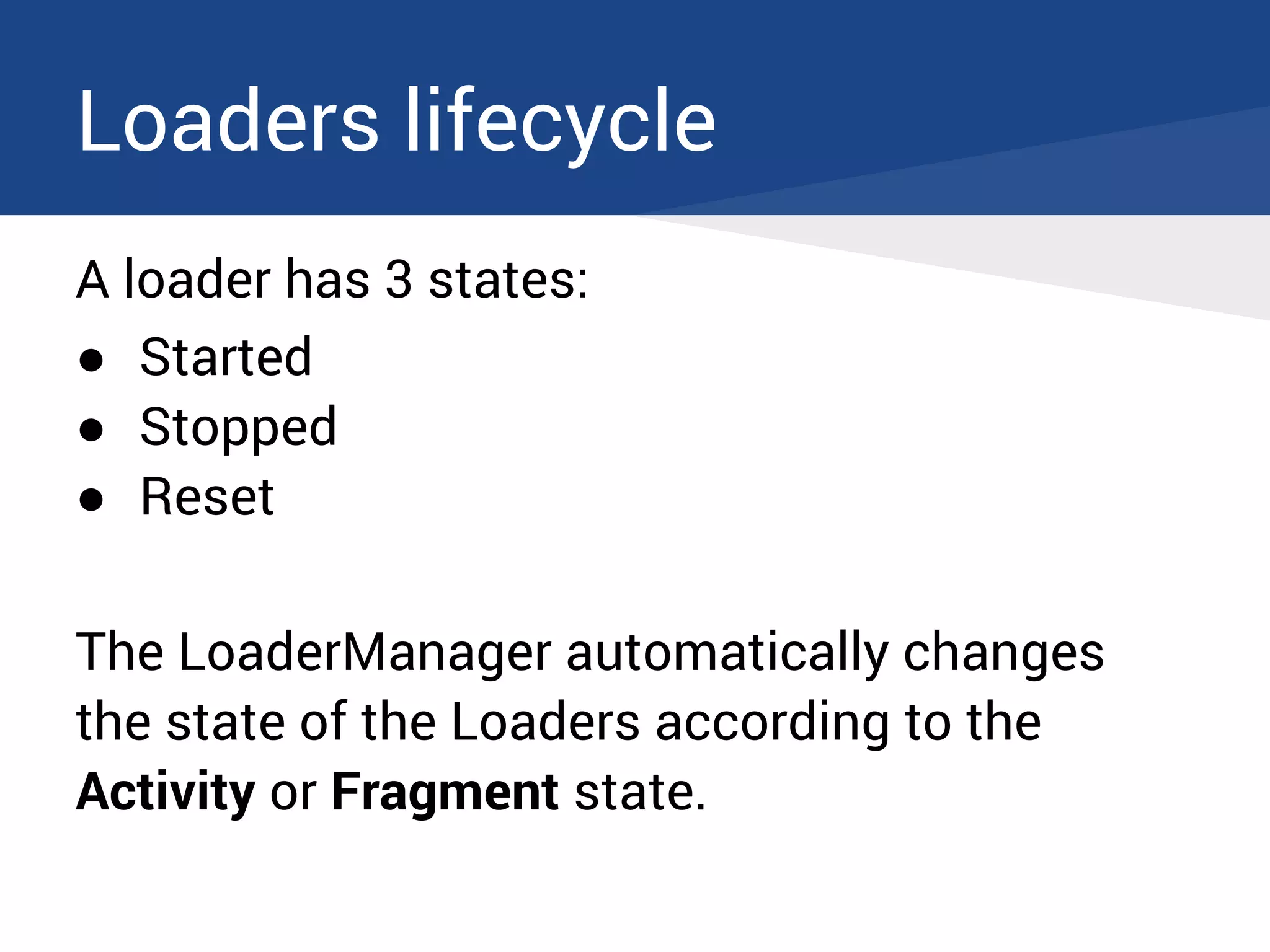
A loader has 3 states:
● Started
● Stopped
● Reset
The LoaderManager automatically changes
the state of the Loaders according to the
Activity or Fragment state.
Loaders lifecycle
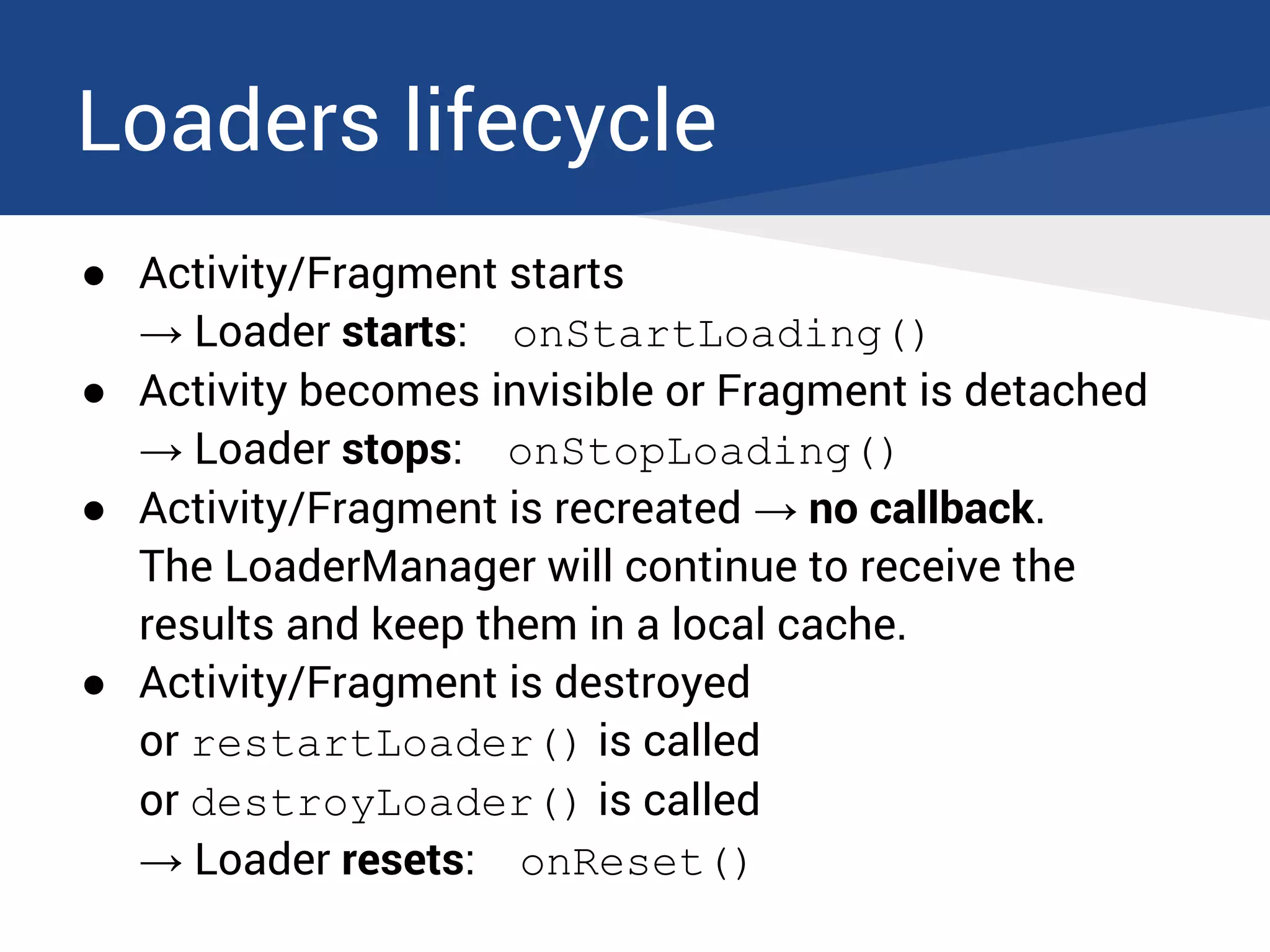
● Activity/Fragment starts
→ Loader starts: onStartLoading()
● Activity becomes invisible or Fragment is detached
→ Loader stops: onStopLoading()
● Activity/Fragment is recreated → no callback.
The LoaderManager will continue to receive the
results and keep them in a local cache.
● Activity/Fragment is destroyed
or restartLoader() is called
or destroyLoader() is called
→ Loader resets: onReset()
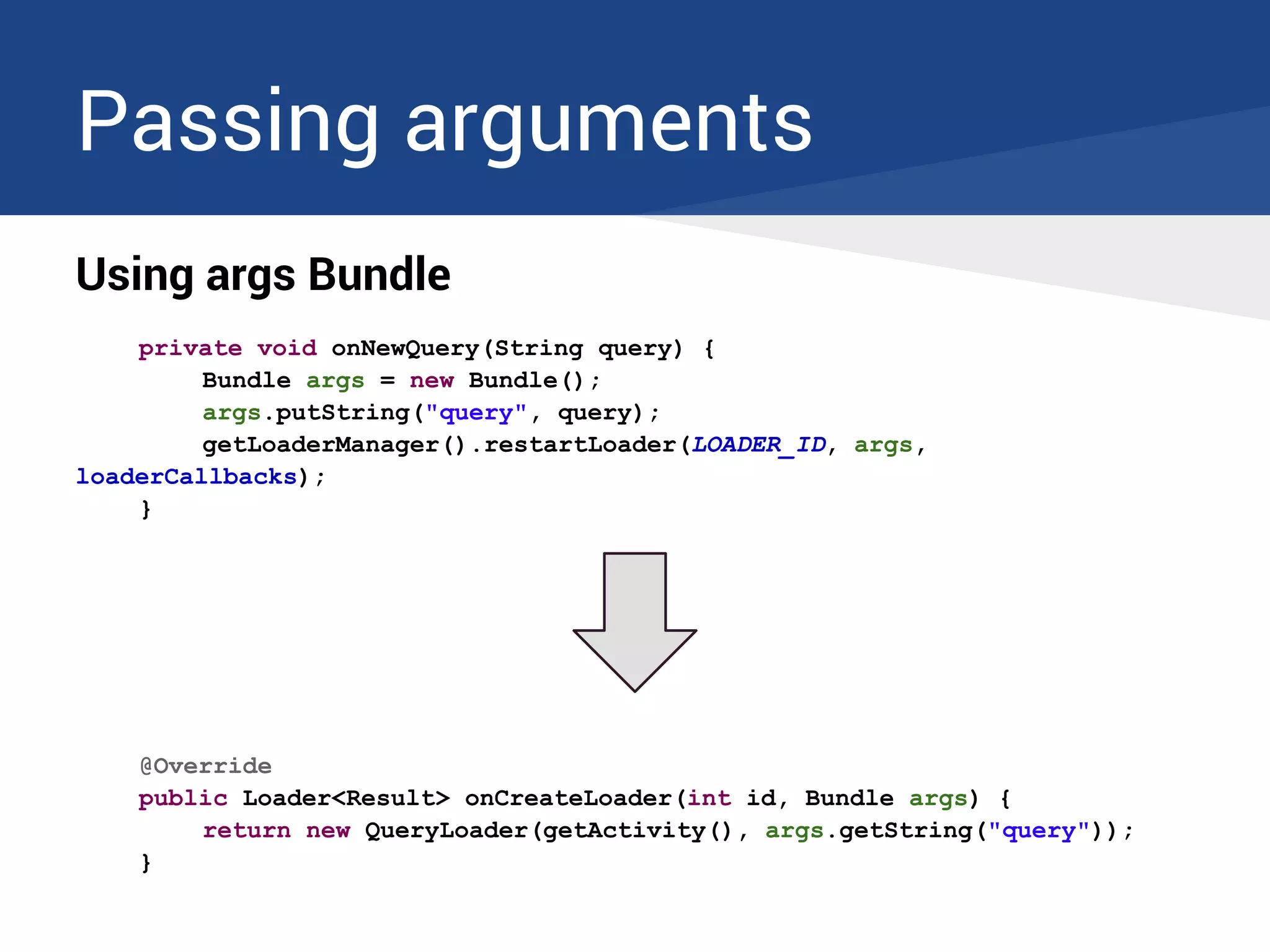
Passing arguments
Using args Bundle
private void onNewQuery(String query) {
Bundle args = new Bundle();
args.putString("query", query);
getLoaderManager().restartLoader(LOADER_ID, args,
loaderCallbacks);
}
@Override
public Loader<Result> onCreateLoader(int id, Bundle args) {
return new QueryLoader(getActivity(), args.getString("query"));
}
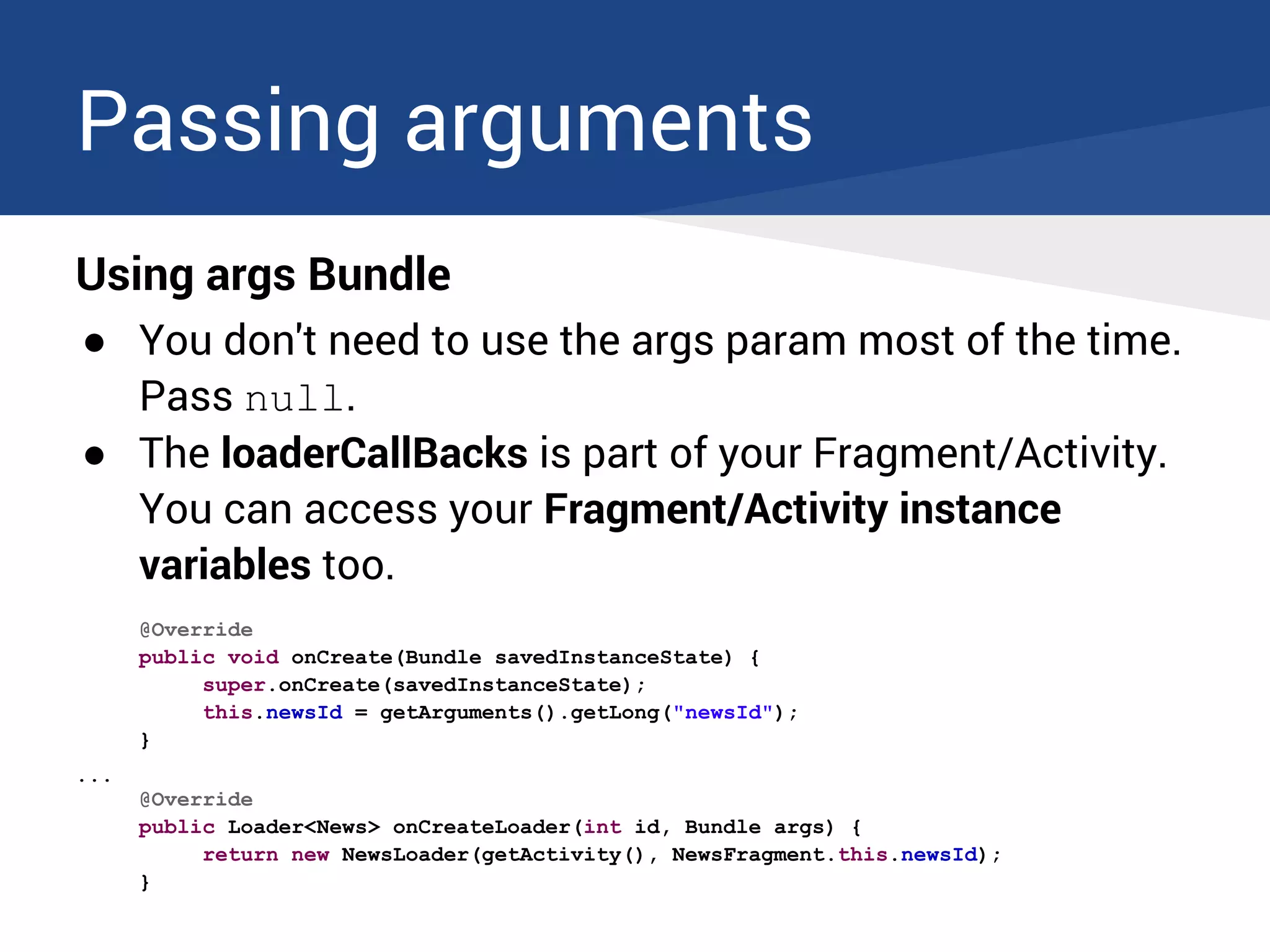
Passing arguments
Using args Bundle
● You don't need to use the args param most of the time.
Pass null.
● The loaderCallBacks is part of your Fragment/Activity.
You can access your Fragment/Activity instance
variables too.
@Override
public void onCreate(Bundle savedInstanceState) {
super.onCreate(savedInstanceState);
this.newsId = getArguments().getLong("newsId");
}
...
@Override
public Loader<News> onCreateLoader(int id, Bundle args) {
return new NewsLoader(getActivity(), NewsFragment.this.newsId);
}
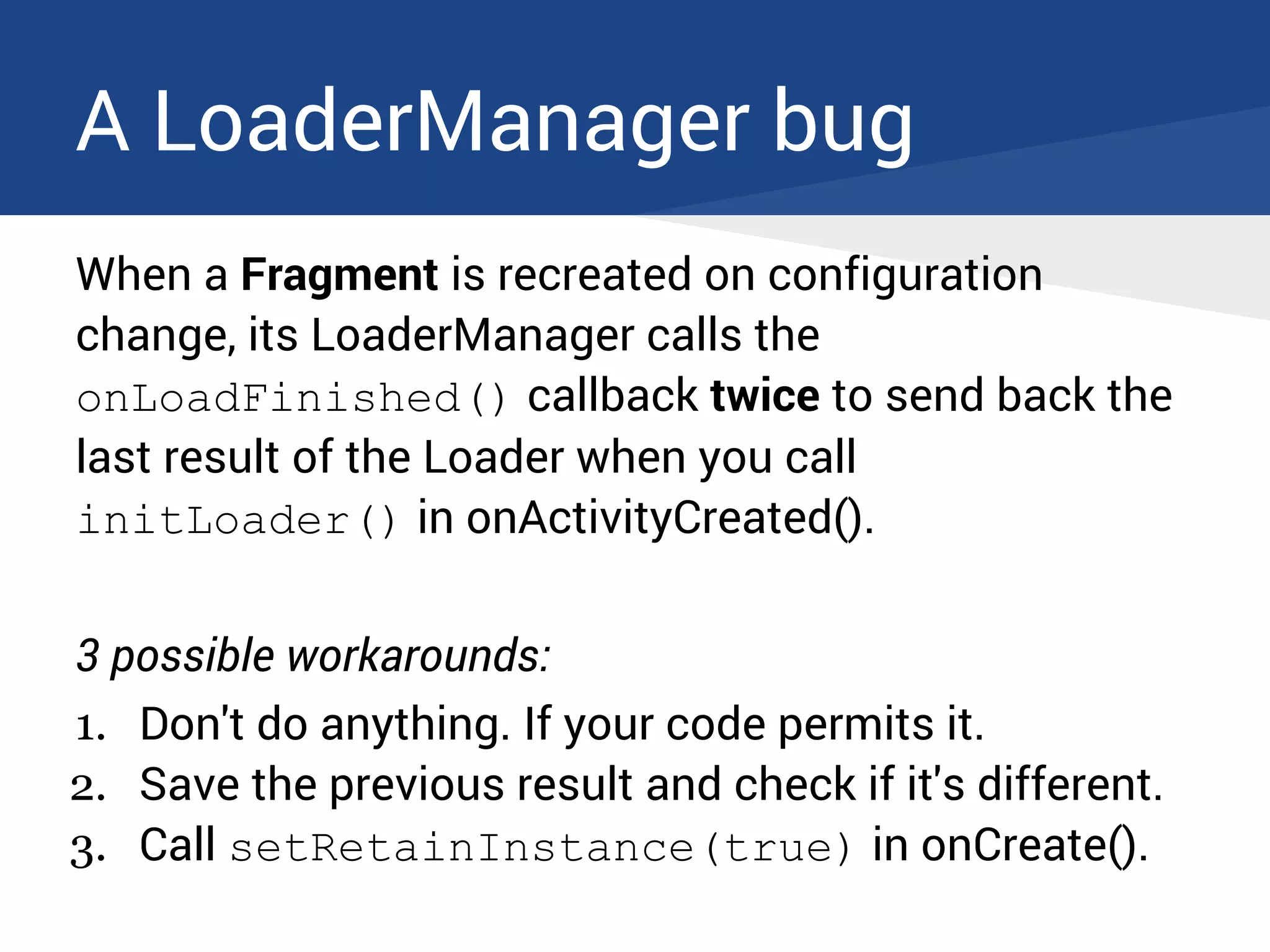
A LoaderManager bug
When a Fragment is recreated on configuration
change, its LoaderManager calls the
onLoadFinished() callback twice to send back the
last result of the Loader when you call
initLoader() in onActivityCreated().
3 possible workarounds:
1. Don't do anything. If your code permits it.
2. Save the previous result and check if it's different.
3. Call setRetainInstance(true) in onCreate().
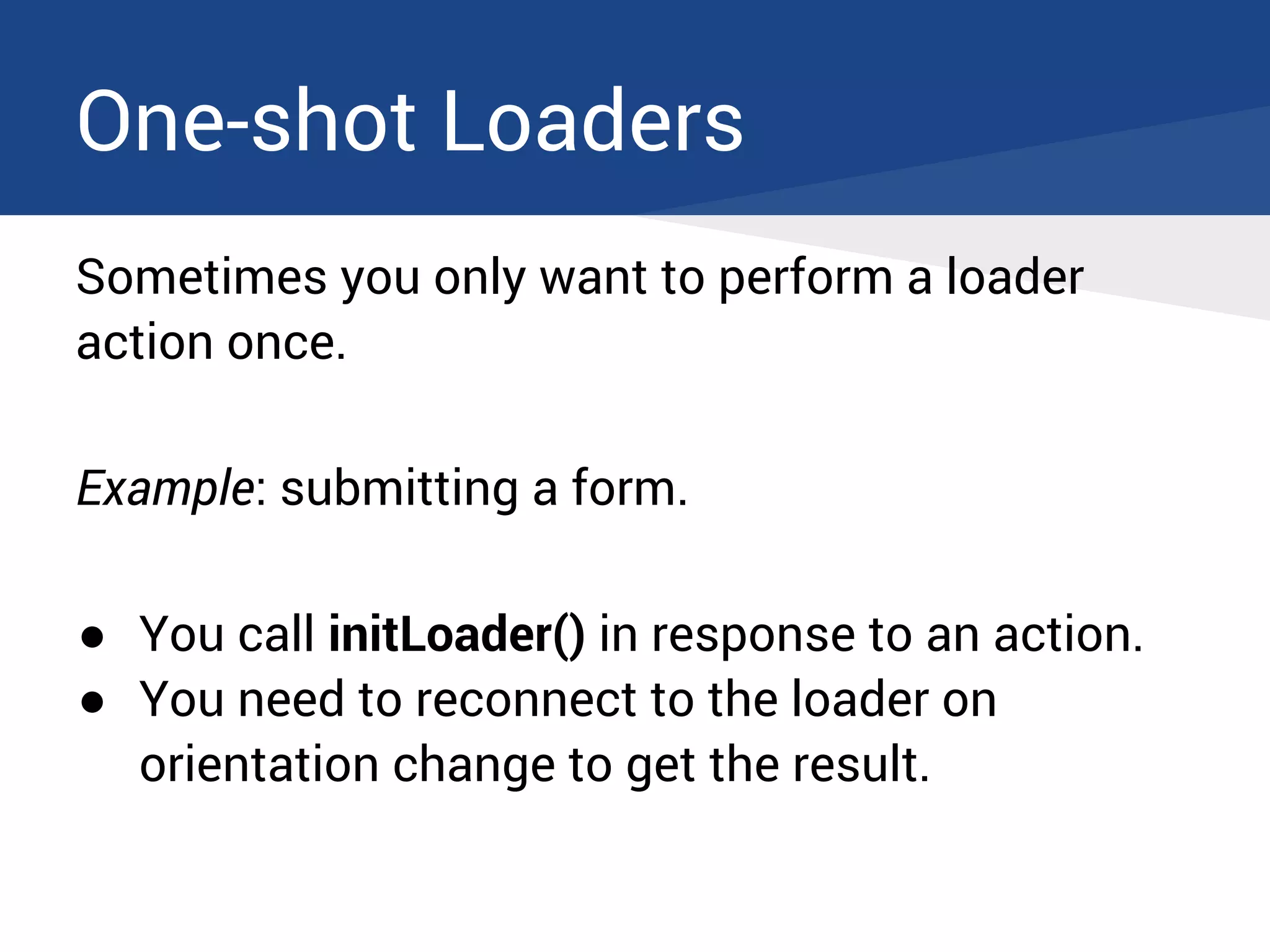
One-shot Loaders
Sometimes you only want to perform a loader
action once.
Example: submitting a form.
● You call initLoader() in response to an action.
● You need to reconnect to the loader on
orientation change to get the result.
One-shot Loaders
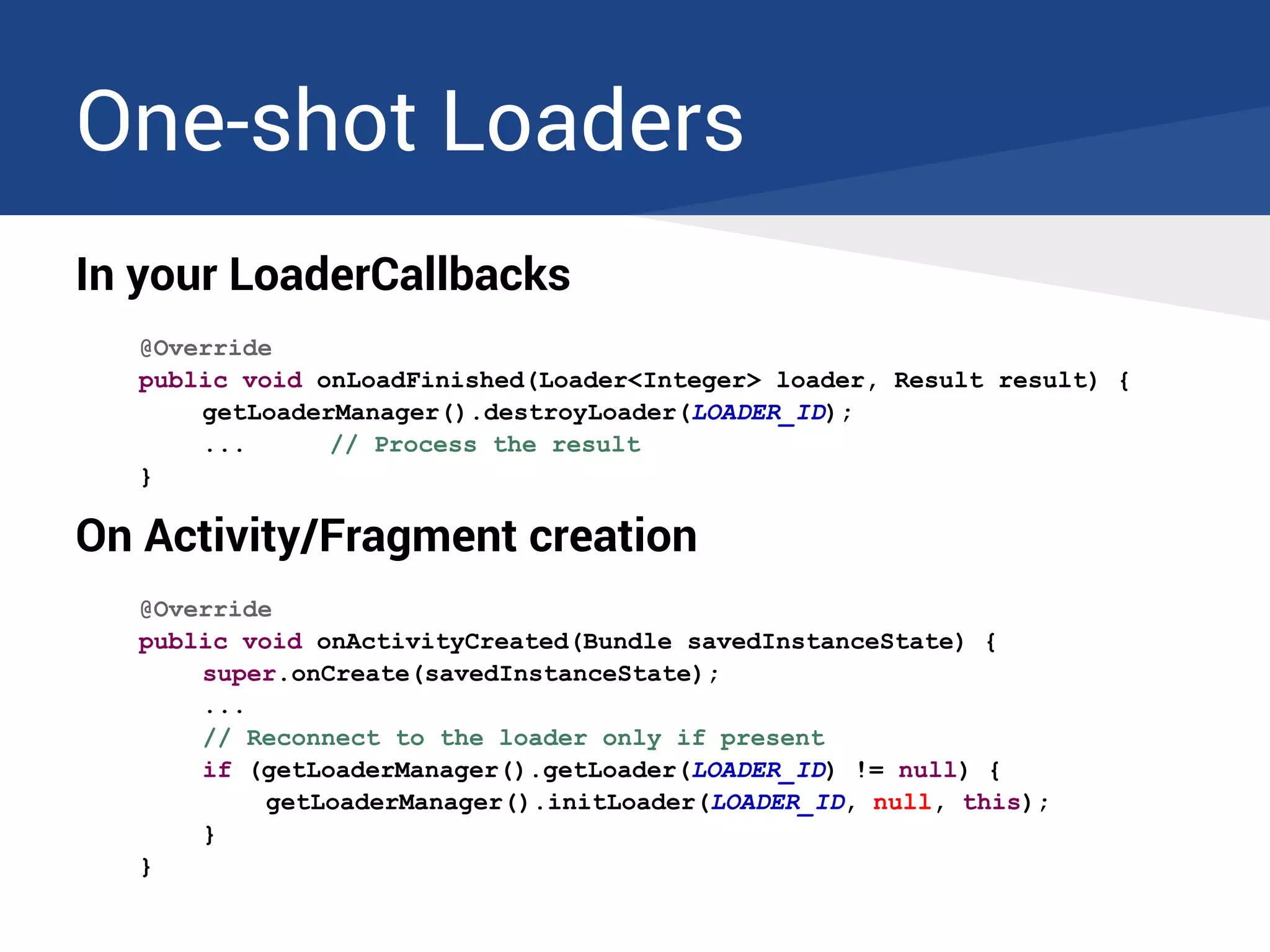
In your LoaderCallbacks
@Override
public void onLoadFinished(Loader<Integer> loader, Result result) {
getLoaderManager().destroyLoader(LOADER_ID);
... // Process the result
}
On Activity/Fragment creation
@Override
public void onActivityCreated(Bundle savedInstanceState) {
super.onCreate(savedInstanceState);
...
// Reconnect to the loader only if present
if (getLoaderManager().getLoader(LOADER_ID) != null) {
getLoaderManager().initLoader(LOADER_ID, null, this);
}
}
Common mistakes
1. Don't go crazy with loader ids
You don't need to:
● Increment the loader id or choose a random loader id
each time you initialize or restart a Loader.
This will prevent your Loaders from being reused and
will create a complete mess!
Use a single unique id for each kind of Loader.
Common mistakes
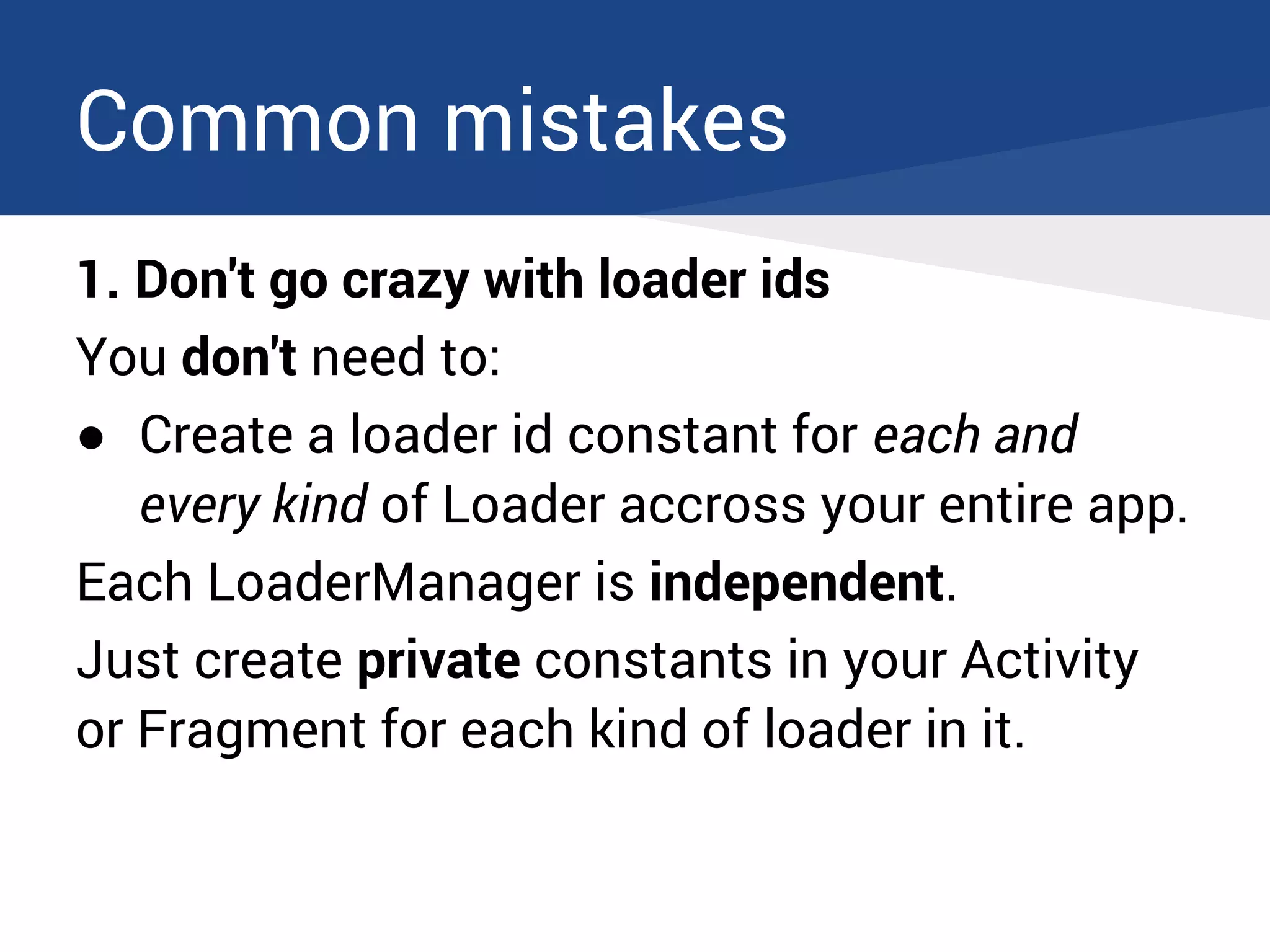
1. Don't go crazy with loader ids
You don't need to:
● Create a loader id constant for each and
every kind of Loader accross your entire app.
Each LoaderManager is independent.
Just create private constants in your Activity
or Fragment for each kind of loader in it.
Common mistakes
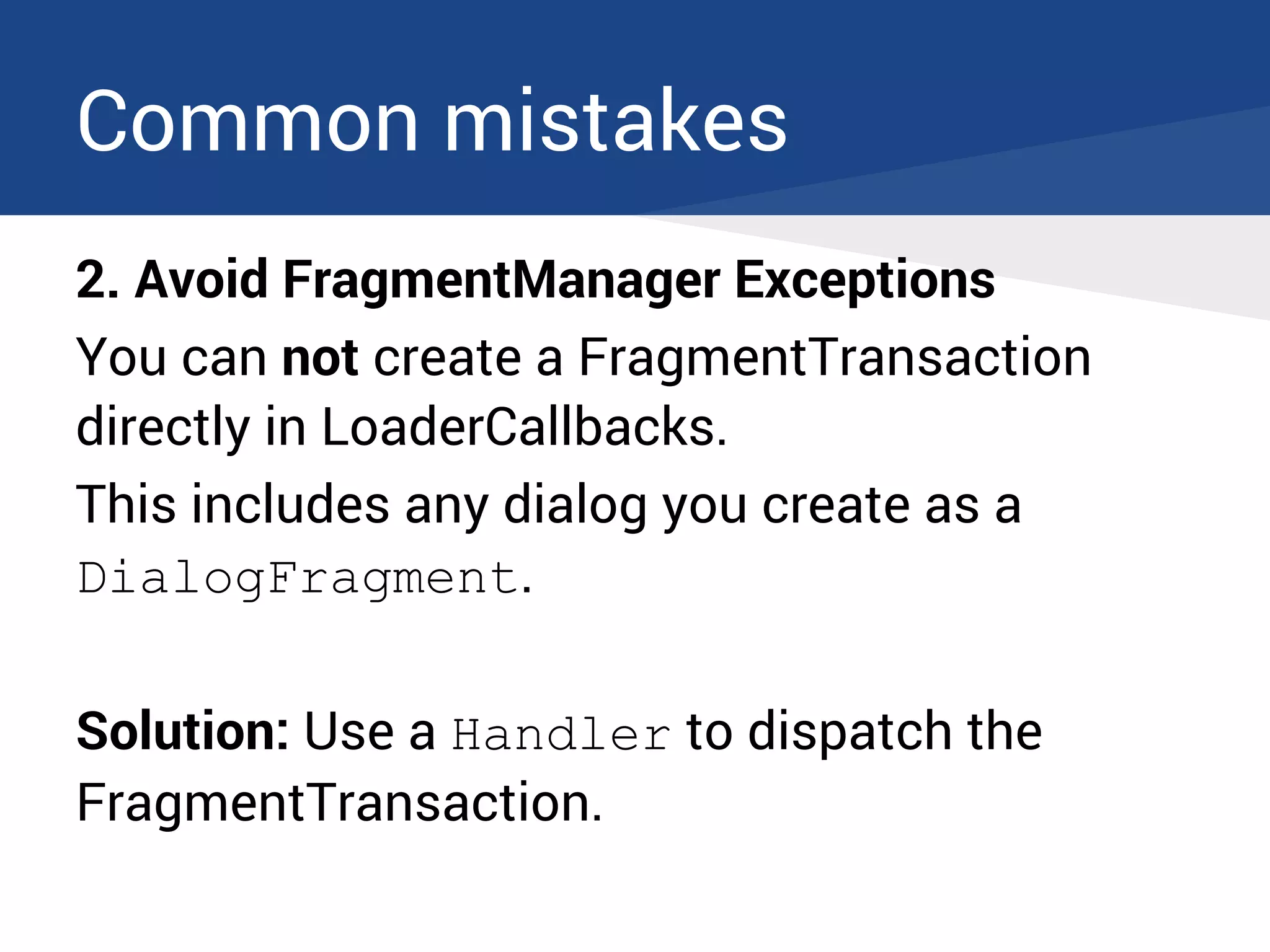
2. Avoid FragmentManager Exceptions
You can not create a FragmentTransaction
directly in LoaderCallbacks.
This includes any dialog you create as a
DialogFragment.
Solution: Use a Handler to dispatch the
FragmentTransaction.
Common mistakes
2. Avoid FragmentManager Exceptions
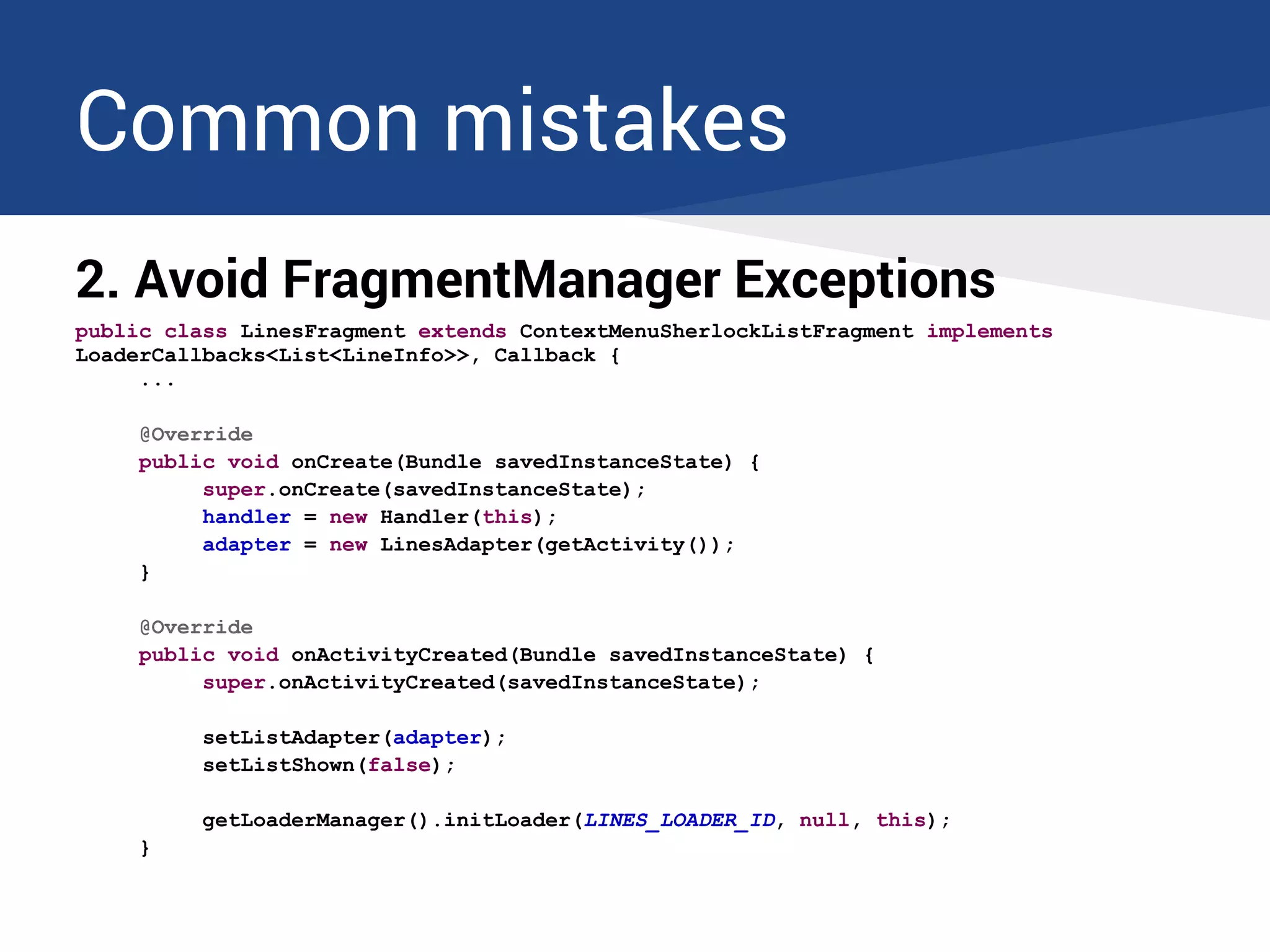
public class LinesFragment extends ContextMenuSherlockListFragment implements
LoaderCallbacks<List<LineInfo>>, Callback {
...
@Override
public void onCreate(Bundle savedInstanceState) {
super.onCreate(savedInstanceState);
handler = new Handler(this);
adapter = new LinesAdapter(getActivity());
}
@Override
public void onActivityCreated(Bundle savedInstanceState) {
super.onActivityCreated(savedInstanceState);
setListAdapter(adapter);
setListShown(false);
getLoaderManager().initLoader(LINES_LOADER_ID, null, this);
}
Common mistakes
2. Avoid FragmentManager Exceptions
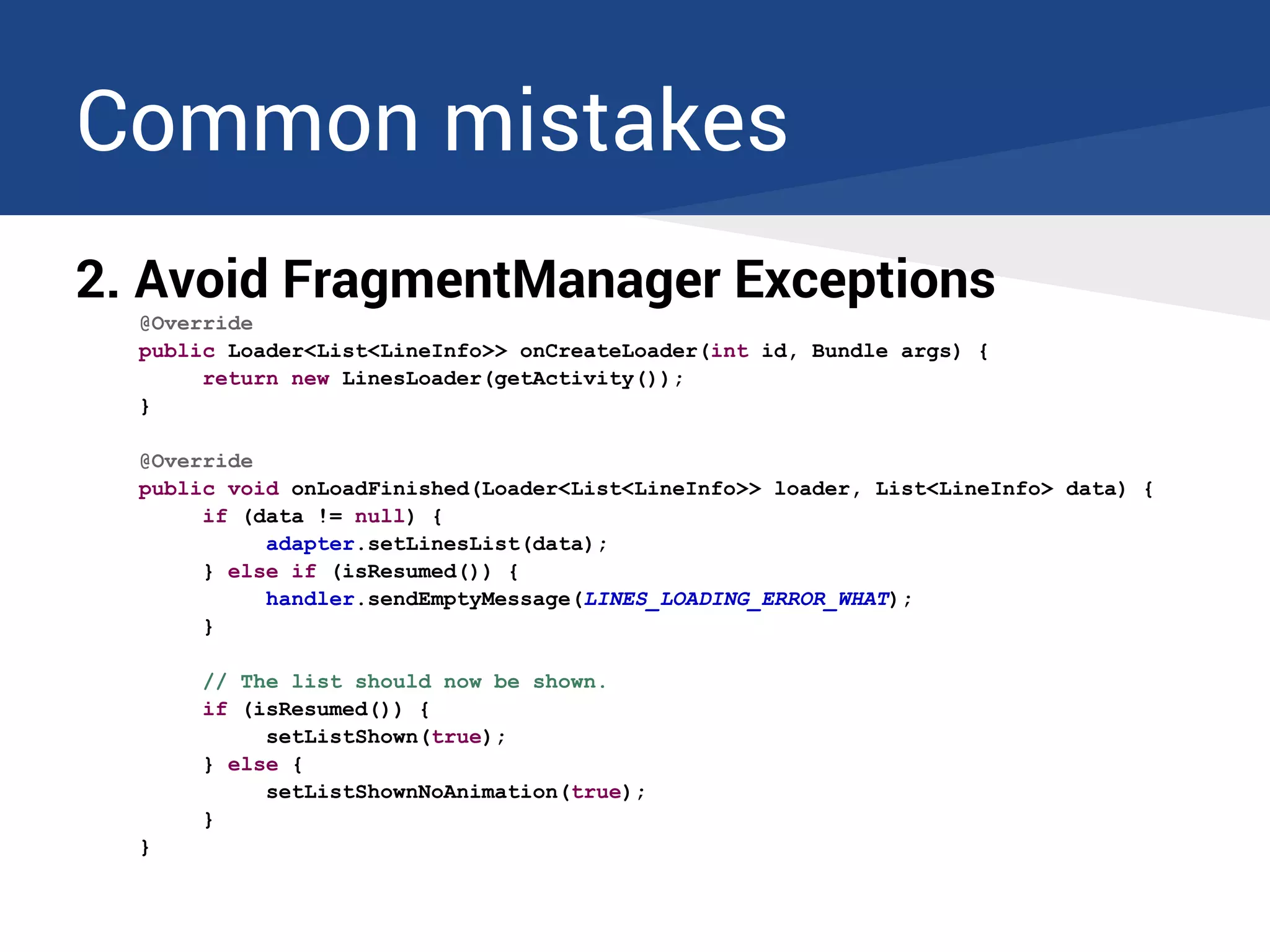
@Override
public Loader<List<LineInfo>> onCreateLoader(int id, Bundle args) {
return new LinesLoader(getActivity());
}
@Override
public void onLoadFinished(Loader<List<LineInfo>> loader, List<LineInfo> data) {
if (data != null) {
adapter.setLinesList(data);
} else if (isResumed()) {
handler.sendEmptyMessage(LINES_LOADING_ERROR_WHAT);
}
// The list should now be shown.
if (isResumed()) {
setListShown(true);
} else {
setListShownNoAnimation(true);
}
}
Common mistakes
2. Avoid FragmentManager Exceptions
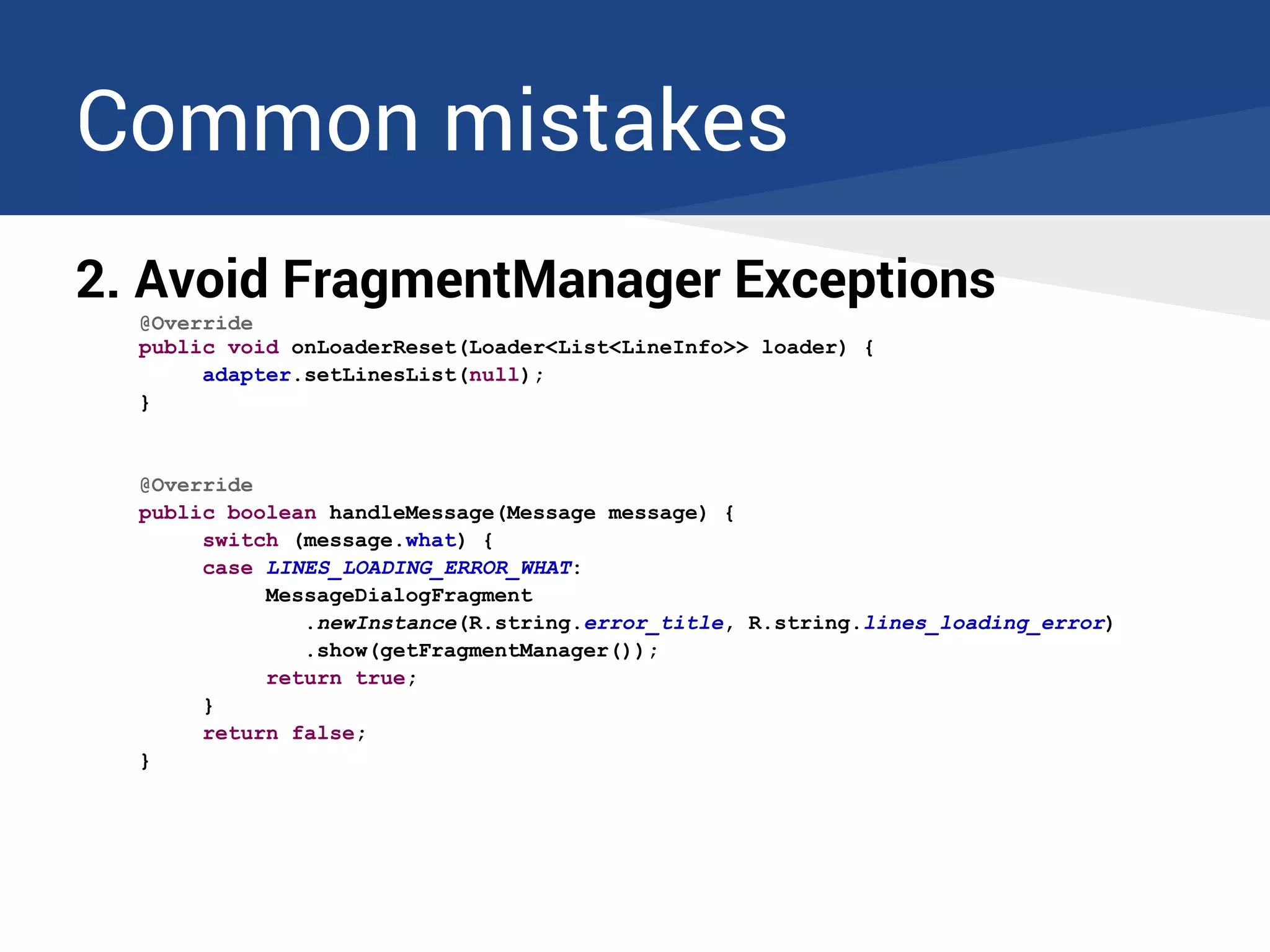
@Override
public void onLoaderReset(Loader<List<LineInfo>> loader) {
adapter.setLinesList(null);
}
@Override
public boolean handleMessage(Message message) {
switch (message.what) {
case LINES_LOADING_ERROR_WHAT:
MessageDialogFragment
.newInstance(R.string.error_title, R.string.lines_loading_error)
.show(getFragmentManager());
return true;
}
return false;
}
Implementing a basic Loader
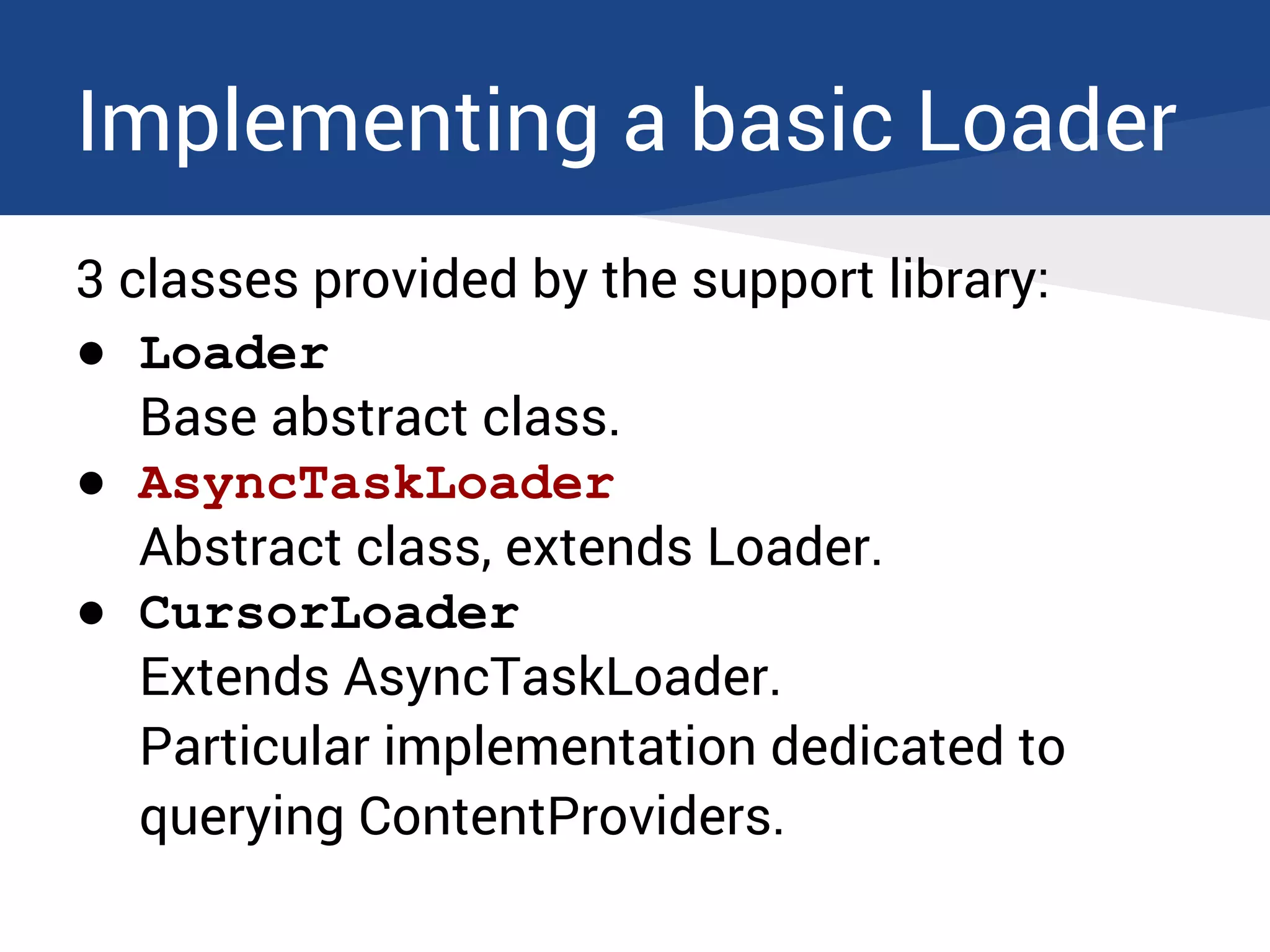
3 classes provided by the support library:
● Loader
Base abstract class.
● AsyncTaskLoader
Abstract class, extends Loader.
● CursorLoader
Extends AsyncTaskLoader.
Particular implementation dedicated to
querying ContentProviders.
AsyncTaskLoader
Does it suffer from AsyncTask's limitations?
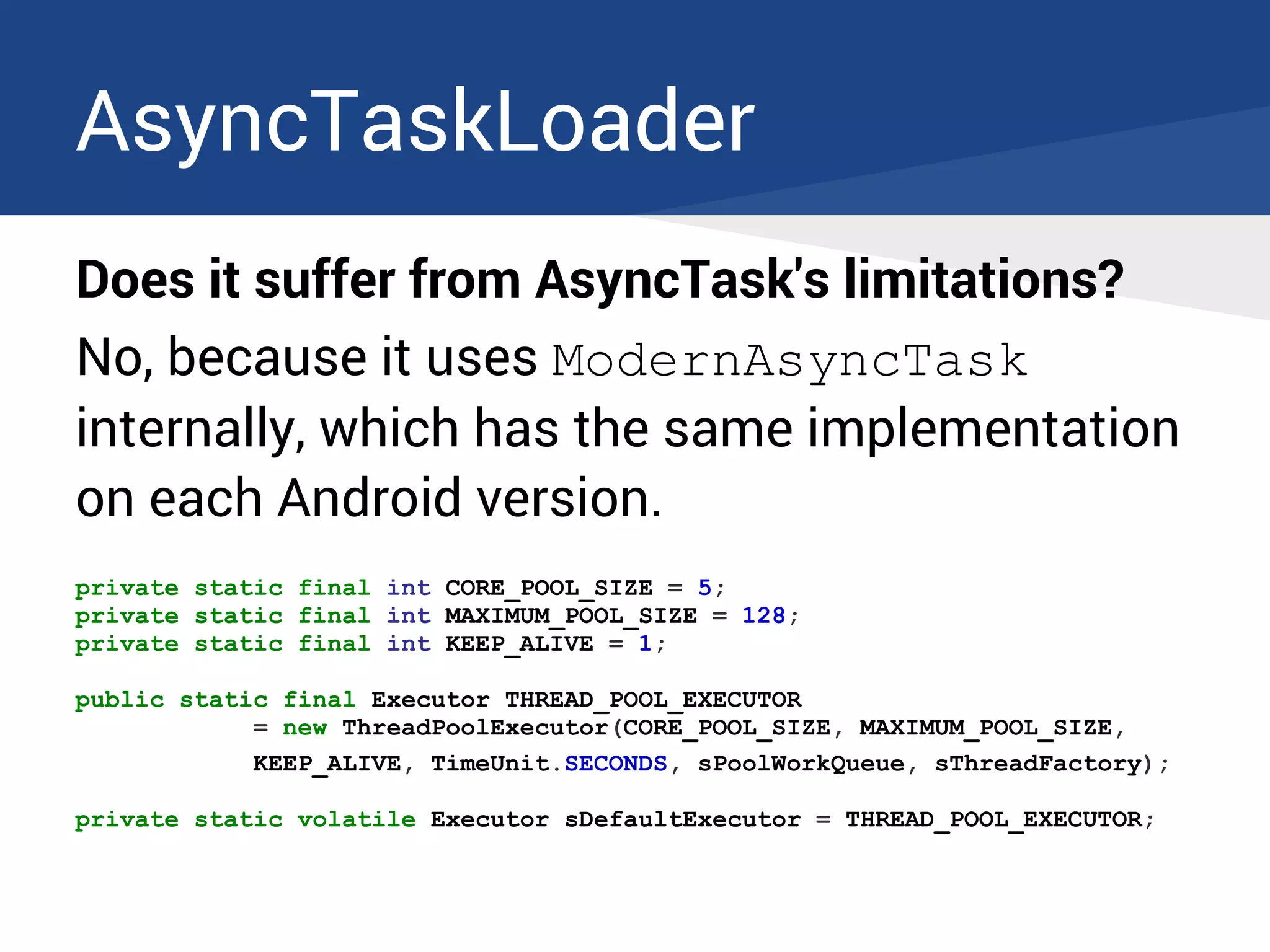
AsyncTaskLoader
Does it suffer from AsyncTask's limitations?
No, because it uses ModernAsyncTask
internally, which has the same implementation
on each Android version.
private static final int CORE_POOL_SIZE = 5;
private static final int MAXIMUM_POOL_SIZE = 128;
private static final int KEEP_ALIVE = 1;
public static final Executor THREAD_POOL_EXECUTOR
= new ThreadPoolExecutor(CORE_POOL_SIZE, MAXIMUM_POOL_SIZE,
KEEP_ALIVE, TimeUnit.SECONDS, sPoolWorkQueue, sThreadFactory);
private static volatile Executor sDefaultExecutor = THREAD_POOL_EXECUTOR;
Implementing a basic Loader
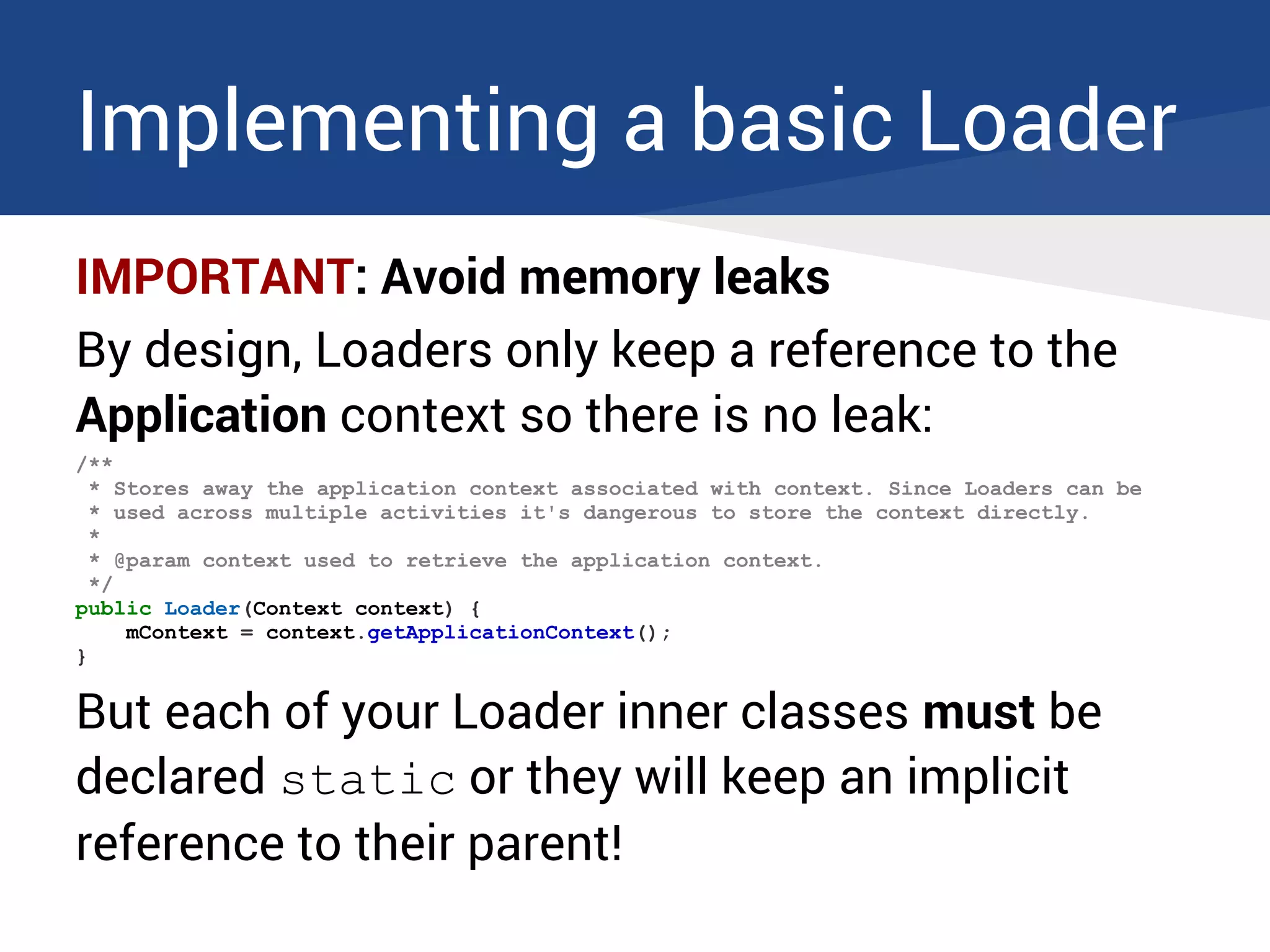
IMPORTANT: Avoid memory leaks
By design, Loaders only keep a reference to the
Application context so there is no leak:
/**
* Stores away the application context associated with context. Since Loaders can be
* used across multiple activities it's dangerous to store the context directly.
*
* @param context used to retrieve the application context.
*/
public Loader(Context context) {
mContext = context.getApplicationContext();
}
But each of your Loader inner classes must be
declared static or they will keep an implicit
reference to their parent!
Implementing a basic Loader
We need to extend AsyncTaskLoader and
implement its behavior.
Implementing a basic Loader
The callbacks to implement
Mandatory
● onStartLoading()
● onStopLoading()
● onReset()
● onForceLoad() from Loader OR
loadInBackground() from AsyncTaskLoader
Optional
● deliverResult() [override]
Implementing a basic Loader
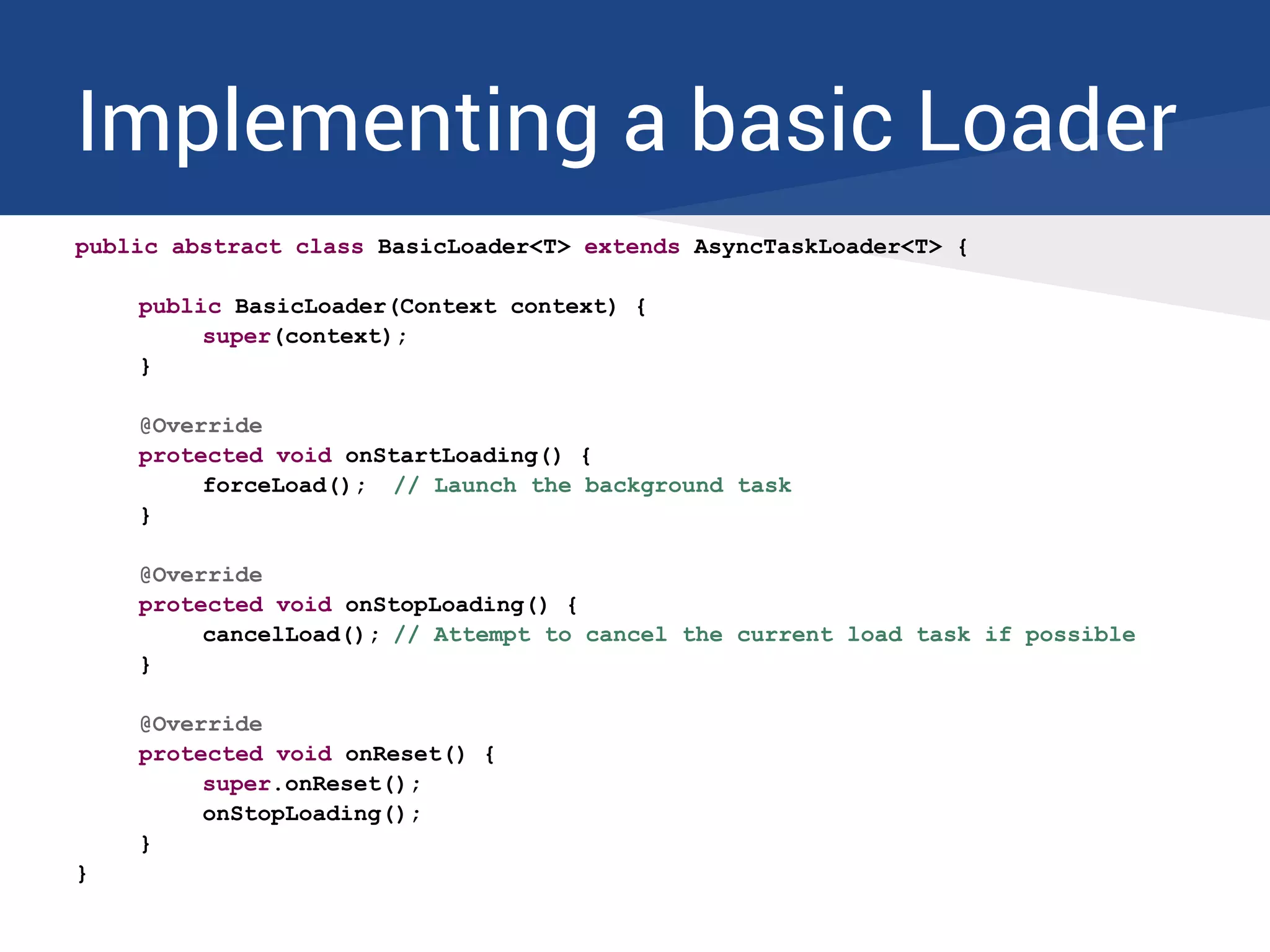
public abstract class BasicLoader<T> extends AsyncTaskLoader<T> {
public BasicLoader(Context context) {
super(context);
}
@Override
protected void onStartLoading() {
forceLoad(); // Launch the background task
}
@Override
protected void onStopLoading() {
cancelLoad(); // Attempt to cancel the current load task if possible
}
@Override
protected void onReset() {
super.onReset();
onStopLoading();
}
}
Implementing a basic Loader
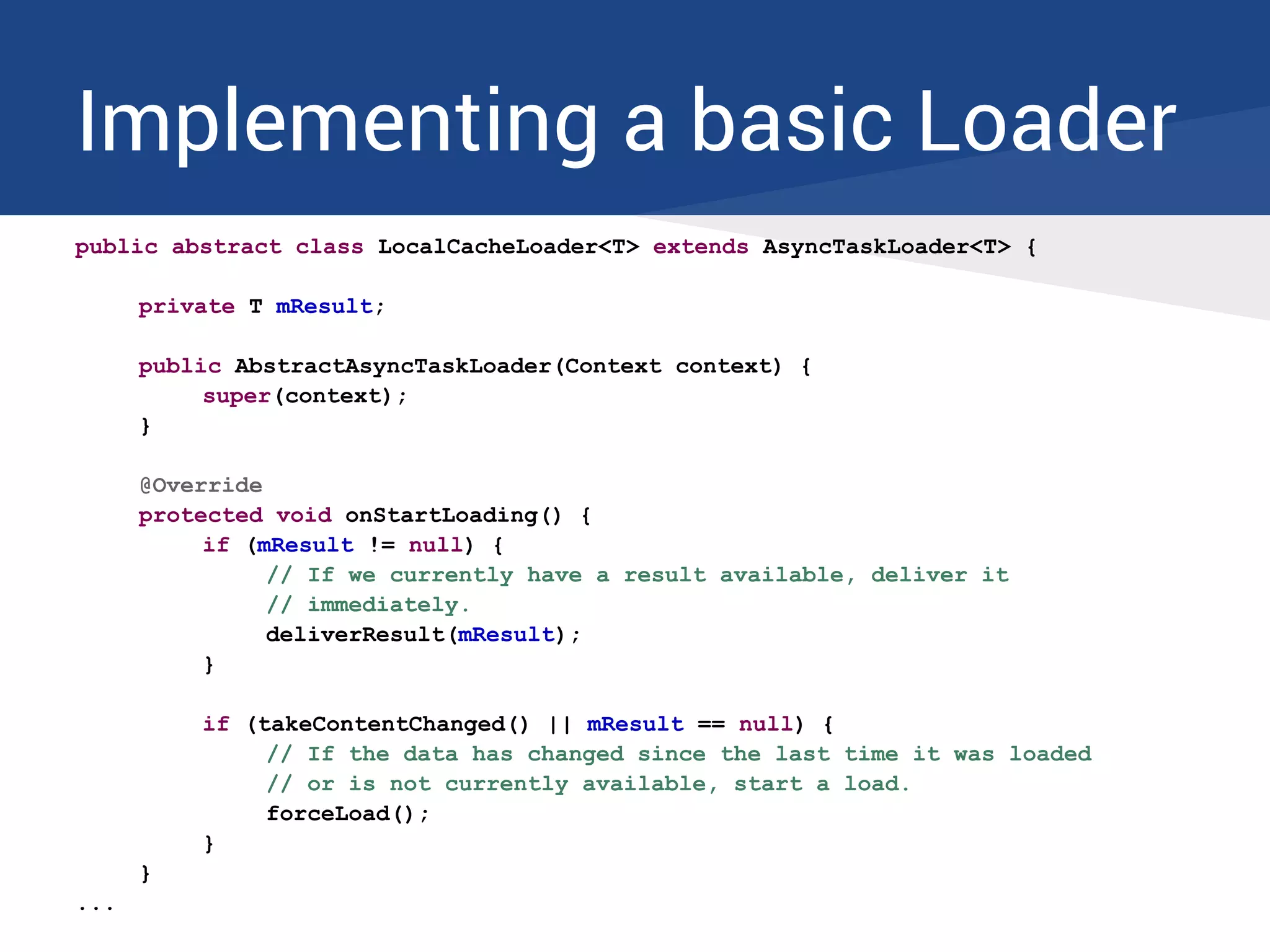
public abstract class LocalCacheLoader<T> extends AsyncTaskLoader<T> {
private T mResult;
public AbstractAsyncTaskLoader(Context context) {
super(context);
}
@Override
protected void onStartLoading() {
if (mResult != null) {
// If we currently have a result available, deliver it
// immediately.
deliverResult(mResult);
}
if (takeContentChanged() || mResult == null) {
// If the data has changed since the last time it was loaded
// or is not currently available, start a load.
forceLoad();
}
}
...
Implementing a basic Loader
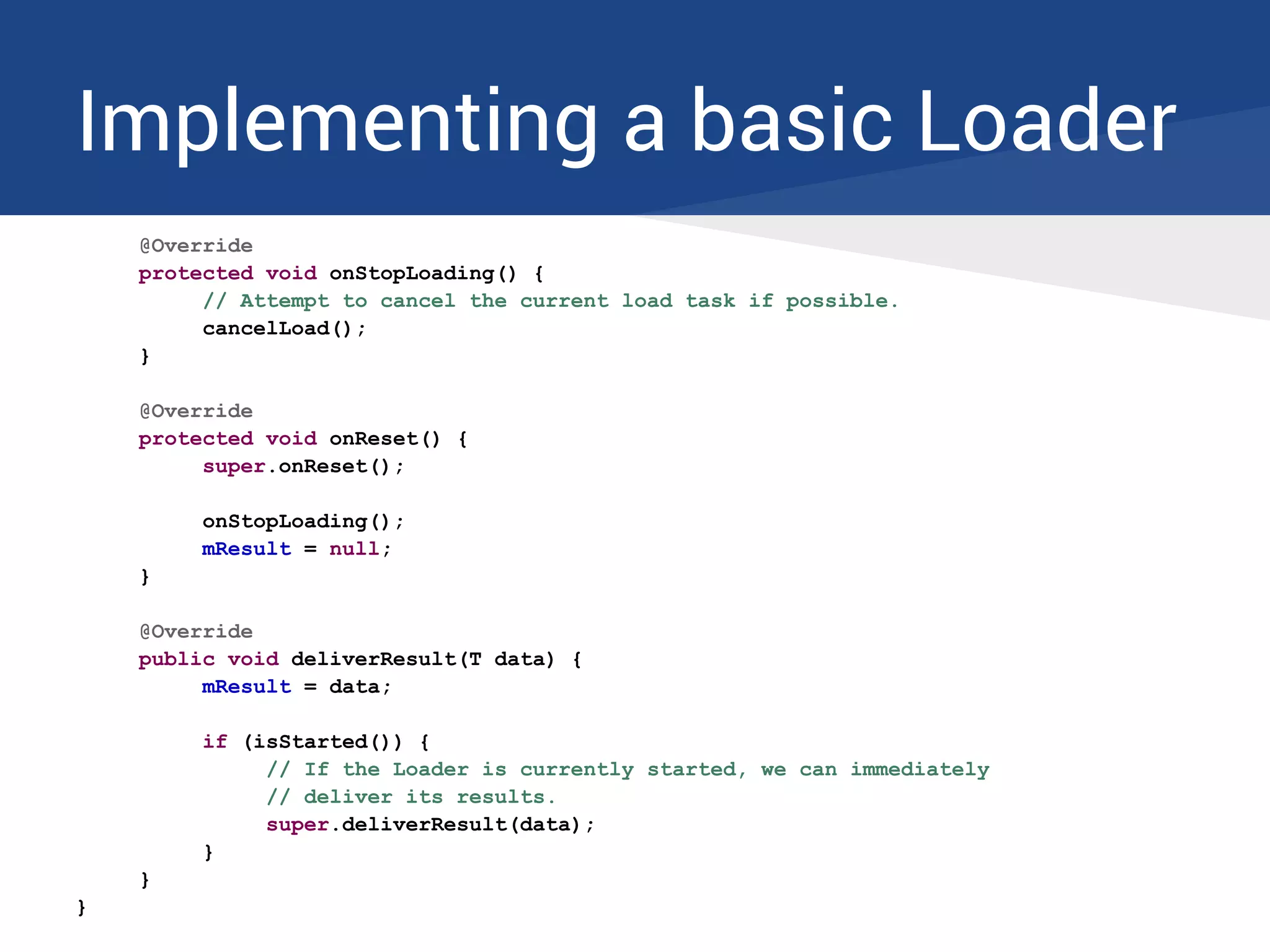
@Override
protected void onStopLoading() {
// Attempt to cancel the current load task if possible.
cancelLoad();
}
@Override
protected void onReset() {
super.onReset();
onStopLoading();
mResult = null;
}
@Override
public void deliverResult(T data) {
mResult = data;
if (isStarted()) {
// If the Loader is currently started, we can immediately
// deliver its results.
super.deliverResult(data);
}
}
}
Implementing a basic Loader
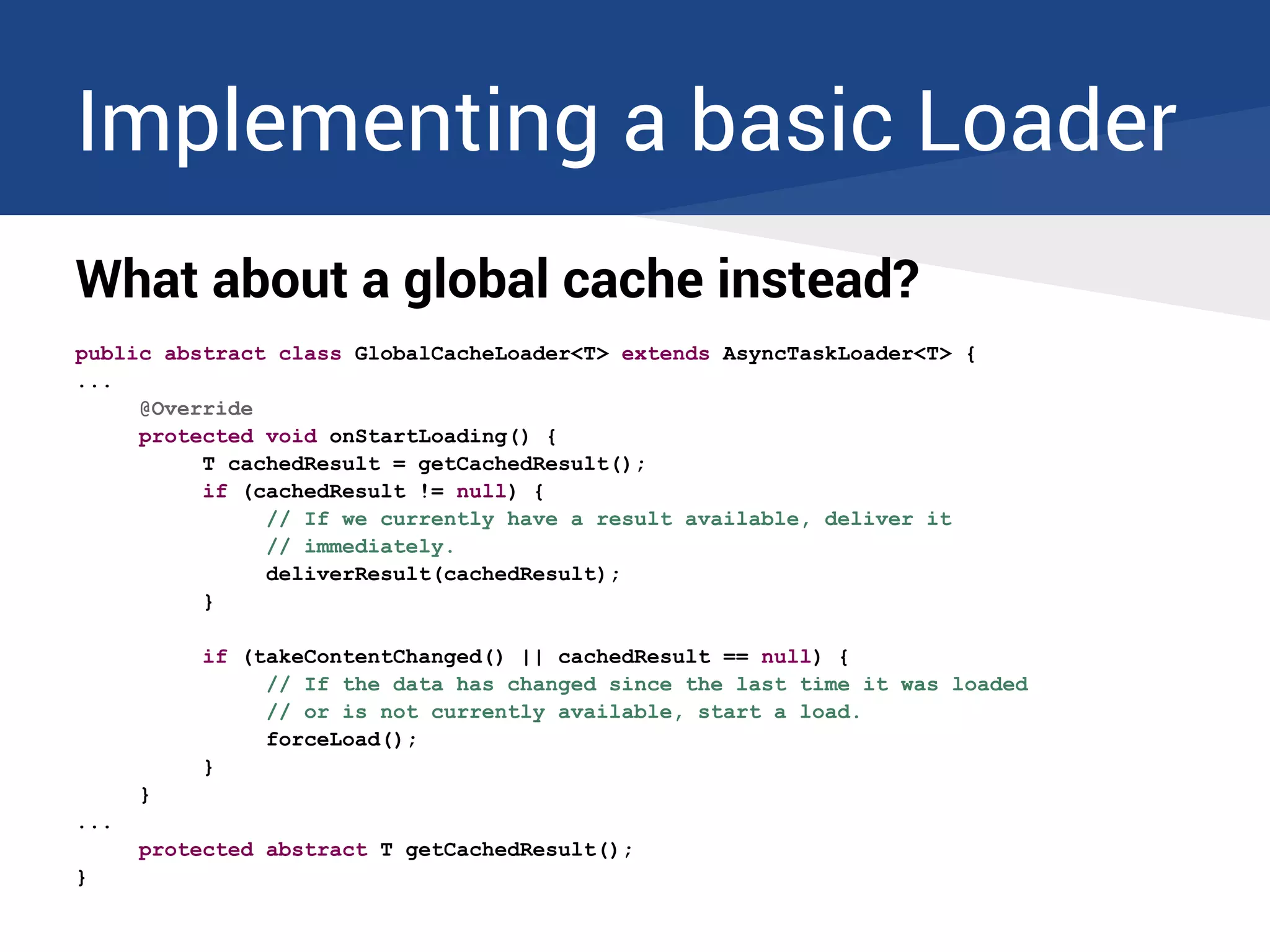
What about a global cache instead?
public abstract class GlobalCacheLoader<T> extends AsyncTaskLoader<T> {
...
@Override
protected void onStartLoading() {
T cachedResult = getCachedResult();
if (cachedResult != null) {
// If we currently have a result available, deliver it
// immediately.
deliverResult(cachedResult);
}
if (takeContentChanged() || cachedResult == null) {
// If the data has changed since the last time it was loaded
// or is not currently available, start a load.
forceLoad();
}
}
...
protected abstract T getCachedResult();
}
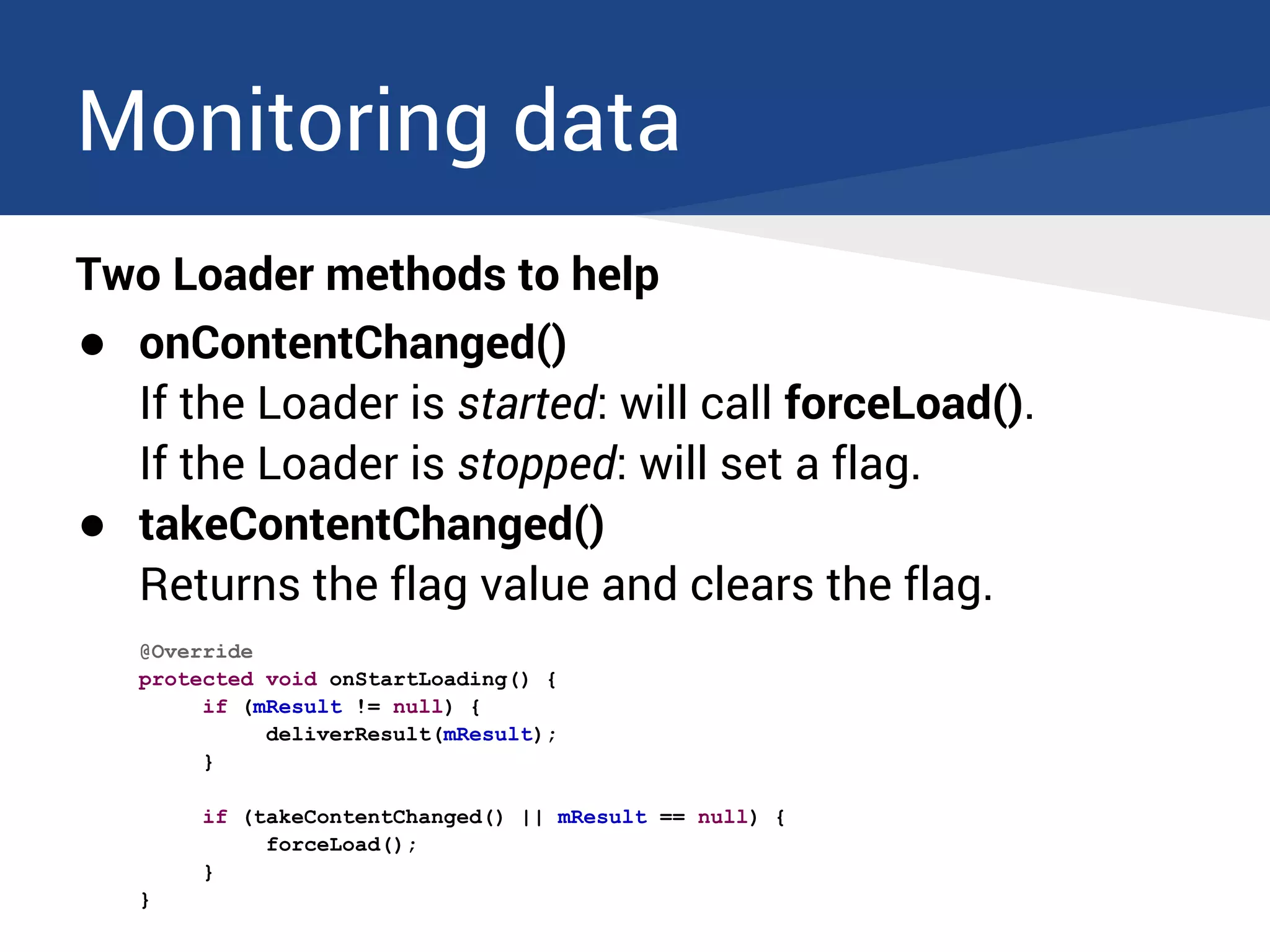
Monitoring data
Two Loader methods to help
● onContentChanged()
If the Loader is started: will call forceLoad().
If the Loader is stopped: will set a flag.
● takeContentChanged()
Returns the flag value and clears the flag.
@Override
protected void onStartLoading() {
if (mResult != null) {
deliverResult(mResult);
}
if (takeContentChanged() || mResult == null) {
forceLoad();
}
}
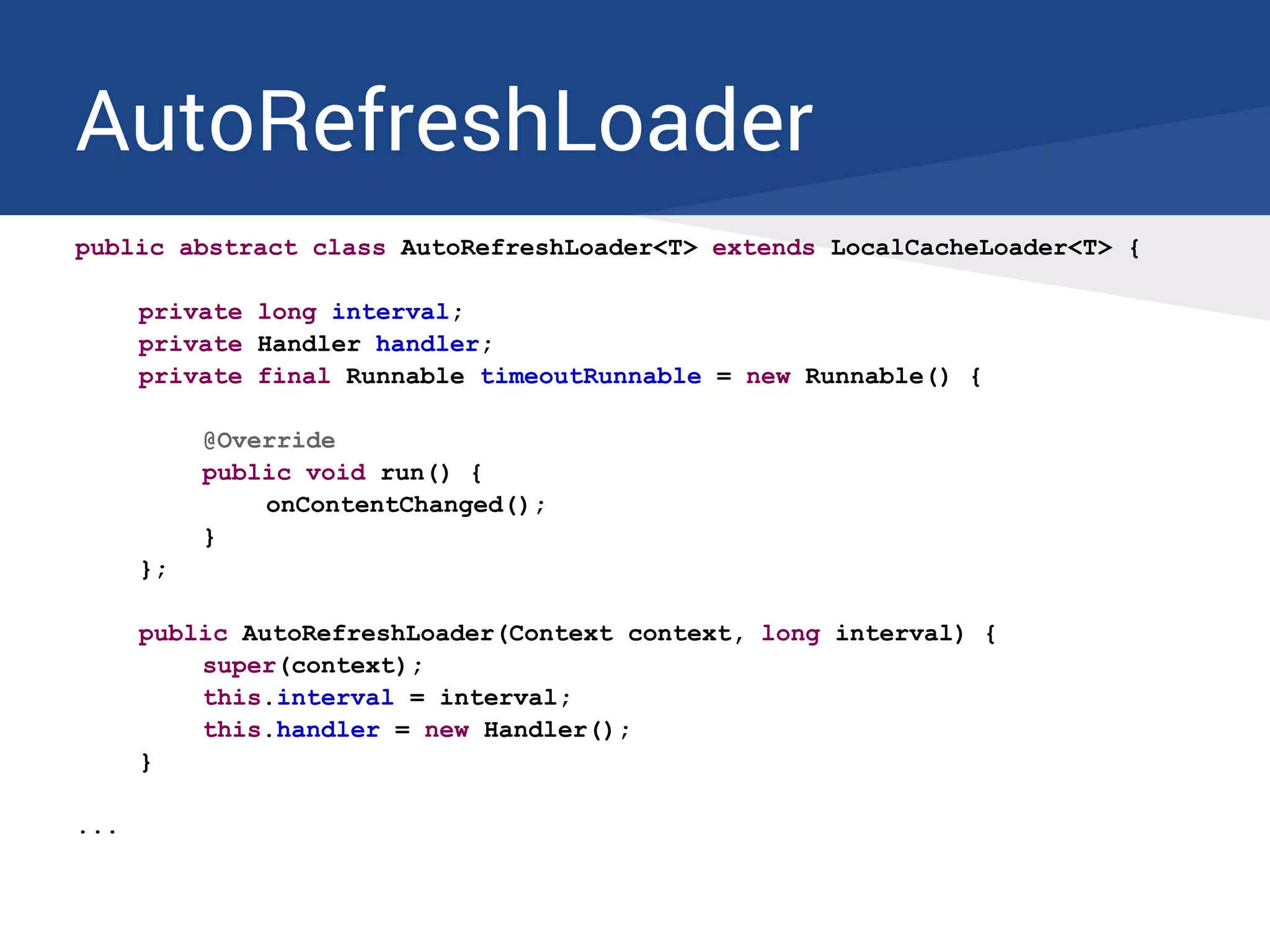
AutoRefreshLoader
public abstract class AutoRefreshLoader<T> extends LocalCacheLoader<T> {
private long interval;
private Handler handler;
private final Runnable timeoutRunnable = new Runnable() {
@Override
public void run() {
onContentChanged();
}
};
public AutoRefreshLoader(Context context, long interval) {
super(context);
this.interval = interval;
this.handler = new Handler();
}
...
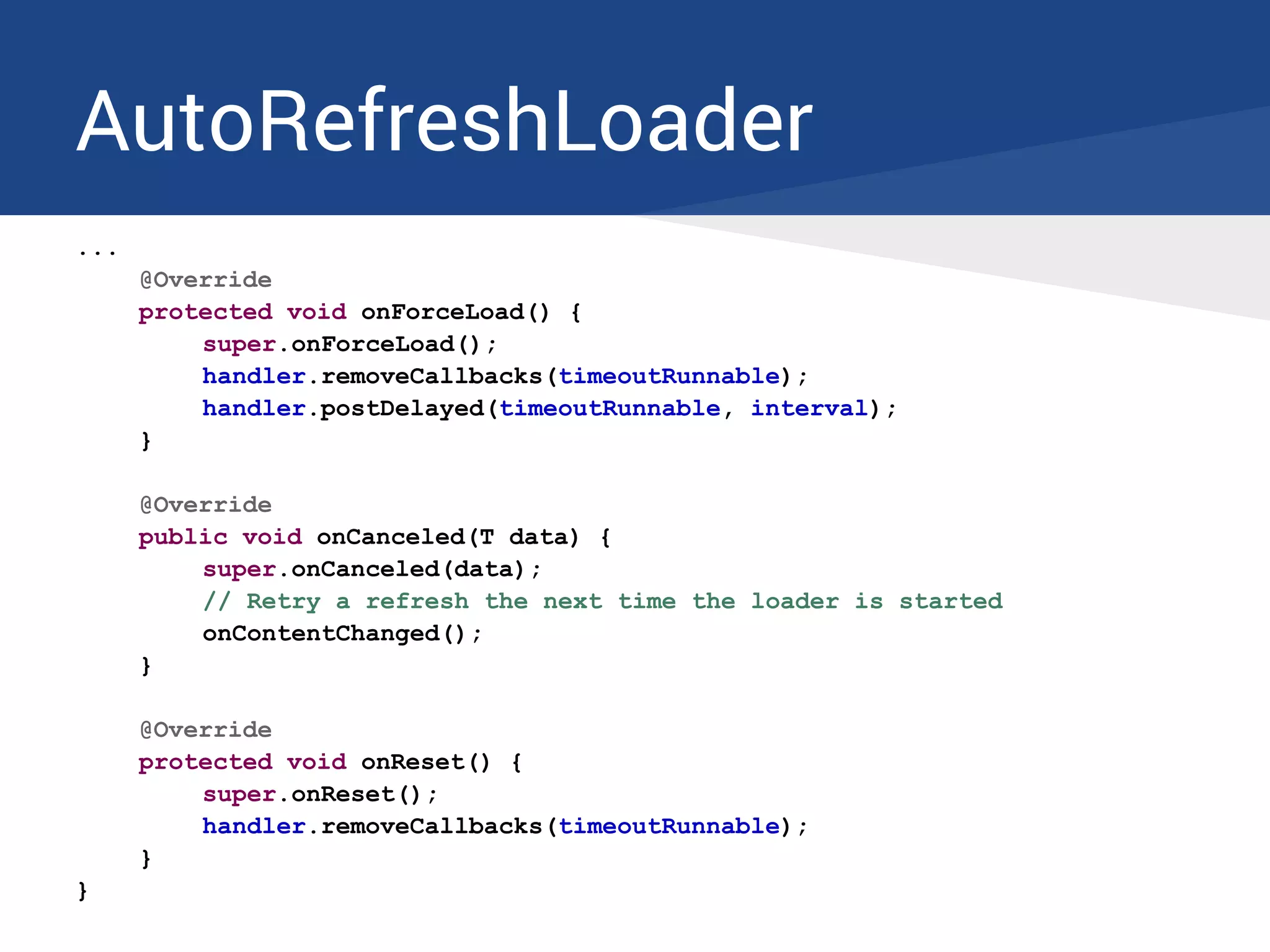
AutoRefreshLoader
...
@Override
protected void onForceLoad() {
super.onForceLoad();
handler.removeCallbacks(timeoutRunnable);
handler.postDelayed(timeoutRunnable, interval);
}
@Override
public void onCanceled(T data) {
super.onCanceled(data);
// Retry a refresh the next time the loader is started
onContentChanged();
}
@Override
protected void onReset() {
super.onReset();
handler.removeCallbacks(timeoutRunnable);
}
}
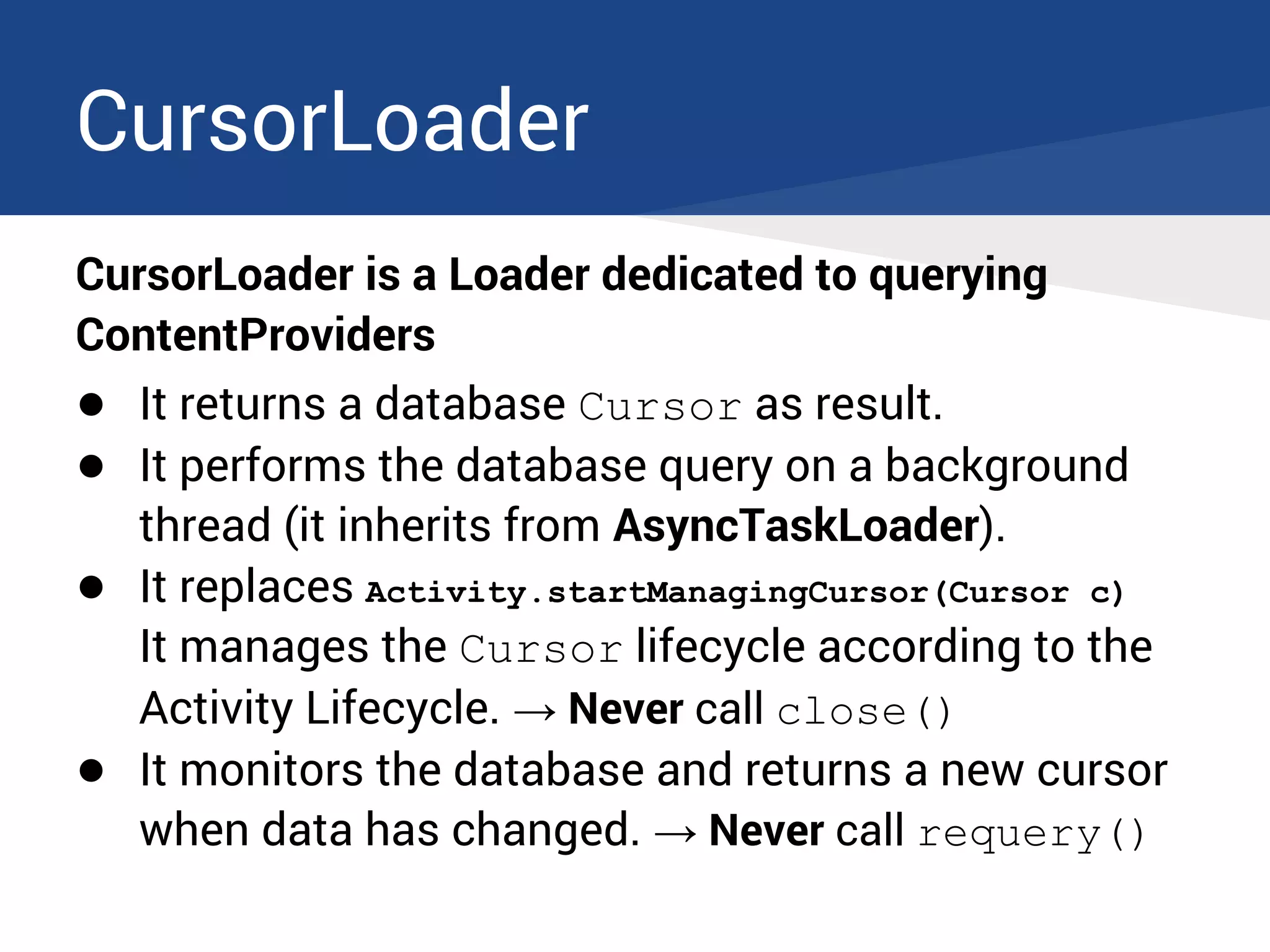
CursorLoader
CursorLoader is a Loader dedicated to querying
ContentProviders
● It returns a database Cursor as result.
● It performs the database query on a background
thread (it inherits from AsyncTaskLoader).
● It replaces Activity.startManagingCursor(Cursor c)
It manages the Cursor lifecycle according to the
Activity Lifecycle. → Never call close()
● It monitors the database and returns a new cursor
when data has changed. → Never call requery()
CursorLoader
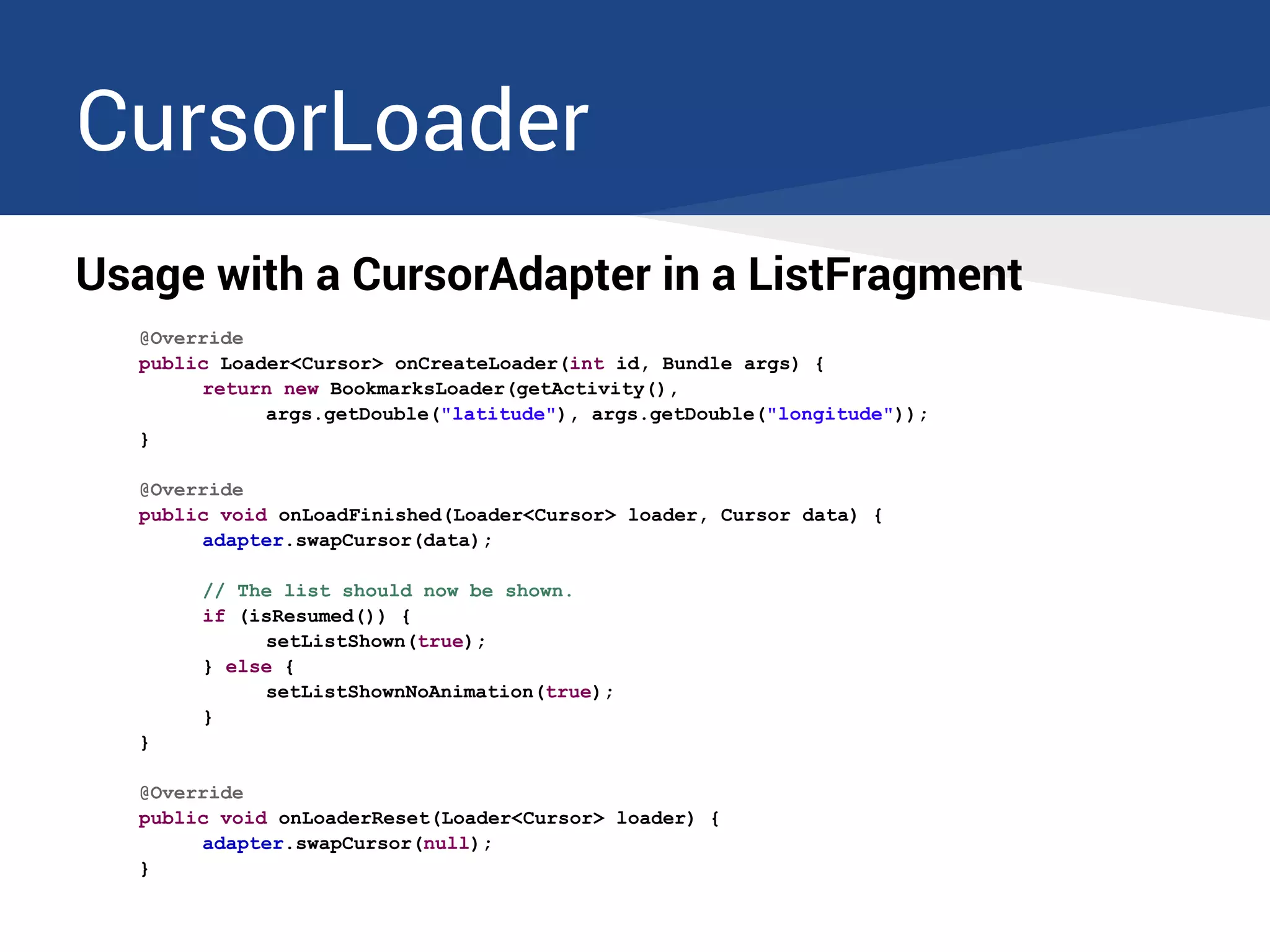
Usage with a CursorAdapter in a ListFragment
@Override
public Loader<Cursor> onCreateLoader(int id, Bundle args) {
return new BookmarksLoader(getActivity(),
args.getDouble("latitude"), args.getDouble("longitude"));
}
@Override
public void onLoadFinished(Loader<Cursor> loader, Cursor data) {
adapter.swapCursor(data);
// The list should now be shown.
if (isResumed()) {
setListShown(true);
} else {
setListShownNoAnimation(true);
}
}
@Override
public void onLoaderReset(Loader<Cursor> loader) {
adapter.swapCursor(null);
}
CursorLoader
SimpleCursorLoader
If you don't need the complexity of a ContentProvider
... but want to access a local database anyway
● SimpleCursorLoader is an abstract class based on
CursorLoader with all the ContentProvider-specific
stuff removed.
● You just need to override one method which
performs the actual database query.
SimpleCursorLoader
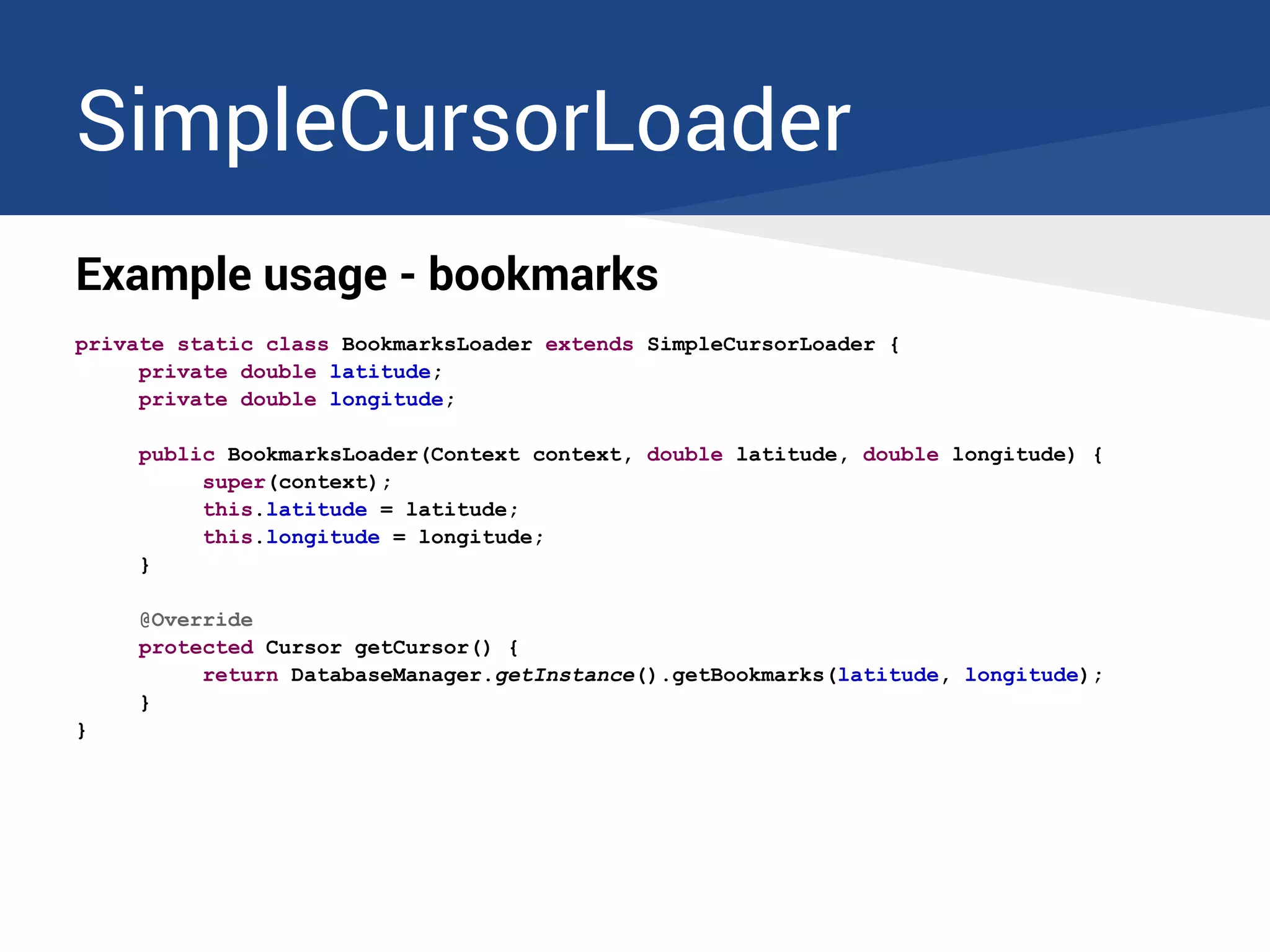
Example usage - bookmarks
private static class BookmarksLoader extends SimpleCursorLoader {
private double latitude;
private double longitude;
public BookmarksLoader(Context context, double latitude, double longitude) {
super(context);
this.latitude = latitude;
this.longitude = longitude;
}
@Override
protected Cursor getCursor() {
return DatabaseManager.getInstance().getBookmarks(latitude, longitude);
}
}
SimpleCursorLoader
Example usage - bookmarks
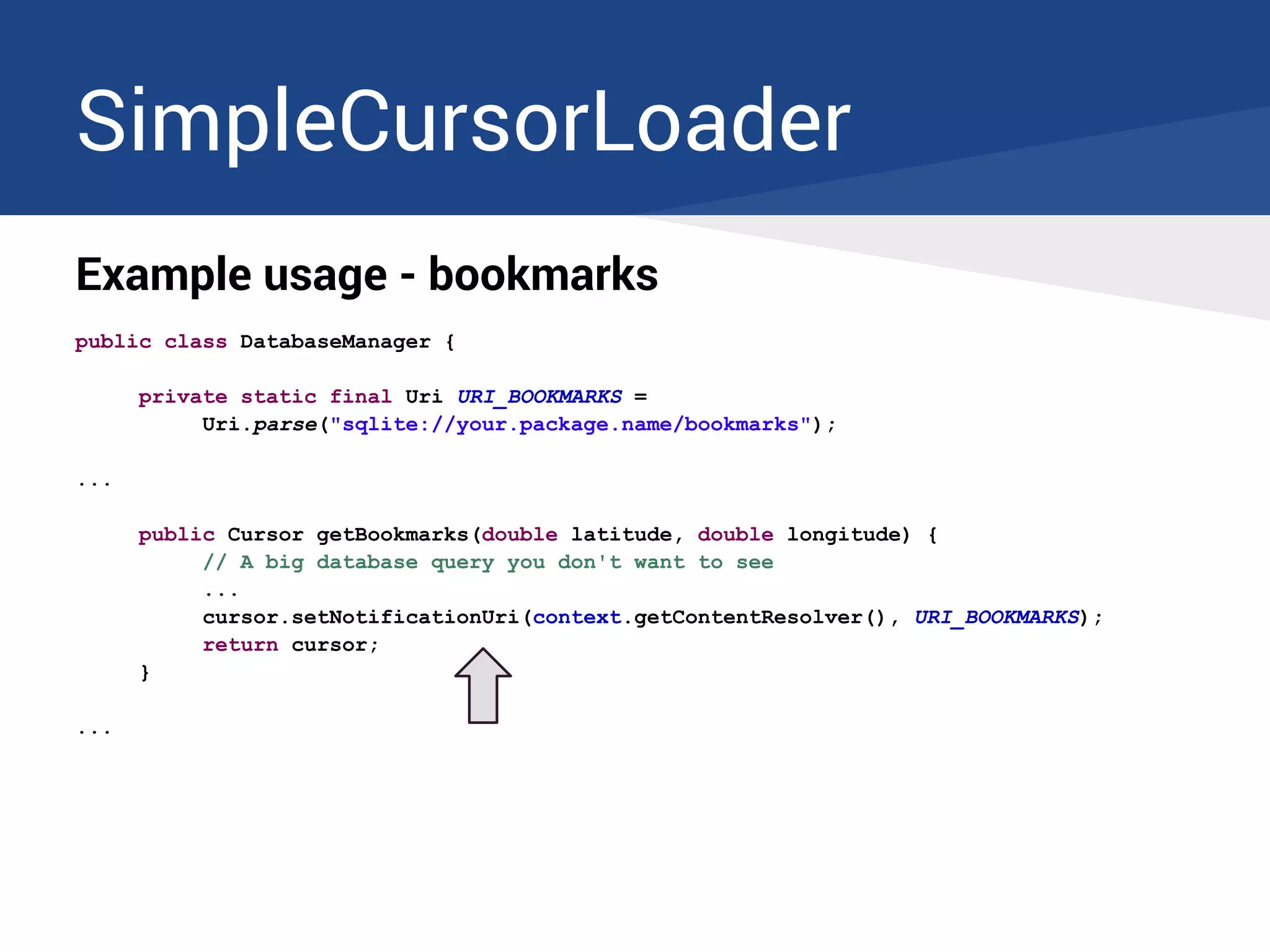
public class DatabaseManager {
private static final Uri URI_BOOKMARKS =
Uri.parse("sqlite://your.package.name/bookmarks");
...
public Cursor getBookmarks(double latitude, double longitude) {
// A big database query you don't want to see
...
cursor.setNotificationUri(context.getContentResolver(), URI_BOOKMARKS);
return cursor;
}
...
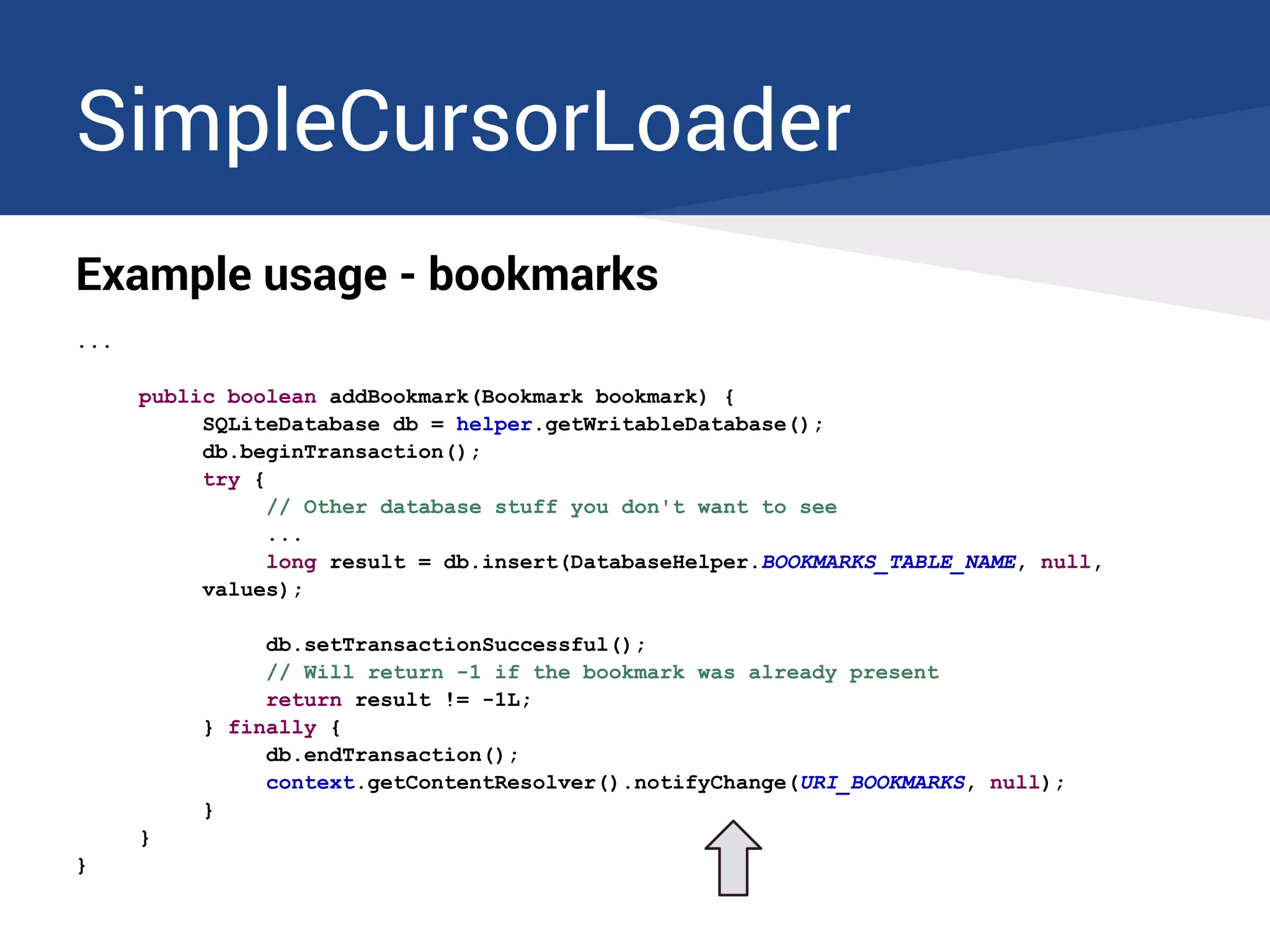
SimpleCursorLoader
Example usage - bookmarks
...
public boolean addBookmark(Bookmark bookmark) {
SQLiteDatabase db = helper.getWritableDatabase();
db.beginTransaction();
try {
// Other database stuff you don't want to see
...
long result = db.insert(DatabaseHelper.BOOKMARKS_TABLE_NAME, null,
values);
db.setTransactionSuccessful();
// Will return -1 if the bookmark was already present
return result != -1L;
} finally {
db.endTransaction();
context.getContentResolver().notifyChange(URI_BOOKMARKS, null);
}
}
}
Loaders limitations
Loaders limitations
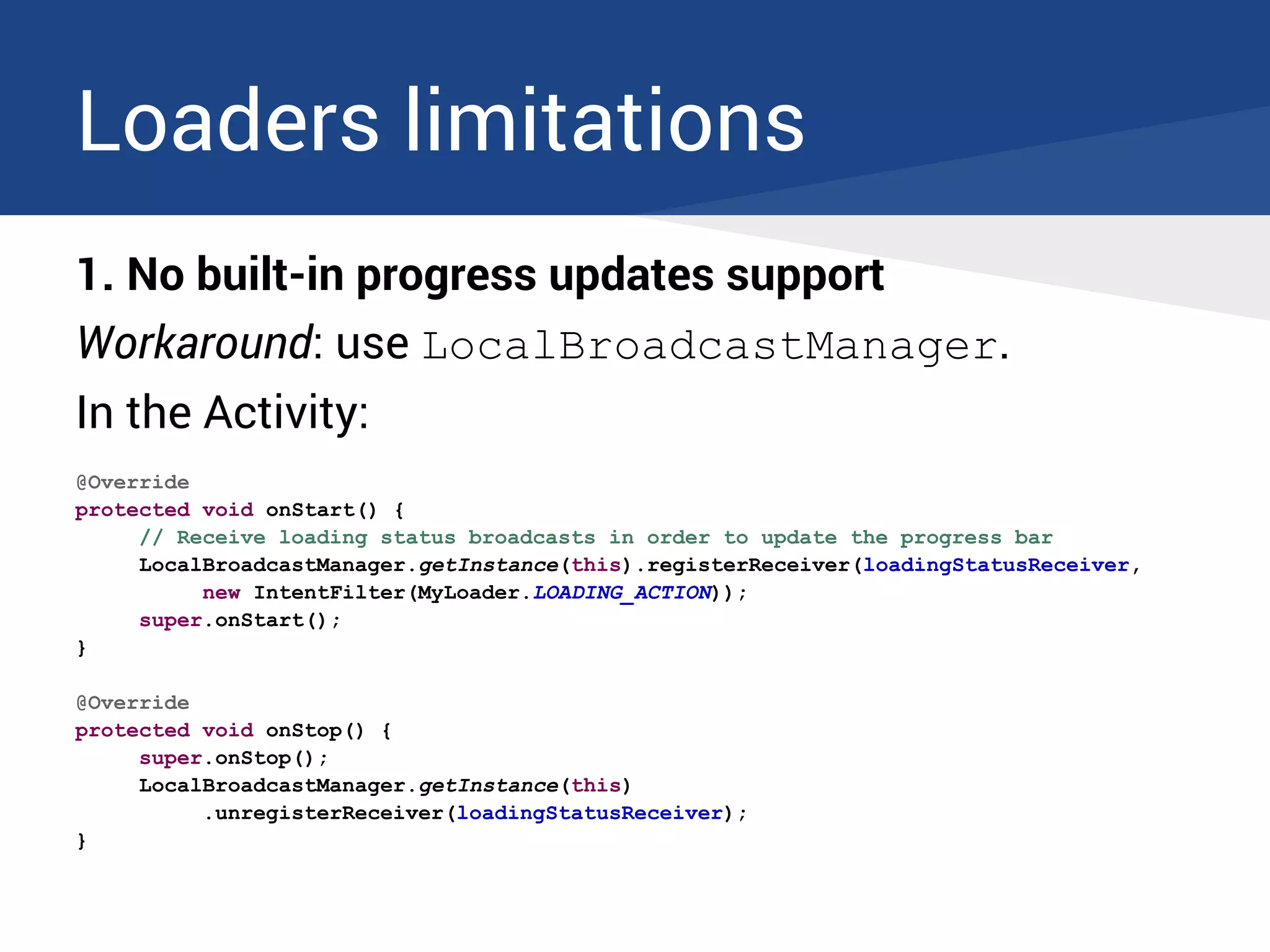
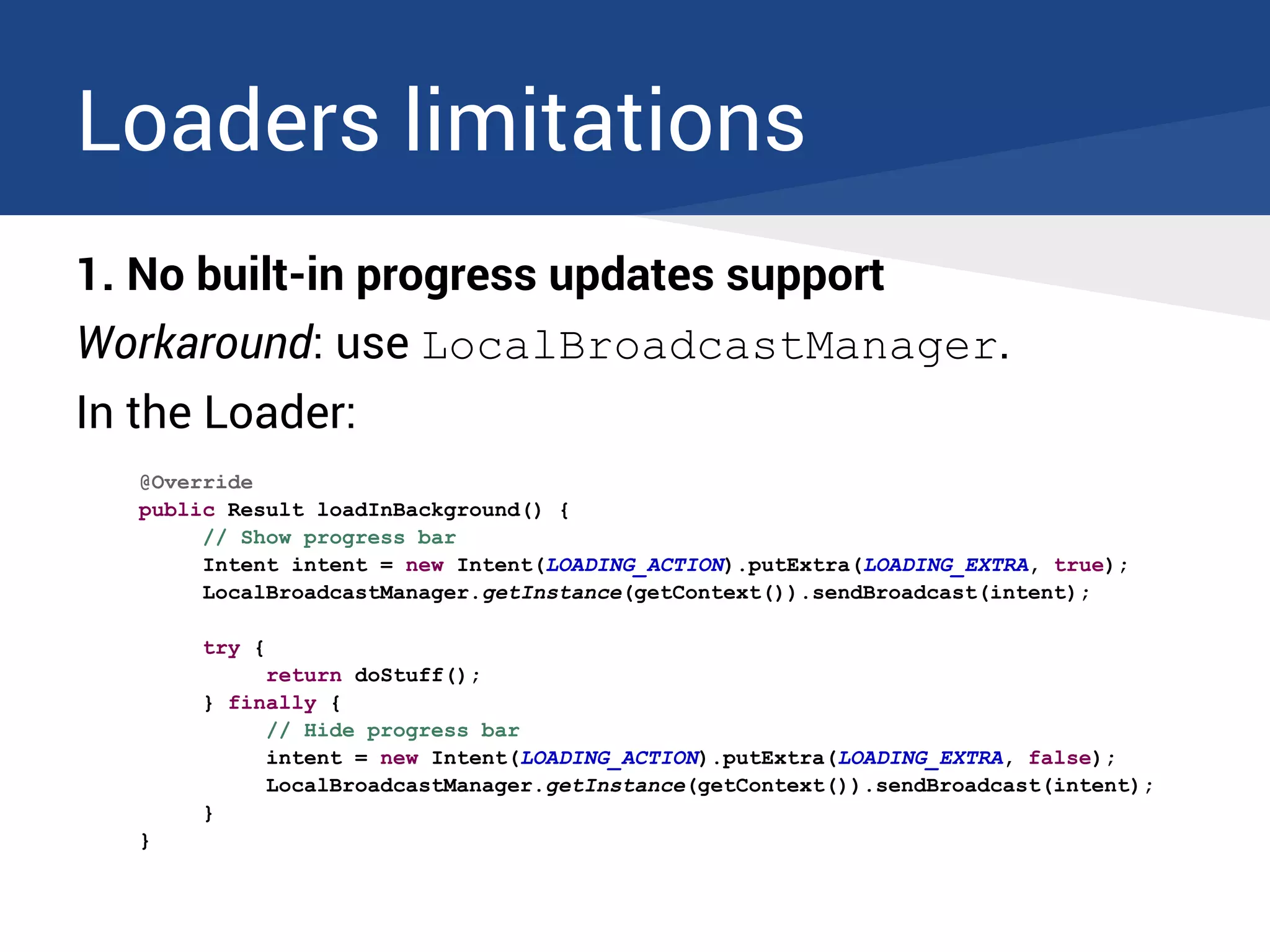
1. No built-in progress updates support
Workaround: use LocalBroadcastManager.
In the Activity:
@Override
protected void onStart() {
// Receive loading status broadcasts in order to update the progress bar
LocalBroadcastManager.getInstance(this).registerReceiver(loadingStatusReceiver,
new IntentFilter(MyLoader.LOADING_ACTION));
super.onStart();
}
@Override
protected void onStop() {
super.onStop();
LocalBroadcastManager.getInstance(this)
.unregisterReceiver(loadingStatusReceiver);
}
Loaders limitations
1. No built-in progress updates support
Workaround: use LocalBroadcastManager.
In the Loader:
@Override
public Result loadInBackground() {
// Show progress bar
Intent intent = new Intent(LOADING_ACTION).putExtra(LOADING_EXTRA, true);
LocalBroadcastManager.getInstance(getContext()).sendBroadcast(intent);
try {
return doStuff();
} finally {
// Hide progress bar
intent = new Intent(LOADING_ACTION).putExtra(LOADING_EXTRA, false);
LocalBroadcastManager.getInstance(getContext()).sendBroadcast(intent);
}
}
Loaders limitations
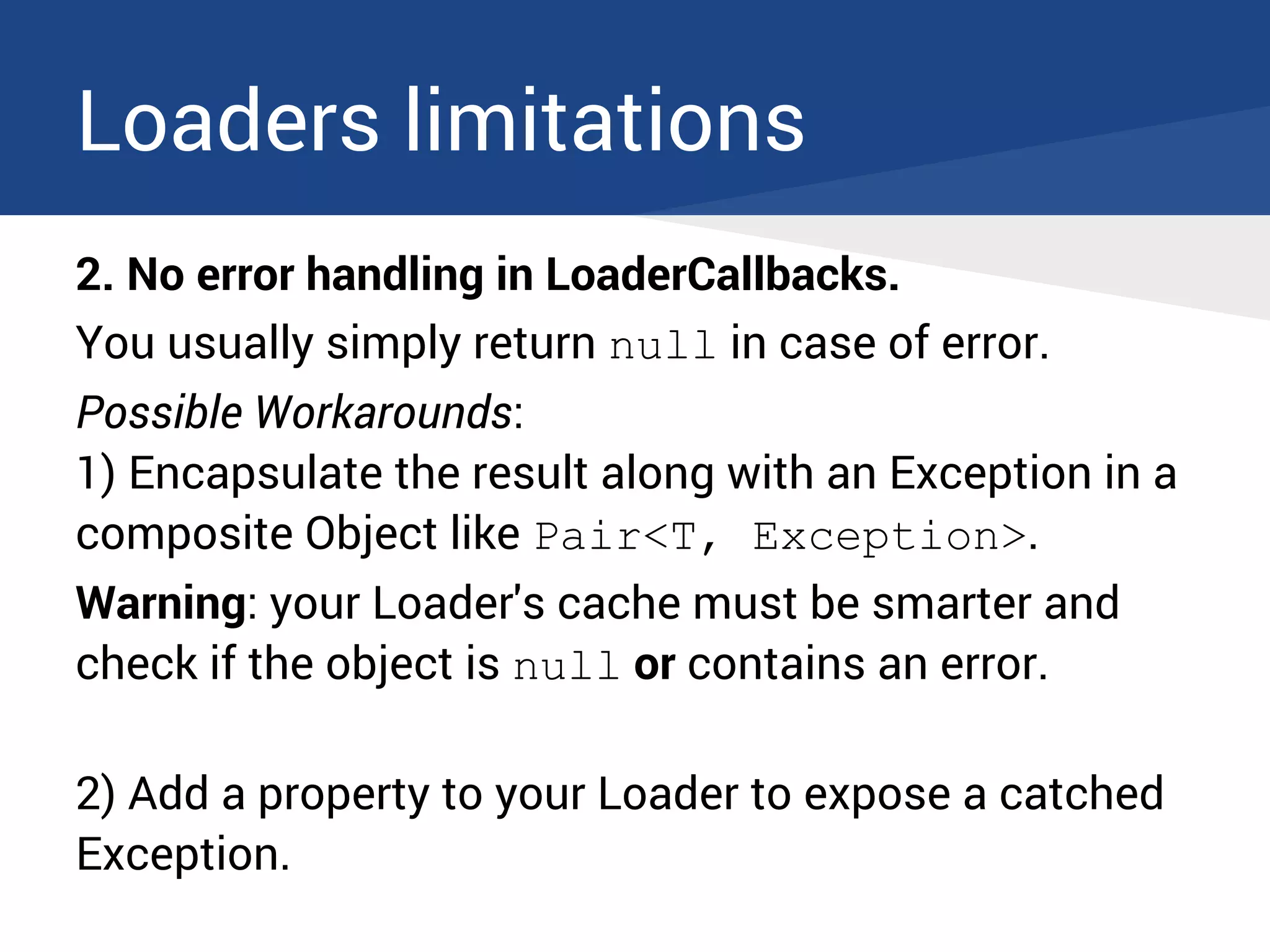
2. No error handling in LoaderCallbacks.
You usually simply return null in case of error.
Possible Workarounds:
1) Encapsulate the result along with an Exception in a
composite Object like Pair<T, Exception>.
Warning: your Loader's cache must be smarter and
check if the object is null or contains an error.
2) Add a property to your Loader to expose a catched
Exception.
Loaders limitations
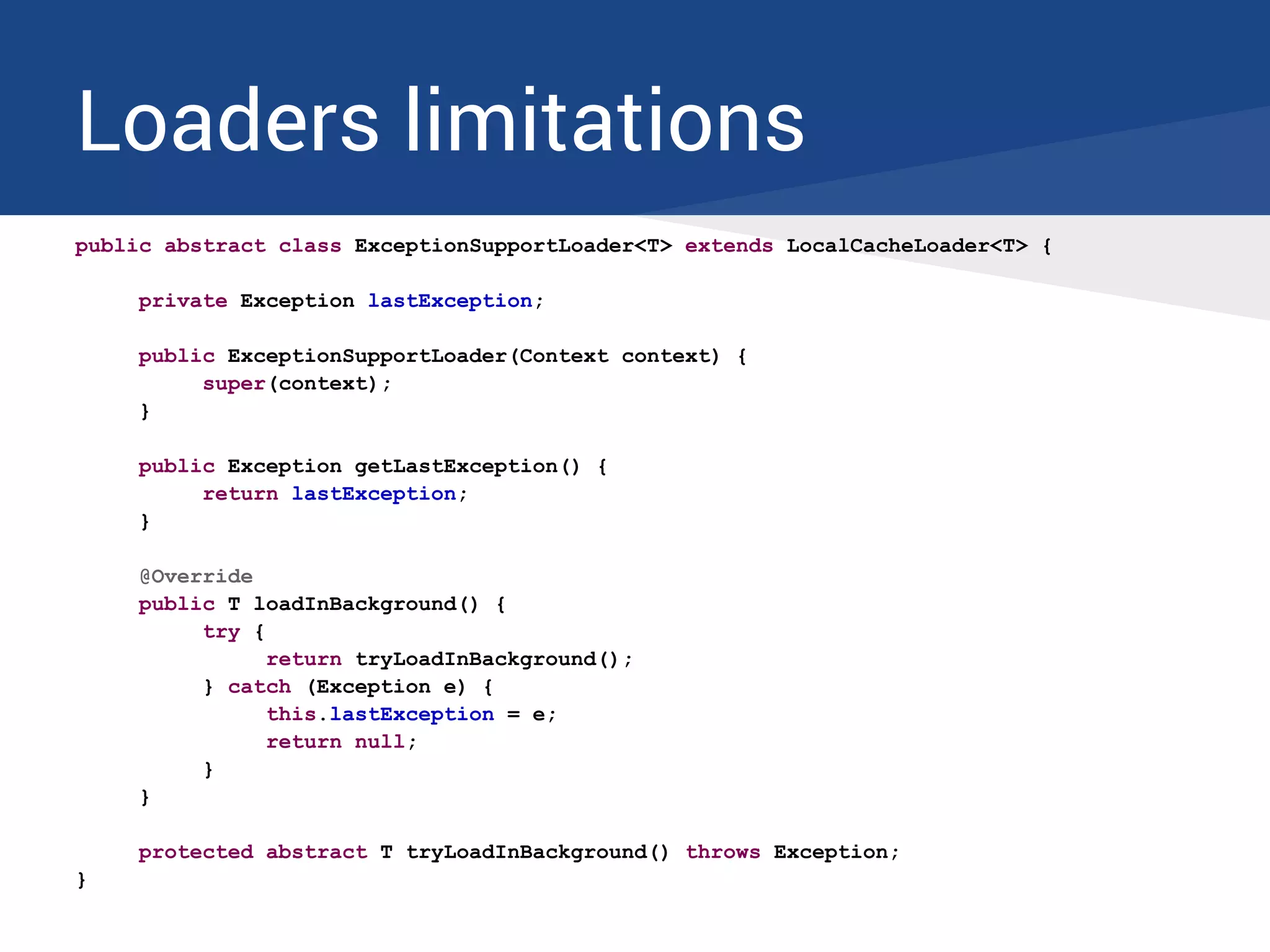
public abstract class ExceptionSupportLoader<T> extends LocalCacheLoader<T> {
private Exception lastException;
public ExceptionSupportLoader(Context context) {
super(context);
}
public Exception getLastException() {
return lastException;
}
@Override
public T loadInBackground() {
try {
return tryLoadInBackground();
} catch (Exception e) {
this.lastException = e;
return null;
}
}
protected abstract T tryLoadInBackground() throws Exception;
}
Loaders limitations
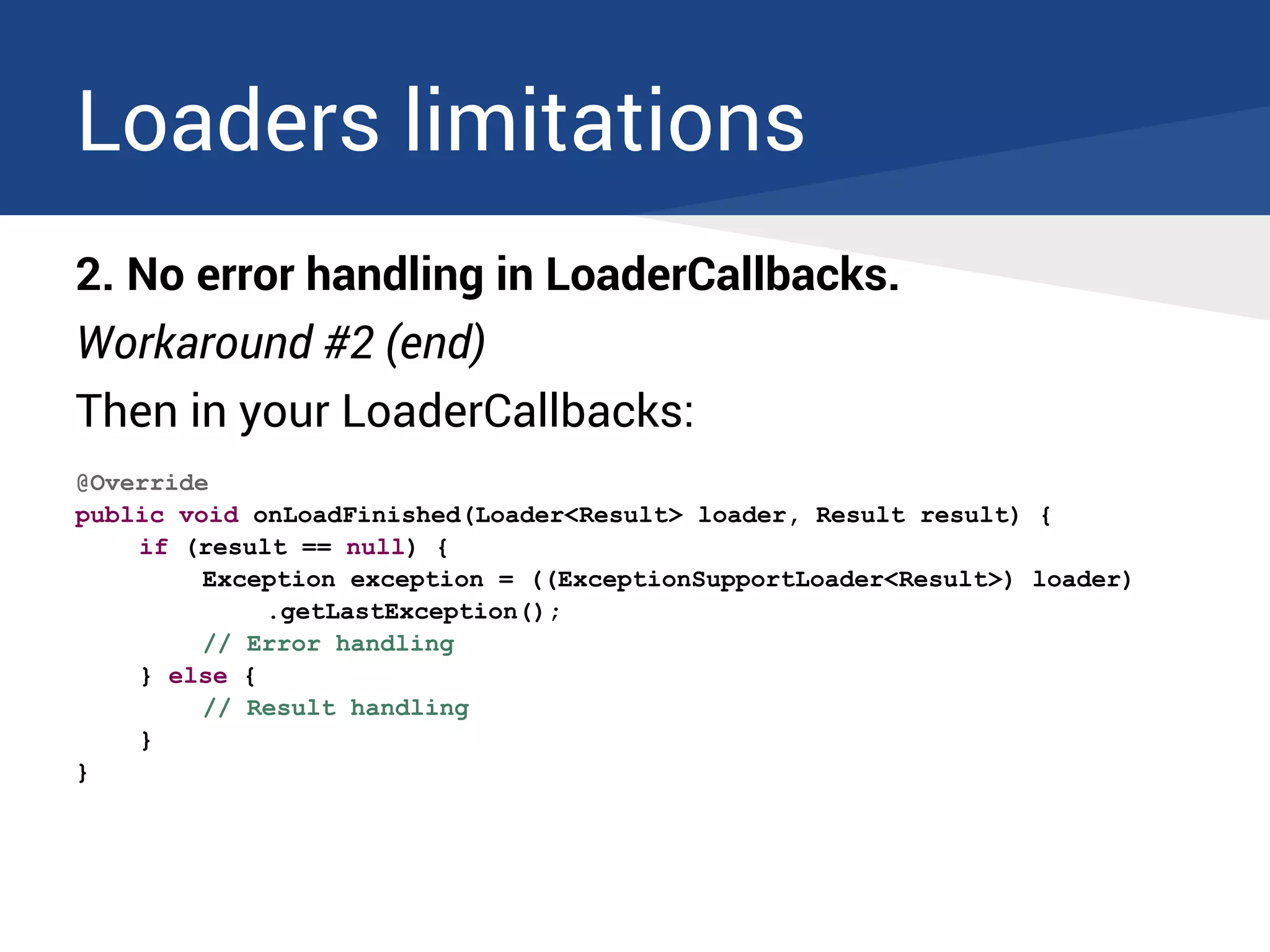
2. No error handling in LoaderCallbacks.
Workaround #2 (end)
Then in your LoaderCallbacks:
@Override
public void onLoadFinished(Loader<Result> loader, Result result) {
if (result == null) {
Exception exception = ((ExceptionSupportLoader<Result>) loader)
.getLastException();
// Error handling
} else {
// Result handling
}
}
The End
We made it!
Thank you for watching.
Questions?

Android Loaders : Reloaded

  • 1.
    Android Loaders R EL O A D E D Christophe Beyls Brussels GTUG 13th march 2013 READY. LOAD "*",8,1 SEARCHING FOR * LOADING READY. RUN▀
  • 2.
    About the speaker ●Developer living in Brussels. ● Likes coding, hacking devices, travelling, movies, music, (LOL)cats. ● Programs mainly in Java and C#. ● Uses the Android SDK nearly every day at work. @BladeCoder
  • 3.
  • 4.
    (Big) Agenda ● Abit of History: from Threads to Loaders ● Introduction to Loaders ● Using the LoaderManager ● Avoiding common mistakes ● Implementing a basic Loader ● More Loader examples ● Databases and CursorLoaders ● Overcoming Loaders limitations
  • 5.
    A bit ofHistory 1. Plain Threads final Handler handler = new Handler(new Handler.Callback() { @Override public boolean handleMessage(Message msg) { switch(msg.what) { case RESULT_WHAT: handleResult((Result) msg.obj); return true; } return false; } }); Thread thread = new Thread(new Runnable() { @Override public void run() { Result result = doStuff(); if (isResumed()) { handler.sendMessage(handler.obtainMessage(RESULT_WHAT, result)); } } }); thread.start();
  • 6.
    A bit ofHistory 1. Plain Threads Difficulties: ● Requires you to post the result back on the main thread; ● Cancellation must be handled manually; ● Want a thread pool? You need to implement it yourself.
  • 7.
    A bit ofHistory 2. AsyncTask (Android's SwingWorker) ● Handles thread switching for you : result is posted to the main thread. ● Manages scheduling for you. ● Handles cancellation: if you call cancel(), onPostExecute() will not be called. ● Allows to report progress.
  • 8.
    A bit ofHistory 2. AsyncTask private class DownloadFilesTask extends AsyncTask<Void, Integer, Result> { @Override protected void onPreExecute() { // Something like showing a progress bar } @Override protected Result doInBackground(Void... params) { Result result = new Result(); for (int i = 0; i < STEPS; i++) { result.add(doStuff()); publishProgress(100 * i / STEPS); } return result; } @Override protected void onProgressUpdate(Integer... progress) { setProgressPercent(progress[0]); } @Override protected void onPostExecute(Result result) { handleResult(result); } }
  • 9.
    A bit ofHistory 2. AsyncTask Problems: ● You need to keep a reference to each running AsyncTask to be able to cancel it when your Activity is destroyed. ● Memory leaks: as long as the AsyncTask runs, it keeps a reference to its enclosing Activity even if the Activity has already been destroyed. ● Results arriving after the Activity has been recreated (orientation change) are lost.
  • 10.
    A bit ofHistory 2. AsyncTask A less known but big problem. Demo
  • 11.
    A bit ofHistory 2. AsyncTask AsyncTask scheduling varies between Android versions: ● Before 1.6, they run in sequence on a single thread. ● From 1.6 to 2.3, they run in parallel on a thread pool. ● Since 3.0, back to the old behaviour by default! They run in sequence, unless you execute them with executeOnExecutor() with a ThreadPoolExecutor. → No parallelization by default on modern phones.
  • 12.
    A bit ofHistory 2. AsyncTask A workaround: 1. public class ConcurrentAsyncTask { 2. public static void execute(AsyncTask as) { 3. if (Build.VERSION.SDK_INT < Build.VERSION_CODES.HONEYCOMB) { 4. as.execute(); 5. } else { 6. as.executeOnExecutor(AsyncTask.THREAD_POOL_EXECUTOR); 7. } 8. } 9. } ... but you should really use Loaders instead.
  • 13.
    Loaders to therescue ● Allows an Activity or Fragment to reconnect to the same Loader after recreation and retrieve the last result. ● If the result comes after a Loader has been disconnected from an Activity/Fragment, it can keep it in cache to deliver it when reconnected to the recreated Activity/Fragment. ● A Loader monitors its data source and delivers new results when the content changes. ● Loaders handle allocation/disallocation of resources associated with the result (example: Cursors).
  • 14.
    Loaders to therescue If you need to perform any kind of asynchronous load in an Activity or Fragment, you must never use AsyncTask again. And don't do like this man because Loaders are much more than just CursorLoaders.
  • 15.
    Using the LoaderManager ●Simple API to allow Activities and Fragments to interact with Loaders. ● One instance of LoaderManager for each Activity and each Fragment. They don't share Loaders. ● Main methods: ○ initLoader(int id, Bundle args, LoaderCallbacks<D> callbacks) ○ restartLoader(int id, Bundle args, LoaderCallbacks<D> callbacks) ○ destroyLoader(int id) ○ getLoader(int id)
  • 16.
    Using the LoaderManager privatefinal LoaderCallbacks<Result> loaderCallbacks = new LoaderCallbacks<Result>() { @Override public Loader<Result> onCreateLoader(int id, Bundle args) { return new MyLoader(getActivity(), args.getLong("id")); } @Override public void onLoadFinished(Loader<Result> loader, Result result) { handleResult(result); } @Override public void onLoaderReset(Loader<Result> loader) { } }; Never call a standard Loader method yourself directly on the Loader. Always use the LoaderManager.
  • 17.
    Using the LoaderManager Whento init Loaders at Activity/Fragment startup Activities @Override protected void onCreate(Bundle savedInstanceState) { super.onCreate(savedInstanceState); ... getSupportLoaderManager().initLoader(LOADER_ID, null, callbacks); } Fragments @Override public void onActivityCreated(Bundle savedInstanceState) { super.onActivityCreated(savedInstanceState); ... getLoaderManager().initLoader(LOADER_ID, null, callbacks); }
  • 18.
    Loaders lifecycle A loaderhas 3 states: ● Started ● Stopped ● Reset The LoaderManager automatically changes the state of the Loaders according to the Activity or Fragment state.
  • 19.
    Loaders lifecycle ● Activity/Fragmentstarts → Loader starts: onStartLoading() ● Activity becomes invisible or Fragment is detached → Loader stops: onStopLoading() ● Activity/Fragment is recreated → no callback. The LoaderManager will continue to receive the results and keep them in a local cache. ● Activity/Fragment is destroyed or restartLoader() is called or destroyLoader() is called → Loader resets: onReset()
  • 20.
    Passing arguments Using argsBundle private void onNewQuery(String query) { Bundle args = new Bundle(); args.putString("query", query); getLoaderManager().restartLoader(LOADER_ID, args, loaderCallbacks); } @Override public Loader<Result> onCreateLoader(int id, Bundle args) { return new QueryLoader(getActivity(), args.getString("query")); }
  • 21.
    Passing arguments Using argsBundle ● You don't need to use the args param most of the time. Pass null. ● The loaderCallBacks is part of your Fragment/Activity. You can access your Fragment/Activity instance variables too. @Override public void onCreate(Bundle savedInstanceState) { super.onCreate(savedInstanceState); this.newsId = getArguments().getLong("newsId"); } ... @Override public Loader<News> onCreateLoader(int id, Bundle args) { return new NewsLoader(getActivity(), NewsFragment.this.newsId); }
  • 22.
    A LoaderManager bug Whena Fragment is recreated on configuration change, its LoaderManager calls the onLoadFinished() callback twice to send back the last result of the Loader when you call initLoader() in onActivityCreated(). 3 possible workarounds: 1. Don't do anything. If your code permits it. 2. Save the previous result and check if it's different. 3. Call setRetainInstance(true) in onCreate().
  • 23.
    One-shot Loaders Sometimes youonly want to perform a loader action once. Example: submitting a form. ● You call initLoader() in response to an action. ● You need to reconnect to the loader on orientation change to get the result.
  • 24.
    One-shot Loaders In yourLoaderCallbacks @Override public void onLoadFinished(Loader<Integer> loader, Result result) { getLoaderManager().destroyLoader(LOADER_ID); ... // Process the result } On Activity/Fragment creation @Override public void onActivityCreated(Bundle savedInstanceState) { super.onCreate(savedInstanceState); ... // Reconnect to the loader only if present if (getLoaderManager().getLoader(LOADER_ID) != null) { getLoaderManager().initLoader(LOADER_ID, null, this); } }
  • 25.
    Common mistakes 1. Don'tgo crazy with loader ids You don't need to: ● Increment the loader id or choose a random loader id each time you initialize or restart a Loader. This will prevent your Loaders from being reused and will create a complete mess! Use a single unique id for each kind of Loader.
  • 26.
    Common mistakes 1. Don'tgo crazy with loader ids You don't need to: ● Create a loader id constant for each and every kind of Loader accross your entire app. Each LoaderManager is independent. Just create private constants in your Activity or Fragment for each kind of loader in it.
  • 27.
    Common mistakes 2. AvoidFragmentManager Exceptions You can not create a FragmentTransaction directly in LoaderCallbacks. This includes any dialog you create as a DialogFragment. Solution: Use a Handler to dispatch the FragmentTransaction.
  • 28.
    Common mistakes 2. AvoidFragmentManager Exceptions public class LinesFragment extends ContextMenuSherlockListFragment implements LoaderCallbacks<List<LineInfo>>, Callback { ... @Override public void onCreate(Bundle savedInstanceState) { super.onCreate(savedInstanceState); handler = new Handler(this); adapter = new LinesAdapter(getActivity()); } @Override public void onActivityCreated(Bundle savedInstanceState) { super.onActivityCreated(savedInstanceState); setListAdapter(adapter); setListShown(false); getLoaderManager().initLoader(LINES_LOADER_ID, null, this); }
  • 29.
    Common mistakes 2. AvoidFragmentManager Exceptions @Override public Loader<List<LineInfo>> onCreateLoader(int id, Bundle args) { return new LinesLoader(getActivity()); } @Override public void onLoadFinished(Loader<List<LineInfo>> loader, List<LineInfo> data) { if (data != null) { adapter.setLinesList(data); } else if (isResumed()) { handler.sendEmptyMessage(LINES_LOADING_ERROR_WHAT); } // The list should now be shown. if (isResumed()) { setListShown(true); } else { setListShownNoAnimation(true); } }
  • 30.
    Common mistakes 2. AvoidFragmentManager Exceptions @Override public void onLoaderReset(Loader<List<LineInfo>> loader) { adapter.setLinesList(null); } @Override public boolean handleMessage(Message message) { switch (message.what) { case LINES_LOADING_ERROR_WHAT: MessageDialogFragment .newInstance(R.string.error_title, R.string.lines_loading_error) .show(getFragmentManager()); return true; } return false; }
  • 31.
    Implementing a basicLoader 3 classes provided by the support library: ● Loader Base abstract class. ● AsyncTaskLoader Abstract class, extends Loader. ● CursorLoader Extends AsyncTaskLoader. Particular implementation dedicated to querying ContentProviders.
  • 32.
    AsyncTaskLoader Does it sufferfrom AsyncTask's limitations?
  • 33.
    AsyncTaskLoader Does it sufferfrom AsyncTask's limitations? No, because it uses ModernAsyncTask internally, which has the same implementation on each Android version. private static final int CORE_POOL_SIZE = 5; private static final int MAXIMUM_POOL_SIZE = 128; private static final int KEEP_ALIVE = 1; public static final Executor THREAD_POOL_EXECUTOR = new ThreadPoolExecutor(CORE_POOL_SIZE, MAXIMUM_POOL_SIZE, KEEP_ALIVE, TimeUnit.SECONDS, sPoolWorkQueue, sThreadFactory); private static volatile Executor sDefaultExecutor = THREAD_POOL_EXECUTOR;
  • 34.
    Implementing a basicLoader IMPORTANT: Avoid memory leaks By design, Loaders only keep a reference to the Application context so there is no leak: /** * Stores away the application context associated with context. Since Loaders can be * used across multiple activities it's dangerous to store the context directly. * * @param context used to retrieve the application context. */ public Loader(Context context) { mContext = context.getApplicationContext(); } But each of your Loader inner classes must be declared static or they will keep an implicit reference to their parent!
  • 35.
    Implementing a basicLoader We need to extend AsyncTaskLoader and implement its behavior.
  • 36.
    Implementing a basicLoader The callbacks to implement Mandatory ● onStartLoading() ● onStopLoading() ● onReset() ● onForceLoad() from Loader OR loadInBackground() from AsyncTaskLoader Optional ● deliverResult() [override]
  • 37.
    Implementing a basicLoader public abstract class BasicLoader<T> extends AsyncTaskLoader<T> { public BasicLoader(Context context) { super(context); } @Override protected void onStartLoading() { forceLoad(); // Launch the background task } @Override protected void onStopLoading() { cancelLoad(); // Attempt to cancel the current load task if possible } @Override protected void onReset() { super.onReset(); onStopLoading(); } }
  • 38.
    Implementing a basicLoader public abstract class LocalCacheLoader<T> extends AsyncTaskLoader<T> { private T mResult; public AbstractAsyncTaskLoader(Context context) { super(context); } @Override protected void onStartLoading() { if (mResult != null) { // If we currently have a result available, deliver it // immediately. deliverResult(mResult); } if (takeContentChanged() || mResult == null) { // If the data has changed since the last time it was loaded // or is not currently available, start a load. forceLoad(); } } ...
  • 39.
    Implementing a basicLoader @Override protected void onStopLoading() { // Attempt to cancel the current load task if possible. cancelLoad(); } @Override protected void onReset() { super.onReset(); onStopLoading(); mResult = null; } @Override public void deliverResult(T data) { mResult = data; if (isStarted()) { // If the Loader is currently started, we can immediately // deliver its results. super.deliverResult(data); } } }
  • 40.
    Implementing a basicLoader What about a global cache instead? public abstract class GlobalCacheLoader<T> extends AsyncTaskLoader<T> { ... @Override protected void onStartLoading() { T cachedResult = getCachedResult(); if (cachedResult != null) { // If we currently have a result available, deliver it // immediately. deliverResult(cachedResult); } if (takeContentChanged() || cachedResult == null) { // If the data has changed since the last time it was loaded // or is not currently available, start a load. forceLoad(); } } ... protected abstract T getCachedResult(); }
  • 41.
    Monitoring data Two Loadermethods to help ● onContentChanged() If the Loader is started: will call forceLoad(). If the Loader is stopped: will set a flag. ● takeContentChanged() Returns the flag value and clears the flag. @Override protected void onStartLoading() { if (mResult != null) { deliverResult(mResult); } if (takeContentChanged() || mResult == null) { forceLoad(); } }
  • 42.
    AutoRefreshLoader public abstract classAutoRefreshLoader<T> extends LocalCacheLoader<T> { private long interval; private Handler handler; private final Runnable timeoutRunnable = new Runnable() { @Override public void run() { onContentChanged(); } }; public AutoRefreshLoader(Context context, long interval) { super(context); this.interval = interval; this.handler = new Handler(); } ...
  • 43.
    AutoRefreshLoader ... @Override protected void onForceLoad(){ super.onForceLoad(); handler.removeCallbacks(timeoutRunnable); handler.postDelayed(timeoutRunnable, interval); } @Override public void onCanceled(T data) { super.onCanceled(data); // Retry a refresh the next time the loader is started onContentChanged(); } @Override protected void onReset() { super.onReset(); handler.removeCallbacks(timeoutRunnable); } }
  • 44.
    CursorLoader CursorLoader is aLoader dedicated to querying ContentProviders ● It returns a database Cursor as result. ● It performs the database query on a background thread (it inherits from AsyncTaskLoader). ● It replaces Activity.startManagingCursor(Cursor c) It manages the Cursor lifecycle according to the Activity Lifecycle. → Never call close() ● It monitors the database and returns a new cursor when data has changed. → Never call requery()
  • 45.
    CursorLoader Usage with aCursorAdapter in a ListFragment @Override public Loader<Cursor> onCreateLoader(int id, Bundle args) { return new BookmarksLoader(getActivity(), args.getDouble("latitude"), args.getDouble("longitude")); } @Override public void onLoadFinished(Loader<Cursor> loader, Cursor data) { adapter.swapCursor(data); // The list should now be shown. if (isResumed()) { setListShown(true); } else { setListShownNoAnimation(true); } } @Override public void onLoaderReset(Loader<Cursor> loader) { adapter.swapCursor(null); }
  • 46.
  • 47.
    SimpleCursorLoader If you don'tneed the complexity of a ContentProvider ... but want to access a local database anyway ● SimpleCursorLoader is an abstract class based on CursorLoader with all the ContentProvider-specific stuff removed. ● You just need to override one method which performs the actual database query.
  • 48.
    SimpleCursorLoader Example usage -bookmarks private static class BookmarksLoader extends SimpleCursorLoader { private double latitude; private double longitude; public BookmarksLoader(Context context, double latitude, double longitude) { super(context); this.latitude = latitude; this.longitude = longitude; } @Override protected Cursor getCursor() { return DatabaseManager.getInstance().getBookmarks(latitude, longitude); } }
  • 49.
    SimpleCursorLoader Example usage -bookmarks public class DatabaseManager { private static final Uri URI_BOOKMARKS = Uri.parse("sqlite://your.package.name/bookmarks"); ... public Cursor getBookmarks(double latitude, double longitude) { // A big database query you don't want to see ... cursor.setNotificationUri(context.getContentResolver(), URI_BOOKMARKS); return cursor; } ...
  • 50.
    SimpleCursorLoader Example usage -bookmarks ... public boolean addBookmark(Bookmark bookmark) { SQLiteDatabase db = helper.getWritableDatabase(); db.beginTransaction(); try { // Other database stuff you don't want to see ... long result = db.insert(DatabaseHelper.BOOKMARKS_TABLE_NAME, null, values); db.setTransactionSuccessful(); // Will return -1 if the bookmark was already present return result != -1L; } finally { db.endTransaction(); context.getContentResolver().notifyChange(URI_BOOKMARKS, null); } } }
  • 51.
  • 52.
    Loaders limitations 1. Nobuilt-in progress updates support Workaround: use LocalBroadcastManager. In the Activity: @Override protected void onStart() { // Receive loading status broadcasts in order to update the progress bar LocalBroadcastManager.getInstance(this).registerReceiver(loadingStatusReceiver, new IntentFilter(MyLoader.LOADING_ACTION)); super.onStart(); } @Override protected void onStop() { super.onStop(); LocalBroadcastManager.getInstance(this) .unregisterReceiver(loadingStatusReceiver); }
  • 53.
    Loaders limitations 1. Nobuilt-in progress updates support Workaround: use LocalBroadcastManager. In the Loader: @Override public Result loadInBackground() { // Show progress bar Intent intent = new Intent(LOADING_ACTION).putExtra(LOADING_EXTRA, true); LocalBroadcastManager.getInstance(getContext()).sendBroadcast(intent); try { return doStuff(); } finally { // Hide progress bar intent = new Intent(LOADING_ACTION).putExtra(LOADING_EXTRA, false); LocalBroadcastManager.getInstance(getContext()).sendBroadcast(intent); } }
  • 54.
    Loaders limitations 2. Noerror handling in LoaderCallbacks. You usually simply return null in case of error. Possible Workarounds: 1) Encapsulate the result along with an Exception in a composite Object like Pair<T, Exception>. Warning: your Loader's cache must be smarter and check if the object is null or contains an error. 2) Add a property to your Loader to expose a catched Exception.
  • 55.
    Loaders limitations public abstractclass ExceptionSupportLoader<T> extends LocalCacheLoader<T> { private Exception lastException; public ExceptionSupportLoader(Context context) { super(context); } public Exception getLastException() { return lastException; } @Override public T loadInBackground() { try { return tryLoadInBackground(); } catch (Exception e) { this.lastException = e; return null; } } protected abstract T tryLoadInBackground() throws Exception; }
  • 56.
    Loaders limitations 2. Noerror handling in LoaderCallbacks. Workaround #2 (end) Then in your LoaderCallbacks: @Override public void onLoadFinished(Loader<Result> loader, Result result) { if (result == null) { Exception exception = ((ExceptionSupportLoader<Result>) loader) .getLastException(); // Error handling } else { // Result handling } }
  • 57.
    The End We madeit! Thank you for watching. Questions?