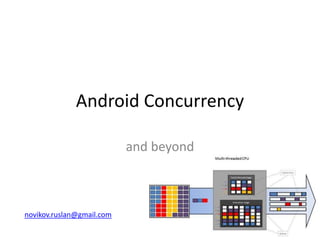
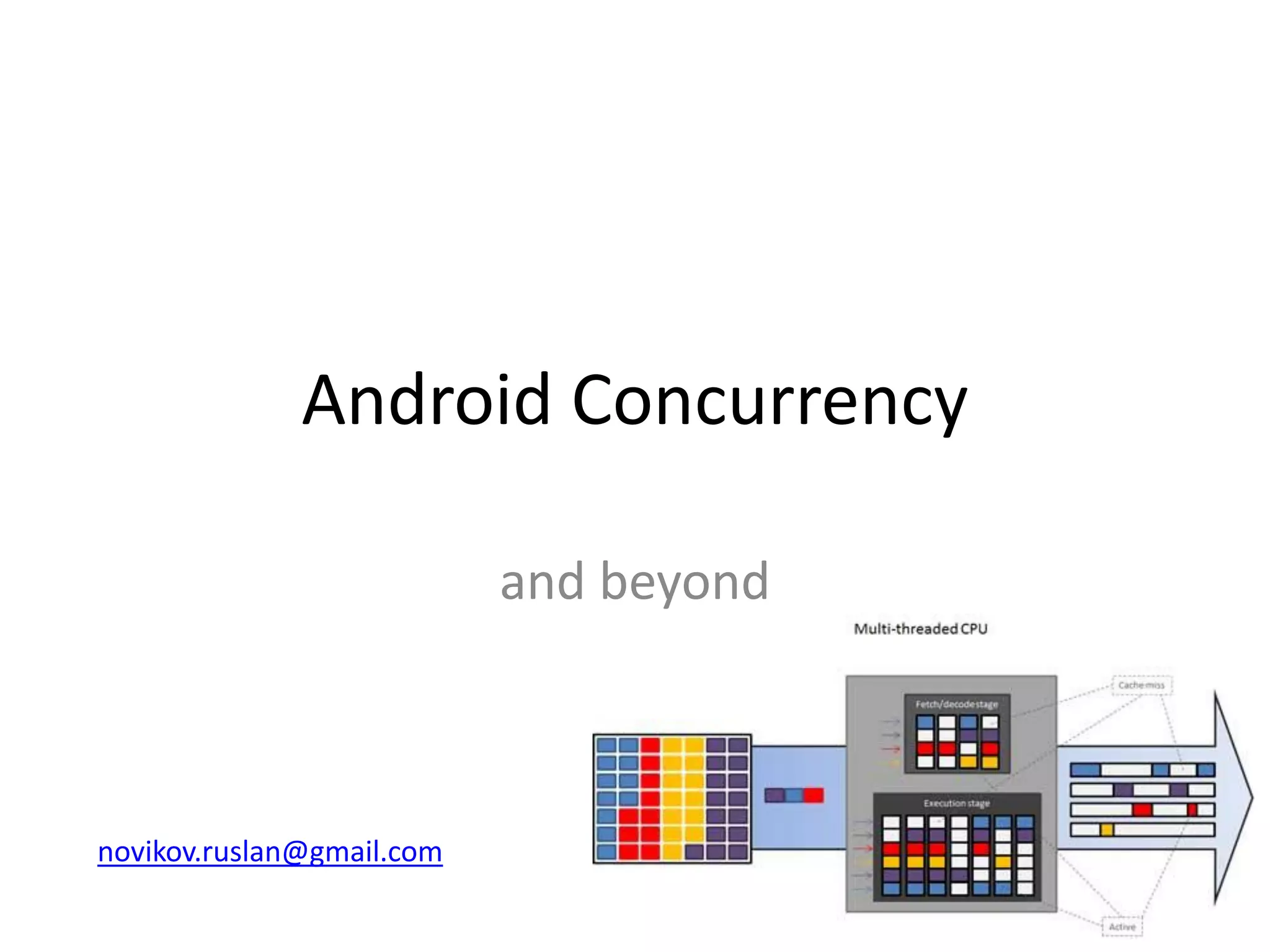
Android Concurrency
and beyond
novikov.ruslan@gmail.com
Why is concurrency in Android
important?
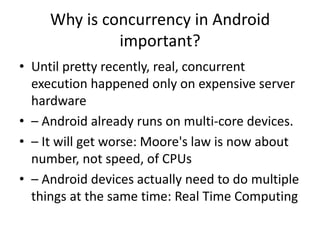
• Until pretty recently, real, concurrent
execution happened only on expensive server
hardware
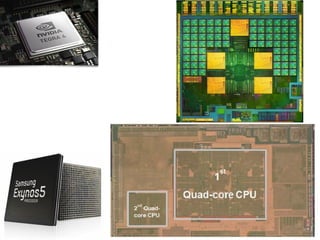
• – Android already runs on multi-core devices.
• – It will get worse: Moore's law is now about
number, not speed, of CPUs
• – Android devices actually need to do multiple
things at the same time: Real Time Computing
Android Puts Concurrency
in your Face
• The UI is single threaded but will not tolerate
long running, synchronous tasks
• IPC (Binder) calls appear on non-UI threads
and you can't use the UI from a non-UI thread
(a topic for another day...)
Java Concurrency Primitives
• Language level constructs
– Synchronized
– Thread/Runnable
• Concurrency library (java.util.concurrent)
– Executor/Callable/Future
– Atomics
• All are available in Android
– Low level Java tools are really low level. If you find
yourself using them you might want to review your
architecture
• – Android Concurrency tools are firmly based on the
concurrency library (java.util.concurrent)
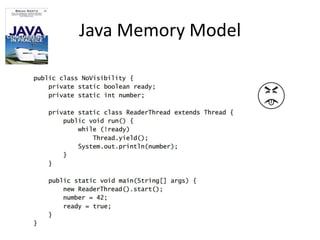
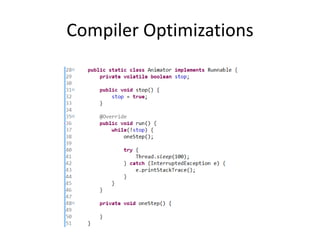
Java Memory Model
Compiler Optimizations
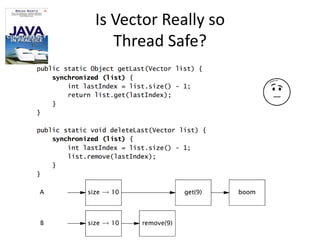
Is Vector Really so
Thread Safe?
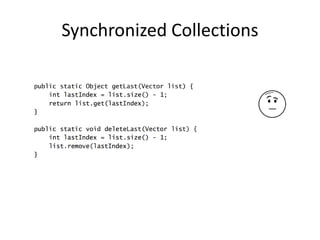
Synchronized Collections
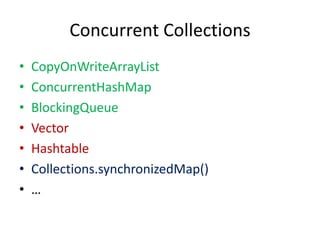
Concurrent Collections
• CopyOnWriteArrayList
• ConcurrentHashMap
• BlockingQueue
• Vector
• Hashtable
• Collections.synchronizedMap()
• …
Executor
• Executor
• ExecutorService
• ScheduledExecutorService
• Future
• Callable
• Executors
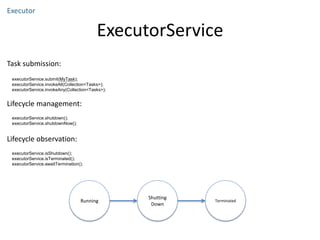
ExecutorService
Executor
Task submission:
executorService.submit(MyTask);
executorService.invokeAll(Collection<Tasks>);
executorService.invokeAny(Collection<Tasks>);
Lifecycle management:
executorService.shutdown();
executorService.shutdownNow();
Lifecycle observation:
executorService.isShutdown();
executorService.isTerminated();
executorService.awaitTermination();
Running
Shutting
Down
Terminated
shutdown()
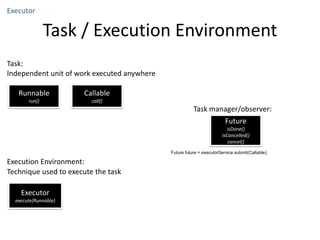
Task / Execution Environment
Executor
Task:
Independent unit of work executed anywhere
Runnable
run()
Callable
call()
Execution Environment:
Technique used to execute the task
Executor
execute(Runnable)
Future future = executorService.submit(Callable);
Future
isDone()
isCancelled()
cancel()
Task manager/observer:
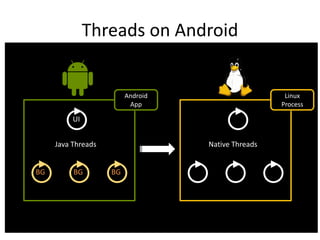
Threads on Android
UI
Android
App
Linux
Process
Native ThreadsJava Threads
BG BG BG
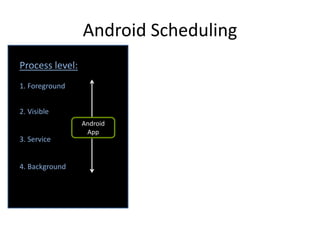
Android Scheduling
1. Foreground
2. Visible
3. Service
4. Background
Process level:
Android
App
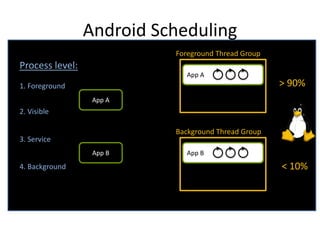
Android Scheduling
1. Foreground
2. Visible
3. Service
4. Background
Process level:
App A
App A
Foreground Thread Group
Background Thread Group
App BApp B
> 90%
< 10%
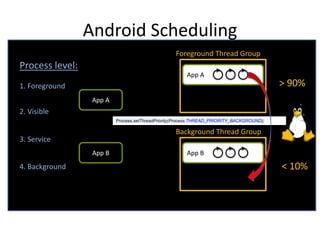
Android Scheduling
1. Foreground
2. Visible
3. Service
4. Background
Process level:
App A
App A
Foreground Thread Group
Background Thread Group
App BApp B
> 90%
< 10%
Process.setThreadPriority(Process.THREAD_PRIORITY_BACKGROUND);
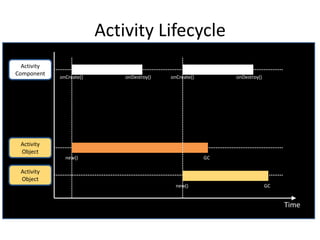
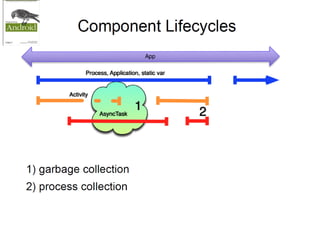
Activity Lifecycle
Time
Activity
Component
onCreate() onDestroy() onCreate() onDestroy()
Activity
Object
new() GC
Activity
Object
new() GC
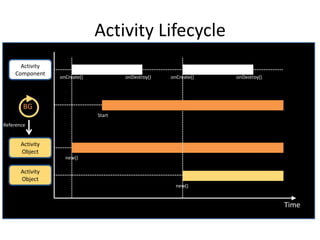
Activity Lifecycle
Time
Activity
Component
onCreate() onDestroy() onCreate() onDestroy()
Activity
Object
new()
Activity
Object
new()
Start
BG
Reference
Goal
What technique shall I use for
my background thread
execution?
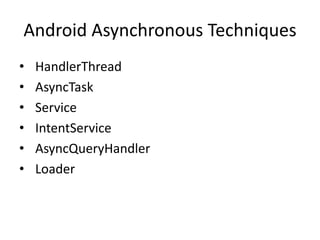
Android Asynchronous Techniques
• HandlerThread
• AsyncTask
• Service
• IntentService
• AsyncQueryHandler
• Loader
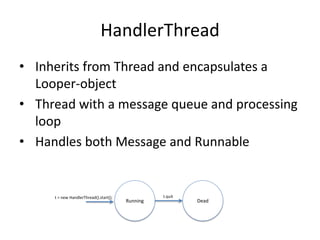
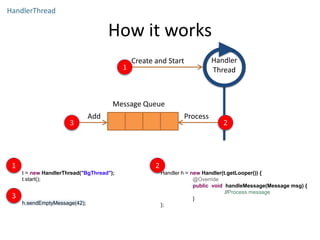
HandlerThread
• Inherits from Thread and encapsulates a
Looper-object
• Thread with a message queue and processing
loop
• Handles both Message and Runnable
Running Dead
t.quit()t = new HandlerThread().start();
How it works
HandlerThread
Handler
Thread
Create and Start
Add Process
Message Queue
1
23
t = new HandlerThread("BgThread");
t.start();
1
Handler h = new Handler(t.getLooper()) {
@Override
public void handleMessage(Message msg) {
//Process message
}
};
2
h.sendEmptyMessage(42);
3
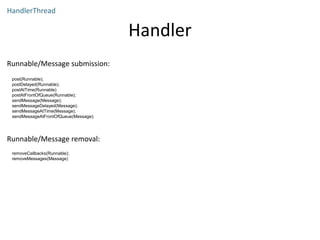
Handler
HandlerThread
Runnable/Message submission:
Lifecycle management:
Runnable/Message removal:
removeCallbacks(Runnable);
removeMessages(Message)
post(Runnable);
postDelayed(Runnable);
postAtTime(Runnable)
postAtFrontOfQueue(Runnable);
sendMessage(Message);
sendMessageDelayed(Message);
sendMessageAtTime(Message);
sendMessageAtFrontOfQueue(Message);
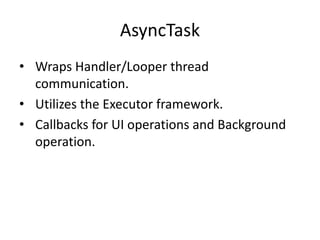
AsyncTask
• Wraps Handler/Looper thread
communication.
• Utilizes the Executor framework.
• Callbacks for UI operations and Background
operation.
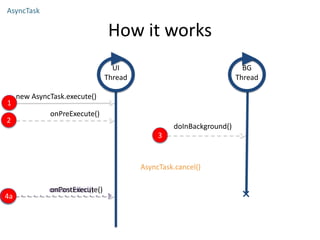
onCancelled()
4b
How it works
AsyncTask
UI
Thread
BG
Thread
new AsyncTask.execute()
1
onPreExecute()
2
3
doInBackground()
onPostExecute()
4a
AsyncTask.cancel()
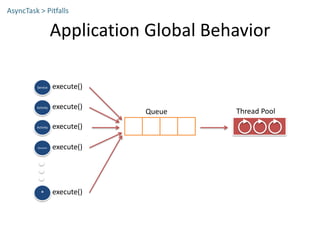
Application Global Behavior
AsyncTask > Pitfalls
execute()
Queue Thread Pool
Activity
execute()Activity
execute()Service
execute()Receiver
execute()*
execute()
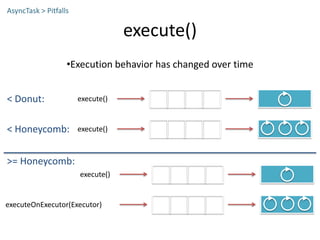
•Execution behavior has changed over time
AsyncTask > Pitfalls
execute()< Donut:
execute()< Honeycomb:
execute()
executeOnExecutor(Executor)
>= Honeycomb:
execute()
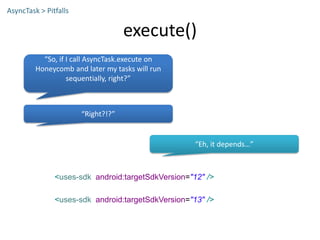
AsyncTask > Pitfalls
<uses-sdk android:targetSdkVersion="12" />
<uses-sdk android:targetSdkVersion="13" />
“So, if I call AsyncTask.execute on
Honeycomb and later my tasks will run
sequentially, right?”
“Right?!?”
“Eh, it depends…”
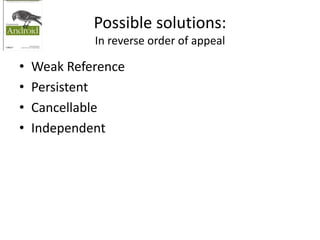
Possible solutions:
In reverse order of appeal
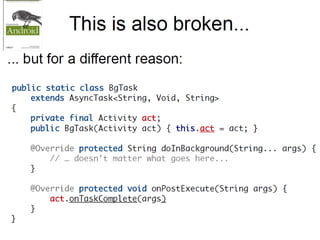
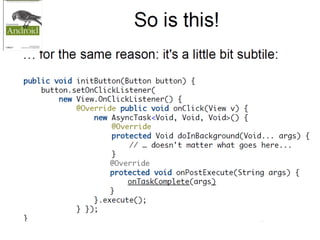
• Weak Reference
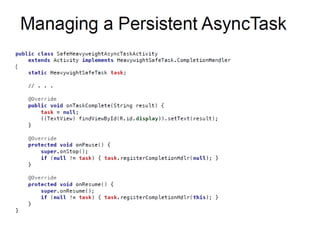
• Persistent
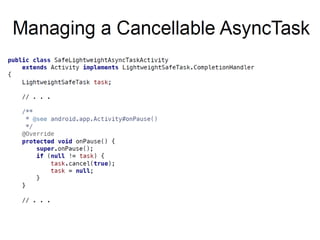
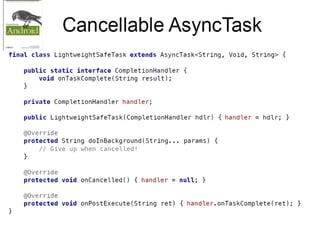
• Cancellable
• Independent
Weak Reference
• Just make all references to the Activity weak
• Currently a “well-known” solution
• The refuge of scoundrels:
– Allows the process to continue, even when the
value will be discarded
– Doesn't fix references to destroyed processes
• These are the folks who used to lazily initialize
their database connections.
Independent
• What happens when firing the AT is a contract
with the UI, and must complete?
• Do the simplest possible proxy to the model
• The inverse of the RESTful ContentProvider
cache
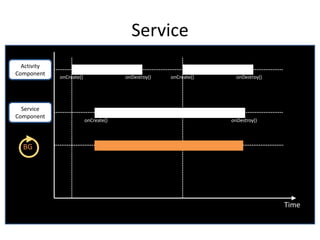
Service
Time
Activity
Component
onCreate() onDestroy() onCreate() onDestroy()
Service
Component
BG
onCreate() onDestroy()
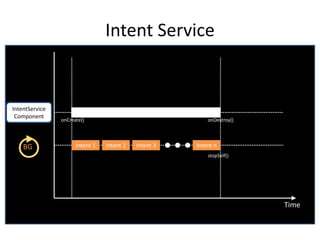
Intent Service
Time
IntentService
Component
Intent 1BG Intent 2 Intent 3 Intent n
stopSelf()
onCreate() onDestroy()
Good Use Cases
• Serially executed tasks decoupled from other
component lifecycles.
• Off-load UI thread from BroadcastReceiver.
• REST client (ResultReceiver as callback)
IntentService
AsyncQueryHandler
• API Level 1
• Asynchronous operations on a
ContentResolver
• Query
• Insert
• Delete
• Update
• Wraps a HandlerThread
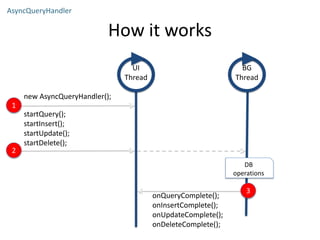
How it works
AsyncQueryHandler
UI
Thread
BG
Thread
new AsyncQueryHandler();
1
startQuery();
startInsert();
startUpdate();
startDelete();
2
onQueryComplete();
onInsertComplete();
onUpdateComplete();
onDeleteComplete();
3
DB
operations
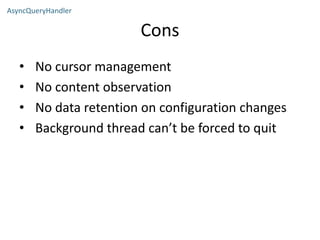
Cons
• No cursor management
• No content observation
• No data retention on configuration changes
• Background thread can’t be forced to quit
AsyncQueryHandler
Loader
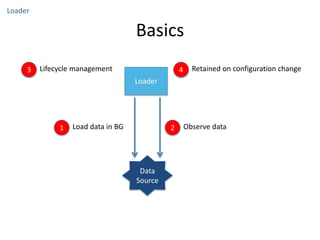
• API added in Honeycomb
• Available in compatibility package
• Load data in a background thread
• Observes data changes
• Retained on configuration changes
• Connected to the Activity and Fragment lifecycles
Basics
Loader
Data
Source
Loader
1 Load data in BG 2 Observe data
3 Lifecycle management 4 Retained on configuration change
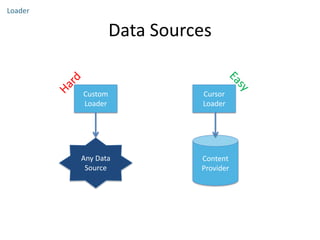
Data Sources
Loader
Any Data
Source
Content
Provider
Custom
Loader
Cursor
Loader
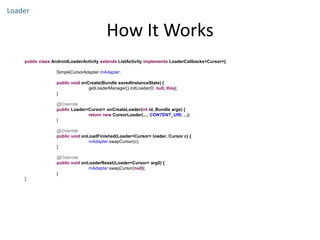
How It Works
Loader
public class AndroidLoaderActivity extends ListActivity implements LoaderCallbacks<Cursor>{
SimpleCursorAdapter mAdapter;
public void onCreate(Bundle savedInstanceState) {
getLoaderManager().initLoader(0, null, this);
}
@Override
public Loader<Cursor> onCreateLoader(int id, Bundle args) {
return new CursorLoader(..., CONTENT_URI, ...);
}
@Override
public void onLoadFinished(Loader<Cursor> loader, Cursor c) {
mAdapter.swapCursor(c);
}
@Override
public void onLoaderReset(Loader<Cursor> arg0) {
mAdapter.swapCursor(null);
}
}
Used Material
• http://www.infoq.com/presentations/Concurrency-Android
• http://developer.android.com/reference/android/os/Proces
s.html
• http://www.cs.umd.edu/~pugh/java/memoryModel/jsr-
133-faq.html
• http://docs.oracle.com/javase/specs/jls/se7/html/jls-
17.html
• https://plus.google.com/u/0/105051985738280261832/po
sts/XAZ4CeVP6DC
• https://github.com/keesj/gomo/wiki/AndroidScheduling
• http://stackoverflow.com/questions/7931032/android-
process-scheduling
• https://www.youtube.com/watch?v=_q12gb7OwsA
novikov.ruslan@gmail.com
Thanks
T
ha
n
ks

Android concurrency