Inside the Android Application Framework
Managed Component Lifecycles An Android APK is a collection of components Components share a set of resources Databases, preferences, file space, etc. Also: a Linux process. Every Android component has a managed lifecycle
Basics of an Android Application Activities Tasks Processes
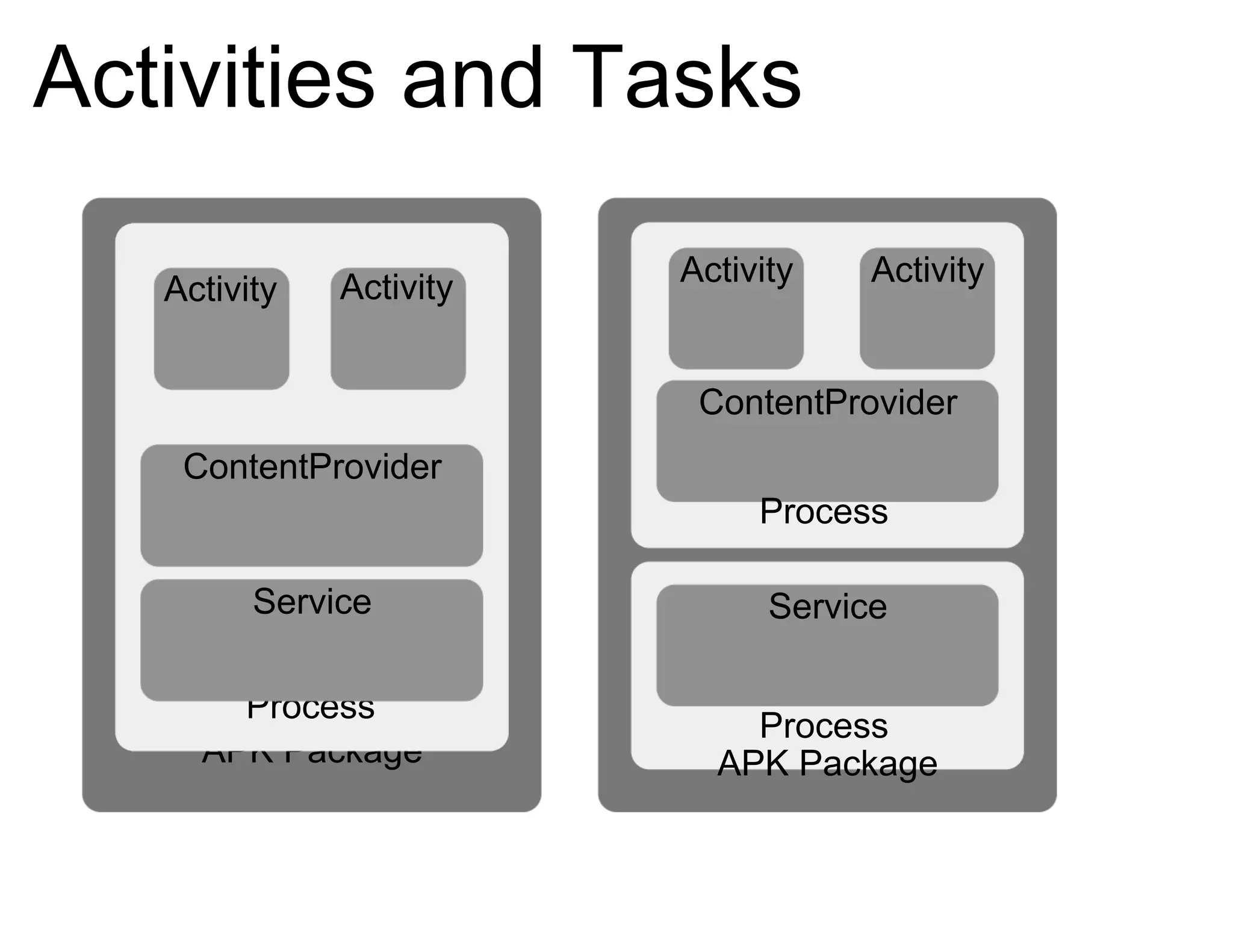
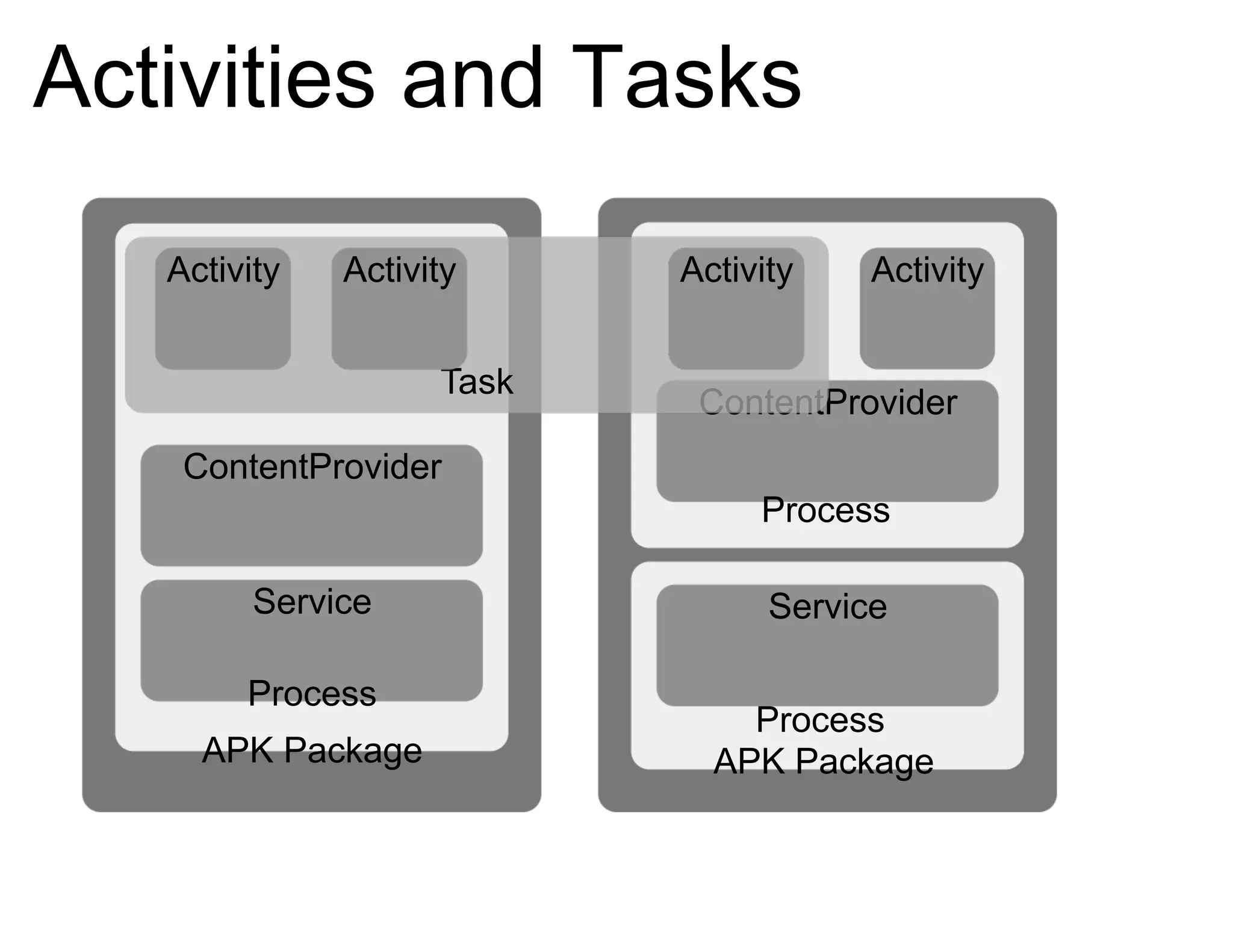
Activities and Tasks An Activity is a “molecule”: a discrete chunk of functionality A task is a collection of Activities A “process” is a standard Linux process
Activities and Tasks APK Package Process ContentProvider Service Activity Activity APK Package Process Activity ContentProvider Process Service Activity
Activities and Tasks APK Package Process Activity ContentProvider Process Service APK Package Process ContentProvider Service Task Activity Activity Activity
Activities Are... ...a concrete class in the API ...an encapsulation of a particular operation ...run in the process of the .APK which installed them ...optionally associated with a window (UI) ...an execution Context
Tasks Are... ...more of a notion than a concrete API entity ...a collection of related Activities ...capable of spanning multiple processes ...associated with their own UI history stack ...what users on other platforms know as “applications”
Process Basics Android process == Linux process By default, 1 process per APK By default, 1 thread per process All* components interleave events into the main thread *  Most
Process Lifecycle A process is started for a given user ID when needed Binding to a Service Binding to a ContentProvider Starting an Activity Firing an IntentReceiver Remains running until killed by the system
More on Activities Activity Lifecycle Examples of Common Use Cases
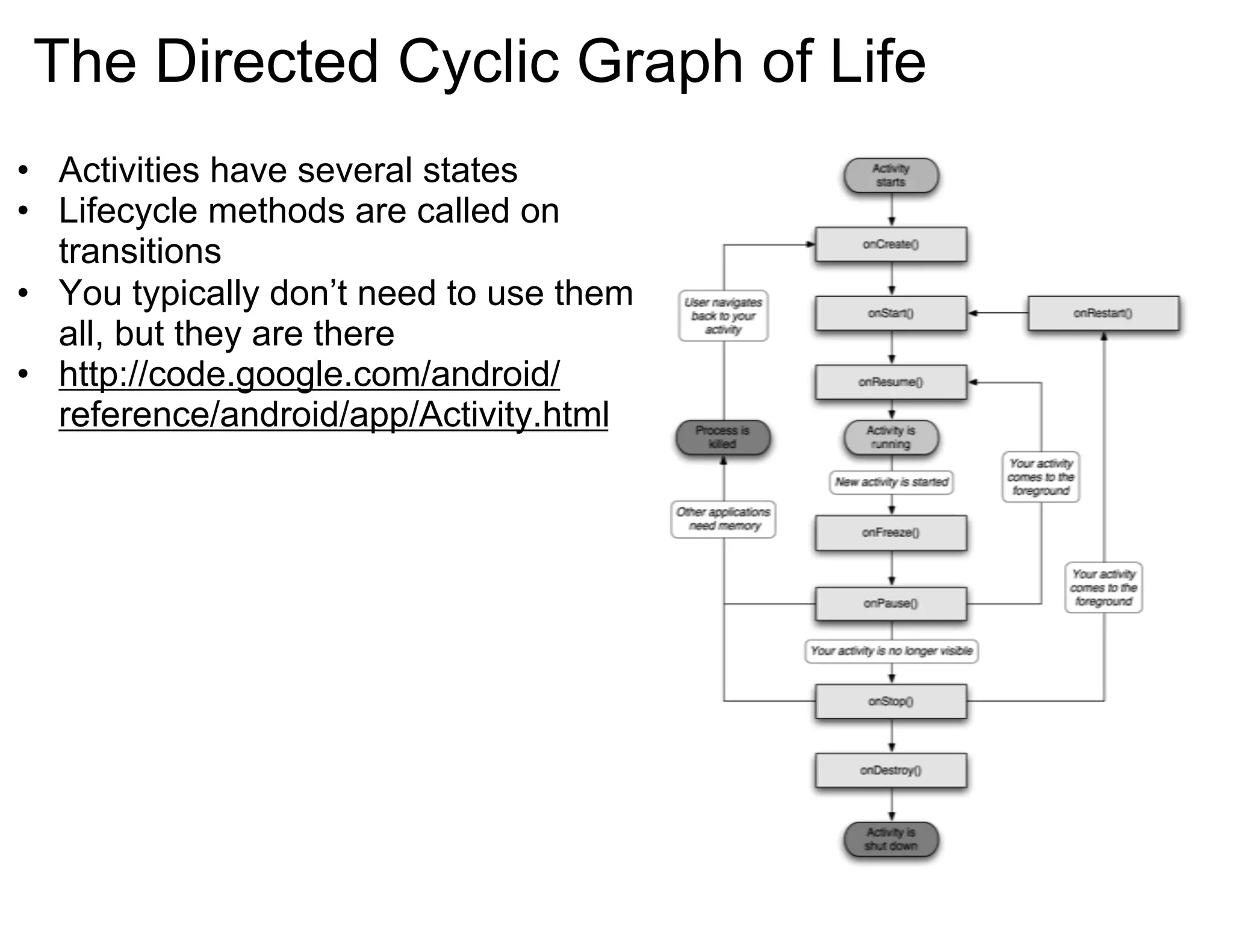
The Directed Cyclic Graph of Life Activities have several states Lifecycle methods are called on transitions You typically don’t need to use them all, but they are there http://code.google.com/android/reference/android/app/Activity.html
Activity Lifecycle Three general “phases” Starting up onCreate(): first method called during lifetime, with prior state onStart()/onRestart(): signal that execution is beginning onResume(): signals that a previous pause is being undone
Activity Lifecycle Normal execution onFreeze(): save UI state (NOT intended to save persistent data) onPause: signals loss of focus and possible impending shutdown
Activity Lifecycle Shutting down onStop()/onDestroy(): final shutdown and process termination Not guaranteed to be called (and usually not, except on finish()...)
Activity Lifecycle Examples Starting a Child Activity Child Activity + Process Shutdown Returning to the Home Screen Calling finish() Explicitly Displaying a Dialog Box Semi-Transparent Windows Device Sleep
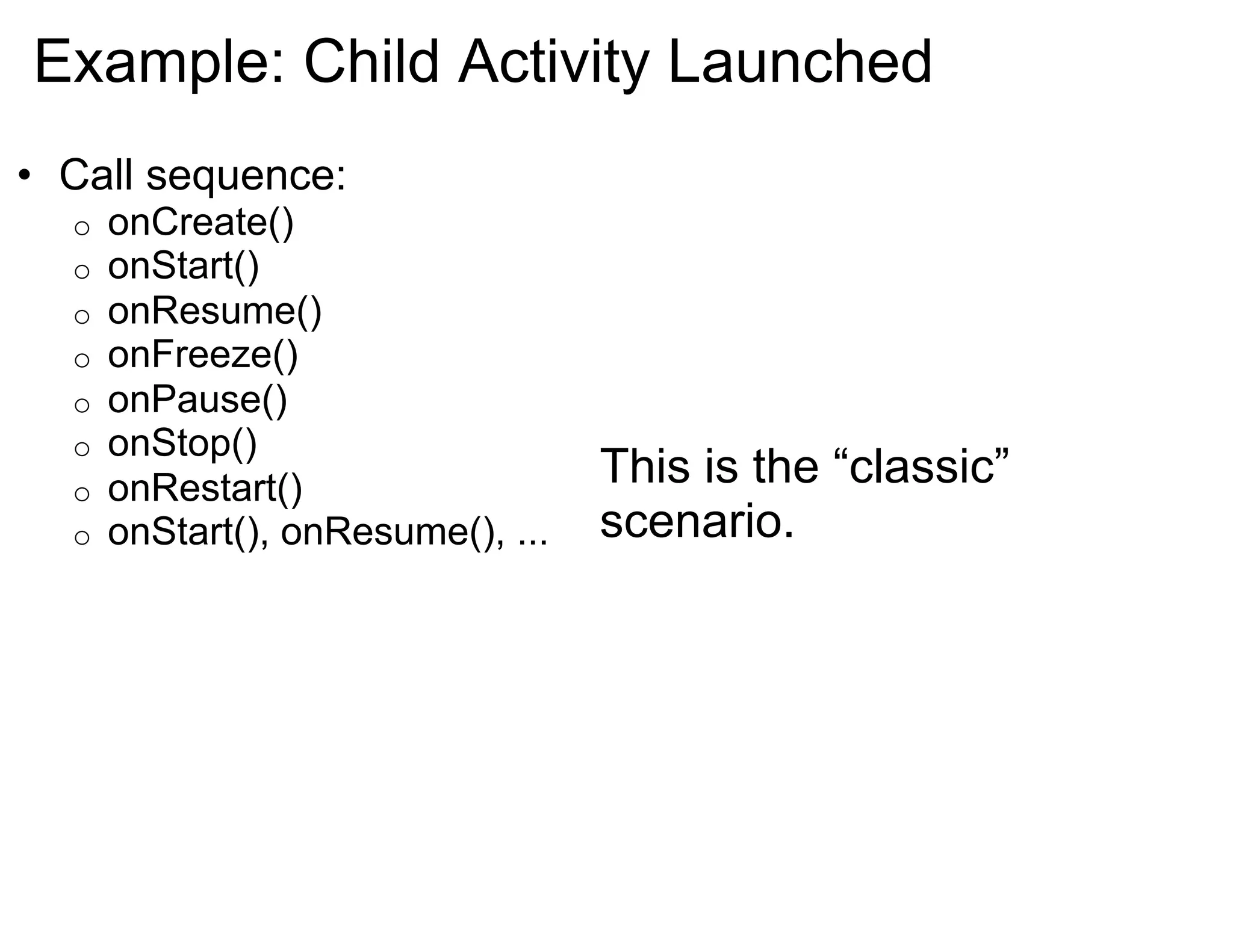
Example: Child Activity Launched Call sequence: onCreate() onStart() onResume() onFreeze() onPause() onStop() onRestart() onStart(), onResume(), ... This is the “classic” scenario.
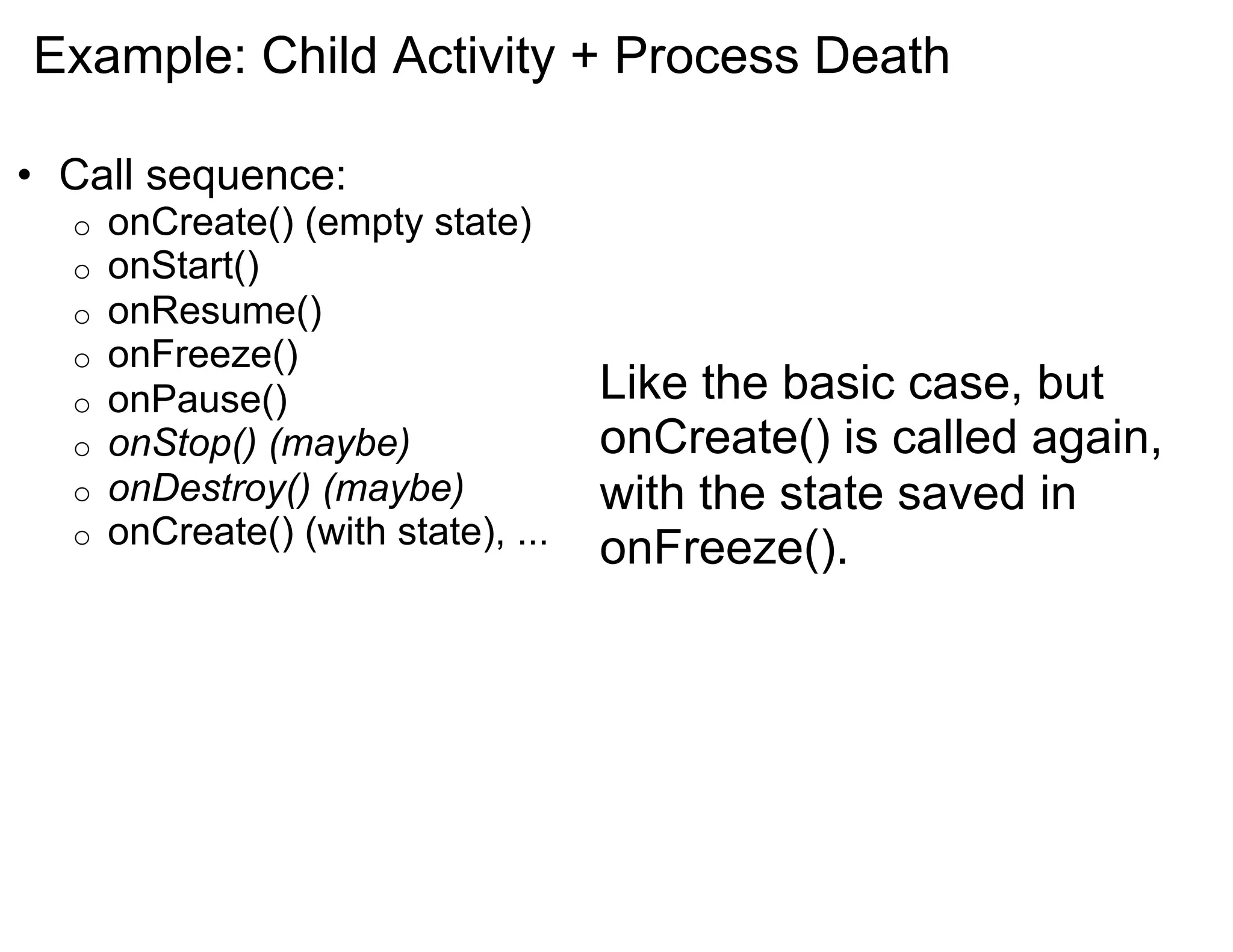
Example: Child Activity + Process Death Call sequence: onCreate() (empty state) onStart() onResume() onFreeze() onPause() onStop() (maybe) onDestroy() (maybe) onCreate() (with state), ... Like the basic case, but onCreate() is called again, with the state saved in onFreeze().
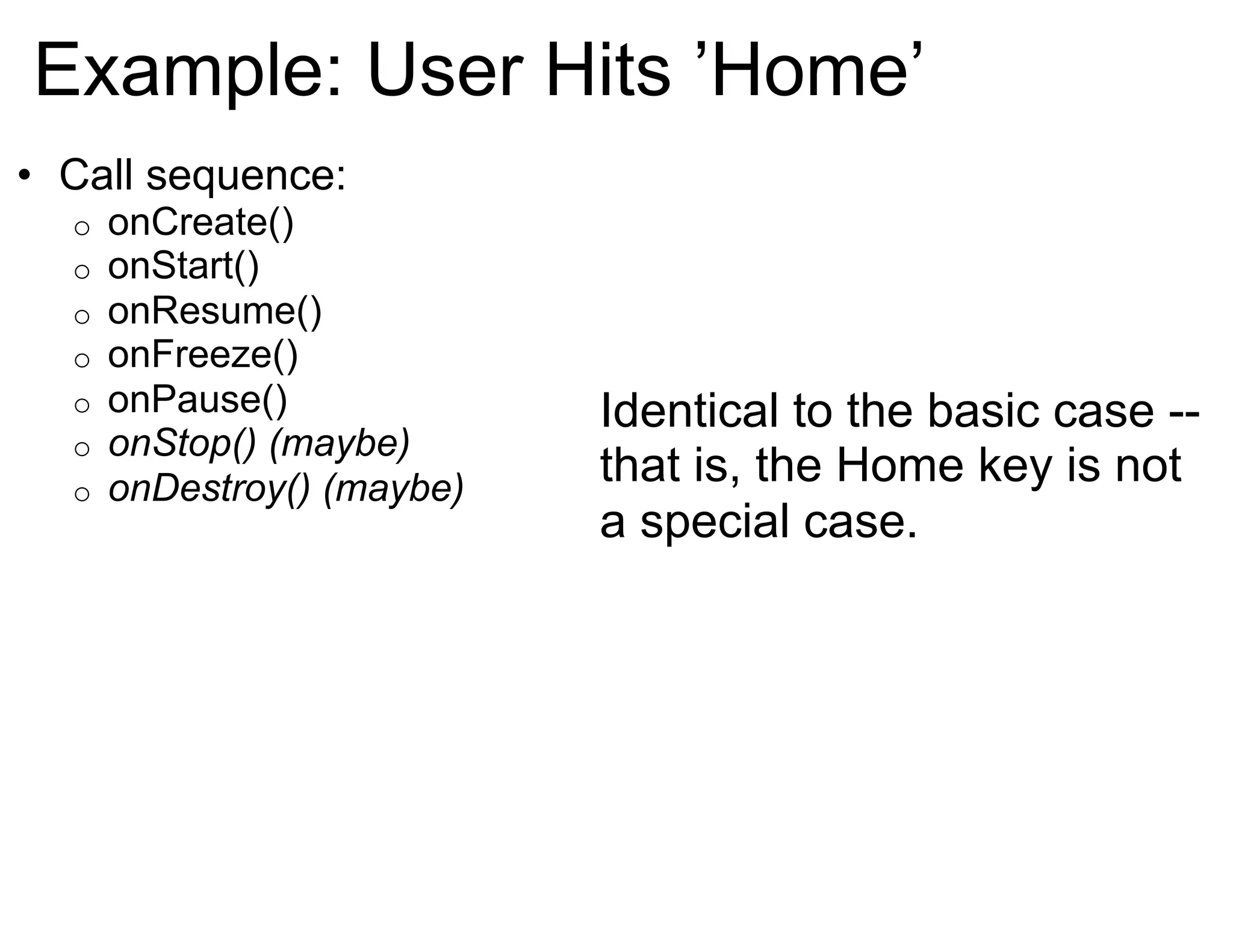
Example: User Hits ’Home’ Call sequence: onCreate() onStart() onResume() onFreeze() onPause() onStop() (maybe) onDestroy() (maybe) Identical to the basic case -- that is, the Home key is not a special case.
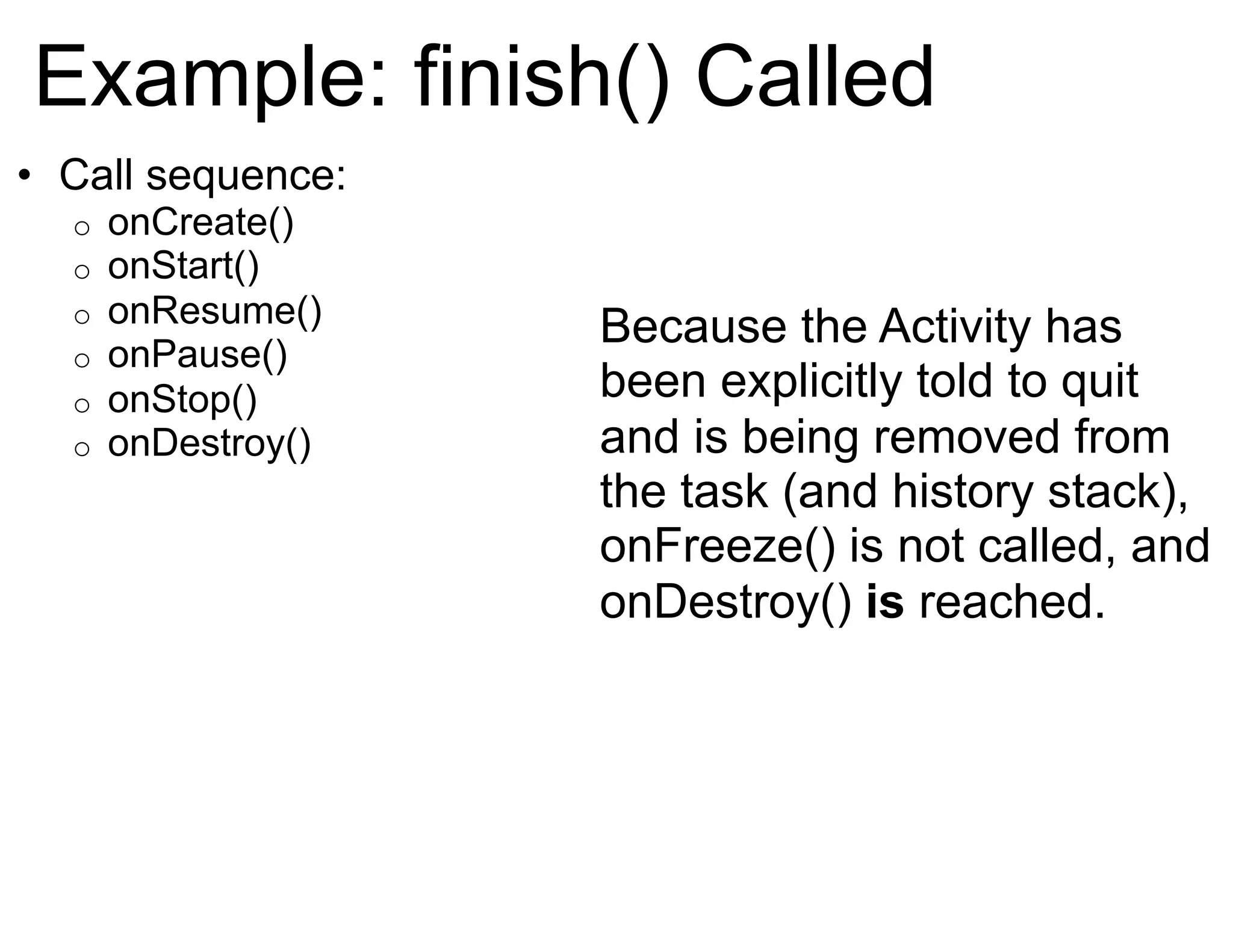
Example: finish() Called Call sequence: onCreate() onStart() onResume() onPause() onStop() onDestroy() Because the Activity has been explicitly told to quit and is being removed from the task (and history stack), onFreeze() is not called, and onDestroy()  is  reached.
Example: Dialog Box Call sequence: onCreate() onStart() onResume() Despite appearances, dialog boxes are Views, and not Activities, so they have no effect on the owning Activity’s lifecycle.
Example: Transparent/Non-fullscreen Child Call sequence: onCreate() onStart() onResume() onFreeze() onPause() onResume() The new partial-screen window leaves a portion of the previous window visible, so onPause() is followed by onResume() (without onStop()) when the child closes.
Example: Device Goes to Sleep Call sequence: onCreate() onStart() onResume() onFreeze() onPause() onResume() The device going to sleep is identical to a non-fullscreen Activity being launched on top.
Threads on Android Overview Loopers Multi-thread Considerations
Threading Overview Each process has one thread (by default) Most components share the single thread Services and ContentProviders sometimes do not
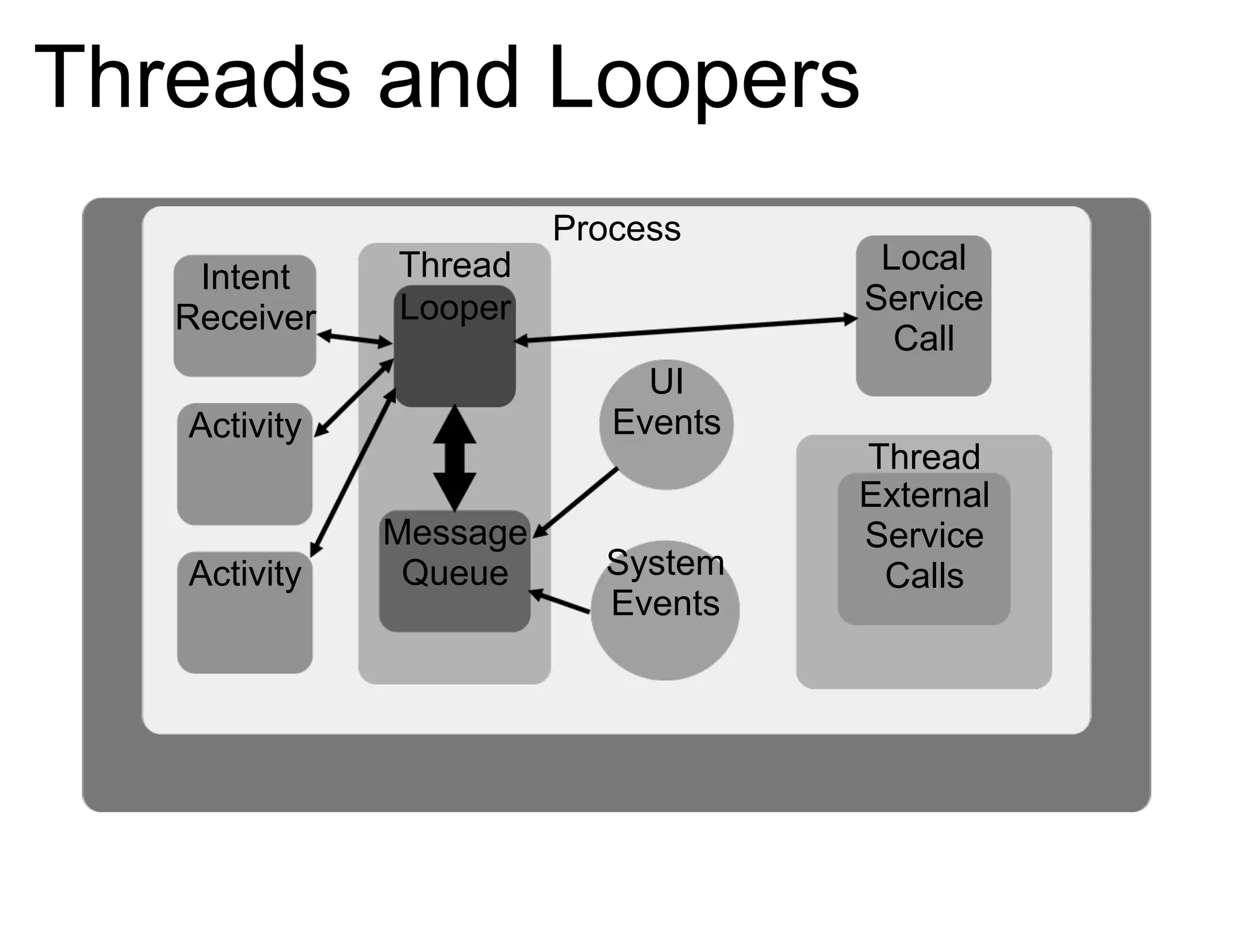
Threads and Loopers Each thread has a Looper to handle a message queue Events from all components are interleaved into Looper e.g. View UI events, IntentReceivers firing, etc. Loopers cannot accommodate multi-threaded access They are designed to play nicely with MessageHandlers
Threads and Loopers APK Package Process Thread Looper Message Queue Thread External Service Calls Intent Receiver Activity Activity UI Events System Events Local Service Call
Threads and Views Views use Looper messages to fire events Since Loopers are 1:1 with threads, the View tree is too Threads you create cannot directly touch a View But, you can create a new Looper for your own thread
Threads in Other Contexts Services & ContentProviders sometimes run in their own threads ...but still in the same process Components can create threads, but must handle thread-safety
Service Lifecycle Started by some other Component Either explicitly, or implicitly by binding to it Explicitly-started Services run until explicitly shut down (or killed by the system during a memory crunch) Implicitly-started Services run til the last client unbinds
More on Processes Resource Management Processes & Security Controlling Processes
Process Resource Management Spawned by the special “Zygote” process Process + pre-warmed Dalvik VM == responsiveness  Process runs under user ID unique to system Process + User ID == security
Processes & Security Each application is given a unique user ID No exceptions! ...except these: init, Zygote, and the main runtime Each application has direct access only to its own data Other apps’ resources are available only via defined, explicitly-exposed APIs i.e. Issuing Intents, binding to Services or ContentProviders
Inter-Process Communication Why?? Process Transparency Binder in 30 Seconds IPC using Parcelables IPC using Bundles Android IDL
Why?? All this process/Activity/task stuff is confusing... why? It’s all for the noble goal of efficiency (i.e. speed.) Serialization is slooow; memory transfers are slooow. CPU is not the bottleneck: think memory & bandwidth.
Process Transparency Process management is transparent to code. ...almost. In some cases, it’s unavoidably visible. Lifecycle  is seamless, but  data  sometimes isn’t. Specific APIs send data across process boundaries.
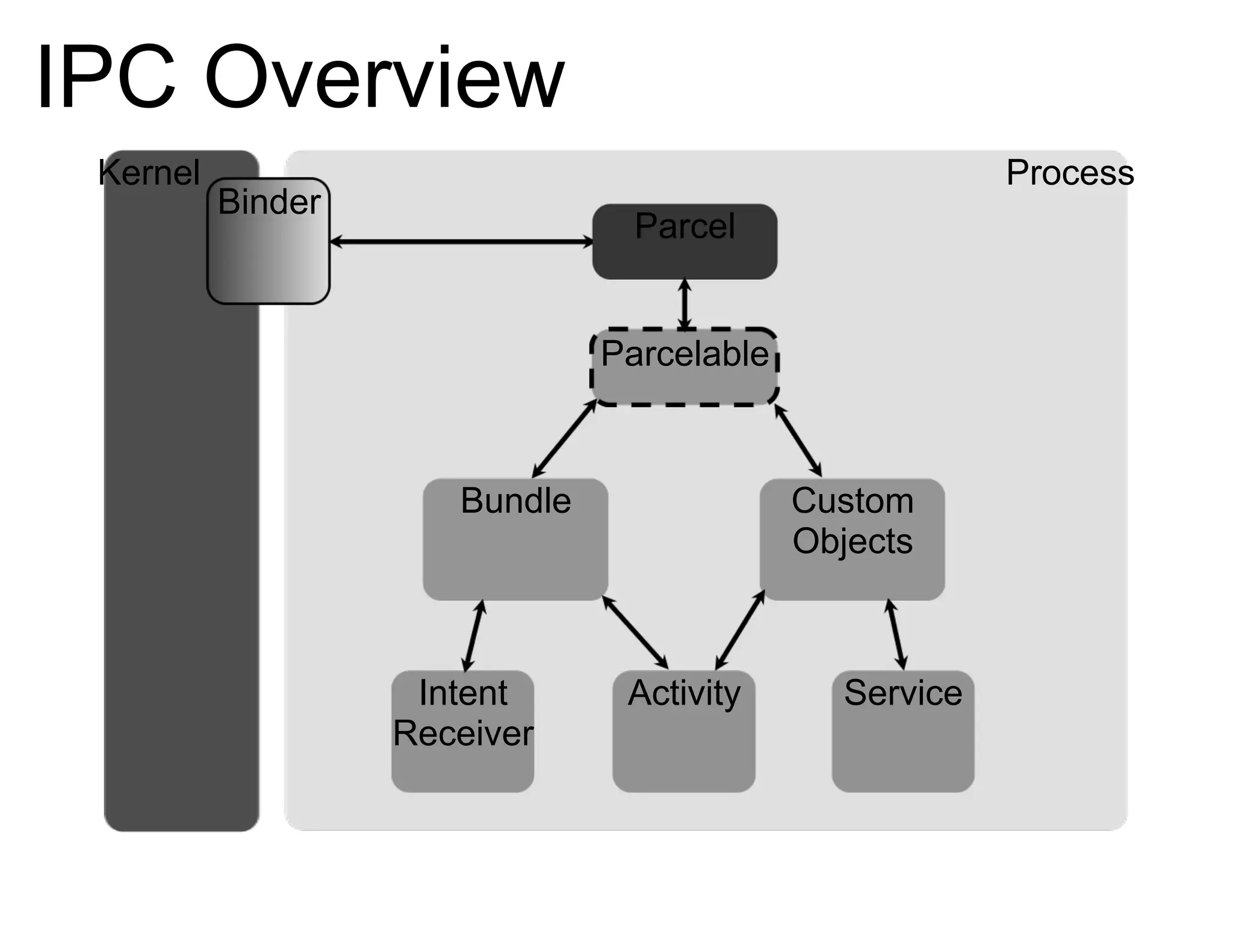
IPC Overview Kernel Process Binder Bundle Intent Receiver Activity Custom Objects Service Parcel Parcelable
Binder in 30 Seconds All IPC goes through “The Binder” Binder is implemented as a kernel module + system lib Supports sophisticated cross-process data transport The framework APIs “know” how to use Binder Generally two entry points: Bundles & Parcelables
IPC - Parcelables A Parcelable is a class which can marshal its state to something Binder can handle -- namely, a “Parcel” Standard Java serialization has semantics Parcelables don’t need Supporting full serialization would mean wasting CPU cycles
IPC - Bundles Bundles are typesafe containers of primitives That is, C-like primitives: ints, strings, etc. Simple data-passing APIs use Bundles Think of onFreeze() as passing data to your future self Flat structure permits optimizations like memory-mapping
IPC - AIDL “ Android Interface Definition Language” Used to build developer-friendly APIs using Parcelables Preferred way to expose structured, complex-typed APIs Compromise between efficiency and Java usability
Wrapping Up APKs are loose collections of components Tasks (AKA apps) are bags of component instances that span processes & APKs Managed lifecycles & IPC join the “seams”

Inside the Android application framework - Google I/O 2009

  • 1.
    Inside the AndroidApplication Framework
  • 2.
    Managed Component LifecyclesAn Android APK is a collection of components Components share a set of resources Databases, preferences, file space, etc. Also: a Linux process. Every Android component has a managed lifecycle
  • 3.
    Basics of anAndroid Application Activities Tasks Processes
  • 4.
    Activities and TasksAn Activity is a “molecule”: a discrete chunk of functionality A task is a collection of Activities A “process” is a standard Linux process
  • 5.
    Activities and TasksAPK Package Process ContentProvider Service Activity Activity APK Package Process Activity ContentProvider Process Service Activity
  • 6.
    Activities and TasksAPK Package Process Activity ContentProvider Process Service APK Package Process ContentProvider Service Task Activity Activity Activity
  • 7.
    Activities Are... ...aconcrete class in the API ...an encapsulation of a particular operation ...run in the process of the .APK which installed them ...optionally associated with a window (UI) ...an execution Context
  • 8.
    Tasks Are... ...moreof a notion than a concrete API entity ...a collection of related Activities ...capable of spanning multiple processes ...associated with their own UI history stack ...what users on other platforms know as “applications”
  • 9.
    Process Basics Androidprocess == Linux process By default, 1 process per APK By default, 1 thread per process All* components interleave events into the main thread * Most
  • 10.
    Process Lifecycle Aprocess is started for a given user ID when needed Binding to a Service Binding to a ContentProvider Starting an Activity Firing an IntentReceiver Remains running until killed by the system
  • 11.
    More on ActivitiesActivity Lifecycle Examples of Common Use Cases
  • 12.
    The Directed CyclicGraph of Life Activities have several states Lifecycle methods are called on transitions You typically don’t need to use them all, but they are there http://code.google.com/android/reference/android/app/Activity.html
  • 13.
    Activity Lifecycle Threegeneral “phases” Starting up onCreate(): first method called during lifetime, with prior state onStart()/onRestart(): signal that execution is beginning onResume(): signals that a previous pause is being undone
  • 14.
    Activity Lifecycle Normalexecution onFreeze(): save UI state (NOT intended to save persistent data) onPause: signals loss of focus and possible impending shutdown
  • 15.
    Activity Lifecycle Shuttingdown onStop()/onDestroy(): final shutdown and process termination Not guaranteed to be called (and usually not, except on finish()...)
  • 16.
    Activity Lifecycle ExamplesStarting a Child Activity Child Activity + Process Shutdown Returning to the Home Screen Calling finish() Explicitly Displaying a Dialog Box Semi-Transparent Windows Device Sleep
  • 17.
    Example: Child ActivityLaunched Call sequence: onCreate() onStart() onResume() onFreeze() onPause() onStop() onRestart() onStart(), onResume(), ... This is the “classic” scenario.
  • 18.
    Example: Child Activity+ Process Death Call sequence: onCreate() (empty state) onStart() onResume() onFreeze() onPause() onStop() (maybe) onDestroy() (maybe) onCreate() (with state), ... Like the basic case, but onCreate() is called again, with the state saved in onFreeze().
  • 19.
    Example: User Hits’Home’ Call sequence: onCreate() onStart() onResume() onFreeze() onPause() onStop() (maybe) onDestroy() (maybe) Identical to the basic case -- that is, the Home key is not a special case.
  • 20.
    Example: finish() CalledCall sequence: onCreate() onStart() onResume() onPause() onStop() onDestroy() Because the Activity has been explicitly told to quit and is being removed from the task (and history stack), onFreeze() is not called, and onDestroy() is reached.
  • 21.
    Example: Dialog BoxCall sequence: onCreate() onStart() onResume() Despite appearances, dialog boxes are Views, and not Activities, so they have no effect on the owning Activity’s lifecycle.
  • 22.
    Example: Transparent/Non-fullscreen ChildCall sequence: onCreate() onStart() onResume() onFreeze() onPause() onResume() The new partial-screen window leaves a portion of the previous window visible, so onPause() is followed by onResume() (without onStop()) when the child closes.
  • 23.
    Example: Device Goesto Sleep Call sequence: onCreate() onStart() onResume() onFreeze() onPause() onResume() The device going to sleep is identical to a non-fullscreen Activity being launched on top.
  • 24.
    Threads on AndroidOverview Loopers Multi-thread Considerations
  • 25.
    Threading Overview Eachprocess has one thread (by default) Most components share the single thread Services and ContentProviders sometimes do not
  • 26.
    Threads and LoopersEach thread has a Looper to handle a message queue Events from all components are interleaved into Looper e.g. View UI events, IntentReceivers firing, etc. Loopers cannot accommodate multi-threaded access They are designed to play nicely with MessageHandlers
  • 27.
    Threads and LoopersAPK Package Process Thread Looper Message Queue Thread External Service Calls Intent Receiver Activity Activity UI Events System Events Local Service Call
  • 28.
    Threads and ViewsViews use Looper messages to fire events Since Loopers are 1:1 with threads, the View tree is too Threads you create cannot directly touch a View But, you can create a new Looper for your own thread
  • 29.
    Threads in OtherContexts Services & ContentProviders sometimes run in their own threads ...but still in the same process Components can create threads, but must handle thread-safety
  • 30.
    Service Lifecycle Startedby some other Component Either explicitly, or implicitly by binding to it Explicitly-started Services run until explicitly shut down (or killed by the system during a memory crunch) Implicitly-started Services run til the last client unbinds
  • 31.
    More on ProcessesResource Management Processes & Security Controlling Processes
  • 32.
    Process Resource ManagementSpawned by the special “Zygote” process Process + pre-warmed Dalvik VM == responsiveness Process runs under user ID unique to system Process + User ID == security
  • 33.
    Processes & SecurityEach application is given a unique user ID No exceptions! ...except these: init, Zygote, and the main runtime Each application has direct access only to its own data Other apps’ resources are available only via defined, explicitly-exposed APIs i.e. Issuing Intents, binding to Services or ContentProviders
  • 34.
    Inter-Process Communication Why??Process Transparency Binder in 30 Seconds IPC using Parcelables IPC using Bundles Android IDL
  • 35.
    Why?? All thisprocess/Activity/task stuff is confusing... why? It’s all for the noble goal of efficiency (i.e. speed.) Serialization is slooow; memory transfers are slooow. CPU is not the bottleneck: think memory & bandwidth.
  • 36.
    Process Transparency Processmanagement is transparent to code. ...almost. In some cases, it’s unavoidably visible. Lifecycle is seamless, but data sometimes isn’t. Specific APIs send data across process boundaries.
  • 37.
    IPC Overview KernelProcess Binder Bundle Intent Receiver Activity Custom Objects Service Parcel Parcelable
  • 38.
    Binder in 30Seconds All IPC goes through “The Binder” Binder is implemented as a kernel module + system lib Supports sophisticated cross-process data transport The framework APIs “know” how to use Binder Generally two entry points: Bundles & Parcelables
  • 39.
    IPC - ParcelablesA Parcelable is a class which can marshal its state to something Binder can handle -- namely, a “Parcel” Standard Java serialization has semantics Parcelables don’t need Supporting full serialization would mean wasting CPU cycles
  • 40.
    IPC - BundlesBundles are typesafe containers of primitives That is, C-like primitives: ints, strings, etc. Simple data-passing APIs use Bundles Think of onFreeze() as passing data to your future self Flat structure permits optimizations like memory-mapping
  • 41.
    IPC - AIDL“ Android Interface Definition Language” Used to build developer-friendly APIs using Parcelables Preferred way to expose structured, complex-typed APIs Compromise between efficiency and Java usability
  • 42.
    Wrapping Up APKsare loose collections of components Tasks (AKA apps) are bags of component instances that span processes & APKs Managed lifecycles & IPC join the “seams”

Editor's Notes

  • #2 Inside Android App Framework