Run Ad-Hoc Copy and Run
        (adhocr)


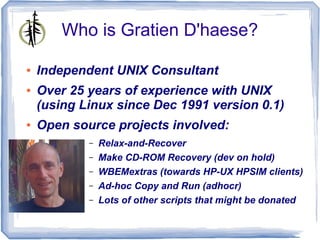
        Gratien D'haese
        IT3 Consultants
        gratien.dhaese@it3.be
Who is Gratien D'haese?

●   Independent UNIX Consultant
●   Over 25 years of experience with UNIX
    (using Linux since Dec 1991 version 0.1)
●   Open source projects involved:
            –   Relax-and-Recover
            –   Make CD-ROM Recovery (dev on hold)
            –   WBEMextras (towards HP-UX HPSIM clients)
            –   Ad-hoc Copy and Run (adhocr)
            –   Lots of other scripts that might be donated
So What ?

●   ADHOCR stands for Ad-Hoc Copy and Run
    commands on remote Unix systems
●   Nice – SSH and/or SCP do the same, right?
●   However, in some organisations it is not
    that simple to use ssh & scp as “root”
●   Fine – SUDO is the answer
●   Yes, however, in some organisations it is
    not that simple to use sudo without
    passwords
Confused?

●   Indeed, sometimes it gets the form of a real
    bureaucracy to get something done
●   Security, logging, evidence, segregation of
    duties make our lives as system
    administrators not easy
●   The opposite of bureaucracy is adhocracy
    – be flexible and responsive to the needs
    of the moment
●   Bonsai: strip 'till the essentials remain
Challenges

●   Amount of systems in global organisations
       ●   Old systems get decommissioned
       ●   New systems are set-up
       ●   In a global organisation no-one really
             knows how many systems disappear or
             being added (monthly extract from central
             management database)
       ●   On most systems Secure Shell keys were
            exchanged, but we lost track of it
●   Audit trails - login as root user is not
    allowed
What can adhocr do for you?
●   Run commands on remote Unix systems
    (Linux, HP-UX, Solaris, AIX, …)
       –   Under your account
       –   As 'root' via 'sudo su -'
●   Enter your password only once
       –   Ideal in Active Directory environments,
             LDAP integration with e.g. centrify
       –   “sudo su –“ must be execute under your
             account
●   Upload/Download files
What can adhocr do for you?
●   Central point of logging
●   Output of running commands collected in
    one output file (or optional per system)
●   Batch mode
●   Parallellization
●   Easy error reporting (at the end of the
    batch)
Adhocr building blocks

●   Written in Korn shell (or Bash)
●   Secure Shell
●   Requires expect tool:
       ●   Programmed dialogue with interactive
            programs, e.g. telnet, ftp, ssh, sftp, etc...
       ●   Written by Don Libes between 1987 and
            1999
       ●   Home page: http://expect.nist.gov
       ●   Learning expect – see README of expect
       ●   Available for all Operating Systems
Re-inventing the wheel?

●   Probably 'adhocr' seems nothing new?


                                Inventing the Wheel cartoon,
                                     October 2, 2009.
                          (Bill Abbott http://www.toonpool.com/)
Alternatives (1)
●   Parallel-ssh -
    http://code.google.com/p/parallel-ssh/
●   Enhanced parallel-ssh with modules and
    scripts
    https://github.com/jcmcken/parallel-ssh
●   pssh -h hostfile.txt --script
    restart_iptables.sh –sudo
●   Still expecting sudo without password
    prompting
●   Written in python
Alternatives (2)

●   Parallel Distributed Shell -
    https://code.google.com/p/pdsh/
●   pdsh -R ssh -w host1,host2 command
●   Expects ssh keys have been exchanged
●   Sudo is not native foreseen
●   Written in C language
Alternatives (3)

●   Fabric - https://github.com/fabric/fabric
●   Python library and command-line tool for
    streamlining the use of SSH for application
    deployment or systems administration
    tasks
●   Seems to be python version dependent
●   Problematic to use on different UNIXes
●   Too complicated for simple tasks
●   Learning curve too long (for me at least)
Alternatives (4)

●   Rex - http://rexify.org/
●   Manage from a central point through the
    complete process of configuration
    management and software deployment
●   rex -e 'say run "uptime";' -H
    "hosts[01..10]" -u root -p password
●   Written in perl
●   Complicated tasks need rexfiles
●   Requires a learning curve
Alternatives (5)

●   Func (Fedora Unified Network Controller) -
    https://fedorahosted.org/func/
●   Written in python and needs certmaster
●   Is Linux focused
●   func *.domain.com call hardware info
●   Not really an option in our organisation
●   Not too complicated if used as SSH
    replacement
Alternatives (6)

●   Ansible - http://ansible.github.com/
●   Written in python
●   Uses SSH and has no other dependencies
●   Ansible has a short learning curve
●   ansible atlanta -a "commands" -u
    username --sudo [--ask-sudo-pass]
●   Comes very close to what we need
●   Sudo to root (without password prompting)
●   Supported on Linux, FreeBSD, Darwin
Tips and Tricks (1)

●   Distributing your public key
       ●   ssh-copy-id -i ~/.ssh/id_rsa.pub
            user@server
       ●   Pitty ssh-copy-id command is not available
             on all Unix versions.
●   Distributing your public key (alternative)
       ●   Use adhocr for this task
●   Play with Ansible playbooks (very
    attractive)
Adhocr home page

●   https://github.com/gdha/adhocr
●   git clone git@github.com:gdha/adhocr.git
●
The expect magic
VAR=$(expect -c "
set password $env("PASS") ;
spawn ssh $SSHoptions $USER@$HOST $CMD
match_max 100000 ;
set timeout 10 ;
expect {
      "(yes/no)?" { send -- "yesr" } ;
      "*?assword:*" {
           send -- "$passwordr" ;
           expect -re "[$@#>] $" ;
           }
}

 wait
")    # end-of-expect VAR

echo "$VAR" >$LOGDIR/$DATE_TIME/$2 2>&1
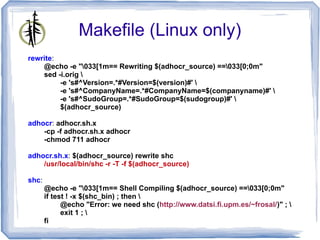
Makefile (Linux only)
rewrite:
    @echo -e "033[1m== Rewriting $(adhocr_source) ==033[0;0m"
    sed -i.orig 
         -e 's#^Version=.*#Version=$(version)#' 
         -e 's#^CompanyName=.*#CompanyName=$(companyname)#' 
         -e 's#^SudoGroup=.*#SudoGroup=$(sudogroup)#' 
         $(adhocr_source)

adhocr: adhocr.sh.x
    -cp -f adhocr.sh.x adhocr
    -chmod 711 adhocr

adhocr.sh.x: $(adhocr_source) rewrite shc
    /usr/local/bin/shc -r -T -f $(adhocr_source)

shc:
       @echo -e "033[1m== Shell Compiling $(adhocr_source) ==033[0;0m"
       if test ! -x $(shc_bin) ; then 
             @echo "Error: we need shc (http://www.datsi.fi.upm.es/~frosal/)" ; 
             exit 1 ; 
       fi
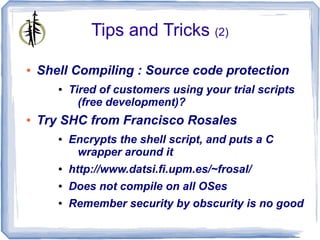
Tips and Tricks (2)

●   Shell Compiling : Source code protection
       ●   Tired of customers using your trial scripts
             (free development)?
●   Try SHC from Francisco Rosales
       ●   Encrypts the shell script, and puts a C
            wrapper around it
       ●   http://www.datsi.fi.upm.es/~frosal/
       ●   Does not compile on all OSes
       ●   Remember security by obscurity is no good
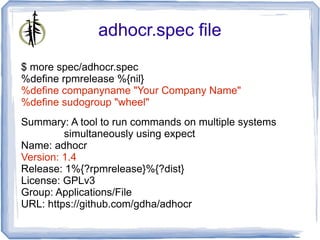
adhocr.spec file
$ more spec/adhocr.spec
%define rpmrelease %{nil}
%define companyname "Your Company Name"
%define sudogroup "wheel"
Summary: A tool to run commands on multiple systems
         simultaneously using expect
Name: adhocr
Version: 1.4
Release: 1%{?rpmrelease}%{?dist}
License: GPLv3
Group: Applications/File
URL: https://github.com/gdha/adhocr
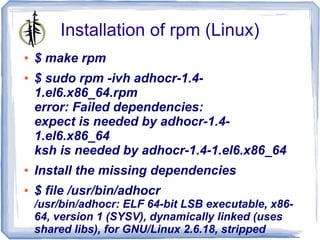
Installation of rpm (Linux)
●   $ make rpm
●   $ sudo rpm -ivh adhocr-1.4-
    1.el6.x86_64.rpm
    error: Failed dependencies:
    expect is needed by adhocr-1.4-
    1.el6.x86_64
    ksh is needed by adhocr-1.4-1.el6.x86_64
●   Install the missing dependencies
●   $ file /usr/bin/adhocr
    /usr/bin/adhocr: ELF 64-bit LSB executable, x86-
    64, version 1 (SYSV), dynamically linked (uses
    shared libs), for GNU/Linux 2.6.18, stripped
Installation on non-Linux

●   The adhocr.sh is the only script that is
    needed
●   Customise 2 parameters:
       ●   CompanyName
       ●   SudoGroup
●   Copy script to /usr/local/bin/adhocr
●   Keep in mind the dependencies for
       ●   Ksh
       ●   Expect
Tips and Tricks (3)

●   To install dependencies on HP-UX use
    depothelper (free)
       ●   http://hpux.connect.org.uk/hppd/hpux/Sysadmin/
             depothelper-2.00/
       ●   # bin/depothelper expect
●   On Windows use Cygwin (free)
       ●   Run setup.exe and select ksh and expect
●   Solaris: https://unixpackages.com/ (not free)
●   AIX: http://www.bullfreeware.com/ (free)
Adhocr usage
$ adhocr
*************************************************
     adhocr : Ad-hoc Copy and Run
           version 1.4
*************************************************

Usage: adhocr [-p #max-processes] [-u username] [-k] -f filename-containing-
systems [-h] -c "commands to execute"
     -p maximum number of concurrent processes running (in the
background) [optional - default is 10]
     -u The user "username" should be part of the "se" group for executing
sudo [default is gdha]
     -k keep the log directory with individual log files per system [optional -
default is remove]
     -f filename containing list of systems to process
     -h show extended usage
     -c "command(s) to execute on remote systems"
Extended help (1)
●   -p #threads (Maximum number of concurrent
    processes running)
●   -u <username> (by default your account)
●   -k (keep the log directory)
●   -f <filename> (containing list of systems)
●   -l <logdir> (by default . or logs/ if it exists)
●   -o <outputdir> (by default . or output/ if it
    exists)
●   -sudo (force remote cmds to be exec as root)
Extended help (2)

●   -x (use expect – is default behaviour)
●   - npw|-nx|-bg (use only SSH keys) !
●   -up (upload files)
●   -dl (download files)
●   -t <timeout> (in secs to kill hanging procs)
●   -h show extended help
●   -c <command(s)>
Simple queries

$ adhocr -f HPUX1111-systems -t 30 -p 50 -c uptime
*************************************************
     adhocr : Ad-hoc Copy and Run
           version 1.4
*************************************************

 ** Enter the domain password of user gdhaese:
Script name : /usr/bin/adhocr
Filename containing list of systems : HPUX1111-systems
Amount of systems to roll-over is 334
Will execute the commands in a bunch of 50
Command to execute : uptime
The individual log files found under ./2012-10-19.153459 will be removed at the end

[1] Executing expect with ssh gdhaese1@brsjd002 uptime
======= brsjd002 (starting at 101912_1535)
Run adhocr as another user (1)

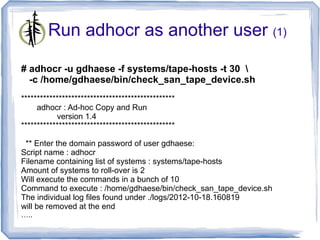
# adhocr -u gdhaese -f systems/tape-hosts -t 30 
  -c /home/gdhaese/bin/check_san_tape_device.sh
*************************************************
     adhocr : Ad-hoc Copy and Run
           version 1.4
*************************************************

 ** Enter the domain password of user gdhaese:
Script name : adhocr
Filename containing list of systems : systems/tape-hosts
Amount of systems to roll-over is 2
Will execute the commands in a bunch of 10
Command to execute : /home/gdhaese/bin/check_san_tape_device.sh
The individual log files found under ./logs/2012-10-18.160819
will be removed at the end
…..
Run adhocr as another user (2)
...
[1] Executing expect with ssh gdhaese@mdde1d01 
/home/gdhaese/bin/check_san_tape_device.sh
======= mdde1d01 (starting at 101812_1608)
[2] Executing expect with ssh gdhaese@mdde1d02 
/home/gdhaese/bin/check_san_tape_device.sh
======= mdde1d02 (starting at 101812_1608)
    - 2 running jobs at this moment.
======= mdde1d01 (ending at 101812_1608)
======= mdde1d02 (ending at 101812_1608)

*** Logfile = ./logs/adhocr-2012-10-18.160819.log
    (containing error messages)
*** Output = ./output/adhocr-2012-10-18.160819.output
    (concatenated output of system output)
..
*** Removing Output directory ./logs/2012-10-18.160819/
Security considerations

●   gdha 15982 15973 0 16:55 pts/0 00:00:00
    expect -c ?set password $env(PASS) ; ?
    spawn ssh -o ConnectTimeout=10 -o
    StrictHostKeyChecking=no
    gdhaese@itsusmlfean08 rpm -q rear ?
    match_max 100000 ; ?set timeout 10 ; ?expect
     { ??"(yes/no)?" { send -- "yesr" } ; ??"*?
    assword:*" { ???send -- "$passwordr" ; ???
    expect -re "[$@#>] $" ; ???} ?} ?#send --
    "r" ; ?#expect -re "[$@#>] $" ; ?#send --
    "rpm -q rearr" ; ?#expect -re "[$@#>] $" ; ?
    #send -- "exitr" ; ?#expect eof ; ?wait ?
Uploading files with adhocr

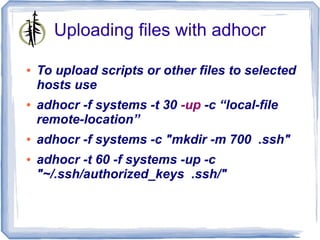
●   To upload scripts or other files to selected
    hosts use
●   adhocr -f systems -t 30 -up -c “local-file
    remote-location”
●   adhocr -f systems -c "mkdir -m 700 .ssh"
●   adhocr -t 60 -f systems -up -c
    "~/.ssh/authorized_keys .ssh/"
Executing tasks with adhocr

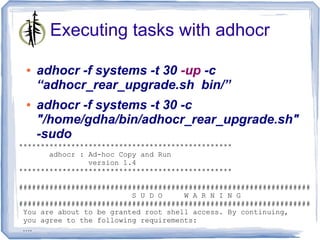
 ●   adhocr -f systems -t 30 -up -c
     “adhocr_rear_upgrade.sh bin/”
 ●   adhocr -f systems -t 30 -c
     "/home/gdha/bin/adhocr_rear_upgrade.sh"
     -sudo
*************************************************
       adhocr : Ad-hoc Copy and Run
                version 1.4
*************************************************

###################################################################
                          S U D O     W A R N I N G
###################################################################
 You are about to be granted root shell access. By continuing,
 you agree to the following requirements:
 ….
Output cluttered with sudo stuff

●   The output file is not really readable with
    all the sudo output
    BEGIN HOST ##### itsusralabvm029 #####
    spawn ssh -o ConnectTimeout=10 -o StrictHostKeyChecking=no gdhaese@itsusralabvm029
    gdhaese@itsusralabvm029's password:
    Last login: Thu Oct 25 04:30:08 2012 from itsusralabvm029
    gdhaese@itsusralabvm029:~>
    gdhaese@itsusralabvm029:~> sudo su -

    You are about to be granted root shell access. By continuing, you agree to
    the following requirements:

      - Your access to the root shell must have been authorized by being a member
        of one of the groups that grants this access.
      - You may not use the privileges granted by the use of the root shell to
        grant elevated privileges to any other user or any other account.
      - If you have been granted root shell access on a temporary basis, you MUST
        exit the root shell as soon as you complete your actions.

    Unauthorized use may subject you to My Company disciplinary proceedings
    and/or criminal and civil penalties under state, federal or other applicable
    domestic and foreign laws. The use of this system may be monitored and recorded
    for administrative and security reasons. If such monitoring and/or recording
    reveal possible evidence of criminal activity, My Company may provide
    the evidence of such monitoring to law enforcement officials.

    gdhaese's password:
    [root@itsusralabvm029:/root]#
    #->
    [root@itsusralabvm029:/root]#
    #-> /home/gdhaese1/adhocr_rear_upgrade.sh
    --------------------------------------------------------------------------------
                Script: adhocr_rear_upgrade.sh
       Installation Host: itsusralabvm029
       Installation User: root
       Installation Date: Thu Oct 25 08:35:46 UTC 2012
        Installation Log: /var/adm/install-logs/adhocr_rear_upgrade.scriptlog
    --------------------------------------------------------------------------------

     *** Pre-installation Test on system itsusralabvm029.dfdev.jnj.com ***
    rear-1.14-3
Using start-end markers

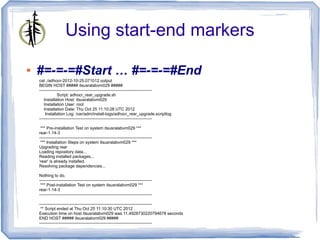
●   #=-=-=#Start … #=-=-=#End
    cat ./adhocr-2012-10-25.071012.output
    BEGIN HOST ##### itsusralabvm029 #####
    --------------------------------------------------------------------------------
                Script: adhocr_rear_upgrade.sh
       Installation Host: itsusralabvm029
       Installation User: root
       Installation Date: Thu Oct 25 11:10:28 UTC 2012
        Installation Log: /var/adm/install-logs/adhocr_rear_upgrade.scriptlog
    --------------------------------------------------------------------------------

     *** Pre-installation Test on system itsusralabvm029 ***
    rear-1.14-3
    --------------------------------------------------------------------------------
     *** Installation Steps on system itsusralabvm029 ***
    Upgrading rear
    Loading repository data...
    Reading installed packages...
    'rear' is already installed.
    Resolving package dependencies...

    Nothing to do.
    --------------------------------------------------------------------------------
     *** Post-installation Test on system itsusralabvm029 ***
    rear-1.14-3
    --------------------------------------------------------------------------------

    --------------------------------------------------------------------------------
     ** Script ended at Thu Oct 25 11:10:30 UTC 2012
    Execution time on host itsusralabvm029 was 11.4928730220794678 seconds
    END HOST ##### itsusralabvm029 #####
    --------------------------------------------------------------------------------
adhocr or not to adhocr?
●   Run commands on remote Unix systems
    (Linux, HP-UX, Solaris, AIX, …)
       –   Under your account
       –   As 'root' via 'sudo su -'
●   Enter your password only once
       –   Ideal in Active Directory environments,
             LDAP integration with e.g. centrify
       –   “sudo su –“ must be execute under your
             account
●   Upload/Download files
Demo time & QA

Adhocr T-dose 2012

  • 1.
    Run Ad-Hoc Copyand Run (adhocr) Gratien D'haese IT3 Consultants gratien.dhaese@it3.be
  • 2.
    Who is GratienD'haese? ● Independent UNIX Consultant ● Over 25 years of experience with UNIX (using Linux since Dec 1991 version 0.1) ● Open source projects involved: – Relax-and-Recover – Make CD-ROM Recovery (dev on hold) – WBEMextras (towards HP-UX HPSIM clients) – Ad-hoc Copy and Run (adhocr) – Lots of other scripts that might be donated
  • 3.
    So What ? ● ADHOCR stands for Ad-Hoc Copy and Run commands on remote Unix systems ● Nice – SSH and/or SCP do the same, right? ● However, in some organisations it is not that simple to use ssh & scp as “root” ● Fine – SUDO is the answer ● Yes, however, in some organisations it is not that simple to use sudo without passwords
  • 4.
    Confused? ● Indeed, sometimes it gets the form of a real bureaucracy to get something done ● Security, logging, evidence, segregation of duties make our lives as system administrators not easy ● The opposite of bureaucracy is adhocracy – be flexible and responsive to the needs of the moment ● Bonsai: strip 'till the essentials remain
  • 5.
    Challenges ● Amount of systems in global organisations ● Old systems get decommissioned ● New systems are set-up ● In a global organisation no-one really knows how many systems disappear or being added (monthly extract from central management database) ● On most systems Secure Shell keys were exchanged, but we lost track of it ● Audit trails - login as root user is not allowed
  • 6.
    What can adhocrdo for you? ● Run commands on remote Unix systems (Linux, HP-UX, Solaris, AIX, …) – Under your account – As 'root' via 'sudo su -' ● Enter your password only once – Ideal in Active Directory environments, LDAP integration with e.g. centrify – “sudo su –“ must be execute under your account ● Upload/Download files
  • 7.
    What can adhocrdo for you? ● Central point of logging ● Output of running commands collected in one output file (or optional per system) ● Batch mode ● Parallellization ● Easy error reporting (at the end of the batch)
  • 8.
    Adhocr building blocks ● Written in Korn shell (or Bash) ● Secure Shell ● Requires expect tool: ● Programmed dialogue with interactive programs, e.g. telnet, ftp, ssh, sftp, etc... ● Written by Don Libes between 1987 and 1999 ● Home page: http://expect.nist.gov ● Learning expect – see README of expect ● Available for all Operating Systems
  • 9.
    Re-inventing the wheel? ● Probably 'adhocr' seems nothing new? Inventing the Wheel cartoon, October 2, 2009. (Bill Abbott http://www.toonpool.com/)
  • 10.
    Alternatives (1) ● Parallel-ssh - http://code.google.com/p/parallel-ssh/ ● Enhanced parallel-ssh with modules and scripts https://github.com/jcmcken/parallel-ssh ● pssh -h hostfile.txt --script restart_iptables.sh –sudo ● Still expecting sudo without password prompting ● Written in python
  • 11.
    Alternatives (2) ● Parallel Distributed Shell - https://code.google.com/p/pdsh/ ● pdsh -R ssh -w host1,host2 command ● Expects ssh keys have been exchanged ● Sudo is not native foreseen ● Written in C language
  • 12.
    Alternatives (3) ● Fabric - https://github.com/fabric/fabric ● Python library and command-line tool for streamlining the use of SSH for application deployment or systems administration tasks ● Seems to be python version dependent ● Problematic to use on different UNIXes ● Too complicated for simple tasks ● Learning curve too long (for me at least)
  • 13.
    Alternatives (4) ● Rex - http://rexify.org/ ● Manage from a central point through the complete process of configuration management and software deployment ● rex -e 'say run "uptime";' -H "hosts[01..10]" -u root -p password ● Written in perl ● Complicated tasks need rexfiles ● Requires a learning curve
  • 14.
    Alternatives (5) ● Func (Fedora Unified Network Controller) - https://fedorahosted.org/func/ ● Written in python and needs certmaster ● Is Linux focused ● func *.domain.com call hardware info ● Not really an option in our organisation ● Not too complicated if used as SSH replacement
  • 15.
    Alternatives (6) ● Ansible - http://ansible.github.com/ ● Written in python ● Uses SSH and has no other dependencies ● Ansible has a short learning curve ● ansible atlanta -a "commands" -u username --sudo [--ask-sudo-pass] ● Comes very close to what we need ● Sudo to root (without password prompting) ● Supported on Linux, FreeBSD, Darwin
  • 16.
    Tips and Tricks(1) ● Distributing your public key ● ssh-copy-id -i ~/.ssh/id_rsa.pub user@server ● Pitty ssh-copy-id command is not available on all Unix versions. ● Distributing your public key (alternative) ● Use adhocr for this task ● Play with Ansible playbooks (very attractive)
  • 17.
    Adhocr home page ● https://github.com/gdha/adhocr ● git clone git@github.com:gdha/adhocr.git ●
  • 18.
    The expect magic VAR=$(expect-c " set password $env("PASS") ; spawn ssh $SSHoptions $USER@$HOST $CMD match_max 100000 ; set timeout 10 ; expect { "(yes/no)?" { send -- "yesr" } ; "*?assword:*" { send -- "$passwordr" ; expect -re "[$@#>] $" ; } } wait ") # end-of-expect VAR echo "$VAR" >$LOGDIR/$DATE_TIME/$2 2>&1
  • 19.
    Makefile (Linux only) rewrite: @echo -e "033[1m== Rewriting $(adhocr_source) ==033[0;0m" sed -i.orig -e 's#^Version=.*#Version=$(version)#' -e 's#^CompanyName=.*#CompanyName=$(companyname)#' -e 's#^SudoGroup=.*#SudoGroup=$(sudogroup)#' $(adhocr_source) adhocr: adhocr.sh.x -cp -f adhocr.sh.x adhocr -chmod 711 adhocr adhocr.sh.x: $(adhocr_source) rewrite shc /usr/local/bin/shc -r -T -f $(adhocr_source) shc: @echo -e "033[1m== Shell Compiling $(adhocr_source) ==033[0;0m" if test ! -x $(shc_bin) ; then @echo "Error: we need shc (http://www.datsi.fi.upm.es/~frosal/)" ; exit 1 ; fi
  • 20.
    Tips and Tricks(2) ● Shell Compiling : Source code protection ● Tired of customers using your trial scripts (free development)? ● Try SHC from Francisco Rosales ● Encrypts the shell script, and puts a C wrapper around it ● http://www.datsi.fi.upm.es/~frosal/ ● Does not compile on all OSes ● Remember security by obscurity is no good
  • 21.
    adhocr.spec file $ morespec/adhocr.spec %define rpmrelease %{nil} %define companyname "Your Company Name" %define sudogroup "wheel" Summary: A tool to run commands on multiple systems simultaneously using expect Name: adhocr Version: 1.4 Release: 1%{?rpmrelease}%{?dist} License: GPLv3 Group: Applications/File URL: https://github.com/gdha/adhocr
  • 22.
    Installation of rpm(Linux) ● $ make rpm ● $ sudo rpm -ivh adhocr-1.4- 1.el6.x86_64.rpm error: Failed dependencies: expect is needed by adhocr-1.4- 1.el6.x86_64 ksh is needed by adhocr-1.4-1.el6.x86_64 ● Install the missing dependencies ● $ file /usr/bin/adhocr /usr/bin/adhocr: ELF 64-bit LSB executable, x86- 64, version 1 (SYSV), dynamically linked (uses shared libs), for GNU/Linux 2.6.18, stripped
  • 23.
    Installation on non-Linux ● The adhocr.sh is the only script that is needed ● Customise 2 parameters: ● CompanyName ● SudoGroup ● Copy script to /usr/local/bin/adhocr ● Keep in mind the dependencies for ● Ksh ● Expect
  • 24.
    Tips and Tricks(3) ● To install dependencies on HP-UX use depothelper (free) ● http://hpux.connect.org.uk/hppd/hpux/Sysadmin/ depothelper-2.00/ ● # bin/depothelper expect ● On Windows use Cygwin (free) ● Run setup.exe and select ksh and expect ● Solaris: https://unixpackages.com/ (not free) ● AIX: http://www.bullfreeware.com/ (free)
  • 25.
    Adhocr usage $ adhocr ************************************************* adhocr : Ad-hoc Copy and Run version 1.4 ************************************************* Usage: adhocr [-p #max-processes] [-u username] [-k] -f filename-containing- systems [-h] -c "commands to execute" -p maximum number of concurrent processes running (in the background) [optional - default is 10] -u The user "username" should be part of the "se" group for executing sudo [default is gdha] -k keep the log directory with individual log files per system [optional - default is remove] -f filename containing list of systems to process -h show extended usage -c "command(s) to execute on remote systems"
  • 26.
    Extended help (1) ● -p #threads (Maximum number of concurrent processes running) ● -u <username> (by default your account) ● -k (keep the log directory) ● -f <filename> (containing list of systems) ● -l <logdir> (by default . or logs/ if it exists) ● -o <outputdir> (by default . or output/ if it exists) ● -sudo (force remote cmds to be exec as root)
  • 27.
    Extended help (2) ● -x (use expect – is default behaviour) ● - npw|-nx|-bg (use only SSH keys) ! ● -up (upload files) ● -dl (download files) ● -t <timeout> (in secs to kill hanging procs) ● -h show extended help ● -c <command(s)>
  • 28.
    Simple queries $ adhocr-f HPUX1111-systems -t 30 -p 50 -c uptime ************************************************* adhocr : Ad-hoc Copy and Run version 1.4 ************************************************* ** Enter the domain password of user gdhaese: Script name : /usr/bin/adhocr Filename containing list of systems : HPUX1111-systems Amount of systems to roll-over is 334 Will execute the commands in a bunch of 50 Command to execute : uptime The individual log files found under ./2012-10-19.153459 will be removed at the end [1] Executing expect with ssh gdhaese1@brsjd002 uptime ======= brsjd002 (starting at 101912_1535)
  • 29.
    Run adhocr asanother user (1) # adhocr -u gdhaese -f systems/tape-hosts -t 30 -c /home/gdhaese/bin/check_san_tape_device.sh ************************************************* adhocr : Ad-hoc Copy and Run version 1.4 ************************************************* ** Enter the domain password of user gdhaese: Script name : adhocr Filename containing list of systems : systems/tape-hosts Amount of systems to roll-over is 2 Will execute the commands in a bunch of 10 Command to execute : /home/gdhaese/bin/check_san_tape_device.sh The individual log files found under ./logs/2012-10-18.160819 will be removed at the end …..
  • 30.
    Run adhocr asanother user (2) ... [1] Executing expect with ssh gdhaese@mdde1d01 /home/gdhaese/bin/check_san_tape_device.sh ======= mdde1d01 (starting at 101812_1608) [2] Executing expect with ssh gdhaese@mdde1d02 /home/gdhaese/bin/check_san_tape_device.sh ======= mdde1d02 (starting at 101812_1608) - 2 running jobs at this moment. ======= mdde1d01 (ending at 101812_1608) ======= mdde1d02 (ending at 101812_1608) *** Logfile = ./logs/adhocr-2012-10-18.160819.log (containing error messages) *** Output = ./output/adhocr-2012-10-18.160819.output (concatenated output of system output) .. *** Removing Output directory ./logs/2012-10-18.160819/
  • 31.
    Security considerations ● gdha 15982 15973 0 16:55 pts/0 00:00:00 expect -c ?set password $env(PASS) ; ? spawn ssh -o ConnectTimeout=10 -o StrictHostKeyChecking=no gdhaese@itsusmlfean08 rpm -q rear ? match_max 100000 ; ?set timeout 10 ; ?expect { ??"(yes/no)?" { send -- "yesr" } ; ??"*? assword:*" { ???send -- "$passwordr" ; ??? expect -re "[$@#>] $" ; ???} ?} ?#send -- "r" ; ?#expect -re "[$@#>] $" ; ?#send -- "rpm -q rearr" ; ?#expect -re "[$@#>] $" ; ? #send -- "exitr" ; ?#expect eof ; ?wait ?
  • 32.
    Uploading files withadhocr ● To upload scripts or other files to selected hosts use ● adhocr -f systems -t 30 -up -c “local-file remote-location” ● adhocr -f systems -c "mkdir -m 700 .ssh" ● adhocr -t 60 -f systems -up -c "~/.ssh/authorized_keys .ssh/"
  • 33.
    Executing tasks withadhocr ● adhocr -f systems -t 30 -up -c “adhocr_rear_upgrade.sh bin/” ● adhocr -f systems -t 30 -c "/home/gdha/bin/adhocr_rear_upgrade.sh" -sudo ************************************************* adhocr : Ad-hoc Copy and Run version 1.4 ************************************************* ################################################################### S U D O W A R N I N G ################################################################### You are about to be granted root shell access. By continuing, you agree to the following requirements: ….
  • 34.
    Output cluttered withsudo stuff ● The output file is not really readable with all the sudo output BEGIN HOST ##### itsusralabvm029 ##### spawn ssh -o ConnectTimeout=10 -o StrictHostKeyChecking=no gdhaese@itsusralabvm029 gdhaese@itsusralabvm029's password: Last login: Thu Oct 25 04:30:08 2012 from itsusralabvm029 gdhaese@itsusralabvm029:~> gdhaese@itsusralabvm029:~> sudo su - You are about to be granted root shell access. By continuing, you agree to the following requirements: - Your access to the root shell must have been authorized by being a member of one of the groups that grants this access. - You may not use the privileges granted by the use of the root shell to grant elevated privileges to any other user or any other account. - If you have been granted root shell access on a temporary basis, you MUST exit the root shell as soon as you complete your actions. Unauthorized use may subject you to My Company disciplinary proceedings and/or criminal and civil penalties under state, federal or other applicable domestic and foreign laws. The use of this system may be monitored and recorded for administrative and security reasons. If such monitoring and/or recording reveal possible evidence of criminal activity, My Company may provide the evidence of such monitoring to law enforcement officials. gdhaese's password: [root@itsusralabvm029:/root]# #-> [root@itsusralabvm029:/root]# #-> /home/gdhaese1/adhocr_rear_upgrade.sh -------------------------------------------------------------------------------- Script: adhocr_rear_upgrade.sh Installation Host: itsusralabvm029 Installation User: root Installation Date: Thu Oct 25 08:35:46 UTC 2012 Installation Log: /var/adm/install-logs/adhocr_rear_upgrade.scriptlog -------------------------------------------------------------------------------- *** Pre-installation Test on system itsusralabvm029.dfdev.jnj.com *** rear-1.14-3
  • 35.
    Using start-end markers ● #=-=-=#Start … #=-=-=#End cat ./adhocr-2012-10-25.071012.output BEGIN HOST ##### itsusralabvm029 ##### -------------------------------------------------------------------------------- Script: adhocr_rear_upgrade.sh Installation Host: itsusralabvm029 Installation User: root Installation Date: Thu Oct 25 11:10:28 UTC 2012 Installation Log: /var/adm/install-logs/adhocr_rear_upgrade.scriptlog -------------------------------------------------------------------------------- *** Pre-installation Test on system itsusralabvm029 *** rear-1.14-3 -------------------------------------------------------------------------------- *** Installation Steps on system itsusralabvm029 *** Upgrading rear Loading repository data... Reading installed packages... 'rear' is already installed. Resolving package dependencies... Nothing to do. -------------------------------------------------------------------------------- *** Post-installation Test on system itsusralabvm029 *** rear-1.14-3 -------------------------------------------------------------------------------- -------------------------------------------------------------------------------- ** Script ended at Thu Oct 25 11:10:30 UTC 2012 Execution time on host itsusralabvm029 was 11.4928730220794678 seconds END HOST ##### itsusralabvm029 ##### --------------------------------------------------------------------------------
  • 36.
    adhocr or notto adhocr? ● Run commands on remote Unix systems (Linux, HP-UX, Solaris, AIX, …) – Under your account – As 'root' via 'sudo su -' ● Enter your password only once – Ideal in Active Directory environments, LDAP integration with e.g. centrify – “sudo su –“ must be execute under your account ● Upload/Download files
  • 37.