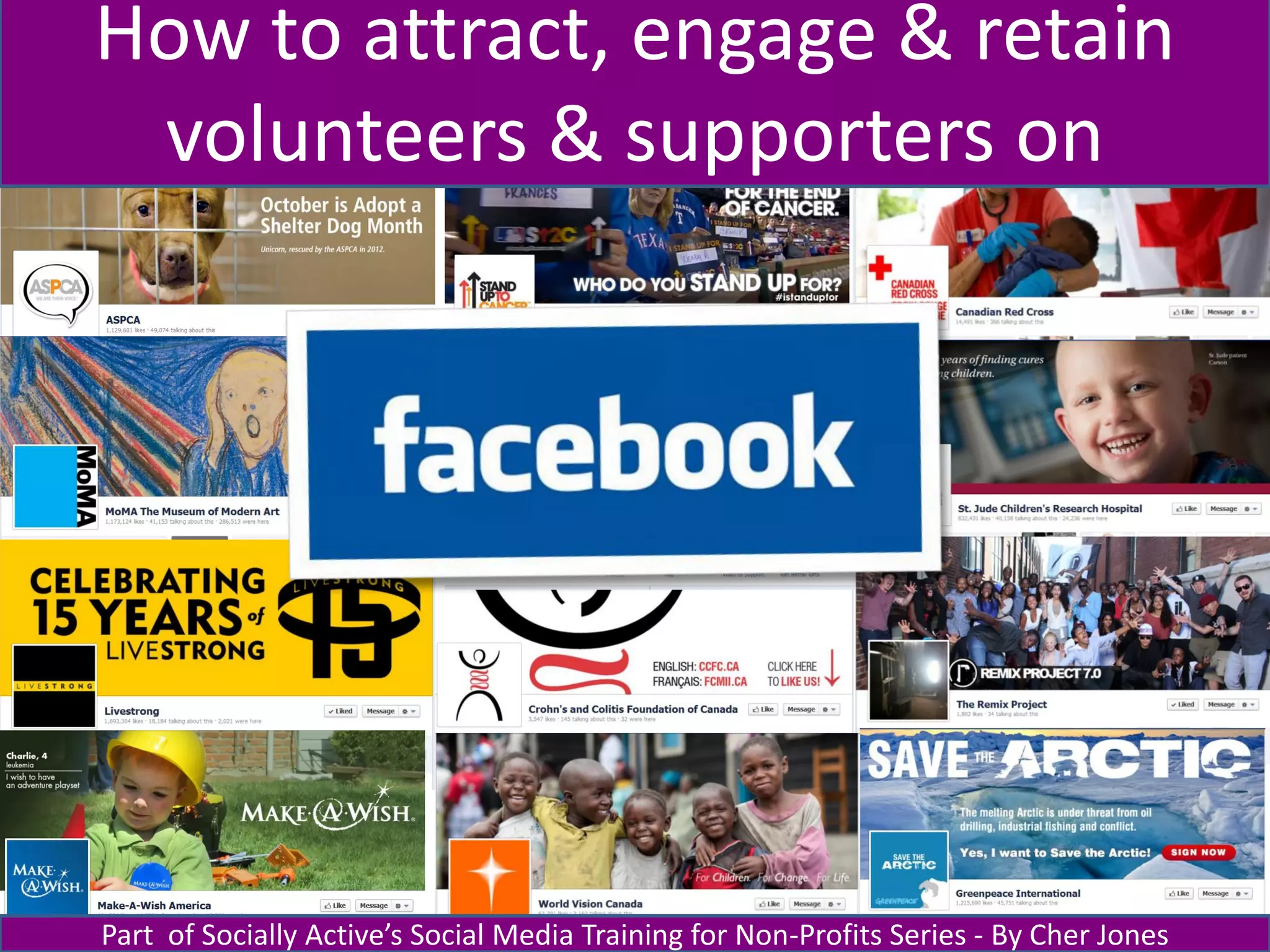









How to attract, engage & retain
 volunteers & supporters on


Part of Socially Active’s Social Media Training for Non-Profits Series - By Cher Jones
Today’s agenda

  • Why Facebook?
  • How to:
       – Create a powerful first impression
       – Engage your supporters with the right content
       – Plan & schedule content to keep them interested
  • Group brainstorm
  • Final thoughts
  • Q&As


sociallyactive.ca
What’s so great about Facebook?


sociallyactive.ca
MAKE
                    a great first
                    impression
sociallyactive.ca
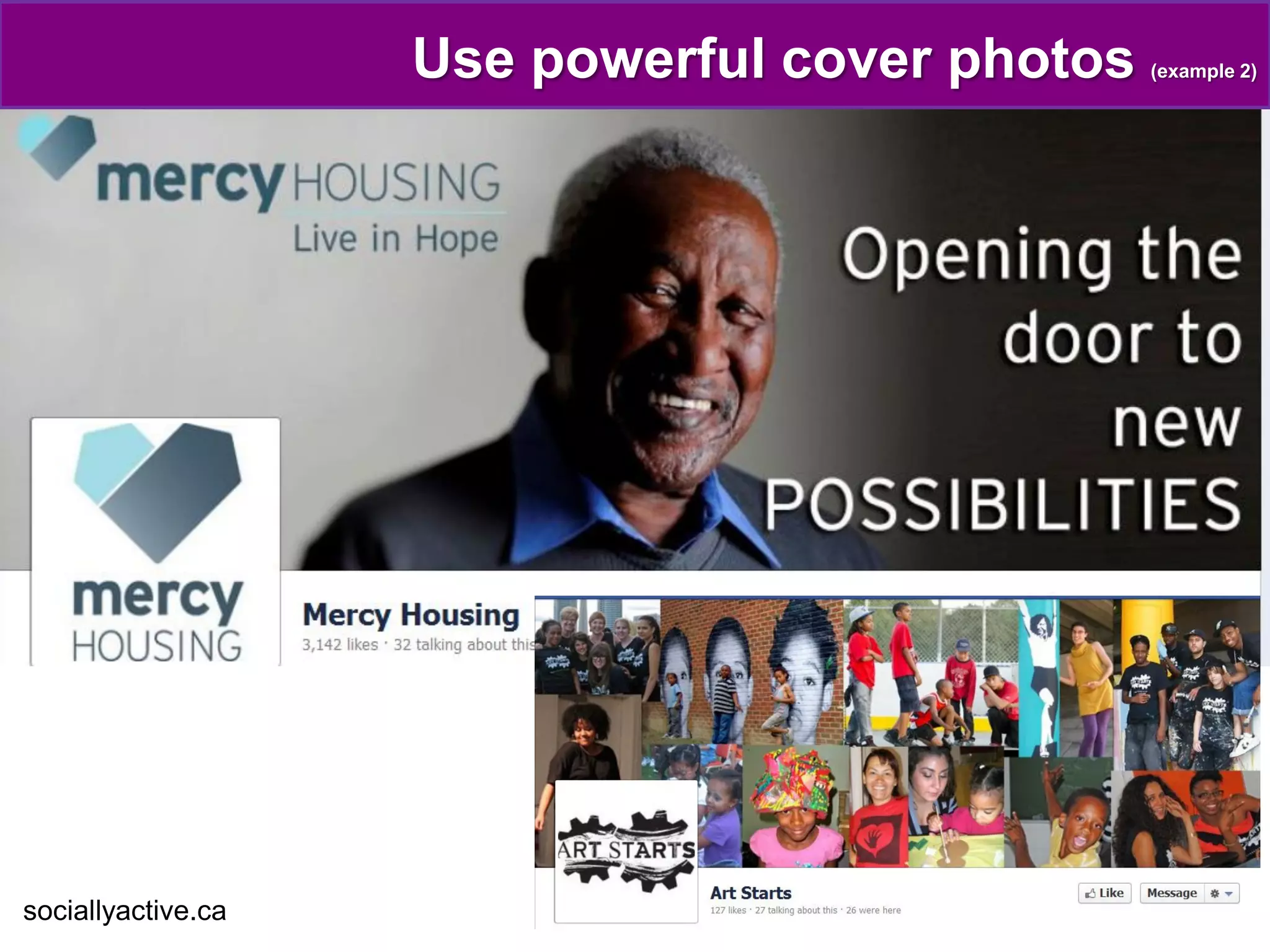
Use powerful cover photos


sociallyactive.ca
Use powerful cover photos   (example 2)


sociallyactive.ca
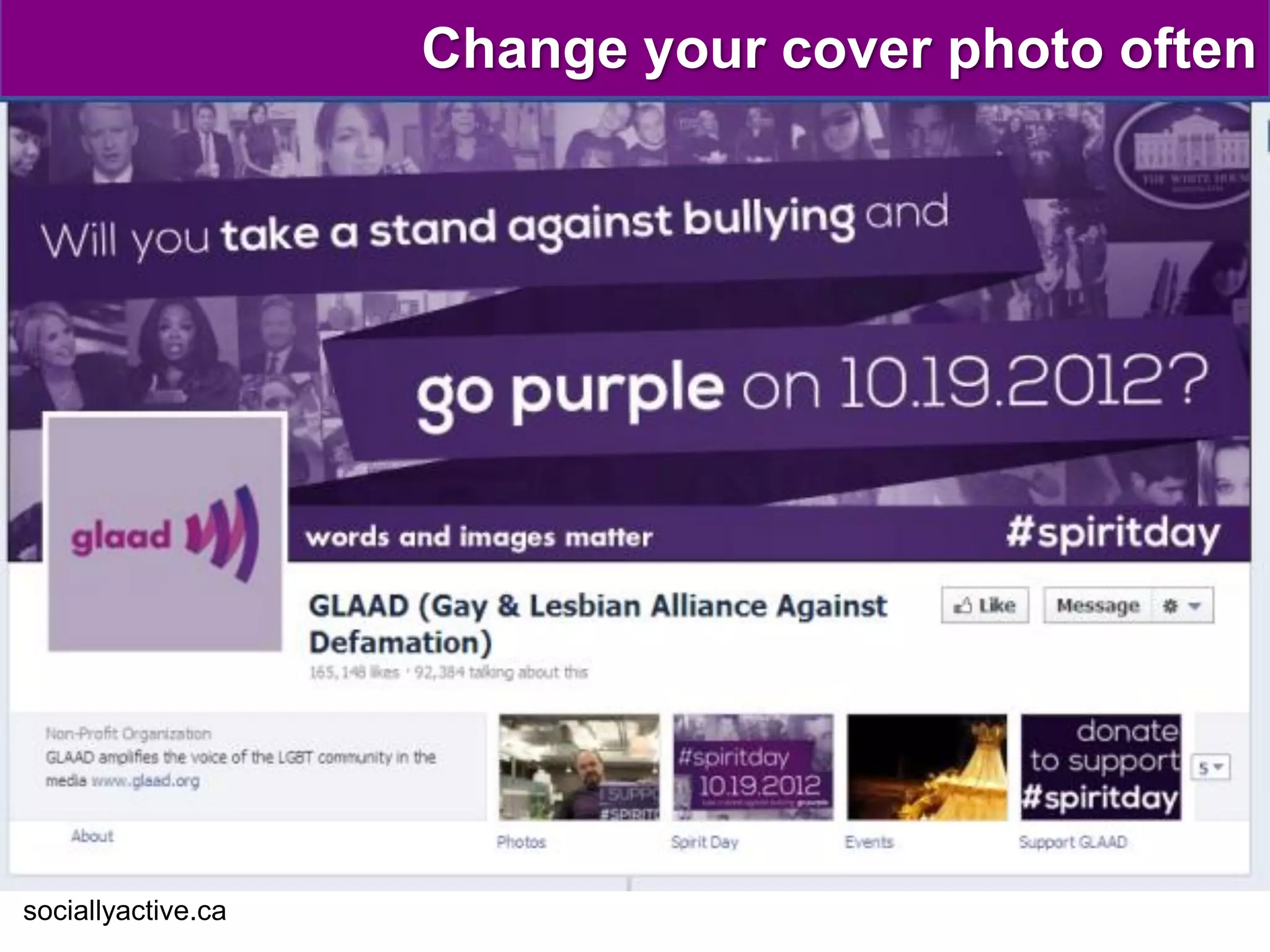
Change your cover photo often


sociallyactive.ca
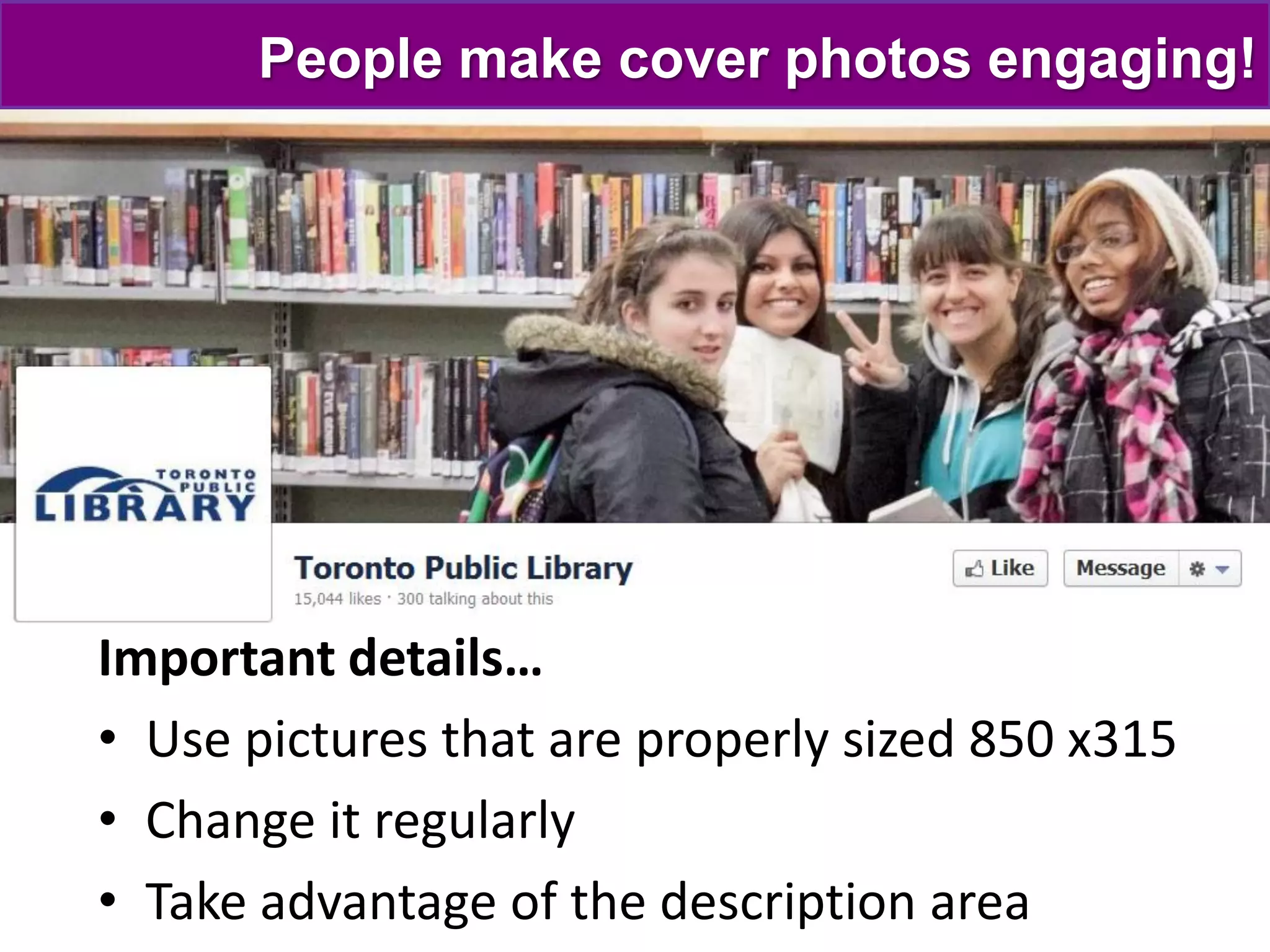
People make cover photos engaging!


Important details…
• Use pictures that are properly sized 850 x315
• Change it regularly
• Take advantage of the description area
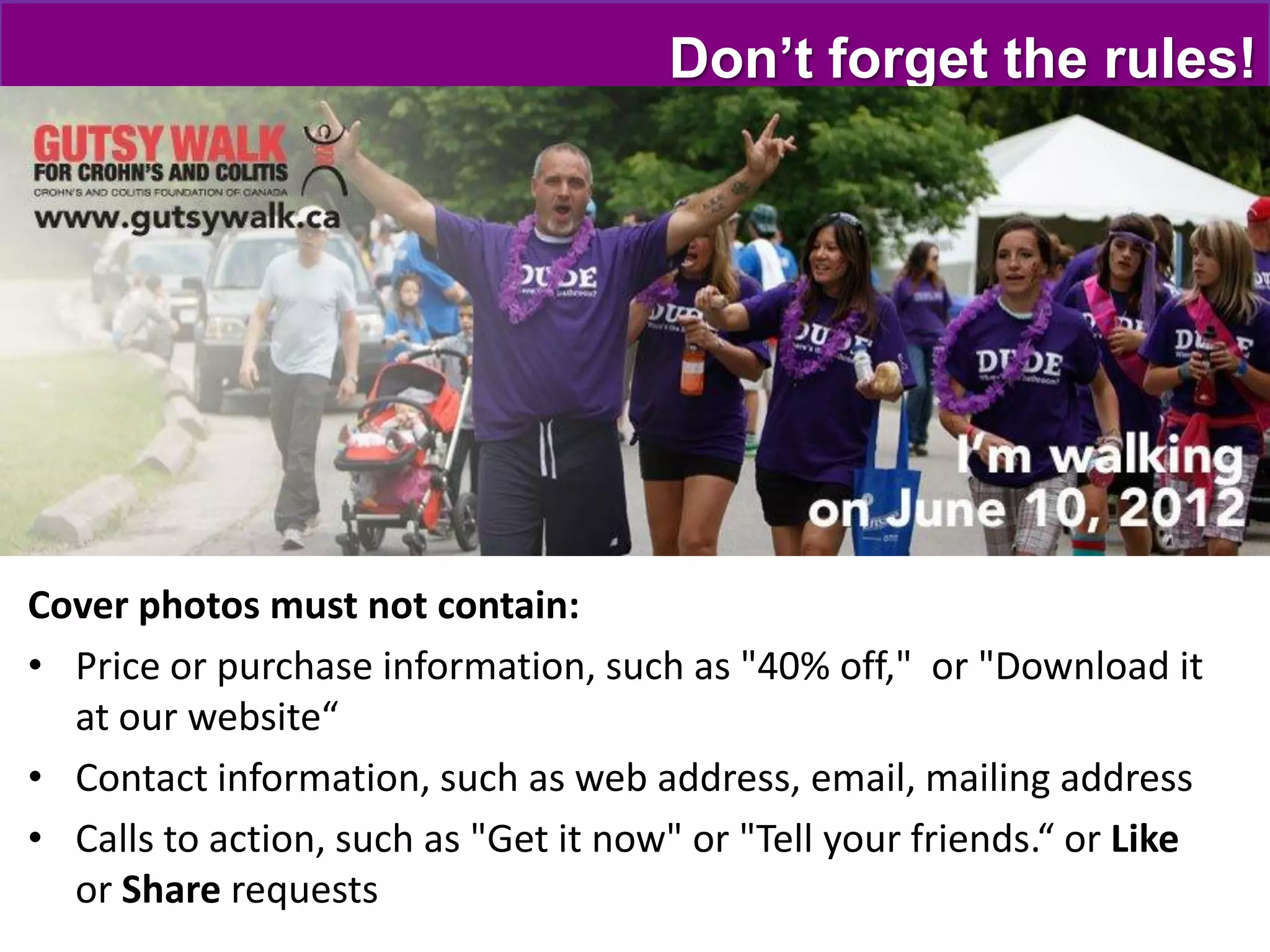
Don’t forget the rules!


Cover photos must not contain:
• Price or purchase information, such as "40% off," or "Download it
  at our website“
• Contact information, such as web address, email, mailing address
• Calls to action, such as "Get it now" or "Tell your friends.“ or Like
  or Share requests
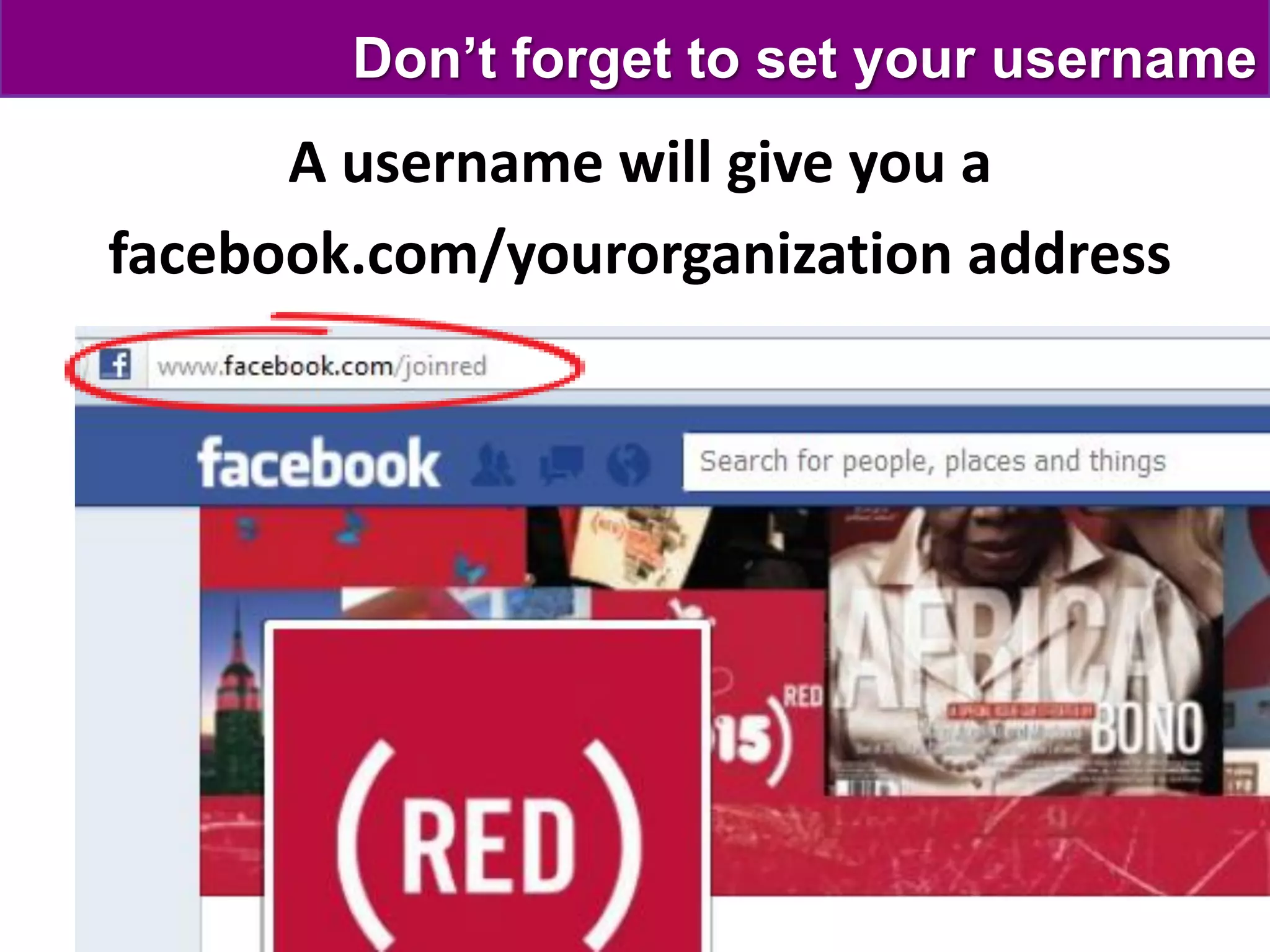
Don’t forget to set your username
      A username will give you a
facebook.com/yourorganization address
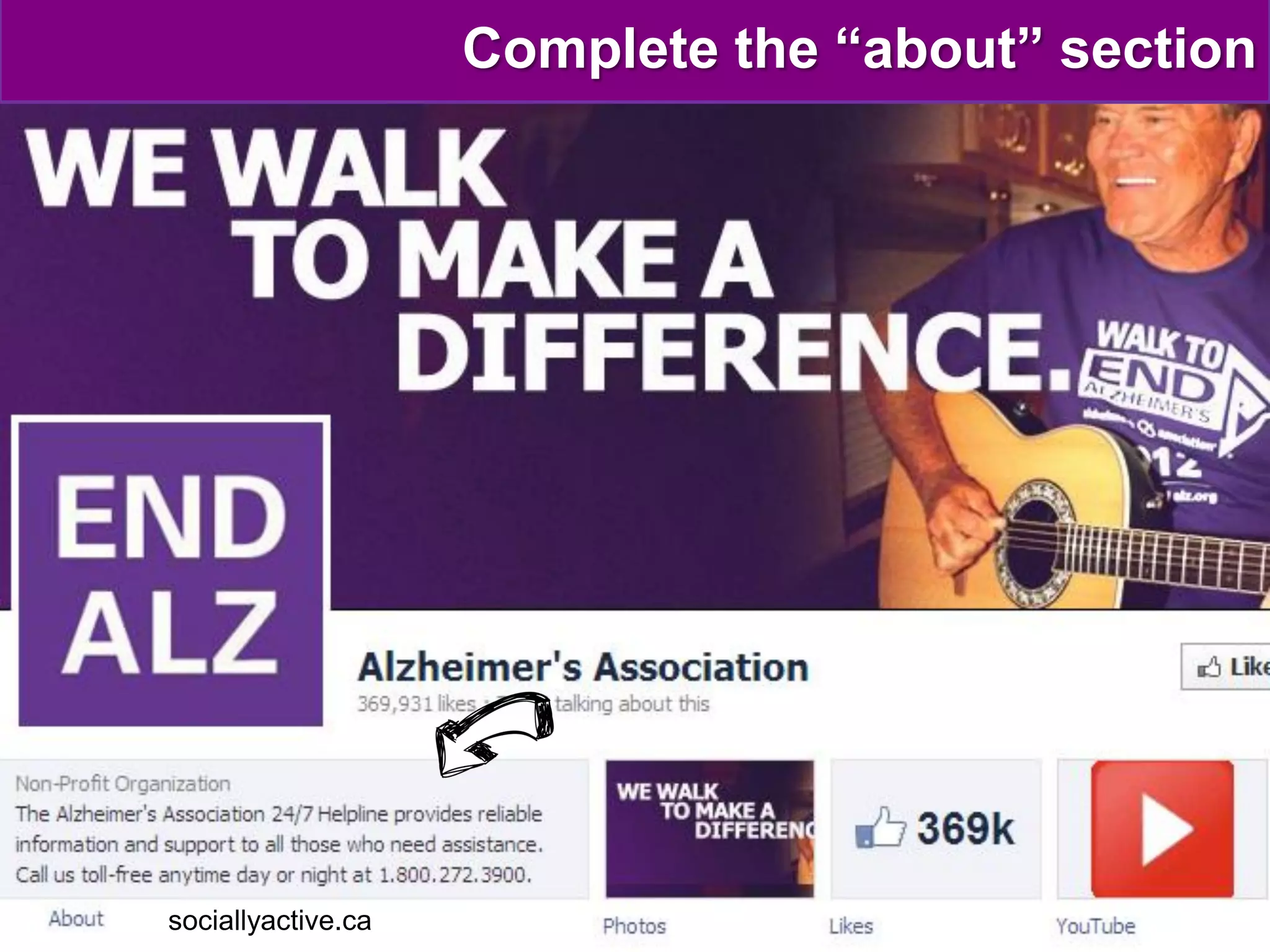
Complete the “about” section


sociallyactive.ca
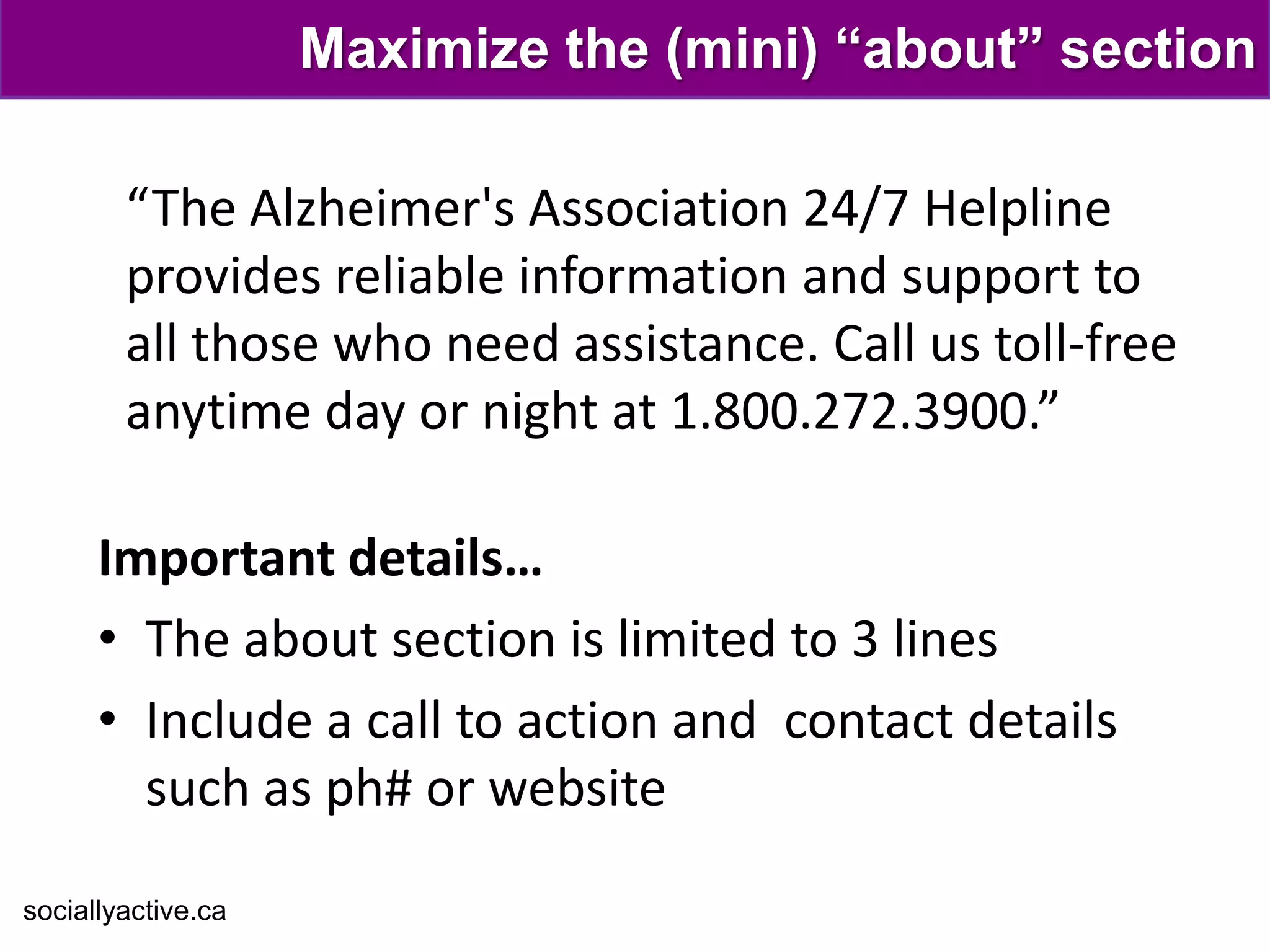
Maximize the (mini) “about” section

        “The Alzheimer's Association 24/7 Helpline
        provides reliable information and support to
        all those who need assistance. Call us toll-free
        anytime day or night at 1.800.272.3900.”

      Important details…
      • The about section is limited to 3 lines
      • Include a call to action and contact details
        such as ph# or website

sociallyactive.ca
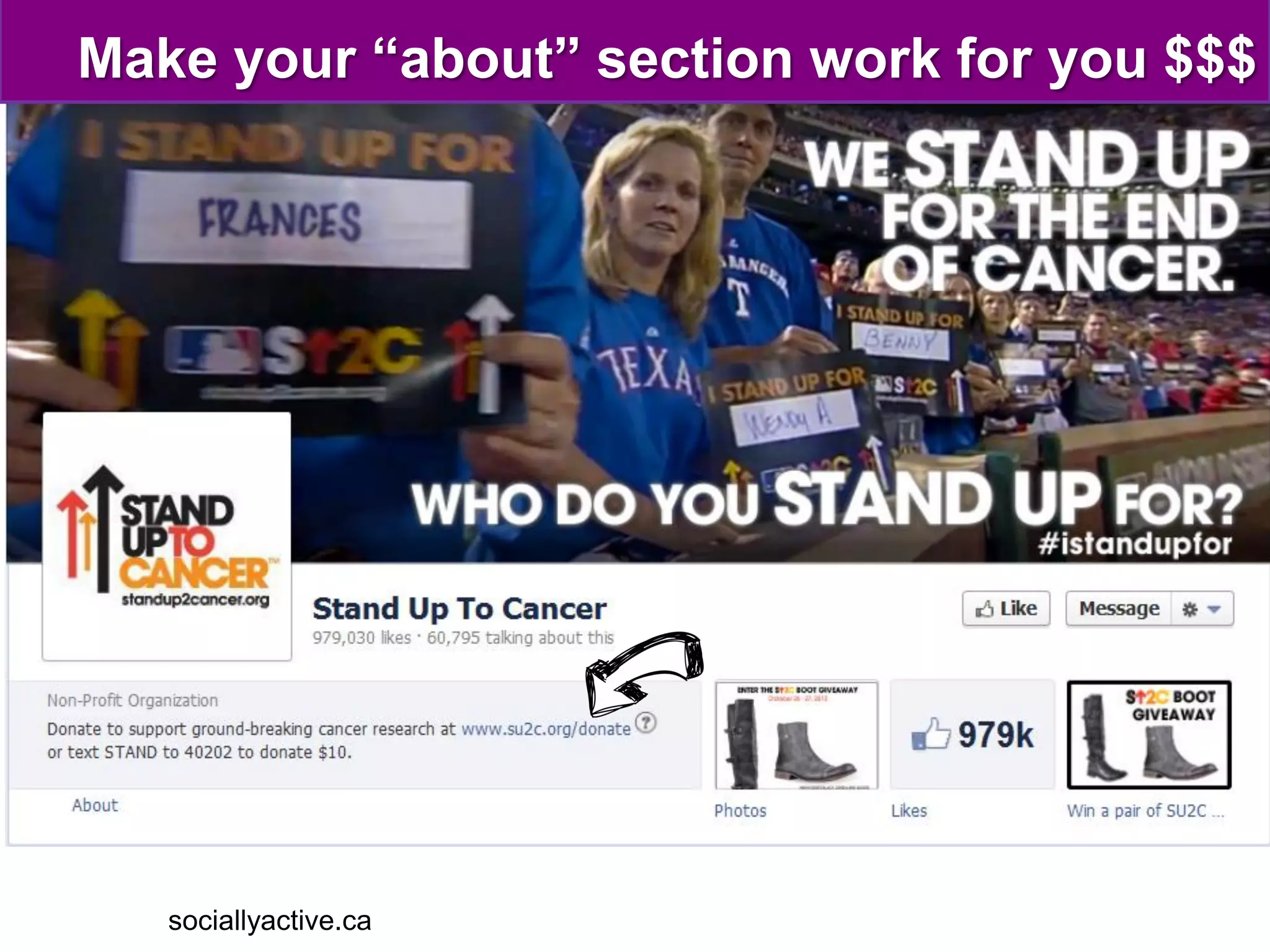
Make your “about” section work for you $$$


   sociallyactive.ca
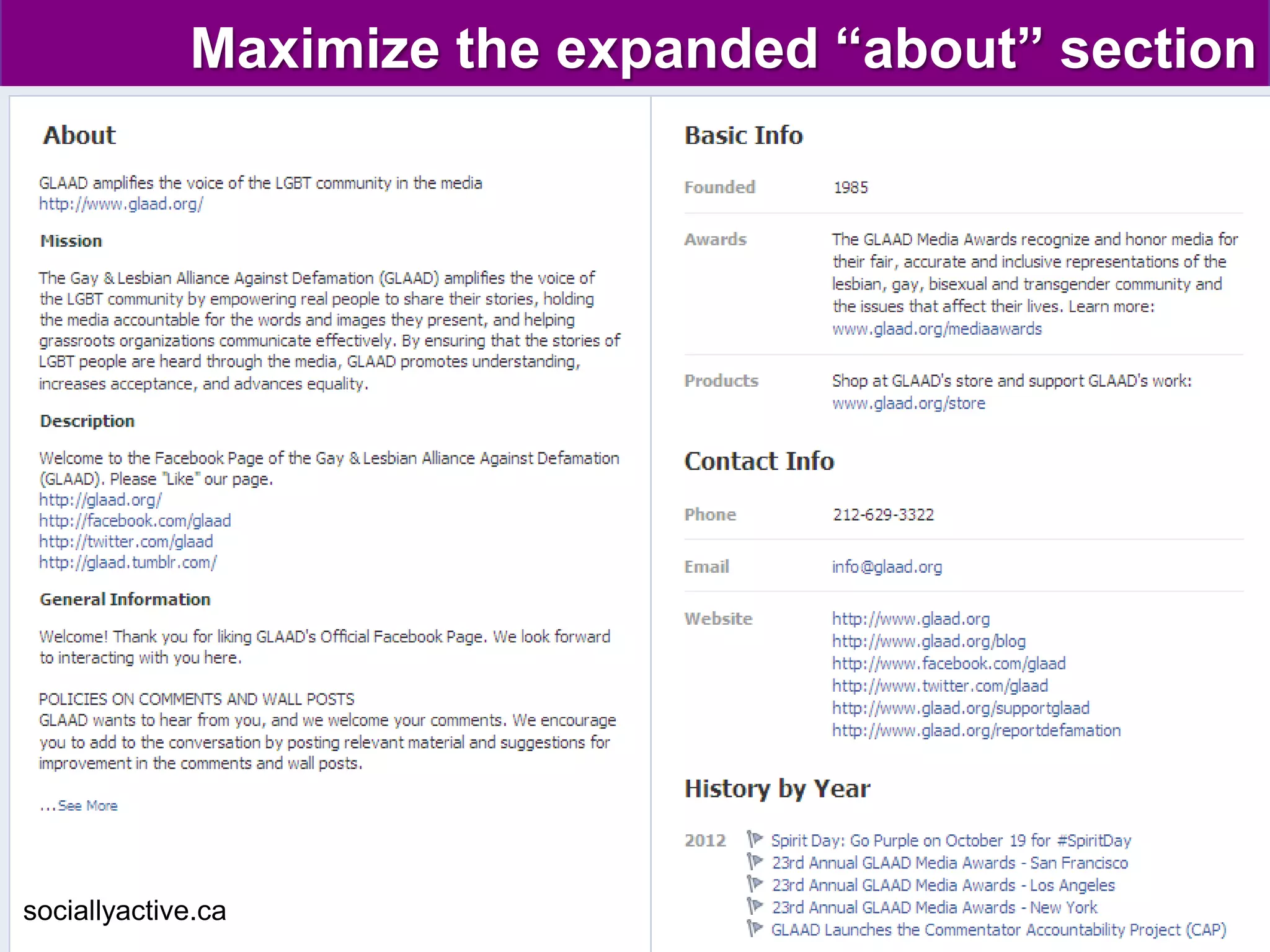
Maximize the expanded “about” section


sociallyactive.ca
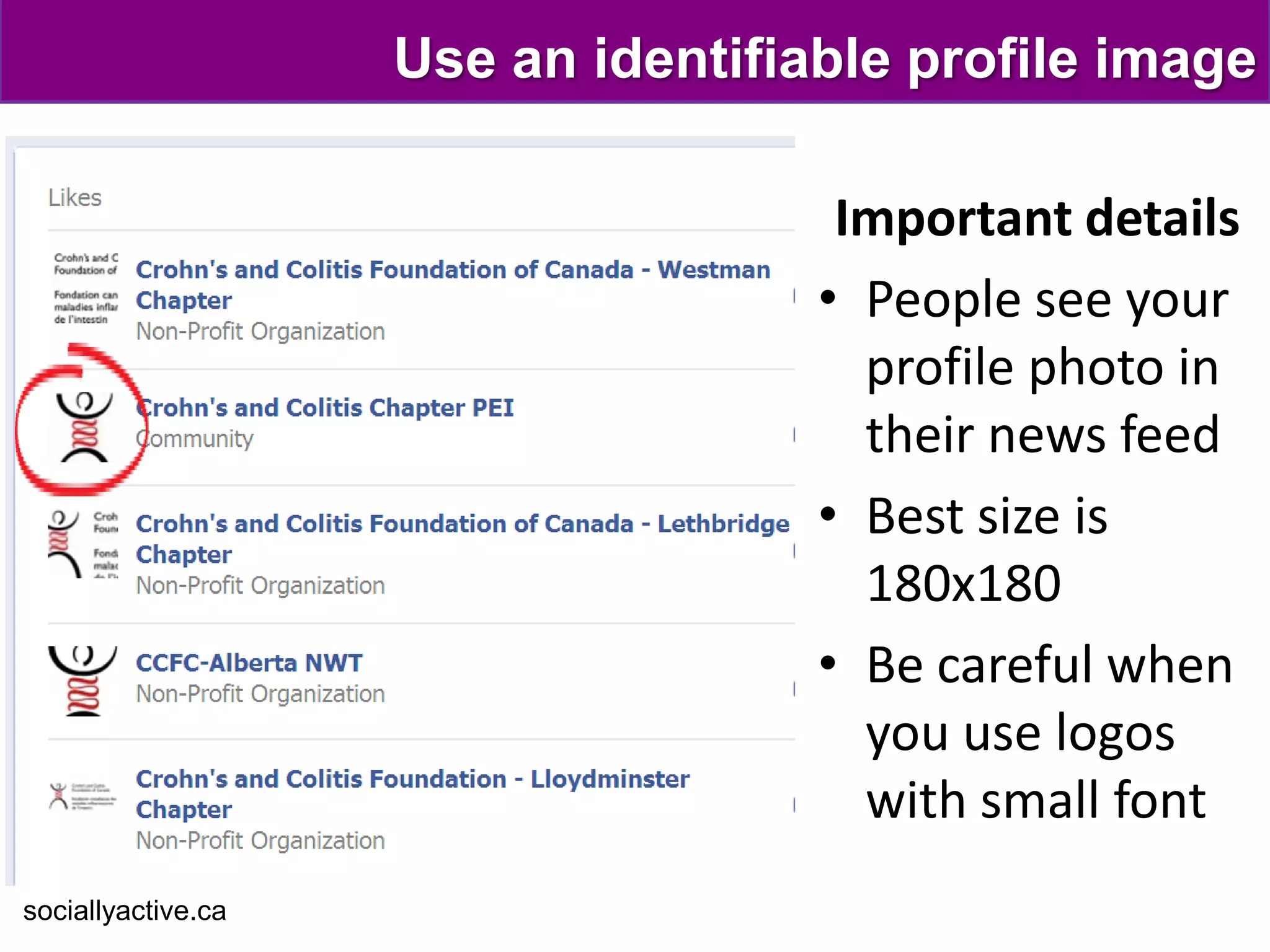
Use an identifiable profile image

                                     Important details
                                    • People see your
                                      profile photo in
                                      their news feed
                                    • Best size is
                                      180x180
                                    • Be careful when
                                      you use logos
                                      with small font
sociallyactive.ca
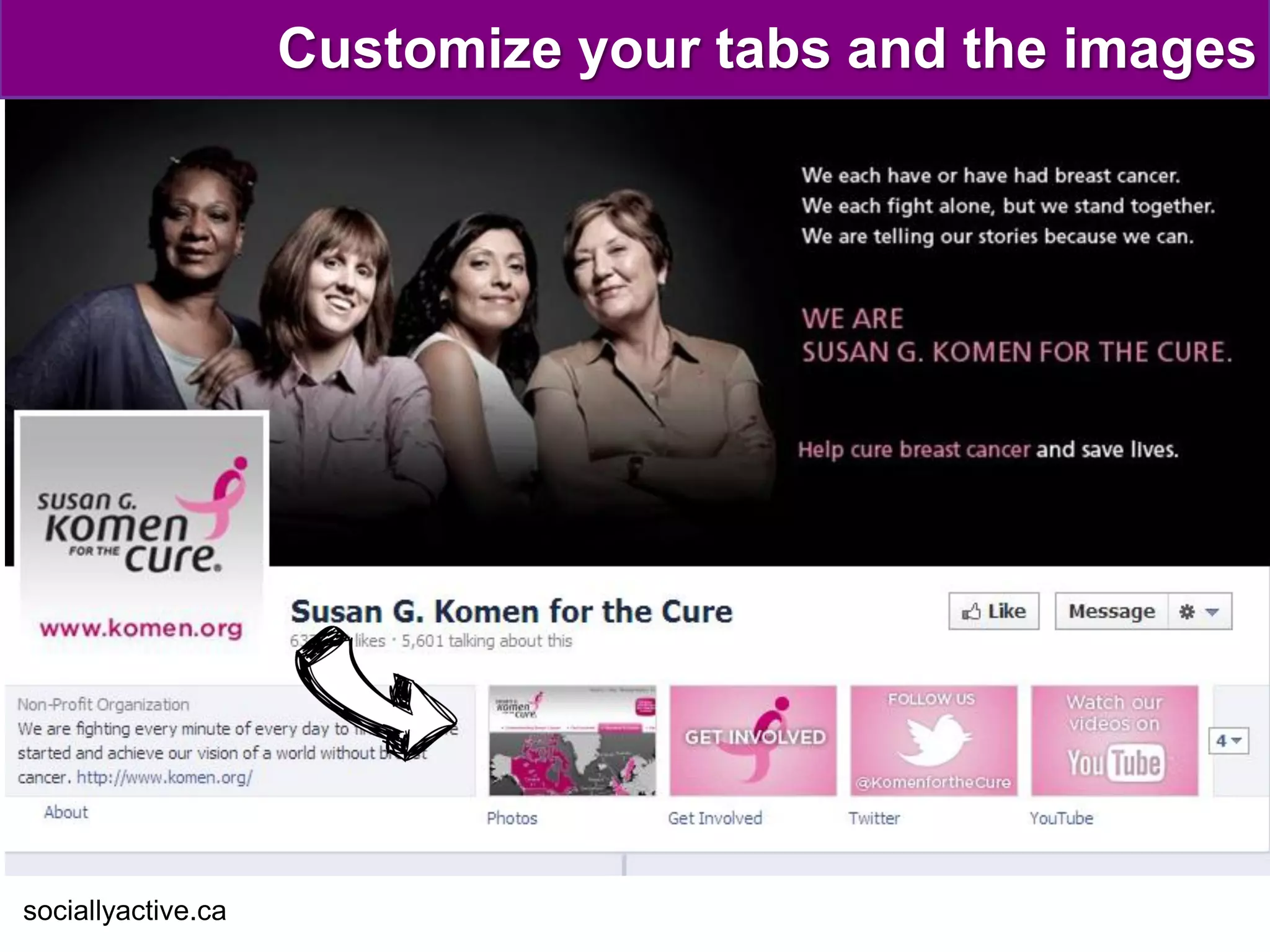
Customize your tabs and the images


sociallyactive.ca
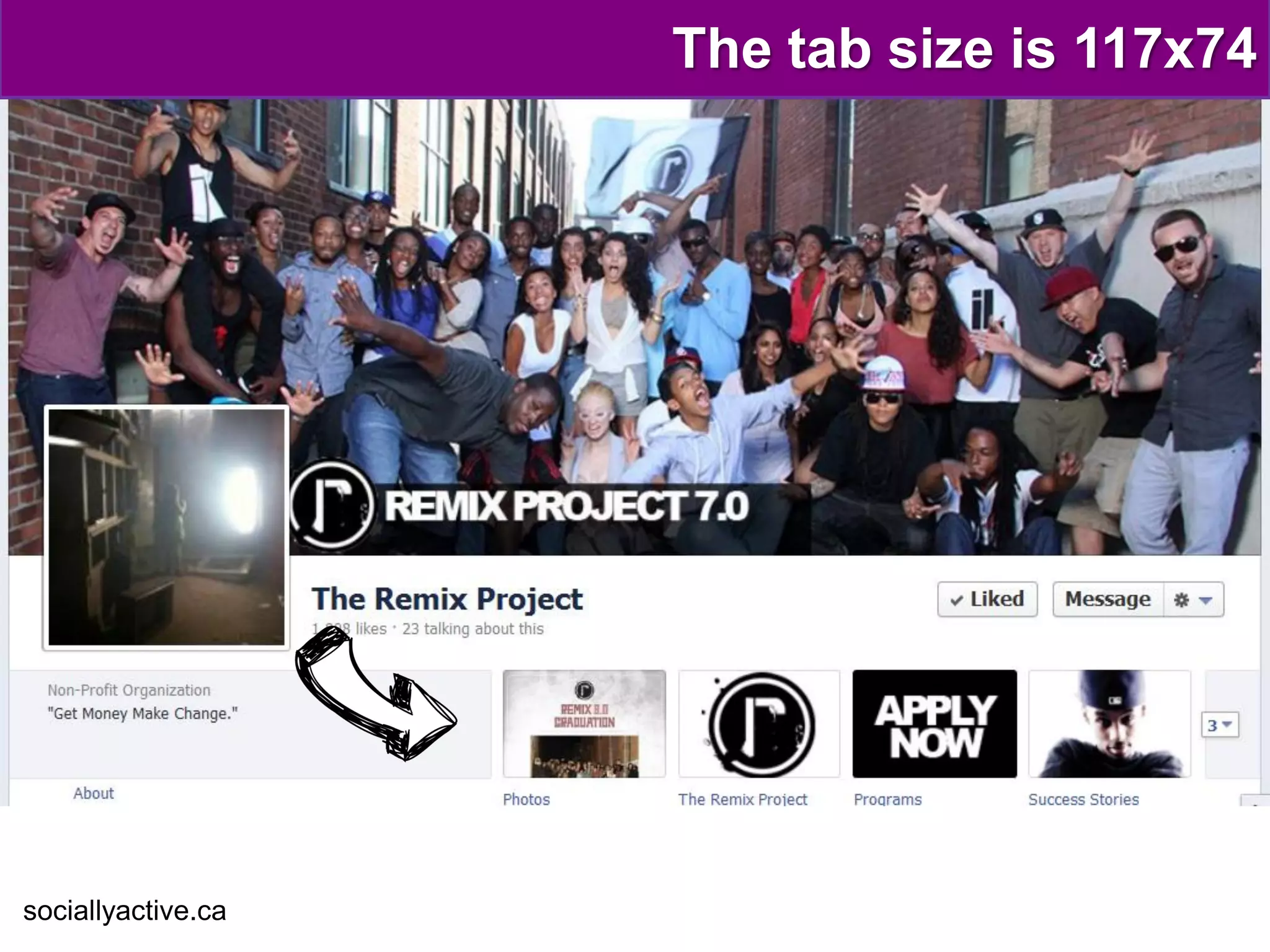
The tab size is 117x74


sociallyactive.ca
APPLY
     what you learned
         (so far)
sociallyactive.ca
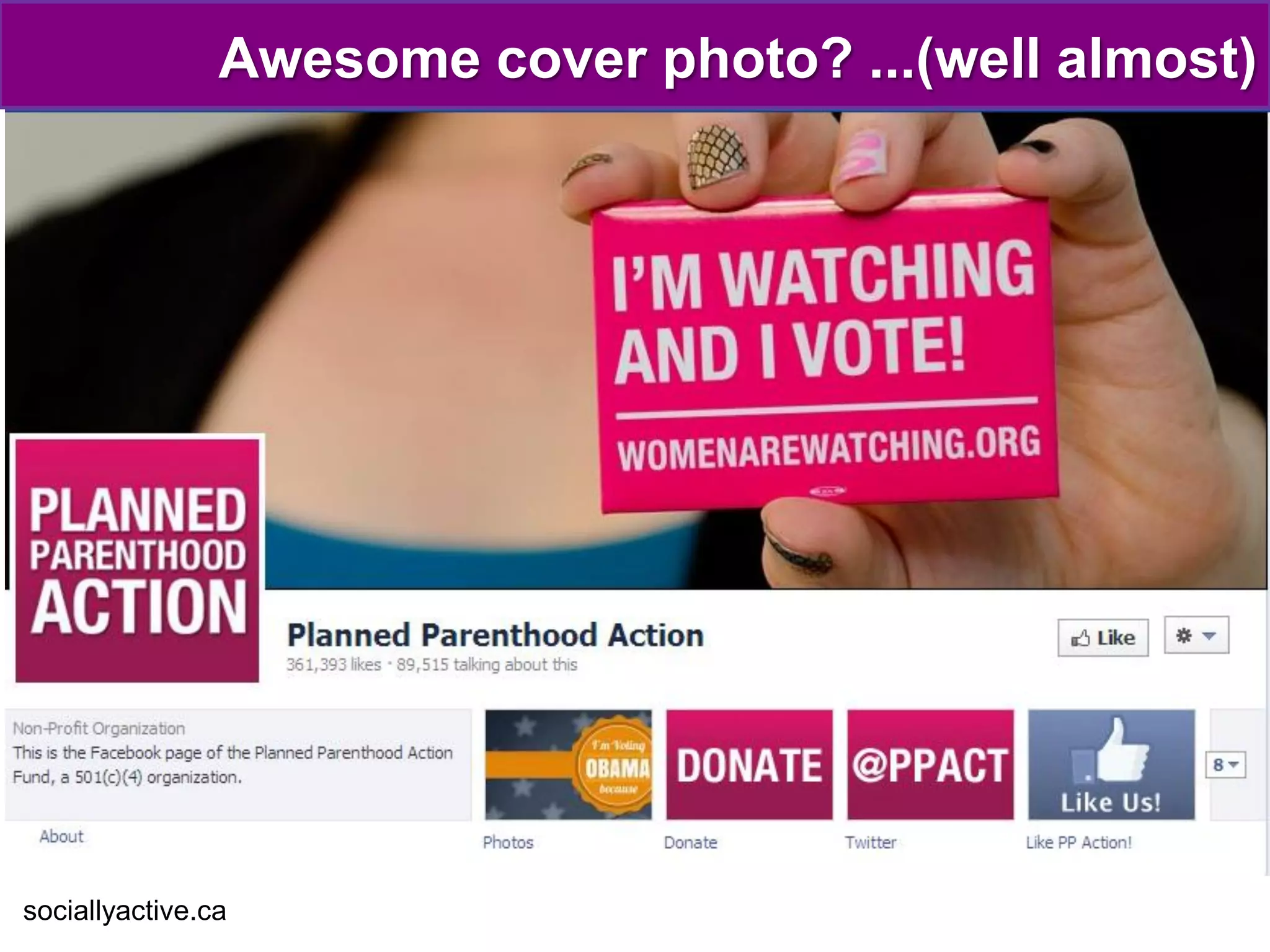
Awesome cover photo? ...(well almost)


sociallyactive.ca
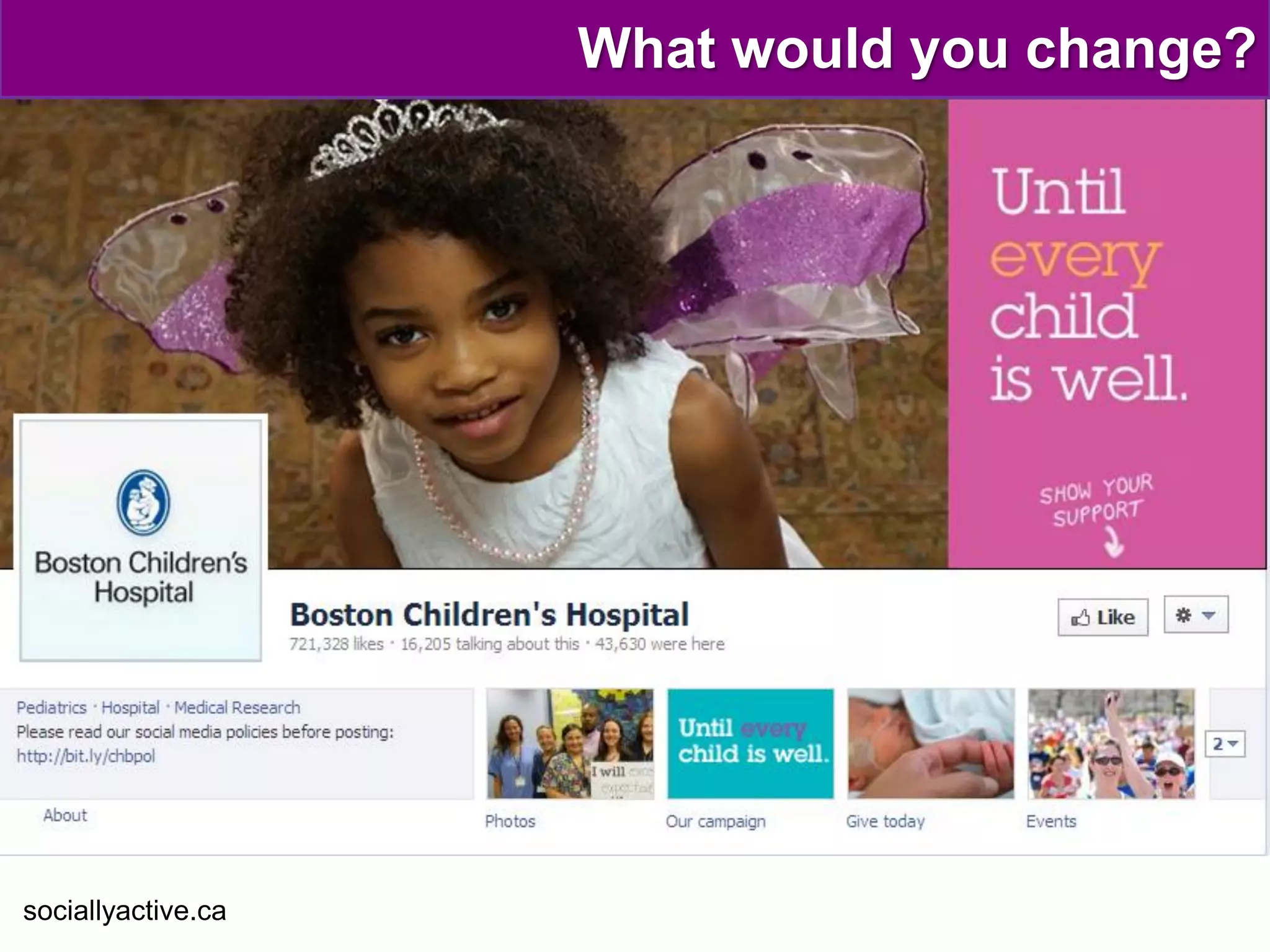
What would you change?


sociallyactive.ca
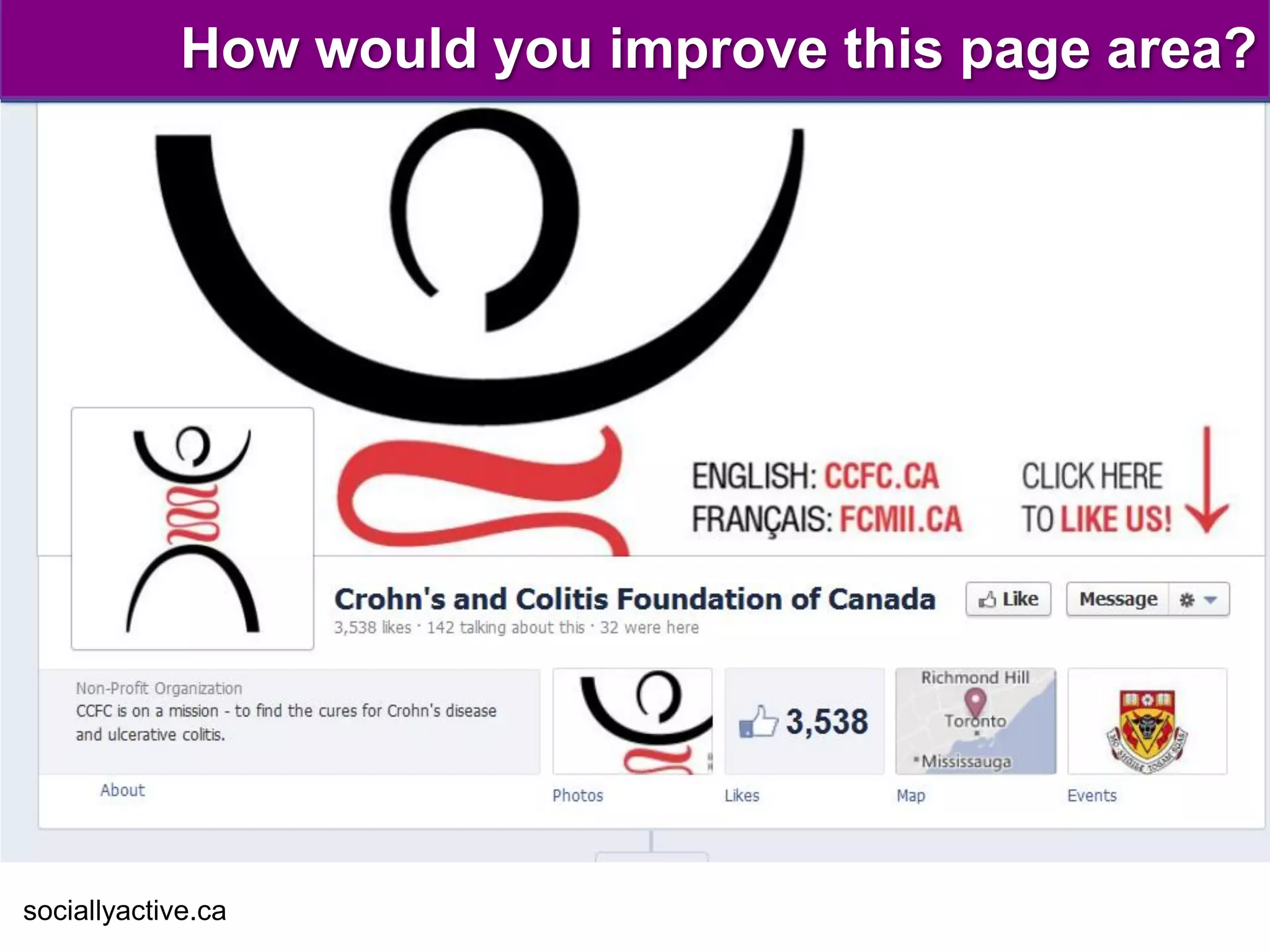
How would you improve this page area?


sociallyactive.ca
What else are visitors looking for?


    • An overall feel good vibe
    • Looking for regular activity on the page
    • In-depth information about the organization
    • Sharable information about the cause
    • A sense of what it‘s like to volunteer through
      pictures and videos
    • Details about upcoming and past events

sociallyactive.ca
ENGAGE
     your volunteers
      & supporters
sociallyactive.ca
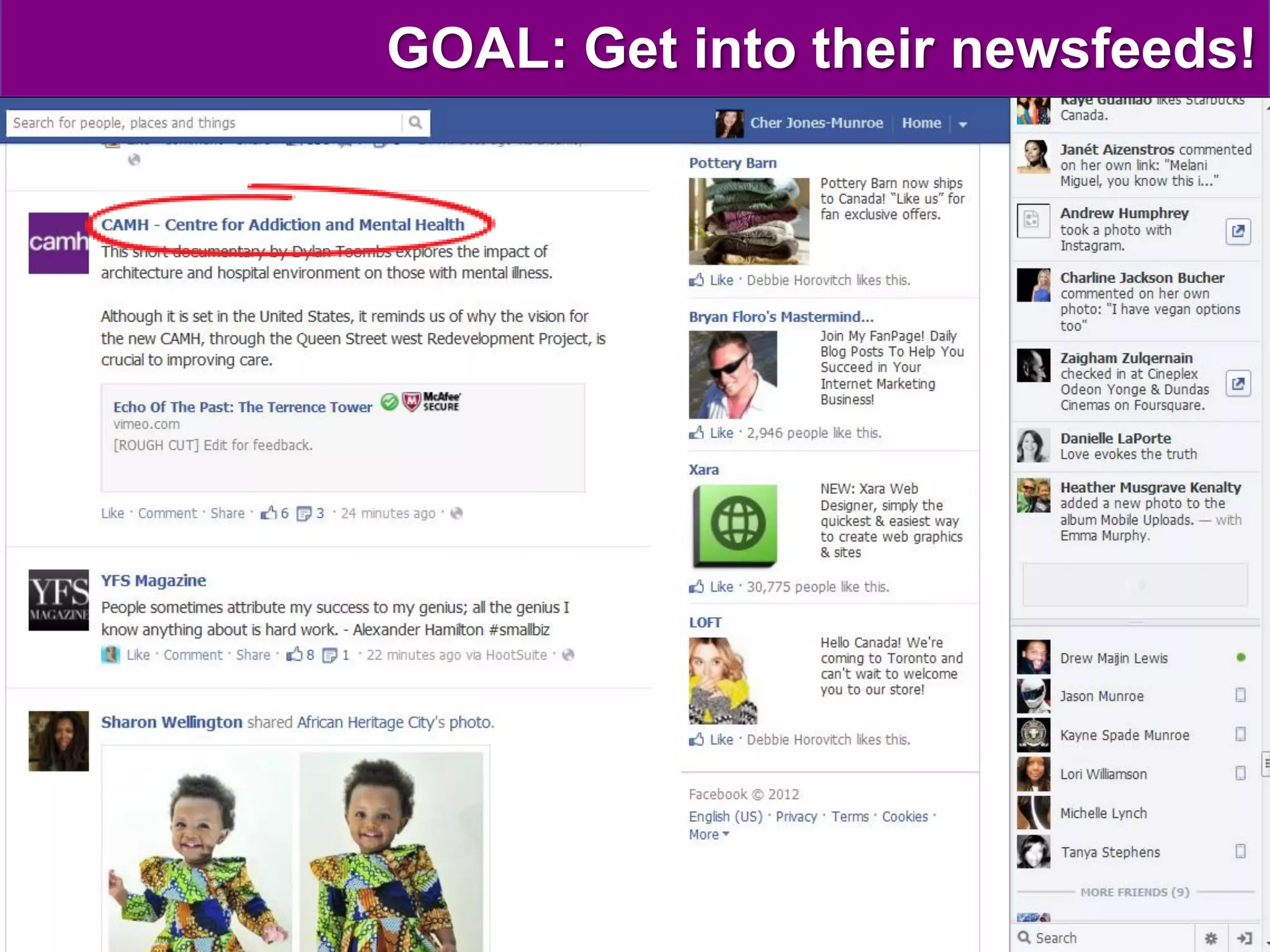
GOAL: Get into their newsfeeds!
Facebook’s “mission control”: Edgerank
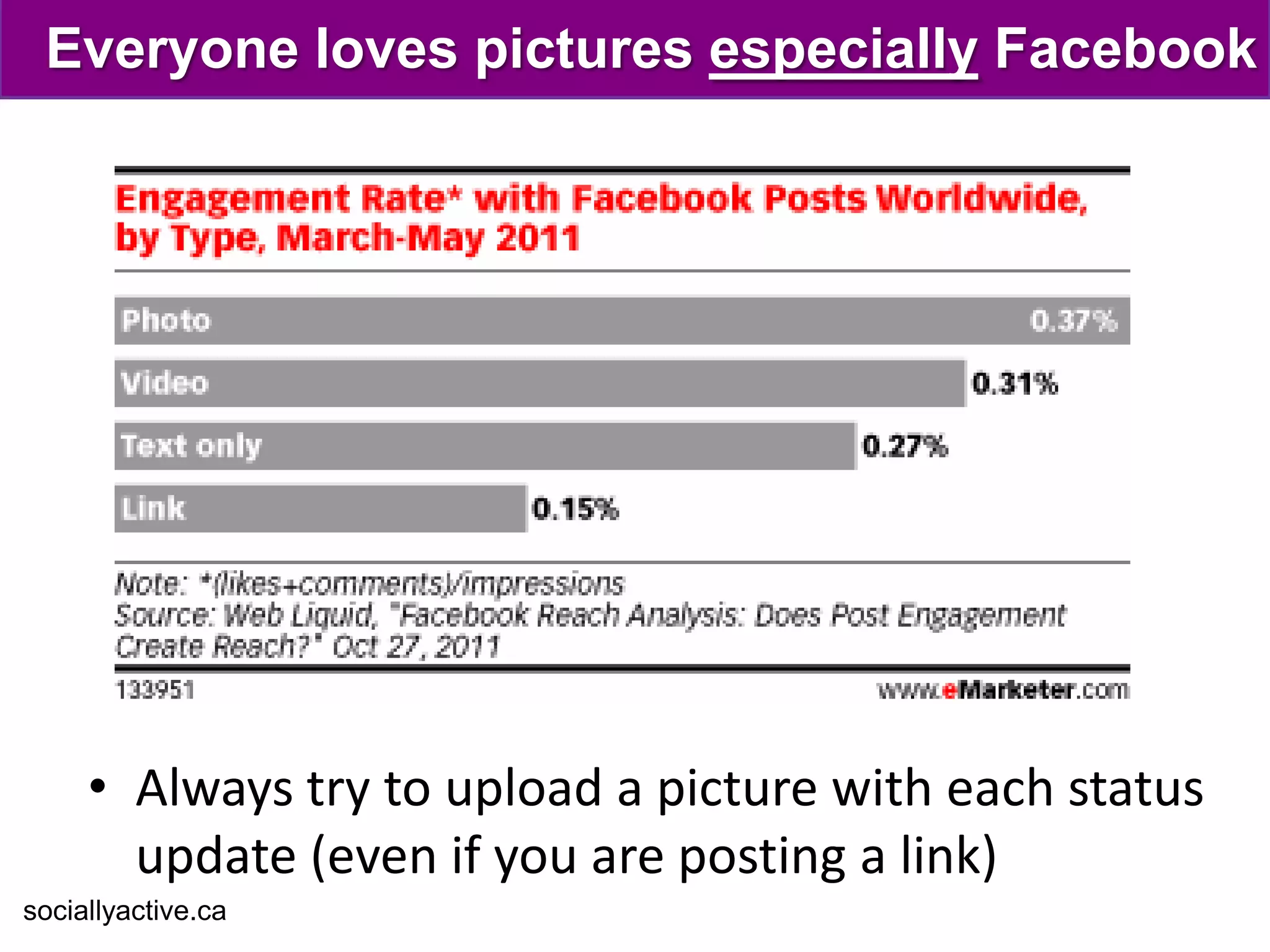
Everyone loves pictures especially Facebook


     • Always try to upload a picture with each status
       update (even if you are posting a link)
sociallyactive.ca
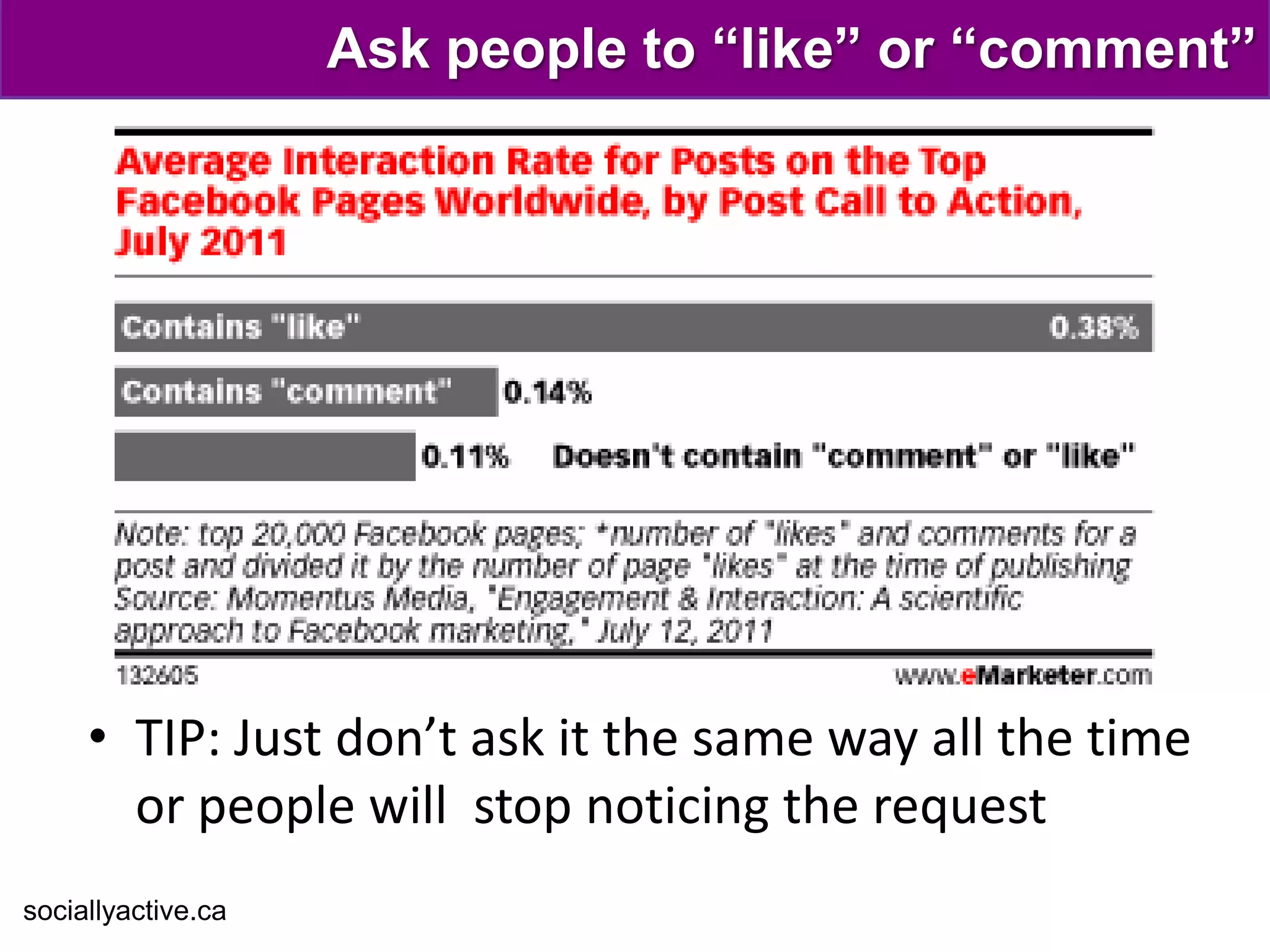
Ask people to “like” or “comment”


     • TIP: Just don’t ask it the same way all the time
       or people will stop noticing the request
sociallyactive.ca
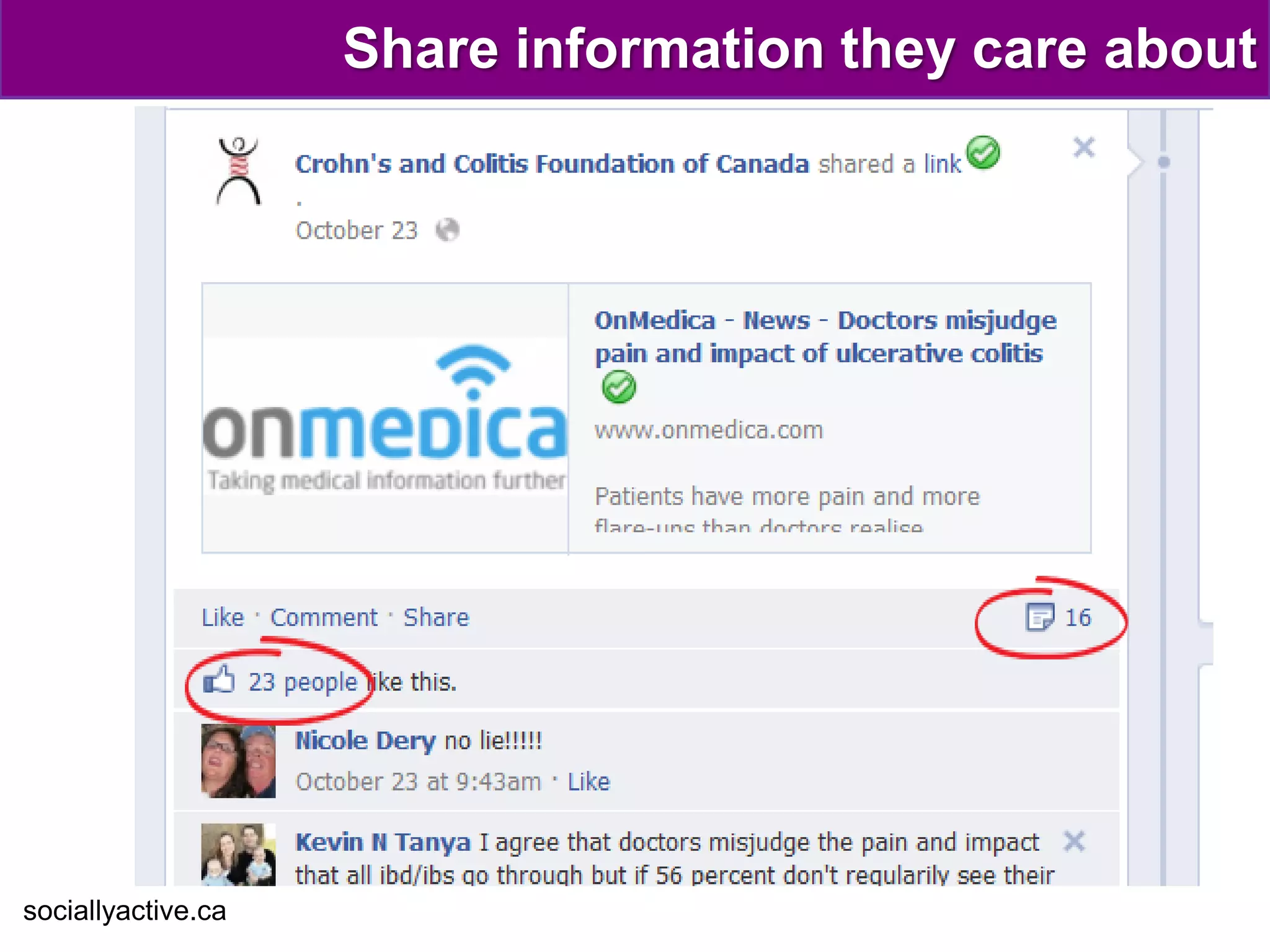
Share information they care about


sociallyactive.ca
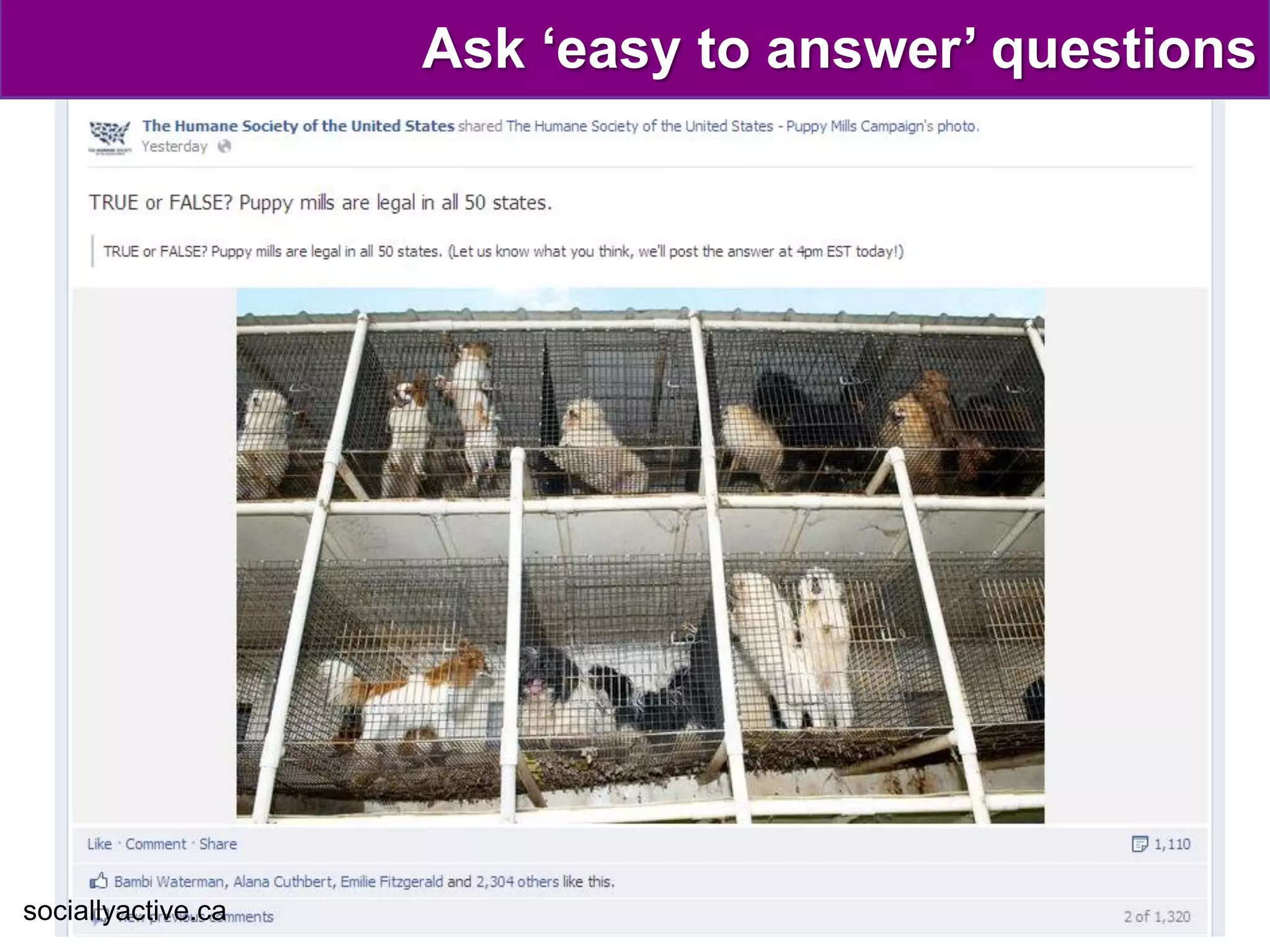
Ask ‘easy to answer’ questions


sociallyactive.ca
Bring pop culture to your page


sociallyactive.ca
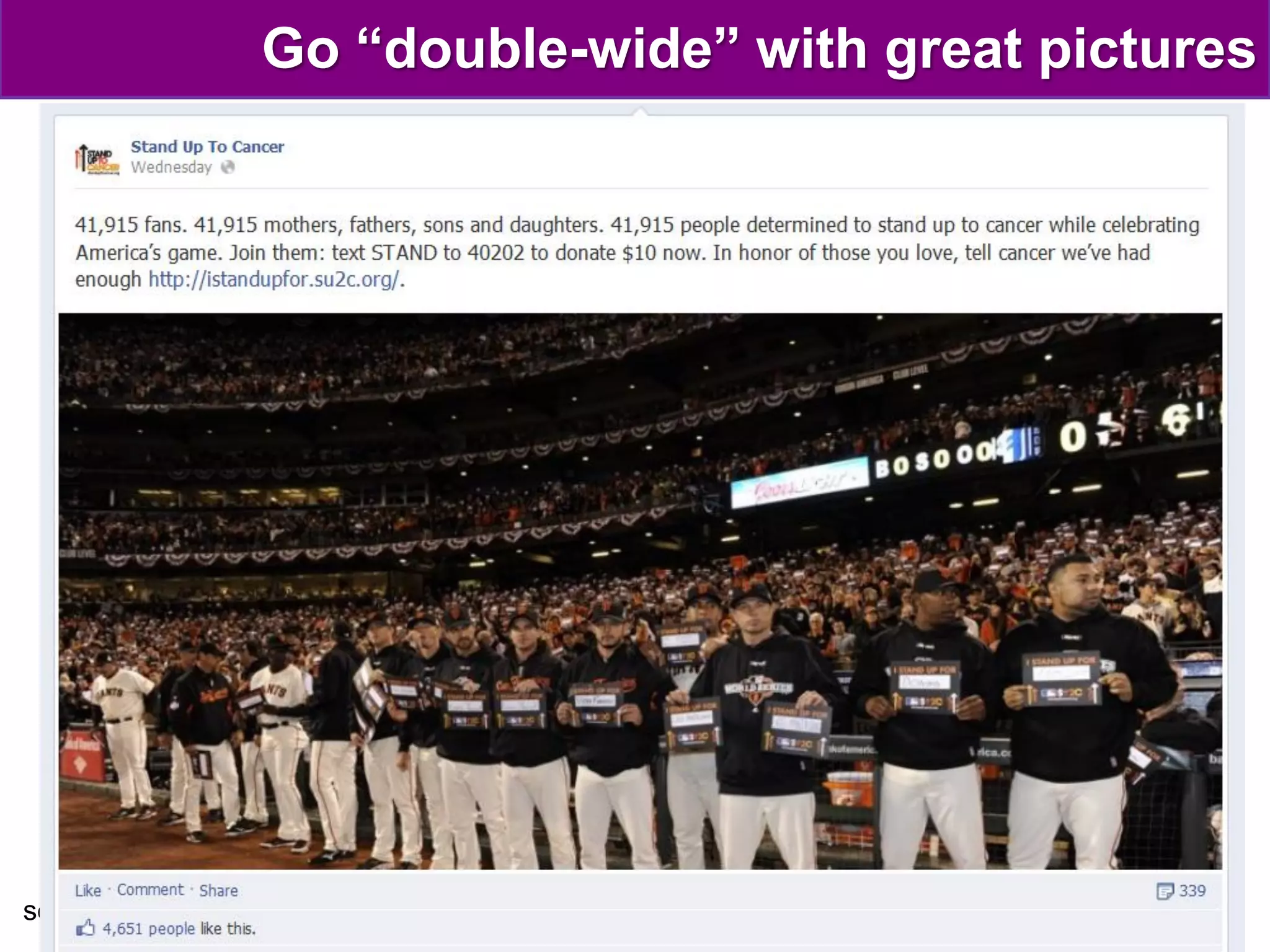
Go “double-wide” with great pictures


sociallyactive.ca
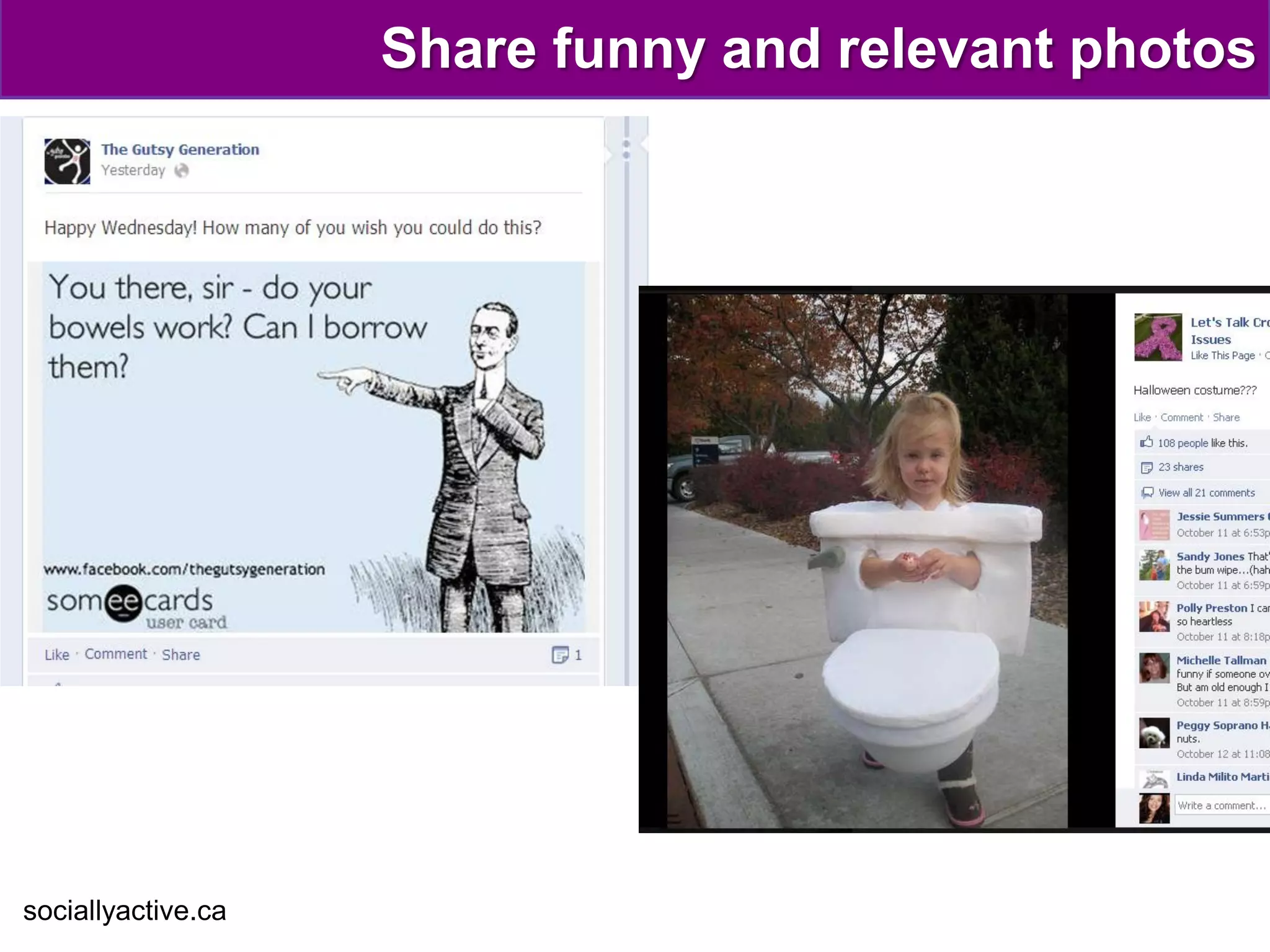
Share funny and relevant photos


sociallyactive.ca
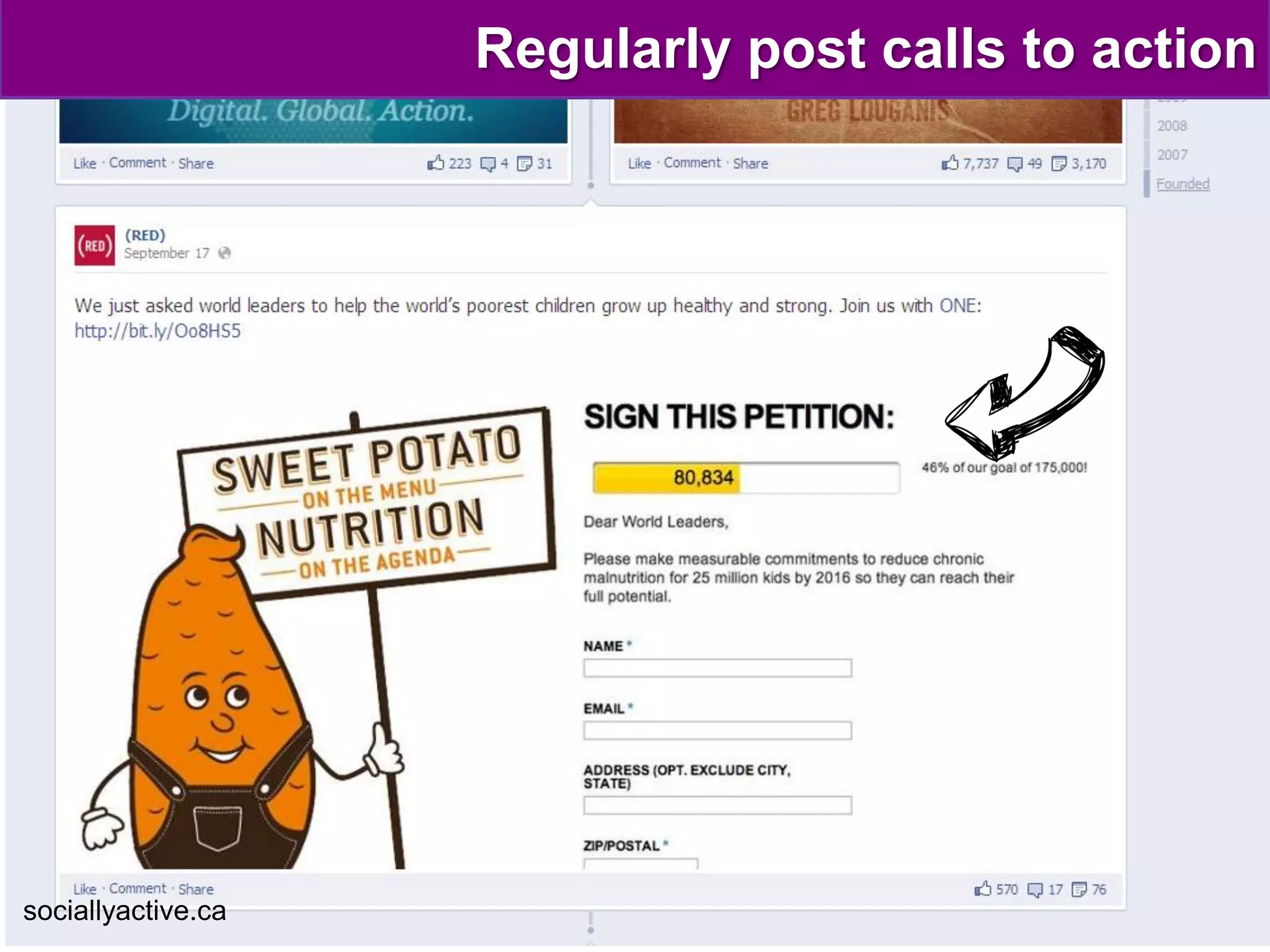
Regularly post calls to action


sociallyactive.ca
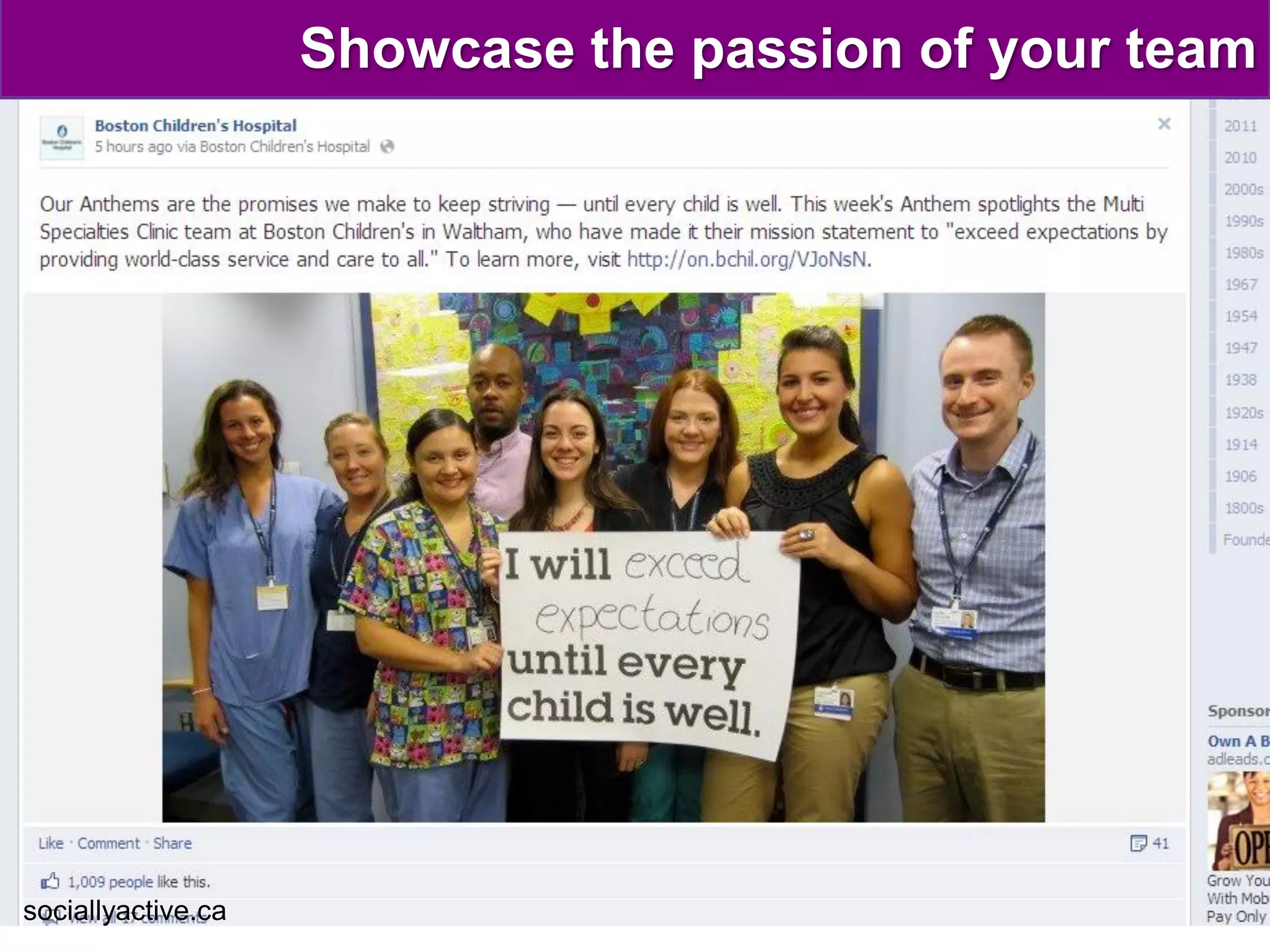
Showcase the passion of your team


sociallyactive.ca
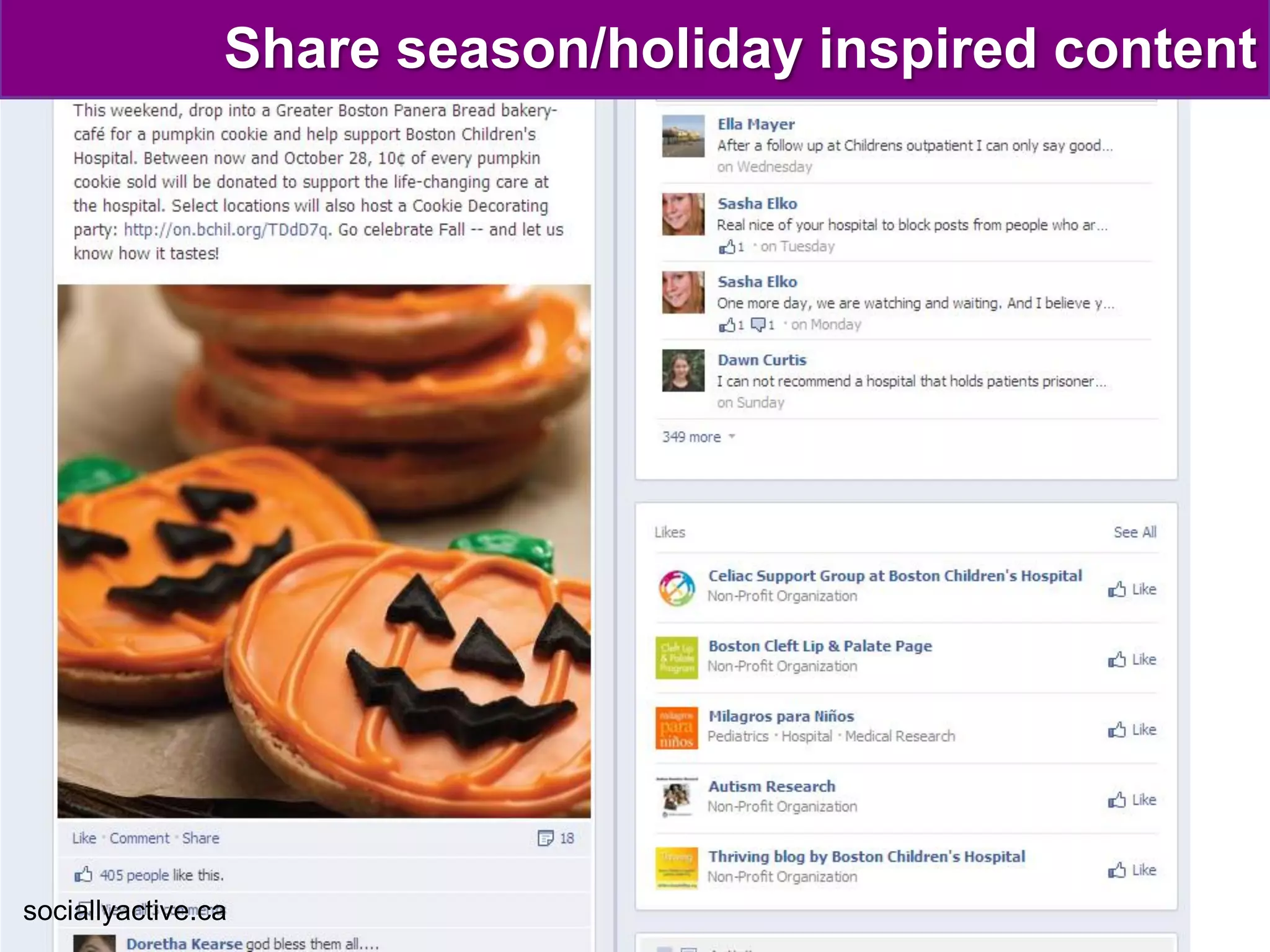
Share season/holiday inspired content


sociallyactive.ca
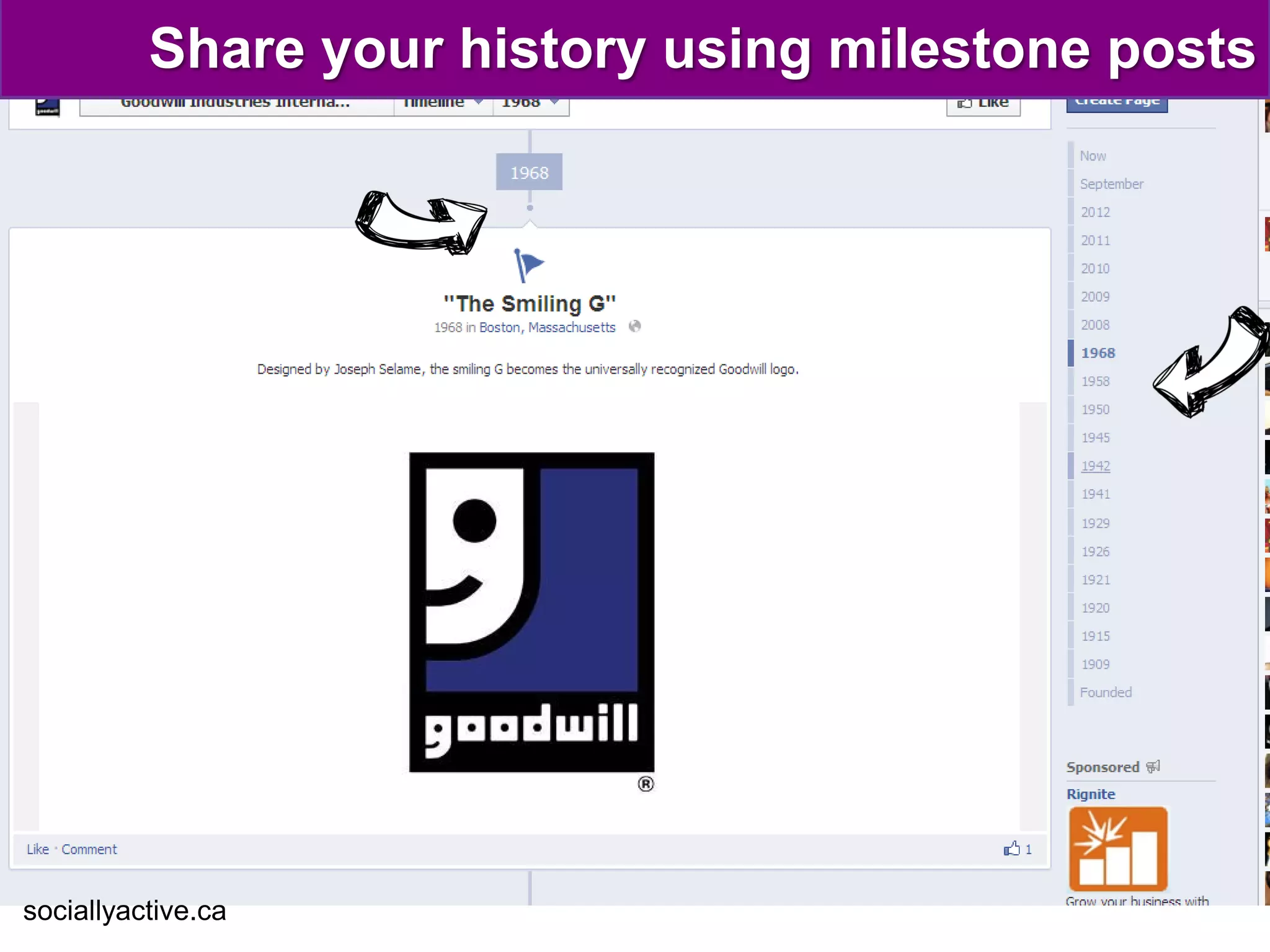
Share your history using milestone posts


sociallyactive.ca
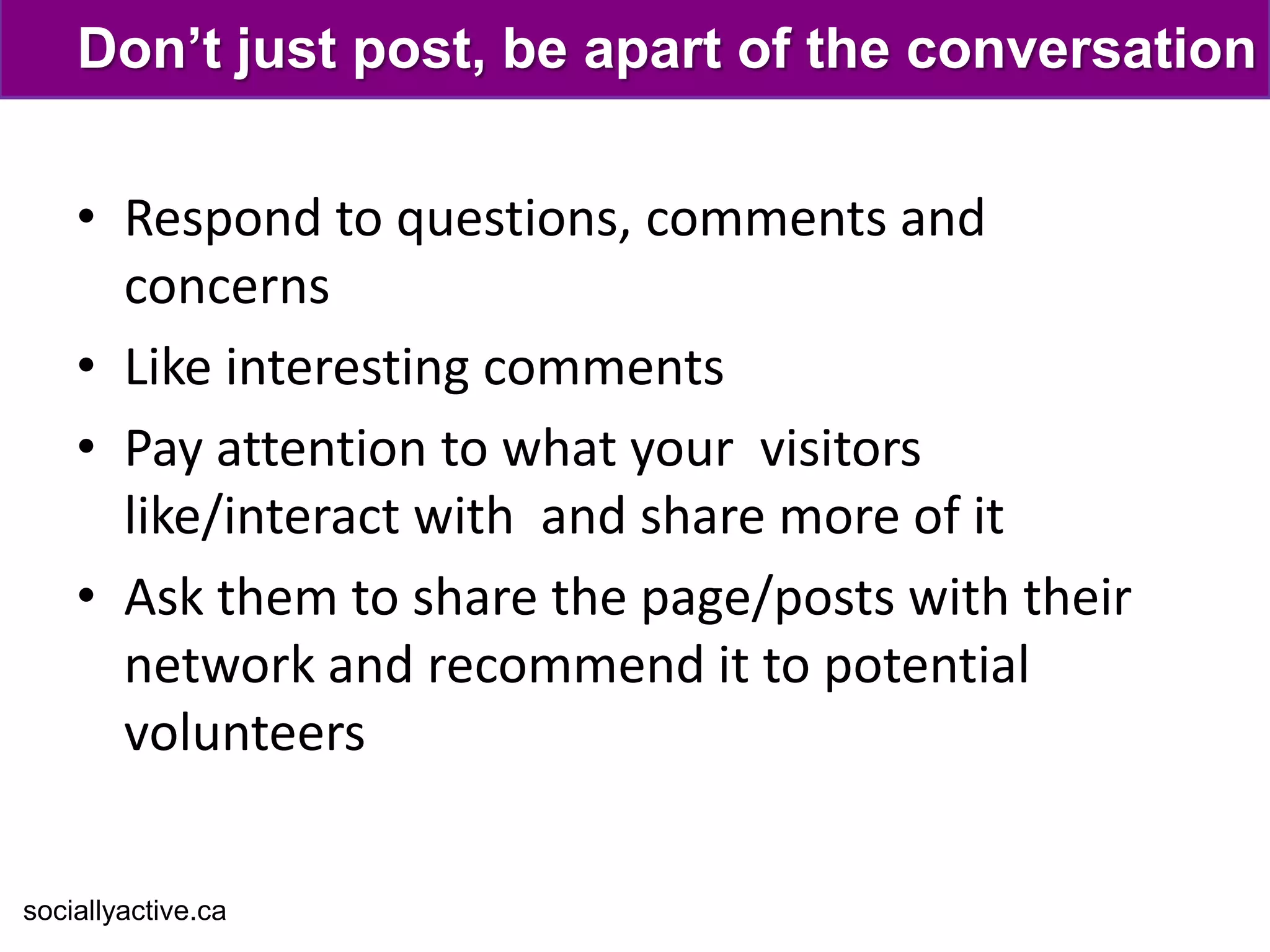
Don’t just post, be apart of the conversation

    • Respond to questions, comments and
      concerns
    • Like interesting comments
    • Pay attention to what your visitors
      like/interact with and share more of it
    • Ask them to share the page/posts with their
      network and recommend it to potential
      volunteers


sociallyactive.ca
KNOW
               what & when
                  to post
sociallyactive.ca
Create an editorial calendar with your team


    •   Upcoming events
    •   Meetings
    •   Holidays
    •   Historic Milestones
    •   Important information
    •   Volunteer appreciation
    •   Themes

sociallyactive.ca
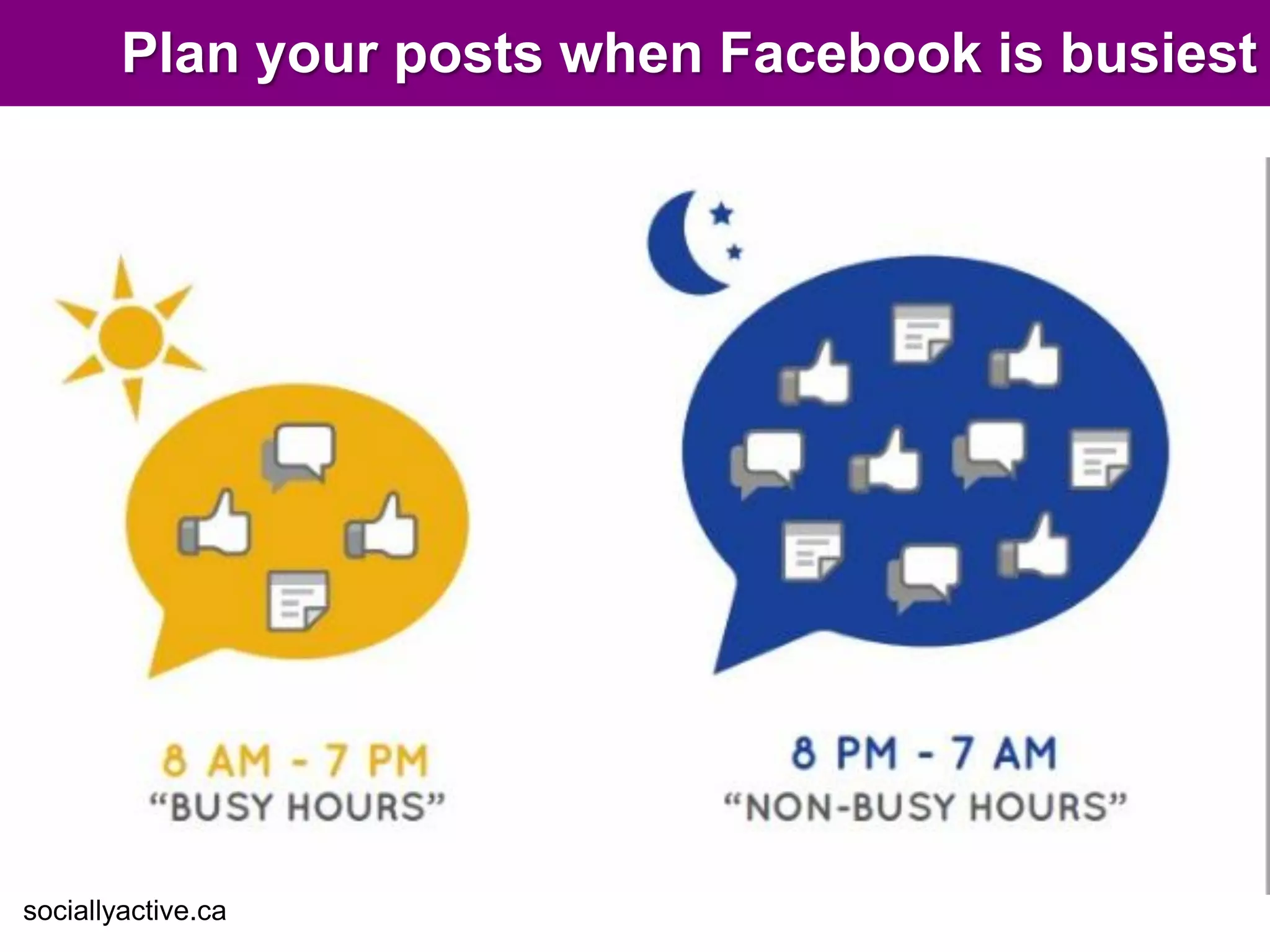
Plan your posts when Facebook is busiest


sociallyactive.ca
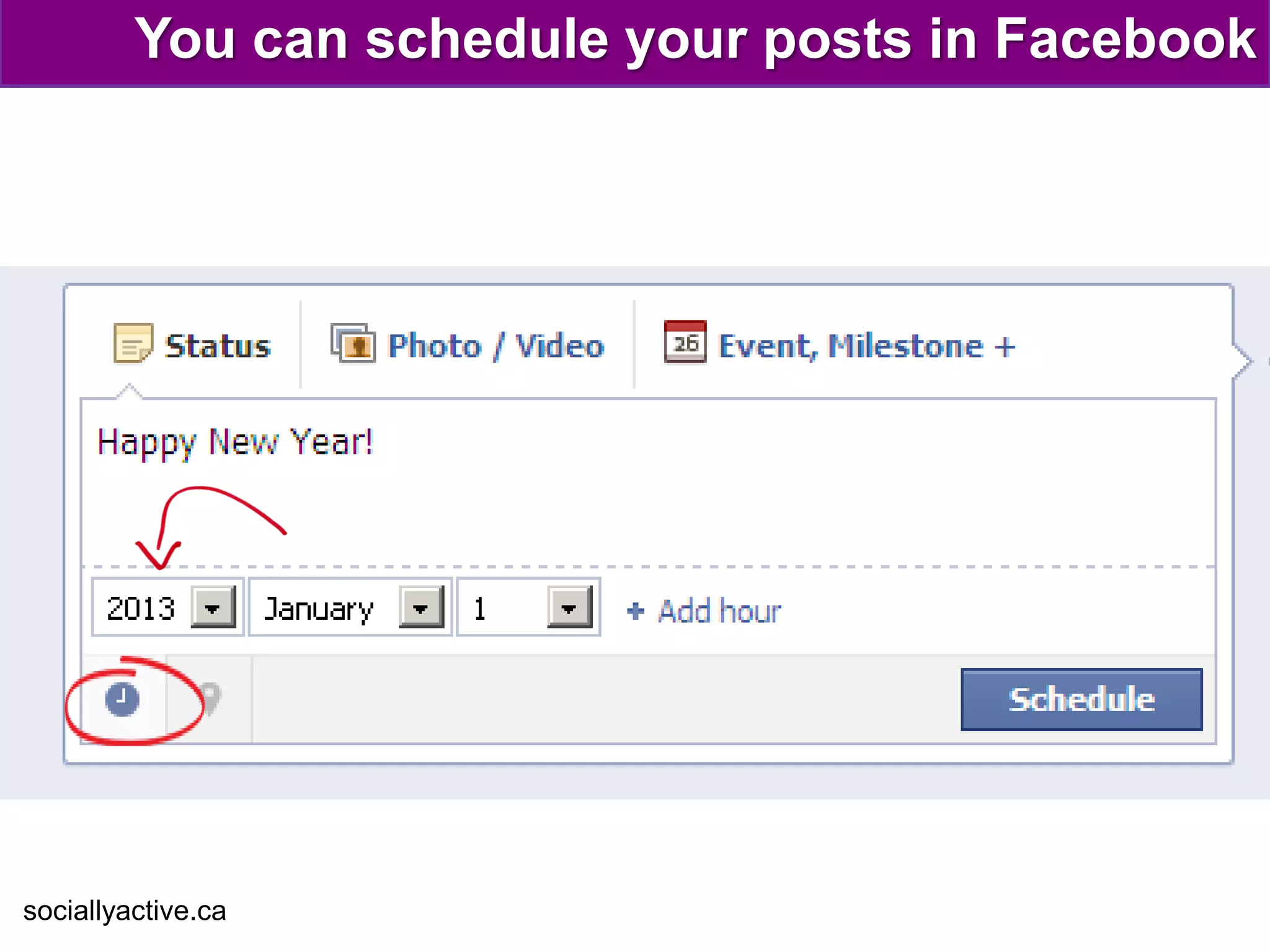
You can schedule your posts in Facebook


sociallyactive.ca
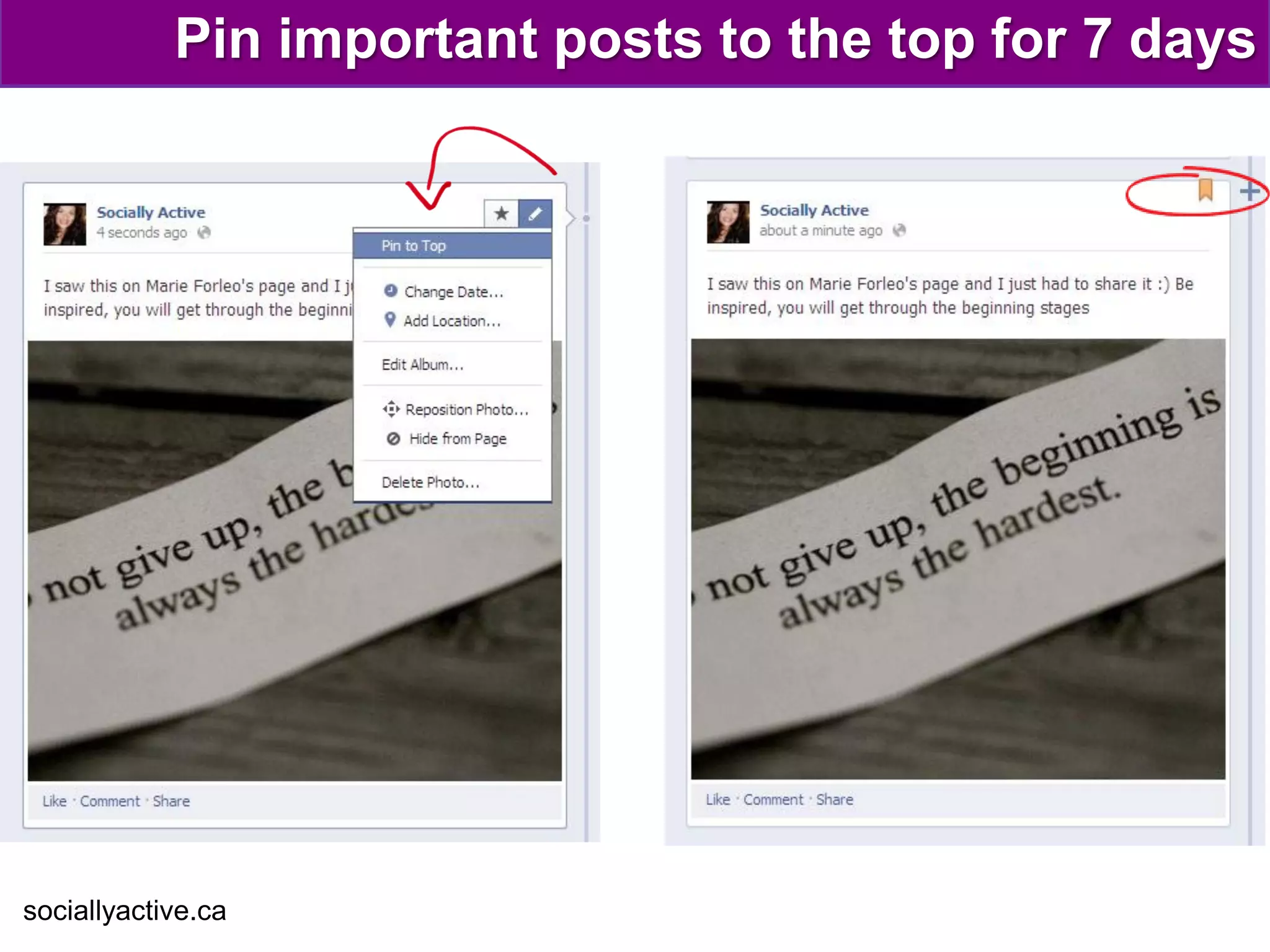
Pin important posts to the top for 7 days


sociallyactive.ca
How many times should you post a day?

  According to this recent report…
   “Brands that post one or two
   times a day see 19% higher
   interaction rates than those
   that publish three or more
   posts.”
                                (Buddy Media Oct 2012)
sociallyactive.ca
What content
             ideas do you
             have for your
                page?
sociallyactive.ca
Final thoughts

    • The #1 goal is to get into the newsfeeds
    • Take advantage of the cover photo but
      remember the rules
    • Building a solid Facebook page takes time,
      planning and effort
    • People love pictures and so does Facebook
    • Pay attention to what your visitors love and
      when they are most active
    • Don’t just post and forget... Engage!
sociallyactive.ca
Questions?


sociallyactive.ca
Thank You

    Do you have questions
    about social media?
     We can help you answer them!


Visit www.sociallyactive.ca for more information

A beginner's guide to Facebook Pages for Non-profits

  • 1.
    How to attract,engage & retain volunteers & supporters on Part of Socially Active’s Social Media Training for Non-Profits Series - By Cher Jones
  • 2.
    Today’s agenda • Why Facebook? • How to: – Create a powerful first impression – Engage your supporters with the right content – Plan & schedule content to keep them interested • Group brainstorm • Final thoughts • Q&As sociallyactive.ca
  • 3.
    What’s so greatabout Facebook? sociallyactive.ca
  • 4.
    MAKE a great first impression sociallyactive.ca
  • 5.
    Use powerful coverphotos sociallyactive.ca
  • 6.
    Use powerful coverphotos (example 2) sociallyactive.ca
  • 7.
    Change your coverphoto often sociallyactive.ca
  • 8.
    People make coverphotos engaging! Important details… • Use pictures that are properly sized 850 x315 • Change it regularly • Take advantage of the description area
  • 9.
    Don’t forget therules! Cover photos must not contain: • Price or purchase information, such as "40% off," or "Download it at our website“ • Contact information, such as web address, email, mailing address • Calls to action, such as "Get it now" or "Tell your friends.“ or Like or Share requests
  • 10.
    Don’t forget toset your username A username will give you a facebook.com/yourorganization address
  • 11.
    Complete the “about”section sociallyactive.ca
  • 12.
    Maximize the (mini)“about” section “The Alzheimer's Association 24/7 Helpline provides reliable information and support to all those who need assistance. Call us toll-free anytime day or night at 1.800.272.3900.” Important details… • The about section is limited to 3 lines • Include a call to action and contact details such as ph# or website sociallyactive.ca
  • 13.
    Make your “about”section work for you $$$ sociallyactive.ca
  • 14.
    Maximize the expanded“about” section sociallyactive.ca
  • 15.
    Use an identifiableprofile image Important details • People see your profile photo in their news feed • Best size is 180x180 • Be careful when you use logos with small font sociallyactive.ca
  • 16.
    Customize your tabsand the images sociallyactive.ca
  • 17.
    The tab sizeis 117x74 sociallyactive.ca
  • 18.
    APPLY what you learned (so far) sociallyactive.ca
  • 19.
    Awesome cover photo?...(well almost) sociallyactive.ca
  • 20.
    What would youchange? sociallyactive.ca
  • 21.
    How would youimprove this page area? sociallyactive.ca
  • 22.
    What else arevisitors looking for? • An overall feel good vibe • Looking for regular activity on the page • In-depth information about the organization • Sharable information about the cause • A sense of what it‘s like to volunteer through pictures and videos • Details about upcoming and past events sociallyactive.ca
  • 23.
    ENGAGE your volunteers & supporters sociallyactive.ca
  • 24.
    GOAL: Get intotheir newsfeeds!
  • 25.
  • 26.
    Everyone loves picturesespecially Facebook • Always try to upload a picture with each status update (even if you are posting a link) sociallyactive.ca
  • 27.
    Ask people to“like” or “comment” • TIP: Just don’t ask it the same way all the time or people will stop noticing the request sociallyactive.ca
  • 28.
    Share information theycare about sociallyactive.ca
  • 29.
    Ask ‘easy toanswer’ questions sociallyactive.ca
  • 30.
    Bring pop cultureto your page sociallyactive.ca
  • 31.
    Go “double-wide” withgreat pictures sociallyactive.ca
  • 32.
    Share funny andrelevant photos sociallyactive.ca
  • 33.
    Regularly post callsto action sociallyactive.ca
  • 34.
    Showcase the passionof your team sociallyactive.ca
  • 35.
    Share season/holiday inspiredcontent sociallyactive.ca
  • 36.
    Share your historyusing milestone posts sociallyactive.ca
  • 37.
    Don’t just post,be apart of the conversation • Respond to questions, comments and concerns • Like interesting comments • Pay attention to what your visitors like/interact with and share more of it • Ask them to share the page/posts with their network and recommend it to potential volunteers sociallyactive.ca
  • 38.
    KNOW what & when to post sociallyactive.ca
  • 39.
    Create an editorialcalendar with your team • Upcoming events • Meetings • Holidays • Historic Milestones • Important information • Volunteer appreciation • Themes sociallyactive.ca
  • 40.
    Plan your postswhen Facebook is busiest sociallyactive.ca
  • 41.
    You can scheduleyour posts in Facebook sociallyactive.ca
  • 42.
    Pin important poststo the top for 7 days sociallyactive.ca
  • 43.
    How many timesshould you post a day? According to this recent report… “Brands that post one or two times a day see 19% higher interaction rates than those that publish three or more posts.” (Buddy Media Oct 2012) sociallyactive.ca
  • 44.
    What content ideas do you have for your page? sociallyactive.ca
  • 45.
    Final thoughts • The #1 goal is to get into the newsfeeds • Take advantage of the cover photo but remember the rules • Building a solid Facebook page takes time, planning and effort • People love pictures and so does Facebook • Pay attention to what your visitors love and when they are most active • Don’t just post and forget... Engage! sociallyactive.ca
  • 46.
  • 47.
    Thank You Do you have questions about social media? We can help you answer them! Visit www.sociallyactive.ca for more information