A Practical Approach to Great User Adoption
User Definition & User Interface Design Workshops
A Practical Approach to Great User Adoption
User Definition & User Interface Design Workshops
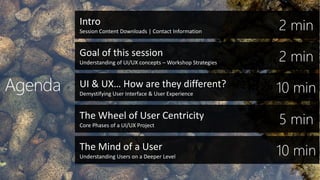
Intro
Session Content Downloads | Contact Information
Goal of this session
Understanding of UI/UX concepts – Workshop Strategies
UI & UX… How are they different?
Demystifying User Interface & User Experience
The Wheel of User Centricity
Core Phases of a UI/UX Project
The Mind of a User
Understanding Users on a Deeper Level
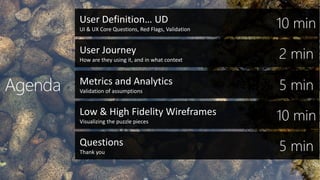
Low & High Fidelity Wireframes
Visualizing the puzzle pieces
Questions
Thank you
User Definition… UD
UI & UX Core Questions, Red Flags, Validation
User Journey
How are they using it, and in what context
Metrics and Analytics
Validation of assumptions
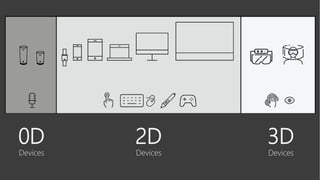
0D
Devices
2D
Devices
3D
Devices
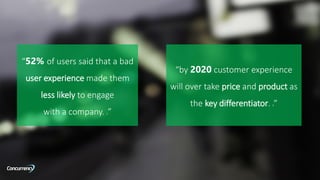
“52% of users said that a bad
user experience made them
less likely to engage
with a company. 2”
“by 2020 customer experience
will over take price and product as
the key differentiator. 9”
UI… UX…
How are they different?
UI… UX…
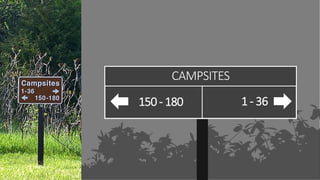
What exactly are they?
CAMPSITES
1 - 36150- 180
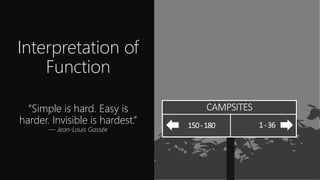
Interpretation of
Function
“Simple is hard. Easy is
harder. Invisible is hardest.”
— Jean-Louis Gassée
CAMPSITES
1-36150-180
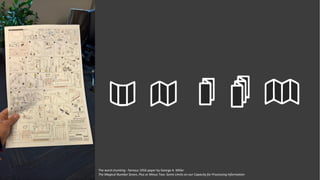
The word chunking - famous 1956 paper by George A. Miller
The Magical Number Seven, Plus or Minus Two: Some Limits on our Capacity for Processing Information
Cognitive
Processing
“Whenever I think of something but
can't think of what it was I was
thinking of, I can't stop thinking until
I think I'm thinking of it again. I think
I think too much.”
― — Criss Jami, Killosophy
OK… If That’s UI…What’s UX?
In UX
Emotions Matter
“Design must seduce, shape, and
more importantly,
evoke an emotional response.”
— April Greiman
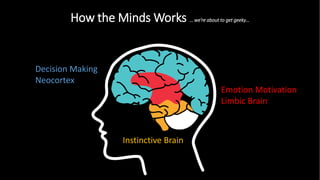
How the Minds Works … we’re about to get geeky…
Instinctive Brain
Emotion Motivation
Limbic Brain
Decision Making
Neocortex
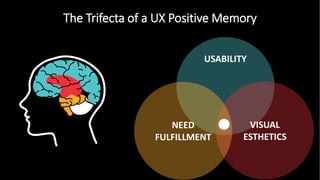
The Trifecta of a UX Positive Memory
Sweet… So UI/UX is awesome, but how do we start using it more
strategically in our projects?
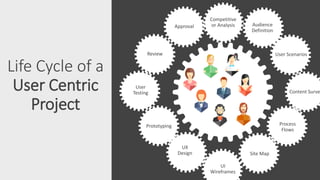
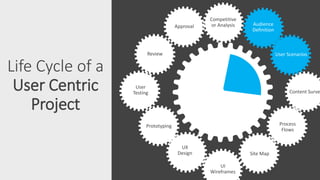
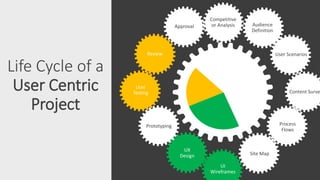
Life Cycle of a
User Centric
Project
Competitive
or Analysis Audience
Definition
User Scenarios
Content Surve
Process
Flows
Site Map
UI
Wireframes
UX
Design
Prototyping
User
Testing
Review
Approval
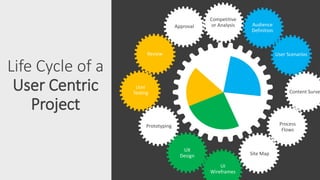
Life Cycle of a
User Centric
Project
Competitive
or Analysis Audience
Definition
User Scenarios
Content Surve
Process
Flows
Site Map
UI
Wireframes
UX
Design
Prototyping
User
Testing
Review
Approval
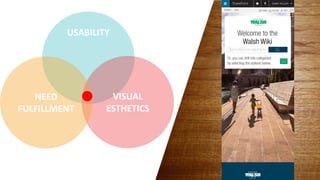
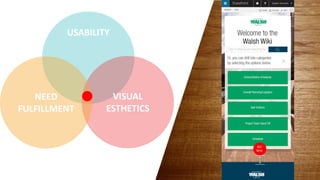
Core Facets Of User Centricity
Life Cycle of a
User Centric
Project
Competitive
or Analysis
User Scenarios
Content Surve
Process
Flows
Site Map
UI
Wireframes
UX
Design
Prototyping
User
Testing
Review
Approval Audience
Definition
User Definitions or UD
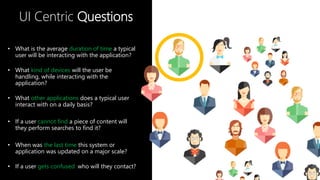
UI Centric Questions
• What is the average duration of time a typical
user will be interacting with the application?
• What kind of devices will the user be
handling, while interacting with the
application?
• What other applications does a typical user
interact with on a daily basis?
• If a user cannot find a piece of content will
they perform searches to find it?
• When was the last time this system or
application was updated on a major scale?
• If a user gets confused who will they contact?
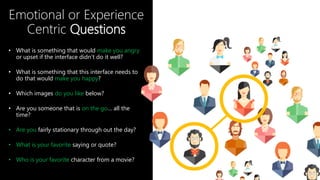
Emotional or Experience
Centric Questions
• What is something that would make you angry
or upset if the interface didn’t do it well?
• What is something that this interface needs to
do that would make you happy?
• Which images do you like below?
• Are you someone that is on the go… all the
time?
• Are you fairly stationary through out the day?
• What is your favorite saying or quote?
• Who is your favorite character from a movie?
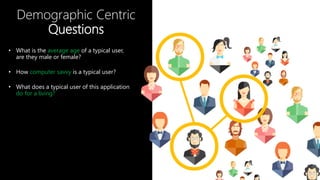
Demographic Centric
Questions
• What is the average age of a typical user,
are they male or female?
• How computer savvy is a typical user?
• What does a typical user of this application
do for a living?
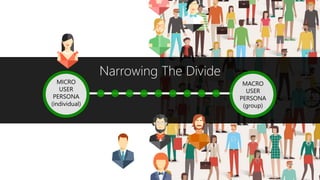
Narrowing The Divide
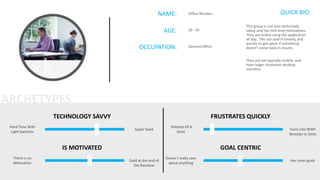
AGE: 20 - 65
NAME: Office Workers
OCCUPATION: General Office
QUICK BIO:
This group is not very technically
savvy, and has mid-level motivations.
They are online using the application
all day. The use search heavily, and
quickly to get upset if something
doesn’t come back in results.
They are not typically mobile, and
have larger resolution desktop
monitors.
TECHNOLOGY SAVVY
Hard Time With
Light Switches
Super Geek
IS MOTIVATED
There is no
Motivation
Gold at the end of
the Rainbow
FRUSTRATES QUICKLY
Patients Of A
Saint
Turns into WWF
Wrestler in 2min
GOAL CENTRIC
Doesn’t really care
about anything
Has inner goals
ARCHETYPES
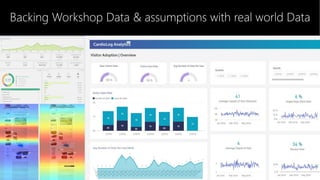
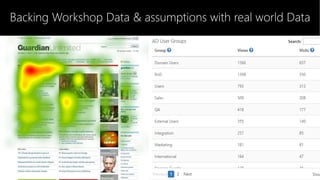
Backing Workshop Data & assumptions with real world Data
Life Cycle of a
User Centric
Project
Competitive
or Analysis
Content Surve
Process
Flows
Site Map
UI
Wireframes
UX
Design
Prototyping
User
Testing
Review
Approval Audience
Definition
User Scenarios
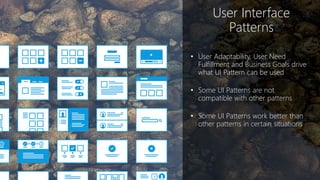
User Interface
Patterns
• User Adaptability, User Need
Fulfillment and Business Goals drive
what UI Pattern can be used
• Some UI Patterns are not
compatible with other patterns
• Some UI Patterns work better than
other patterns in certain situations
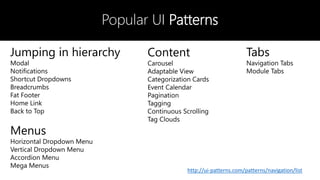
Popular UI Patterns
Jumping in hierarchy
Modal
Notifications
Shortcut Dropdowns
Breadcrumbs
Fat Footer
Home Link
Back to Top
Menus
Horizontal Dropdown Menu
Vertical Dropdown Menu
Accordion Menu
Mega Menus
Content
Carousel
Adaptable View
Categorization Cards
Event Calendar
Pagination
Tagging
Continuous Scrolling
Tag Clouds
Tabs
Navigation Tabs
Module Tabs
http://ui-patterns.com/patterns/navigation/list
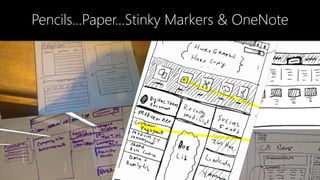
Pencils…Paper…Stinky Markers & OneNote
Phase 1• Workshop
Workshop 1
• Collaborative User Discussion
• SUS – System User Survey
• User Definition Questions
• Stakeholder Interviews
• Who are they?
• What are their needs?
• What would they like to see different?
Workshop 2
• User Centric Data Documentation
• Validate team assumptions
• Visualize user interactions or workflows
DeliverablesofPhase1
UserCentricDocumentationofcurrentsystem
UserPersonadocumentationforPrimary,Secondary&TertiaryUsers
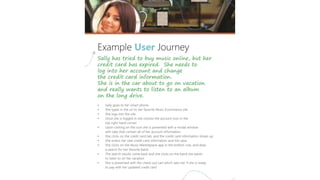
UserJourneydocumentationforPrimary,Secondary&TertiaryUsers
Phase 2• Workshop
Workshop 3
• Target User Interface Discussion & Visualization
• Collaborative White boarding session – UI Sketching
• Major content areas
• Feature Requests
• Functionality, that my require visualization
• Component level discussions
Workshop 4
• Target User Experience Design
• Focus on Brand and Emotions
• Photography & Imagery, Colors & Fonts
• Conditioned Responses
• Design Mock Ups
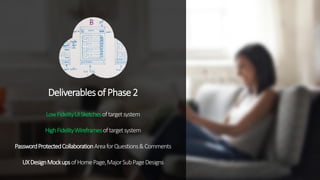
DeliverablesofPhase2
LowFidelityUISketchesoftargetsystem
HighFidelityWireframesoftargetsystem
PasswordProtectedCollaborationAreaforQuestions&Comments
UXDesignMockupsofHomePage,MajorSubPageDesigns
Thank you
Coder Cruise
Damon Sanchez
Senior User Experience Engineer
dsanchez@concurrency.com
Twitter:@darkriderdesign
Blog: https://www.concurrency.com/author?user=dsanchez
SessionContentDownload
Presentation Download Link
Thank you

A Practical Approach to Great User Adoption User Definition & User Interface Design Workshops

  • 1.
    A Practical Approachto Great User Adoption User Definition & User Interface Design Workshops
  • 2.
    A Practical Approachto Great User Adoption User Definition & User Interface Design Workshops
  • 3.
    Intro Session Content Downloads| Contact Information Goal of this session Understanding of UI/UX concepts – Workshop Strategies UI & UX… How are they different? Demystifying User Interface & User Experience The Wheel of User Centricity Core Phases of a UI/UX Project The Mind of a User Understanding Users on a Deeper Level
  • 4.
    Low & HighFidelity Wireframes Visualizing the puzzle pieces Questions Thank you User Definition… UD UI & UX Core Questions, Red Flags, Validation User Journey How are they using it, and in what context Metrics and Analytics Validation of assumptions
  • 5.
  • 6.
    “52% of userssaid that a bad user experience made them less likely to engage with a company. 2” “by 2020 customer experience will over take price and product as the key differentiator. 9”
  • 7.
    UI… UX… How arethey different?
  • 8.
  • 9.
  • 10.
    Interpretation of Function “Simple ishard. Easy is harder. Invisible is hardest.” — Jean-Louis Gassée CAMPSITES 1-36150-180
  • 12.
    The word chunking- famous 1956 paper by George A. Miller The Magical Number Seven, Plus or Minus Two: Some Limits on our Capacity for Processing Information
  • 13.
    Cognitive Processing “Whenever I thinkof something but can't think of what it was I was thinking of, I can't stop thinking until I think I'm thinking of it again. I think I think too much.” ― — Criss Jami, Killosophy
  • 14.
    OK… If That’sUI…What’s UX?
  • 19.
    In UX Emotions Matter “Designmust seduce, shape, and more importantly, evoke an emotional response.” — April Greiman
  • 20.
    How the MindsWorks … we’re about to get geeky… Instinctive Brain Emotion Motivation Limbic Brain Decision Making Neocortex
  • 21.
    The Trifecta ofa UX Positive Memory
  • 22.
    Sweet… So UI/UXis awesome, but how do we start using it more strategically in our projects?
  • 23.
    Life Cycle ofa User Centric Project Competitive or Analysis Audience Definition User Scenarios Content Surve Process Flows Site Map UI Wireframes UX Design Prototyping User Testing Review Approval
  • 24.
    Life Cycle ofa User Centric Project Competitive or Analysis Audience Definition User Scenarios Content Surve Process Flows Site Map UI Wireframes UX Design Prototyping User Testing Review Approval
  • 25.
    Core Facets OfUser Centricity
  • 26.
    Core Facets OfUser Centricity
  • 27.
    Life Cycle ofa User Centric Project Competitive or Analysis User Scenarios Content Surve Process Flows Site Map UI Wireframes UX Design Prototyping User Testing Review Approval Audience Definition
  • 28.
  • 29.
    UI Centric Questions •What is the average duration of time a typical user will be interacting with the application? • What kind of devices will the user be handling, while interacting with the application? • What other applications does a typical user interact with on a daily basis? • If a user cannot find a piece of content will they perform searches to find it? • When was the last time this system or application was updated on a major scale? • If a user gets confused who will they contact?
  • 30.
    Emotional or Experience CentricQuestions • What is something that would make you angry or upset if the interface didn’t do it well? • What is something that this interface needs to do that would make you happy? • Which images do you like below? • Are you someone that is on the go… all the time? • Are you fairly stationary through out the day? • What is your favorite saying or quote? • Who is your favorite character from a movie?
  • 31.
    Demographic Centric Questions • Whatis the average age of a typical user, are they male or female? • How computer savvy is a typical user? • What does a typical user of this application do for a living?
  • 32.
  • 33.
    AGE: 20 -65 NAME: Office Workers OCCUPATION: General Office QUICK BIO: This group is not very technically savvy, and has mid-level motivations. They are online using the application all day. The use search heavily, and quickly to get upset if something doesn’t come back in results. They are not typically mobile, and have larger resolution desktop monitors. TECHNOLOGY SAVVY Hard Time With Light Switches Super Geek IS MOTIVATED There is no Motivation Gold at the end of the Rainbow FRUSTRATES QUICKLY Patients Of A Saint Turns into WWF Wrestler in 2min GOAL CENTRIC Doesn’t really care about anything Has inner goals ARCHETYPES
  • 34.
    Backing Workshop Data& assumptions with real world Data
  • 35.
    Backing Workshop Data& assumptions with real world Data
  • 36.
    Life Cycle ofa User Centric Project Competitive or Analysis Content Surve Process Flows Site Map UI Wireframes UX Design Prototyping User Testing Review Approval Audience Definition User Scenarios
  • 38.
    User Interface Patterns • UserAdaptability, User Need Fulfillment and Business Goals drive what UI Pattern can be used • Some UI Patterns are not compatible with other patterns • Some UI Patterns work better than other patterns in certain situations
  • 39.
    Popular UI Patterns Jumpingin hierarchy Modal Notifications Shortcut Dropdowns Breadcrumbs Fat Footer Home Link Back to Top Menus Horizontal Dropdown Menu Vertical Dropdown Menu Accordion Menu Mega Menus Content Carousel Adaptable View Categorization Cards Event Calendar Pagination Tagging Continuous Scrolling Tag Clouds Tabs Navigation Tabs Module Tabs http://ui-patterns.com/patterns/navigation/list
  • 40.
  • 43.
    Phase 1• Workshop Workshop1 • Collaborative User Discussion • SUS – System User Survey • User Definition Questions • Stakeholder Interviews • Who are they? • What are their needs? • What would they like to see different? Workshop 2 • User Centric Data Documentation • Validate team assumptions • Visualize user interactions or workflows
  • 44.
  • 45.
    Phase 2• Workshop Workshop3 • Target User Interface Discussion & Visualization • Collaborative White boarding session – UI Sketching • Major content areas • Feature Requests • Functionality, that my require visualization • Component level discussions Workshop 4 • Target User Experience Design • Focus on Brand and Emotions • Photography & Imagery, Colors & Fonts • Conditioned Responses • Design Mock Ups
  • 46.
  • 47.
  • 48.
    Damon Sanchez Senior UserExperience Engineer dsanchez@concurrency.com Twitter:@darkriderdesign Blog: https://www.concurrency.com/author?user=dsanchez SessionContentDownload Presentation Download Link Thank you