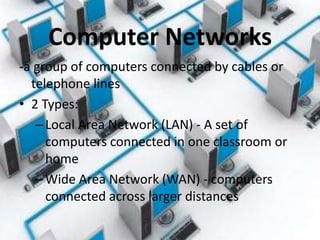
Computer Networks
-a group of computers connected by cables or
  telephone lines
• 2 Types:
   – Local Area Network (LAN) - A set of
     computers connected in one classroom or
     home
   – Wide Area Network (WAN) - computers
     connected across larger distances
The Internet
• A network of host computers that extends
  around the world
• Began in 1969 as a military communications
  system
• In 1993, businesses were allowed to sell
  Internet connection. These businesses are
  known as Internet service providers (ISPs)
World Wide Web
• Developed in 1989
• Allows people to display and view files, called
  pages, on the Internet
• Web pages can include text, pictures, video,
  and/or sound
• Software programs called search engines
  allow people to search through the Web
Using Computers Safely
• Protect Private Data
  – Share personal information only on networks that
    require authorization and use security software to
    keep out unwanted users
  – Use networks that encrypt information.
    Encryption is a process of coding information so
    only the intended user can read it.
Using Computers Safely

• Avoid Viruses
  –Computer viruses are programs
   that interfere with the normal
   operation of a computer
  –It can destroy stored data or even
   disable a computer
Using Computers Safely
• Protect Personal Safety
  – Never give your name, address, or
    telephone number
  – Chat rooms allow multiple users to
    exchange messages simultaneously
  – However, users are not screened, so you
    do not know who you’re chatting with
Using Computers Safely
• Respect Intellectual Property
  – Intellectual property can be an idea or creative
    work, such as a book or musical performance
  – Governments protect intellectual property by
    granting copyrights and patents
  – Violating copyrights or patents can result in fines
    or other penalties
Online Safety
• https://www.youtube.com/watch?v=Cnc4LaevRBw
• https://www.youtube.com/watch?v=9waE2A-uIxQ
Review
• What is a computer network?
• What are the advantages of computer
  networks?
• What are three kinds of personal information
  that might be shared on a computer network?
• What is one way to protect personal
  information when using a network?

6thgrade ch.4sec.4informationsuperhighway

  • 2.
    Computer Networks -a groupof computers connected by cables or telephone lines • 2 Types: – Local Area Network (LAN) - A set of computers connected in one classroom or home – Wide Area Network (WAN) - computers connected across larger distances
  • 3.
    The Internet • Anetwork of host computers that extends around the world • Began in 1969 as a military communications system • In 1993, businesses were allowed to sell Internet connection. These businesses are known as Internet service providers (ISPs)
  • 4.
    World Wide Web •Developed in 1989 • Allows people to display and view files, called pages, on the Internet • Web pages can include text, pictures, video, and/or sound • Software programs called search engines allow people to search through the Web
  • 5.
    Using Computers Safely •Protect Private Data – Share personal information only on networks that require authorization and use security software to keep out unwanted users – Use networks that encrypt information. Encryption is a process of coding information so only the intended user can read it.
  • 6.
    Using Computers Safely •Avoid Viruses –Computer viruses are programs that interfere with the normal operation of a computer –It can destroy stored data or even disable a computer
  • 7.
    Using Computers Safely •Protect Personal Safety – Never give your name, address, or telephone number – Chat rooms allow multiple users to exchange messages simultaneously – However, users are not screened, so you do not know who you’re chatting with
  • 8.
    Using Computers Safely •Respect Intellectual Property – Intellectual property can be an idea or creative work, such as a book or musical performance – Governments protect intellectual property by granting copyrights and patents – Violating copyrights or patents can result in fines or other penalties
  • 9.
    Online Safety • https://www.youtube.com/watch?v=Cnc4LaevRBw •https://www.youtube.com/watch?v=9waE2A-uIxQ
  • 10.
    Review • What isa computer network? • What are the advantages of computer networks? • What are three kinds of personal information that might be shared on a computer network? • What is one way to protect personal information when using a network?