
1 © 2001-2003 Marty Hall, Larry Brown http://www.corewebprogramming.com
core
programming
Simple API for XML
SAX
SAX2 www.corewebprogramming.com
Agenda
• Introduction to SAX
• Installation and setup
• Steps for SAX parsing
• Defining a content handler
• Examples
– Printing the Outline of an XML Document
– Counting Book Orders
• Defining an error handler
• Validating a document
SAX3 www.corewebprogramming.com
Simple API for XML (SAX)
• Parse and process XML documents
• Documents are read sequentially and
callbacks are made to handlers
• Event-driven model for processing XML
content
• SAX Versions
– SAX 1.0 (May 1998)
– SAX 2.0 (May 2000)
• Namespace addition
– Official Website for SAX
•http://sax.sourceforge.net/
SAX4 www.corewebprogramming.com
SAX Advantages and
Disadvantages
• Advantages
– Do not need to process and store the entire document
(low memory requirement)
• Can quickly skip over parts not of interest
– Fast processing
• Disadvantages
– Limited API
• Every element is processed through the same event
handler
• Need to keep track of location in document and, in
cases, store temporary data
– Only traverse the document once
SAX5 www.corewebprogramming.com
Java API for XML Parsing
(JAXP)
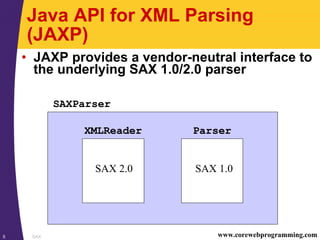
• JAXP provides a vendor-neutral interface to
the underlying SAX 1.0/2.0 parser
XMLReader Parser
SAX 1.0SAX 2.0
SAXParser
SAX6 www.corewebprogramming.com
SAX Installation and Setup
(JDK 1.4)
• All the necessary classes for SAX and
JAXP are included with JDK 1.4
• See javax.xml.* packages
• For SAX and JAXP with JDK 1.3 see
following viewgraphs
SAX7 www.corewebprogramming.com
SAX Installation and Setup
(JDK 1.3)
1. Download a SAX 2-compliant parser
• Java-based XML parsers at
http://www.xml.com/pub/rg/Java_Parsers
• Recommend Apache Xerces-J parser at
http://xml.apache.org/xerces-j/
2. Download the Java API for XML
Processing (JAXP)
• JAXP is a small layer on top of SAX which supports
specifying parsers through system properties versus
hard coded
• See http://java.sun.com/xml/
• Note: Apache Xerces-J already incorporates JAXP
SAX8 www.corewebprogramming.com
SAX Installation and Setup
(continued)
3. Set your CLASSPATH to include the SAX
(and JAXP) classes
set CLASSPATH=xerces_install_dirxerces.jar;
%CLASSPATH%
or
setenv CLASSPATH xerces_install_dir/xerces.jar:
$CLASSPATH
• For servlets, place xerces.jar in the server’s lib
directory
• Note: Tomcat 4.0 is prebundled with xerces.jar
• Xerces-J already incorporates JAXP
• For other parsers you may need to add jaxp.jar
to your classpath and servlet lib directory
SAX9 www.corewebprogramming.com
SAX Parsing
• SAX parsing has two high-level tasks:
1. Creating a content handler to process the XML elements
when they are encountered
2. Invoking a parser with the designated content handler
and document
SAX10 www.corewebprogramming.com
Steps for SAX Parsing
1. Tell the system which parser you want to
use
2. Create a parser instance
3. Create a content handler to respond to
parsing events
4. Invoke the parser with the designated
content handler and document
SAX11 www.corewebprogramming.com
Step 1: Specifying a Parser
• Approaches to specify a parser
– Set a system property for
javax.xml.parsers.SAXParserFactory
– Specify the parser in
jre_dir/lib/jaxp.properties
– Through the J2EE Services API and the class specified
in META-INF/services/
javax.xml.parsers.SAXParserFactory
– Use system-dependant default parser (check
documentation)
SAX12 www.corewebprogramming.com
Specifying a Parser, Example
• The following example:
– Permits the user to specify the parser through the
command line –D option
java –Djavax.xml.parser.SAXParserFactory=
com.sun.xml.parser.SAXParserFactoryImpl ...
– Uses the Apache Xerces parser otherwise
public static void main(String[] args) {
String jaxpPropertyName =
"javax.xml.parsers.SAXParserFactory";
if (System.getProperty(jaxpPropertyName) == null) {
String apacheXercesPropertyValue =
"org.apache.xerces.jaxp.SAXParserFactoryImpl";
System.setProperty(jaxpPropertyName,
apacheXercesPropertyValue);
}
...
}
SAX13 www.corewebprogramming.com
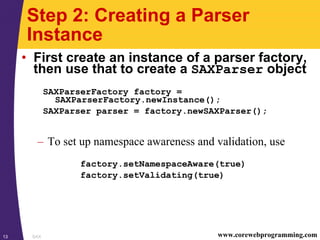
Step 2: Creating a Parser
Instance
• First create an instance of a parser factory,
then use that to create a SAXParser object
SAXParserFactory factory =
SAXParserFactory.newInstance();
SAXParser parser = factory.newSAXParser();
– To set up namespace awareness and validation, use
factory.setNamespaceAware(true)
factory.setValidating(true)
SAX14 www.corewebprogramming.com
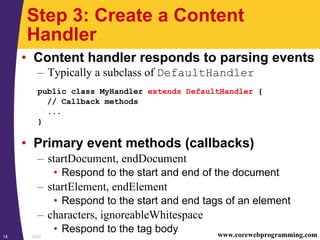
Step 3: Create a Content
Handler
• Content handler responds to parsing events
– Typically a subclass of DefaultHandler
public class MyHandler extends DefaultHandler {
// Callback methods
...
}
• Primary event methods (callbacks)
– startDocument, endDocument
• Respond to the start and end of the document
– startElement, endElement
• Respond to the start and end tags of an element
– characters, ignoreableWhitespace
• Respond to the tag body
SAX15 www.corewebprogramming.com
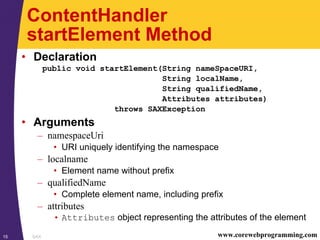
ContentHandler
startElement Method
• Declaration
public void startElement(String nameSpaceURI,
String localName,
String qualifiedName,
Attributes attributes)
throws SAXException
• Arguments
– namespaceUri
• URI uniquely identifying the namespace
– localname
• Element name without prefix
– qualifiedName
• Complete element name, including prefix
– attributes
• Attributes object representing the attributes of the element
SAX16 www.corewebprogramming.com
Anatomy of an Element
<cwp:book xmlns:cwp="http://www.corewebprograming.com/xml/">
<cwp:chapter number="23" part="Server-side Programming">
<cwp:title>XML Processing with Java</cwp:title>
</cwp:chapter>
</cwp:book>
namespaceUri
qualifiedName attribute[1]
localname
SAX17 www.corewebprogramming.com
ContentHandler
characters Method
• Declaration
public void characters(char[] chars,
int startIndex,
int length)
throws SAXException
• Arguments
– chars
• Relevant characters form XML document
• To optimize parsers, the chars array may represent
more of the XML document than just the element
• PCDATA may cause multiple invocations of
characters
– startIndex
• Starting position of element
– length
• The number of characters to extract
SAX18 www.corewebprogramming.com
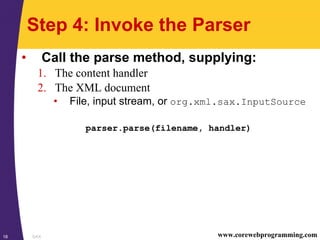
Step 4: Invoke the Parser
• Call the parse method, supplying:
1. The content handler
2. The XML document
• File, input stream, or org.xml.sax.InputSource
parser.parse(filename, handler)
SAX19 www.corewebprogramming.com
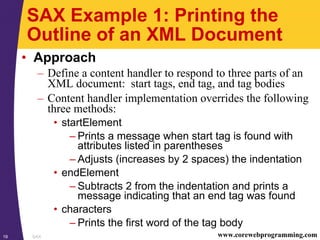
SAX Example 1: Printing the
Outline of an XML Document
• Approach
– Define a content handler to respond to three parts of an
XML document: start tags, end tag, and tag bodies
– Content handler implementation overrides the following
three methods:
• startElement
– Prints a message when start tag is found with
attributes listed in parentheses
– Adjusts (increases by 2 spaces) the indentation
• endElement
– Subtracts 2 from the indentation and prints a
message indicating that an end tag was found
• characters
– Prints the first word of the tag body
SAX20 www.corewebprogramming.com
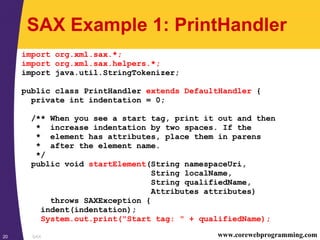
SAX Example 1: PrintHandler
import org.xml.sax.*;
import org.xml.sax.helpers.*;
import java.util.StringTokenizer;
public class PrintHandler extends DefaultHandler {
private int indentation = 0;
/** When you see a start tag, print it out and then
* increase indentation by two spaces. If the
* element has attributes, place them in parens
* after the element name.
*/
public void startElement(String namespaceUri,
String localName,
String qualifiedName,
Attributes attributes)
throws SAXException {
indent(indentation);
System.out.print("Start tag: " + qualifiedName);
SAX21 www.corewebprogramming.com
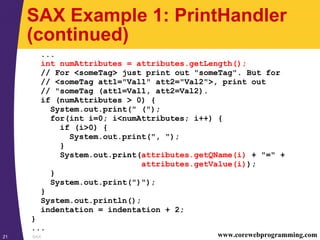
SAX Example 1: PrintHandler
(continued)
...
int numAttributes = attributes.getLength();
// For <someTag> just print out "someTag". But for
// <someTag att1="Val1" att2="Val2">, print out
// "someTag (att1=Val1, att2=Val2).
if (numAttributes > 0) {
System.out.print(" (");
for(int i=0; i<numAttributes; i++) {
if (i>0) {
System.out.print(", ");
}
System.out.print(attributes.getQName(i) + "=" +
attributes.getValue(i));
}
System.out.print(")");
}
System.out.println();
indentation = indentation + 2;
}
...
SAX22 www.corewebprogramming.com
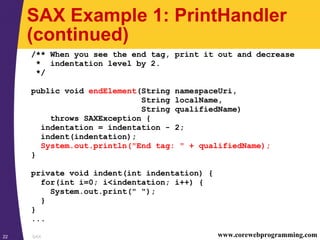
SAX Example 1: PrintHandler
(continued)
/** When you see the end tag, print it out and decrease
* indentation level by 2.
*/
public void endElement(String namespaceUri,
String localName,
String qualifiedName)
throws SAXException {
indentation = indentation - 2;
indent(indentation);
System.out.println("End tag: " + qualifiedName);
}
private void indent(int indentation) {
for(int i=0; i<indentation; i++) {
System.out.print(" ");
}
}
...
SAX23 www.corewebprogramming.com
SAX Example 1: PrintHandler
(continued)
/** Print out the first word of each tag body. */
public void characters(char[] chars,
int startIndex,
int length) {
String data = new String(chars, startIndex, length);
// Whitespace makes up default StringTokenizer delimeters
StringTokenizer tok = new StringTokenizer(data);
if (tok.hasMoreTokens()) {
indent(indentation);
System.out.print(tok.nextToken());
if (tok.hasMoreTokens()) {
System.out.println("...");
} else {
System.out.println();
}
}
}
}
SAX24 www.corewebprogramming.com
SAX Example 1: SAXPrinter
import javax.xml.parsers.*;
import org.xml.sax.*;
import org.xml.sax.helpers.*;
public class SAXPrinter {
public static void main(String[] args) {
String jaxpPropertyName =
"javax.xml.parsers.SAXParserFactory";
// Pass the parser factory in on the command line with
// -D to override the use of the Apache parser.
if (System.getProperty(jaxpPropertyName) == null) {
String apacheXercesPropertyValue =
"org.apache.xerces.jaxp.SAXParserFactoryImpl";
System.setProperty(jaxpPropertyName,
apacheXercesPropertyValue);
}
SAX25 www.corewebprogramming.com
SAX Example 1: SAXPrinter
(continued)
...
String filename;
if (args.length > 0) {
filename = args[0];
} else {
String[] extensions = { "xml", "tld" };
WindowUtilities.setNativeLookAndFeel();
filename =
ExtensionFileFilter.getFileName(".", "XML Files",
extensions);
if (filename == null) {
filename = "test.xml";
}
}
printOutline(filename);
System.exit(0);
}
...
SAX26 www.corewebprogramming.com
SAX Example 1: SAXPrinter
(continued)
...
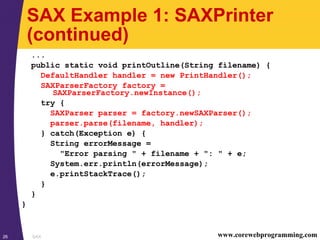
public static void printOutline(String filename) {
DefaultHandler handler = new PrintHandler();
SAXParserFactory factory =
SAXParserFactory.newInstance();
try {
SAXParser parser = factory.newSAXParser();
parser.parse(filename, handler);
} catch(Exception e) {
String errorMessage =
"Error parsing " + filename + ": " + e;
System.err.println(errorMessage);
e.printStackTrace();
}
}
}
SAX27 www.corewebprogramming.com
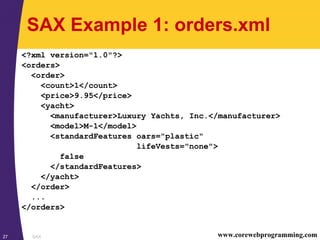
SAX Example 1: orders.xml
<?xml version="1.0"?>
<orders>
<order>
<count>1</count>
<price>9.95</price>
<yacht>
<manufacturer>Luxury Yachts, Inc.</manufacturer>
<model>M-1</model>
<standardFeatures oars="plastic"
lifeVests="none">
false
</standardFeatures>
</yacht>
</order>
...
</orders>
SAX28 www.corewebprogramming.com
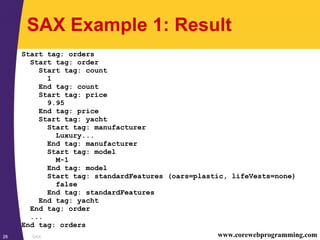
SAX Example 1: Result
Start tag: orders
Start tag: order
Start tag: count
1
End tag: count
Start tag: price
9.95
End tag: price
Start tag: yacht
Start tag: manufacturer
Luxury...
End tag: manufacturer
Start tag: model
M-1
End tag: model
Start tag: standardFeatures (oars=plastic, lifeVests=none)
false
End tag: standardFeatures
End tag: yacht
End tag: order
...
End tag: orders
SAX29 www.corewebprogramming.com
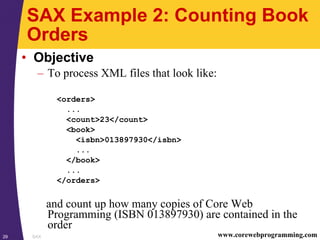
SAX Example 2: Counting Book
Orders
• Objective
– To process XML files that look like:
<orders>
...
<count>23</count>
<book>
<isbn>013897930</isbn>
...
</book>
...
</orders>
and count up how many copies of Core Web
Programming (ISBN 013897930) are contained in the
order
SAX30 www.corewebprogramming.com
SAX Example 2: Counting Book
Orders (continued)
• Problem
– SAX doesn’t store data automatically
– The isbn element comes after the count element
– Need to record every count temporarily, but only add the
temporary value (to the running total) when the ISBN
number matches
SAX31 www.corewebprogramming.com
SAX Example 2: Approach
• Define a content handler to override the
following four methods:
– startElement
• Checks whether the name of the element is either
count or isbn
• Set flag to tell characters method be on the lookout
– endElement
• Again, checks whether the name of the element is
either count or isbn
• If so, turns off the flag that the characters method
watches
SAX32 www.corewebprogramming.com
SAX Example 2: Approach
(continued)
– characters
• Subtracts 2 from the indentation and prints a
message indicating that an end tag was found
– endDocument
• Prints out the running count in a Message Dialog
SAX33 www.corewebprogramming.com
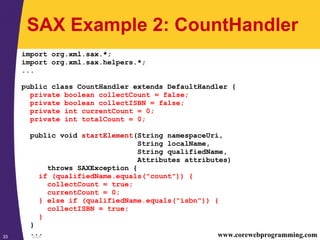
SAX Example 2: CountHandler
import org.xml.sax.*;
import org.xml.sax.helpers.*;
...
public class CountHandler extends DefaultHandler {
private boolean collectCount = false;
private boolean collectISBN = false;
private int currentCount = 0;
private int totalCount = 0;
public void startElement(String namespaceUri,
String localName,
String qualifiedName,
Attributes attributes)
throws SAXException {
if (qualifiedName.equals("count")) {
collectCount = true;
currentCount = 0;
} else if (qualifiedName.equals("isbn")) {
collectISBN = true;
}
}
...
SAX34 www.corewebprogramming.com
SAX Example 2: CountHandler
(continued)
...
public void endElement(String namespaceUri,
String localName,
String qualifiedName)
throws SAXException {
if (qualifiedName.equals("count")) {
collectCount = false;
} else if (qualifiedName.equals("isbn")) {
collectISBN = false;
}
}
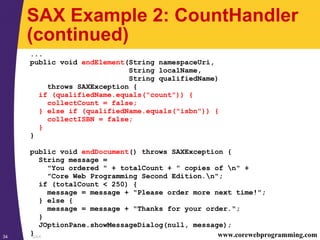
public void endDocument() throws SAXException {
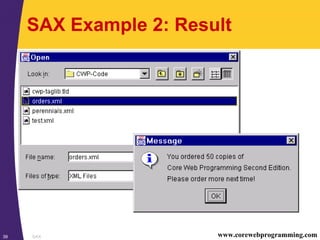
String message =
"You ordered " + totalCount + " copies of n" +
"Core Web Programming Second Edition.n";
if (totalCount < 250) {
message = message + "Please order more next time!";
} else {
message = message + "Thanks for your order.";
}
JOptionPane.showMessageDialog(null, message);
}
SAX35 www.corewebprogramming.com
SAX Example 2: CountHandler
(continued)
...
public void characters(char[] chars, int startIndex,
int length) {
if (collectCount || collectISBN) {
String dataString =
new String(chars, startIndex, length).trim();
if (collectCount) {
try {
currentCount = Integer.parseInt(dataString);
} catch(NumberFormatException nfe) {
System.err.println("Ignoring malformed count: " +
dataString);
}
} else if (collectISBN) {
if (dataString.equals("0130897930")) {
totalCount = totalCount + currentCount;
}
}
}
}
}
SAX36 www.corewebprogramming.com
SAX Example 2: CountBooks
import javax.xml.parsers.*;
import org.xml.sax.*;
import org.xml.sax.helpers.*;
public class CountBooks {
public static void main(String[] args) {
String jaxpPropertyName = "javax.xml.parsers.SAXParserFactory";
// Use -D to override the use of the Apache parser.
if (System.getProperty(jaxpPropertyName) == null) {
String apacheXercesPropertyValue =
"org.apache.xerces.jaxp.SAXParserFactoryImpl";
System.setProperty(jaxpPropertyName,
apacheXercesPropertyValue);
}
String filename;
if (args.length > 0) {
filename = args[0];
} else {
...
}
countBooks(filename);
System.exit(0);
}
SAX37 www.corewebprogramming.com
SAX Example 2: CountBooks
(continued)
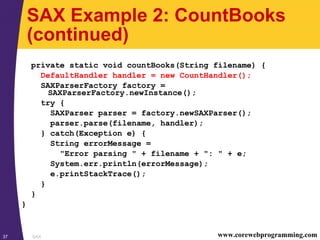
private static void countBooks(String filename) {
DefaultHandler handler = new CountHandler();
SAXParserFactory factory =
SAXParserFactory.newInstance();
try {
SAXParser parser = factory.newSAXParser();
parser.parse(filename, handler);
} catch(Exception e) {
String errorMessage =
"Error parsing " + filename + ": " + e;
System.err.println(errorMessage);
e.printStackTrace();
}
}
}
SAX38 www.corewebprogramming.com
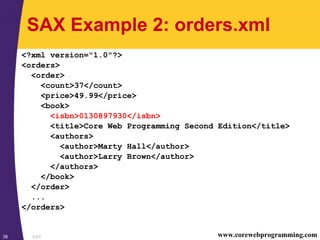
SAX Example 2: orders.xml
<?xml version="1.0"?>
<orders>
<order>
<count>37</count>
<price>49.99</price>
<book>
<isbn>0130897930</isbn>
<title>Core Web Programming Second Edition</title>
<authors>
<author>Marty Hall</author>
<author>Larry Brown</author>
</authors>
</book>
</order>
...
</orders>
SAX39 www.corewebprogramming.com
SAX Example 2: Result
SAX40 www.corewebprogramming.com
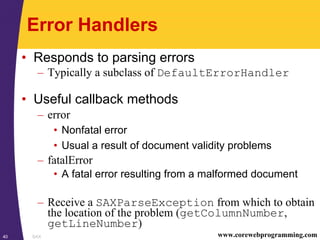
Error Handlers
• Responds to parsing errors
– Typically a subclass of DefaultErrorHandler
• Useful callback methods
– error
• Nonfatal error
• Usual a result of document validity problems
– fatalError
• A fatal error resulting from a malformed document
– Receive a SAXParseException from which to obtain
the location of the problem (getColumnNumber,
getLineNumber)
SAX41 www.corewebprogramming.com
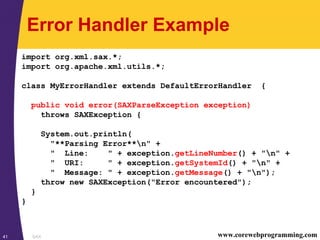
Error Handler Example
import org.xml.sax.*;
import org.apache.xml.utils.*;
class MyErrorHandler extends DefaultErrorHandler {
public void error(SAXParseException exception)
throws SAXException {
System.out.println(
"**Parsing Error**n" +
" Line: " + exception.getLineNumber() + "n" +
" URI: " + exception.getSystemId() + "n" +
" Message: " + exception.getMessage() + "n");
throw new SAXException("Error encountered");
}
}
SAX42 www.corewebprogramming.com
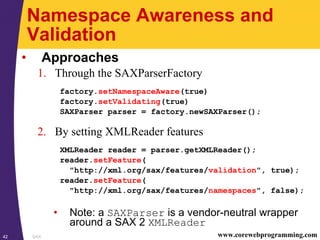
Namespace Awareness and
Validation
• Approaches
1. Through the SAXParserFactory
factory.setNamespaceAware(true)
factory.setValidating(true)
SAXParser parser = factory.newSAXParser();
2. By setting XMLReader features
XMLReader reader = parser.getXMLReader();
reader.setFeature(
"http://xml.org/sax/features/validation", true);
reader.setFeature(
"http://xml.org/sax/features/namespaces", false);
• Note: a SAXParser is a vendor-neutral wrapper
around a SAX 2 XMLReader
SAX43 www.corewebprogramming.com
Validation Example
public class SAXValidator {
public static void main(String[] args) {
String jaxpPropertyName =
"javax.xml.parsers.SAXParserFactory";
// Use -D to override the use of the Apache parser.
if (System.getProperty(jaxpPropertyName) == null) {
String apacheXercesPropertyValue =
"org.apache.xerces.jaxp.SAXParserFactoryImpl";
System.setProperty(jaxpPropertyName,
apacheXercesPropertyValue);
}
String filename;
if (args.length > 0) {
filename = args[0];
} else {
...
}
validate(filename);
System.exit(0);
}
...
SAX44 www.corewebprogramming.com
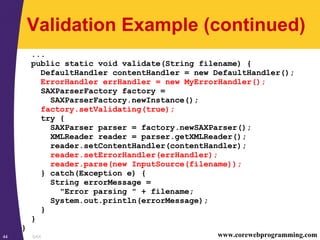
Validation Example (continued)
...
public static void validate(String filename) {
DefaultHandler contentHandler = new DefaultHandler();
ErrorHandler errHandler = new MyErrorHandler();
SAXParserFactory factory =
SAXParserFactory.newInstance();
factory.setValidating(true);
try {
SAXParser parser = factory.newSAXParser();
XMLReader reader = parser.getXMLReader();
reader.setContentHandler(contentHandler);
reader.setErrorHandler(errHandler);
reader.parse(new InputSource(filename));
} catch(Exception e) {
String errorMessage =
"Error parsing " + filename;
System.out.println(errorMessage);
}
}
}
SAX45 www.corewebprogramming.com
Instructors.xml
<?xml version="1.0" standalone="yes"?>
<!DOCTYPE jhu [
<!ELEMENT jhu (instructor)*>
<!ELEMENT instructor (firstname, lastname)+>
<!ELEMENT firstname (#PCDATA)>
<!ELEMENT lastname (#PCDATA)>
]>
<jhu>
<instructor>
<firstname>Larry</firstname>
<lastname>Brown</lastname>
</instructor>
<instructor>
<lastname>Hall</lastname>
<firstname>Marty</firstname>
</instructor>
</jhu>
SAX46 www.corewebprogramming.com
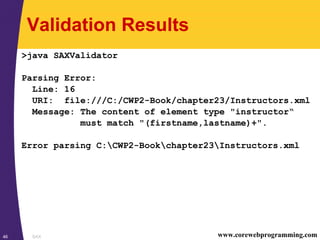
Validation Results
>java SAXValidator
Parsing Error:
Line: 16
URI: file:///C:/CWP2-Book/chapter23/Instructors.xml
Message: The content of element type "instructor“
must match "(firstname,lastname)+".
Error parsing C:CWP2-Bookchapter23Instructors.xml
SAX47 www.corewebprogramming.com
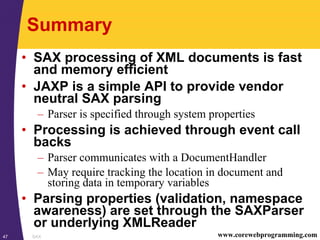
Summary
• SAX processing of XML documents is fast
and memory efficient
• JAXP is a simple API to provide vendor
neutral SAX parsing
– Parser is specified through system properties
• Processing is achieved through event call
backs
– Parser communicates with a DocumentHandler
– May require tracking the location in document and
storing data in temporary variables
• Parsing properties (validation, namespace
awareness) are set through the SAXParser
or underlying XMLReader
48 © 2001-2003 Marty Hall, Larry Brown http://www.corewebprogramming.com
core
programming
Questions?

24sax

  • 1.
    1 © 2001-2003Marty Hall, Larry Brown http://www.corewebprogramming.com core programming Simple API for XML SAX
  • 2.
    SAX2 www.corewebprogramming.com Agenda • Introductionto SAX • Installation and setup • Steps for SAX parsing • Defining a content handler • Examples – Printing the Outline of an XML Document – Counting Book Orders • Defining an error handler • Validating a document
  • 3.
    SAX3 www.corewebprogramming.com Simple APIfor XML (SAX) • Parse and process XML documents • Documents are read sequentially and callbacks are made to handlers • Event-driven model for processing XML content • SAX Versions – SAX 1.0 (May 1998) – SAX 2.0 (May 2000) • Namespace addition – Official Website for SAX •http://sax.sourceforge.net/
  • 4.
    SAX4 www.corewebprogramming.com SAX Advantagesand Disadvantages • Advantages – Do not need to process and store the entire document (low memory requirement) • Can quickly skip over parts not of interest – Fast processing • Disadvantages – Limited API • Every element is processed through the same event handler • Need to keep track of location in document and, in cases, store temporary data – Only traverse the document once
  • 5.
    SAX5 www.corewebprogramming.com Java APIfor XML Parsing (JAXP) • JAXP provides a vendor-neutral interface to the underlying SAX 1.0/2.0 parser XMLReader Parser SAX 1.0SAX 2.0 SAXParser
  • 6.
    SAX6 www.corewebprogramming.com SAX Installationand Setup (JDK 1.4) • All the necessary classes for SAX and JAXP are included with JDK 1.4 • See javax.xml.* packages • For SAX and JAXP with JDK 1.3 see following viewgraphs
  • 7.
    SAX7 www.corewebprogramming.com SAX Installationand Setup (JDK 1.3) 1. Download a SAX 2-compliant parser • Java-based XML parsers at http://www.xml.com/pub/rg/Java_Parsers • Recommend Apache Xerces-J parser at http://xml.apache.org/xerces-j/ 2. Download the Java API for XML Processing (JAXP) • JAXP is a small layer on top of SAX which supports specifying parsers through system properties versus hard coded • See http://java.sun.com/xml/ • Note: Apache Xerces-J already incorporates JAXP
  • 8.
    SAX8 www.corewebprogramming.com SAX Installationand Setup (continued) 3. Set your CLASSPATH to include the SAX (and JAXP) classes set CLASSPATH=xerces_install_dirxerces.jar; %CLASSPATH% or setenv CLASSPATH xerces_install_dir/xerces.jar: $CLASSPATH • For servlets, place xerces.jar in the server’s lib directory • Note: Tomcat 4.0 is prebundled with xerces.jar • Xerces-J already incorporates JAXP • For other parsers you may need to add jaxp.jar to your classpath and servlet lib directory
  • 9.
    SAX9 www.corewebprogramming.com SAX Parsing •SAX parsing has two high-level tasks: 1. Creating a content handler to process the XML elements when they are encountered 2. Invoking a parser with the designated content handler and document
  • 10.
    SAX10 www.corewebprogramming.com Steps forSAX Parsing 1. Tell the system which parser you want to use 2. Create a parser instance 3. Create a content handler to respond to parsing events 4. Invoke the parser with the designated content handler and document
  • 11.
    SAX11 www.corewebprogramming.com Step 1:Specifying a Parser • Approaches to specify a parser – Set a system property for javax.xml.parsers.SAXParserFactory – Specify the parser in jre_dir/lib/jaxp.properties – Through the J2EE Services API and the class specified in META-INF/services/ javax.xml.parsers.SAXParserFactory – Use system-dependant default parser (check documentation)
  • 12.
    SAX12 www.corewebprogramming.com Specifying aParser, Example • The following example: – Permits the user to specify the parser through the command line –D option java –Djavax.xml.parser.SAXParserFactory= com.sun.xml.parser.SAXParserFactoryImpl ... – Uses the Apache Xerces parser otherwise public static void main(String[] args) { String jaxpPropertyName = "javax.xml.parsers.SAXParserFactory"; if (System.getProperty(jaxpPropertyName) == null) { String apacheXercesPropertyValue = "org.apache.xerces.jaxp.SAXParserFactoryImpl"; System.setProperty(jaxpPropertyName, apacheXercesPropertyValue); } ... }
  • 13.
    SAX13 www.corewebprogramming.com Step 2:Creating a Parser Instance • First create an instance of a parser factory, then use that to create a SAXParser object SAXParserFactory factory = SAXParserFactory.newInstance(); SAXParser parser = factory.newSAXParser(); – To set up namespace awareness and validation, use factory.setNamespaceAware(true) factory.setValidating(true)
  • 14.
    SAX14 www.corewebprogramming.com Step 3:Create a Content Handler • Content handler responds to parsing events – Typically a subclass of DefaultHandler public class MyHandler extends DefaultHandler { // Callback methods ... } • Primary event methods (callbacks) – startDocument, endDocument • Respond to the start and end of the document – startElement, endElement • Respond to the start and end tags of an element – characters, ignoreableWhitespace • Respond to the tag body
  • 15.
    SAX15 www.corewebprogramming.com ContentHandler startElement Method •Declaration public void startElement(String nameSpaceURI, String localName, String qualifiedName, Attributes attributes) throws SAXException • Arguments – namespaceUri • URI uniquely identifying the namespace – localname • Element name without prefix – qualifiedName • Complete element name, including prefix – attributes • Attributes object representing the attributes of the element
  • 16.
    SAX16 www.corewebprogramming.com Anatomy ofan Element <cwp:book xmlns:cwp="http://www.corewebprograming.com/xml/"> <cwp:chapter number="23" part="Server-side Programming"> <cwp:title>XML Processing with Java</cwp:title> </cwp:chapter> </cwp:book> namespaceUri qualifiedName attribute[1] localname
  • 17.
    SAX17 www.corewebprogramming.com ContentHandler characters Method •Declaration public void characters(char[] chars, int startIndex, int length) throws SAXException • Arguments – chars • Relevant characters form XML document • To optimize parsers, the chars array may represent more of the XML document than just the element • PCDATA may cause multiple invocations of characters – startIndex • Starting position of element – length • The number of characters to extract
  • 18.
    SAX18 www.corewebprogramming.com Step 4:Invoke the Parser • Call the parse method, supplying: 1. The content handler 2. The XML document • File, input stream, or org.xml.sax.InputSource parser.parse(filename, handler)
  • 19.
    SAX19 www.corewebprogramming.com SAX Example1: Printing the Outline of an XML Document • Approach – Define a content handler to respond to three parts of an XML document: start tags, end tag, and tag bodies – Content handler implementation overrides the following three methods: • startElement – Prints a message when start tag is found with attributes listed in parentheses – Adjusts (increases by 2 spaces) the indentation • endElement – Subtracts 2 from the indentation and prints a message indicating that an end tag was found • characters – Prints the first word of the tag body
  • 20.
    SAX20 www.corewebprogramming.com SAX Example1: PrintHandler import org.xml.sax.*; import org.xml.sax.helpers.*; import java.util.StringTokenizer; public class PrintHandler extends DefaultHandler { private int indentation = 0; /** When you see a start tag, print it out and then * increase indentation by two spaces. If the * element has attributes, place them in parens * after the element name. */ public void startElement(String namespaceUri, String localName, String qualifiedName, Attributes attributes) throws SAXException { indent(indentation); System.out.print("Start tag: " + qualifiedName);
  • 21.
    SAX21 www.corewebprogramming.com SAX Example1: PrintHandler (continued) ... int numAttributes = attributes.getLength(); // For <someTag> just print out "someTag". But for // <someTag att1="Val1" att2="Val2">, print out // "someTag (att1=Val1, att2=Val2). if (numAttributes > 0) { System.out.print(" ("); for(int i=0; i<numAttributes; i++) { if (i>0) { System.out.print(", "); } System.out.print(attributes.getQName(i) + "=" + attributes.getValue(i)); } System.out.print(")"); } System.out.println(); indentation = indentation + 2; } ...
  • 22.
    SAX22 www.corewebprogramming.com SAX Example1: PrintHandler (continued) /** When you see the end tag, print it out and decrease * indentation level by 2. */ public void endElement(String namespaceUri, String localName, String qualifiedName) throws SAXException { indentation = indentation - 2; indent(indentation); System.out.println("End tag: " + qualifiedName); } private void indent(int indentation) { for(int i=0; i<indentation; i++) { System.out.print(" "); } } ...
  • 23.
    SAX23 www.corewebprogramming.com SAX Example1: PrintHandler (continued) /** Print out the first word of each tag body. */ public void characters(char[] chars, int startIndex, int length) { String data = new String(chars, startIndex, length); // Whitespace makes up default StringTokenizer delimeters StringTokenizer tok = new StringTokenizer(data); if (tok.hasMoreTokens()) { indent(indentation); System.out.print(tok.nextToken()); if (tok.hasMoreTokens()) { System.out.println("..."); } else { System.out.println(); } } } }
  • 24.
    SAX24 www.corewebprogramming.com SAX Example1: SAXPrinter import javax.xml.parsers.*; import org.xml.sax.*; import org.xml.sax.helpers.*; public class SAXPrinter { public static void main(String[] args) { String jaxpPropertyName = "javax.xml.parsers.SAXParserFactory"; // Pass the parser factory in on the command line with // -D to override the use of the Apache parser. if (System.getProperty(jaxpPropertyName) == null) { String apacheXercesPropertyValue = "org.apache.xerces.jaxp.SAXParserFactoryImpl"; System.setProperty(jaxpPropertyName, apacheXercesPropertyValue); }
  • 25.
    SAX25 www.corewebprogramming.com SAX Example1: SAXPrinter (continued) ... String filename; if (args.length > 0) { filename = args[0]; } else { String[] extensions = { "xml", "tld" }; WindowUtilities.setNativeLookAndFeel(); filename = ExtensionFileFilter.getFileName(".", "XML Files", extensions); if (filename == null) { filename = "test.xml"; } } printOutline(filename); System.exit(0); } ...
  • 26.
    SAX26 www.corewebprogramming.com SAX Example1: SAXPrinter (continued) ... public static void printOutline(String filename) { DefaultHandler handler = new PrintHandler(); SAXParserFactory factory = SAXParserFactory.newInstance(); try { SAXParser parser = factory.newSAXParser(); parser.parse(filename, handler); } catch(Exception e) { String errorMessage = "Error parsing " + filename + ": " + e; System.err.println(errorMessage); e.printStackTrace(); } } }
  • 27.
    SAX27 www.corewebprogramming.com SAX Example1: orders.xml <?xml version="1.0"?> <orders> <order> <count>1</count> <price>9.95</price> <yacht> <manufacturer>Luxury Yachts, Inc.</manufacturer> <model>M-1</model> <standardFeatures oars="plastic" lifeVests="none"> false </standardFeatures> </yacht> </order> ... </orders>
  • 28.
    SAX28 www.corewebprogramming.com SAX Example1: Result Start tag: orders Start tag: order Start tag: count 1 End tag: count Start tag: price 9.95 End tag: price Start tag: yacht Start tag: manufacturer Luxury... End tag: manufacturer Start tag: model M-1 End tag: model Start tag: standardFeatures (oars=plastic, lifeVests=none) false End tag: standardFeatures End tag: yacht End tag: order ... End tag: orders
  • 29.
    SAX29 www.corewebprogramming.com SAX Example2: Counting Book Orders • Objective – To process XML files that look like: <orders> ... <count>23</count> <book> <isbn>013897930</isbn> ... </book> ... </orders> and count up how many copies of Core Web Programming (ISBN 013897930) are contained in the order
  • 30.
    SAX30 www.corewebprogramming.com SAX Example2: Counting Book Orders (continued) • Problem – SAX doesn’t store data automatically – The isbn element comes after the count element – Need to record every count temporarily, but only add the temporary value (to the running total) when the ISBN number matches
  • 31.
    SAX31 www.corewebprogramming.com SAX Example2: Approach • Define a content handler to override the following four methods: – startElement • Checks whether the name of the element is either count or isbn • Set flag to tell characters method be on the lookout – endElement • Again, checks whether the name of the element is either count or isbn • If so, turns off the flag that the characters method watches
  • 32.
    SAX32 www.corewebprogramming.com SAX Example2: Approach (continued) – characters • Subtracts 2 from the indentation and prints a message indicating that an end tag was found – endDocument • Prints out the running count in a Message Dialog
  • 33.
    SAX33 www.corewebprogramming.com SAX Example2: CountHandler import org.xml.sax.*; import org.xml.sax.helpers.*; ... public class CountHandler extends DefaultHandler { private boolean collectCount = false; private boolean collectISBN = false; private int currentCount = 0; private int totalCount = 0; public void startElement(String namespaceUri, String localName, String qualifiedName, Attributes attributes) throws SAXException { if (qualifiedName.equals("count")) { collectCount = true; currentCount = 0; } else if (qualifiedName.equals("isbn")) { collectISBN = true; } } ...
  • 34.
    SAX34 www.corewebprogramming.com SAX Example2: CountHandler (continued) ... public void endElement(String namespaceUri, String localName, String qualifiedName) throws SAXException { if (qualifiedName.equals("count")) { collectCount = false; } else if (qualifiedName.equals("isbn")) { collectISBN = false; } } public void endDocument() throws SAXException { String message = "You ordered " + totalCount + " copies of n" + "Core Web Programming Second Edition.n"; if (totalCount < 250) { message = message + "Please order more next time!"; } else { message = message + "Thanks for your order."; } JOptionPane.showMessageDialog(null, message); }
  • 35.
    SAX35 www.corewebprogramming.com SAX Example2: CountHandler (continued) ... public void characters(char[] chars, int startIndex, int length) { if (collectCount || collectISBN) { String dataString = new String(chars, startIndex, length).trim(); if (collectCount) { try { currentCount = Integer.parseInt(dataString); } catch(NumberFormatException nfe) { System.err.println("Ignoring malformed count: " + dataString); } } else if (collectISBN) { if (dataString.equals("0130897930")) { totalCount = totalCount + currentCount; } } } } }
  • 36.
    SAX36 www.corewebprogramming.com SAX Example2: CountBooks import javax.xml.parsers.*; import org.xml.sax.*; import org.xml.sax.helpers.*; public class CountBooks { public static void main(String[] args) { String jaxpPropertyName = "javax.xml.parsers.SAXParserFactory"; // Use -D to override the use of the Apache parser. if (System.getProperty(jaxpPropertyName) == null) { String apacheXercesPropertyValue = "org.apache.xerces.jaxp.SAXParserFactoryImpl"; System.setProperty(jaxpPropertyName, apacheXercesPropertyValue); } String filename; if (args.length > 0) { filename = args[0]; } else { ... } countBooks(filename); System.exit(0); }
  • 37.
    SAX37 www.corewebprogramming.com SAX Example2: CountBooks (continued) private static void countBooks(String filename) { DefaultHandler handler = new CountHandler(); SAXParserFactory factory = SAXParserFactory.newInstance(); try { SAXParser parser = factory.newSAXParser(); parser.parse(filename, handler); } catch(Exception e) { String errorMessage = "Error parsing " + filename + ": " + e; System.err.println(errorMessage); e.printStackTrace(); } } }
  • 38.
    SAX38 www.corewebprogramming.com SAX Example2: orders.xml <?xml version="1.0"?> <orders> <order> <count>37</count> <price>49.99</price> <book> <isbn>0130897930</isbn> <title>Core Web Programming Second Edition</title> <authors> <author>Marty Hall</author> <author>Larry Brown</author> </authors> </book> </order> ... </orders>
  • 39.
  • 40.
    SAX40 www.corewebprogramming.com Error Handlers •Responds to parsing errors – Typically a subclass of DefaultErrorHandler • Useful callback methods – error • Nonfatal error • Usual a result of document validity problems – fatalError • A fatal error resulting from a malformed document – Receive a SAXParseException from which to obtain the location of the problem (getColumnNumber, getLineNumber)
  • 41.
    SAX41 www.corewebprogramming.com Error HandlerExample import org.xml.sax.*; import org.apache.xml.utils.*; class MyErrorHandler extends DefaultErrorHandler { public void error(SAXParseException exception) throws SAXException { System.out.println( "**Parsing Error**n" + " Line: " + exception.getLineNumber() + "n" + " URI: " + exception.getSystemId() + "n" + " Message: " + exception.getMessage() + "n"); throw new SAXException("Error encountered"); } }
  • 42.
    SAX42 www.corewebprogramming.com Namespace Awarenessand Validation • Approaches 1. Through the SAXParserFactory factory.setNamespaceAware(true) factory.setValidating(true) SAXParser parser = factory.newSAXParser(); 2. By setting XMLReader features XMLReader reader = parser.getXMLReader(); reader.setFeature( "http://xml.org/sax/features/validation", true); reader.setFeature( "http://xml.org/sax/features/namespaces", false); • Note: a SAXParser is a vendor-neutral wrapper around a SAX 2 XMLReader
  • 43.
    SAX43 www.corewebprogramming.com Validation Example publicclass SAXValidator { public static void main(String[] args) { String jaxpPropertyName = "javax.xml.parsers.SAXParserFactory"; // Use -D to override the use of the Apache parser. if (System.getProperty(jaxpPropertyName) == null) { String apacheXercesPropertyValue = "org.apache.xerces.jaxp.SAXParserFactoryImpl"; System.setProperty(jaxpPropertyName, apacheXercesPropertyValue); } String filename; if (args.length > 0) { filename = args[0]; } else { ... } validate(filename); System.exit(0); } ...
  • 44.
    SAX44 www.corewebprogramming.com Validation Example(continued) ... public static void validate(String filename) { DefaultHandler contentHandler = new DefaultHandler(); ErrorHandler errHandler = new MyErrorHandler(); SAXParserFactory factory = SAXParserFactory.newInstance(); factory.setValidating(true); try { SAXParser parser = factory.newSAXParser(); XMLReader reader = parser.getXMLReader(); reader.setContentHandler(contentHandler); reader.setErrorHandler(errHandler); reader.parse(new InputSource(filename)); } catch(Exception e) { String errorMessage = "Error parsing " + filename; System.out.println(errorMessage); } } }
  • 45.
    SAX45 www.corewebprogramming.com Instructors.xml <?xml version="1.0"standalone="yes"?> <!DOCTYPE jhu [ <!ELEMENT jhu (instructor)*> <!ELEMENT instructor (firstname, lastname)+> <!ELEMENT firstname (#PCDATA)> <!ELEMENT lastname (#PCDATA)> ]> <jhu> <instructor> <firstname>Larry</firstname> <lastname>Brown</lastname> </instructor> <instructor> <lastname>Hall</lastname> <firstname>Marty</firstname> </instructor> </jhu>
  • 46.
    SAX46 www.corewebprogramming.com Validation Results >javaSAXValidator Parsing Error: Line: 16 URI: file:///C:/CWP2-Book/chapter23/Instructors.xml Message: The content of element type "instructor“ must match "(firstname,lastname)+". Error parsing C:CWP2-Bookchapter23Instructors.xml
  • 47.
    SAX47 www.corewebprogramming.com Summary • SAXprocessing of XML documents is fast and memory efficient • JAXP is a simple API to provide vendor neutral SAX parsing – Parser is specified through system properties • Processing is achieved through event call backs – Parser communicates with a DocumentHandler – May require tracking the location in document and storing data in temporary variables • Parsing properties (validation, namespace awareness) are set through the SAXParser or underlying XMLReader
  • 48.
    48 © 2001-2003Marty Hall, Larry Brown http://www.corewebprogramming.com core programming Questions?