32
USB (COM) 轉RS485 模組
USB connect to PC
A and B : the RS485 pair
Connect to RS485 Device
33.
33
DI (data in)to pin 1 (D1) TX
RO (receive out) to pin 0 (D0) RX
DE (data enable)
RE (receive enable) jumpered together and to
DE pin 7 (D7)
Vcc 5V and Gnd connected (5V Gnd)
A and B : the RS485 pair
RS485 轉UART (TTL (RX/TX) 模組
44
#include <SoftwareSerial.h>
#define SSerialRX0 //Serial Receive pin
#define SSerialTX 1 //Serial Transmit pin
#define SSerialTxControl 3 //RS485 Direction control
SoftwareSerial RS485Serial(SSerialRX, SSerialTX); // RX, TX
int byteReceived;
int byteSend;
void setup()
{
// Start the built-in serial port, probably to Serial Monitor
Serial.begin(38400);
Serial.println("Use Serial Monitor, type in upper window, ENTER");
pinMode(SSerialTxControl, OUTPUT);
digitalWrite(SSerialTxControl, LOW); // Init Transceiver
// Start the software serial port, to another device
RS485Serial.begin(4800); // set the data rate
}
void loop()
{
if (Serial.available()) {
byteReceived = Serial.read();
digitalWrite(SSerialTxControl, HIGH);
RS485Serial.write(byteReceived);
delay(10);
digitalWrite(SSerialTxControl, LOW);
}
if (RS485Serial.available()) {
byteReceived = RS485Serial.read();
Serial.write(byteReceived);
delay(10);
}
}
AmebaMaster.ino
45.
45
ArduinoUNO Slave.ino
#include <SoftwareSerial.h>
#defineSSerialRX 10 //Serial Receive pin
#define SSerialTX 11 //Serial Transmit pin
#define SSerialTxControl 3 //RS485 Direction control
SoftwareSerial RS485Serial(SSerialRX, SSerialTX); // RX, TX
int byteReceived;
int byteSend;
void setup()
{
// Start the built-in serial port, probably to Serial Monitor
Serial.begin(38400);
Serial.println("SerialRemote"); // Can be ignored
pinMode(SSerialTxControl, OUTPUT);
digitalWrite(SSerialTxControl, LOW); // Init Transceiver
// Start the software serial port, to another device
RS485Serial.begin(4800); // set the data rate
}
void loop()
{
//Copy input data to output
if (RS485Serial.available()) {
byteSend = RS485Serial.read(); // Read the byte
delay(50);
//Serial.println(byteSend);
digitalWrite(SSerialTxControl, HIGH); // Enable RS485 Transmit
RS485Serial.write(byteSend); // Send the byte back
delay(10);
digitalWrite(SSerialTxControl, LOW); // Disable RS485 Transmit
}
}
78
MQTT (Message QueuingTelemetry Transport),它是為IBM和Eurotech共同
製定出來的protocol,在MQTT的官網可以看到它對MQTT的介紹:
MQTT is a machine-to-machine (M2M)/”Internet of Things” connectivity
protocol. It was designed as an extremely lightweight publish/subscribe
messaging transport.
所以它是為了IOT而設計的protocol,它是基於TCP/IP的協定,並且透過
publish/subscribe的方式做資料傳送與接收。
它的架構如下圖:
MQTT簡介
91
Container 列表
Blockly Blocklyis a library for building visual programming editors.
Dashing Dashing is a Sinatra-based framework that lets you build beautiful dashboards.
Freeboard A Open Source Dashboard.
Intel Edison Intel® Edison technology is a hardware and software platform that, when
combined with sensors and your imagination, empowers you to invent new Internet-
enabled products and solutions.
Kafka Apache Kafka is a publish-subscribe messaging rethought as a distributed commit
log.
MariaDB MariaDB is a community-developed fork of the MySQL relational database
management system intended to remain free under the GNU GPL.
MongoDB MongoDB (from humongous) is a cross-platform document-oriented database.
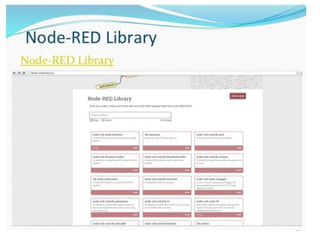
Node-RED Node-RED is a tool for wiring together hardware devices, APIs and online
services in new and interesting ways.
Ponte Ponte allows you to publish and receive data using any protocol: HTTP, MQTT and
CoAP.
RabbitMQ Robust messaging for applications.
Redis Redis is a data structure server. It is open-source, networked, in-memory, and
stores keys with optional durability.
RPI The Raspberry Pi is a series of credit-card-sized, single-board computers developed in
the United Kingdom by the Raspberry Pi Foundation with the intent to promote the
teaching of basic computer science in schools and developing countries.



![51
6 RS485 模組及 MODBUS Library功能
// 利用UART 控制通訊接收、傳送
#include <SoftwareSerial.h>
// 定義半雙工送收控制接腳的PIN
#define RS485CtrlPin 7
// 定義 通訊延遲時間
#define TIME_REQUEST 7
unsigned long interframe_delay = 2; /* Modbus t3.5 = 2 ms */
// 宣告回傳值及buffer 、傳輸速度等變數
int retval;
int data[12];
int baud_rate = 9600;
// 宣告冷氣回傳暫存器變數
int v00,v03,v04,v20,v21,v22,v23,v24,v29,v2a,v2b;
// 讀取冷氣暫存器值
retval= read_holding_registers( AC_no,0,1,data,10);
v00= (unsigned int) (256 *( data[0]>>8) + (data[0] & 0x00ff) );
Modbus.ino](https://image.slidesharecdn.com/20170418-170422034220/85/20170415-_-51-320.jpg)