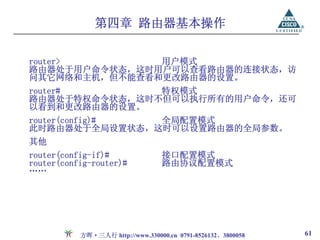
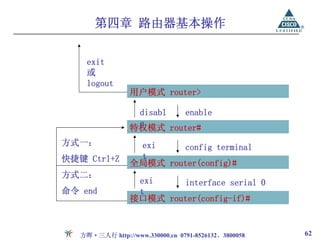
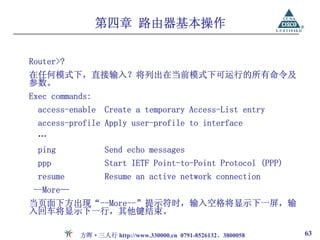
第四章 路由器基本操作
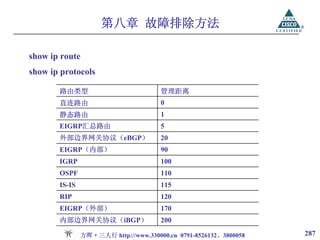
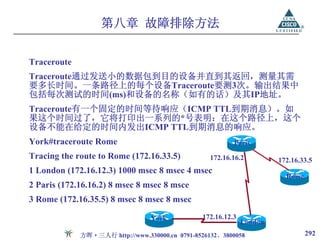
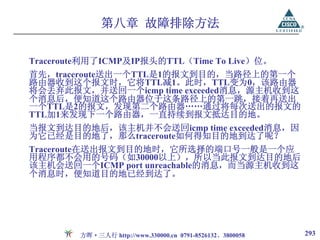
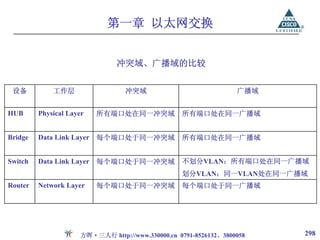
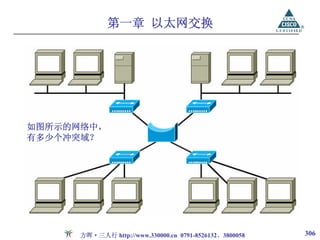
Setup模式
如果设备之前没有被配置过,或者配置文件被删除,或者配置文件被
忽略(未加载),该设备将进入Setup模式,通过对话的方式进行基本
配置。
--- System Configuration Dialog ---
Would you like to enter the initial configuration dialog?
[yes/no]:y
在设置过程中可以随时键入“?”得到系统的帮助,按ctrl+c可
… 以退出设置过程,缺省设置将显示在‘[ ]’中。
At any point you may enter a question mark '?' for help.
Use ctrl-c to abort configuration dialog at any prompt.
Default settings are in square brackets '[ ]'.
方晖·三人行 http://www.330000.cn 0791-8526132、3800058 58
59.
第四章 路由器基本操作
接下来,会让你进行主机名、密码、接口等相关设置。在配置完成的
最后将出现如下选项:
[0] Goto the IOS command prompt without saving this config.
[1] Return back to the setup without saving this config.
[2] Save this configuration to nvram and exit.
Enter your selection [2]:
方晖·三人行 http://www.330000.cn 0791-8526132、3800058 59
第四章 路由器基本操作
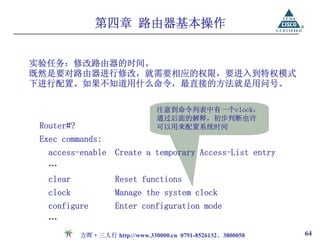
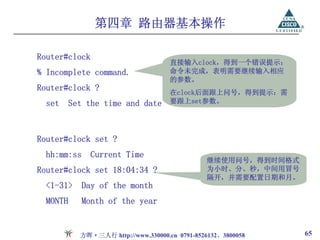
Router#clock
直接输入clock,得到一个错误提示:
% Incomplete command. 命令未完成,表明需要继续输入相应
的参数。
Router#clock ? 在clock后面跟上问号,得到提示:需
set Set the time and date 要跟上set参数。
Router#clock set ?
hh:mm:ss Current Time
继续使用问号,得到时间格式
Router#clock set 18:04:34 ? 为小时、分、秒,中间用冒号
隔开,并需要配置日期和月。
<1-31> Day of the month
MONTH Month of the year
方晖·三人行 http://www.330000.cn 0791-8526132、3800058 65
66.
第四章 路由器基本操作
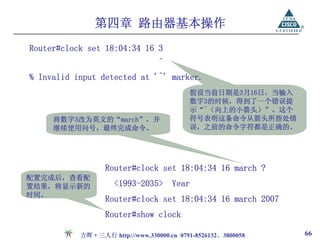
Router#clock set18:04:34 16 3
^
% Invalid input detected at '^' marker.
假设当前日期是3月16日,当输入
数字3的时候,得到了一个错误提
示“^(向上的小箭头)”。这个
将数字3改为英文的“march”,并 符号表明这条命令从箭头所指处错
继续使用问号,最终完成命令。 误,之前的命令字符都是正确的。
Router#clock set 18:04:34 16 march ?
配置完成后,查看配
置结果,将显示新的 <1993-2035> Year
时间。
Router#clock set 18:04:34 16 march 2007
Router#show clock
方晖·三人行 http://www.330000.cn 0791-8526132、3800058 66
第四章 路由器基本操作
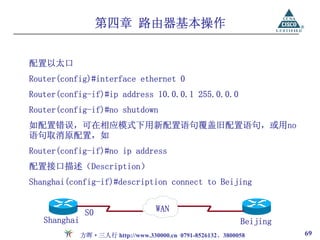
配置以太口
Router(config)#interface ethernet0
Router(config-if)#ip address 10.0.0.1 255.0.0.0
Router(config-if)#no shutdown
如配置错误,可在相应模式下用新配置语句覆盖旧配置语句,或用no
语句取消原配置,如
Router(config-if)#no ip address
配置接口描述(Description)
Shanghai(config-if)#description connect to Beijing
S0 WAN
Shanghai Beijing
方晖·三人行 http://www.330000.cn 0791-8526132、3800058 69
70.
第四章 路由器基本操作
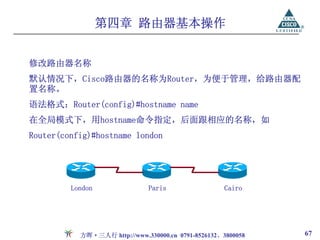
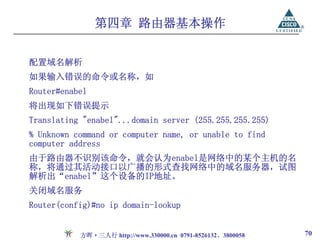
配置域名解析
如果输入错误的命令或名称,如
Router#enabel
将出现如下错误提示
Translating "enabel"...domainserver (255.255.255.255)
% Unknown command or computer name, or unable to find
computer address
由于路由器不识别该命令,就会认为enabel是网络中的某个主机的名
称,将通过其活动接口以广播的形式查找网络中的域名服务器,试图
解析出“enabel”这个设备的IP地址。
关闭域名服务
Router(config)#no ip domain-lookup
方晖·三人行 http://www.330000.cn 0791-8526132、3800058 70
71.
第四章 路由器基本操作
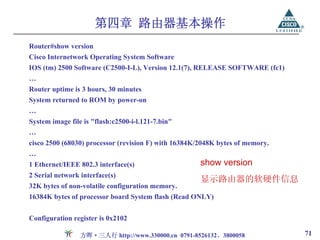
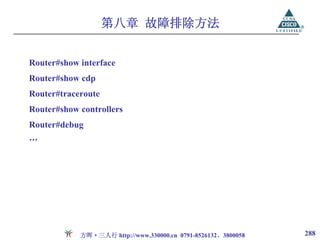
Router#show version
CiscoInternetwork Operating System Software
IOS (tm) 2500 Software (C2500-I-L), Version 12.1(7), RELEASE SOFTWARE (fc1)
…
Router uptime is 3 hours, 30 minutes
System returned to ROM by power-on
…
System image file is "flash:c2500-i-l.121-7.bin"
…
cisco 2500 (68030) processor (revision F) with 16384K/2048K bytes of memory.
…
1 Ethernet/IEEE 802.3 interface(s) show version
2 Serial network interface(s)
显示路由器的软硬件信息
32K bytes of non-volatile configuration memory.
16384K bytes of processor board System flash (Read ONLY)
Configuration register is 0x2102
方晖·三人行 http://www.330000.cn 0791-8526132、3800058 71
第四章 路由器基本操作
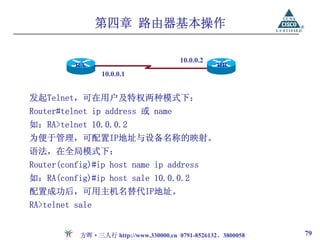
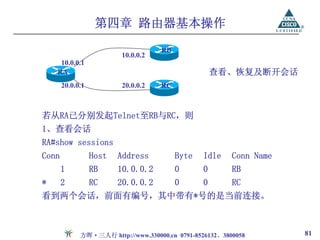
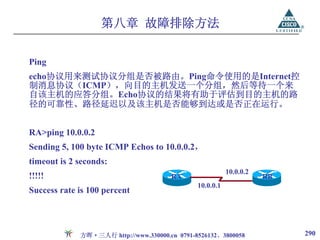
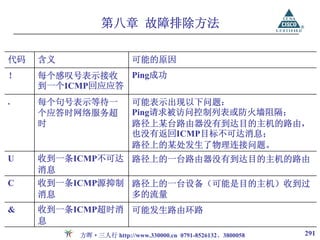
10.0.0.2
RA RB
10.0.0.1
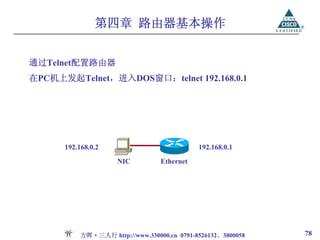
发起Telnet,可在用户及特权两种模式下:
Router#telnet ip address 或 name
如:RA>telnet 10.0.0.2
为便于管理,可配置IP地址与设备名称的映射。
语法,在全局模式下:
Router(config)#ip host name ip address
如:RA(config)#ip host sale 10.0.0.2
配置成功后,可用主机名替代IP地址。
RA>telnet sale
方晖·三人行 http://www.330000.cn 0791-8526132、3800058 79
80.
第四章 路由器基本操作
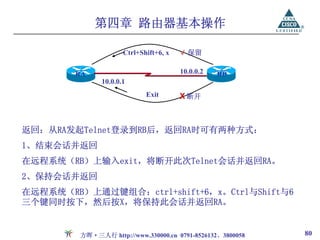
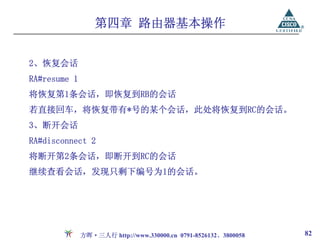
Ctrl+Shift+6, x √ 保留
RA 10.0.0.2 RB
10.0.0.1
Exit X 断开
返回:从RA发起Telnet登录到RB后,返回RA时可有两种方式:
1、结束会话并返回
在远程系统(RB)上输入exit,将断开此次Telnet会话并返回RA。
2、保持会话并返回
在远程系统(RB)上通过键组合:ctrl+shift+6,x。Ctrl与Shift与6
三个键同时按下,然后按X,将保持此会话并返回RA。
方晖·三人行 http://www.330000.cn 0791-8526132、3800058 80
第四章 路由器基本操作
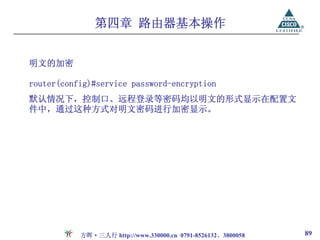
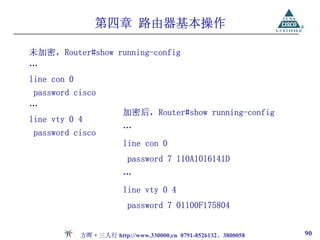
未加密,Router#show running-config
…
linecon 0
password cisco
…
加密后,Router#show running-config
line vty 0 4
…
password cisco
line con 0
password 7 110A1016141D
…
line vty 0 4
password 7 01100F175804
方晖·三人行 http://www.330000.cn 0791-8526132、3800058 90
91.
第四章 路由器基本操作
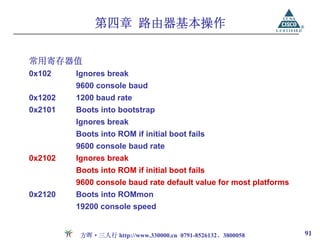
常用寄存器值
0x102 Ignores break
9600 console baud
0x1202 1200 baud rate
0x2101 Boots into bootstrap
Ignores break
Boots into ROM if initial boot fails
9600 console baud rate
0x2102 Ignores break
Boots into ROM if initial boot fails
9600 console baud rate default value for most platforms
0x2120 Boots into ROMmon
19200 console speed
方晖·三人行 http://www.330000.cn 0791-8526132、3800058 91
92.
第四章 路由器基本操作
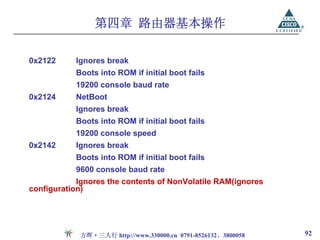
0x2122 Ignores break
Boots into ROM if initial boot fails
19200 console baud rate
0x2124 NetBoot
Ignores break
Boots into ROM if initial boot fails
19200 console speed
0x2142 Ignores break
Boots into ROM if initial boot fails
9600 console baud rate
Ignores the contents of NonVolatile RAM(ignores
configuration)
方晖·三人行 http://www.330000.cn 0791-8526132、3800058 92
93.
第四章 路由器基本操作
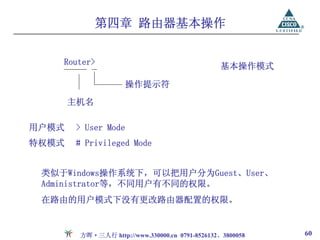
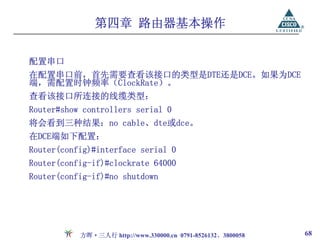
路由器密码恢复(2500系列)
1、reload或重新启动路由器
2、开机60S之内按“break” 或“ctrl+break”,中断启动过程
3、此时提示符为“>”(rommonitor模式),输入o/r 0x2142,修改
寄存器值,使之启动时不加载配置
4、输入i(initialize),重新初始化路由器,即重启
5、路由器重启后将进入setup对话框
Would you like to enter the initial configuration dialog?
[yes/no]: n
6、此时提示符为router>,输入enable进入特权模式
7、router#copy startup-config running-config,加载原配置
8、router#config terminal,进入全局模式
方晖·三人行 http://www.330000.cn 0791-8526132、3800058 93
第四章 路由器基本操作
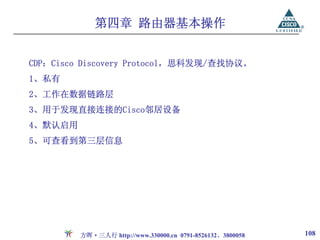
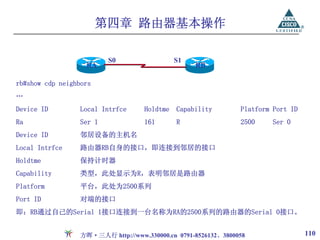
S0 S1
RA RB
rb#show cdp neighbors
…
Device ID Local Intrfce Holdtme Capability Platform Port ID
Ra Ser 1 161 R 2500 Ser 0
Device ID 邻居设备的主机名
Local Intrfce 路由器RB自身的接口,即连接到邻居的接口
Holdtme 保持计时器
Capability 类型,此处显示为R,表明邻居是路由器
Platform 平台,此处为2500系列
Port ID 对端的接口
即:RB通过自己的Serial 1接口连接到一台名称为RA的2500系列的路由器的Serial 0接口。
方晖·三人行 http://www.330000.cn 0791-8526132、3800058 110
第五章 IP网络规划
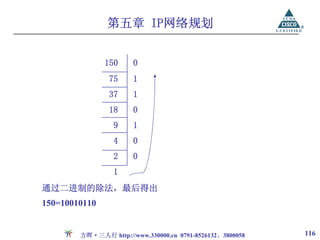
基础知识:十进制、二进制与十六进制的转换及运算
You havethe binary number 10011101. Convert it to its
decimal and hexadecimal equivalents.
A. 158 B. 0x9D C. 156
D. 157 E. 0x19 F. 0x9F
答案:B、D。
1、10011101一定为奇数,可排除A、C选项,得出十进制值为157。
2、1001的十进制肯定不为1或者F,则十进制应为9,排除E选项。
3、1101的十进制同样肯定不为F,排除F选项。
方晖·三人行 http://www.330000.cn 0791-8526132、3800058 115
第五章 IP网络规划
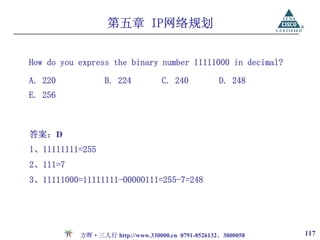
How doyou express the binary number 11111000 in decimal?
A. 220 B. 224 C. 240 D. 248
E. 256
答案:D
1、11111111=255
2、111=7
3、11111000=11111111-00000111=255-7=248
方晖·三人行 http://www.330000.cn 0791-8526132、3800058 117
118.
第五章 IP网络规划
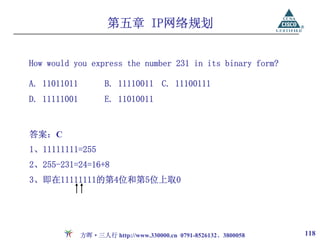
How wouldyou express the number 231 in its binary form?
A. 11011011 B. 11110011 C. 11100111
D. 11111001 E. 11010011
答案:C
1、11111111=255
2、255-231=24=16+8
3、即在11111111的第4位和第5位上取0
方晖·三人行 http://www.330000.cn 0791-8526132、3800058 118
第一章 路由原理
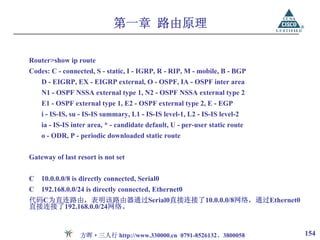
Router>show iproute
Codes: C - connected, S - static, I - IGRP, R - RIP, M - mobile, B - BGP
D - EIGRP, EX - EIGRP external, O - OSPF, IA - OSPF inter area
N1 - OSPF NSSA external type 1, N2 - OSPF NSSA external type 2
E1 - OSPF external type 1, E2 - OSPF external type 2, E - EGP
i - IS-IS, su - IS-IS summary, L1 - IS-IS level-1, L2 - IS-IS level-2
ia - IS-IS inter area, * - candidate default, U - per-user static route
o - ODR, P - periodic downloaded static route
Gateway of last resort is not set
C 10.0.0.0/8 is directly connected, Serial0
C 192.168.0.0/24 is directly connected, Ethernet0
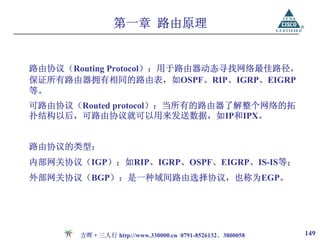
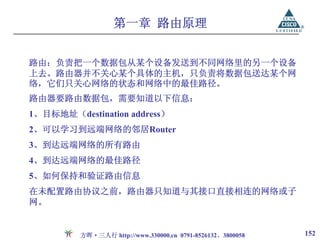
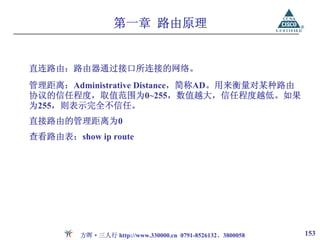
代码C为直连路由,表明该路由器通过Serial0直接连接了10.0.0.0/8网络,通过Ethernet0
直接连接了192.168.0.0/24网络。
方晖·三人行 http://www.330000.cn 0791-8526132、3800058 154
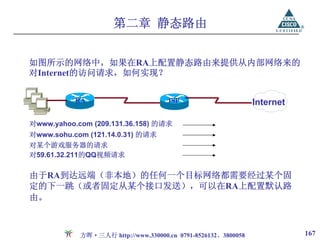
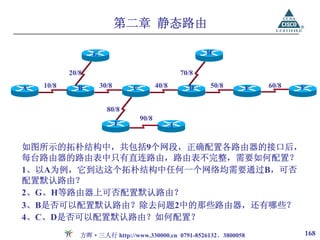
第二章 静态路由
G H
20/8 70/8
A 10/8 B 30/8 C 40/8 D 50/8 E 60/8 F
B B
80/8
90/8
I J
如图所示的拓朴结构中,共包括9个网段,正确配置各路由器的接口后,
每台路由器的路由表中只有直连路由,路由表不完整,需要如何配置?
1、以A为例,它到达这个拓朴结构中任何一个网络均需要通过B,可否
配置默认路由?
2、G、H等路由器上可否配置默认路由?
3、B是否可以配置默认路由?除去问题2中的那些路由器,还有哪些?
4、C、D是否可以配置默认路由?如何配置?
方晖·三人行 http://www.330000.cn 0791-8526132、3800058 168
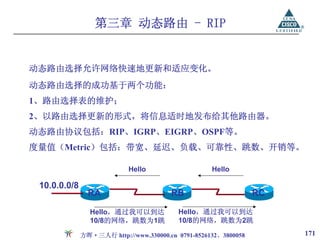
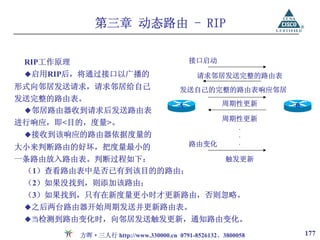
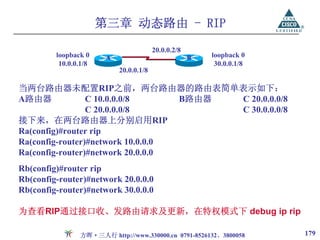
第三章 动态路由 -RIP
20.0.0.2/8
loopback 0 A B loopback 0
10.0.0.1/8 30.0.0.1/8
20.0.0.1/8
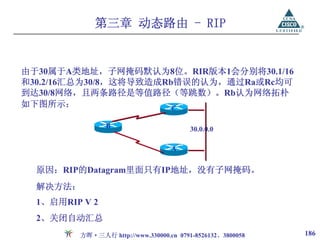
当两台路由器未配置RIP之前,两台路由器的路由表简单表示如下:
A路由器 C 10.0.0.0/8 B路由器 C 20.0.0.0/8
C 20.0.0.0/8 C 30.0.0.0/8
接下来,在两台路由器上分别启用RIP
Ra(config)#router rip
Ra(config-router)#network 10.0.0.0
Ra(config-router)#network 20.0.0.0
Rb(config)#router rip
Rb(config-router)#network 20.0.0.0
Rb(config-router)#network 30.0.0.0
为查看RIP通过接口收、发路由请求及更新,在特权模式下 debug ip rip
方晖·三人行 http://www.330000.cn 0791-8526132、3800058 179
180.
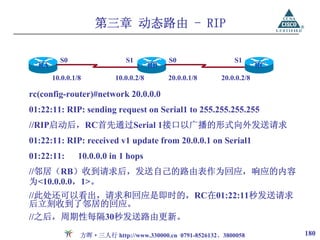
第三章 动态路由 -RIP
S0 S1 S0 S1
RA RB RC
10.0.0.1/8 10.0.0.2/8 20.0.0.1/8 20.0.0.2/8
rc(config-router)#network 20.0.0.0
01:22:11: RIP: sending request on Serial1 to 255.255.255.255
//RIP启动后,RC首先通过Serial 1接口以广播的形式向外发送请求
01:22:11: RIP: received v1 update from 20.0.0.1 on Serial1
01:22:11: 10.0.0.0 in 1 hops
//邻居(RB)收到请求后,发送自己的路由表作为回应,响应的内容
为<10.0.0.0,1>。
//此处还可以看出,请求和回应是即时的,RC在01:22:11秒发送请求
后立刻收到了邻居的回应。
//之后,周期性每隔30秒发送路由更新。
方晖·三人行 http://www.330000.cn 0791-8526132、3800058 180
181.
第三章 动态路由 -RIP
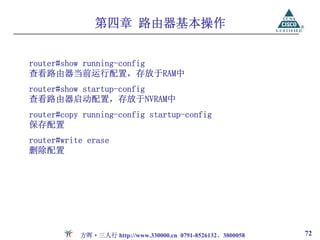
Rc#show ip route rip //仅查看通过RIP学习到的路由
R 10.0.0.0 [120/1] via 20.0.0.1, 00:00:07, Serial1
R RIP的标识代码
10.0.0.0 通过RIP所学习到的网络
120 管理距离
1 到达目标网络的跳数
via 经过,通过
20.0.0.1 下一跳地址,到达10.0.0.0网络需要经过的邻居路由器的地址
或者理解为学习到该条路由的来源,关于10.0.0.0这条路由表
项是由20.0.0.1发送来的,通过20.0.0.1学习到
00:00:07 所学习到的时间,即这条路由是在7秒钟之前学习到,或者
是在7秒钟之前更新过
serial0 本地接口,即Rc是通过自己的Serial1接口学习到
方晖·三人行 http://www.330000.cn 0791-8526132、3800058 181
182.
第三章 动态路由 -RIP
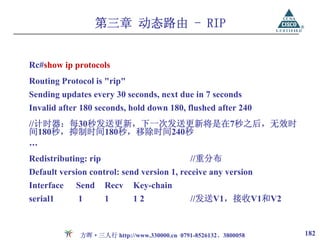
Rc#show ip protocols
Routing Protocol is "rip"
Sending updates every 30 seconds, next due in 7 seconds
Invalid after 180 seconds, hold down 180, flushed after 240
//计时器:每30秒发送更新,下一次发送更新将是在7秒之后,无效时
间180秒,抑制时间180秒,移除时间240秒
…
Redistributing: rip //重分布
Default version control: send version 1, receive any version
Interface Send Recv Key-chain
serial1 1 1 12 //发送V1,接收V1和V2
方晖·三人行 http://www.330000.cn 0791-8526132、3800058 182
183.
第三章 动态路由 -RIP
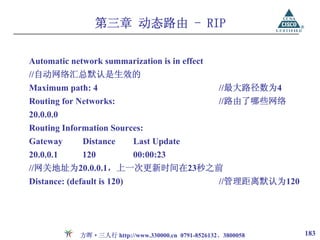
Automatic network summarization is in effect
//自动网络汇总默认是生效的
Maximum path: 4 //最大路径数为4
Routing for Networks: //路由了哪些网络
20.0.0.0
Routing Information Sources:
Gateway Distance Last Update
20.0.0.1 120 00:00:23
//网关地址为20.0.0.1,上一次更新时间在23秒之前
Distance: (default is 120) //管理距离默认为120
方晖·三人行 http://www.330000.cn 0791-8526132、3800058 183
第三章 动态路由 -RIP
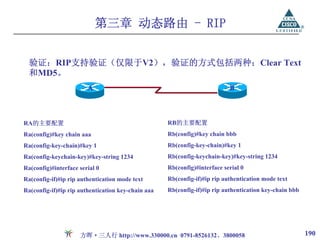
验证:RIP支持验证(仅限于V2),验证的方式包括两种:Clear Text
和MD5。
A B
RA的主要配置 RB的主要配置
Ra(config)#key chain aaa Rb(config)#key chain bbb
Ra(config-key-chain)#key 1 Rb(config-key-chain)#key 1
Ra(config-keychain-key)#key-string 1234 Rb(config-keychain-key)#key-string 1234
Ra(config)#interface serial 0 Rb(config)#interface serial 0
Ra(config-if)#ip rip authentication mode text Rb(config-if)#ip rip authentication mode text
Ra(config-if)#ip rip authentication key-chain aaa Rb(config-if)#ip rip authentication key-chain bbb
方晖·三人行 http://www.330000.cn 0791-8526132、3800058 190
191.
第三章 动态路由 -RIP
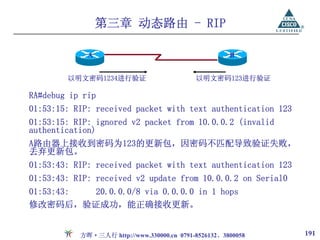
A B
以明文密码1234进行验证 以明文密码123进行验证
RA#debug ip rip
01:53:15: RIP: received packet with text authentication 123
01:53:15: RIP: ignored v2 packet from 10.0.0.2 (invalid
authentication)
A路由器上接收到密码为123的更新包,因密码不匹配导致验证失败,
丢弃更新包。
01:53:43: RIP: received packet with text authentication 123
01:53:43: RIP: received v2 update from 10.0.0.2 on Serial0
01:53:43: 20.0.0.0/8 via 0.0.0.0 in 1 hops
修改密码后,验证成功,能正确接收更新。
方晖·三人行 http://www.330000.cn 0791-8526132、3800058 191
第三章 动态路由 -RIP
10.0.0.2/8
X
20.0.0.1/8
RA
10.0.0.1/8
RB
4、设第31.5秒时,20网络断开,则此刻
路由环路的产生
两台路由器的路由表分别为:
1、两台路由器的路由表分别为:
RA RB
RA RB C 10/8 C 10/8
C 10/8 C 10/8 R 20/8 1
C 20/8 5、第32秒时,RB发送更新,将自己路由
2、设第1秒时RA启用RIP,第2秒时RB启用 表中[R 20/8 1]发送给RA,同时跳数加1
RIP,则第2秒时的路由表为: ,变为[R 20/8 2]。而此时RA路由表中缺
少到达20/8网络的路由,RA将此条路由
RA RB 放入路由表。此刻两台路由器的路由表分
C 10/8 C 10/8 别为:
C 20/8 R 20/8 1
RA RB
RA将在第31秒时发送更新,RB将在第32秒时 C 10/8 C 10/8
发送更新。 R 20/8 2 R 20/8 1
3、第31秒时,RA正常更新,两台路 RA认为通过RB可以到达20/8网络,而
由器的路由表保持不变,如上。 RB又认为通过RA可以到达,错误产生。
方晖·三人行 http://www.330000.cn 0791-8526132、3800058 193
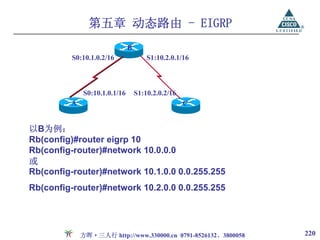
第五章 动态路由 -EIGRP
B
S0:10.1.0.2/16 S1:10.2.0.1/16
S0:10.1.0.1/16 S1:10.2.0.2/16
A C
以B为例:
Rb(config)#router eigrp 10
Rb(config-router)#network 10.0.0.0
或
Rb(config-router)#network 10.1.0.0 0.0.255.255
Rb(config-router)#network 10.2.0.0 0.0.255.255
方晖·三人行 http://www.330000.cn 0791-8526132、3800058 220
221.
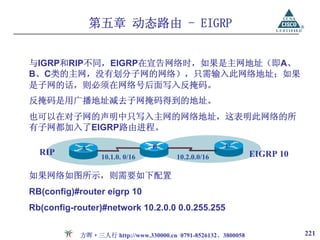
第五章 动态路由 -EIGRP
与IGRP和RIP不同,EIGRP在宣告网络时,如果是主网地址(即A、
B、C类的主网,没有划分子网的网络),只需输入此网络地址;如果
是子网的话,则必须在网络号后面写入反掩码。
反掩码是用广播地址减去子网掩码得到的地址。
也可以在对子网的声明中只写入主网的网络地址,这表明此网络的所
有子网都加入了EIGRP路由进程。
A B C
RIP 10.1.0. 0/16 10.2.0.0/16 EIGRP 10
如果网络如图所示,则需要如下配置
RB(config)#router eigrp 10
Rb(config-router)#network 10.2.0.0 0.0.255.255
方晖·三人行 http://www.330000.cn 0791-8526132、3800058 221
222.
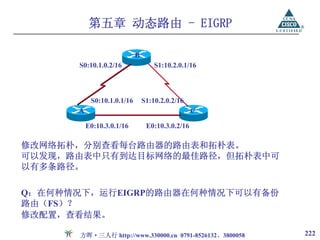
第五章 动态路由 -EIGRP
B
S0:10.1.0.2/16 S1:10.2.0.1/16
S0:10.1.0.1/16 S1:10.2.0.2/16
A C
E0:10.3.0.1/16 E0:10.3.0.2/16
修改网络拓朴,分别查看每台路由器的路由表和拓朴表。
可以发现,路由表中只有到达目标网络的最佳路径,但拓朴表中可
以有多条路径。
Q:在何种情况下,运行EIGRP的路由器在何种情况下可以有备份
路由(FS)?
修改配置,查看结果。
方晖·三人行 http://www.330000.cn 0791-8526132、3800058 222
223.
第五章 动态路由 -EIGRP
查看路由表
show ip route (eigrp)
查看拓朴表
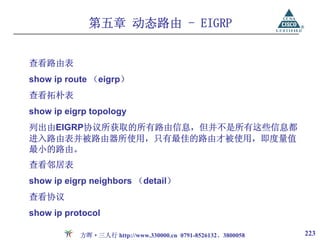
show ip eigrp topology
列出由EIGRP协议所获取的所有路由信息,但并不是所有这些信息都
进入路由表并被路由器所使用,只有最佳的路由才被使用,即度量值
最小的路由。
查看邻居表
show ip eigrp neighbors (detail)
查看协议
show ip protocol
方晖·三人行 http://www.330000.cn 0791-8526132、3800058 223
224.
第五章 动态路由 -EIGRP
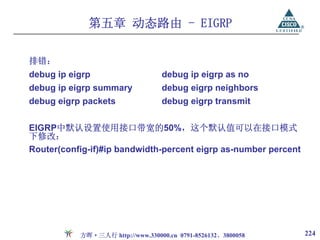
排错:
debug ip eigrp debug ip eigrp as no
debug ip eigrp summary debug eigrp neighbors
debug eigrp packets debug eigrp transmit
EIGRP中默认设置使用接口带宽的50%,这个默认值可以在接口模式
下修改:
Router(config-if)#ip bandwidth-percent eigrp as-number percent
方晖·三人行 http://www.330000.cn 0791-8526132、3800058 224
225.
第五章 动态路由 -EIGRP
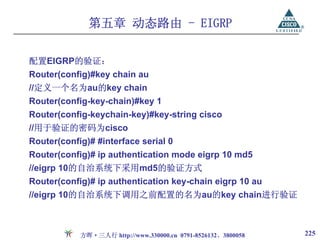
配置EIGRP的验证:
Router(config)#key chain au
//定义一个名为au的key chain
Router(config-key-chain)#key 1
Router(config-keychain-key)#key-string cisco
//用于验证的密码为cisco
Router(config)# #interface serial 0
Router(config)# ip authentication mode eigrp 10 md5
//eigrp 10的自治系统下采用md5的验证方式
Router(config)# ip authentication key-chain eigrp 10 au
//eigrp 10的自治系统下调用之前配置的名为au的key chain进行验证
方晖·三人行 http://www.330000.cn 0791-8526132、3800058 225
第六章 动态路由 -OSPF
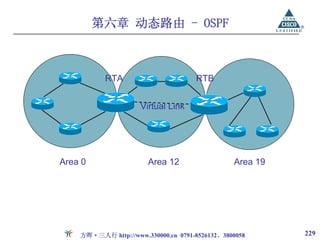
RTA RTB
Virtual Link
Area 0 Area 12 Area 19
方晖·三人行 http://www.330000.cn 0791-8526132、3800058 229
230.
第六章 动态路由 -OSPF
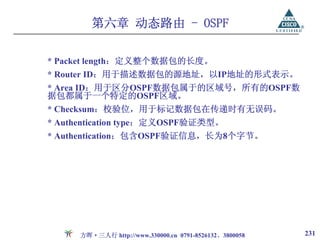
OSPF的数据包格式
在OSPF路由协议的数据包中,其数据包头长为24个字节,包含如下8
个字段:
* Version number:所采用的OSPF路由协议的版本。
* Type:定义OSPF数据包类型。
Hello:用于建立和维护相邻的两个OSPF路由器的关系,
该数据包是周期性地发送的。
Database Description:用于描述整个数据库,该数据包
仅在OSPF初始化时发送。
Link state request:用于向相邻的OSPF路由器请求部分
或全部的数据,这种数据包是在当路由器发现其数据已
经过期时才发送的。
Link state update:是对LSR的响应,即通常所说的LSA
数据包。
Link state acknowledgment:是对LSA数据包的响应。
方晖·三人行 http://www.330000.cn 0791-8526132、3800058 230
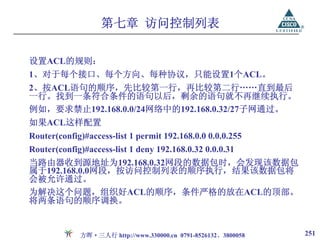
第七章 访问控制列表
标准访问控制列表,只检查源地址
要求:
S0 S0 S1 S1 1、采用标准访问列表
RA RB RC
2、阻止HostA访问HostF
E0 E0 E0
问题:
1、放置在哪个路由器的哪
个接口的哪个方向上可行?
2、放置在哪个路由器的哪
A B C D E F 个接口的哪个方向上最好?
10.0.0.1 30.0.0.1
对于标准访问列表,放置在离目标最近的接口上。
方晖·三人行 http://www.330000.cn 0791-8526132、3800058 254
255.
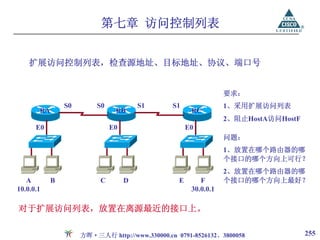
第七章 访问控制列表
扩展访问控制列表,检查源地址、目标地址、协议、端口号
要求:
S0 S0 S1 S1 1、采用扩展访问列表
RA RB RC
2、阻止HostA访问HostF
E0 E0 E0
问题:
1、放置在哪个路由器的哪
个接口的哪个方向上可行?
2、放置在哪个路由器的哪
A B C D E F 个接口的哪个方向上最好?
10.0.0.1 30.0.0.1
对于扩展访问列表,放置在离源最近的接口上。
方晖·三人行 http://www.330000.cn 0791-8526132、3800058 255
第七章 访问控制列表
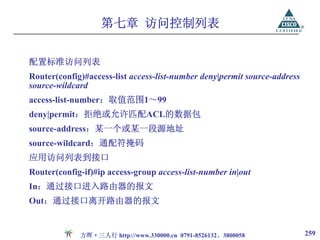
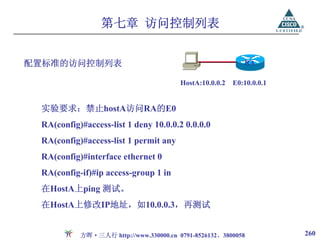
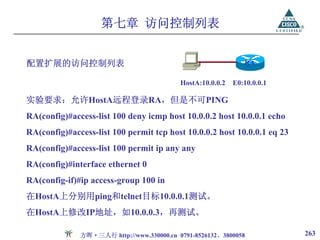
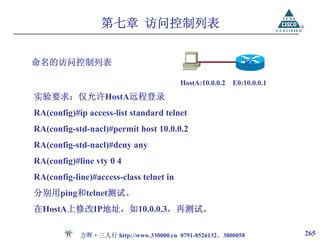
配置标准的访问控制列表 RA
HostA:10.0.0.2 E0:10.0.0.1
实验要求:禁止hostA访问RA的E0
RA(config)#access-list 1 deny 10.0.0.2 0.0.0.0
RA(config)#access-list 1 permit any
RA(config)#interface ethernet 0
RA(config-if)#ip access-group 1 in
在HostA上ping 测试。
在HostA上修改IP地址,如10.0.0.3,再测试
方晖·三人行 http://www.330000.cn 0791-8526132、3800058 260
261.
第七章 访问控制列表
show access-list:显示路由器上配置的所有的ACL信息
showaccess-list [number]:显示具体第几条编号ACL信息
RA#show ip access-lists 1
Standard IP access list 1
deny 10.0.0.2, wildcard bits 0.0.0.0 check=64
permit any (64 matches) //表示有64个匹配条件的数据包
RA#clear access-list counters //清空计数器
show ip interface:显示接口的信息和配置的ACL信息。
show ip interface [端口号]:显示某接口的信息和配置的ACL信息。
RA#show ip interface ethernet 0
Outgoing access list is not set
Inbound access list is 1
方晖·三人行 http://www.330000.cn 0791-8526132、3800058 261
第七章 访问控制列表
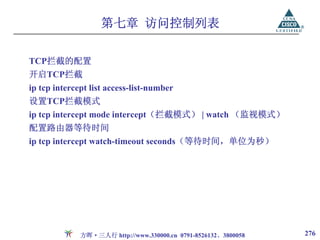
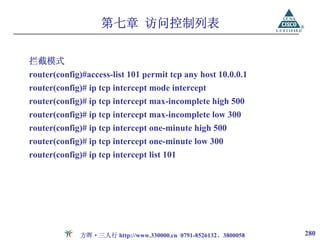
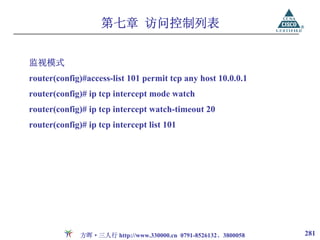
TCP拦截的配置
开启TCP拦截
ip tcpintercept list access-list-number
设置TCP拦截模式
ip tcp intercept mode intercept(拦截模式) | watch (监视模式)
配置路由器等待时间
ip tcp intercept watch-timeout seconds(等待时间,单位为秒)
方晖·三人行 http://www.330000.cn 0791-8526132、3800058 276
277.
第七章 访问控制列表
配置删除TCP半连接的阀值
ip tcpintercept max-incomplete high number
Number:路由器开始删除连接之前,能够存在的最大半连接数
ip tcp inercept max-incomplete low number
Number:路由器停止删除连接之前,能够存在的最大半连接数
ip tcp intercept one-minute high number
Number:路由器开始删除连接之前,每分钟内能存在的最大半连接
数目
ip tcp intercept one-minute low number
Number:路由器停止删除连接之前,每分钟内能存在的最大半连接
数目
方晖·三人行 http://www.330000.cn 0791-8526132、3800058 277
278.
第七章 访问控制列表
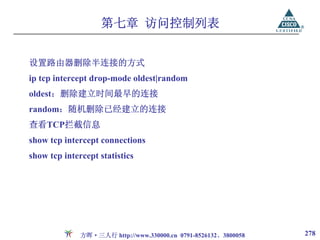
设置路由器删除半连接的方式
ip tcpintercept drop-mode oldest|random
oldest:删除建立时间最早的连接
random:随机删除已经建立的连接
查看TCP拦截信息
show tcp intercept connections
show tcp intercept statistics
方晖·三人行 http://www.330000.cn 0791-8526132、3800058 278
第一章 以太网交换
Preamble SFD DA SA Length DATA FCS
6 bytes 1 bytes 6 bytes 6 bytes 2 bytes Up to 1500 bytes 4 bytes
Cut through Fragment Free Store and Forward
三种不同的转发模式
方晖·三人行 http://www.330000.cn 0791-8526132、3800058 320
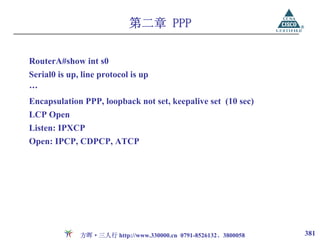
第二章 PPP
RouterA#show ints0
Serial0 is up, line protocol is up
…
Encapsulation PPP, loopback not set, keepalive set (10 sec)
LCP Open
Listen: IPXCP
Open: IPCP, CDPCP, ATCP
方晖·三人行 http://www.330000.cn 0791-8526132、3800058 381
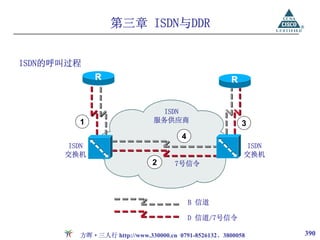
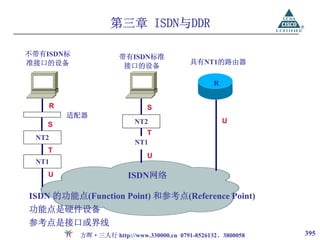
第三章 ISDN与DDR
不带有ISDN标 带有ISDN标准
准接口的设备 具有NT1的路由器
接口的设备
R
R S
适配器
NT2 U
S
T
NT2
NT1
T
U
NT1
U ISDN网络
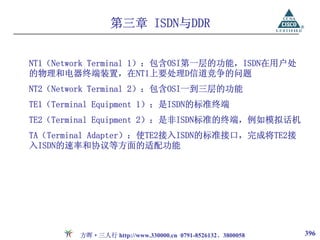
ISDN 的功能点(Function Point) 和参考点(Reference Point)
功能点是硬件设备
参考点是接口或界线
方晖·三人行 http://www.330000.cn 0791-8526132、3800058 395
第三章 ISDN与DDR
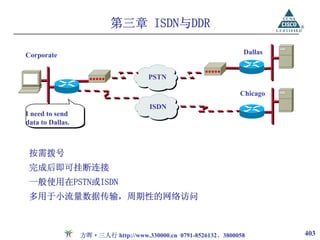
Corporate Dallas
PSTN
Chicago
ISDN
I need to send
data to Dallas.
按需拨号
完成后即可挂断连接
一般使用在PSTN或ISDN
多用于小流量数据传输,周期性的网络访问
方晖·三人行 http://www.330000.cn 0791-8526132、3800058 403
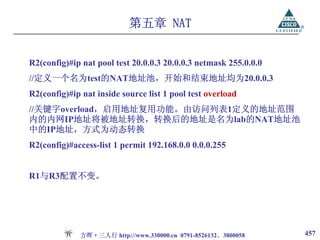
第五章 NAT
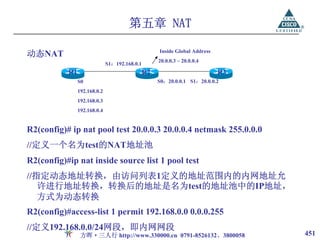
R2(config)#ip natpool test 20.0.0.3 20.0.0.3 netmask 255.0.0.0
//定义一个名为test的NAT地址池,开始和结束地址均为20.0.0.3
R2(config)#ip nat inside source list 1 pool test overload
//关键字overload,启用地址复用功能。由访问列表1定义的地址范围
内的内网IP地址将被地址转换,转换后的地址是名为lab的NAT地址池
中的IP地址,方式为动态转换
R2(config)#access-list 1 permit 192.168.0.0 0.0.0.255
R1与R3配置不变。
方晖·三人行 http://www.330000.cn 0791-8526132、3800058 457
458.
第五章 NAT
R1#ping
Protocol [ip]:
TargetIP address: 20.0.0.2
Extended commands [n]: y
Source address or interface: 192.168.0.3
R2#show ip nat translations
Pro Inside global Inside local Outside local Outside global
icmp 20.0.0.2:2032 192.168.0.3:2032 20.0.0.3:2032 20.0.0.3:2032
可以观察到复用了20.0.0.3的不同端口号。
方晖·三人行 http://www.330000.cn 0791-8526132、3800058 458
附录二 CCNA考试介绍
例如:
How longhave you been installing, configuring, supporting or
troubleshooting small to medium-sized multi-protocol
enterprise networks on a daily basis?
○ A. I have not worked with networks on a daily basis.
○ B. less than 6 months
○ C. 6 months to 18 months
○ D. 18 months to 3 years
○ E. 3 years to 5 years
○ F. more than 5 years
方晖·三人行 http://www.330000.cn 0791-8526132、3800058 556
附录二 CCNA考试介绍
多选题例:
You havethe binary number 10011101. Convert it to its
decimal and hexadecimal equivalents. (Select two)
A. 158 B. 0x9d C. 156
D. 157 E. 0x19 F. 0x9f
方晖·三人行 http://www.330000.cn 0791-8526132、3800058 560












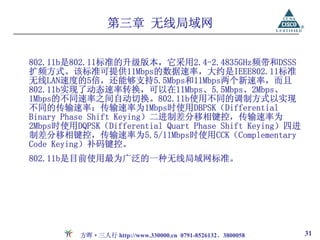



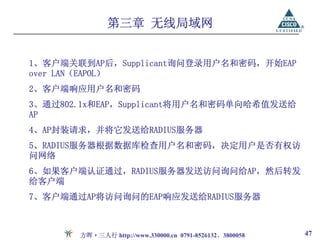
![第三章 无线局域网
直接序列扩频技术(Direct Sequence Spread Spectrum)是将原来的
记号[1]或者[0],利用10个以上的chips来代表[1]或[0]位,使得原来
较高功率,较窄频率变成具有较宽频的低功率频率。而每个bit使用多
少个chips称作Spreading Ratio,一个较高的Spreading Ratio可以增
加抗噪声干扰,而一个较低Spreading Ratio可以增加用户的人数。
基本上,在DSSS的Spreading Ratio是相当少的。例如在几乎所有
2.4GHz的无线局域网络产品所使用的Spreading Ratio皆少于20。而在
IEEE802.11的标准内,其Spreading Ratio是11。IEEE802.11b采用这
种扩频方式。
方晖·三人行 http://www.330000.cn 0791-8526132、3800058 39](https://image.slidesharecdn.com/random-090704040920-phpapp01/85/slide-39-320.jpg)



![第四章 路由器基本操作
Setup模式
如果设备之前没有被配置过,或者配置文件被删除,或者配置文件被
忽略(未加载),该设备将进入Setup模式,通过对话的方式进行基本
配置。
--- System Configuration Dialog ---
Would you like to enter the initial configuration dialog?
[yes/no]:y
在设置过程中可以随时键入“?”得到系统的帮助,按ctrl+c可
… 以退出设置过程,缺省设置将显示在‘[ ]’中。
At any point you may enter a question mark '?' for help.
Use ctrl-c to abort configuration dialog at any prompt.
Default settings are in square brackets '[ ]'.
方晖·三人行 http://www.330000.cn 0791-8526132、3800058 58](https://image.slidesharecdn.com/random-090704040920-phpapp01/85/slide-58-320.jpg)
![第四章 路由器基本操作
接下来,会让你进行主机名、密码、接口等相关设置。在配置完成的
最后将出现如下选项:
[0] Go to the IOS command prompt without saving this config.
[1] Return back to the setup without saving this config.
[2] Save this configuration to nvram and exit.
Enter your selection [2]:
方晖·三人行 http://www.330000.cn 0791-8526132、3800058 59](https://image.slidesharecdn.com/random-090704040920-phpapp01/85/slide-59-320.jpg)
![第四章 路由器基本操作
路由器密码恢复(2500系列)
1、reload或重新启动路由器
2、开机60S之内按“break” 或“ctrl+break”,中断启动过程
3、此时提示符为“>”(rom monitor模式),输入o/r 0x2142,修改
寄存器值,使之启动时不加载配置
4、输入i(initialize),重新初始化路由器,即重启
5、路由器重启后将进入setup对话框
Would you like to enter the initial configuration dialog?
[yes/no]: n
6、此时提示符为router>,输入enable进入特权模式
7、router#copy startup-config running-config,加载原配置
8、router#config terminal,进入全局模式
方晖·三人行 http://www.330000.cn 0791-8526132、3800058 93](https://image.slidesharecdn.com/random-090704040920-phpapp01/85/slide-93-320.jpg)
![第四章 路由器基本操作
路由器密码恢复(2600系列)
1、reload或重新启动路由器
2、开机60S之内按“break”键或“ctrl+break”,中断启动过程
3、此时提示符为“rommon1>”(rom monitor模式),输入confreg
0x2142,修改寄存器值,使之启动时不加载配置
4、在rommon2>后输入reset,重新启动路由器
5、路由器重启后将进入setup对话框
Would you like to enter the initial configuration dialog?
[yes/no]: n
6、此时提示符为router>,输入enable进入特权模式
7、router#copy startup-config running-config,加载配置
8、router#config terminal,进入全局模式
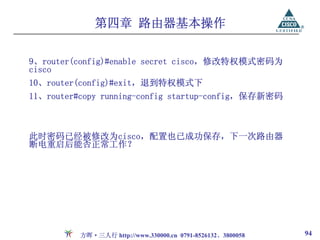
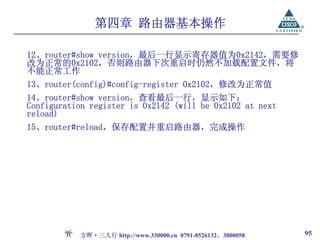
9、router(config)#enable secret cisco,修改特权模式密码为
cisco
方晖·三人行 http://www.330000.cn 0791-8526132、3800058 96](https://image.slidesharecdn.com/random-090704040920-phpapp01/85/slide-96-320.jpg)

![第四章 路由器基本操作
路由器上插有两个8M的FLASH,show flash显示:
System flash directory, partition 1:
File Length Name/status Flash分区的合并
1 7883292 c2500-i-l.121-7.bin
[7883356 bytes used, 505252 available, 8388608 total]
8192K bytes of processor board System flash (Read ONLY)
System flash directory, partition 2:
No files in System flash
[0 bytes used, 8388608 available, 8388608 total]
8192K bytes of processor board System flash (Read/Write)
方晖·三人行 http://www.330000.cn 0791-8526132、3800058 104](https://image.slidesharecdn.com/random-090704040920-phpapp01/85/slide-104-320.jpg)
![第四章 路由器基本操作
1、将flash:2:删除
Router#erase flash:2:
2、合并两个flash
Router(config)#partition flash 1
3、show flash:
System flash directory:
File Length Name/status
1 7883292 c2500-i-l.121-7.bin
[7883356 bytes used, 8893860 available, 16777216 total]
16384K bytes of processor board System flash (Read ONLY)
方晖·三人行 http://www.330000.cn 0791-8526132、3800058 105](https://image.slidesharecdn.com/random-090704040920-phpapp01/85/slide-105-320.jpg)












![第二章 静态路由
静态路由是由管理员手工配置的到达某个网络的路径。
相关命令:
ip route [dest-network] [mask] [next-hop address或exit
interface][administrative distance] [permanent]
ip route:创建静态路由
dest-network:目标网络
mask:目标网络的子网掩码
next-hop address:到达目标网络所经过的下一跳的地址
exit interface:到达目标网络的发送接口(本路由器的出口)
administrative distance:管理距离。默认情况下静态路由的管理距离
是1,如果用exit interface代替next-hop address,则管理距离是0。
permanent:如果接口被shutdown了或者路由器不能和下1跳路由器通
信,这条路由线路将自动从路由表中被删除。使用这个参数保证即使
出现上述情况,这条路由仍然保持在路由表中。
方晖·三人行 http://www.330000.cn 0791-8526132、3800058 155](https://image.slidesharecdn.com/random-090704040920-phpapp01/85/slide-155-320.jpg)

![第二章 静态路由
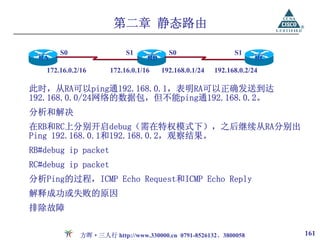
S0 S1 S0 S1
RA RB RC
172.16.0.2/16 172.16.0.1/16 192.168.0.1/24 192.168.0.2/24
首先在A路由器上配置静态路由
Ra(config)#ip route 192.168.0.0 255.255.255.0 172.16.0.1
查看路由表
Ra#show ip route static
S 192.168.0.0 [1/0] via 172.16.0.1 此时C路由器尚未配置。问:
S 通过静态路由学习到 1、RA能否ping通192.168.0.1
192.168.0.0 远端网络 2、RA能否ping通192.168.0.2
[1/0] 管理距离 3、为什么
via 经过,通过
4、如何解决
172.16.0.1 下一跳地址
方晖·三人行 http://www.330000.cn 0791-8526132、3800058 160](https://image.slidesharecdn.com/random-090704040920-phpapp01/85/slide-160-320.jpg)

![第二章 静态路由
默认路由(Default Routing):一般使用在stub网络(只有1条出口路
径的网络)中,使用默认路由来发送那些目标网络没有包含在路由表
中的数据包。
Ra(config)#ip route 0.0.0.0 0.0.0.0 172.16.0.1
Ra#show ip route
S* 0.0.0.0 [1/0] via 172.16.0.1
方晖·三人行 http://www.330000.cn 0791-8526132、3800058 166](https://image.slidesharecdn.com/random-090704040920-phpapp01/85/slide-166-320.jpg)


![第三章 动态路由 - RIP
Rc#show ip route rip //仅查看通过RIP学习到的路由
R 10.0.0.0 [120/1] via 20.0.0.1, 00:00:07, Serial1
R RIP的标识代码
10.0.0.0 通过RIP所学习到的网络
120 管理距离
1 到达目标网络的跳数
via 经过,通过
20.0.0.1 下一跳地址,到达10.0.0.0网络需要经过的邻居路由器的地址
或者理解为学习到该条路由的来源,关于10.0.0.0这条路由表
项是由20.0.0.1发送来的,通过20.0.0.1学习到
00:00:07 所学习到的时间,即这条路由是在7秒钟之前学习到,或者
是在7秒钟之前更新过
serial0 本地接口,即Rc是通过自己的Serial1接口学习到
方晖·三人行 http://www.330000.cn 0791-8526132、3800058 181](https://image.slidesharecdn.com/random-090704040920-phpapp01/85/slide-181-320.jpg)
![第三章 动态路由 - RIP
10.0.0.2/8
X
20.0.0.1/8
RA
10.0.0.1/8
RB
4、设第31.5秒时,20网络断开,则此刻
路由环路的产生
两台路由器的路由表分别为:
1、两台路由器的路由表分别为:
RA RB
RA RB C 10/8 C 10/8
C 10/8 C 10/8 R 20/8 1
C 20/8 5、第32秒时,RB发送更新,将自己路由
2、设第1秒时RA启用RIP,第2秒时RB启用 表中[R 20/8 1]发送给RA,同时跳数加1
RIP,则第2秒时的路由表为: ,变为[R 20/8 2]。而此时RA路由表中缺
少到达20/8网络的路由,RA将此条路由
RA RB 放入路由表。此刻两台路由器的路由表分
C 10/8 C 10/8 别为:
C 20/8 R 20/8 1
RA RB
RA将在第31秒时发送更新,RB将在第32秒时 C 10/8 C 10/8
发送更新。 R 20/8 2 R 20/8 1
3、第31秒时,RA正常更新,两台路 RA认为通过RB可以到达20/8网络,而
由器的路由表保持不变,如上。 RB又认为通过RA可以到达,错误产生。
方晖·三人行 http://www.330000.cn 0791-8526132、3800058 193](https://image.slidesharecdn.com/random-090704040920-phpapp01/85/slide-193-320.jpg)




![第四章 动态路由 - IGRP
IGRP的度量
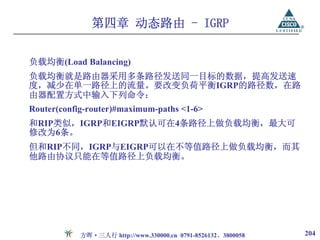
Bellman-Ford算法用下列方程计算路由的总度量。
Metric=[K1 ×带宽+(K2 ×带宽)/(256-负载)+K3 ×延迟] ×[K5/(可靠
性+K4)]
默认情况下,K2、K4、K5取值为0,K1、K3取值为1,计算公式简化
为Metric=107/MinBW+∑Delay/10
从公式可以看出,如果带宽越小、延时越大,则度量值越大,路径越
差。
K值可通过该语句修改,但如果相邻路由器的K值取值不同,两台路
由器将不能交换路由信息。
Router(config-router)#metric weights tos k1 k2 k3 k4 k5
Router(config-router)#default-metric bandwidth delay reliability load
mtu
方晖·三人行 http://www.330000.cn 0791-8526132、3800058 202](https://image.slidesharecdn.com/random-090704040920-phpapp01/85/slide-202-320.jpg)
![第四章 动态路由 - IGRP
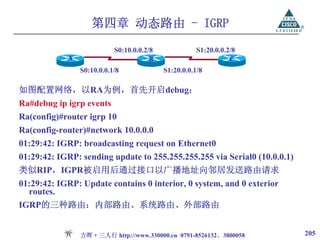
Ra#show ip route igrp
I 20.0.0.0/8 [100/10476] via 10.0.0.2, 00:00:02, Serial0
I 通过IGRP学习到的路由
20.0.0.0/8 远程网络
100 IGRP的管理距离
10476 到达20.0.0.0网络的度量值,计算如下:
10476=107/1544+20000*2/10
1544为到达目标网络的链路的带宽
20000为Serial接口的延时,经过两个Serial接口
10.0.0.2 下一跳地址
00:00:02 学习到的时间或上一次更新是在2秒之前
方晖·三人行 http://www.330000.cn 0791-8526132、3800058 206](https://image.slidesharecdn.com/random-090704040920-phpapp01/85/slide-206-320.jpg)
![第四章 动态路由 - IGRP
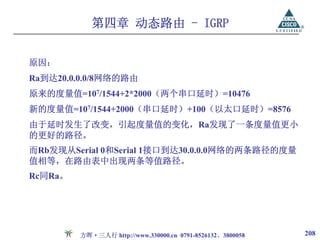
A
S0:10.0.0.1/8 E0:30.0.0.1/8
S0:10.0.0.2/8 E0:30.0.0.2/8
B C
S1:20.0.0.1/8 S1:20.0.0.2/8
修改网络拓朴如图,重新查看三台路由器的路由表,如下:
Ra:I 20.0.0.0/8 [100/8576] via 30.0.0.2, 00:00:01, Ethernet0
Rb:I 30.0.0.0/8 [100/8576] via 20.0.0.2, 00:00:03, Serial1
[100/8576] via 10.0.0.1, 00:00:03, Serial0
Rc#:I 10.0.0.0/8 [100/8576] via 30.0.0.1, 00:00:02, Ethernet0
注意到Ra到达20.0.0.0网络的路径发生了变化,改由Ethernet0接口发
送。
方晖·三人行 http://www.330000.cn 0791-8526132、3800058 207](https://image.slidesharecdn.com/random-090704040920-phpapp01/85/slide-207-320.jpg)
![第四章 动态路由 - IGRP
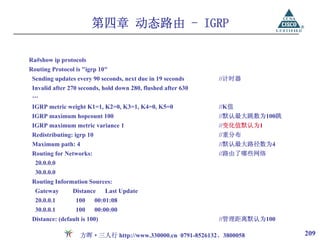
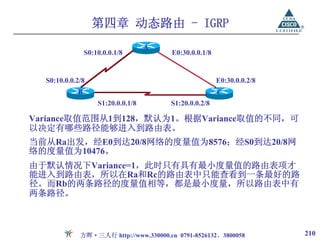
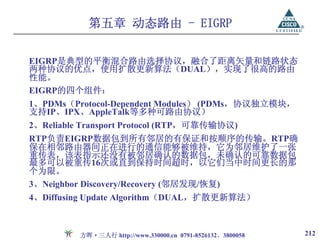
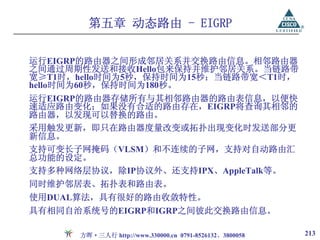
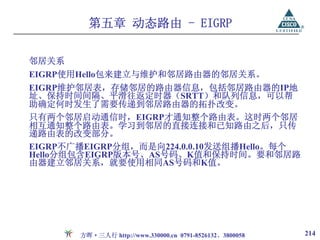
最小度量值≤ 可能进入到路由表的路径度量值 ≤最小度量值*Variance
此时,若修改Variance值取2,则度量值在8576到17152(即8576×2)之
间的,均可进入到路由表。
Ra(config-router)#variance 2
Ra#show ip route igrp
I 20.0.0.0/8 [100/8576] via 30.0.0.2, 00:00:03, Ethernet0
[100/10476] via 20.0.0.2, 00:00:03, Serial1
发现Ra此时的路由表中,到达20网络有两条不等值路径,可以利用这两
条路径实现负载均衡。
方晖·三人行 http://www.330000.cn 0791-8526132、3800058 211](https://image.slidesharecdn.com/random-090704040920-phpapp01/85/slide-211-320.jpg)



![第七章 访问控制列表
show access-list:显示路由器上配置的所有的ACL信息
show access-list [number]:显示具体第几条编号ACL信息
RA#show ip access-lists 1
Standard IP access list 1
deny 10.0.0.2, wildcard bits 0.0.0.0 check=64
permit any (64 matches) //表示有64个匹配条件的数据包
RA#clear access-list counters //清空计数器
show ip interface:显示接口的信息和配置的ACL信息。
show ip interface [端口号]:显示某接口的信息和配置的ACL信息。
RA#show ip interface ethernet 0
Outgoing access list is not set
Inbound access list is 1
方晖·三人行 http://www.330000.cn 0791-8526132、3800058 261](https://image.slidesharecdn.com/random-090704040920-phpapp01/85/slide-261-320.jpg)


![第七章 访问控制列表
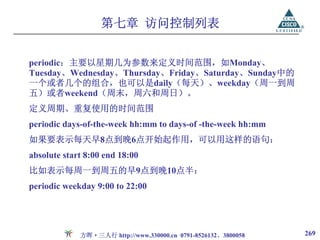
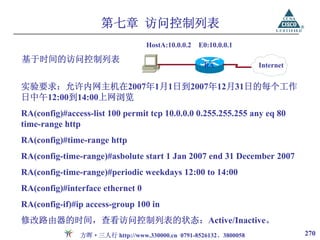
可以用“time-range” 来指定时间范围的名称,然后用“absolute”或
者一个或多个 “periodic” 来具体定义时间范围,命令格式为:
time-range time-range-name absolute [start time date] [end time date]
periodic days-of-the week hh:mm to [days-of-the week] hh:mm
time-range:用来定义时间范围
time-range-name:时间范围的名称,用来标识时间范围,以便在后面
的访问列表中引用
一个时间范围只能有一个absolute语句,但可以有几条periodic语句。
方晖·三人行 http://www.330000.cn 0791-8526132、3800058 267](https://image.slidesharecdn.com/random-090704040920-phpapp01/85/slide-267-320.jpg)
![第七章 访问控制列表
absolute:用来指定绝对时间范围,后面紧跟start和end两个关键字,
以24小时制和“hh: mm”表示,其格式为“小时:分钟”,日期按照
“日/月/年”形式表示。这两个关键字也可以都省略。如果省略start
及其后面的时间,表示与之相关联的permit或deny语句立即生效,并
一直作用到end时间为止; 若省略end及其后面的时间,表示与之相联
系的permit或deny语句在start时间开始生效,并且永远发生作用。
定义绝对时间:
absolute [start start-time start-date] [end end-time end-date]
方晖·三人行 http://www.330000.cn 0791-8526132、3800058 268](https://image.slidesharecdn.com/random-090704040920-phpapp01/85/slide-268-320.jpg)

























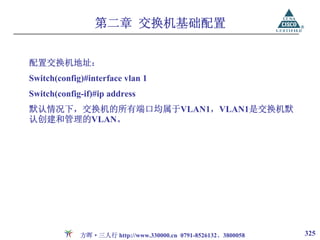
![第二章 交换机基础配置
配置交换机端口
端口选择
选择一个端口:interface type mod/port
Switch(config)#interface fastethernet 0/10
选择多个端口:interface range type mod/startport - endport
Switch(config)#interface range fastethernet 0/1 - 24
设置端口通讯速度:speed [10|100|1000|auto]
Switch(config-if)#speed 100
设置端口的单双工模式:duplex [full|half|auto]
Switch(config-if)#duplex full
控制端口协商
Switch(config-if)#(no) negotiation auto
方晖·三人行 http://www.330000.cn 0791-8526132、3800058 324](https://image.slidesharecdn.com/random-090704040920-phpapp01/85/slide-324-320.jpg)
![第二章 交换机基础配置
交换机密码恢复
1、交换机重新加电,按住mode按钮直到第一个LED灯熄灭
//中断正常启动
2、switch: flash_init
//初始化flash
3、rename flash:config.text flash:***
//将存放于flash中的配置文件改名,***为修改后的文件名
4、switch: boot
//重新启动交换机
5、Would you like to enter the initial configuration dialog? [yes/no]: n
//由于启动配置config.text的文件名被修改,交换机再次重启时将会找
不到有效的配置文件,将进入到Setup模式,选择No
方晖·三人行 http://www.330000.cn 0791-8526132、3800058 327](https://image.slidesharecdn.com/random-090704040920-phpapp01/85/slide-327-320.jpg)



![第四章 虚拟局域网
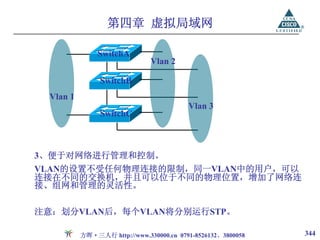
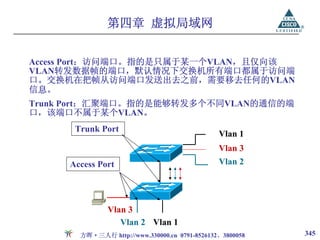
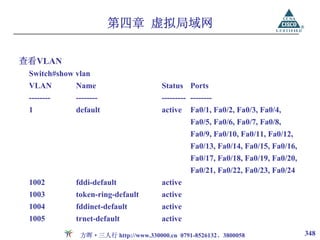
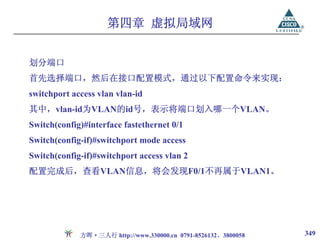
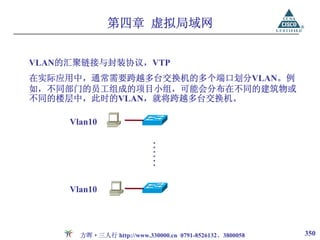
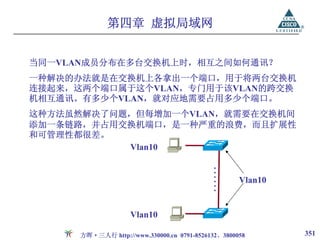
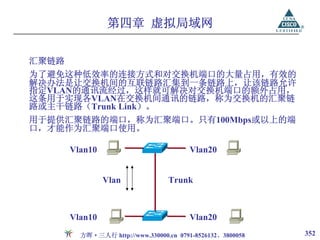
配置汇聚链路,先选择要配置的交换机端口,设置封装协议,然后再
通过switchport mode trunk配置命令来启用该端口的trunking功能:
Switch(config)#interface fastethernet 0/1
Switch(config-if)#switchport mode trunk
Switch(config-if)#switchport trunk encapsulation [isl|dot1q]
Switchport mode trunk命令用于激活启用端口的链路聚集功能。若要
在该端口上禁用trunking功能,则使用no switchport mode trunk配置
命令。
Switchport trunk encapsulation用于设置汇聚链路采用的打标封装协
议,isl或dot1q。
方晖·三人行 http://www.330000.cn 0791-8526132、3800058 357](https://image.slidesharecdn.com/random-090704040920-phpapp01/85/slide-357-320.jpg)
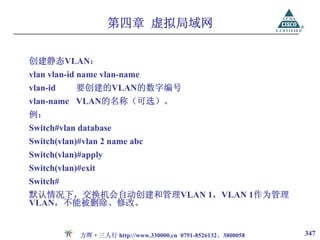
![第四章 虚拟局域网
创建VTP管理域:vtp domain domain_name
只有属于同一个vtp域的交换机彼此间才能交换VLAN信息。一个交换
机只能同时属于某一个VTP域。
domain_name代表要创建的vtp管理域。名称是区分大小写的,仅用于
同步VLAN配置信息。
Switch(vlan)#vtp domain cisco
设置VTP模式:vtp [server|client|transparent]
该命令在vlan数据库配置模式下运行,用于设置VTP的工作模式。
Switch(vlan)#vtp server
方晖·三人行 http://www.330000.cn 0791-8526132、3800058 361](https://image.slidesharecdn.com/random-090704040920-phpapp01/85/slide-361-320.jpg)










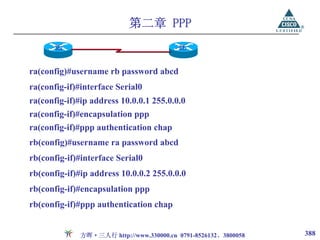
![第二章 PPP
封装PPP协议
encapsulation PPP
设置对端拨号的用户名和口令
username username password password
其中username为对端的用户名,password为对端用户名对应的口令。
配置验证方式
ppp authentication {chap | chap pap | pap chap | pap} [list-name ]
[callin]
两端的路由器必须使用相同的验证方式
设置压缩算法
compress mppc|predictor|stac
方晖·三人行 http://www.330000.cn 0791-8526132、3800058 384](https://image.slidesharecdn.com/random-090704040920-phpapp01/85/slide-384-320.jpg)


![第三章 ISDN与DDR
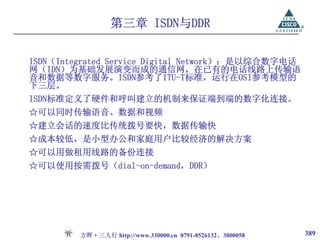
定义ISDN交换机类型
Router(config)# isdn switch-type //国内一般为basic-net3
Router(config-if)# isdn switch-type
设置服务供应商的标识(SPID,由服务供应商提供的一系列的数字,
用来识别到ISDN交换机的连接)
Router(config-if)#isdn spid1 <spid-number> [ ldn ]
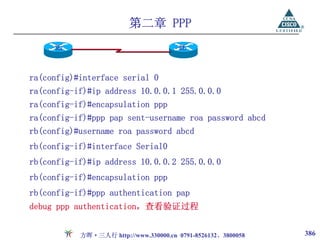
Router(config-if)#isdn spid2 <spid-number> [ ldn ]
设置协议地址与电话号码的映射
Router(config-if)#dialer map protocol next-hop-address [name
hostname] [broadcast] [dial-string]
启动PPP多连接
Router(config-if)#ppp multilink
方晖·三人行 http://www.330000.cn 0791-8526132、3800058 399](https://image.slidesharecdn.com/random-090704040920-phpapp01/85/slide-399-320.jpg)
![第三章 ISDN与DDR
设置启动另一个B通道的阈值
Router(config-if)#dialer load-threshold load
显示ISDN有关信息
Router#show isdn {active | history | memory | services | status [dsl |
interface-type number] | timers}
设置接口支持PPP回拨
Router(config-if)#ppp callback accept
在全局模式下为PPP回拨设置映射类别
Router(config)#map-class dialer classname
通过查找注册在dialer map里的主机名来决定回拨
Router(config-if)#dialer callback-server [username]
设置接口要求PPP回拨
Router(config-if)#ppp callback request
方晖·三人行 http://www.330000.cn 0791-8526132、3800058 400](https://image.slidesharecdn.com/random-090704040920-phpapp01/85/slide-400-320.jpg)
![第三章 ISDN与DDR
定义静态路由
Router(config)#ip route [dest-network] [mask] [next-hop address或exit
interface]
指明启动拨号的流量
使用dialer-list
Router(config)# dialer-list <dailer-list> protocol <protocol> permit
使用access-list
Router(config)# dialer-list <dailer-list> protocol <protocol> list
<access-list>
方晖·三人行 http://www.330000.cn 0791-8526132、3800058 406](https://image.slidesharecdn.com/random-090704040920-phpapp01/85/slide-406-320.jpg)
![第三章 ISDN与DDR
设置拨号信息
Router(config-if)# Dialer map <protocol> <next-hop-addr> [name
<hostname>] [speed 56|64] [broadcast] dial-string
Name 是远端设备的名称
Broadcast 保证路由更新信息能在线路上传送
在接口启动DDR
Router(config-if)# dialer-group <dialer-list #>
负载平衡
Router(config-if)#dialer load-threshold <load> [outbound | inbound |
either ]
设置链路断开前链路空闲的时间
Router(config-if)#dialer idle-timeout <seconds>
缺省的空闲时间为 120 秒
方晖·三人行 http://www.330000.cn 0791-8526132、3800058 407](https://image.slidesharecdn.com/random-090704040920-phpapp01/85/slide-407-320.jpg)











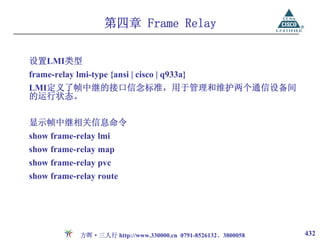
![第四章 Frame Relay
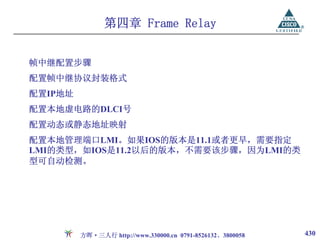
帧中继的配置命令
封装帧中继协议
encapsulation frame-relay [cisco|ietf]
Cisco路由器的默认格式为cisco,在Cisco路由器与其它厂家路由设备
相连时,应使用ietf格式。
设置虚电路的DLCI号
frame-relay interface-dlci dlci-number [broadcast]
dlci-number为DLCI号,其取值范围为16~1007
映射协议地址与DLCI号
frame-relay map protocol-type protocol-address dlci [broadcast]
protocol-type指协议地址的类型,包括IP,IPX等;
protocol-address代表具体的协议地址;
broadcast选项允许在帧中继网络上传输路由广播信息。
方晖·三人行 http://www.330000.cn 0791-8526132、3800058 431](https://image.slidesharecdn.com/random-090704040920-phpapp01/85/slide-431-320.jpg)

![第五章 NAT
配置内部源地址转换
Router(config)#ip nat inside source { list access-list-number pool name
[overload] | static local-ip global-ip }
access-list-number:访问列表编号
overload:允许将多个内部本地地址转换为一个的内部全局地址;
static:静态地址转换
local-ip:内部本地地址
global-ip:内部全局地址。
配置使用单一内部全局地址的内部源地址转换
Router(config)#ip nat inside source list access-list-number interface
interface-type [overload]
方晖·三人行 http://www.330000.cn 0791-8526132、3800058 444](https://image.slidesharecdn.com/random-090704040920-phpapp01/85/slide-444-320.jpg)
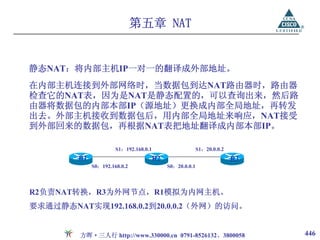
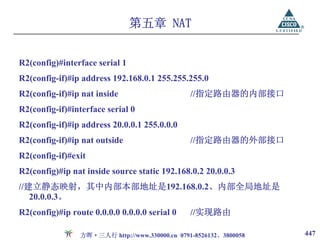
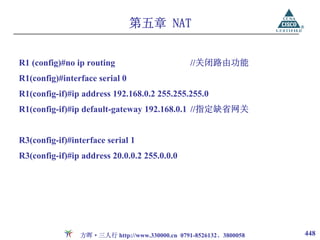
![第五章 NAT
测试:
R1#ping 20.0.0.2
R2#debug ip nat
R2#
02:15:51: NAT*: s=192.168.0.2->20.0.0.3, d=20.0.0.2 [509]
02:15:51: NAT*: s=20.0.0.2, d=20.0.0.3->192.168.0.2 [509]
…
R2把R1发送的源地址为192.168.0.2的IP包转换为源地址为20.0.0.3的IP
包,其目的为20.0.0.2。
R3将收到源地址为20.0.0.3的请求,并回应。
R2把从R3传来的目标地址为20.0.0.3的IP包转换为目的地址为
192.168.0.2的IP包。
方晖·三人行 http://www.330000.cn 0791-8526132、3800058 449](https://image.slidesharecdn.com/random-090704040920-phpapp01/85/slide-449-320.jpg)

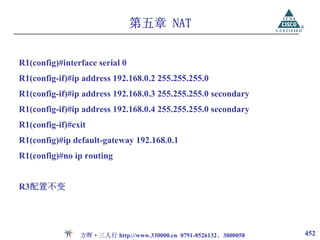
![第五章 NAT
R1#ping 20.0.0.2
R2#debug ip nat
R2#
00:28:00: NAT*: s=192.168.0.2->20.0.0.3, d=20.0.0.2 [25]
00:28:00: NAT*: s=20.0.0.2, d=20.0.0.3->192.168.0.2 [25]
…
R2#sh ip nat translation
Pro Inside global Inside local Outside local Outside global
--- 20.0.0.3 192.168.0.2 --- ---
方晖·三人行 http://www.330000.cn 0791-8526132、3800058 453](https://image.slidesharecdn.com/random-090704040920-phpapp01/85/slide-453-320.jpg)
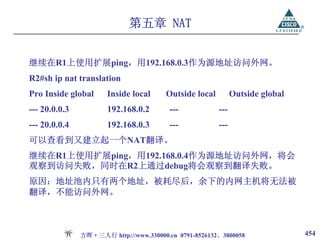
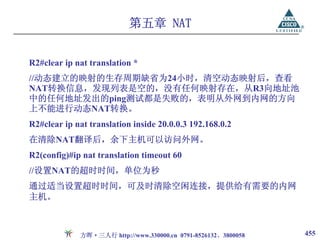
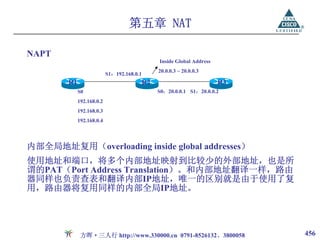
![第五章 NAT
R1#ping
Protocol [ip]:
Target IP address: 20.0.0.2
Extended commands [n]: y
Source address or interface: 192.168.0.3
R2#show ip nat translations
Pro Inside global Inside local Outside local Outside global
icmp 20.0.0.2:2032 192.168.0.3:2032 20.0.0.3:2032 20.0.0.3:2032
可以观察到复用了20.0.0.3的不同端口号。
方晖·三人行 http://www.330000.cn 0791-8526132、3800058 458](https://image.slidesharecdn.com/random-090704040920-phpapp01/85/slide-458-320.jpg)

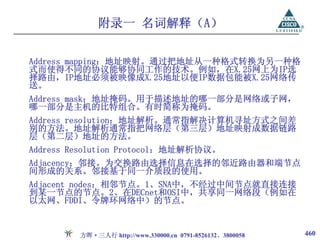






















































![[網路星期二] 網站流量分析---這樣做就對了!!:網氏/罔市女性電子報-Peggy](https://cdn.slidesharecdn.com/ss_thumbnails/peggy-100628010932-phpapp02-thumbnail.jpg?width=640&height=640&fit=bounds)


