Fisker Automotive’s SAP Fiori and SAP
Screen Personas Implementation: Takeways
Ketan Gohil, Fisker Automotive
Nickolas McCall, Symmetry Corporation
SESSION CODE: UX1880
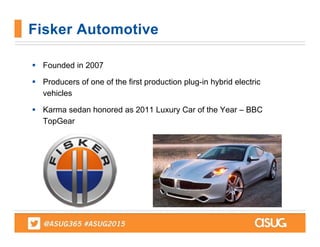
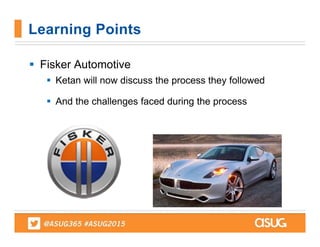
Fisker Automotive
 Founded in 2007
 Producers of one of the first production plug-in hybrid electric
vehicles
 Karma sedan honored as 2011 Luxury Car of the Year – BBC
TopGear
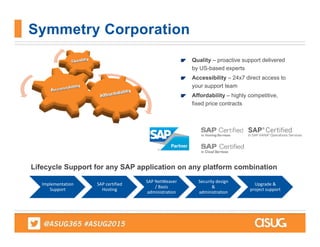
Symmetry Corporation
Quality – proactive support delivered
by US-based experts
Accessibility – 24x7 direct access to
your support team
Affordability – highly competitive,
fixed price contracts
Implementation 
Support
SAP certified 
Hosting
SAP NetWeaver
/ Basis 
administration
Security design 
& 
administration
Upgrade & 
project support
Lifecycle Support for any SAP application on any platform combination
 Fiori / Personas for SAP
 Overarching concepts
 Project considerations, "gotchas", and key decisions to
evaluate before implementing.
 Benefits and business motivation
 Living with your ecosystem after deployment, including
ongoing support and future planning
KEY LEARNINGS
 Purposes of Fiori and Personas
 How to troubleshoot
 Applications in use today at Fisker
KEY LEARNINGS
 Fiori Launchpad Designer
 Tips useful when modifying
 OData services
 Key areas and concerns when creating apps
 Personas Screen Overwrite Controls
 How to get past issues
KEY LEARNINGS
 Protecting your system
 SSL, SSO, Virus Scan for Gateway, Geocoding
 Managing Development
 Knowing how to troubleshoot errors and tips
 Security
 Front-end and Back-end security requirements / considerations
KEY LEARNINGS
 Fiori
 Meant for power and casual users
 Confirming purchase orders, requisitions
 Mobile capable
 Requires backend components (ECC, CRM, etc.)
 Apps developed for both old and new Ehps
 SAP Screen Personas
 Purposefully used for scripting through transactions
 Screen consolidation
 Silverlight required per 2.0
Learning Points
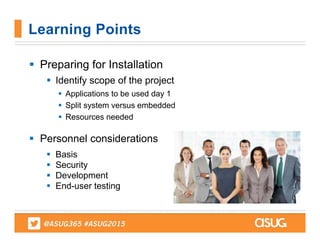
 Preparing for Installation
 Identify scope of the project
 Applications to be used day 1
 Split system versus embedded
 Resources needed
 Personnel considerations
 Basis
 Security
 Development
 End-user testing
Learning Points
 What systems can be used for new UX?
 FAQ:
 Q: Can older NW releases be used?
 A: Depends on expectations
 Q: Is HANA required for use of Fiori
 A: Transactional apps can be used on any DB
 A: Fact sheets and Analytical require HANA
 Q: What are the primary considerations
 A: Several shown in the following slides
Learning Points
 FAQ:
 Q: What type of project does this represent?
 A: More significant than it seems
 Q: How do we size systems for new UX?
 A: Same rules apply, look at NW requirements
 A: Research notes prior to kicking off project
 Q: What will the landscape look like post implementation?
 A: Depends on embedded or frontend/backend
Learning Points
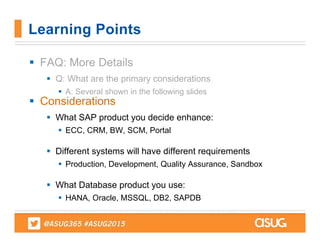
 FAQ: More Details
 Q: What are the primary considerations
 A: Several shown in the following slides
 Considerations
 What SAP product you decide enhance:
 ECC, CRM, BW, SCM, Portal
 Different systems will have different requirements
 Production, Development, Quality Assurance, Sandbox
 What Database product you use:
 HANA, Oracle, MSSQL, DB2, SAPDB
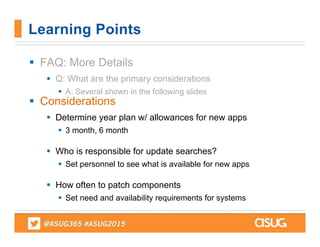
Learning Points
 FAQ: More Details
 Q: What are the primary considerations
 A: Several shown in the following slides
 Considerations
 Determine year plan w/ allowances for new apps
 3 month, 6 month
 Who is responsible for update searches?
 Set personnel to see what is available for new apps
 How often to patch components
 Set need and availability requirements for systems
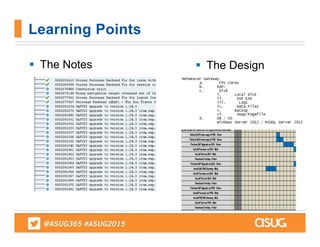
Learning Points
 The Notes
Learning Points
 The Design
Questions…
 Fisker Automotive
 Recently implemented Fiori and SAP Screen
Personas into Landscape as part of an upgrade
project
 Ketan Gohil, Director of ERP
Learning Points
 Fisker Automotive
 Ketan will now discuss the process they followed
 And the challenges faced during the process
Learning Points
 We are using regular SAPGUI. Current SAP
transactions has many fields, tabs and menu options.
 We have more than 75% casual users. They forget
how to complete transactions as the transactions are
not intuitive.
 They make errors in one transaction and not able to
complete follow-on transaction.
 Error in transactions cost more to correct, if follow-
on transactions created.
 They need to jump through many transactions for
completing their tasks.
Need
 Decided to create Role based applications, so users
do not have to jump through many transactions.
 We reviewed Fiori Catalog and found that very few
Fiori Apps are available for regular ECC
environment.
 Decided to use Fiori/Personas combination to create
new user experience.
 Netweaver Gateway for the entry point for Personas
and Fiori.
 Migrated to Enterprise portal as entry point for
Personas , Fiori and Webdynpro apps.
Plan
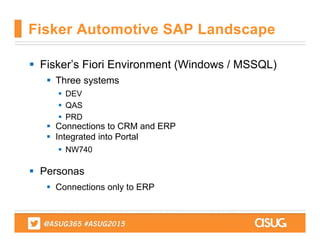
 Fisker’s Fiori Environment (Windows / MSSQL)
 Three systems
 DEV
 QAS
 PRD
 Connections to CRM and ERP
 Integrated into Portal
 NW740
 Personas
 Connections only to ERP
Fisker Automotive SAP Landscape
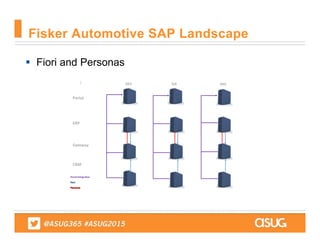
 Fiori and Personas
Fisker Automotive SAP Landscape
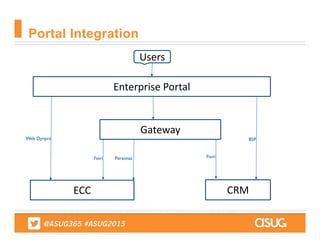
Portal Integration
Enterprise Portal
Users
Gateway
ECC CRM
Web Dynpro
Fiori Personas Fiori
BSP
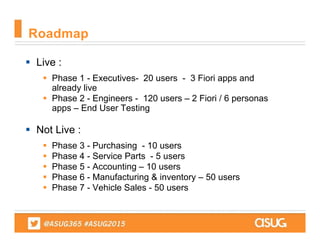
 Live :
 Phase 1 - Executives- 20 users - 3 Fiori apps and
already live
 Phase 2 - Engineers - 120 users – 2 Fiori / 6 personas
apps – End User Testing
 Not Live :
 Phase 3 - Purchasing - 10 users
 Phase 4 - Service Parts - 5 users
 Phase 5 - Accounting – 10 users
 Phase 6 - Manufacturing & inventory – 50 users
 Phase 7 - Vehicle Sales - 50 users
Roadmap
 Instead of using traditional ASAP methodology , We
used some element of Agile / Scrum approach .
 One month Scrum Sprints.
 Project Manager act as scrum master .
 Super users are acting as product owners .
 Specs are written as users stories.
 Sprint planning and backlog review every week.
 Quick status meeting 3 days a week.
 Used Jira tool for managing Agile projects .
Project Methodology for development
 Fiori Apps can not be embedded in iframe. We put
modifications to allow relaxed click jacking.
 Fiori & Webdynpro screens on same framework page
shows different behavior on different browsers
 Work around solutions was required to pass dynamic
URL parameter transfer form enterprise portal to Fiori app
 Dynamic tiles (iViews) are not possible on Fiori
framework pages. It works on Launchpad.
Challenges Enterprise Portal integration
 WEB IDE is used for most of the development but some
case it did not work and we used eclipse .
 Cross browser compatibility of Fiori Apps .
 Understanding standard OData services and structures.
 Frequent support packs & patches required.
 Issues on developing custom themes .
Challenges on Fiori
 Personas 2.0
 No global theme specification available
 Limited scripting options
 Sliver light is required
 Safari browser issues
 Portal integration issues
 Multi tab caches
 Ramp-Up Personas 3.0
 Performance tuning
 Integration with Fiori Launchpad
 Scripting
Challenges - Personas
 No client software required .
 Simple intuitive screens.
 Use any browsers.
 Single sign on to all environment.
 Executives use Fiori apps on Mobile.
 Helped in making decision faster.
 Reduced training efforts.
 End-users presenting creative ideas on integrating
other non SAP applications.
Benefits
 Personas
 More features on UI theme designer
 More options on scripting
 Fiori type theme and icons
 Fiori
 Waiting for more templates on IDE
 Consistent behaviors through all browsers for Fiori Apps
 Streamlined portal integration options
 More transactional Apps for Fiori
Future Expectations
 How to Troubleshoot
 Fiori
 Gateway Log
 Use /IWNFD/error_log to see Odata and authorization issues
 ICM Trace log
 Use SMICM to see drops in connections
 Business Application Log
 Help determine error messages in SLG1 and SLG2
 Short Dumps
 Runtime errors found in ST22
 Personas
 In browser
 See error messages in SLG1 and SLG2
Learning Points
 Troubleshooting Errors (ctd.)
 Clear the UI2 global cache
 Helps eliminate errors
 Clear your browser’s cache
 Very useful if a particular end-user is having issues
 Check your SU01 parameters
 Issues with assigning new tiles to a transport
Learning Points
 Resources
 SAP
 The support team is critical
 Having open connections will assist with bugs and issues
 Quick response to issues
 SCN
 Useful to troubleshoot issues
 Provide notes or directions to help clear errors
 Reference Pages
 Critical in determining component requirements and
configuration
Learning Points
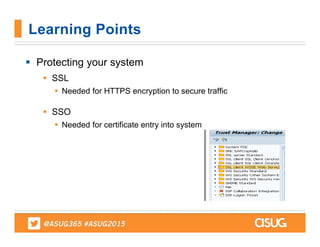
 Protecting your system
 SSL
 Needed for HTTPS encryption to secure traffic
 SSO
 Needed for certificate entry into system
Learning Points
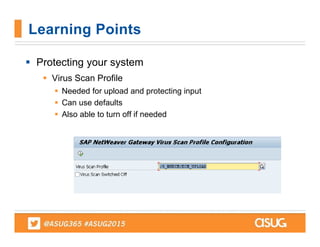
 Protecting your system
 Virus Scan Profile
 Needed for upload and protecting input
 Can use defaults
 Also able to turn off if needed
Learning Points
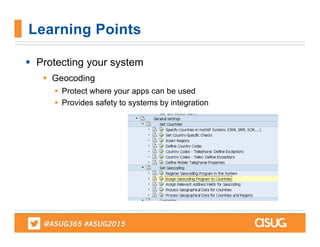
 Protecting your system
 Geocoding
 Protect where your apps can be used
 Provides safety to systems by integration
Learning Points
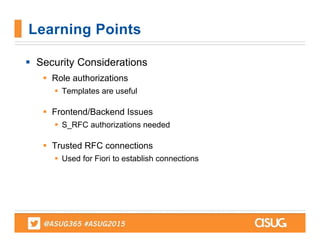
 Security Considerations
 Role authorizations
 Templates are useful
 Frontend/Backend Issues
 S_RFC authorizations needed
 Trusted RFC connections
 Used for Fiori to establish connections
Learning Points
Questions…
STAY INFORMED
Follow the ASUGNews team:
Tom Wailgum: @twailgum
Chris Kanaracus: @chriskanaracus
Craig Powers: @Powers_ASUG
THANK YOU FOR PARTICIPATING
Please provide feedback on this session by completing 
a short survey via the event mobile application.
SESSION CODE: UX1880
For ongoing education on this area of focus,
visit www.ASUG.com

Fisker Automotive 2015 UX1880 ASUG SAPPHIRE

  • 1.
    Fisker Automotive’s SAPFiori and SAP Screen Personas Implementation: Takeways Ketan Gohil, Fisker Automotive Nickolas McCall, Symmetry Corporation SESSION CODE: UX1880
  • 2.
    Fisker Automotive  Foundedin 2007  Producers of one of the first production plug-in hybrid electric vehicles  Karma sedan honored as 2011 Luxury Car of the Year – BBC TopGear
  • 3.
    Symmetry Corporation Quality –proactive support delivered by US-based experts Accessibility – 24x7 direct access to your support team Affordability – highly competitive, fixed price contracts Implementation  Support SAP certified  Hosting SAP NetWeaver / Basis  administration Security design  &  administration Upgrade &  project support Lifecycle Support for any SAP application on any platform combination
  • 4.
     Fiori /Personas for SAP  Overarching concepts  Project considerations, "gotchas", and key decisions to evaluate before implementing.  Benefits and business motivation  Living with your ecosystem after deployment, including ongoing support and future planning KEY LEARNINGS
  • 5.
     Purposes ofFiori and Personas  How to troubleshoot  Applications in use today at Fisker KEY LEARNINGS
  • 6.
     Fiori LaunchpadDesigner  Tips useful when modifying  OData services  Key areas and concerns when creating apps  Personas Screen Overwrite Controls  How to get past issues KEY LEARNINGS
  • 7.
     Protecting yoursystem  SSL, SSO, Virus Scan for Gateway, Geocoding  Managing Development  Knowing how to troubleshoot errors and tips  Security  Front-end and Back-end security requirements / considerations KEY LEARNINGS
  • 8.
     Fiori  Meantfor power and casual users  Confirming purchase orders, requisitions  Mobile capable  Requires backend components (ECC, CRM, etc.)  Apps developed for both old and new Ehps  SAP Screen Personas  Purposefully used for scripting through transactions  Screen consolidation  Silverlight required per 2.0 Learning Points
  • 9.
     Preparing forInstallation  Identify scope of the project  Applications to be used day 1  Split system versus embedded  Resources needed  Personnel considerations  Basis  Security  Development  End-user testing Learning Points
  • 10.
     What systemscan be used for new UX?  FAQ:  Q: Can older NW releases be used?  A: Depends on expectations  Q: Is HANA required for use of Fiori  A: Transactional apps can be used on any DB  A: Fact sheets and Analytical require HANA  Q: What are the primary considerations  A: Several shown in the following slides Learning Points
  • 11.
     FAQ:  Q:What type of project does this represent?  A: More significant than it seems  Q: How do we size systems for new UX?  A: Same rules apply, look at NW requirements  A: Research notes prior to kicking off project  Q: What will the landscape look like post implementation?  A: Depends on embedded or frontend/backend Learning Points
  • 12.
     FAQ: MoreDetails  Q: What are the primary considerations  A: Several shown in the following slides  Considerations  What SAP product you decide enhance:  ECC, CRM, BW, SCM, Portal  Different systems will have different requirements  Production, Development, Quality Assurance, Sandbox  What Database product you use:  HANA, Oracle, MSSQL, DB2, SAPDB Learning Points
  • 13.
     FAQ: MoreDetails  Q: What are the primary considerations  A: Several shown in the following slides  Considerations  Determine year plan w/ allowances for new apps  3 month, 6 month  Who is responsible for update searches?  Set personnel to see what is available for new apps  How often to patch components  Set need and availability requirements for systems Learning Points
  • 14.
     The Notes LearningPoints  The Design
  • 15.
  • 16.
     Fisker Automotive Recently implemented Fiori and SAP Screen Personas into Landscape as part of an upgrade project  Ketan Gohil, Director of ERP Learning Points
  • 17.
     Fisker Automotive Ketan will now discuss the process they followed  And the challenges faced during the process Learning Points
  • 18.
     We areusing regular SAPGUI. Current SAP transactions has many fields, tabs and menu options.  We have more than 75% casual users. They forget how to complete transactions as the transactions are not intuitive.  They make errors in one transaction and not able to complete follow-on transaction.  Error in transactions cost more to correct, if follow- on transactions created.  They need to jump through many transactions for completing their tasks. Need
  • 19.
     Decided tocreate Role based applications, so users do not have to jump through many transactions.  We reviewed Fiori Catalog and found that very few Fiori Apps are available for regular ECC environment.  Decided to use Fiori/Personas combination to create new user experience.  Netweaver Gateway for the entry point for Personas and Fiori.  Migrated to Enterprise portal as entry point for Personas , Fiori and Webdynpro apps. Plan
  • 20.
     Fisker’s FioriEnvironment (Windows / MSSQL)  Three systems  DEV  QAS  PRD  Connections to CRM and ERP  Integrated into Portal  NW740  Personas  Connections only to ERP Fisker Automotive SAP Landscape
  • 21.
     Fiori andPersonas Fisker Automotive SAP Landscape
  • 22.
  • 23.
     Live : Phase 1 - Executives- 20 users - 3 Fiori apps and already live  Phase 2 - Engineers - 120 users – 2 Fiori / 6 personas apps – End User Testing  Not Live :  Phase 3 - Purchasing - 10 users  Phase 4 - Service Parts - 5 users  Phase 5 - Accounting – 10 users  Phase 6 - Manufacturing & inventory – 50 users  Phase 7 - Vehicle Sales - 50 users Roadmap
  • 24.
     Instead ofusing traditional ASAP methodology , We used some element of Agile / Scrum approach .  One month Scrum Sprints.  Project Manager act as scrum master .  Super users are acting as product owners .  Specs are written as users stories.  Sprint planning and backlog review every week.  Quick status meeting 3 days a week.  Used Jira tool for managing Agile projects . Project Methodology for development
  • 25.
     Fiori Appscan not be embedded in iframe. We put modifications to allow relaxed click jacking.  Fiori & Webdynpro screens on same framework page shows different behavior on different browsers  Work around solutions was required to pass dynamic URL parameter transfer form enterprise portal to Fiori app  Dynamic tiles (iViews) are not possible on Fiori framework pages. It works on Launchpad. Challenges Enterprise Portal integration
  • 26.
     WEB IDEis used for most of the development but some case it did not work and we used eclipse .  Cross browser compatibility of Fiori Apps .  Understanding standard OData services and structures.  Frequent support packs & patches required.  Issues on developing custom themes . Challenges on Fiori
  • 27.
     Personas 2.0 No global theme specification available  Limited scripting options  Sliver light is required  Safari browser issues  Portal integration issues  Multi tab caches  Ramp-Up Personas 3.0  Performance tuning  Integration with Fiori Launchpad  Scripting Challenges - Personas
  • 28.
     No clientsoftware required .  Simple intuitive screens.  Use any browsers.  Single sign on to all environment.  Executives use Fiori apps on Mobile.  Helped in making decision faster.  Reduced training efforts.  End-users presenting creative ideas on integrating other non SAP applications. Benefits
  • 29.
     Personas  Morefeatures on UI theme designer  More options on scripting  Fiori type theme and icons  Fiori  Waiting for more templates on IDE  Consistent behaviors through all browsers for Fiori Apps  Streamlined portal integration options  More transactional Apps for Fiori Future Expectations
  • 30.
     How toTroubleshoot  Fiori  Gateway Log  Use /IWNFD/error_log to see Odata and authorization issues  ICM Trace log  Use SMICM to see drops in connections  Business Application Log  Help determine error messages in SLG1 and SLG2  Short Dumps  Runtime errors found in ST22  Personas  In browser  See error messages in SLG1 and SLG2 Learning Points
  • 31.
     Troubleshooting Errors(ctd.)  Clear the UI2 global cache  Helps eliminate errors  Clear your browser’s cache  Very useful if a particular end-user is having issues  Check your SU01 parameters  Issues with assigning new tiles to a transport Learning Points
  • 32.
     Resources  SAP The support team is critical  Having open connections will assist with bugs and issues  Quick response to issues  SCN  Useful to troubleshoot issues  Provide notes or directions to help clear errors  Reference Pages  Critical in determining component requirements and configuration Learning Points
  • 33.
     Protecting yoursystem  SSL  Needed for HTTPS encryption to secure traffic  SSO  Needed for certificate entry into system Learning Points
  • 34.
     Protecting yoursystem  Virus Scan Profile  Needed for upload and protecting input  Can use defaults  Also able to turn off if needed Learning Points
  • 35.
     Protecting yoursystem  Geocoding  Protect where your apps can be used  Provides safety to systems by integration Learning Points
  • 36.
     Security Considerations Role authorizations  Templates are useful  Frontend/Backend Issues  S_RFC authorizations needed  Trusted RFC connections  Used for Fiori to establish connections Learning Points
  • 37.
  • 38.
    STAY INFORMED Follow theASUGNews team: Tom Wailgum: @twailgum Chris Kanaracus: @chriskanaracus Craig Powers: @Powers_ASUG
  • 39.
    THANK YOU FORPARTICIPATING Please provide feedback on this session by completing  a short survey via the event mobile application. SESSION CODE: UX1880 For ongoing education on this area of focus, visit www.ASUG.com