Run Simple 
with SAP Screen Personas 
September 2014
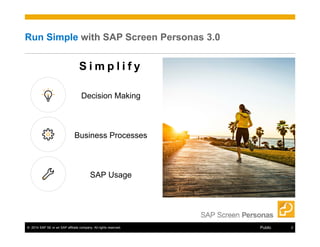
Run Simple with SAP Screen Personas 3.0 
S i m p l i f y 
Decision Making 
Business Processes 
SAP Usage 
© 2014 SAP SE or an SAP affiliate company. All rights reserved. Public 2
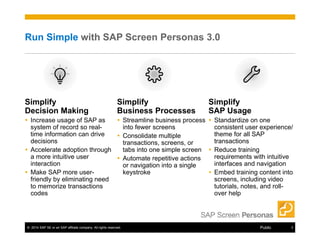
Run Simple with SAP Screen Personas 3.0 
Simplify 
Decision Making 
 Increase usage of SAP as 
system of record so real-time 
information can drive 
decisions 
 Accelerate adoption through 
a more intuitive user 
interaction 
 Make SAP more user-friendly 
by eliminating need 
to memorize transactions 
codes 
Simplify 
SAP Usage 
 Standardize on one 
consistent user experience/ 
theme for all SAP 
transactions 
 Reduce training 
requirements with intuitive 
interfaces and navigation 
 Embed training content into 
screens, including video 
tutorials, notes, and roll-over 
help 
Simplify 
Business Processes 
 Streamline business process 
into fewer screens 
 Consolidate multiple 
transactions, screens, or 
tabs into one simple screen 
 Automate repetitive actions 
or navigation into a single 
keystroke 
© 2014 SAP SE or an SAP affiliate company. All rights reserved. Public 3
SAP Screen Personas simplifies the user experience 
Simple Design 
Simple Operation 
Simple Installation 
© 2014 SAP SE or an SAP affiliate company. All rights reserved. Public 4
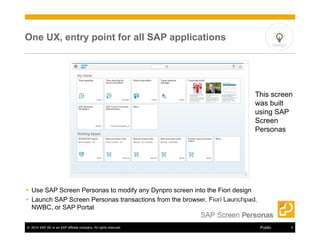
One UX, entry point for all SAP applications 
design 
This screen 
was built 
using SAP 
Screen 
Personas 
 Use SAP Screen Personas to modify any Dynpro screen into the Fiori design 
 Launch SAP Screen Personas transactions from the browser, Fiori Launchpad, 
NWBC, or SAP Portal 
© 2014 SAP SE or an SAP affiliate company. All rights reserved. Public 5
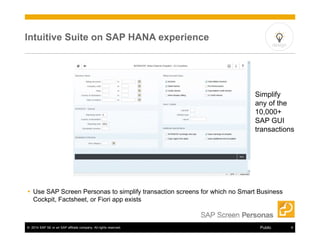
Intuitive Suite on SAP HANA experience 
design 
Simplify 
any of the 
10,000+ 
SAP GUI 
transactions 
 Use SAP Screen Personas to simplify transaction screens for which no Smart Business 
Cockpit, Factsheet, or Fiori app exists 
© 2014 SAP SE or an SAP affiliate company. All rights reserved. Public 6
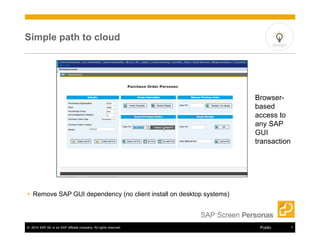
Simple path to cloud 
 Remove SAP GUI dependency (no client install on desktop systems) 
design 
Browser-based 
access to 
any SAP 
GUI 
transaction 
© 2014 SAP SE or an SAP affiliate company. All rights reserved. Public 7
Help your employees do their jobs better 
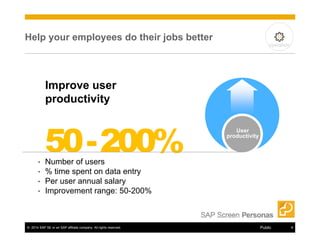
Improve user 
productivity 
50 -200% User 
• Number of users 
• % time spent on data entry 
• Per user annual salary 
• Improvement range: 50-200% 
productivity 
operation 
© 2014 SAP SE or an SAP affiliate company. All rights reserved. Public 8
Simplify how people interact with SAP 
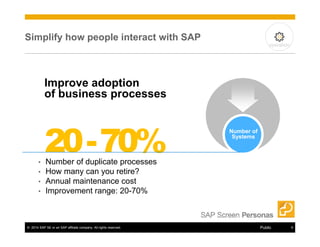
Improve adoption 
of business processes 
20 -70% Number of 
• Number of duplicate processes 
• How many can you retire? 
• Annual maintenance cost 
• Improvement range: 20-70% 
Systems 
operation 
© 2014 SAP SE or an SAP affiliate company. All rights reserved. Public 9
Make your people feel smarter 
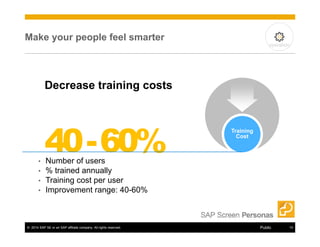
Decrease training costs 
40 -60% Training 
• Number of users 
• % trained annually 
• Training cost per user 
• Improvement range: 40-60% 
Cost 
operation 
© 2014 SAP SE or an SAP affiliate company. All rights reserved. Public 10
Reduce rework to make everyone happier 
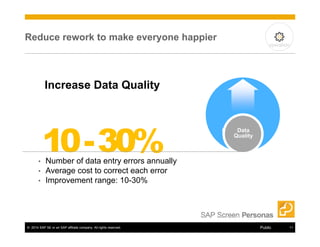
Increase Data Quality 
10 -30% Data 
• Number of data entry errors annually 
• Average cost to correct each error 
• Improvement range: 10-30% 
Quality 
operation 
© 2014 SAP SE or an SAP affiliate company. All rights reserved. Public 11
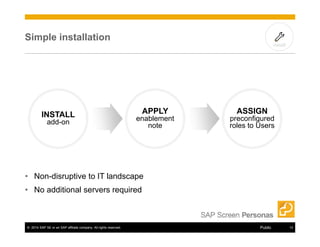
Simple installation 
INSTALL 
add-on 
APPLY 
enablement 
• Non-disruptive to IT landscape 
• No additional servers required 
note 
install 
ASSIGN 
preconfigured 
roles to Users 
© 2014 SAP SE or an SAP affiliate company. All rights reserved. Public 12
Learn more about SAP Screen Personas 
SAP Screen 
Personas 
product page 
http://www.sapscreenpersonas.com 
Getting Started 
resource page http://scn.sap.com/docs/DOC-54574 
SAP UX on 
SAP.com 
http://www.sap.com/solution/ux-user-experience/ 
software/overview.html 
© 2014 SAP SE or an SAP affiliate company. All rights reserved. Public 13

Run simple with sap screen personas

  • 1.
    Run Simple withSAP Screen Personas September 2014
  • 2.
    Run Simple withSAP Screen Personas 3.0 S i m p l i f y Decision Making Business Processes SAP Usage © 2014 SAP SE or an SAP affiliate company. All rights reserved. Public 2
  • 3.
    Run Simple withSAP Screen Personas 3.0 Simplify Decision Making  Increase usage of SAP as system of record so real-time information can drive decisions  Accelerate adoption through a more intuitive user interaction  Make SAP more user-friendly by eliminating need to memorize transactions codes Simplify SAP Usage  Standardize on one consistent user experience/ theme for all SAP transactions  Reduce training requirements with intuitive interfaces and navigation  Embed training content into screens, including video tutorials, notes, and roll-over help Simplify Business Processes  Streamline business process into fewer screens  Consolidate multiple transactions, screens, or tabs into one simple screen  Automate repetitive actions or navigation into a single keystroke © 2014 SAP SE or an SAP affiliate company. All rights reserved. Public 3
  • 4.
    SAP Screen Personassimplifies the user experience Simple Design Simple Operation Simple Installation © 2014 SAP SE or an SAP affiliate company. All rights reserved. Public 4
  • 5.
    One UX, entrypoint for all SAP applications design This screen was built using SAP Screen Personas  Use SAP Screen Personas to modify any Dynpro screen into the Fiori design  Launch SAP Screen Personas transactions from the browser, Fiori Launchpad, NWBC, or SAP Portal © 2014 SAP SE or an SAP affiliate company. All rights reserved. Public 5
  • 6.
    Intuitive Suite onSAP HANA experience design Simplify any of the 10,000+ SAP GUI transactions  Use SAP Screen Personas to simplify transaction screens for which no Smart Business Cockpit, Factsheet, or Fiori app exists © 2014 SAP SE or an SAP affiliate company. All rights reserved. Public 6
  • 7.
    Simple path tocloud  Remove SAP GUI dependency (no client install on desktop systems) design Browser-based access to any SAP GUI transaction © 2014 SAP SE or an SAP affiliate company. All rights reserved. Public 7
  • 8.
    Help your employeesdo their jobs better Improve user productivity 50 -200% User • Number of users • % time spent on data entry • Per user annual salary • Improvement range: 50-200% productivity operation © 2014 SAP SE or an SAP affiliate company. All rights reserved. Public 8
  • 9.
    Simplify how peopleinteract with SAP Improve adoption of business processes 20 -70% Number of • Number of duplicate processes • How many can you retire? • Annual maintenance cost • Improvement range: 20-70% Systems operation © 2014 SAP SE or an SAP affiliate company. All rights reserved. Public 9
  • 10.
    Make your peoplefeel smarter Decrease training costs 40 -60% Training • Number of users • % trained annually • Training cost per user • Improvement range: 40-60% Cost operation © 2014 SAP SE or an SAP affiliate company. All rights reserved. Public 10
  • 11.
    Reduce rework tomake everyone happier Increase Data Quality 10 -30% Data • Number of data entry errors annually • Average cost to correct each error • Improvement range: 10-30% Quality operation © 2014 SAP SE or an SAP affiliate company. All rights reserved. Public 11
  • 12.
    Simple installation INSTALL add-on APPLY enablement • Non-disruptive to IT landscape • No additional servers required note install ASSIGN preconfigured roles to Users © 2014 SAP SE or an SAP affiliate company. All rights reserved. Public 12
  • 13.
    Learn more aboutSAP Screen Personas SAP Screen Personas product page http://www.sapscreenpersonas.com Getting Started resource page http://scn.sap.com/docs/DOC-54574 SAP UX on SAP.com http://www.sap.com/solution/ux-user-experience/ software/overview.html © 2014 SAP SE or an SAP affiliate company. All rights reserved. Public 13