React
Alexey Volkov
Rumble Inc
http://slides.com/alexeyvolkov/react-in-practice
in practice
alexey@rumble.me
Facebook
Since May 2013
Current version 0.13.1
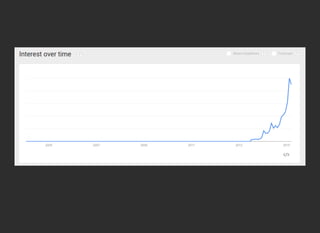
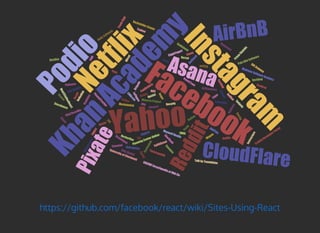
Popular and it's growing
https://github.com/facebook/
react/wiki/Sites-Using-React
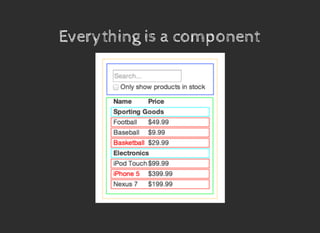
Everything is a componentEverything is a component
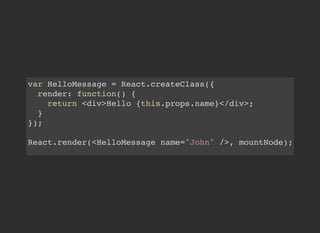
var HelloMessage = React.createClass({
render: function() {
return <div>Hello {this.props.name}</div>;
}
});
React.render(<HelloMessage name="John" />, mountNode);
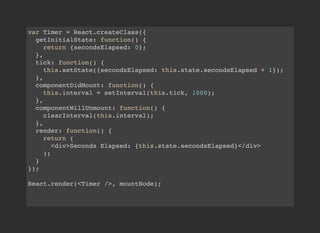
var Timer = React.createClass({
getInitialState: function() {
return {secondsElapsed: 0};
},
tick: function() {
this.setState({secondsElapsed: this.state.secondsElapsed + 1});
},
componentDidMount: function() {
this.interval = setInterval(this.tick, 1000);
},
componentWillUnmount: function() {
clearInterval(this.interval);
},
render: function() {
return (
<div>Seconds Elapsed: {this.state.secondsElapsed}</div>
);
}
});
React.render(<Timer />, mountNode);
Just the UI ("V" in MVC)
Virtual DOM
Synthetic events
Isomorphic
One-way data flow
NOT A FRAMEWORK
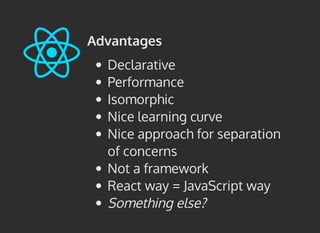
Advantages
Declarative
Performance
Isomorphic
Nice learning curve
Nice approach for separation
of concerns
Not a framework
React way = JavaScript way
Something else?
Disadvantages
Not a silver bullet
Not a framework
Scattering
JSX
Young
Something else?
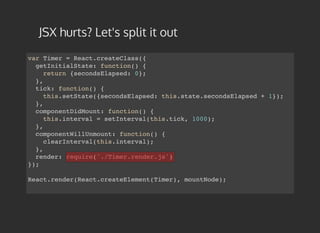
JSX hurts? Let's split it out
var Timer = React.createClass({
getInitialState: function() {
return {secondsElapsed: 0};
},
tick: function() {
this.setState({secondsElapsed: this.state.secondsElapsed + 1});
},
componentDidMount: function() {
this.interval = setInterval(this.tick, 1000);
},
componentWillUnmount: function() {
clearInterval(this.interval);
},
render: require('./Timer.render.js')
});
React.render(React.createElement(Timer), mountNode);
Oyster
BBC
BigRentz
Beyondpad
BoomTown
Brigade
C5mail
CloudFlare
CMNcom
CustomInk
Distiller
EMEX
EyeEm
Facebook
Factlink
FaithStreet
Flexport
FiftyThreeMix
FINN
FlightYogurt
Flipkart
GetStack
Guidebook
HackerOne
Html2CoffeeReact
ICX
Imgur
InstagramInstructure
Iodine
Itele
KISSmetrics
Kupibilet
Layer
LeFigaro
LockedOn
AddThis
mPATH
Musixmatch
Netflix
NoRedInk
Orobix
RevUP
PaddleGuruPatience
PivotalTracker
Pixate
AirBnB
Podio
Posiq
Quizlet
QuizUp
Recurly
Reddit
Redfin
Rollbar
Rushmore
Sauspiel
SberBank
AsanaSellerCrowd
Sonian
Stam
psy
Storehouse
Swipely
Tilt
Timerepublik
TMdict
TvTag
Uniregistry
Venm
o
Verbling
Versal
Wagon
Wired
Yahoo
Zendesk
Zvooq
Taobao
Alipay
Aha
ENCODE Encyclopedia of DNA Ele
Glip Mobile
KhanAcadem
y
Madrone Software Analytcs
Maxwell Health
Minerva Project
Palo Alto Software
Planning Center Online
Prism
Skylabs
RallySoftware
Rockefeller Center
SiftScience
Talk by Teambition
TraitifyDeveloperPortal
TrunkClub
University of Cincinnati
Vida Digital
https://github.com/facebook/react/wiki/Sites-Using-React
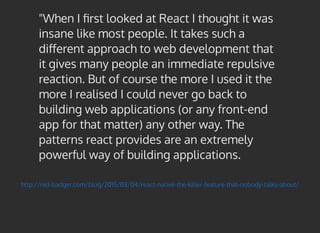
http://red-badger.com/blog/2015/03/04/react-native-the-killer-feature-that-nobody-talks-about/
"When I first looked at React I thought it was
insane like most people. It takes such a
different approach to web development that
it gives many people an immediate repulsive
reaction. But of course the more I used it the
more I realised I could never go back to
building web applications (or any front-end
app for that matter) any other way. The
patterns react provides are an extremely
powerful way of building applications.
Backbone ModelsBackbone Models
CSSCSS
Mobile WebMobile Web
D3D3
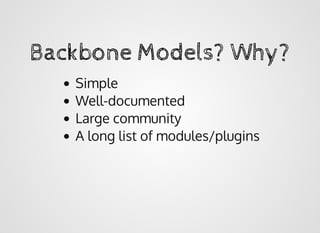
Backbone Models? Why?Backbone Models? Why?
Simple
Well-documented
Large community
A long list of modules/plugins
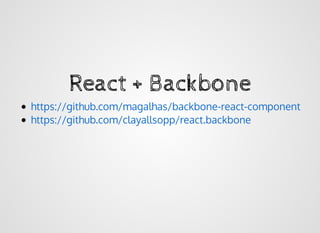
React + BackboneReact + Backbone
https://github.com/magalhas/backbone-react-component
https://github.com/clayallsopp/react.backbone
mixins: [mixinForm({
viewModelName: 'PushCampaign'
})],
...
return <div>
<c.Header title='< Push Campaign Editor' level={2} innerRight={buttons} />
<c.Fieldset caption='Message Composer'>
<c.FieldRow caption='Campaign Name:'
className={this.form().labelClassName('Name')}
hint={this.form().errors('Name')}>
<c.Input type='text' {...this.form().attribute('Name')} />
</c.FieldRow>
<c.FieldRow caption='Description:' subCaption='For internal use only'>
<c.Input type='textarea' {...this.form().attribute('Notes')} />
</c.FieldRow>
</c.Fieldset>
<c.Fieldset caption='Message Targeting'>
<c.FieldRow caption='Send Notification To:'
className={this.form().labelClassName('_targeting')}
hint={this.form().errors('_targeting')}>
<c.RadioList items={targetingItems} {...this.form().attribute('_targeting')} />
</c.FieldRow>
</c.Fieldset>
<c.Header level={2} innerRight={buttons} />
</div>;
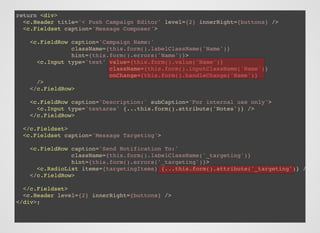
return <div>
<c.Header title='< Push Campaign Editor' level={2} innerRight={buttons} />
<c.Fieldset caption='Message Composer'>
<c.FieldRow caption='Campaign Name:'
className={this.form().labelClassName('Name')}
hint={this.form().errors('Name')}>
<c.Input type='text' value={this.form().value('Name')}
className={this.form().inputClassName('Name')}
onChange={this.form().handleChange('Name')}
/>
</c.FieldRow>
<c.FieldRow caption='Description:' subCaption='For internal use only'>
<c.Input type='textarea' {...this.form().attribute('Notes')} />
</c.FieldRow>
</c.Fieldset>
<c.Fieldset caption='Message Targeting'>
<c.FieldRow caption='Send Notification To:'
className={this.form().labelClassName('_targeting')}
hint={this.form().errors('_targeting')}>
<c.RadioList items={targetingItems} {...this.form().attribute('_targeting')} />
</c.FieldRow>
</c.Fieldset>
<c.Header level={2} innerRight={buttons} />
</div>;
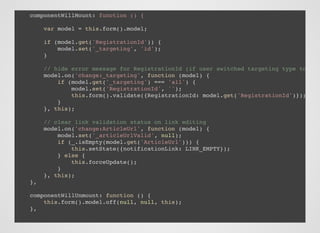
componentWillMount: function () {
var model = this.form().model;
if (model.get('RegistrationId')) {
model.set('_targeting', 'id');
}
// hide error message for RegistrationId (if user switched targeting type to "Al
model.on('change:_targeting', function (model) {
if (model.get('_targeting') === 'all') {
model.set('RegistrationId', '');
this.form().validate({RegistrationId: model.get('RegistrationId')});
}
}, this);
// clear link validation status on link editing
model.on('change:ArticleUrl', function (model) {
model.set('_articleUrlValid', null);
if (_.isEmpty(model.get('ArticleUrl'))) {
this.setState({notificationLink: LINK_EMPTY});
} else {
this.forceUpdate();
}
}, this);
},
componentWillUnmount: function () {
this.form().model.off(null, null, this);
},
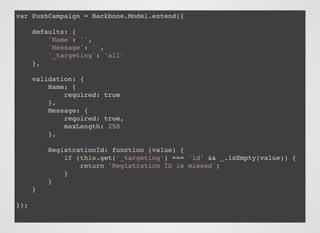
var PushCampaign = Backbone.Model.extend({
defaults: {
'Name': '',
'Message': '',
'_targeting': 'all'
},
validation: {
Name: {
required: true
},
Message: {
required: true,
maxLength: 250
},
RegistrationId: function (value) {
if (this.get('_targeting') === 'id' && _.isEmpty(value)) {
return 'Registration ID is missed';
}
}
}
});
<FillPicker {...this.form().attribute('brandColors[name=main]')} />
<ImageUploader
value={this.form().value('icons[name=ipad152x152].uri')}
onChange={this.form().onChange('icons[name=ipad152x152].uri')}
hint="152x152" deletable={true}
/>
module.exports = Backbone.AssociatedModel.extend({
...
relations: [
{
key: 'icons',
type: Backbone.Many,
relatedModel: 'Image',
collectionType: 'ImagesCollection'
},
{
key: 'brandColors',
type: Backbone.Many,
relatedModel: Backbone.AssociatedModel.getRelatedModel('Fill'),
collectionType: 'FillsCollection'
}
]
...
});
npm installnpm install
react-validator-mixinreact-validator-mixin
https://github.com/RumbleInc/https://github.com/RumbleInc/
react-validator-mixinreact-validator-mixin
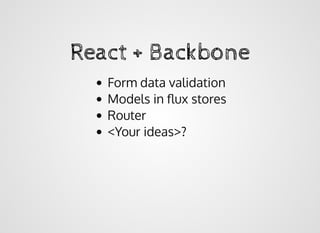
React + BackboneReact + Backbone
Form data validation
Models in flux stores
Router
<Your ideas>?
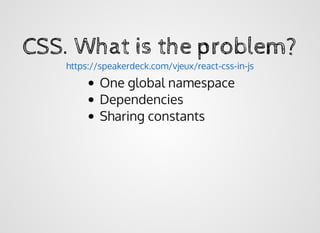
CSS. What is the problem?CSS. What is the problem?
One global namespace
Dependencies
Sharing constants
https://speakerdeck.com/vjeux/react-css-in-js
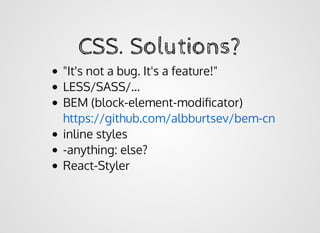
CSS. Solutions?CSS. Solutions?
"It's not a bug. It's a feature!"
LESS/SASS/...
BEM (block-element-modificator)
inline styles
-anything: else?
React-Styler
https://github.com/albburtsev/bem-cn
'use strict';
var React = require('react/lib/ReactWithAddons'),
styler = require('react-styler');
var Fieldset = React.createClass({
mixins: [styler.mixinFor('Fieldset')],
render: function () {
var cn = this.className;
/* jshint ignore:start */
return
/* jshint ignore:end */
}
});
module.exports = Fieldset;
<fieldset className={cn()} style={this.props.style}>
{this.props.caption &&
<legend className={cn('caption')}>{this.props.caption}</legend>}
{this.props.children}
</fieldset>;
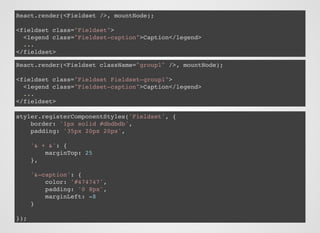
React.render(<Fieldset />, mountNode);
<fieldset class="Fieldset">
<legend class="Fieldset-caption">Caption</legend>
...
</fieldset>
React.render(<Fieldset className="group1" />, mountNode);
<fieldset class="Fieldset Fieldset-group1">
<legend class="Fieldset-caption">Caption</legend>
...
</fieldset>
styler.registerComponentStyles('Fieldset', {
border: '1px solid #dbdbdb',
padding: '35px 20px 20px',
'& + &': {
marginTop: 25
},
'&-caption': {
color: '#474747',
padding: '0 8px',
marginLeft: -8
}
});
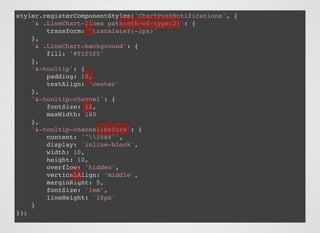
styler.registerComponentStyles('ChartPushNotifications', {
'& .LineChart-lines path:nth-of-type(2)': {
transform: 'translateY(-2px)'
},
'& .LineChart-background': {
fill: '#f5f5f5'
},
'&-tooltip': {
padding: 10,
textAlign: 'center'
},
'&-tooltip-channel': {
fontSize: 12,
maxWidth: 180
},
'&-tooltip-channel:before': {
content: '"2588"',
display: 'inline-block',
width: 10,
height: 10,
overflow: 'hidden',
verticalAlign: 'middle',
marginRight: 5,
fontSize: '1em',
lineHeight: '10px'
}
});
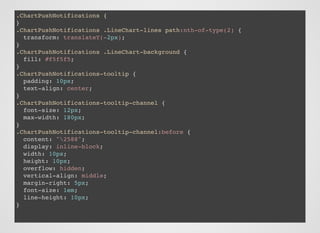
.ChartPushNotifications {
}
.ChartPushNotifications .LineChart-lines path:nth-of-type(2) {
transform: translateY(-2px);
}
.ChartPushNotifications .LineChart-background {
fill: #f5f5f5;
}
.ChartPushNotifications-tooltip {
padding: 10px;
text-align: center;
}
.ChartPushNotifications-tooltip-channel {
font-size: 12px;
max-width: 180px;
}
.ChartPushNotifications-tooltip-channel:before {
content: "2588";
display: inline-block;
width: 10px;
height: 10px;
overflow: hidden;
vertical-align: middle;
margin-right: 5px;
font-size: 1em;
line-height: 10px;
}
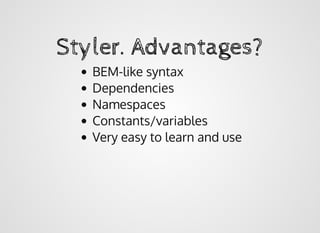
Styler. Advantages?Styler. Advantages?
BEM-like syntax
Dependencies
Namespaces
Constants/variables
Very easy to learn and use
npm install react-stylernpm install react-styler
https://github.com/RumbleInc/https://github.com/RumbleInc/
react-stylerreact-styler
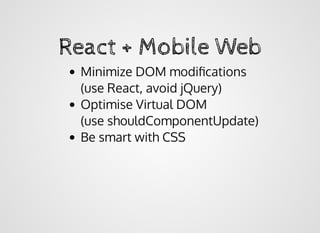
React + Mobile WebReact + Mobile Web
Minimize DOM modifications
(use React, avoid jQuery)
Optimise Virtual DOM
(use shouldComponentUpdate)
Be smart with CSS
http://goo.gl/8Ybdgnhttp://goo.gl/8Ybdgn​​
React + Mobile WebReact + Mobile Web
react-canvas (from Flipboard)
react-native (congrats! just went public)
Not WEB, it's native!
React + D3React + D3
React + D3. ApproachesReact + D3. Approaches
1. React as a wrapper
2. React as a renderer
render: function() {
return <div>
<div ref="chart"></div>
</div>;
},
componentDidMount: function() {
var chartDOMNode = this.refs['chart'].getDOMNode();
var m = 7; // number of samples per layer
var margin = {top: 4, right: 0, bottom: 10, left: 0},
that = this;
this.width = chartDOMNode.clientWidth - margin.left - margin.right;
this.height = chartDOMNode.clientHeight - margin.top - margin.bottom;
var x = d3.scale.ordinal()
.domain(d3.range(m))
.rangeRoundBands([39, this.width], 0.85, 0);
this.y = d3.scale.linear()
.domain([0, 0])
.range([this.height, 0]);
this.yAxis = d3.svg.axis()
.scale(this.y)
.orient('left')
.tickSize(-this.width, 0)
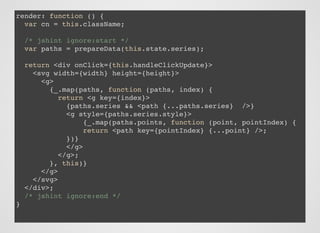
render: function () {
var cn = this.className;
/* jshint ignore:start */
var paths = prepareData(this.state.series);
return <div onClick={this.handleClickUpdate}>
<svg width={width} height={height}>
<g>
{_.map(paths, function (paths, index) {
return <g key={index}>
{paths.series && <path {...paths.series} />}
<g style={paths.series.style}>
{_.map(paths.points, function (point, pointIndex) {
return <path key={pointIndex} {...point} />;
})}
</g>
</g>;
}, this)}
</g>
</svg>
</div>;
/* jshint ignore:end */
}
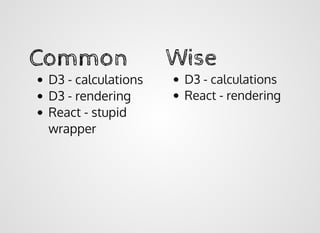
CommonCommon
D3 - calculations
D3 - rendering
React - stupid
wrapper
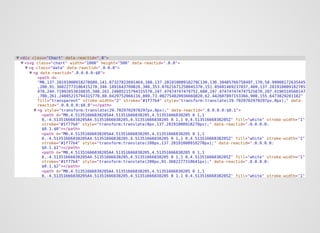
WiseWise
D3 - calculations
React - rendering
??

JSLab. Алексей Волков. "React на практике"

  • 1.
  • 3.
    Facebook Since May 2013 Currentversion 0.13.1 Popular and it's growing https://github.com/facebook/ react/wiki/Sites-Using-React
  • 4.
    Everything is acomponentEverything is a component
  • 5.
    var HelloMessage =React.createClass({ render: function() { return <div>Hello {this.props.name}</div>; } }); React.render(<HelloMessage name="John" />, mountNode);
  • 6.
    var Timer =React.createClass({ getInitialState: function() { return {secondsElapsed: 0}; }, tick: function() { this.setState({secondsElapsed: this.state.secondsElapsed + 1}); }, componentDidMount: function() { this.interval = setInterval(this.tick, 1000); }, componentWillUnmount: function() { clearInterval(this.interval); }, render: function() { return ( <div>Seconds Elapsed: {this.state.secondsElapsed}</div> ); } }); React.render(<Timer />, mountNode);
  • 7.
    Just the UI("V" in MVC) Virtual DOM Synthetic events Isomorphic One-way data flow NOT A FRAMEWORK
  • 8.
    Advantages Declarative Performance Isomorphic Nice learning curve Niceapproach for separation of concerns Not a framework React way = JavaScript way Something else?
  • 9.
    Disadvantages Not a silverbullet Not a framework Scattering JSX Young Something else?
  • 10.
    JSX hurts? Let'ssplit it out var Timer = React.createClass({ getInitialState: function() { return {secondsElapsed: 0}; }, tick: function() { this.setState({secondsElapsed: this.state.secondsElapsed + 1}); }, componentDidMount: function() { this.interval = setInterval(this.tick, 1000); }, componentWillUnmount: function() { clearInterval(this.interval); }, render: require('./Timer.render.js') }); React.render(React.createElement(Timer), mountNode);
  • 12.
    Oyster BBC BigRentz Beyondpad BoomTown Brigade C5mail CloudFlare CMNcom CustomInk Distiller EMEX EyeEm Facebook Factlink FaithStreet Flexport FiftyThreeMix FINN FlightYogurt Flipkart GetStack Guidebook HackerOne Html2CoffeeReact ICX Imgur InstagramInstructure Iodine Itele KISSmetrics Kupibilet Layer LeFigaro LockedOn AddThis mPATH Musixmatch Netflix NoRedInk Orobix RevUP PaddleGuruPatience PivotalTracker Pixate AirBnB Podio Posiq Quizlet QuizUp Recurly Reddit Redfin Rollbar Rushmore Sauspiel SberBank AsanaSellerCrowd Sonian Stam psy Storehouse Swipely Tilt Timerepublik TMdict TvTag Uniregistry Venm o Verbling Versal Wagon Wired Yahoo Zendesk Zvooq Taobao Alipay Aha ENCODE Encyclopedia ofDNA Ele Glip Mobile KhanAcadem y Madrone Software Analytcs Maxwell Health Minerva Project Palo Alto Software Planning Center Online Prism Skylabs RallySoftware Rockefeller Center SiftScience Talk by Teambition TraitifyDeveloperPortal TrunkClub University of Cincinnati Vida Digital https://github.com/facebook/react/wiki/Sites-Using-React
  • 13.
    http://red-badger.com/blog/2015/03/04/react-native-the-killer-feature-that-nobody-talks-about/ "When I firstlooked at React I thought it was insane like most people. It takes such a different approach to web development that it gives many people an immediate repulsive reaction. But of course the more I used it the more I realised I could never go back to building web applications (or any front-end app for that matter) any other way. The patterns react provides are an extremely powerful way of building applications.
  • 14.
  • 15.
    Backbone Models? Why?BackboneModels? Why? Simple Well-documented Large community A long list of modules/plugins
  • 16.
    React + BackboneReact+ Backbone https://github.com/magalhas/backbone-react-component https://github.com/clayallsopp/react.backbone
  • 17.
    mixins: [mixinForm({ viewModelName: 'PushCampaign' })], ... return<div> <c.Header title='< Push Campaign Editor' level={2} innerRight={buttons} /> <c.Fieldset caption='Message Composer'> <c.FieldRow caption='Campaign Name:' className={this.form().labelClassName('Name')} hint={this.form().errors('Name')}> <c.Input type='text' {...this.form().attribute('Name')} /> </c.FieldRow> <c.FieldRow caption='Description:' subCaption='For internal use only'> <c.Input type='textarea' {...this.form().attribute('Notes')} /> </c.FieldRow> </c.Fieldset> <c.Fieldset caption='Message Targeting'> <c.FieldRow caption='Send Notification To:' className={this.form().labelClassName('_targeting')} hint={this.form().errors('_targeting')}> <c.RadioList items={targetingItems} {...this.form().attribute('_targeting')} /> </c.FieldRow> </c.Fieldset> <c.Header level={2} innerRight={buttons} /> </div>;
  • 18.
    return <div> <c.Header title='<Push Campaign Editor' level={2} innerRight={buttons} /> <c.Fieldset caption='Message Composer'> <c.FieldRow caption='Campaign Name:' className={this.form().labelClassName('Name')} hint={this.form().errors('Name')}> <c.Input type='text' value={this.form().value('Name')} className={this.form().inputClassName('Name')} onChange={this.form().handleChange('Name')} /> </c.FieldRow> <c.FieldRow caption='Description:' subCaption='For internal use only'> <c.Input type='textarea' {...this.form().attribute('Notes')} /> </c.FieldRow> </c.Fieldset> <c.Fieldset caption='Message Targeting'> <c.FieldRow caption='Send Notification To:' className={this.form().labelClassName('_targeting')} hint={this.form().errors('_targeting')}> <c.RadioList items={targetingItems} {...this.form().attribute('_targeting')} /> </c.FieldRow> </c.Fieldset> <c.Header level={2} innerRight={buttons} /> </div>;
  • 19.
    componentWillMount: function (){ var model = this.form().model; if (model.get('RegistrationId')) { model.set('_targeting', 'id'); } // hide error message for RegistrationId (if user switched targeting type to "Al model.on('change:_targeting', function (model) { if (model.get('_targeting') === 'all') { model.set('RegistrationId', ''); this.form().validate({RegistrationId: model.get('RegistrationId')}); } }, this); // clear link validation status on link editing model.on('change:ArticleUrl', function (model) { model.set('_articleUrlValid', null); if (_.isEmpty(model.get('ArticleUrl'))) { this.setState({notificationLink: LINK_EMPTY}); } else { this.forceUpdate(); } }, this); }, componentWillUnmount: function () { this.form().model.off(null, null, this); },
  • 20.
    var PushCampaign =Backbone.Model.extend({ defaults: { 'Name': '', 'Message': '', '_targeting': 'all' }, validation: { Name: { required: true }, Message: { required: true, maxLength: 250 }, RegistrationId: function (value) { if (this.get('_targeting') === 'id' && _.isEmpty(value)) { return 'Registration ID is missed'; } } } });
  • 21.
    <FillPicker {...this.form().attribute('brandColors[name=main]')} /> <ImageUploader value={this.form().value('icons[name=ipad152x152].uri')} onChange={this.form().onChange('icons[name=ipad152x152].uri')} hint="152x152"deletable={true} /> module.exports = Backbone.AssociatedModel.extend({ ... relations: [ { key: 'icons', type: Backbone.Many, relatedModel: 'Image', collectionType: 'ImagesCollection' }, { key: 'brandColors', type: Backbone.Many, relatedModel: Backbone.AssociatedModel.getRelatedModel('Fill'), collectionType: 'FillsCollection' } ] ... });
  • 22.
  • 23.
    React + BackboneReact+ Backbone Form data validation Models in flux stores Router <Your ideas>?
  • 24.
    CSS. What isthe problem?CSS. What is the problem? One global namespace Dependencies Sharing constants https://speakerdeck.com/vjeux/react-css-in-js
  • 25.
    CSS. Solutions?CSS. Solutions? "It'snot a bug. It's a feature!" LESS/SASS/... BEM (block-element-modificator) inline styles -anything: else? React-Styler https://github.com/albburtsev/bem-cn
  • 26.
    'use strict'; var React= require('react/lib/ReactWithAddons'), styler = require('react-styler'); var Fieldset = React.createClass({ mixins: [styler.mixinFor('Fieldset')], render: function () { var cn = this.className; /* jshint ignore:start */ return /* jshint ignore:end */ } }); module.exports = Fieldset; <fieldset className={cn()} style={this.props.style}> {this.props.caption && <legend className={cn('caption')}>{this.props.caption}</legend>} {this.props.children} </fieldset>;
  • 27.
    React.render(<Fieldset />, mountNode); <fieldsetclass="Fieldset"> <legend class="Fieldset-caption">Caption</legend> ... </fieldset> React.render(<Fieldset className="group1" />, mountNode); <fieldset class="Fieldset Fieldset-group1"> <legend class="Fieldset-caption">Caption</legend> ... </fieldset> styler.registerComponentStyles('Fieldset', { border: '1px solid #dbdbdb', padding: '35px 20px 20px', '& + &': { marginTop: 25 }, '&-caption': { color: '#474747', padding: '0 8px', marginLeft: -8 } });
  • 28.
    styler.registerComponentStyles('ChartPushNotifications', { '& .LineChart-linespath:nth-of-type(2)': { transform: 'translateY(-2px)' }, '& .LineChart-background': { fill: '#f5f5f5' }, '&-tooltip': { padding: 10, textAlign: 'center' }, '&-tooltip-channel': { fontSize: 12, maxWidth: 180 }, '&-tooltip-channel:before': { content: '"2588"', display: 'inline-block', width: 10, height: 10, overflow: 'hidden', verticalAlign: 'middle', marginRight: 5, fontSize: '1em', lineHeight: '10px' } });
  • 29.
    .ChartPushNotifications { } .ChartPushNotifications .LineChart-linespath:nth-of-type(2) { transform: translateY(-2px); } .ChartPushNotifications .LineChart-background { fill: #f5f5f5; } .ChartPushNotifications-tooltip { padding: 10px; text-align: center; } .ChartPushNotifications-tooltip-channel { font-size: 12px; max-width: 180px; } .ChartPushNotifications-tooltip-channel:before { content: "2588"; display: inline-block; width: 10px; height: 10px; overflow: hidden; vertical-align: middle; margin-right: 5px; font-size: 1em; line-height: 10px; }
  • 30.
    Styler. Advantages?Styler. Advantages? BEM-likesyntax Dependencies Namespaces Constants/variables Very easy to learn and use
  • 31.
    npm install react-stylernpminstall react-styler https://github.com/RumbleInc/https://github.com/RumbleInc/ react-stylerreact-styler
  • 32.
    React + MobileWebReact + Mobile Web
  • 33.
    React + MobileWebReact + Mobile Web Minimize DOM modifications (use React, avoid jQuery) Optimise Virtual DOM (use shouldComponentUpdate) Be smart with CSS
  • 34.
  • 35.
    React + MobileWebReact + Mobile Web react-canvas (from Flipboard) react-native (congrats! just went public) Not WEB, it's native!
  • 36.
  • 37.
    React + D3.ApproachesReact + D3. Approaches 1. React as a wrapper 2. React as a renderer
  • 38.
    render: function() { return<div> <div ref="chart"></div> </div>; }, componentDidMount: function() { var chartDOMNode = this.refs['chart'].getDOMNode(); var m = 7; // number of samples per layer var margin = {top: 4, right: 0, bottom: 10, left: 0}, that = this; this.width = chartDOMNode.clientWidth - margin.left - margin.right; this.height = chartDOMNode.clientHeight - margin.top - margin.bottom; var x = d3.scale.ordinal() .domain(d3.range(m)) .rangeRoundBands([39, this.width], 0.85, 0); this.y = d3.scale.linear() .domain([0, 0]) .range([this.height, 0]); this.yAxis = d3.svg.axis() .scale(this.y) .orient('left') .tickSize(-this.width, 0)
  • 39.
    render: function (){ var cn = this.className; /* jshint ignore:start */ var paths = prepareData(this.state.series); return <div onClick={this.handleClickUpdate}> <svg width={width} height={height}> <g> {_.map(paths, function (paths, index) { return <g key={index}> {paths.series && <path {...paths.series} />} <g style={paths.series.style}> {_.map(paths.points, function (point, pointIndex) { return <path key={pointIndex} {...point} />; })} </g> </g>; }, this)} </g> </svg> </div>; /* jshint ignore:end */ }
  • 41.
    CommonCommon D3 - calculations D3- rendering React - stupid wrapper WiseWise D3 - calculations React - rendering
  • 42.