React Native
Animations / Notifications / Storage
Contents
1. Introduction
2. Building first scenes
3. Navigation/Swiping
4. Sockets/Animations/Push notifications etc.
5. Performance/Building application/Send to market
What changed since
previous lecture?
1. 0.43 not released
2. AirBnB React Navigation +400
3. 0.43 released (~20 hours ago)
Questions
From previous lectures
What’s Inside
android/ios folders?
Nothing but...
- AndroidManifest.xml
- Build.gradle
- Graddle.wrapper
- Keystore
- /android/app/src/main/res/mipmap-*
How to handle
gestures?
Pan responder
1. this._panResponder = PanResponder.create({
2. onMoveShouldSetResponderCapture: () => true,
3. onMoveShouldSetPanResponderCapture: () => true,
4. onPanResponderGrant: (e, gestureState) => {},
5. onPanResponderMove: Animated.event([
6. null, {dx: this.state.pan.x, dy: this.state.pan.y}
7. ]),
8. onPanResponderRelease: () => {}
9. });
1. render: function() {
2. return (
3. <View style={styles.container}>
4. <Animated.View
5. style={this.getStyle()}
6. {...this._panResponder.panHandlers}
7. />
8. </View>
9. );
10. }
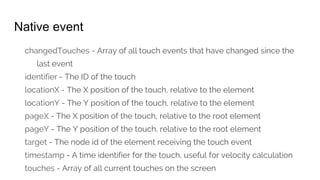
Native event
changedTouches - Array of all touch events that have changed since the
last event
identifier - The ID of the touch
locationX - The X position of the touch, relative to the element
locationY - The Y position of the touch, relative to the element
pageX - The X position of the touch, relative to the root element
pageY - The Y position of the touch, relative to the root element
target - The node id of the element receiving the touch event
timestamp - A time identifier for the touch, useful for velocity calculation
touches - Array of all current touches on the screen
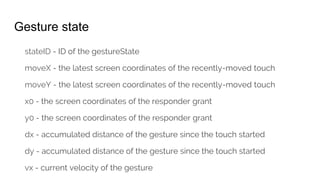
Gesture state
stateID - ID of the gestureState
moveX - the latest screen coordinates of the recently-moved touch
moveY - the latest screen coordinates of the recently-moved touch
x0 - the screen coordinates of the responder grant
y0 - the screen coordinates of the responder grant
dx - accumulated distance of the gesture since the touch started
dy - accumulated distance of the gesture since the touch started
vx - current velocity of the gesture
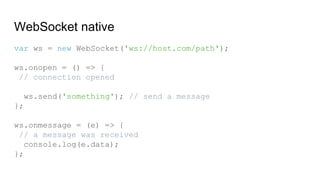
Do WebSockets exist?
WebSocket native
var ws = new WebSocket('ws://host.com/path');
ws.onopen = () => {
// connection opened
ws.send('something'); // send a message
};
ws.onmessage = (e) => {
// a message was received
console.log(e.data);
};
Socket.io-client
const io = require('socket.io-client/dist/socket.io');
const socket = io('http://192.168.0.42:2222', {
transports: ['websocket']
});
socket.on('task-added', function(item){
let messages = [...self.state.messages];
messages.push(item);
self.setState({messages});
});
Other
existing things
Animations
Animated items
1. View
2. Text
3. Image
4. ScrollView
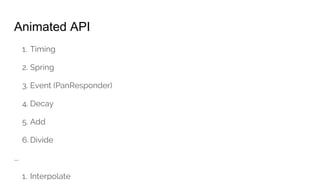
Animated API
1. Timing
2. Spring
3. Event (PanResponder)
4. Decay
5. Add
6. Divide
...
1. Interpolate
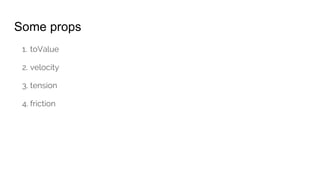
Some props
1. toValue
2. velocity
3. tension
4. friction
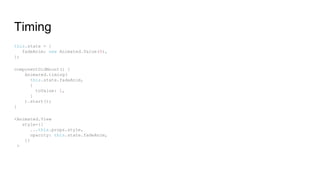
Timing
this.state = {
fadeAnim: new Animated.Value(0),
};
componentDidMount() {
Animated.timing(
this.state.fadeAnim,
{
toValue: 1,
}
).start();
}
<Animated.View
style={{
...this.props.style,
opacity: this.state.fadeAnim,
}}
>
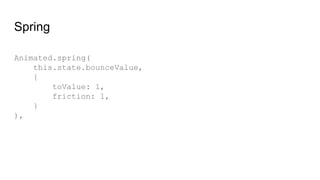
Spring
Animated.spring(
this.state.bounceValue,
{
toValue: 1,
friction: 1,
}
),
Interpolate
const spin = this.spinValue.interpolate({
inputRange: [0, 0.2, 1],
outputRange: ['0deg', '300deg', '360deg']
});
In “markup”
<Animated.Image style={[styles.image, {
width: this.state._width,
transform: [
{scale: this.state.bounceValue}, {rotate: spin}
],
height: this.state._height
}
]} source={require('../resources/dog.jpg')} />
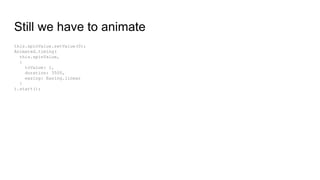
Still we have to animate
this.spinValue.setValue(0);
Animated.timing(
this.spinValue,
{
toValue: 1,
duration: 3500,
easing: Easing.linear
}
).start();
Composing
Animations
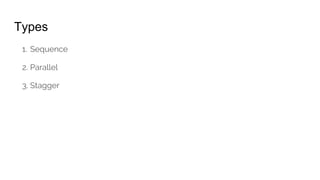
Types
1. Sequence
2. Parallel
3. Stagger
Closer look...
Layout Animations
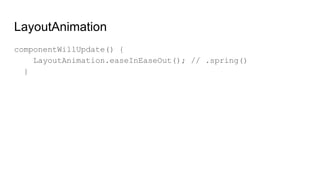
LayoutAnimation
componentWillUpdate() {
LayoutAnimation.easeInEaseOut(); // .spring()
}
AsyncStorage
It’s just a...
1. Facade
Android
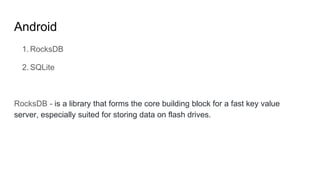
1. RocksDB
2. SQLite
RocksDB - is a library that forms the core building block for a fast key value
server, especially suited for storing data on flash drives.
iOS
1. Key-value serialized dictionary
2. Files
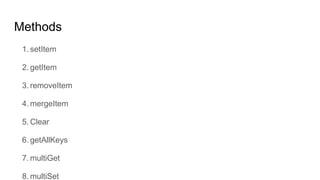
Methods
1. setItem
2. getItem
3. removeItem
4. mergeItem
5. Clear
6. getAllKeys
7. multiGet
8. multiSet
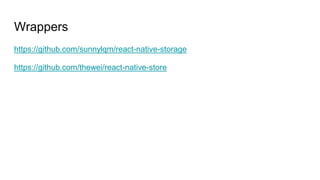
Wrappers
https://github.com/sunnylqm/react-native-storage
https://github.com/thewei/react-native-store
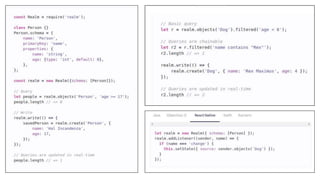
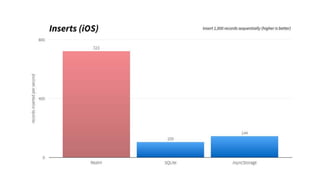
Realm
Benefits
1. Offline first
2. Fast queries
3. Cross-platform
4. Encryption
PushNotifications
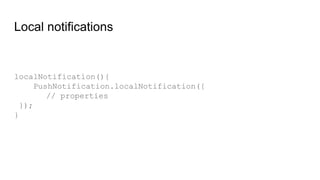
Local notifications
localNotification(){
PushNotification.localNotification({
// properties
});
}
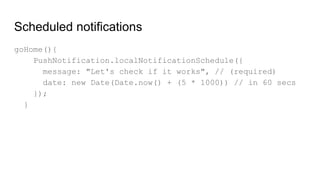
Scheduled notifications
goHome(){
PushNotification.localNotificationSchedule({
message: "Let's check if it works", // (required)
date: new Date(Date.now() + (5 * 1000)) // in 60 secs
});
}
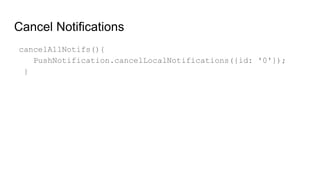
Cancel Notifications
cancelAllNotifs(){
PushNotification.cancelLocalNotifications({id: '0'});
}
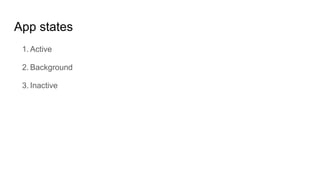
AppState
App states
1. Active
2. Background
3. Inactive
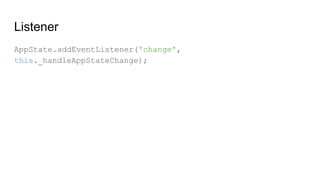
Listener
AppState.addEventListener('change',
this._handleAppStateChange);
Questions?
See you!

Academy PRO: React native - miscellaneous