Enhanced IGRP (EIGRP) and Open Shortest
Path first (OSPF)
EIGRP
 EIGRP is a classless routing protocol.
 It is a Cisco protocol.
AS number
 It uses the concept of an autonomous system to
describe the set of routers that run the same routing
protocol and share routing information.
Hybrid routing protocol
 EIGRP is sometimes referred to as a hybrid routing
protocol. Because it has characteristics of both
distance-vector and link-state protocol.
Hop counting
 EIGRP has a maximum hop count of 255.
(the default is set to 100)
EIGRP features
 It supports for IPv4 and IPv6 .
 Considered classless (same as RIPV2 and OSPF)
 Communication via reliable Transport Protocol.
 Best path selection via Diffusing Update Algorithm
(DUAL)
Protocol-dependent modules
 One of the most interesting features of EIGRP is that
it provides routing support for multiple network
protocols: IP, IPX, Apple Talk and now IPv6.
 It is also known as PDM.
Neighbor Discovery
 When EIGRP routers receive their neighbors
updates, they store them in a local topology table.
 This local topology contains all known routes from
all known neighbors and serves as the raw material
from which the best routes are selected and placed
into the routing table.
EIGRP table
 EIGRP maintains 3 types of table to maintain
neighbor’s information –
 1. topology table
 2. neighbor table
 3. routing table
RTP
 Reliable Transport Protocol
 EIGRP uses a protocol called RTP.
 This protocol is used to manage the communication
of message between EIGRP- speaking routers.
DUAL
 Diffusing update algorithm
 EIGRP uses DUAL for selecting and maintaining the
best path to each remote network.
Multiple ASes
 EIGRP uses autonomous system numbers to identify
the collection of routers that share route
information.
 Only routers that have same autonomous system
numbers share routes.
Route Discovery and maintenance
 The hybrid nature of EIGRP is fully revealed in its
approach to route discovery and maintenance.
Route Discovery and maintenance
 EIGRP uses a series of tables to store important
information about its environment
1. Neighbor ship table
2. Topology table
3. Route table
Route Discovery and maintenance
 Neighbor ship table
The neighbor ship table records information about
routers with whom neighbor ship relationship have
been formed.
Route Discovery and maintenance
 Topology table -:
The topology table stores the route advertisements
about every route in the internetwork received from
each neighbor.
Route Discovery and maintenance
 Route table -:
The route table stores the routes that are currently
used to make routing decisions.
EIGRP metrics
 There are 4 types of metrics –
1. Bandwidth
2. Delay
3. Load
4. Reliability
Maximum paths and hop count
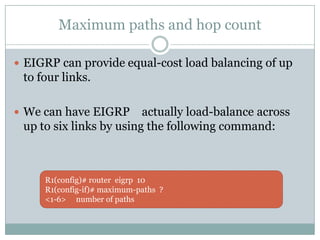
 EIGRP can provide equal-cost load balancing of up
to four links.
 We can have EIGRP actually load-balance across
up to six links by using the following command:
R1(config)# router eigrp 10
R1(config-if)# maximum-paths ?
<1-6> number of paths
Maximum paths and hop count
 EIGRP has a maximum hop count of 100, but it can
be setup to 255.
 # router eigrp 10
 # metric maximum-hops ?
 <1-255> hop count
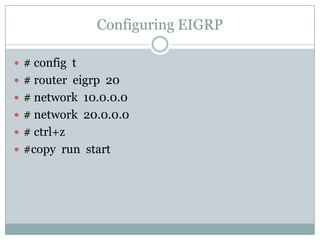
Configuring EIGRP
 # config t
 # router eigrp 20
 # network 10.0.0.0
 # network 20.0.0.0
 # ctrl+z
 #copy run start
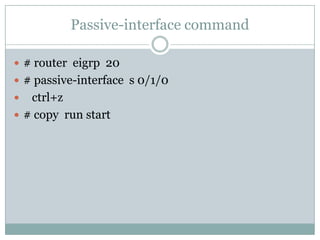
Passive-interface command
 # router eigrp 20
 # passive-interface s 0/1/0
 ctrl+z
 # copy run start
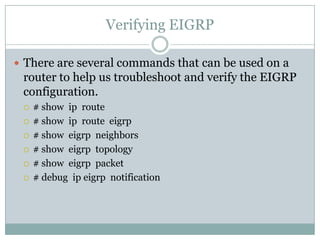
Verifying EIGRP
 There are several commands that can be used on a
router to help us troubleshoot and verify the EIGRP
configuration.
 # show ip route
 # show ip route eigrp
 # show eigrp neighbors
 # show eigrp topology
 # show eigrp packet
 # debug ip eigrp notification
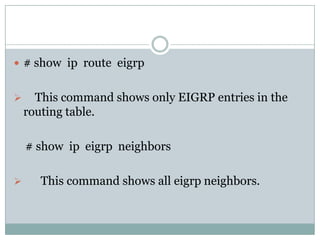
 # show ip route eigrp
 This command shows only EIGRP entries in the
routing table.
# show ip eigrp neighbors
 This command shows all eigrp neighbors.
 # show ip eigrp tolopogy
 This command shows entries in the EIGRP
topology table.
# debug eigrp packet
 Shows hello packets sent/received between
adjacent routers
 # debug ip eigrp notification
This command shows EIGRP changes and updates
as they occur on your network.
Successor path
 Primary route to reach destination.
 Routing table contains this successor path
information.
Feasible successor
 Backup route to reach the destination.
 Topology table contains feasible successor path
information.
DUAL FSM
 DUAL finite state machine.
Working of DUAL FSM
 1. FSM define a set of possible something can go
through, what events causes those states and what
event result from those states.
 DUAL selects alternate routes quickly by using the
information in the EIGRP table.
 If a link goes down, DUAL looks for a feasible
successor in its neighbor and topology table.
Hello packets
 EIGRP uses small hello packets.
 Hello packets are sent every 5 seconds by default.
RTP
 Reliable transport protocol
 RTP supports unicast and multicast.
------------------------
OSPF
 Open shortest path first
 If you have multiple routers and not all of them are
Cisco, then we can not use EIGRP.
Dijkstra algorithm
 OSPF works by using the dijkstra algorithm.
Wild card
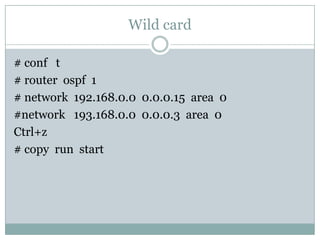
# conf t
# router ospf 1
# network 192.168.0.0 0.0.0.15 area 0
#network 193.168.0.0 0.0.0.3 area 0
Ctrl+z
# copy run start
OSPF Terminology
 Link –
 a link is network or router interface assigned to any given
network.
 router id -
 the router ip is an IP address used to identify the router.
 neighbor –
 neighbor are two or more routers that have an inteface on a
common network, such as 2 routers connected on a point-to-
point serial link.
 Adjency –
 an adjency is a relationship between two OSPF routers that
permits the direct exchange of route updates.
 OSPF is really picky about sharing routing information - unlike
EIGRP which directly shares routes with all of its neighbor.
 OSPF directly shares routes only with neighbors that have also
established adjencies.
 Hello Protocol -
 the OSPF Hello provides dynamic neighbor discovery and
maintain neighbor relationships.
 hello packets and link state advertiesment (LSA) build and
maintain topological database
 Neighborship database -
 The Neighborship database is a list of all OSPF routers for
which hello packets have been seen.
 topological database -:
 The topological database contains information from all of the
link state advertisement packets that have been received for an
area.
 Link state advertiesment -:
 a link state advertiesment (LSA) is an OSPF data packet
containing link-state and routing information that's shared
among OSPF routers.
 OSPF area -:
 an OSPF area is a grouping of networks and routers. all routers
in the same area share a common area id.
 a router can be a member of more than one area at a time.
 all the routers within the same area have the same topology
table.
 SPF Tree calculation
 within an area, each router calculates the best/shortest path to
every network in that same area.
 this calculation is based upon the information collected in the
topology database and an algorithm
called shortest path first.
Enabling OSPF
 There are two basic elements of OSPF configuration-
1. Enabling OSPF
2. Configuring OSPF
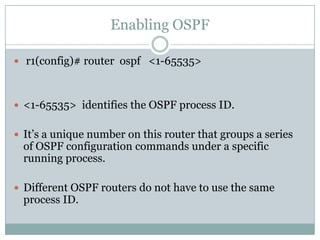
Enabling OSPF
 r1(config)# router ospf <1-65535>
 <1-65535> identifies the OSPF process ID.
 It’s a unique number on this router that groups a series
of OSPF configuration commands under a specific
running process.
 Different OSPF routers do not have to use the same
process ID.
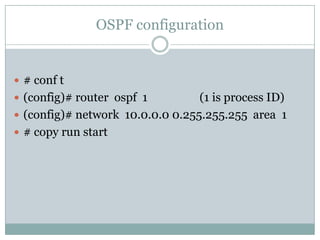
OSPF configuration
 # conf t
 (config)# router ospf 1 (1 is process ID)
 (config)# network 10.0.0.0 0.255.255.255 area 1
 # copy run start
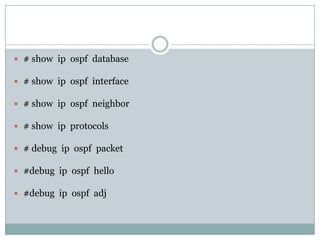
 # show ip ospf database
 # show ip ospf interface
 # show ip ospf neighbor
 # show ip protocols
 # debug ip ospf packet
 #debug ip ospf hello
 #debug ip ospf adj

13. eigrp and ospf

  • 1.
    Enhanced IGRP (EIGRP)and Open Shortest Path first (OSPF)
  • 2.
    EIGRP  EIGRP isa classless routing protocol.  It is a Cisco protocol.
  • 3.
    AS number  Ituses the concept of an autonomous system to describe the set of routers that run the same routing protocol and share routing information.
  • 4.
    Hybrid routing protocol EIGRP is sometimes referred to as a hybrid routing protocol. Because it has characteristics of both distance-vector and link-state protocol.
  • 5.
    Hop counting  EIGRPhas a maximum hop count of 255. (the default is set to 100)
  • 6.
    EIGRP features  Itsupports for IPv4 and IPv6 .  Considered classless (same as RIPV2 and OSPF)  Communication via reliable Transport Protocol.  Best path selection via Diffusing Update Algorithm (DUAL)
  • 7.
    Protocol-dependent modules  Oneof the most interesting features of EIGRP is that it provides routing support for multiple network protocols: IP, IPX, Apple Talk and now IPv6.  It is also known as PDM.
  • 8.
    Neighbor Discovery  WhenEIGRP routers receive their neighbors updates, they store them in a local topology table.  This local topology contains all known routes from all known neighbors and serves as the raw material from which the best routes are selected and placed into the routing table.
  • 9.
    EIGRP table  EIGRPmaintains 3 types of table to maintain neighbor’s information –  1. topology table  2. neighbor table  3. routing table
  • 10.
    RTP  Reliable TransportProtocol  EIGRP uses a protocol called RTP.  This protocol is used to manage the communication of message between EIGRP- speaking routers.
  • 11.
    DUAL  Diffusing updatealgorithm  EIGRP uses DUAL for selecting and maintaining the best path to each remote network.
  • 12.
    Multiple ASes  EIGRPuses autonomous system numbers to identify the collection of routers that share route information.  Only routers that have same autonomous system numbers share routes.
  • 13.
    Route Discovery andmaintenance  The hybrid nature of EIGRP is fully revealed in its approach to route discovery and maintenance.
  • 14.
    Route Discovery andmaintenance  EIGRP uses a series of tables to store important information about its environment 1. Neighbor ship table 2. Topology table 3. Route table
  • 15.
    Route Discovery andmaintenance  Neighbor ship table The neighbor ship table records information about routers with whom neighbor ship relationship have been formed.
  • 16.
    Route Discovery andmaintenance  Topology table -: The topology table stores the route advertisements about every route in the internetwork received from each neighbor.
  • 17.
    Route Discovery andmaintenance  Route table -: The route table stores the routes that are currently used to make routing decisions.
  • 18.
    EIGRP metrics  Thereare 4 types of metrics – 1. Bandwidth 2. Delay 3. Load 4. Reliability
  • 19.
    Maximum paths andhop count  EIGRP can provide equal-cost load balancing of up to four links.  We can have EIGRP actually load-balance across up to six links by using the following command: R1(config)# router eigrp 10 R1(config-if)# maximum-paths ? <1-6> number of paths
  • 20.
    Maximum paths andhop count  EIGRP has a maximum hop count of 100, but it can be setup to 255.  # router eigrp 10  # metric maximum-hops ?  <1-255> hop count
  • 21.
    Configuring EIGRP  #config t  # router eigrp 20  # network 10.0.0.0  # network 20.0.0.0  # ctrl+z  #copy run start
  • 22.
    Passive-interface command  #router eigrp 20  # passive-interface s 0/1/0  ctrl+z  # copy run start
  • 23.
    Verifying EIGRP  Thereare several commands that can be used on a router to help us troubleshoot and verify the EIGRP configuration.  # show ip route  # show ip route eigrp  # show eigrp neighbors  # show eigrp topology  # show eigrp packet  # debug ip eigrp notification
  • 24.
     # showip route eigrp  This command shows only EIGRP entries in the routing table. # show ip eigrp neighbors  This command shows all eigrp neighbors.
  • 25.
     # showip eigrp tolopogy  This command shows entries in the EIGRP topology table. # debug eigrp packet  Shows hello packets sent/received between adjacent routers
  • 26.
     # debugip eigrp notification This command shows EIGRP changes and updates as they occur on your network.
  • 27.
    Successor path  Primaryroute to reach destination.  Routing table contains this successor path information.
  • 28.
    Feasible successor  Backuproute to reach the destination.  Topology table contains feasible successor path information.
  • 29.
    DUAL FSM  DUALfinite state machine.
  • 30.
    Working of DUALFSM  1. FSM define a set of possible something can go through, what events causes those states and what event result from those states.  DUAL selects alternate routes quickly by using the information in the EIGRP table.  If a link goes down, DUAL looks for a feasible successor in its neighbor and topology table.
  • 31.
    Hello packets  EIGRPuses small hello packets.  Hello packets are sent every 5 seconds by default.
  • 32.
    RTP  Reliable transportprotocol  RTP supports unicast and multicast. ------------------------
  • 33.
    OSPF  Open shortestpath first  If you have multiple routers and not all of them are Cisco, then we can not use EIGRP.
  • 34.
    Dijkstra algorithm  OSPFworks by using the dijkstra algorithm.
  • 35.
    Wild card # conft # router ospf 1 # network 192.168.0.0 0.0.0.15 area 0 #network 193.168.0.0 0.0.0.3 area 0 Ctrl+z # copy run start
  • 36.
    OSPF Terminology  Link–  a link is network or router interface assigned to any given network.
  • 37.
     router id-  the router ip is an IP address used to identify the router.
  • 38.
     neighbor – neighbor are two or more routers that have an inteface on a common network, such as 2 routers connected on a point-to- point serial link.
  • 39.
     Adjency – an adjency is a relationship between two OSPF routers that permits the direct exchange of route updates.  OSPF is really picky about sharing routing information - unlike EIGRP which directly shares routes with all of its neighbor.  OSPF directly shares routes only with neighbors that have also established adjencies.
  • 40.
     Hello Protocol-  the OSPF Hello provides dynamic neighbor discovery and maintain neighbor relationships.  hello packets and link state advertiesment (LSA) build and maintain topological database
  • 41.
     Neighborship database-  The Neighborship database is a list of all OSPF routers for which hello packets have been seen.
  • 42.
     topological database-:  The topological database contains information from all of the link state advertisement packets that have been received for an area.
  • 43.
     Link stateadvertiesment -:  a link state advertiesment (LSA) is an OSPF data packet containing link-state and routing information that's shared among OSPF routers.
  • 44.
     OSPF area-:  an OSPF area is a grouping of networks and routers. all routers in the same area share a common area id.  a router can be a member of more than one area at a time.  all the routers within the same area have the same topology table.
  • 45.
     SPF Treecalculation  within an area, each router calculates the best/shortest path to every network in that same area.  this calculation is based upon the information collected in the topology database and an algorithm called shortest path first.
  • 46.
    Enabling OSPF  Thereare two basic elements of OSPF configuration- 1. Enabling OSPF 2. Configuring OSPF
  • 47.
    Enabling OSPF  r1(config)#router ospf <1-65535>  <1-65535> identifies the OSPF process ID.  It’s a unique number on this router that groups a series of OSPF configuration commands under a specific running process.  Different OSPF routers do not have to use the same process ID.
  • 48.
    OSPF configuration  #conf t  (config)# router ospf 1 (1 is process ID)  (config)# network 10.0.0.0 0.255.255.255 area 1  # copy run start
  • 49.
     # showip ospf database  # show ip ospf interface  # show ip ospf neighbor  # show ip protocols  # debug ip ospf packet  #debug ip ospf hello  #debug ip ospf adj