RTOS Fundamentals 1230 RTF
Objectives When you finish this class you will know: The terminology used in the RTOS world What functions an RTOS provides and how it affects your programming style What factors to consider when choosing an RTOS for your next project
Agenda When is an RTOS appropriate? RTOS Introduction Concepts Terminology Operation Techniques Demonstrations Current Support How to choose Factors influencing your decision
When is an RTOS appropriate?
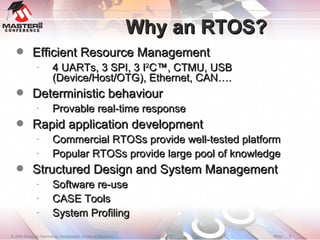
Why an RTOS? Efficient Resource Management 4 UARTs, 3 SPI, 3 I 2 C™, CTMU, USB (Device/Host/OTG), Ethernet, CAN…. Deterministic behaviour Provable real-time response Rapid application development Commercial RTOSs provide well-tested platform Popular RTOSs provide large pool of knowledge Structured Design and System Management Software re-use CASE Tools System Profiling
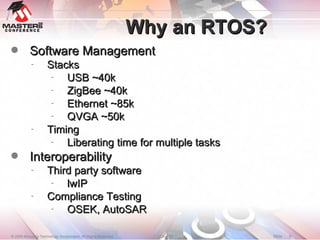
Why an RTOS? Software Management Stacks USB ~40k ZigBee ~40k Ethernet ~85k QVGA ~50k Timing Liberating time for multiple tasks Interoperability Third party software lwIP Compliance Testing OSEK, AutoSAR
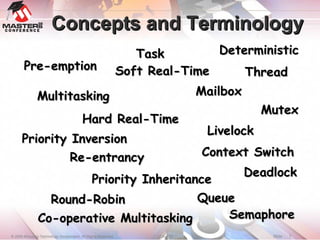
Concepts and Terminology Pre-emption Deterministic Multitasking Hard Real-Time Mailbox Co-operative Multitasking Livelock Priority Inversion Priority Inheritance Thread Task Mutex Soft Real-Time Round-Robin Semaphore Context Switch Queue Deadlock Re-entrancy
Concepts
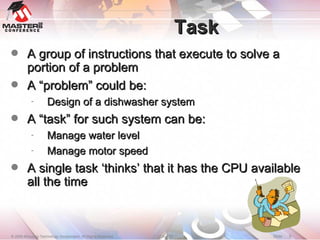
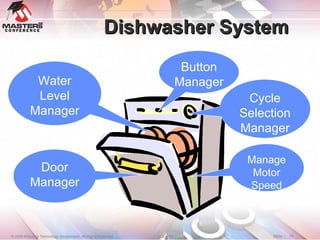
Task A group of instructions that execute to solve a portion of a problem A “problem” could be: Design of a dishwasher system A “task” for such system can be: Manage water level Manage motor speed A single task ‘thinks’ that it has the CPU available all the time
Dishwasher System Water Level Manager Door Manager Button Manager Cycle Selection Manager Manage Motor Speed
Multitasking What is it? Ability to do many things at once Drink coffee, talk on cell-phone, drive, switch lane ‘ Manage water level’ and ‘Manage motor speed’ Tasks can be created and deleted at run-time Typically fixed number of tasks at compile time Sometimes extra tasks automatically created User Issues: Resource sharing CPU, Memory, I/O, etc. Synchronization Inter-task communication
RTOS Related Task Calls Create – to create a new task Start – some RTOSs require starting a task after creation Delete – to delete a task RTOSs may not release some system memory Less common in embedded systems Suspend – to wait execution Resume – to resume execution Change Priority – to dynamically change task priority
Scheduling What is it? Multi-tasking requires all tasks get scheduled to run on CPU according to some pre-determined scheme Types of Scheduling: Co-operative, Pre-emptive Typical Real Time System Uses Pre-emptive Round-robin, Deadline Monotonic, Least Slack-Time etc. Issues: Task Deadlines Missed deadlines may have severe consequences Context Switch Time
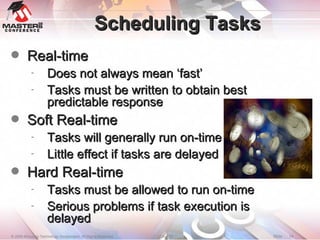
Scheduling Tasks Real-time Does not always mean ‘fast’ Tasks must be written to obtain best predictable response Soft Real-time Tasks will generally run on-time Little effect if tasks are delayed Hard Real-time Tasks must be allowed to run on-time Serious problems if task execution is delayed
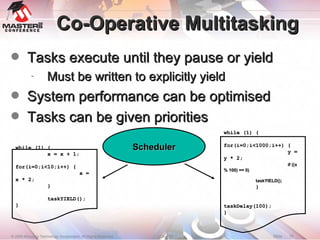
Co-Operative Multitasking Tasks execute until they pause or yield Must be written to explicitly yield System performance can be optimised Tasks can be given priorities Scheduler while (1) { x = x + 1; for(i=0;i<10;i++) { x = x * 2; } taskYIELD(); } while (1) { for(i=0;i<1000;i++) { y = y * 2; if ((x % 100) == 0)‏ taskYIELD(); } taskDelay(100); }
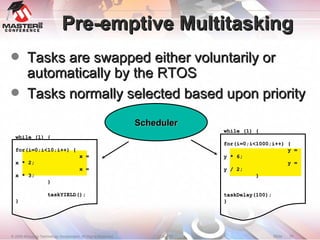
Pre-emptive Multitasking Tasks are swapped either voluntarily or automatically by the RTOS Tasks normally selected based upon priority Scheduler while (1) { for(i=0;i<10;i++) { x = x * 2; x = x * 3; } taskYIELD(); } while (1) { for(i=0;i<1000;i++) { y = y * 6; y = y / 2; } taskDelay(100); }
Priority Real-time systems are hierarchical Each task gets to execute according to pre-determined-priority Priority determines right to run on CPU Priorities can be dynamically changed Truly deterministic real-time systems assign different priority to each task Round-robin for equal priorities
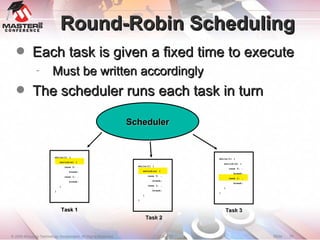
Round-Robin Scheduling Each task is given a fixed time to execute Must be written accordingly The scheduler runs each task in turn Scheduler Task 1 Task 2 Task 3 while(1) { switch(x) { case 0: …  break; case 1: … break; } } while(1) { switch(x) { case 0: …  break; case 1: … break; } } while(1) { switch(x) { case 0: …  break; case 1: … break; } }
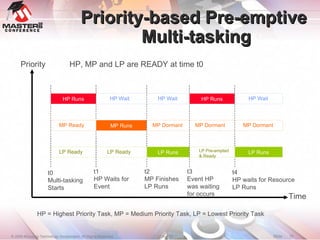
Priority-based Pre-emptive  Multi-tasking Priority Time t0 Multi-tasking Starts HP Runs MP Runs t1 HP Waits for Event LP Runs t2 MP Finishes LP Runs HP Runs t3 Event HP  was waiting  for occurs LP Runs t4 HP waits for Resource LP Runs HP = Highest Priority Task, MP = Medium Priority Task, LP = Lowest Priority Task HP, MP and LP are READY at time t0 LP Pre-empted & Ready MP Ready LP Ready LP Ready HP Wait MP Dormant MP Dormant MP Dormant HP Wait HP Wait
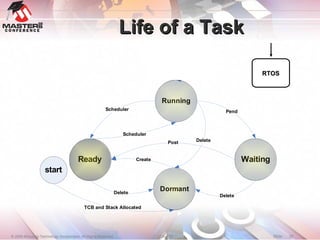
Life of a Task RTOS
Context Switches During a yield or pre-emption the task pushes the processor state The RTOS determines the next task to run The processor state is popped The next task runs int x; double y; char buff[2]; Task 1 int count; char ledState; Task 2 PC PSVPAG w0-w15 SR PC PSVPAG w0-w15 SR ?
Example PIC24F #define portRESTORE_CONTEXT() \ asm volatile(&quot;MOV _pxCurrentTCB, W0 \n“ \ &quot;MOV [W0], W15 \n“ \ &quot;POP W0 \n“ \ &quot;MOV W0, _uxCriticalNesting \n“ \ &quot;POP PSVPAG \n“ \ &quot;POP CORCON \n“ \ &quot;POP TBLPAG \n“ \ &quot;POP RCOUNT \n“ \ &quot;POP W14 \n“ \ &quot;POP.D W12 \n“ \ &quot;POP.D W10 \n“ \ &quot;POP.D W8 \n“ \ &quot;POP.D W6 \n“ \ &quot;POP.D W4 \n“ \ &quot;POP.D W2 \n“ \ &quot;POP.D W0 \n“ \ &quot;POP SR  &quot; ); #define portSAVE_CONTEXT()  \ asm volatile( &quot;PUSH SR \n“ \ &quot;PUSH W0 \n“ \ &quot;MOV #32, W0 \n“ \ /*disable INTs*/ &quot;MOV W0, SR \n“ \ &quot;PUSH W1 \n“ \ &quot;PUSH.D W2 \n“ \ &quot;PUSH.D W4 \n“ \ &quot;PUSH.D W6 \n“ \ &quot;PUSH.D W8 \n“ \ &quot;PUSH.D W10 \n“ \ &quot;PUSH.D W12 \n“ \ &quot;PUSH W14 \n“ \ &quot;PUSH RCOUNT \n“ \ &quot;PUSH TBLPAG \n“ \ &quot;PUSH CORCON \n“ \ &quot;PUSH PSVPAG \n“ \ &quot;MOV _uxCriticalNesting, W0 \n“ \ &quot;PUSH W0 \n“ \ &quot;MOV _pxCurrentTCB, W0 \n“ \ &quot;MOV W15, [W0]   &quot;);
Demo 1 Demo concepts: Task Creation Multi-tasking
Terminology
Resources What is it? Anything that a task depends on Communication channel System data-structures Memory Multiple tasks may use the same resource Issues: Resource may be limited Multiple tasks may need the same resource at the same time resulting in resource contention Inefficient resource management may increase system overhead
Memory Management Typical RTOSs provide memory allocation facilities Frequently fixed block scheme Deterministic service calls Avoid memory fragmentation RTOS System Calls for Memory Allocation Allocate – allocate a block from memory Free – release a block of memory Query – query fixed block size, number of available blocks, etc. in a memory area
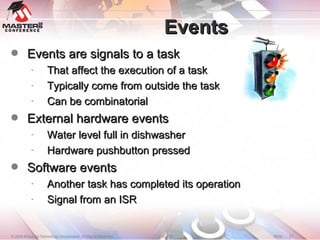
Events Events are signals to a task That affect the execution of a task Typically come from outside the task Can be combinatorial External hardware events Water level full in dishwasher Hardware pushbutton pressed Software events Another task has completed its operation Signal from an ISR
RTOS System Calls for Events Create – to create an event (group)‏ Delete – to delete an event  Wait – to wait for an event to occur Also known as ‘pending’ Timeout available Signal – to signal occurrence of an event Query – to check status of an event (whether it is signaled or not)‏
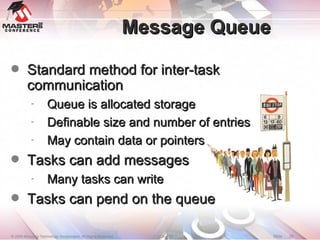
Message Queue Standard method for inter-task communication Queue is allocated storage Definable size and number of entries May contain data or pointers Tasks can add messages Many tasks can write Tasks can pend on the queue
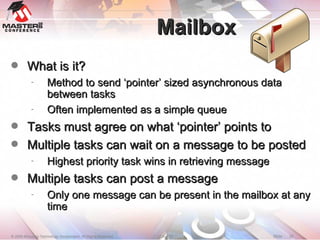
Mailbox What is it? Method to send ‘pointer’ sized asynchronous data between tasks Often implemented as a simple queue Tasks must agree on what ‘pointer’ points to Multiple tasks can wait on a message to be posted Highest priority task wins in retrieving message Multiple tasks can post a message Only one message can be present in the mailbox at any time
System Calls For Mailbox and Message Queues Create – allocate the Mailbox or Queue For queues, space for the queue must be allocated and its size must be specified to ‘Create’ call Delete – remove the Mailbox or Queue Pend – wait on message to become available A timeout period may be specified If no message is available, calling task may wait Post – put a message in Mailbox or Queue Query – inquire if tasks are waiting to receive message on a Mailbox or Queue Flush – remove all messages from Queue
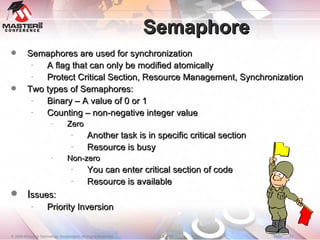
Semaphore Semaphores are used for synchronization A flag that can only be modified atomically Protect Critical Section, Resource Management, Synchronization Two types of Semaphores: Binary – A value of 0 or 1 Counting – non-negative integer value Zero Another task is in specific critical section Resource is busy Non-zero  You can enter critical section of code Resource is available I ssues: Priority Inversion
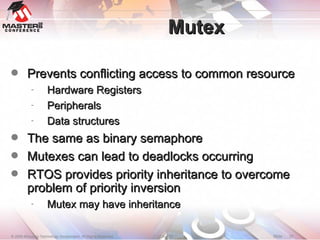
Mutex Prevents conflicting access to common resource Hardware Registers Peripherals Data structures The same as binary semaphore Mutexes can lead to deadlocks occurring RTOS provides priority inheritance to overcome problem of priority inversion Mutex may have inheritance
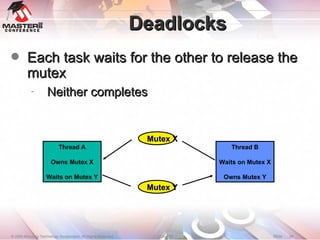
Deadlocks Each task waits for the other to release the mutex Neither completes Thread A Owns Mutex X Waits on Mutex Y Thread B Waits on Mutex X Owns Mutex Y Mutex X Mutex Y
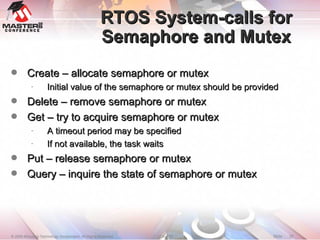
RTOS System-calls for Semaphore and Mutex Create – allocate semaphore or mutex Initial value of the semaphore or mutex should be provided Delete – remove semaphore or mutex Get – try to acquire semaphore or mutex A timeout period may be specified If not available, the task waits Put – release semaphore or mutex Query – inquire the state of semaphore or mutex
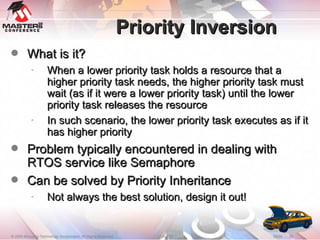
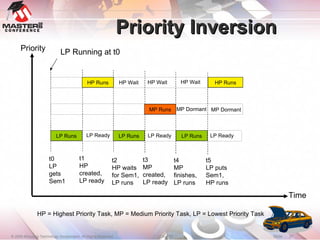
Priority Inversion What is it? When a lower priority task holds a resource that a higher priority task needs, the higher priority task must wait (as if it were a lower priority task) until the lower priority task releases the resource In such scenario, the lower priority task executes as if it has higher priority Problem typically encountered in dealing with RTOS service like Semaphore Can be solved by Priority Inheritance Not always the best solution, design it out!
Priority Inversion Priority Time HP = Highest Priority Task, MP = Medium Priority Task, LP = Lowest Priority Task LP Running at t0 LP Runs t0 LP gets Sem1 HP Runs t1 HP created, LP ready LP Ready t2 HP waits for Sem1, LP runs LP Runs MP Runs t3 MP  created, LP ready HP Wait LP Ready HP Wait MP Dormant LP Runs HP Wait t4 MP finishes, LP runs t5 LP puts Sem1, HP runs LP Ready MP Dormant HP Runs
Examples
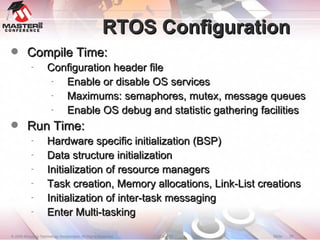
RTOS Configuration Compile Time: Configuration header file Enable or disable OS services Maximums: semaphores, mutex, message queues Enable OS debug and statistic gathering facilities Run Time: Hardware specific initialization (BSP)  Data structure initialization Initialization of resource managers Task creation, Memory allocations, Link-List creations Initialization of inter-task messaging Enter Multi-tasking
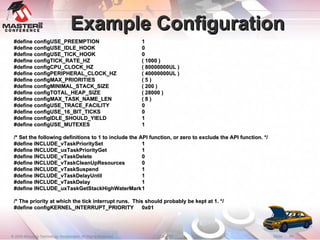
Example Configuration #define configUSE_PREEMPTION 1 #define configUSE_IDLE_HOOK 0 #define configUSE_TICK_HOOK 0 #define configTICK_RATE_HZ ( 1000 )‏ #define configCPU_CLOCK_HZ ( 80000000UL )  #define configPERIPHERAL_CLOCK_HZ ( 40000000UL )‏ #define configMAX_PRIORITIES ( 5 )‏ #define configMINIMAL_STACK_SIZE ( 200 )‏ #define configTOTAL_HEAP_SIZE ( 28000 )‏ #define configMAX_TASK_NAME_LEN ( 8 )‏ #define configUSE_TRACE_FACILITY 0 #define configUSE_16_BIT_TICKS 0 #define configIDLE_SHOULD_YIELD 1 #define configUSE_MUTEXES 1 /* Set the following definitions to 1 to include the API function, or zero to exclude the API function. */ #define INCLUDE_vTaskPrioritySet 1 #define INCLUDE_uxTaskPriorityGet 1 #define INCLUDE_vTaskDelete 0 #define INCLUDE_vTaskCleanUpResources 0 #define INCLUDE_vTaskSuspend 1 #define INCLUDE_vTaskDelayUntil 1 #define INCLUDE_vTaskDelay 1 #define INCLUDE_uxTaskGetStackHighWaterMark 1 /* The priority at which the tick interrupt runs.  This should probably be kept at 1. */ #define configKERNEL_INTERRUPT_PRIORITY 0x01
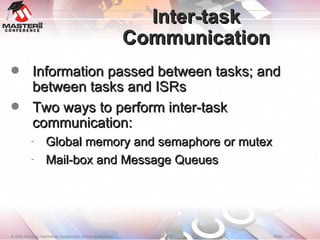
Inter-task Communication Information passed between tasks; and between tasks and ISRs Two ways to perform inter-task communication: Global memory and semaphore or mutex Mail-box and Message Queues
Demo 2 Demo Concepts Inter-task Communication Message Queues
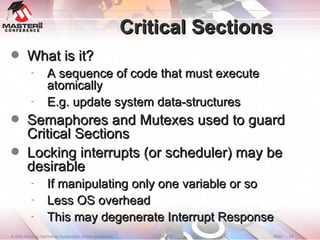
Critical Sections What is it? A sequence of code that must execute atomically E.g. update system data-structures Semaphores and Mutexes used to guard Critical Sections Locking interrupts (or scheduler) may be desirable If manipulating only one variable or so  Less OS overhead  This may degenerate Interrupt Response
Demo 3 Demo Concepts Critical Sections Semaphore Note Critical Section in parallel port code PIC32 version does not use Critical Section
Current 3 rd  Party Support
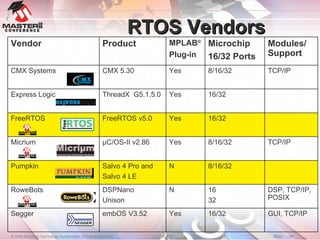
RTOS Vendors 16/32 16 32 8/16/32 8/16/32 16/32 16/32 8/16/32 Microchip  16/32 Ports GUI, TCP/IP DSP, TCP/IP, POSIX TCP/IP TCP/IP Modules/ Support N Salvo 4 Pro and Salvo 4 LE Pumpkin N DSPNano Unison RoweBots Yes embOS V3.52 Segger Yes µC/OS-II v2.86 Micrium Yes FreeRTOS v5.0 FreeRTOS Yes ThreadX  G5.1.5.0  Express Logic Yes CMX 5.30 CMX Systems MPLAB ® Plug-in Product Vendor
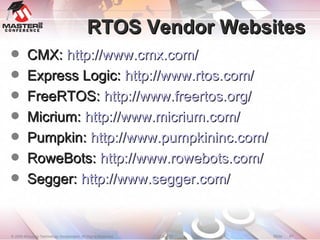
RTOS Vendor Websites CMX:  http://www.cmx.com/ Express Logic:  http://www.rtos.com/ FreeRTOS:  http://www.freertos.org/ Micrium:  http://www.micrium.com/ Pumpkin:  http://www.pumpkininc.com/ RoweBots:  http://www.rowebots.com/ Segger:  http://www.segger.com/
How to Choose
Factors influencing Many factors: Context Switch Time RTOS Service Call Performance Interrupt Response Time Highest Priority Interrupt Response Time Scheduling Algorithms Tools and Middleware Integration Additional libraries for TCP/IP, DSP, Graphics Business Model Freeware, Open Source, Support, License, Royalties Reliability and user base
The Numbers Game Some RTOS vendors have done testing on Context switch time, Size, Interrupt response time, etc. However, few numbers are officially released Like-for-like comparisons can be difficult It is very difficult to recommend one product Much depends on the application Users should expect to perform some tests
Summary We discussed: Where an RTOS is useful The basic concepts behind an RTOS The terminology used Several demonstrations What to think about when selecting an RTOS Please attend classes 1231, 1232 and 1233 for a more detailed and hands-on look
Questions ?
Trademarks The Microchip name and logo, the Microchip logo, Accuron, dsPIC, KeeLoq, KeeLoq logo, MPLAB, PIC, PICmicro, PICSTART, PRO MATE, rfPIC and SmartShunt are registered trademarks of Microchip Technology Incorporated in the U.S.A. and other countries. FilterLab, Linear Active Thermistor, MXDEV, MXLAB, SEEVAL, SmartSensor and The Embedded Control Solutions Company are registered trademarks of Microchip Technology Incorporated in the U.S.A. Analog-for-the-Digital Age, Application Maestro, CodeGuard, dsPICDEM, dsPICDEM.net, dsPICworks, dsSPEAK, ECAN, ECONOMONITOR, FanSense, In‑Circuit Serial Programming, ICSP, ICEPIC, Mindi, MiWi, MPASM, MPLAB Certified logo, MPLIB, MPLINK, mTouch, PICkit, PICDEM, PICDEM.net, PICtail, PIC32 logo, PowerCal, PowerInfo, PowerMate, PowerTool, REAL ICE, rfLAB, Select Mode, Total Endurance, UNI/O, WiperLock and ZENA are trademarks of Microchip Technology Incorporated in the U.S.A. and other countries. SQTP is a service mark of Microchip Technology Incorporated in the U.S.A. All other trademarks mentioned herein are property of their respective companies. © 2008, Microchip Technology Incorporated. All Rights Reserved.

1230 Rtf Final

  • 1.
  • 2.
    Objectives When youfinish this class you will know: The terminology used in the RTOS world What functions an RTOS provides and how it affects your programming style What factors to consider when choosing an RTOS for your next project
  • 3.
    Agenda When isan RTOS appropriate? RTOS Introduction Concepts Terminology Operation Techniques Demonstrations Current Support How to choose Factors influencing your decision
  • 4.
    When is anRTOS appropriate?
  • 5.
    Why an RTOS?Efficient Resource Management 4 UARTs, 3 SPI, 3 I 2 C™, CTMU, USB (Device/Host/OTG), Ethernet, CAN…. Deterministic behaviour Provable real-time response Rapid application development Commercial RTOSs provide well-tested platform Popular RTOSs provide large pool of knowledge Structured Design and System Management Software re-use CASE Tools System Profiling
  • 6.
    Why an RTOS?Software Management Stacks USB ~40k ZigBee ~40k Ethernet ~85k QVGA ~50k Timing Liberating time for multiple tasks Interoperability Third party software lwIP Compliance Testing OSEK, AutoSAR
  • 7.
    Concepts and TerminologyPre-emption Deterministic Multitasking Hard Real-Time Mailbox Co-operative Multitasking Livelock Priority Inversion Priority Inheritance Thread Task Mutex Soft Real-Time Round-Robin Semaphore Context Switch Queue Deadlock Re-entrancy
  • 8.
  • 9.
    Task A groupof instructions that execute to solve a portion of a problem A “problem” could be: Design of a dishwasher system A “task” for such system can be: Manage water level Manage motor speed A single task ‘thinks’ that it has the CPU available all the time
  • 10.
    Dishwasher System WaterLevel Manager Door Manager Button Manager Cycle Selection Manager Manage Motor Speed
  • 11.
    Multitasking What isit? Ability to do many things at once Drink coffee, talk on cell-phone, drive, switch lane ‘ Manage water level’ and ‘Manage motor speed’ Tasks can be created and deleted at run-time Typically fixed number of tasks at compile time Sometimes extra tasks automatically created User Issues: Resource sharing CPU, Memory, I/O, etc. Synchronization Inter-task communication
  • 12.
    RTOS Related TaskCalls Create – to create a new task Start – some RTOSs require starting a task after creation Delete – to delete a task RTOSs may not release some system memory Less common in embedded systems Suspend – to wait execution Resume – to resume execution Change Priority – to dynamically change task priority
  • 13.
    Scheduling What isit? Multi-tasking requires all tasks get scheduled to run on CPU according to some pre-determined scheme Types of Scheduling: Co-operative, Pre-emptive Typical Real Time System Uses Pre-emptive Round-robin, Deadline Monotonic, Least Slack-Time etc. Issues: Task Deadlines Missed deadlines may have severe consequences Context Switch Time
  • 14.
    Scheduling Tasks Real-timeDoes not always mean ‘fast’ Tasks must be written to obtain best predictable response Soft Real-time Tasks will generally run on-time Little effect if tasks are delayed Hard Real-time Tasks must be allowed to run on-time Serious problems if task execution is delayed
  • 15.
    Co-Operative Multitasking Tasksexecute until they pause or yield Must be written to explicitly yield System performance can be optimised Tasks can be given priorities Scheduler while (1) { x = x + 1; for(i=0;i<10;i++) { x = x * 2; } taskYIELD(); } while (1) { for(i=0;i<1000;i++) { y = y * 2; if ((x % 100) == 0)‏ taskYIELD(); } taskDelay(100); }
  • 16.
    Pre-emptive Multitasking Tasksare swapped either voluntarily or automatically by the RTOS Tasks normally selected based upon priority Scheduler while (1) { for(i=0;i<10;i++) { x = x * 2; x = x * 3; } taskYIELD(); } while (1) { for(i=0;i<1000;i++) { y = y * 6; y = y / 2; } taskDelay(100); }
  • 17.
    Priority Real-time systemsare hierarchical Each task gets to execute according to pre-determined-priority Priority determines right to run on CPU Priorities can be dynamically changed Truly deterministic real-time systems assign different priority to each task Round-robin for equal priorities
  • 18.
    Round-Robin Scheduling Eachtask is given a fixed time to execute Must be written accordingly The scheduler runs each task in turn Scheduler Task 1 Task 2 Task 3 while(1) { switch(x) { case 0: … break; case 1: … break; } } while(1) { switch(x) { case 0: … break; case 1: … break; } } while(1) { switch(x) { case 0: … break; case 1: … break; } }
  • 19.
    Priority-based Pre-emptive Multi-tasking Priority Time t0 Multi-tasking Starts HP Runs MP Runs t1 HP Waits for Event LP Runs t2 MP Finishes LP Runs HP Runs t3 Event HP was waiting for occurs LP Runs t4 HP waits for Resource LP Runs HP = Highest Priority Task, MP = Medium Priority Task, LP = Lowest Priority Task HP, MP and LP are READY at time t0 LP Pre-empted & Ready MP Ready LP Ready LP Ready HP Wait MP Dormant MP Dormant MP Dormant HP Wait HP Wait
  • 20.
    Life of aTask RTOS
  • 21.
    Context Switches Duringa yield or pre-emption the task pushes the processor state The RTOS determines the next task to run The processor state is popped The next task runs int x; double y; char buff[2]; Task 1 int count; char ledState; Task 2 PC PSVPAG w0-w15 SR PC PSVPAG w0-w15 SR ?
  • 22.
    Example PIC24F #defineportRESTORE_CONTEXT() \ asm volatile(&quot;MOV _pxCurrentTCB, W0 \n“ \ &quot;MOV [W0], W15 \n“ \ &quot;POP W0 \n“ \ &quot;MOV W0, _uxCriticalNesting \n“ \ &quot;POP PSVPAG \n“ \ &quot;POP CORCON \n“ \ &quot;POP TBLPAG \n“ \ &quot;POP RCOUNT \n“ \ &quot;POP W14 \n“ \ &quot;POP.D W12 \n“ \ &quot;POP.D W10 \n“ \ &quot;POP.D W8 \n“ \ &quot;POP.D W6 \n“ \ &quot;POP.D W4 \n“ \ &quot;POP.D W2 \n“ \ &quot;POP.D W0 \n“ \ &quot;POP SR &quot; ); #define portSAVE_CONTEXT() \ asm volatile( &quot;PUSH SR \n“ \ &quot;PUSH W0 \n“ \ &quot;MOV #32, W0 \n“ \ /*disable INTs*/ &quot;MOV W0, SR \n“ \ &quot;PUSH W1 \n“ \ &quot;PUSH.D W2 \n“ \ &quot;PUSH.D W4 \n“ \ &quot;PUSH.D W6 \n“ \ &quot;PUSH.D W8 \n“ \ &quot;PUSH.D W10 \n“ \ &quot;PUSH.D W12 \n“ \ &quot;PUSH W14 \n“ \ &quot;PUSH RCOUNT \n“ \ &quot;PUSH TBLPAG \n“ \ &quot;PUSH CORCON \n“ \ &quot;PUSH PSVPAG \n“ \ &quot;MOV _uxCriticalNesting, W0 \n“ \ &quot;PUSH W0 \n“ \ &quot;MOV _pxCurrentTCB, W0 \n“ \ &quot;MOV W15, [W0] &quot;);
  • 23.
    Demo 1 Democoncepts: Task Creation Multi-tasking
  • 24.
  • 25.
    Resources What isit? Anything that a task depends on Communication channel System data-structures Memory Multiple tasks may use the same resource Issues: Resource may be limited Multiple tasks may need the same resource at the same time resulting in resource contention Inefficient resource management may increase system overhead
  • 26.
    Memory Management TypicalRTOSs provide memory allocation facilities Frequently fixed block scheme Deterministic service calls Avoid memory fragmentation RTOS System Calls for Memory Allocation Allocate – allocate a block from memory Free – release a block of memory Query – query fixed block size, number of available blocks, etc. in a memory area
  • 27.
    Events Events aresignals to a task That affect the execution of a task Typically come from outside the task Can be combinatorial External hardware events Water level full in dishwasher Hardware pushbutton pressed Software events Another task has completed its operation Signal from an ISR
  • 28.
    RTOS System Callsfor Events Create – to create an event (group)‏ Delete – to delete an event Wait – to wait for an event to occur Also known as ‘pending’ Timeout available Signal – to signal occurrence of an event Query – to check status of an event (whether it is signaled or not)‏
  • 29.
    Message Queue Standardmethod for inter-task communication Queue is allocated storage Definable size and number of entries May contain data or pointers Tasks can add messages Many tasks can write Tasks can pend on the queue
  • 30.
    Mailbox What isit? Method to send ‘pointer’ sized asynchronous data between tasks Often implemented as a simple queue Tasks must agree on what ‘pointer’ points to Multiple tasks can wait on a message to be posted Highest priority task wins in retrieving message Multiple tasks can post a message Only one message can be present in the mailbox at any time
  • 31.
    System Calls ForMailbox and Message Queues Create – allocate the Mailbox or Queue For queues, space for the queue must be allocated and its size must be specified to ‘Create’ call Delete – remove the Mailbox or Queue Pend – wait on message to become available A timeout period may be specified If no message is available, calling task may wait Post – put a message in Mailbox or Queue Query – inquire if tasks are waiting to receive message on a Mailbox or Queue Flush – remove all messages from Queue
  • 32.
    Semaphore Semaphores areused for synchronization A flag that can only be modified atomically Protect Critical Section, Resource Management, Synchronization Two types of Semaphores: Binary – A value of 0 or 1 Counting – non-negative integer value Zero Another task is in specific critical section Resource is busy Non-zero You can enter critical section of code Resource is available I ssues: Priority Inversion
  • 33.
    Mutex Prevents conflictingaccess to common resource Hardware Registers Peripherals Data structures The same as binary semaphore Mutexes can lead to deadlocks occurring RTOS provides priority inheritance to overcome problem of priority inversion Mutex may have inheritance
  • 34.
    Deadlocks Each taskwaits for the other to release the mutex Neither completes Thread A Owns Mutex X Waits on Mutex Y Thread B Waits on Mutex X Owns Mutex Y Mutex X Mutex Y
  • 35.
    RTOS System-calls forSemaphore and Mutex Create – allocate semaphore or mutex Initial value of the semaphore or mutex should be provided Delete – remove semaphore or mutex Get – try to acquire semaphore or mutex A timeout period may be specified If not available, the task waits Put – release semaphore or mutex Query – inquire the state of semaphore or mutex
  • 36.
    Priority Inversion Whatis it? When a lower priority task holds a resource that a higher priority task needs, the higher priority task must wait (as if it were a lower priority task) until the lower priority task releases the resource In such scenario, the lower priority task executes as if it has higher priority Problem typically encountered in dealing with RTOS service like Semaphore Can be solved by Priority Inheritance Not always the best solution, design it out!
  • 37.
    Priority Inversion PriorityTime HP = Highest Priority Task, MP = Medium Priority Task, LP = Lowest Priority Task LP Running at t0 LP Runs t0 LP gets Sem1 HP Runs t1 HP created, LP ready LP Ready t2 HP waits for Sem1, LP runs LP Runs MP Runs t3 MP created, LP ready HP Wait LP Ready HP Wait MP Dormant LP Runs HP Wait t4 MP finishes, LP runs t5 LP puts Sem1, HP runs LP Ready MP Dormant HP Runs
  • 38.
  • 39.
    RTOS Configuration CompileTime: Configuration header file Enable or disable OS services Maximums: semaphores, mutex, message queues Enable OS debug and statistic gathering facilities Run Time: Hardware specific initialization (BSP) Data structure initialization Initialization of resource managers Task creation, Memory allocations, Link-List creations Initialization of inter-task messaging Enter Multi-tasking
  • 40.
    Example Configuration #defineconfigUSE_PREEMPTION 1 #define configUSE_IDLE_HOOK 0 #define configUSE_TICK_HOOK 0 #define configTICK_RATE_HZ ( 1000 )‏ #define configCPU_CLOCK_HZ ( 80000000UL ) #define configPERIPHERAL_CLOCK_HZ ( 40000000UL )‏ #define configMAX_PRIORITIES ( 5 )‏ #define configMINIMAL_STACK_SIZE ( 200 )‏ #define configTOTAL_HEAP_SIZE ( 28000 )‏ #define configMAX_TASK_NAME_LEN ( 8 )‏ #define configUSE_TRACE_FACILITY 0 #define configUSE_16_BIT_TICKS 0 #define configIDLE_SHOULD_YIELD 1 #define configUSE_MUTEXES 1 /* Set the following definitions to 1 to include the API function, or zero to exclude the API function. */ #define INCLUDE_vTaskPrioritySet 1 #define INCLUDE_uxTaskPriorityGet 1 #define INCLUDE_vTaskDelete 0 #define INCLUDE_vTaskCleanUpResources 0 #define INCLUDE_vTaskSuspend 1 #define INCLUDE_vTaskDelayUntil 1 #define INCLUDE_vTaskDelay 1 #define INCLUDE_uxTaskGetStackHighWaterMark 1 /* The priority at which the tick interrupt runs. This should probably be kept at 1. */ #define configKERNEL_INTERRUPT_PRIORITY 0x01
  • 41.
    Inter-task Communication Informationpassed between tasks; and between tasks and ISRs Two ways to perform inter-task communication: Global memory and semaphore or mutex Mail-box and Message Queues
  • 42.
    Demo 2 DemoConcepts Inter-task Communication Message Queues
  • 43.
    Critical Sections Whatis it? A sequence of code that must execute atomically E.g. update system data-structures Semaphores and Mutexes used to guard Critical Sections Locking interrupts (or scheduler) may be desirable If manipulating only one variable or so Less OS overhead This may degenerate Interrupt Response
  • 44.
    Demo 3 DemoConcepts Critical Sections Semaphore Note Critical Section in parallel port code PIC32 version does not use Critical Section
  • 45.
    Current 3 rd Party Support
  • 46.
    RTOS Vendors 16/3216 32 8/16/32 8/16/32 16/32 16/32 8/16/32 Microchip 16/32 Ports GUI, TCP/IP DSP, TCP/IP, POSIX TCP/IP TCP/IP Modules/ Support N Salvo 4 Pro and Salvo 4 LE Pumpkin N DSPNano Unison RoweBots Yes embOS V3.52 Segger Yes µC/OS-II v2.86 Micrium Yes FreeRTOS v5.0 FreeRTOS Yes ThreadX G5.1.5.0 Express Logic Yes CMX 5.30 CMX Systems MPLAB ® Plug-in Product Vendor
  • 47.
    RTOS Vendor WebsitesCMX: http://www.cmx.com/ Express Logic: http://www.rtos.com/ FreeRTOS: http://www.freertos.org/ Micrium: http://www.micrium.com/ Pumpkin: http://www.pumpkininc.com/ RoweBots: http://www.rowebots.com/ Segger: http://www.segger.com/
  • 48.
  • 49.
    Factors influencing Manyfactors: Context Switch Time RTOS Service Call Performance Interrupt Response Time Highest Priority Interrupt Response Time Scheduling Algorithms Tools and Middleware Integration Additional libraries for TCP/IP, DSP, Graphics Business Model Freeware, Open Source, Support, License, Royalties Reliability and user base
  • 50.
    The Numbers GameSome RTOS vendors have done testing on Context switch time, Size, Interrupt response time, etc. However, few numbers are officially released Like-for-like comparisons can be difficult It is very difficult to recommend one product Much depends on the application Users should expect to perform some tests
  • 51.
    Summary We discussed:Where an RTOS is useful The basic concepts behind an RTOS The terminology used Several demonstrations What to think about when selecting an RTOS Please attend classes 1231, 1232 and 1233 for a more detailed and hands-on look
  • 52.
  • 53.
    Trademarks The Microchipname and logo, the Microchip logo, Accuron, dsPIC, KeeLoq, KeeLoq logo, MPLAB, PIC, PICmicro, PICSTART, PRO MATE, rfPIC and SmartShunt are registered trademarks of Microchip Technology Incorporated in the U.S.A. and other countries. FilterLab, Linear Active Thermistor, MXDEV, MXLAB, SEEVAL, SmartSensor and The Embedded Control Solutions Company are registered trademarks of Microchip Technology Incorporated in the U.S.A. Analog-for-the-Digital Age, Application Maestro, CodeGuard, dsPICDEM, dsPICDEM.net, dsPICworks, dsSPEAK, ECAN, ECONOMONITOR, FanSense, In‑Circuit Serial Programming, ICSP, ICEPIC, Mindi, MiWi, MPASM, MPLAB Certified logo, MPLIB, MPLINK, mTouch, PICkit, PICDEM, PICDEM.net, PICtail, PIC32 logo, PowerCal, PowerInfo, PowerMate, PowerTool, REAL ICE, rfLAB, Select Mode, Total Endurance, UNI/O, WiperLock and ZENA are trademarks of Microchip Technology Incorporated in the U.S.A. and other countries. SQTP is a service mark of Microchip Technology Incorporated in the U.S.A. All other trademarks mentioned herein are property of their respective companies. © 2008, Microchip Technology Incorporated. All Rights Reserved.