Hyper linking
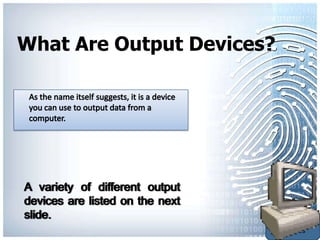
What Are Output Devices?


                           Back to
                           Output
                           Devices
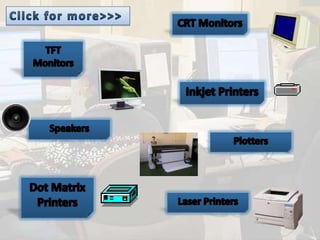
CRT Monitors
• CRT stands for cathode ray tubes.
• Despite the fact that it is the cheapest monitor available it is becoming
  less popular.
• It consists of an electron gun that shoots electrons against phosphor
  particles.
 They are used in environments where space is not an issue.

    Advantages                      Disadvantages
    Cheaper than TFT monitors.      Difficult to life and move
                                    around
    Produce better quality images   Emit harmful radiation (small
    as opposed to a TFT             quantity)
    Screen on the monitor can be    They have a flickering screen;
    viewed from a number of         this can cause headaches and
    angles.                         eye strain.                          Back to
                                                                         Output
                                                                         Devices
TFT Monitors
• TFT stands for thin film transistor. These monitors can also be
  called LCD’s. LCD stands for liquid crystal display.
• The screen consists of thousands of miniature transistors. These
  transistors are activated by the processor. Each pixel is formed from
  RGB (Red, Green and Blue).
• Used when only 1 person needs to see the screen.

Advantages                        Disadvantages
Easy to move and carry around.    Limited angle of viewing
Produce less glare (reduced eye   Inconsistency of colour when
strain)                           viewed from different angles.
Emits less radiation as opposed   Videos may blur
to CRT
                                  More expensive than CRT                 Back to
                                                                          Output
                                                                          Devices
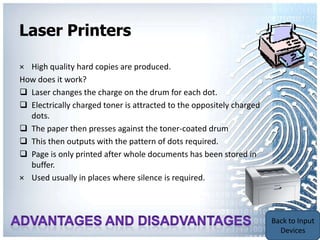
Laser Printers

× High quality hard copies are produced.
How does it work?
 Laser changes the charge on the drum for each dot.
 Electrically charged toner is attracted to the oppositely charged
  dots.
 The paper then presses against the toner-coated drum
 This then outputs with the pattern of dots required.
 Page is only printed after whole documents has been stored in
  buffer.
× Used usually in places where silence is required.


                                                                      Back to
                                                                      Output
                                                                      Devices
Laser Printers

Advantages                         Disadvantages
Fast output                        Limited in size of paper.

Running costs are cheaper          Initial costs are high.

Large print jobs can be done       First page may be slow to print.
quickly
Quality is high

Toner cartridges last longer; so
laser printers can be used on
longer print runs.


                                                                      Back to
                                                                      Output
                                                                      Devices
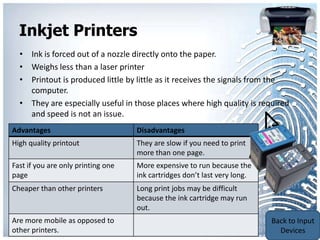
Inkjet Printers
  • Ink is forced out of a nozzle directly onto the paper.
  • Weighs less than a laser printer
  • Printout is produced little by little as it receives the signals from the
    computer.
  • They are especially useful in those places where high quality is required
    and speed is not an issue.
Advantages                          Disadvantages
High quality printout               They are slow if you need to print
                                    more than one page.
Fast if you are only printing one   More expensive to run because the
page                                ink cartridges don’t last very long.
Cheaper than other printers         Long print jobs may be difficult
                                    because the ink cartridge may run
                                    out.
                                                                           Back to
Are more mobile as opposed to
                                                                           Output
other printers.
                                                                           Devices
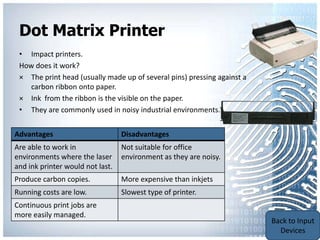
Dot Matrix Printer
 • Impact printers.
 How does it work?
 × The print head (usually made up of several pins) pressing against a
    carbon ribbon onto paper.
 × Ink from the ribbon is the visible on the paper.
 • They are commonly used in noisy industrial environments.


Advantages                        Disadvantages
Are able to work in               Not suitable for office
environments where the laser      environment as they are noisy.
and ink printer would not last.
Produce carbon copies.            More expensive than inkjets
Running costs are low.            Slowest type of printer.
Continuous print jobs are
more easily managed.                                                     Back to
                                                                         Output
                                                                         Devices
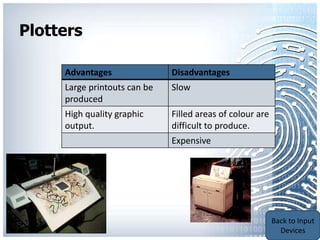
Plotter
• Its is able to produce hard copies but is not limited to the
    size of the paper.
How does it work?
× Ink is placed on a roll of paper rather than individual sheets.
There are three types:
1- Pen plotter : prints to paper using different colour pens. It
    relies on the computer to control the movement of the pen
    and paper.
2- Electrostatic plotter:
3- Inkjet plotters
• They are used to produce printouts of graphs and
    blueprints.

                                                                    Back to
                                                                    Output
                                                                    Devices
Plotters

     Advantages               Disadvantages
     Large printouts can be   Slow
     produced
     High quality graphic     Filled areas of colour are
     output.                  difficult to produce.
                              Expensive


                                                           Back to
                                                           Output
                                                           Devices
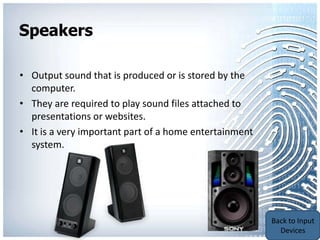
Speakers

• Output sound that is produced or is stored by the
  computer.
• They are required to play sound files attached to
  presentations or websites.
• It is a very important part of a home entertainment
  system.


                                                        Back to
                                                        Output
                                                        Devices

1.2 output devices

  • 1.
  • 2.
    What Are OutputDevices? Back to Output Devices
  • 4.
    CRT Monitors • CRTstands for cathode ray tubes. • Despite the fact that it is the cheapest monitor available it is becoming less popular. • It consists of an electron gun that shoots electrons against phosphor particles.  They are used in environments where space is not an issue. Advantages Disadvantages Cheaper than TFT monitors. Difficult to life and move around Produce better quality images Emit harmful radiation (small as opposed to a TFT quantity) Screen on the monitor can be They have a flickering screen; viewed from a number of this can cause headaches and angles. eye strain. Back to Output Devices
  • 5.
    TFT Monitors • TFTstands for thin film transistor. These monitors can also be called LCD’s. LCD stands for liquid crystal display. • The screen consists of thousands of miniature transistors. These transistors are activated by the processor. Each pixel is formed from RGB (Red, Green and Blue). • Used when only 1 person needs to see the screen. Advantages Disadvantages Easy to move and carry around. Limited angle of viewing Produce less glare (reduced eye Inconsistency of colour when strain) viewed from different angles. Emits less radiation as opposed Videos may blur to CRT More expensive than CRT Back to Output Devices
  • 6.
    Laser Printers × Highquality hard copies are produced. How does it work?  Laser changes the charge on the drum for each dot.  Electrically charged toner is attracted to the oppositely charged dots.  The paper then presses against the toner-coated drum  This then outputs with the pattern of dots required.  Page is only printed after whole documents has been stored in buffer. × Used usually in places where silence is required. Back to Output Devices
  • 7.
    Laser Printers Advantages Disadvantages Fast output Limited in size of paper. Running costs are cheaper Initial costs are high. Large print jobs can be done First page may be slow to print. quickly Quality is high Toner cartridges last longer; so laser printers can be used on longer print runs. Back to Output Devices
  • 8.
    Inkjet Printers • Ink is forced out of a nozzle directly onto the paper. • Weighs less than a laser printer • Printout is produced little by little as it receives the signals from the computer. • They are especially useful in those places where high quality is required and speed is not an issue. Advantages Disadvantages High quality printout They are slow if you need to print more than one page. Fast if you are only printing one More expensive to run because the page ink cartridges don’t last very long. Cheaper than other printers Long print jobs may be difficult because the ink cartridge may run out. Back to Are more mobile as opposed to Output other printers. Devices
  • 9.
    Dot Matrix Printer • Impact printers. How does it work? × The print head (usually made up of several pins) pressing against a carbon ribbon onto paper. × Ink from the ribbon is the visible on the paper. • They are commonly used in noisy industrial environments. Advantages Disadvantages Are able to work in Not suitable for office environments where the laser environment as they are noisy. and ink printer would not last. Produce carbon copies. More expensive than inkjets Running costs are low. Slowest type of printer. Continuous print jobs are more easily managed. Back to Output Devices
  • 10.
    Plotter • Its isable to produce hard copies but is not limited to the size of the paper. How does it work? × Ink is placed on a roll of paper rather than individual sheets. There are three types: 1- Pen plotter : prints to paper using different colour pens. It relies on the computer to control the movement of the pen and paper. 2- Electrostatic plotter: 3- Inkjet plotters • They are used to produce printouts of graphs and blueprints. Back to Output Devices
  • 11.
    Plotters Advantages Disadvantages Large printouts can be Slow produced High quality graphic Filled areas of colour are output. difficult to produce. Expensive Back to Output Devices
  • 12.
    Speakers • Output soundthat is produced or is stored by the computer. • They are required to play sound files attached to presentations or websites. • It is a very important part of a home entertainment system. Back to Output Devices

Editor's Notes

  • #5 Ergonomic keyboards are now coming into common use due to the increase in number of people who use the computer. Their purpose is to prevent RSI whilst typing. This is aided by the shape of