Created By:
IEEE MIU SB Academic Committee
Arduino Workshop
1
PART 1: INTRODUCTION TO EMBEDDED SYSTEMS
& IOT
2
Content
 Introduction to Embedded
Systems
 What’s An Embedded System?
 What’s Unique about Embedded
Systems?
 Embedded Systems Applications
 Embedded Systems Example 1
 Embedded Systems Example 2
 Embedded Systems Companies in
Egypt
 Microprocessor VS Microcontroller
 What does it do?
 Various Versions of Arduino
 Arduino Layout
 Introduction to IoT
 What is IoT?
 IoT: People connecting with
Things
 IoT Applications
 Evolution of the World Wide Web
(www)
 Various Names, One Concept
3
What’s an Embedded System?
 A combination of hardware and software which together form a component of
a larger machine.
4
What’s Unique about
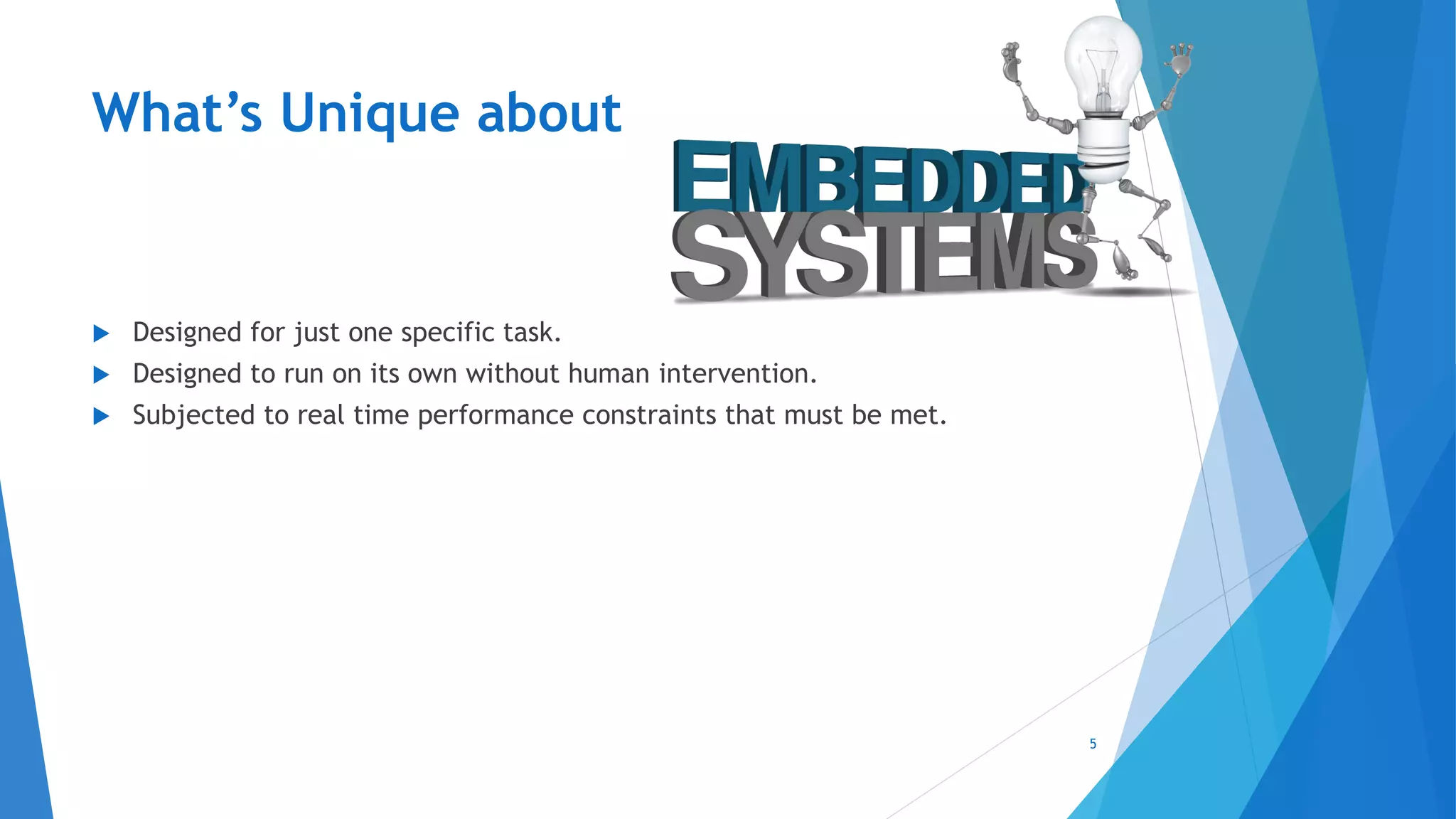
 Designed for just one specific task.
 Designed to run on its own without human intervention.
 Subjected to real time performance constraints that must be met.
5
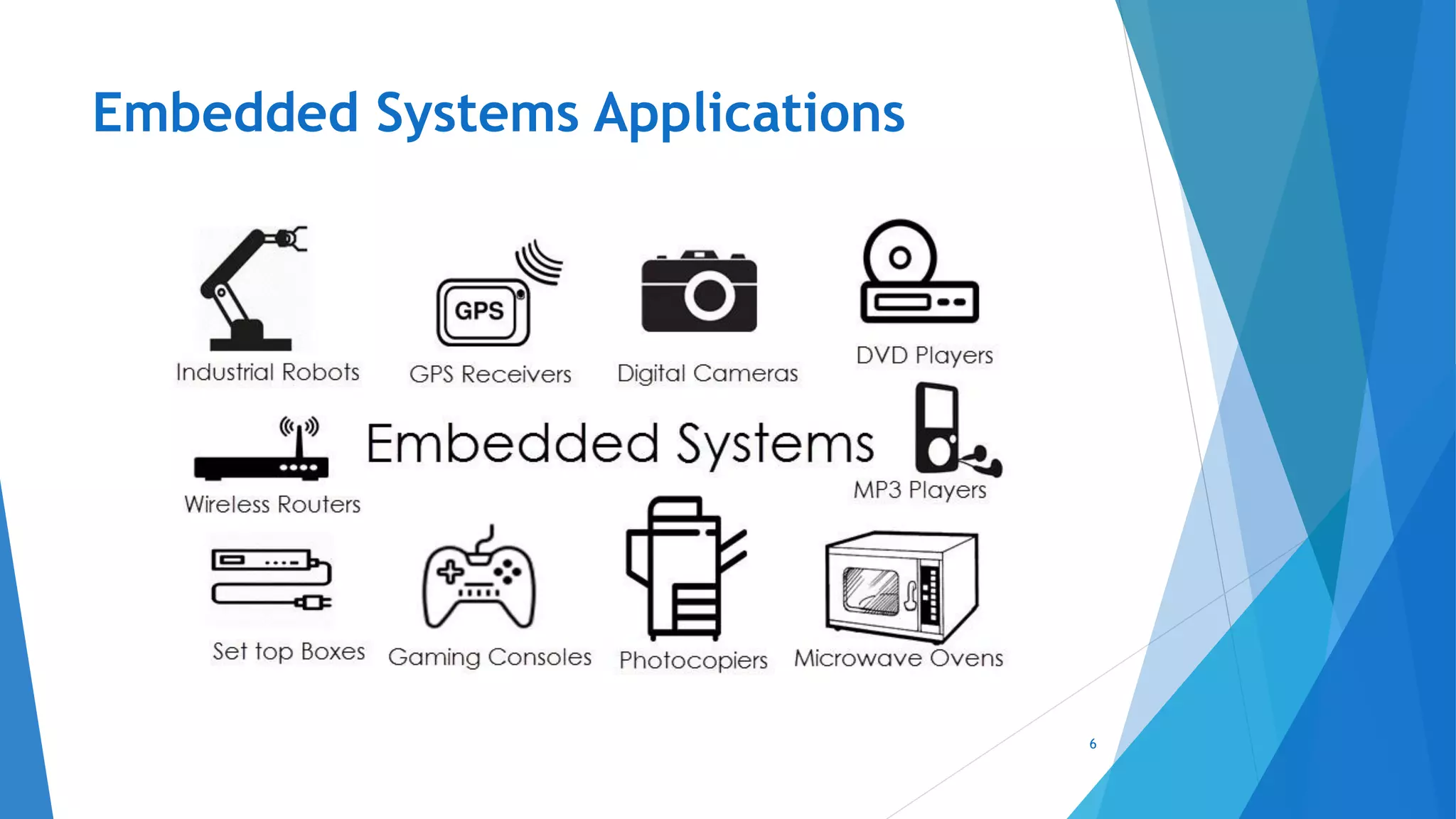
Embedded Systems Applications
6
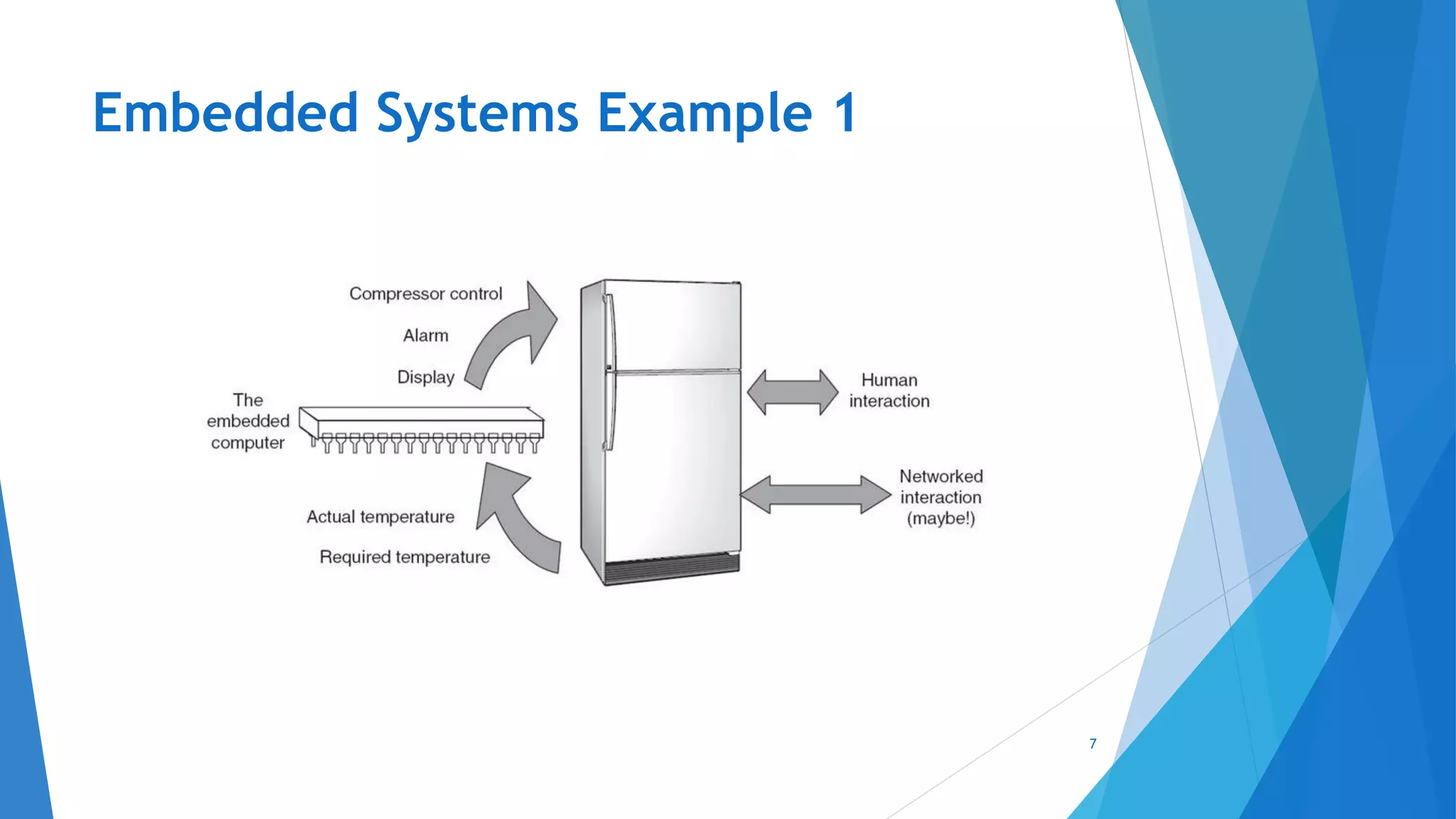
Embedded Systems Example 1
7
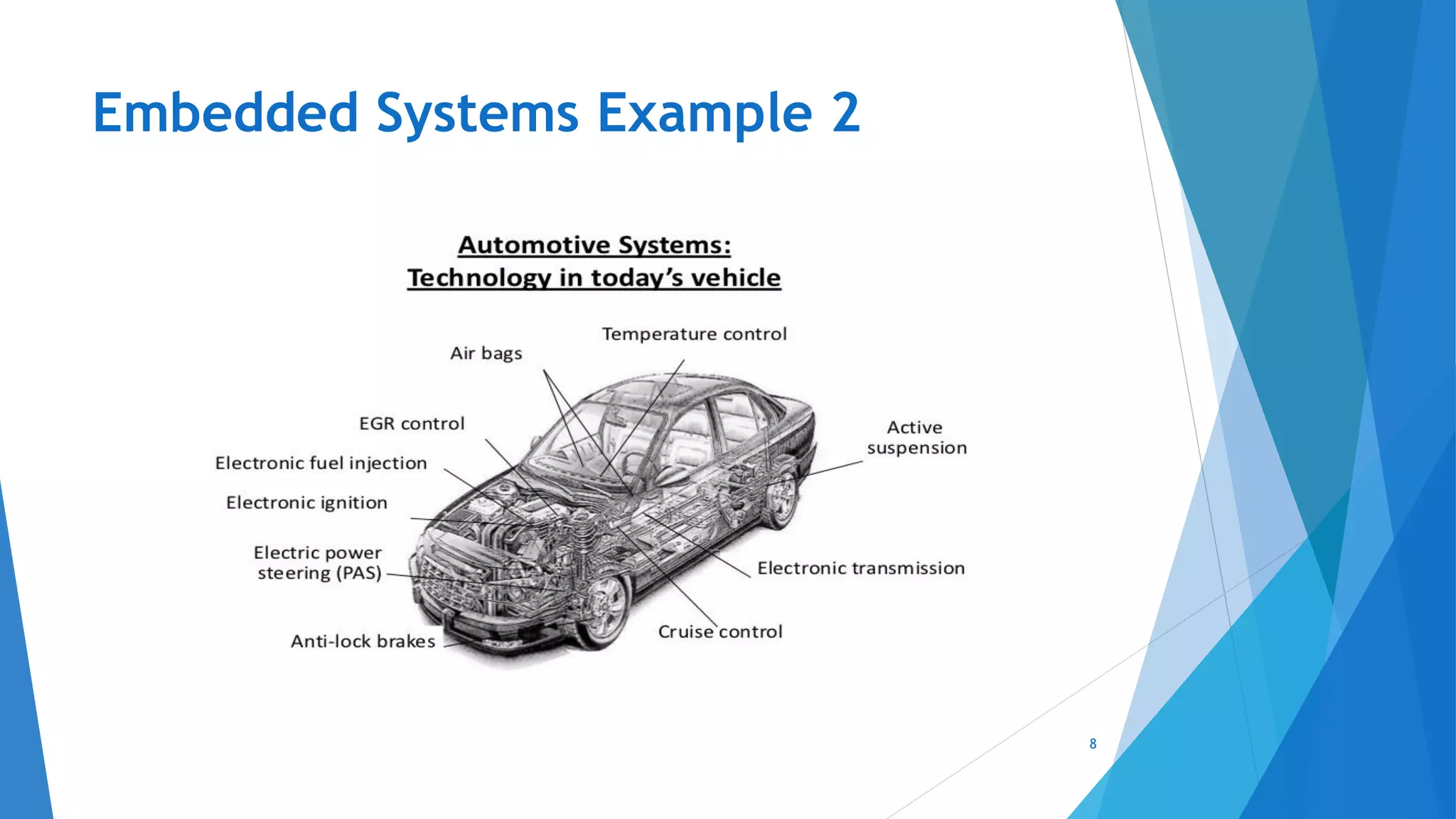
Embedded Systems Example 2
8
Embedded Systems Companies in Egypt
9
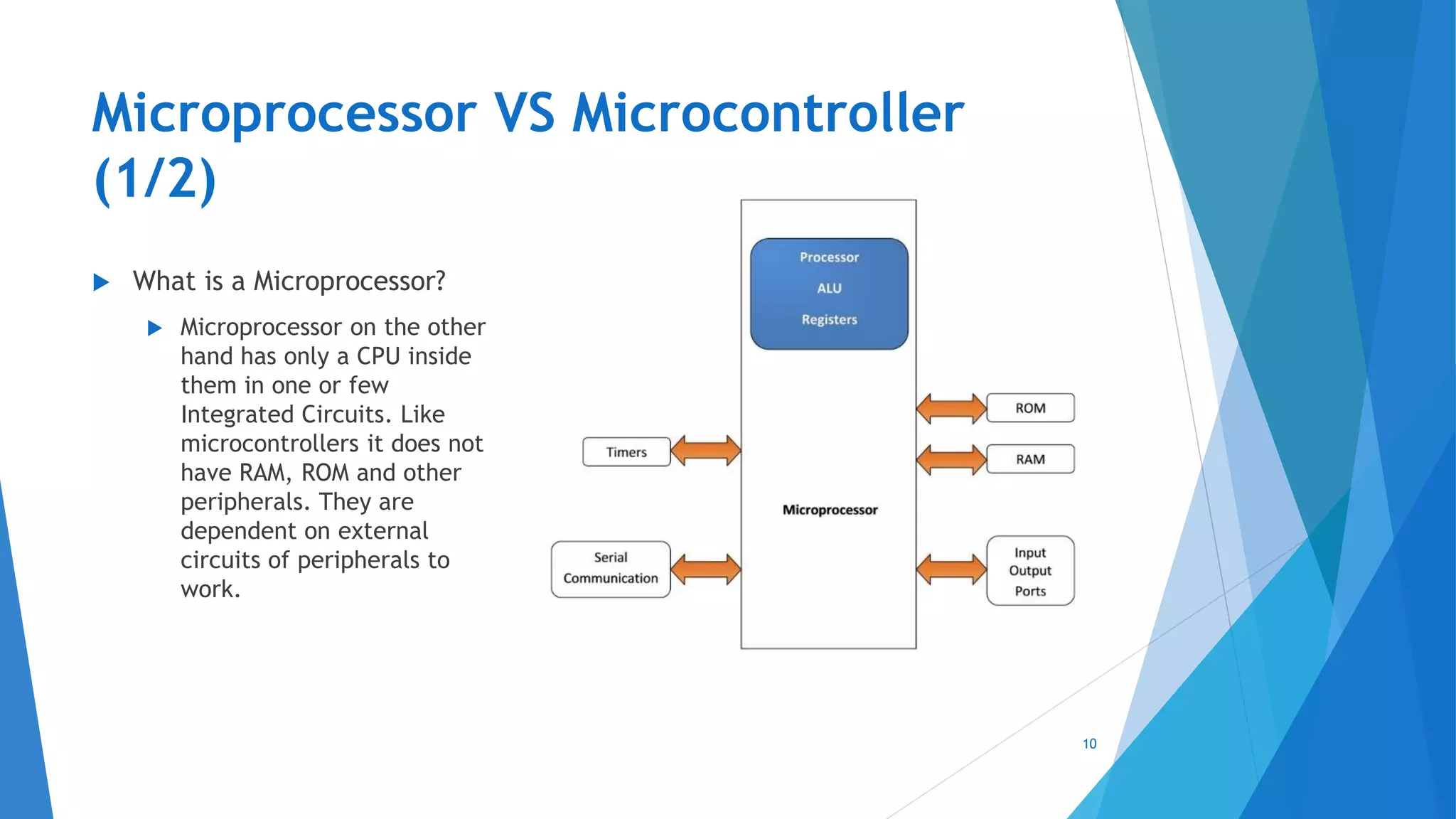
Microprocessor VS Microcontroller
(1/2)
 What is a Microprocessor?
 Microprocessor on the other
hand has only a CPU inside
them in one or few
Integrated Circuits. Like
microcontrollers it does not
have RAM, ROM and other
peripherals. They are
dependent on external
circuits of peripherals to
work.
10
Microprocessor VS Microcontroller
(2/2)
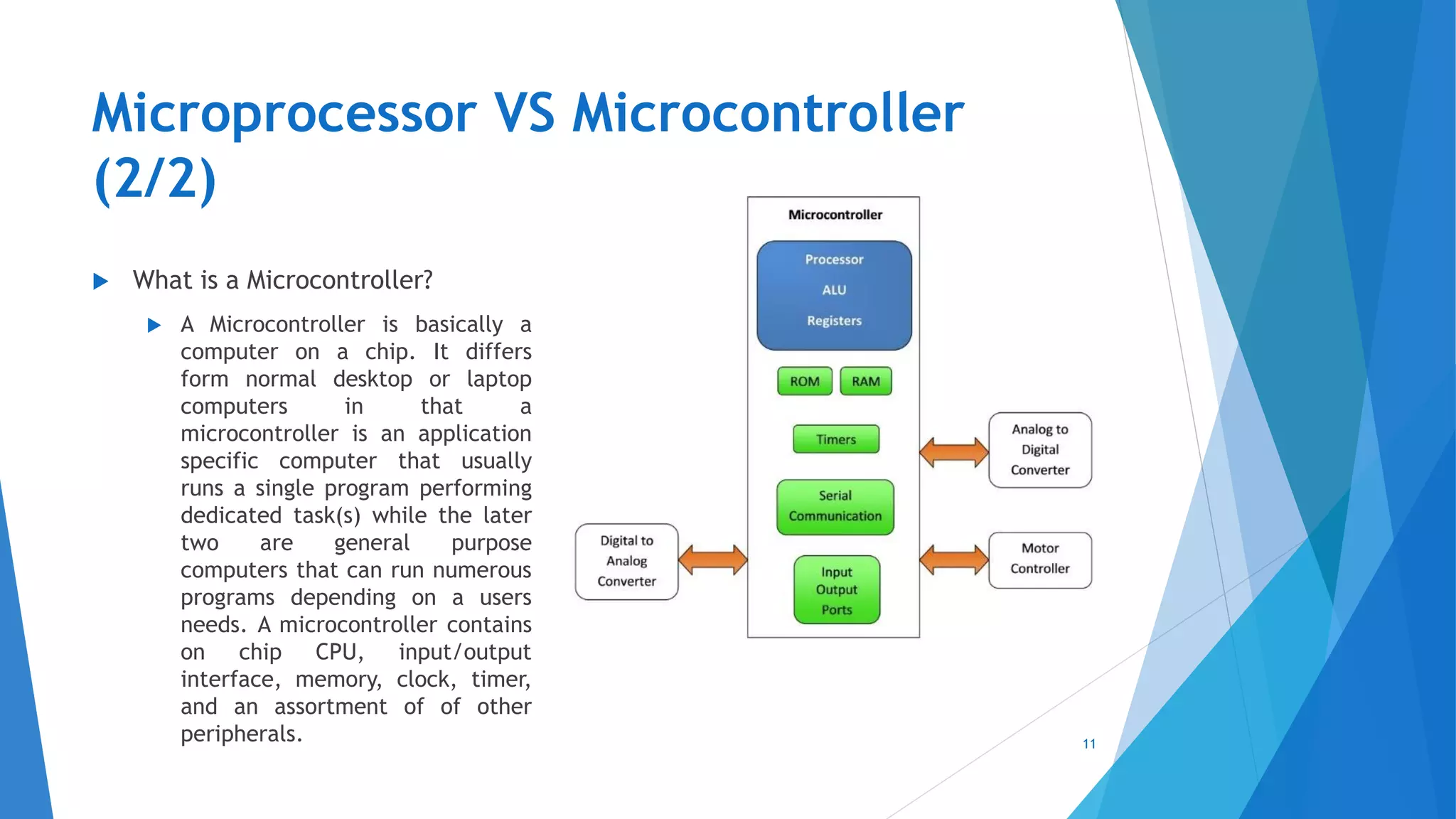
 What is a Microcontroller?
 A Microcontroller is basically a
computer on a chip. It differs
form normal desktop or laptop
computers in that a
microcontroller is an application
specific computer that usually
runs a single program performing
dedicated task(s) while the later
two are general purpose
computers that can run numerous
programs depending on a users
needs. A microcontroller contains
on chip CPU, input/output
interface, memory, clock, timer,
and an assortment of of other
peripherals. 11
What’s an Arduino?
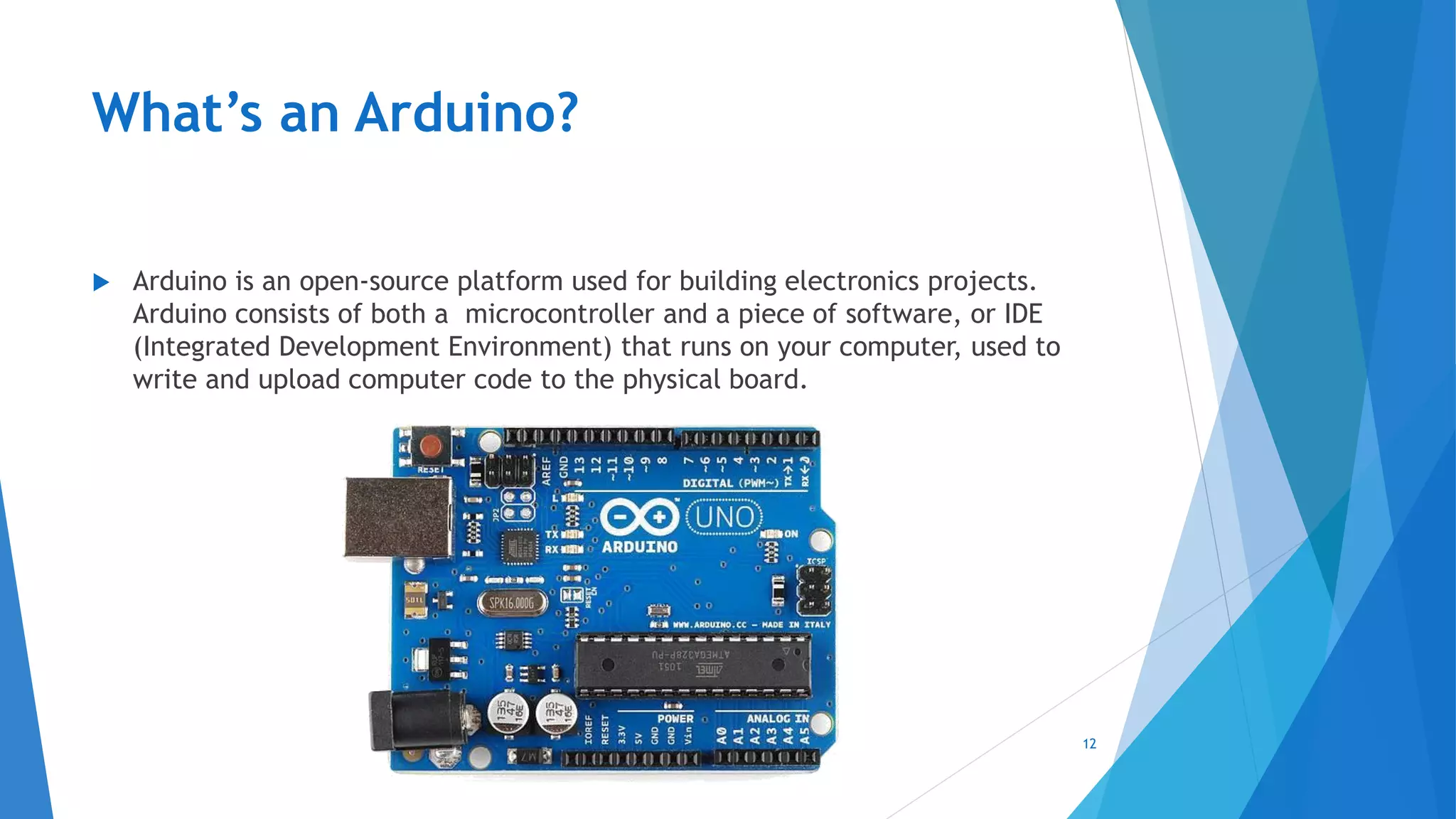
 Arduino is an open-source platform used for building electronics projects.
Arduino consists of both a microcontroller and a piece of software, or IDE
(Integrated Development Environment) that runs on your computer, used to
write and upload computer code to the physical board.
12
What does it do?
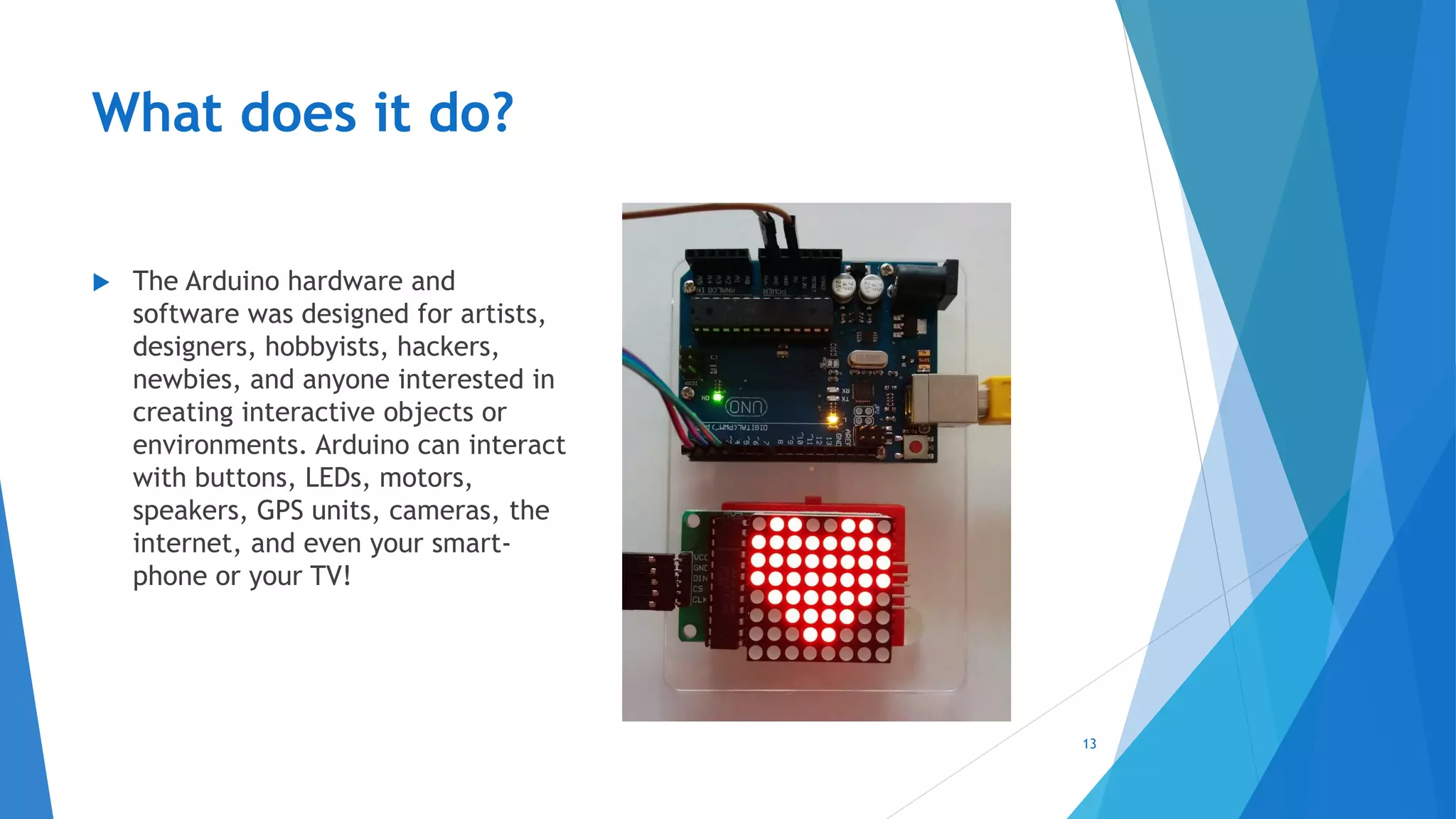
 The Arduino hardware and
software was designed for artists,
designers, hobbyists, hackers,
newbies, and anyone interested in
creating interactive objects or
environments. Arduino can interact
with buttons, LEDs, motors,
speakers, GPS units, cameras, the
internet, and even your smart-
phone or your TV!
13
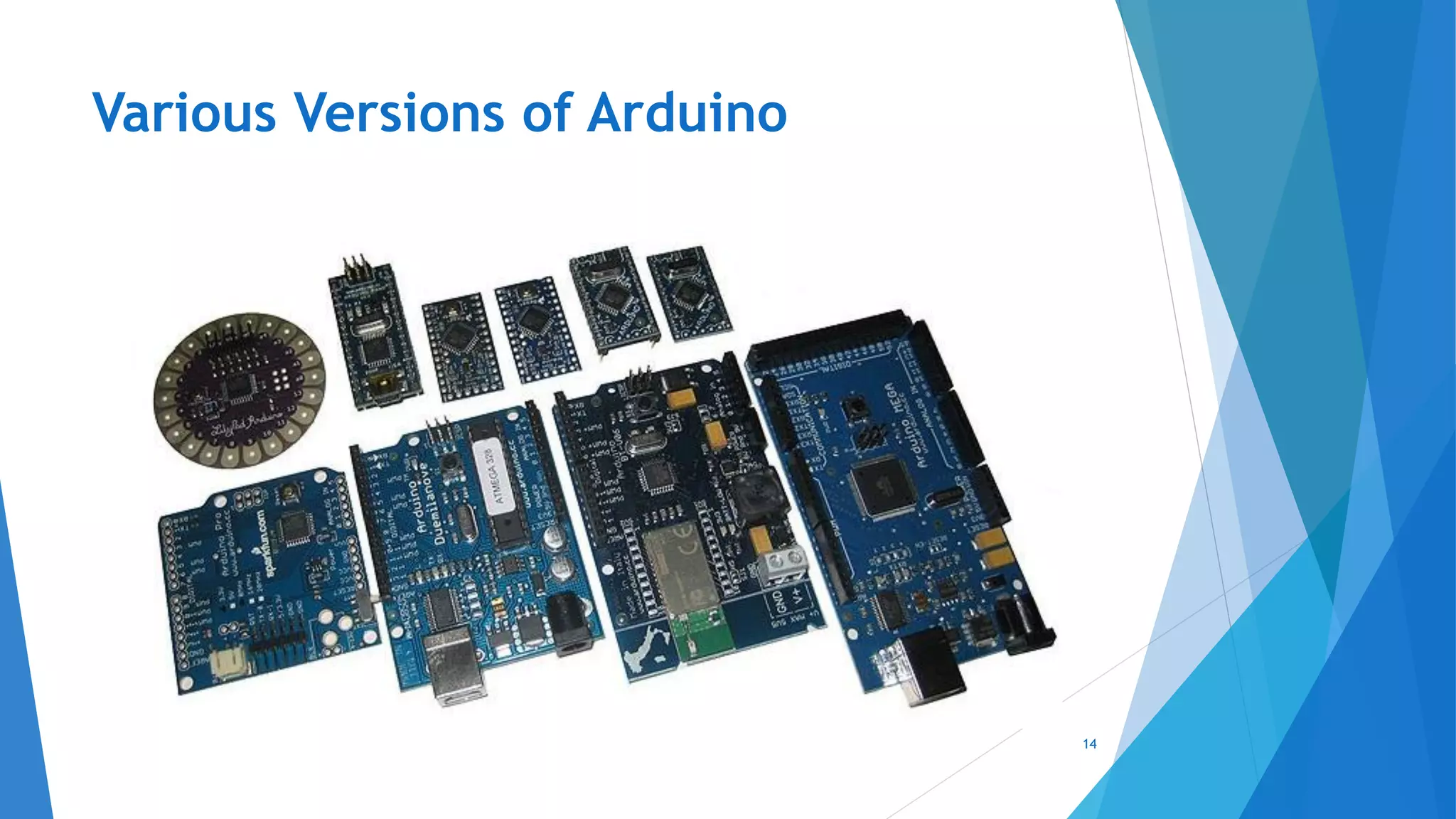
Various Versions of Arduino
14
Analog
INPUTS
POWER IN
USB
(to Computer)
SCLSDA
(I2C Bus)
POWER
Vin / GND / 5V
/ 3.3V
RESET
Digital IO +
Analog
Outputs (3,
5, 6, 9, 10,
11)
Arduino Uno
Layout
15
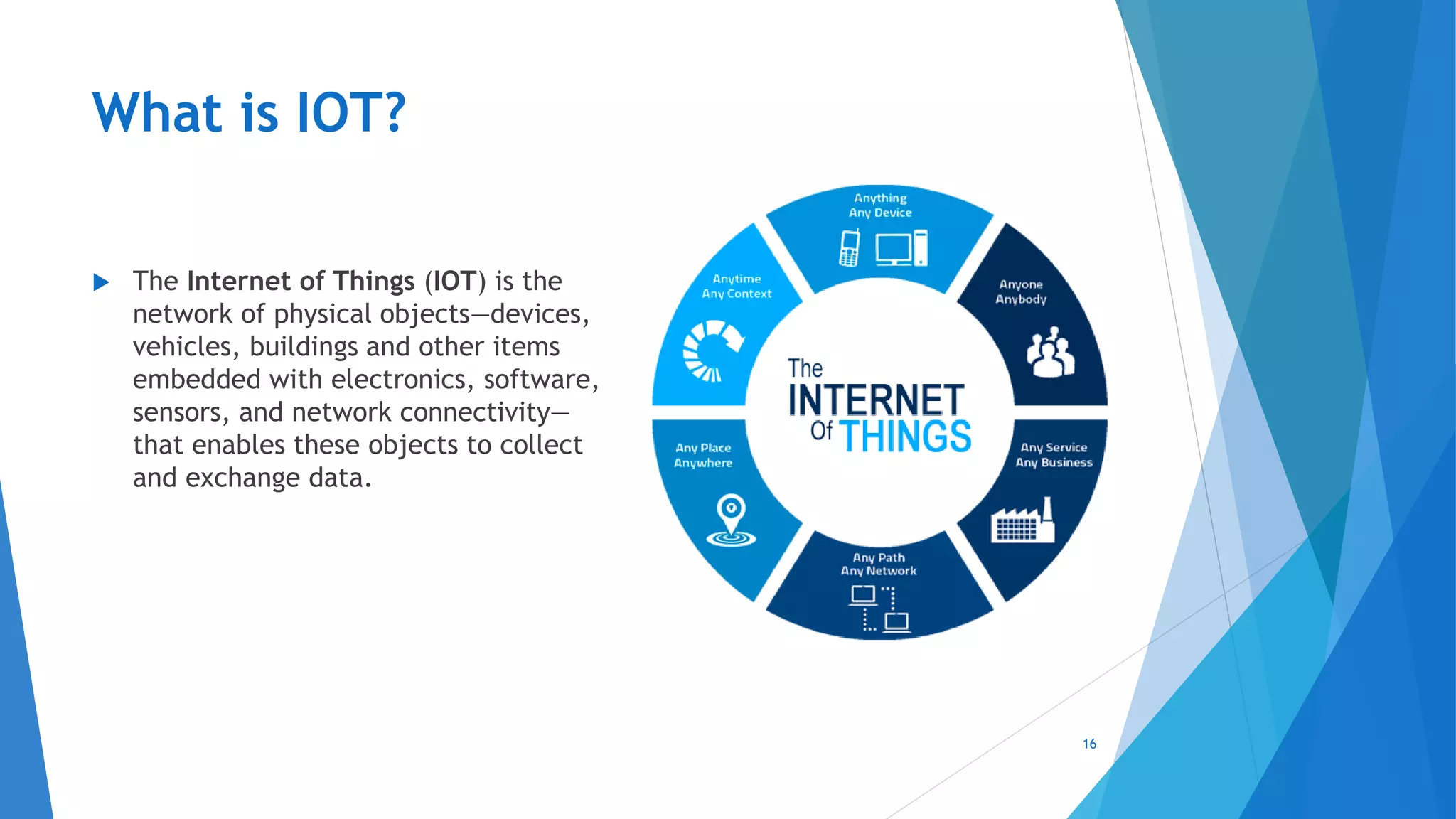
What is IOT?
 The Internet of Things (IOT) is the
network of physical objects—devices,
vehicles, buildings and other items
embedded with electronics, software,
sensors, and network connectivity—
that enables these objects to collect
and exchange data.
16
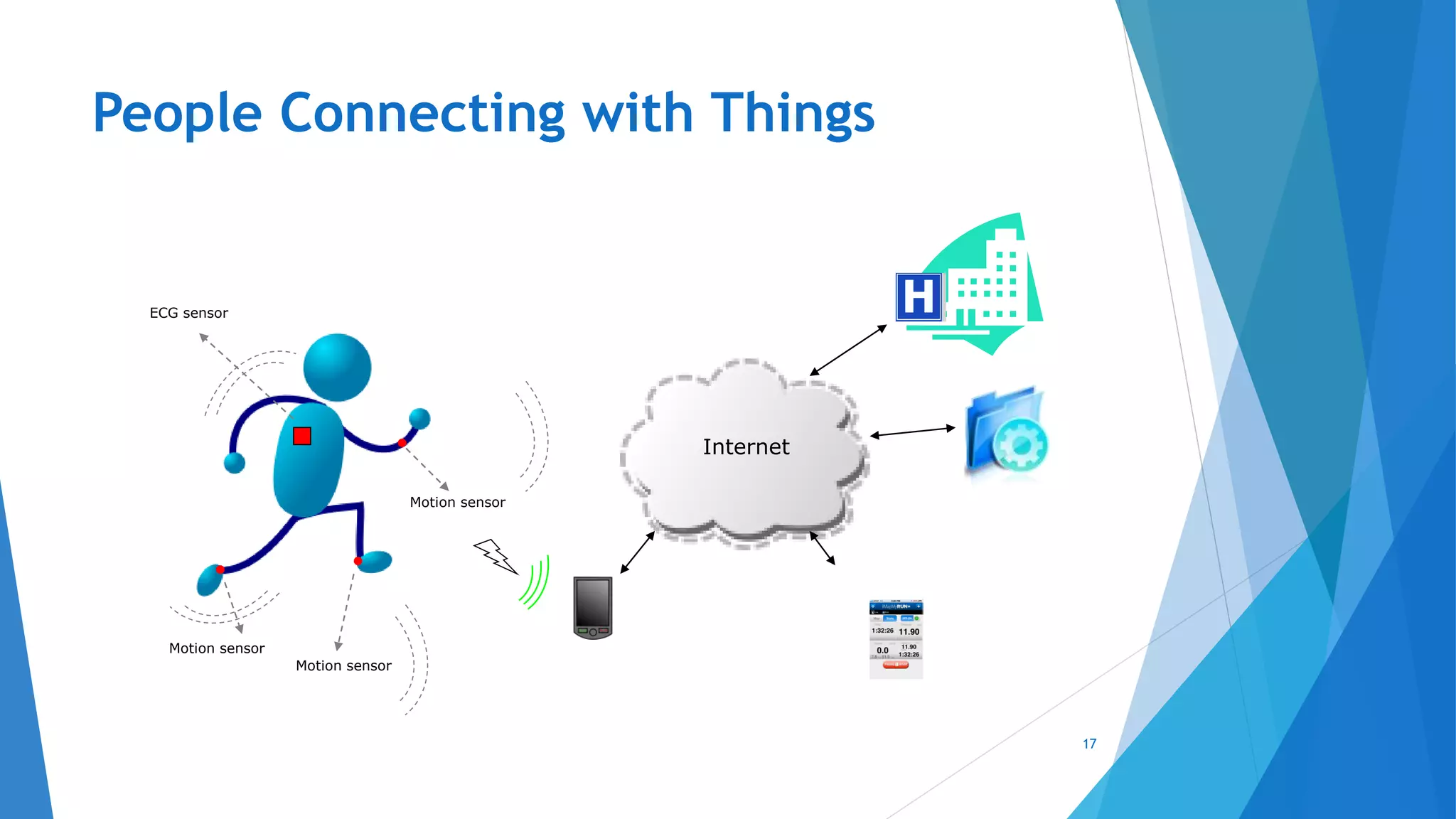
People Connecting with Things
17
Motion sensor
Motion sensor
Motion sensor
ECG sensor
Internet
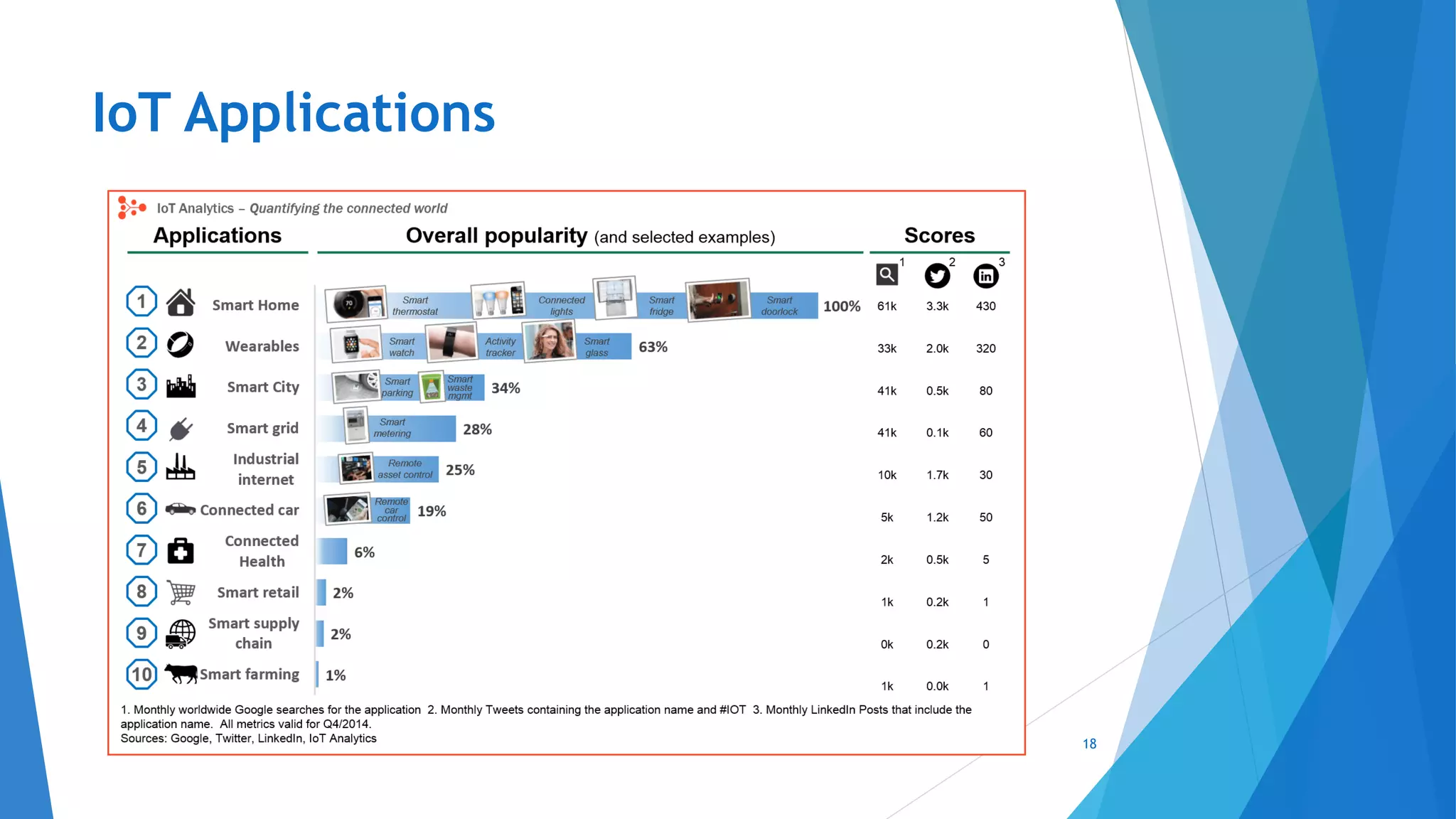
IoT Applications
18
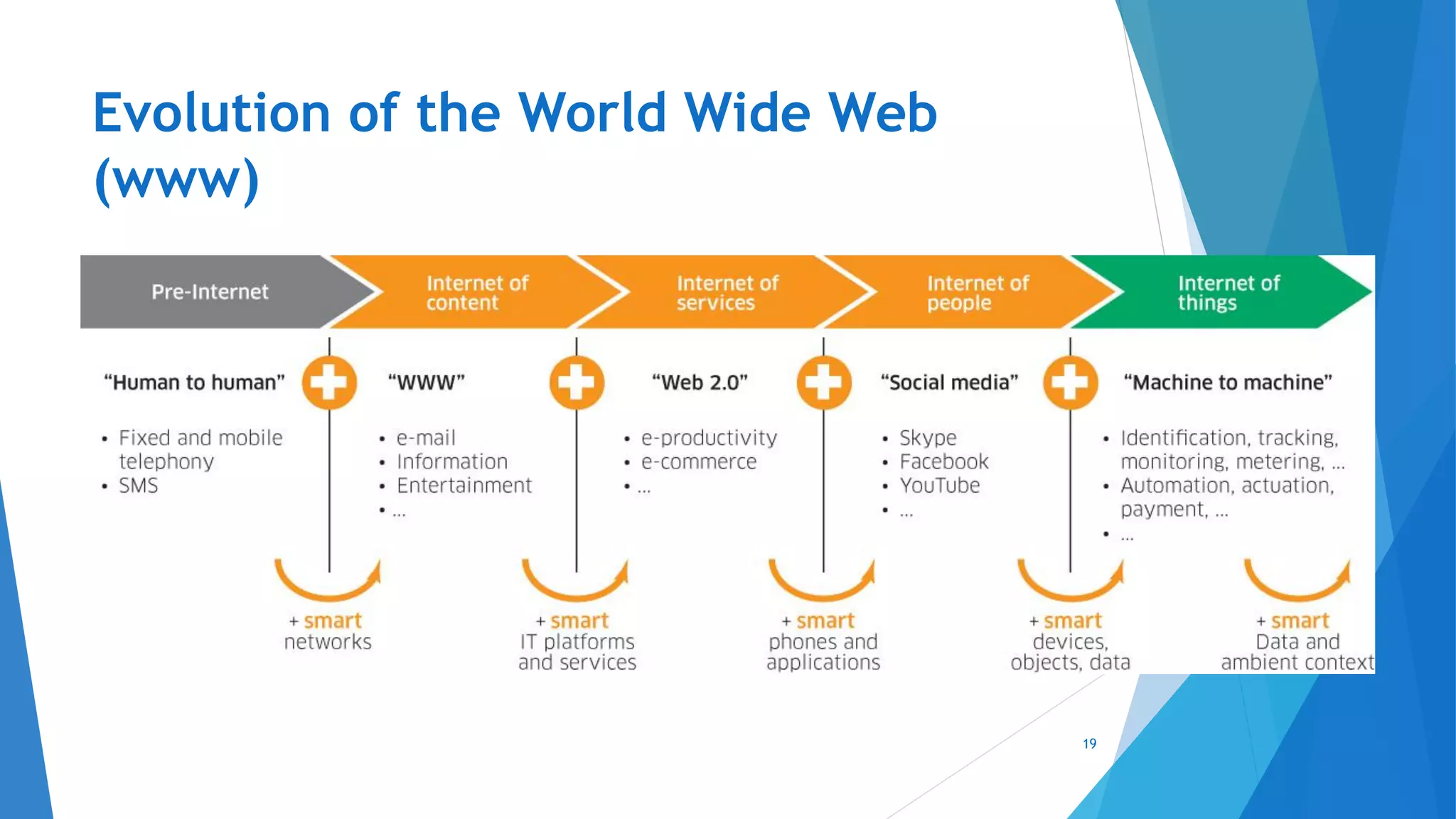
Evolution of the World Wide Web
(www)
19
Various Names, One Concept
 M2M (Machine to Machine)
 “Internet of Everything” (Cisco Systems)
 “World Size Web” (Bruce Schneier)
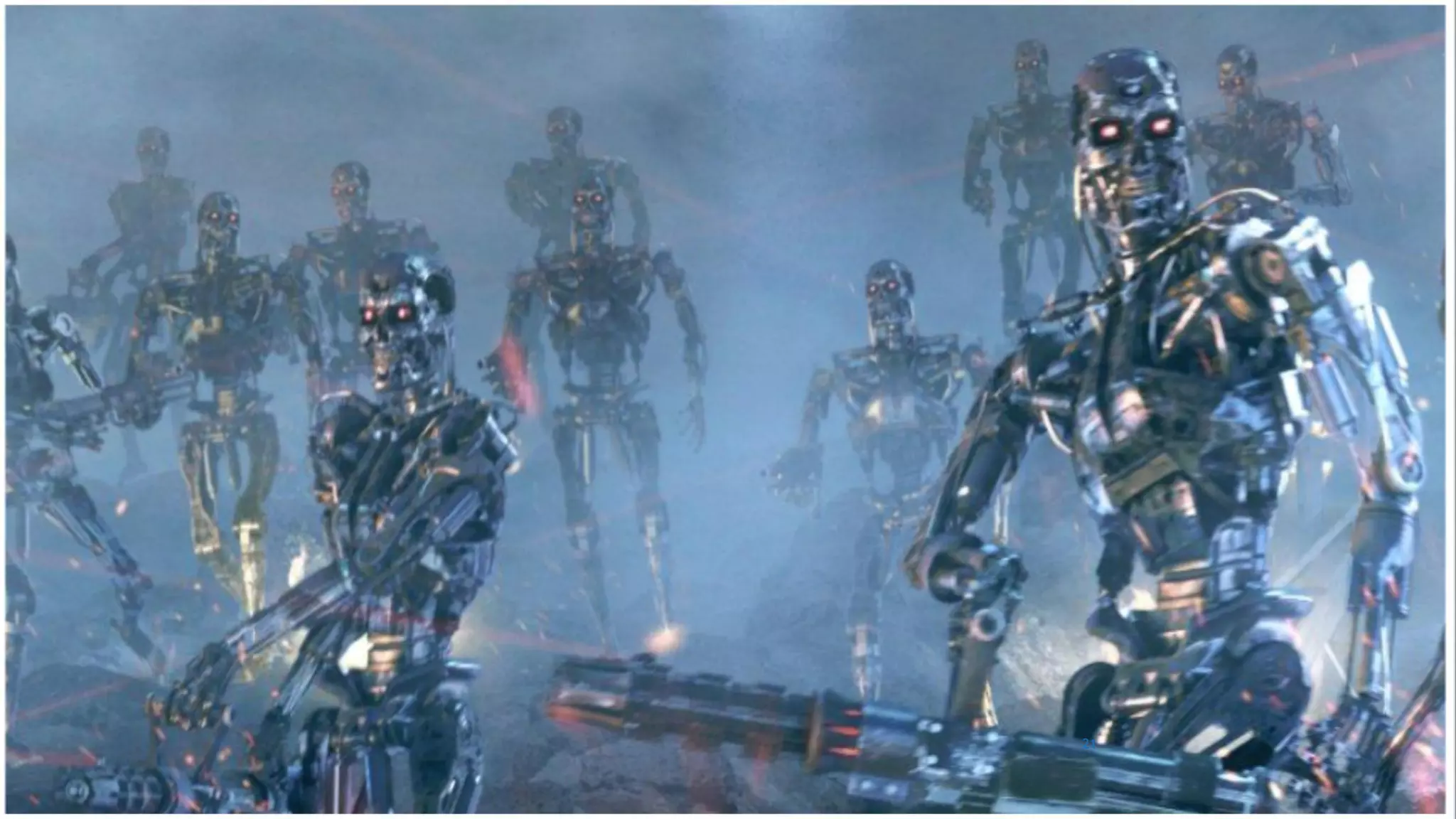
 “Skynet” (Terminator movie)
20
21

1. Introduction to Embedded Systems & IoT

  • 1.
    Created By: IEEE MIUSB Academic Committee Arduino Workshop 1
  • 2.
    PART 1: INTRODUCTIONTO EMBEDDED SYSTEMS & IOT 2
  • 3.
    Content  Introduction toEmbedded Systems  What’s An Embedded System?  What’s Unique about Embedded Systems?  Embedded Systems Applications  Embedded Systems Example 1  Embedded Systems Example 2  Embedded Systems Companies in Egypt  Microprocessor VS Microcontroller  What does it do?  Various Versions of Arduino  Arduino Layout  Introduction to IoT  What is IoT?  IoT: People connecting with Things  IoT Applications  Evolution of the World Wide Web (www)  Various Names, One Concept 3
  • 4.
    What’s an EmbeddedSystem?  A combination of hardware and software which together form a component of a larger machine. 4
  • 5.
    What’s Unique about Designed for just one specific task.  Designed to run on its own without human intervention.  Subjected to real time performance constraints that must be met. 5
  • 6.
  • 7.
  • 8.
  • 9.
  • 10.
    Microprocessor VS Microcontroller (1/2) What is a Microprocessor?  Microprocessor on the other hand has only a CPU inside them in one or few Integrated Circuits. Like microcontrollers it does not have RAM, ROM and other peripherals. They are dependent on external circuits of peripherals to work. 10
  • 11.
    Microprocessor VS Microcontroller (2/2) What is a Microcontroller?  A Microcontroller is basically a computer on a chip. It differs form normal desktop or laptop computers in that a microcontroller is an application specific computer that usually runs a single program performing dedicated task(s) while the later two are general purpose computers that can run numerous programs depending on a users needs. A microcontroller contains on chip CPU, input/output interface, memory, clock, timer, and an assortment of of other peripherals. 11
  • 12.
    What’s an Arduino? Arduino is an open-source platform used for building electronics projects. Arduino consists of both a microcontroller and a piece of software, or IDE (Integrated Development Environment) that runs on your computer, used to write and upload computer code to the physical board. 12
  • 13.
    What does itdo?  The Arduino hardware and software was designed for artists, designers, hobbyists, hackers, newbies, and anyone interested in creating interactive objects or environments. Arduino can interact with buttons, LEDs, motors, speakers, GPS units, cameras, the internet, and even your smart- phone or your TV! 13
  • 14.
  • 15.
    Analog INPUTS POWER IN USB (to Computer) SCLSDA (I2CBus) POWER Vin / GND / 5V / 3.3V RESET Digital IO + Analog Outputs (3, 5, 6, 9, 10, 11) Arduino Uno Layout 15
  • 16.
    What is IOT? The Internet of Things (IOT) is the network of physical objects—devices, vehicles, buildings and other items embedded with electronics, software, sensors, and network connectivity— that enables these objects to collect and exchange data. 16
  • 17.
    People Connecting withThings 17 Motion sensor Motion sensor Motion sensor ECG sensor Internet
  • 18.
  • 19.
    Evolution of theWorld Wide Web (www) 19
  • 20.
    Various Names, OneConcept  M2M (Machine to Machine)  “Internet of Everything” (Cisco Systems)  “World Size Web” (Bruce Schneier)  “Skynet” (Terminator movie) 20
  • 21.