

Finite State Machine
Mobile Game Programming
jintaeks@gmail.com
Division of Digital Contents, Dongseo Univ.
October 6, 2016
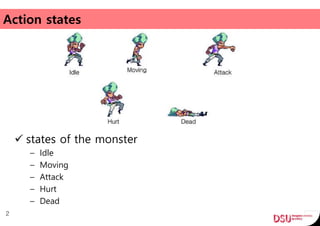
Action states
2
 states of the monster
– Idle
– Moving
– Attack
– Hurt
– Dead
Simplification
 Step1: How to model the problem to find a solution.
 Step2: How to implement the model.
3
Step1: Model
4
Model: Object State Diagram
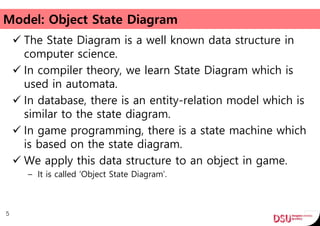
 The State Diagram is a well known data structure in
computer science.
 In compiler theory, we learn State Diagram which is
used in automata.
 In database, there is an entity-relation model which is
similar to the state diagram.
 In game programming, there is a state machine which
is based on the state diagram.
 We apply this data structure to an object in game.
– It is called ‘Object State Diagram’.
5
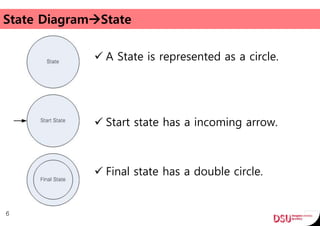
State DiagramState
 A State is represented as a circle.
 Start state has a incoming arrow.
 Final state has a double circle.
6
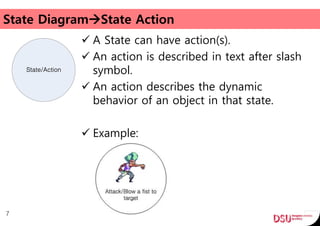
State DiagramState Action
 A State can have action(s).
 An action is described in text after slash
symbol.
 An action describes the dynamic
behavior of an object in that state.
 Example:
7
State/Action
State DiagramTransition
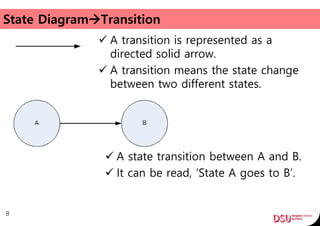
 A transition is represented as a
directed solid arrow.
 A transition means the state change
between two different states.
8
 A state transition between A and B.
 It can be read, ‘State A goes to B’.
State DiagramTransition Input/Action
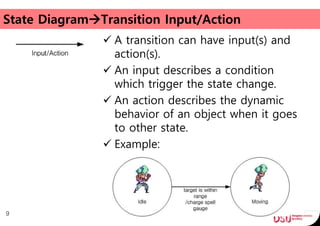
 A transition can have input(s) and
action(s).
 An input describes a condition
which trigger the state change.
 An action describes the dynamic
behavior of an object when it goes
to other state.
 Example:
9
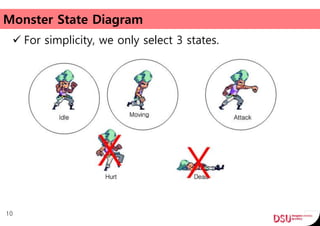
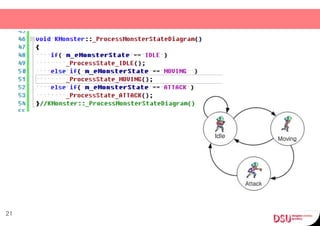
Monster State Diagram
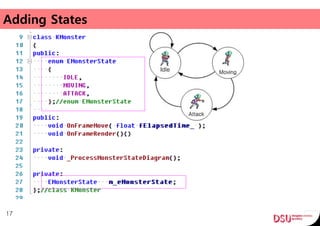
 For simplicity, we only select 3 states.
10
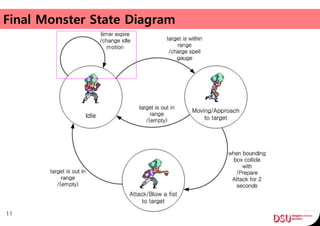
Final Monster State Diagram
11
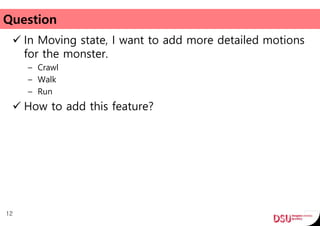
Question
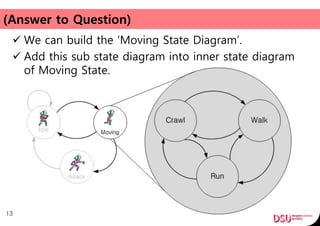
 In Moving state, I want to add more detailed motions
for the monster.
– Crawl
– Walk
– Run
 How to add this feature?
12
(Answer to Question)
 We can build the ‘Moving State Diagram’.
 Add this sub state diagram into inner state diagram
of Moving State.
13
Step2: Implementation
 Step1: How to model the problem to find solution.
 Step2: How to implement the model.
14
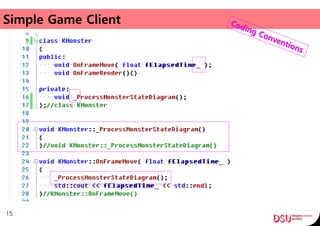
Simple Game Client
15
16
Adding States
17
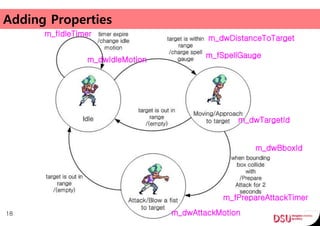
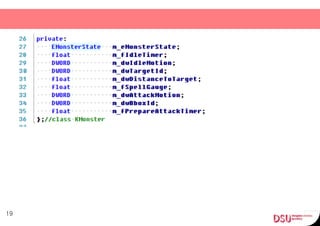
Adding Properties
18
m_fIdleTimer
m_dwIdleMotion
m_dwDistanceToTarget
m_fSpellGauge
m_dwAttackMotion
m_dwTargetId
m_dwBboxId
m_fPrepareAttackTimer
19
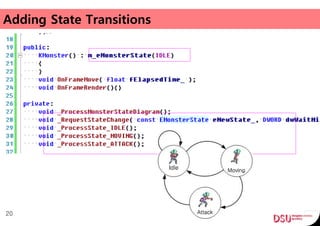
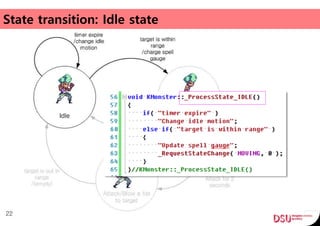
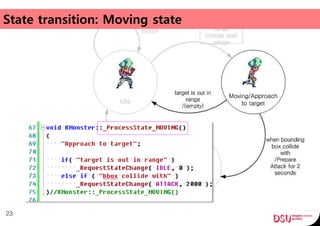
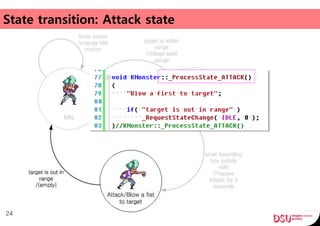
Adding State Transitions
20
21
State transition: Idle state
22
State transition: Moving state
23
State transition: Attack state
24
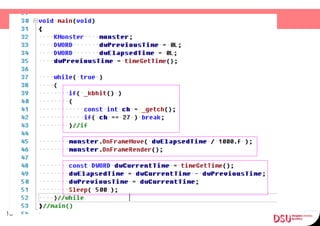
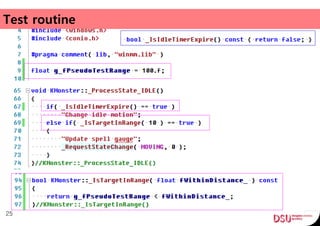
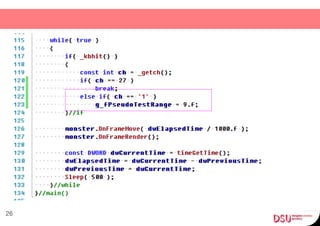
Test routine
25
26
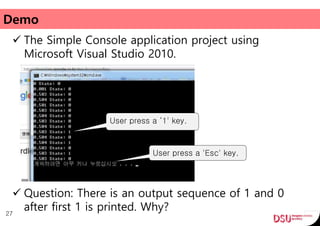
Demo
 The Simple Console application project using
Microsoft Visual Studio 2010.
27
User press a ‘1' key.
User press a 'Esc' key.
 Question: There is an output sequence of 1 and 0
after first 1 is printed. Why?
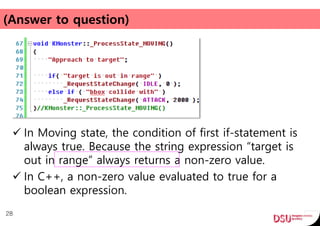
(Answer to question)
 In Moving state, the condition of first if-statement is
always true. Because the string expression “target is
out in range” always returns a non-zero value.
 In C++, a non-zero value evaluated to true for a
boolean expression.
28
(Implementation Optimization)
 Our C++ implementation can be structured to more
elegant form.
 We can use well-known design patterns.
 Use the pointer to member functions!
– I will show it in the next lecture.
29
More Complex Example
 Most programmer are aware of this concept.
 But they cannot use it freely, why?
30
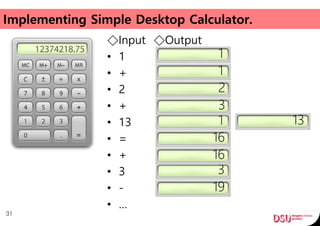
Implementing Simple Desktop Calculator.
◇Input ◇Output
• 1
• +
• 2
• +
• 13
• =
• +
• 3
• -
• …
31
1
2
1
16
3
3
16
13
1
19
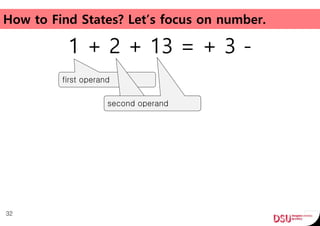
How to Find States? Let’s focus on number.
1 + 2 + 13 = + 3 -
32
first operand
second operandsecond operand
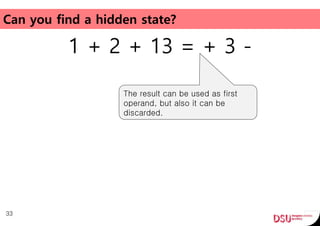
Can you find a hidden state?
1 + 2 + 13 = + 3 -
33
The result can be used as first
operand, but also it can be
discarded.
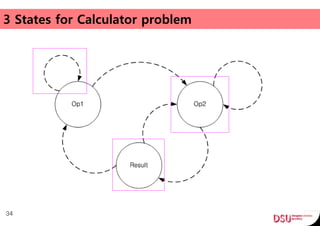
3 States for Calculator problem
34
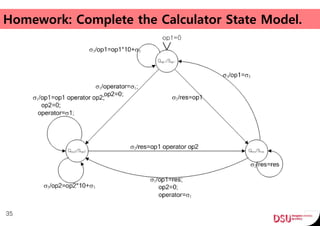
Homework: Complete the Calculator State Model.
35
Q&A
36
03 fsm how_toimplementai_state_20161006_jintaeks

03 fsm how_toimplementai_state_20161006_jintaeks

Editor's Notes

  • #2 In this lecture, I will show you that how to implement a Monster AI in Game Programming.
  • #3 How to build decision making of a monster? The monster must made a decision to interact with environment.
  • #4 Our goal is implementing the monster AI of game client. To do this, We can divide the problem into two steps.
  • #6 I will present slightly modified version of the state diagram.
  • #11 Let’s build our monster state diagram.
  • #12 This is not only diagram for all kind of monsters.
  • #15 We finished first step.
  • #16 When multiple people are collaborating, it is important to follow these conventions.
  • #29 When State is changed to ‘Moving’, this function immediately changes the State to ‘Idle’
  • #31 Because they cannot find an object from real world problem. And they cannot extract states from an object. Why? Because sometimes an object is not visible in the problem, and can not find state easily.
  • #32 First question is that, How to convert character sequence to number?
  • #36 You must submit your answer for this problem by next week.
  • #37 In last of my time, I would like to talk about My Teaching Skills.