








March 13, 2013
                                         3pm Eastern Time


MOBILE DEVICES FOR TEACHING
   Presented by Kathy Schrock


                                                           Sponsored by


          Join the edWeb community! edweb.net/pdinaction
Thank you to our host and sponsor!
Webinar tips
•    Use the text chat!
     Post comments, ask questions, and get support.
•    For better audio/video, close any other applications
     (like Skype) that use bandwidth.
•    To maximize your screen for a larger view, use the link
     in the upper right corner.
•    Tweeting today? #edchat #pdinaction @edwebnet
•    A link to the recording of this webinar and your CE
     certificate will be sent to you the day after the webinar.
Overview
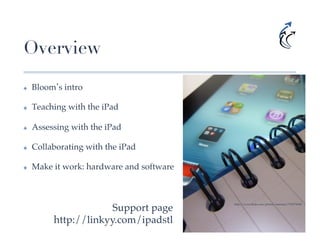
✤    Bloom s intro!

✤    Teaching with the iPad!

✤    Assessing with the iPad!

✤    Collaborating with the iPad!

✤    Make it work: hardware and software!


                       Support page!
                                            http://www.flickr.com/photos/smemon/7118776943!


          http://linkyy.com/ipadstl!
Transformation
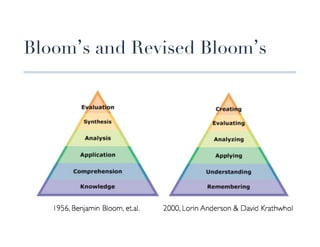
Bloom s and Revised Bloom s
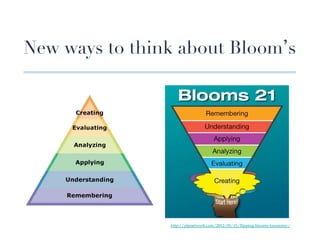
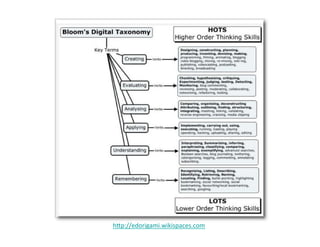
New ways to think about Bloom s


                  http://plpnetwork.com/2012/05/15/flipping-blooms-taxonomy/!
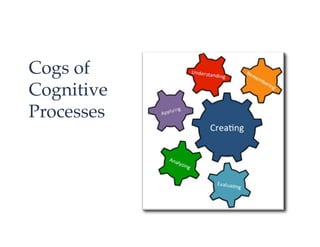
Cogs of !
Cognitive!
Processes!
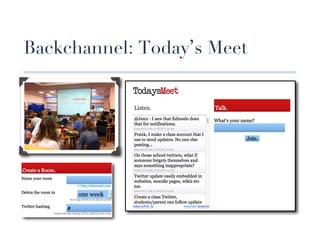
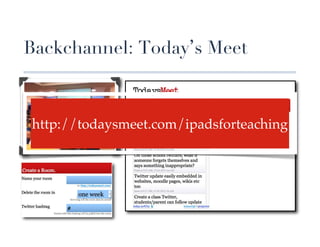
Backchannel: Today s Meet


                    !
 http://todaysmeet.com/ipadsforteaching !
                    !
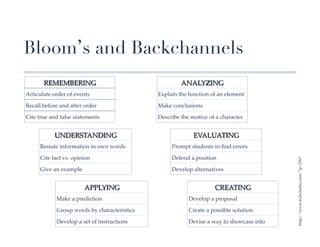
Bloom s and Backchannels
       REMEMBERING!                                    ANALYZING!
Articulate order of events!                   Explain the function of an element!

Recall before and after order!                Make conclusions!

Cite true and false statements!               Describe the motive of a character !


           UNDERSTANDING!                                   EVALUATING!
     Restate information in own words!             Prompt students to find errors!

     Cite fact vs. opinion!                        Defend a position!


                                                                                           http://www.techchef4u.com/?p=3367!
     Give an example!                              Develop alternatives!


                        APPLYING!                                    CREATING!
            Make a prediction!                            Develop a proposal!

            Group words by characteristics!               Create a possible solution!

            Develop a set of instructions!                Devise a way to showcase info!
hp://edorigami.wikispaces.com	
  
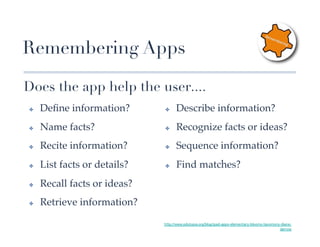
Remembering Apps

Does the app help the user....
 ✤    Define information?!       ✤     Describe information?!
 ✤    Name facts?!              ✤     Recognize facts or ideas?!
 ✤    Recite information?!      ✤     Sequence information?!
 ✤    List facts or details?!   ✤     Find matches?!
 ✤    Recall facts or ideas?!
 ✤    Retrieve information?!

                                http://www.edutopia.org/blog/ipad-apps-elementary-blooms-taxomony-diane-
                                                                                                 darrow
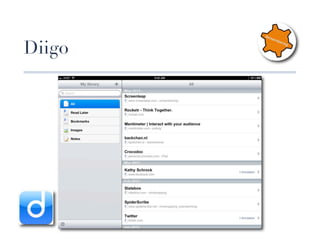
Diigo
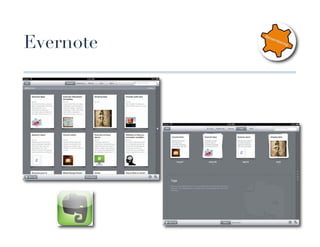
Evernote
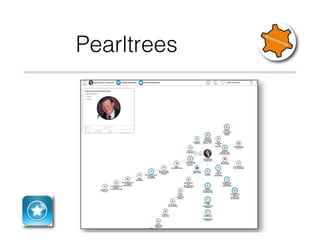
Pearltrees
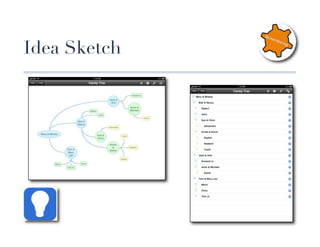
Idea Sketch
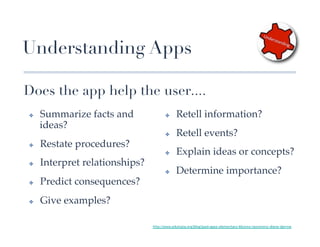
Understanding Apps

Does the app help the user....
 ✤    Summarize facts and                ✤     Retell information?!
      ideas?!
                                         ✤     Retell events?!
 ✤    Restate procedures?!
                                         ✤     Explain ideas or concepts?!
 ✤    Interpret relationships?!
                                         ✤     Determine importance?!
 ✤    Predict consequences?!
 ✤    Give examples?!

                                  http://www.edutopia.org/blog/ipad-apps-elementary-blooms-taxomony-diane-darrow
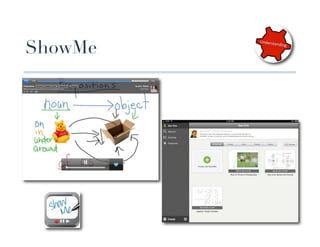
ShowMe
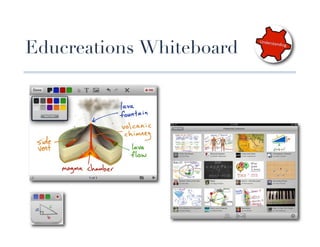
Educreations Whiteboard
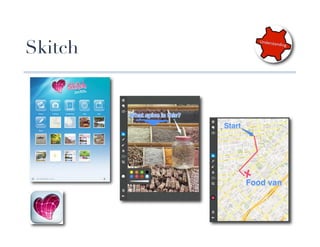
Skitch
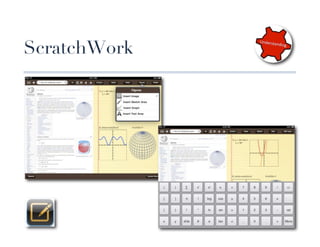
ScratchWork
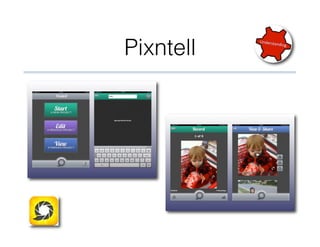
Pixntell
Applying Apps

Does the app help the user....
✤    Demonstrate methods or                          ✤      Experiment with concepts in a new
     procedures?!                                           setting?!

✤    Carry out procedures?!                          ✤      Adjust knowledge for a new
                                                            context?!
✤    Utilize ideas or knowledge?!
                                                     ✤      Apply procedures to a unique
✤    Discover a new purpose?!                               situation?!

✤    Employ knowledge in new
     situations?!


                                http://www.edutopia.org/blog/ipad-apps-elementary-blooms-taxomony-diane-darrow
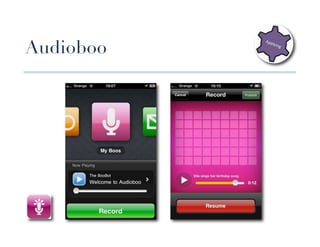
Audioboo
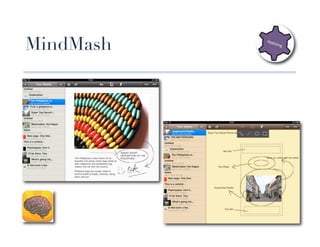
MindMash
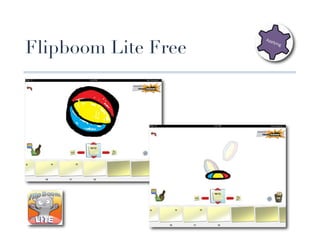
Flipboom Lite Free
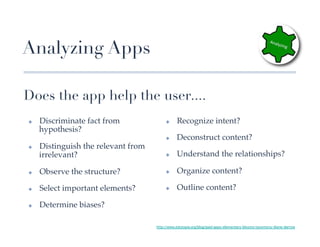
Analyzing Apps

Does the app help the user....
✤    Discriminate fact from               ✤     Recognize intent?!
     hypothesis?!
                                          ✤     Deconstruct content?!
✤    Distinguish the relevant from
     irrelevant?!                         ✤     Understand the relationships?!

✤    Observe the structure?!              ✤     Organize content?!

✤    Select important elements?!          ✤     Outline content?!

✤    Determine biases?!

                                     http://www.edutopia.org/blog/ipad-apps-elementary-blooms-taxomony-diane-darrow
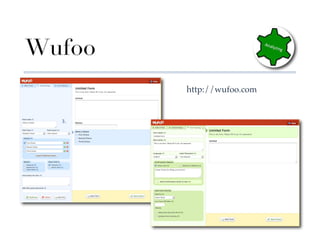
Wufoo
           http://wufoo.com!
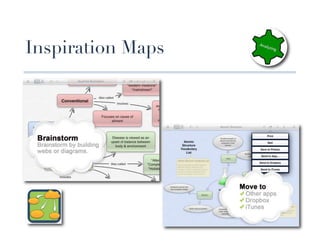
Inspiration Maps
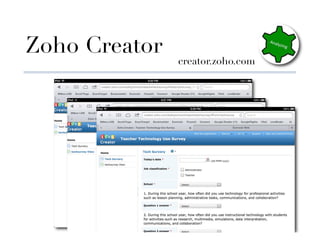
Zoho Creator
                  creator.zoho.com
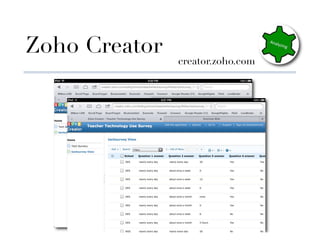
Zoho Creator
                  creator.zoho.com
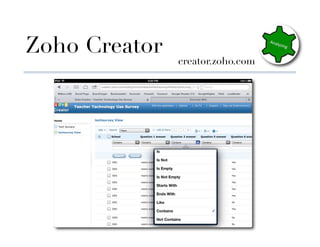
Zoho Creator
                  creator.zoho.com
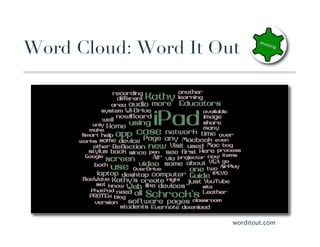
Word Cloud: Word It Out


                         worditout.com
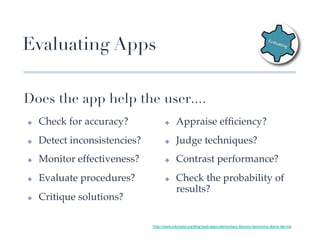
Evaluating Apps

Does the app help the user....
✤    Check for accuracy?!              ✤     Appraise efficiency?!
✤    Detect inconsistencies?!          ✤     Judge techniques?!
✤    Monitor effectiveness?!           ✤     Contrast performance?!
✤    Evaluate procedures?!             ✤     Check the probability of
                                             results?!
✤    Critique solutions?!

                                http://www.edutopia.org/blog/ipad-apps-elementary-blooms-taxomony-diane-darrow
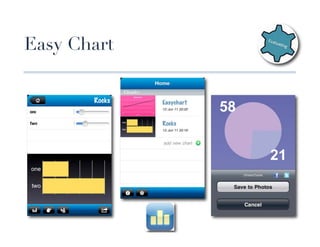
Easy Chart
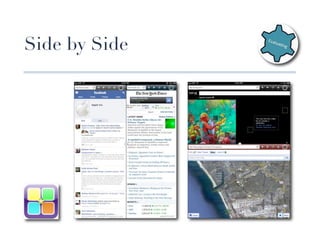
Side by Side
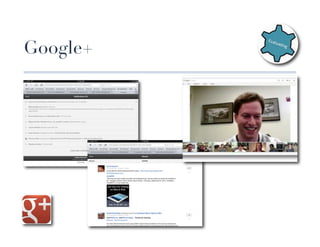
Google+
Creating Apps

Does the app help the user....
 ✤    Construct designs?!               ✤     Brainstorm solutions?!
 ✤    Generate possibilities?!          ✤     Design products?!
 ✤    Compose ideas?!                   ✤     Assemble plans?!
 ✤    Propose hypotheses?!              ✤     Re-arrange operations?!
 ✤    Produce solutions?!               ✤     Imagine possibilities?!


                                 http://www.edutopia.org/blog/ipad-apps-elementary-blooms-taxomony-diane-darrow
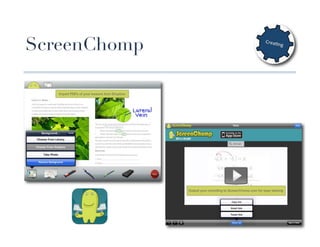
ScreenChomp
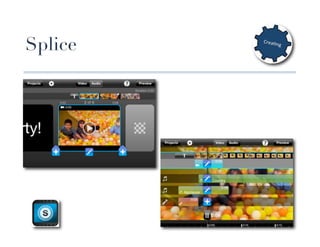
Splice
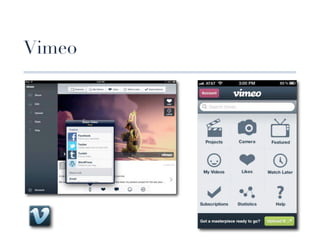
Vimeo
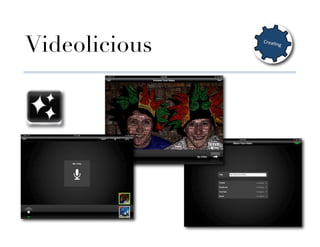
Videolicious
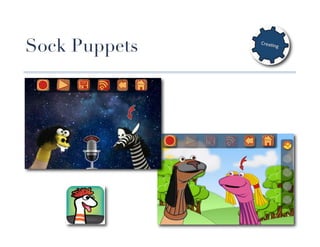
Sock Puppets
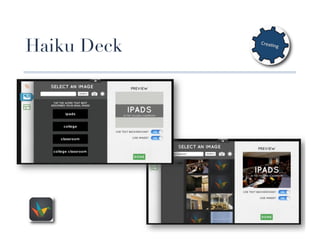
Haiku Deck
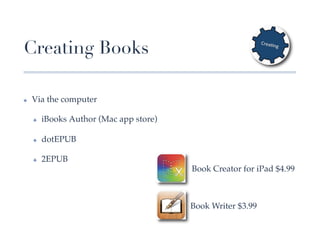
Creating Books

✤    Via the computer!

     ✤    iBooks Author (Mac app store)!

     ✤    dotEPUB!

     ✤    2EPUB!
                                           Book Creator for iPad $4.99!


                                           Book Writer $3.99!
Assessment
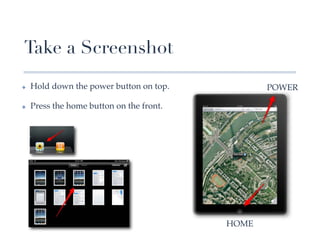
Take a Screenshot
✤    Hold down the power button on top.!            POWER!

✤    Press the home button on the front.!


                                            HOME!
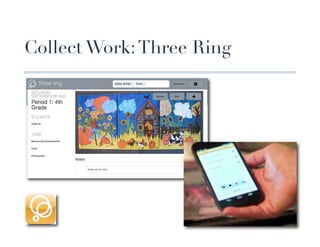
Collect Work: Three Ring
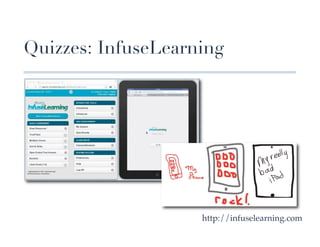
Quizzes: InfuseLearning


                       http://infuselearning.com!
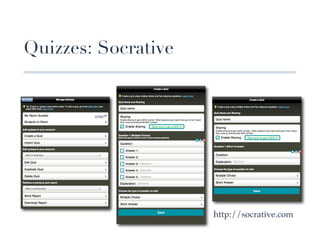
Quizzes: Socrative


         073057


                        http://socrative.com!
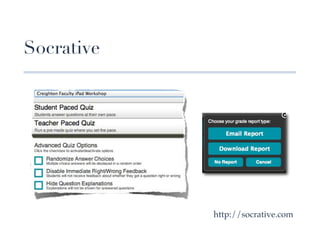
Socrative


               http://socrative.com!
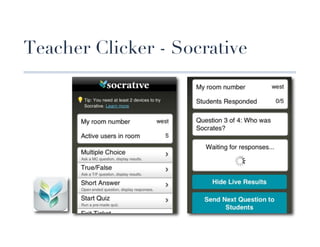
Teacher Clicker - Socrative
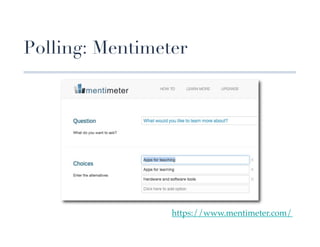
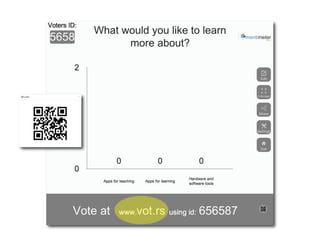
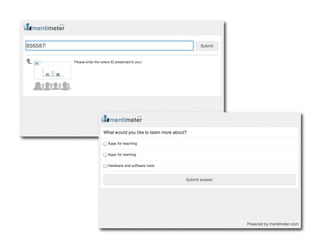
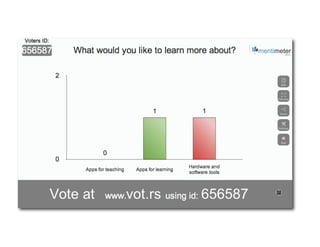
Polling: Mentimeter


                   https://www.mentimeter.com/!
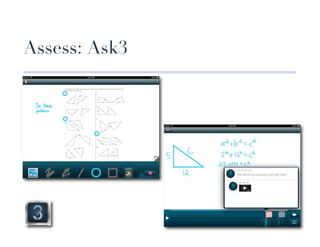
Assess: Ask3
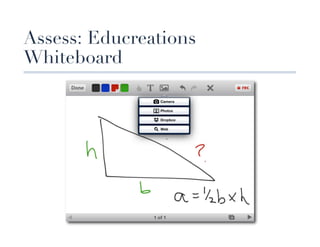
Assess: Educreations
Whiteboard
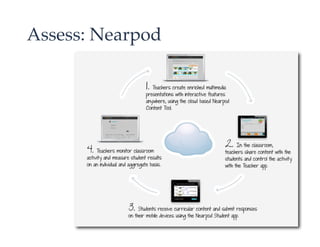
Assess: Nearpod!
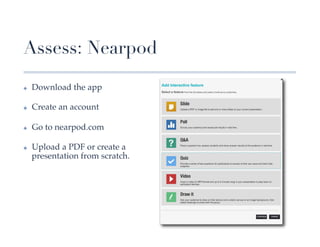
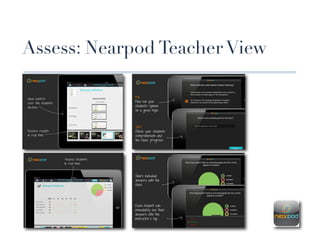
Assess: Nearpod
✤    Download the app!

✤    Create an account!

✤    Go to nearpod.com!

✤    Upload a PDF or create a
     presentation from scratch.!
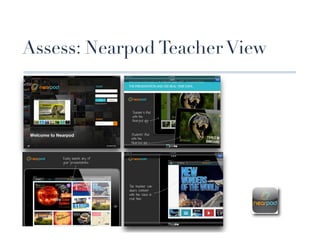
Assess: Nearpod Teacher View
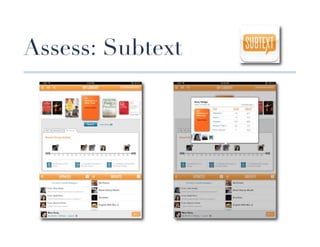
Assess: Subtext
Collaboration
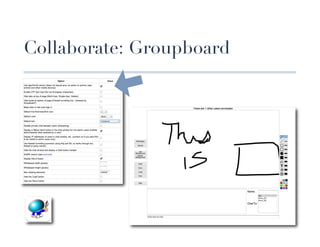
Collaborate: Groupboard
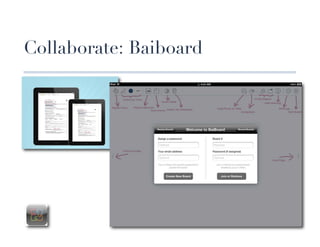
Collaborate: Baiboard
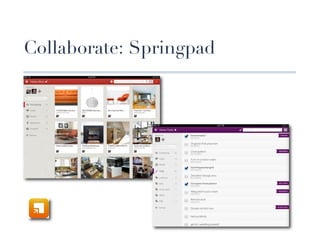
Collaborate: Springpad


                 !
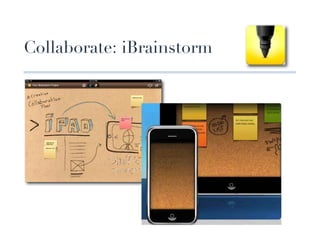
Collaborate: iBrainstorm
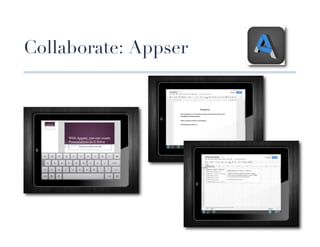
Collaborate: Appser
Screen Sharing
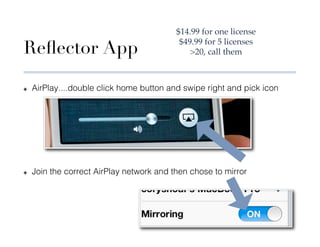
$14.99 for one license!

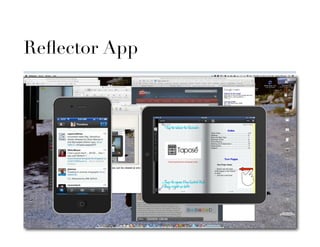
Reflector App
                                            $49.99 for 5 licenses!
                                               20, call them!


✤    AirPlay....double click home button and swipe right and pick icon


✤    Join the correct AirPlay network and then chose to mirror
Reflector App

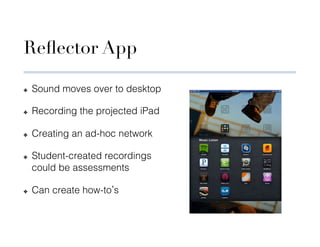
✤    Sound moves over to desktop

✤    Recording the projected iPad

✤    Creating an ad-hoc network

✤    Student-created recordings
     could be assessments

✤    Can create how-to s
Reflector App
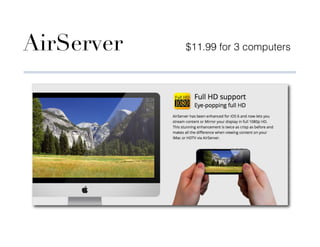
AirServer   $11.99 for 3 computers
Apple TV                 $99!


               Mirrors only one iPad!
              Video not shown locally!
                   No recording!
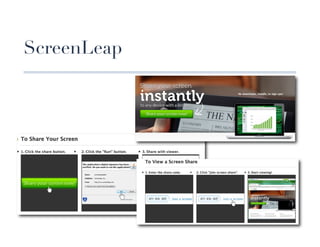
ScreenLeap
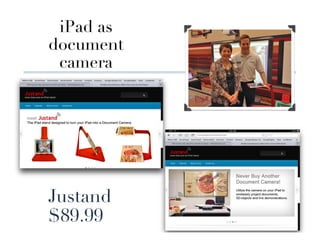
iPad as 
document
 camera


Justand
$89.99
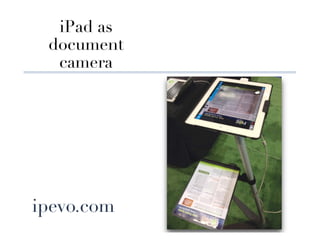
iPad as 
  document
   camera


ipevo.com
Other things
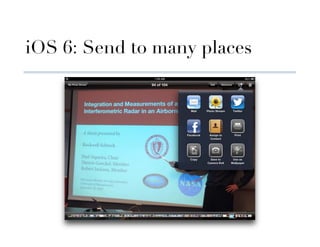
iOS 6: Send to many places
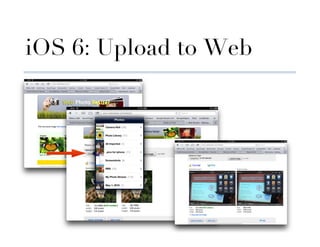
iOS 6: Upload to Web
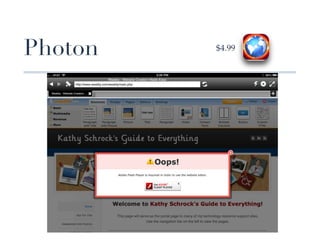
Photon   $4.99!
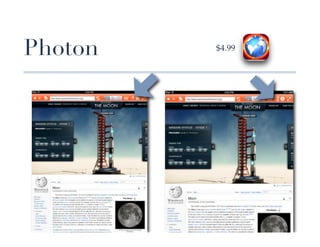
Photon   $4.99!
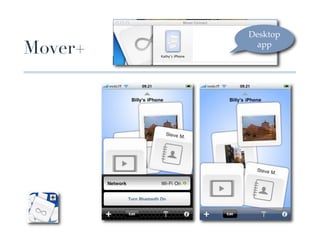
Desktop
Mover+    app!
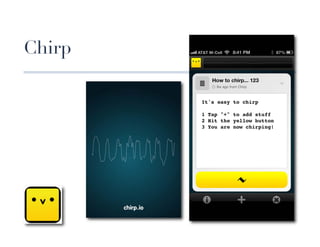
Chirp
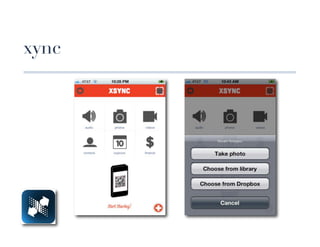
xync
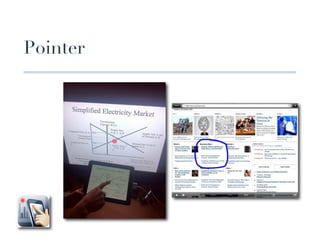
Pointer
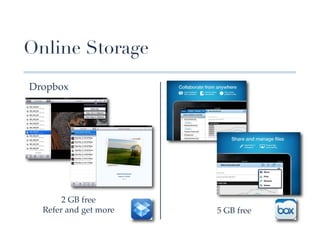
Online Storage

Dropbox!


       2 GB free!
  Refer and get more!   5 GB free !
          !                !
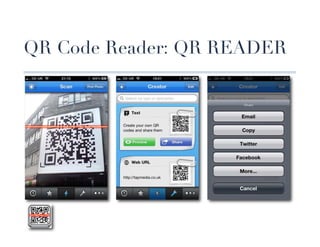
QR Code Reader: QR READER
Summary
✤    Consider Bloom s levels when developing activities and match apps!

✤    Take advantage of the iPad assessment tools for both formative and
     summative assessments!

✤    Embed collaborative tools for students into the classroom!

✤    Find the best way to share screens and information!

!

✤    Support site: http://linkyy.com/ipadstl!
Continue the conversation…
¨    Join the edWeb community! edweb.net/pdinaction

¨    All attendees will be emailed a CEU certificate for
      participating in today’s webinar

¨    The webinar recording, the slidedeck, and a CE quiz
      for those that watch the recording, will be available
      in the community at edweb.net/pdinaction
Join us for the next webinar!
¨    Wednesday, April 17 - 3pm-4pm ET
¨    Your PLN: Following Change to Lead Change
¨    Presenter: Kathy Schrock
¨    Bookmark this link for all future webinars
      http://instantpresenter.com/edweb13

                                                   Sponsored by
Thank you to our host and sponsor!
THE END


          kathy@kathyschrock.net

Mobile Devices in the Classroom

  • 1.
    March 13, 2013 3pm Eastern Time MOBILE DEVICES FOR TEACHING Presented by Kathy Schrock Sponsored by Join the edWeb community! edweb.net/pdinaction
  • 2.
    Thank you toour host and sponsor!
  • 3.
    Webinar tips •  Use the text chat! Post comments, ask questions, and get support. •  For better audio/video, close any other applications (like Skype) that use bandwidth. •  To maximize your screen for a larger view, use the link in the upper right corner. •  Tweeting today? #edchat #pdinaction @edwebnet •  A link to the recording of this webinar and your CE certificate will be sent to you the day after the webinar.
  • 4.
    Overview ✤  Bloom s intro! ✤  Teaching with the iPad! ✤  Assessing with the iPad! ✤  Collaborating with the iPad! ✤  Make it work: hardware and software! Support page! http://www.flickr.com/photos/smemon/7118776943! http://linkyy.com/ipadstl!
  • 5.
  • 6.
    Bloom s andRevised Bloom s
  • 7.
    New ways tothink about Bloom s http://plpnetwork.com/2012/05/15/flipping-blooms-taxonomy/!
  • 8.
  • 9.
  • 10.
    Backchannel: Today sMeet ! http://todaysmeet.com/ipadsforteaching ! !
  • 11.
    Bloom s andBackchannels REMEMBERING! ANALYZING! Articulate order of events! Explain the function of an element! Recall before and after order! Make conclusions! Cite true and false statements! Describe the motive of a character ! UNDERSTANDING! EVALUATING! Restate information in own words! Prompt students to find errors! Cite fact vs. opinion! Defend a position! http://www.techchef4u.com/?p=3367! Give an example! Develop alternatives! APPLYING! CREATING! Make a prediction! Develop a proposal! Group words by characteristics! Create a possible solution! Develop a set of instructions! Devise a way to showcase info!
  • 12.
  • 13.
    Remembering Apps Does theapp help the user.... ✤  Define information?! ✤  Describe information?! ✤  Name facts?! ✤  Recognize facts or ideas?! ✤  Recite information?! ✤  Sequence information?! ✤  List facts or details?! ✤  Find matches?! ✤  Recall facts or ideas?! ✤  Retrieve information?! http://www.edutopia.org/blog/ipad-apps-elementary-blooms-taxomony-diane- darrow
  • 14.
  • 15.
  • 16.
  • 17.
  • 18.
    Understanding Apps Does theapp help the user.... ✤  Summarize facts and ✤  Retell information?! ideas?! ✤  Retell events?! ✤  Restate procedures?! ✤  Explain ideas or concepts?! ✤  Interpret relationships?! ✤  Determine importance?! ✤  Predict consequences?! ✤  Give examples?! http://www.edutopia.org/blog/ipad-apps-elementary-blooms-taxomony-diane-darrow
  • 19.
  • 20.
  • 21.
  • 22.
  • 23.
  • 24.
    Applying Apps Does theapp help the user.... ✤  Demonstrate methods or ✤  Experiment with concepts in a new procedures?! setting?! ✤  Carry out procedures?! ✤  Adjust knowledge for a new context?! ✤  Utilize ideas or knowledge?! ✤  Apply procedures to a unique ✤  Discover a new purpose?! situation?! ✤  Employ knowledge in new situations?! http://www.edutopia.org/blog/ipad-apps-elementary-blooms-taxomony-diane-darrow
  • 25.
  • 26.
  • 27.
  • 28.
    Analyzing Apps Does theapp help the user.... ✤  Discriminate fact from ✤  Recognize intent?! hypothesis?! ✤  Deconstruct content?! ✤  Distinguish the relevant from irrelevant?! ✤  Understand the relationships?! ✤  Observe the structure?! ✤  Organize content?! ✤  Select important elements?! ✤  Outline content?! ✤  Determine biases?! http://www.edutopia.org/blog/ipad-apps-elementary-blooms-taxomony-diane-darrow
  • 29.
    Wufoo http://wufoo.com!
  • 30.
  • 31.
    Zoho Creator creator.zoho.com
  • 32.
    Zoho Creator creator.zoho.com
  • 33.
    Zoho Creator creator.zoho.com
  • 34.
    Word Cloud: WordIt Out worditout.com
  • 35.
    Evaluating Apps Does theapp help the user.... ✤  Check for accuracy?! ✤  Appraise efficiency?! ✤  Detect inconsistencies?! ✤  Judge techniques?! ✤  Monitor effectiveness?! ✤  Contrast performance?! ✤  Evaluate procedures?! ✤  Check the probability of results?! ✤  Critique solutions?! http://www.edutopia.org/blog/ipad-apps-elementary-blooms-taxomony-diane-darrow
  • 36.
  • 37.
  • 38.
  • 39.
    Creating Apps Does theapp help the user.... ✤  Construct designs?! ✤  Brainstorm solutions?! ✤  Generate possibilities?! ✤  Design products?! ✤  Compose ideas?! ✤  Assemble plans?! ✤  Propose hypotheses?! ✤  Re-arrange operations?! ✤  Produce solutions?! ✤  Imagine possibilities?! http://www.edutopia.org/blog/ipad-apps-elementary-blooms-taxomony-diane-darrow
  • 40.
  • 41.
  • 42.
  • 43.
  • 44.
  • 45.
  • 46.
    Creating Books ✤  Via the computer! ✤  iBooks Author (Mac app store)! ✤  dotEPUB! ✤  2EPUB! Book Creator for iPad $4.99! Book Writer $3.99!
  • 47.
  • 48.
    Take a Screenshot ✤  Hold down the power button on top.! POWER! ✤  Press the home button on the front.! HOME!
  • 49.
  • 50.
    Quizzes: InfuseLearning http://infuselearning.com!
  • 51.
    Quizzes: Socrative 073057 http://socrative.com!
  • 52.
    Socrative http://socrative.com!
  • 53.
  • 54.
    Polling: Mentimeter https://www.mentimeter.com/!
  • 58.
  • 59.
  • 60.
  • 61.
    Assess: Nearpod ✤  Download the app! ✤  Create an account! ✤  Go to nearpod.com! ✤  Upload a PDF or create a presentation from scratch.!
  • 62.
  • 63.
  • 64.
  • 65.
  • 66.
  • 67.
  • 68.
  • 69.
  • 70.
  • 71.
  • 72.
    $14.99 for onelicense! Reflector App $49.99 for 5 licenses! 20, call them! ✤  AirPlay....double click home button and swipe right and pick icon ✤  Join the correct AirPlay network and then chose to mirror
  • 73.
    Reflector App ✤  Sound moves over to desktop ✤  Recording the projected iPad ✤  Creating an ad-hoc network ✤  Student-created recordings could be assessments ✤  Can create how-to s
  • 74.
  • 75.
    AirServer $11.99 for 3 computers
  • 76.
    Apple TV $99! Mirrors only one iPad! Video not shown locally! No recording!
  • 77.
  • 78.
    iPad as document camera Justand $89.99
  • 79.
    iPad as document camera ipevo.com
  • 80.
  • 81.
    iOS 6: Sendto many places
  • 82.
  • 83.
    Photon $4.99!
  • 84.
    Photon $4.99!
  • 85.
  • 86.
  • 87.
  • 88.
  • 89.
    Online Storage Dropbox! 2 GB free! Refer and get more! 5 GB free ! ! !
  • 90.
    QR Code Reader:QR READER
  • 91.
    Summary ✤  Consider Bloom s levels when developing activities and match apps! ✤  Take advantage of the iPad assessment tools for both formative and summative assessments! ✤  Embed collaborative tools for students into the classroom! ✤  Find the best way to share screens and information! ! ✤  Support site: http://linkyy.com/ipadstl!
  • 92.
    Continue the conversation… ¨  Join the edWeb community! edweb.net/pdinaction ¨  All attendees will be emailed a CEU certificate for participating in today’s webinar ¨  The webinar recording, the slidedeck, and a CE quiz for those that watch the recording, will be available in the community at edweb.net/pdinaction
  • 93.
    Join us forthe next webinar! ¨  Wednesday, April 17 - 3pm-4pm ET ¨  Your PLN: Following Change to Lead Change ¨  Presenter: Kathy Schrock ¨  Bookmark this link for all future webinars http://instantpresenter.com/edweb13 Sponsored by
  • 94.
    Thank you toour host and sponsor!
  • 95.
    THE END kathy@kathyschrock.net