Threads
                     
 Threads are a relatively lightweight way to
  implement multiple paths of execution inside of an
  application.

 Threads let you perform more than one action at the
  same time, and they execute independently of one
  another

 While the iPhone is not multicore, there are many
  situations where you would like to use multiple
  threads to perform some process in the background,
  while leaving your user interface responsive.

 Also, at some point iPhone OS devices will go
  multicore, so designing your application for multiple
  threads can lead to them to run faster on those future
  devices.
Run loops and
               Main Thread
                           
 When your application first starts, it creates and
  starts in motion a run loop.

 This run loop cycles around for the duration of your
  application, taking in user interface and system
  events, handling timers, and performing user
  interface updates, among other functions.

 All actions of the run loop are performed on the
  main thread of your application.

 What this means is that if you perform a
  computationally expensive operation, or one that
  waits for a network service to respond, your
  application's interface will stop updating and will
  become unresponsive until that operation is
  completed.

 One thing to watch for in multithreading your
  application is that all user interface updates must be
  performed on the main thread. 

[self performSelectorOnMainThread : @selector (enableButtons)
withObject:nil waitUntilDone:YES];

will send the message [self enableButtons] on the main thread,
and will block the currently executing thread until that method
finishes on the main thread.

To delay your operation until after this update occurs,
you can use code like the following:
[self performSelector:@selector(delayedAction)
withObject:nil afterDelay:0.01];

For regular actions that need to be performed at certain
times, or that can be spread out over a certain duration, you
can use an NSTimer.  For example, 


secondsTimer = [NSTimer
scheduledTimerWithTimeInterval: 1.0f target: self
selector:@selector(respondToTimer) userInfo:nil
repeats:YES];

This timer is retained by the current run loop and will
terminate and be released when you call 


[secondsTimer invalidate];
Manual NSThreads
              
Creating threads is not as hard as it sounds.  You can run a
method on a background thread using a single command. 
Either 


[NSThread
detachNewThreadSelector:@selector(countingThread)
toTarget:self withObject:nil];

Or 

[self
performSelectorInBackground:@selector(countingThread)
withObject:nil];
Your overall application has a global autorelease pool in place (look to
main.m to see how this created), but your newly spawned thread does
not.  If you use an autoreleased object within this thread, you will see
warnings like this appearing all over your console:

_NSAutoreleaseNoPool(): Object 0xf20a80 of class NSCFNumber
autoreleased with no pool in place - just leaking


To prevent these objects from being leaked, you'll need to create a new
autorelease pool at the start of your thread: 


NSAutoreleasePool *pool = [[NSAutoreleasePool alloc] init];


and release it at the end:


[pool release];
If you have the need to delay the execution of some part of your
thread for a defined time, you can use several functions and
methods.  These include


usleep(10000);


which causes your code to delay by 10 milliseconds (10000
microseconds) before proceeding, and 


[NSThread sleepForTimeInterval:0.01];


which does the same
Introduction
                      
 In the web services world, REpresentational State
  Transfer (REST) is a key design idiom that embraces a
  stateless client-server architecture in which the web
  services are viewed as resources and can be identified
  by their URLs.
XML
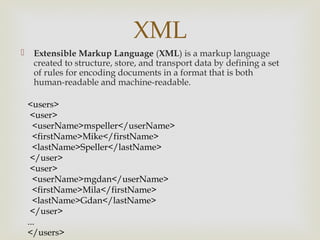
    Extensible Markup Language (XML) is a markup language
     created to structure, store, and transport data by defining a set
     of rules for encoding documents in a format that is both
     human-readable and machine-readable.

    <users>
     <user>
      <userName>mspeller</userName>
      <firstName>Mike</firstName>
      <lastName>Speller</lastName>
     </user>
     <user>
      <userName>mgdan</userName>
      <firstName>Mila</firstName>
      <lastName>Gdan</lastName>
     </user>
    ...
    </users>
NSXMLParser
                 
 Objective C NSXMLParser is an event driven parser.
  When an instance of this class pareses an XM
  document it notifies its delegate about the items
  (elements, attributes, etc) that it encounters during
  XML processing.

    It does not itself do anything with the parsed items –
    it expects the delegate to implement this code.

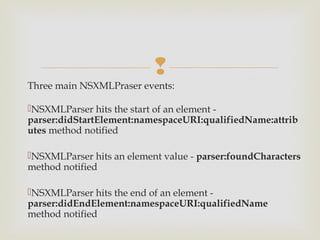
Three main NSXMLPraser events:

NSXMLParser hits the start of an element -
parser:didStartElement:namespaceURI:qualifiedName:attrib
utes method notified

NSXMLParser hits an element value - parser:foundCharacters
method notified

NSXMLParser hits the end of an element -
parser:didEndElement:namespaceURI:qualifiedName
method notified
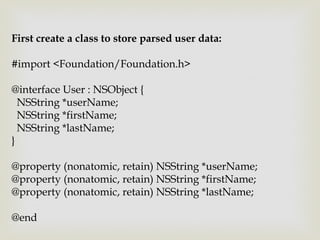
First create a class to store parsed user data:

#import <Foundation/Foundation.h>

@interface User : NSObject {
  NSString *userName;
  NSString *firstName;
  NSString *lastName;
}

@property (nonatomic, retain) NSString *userName;
@property (nonatomic, retain) NSString *firstName;
@property (nonatomic, retain) NSString *lastName;

@end
#import "User.h"

@implementation User
@synthesize userName, firstName,
lastName;

- (void) dealloc {
  [userName release];
  [firstName release];
  [lastName release];
  [super dealloc];
}

@end
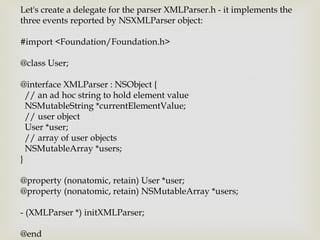
Let's create a delegate for the parser XMLParser.h - it implements the
three events reported by NSXMLParser object:

#import <Foundation/Foundation.h>

@class User;

@interface XMLParser : NSObject {
  // an ad hoc string to hold element value
  NSMutableString *currentElementValue;
  // user object
  User *user;
  // array of user objects
  NSMutableArray *users;
}

@property (nonatomic, retain) User *user;
@property (nonatomic, retain) NSMutableArray *users;

- (XMLParser *) initXMLParser;

@end
NSXMLParser call example

NSData *data contains our XML document.

#import "XMLParser.h"

…
- (void) doParse:(NSData *)data {

 // create and init NSXMLParser object
 NSXMLParser *nsXmlParser = [[NSXMLParser alloc]
initWithData:data];

 // create and init our delegate
 XMLParser *parser = [[XMLParser alloc] initXMLParser];

 // set delegate
 [nsXmlParser setDelegate:parser];
// parsing...
    BOOL success = [nsXmlParser parse];

    // test the result
    if (success) {
       NSLog(@"No errors - user count : %i", [parser [users count]]);
       // get array of users here
       // NSMutableArray *users = [parser users];
    } else {
      NSLog(@"Error parsing document!");
    }

    [parser release];
    [nsXmlParser release];

}
Parse the start of an element

Implement method called NSXMLParser when it hits the start of an
element:

...

// XMLParser.m
- (void)parser:(NSXMLParser *)parser
         didStartElement:(NSString *)elementName
         namespaceURI:(NSString *)namespaceURI
         qualifiedName:(NSString *)qualifiedName
            attributes:(NSDictionary *)attributeDict {

    if ([elementName isEqualToString:@"user"]) {
       NSLog(@"user element found – create a new instance of User class...");
       user = [[User alloc] init];
            }
}
Parse an element value

Implement method called NSXMLParser when it hits an element value. In
this method we capture the element value into currentElementValue ad hoc
string:

...

// XMLParser.m
- (void)parser:(NSXMLParser *)parser foundCharacters:(NSString *)string {
  if (!currentElementValue) {
     // init the ad hoc string with the value
     currentElementValue = [[NSMutableString alloc] initWithString:string];
  }
 NSLog(@"Processing value for : %@", string);
}
Parse the end of an element

Implement method called NSXMLParser when it hits the end of
an element:

...

//XMLParser.m
- (void)parser:(NSXMLParser *)parser
         didEndElement:(NSString *)elementName
         namespaceURI:(NSString *)namespaceURI
         qualifiedName:(NSString *)qName {

  if ([elementName isEqualToString:@"users"]) {
     // We reached the end of the XML document
     return;
  }
if ([elementName isEqualToString:@"user"]) {
   // We are done with user entry – add the parsed user
   // object to our user array
   [users addObject:user];
   // release user object
   [user release];
   user = nil;
 } else {
   // The parser hit one of the element values.
   // This syntax is possible because User object
   // property names match the XML user element names
   [user setValue:currentElementValue forKey:elementName];
 }

 [currentElementValue release];
 currentElementValue = nil;
}
// end of XMLParser.m file
Dealing with JSON in
       iPhone
          

 You can easily use the JSON (JavaScript Object Notation)
  data format in client-server communications when
  writing an iPhone app.

 Unfortunately, Apple iPhone SDK doesn’t come with a
  built-in JSON parser. But a good one is available called
  json-framework. It is both a generator and a parser.

  As a generator, json-framework can create JSON data
  from an NSDictionary. As a parser, you can pass to json-
  framework an NSString that consists of JSON data and it
  will return a NSDictionary that encapsulates the parsed
  data.
{
“menuitem”: [
{
"value": "New",
"onclick": "CreateNewDoc()"
},
{
"value": "Open",
"onclick": "OpenDoc()"
},
{
"value": "Close",
"onclick": "CloseDoc()"
}
]
}
USE SBJSON
     

iOS Multithreading

  • 2.
    Threads   Threads are a relatively lightweight way to implement multiple paths of execution inside of an application.  Threads let you perform more than one action at the same time, and they execute independently of one another
  • 3.
      While theiPhone is not multicore, there are many situations where you would like to use multiple threads to perform some process in the background, while leaving your user interface responsive.  Also, at some point iPhone OS devices will go multicore, so designing your application for multiple threads can lead to them to run faster on those future devices.
  • 4.
    Run loops and Main Thread   When your application first starts, it creates and starts in motion a run loop.  This run loop cycles around for the duration of your application, taking in user interface and system events, handling timers, and performing user interface updates, among other functions.  All actions of the run loop are performed on the main thread of your application.
  • 5.
      What thismeans is that if you perform a computationally expensive operation, or one that waits for a network service to respond, your application's interface will stop updating and will become unresponsive until that operation is completed.  One thing to watch for in multithreading your application is that all user interface updates must be performed on the main thread. 
  • 6.
     [self performSelectorOnMainThread :@selector (enableButtons) withObject:nil waitUntilDone:YES]; will send the message [self enableButtons] on the main thread, and will block the currently executing thread until that method finishes on the main thread.
  • 7.
     To delay youroperation until after this update occurs, you can use code like the following: [self performSelector:@selector(delayedAction) withObject:nil afterDelay:0.01];
  • 8.
     For regular actionsthat need to be performed at certain times, or that can be spread out over a certain duration, you can use an NSTimer.  For example,  secondsTimer = [NSTimer scheduledTimerWithTimeInterval: 1.0f target: self selector:@selector(respondToTimer) userInfo:nil repeats:YES];
  • 9.
     This timer isretained by the current run loop and will terminate and be released when you call  [secondsTimer invalidate];
  • 10.
    Manual NSThreads  Creating threads is not as hard as it sounds.  You can run a method on a background thread using a single command.  Either  [NSThread detachNewThreadSelector:@selector(countingThread) toTarget:self withObject:nil]; Or  [self performSelectorInBackground:@selector(countingThread) withObject:nil];
  • 11.
    Your overall applicationhas a global autorelease pool in place (look to main.m to see how this created), but your newly spawned thread does not.  If you use an autoreleased object within this thread, you will see warnings like this appearing all over your console: _NSAutoreleaseNoPool(): Object 0xf20a80 of class NSCFNumber autoreleased with no pool in place - just leaking To prevent these objects from being leaked, you'll need to create a new autorelease pool at the start of your thread:  NSAutoreleasePool *pool = [[NSAutoreleasePool alloc] init]; and release it at the end: [pool release];
  • 12.
    If you havethe need to delay the execution of some part of your thread for a defined time, you can use several functions and methods.  These include usleep(10000); which causes your code to delay by 10 milliseconds (10000 microseconds) before proceeding, and  [NSThread sleepForTimeInterval:0.01]; which does the same
  • 14.
    Introduction   In the web services world, REpresentational State Transfer (REST) is a key design idiom that embraces a stateless client-server architecture in which the web services are viewed as resources and can be identified by their URLs.
  • 15.
    XML  Extensible Markup Language (XML) is a markup language created to structure, store, and transport data by defining a set of rules for encoding documents in a format that is both human-readable and machine-readable. <users> <user> <userName>mspeller</userName> <firstName>Mike</firstName> <lastName>Speller</lastName> </user> <user> <userName>mgdan</userName> <firstName>Mila</firstName> <lastName>Gdan</lastName> </user> ... </users>
  • 16.
    NSXMLParser   Objective C NSXMLParser is an event driven parser. When an instance of this class pareses an XM document it notifies its delegate about the items (elements, attributes, etc) that it encounters during XML processing.  It does not itself do anything with the parsed items – it expects the delegate to implement this code.
  • 17.
     Three main NSXMLPraserevents: NSXMLParser hits the start of an element - parser:didStartElement:namespaceURI:qualifiedName:attrib utes method notified NSXMLParser hits an element value - parser:foundCharacters method notified NSXMLParser hits the end of an element - parser:didEndElement:namespaceURI:qualifiedName method notified
  • 18.
    First create aclass to store parsed user data: #import <Foundation/Foundation.h> @interface User : NSObject { NSString *userName; NSString *firstName; NSString *lastName; } @property (nonatomic, retain) NSString *userName; @property (nonatomic, retain) NSString *firstName; @property (nonatomic, retain) NSString *lastName; @end
  • 19.
    #import "User.h" @implementation User @synthesizeuserName, firstName, lastName; - (void) dealloc { [userName release]; [firstName release]; [lastName release]; [super dealloc]; } @end
  • 20.
    Let's create adelegate for the parser XMLParser.h - it implements the three events reported by NSXMLParser object: #import <Foundation/Foundation.h> @class User; @interface XMLParser : NSObject { // an ad hoc string to hold element value NSMutableString *currentElementValue; // user object User *user; // array of user objects NSMutableArray *users; } @property (nonatomic, retain) User *user; @property (nonatomic, retain) NSMutableArray *users; - (XMLParser *) initXMLParser; @end
  • 21.
    NSXMLParser call example NSData*data contains our XML document. #import "XMLParser.h" … - (void) doParse:(NSData *)data { // create and init NSXMLParser object NSXMLParser *nsXmlParser = [[NSXMLParser alloc] initWithData:data]; // create and init our delegate XMLParser *parser = [[XMLParser alloc] initXMLParser]; // set delegate [nsXmlParser setDelegate:parser];
  • 22.
    // parsing... BOOL success = [nsXmlParser parse]; // test the result if (success) { NSLog(@"No errors - user count : %i", [parser [users count]]); // get array of users here // NSMutableArray *users = [parser users]; } else { NSLog(@"Error parsing document!"); } [parser release]; [nsXmlParser release]; }
  • 23.
    Parse the startof an element Implement method called NSXMLParser when it hits the start of an element: ... // XMLParser.m - (void)parser:(NSXMLParser *)parser didStartElement:(NSString *)elementName namespaceURI:(NSString *)namespaceURI qualifiedName:(NSString *)qualifiedName attributes:(NSDictionary *)attributeDict { if ([elementName isEqualToString:@"user"]) { NSLog(@"user element found – create a new instance of User class..."); user = [[User alloc] init]; } }
  • 24.
    Parse an elementvalue Implement method called NSXMLParser when it hits an element value. In this method we capture the element value into currentElementValue ad hoc string: ... // XMLParser.m - (void)parser:(NSXMLParser *)parser foundCharacters:(NSString *)string { if (!currentElementValue) { // init the ad hoc string with the value currentElementValue = [[NSMutableString alloc] initWithString:string]; } NSLog(@"Processing value for : %@", string); }
  • 25.
    Parse the endof an element Implement method called NSXMLParser when it hits the end of an element: ... //XMLParser.m - (void)parser:(NSXMLParser *)parser didEndElement:(NSString *)elementName namespaceURI:(NSString *)namespaceURI qualifiedName:(NSString *)qName { if ([elementName isEqualToString:@"users"]) { // We reached the end of the XML document return; }
  • 26.
    if ([elementName isEqualToString:@"user"]){ // We are done with user entry – add the parsed user // object to our user array [users addObject:user]; // release user object [user release]; user = nil; } else { // The parser hit one of the element values. // This syntax is possible because User object // property names match the XML user element names [user setValue:currentElementValue forKey:elementName]; } [currentElementValue release]; currentElementValue = nil; } // end of XMLParser.m file
  • 27.
    Dealing with JSONin iPhone 
  • 28.
      You caneasily use the JSON (JavaScript Object Notation) data format in client-server communications when writing an iPhone app.  Unfortunately, Apple iPhone SDK doesn’t come with a built-in JSON parser. But a good one is available called json-framework. It is both a generator and a parser.   As a generator, json-framework can create JSON data from an NSDictionary. As a parser, you can pass to json- framework an NSString that consists of JSON data and it will return a NSDictionary that encapsulates the parsed data.
  • 29.
    { “menuitem”: [ { "value": "New", "onclick":"CreateNewDoc()" }, { "value": "Open", "onclick": "OpenDoc()" }, { "value": "Close", "onclick": "CloseDoc()" } ] }
  • 30.