CG by Rohit Jasudkar 1
Computer Graphics
21/09/2018
Hidden surfaces and line removal
Curves and surfaces
Surface Rendering methods
Contents
 Hidden surfaces and line removal
• Z buffer Algorithm
• Warnock’s Algorithm
• Painter’s Algorithm
• Backface Removal Algorithm
 Curves and surfaces
• Bezier Curve
• B-splines Curve
 Surface Rendering Methods
• Constant Intensity / Flat Shading
• Gouraurd Shading
• Phong Shading
21/09/2018 CG by Rohit Jasudkar 2
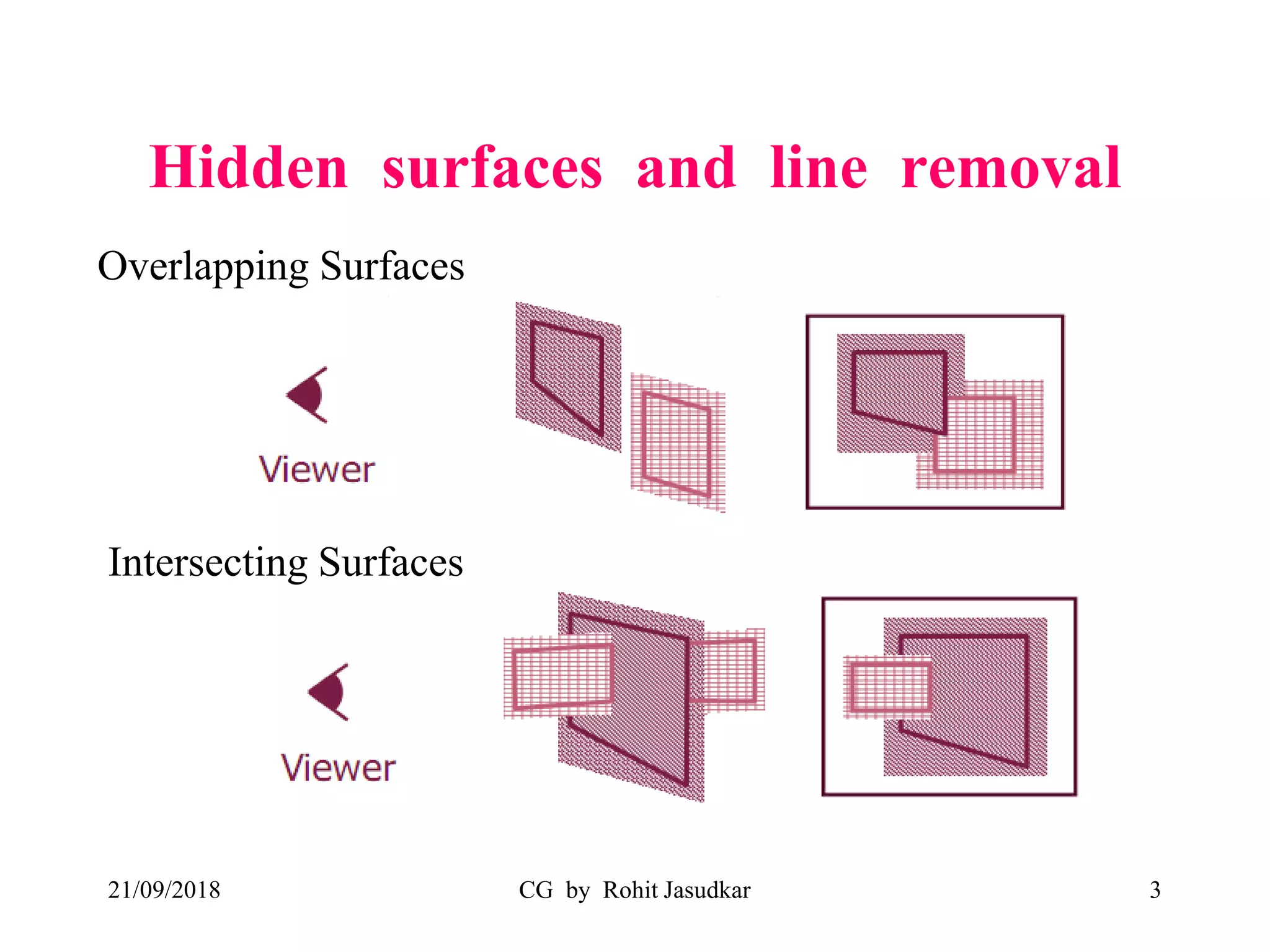
Hidden surfaces and line removal
21/09/2018 CG by Rohit Jasudkar 3
Overlapping Surfaces
Intersecting Surfaces
21/09/2018 CG by Rohit Jasudkar 4
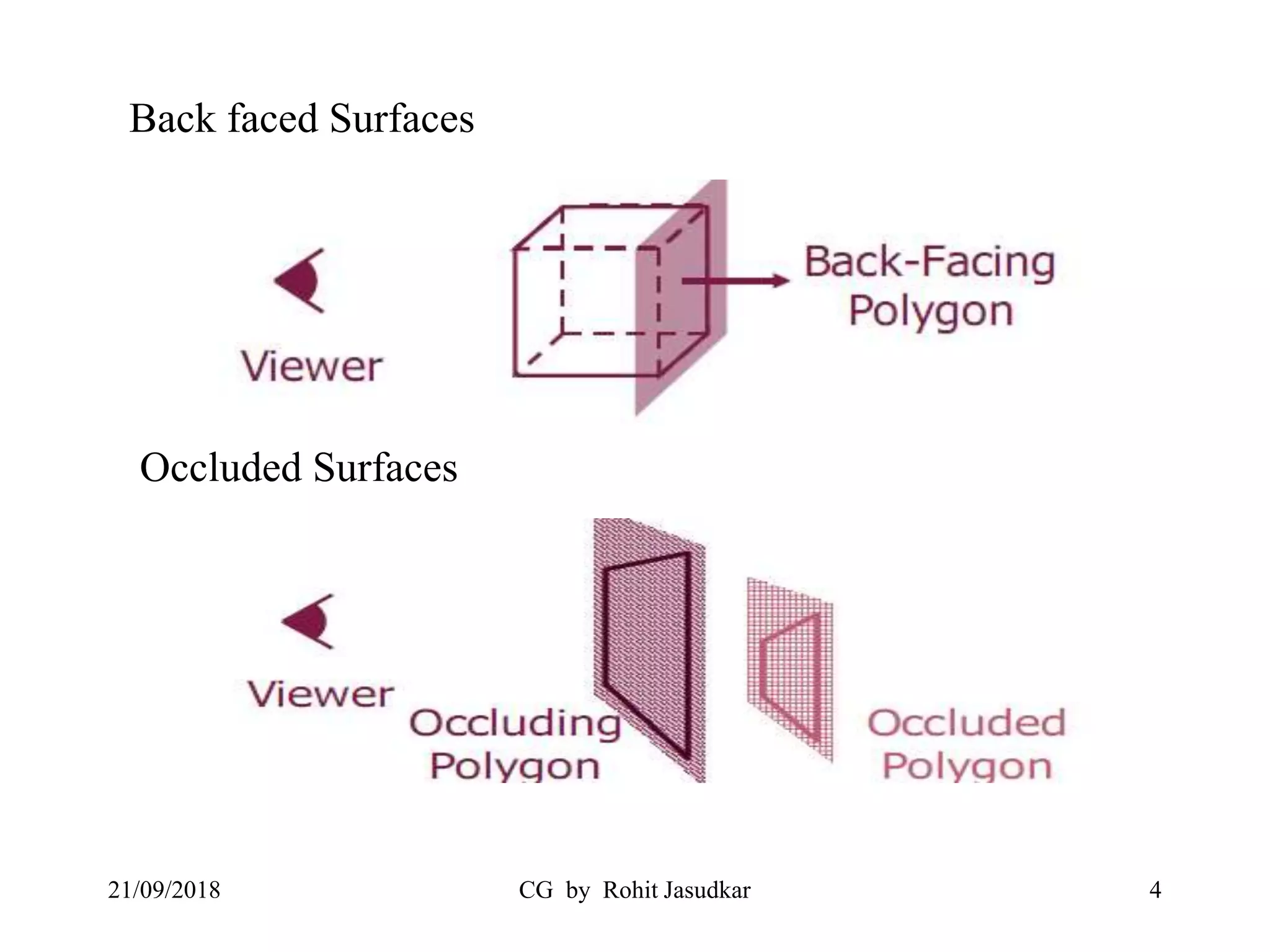
Back faced Surfaces
Occluded Surfaces
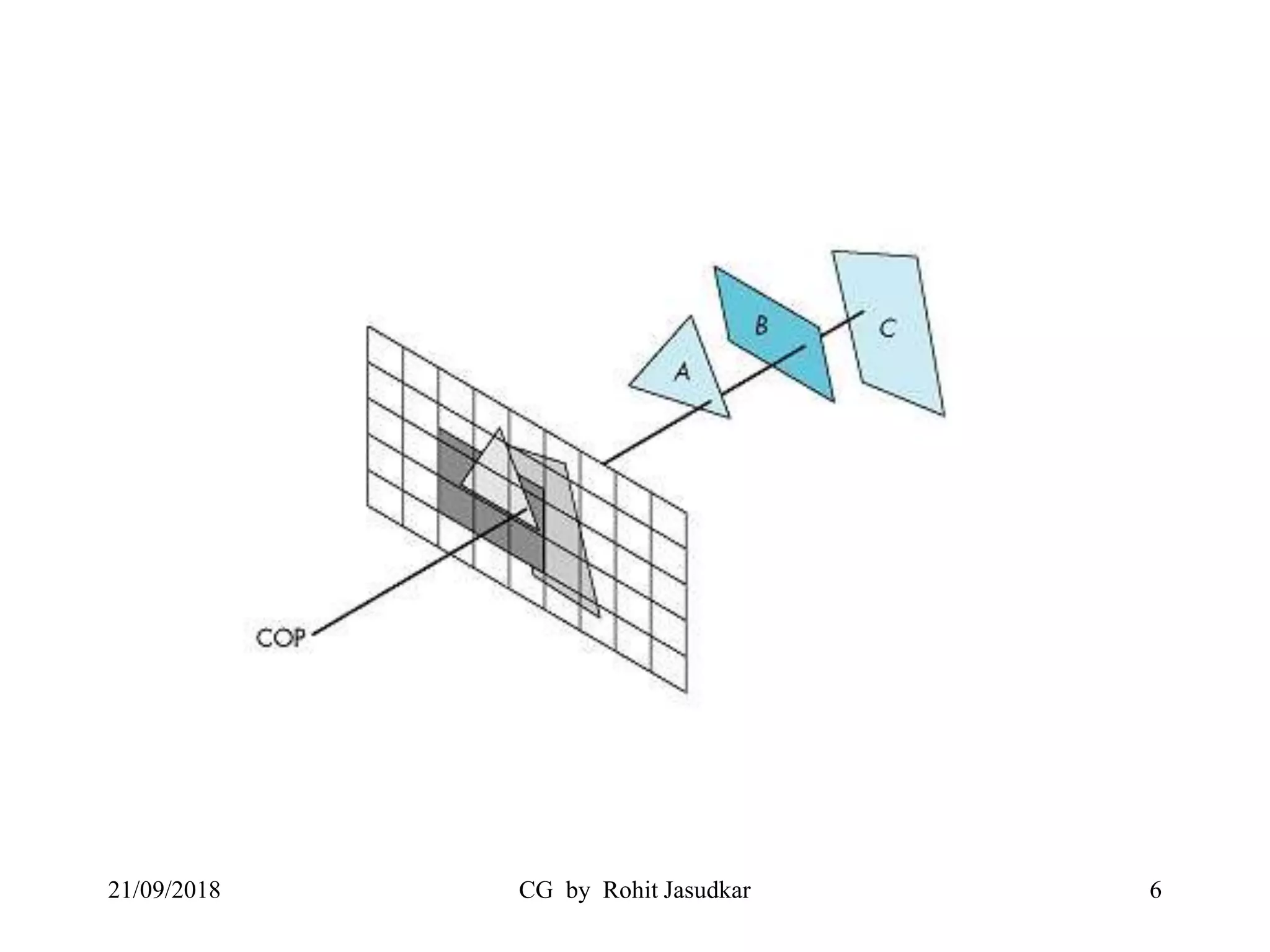
Hidden Surface Problem
• When we view a picture containing non
transparent objects and surfaces, then we can’t see
those objects from view which are behind from the
objects closer to eye.
• We must remove these hidden surfaces to get
realistic screen image.
• The identification & removal of these surfaces is
called the Hidden-surface problem .
• Techniques used for solving these problems known
as Visible Surface Detection or Hidden Surface
Removal.
21/09/2018 CG by Rohit Jasudkar 5
21/09/2018 CG by Rohit Jasudkar 6
Classification of Visible Surface Detection
1. Object space methods
2. Image space methods
21/09/2018 CG by Rohit Jasudkar 7
Object space methods
• Methods based on comparison of objects for
their 3D positions and dimensions with
respect to a viewing position.
• Efficient for small number of objects but
difficult to implement.
• Depth sorting (Painter Algorithm) , area
subdivision methods (Warnock’s Algorithm).
21/09/2018 CG by Rohit Jasudkar 8
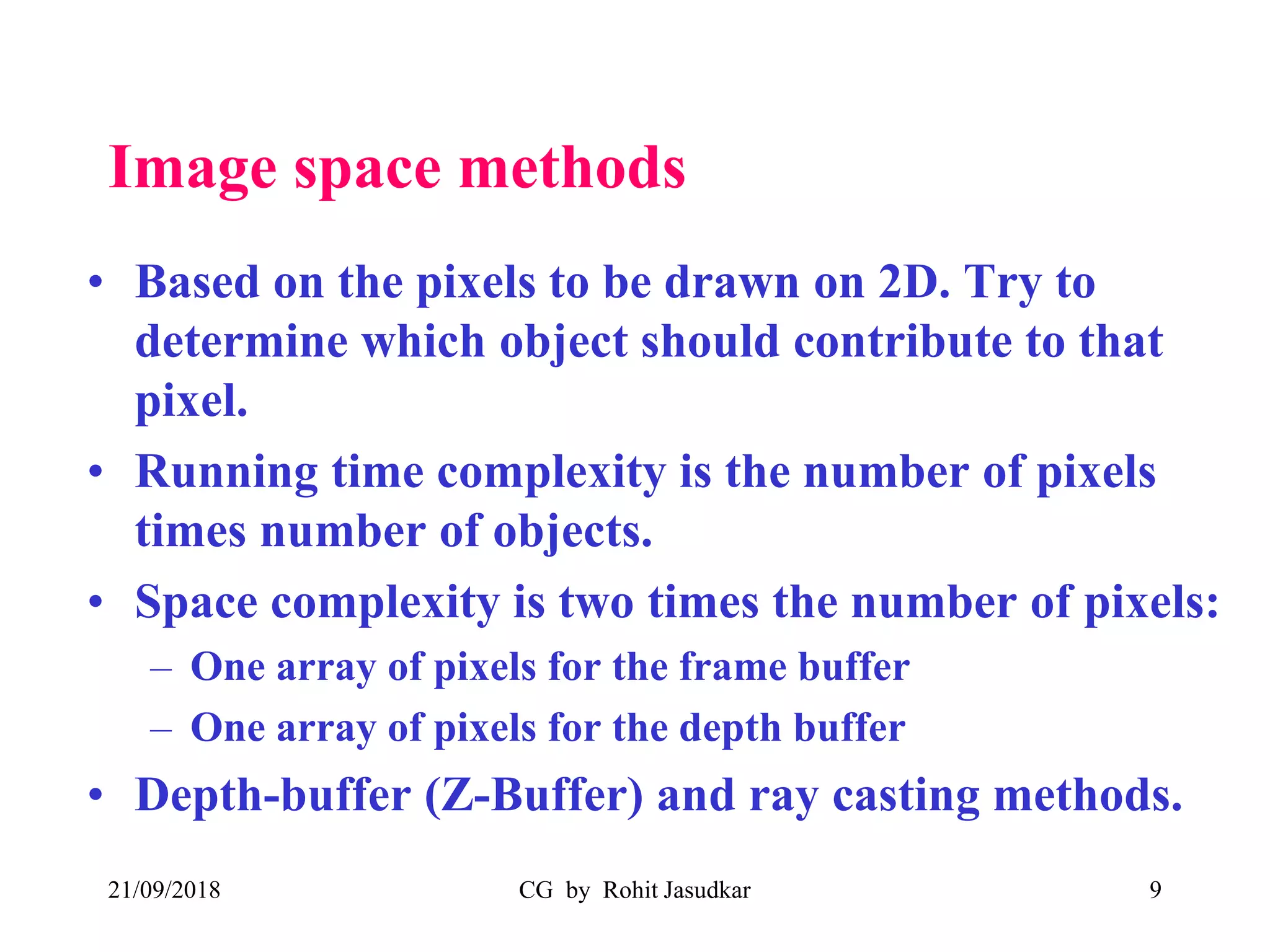
Image space methods
• Based on the pixels to be drawn on 2D. Try to
determine which object should contribute to that
pixel.
• Running time complexity is the number of pixels
times number of objects.
• Space complexity is two times the number of pixels:
– One array of pixels for the frame buffer
– One array of pixels for the depth buffer
• Depth-buffer (Z-Buffer) and ray casting methods.
21/09/2018 CG by Rohit Jasudkar 9
Z buffer Algorithm
• Also known as depth -Buffer method.
• Proposed by Mr. Edwin Catmull in 1975
• Z-buffer is like a frame buffer, contain
depths
21/09/2018 CG by Rohit Jasudkar 10
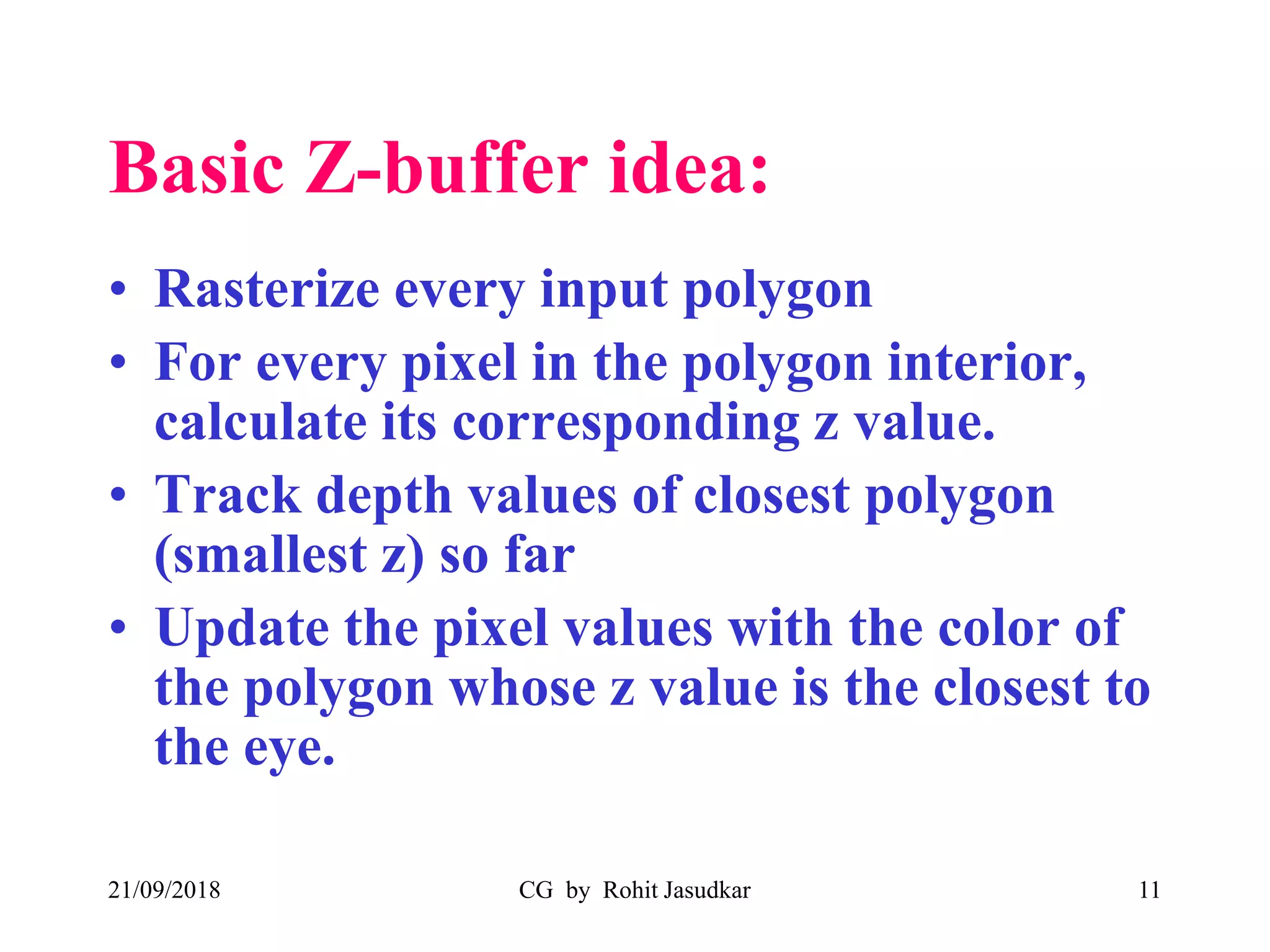
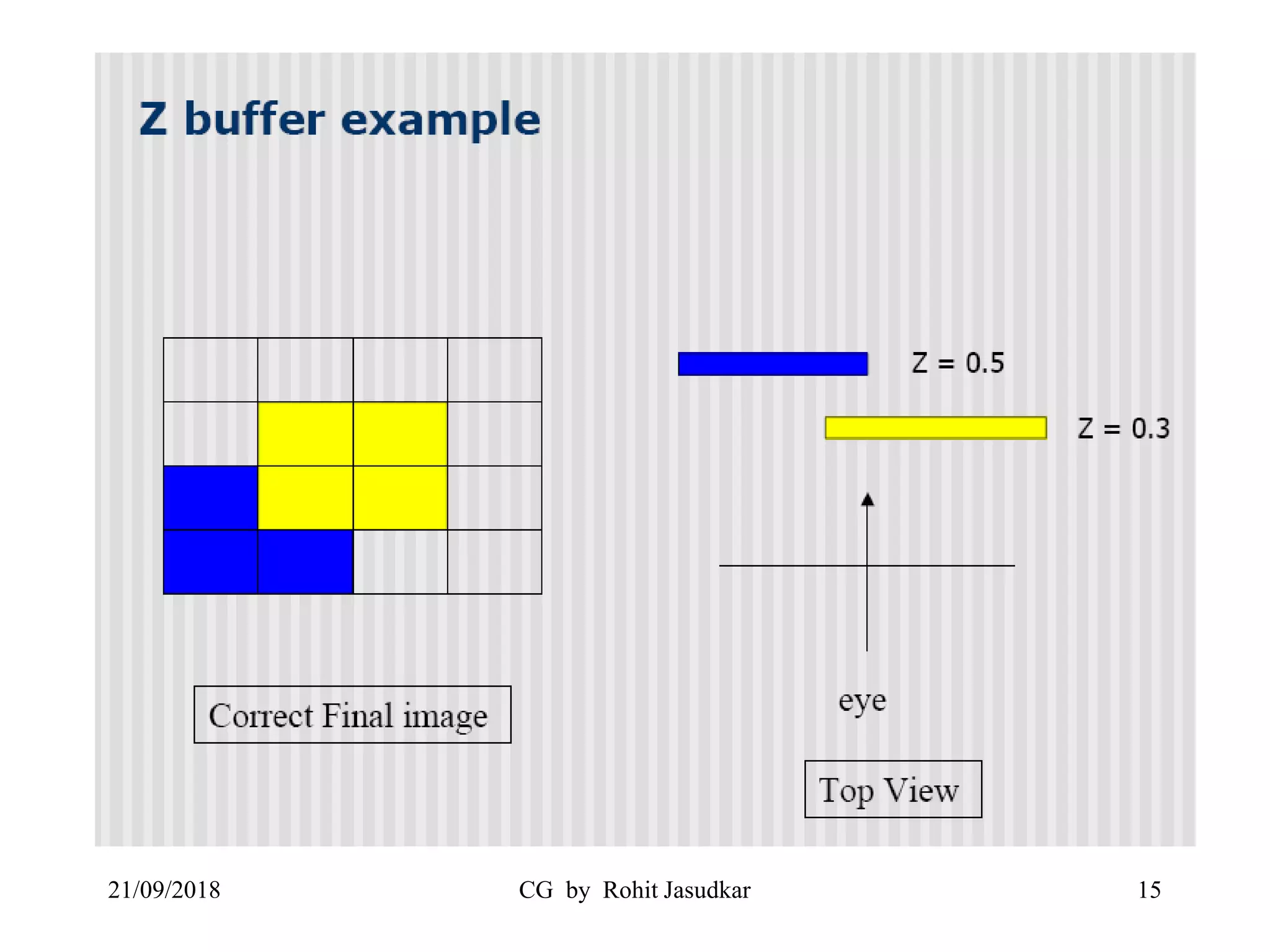
Basic Z-buffer idea:
• Rasterize every input polygon
• For every pixel in the polygon interior,
calculate its corresponding z value.
• Track depth values of closest polygon
(smallest z) so far
• Update the pixel values with the color of
the polygon whose z value is the closest to
the eye.
21/09/2018 CG by Rohit Jasudkar 11
• Two buffers are used
– Frame Buffer (Store Background intensity
or Shades)
– Depth Buffer (Store depth (Z) value of every
visible pixel in image space)
• The z-coordinates (depth values) are
usually normalized to the range [0,1]
21/09/2018 CG by Rohit Jasudkar 12
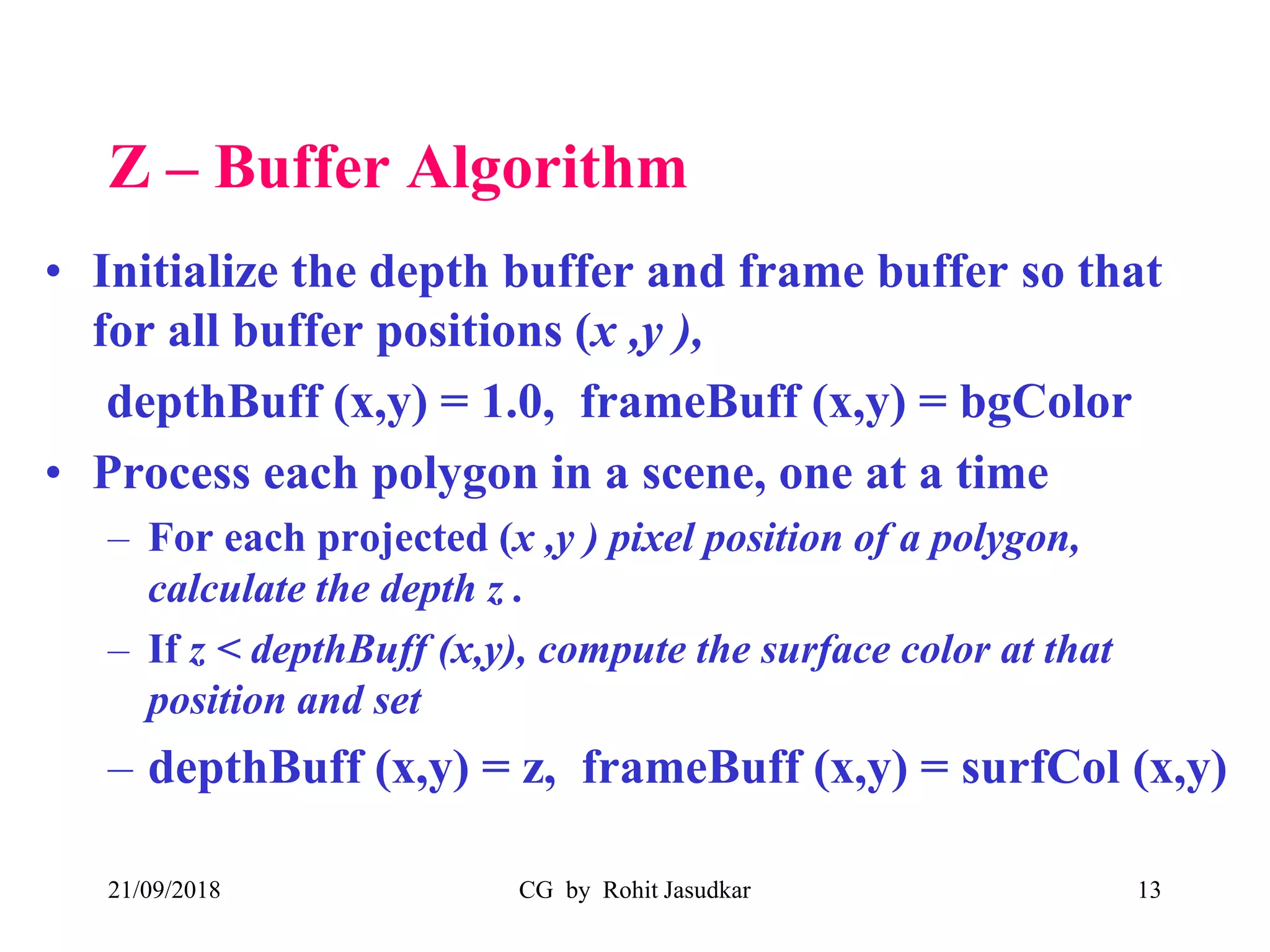
Z – Buffer Algorithm
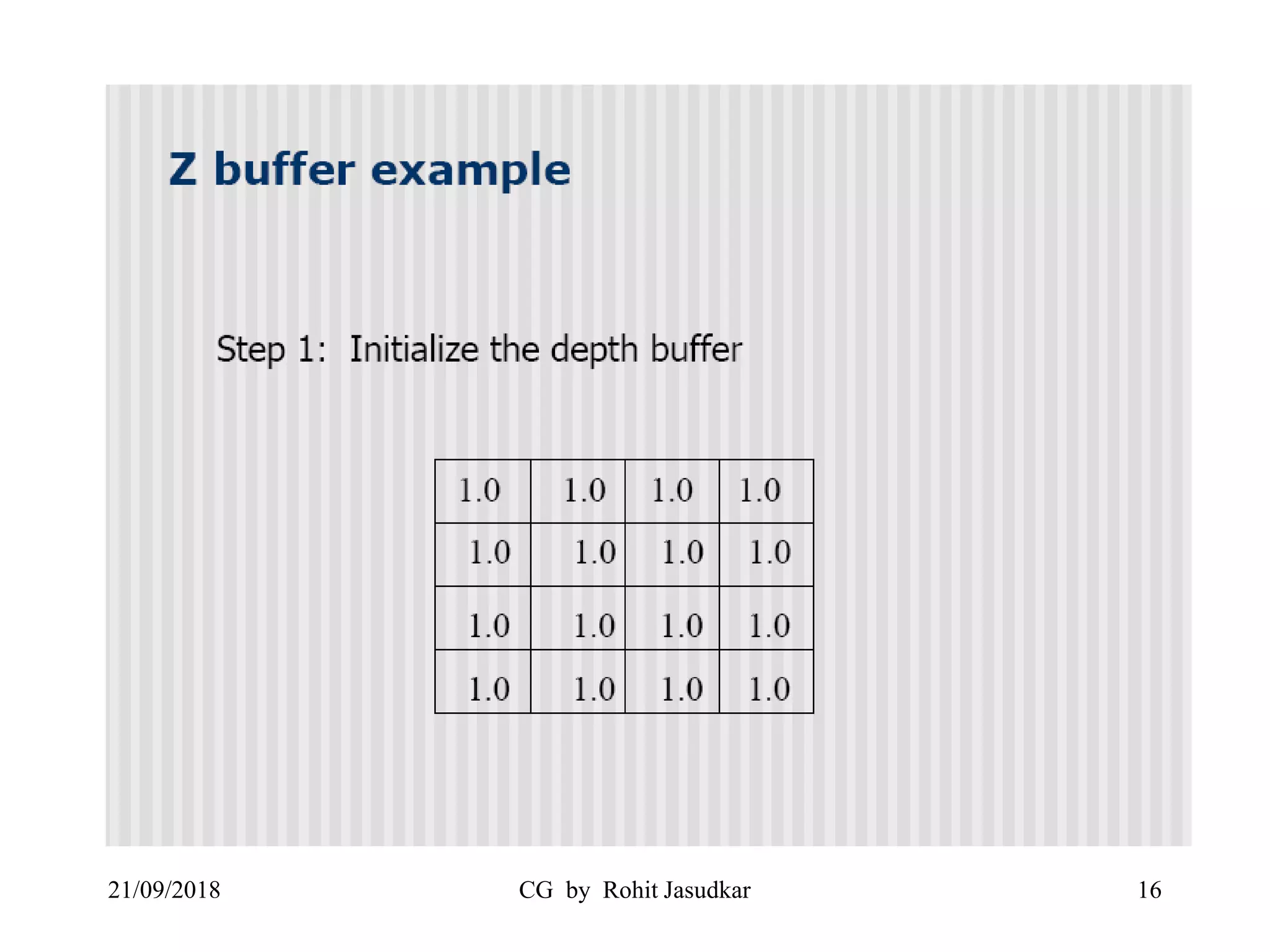
• Initialize the depth buffer and frame buffer so that
for all buffer positions (x ,y ),
depthBuff (x,y) = 1.0, frameBuff (x,y) = bgColor
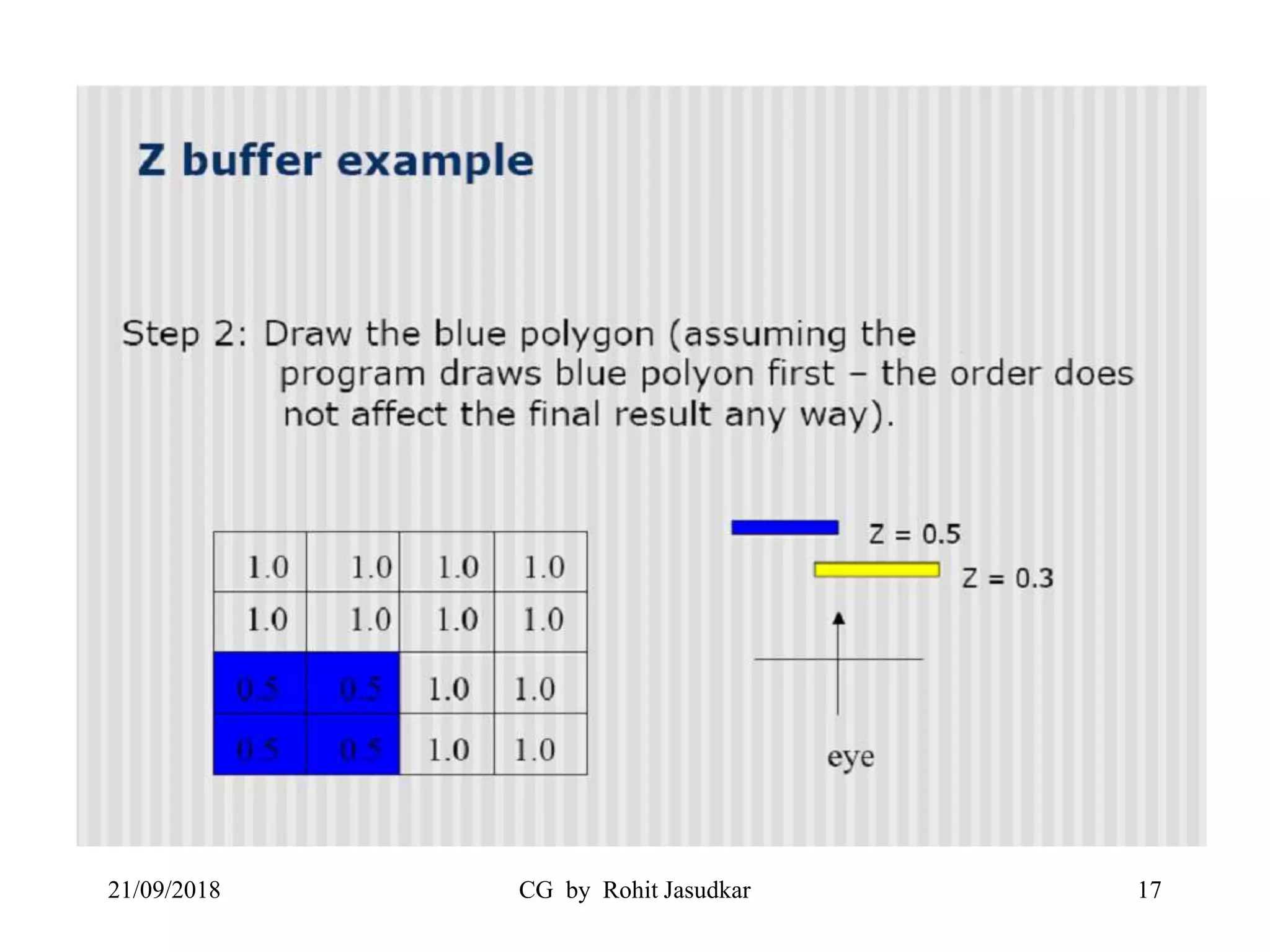
• Process each polygon in a scene, one at a time
– For each projected (x ,y ) pixel position of a polygon,
calculate the depth z .
– If z < depthBuff (x,y), compute the surface color at that
position and set
– depthBuff (x,y) = z, frameBuff (x,y) = surfCol (x,y)
21/09/2018 CG by Rohit Jasudkar 13
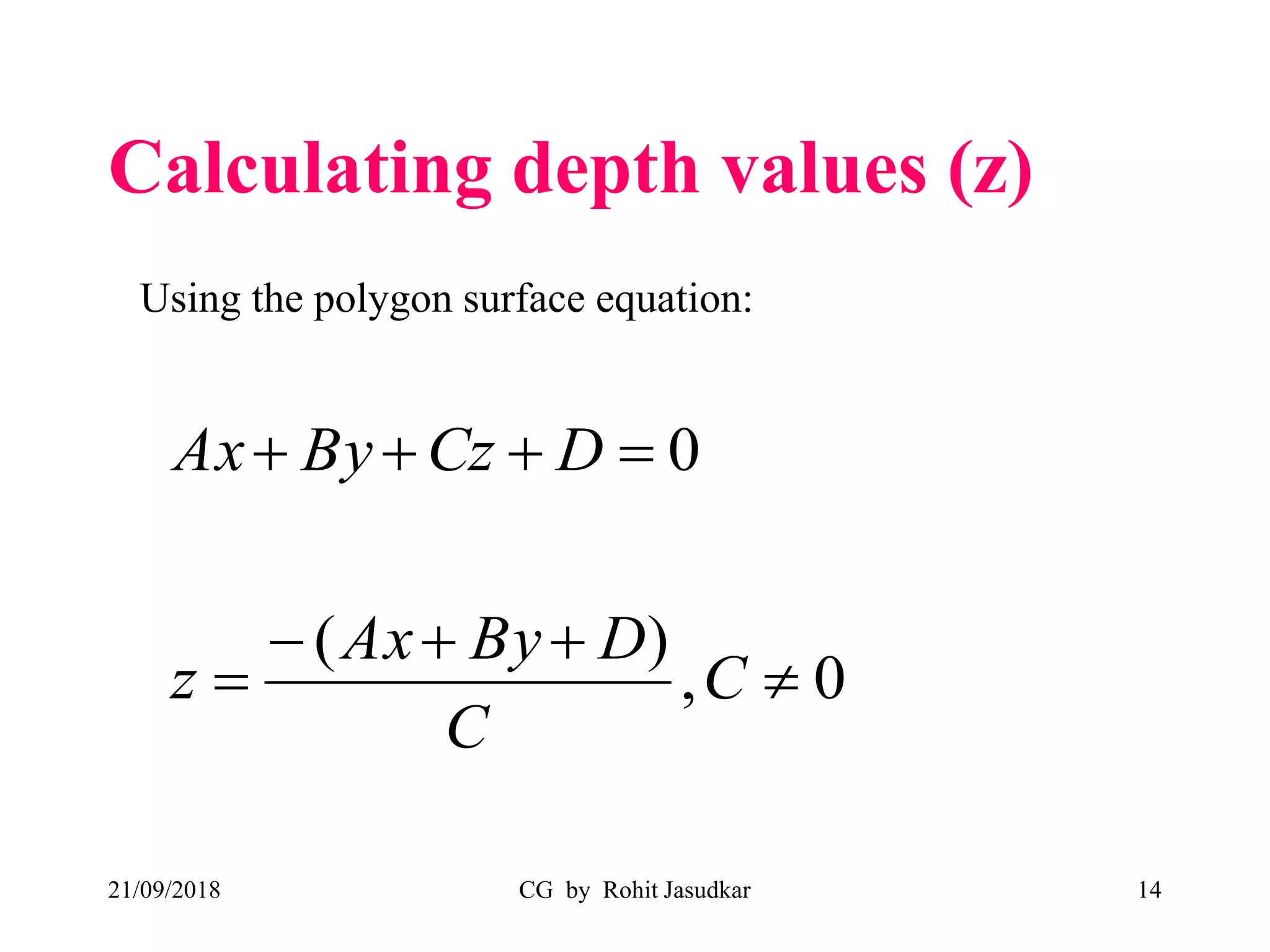
Calculating depth values (z)
21/09/2018 CG by Rohit Jasudkar 14
0,
)(
0




C
C
DByAx
z
DCzByAx
Using the polygon surface equation:
21/09/2018 CG by Rohit Jasudkar 15
21/09/2018 CG by Rohit Jasudkar 16
21/09/2018 CG by Rohit Jasudkar 17
21/09/2018 CG by Rohit Jasudkar 18
Advantages
• No Sorting of polygons required.
• No Object to Object Comparison.
• Can be applied to non polygonal object.
• Simple to use.
• Computing the required depth values is simple.
21/09/2018 CG by Rohit Jasudkar 19
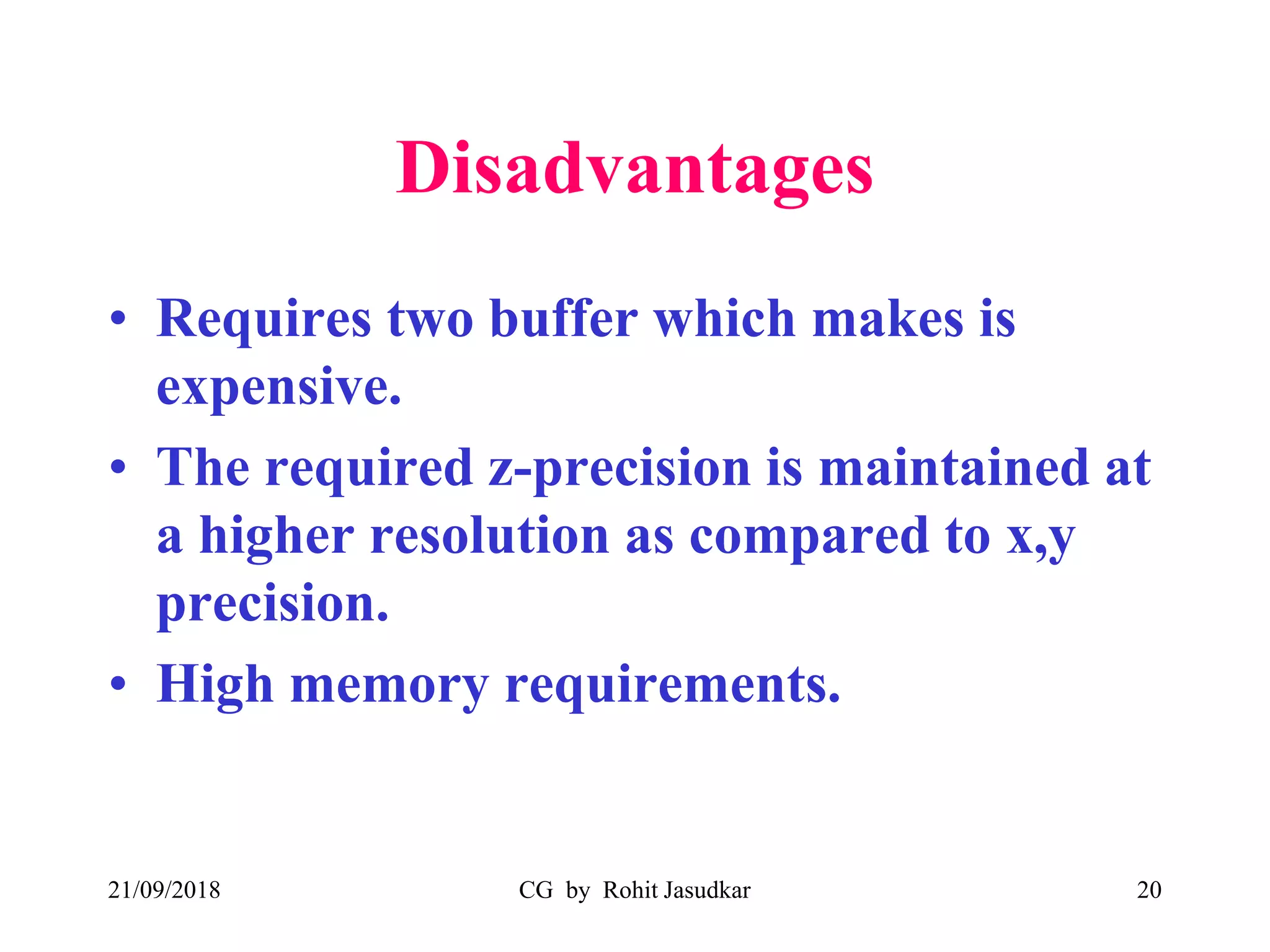
Disadvantages
• Requires two buffer which makes is
expensive.
• The required z-precision is maintained at
a higher resolution as compared to x,y
precision.
• High memory requirements.
21/09/2018 CG by Rohit Jasudkar 20
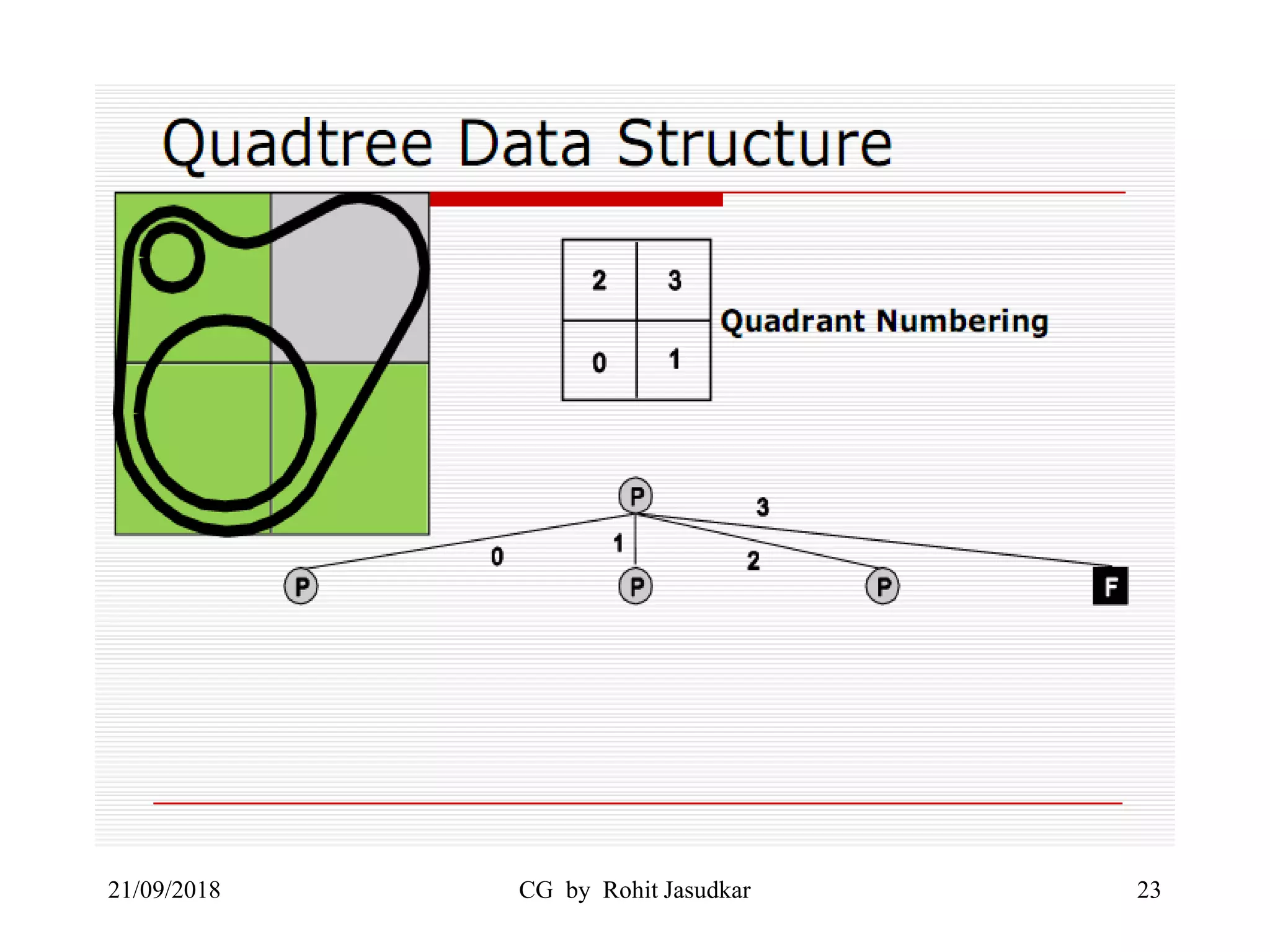
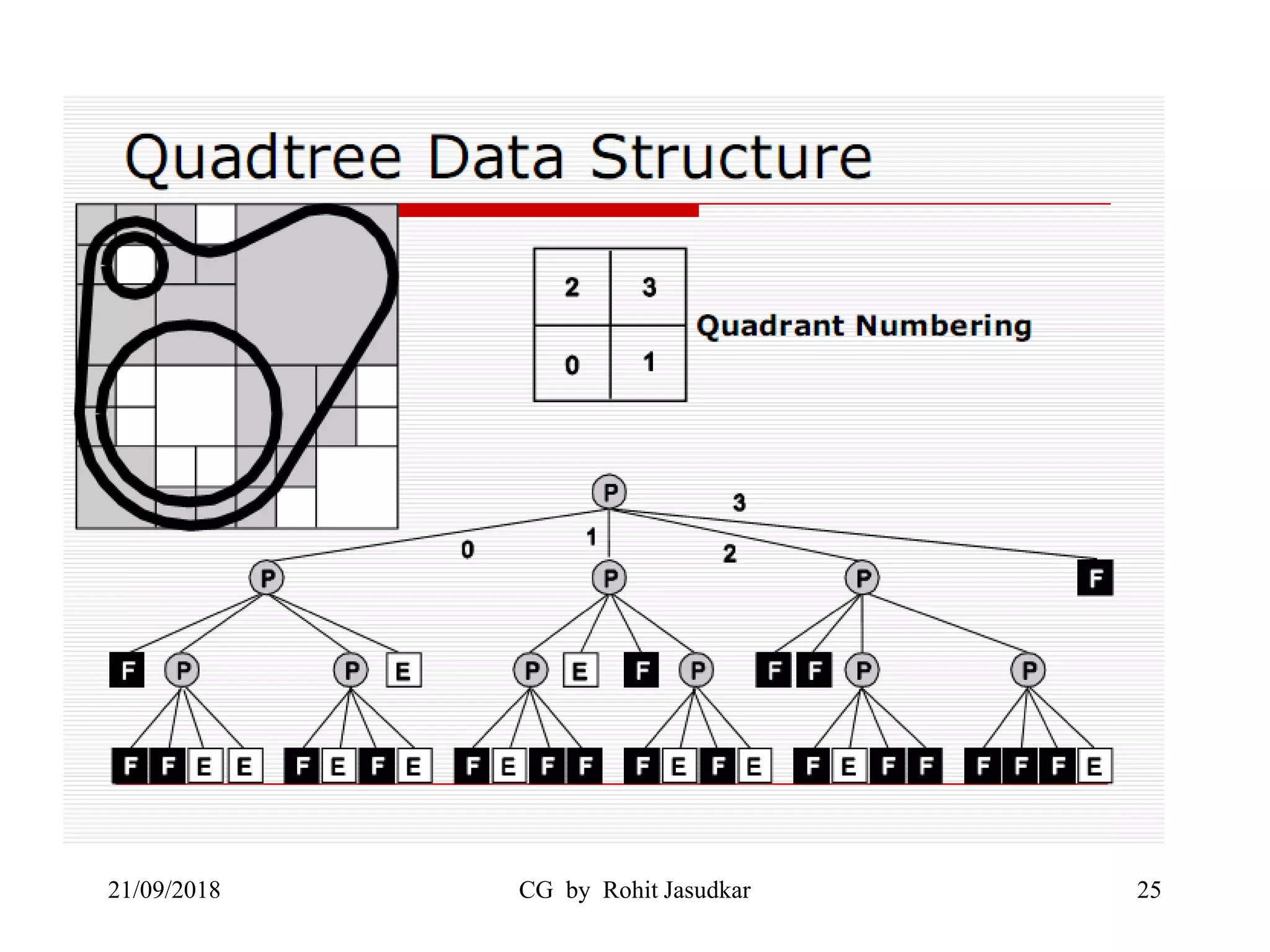
Warnock’s Algorithm
• Developed by John Warnocks.
• Based on the hypothesis of how human eye , brain
combination processes the information present in a
scene.
• Divide-and-conquer strategy: spatial partitioning in
the projection plane
• An area of the projection plane is examined
• If all polygons visible in that area can be easily
decided, they are displayed
• Otherwise, it is recursively decided
21/09/2018 CG by Rohit Jasudkar 21
21/09/2018 CG by Rohit Jasudkar 22
21/09/2018 CG by Rohit Jasudkar 23
21/09/2018 CG by Rohit Jasudkar 24
21/09/2018 CG by Rohit Jasudkar 25
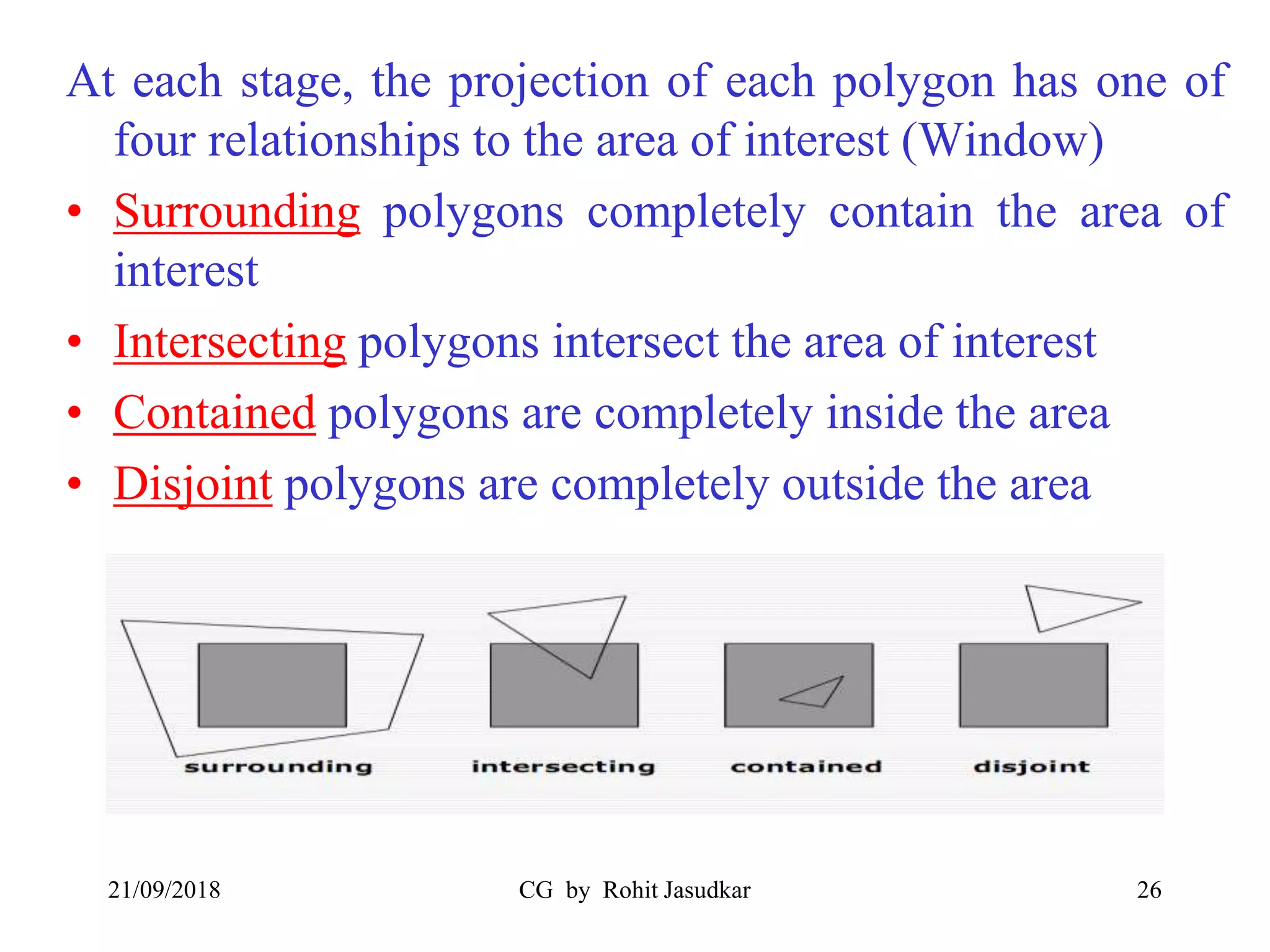
At each stage, the projection of each polygon has one of
four relationships to the area of interest (Window)
• Surrounding polygons completely contain the area of
interest
• Intersecting polygons intersect the area of interest
• Contained polygons are completely inside the area
• Disjoint polygons are completely outside the area
21/09/2018 CG by Rohit Jasudkar 26
For each window
• Disjoint polygons, the window is empty therefore
displayed with background intesity.
• Intersecting polygons can be split into disjoint and
contained polygons.
• If there is only one contained polygon, fill area with
background, then scan-fill polygon area.
• If there is a single surrounding polygon, and no
intersecting or contained polygons, display the
surrounding polygons color.
• There are more than one surrounding polygon in
window, front of all other polygons display the
surrounding polygon color in the area.
• Otherwise subdivide the window.
21/09/2018 CG by Rohit Jasudkar 27
Painter’s Algorithm
21/09/2018 CG by Rohit Jasudkar 28
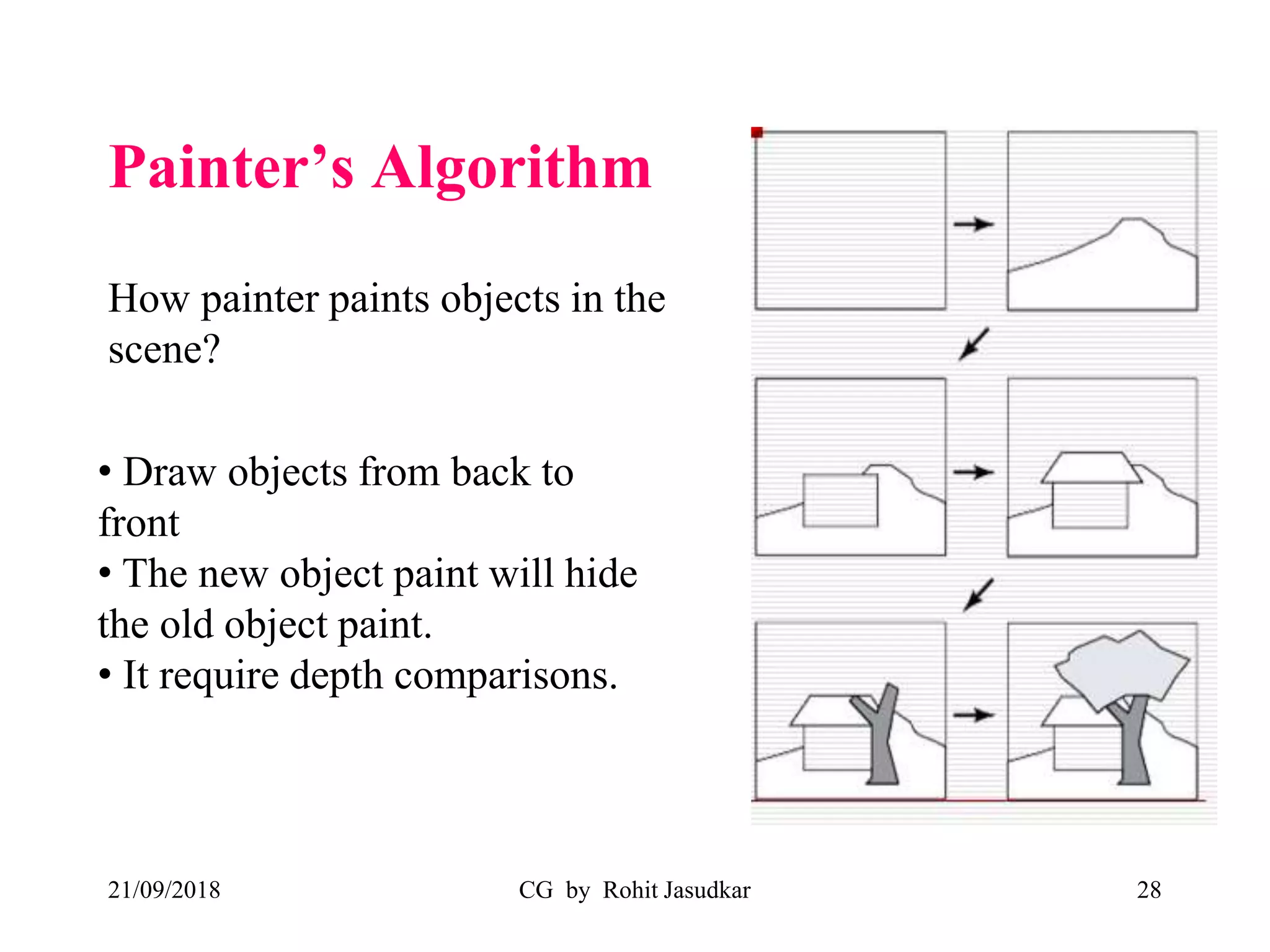
How painter paints objects in the
scene?
• Draw objects from back to
front
• The new object paint will hide
the old object paint.
• It require depth comparisons.
• Also known as Depth sort Algorithm or
Priority Algorithm.
• Two Basic functions:
1. Sort the polygons according to the farthest Z
coordinate
2. Scan convert each polygon in ascending order of
farthest z coordinate (back-to-front)
21/09/2018 CG by Rohit Jasudkar 29
• Simple algorithm:
– Sort all polygons based on their farthest z coordinate
– Resolve ambiguities (if overlapping of objects occurs)
– Draw the polygons in order from back to front
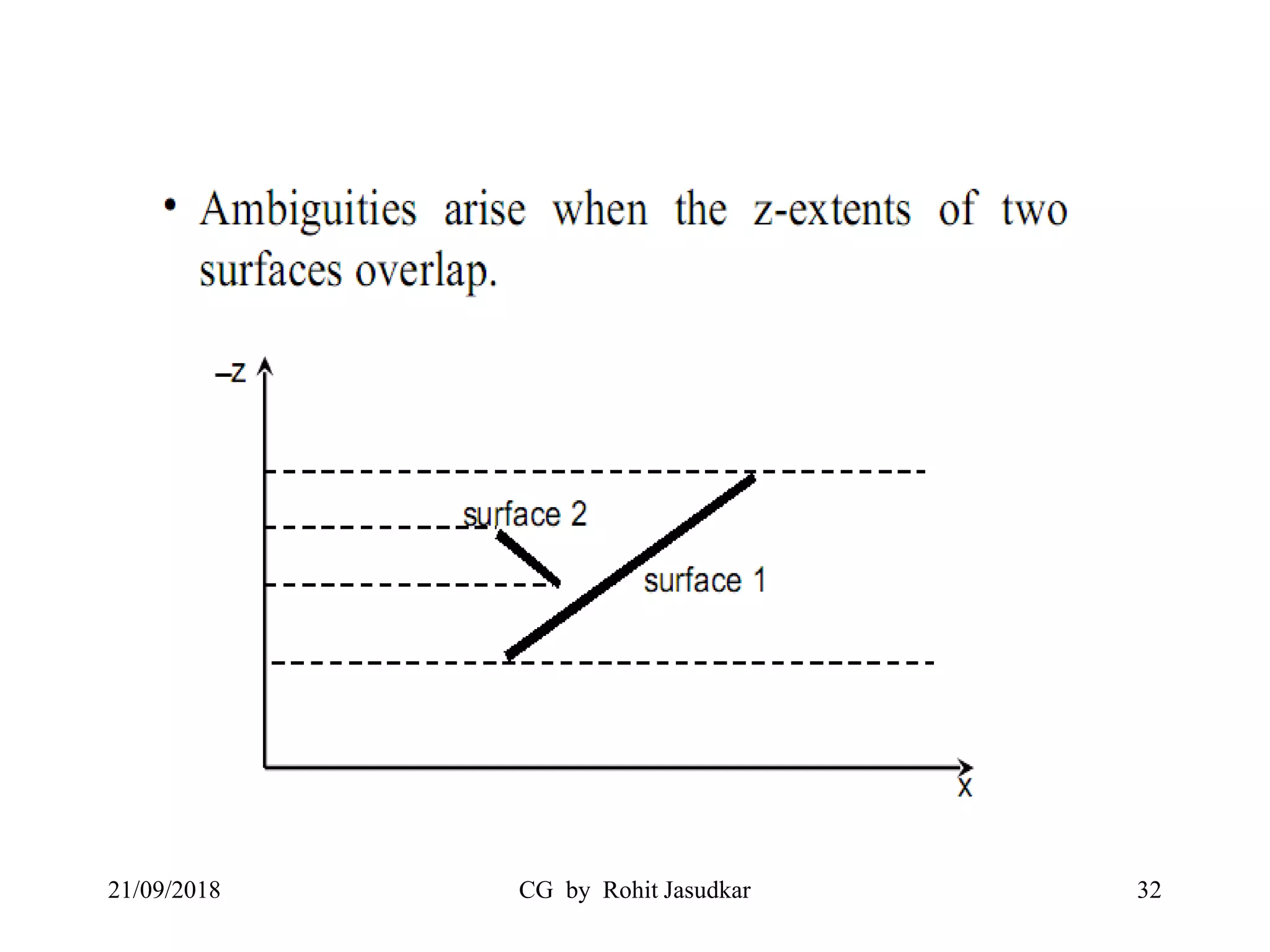
• This algorithm would be very simple if the z
coordinates of the polygons were guaranteed never
to overlap. Unfortunately that is usually not the
case, which means that step 2 can be somewhat
complex.
21/09/2018 CG by Rohit Jasudkar 30
21/09/2018 CG by Rohit Jasudkar 31
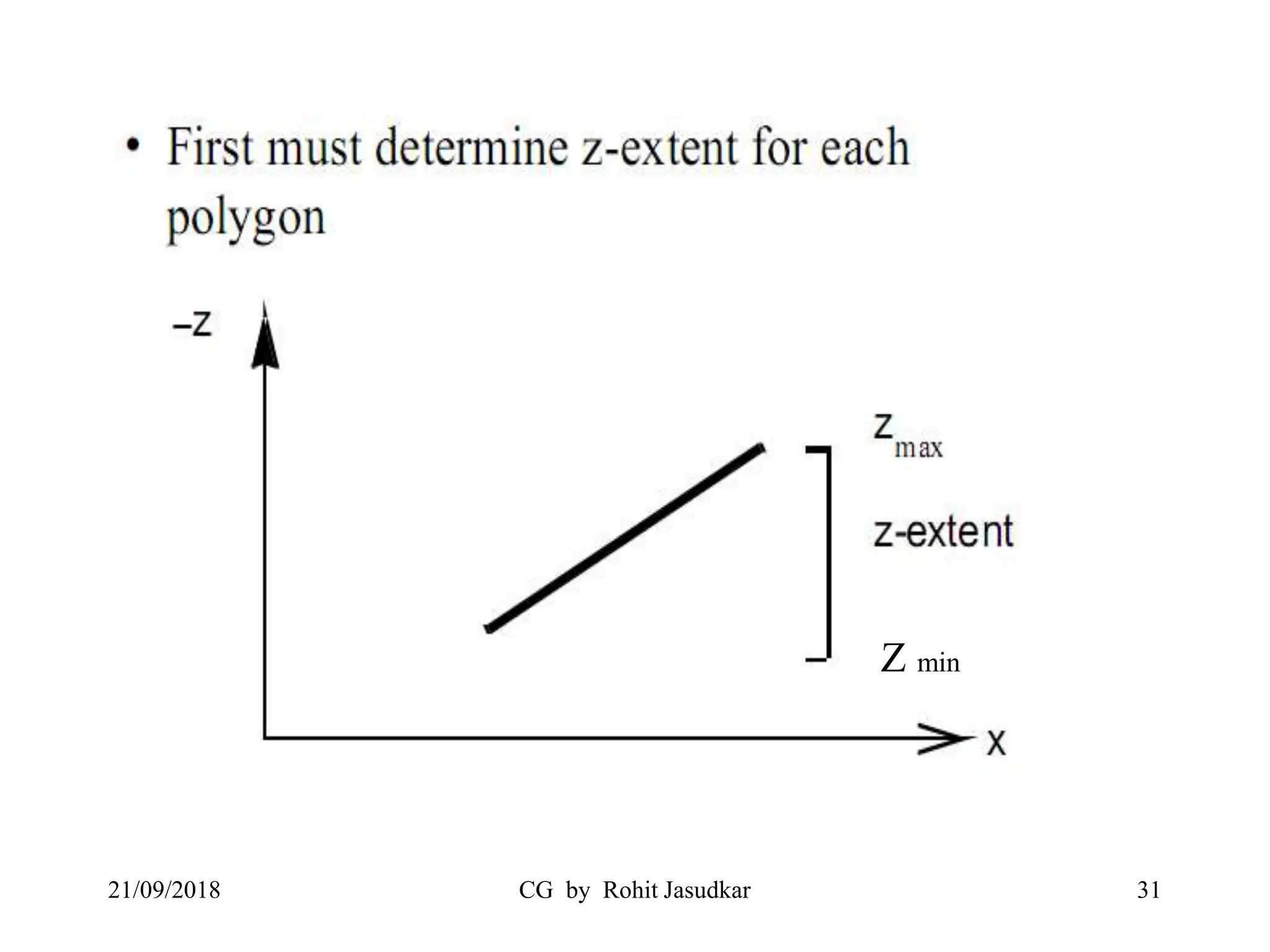
Z min
21/09/2018 CG by Rohit Jasudkar 32
Overlapping Problem
21/09/2018 CG by Rohit Jasudkar 33
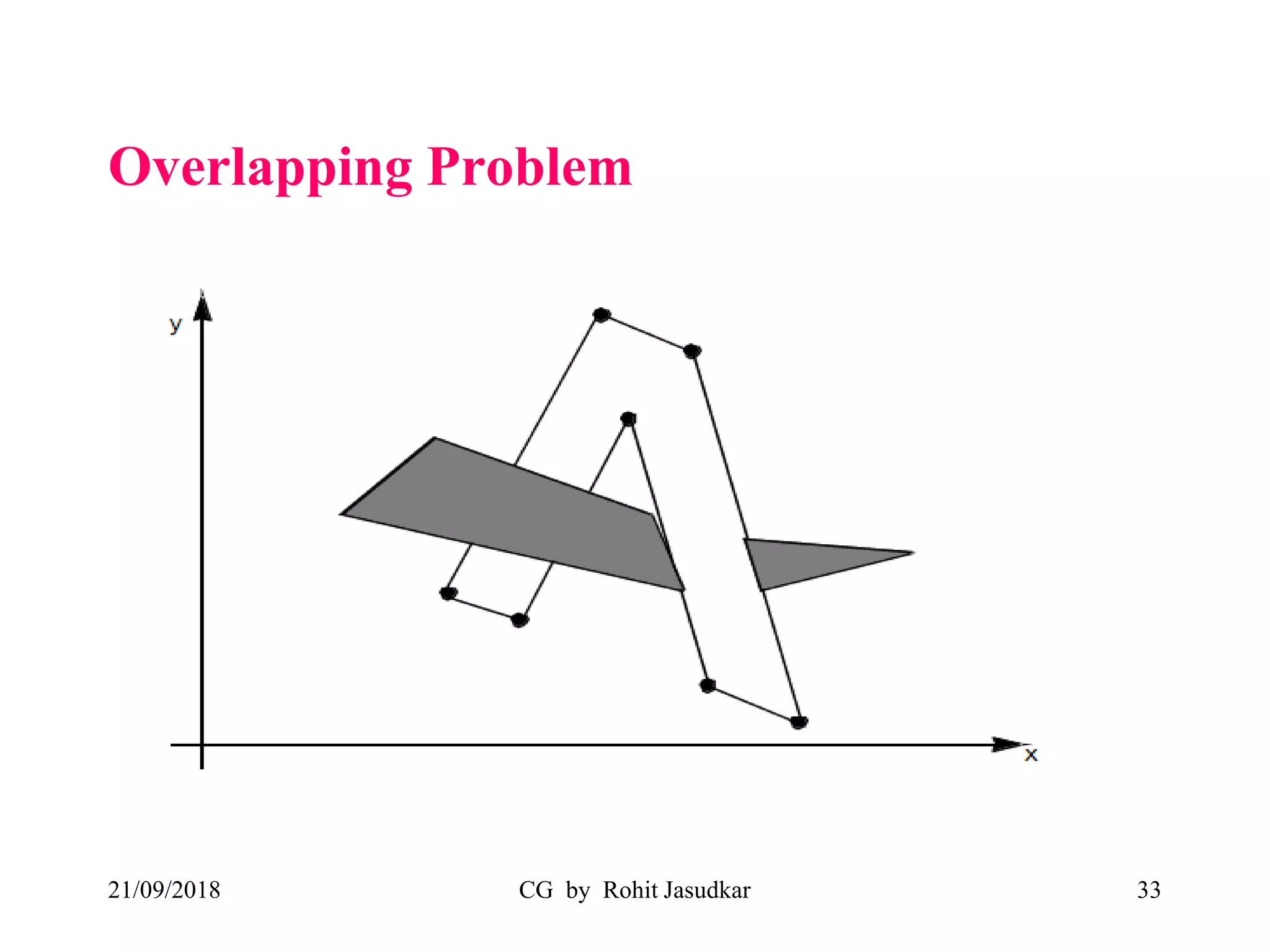
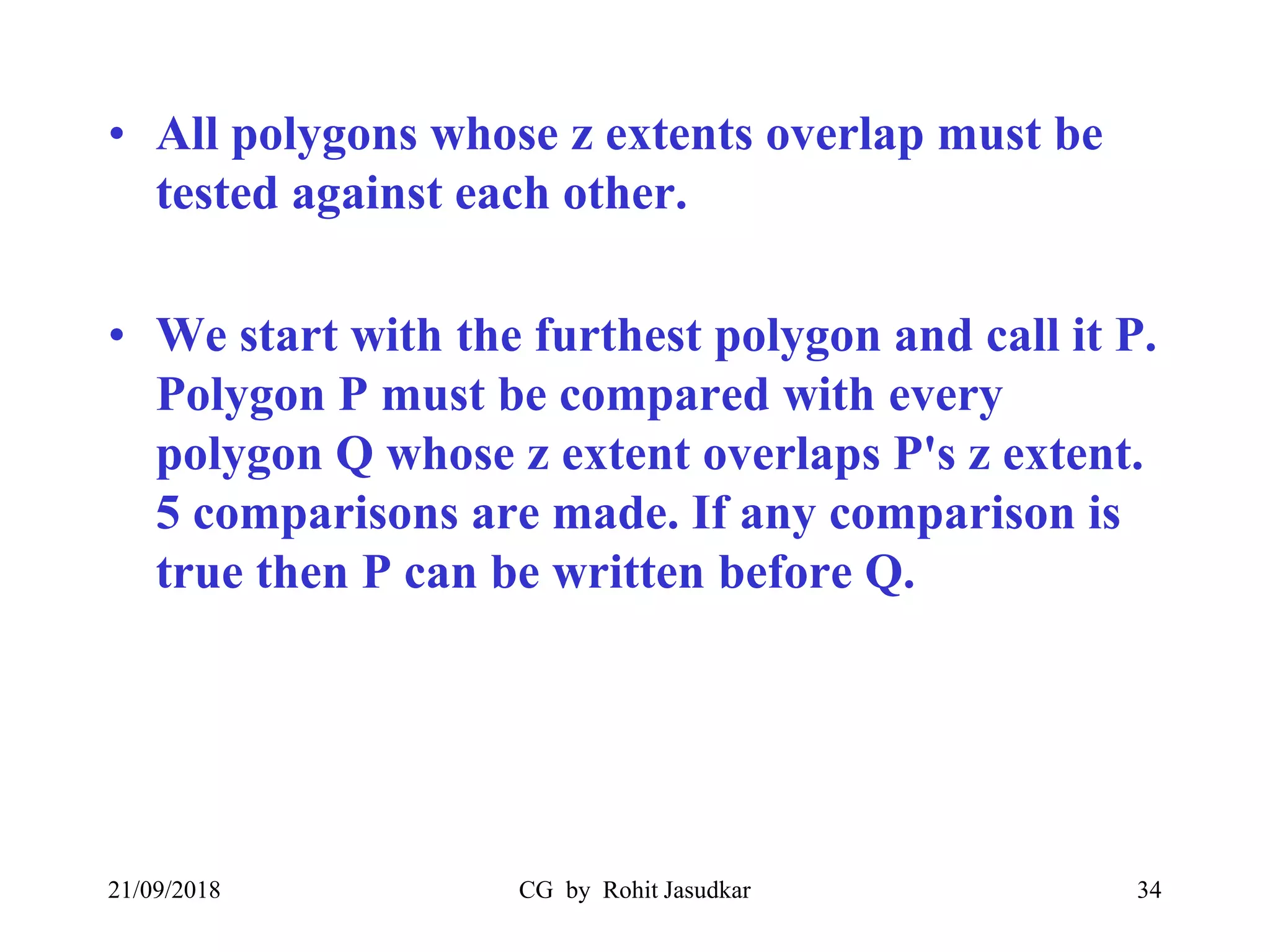
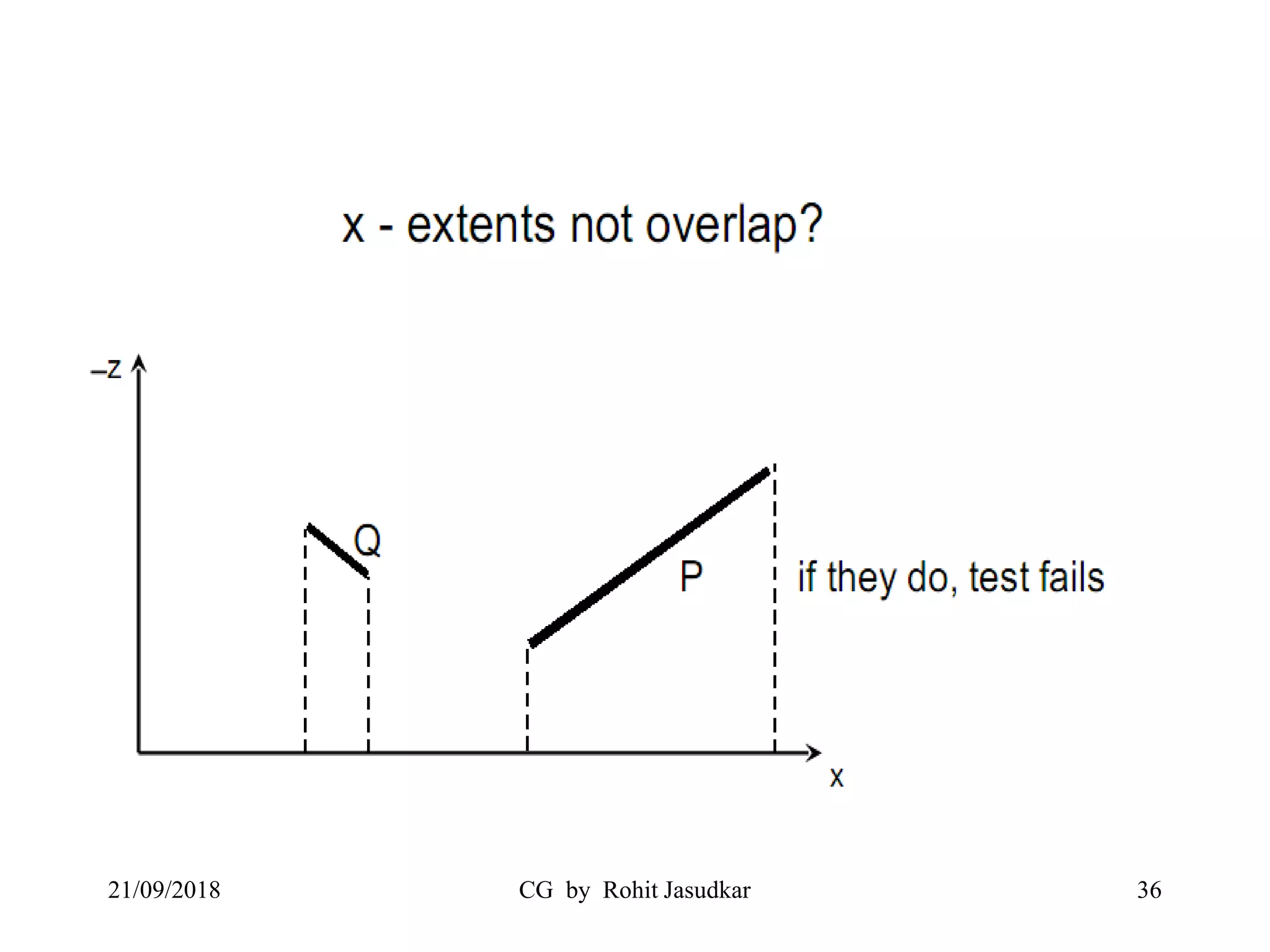
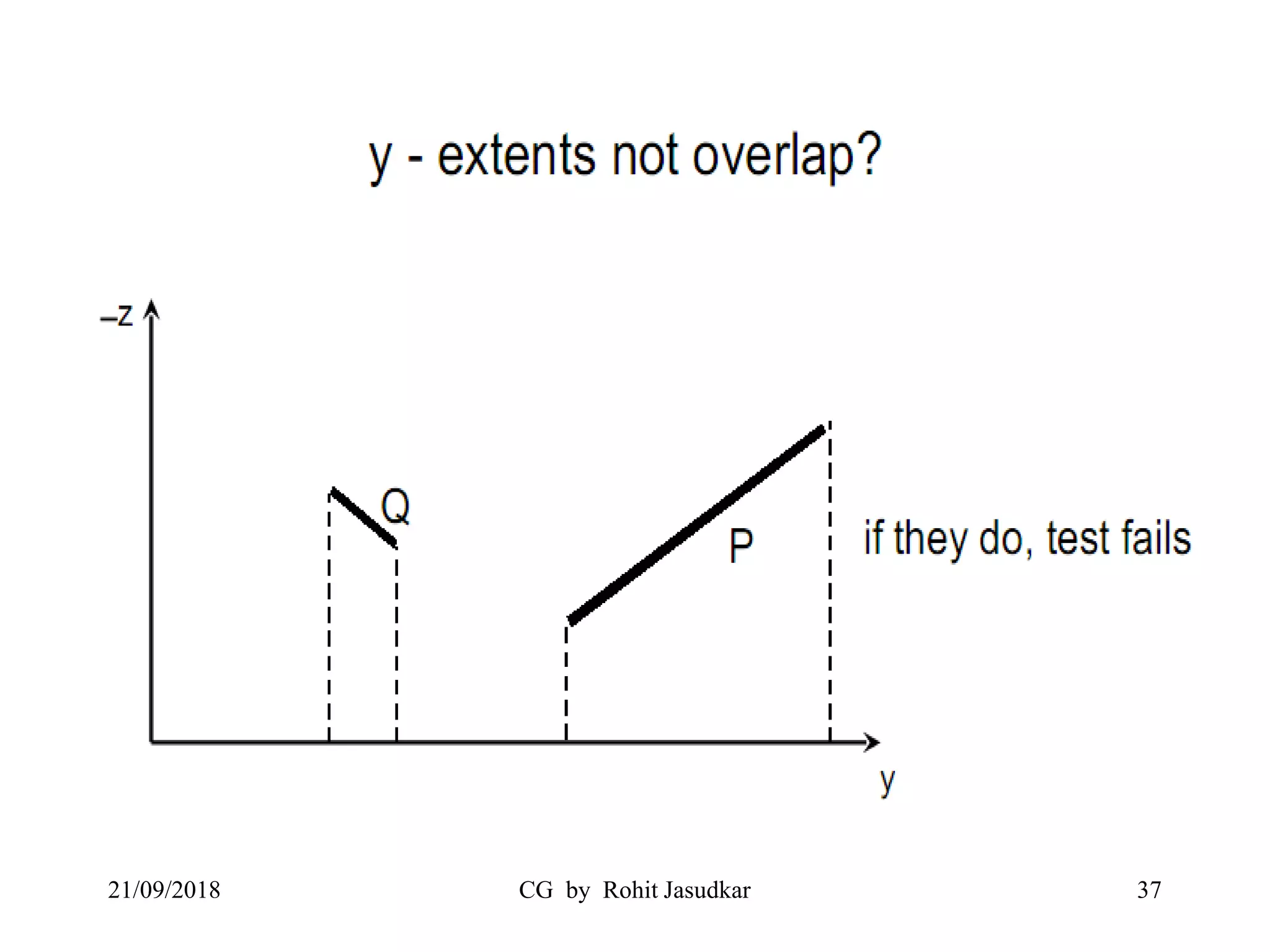
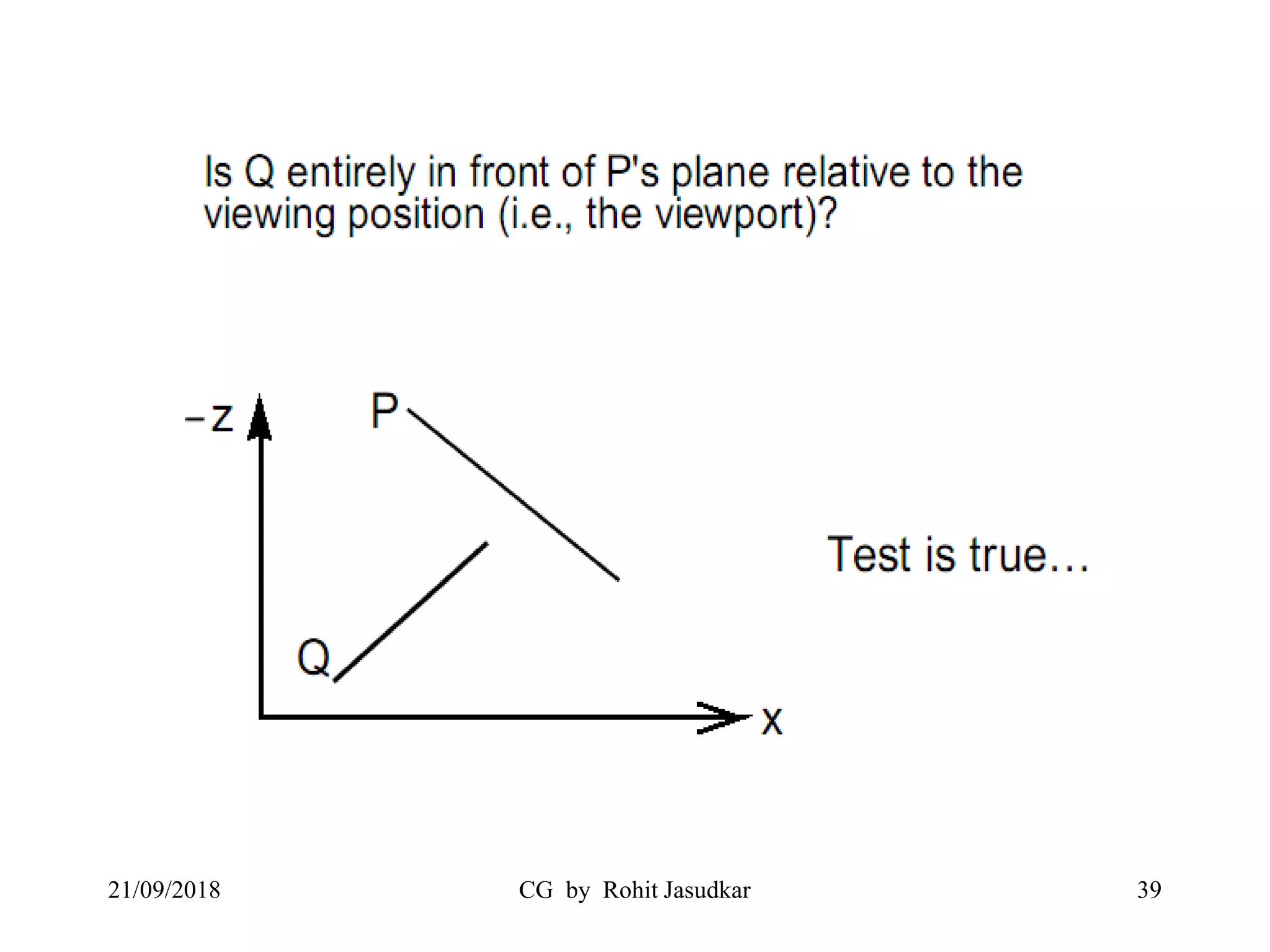
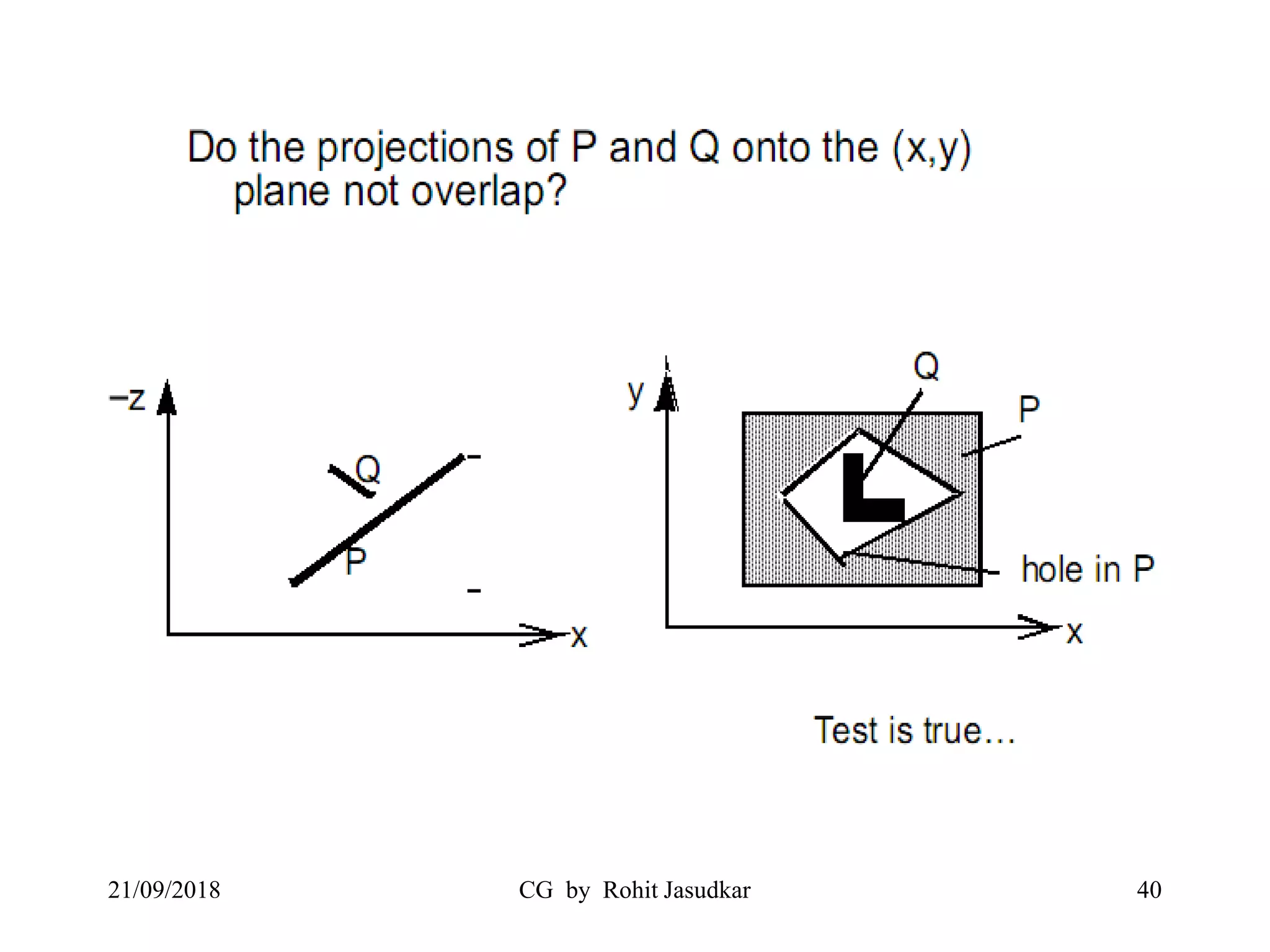
• All polygons whose z extents overlap must be
tested against each other.
• We start with the furthest polygon and call it P.
Polygon P must be compared with every
polygon Q whose z extent overlaps P's z extent.
5 comparisons are made. If any comparison is
true then P can be written before Q.
21/09/2018 CG by Rohit Jasudkar 34
Test Cases
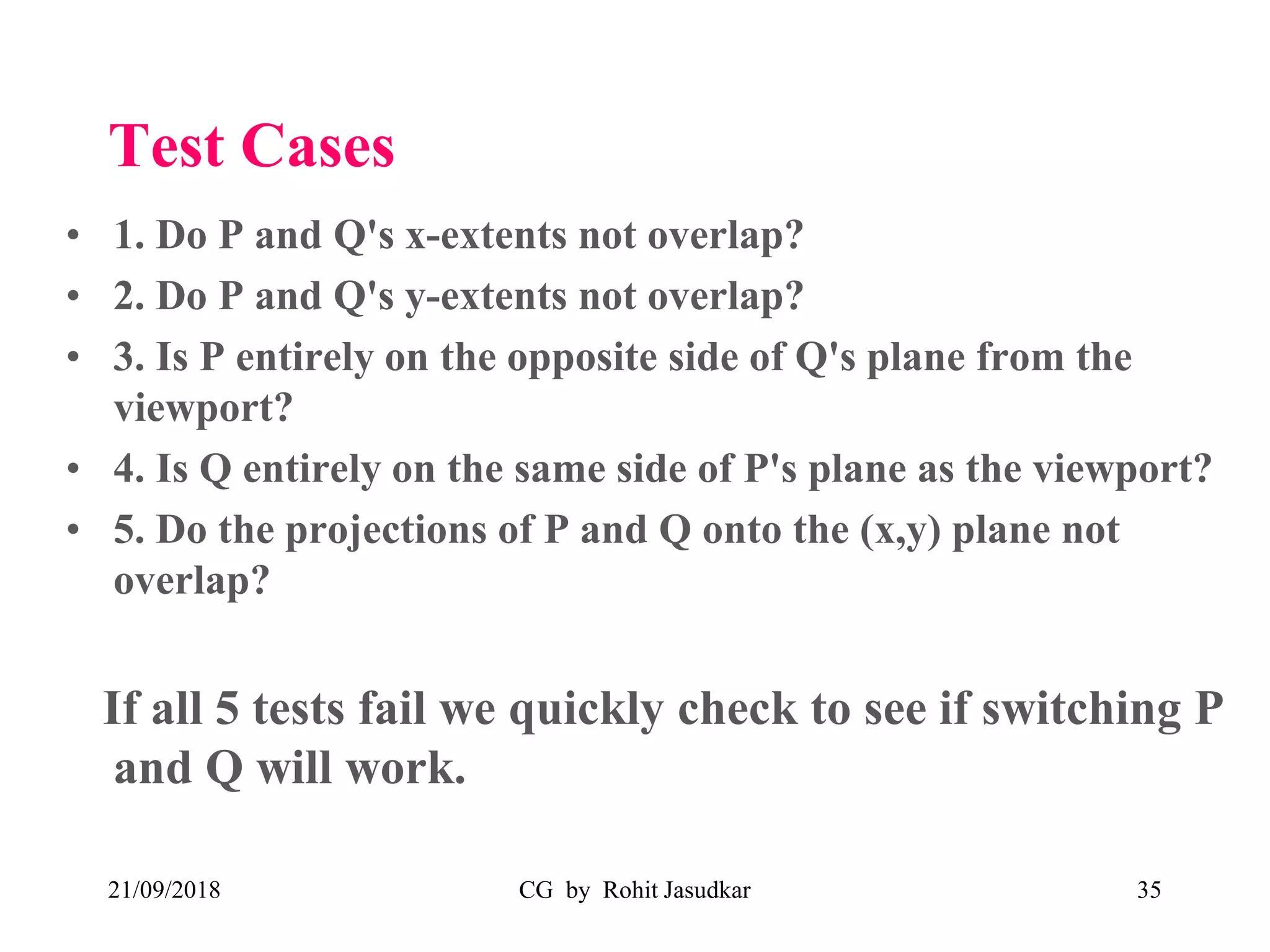
• 1. Do P and Q's x-extents not overlap?
• 2. Do P and Q's y-extents not overlap?
• 3. Is P entirely on the opposite side of Q's plane from the
viewport?
• 4. Is Q entirely on the same side of P's plane as the viewport?
• 5. Do the projections of P and Q onto the (x,y) plane not
overlap?
If all 5 tests fail we quickly check to see if switching P
and Q will work.
21/09/2018 CG by Rohit Jasudkar 35
21/09/2018 CG by Rohit Jasudkar 36
21/09/2018 CG by Rohit Jasudkar 37
21/09/2018 CG by Rohit Jasudkar 38
21/09/2018 CG by Rohit Jasudkar 39
21/09/2018 CG by Rohit Jasudkar 40
21/09/2018 CG by Rohit Jasudkar 41
Backface Removal Algorithm
21/09/2018 CG by Rohit Jasudkar 42
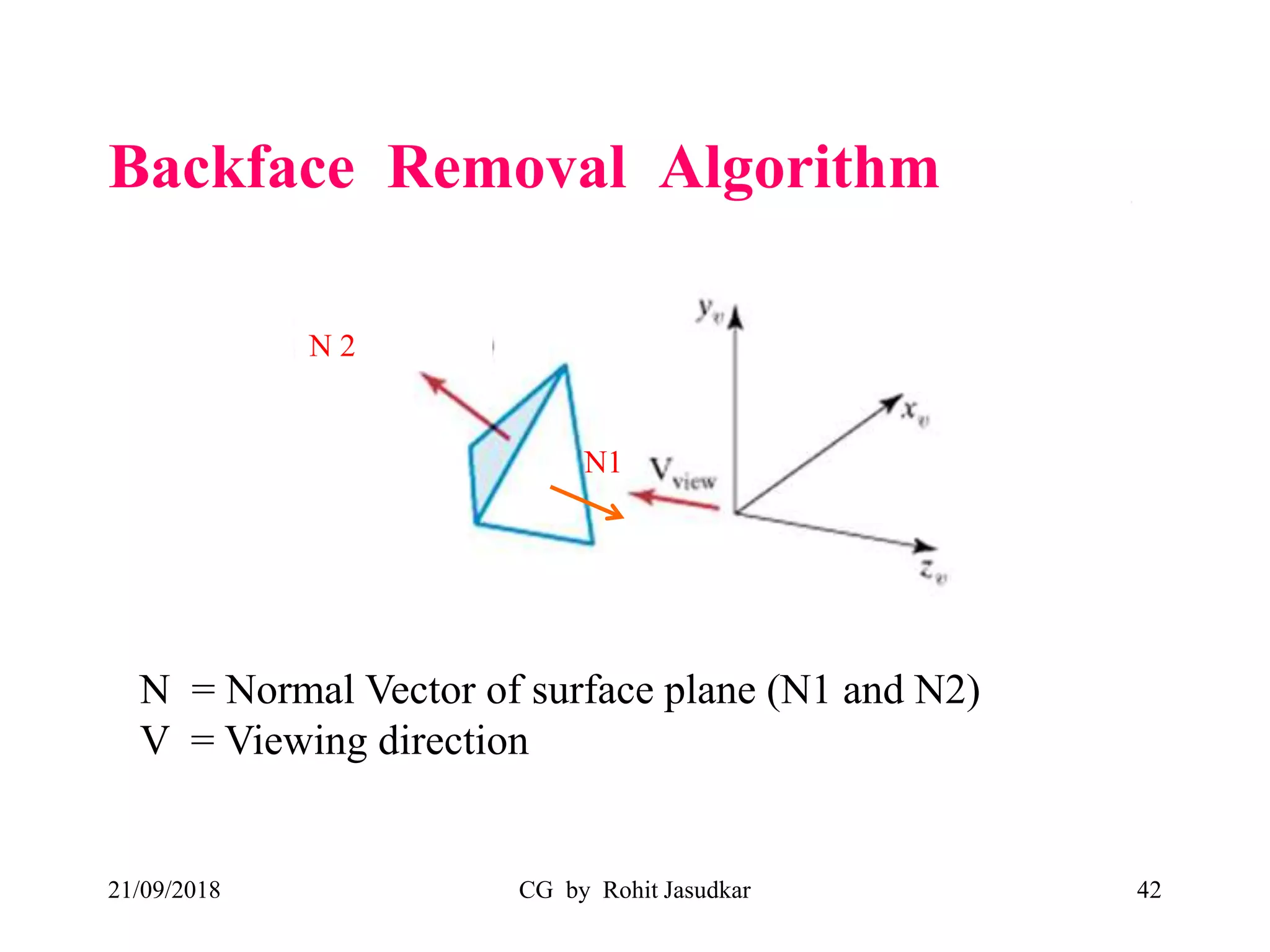
N = Normal Vector of surface plane (N1 and N2)
V = Viewing direction
N1
N 2
21/09/2018 CG by Rohit Jasudkar 43
if N.V > 0
it is back-face of object from viewing
direction
if N.V < 0
it is front face of object from viewing
direction
Example:
• N1.V < 0 Therefore N1 plane is front face (Visible)
• N2.V > 0 Therefore N2 plane is back face (Invisible)
Curves and surfaces
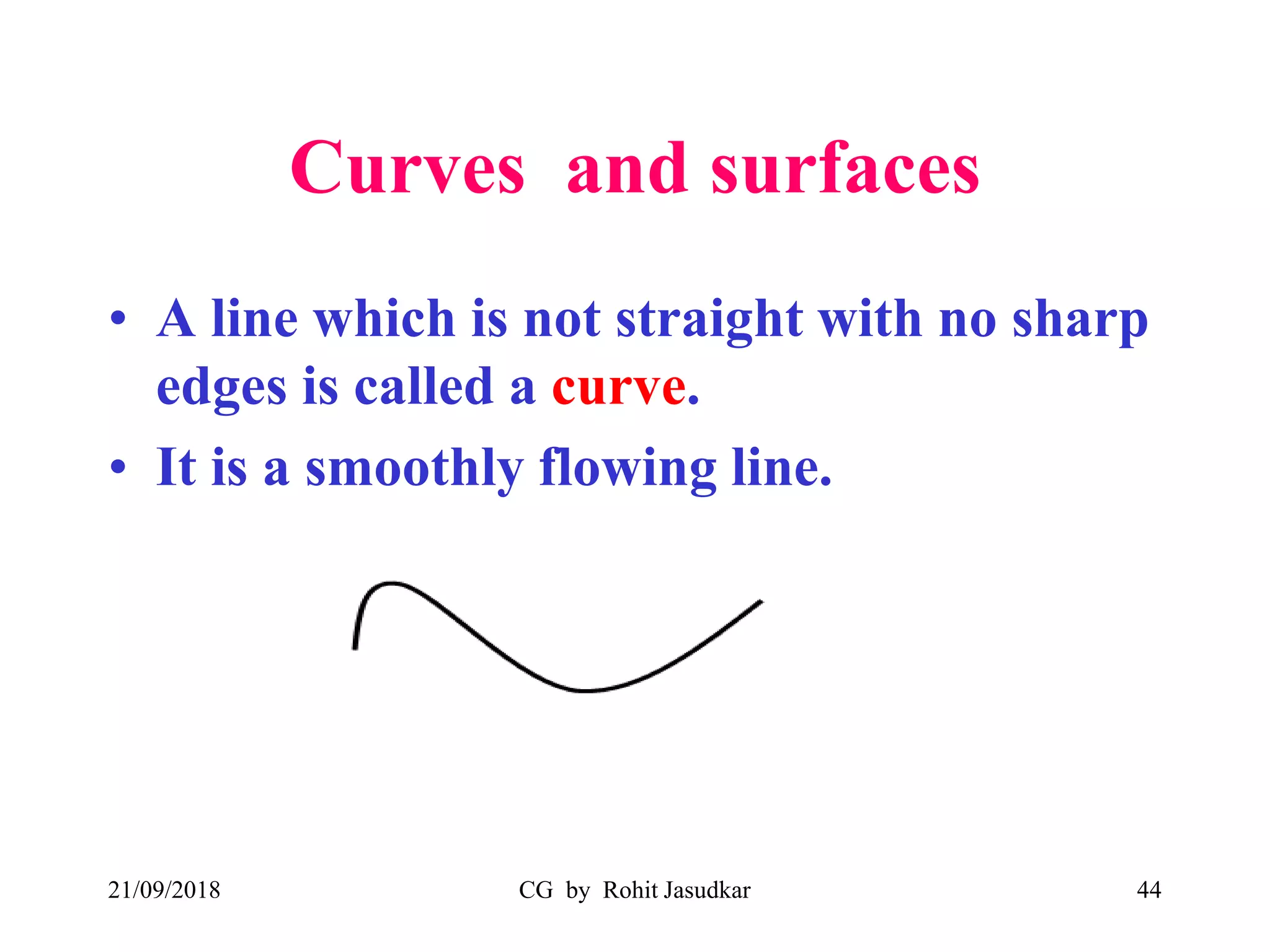
• A line which is not straight with no sharp
edges is called a curve.
• It is a smoothly flowing line.
21/09/2018 CG by Rohit Jasudkar 44
Interpolation vs. Approximation
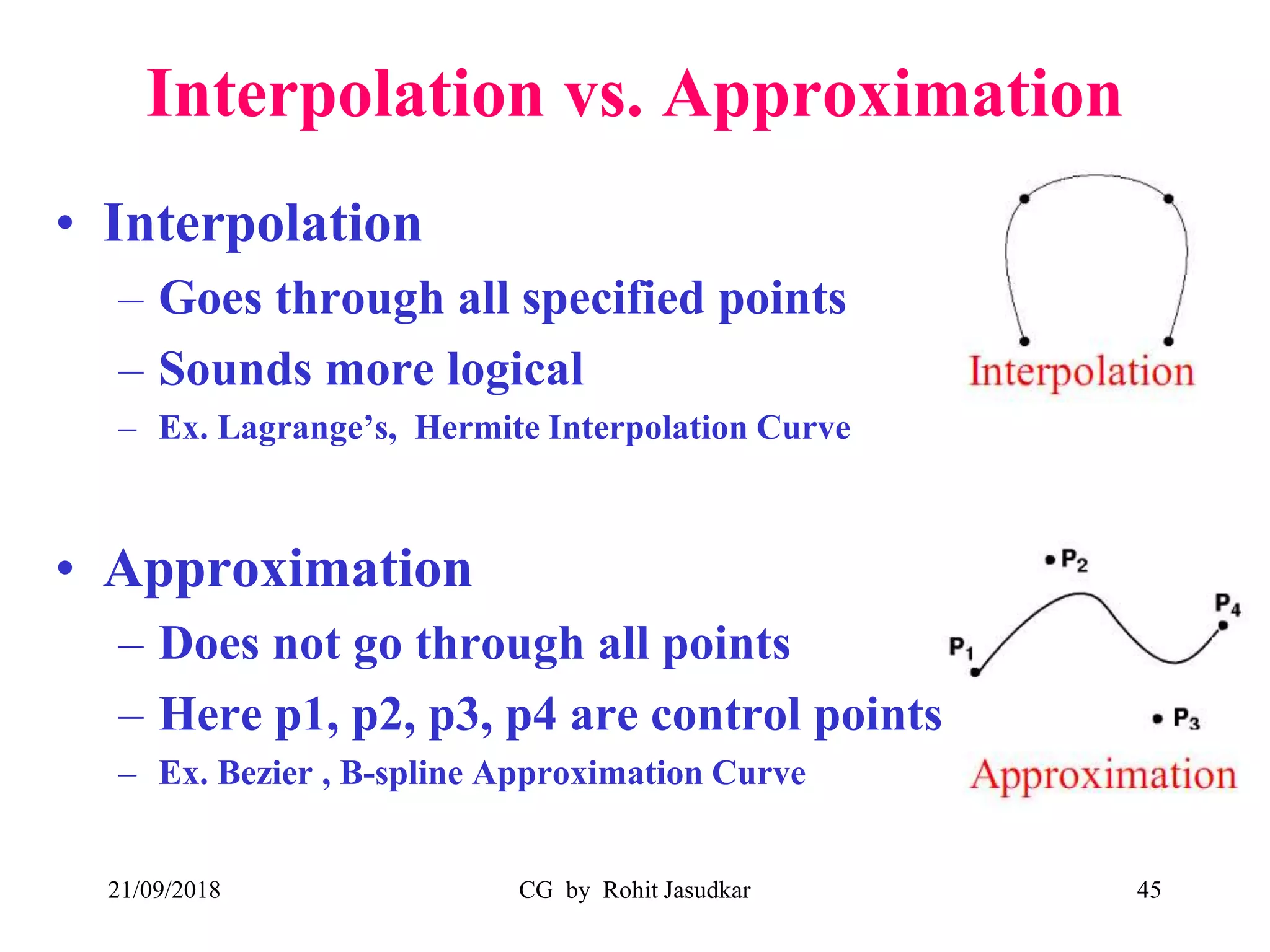
• Interpolation
– Goes through all specified points
– Sounds more logical
– Ex. Lagrange’s, Hermite Interpolation Curve
• Approximation
– Does not go through all points
– Here p1, p2, p3, p4 are control points
– Ex. Bezier , B-spline Approximation Curve
21/09/2018 CG by Rohit Jasudkar 45
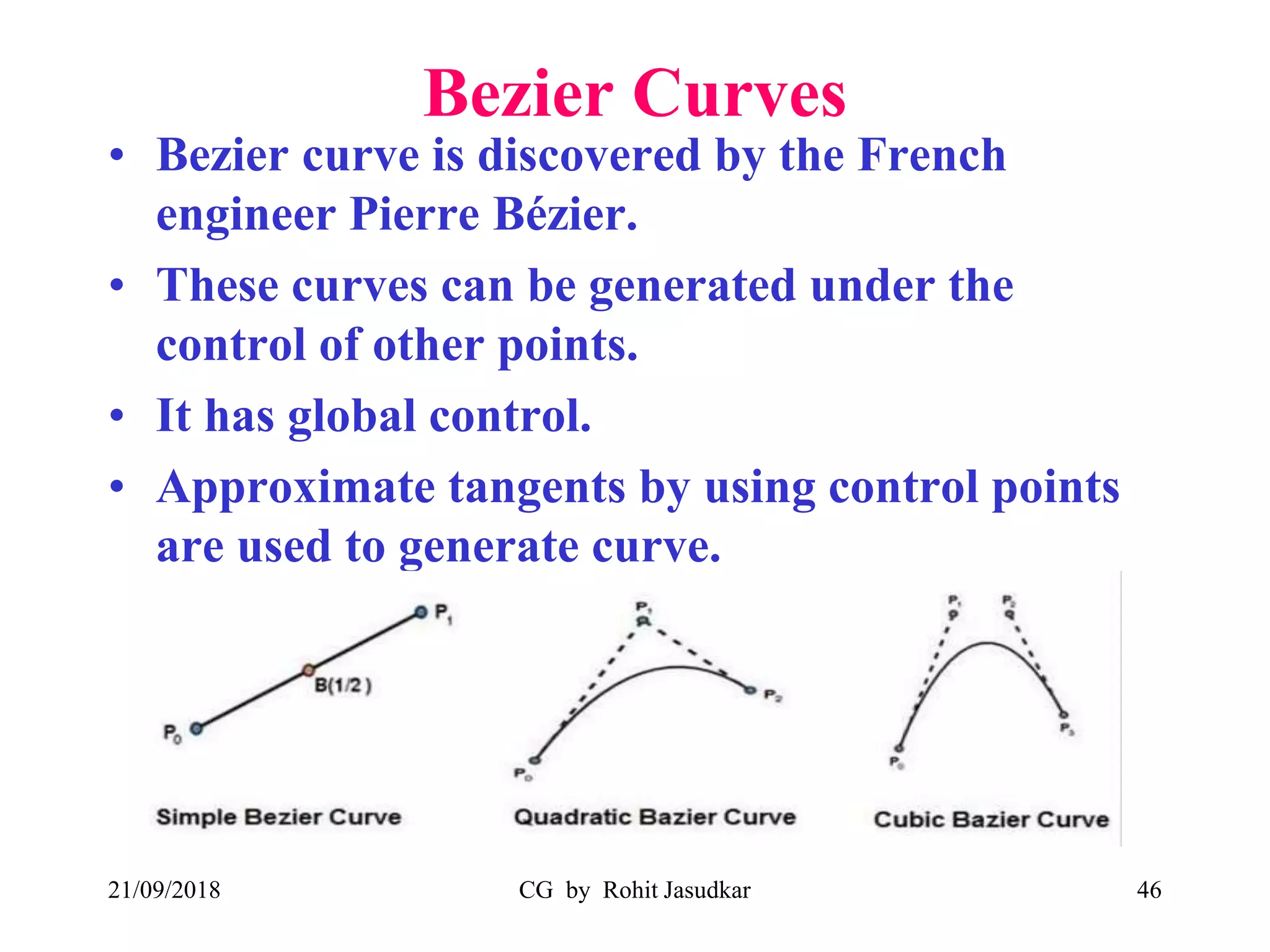
Bezier Curves
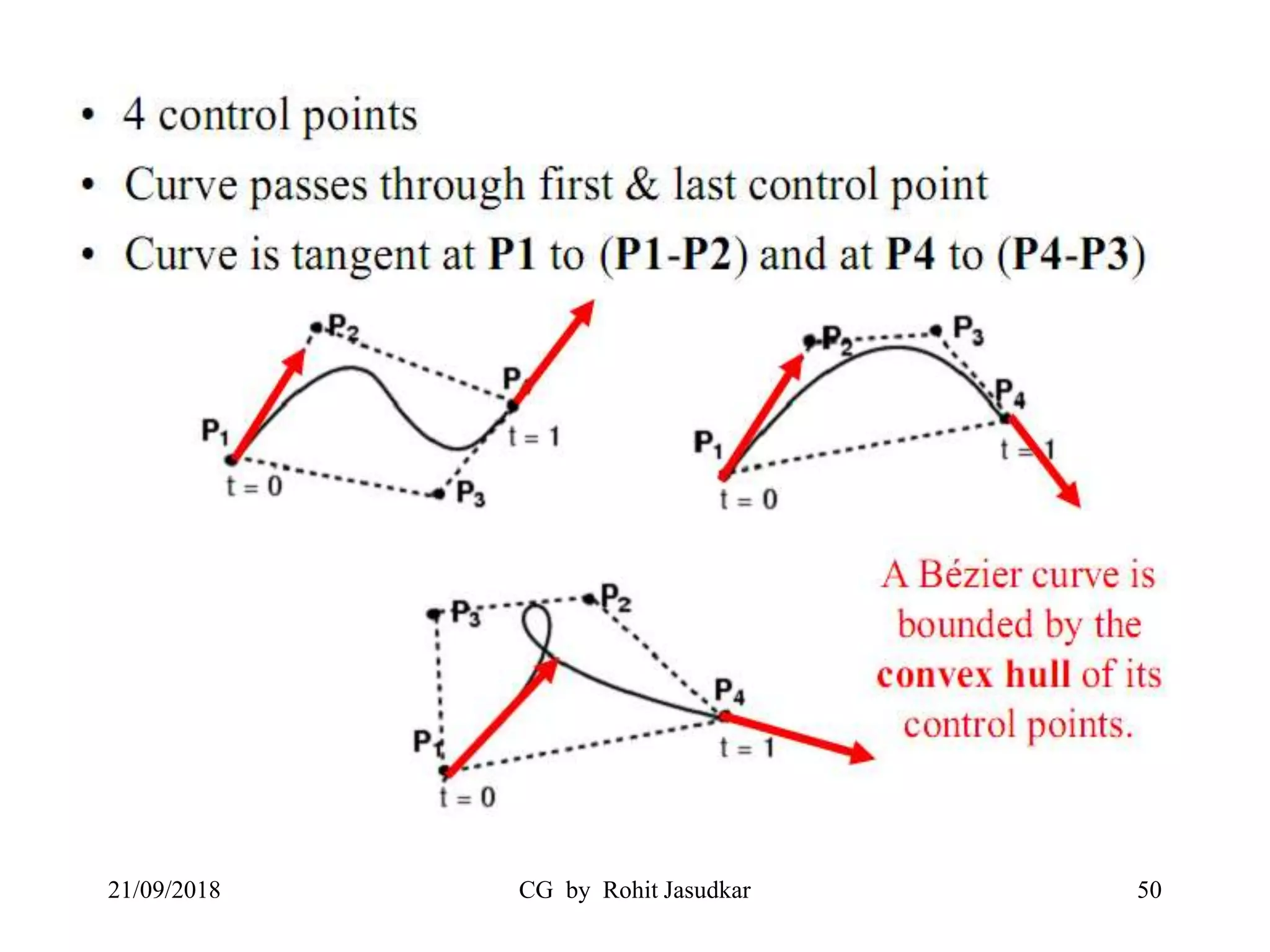
• Bezier curve is discovered by the French
engineer Pierre Bézier.
• These curves can be generated under the
control of other points.
• It has global control.
• Approximate tangents by using control points
are used to generate curve.
21/09/2018 CG by Rohit Jasudkar 46
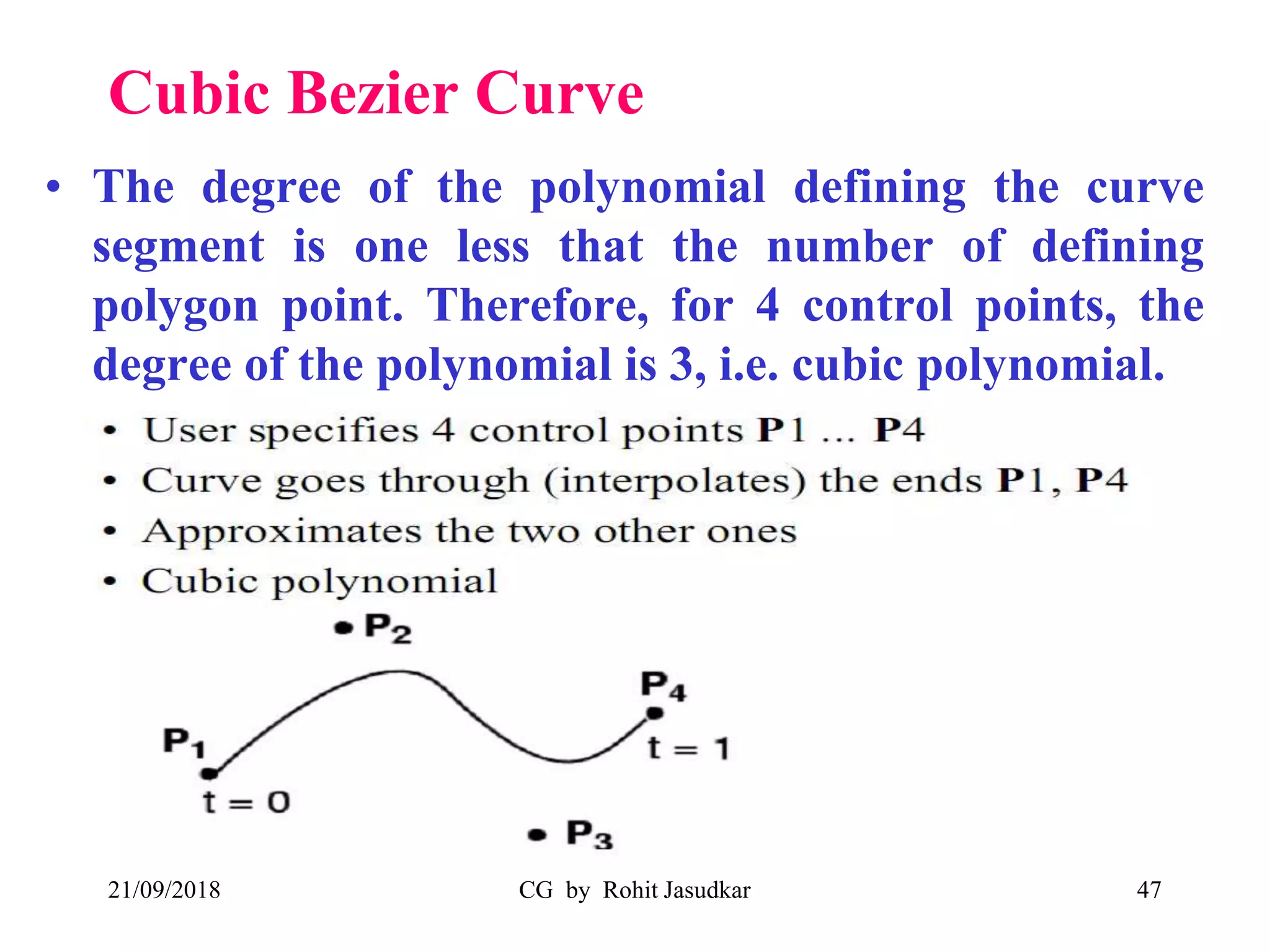
Cubic Bezier Curve
• The degree of the polynomial defining the curve
segment is one less that the number of defining
polygon point. Therefore, for 4 control points, the
degree of the polynomial is 3, i.e. cubic polynomial.
21/09/2018 CG by Rohit Jasudkar 47
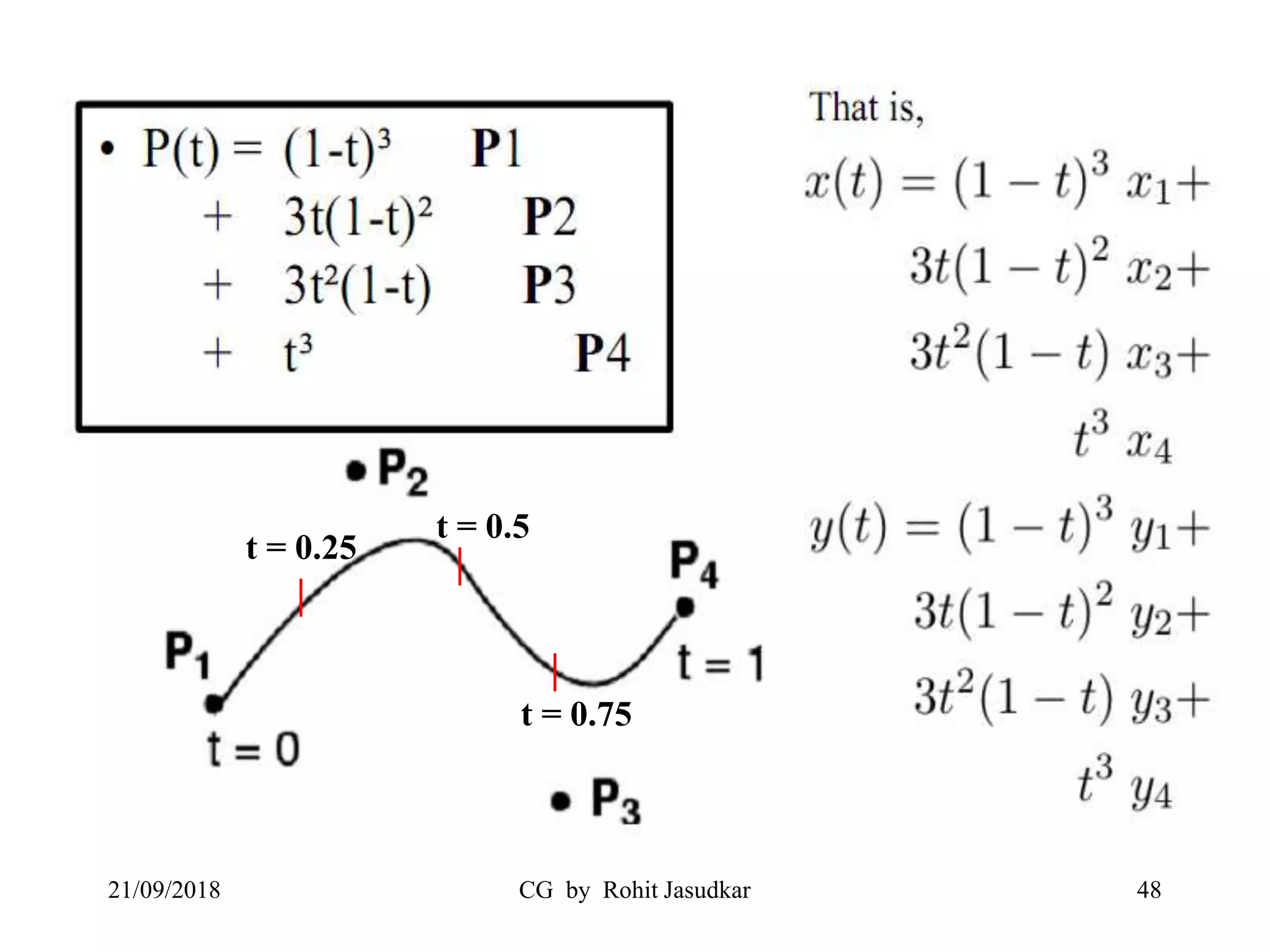
21/09/2018 CG by Rohit Jasudkar 48
|
|
|
t = 0.25
t = 0.5
t = 0.75
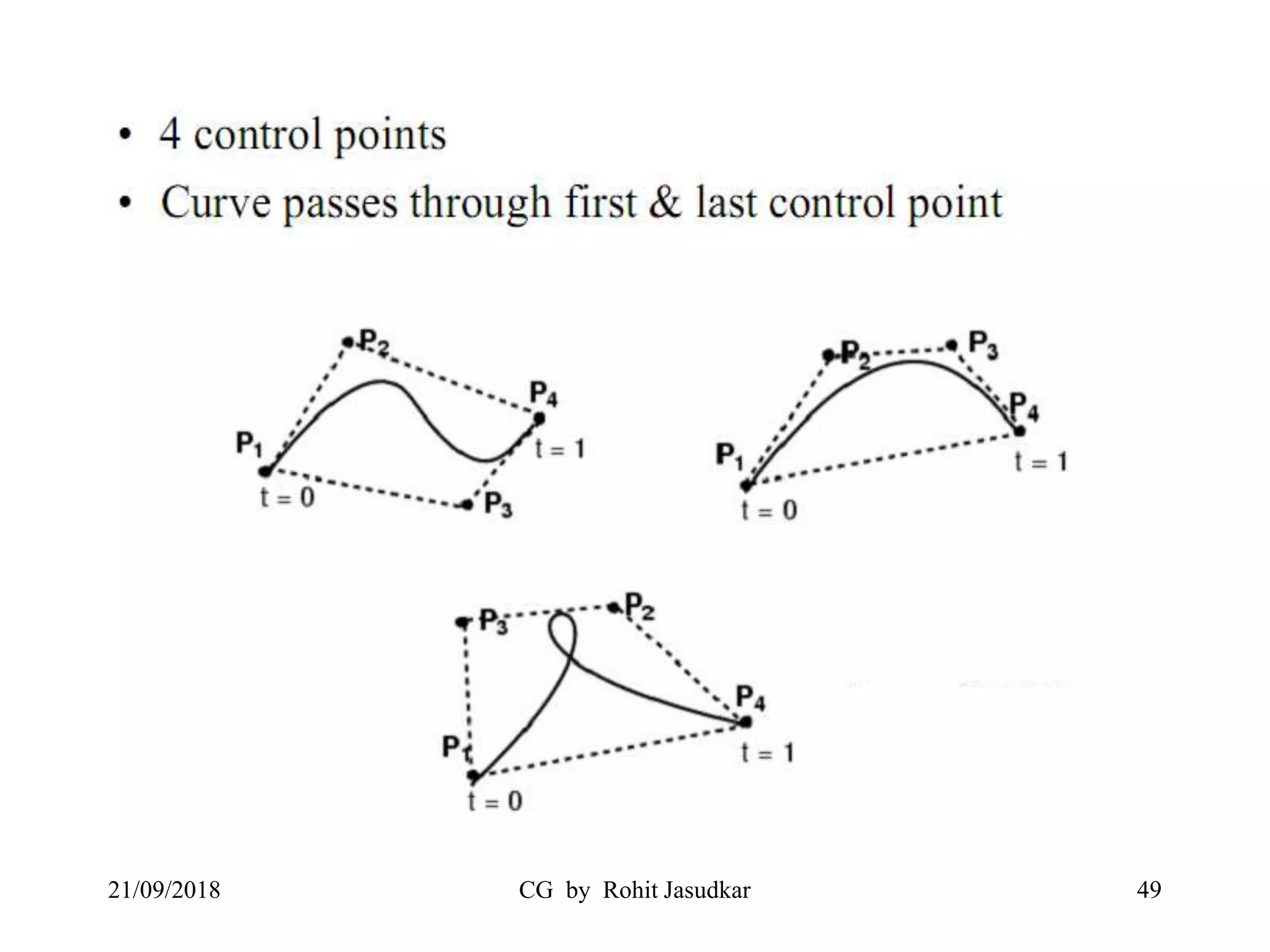
21/09/2018 CG by Rohit Jasudkar 49
21/09/2018 CG by Rohit Jasudkar 50
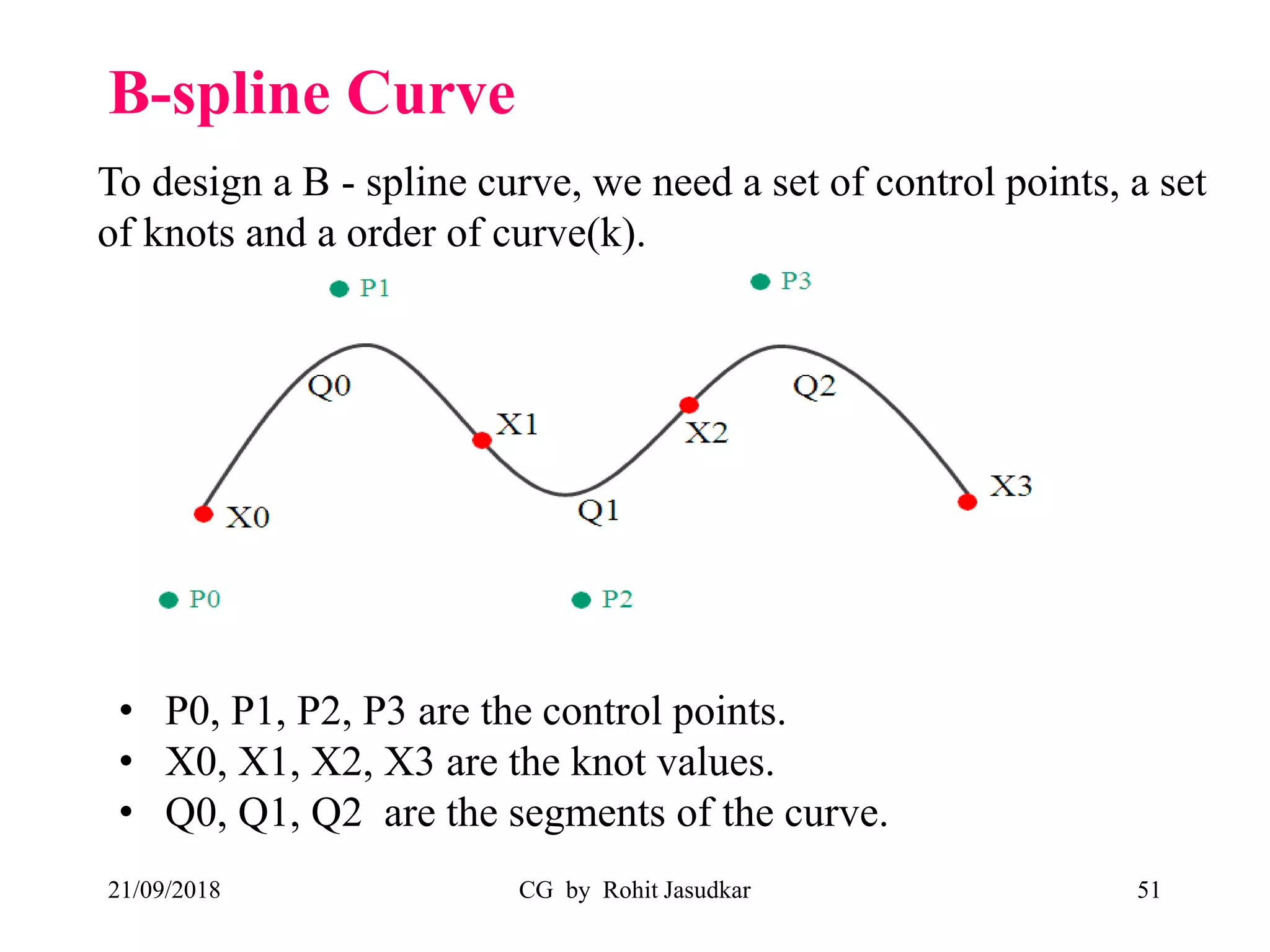
B-spline Curve
21/09/2018 CG by Rohit Jasudkar 51
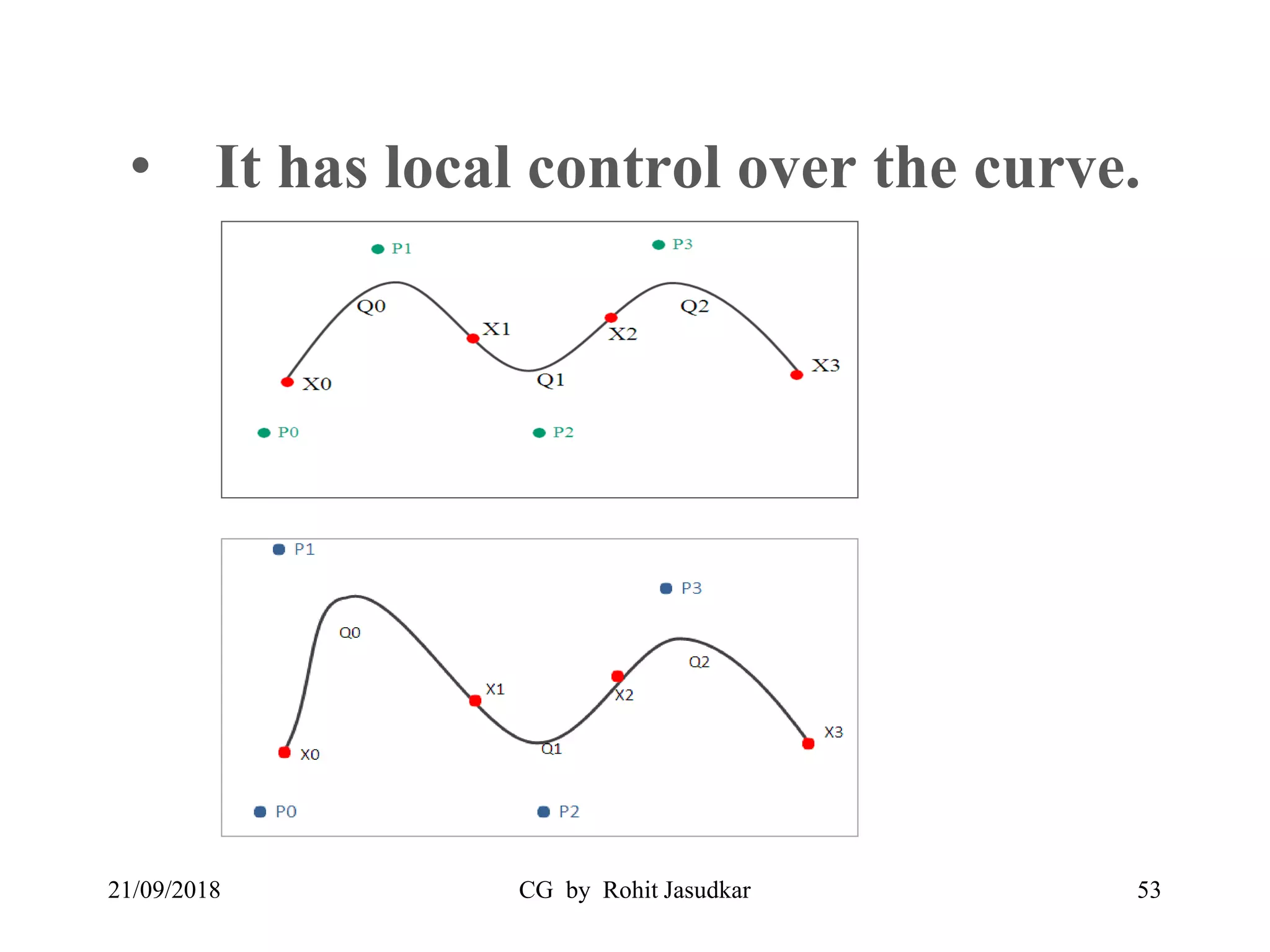
• P0, P1, P2, P3 are the control points.
• X0, X1, X2, X3 are the knot values.
• Q0, Q1, Q2 are the segments of the curve.
To design a B - spline curve, we need a set of control points, a set
of knots and a order of curve(k).
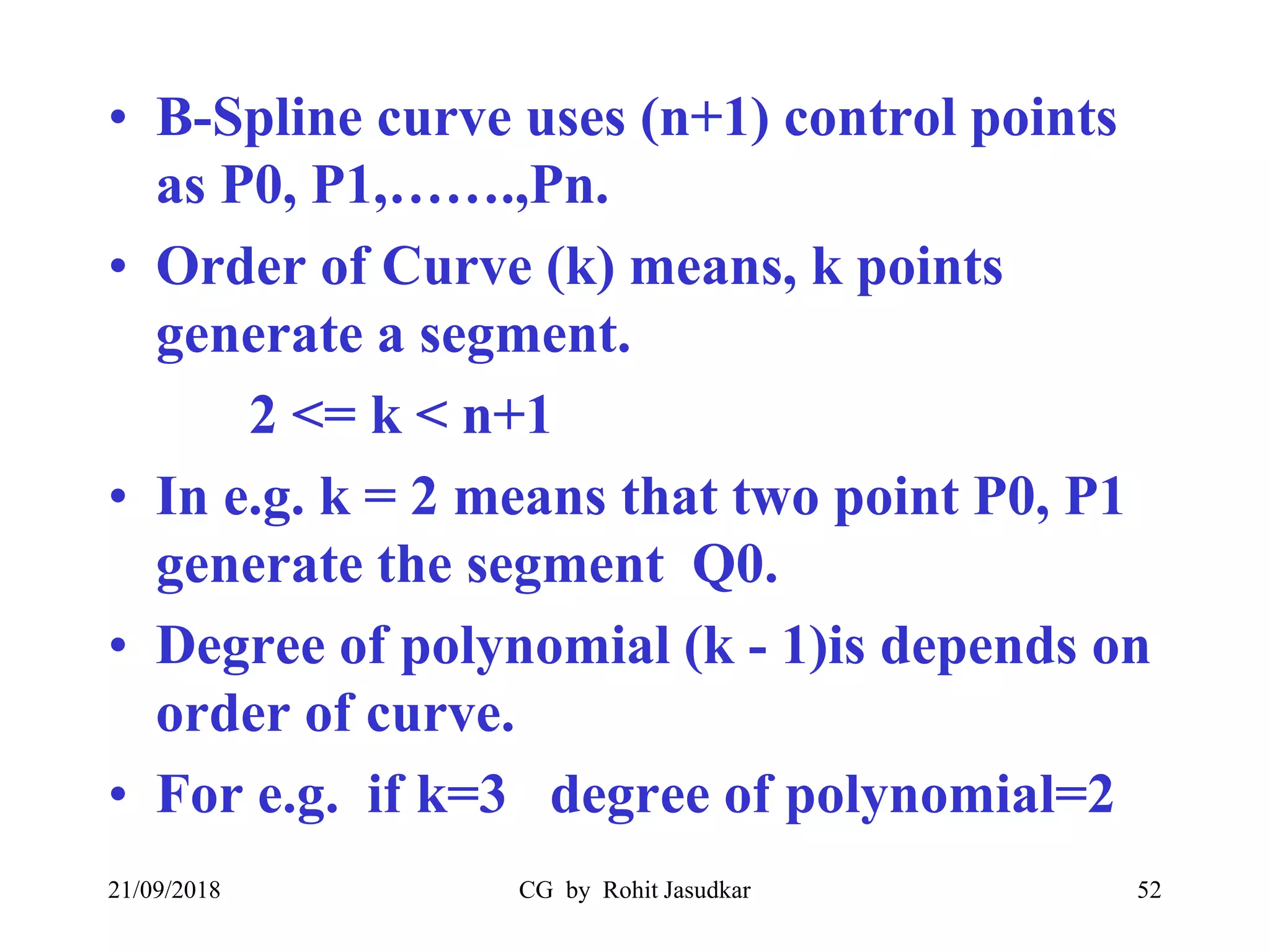
• B-Spline curve uses (n+1) control points
as P0, P1,…….,Pn.
• Order of Curve (k) means, k points
generate a segment.
2 <= k < n+1
• In e.g. k = 2 means that two point P0, P1
generate the segment Q0.
• Degree of polynomial (k - 1)is depends on
order of curve.
• For e.g. if k=3 degree of polynomial=2
21/09/2018 CG by Rohit Jasudkar 52
• It has local control over the curve.
21/09/2018 CG by Rohit Jasudkar 53
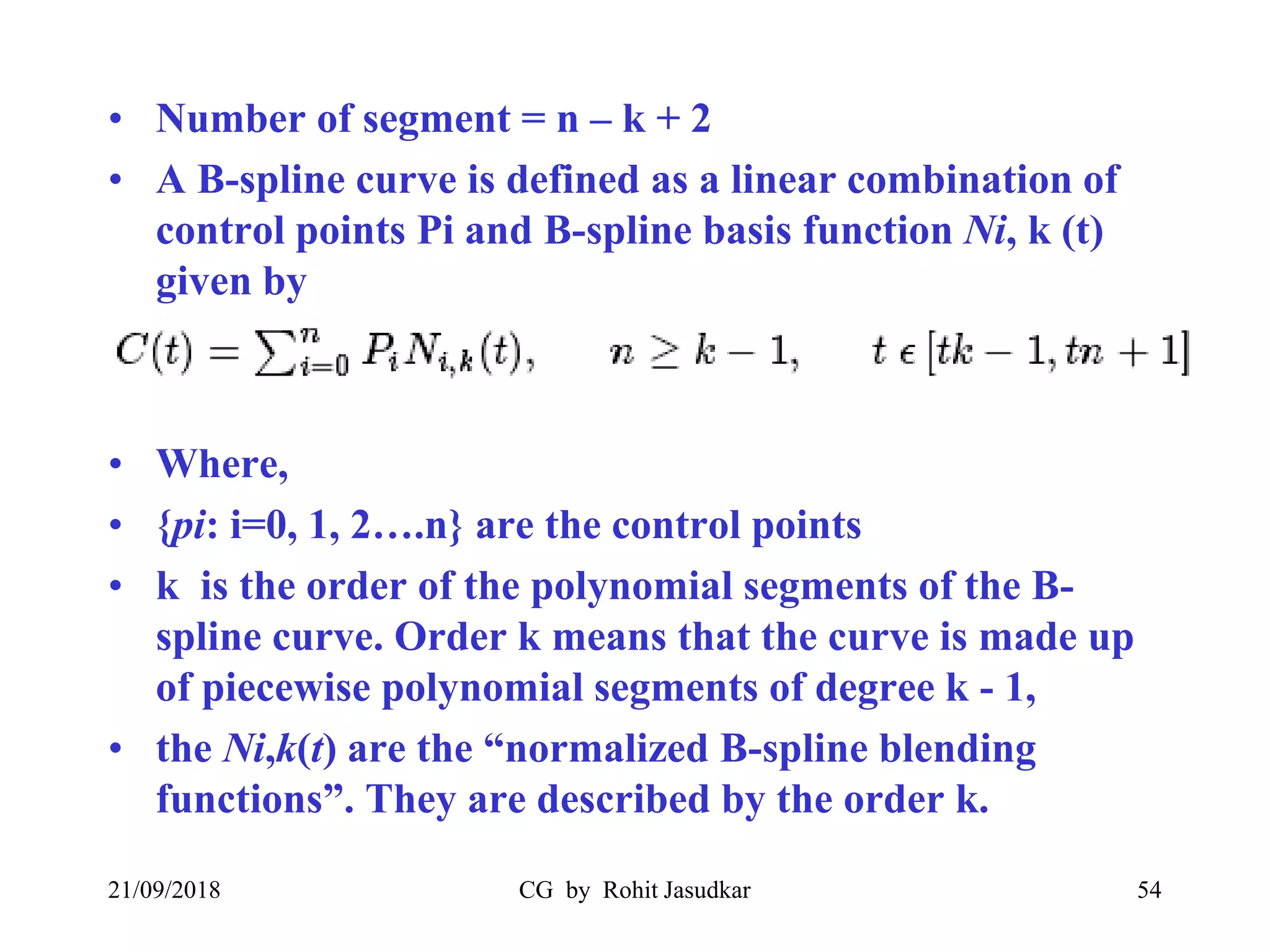
• Number of segment = n – k + 2
• A B-spline curve is defined as a linear combination of
control points Pi and B-spline basis function Ni, k (t)
given by
• Where,
• {pi: i=0, 1, 2….n} are the control points
• k is the order of the polynomial segments of the B-
spline curve. Order k means that the curve is made up
of piecewise polynomial segments of degree k - 1,
• the Ni,k(t) are the “normalized B-spline blending
functions”. They are described by the order k.
21/09/2018 CG by Rohit Jasudkar 54
• B- Spline Curve allows us to change the
number of control points without
changing the degree of polynomial.
• As degree of polynomial is depends on
order of curve (k)
21/09/2018 CG by Rohit Jasudkar 55
Surface Rendering methods
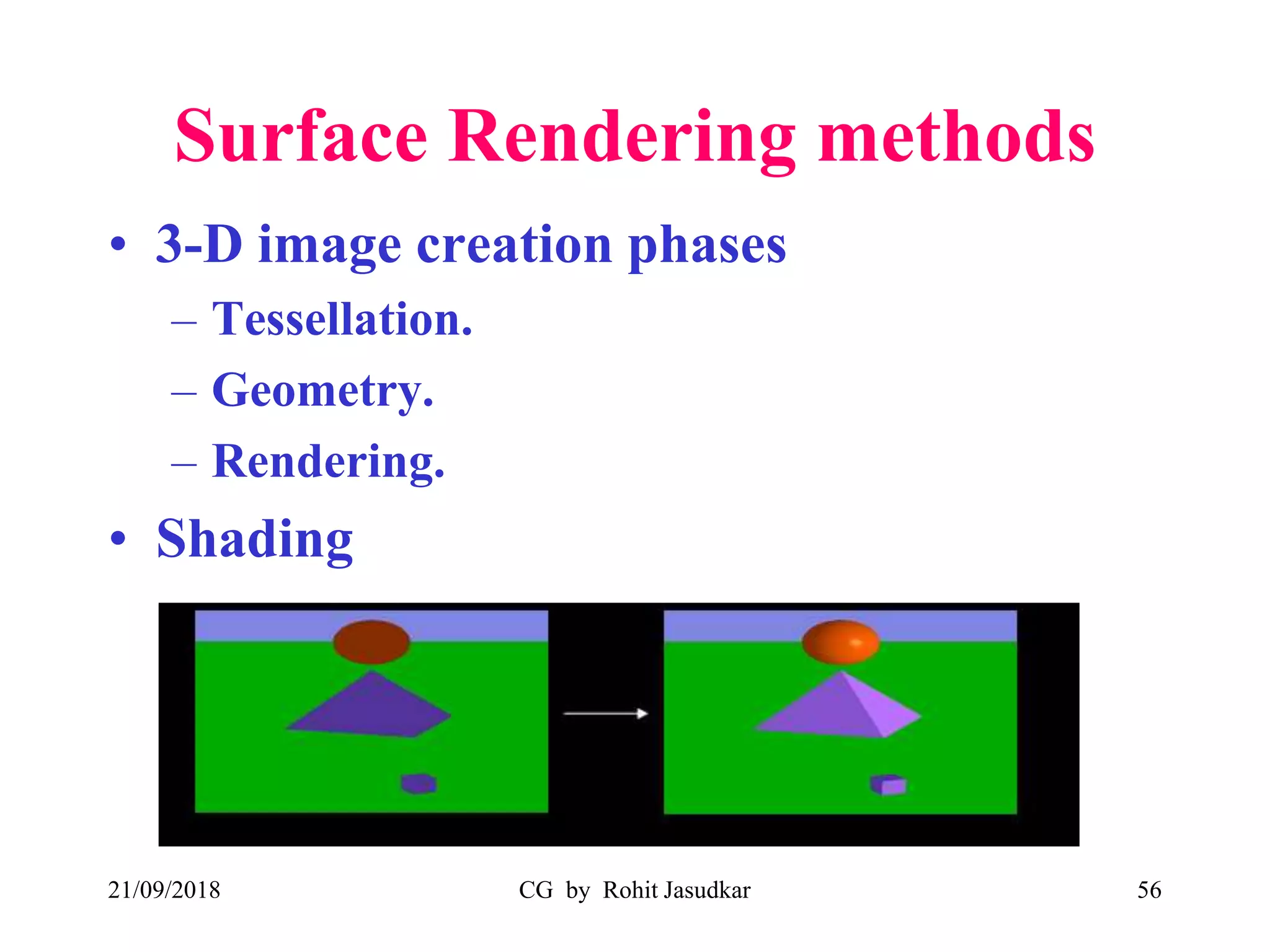
• 3-D image creation phases
– Tessellation.
– Geometry.
– Rendering.
• Shading
21/09/2018 CG by Rohit Jasudkar 56
What Causes Shading?
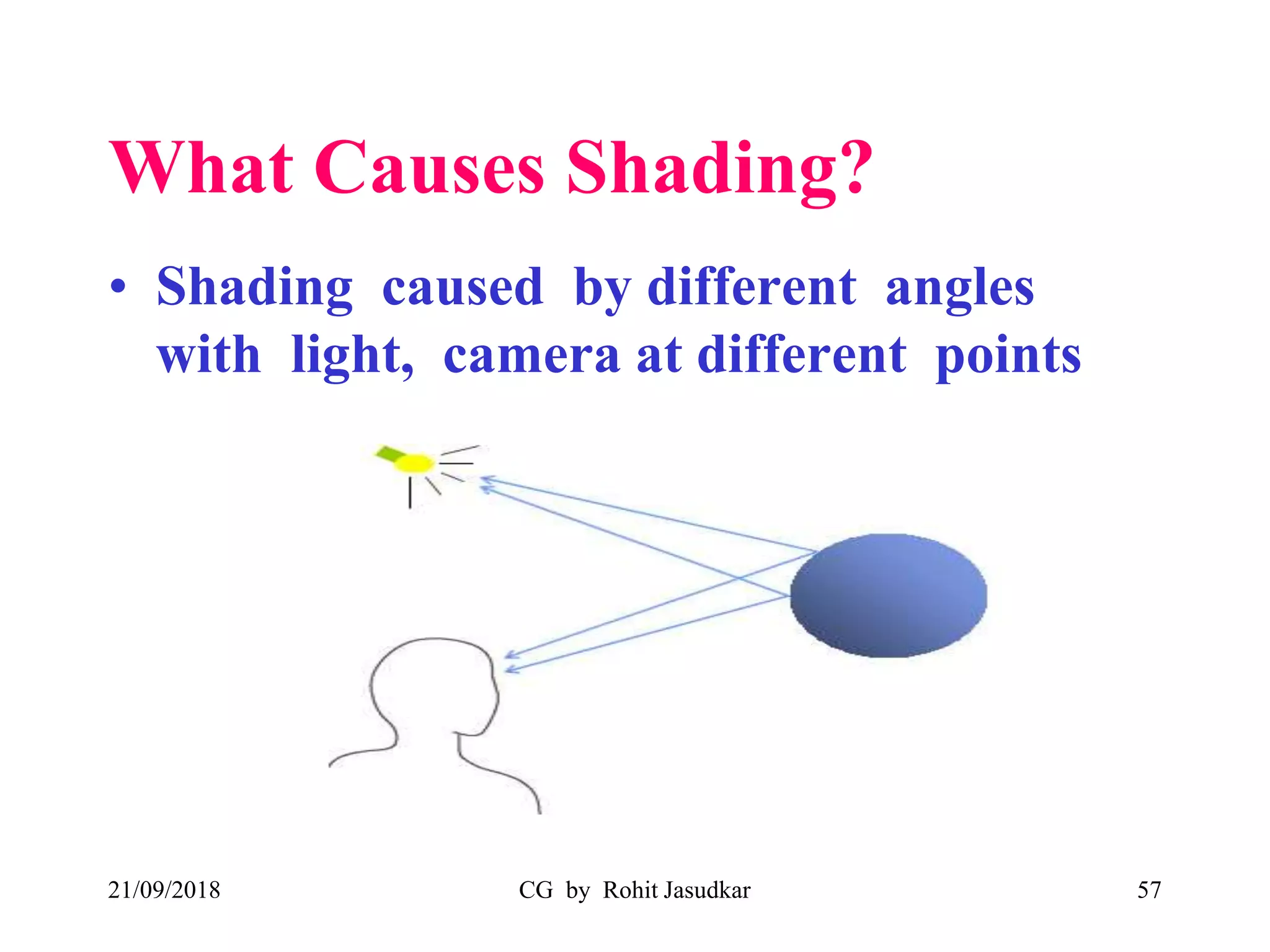
• Shading caused by different angles
with light, camera at different points
21/09/2018 CG by Rohit Jasudkar 57
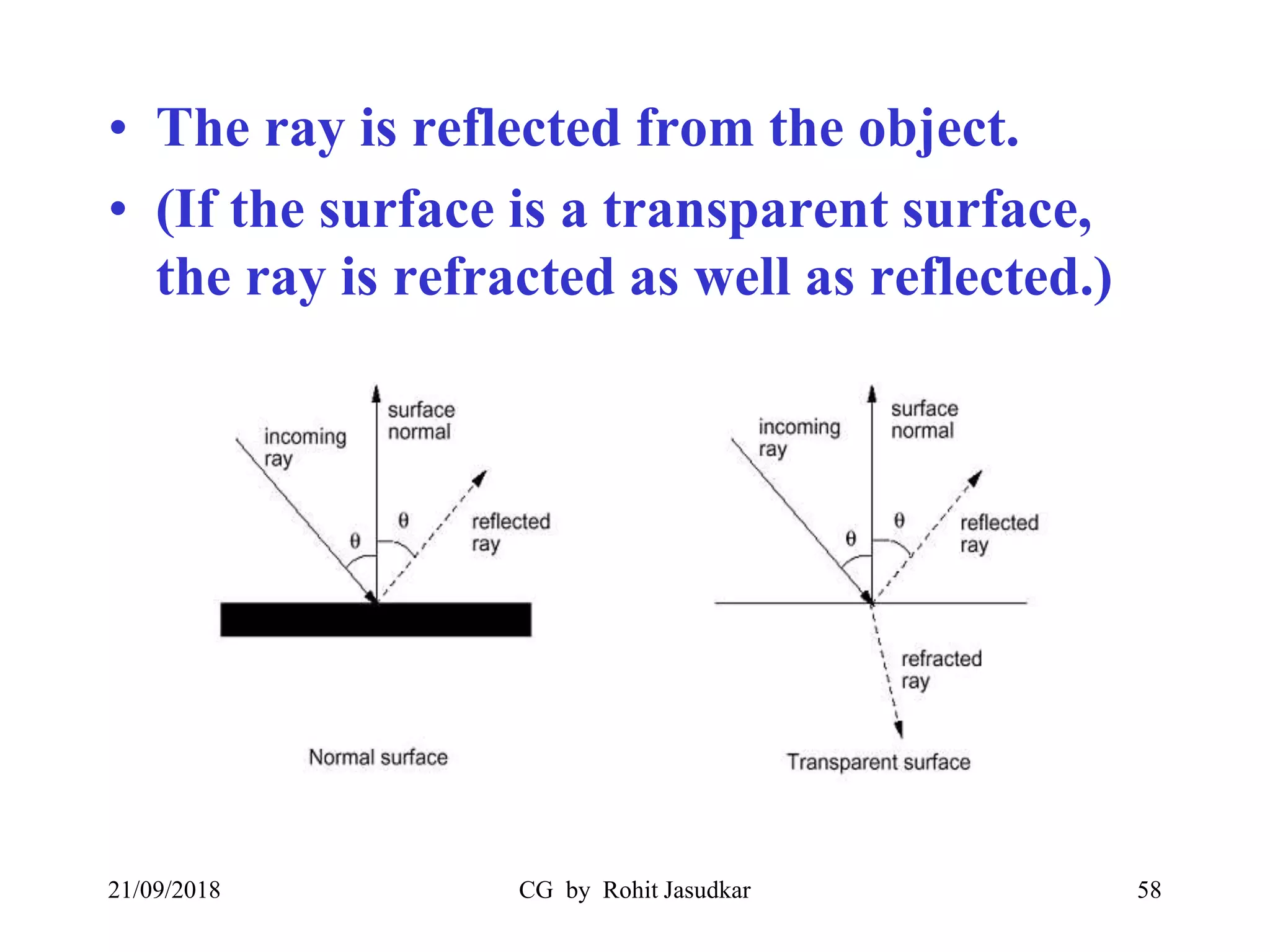
• The ray is reflected from the object.
• (If the surface is a transparent surface,
the ray is refracted as well as reflected.)
21/09/2018 CG by Rohit Jasudkar 58
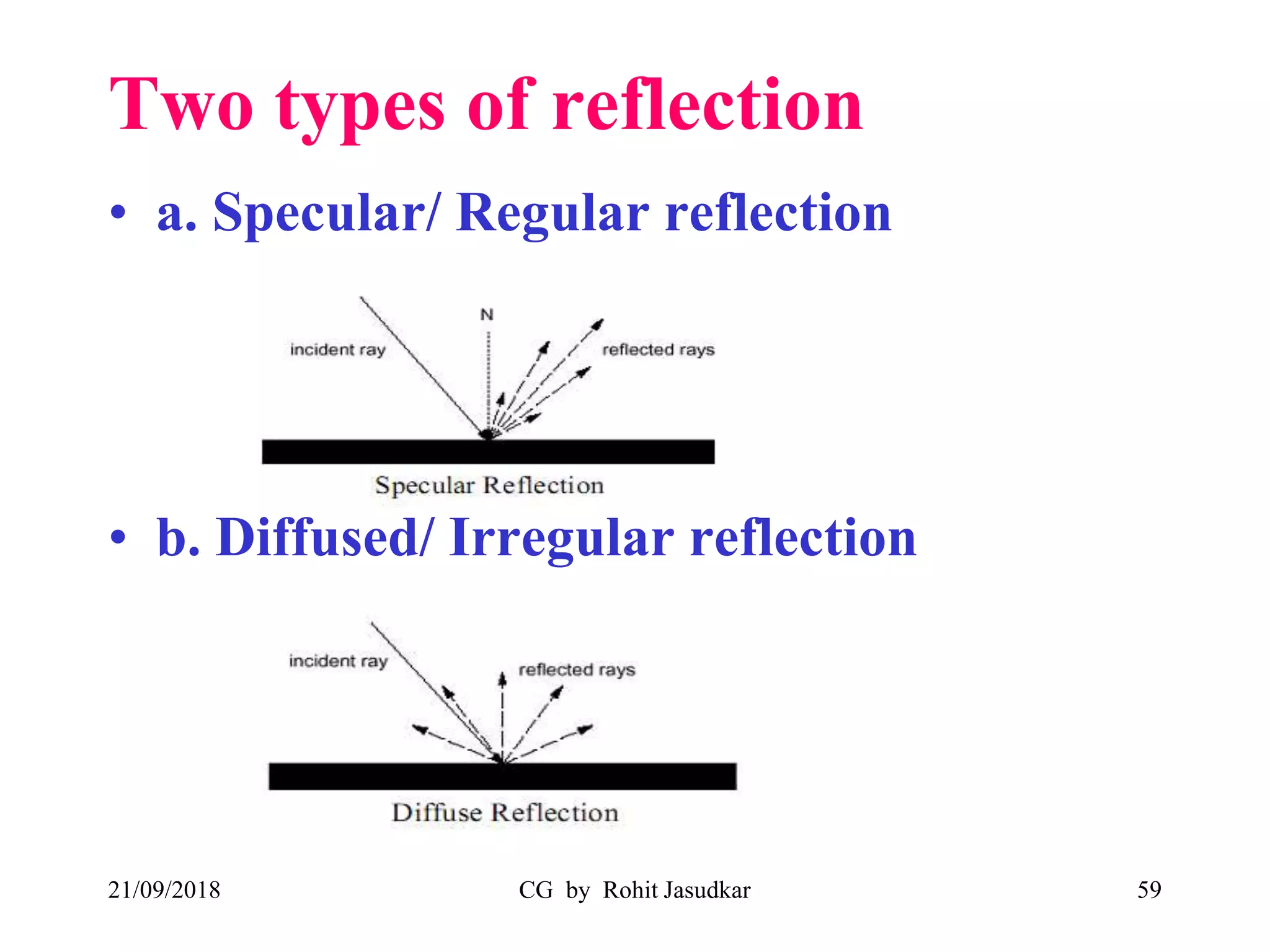
Two types of reflection
• a. Specular/ Regular reflection
• b. Diffused/ Irregular reflection
21/09/2018 CG by Rohit Jasudkar 59
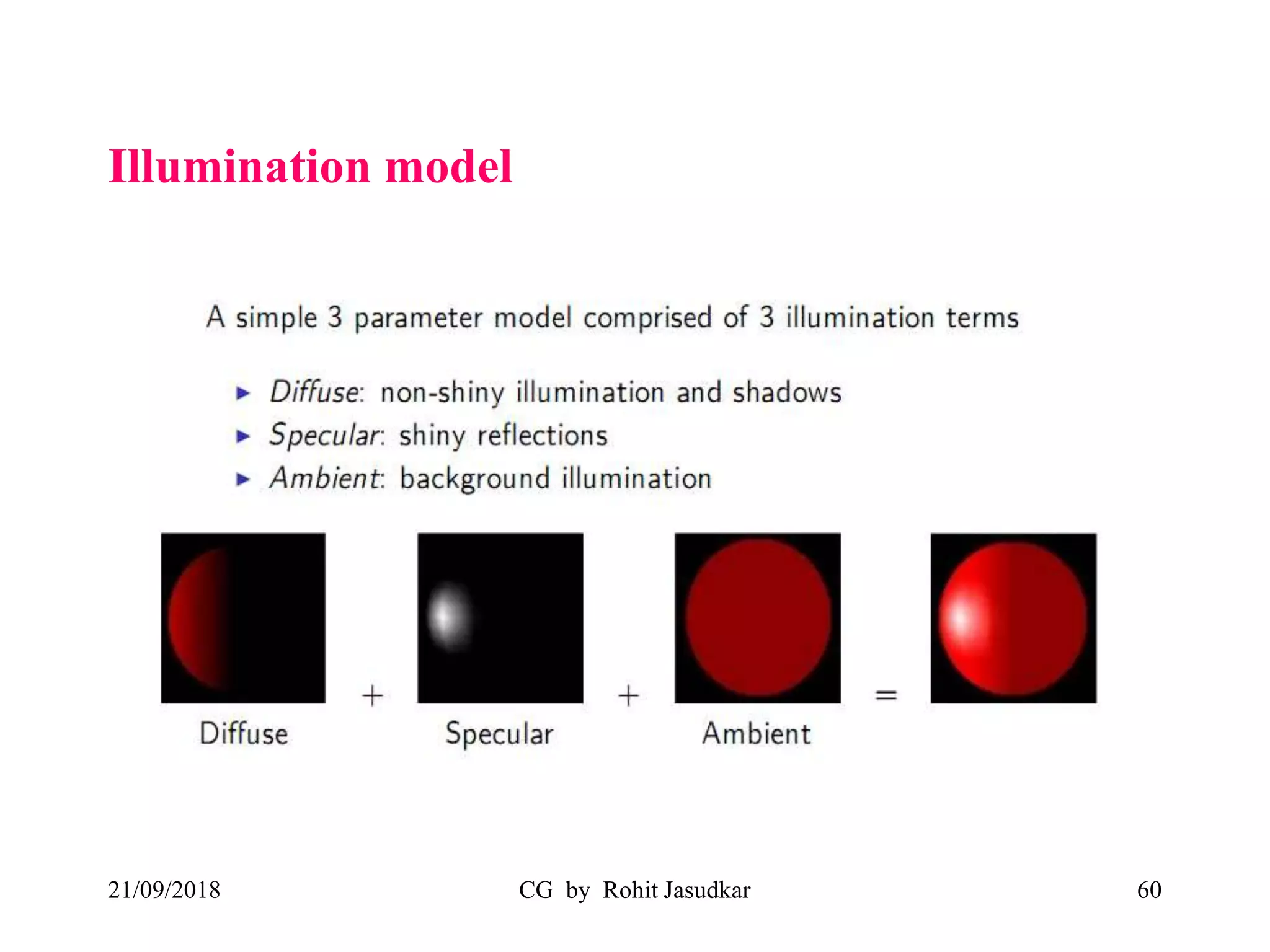
Illumination model
21/09/2018 CG by Rohit Jasudkar 60
21/09/2018 CG by Rohit Jasudkar 61
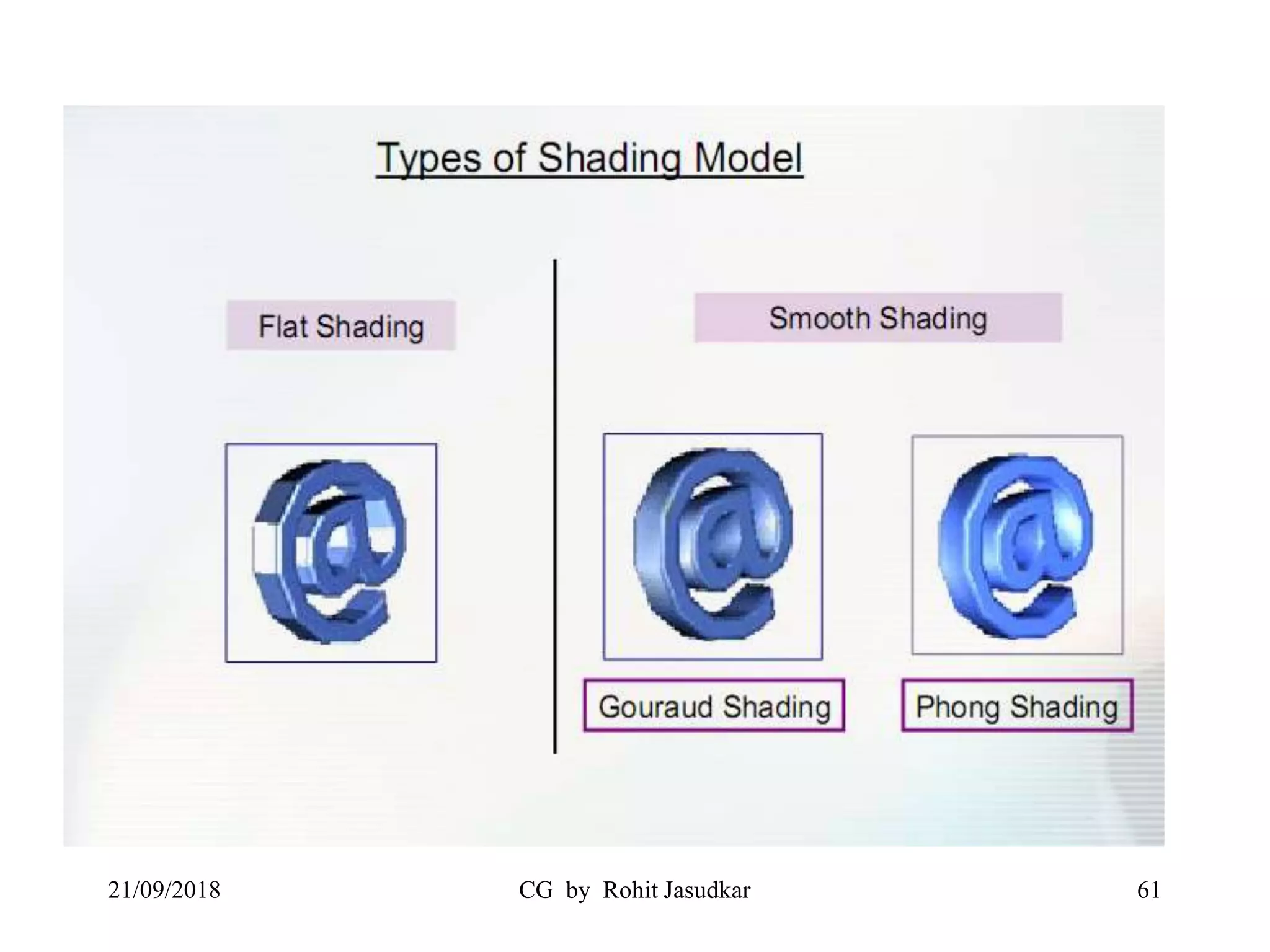
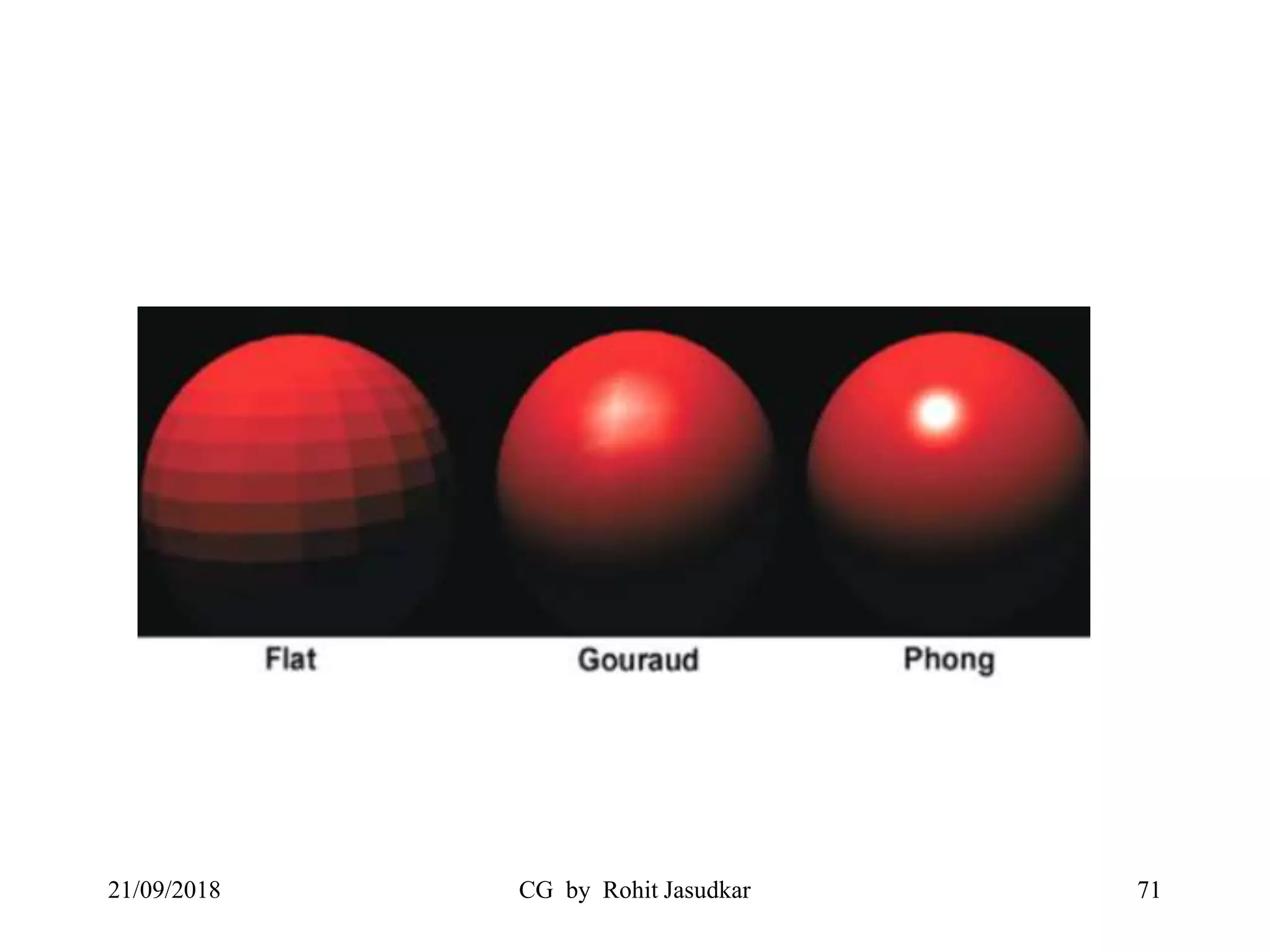
Constant Intensity / Flat Shading
• Simplest shading algorithm.
• Using an illumination model to determine
the corresponding intensity value for the
incident light.
• Then shade the entire polygon according
to this value.
21/09/2018 CG by Rohit Jasudkar 62
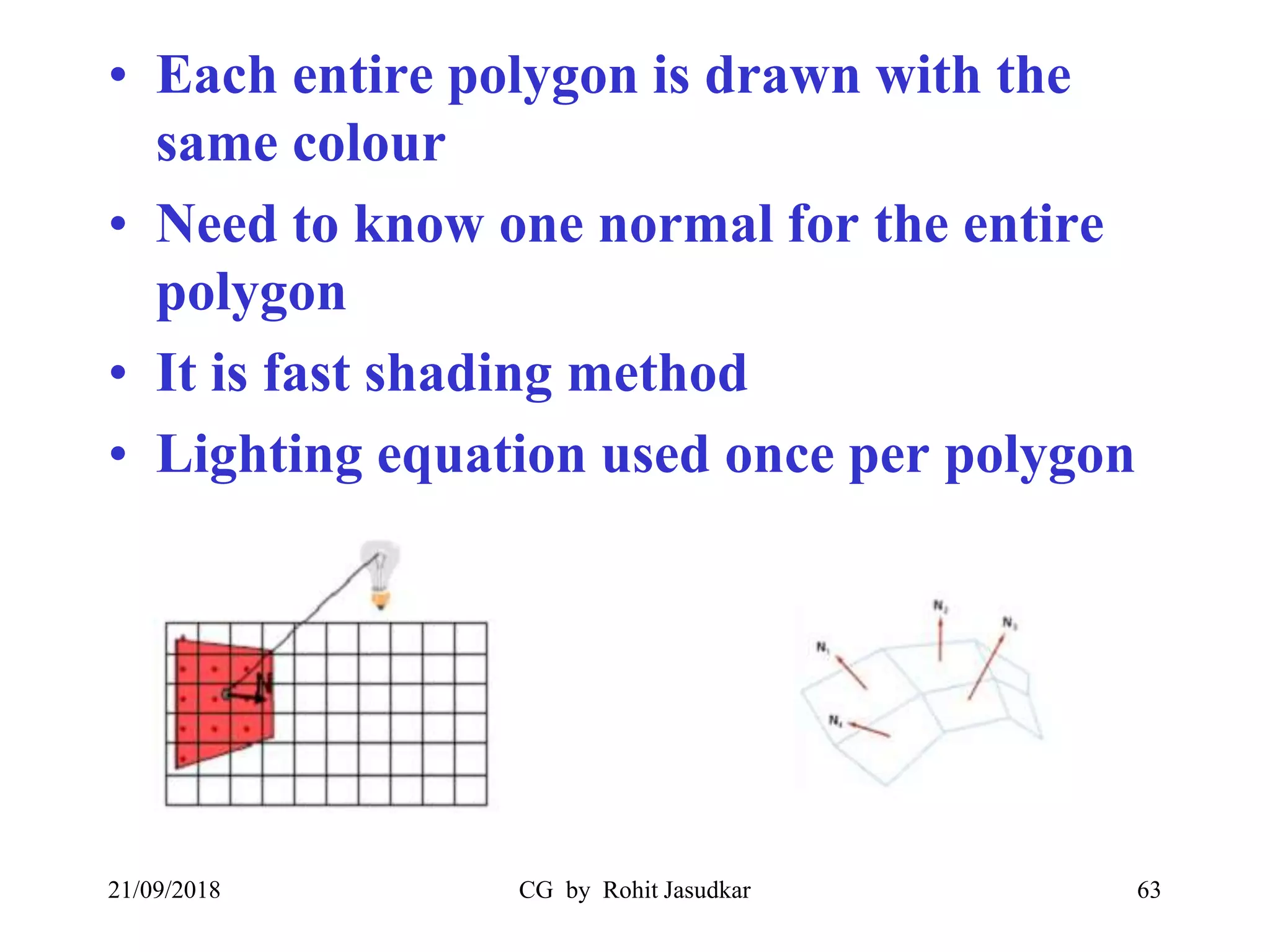
• Each entire polygon is drawn with the
same colour
• Need to know one normal for the entire
polygon
• It is fast shading method
• Lighting equation used once per polygon
21/09/2018 CG by Rohit Jasudkar 63
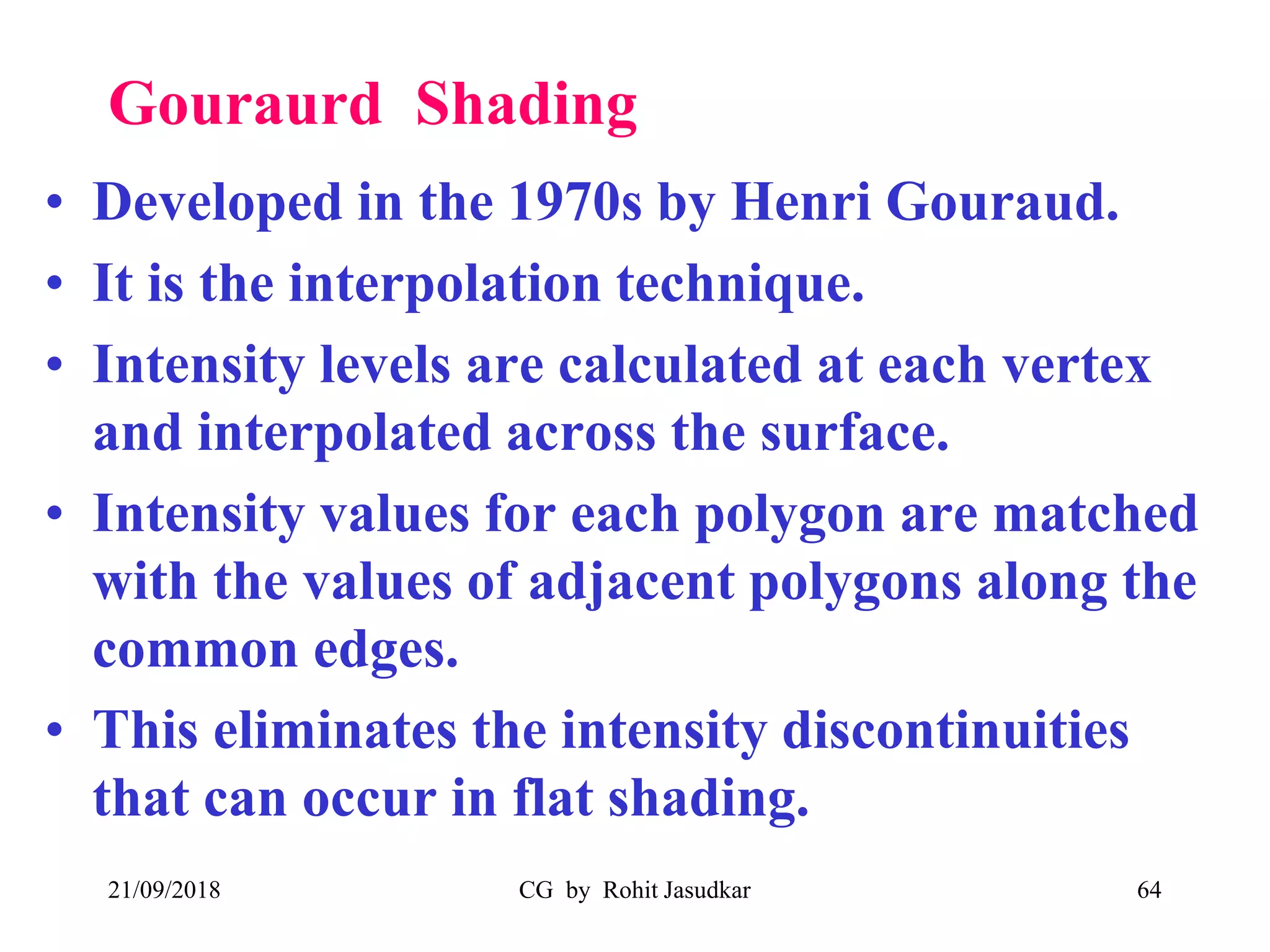
Gouraurd Shading
• Developed in the 1970s by Henri Gouraud.
• It is the interpolation technique.
• Intensity levels are calculated at each vertex
and interpolated across the surface.
• Intensity values for each polygon are matched
with the values of adjacent polygons along the
common edges.
• This eliminates the intensity discontinuities
that can occur in flat shading.
21/09/2018 CG by Rohit Jasudkar 64
• To render a polygon, Gouraud surface
rendering proceeds as follows:
– Determine the average unit normal vector at each
vertex of the polygon.
– Apply an illumination model at each polygon
vertex to obtain the light intensity at that position.
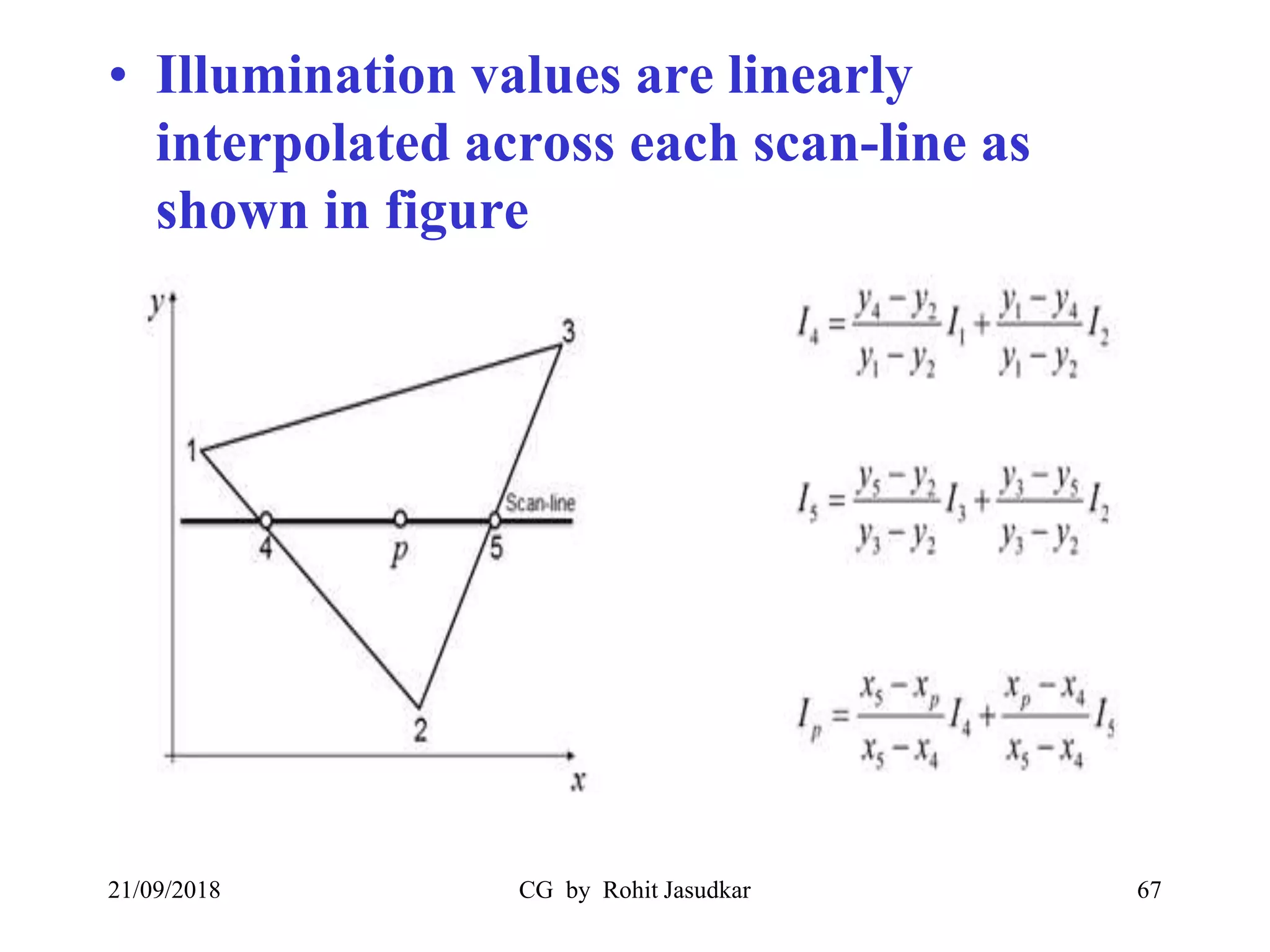
– Linearly interpolate the vertex intensities over the
projected area of the polygon
21/09/2018 CG by Rohit Jasudkar 65
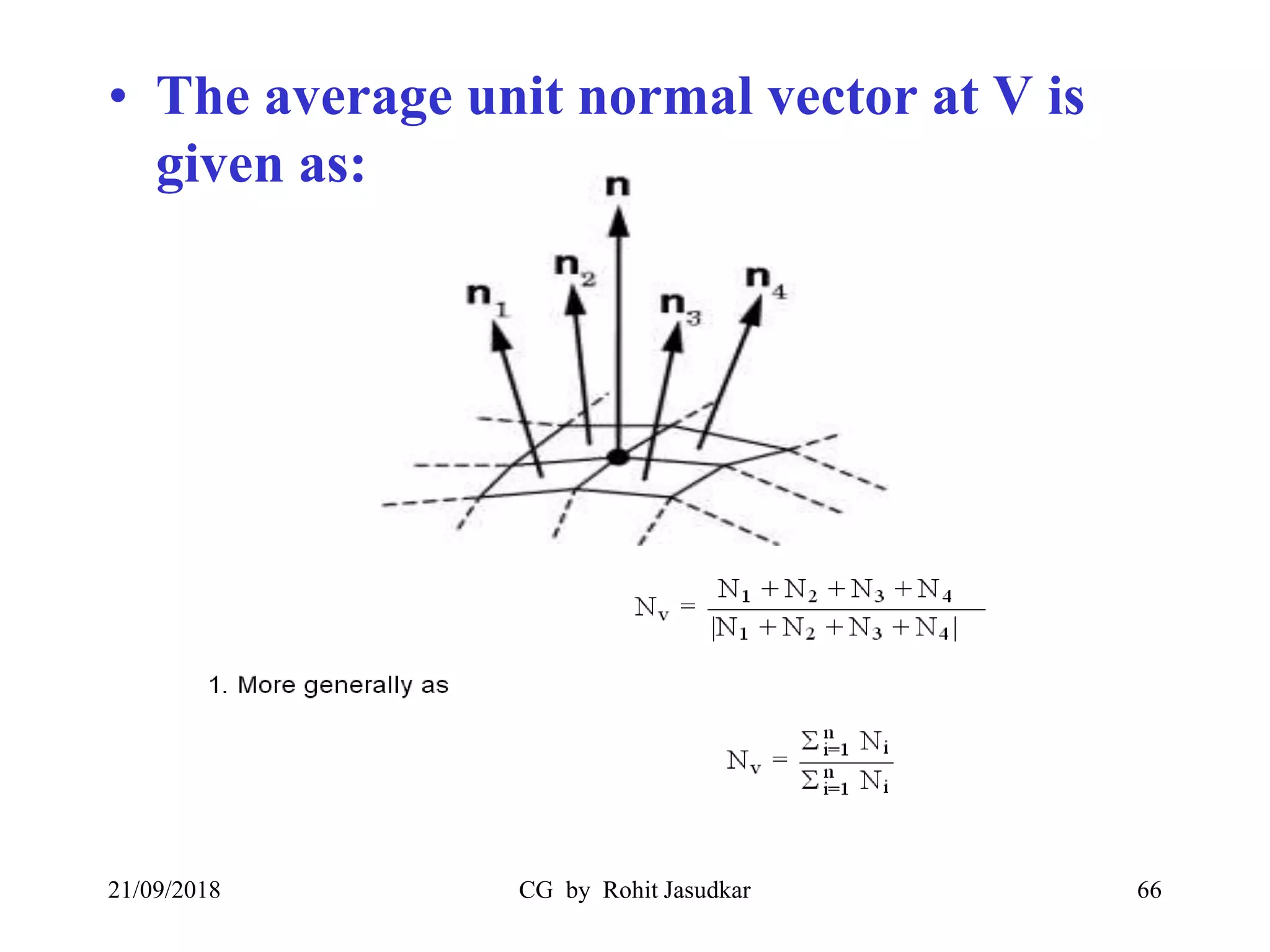
• The average unit normal vector at V is
given as:
21/09/2018 CG by Rohit Jasudkar 66
• Illumination values are linearly
interpolated across each scan-line as
shown in figure
21/09/2018 CG by Rohit Jasudkar 67
Phong Shading
• A more accurate interpolation based approach for
rendering a polygon was developed by Phong Bui
Tuong.
• Also called as normal-vector interpolation
rendering.
• It interpolates normal vectors instead of intensity
values.
• It requires more calculations and greatly increases
the cost of shading steeply.
21/09/2018 CG by Rohit Jasudkar 68
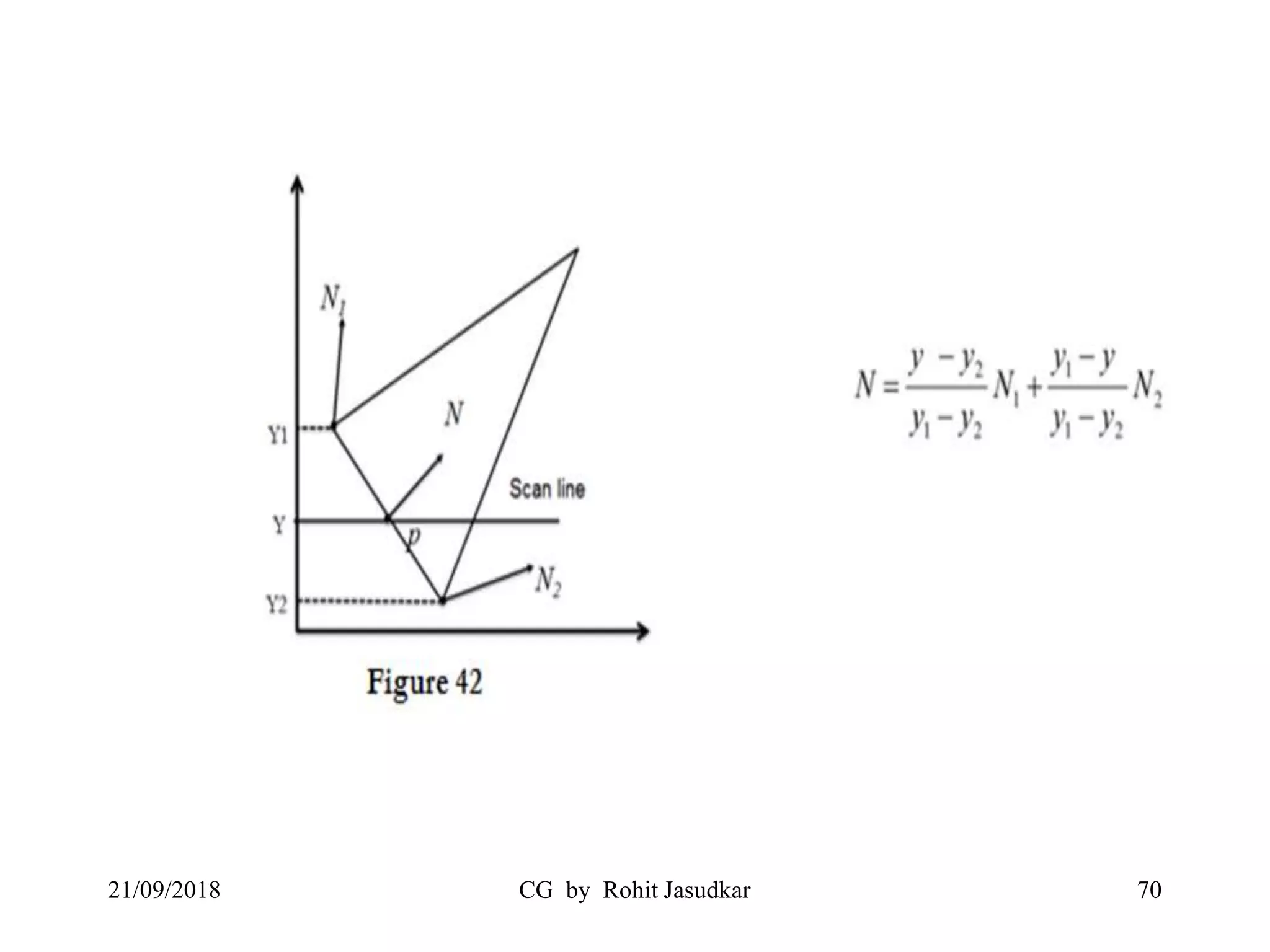
• To render a polygon, Phong surface rendering
proceeds as follows:
– Determine the average unit normal vector at each
vertex of the polygon.
– Linearly interpolate the vertex normal over the
projected area of the polygon.
– Apply an illumination model at positions along scan
lines to calculate pixel intensities using the interpolated
normal vectors as shown in figure
21/09/2018 CG by Rohit Jasudkar 69
21/09/2018 CG by Rohit Jasudkar 70
21/09/2018 CG by Rohit Jasudkar 71
Any Questions???
21/09/2018 CG by Rohit Jasudkar 72
Thank You…
21/09/2018 CG by Rohit Jasudkar 73

Computer Graphics (Hidden surfaces and line removal, Curves and surfaces, Surface Rendering Methods)

  • 1.
    CG by RohitJasudkar 1 Computer Graphics 21/09/2018 Hidden surfaces and line removal Curves and surfaces Surface Rendering methods
  • 2.
    Contents  Hidden surfacesand line removal • Z buffer Algorithm • Warnock’s Algorithm • Painter’s Algorithm • Backface Removal Algorithm  Curves and surfaces • Bezier Curve • B-splines Curve  Surface Rendering Methods • Constant Intensity / Flat Shading • Gouraurd Shading • Phong Shading 21/09/2018 CG by Rohit Jasudkar 2
  • 3.
    Hidden surfaces andline removal 21/09/2018 CG by Rohit Jasudkar 3 Overlapping Surfaces Intersecting Surfaces
  • 4.
    21/09/2018 CG byRohit Jasudkar 4 Back faced Surfaces Occluded Surfaces
  • 5.
    Hidden Surface Problem •When we view a picture containing non transparent objects and surfaces, then we can’t see those objects from view which are behind from the objects closer to eye. • We must remove these hidden surfaces to get realistic screen image. • The identification & removal of these surfaces is called the Hidden-surface problem . • Techniques used for solving these problems known as Visible Surface Detection or Hidden Surface Removal. 21/09/2018 CG by Rohit Jasudkar 5
  • 6.
    21/09/2018 CG byRohit Jasudkar 6
  • 7.
    Classification of VisibleSurface Detection 1. Object space methods 2. Image space methods 21/09/2018 CG by Rohit Jasudkar 7
  • 8.
    Object space methods •Methods based on comparison of objects for their 3D positions and dimensions with respect to a viewing position. • Efficient for small number of objects but difficult to implement. • Depth sorting (Painter Algorithm) , area subdivision methods (Warnock’s Algorithm). 21/09/2018 CG by Rohit Jasudkar 8
  • 9.
    Image space methods •Based on the pixels to be drawn on 2D. Try to determine which object should contribute to that pixel. • Running time complexity is the number of pixels times number of objects. • Space complexity is two times the number of pixels: – One array of pixels for the frame buffer – One array of pixels for the depth buffer • Depth-buffer (Z-Buffer) and ray casting methods. 21/09/2018 CG by Rohit Jasudkar 9
  • 10.
    Z buffer Algorithm •Also known as depth -Buffer method. • Proposed by Mr. Edwin Catmull in 1975 • Z-buffer is like a frame buffer, contain depths 21/09/2018 CG by Rohit Jasudkar 10
  • 11.
    Basic Z-buffer idea: •Rasterize every input polygon • For every pixel in the polygon interior, calculate its corresponding z value. • Track depth values of closest polygon (smallest z) so far • Update the pixel values with the color of the polygon whose z value is the closest to the eye. 21/09/2018 CG by Rohit Jasudkar 11
  • 12.
    • Two buffersare used – Frame Buffer (Store Background intensity or Shades) – Depth Buffer (Store depth (Z) value of every visible pixel in image space) • The z-coordinates (depth values) are usually normalized to the range [0,1] 21/09/2018 CG by Rohit Jasudkar 12
  • 13.
    Z – BufferAlgorithm • Initialize the depth buffer and frame buffer so that for all buffer positions (x ,y ), depthBuff (x,y) = 1.0, frameBuff (x,y) = bgColor • Process each polygon in a scene, one at a time – For each projected (x ,y ) pixel position of a polygon, calculate the depth z . – If z < depthBuff (x,y), compute the surface color at that position and set – depthBuff (x,y) = z, frameBuff (x,y) = surfCol (x,y) 21/09/2018 CG by Rohit Jasudkar 13
  • 14.
    Calculating depth values(z) 21/09/2018 CG by Rohit Jasudkar 14 0, )( 0     C C DByAx z DCzByAx Using the polygon surface equation:
  • 15.
    21/09/2018 CG byRohit Jasudkar 15
  • 16.
    21/09/2018 CG byRohit Jasudkar 16
  • 17.
    21/09/2018 CG byRohit Jasudkar 17
  • 18.
    21/09/2018 CG byRohit Jasudkar 18
  • 19.
    Advantages • No Sortingof polygons required. • No Object to Object Comparison. • Can be applied to non polygonal object. • Simple to use. • Computing the required depth values is simple. 21/09/2018 CG by Rohit Jasudkar 19
  • 20.
    Disadvantages • Requires twobuffer which makes is expensive. • The required z-precision is maintained at a higher resolution as compared to x,y precision. • High memory requirements. 21/09/2018 CG by Rohit Jasudkar 20
  • 21.
    Warnock’s Algorithm • Developedby John Warnocks. • Based on the hypothesis of how human eye , brain combination processes the information present in a scene. • Divide-and-conquer strategy: spatial partitioning in the projection plane • An area of the projection plane is examined • If all polygons visible in that area can be easily decided, they are displayed • Otherwise, it is recursively decided 21/09/2018 CG by Rohit Jasudkar 21
  • 22.
    21/09/2018 CG byRohit Jasudkar 22
  • 23.
    21/09/2018 CG byRohit Jasudkar 23
  • 24.
    21/09/2018 CG byRohit Jasudkar 24
  • 25.
    21/09/2018 CG byRohit Jasudkar 25
  • 26.
    At each stage,the projection of each polygon has one of four relationships to the area of interest (Window) • Surrounding polygons completely contain the area of interest • Intersecting polygons intersect the area of interest • Contained polygons are completely inside the area • Disjoint polygons are completely outside the area 21/09/2018 CG by Rohit Jasudkar 26
  • 27.
    For each window •Disjoint polygons, the window is empty therefore displayed with background intesity. • Intersecting polygons can be split into disjoint and contained polygons. • If there is only one contained polygon, fill area with background, then scan-fill polygon area. • If there is a single surrounding polygon, and no intersecting or contained polygons, display the surrounding polygons color. • There are more than one surrounding polygon in window, front of all other polygons display the surrounding polygon color in the area. • Otherwise subdivide the window. 21/09/2018 CG by Rohit Jasudkar 27
  • 28.
    Painter’s Algorithm 21/09/2018 CGby Rohit Jasudkar 28 How painter paints objects in the scene? • Draw objects from back to front • The new object paint will hide the old object paint. • It require depth comparisons.
  • 29.
    • Also knownas Depth sort Algorithm or Priority Algorithm. • Two Basic functions: 1. Sort the polygons according to the farthest Z coordinate 2. Scan convert each polygon in ascending order of farthest z coordinate (back-to-front) 21/09/2018 CG by Rohit Jasudkar 29
  • 30.
    • Simple algorithm: –Sort all polygons based on their farthest z coordinate – Resolve ambiguities (if overlapping of objects occurs) – Draw the polygons in order from back to front • This algorithm would be very simple if the z coordinates of the polygons were guaranteed never to overlap. Unfortunately that is usually not the case, which means that step 2 can be somewhat complex. 21/09/2018 CG by Rohit Jasudkar 30
  • 31.
    21/09/2018 CG byRohit Jasudkar 31 Z min
  • 32.
    21/09/2018 CG byRohit Jasudkar 32
  • 33.
  • 34.
    • All polygonswhose z extents overlap must be tested against each other. • We start with the furthest polygon and call it P. Polygon P must be compared with every polygon Q whose z extent overlaps P's z extent. 5 comparisons are made. If any comparison is true then P can be written before Q. 21/09/2018 CG by Rohit Jasudkar 34
  • 35.
    Test Cases • 1.Do P and Q's x-extents not overlap? • 2. Do P and Q's y-extents not overlap? • 3. Is P entirely on the opposite side of Q's plane from the viewport? • 4. Is Q entirely on the same side of P's plane as the viewport? • 5. Do the projections of P and Q onto the (x,y) plane not overlap? If all 5 tests fail we quickly check to see if switching P and Q will work. 21/09/2018 CG by Rohit Jasudkar 35
  • 36.
    21/09/2018 CG byRohit Jasudkar 36
  • 37.
    21/09/2018 CG byRohit Jasudkar 37
  • 38.
    21/09/2018 CG byRohit Jasudkar 38
  • 39.
    21/09/2018 CG byRohit Jasudkar 39
  • 40.
    21/09/2018 CG byRohit Jasudkar 40
  • 41.
    21/09/2018 CG byRohit Jasudkar 41
  • 42.
    Backface Removal Algorithm 21/09/2018CG by Rohit Jasudkar 42 N = Normal Vector of surface plane (N1 and N2) V = Viewing direction N1 N 2
  • 43.
    21/09/2018 CG byRohit Jasudkar 43 if N.V > 0 it is back-face of object from viewing direction if N.V < 0 it is front face of object from viewing direction Example: • N1.V < 0 Therefore N1 plane is front face (Visible) • N2.V > 0 Therefore N2 plane is back face (Invisible)
  • 44.
    Curves and surfaces •A line which is not straight with no sharp edges is called a curve. • It is a smoothly flowing line. 21/09/2018 CG by Rohit Jasudkar 44
  • 45.
    Interpolation vs. Approximation •Interpolation – Goes through all specified points – Sounds more logical – Ex. Lagrange’s, Hermite Interpolation Curve • Approximation – Does not go through all points – Here p1, p2, p3, p4 are control points – Ex. Bezier , B-spline Approximation Curve 21/09/2018 CG by Rohit Jasudkar 45
  • 46.
    Bezier Curves • Beziercurve is discovered by the French engineer Pierre Bézier. • These curves can be generated under the control of other points. • It has global control. • Approximate tangents by using control points are used to generate curve. 21/09/2018 CG by Rohit Jasudkar 46
  • 47.
    Cubic Bezier Curve •The degree of the polynomial defining the curve segment is one less that the number of defining polygon point. Therefore, for 4 control points, the degree of the polynomial is 3, i.e. cubic polynomial. 21/09/2018 CG by Rohit Jasudkar 47
  • 48.
    21/09/2018 CG byRohit Jasudkar 48 | | | t = 0.25 t = 0.5 t = 0.75
  • 49.
    21/09/2018 CG byRohit Jasudkar 49
  • 50.
    21/09/2018 CG byRohit Jasudkar 50
  • 51.
    B-spline Curve 21/09/2018 CGby Rohit Jasudkar 51 • P0, P1, P2, P3 are the control points. • X0, X1, X2, X3 are the knot values. • Q0, Q1, Q2 are the segments of the curve. To design a B - spline curve, we need a set of control points, a set of knots and a order of curve(k).
  • 52.
    • B-Spline curveuses (n+1) control points as P0, P1,…….,Pn. • Order of Curve (k) means, k points generate a segment. 2 <= k < n+1 • In e.g. k = 2 means that two point P0, P1 generate the segment Q0. • Degree of polynomial (k - 1)is depends on order of curve. • For e.g. if k=3 degree of polynomial=2 21/09/2018 CG by Rohit Jasudkar 52
  • 53.
    • It haslocal control over the curve. 21/09/2018 CG by Rohit Jasudkar 53
  • 54.
    • Number ofsegment = n – k + 2 • A B-spline curve is defined as a linear combination of control points Pi and B-spline basis function Ni, k (t) given by • Where, • {pi: i=0, 1, 2….n} are the control points • k is the order of the polynomial segments of the B- spline curve. Order k means that the curve is made up of piecewise polynomial segments of degree k - 1, • the Ni,k(t) are the “normalized B-spline blending functions”. They are described by the order k. 21/09/2018 CG by Rohit Jasudkar 54
  • 55.
    • B- SplineCurve allows us to change the number of control points without changing the degree of polynomial. • As degree of polynomial is depends on order of curve (k) 21/09/2018 CG by Rohit Jasudkar 55
  • 56.
    Surface Rendering methods •3-D image creation phases – Tessellation. – Geometry. – Rendering. • Shading 21/09/2018 CG by Rohit Jasudkar 56
  • 57.
    What Causes Shading? •Shading caused by different angles with light, camera at different points 21/09/2018 CG by Rohit Jasudkar 57
  • 58.
    • The rayis reflected from the object. • (If the surface is a transparent surface, the ray is refracted as well as reflected.) 21/09/2018 CG by Rohit Jasudkar 58
  • 59.
    Two types ofreflection • a. Specular/ Regular reflection • b. Diffused/ Irregular reflection 21/09/2018 CG by Rohit Jasudkar 59
  • 60.
  • 61.
    21/09/2018 CG byRohit Jasudkar 61
  • 62.
    Constant Intensity /Flat Shading • Simplest shading algorithm. • Using an illumination model to determine the corresponding intensity value for the incident light. • Then shade the entire polygon according to this value. 21/09/2018 CG by Rohit Jasudkar 62
  • 63.
    • Each entirepolygon is drawn with the same colour • Need to know one normal for the entire polygon • It is fast shading method • Lighting equation used once per polygon 21/09/2018 CG by Rohit Jasudkar 63
  • 64.
    Gouraurd Shading • Developedin the 1970s by Henri Gouraud. • It is the interpolation technique. • Intensity levels are calculated at each vertex and interpolated across the surface. • Intensity values for each polygon are matched with the values of adjacent polygons along the common edges. • This eliminates the intensity discontinuities that can occur in flat shading. 21/09/2018 CG by Rohit Jasudkar 64
  • 65.
    • To rendera polygon, Gouraud surface rendering proceeds as follows: – Determine the average unit normal vector at each vertex of the polygon. – Apply an illumination model at each polygon vertex to obtain the light intensity at that position. – Linearly interpolate the vertex intensities over the projected area of the polygon 21/09/2018 CG by Rohit Jasudkar 65
  • 66.
    • The averageunit normal vector at V is given as: 21/09/2018 CG by Rohit Jasudkar 66
  • 67.
    • Illumination valuesare linearly interpolated across each scan-line as shown in figure 21/09/2018 CG by Rohit Jasudkar 67
  • 68.
    Phong Shading • Amore accurate interpolation based approach for rendering a polygon was developed by Phong Bui Tuong. • Also called as normal-vector interpolation rendering. • It interpolates normal vectors instead of intensity values. • It requires more calculations and greatly increases the cost of shading steeply. 21/09/2018 CG by Rohit Jasudkar 68
  • 69.
    • To rendera polygon, Phong surface rendering proceeds as follows: – Determine the average unit normal vector at each vertex of the polygon. – Linearly interpolate the vertex normal over the projected area of the polygon. – Apply an illumination model at positions along scan lines to calculate pixel intensities using the interpolated normal vectors as shown in figure 21/09/2018 CG by Rohit Jasudkar 69
  • 70.
    21/09/2018 CG byRohit Jasudkar 70
  • 71.
    21/09/2018 CG byRohit Jasudkar 71
  • 72.
    Any Questions??? 21/09/2018 CGby Rohit Jasudkar 72
  • 73.
    Thank You… 21/09/2018 CGby Rohit Jasudkar 73