TokuDB
Internals
Vlad Lesin, Percona
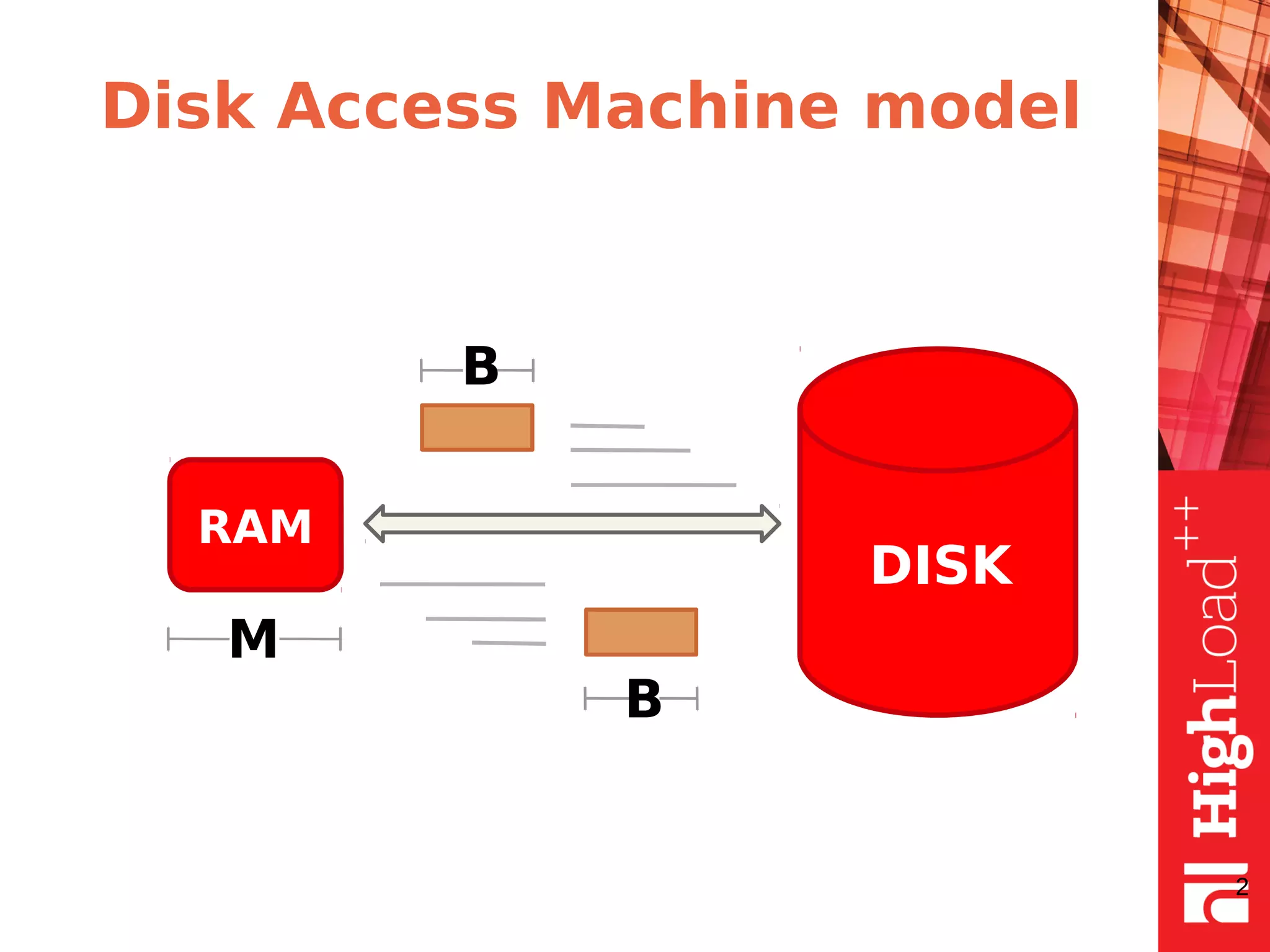
Disk Access Machine model
2
RAM
DISK
М
B
B
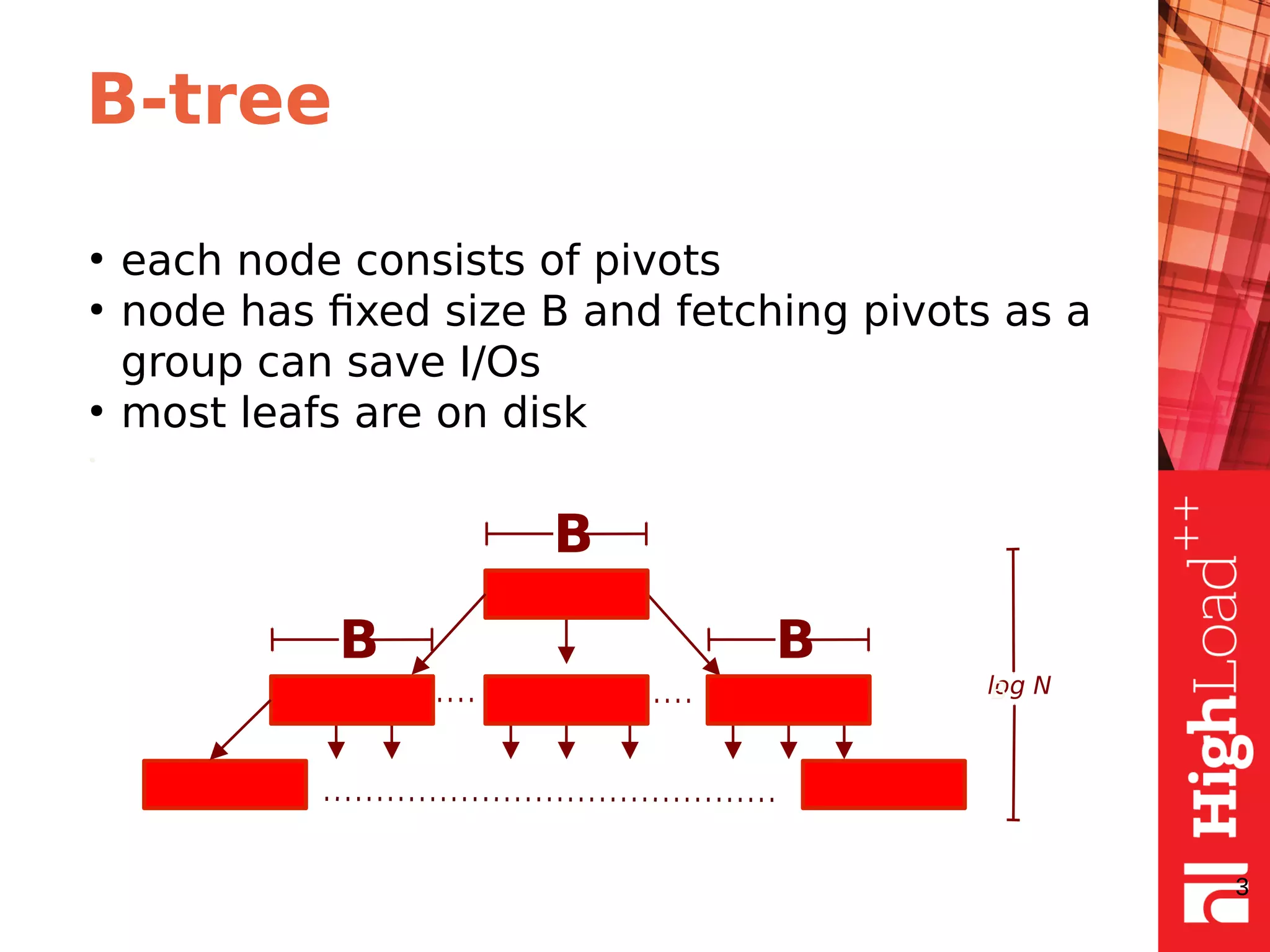
B-tree
●
each node consists of pivots
●
node has fixed size B and fetching pivots as a
group can save I/Os
●
most leafs are on disk
•
3
B
B B
log NB
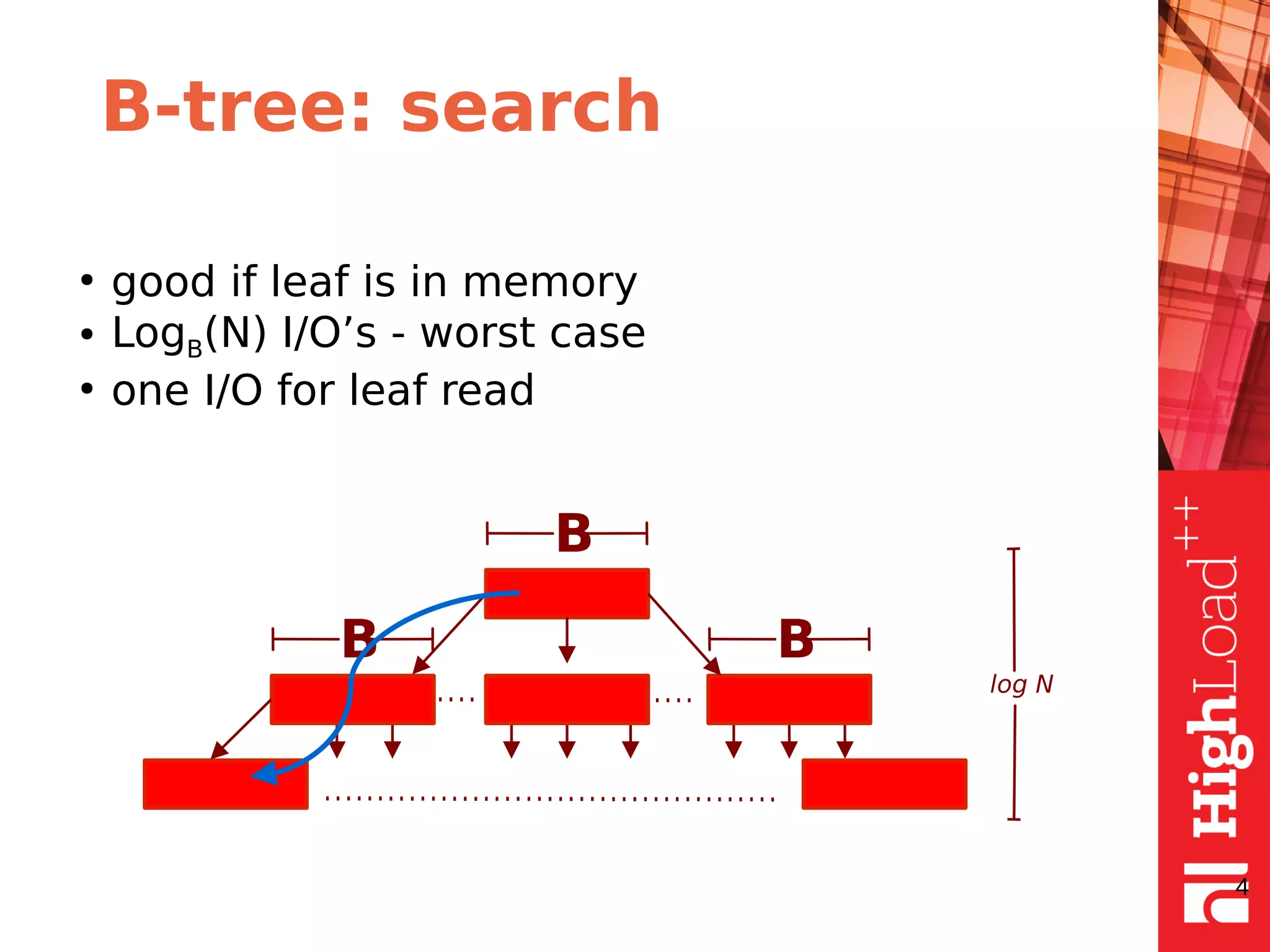
B-tree: search
●
good if leaf is in memory
● LogB(N) I/O’s - worst case
●
one I/O for leaf read
4
B
B B
log N
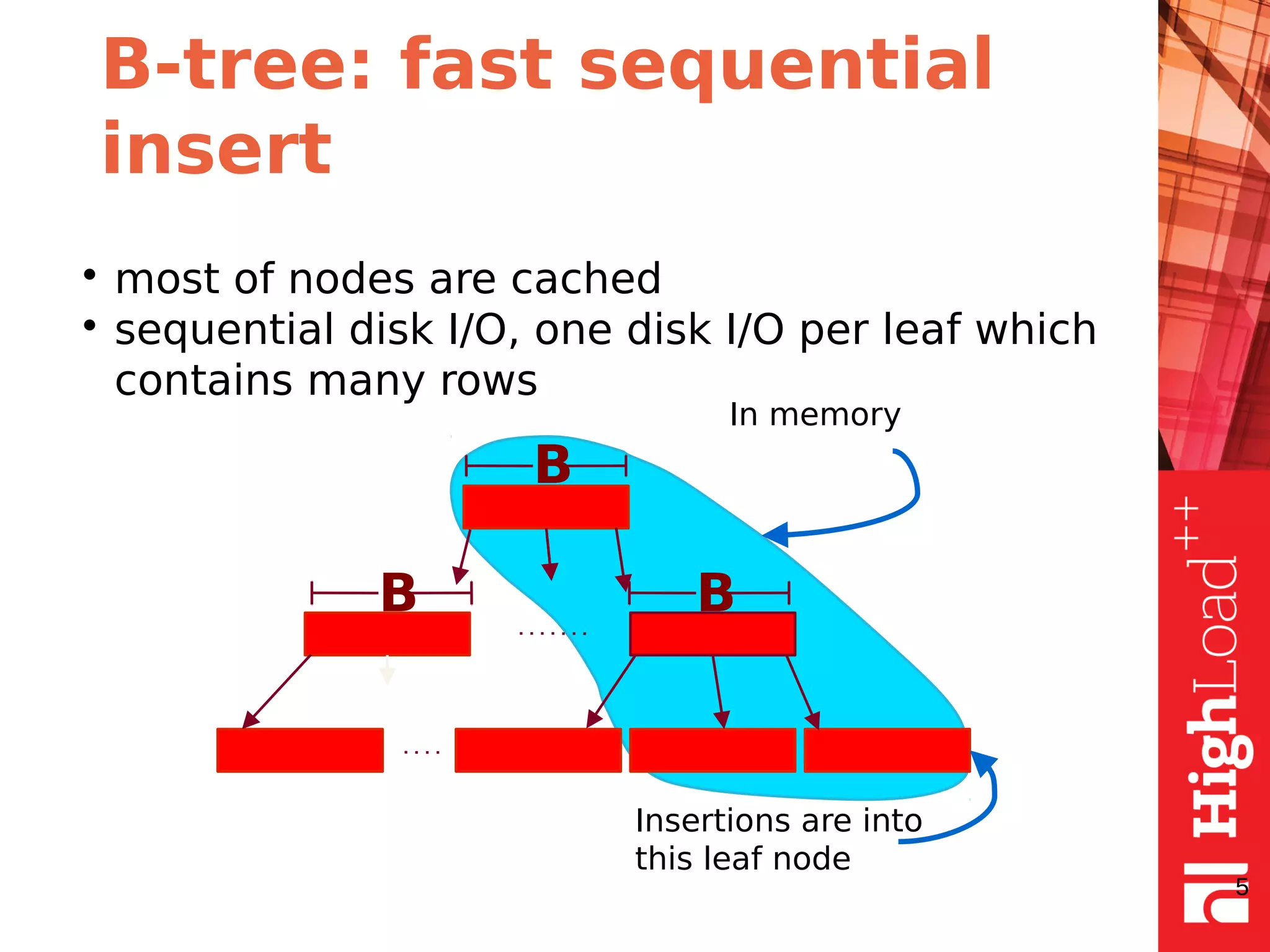
B-tree: fast sequential
insert
• most of nodes are cached
• sequential disk I/O, one disk I/O per leaf which
contains many rows
5
B
BB
In memory
Insertions are into
this leaf node
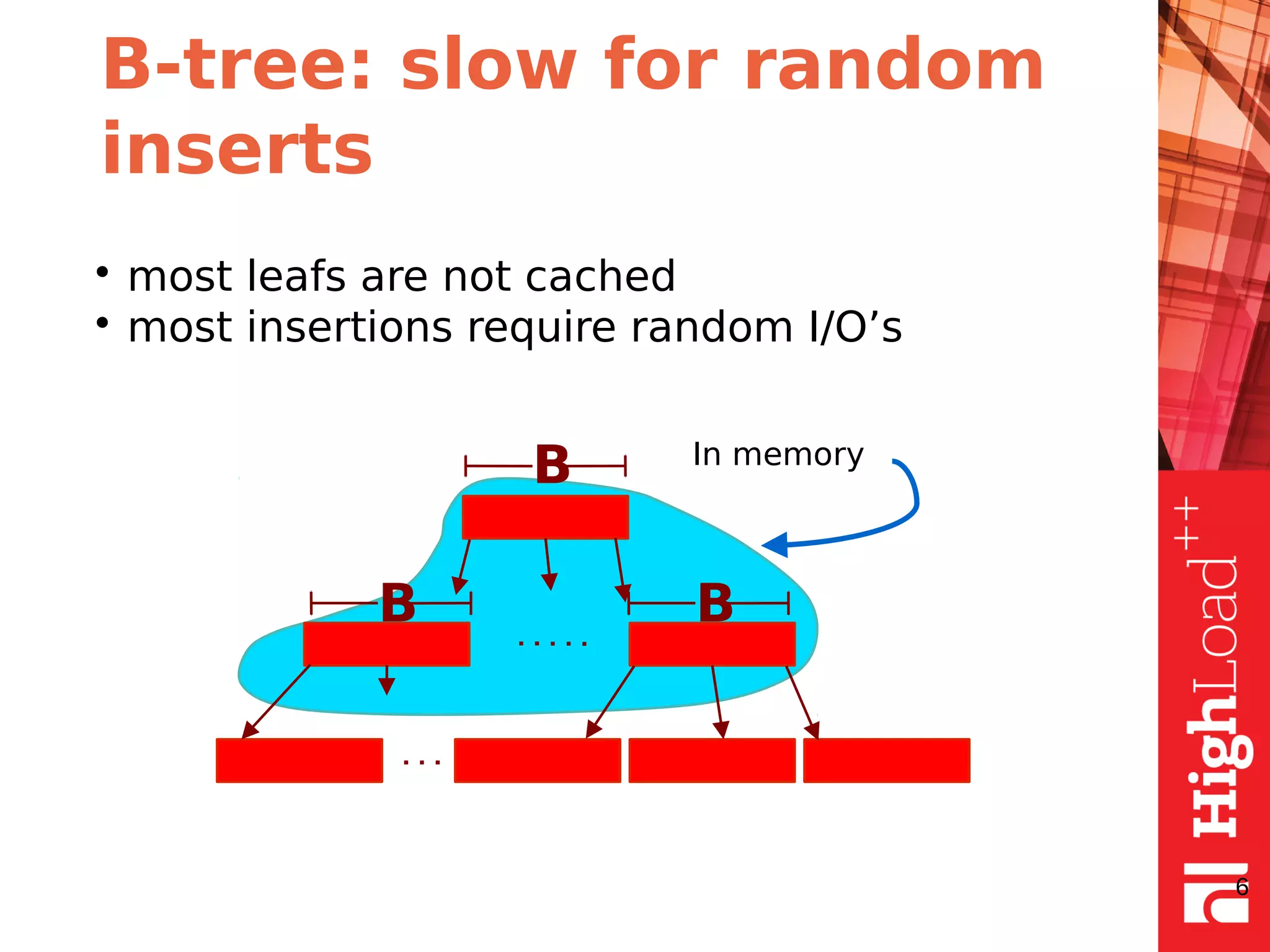
B-tree: slow for random
inserts
• most leafs are not cached
• most insertions require random I/O’s
6
B
BB
In memory
B-tree: random inserts
buffering
The idea is to buffer inserts and merge them on
necessity or when system idles.
• allows to reduce I/O’s as several changes of
the same node can be written at once
• can slow down reads
• anyway we have to read leafs on applying
changes from buffer
7
B-tree: cons and pros
• good for sequential inserts
• random inserts can be the cause of big I/O
load due to cache misses
• random insert speed degrades with raising
tree size
8
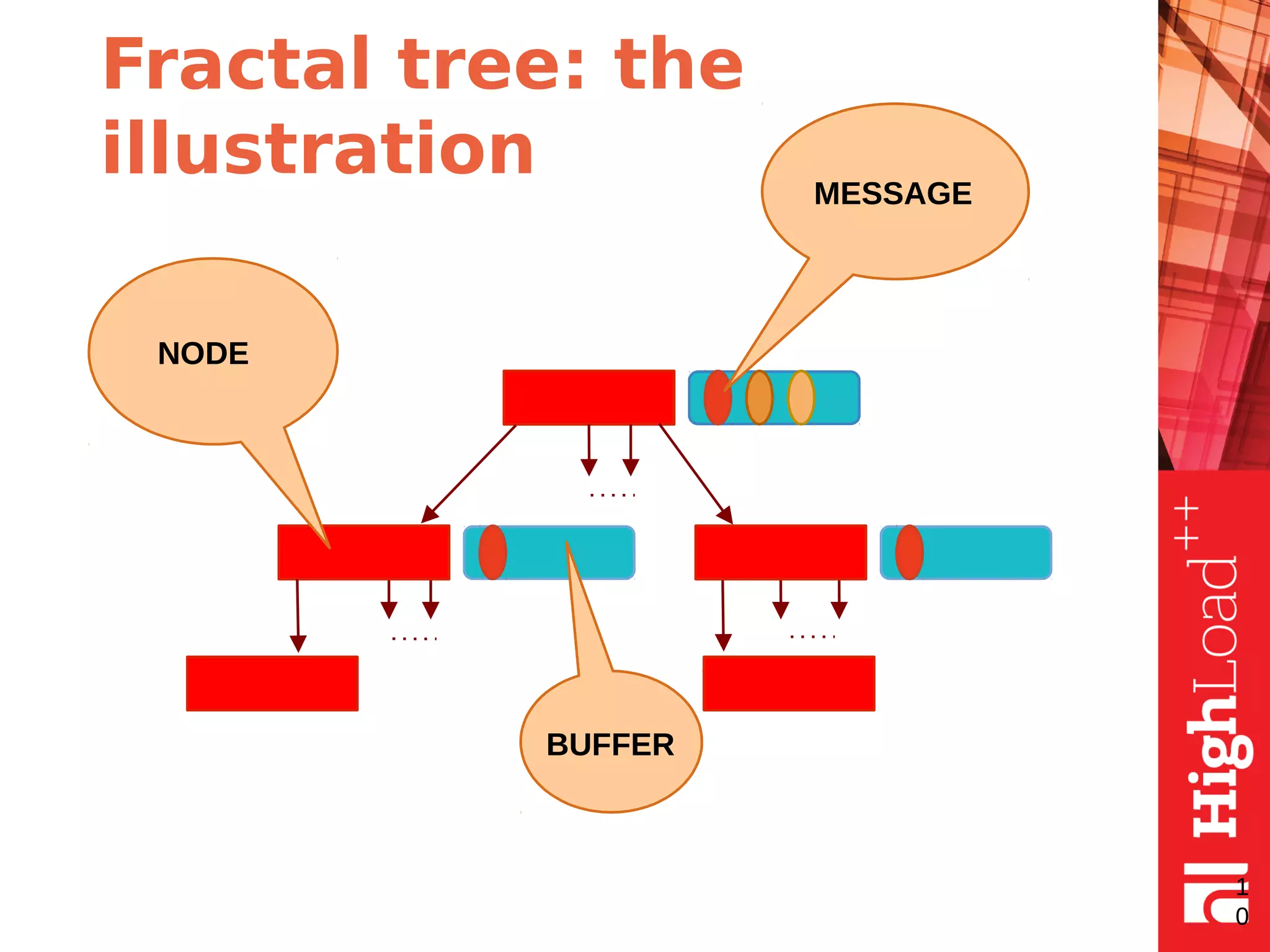
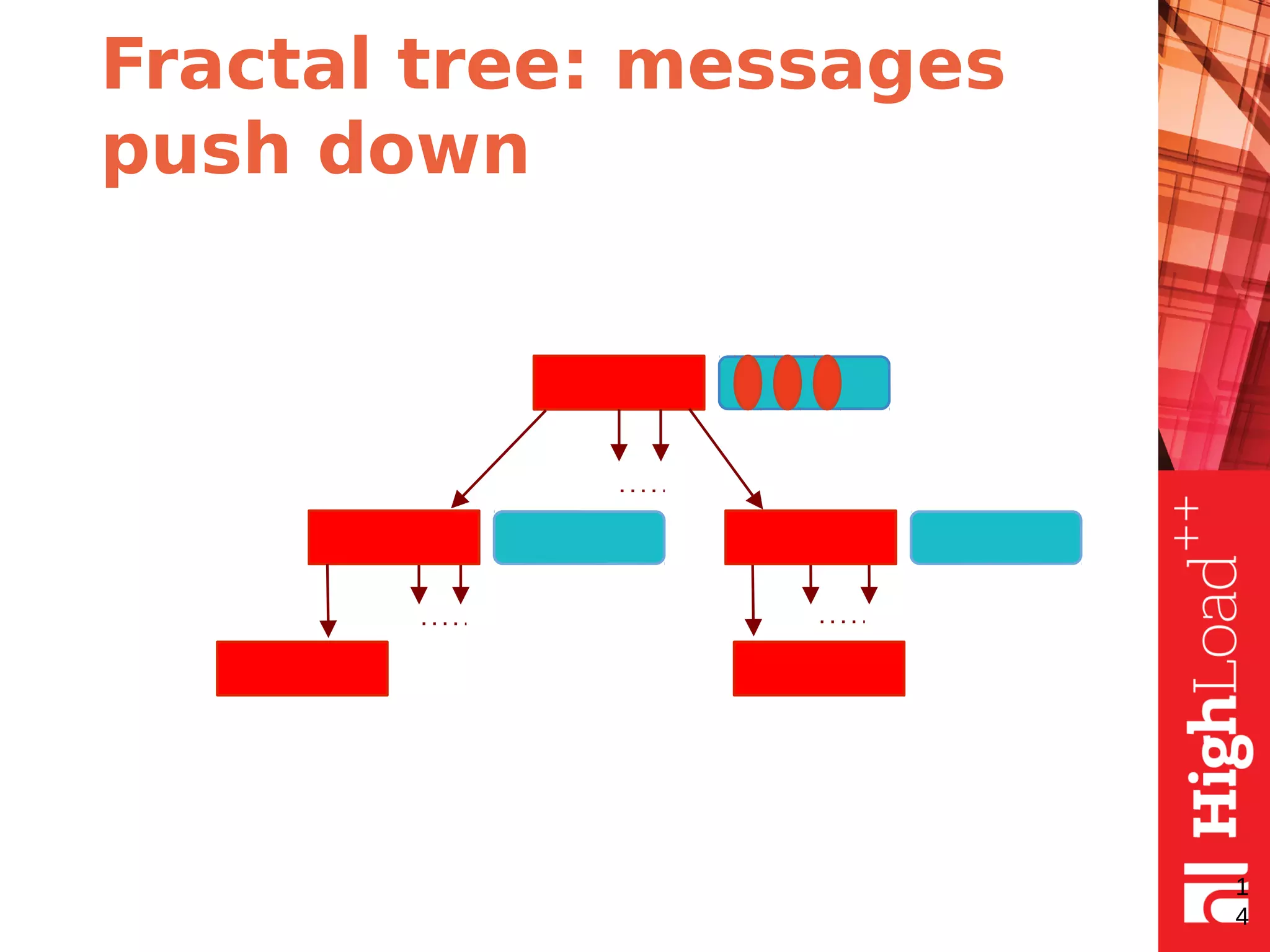
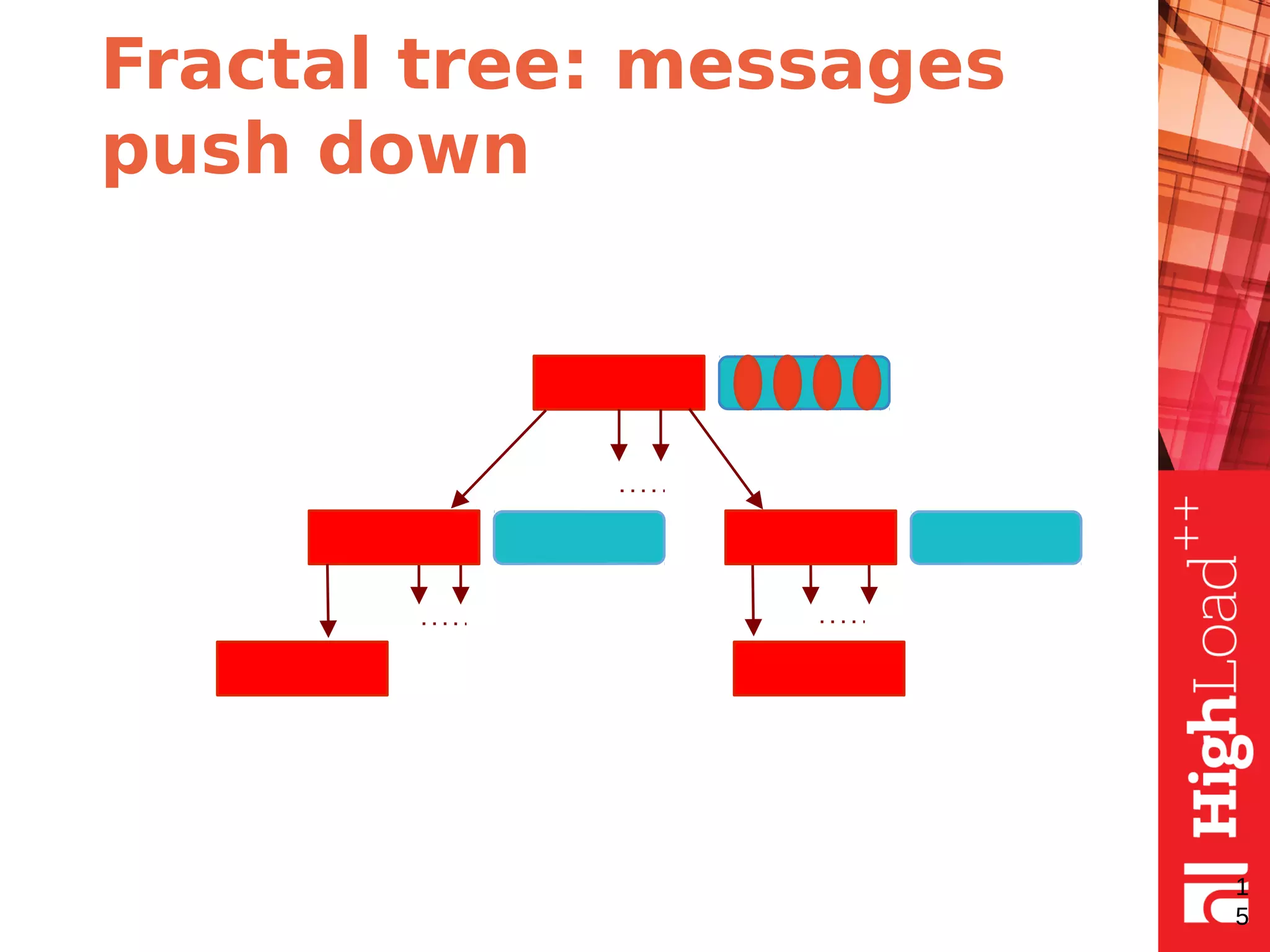
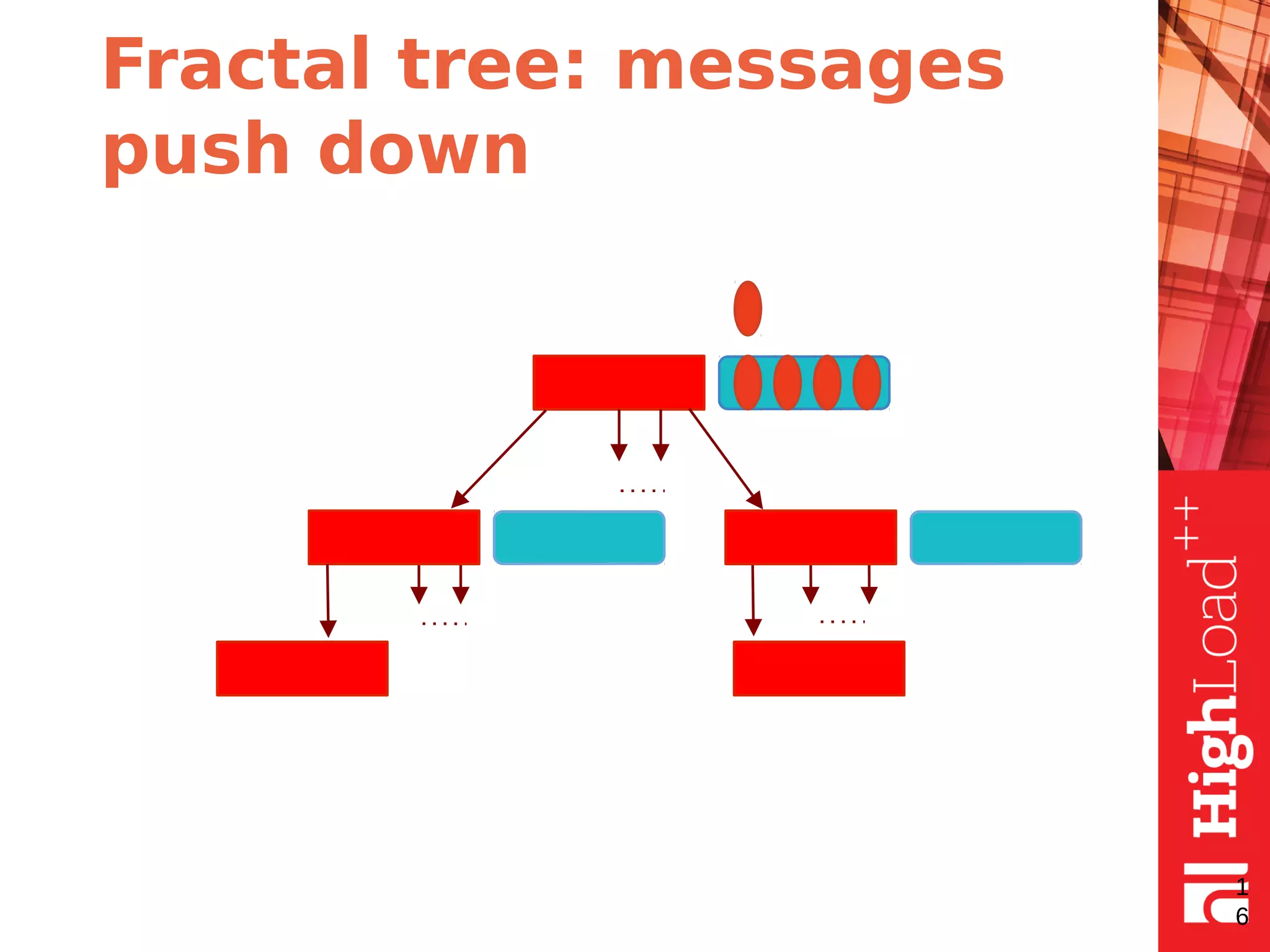
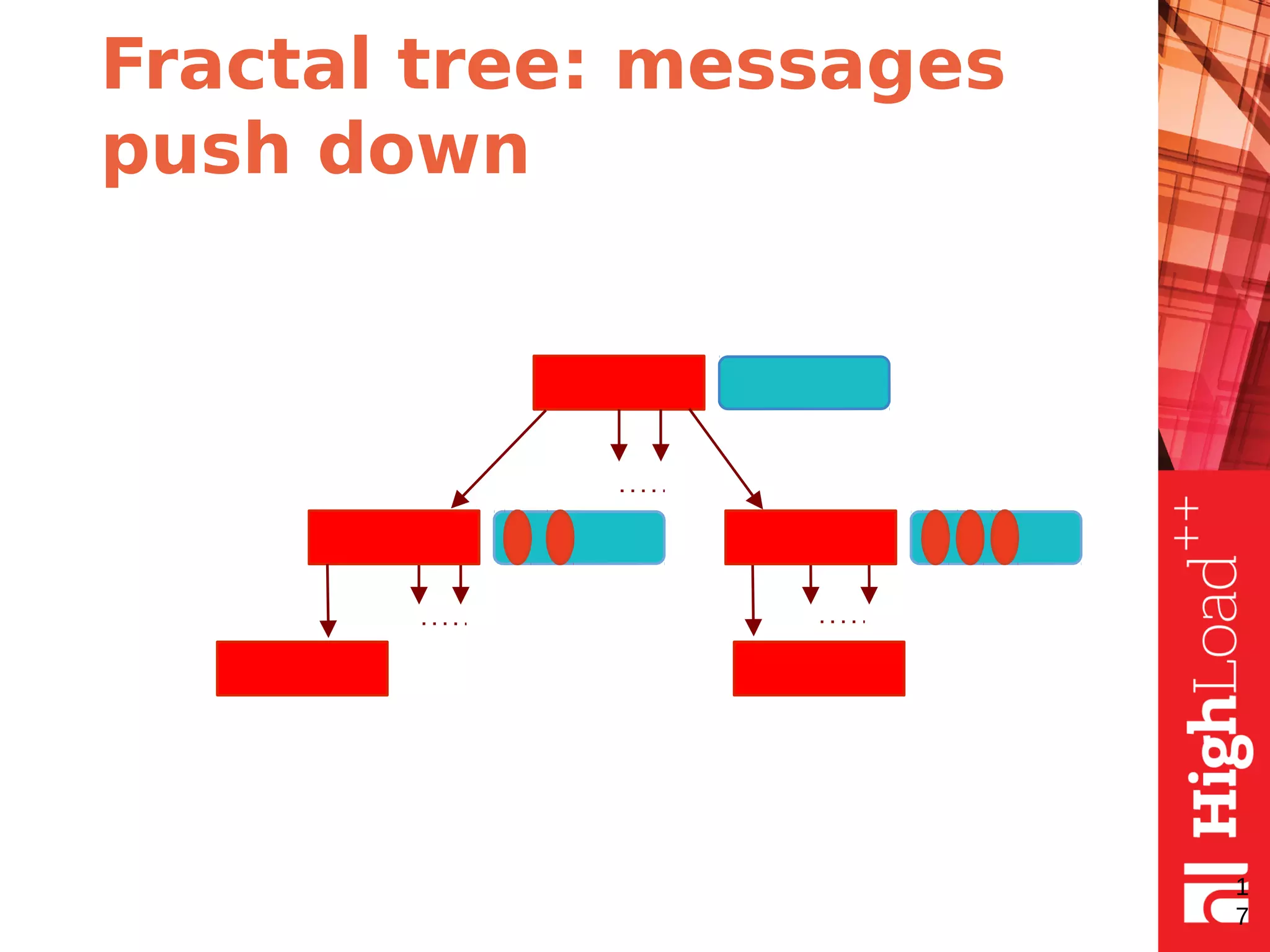
Fractal tree: the idea
●
fractal tree is the same as B-tree but with
message buffers in each node
●
buffers contain messages
●
each message describes a data change
●
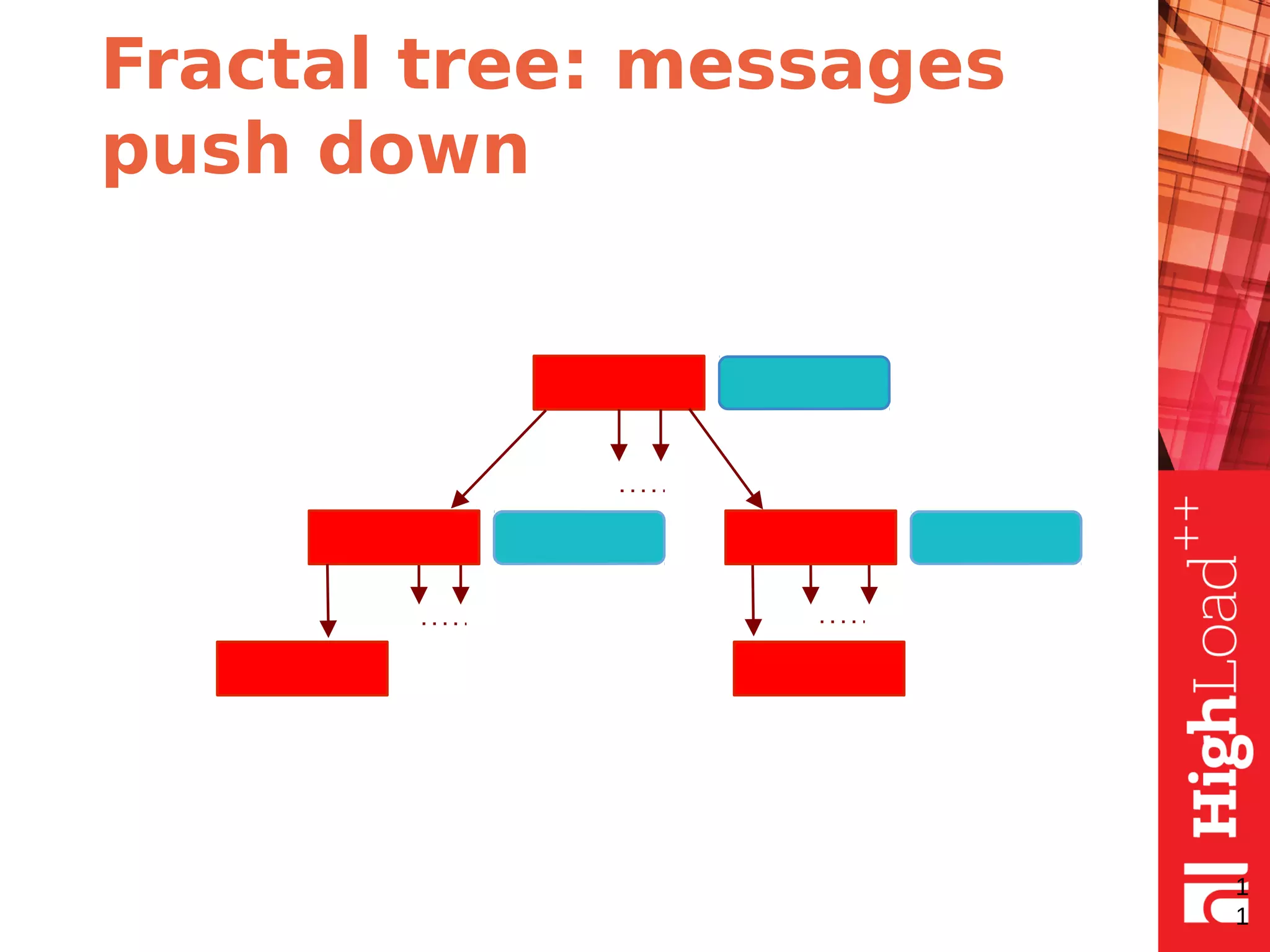
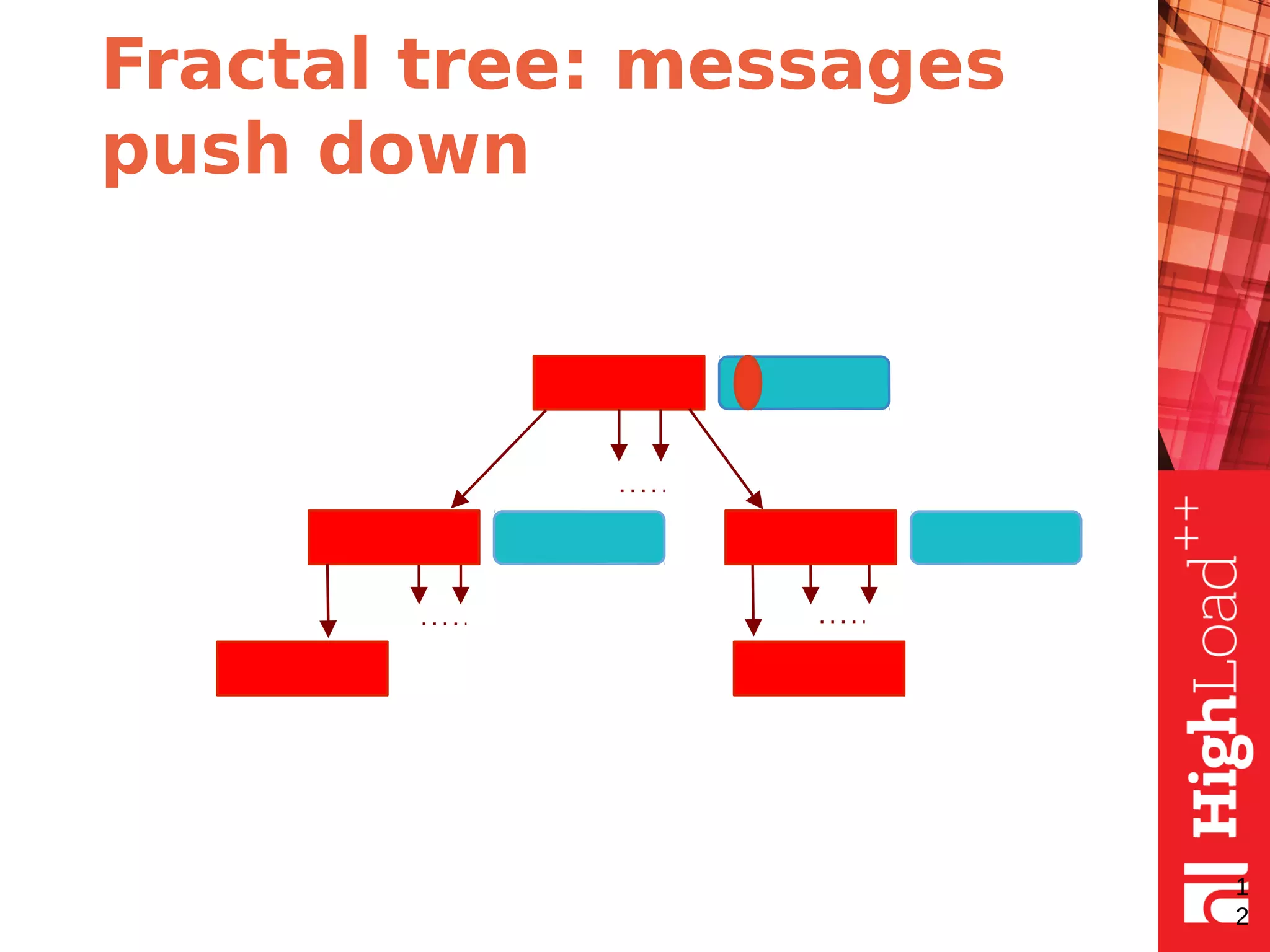
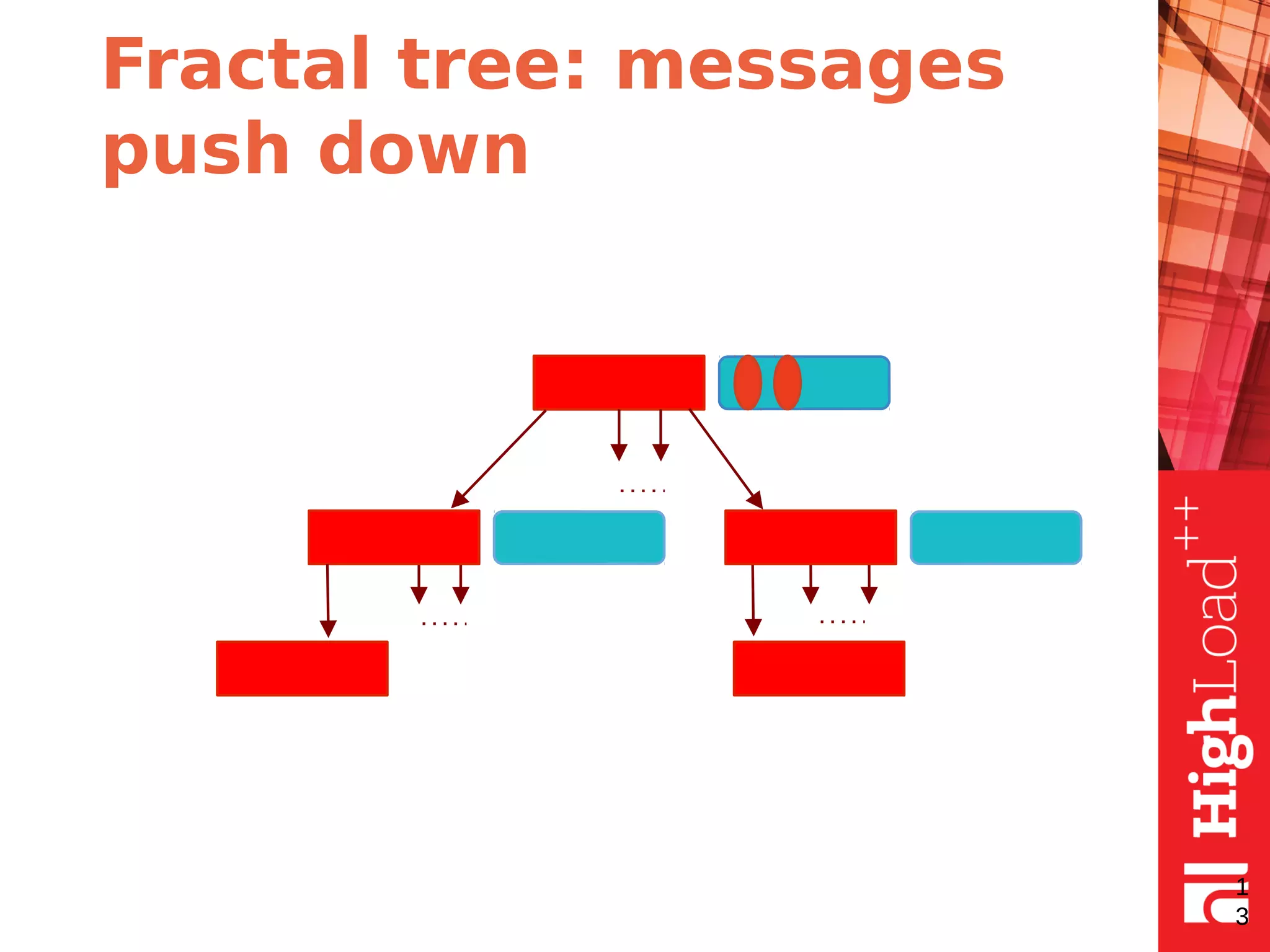
the messages are pushed down when buffer is
full (or node merge/split required)
9
Fractal tree: the
illustration
1
0
NODE
BUFFER
MESSAGE
Fractal tree: messages
push down
1
1
Fractal tree: messages
push down
1
2
Fractal tree: messages
push down
1
3
Fractal tree: messages
push down
1
4
Fractal tree: messages
push down
1
5
Fractal tree: messages
push down
1
6
Fractal tree: messages
push down
1
7
Fractal tree: performance
analysis
●
the most recently used buffers are cached
●
less I/O’s in comparison with B-tree as there is
no need to access leaf on each insert
●
more information about changes is stored per
each I/O
1
8
Fractal tree: search
The same as for B-tree but collect and apply all
changes to the target leaf
●
the same I/O number as for B-tree search
●
more CPU work for collecting and merging
changes
●
good for I/O-bounded loads
1
9
Fractal tree: summary
In the case if most leafs do not fit in memory
●
the number of I/O’s for search is the same as
for B-tree
●
the number of I/O’s for sequential inserts is the
same as for B-tree
●
the number of I/O’s for random inserts is less
than for B-tree
2
0
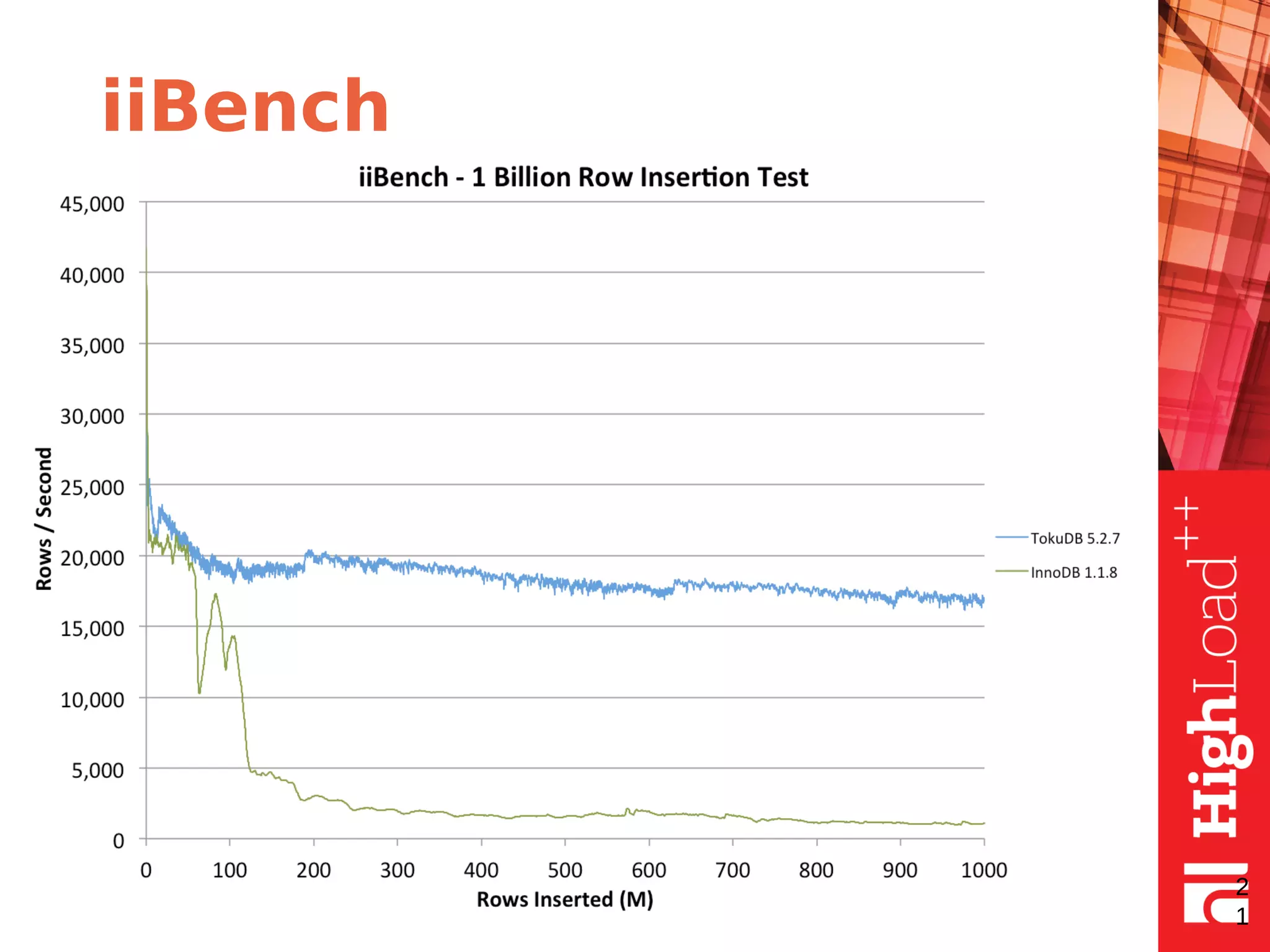
iiBench
2
1
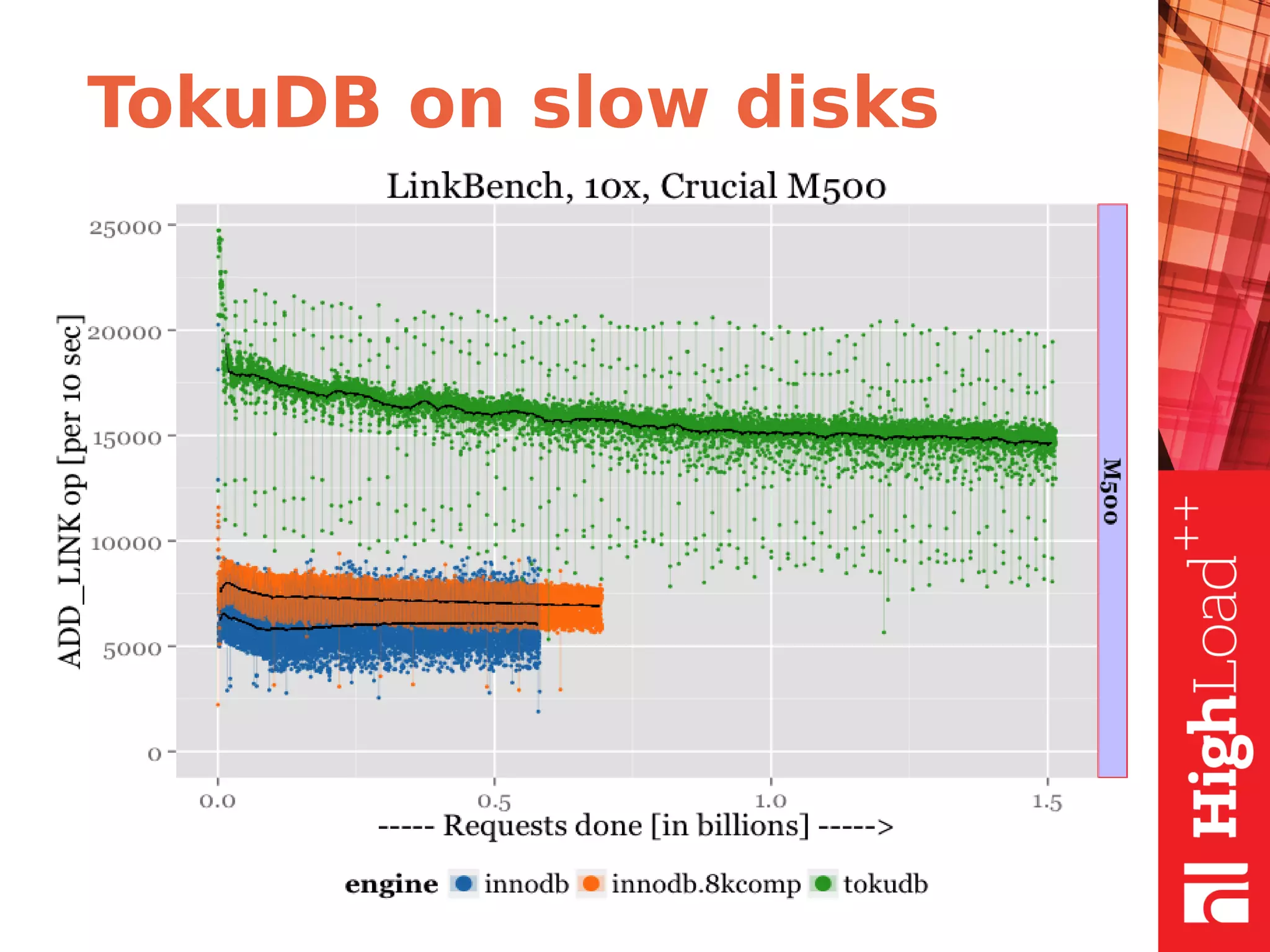
TokuDB on slow disks
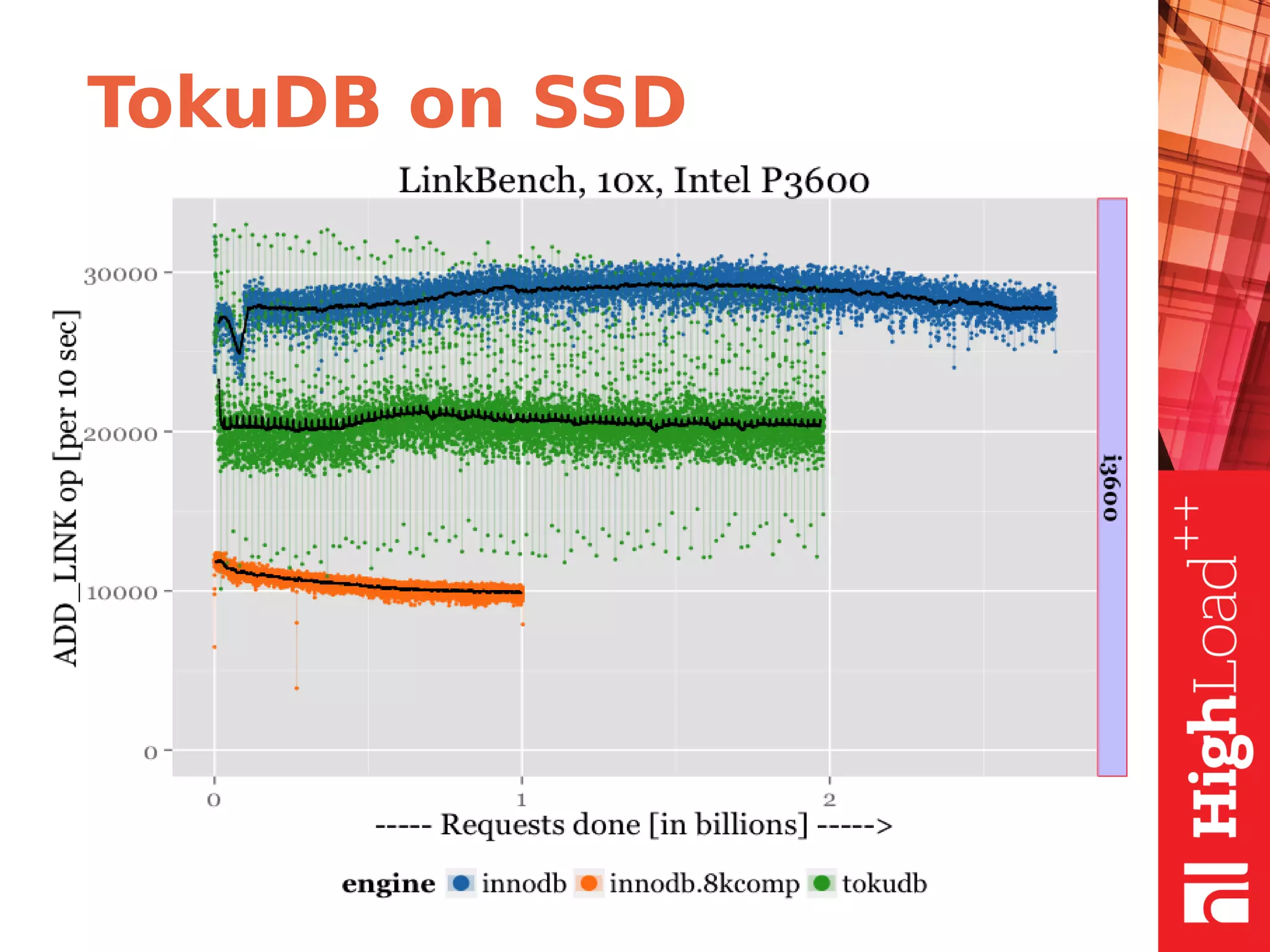
TokuDB on SSD
Performance fractal tree
parameters
●
Fanout
●
Node size
●
Basement node size
●
Compression
2
4
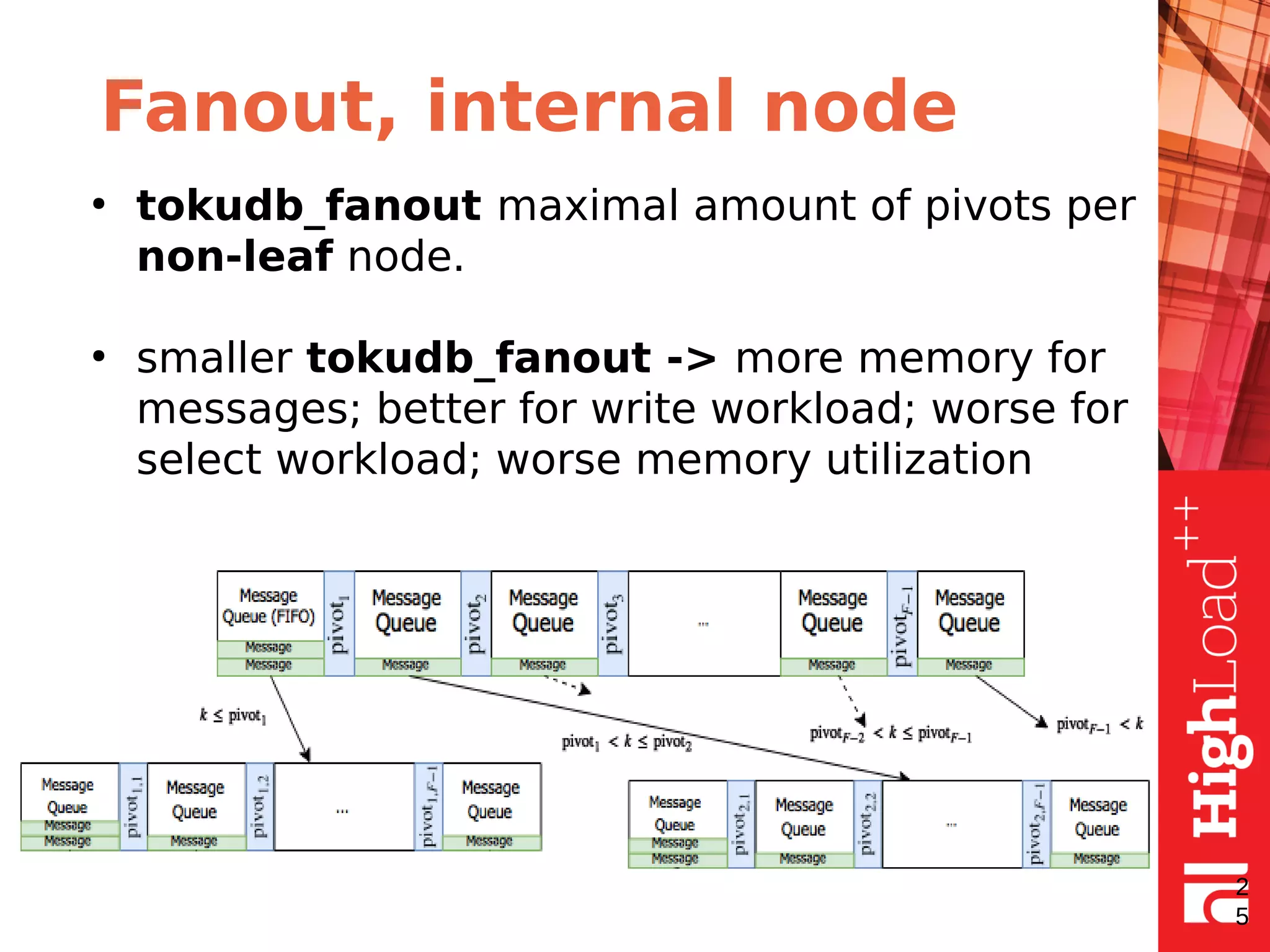
Fanout, internal node
2
5
●
tokudb_fanout maximal amount of pivots per
non-leaf node.
●
smaller tokudb_fanout -> more memory for
messages; better for write workload; worse for
select workload; worse memory utilization
Node size
●
tokudb_block_size (default 4MiB) - size of Node
IN Memory (on disk it will be compressed).
●
The bigger size the better for slow discs
(sequential I/O), 4MB is good enough for
spinning disks.
●
For SSD smaller block size might be beneficial.
2
6
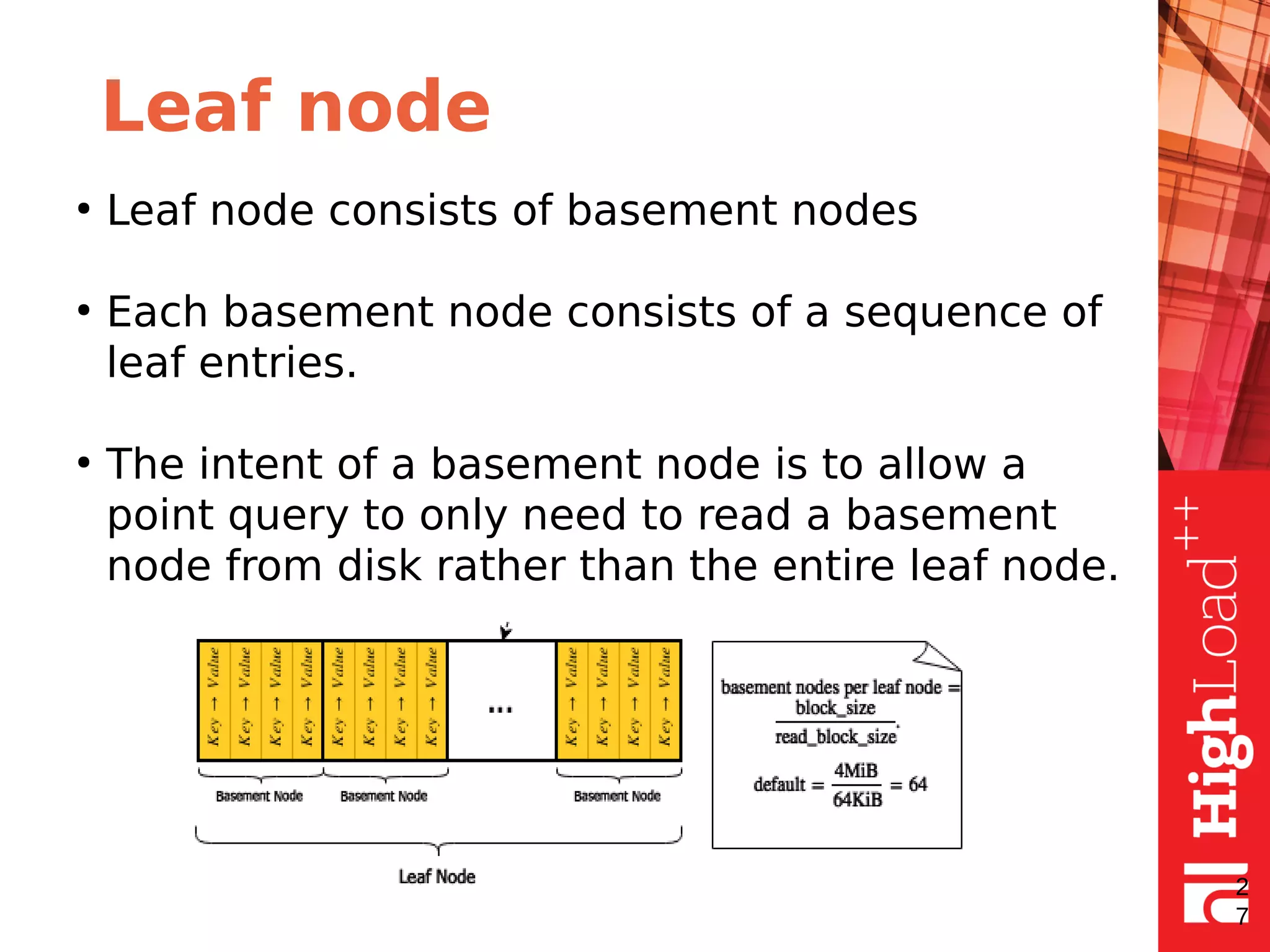
Leaf node
●
Leaf node consists of basement nodes
●
Each basement node consists of a sequence of
leaf entries.
●
The intent of a basement node is to allow a
point query to only need to read a basement
node from disk rather than the entire leaf node.
2
7
Basement node size
●
tokudb_read_block_size (default 64KiB) -
size of basement node - minimal reading
block size
●
Balance: smaller tokudb_read_block_size -
better for Point Reads, but leads for more
random IO
2
8
Compression: speed vs size
●
TOKUDB_ZLIB - mid-range compression with
medium CPU utilization
●
TOKUDB_SNAPPY - good compression with low
CPU utilization
●
TOKUDB_QUICKLZ - light compression with low
CPU utilization
●
TOKUDB_LZMA - highest compression with high
CPU utilization
2
9
Compression: tuning
●
only non-compressed data stored in memory
●
tokudb_directio=OFF allows to use os disk
cache as a secondary cache to store
compressed nodes
●
use cgroups to limit total memory usage by
mysqld process
3
0
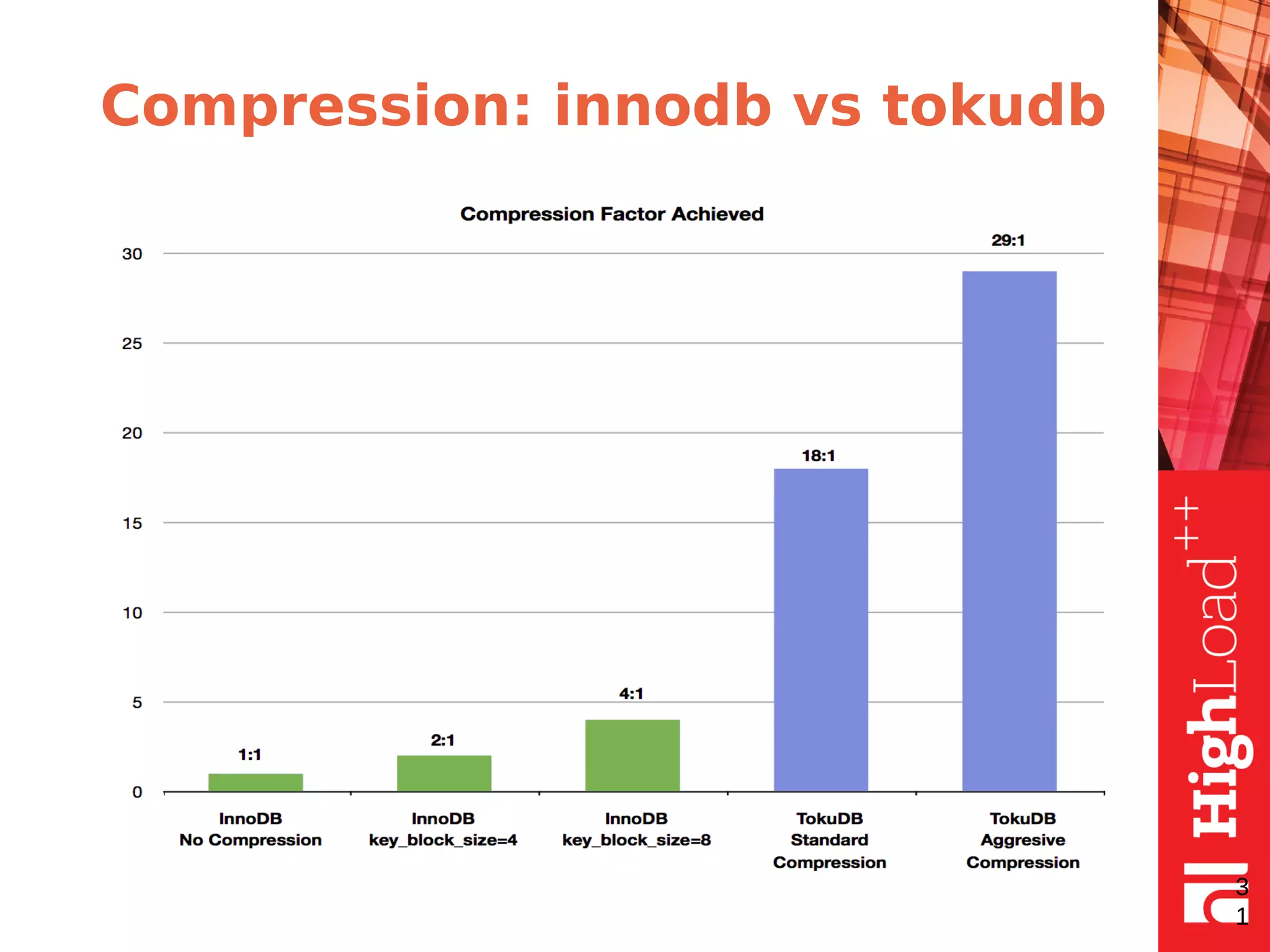
Compression: innodb vs tokudb
3
1
Cachetable
●
keep the hot objects in memory
●
the objects are fractal tree nodes and basement
nodes
●
has an upper bound
●
has service thread pools like: evictor,
checkpointer, flusher
3
2
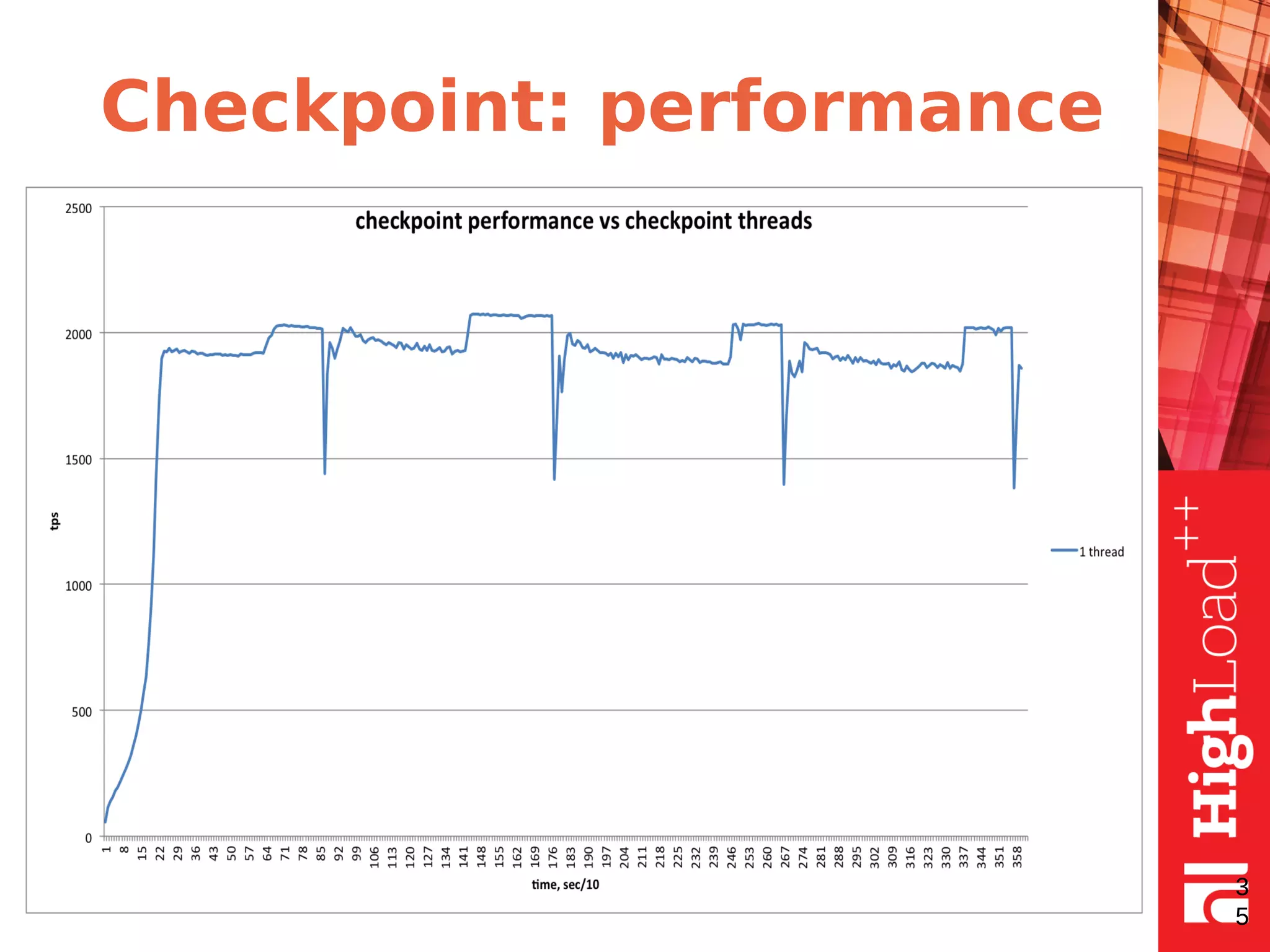
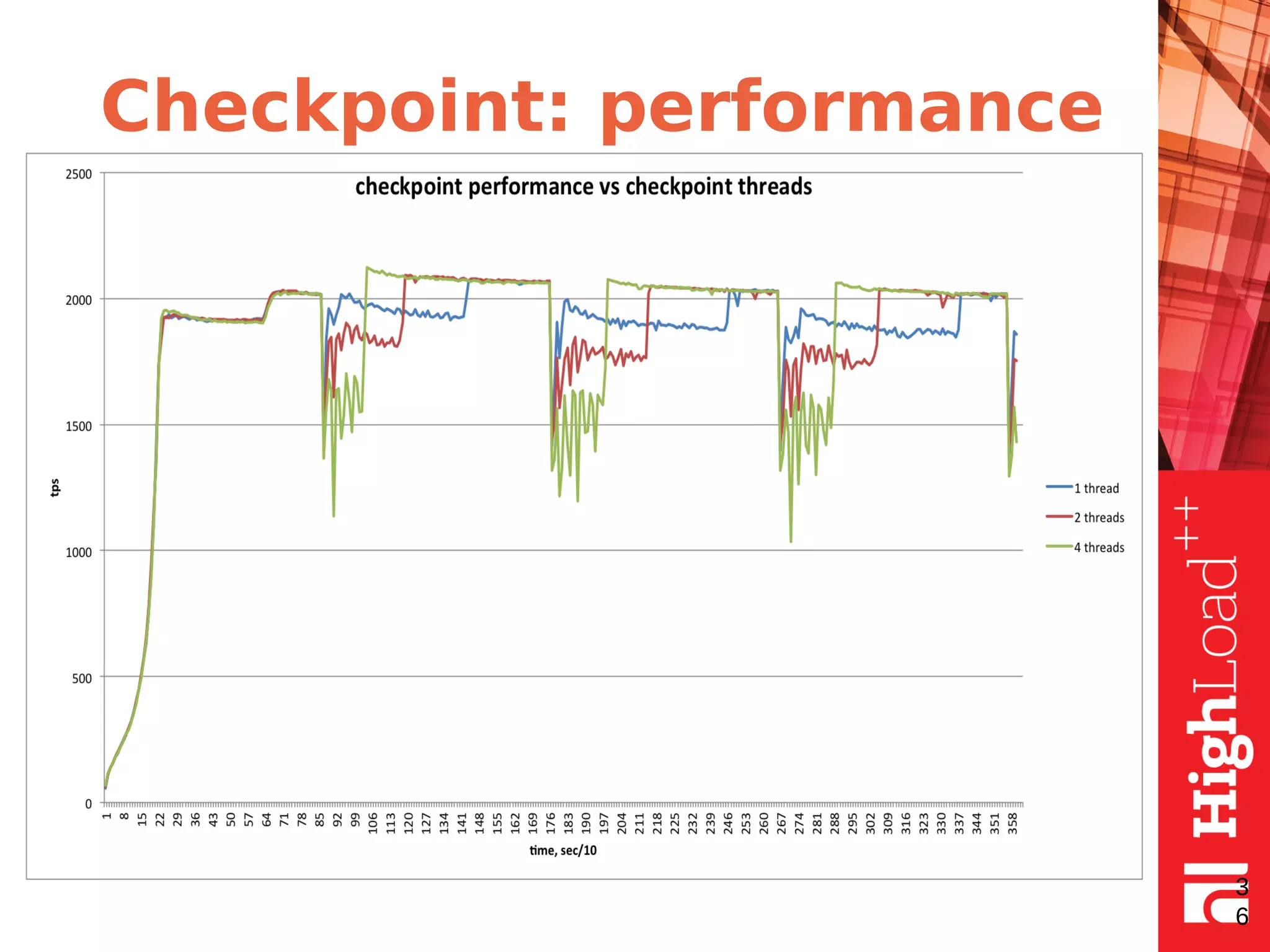
Checkpoints
●
Checkpointing - is the periodical process to get
datafiles in sync with transactional redo log files.
●
In TokuDB checkpointing is time-based, in
InnoDB - log file size based.
●
In InnoDB checkpointing is fuzzy. In TokuDB it
starts by timer and runs until it is done.
●
In TokuDB it can be intrusive for performance.
-
3
3
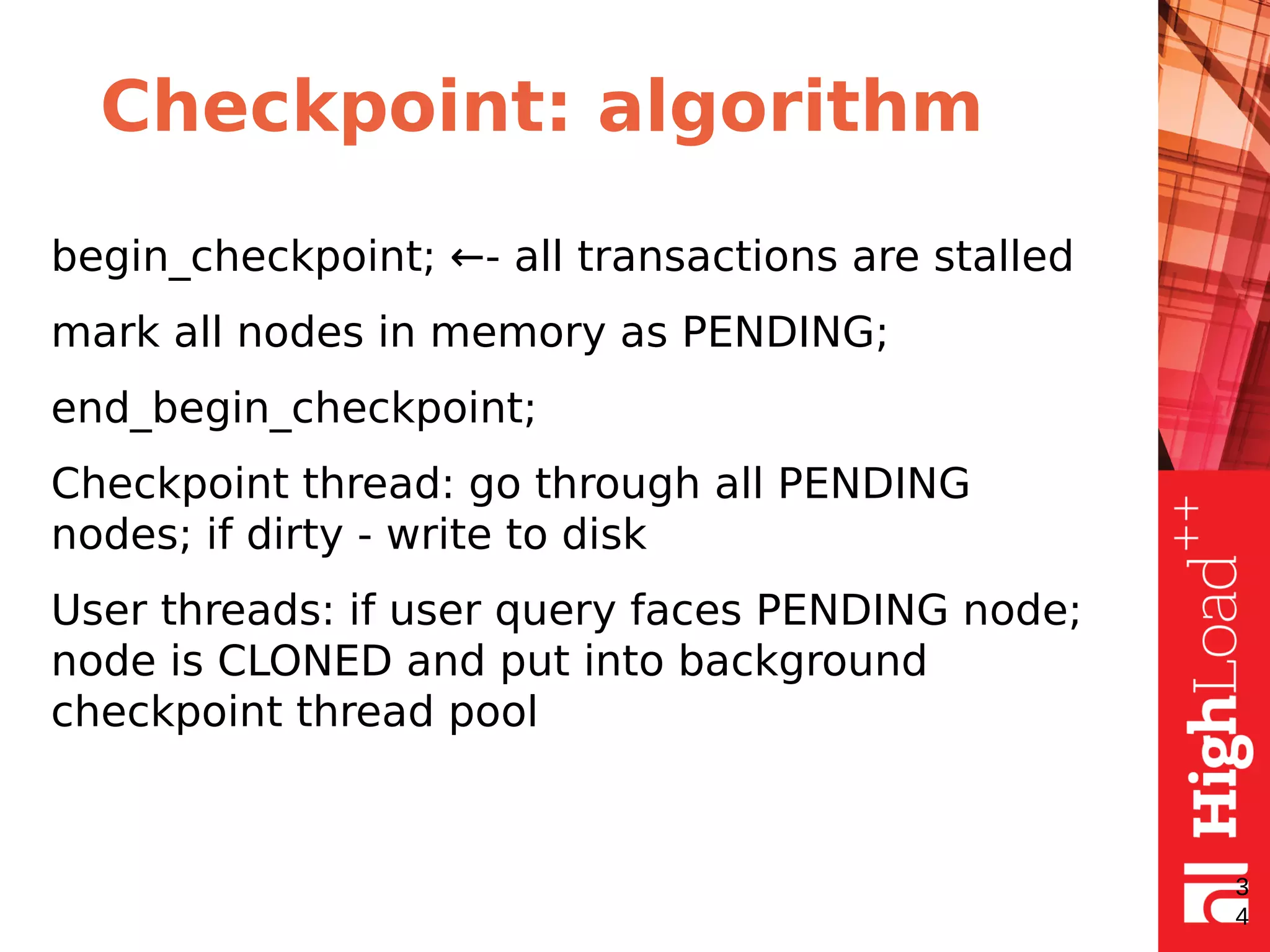
Checkpoint: algorithm
begin_checkpoint; ←- all transactions are stalled
mark all nodes in memory as PENDING;
end_begin_checkpoint;
Checkpoint thread: go through all PENDING
nodes; if dirty - write to disk
User threads: if user query faces PENDING node;
node is CLONED and put into background
checkpoint thread pool
3
4
Checkpoint: performance
3
5
Checkpoint: performance
3
6
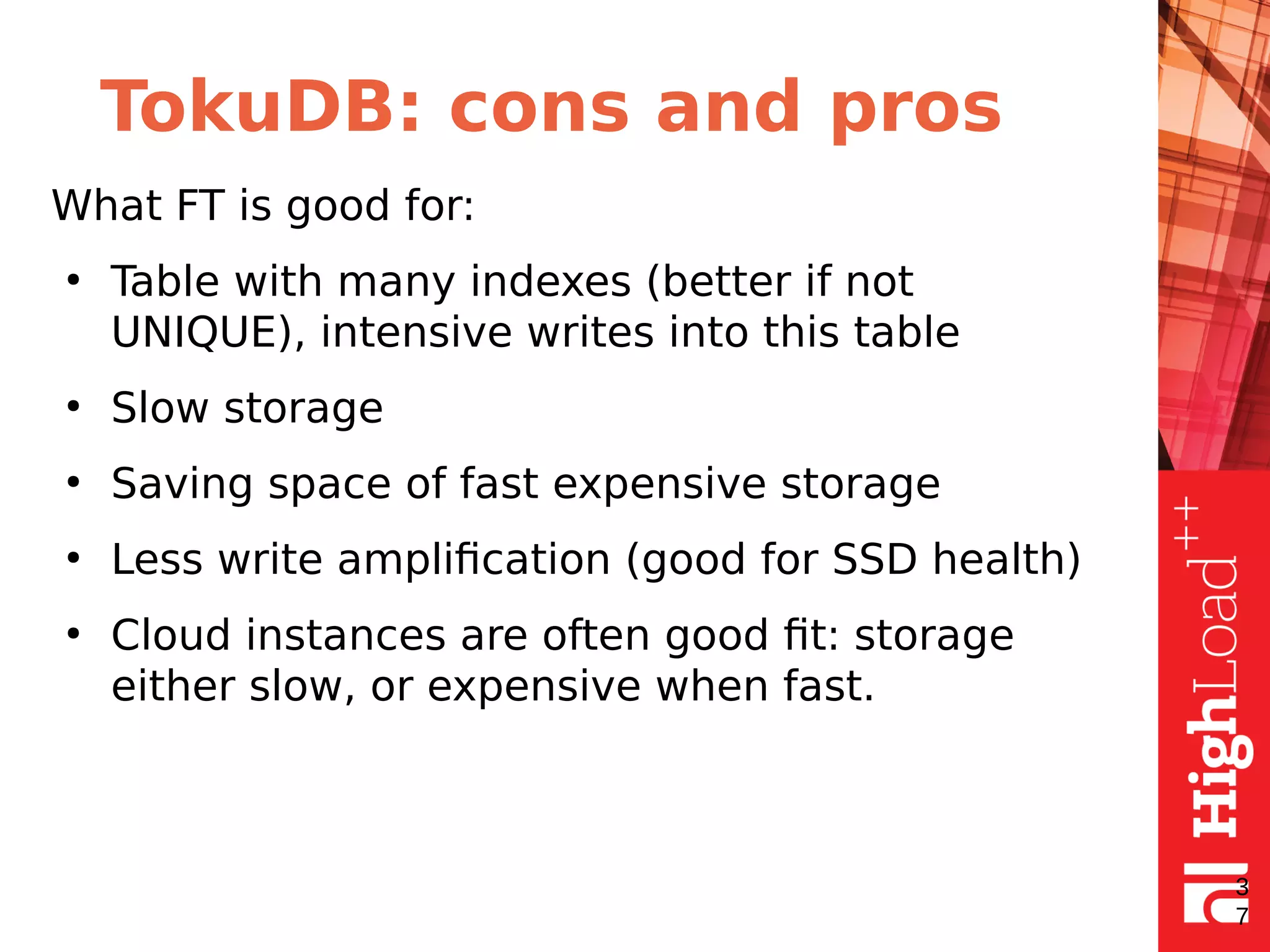
TokuDB: cons and pros
What FT is good for:
●
Table with many indexes (better if not
UNIQUE), intensive writes into this table
●
Slow storage
●
Saving space of fast expensive storage
●
Less write amplification (good for SSD health)
●
Cloud instances are often good fit: storage
either slow, or expensive when fast.
3
7
TokuDB: cons and pros
●
SELECT will require traversing through all
messages
●
Especially bad for point SELECT queries
●
Remember: Primary Key or Unique Key
constraints REQUIRE a HIDDEN POINT SELECT
lookup
●
UNIQUE KEY - performance Killer for TokuDB
●
non-sequential PRIMARY KEY - performance
Killer for TokuDB
3
8
Questions
3
9
Some interesting features
●
Multiple clustered indexes
●
Hot indexing
●
Transactional file operations
●
Fast schema changing
4
0

TokuDB internals / Лесин Владислав (Percona)

  • 1.
  • 2.
    Disk Access Machinemodel 2 RAM DISK М B B
  • 3.
    B-tree ● each node consistsof pivots ● node has fixed size B and fetching pivots as a group can save I/Os ● most leafs are on disk • 3 B B B log NB
  • 4.
    B-tree: search ● good ifleaf is in memory ● LogB(N) I/O’s - worst case ● one I/O for leaf read 4 B B B log N
  • 5.
    B-tree: fast sequential insert •most of nodes are cached • sequential disk I/O, one disk I/O per leaf which contains many rows 5 B BB In memory Insertions are into this leaf node
  • 6.
    B-tree: slow forrandom inserts • most leafs are not cached • most insertions require random I/O’s 6 B BB In memory
  • 7.
    B-tree: random inserts buffering Theidea is to buffer inserts and merge them on necessity or when system idles. • allows to reduce I/O’s as several changes of the same node can be written at once • can slow down reads • anyway we have to read leafs on applying changes from buffer 7
  • 8.
    B-tree: cons andpros • good for sequential inserts • random inserts can be the cause of big I/O load due to cache misses • random insert speed degrades with raising tree size 8
  • 9.
    Fractal tree: theidea ● fractal tree is the same as B-tree but with message buffers in each node ● buffers contain messages ● each message describes a data change ● the messages are pushed down when buffer is full (or node merge/split required) 9
  • 10.
  • 11.
  • 12.
  • 13.
  • 14.
  • 15.
  • 16.
  • 17.
  • 18.
    Fractal tree: performance analysis ● themost recently used buffers are cached ● less I/O’s in comparison with B-tree as there is no need to access leaf on each insert ● more information about changes is stored per each I/O 1 8
  • 19.
    Fractal tree: search Thesame as for B-tree but collect and apply all changes to the target leaf ● the same I/O number as for B-tree search ● more CPU work for collecting and merging changes ● good for I/O-bounded loads 1 9
  • 20.
    Fractal tree: summary Inthe case if most leafs do not fit in memory ● the number of I/O’s for search is the same as for B-tree ● the number of I/O’s for sequential inserts is the same as for B-tree ● the number of I/O’s for random inserts is less than for B-tree 2 0
  • 21.
  • 22.
  • 23.
  • 24.
    Performance fractal tree parameters ● Fanout ● Nodesize ● Basement node size ● Compression 2 4
  • 25.
    Fanout, internal node 2 5 ● tokudb_fanoutmaximal amount of pivots per non-leaf node. ● smaller tokudb_fanout -> more memory for messages; better for write workload; worse for select workload; worse memory utilization
  • 26.
    Node size ● tokudb_block_size (default4MiB) - size of Node IN Memory (on disk it will be compressed). ● The bigger size the better for slow discs (sequential I/O), 4MB is good enough for spinning disks. ● For SSD smaller block size might be beneficial. 2 6
  • 27.
    Leaf node ● Leaf nodeconsists of basement nodes ● Each basement node consists of a sequence of leaf entries. ● The intent of a basement node is to allow a point query to only need to read a basement node from disk rather than the entire leaf node. 2 7
  • 28.
    Basement node size ● tokudb_read_block_size(default 64KiB) - size of basement node - minimal reading block size ● Balance: smaller tokudb_read_block_size - better for Point Reads, but leads for more random IO 2 8
  • 29.
    Compression: speed vssize ● TOKUDB_ZLIB - mid-range compression with medium CPU utilization ● TOKUDB_SNAPPY - good compression with low CPU utilization ● TOKUDB_QUICKLZ - light compression with low CPU utilization ● TOKUDB_LZMA - highest compression with high CPU utilization 2 9
  • 30.
    Compression: tuning ● only non-compresseddata stored in memory ● tokudb_directio=OFF allows to use os disk cache as a secondary cache to store compressed nodes ● use cgroups to limit total memory usage by mysqld process 3 0
  • 31.
  • 32.
    Cachetable ● keep the hotobjects in memory ● the objects are fractal tree nodes and basement nodes ● has an upper bound ● has service thread pools like: evictor, checkpointer, flusher 3 2
  • 33.
    Checkpoints ● Checkpointing - isthe periodical process to get datafiles in sync with transactional redo log files. ● In TokuDB checkpointing is time-based, in InnoDB - log file size based. ● In InnoDB checkpointing is fuzzy. In TokuDB it starts by timer and runs until it is done. ● In TokuDB it can be intrusive for performance. - 3 3
  • 34.
    Checkpoint: algorithm begin_checkpoint; ←-all transactions are stalled mark all nodes in memory as PENDING; end_begin_checkpoint; Checkpoint thread: go through all PENDING nodes; if dirty - write to disk User threads: if user query faces PENDING node; node is CLONED and put into background checkpoint thread pool 3 4
  • 35.
  • 36.
  • 37.
    TokuDB: cons andpros What FT is good for: ● Table with many indexes (better if not UNIQUE), intensive writes into this table ● Slow storage ● Saving space of fast expensive storage ● Less write amplification (good for SSD health) ● Cloud instances are often good fit: storage either slow, or expensive when fast. 3 7
  • 38.
    TokuDB: cons andpros ● SELECT will require traversing through all messages ● Especially bad for point SELECT queries ● Remember: Primary Key or Unique Key constraints REQUIRE a HIDDEN POINT SELECT lookup ● UNIQUE KEY - performance Killer for TokuDB ● non-sequential PRIMARY KEY - performance Killer for TokuDB 3 8
  • 39.
  • 40.
    Some interesting features ● Multipleclustered indexes ● Hot indexing ● Transactional file operations ● Fast schema changing 4 0