How to Prepare & Present
a Lecture
How to Prepare & Present a Lecture
Learning outcomes
Describe how to prepare a lecture.
Describe how to present a lecture
Set-dialogue-closure.
Identify how to present an interactive lecture
Identify how to question and respond to
questions during the lectures.
Prepare PowerPoint presentation
Content
Software applications
The design of slides
Colors.
Font's type and size.
Graphics, charts & photos.
The design of a slide show
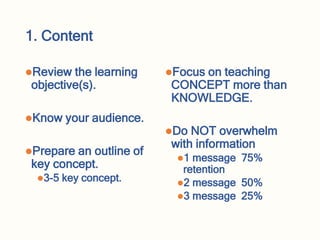
1. Content
Review the learning
objective(s).
Know your audience.
Prepare an outline of
key concept.
3-5 key concept.
Focus on teaching
CONCEPT more than
KNOWLEDGE.
Do NOT overwhelm
with information
1 message 75%
retention
2 message 50%
3 message 25%
Remmmber
An average teachers conveys knowledge.
A gifted teacher conveys concepts!
An average student memorizes data.
A gifted student memorizes schemes!
Imad Hassan
2. Software applications
Microsoft officer PowerPoints 2003-2021
Adobe Photoshop flash.
Etc…
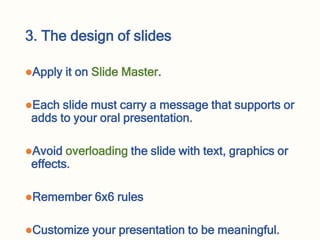
3. The design of slides
Apply it on Slide Master.
Each slide must carry a message that supports or
adds to your oral presentation.
Avoid overloading the slide with text, graphics or
effects.
Remember 6x6 rules
Customize your presentation to be meaningful.
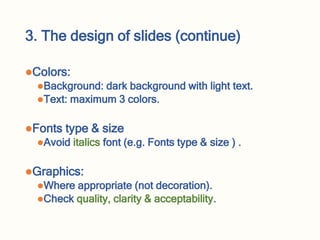
3. The design of slides (continue)
Colors:
Background: dark background with light text.
Text: maximum 3 colors.
Fonts type & size
Avoid italics font (e.g. Fonts type & size ) .
Graphics:
Where appropriate (not decoration).
Check quality, clarity & acceptability.
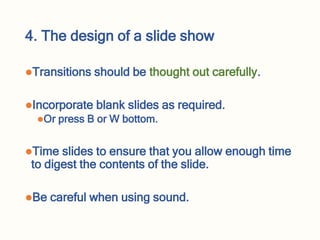
4. The design of a slide show
Transitions should be thought out carefully.
Incorporate blank slides as required.
Or press B or W bottom.
Time slides to ensure that you allow enough time
to digest the contents of the slide.
Be careful when using sound.
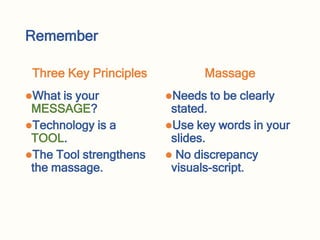
Remember
Three Key Principles
What is your
MESSAGE?
Technology is a
TOOL.
The Tool strengthens
the massage.
Massage
Needs to be clearly
stated.
Use key words in your
slides.
 No discrepancy
visuals-script.
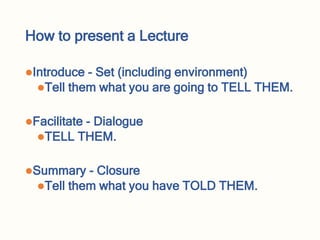
How to present a Lecture
Introduce - Set (including environment)
Tell them what you are going to TELL THEM.
Facilitate - Dialogue
TELL THEM.
Summary - Closure
Tell them what you have TOLD THEM.
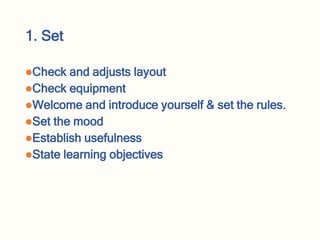
1. Set
Check and adjusts layout
Check equipment
Welcome and introduce yourself & set the rules.
Set the mood
Establish usefulness
State learning objectives
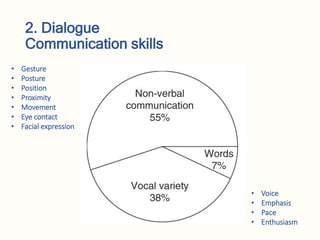
2. Dialogue
Communication skills
• Voice
• Emphasis
• Pace
• Enthusiasm
• Gesture
• Posture
• Position
• Proximity
• Movement
• Eye contact
• Facial expression
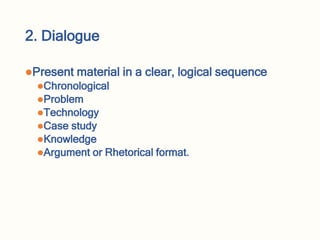
2. Dialogue
Present material in a clear, logical sequence
Chronological
Problem
Technology
Case study
Knowledge
Argument or Rhetorical format.
2. Dialogue
Use visual aids appropriately
Ensure voice projection
Address and involve the audience
Use eye contact appropriately
Demonstrate enthusiasm
2. Dialogue (cont.)
Use humor appropriately: Be carful stop doing this if
you are not funny 
Use personal and/or audience experience
Ask appropriate questions and respond positively to
answers
Keep to time
Attitude/behaviour encourages learning and
interaction
3. Closure
Invite questions and answer them
Return to learning objectives
Summarize your talk
Terminate session
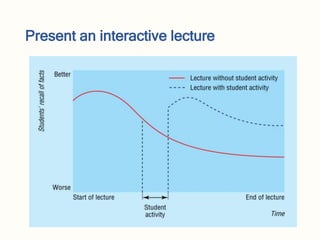
Present an interactive lecture
How to create inter-activeness
Missing information
Categorizing
Matching
Sequencing
Prioritizing
Generating ideas
Questioning & Responding Techniques
Why Asking Questions ?
Encouraging interaction
Gaining and maintaining attention
Assessing levels of understanding
Increasing the level of understanding
Increasing learning from each other
Types of Questions
 According to the Cognitive levels:
Knowledge, Comprehension, Application, Analysis,
Synthesis & Evaluation
Closed-ended questions (Convergent)
Aim at lower levels of cognition: Knowledge/recall
Do not necessarily reflect comprehension
Open-ended questions (Divergent)
Aim at higher levels of cognition
Require more thought & Stimulate discussion
Directing the Question
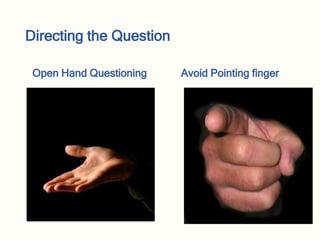
Ask the question, then name the student.
Name the student, then ask the question.
Ask the question, then choose a volunteer (open
hand).
Pros and cons of each method
Directing the Question
Open Hand Questioning Avoid Pointing finger
Methods of Responding
Give students time to answer.
Look at the student who is answering and be
attentive.
Respond with appropriate gestures.
Acknowledge and comment on every response.
Paraphrase the student’s response.
Provide clear, unambiguous feedback.
Pitfalls
Asking lengthy questions
Asking a question within a question
Embarrassing or ambiguous questions
Too many questions
Asking questions of a talkative student or not
asking questions of a shy student
Any Question
Summary
Preparing a lecture
Content
Software applications
The design of slides
The design of a slide show
For presenting a Lecture
Set, Dialogue & Closure.
Present interactive lecture
Importance, types , techniques of questioning
and responding.

02. Lecture interactive lecture preparation and presentation (1).ppt

  • 1.
    How to Prepare& Present a Lecture
  • 2.
    How to Prepare& Present a Lecture
  • 3.
    Learning outcomes Describe howto prepare a lecture. Describe how to present a lecture Set-dialogue-closure. Identify how to present an interactive lecture Identify how to question and respond to questions during the lectures.
  • 4.
    Prepare PowerPoint presentation Content Softwareapplications The design of slides Colors. Font's type and size. Graphics, charts & photos. The design of a slide show
  • 5.
    1. Content Review thelearning objective(s). Know your audience. Prepare an outline of key concept. 3-5 key concept. Focus on teaching CONCEPT more than KNOWLEDGE. Do NOT overwhelm with information 1 message 75% retention 2 message 50% 3 message 25%
  • 6.
    Remmmber An average teachersconveys knowledge. A gifted teacher conveys concepts! An average student memorizes data. A gifted student memorizes schemes! Imad Hassan
  • 7.
    2. Software applications Microsoftofficer PowerPoints 2003-2021 Adobe Photoshop flash. Etc…
  • 8.
    3. The designof slides Apply it on Slide Master. Each slide must carry a message that supports or adds to your oral presentation. Avoid overloading the slide with text, graphics or effects. Remember 6x6 rules Customize your presentation to be meaningful.
  • 9.
    3. The designof slides (continue) Colors: Background: dark background with light text. Text: maximum 3 colors. Fonts type & size Avoid italics font (e.g. Fonts type & size ) . Graphics: Where appropriate (not decoration). Check quality, clarity & acceptability.
  • 10.
    4. The designof a slide show Transitions should be thought out carefully. Incorporate blank slides as required. Or press B or W bottom. Time slides to ensure that you allow enough time to digest the contents of the slide. Be careful when using sound.
  • 11.
    Remember Three Key Principles Whatis your MESSAGE? Technology is a TOOL. The Tool strengthens the massage. Massage Needs to be clearly stated. Use key words in your slides.  No discrepancy visuals-script.
  • 12.
    How to presenta Lecture Introduce - Set (including environment) Tell them what you are going to TELL THEM. Facilitate - Dialogue TELL THEM. Summary - Closure Tell them what you have TOLD THEM.
  • 13.
    1. Set Check andadjusts layout Check equipment Welcome and introduce yourself & set the rules. Set the mood Establish usefulness State learning objectives
  • 14.
    2. Dialogue Communication skills •Voice • Emphasis • Pace • Enthusiasm • Gesture • Posture • Position • Proximity • Movement • Eye contact • Facial expression
  • 15.
    2. Dialogue Present materialin a clear, logical sequence Chronological Problem Technology Case study Knowledge Argument or Rhetorical format.
  • 16.
    2. Dialogue Use visualaids appropriately Ensure voice projection Address and involve the audience Use eye contact appropriately Demonstrate enthusiasm
  • 17.
    2. Dialogue (cont.) Usehumor appropriately: Be carful stop doing this if you are not funny  Use personal and/or audience experience Ask appropriate questions and respond positively to answers Keep to time Attitude/behaviour encourages learning and interaction
  • 18.
    3. Closure Invite questionsand answer them Return to learning objectives Summarize your talk Terminate session
  • 19.
  • 20.
    How to createinter-activeness Missing information Categorizing Matching Sequencing Prioritizing Generating ideas
  • 21.
    Questioning & RespondingTechniques Why Asking Questions ? Encouraging interaction Gaining and maintaining attention Assessing levels of understanding Increasing the level of understanding Increasing learning from each other
  • 22.
    Types of Questions According to the Cognitive levels: Knowledge, Comprehension, Application, Analysis, Synthesis & Evaluation Closed-ended questions (Convergent) Aim at lower levels of cognition: Knowledge/recall Do not necessarily reflect comprehension Open-ended questions (Divergent) Aim at higher levels of cognition Require more thought & Stimulate discussion
  • 23.
    Directing the Question Askthe question, then name the student. Name the student, then ask the question. Ask the question, then choose a volunteer (open hand). Pros and cons of each method
  • 24.
    Directing the Question OpenHand Questioning Avoid Pointing finger
  • 25.
    Methods of Responding Givestudents time to answer. Look at the student who is answering and be attentive. Respond with appropriate gestures. Acknowledge and comment on every response. Paraphrase the student’s response. Provide clear, unambiguous feedback.
  • 26.
    Pitfalls Asking lengthy questions Askinga question within a question Embarrassing or ambiguous questions Too many questions Asking questions of a talkative student or not asking questions of a shy student
  • 27.
  • 28.
    Summary Preparing a lecture Content Softwareapplications The design of slides The design of a slide show For presenting a Lecture Set, Dialogue & Closure. Present interactive lecture Importance, types , techniques of questioning and responding.