Prepare and Deliver Interactive
Presentations
Introduction
 Brainstorming:
 Worst teaching
presentation you
ever attended?
 The best?
“The successful teacher is
no longer on a height,
pumping knowledge at
high pressure into passive
receptacles . . . he is a
senior student anxious to
help his juniors.”
William Osler (18491919)
Objectives
 Plan a presentation
 Introduce a presentation
 Use effective presentation
skills
 Use questioning techniques
during a presentation
 Summarize a presentation
Presentation Plan Includes:
 Learning objectives
 Outline of key points
 Questions to involve students
 Reminders of any planned activities
 Summary questions, comments, or activities
Purpose of the Introduction
 Captures the interest of the entire group and
prepare students for the information to follow
 Makes students aware of the objectives and
expectations
 Helps to create a positive learning climate
Introduction Techniques #1
 Review the objectives
 Relate the topic to previously covered content
 Share a personal experience
 Relate the topic to the student’s experiences
 Use a case study or problem-solving activity
Introduction Techniques #2
 Give a classroom demonstration
 Use a content expert
 Use a game, role play or simulation
 Relate the topic to future work experiences
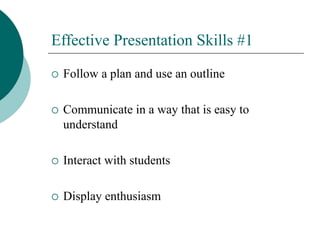
Effective Presentation Skills #1
 Follow a plan and use an outline
 Communicate in a way that is easy to
understand
 Interact with students
 Display enthusiasm
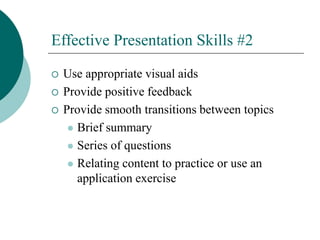
Effective Presentation Skills #2
 Use appropriate visual aids
 Provide positive feedback
 Provide smooth transitions between topics
 Brief summary
 Series of questions
 Relating content to practice or use an
application exercise
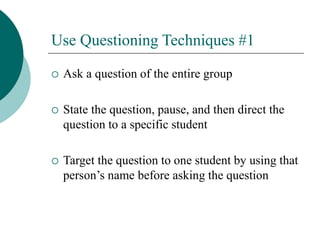
Use Questioning Techniques #1
 Ask a question of the entire group
 State the question, pause, and then direct the
question to a specific student
 Target the question to one student by using that
person’s name before asking the question
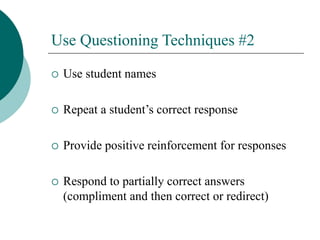
Use Questioning Techniques #2
 Use student names
 Repeat a student’s correct response
 Provide positive reinforcement for responses
 Respond to partially correct answers
(compliment and then correct or redirect)
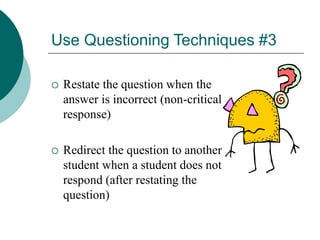
Use Questioning Techniques #3
 Restate the question when the
answer is incorrect (non-critical
response)
 Redirect the question to another
student when a student does not
respond (after restating the
question)
Use Questioning Techniques #4
 When students ask you questions, respond in
one of the following ways:
 Answer the question
 Respond with another question
 Refer to a later section in course when the
question will be answered
Use Questioning Techniques #5
 Two final questioning cautions:
 When you are unable to answer a question,
admit this and then find the answer before
the next session
 Avoid letting student questions get you off
of the topic
Summarize a Presentation
 Ask students if they have questions
 Ask students questions
 Administer a practice exercise or test
 Use a game to review main points
Presentation Skills Checklist
 Let’s look at the presentation skills checklist on
Page 6-11.
 How can you use this to plan presentations?
 How can an observer use this during your
presentation?
 How can you use this after your presentation?
Summary
 Proper prior planning
prevents poor
presentations!
 What questions do you
have regarding effective
presentation skills?
Individual Exercise: Preparing for
Delivering an Interactive Presentation
 Select a topic
 Start preparing for an interactive presentation
 Prepare session plan
 Presentation will be on ?? (10 minute only!)
 See checklist

Delivering effective presentations.ppt

  • 1.
    Prepare and DeliverInteractive Presentations
  • 2.
    Introduction  Brainstorming:  Worstteaching presentation you ever attended?  The best?
  • 3.
    “The successful teacheris no longer on a height, pumping knowledge at high pressure into passive receptacles . . . he is a senior student anxious to help his juniors.” William Osler (18491919)
  • 4.
    Objectives  Plan apresentation  Introduce a presentation  Use effective presentation skills  Use questioning techniques during a presentation  Summarize a presentation
  • 5.
    Presentation Plan Includes: Learning objectives  Outline of key points  Questions to involve students  Reminders of any planned activities  Summary questions, comments, or activities
  • 6.
    Purpose of theIntroduction  Captures the interest of the entire group and prepare students for the information to follow  Makes students aware of the objectives and expectations  Helps to create a positive learning climate
  • 7.
    Introduction Techniques #1 Review the objectives  Relate the topic to previously covered content  Share a personal experience  Relate the topic to the student’s experiences  Use a case study or problem-solving activity
  • 8.
    Introduction Techniques #2 Give a classroom demonstration  Use a content expert  Use a game, role play or simulation  Relate the topic to future work experiences
  • 9.
    Effective Presentation Skills#1  Follow a plan and use an outline  Communicate in a way that is easy to understand  Interact with students  Display enthusiasm
  • 10.
    Effective Presentation Skills#2  Use appropriate visual aids  Provide positive feedback  Provide smooth transitions between topics  Brief summary  Series of questions  Relating content to practice or use an application exercise
  • 11.
    Use Questioning Techniques#1  Ask a question of the entire group  State the question, pause, and then direct the question to a specific student  Target the question to one student by using that person’s name before asking the question
  • 12.
    Use Questioning Techniques#2  Use student names  Repeat a student’s correct response  Provide positive reinforcement for responses  Respond to partially correct answers (compliment and then correct or redirect)
  • 13.
    Use Questioning Techniques#3  Restate the question when the answer is incorrect (non-critical response)  Redirect the question to another student when a student does not respond (after restating the question)
  • 14.
    Use Questioning Techniques#4  When students ask you questions, respond in one of the following ways:  Answer the question  Respond with another question  Refer to a later section in course when the question will be answered
  • 15.
    Use Questioning Techniques#5  Two final questioning cautions:  When you are unable to answer a question, admit this and then find the answer before the next session  Avoid letting student questions get you off of the topic
  • 16.
    Summarize a Presentation Ask students if they have questions  Ask students questions  Administer a practice exercise or test  Use a game to review main points
  • 17.
    Presentation Skills Checklist Let’s look at the presentation skills checklist on Page 6-11.  How can you use this to plan presentations?  How can an observer use this during your presentation?  How can you use this after your presentation?
  • 18.
    Summary  Proper priorplanning prevents poor presentations!  What questions do you have regarding effective presentation skills?
  • 19.
    Individual Exercise: Preparingfor Delivering an Interactive Presentation  Select a topic  Start preparing for an interactive presentation  Prepare session plan  Presentation will be on ?? (10 minute only!)  See checklist