Writing Mirror API & 

Native Applications for

Jean-Luc David

jldavid@gmail.com

jldavid.com

@jldavid

Who am I?
- Freelance wearables developer	
  
- Wrote 5 books for Wiley Publishing

- Worked at Yellow Pages Group,

Microsoft, Digiflare Inc.

- I love hackathons

Everyone in this room will

get to try out
!
What is Google Glass?
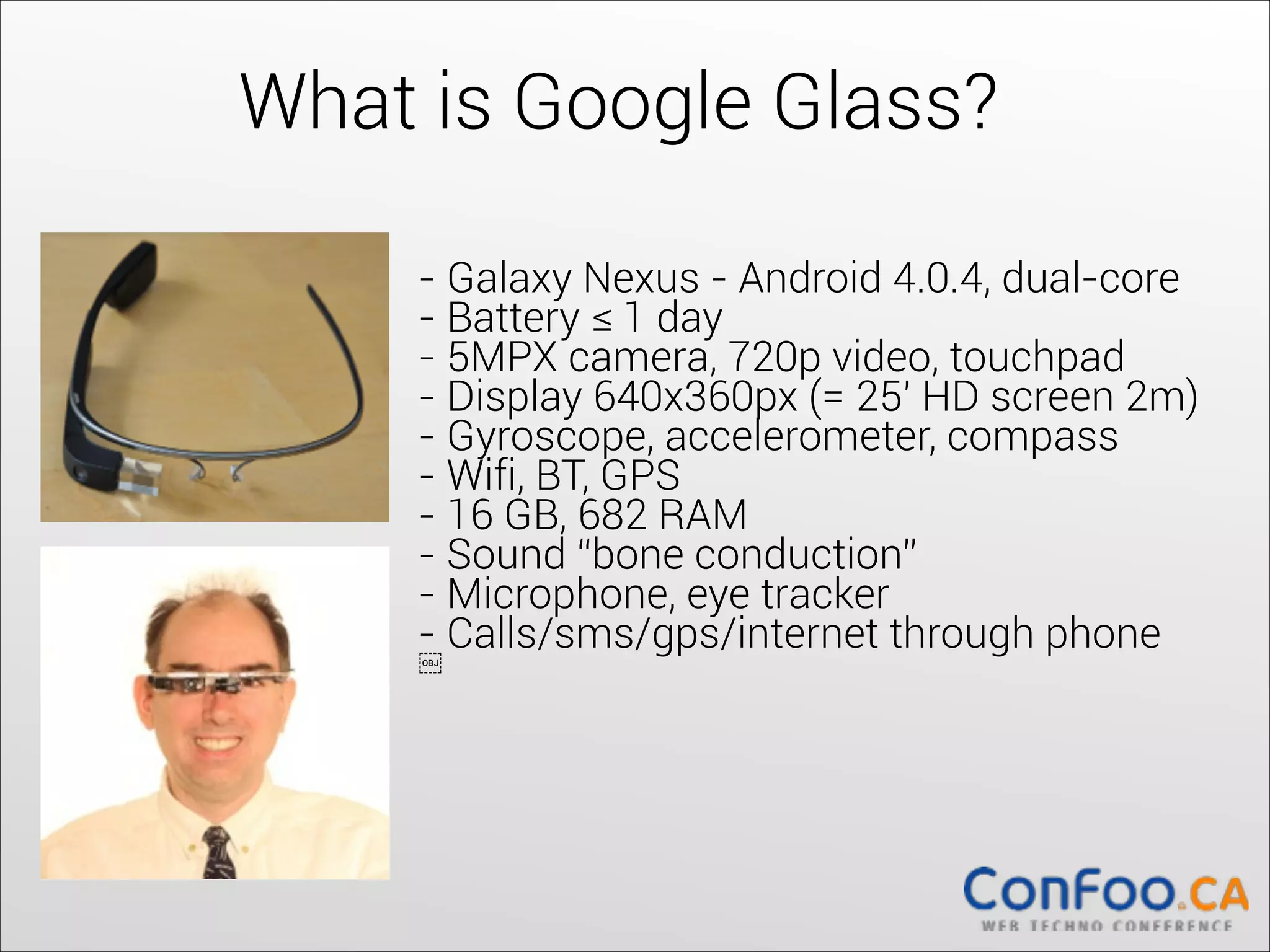
- Galaxy Nexus - Android 4.0.4, dual-core	
  
- Battery ≤ 1 day	
  
- 5MPX camera, 720p video, touchpad	
  
- Display 640x360px (= 25' HD screen 2m)	
  
- Gyroscope, accelerometer, compass	
  
- Wifi, BT, GPS	
  
- 16 GB, 682 RAM	
  
- Sound “bone conduction”	
  
- Microphone, eye tracker	
  
- Calls/sms/gps/internet through phone	
  

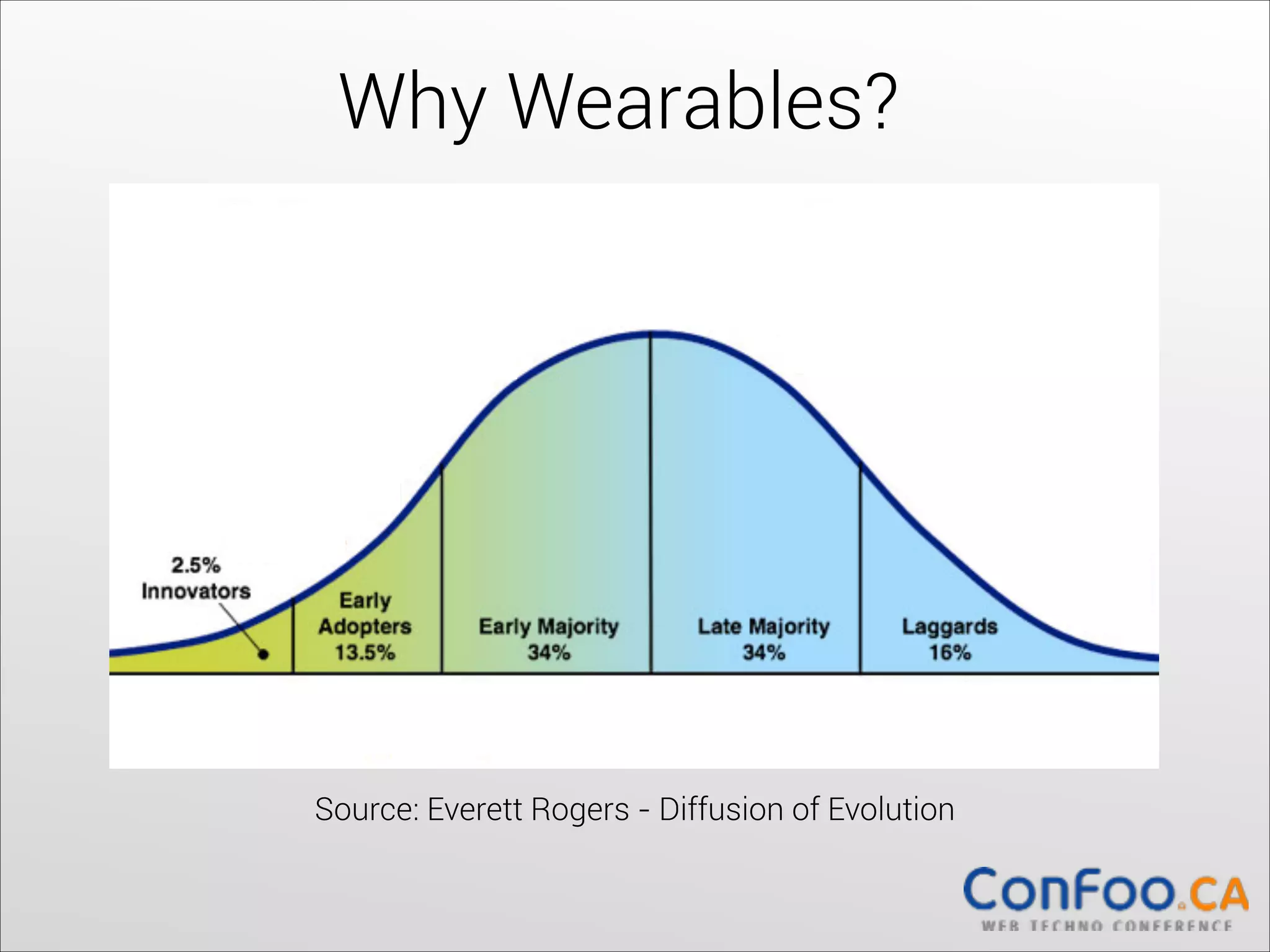
Why Wearables?


Source: Everett Rogers - Diffusion of Evolution
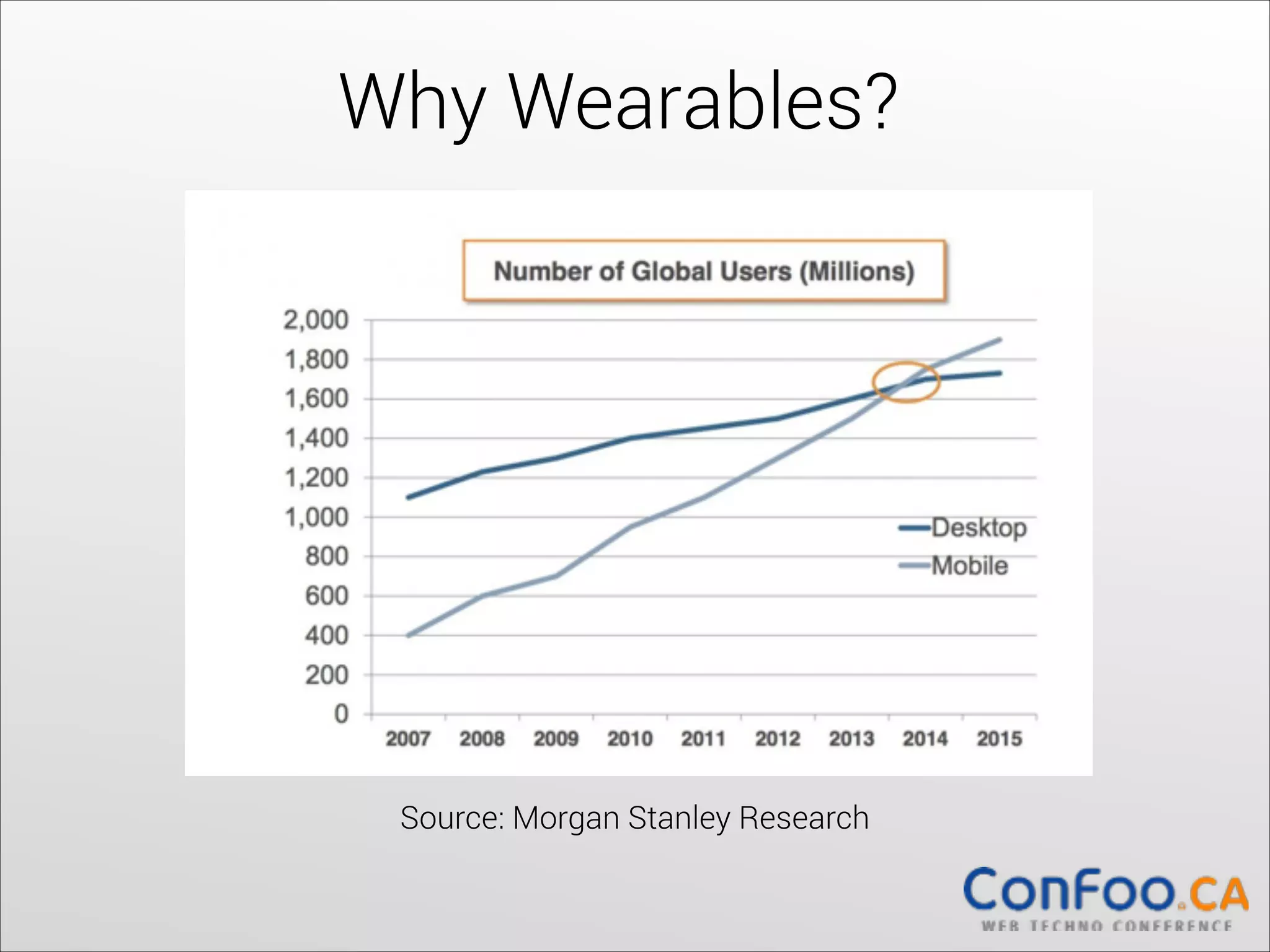
Why Wearables?

Source: Morgan Stanley Research
What are the programming
models for
?
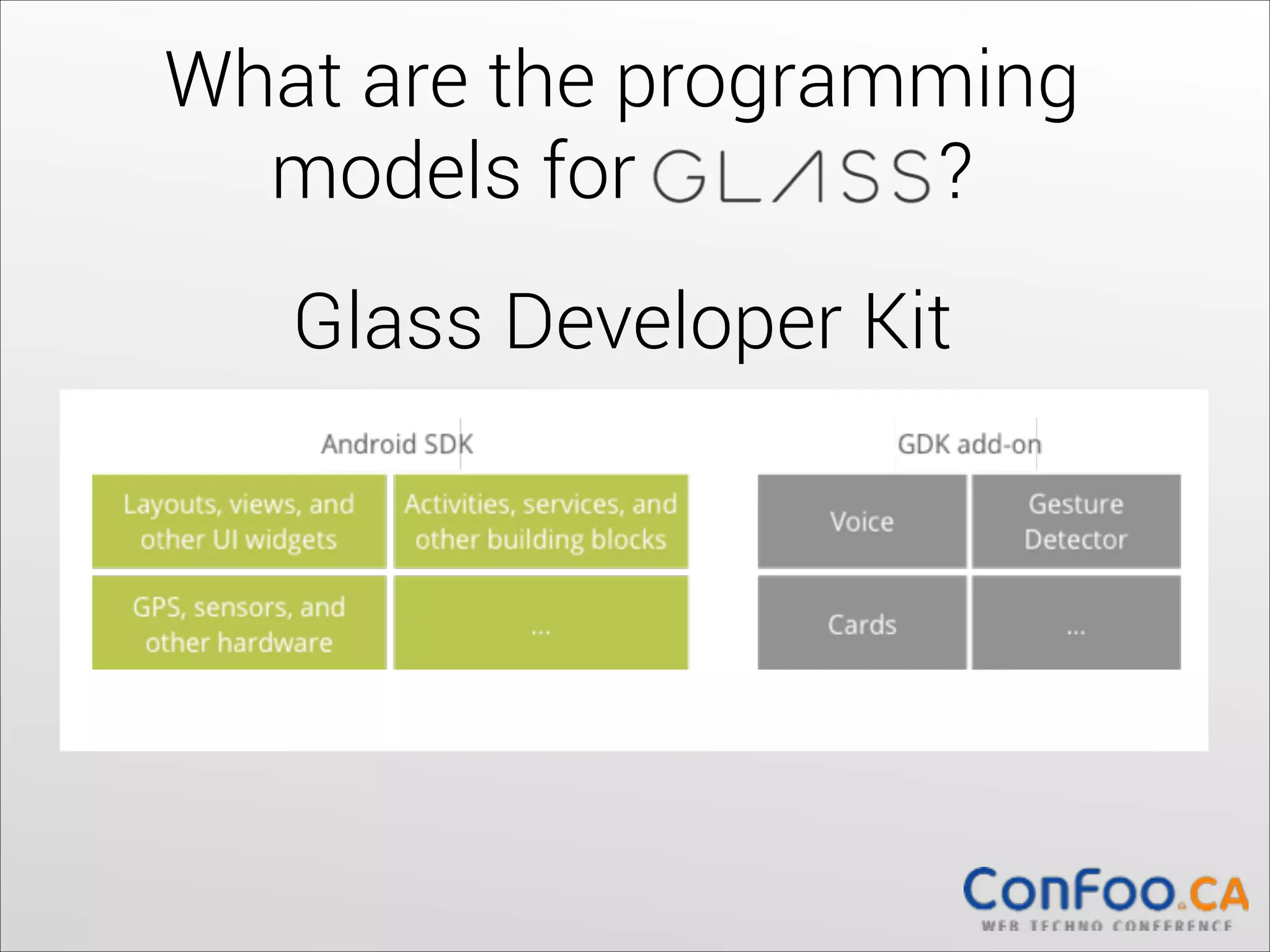
Glass Developer Kit


What are the programming
models for
?
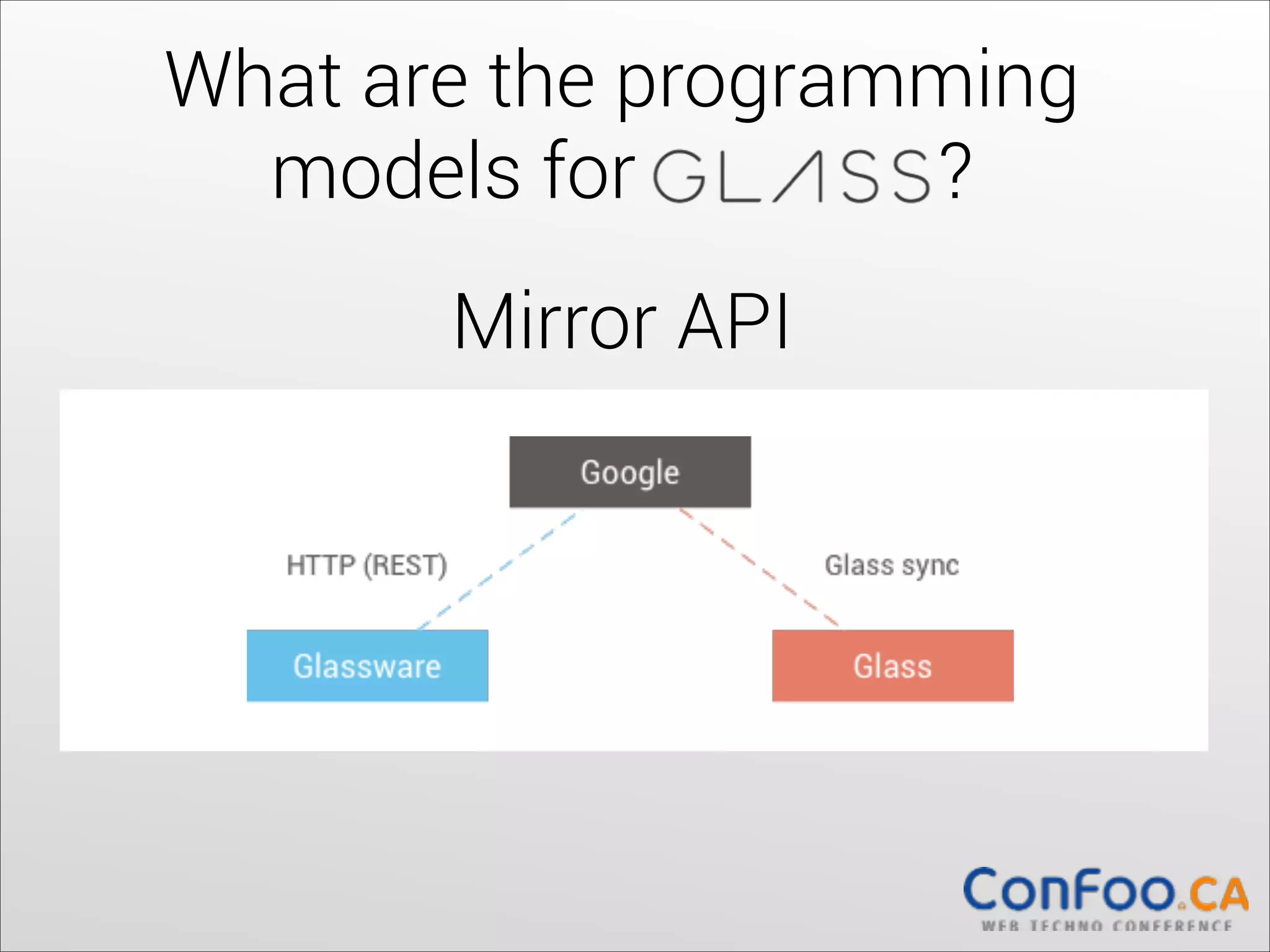
Mirror API


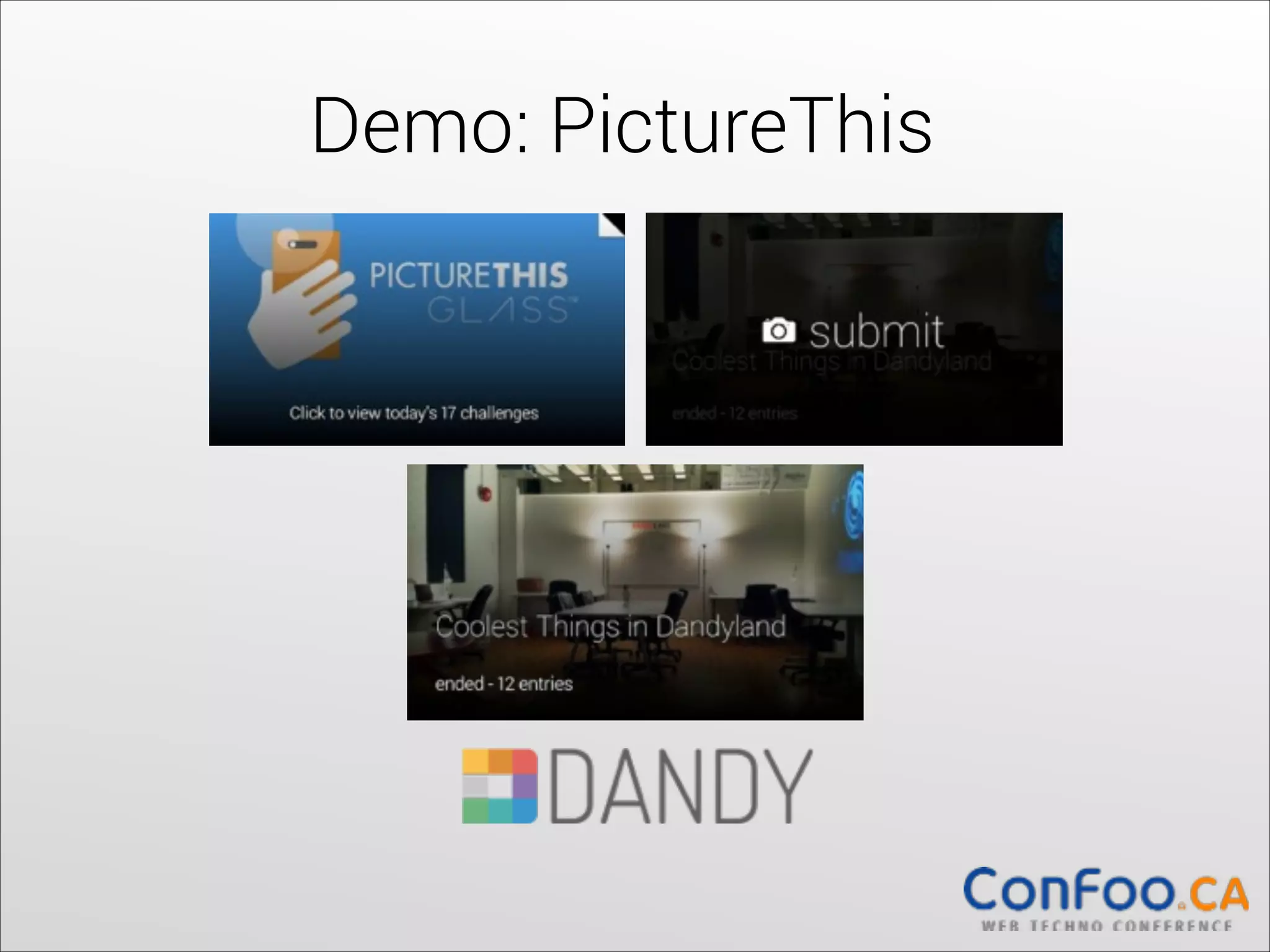
Demo: PictureThis
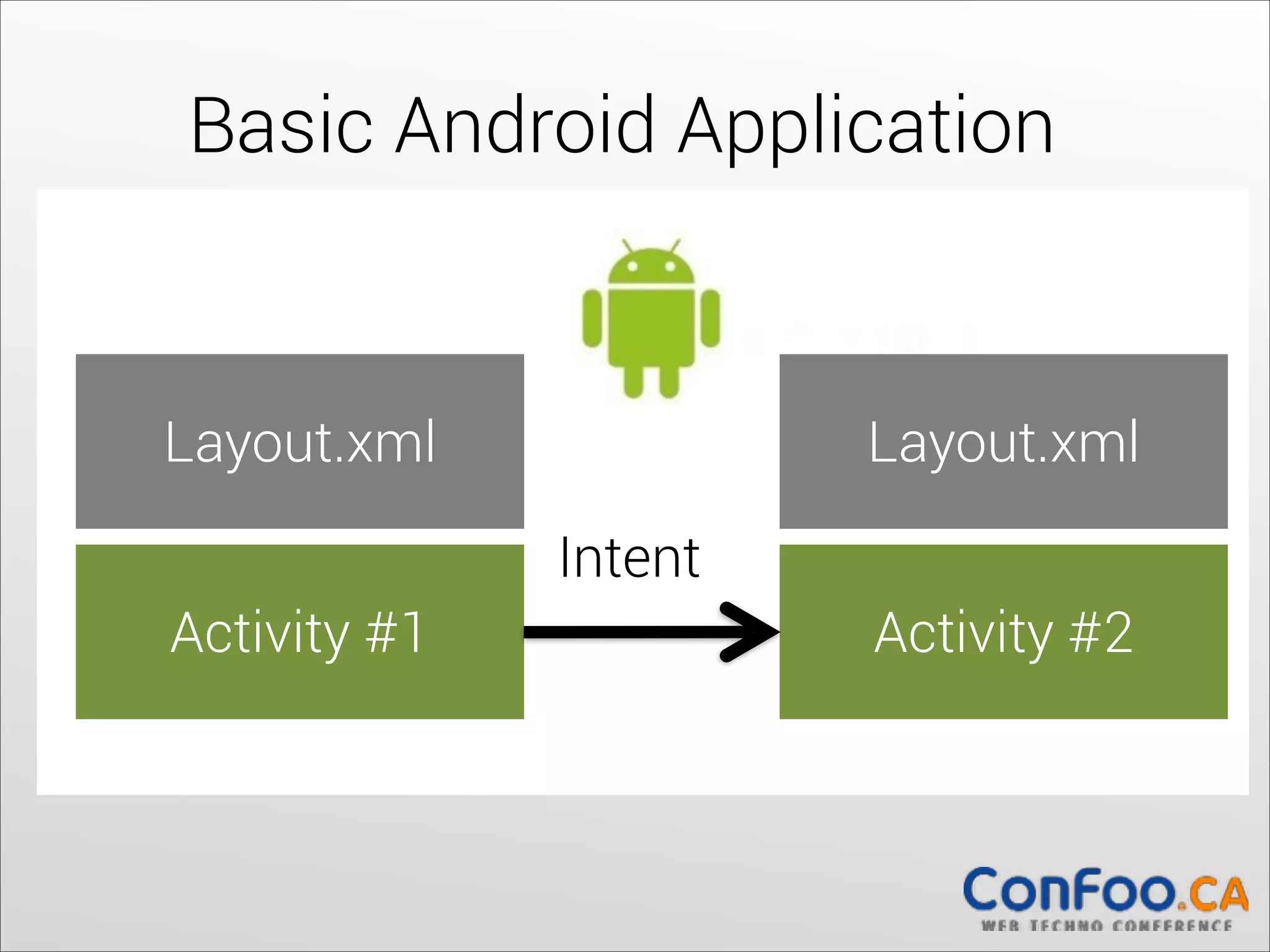
Basic Android Application

Layout.xml


Layout.xml

Intent
Activity #1

Activity #2
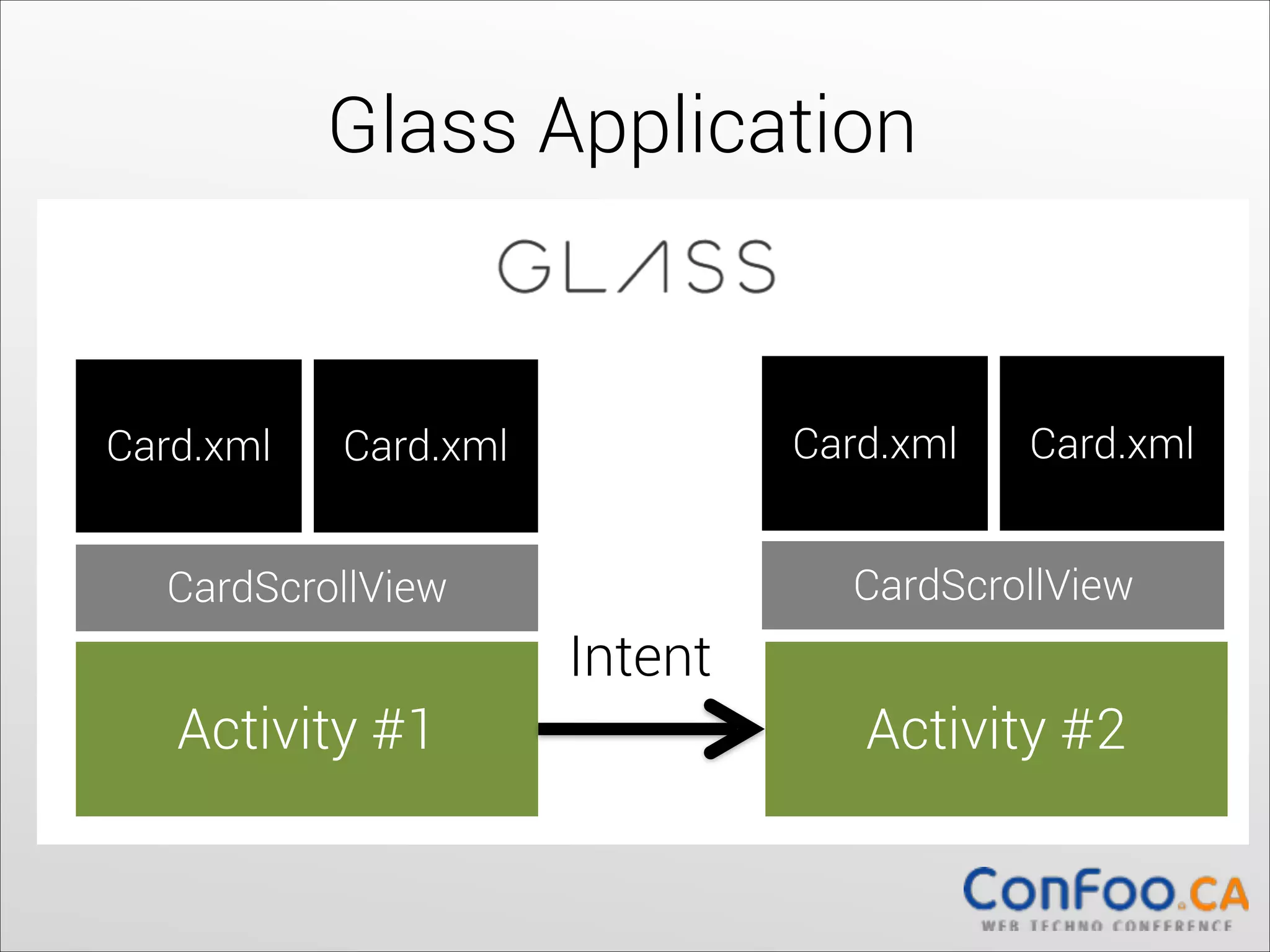
Glass Application

Card.xml

Card.xml

Card.xml

Card.xml


CardScrollView

CardScrollView

Intent
Activity #1

Activity #2
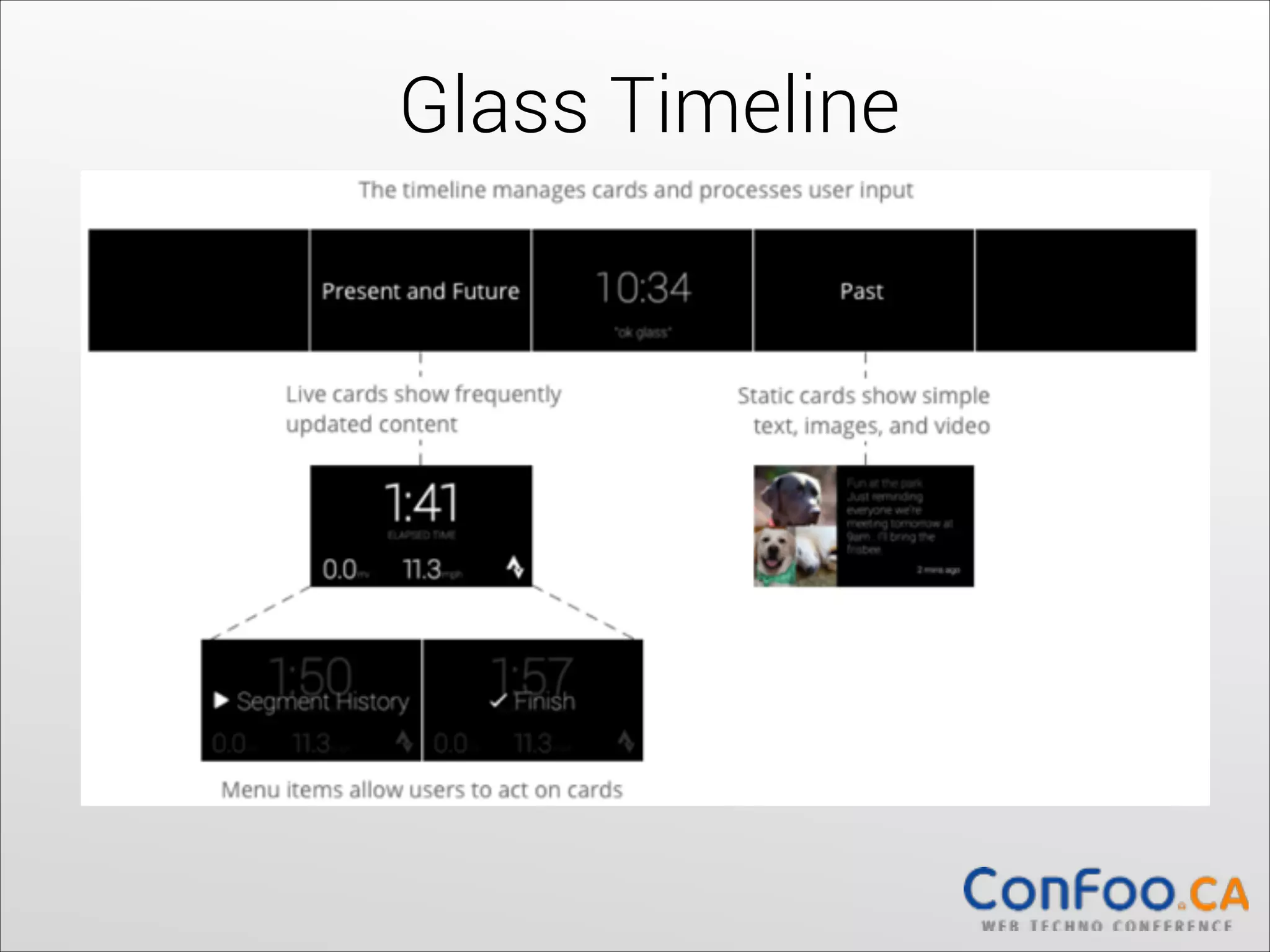
Glass Timeline
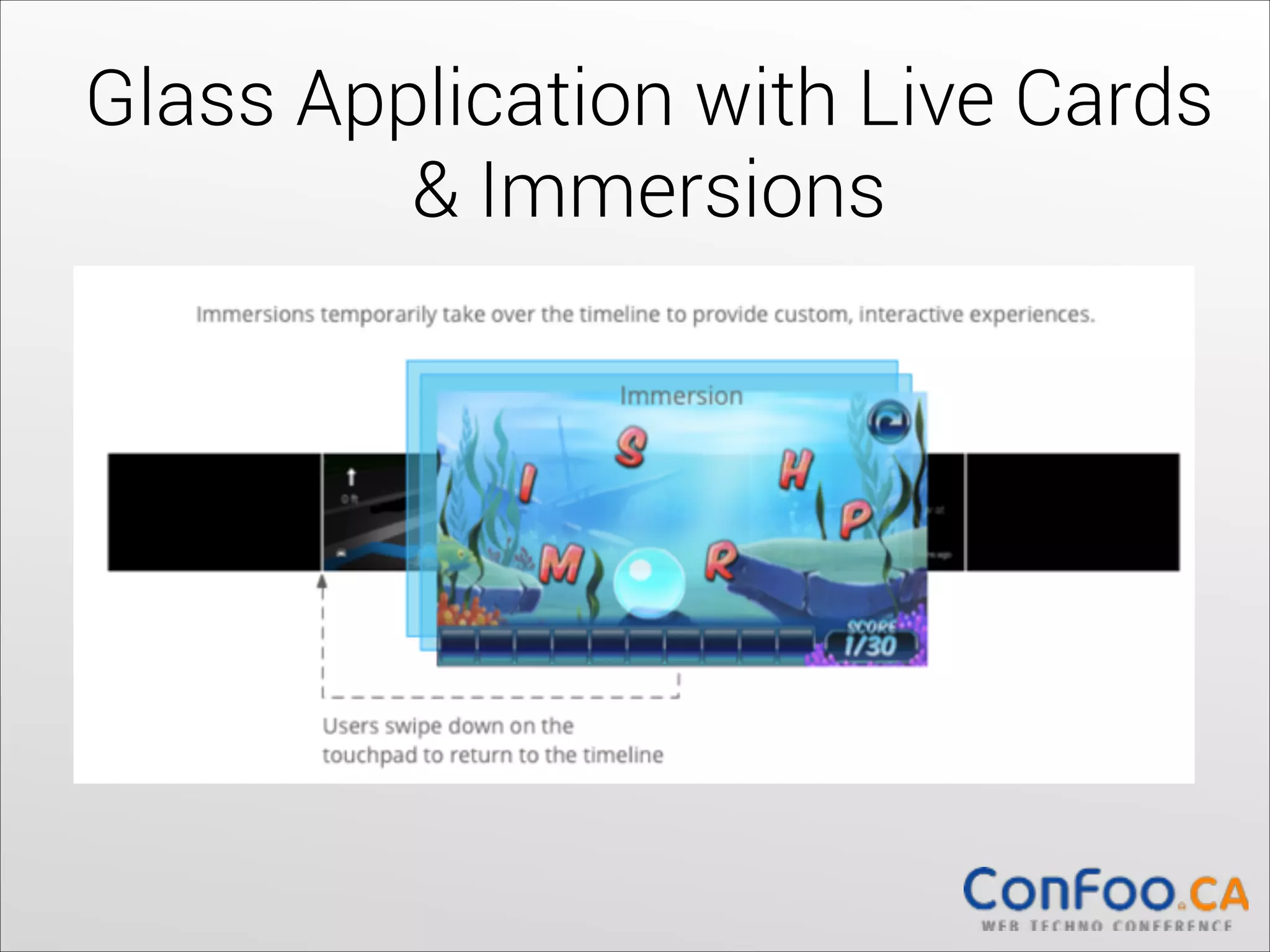
Glass Application with Live Cards

& Immersions
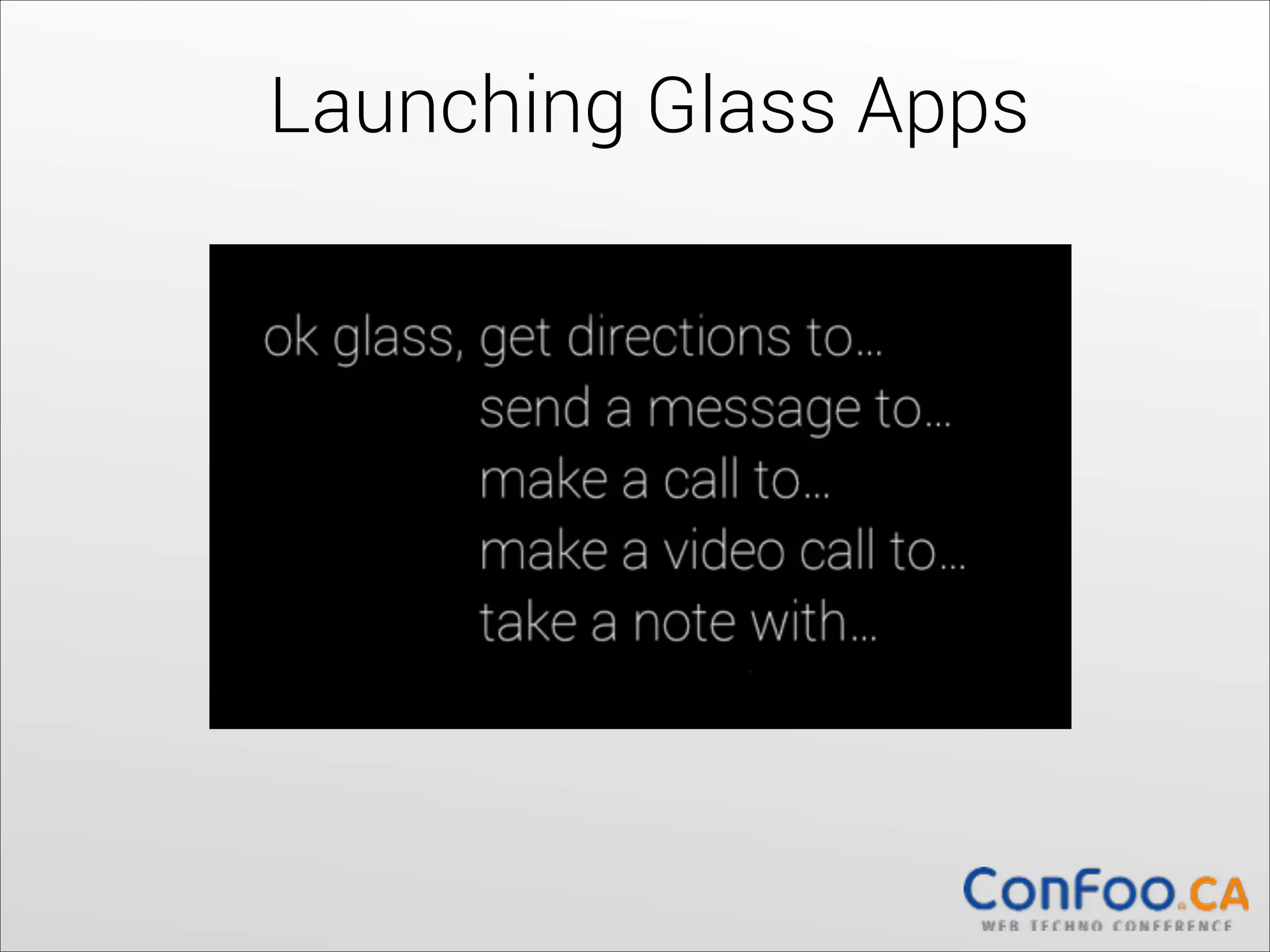
Launching Glass Apps
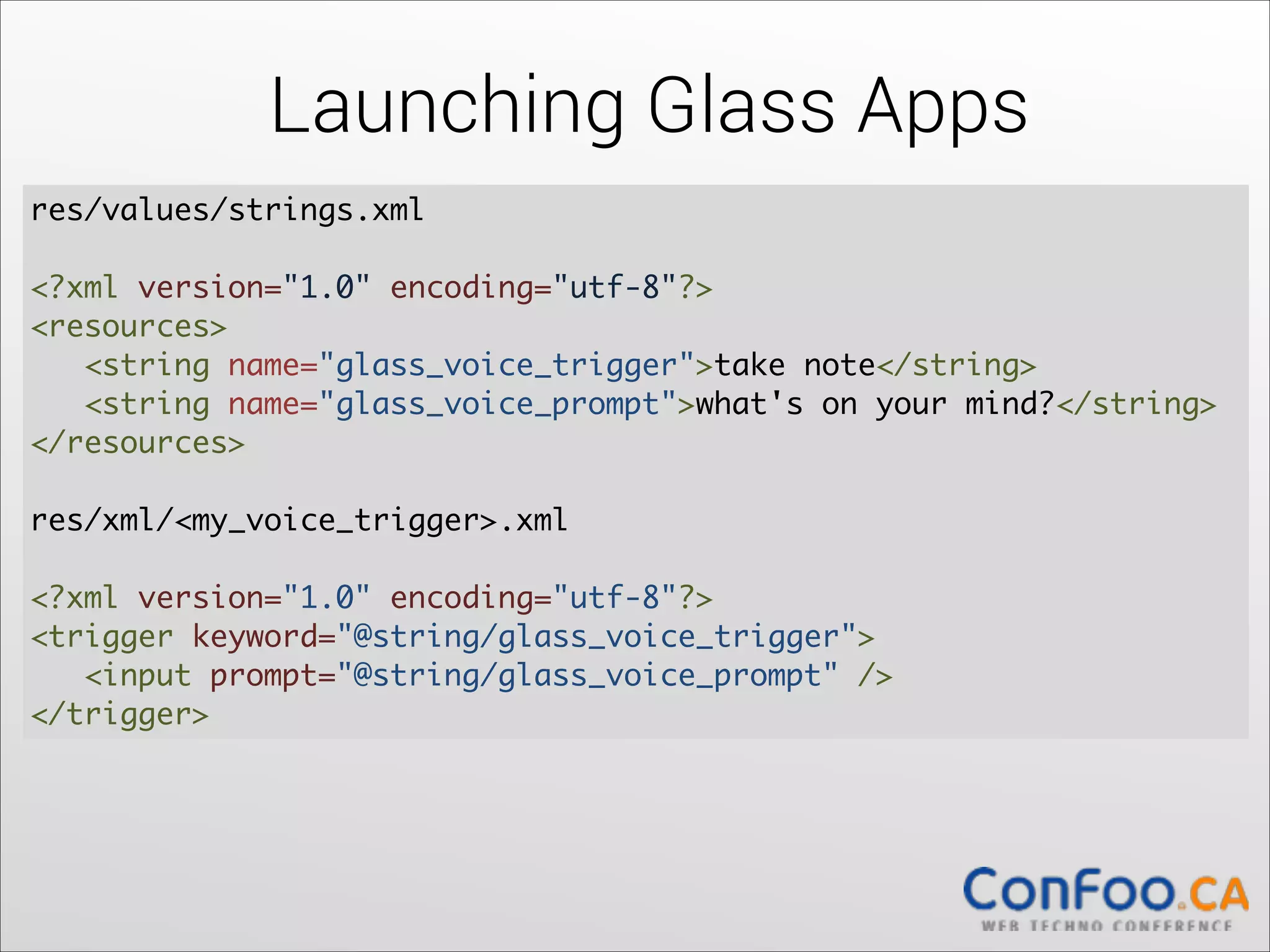
res/values/strings.xml 


!

<?xml version="1.0" encoding="utf-8"?>

<resources>

   <string name="glass_voice_trigger">take note</string>

   <string name="glass_voice_prompt">what's on your mind?</string>

</resources>	
  

!

res/xml/<my_voice_trigger>.xml


<?xml version="1.0" encoding="utf-8"?>

<trigger keyword="@string/glass_voice_trigger">

  <input prompt="@string/glass_voice_prompt" />

</trigger>
Launching Glass Apps
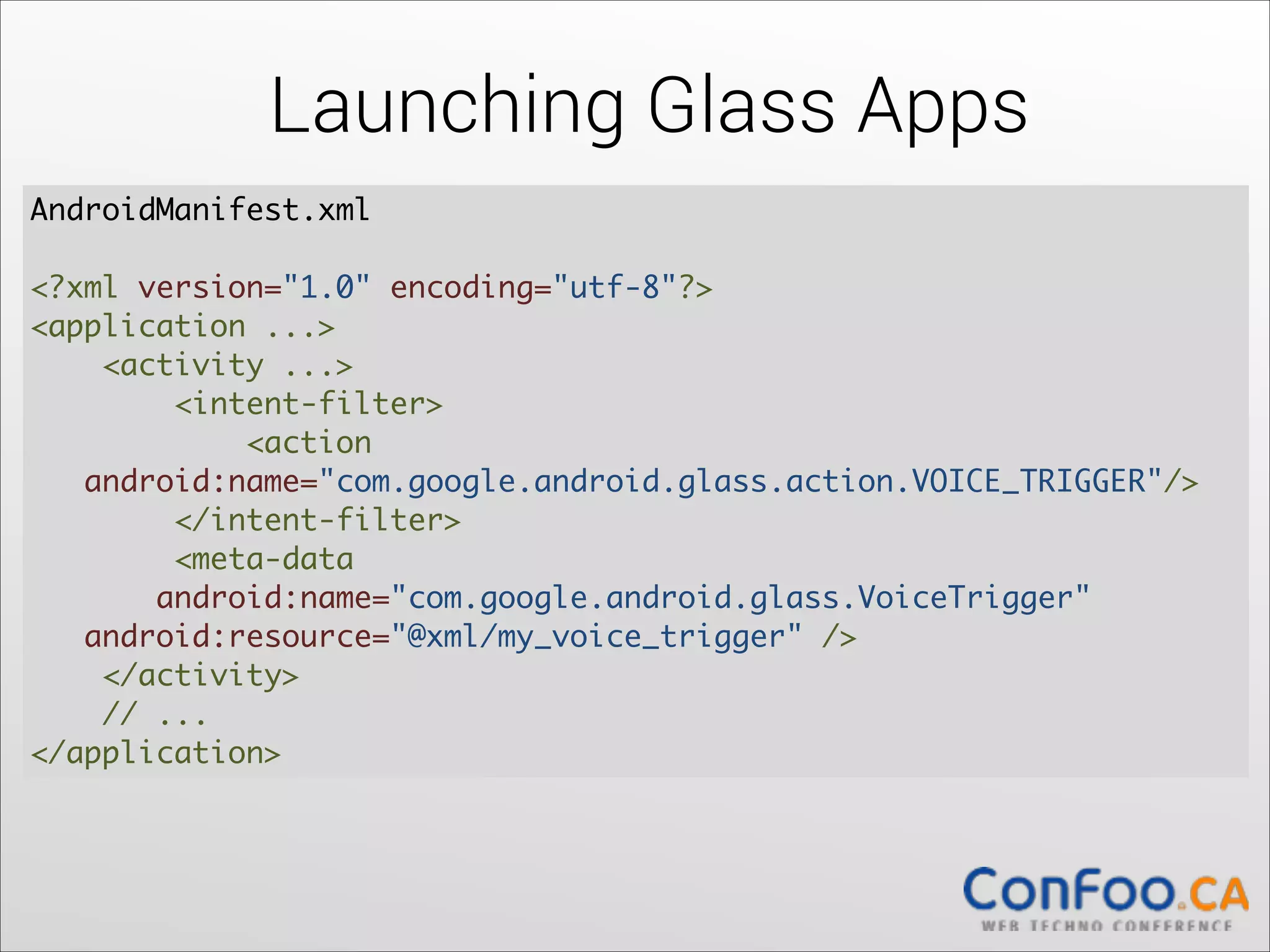
AndroidManifest.xml 


<?xml version="1.0" encoding="utf-8"?>

<application ...>

    <activity ...>

        <intent-filter>

            <action           


android:name="com.google.android.glass.action.VOICE_TRIGGER"/>

        </intent-filter>

        <meta-data 

android:name="com.google.android.glass.VoiceTrigger"

  android:resource="@xml/my_voice_trigger" />

    </activity>

    // ...

</application>
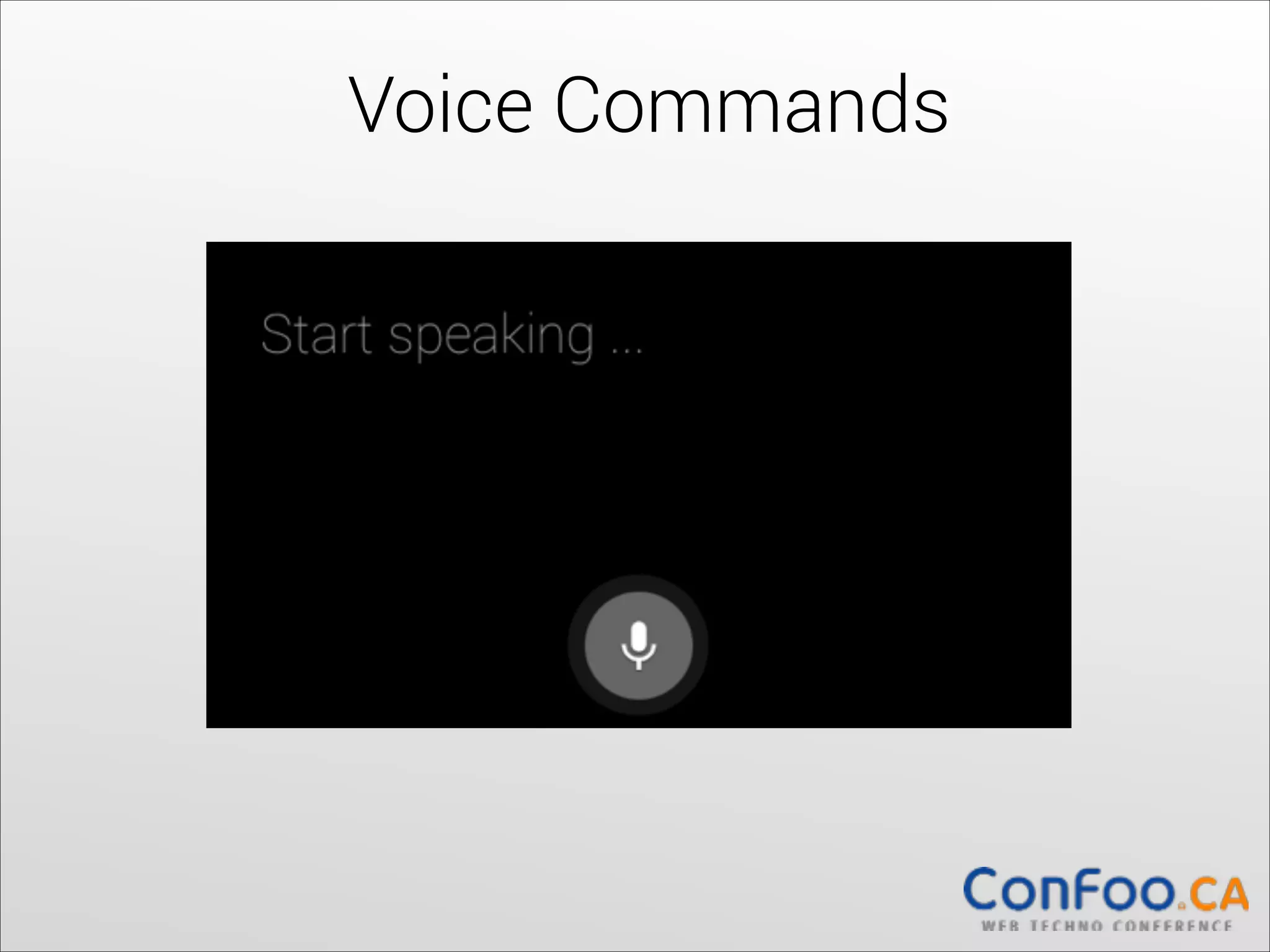
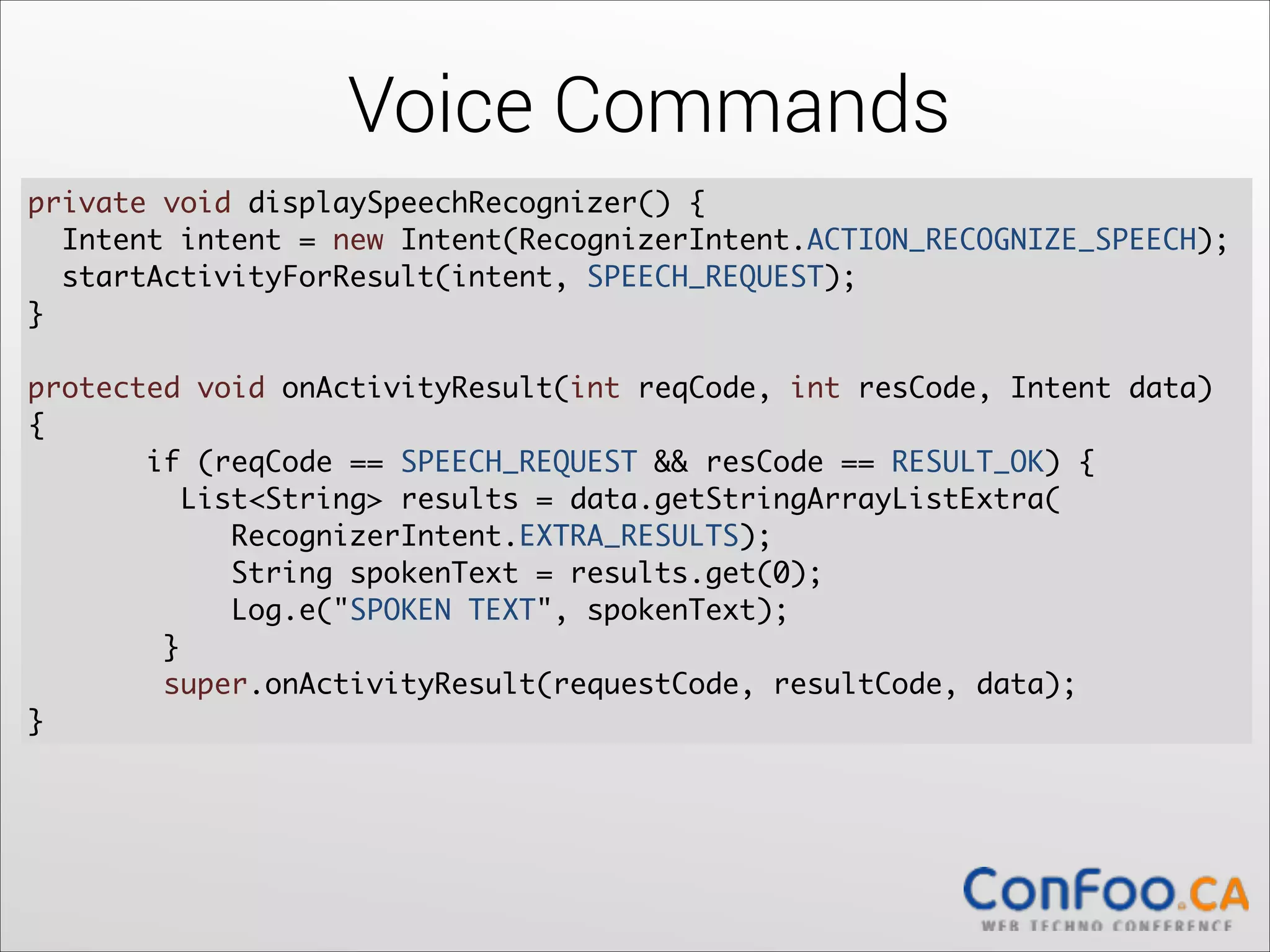
Voice Commands
Voice Commands
private void displaySpeechRecognizer() {	
Intent intent = new Intent(RecognizerIntent.ACTION_RECOGNIZE_SPEECH);	
  
startActivityForResult(intent, SPEECH_REQUEST);	
  
}


!

protected void onActivityResult(int reqCode, int resCode, Intent data)
{	
if (reqCode == SPEECH_REQUEST && resCode == RESULT_OK) {	
  
List<String> results = data.getStringArrayListExtra(

RecognizerIntent.EXTRA_RESULTS);	
  
String spokenText = results.get(0);	
  
Log.e("SPOKEN TEXT", spokenText);	
}	
  
super.onActivityResult(requestCode, resultCode, data);	
  
}
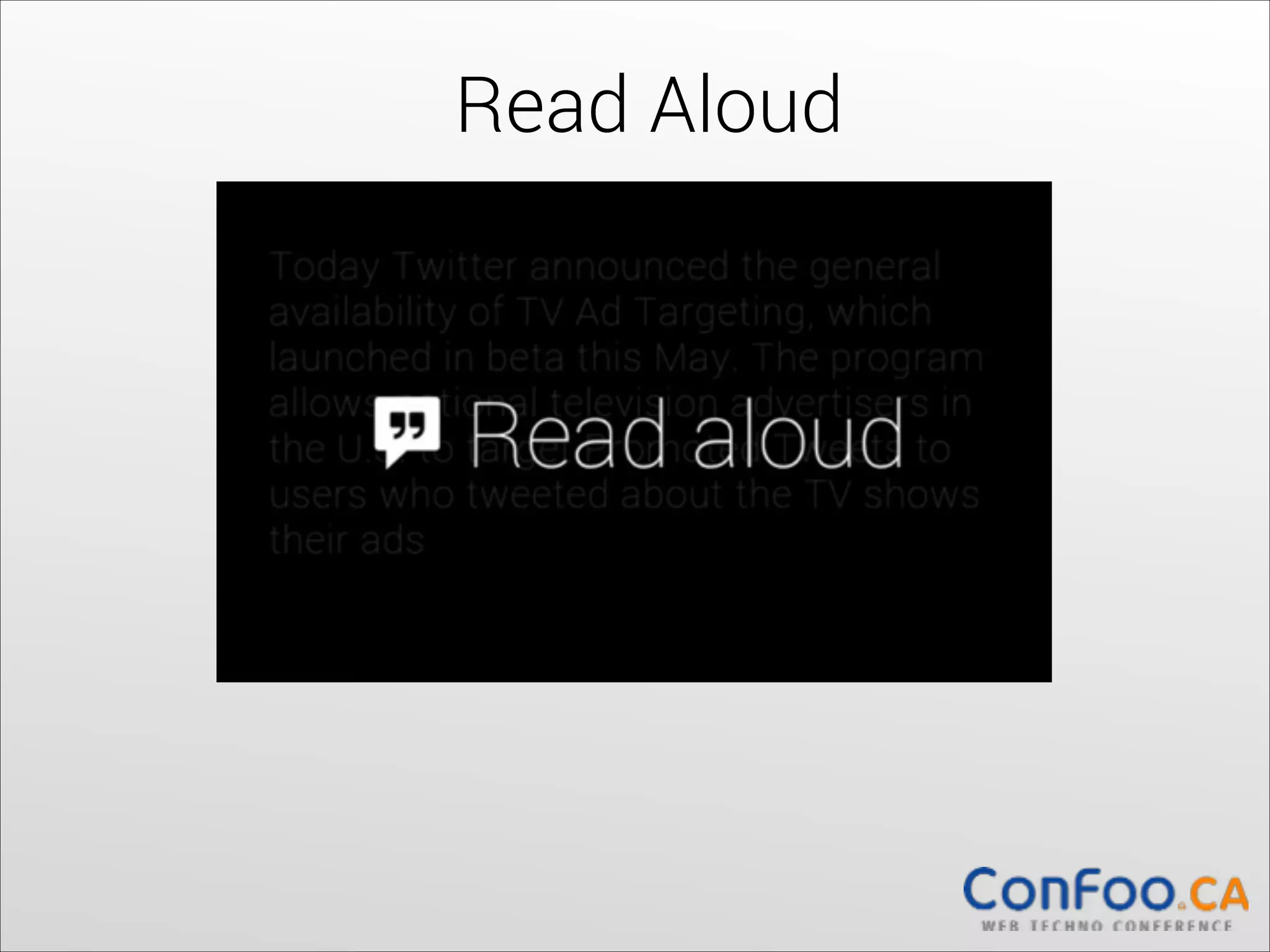
Read Aloud
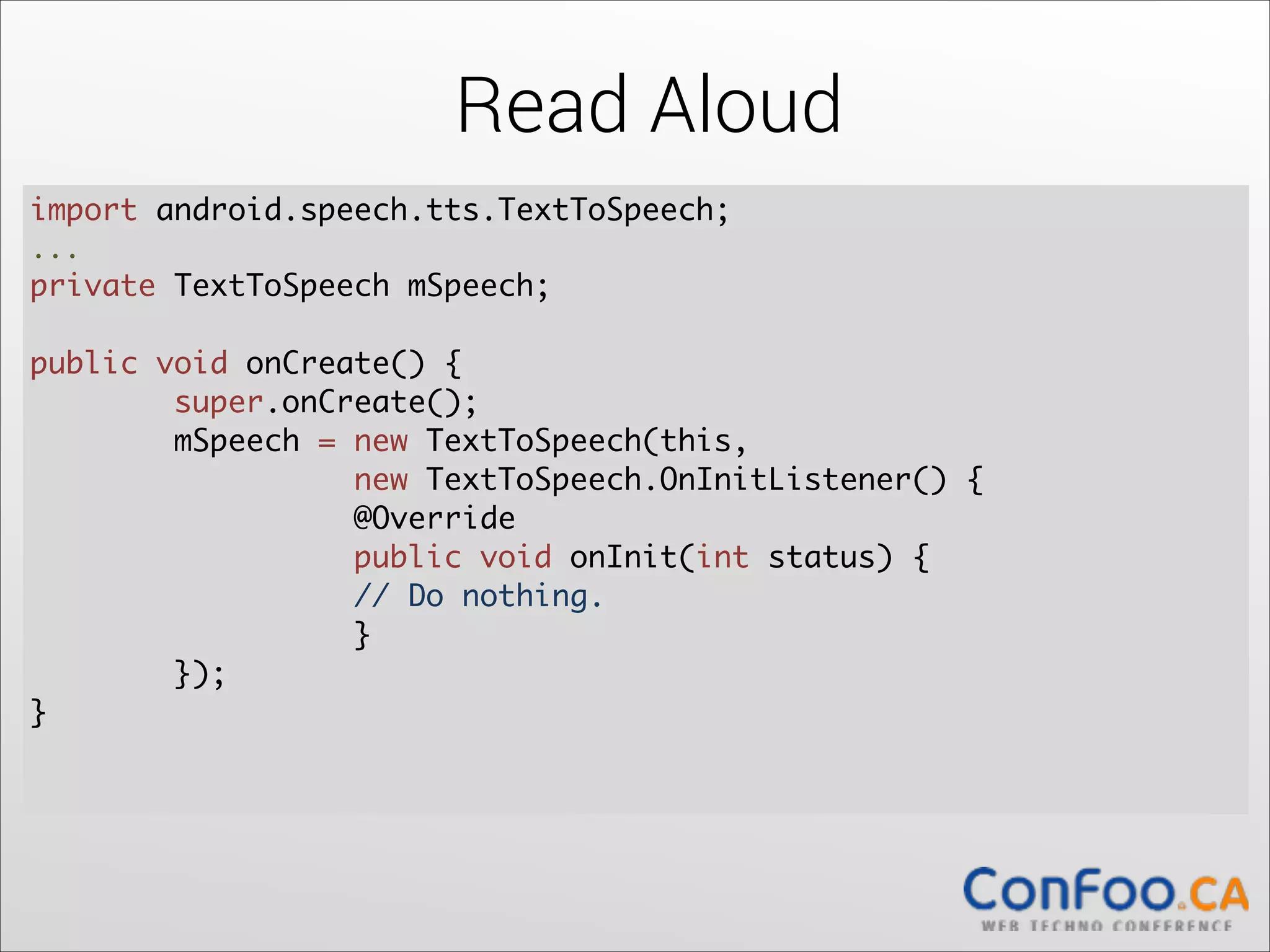
Read Aloud
import android.speech.tts.TextToSpeech;	
  
...	

private TextToSpeech mSpeech;	
  

!

public void onCreate() {	
  
super.onCreate();	
  
mSpeech = new TextToSpeech(this, 

new TextToSpeech.OnInitListener() {	
  
@Override	
  
public void onInit(int status) {	
  
// Do nothing.	
  
}	
});	
}	
  

!
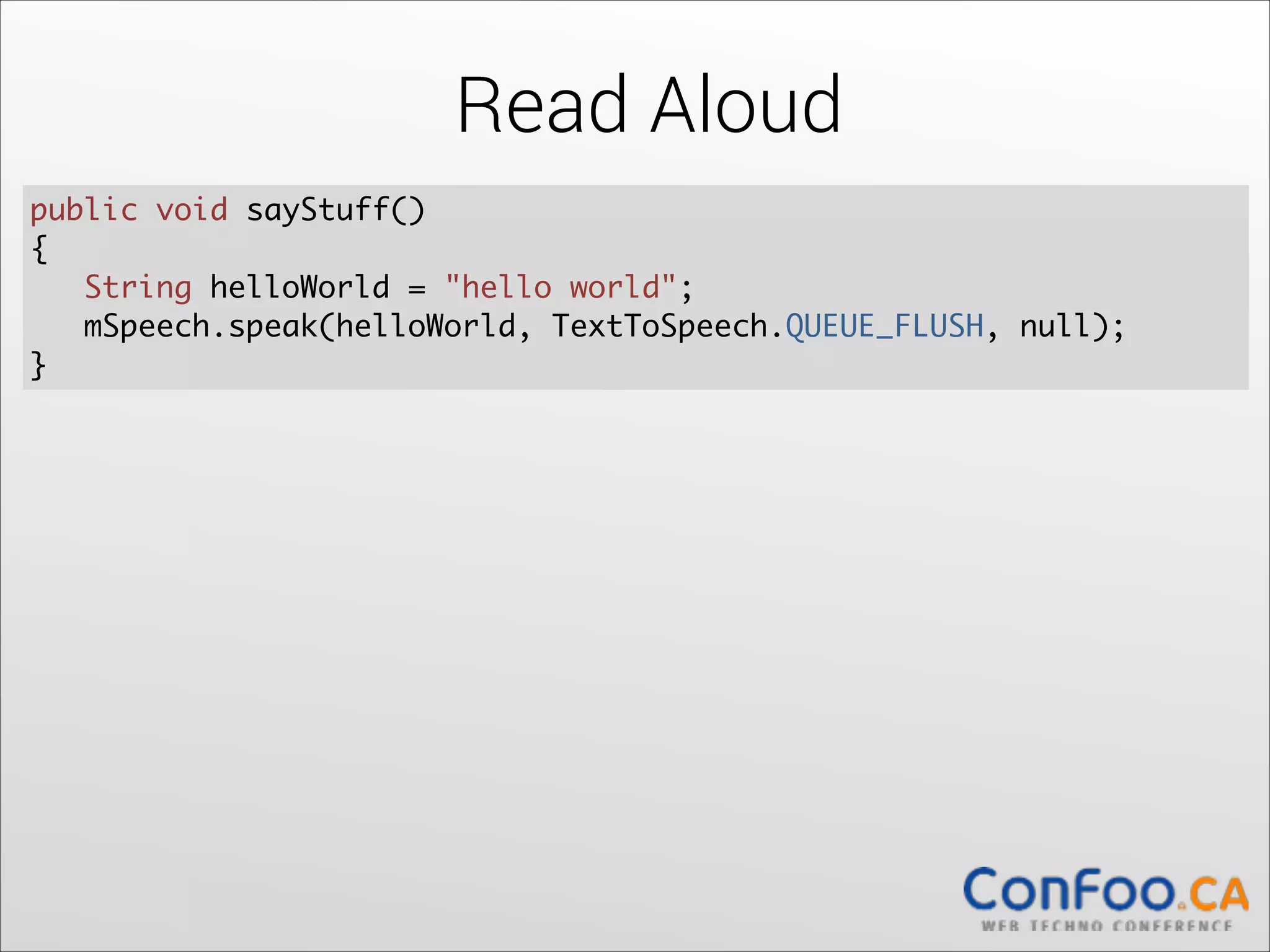
Read Aloud
public void sayStuff() 	
{	
  
String helloWorld = "hello world";	
mSpeech.speak(helloWorld, TextToSpeech.QUEUE_FLUSH, null);	
  
}
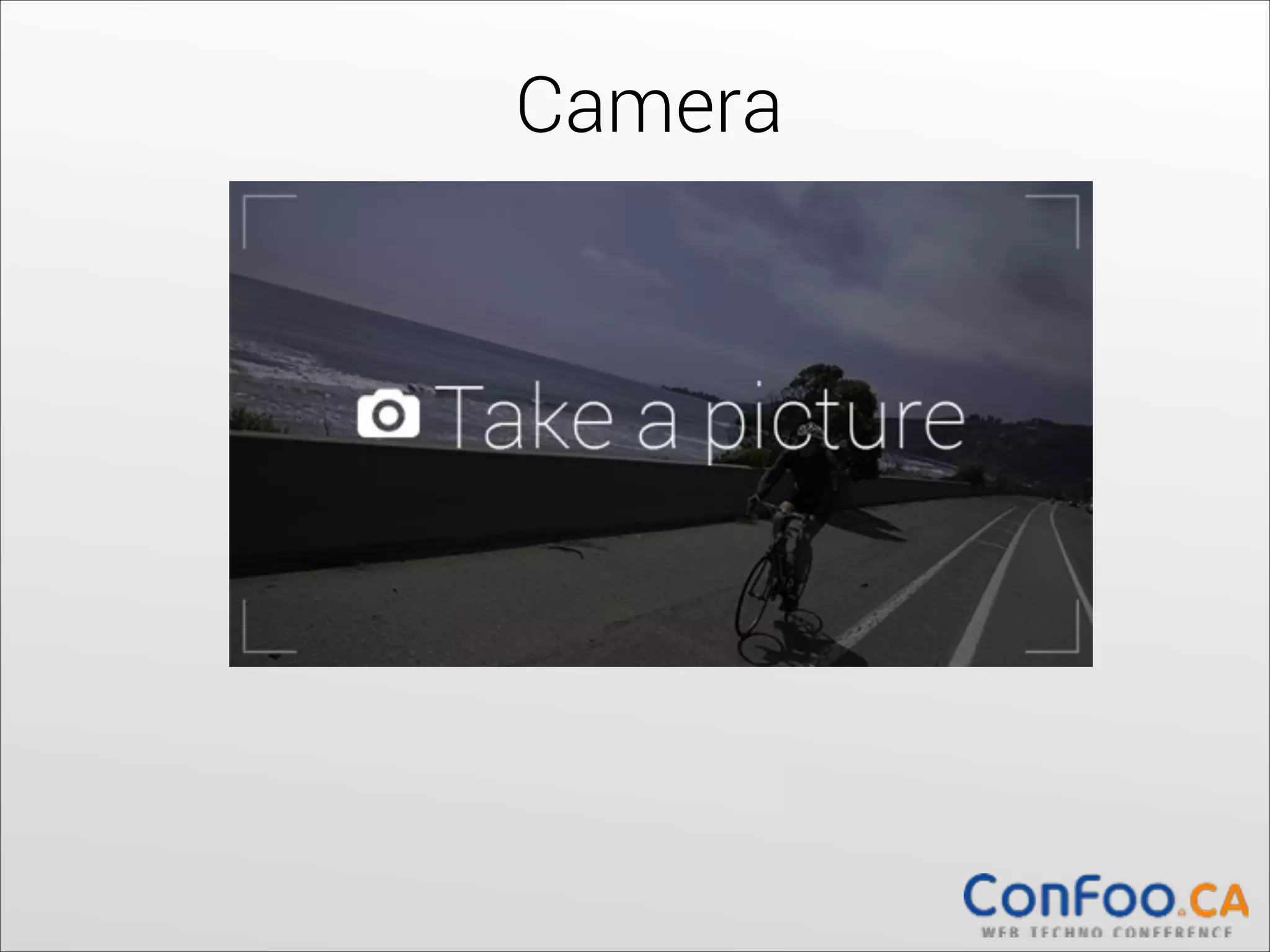
Camera
Camera
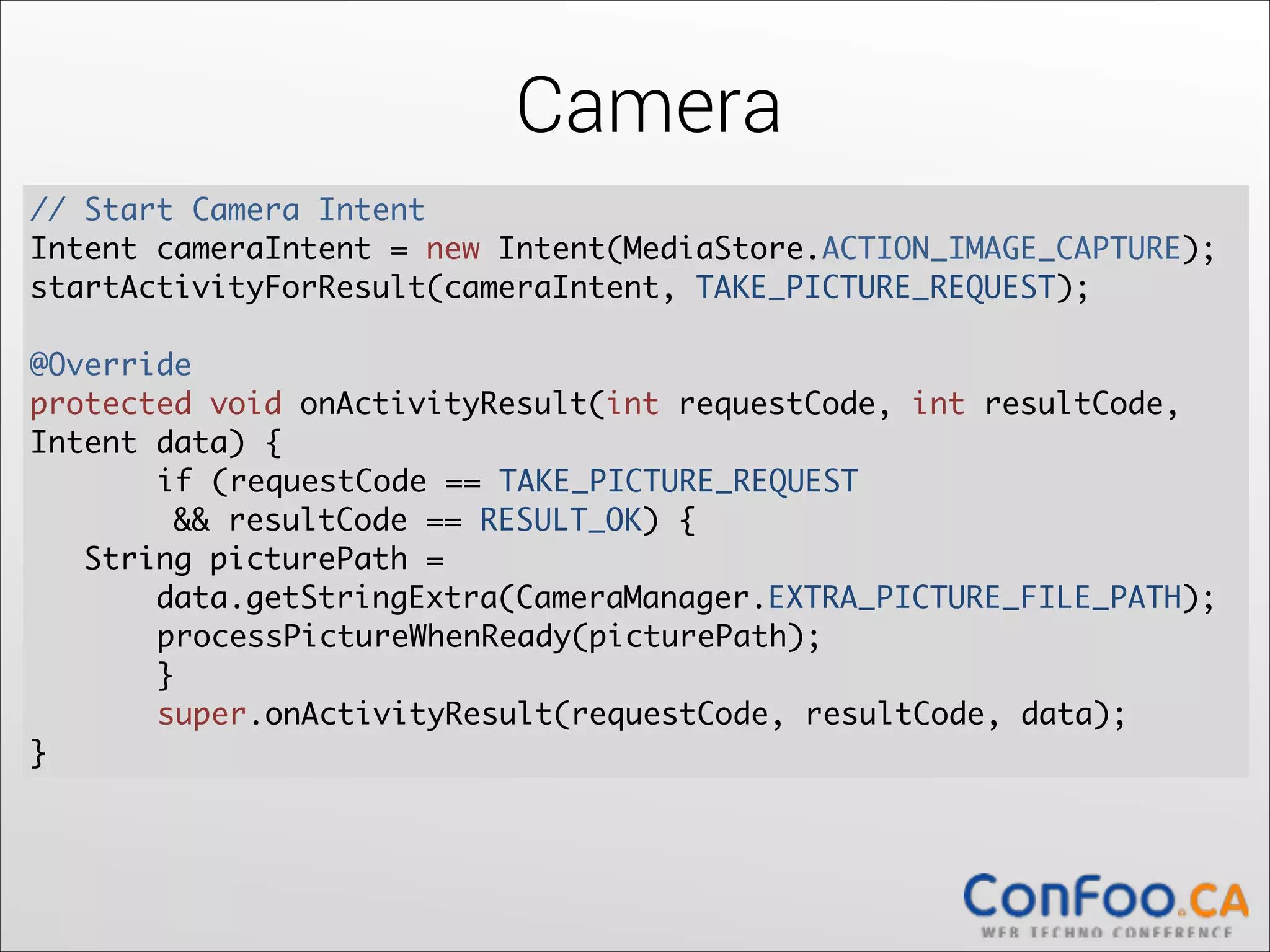
// Start Camera Intent	
  
Intent cameraIntent = new Intent(MediaStore.ACTION_IMAGE_CAPTURE);	
  
startActivityForResult(cameraIntent, TAKE_PICTURE_REQUEST);	
  

!

@Override	
  
protected void onActivityResult(int requestCode, int resultCode,
Intent data) {	
  
	
if (requestCode == TAKE_PICTURE_REQUEST 

&& resultCode == RESULT_OK) {	
  
String picturePath = 

data.getStringExtra(CameraManager.EXTRA_PICTURE_FILE_PATH);	
  
	
processPictureWhenReady(picturePath);	


}	
	
super.onActivityResult(requestCode, resultCode, data);	
  
}
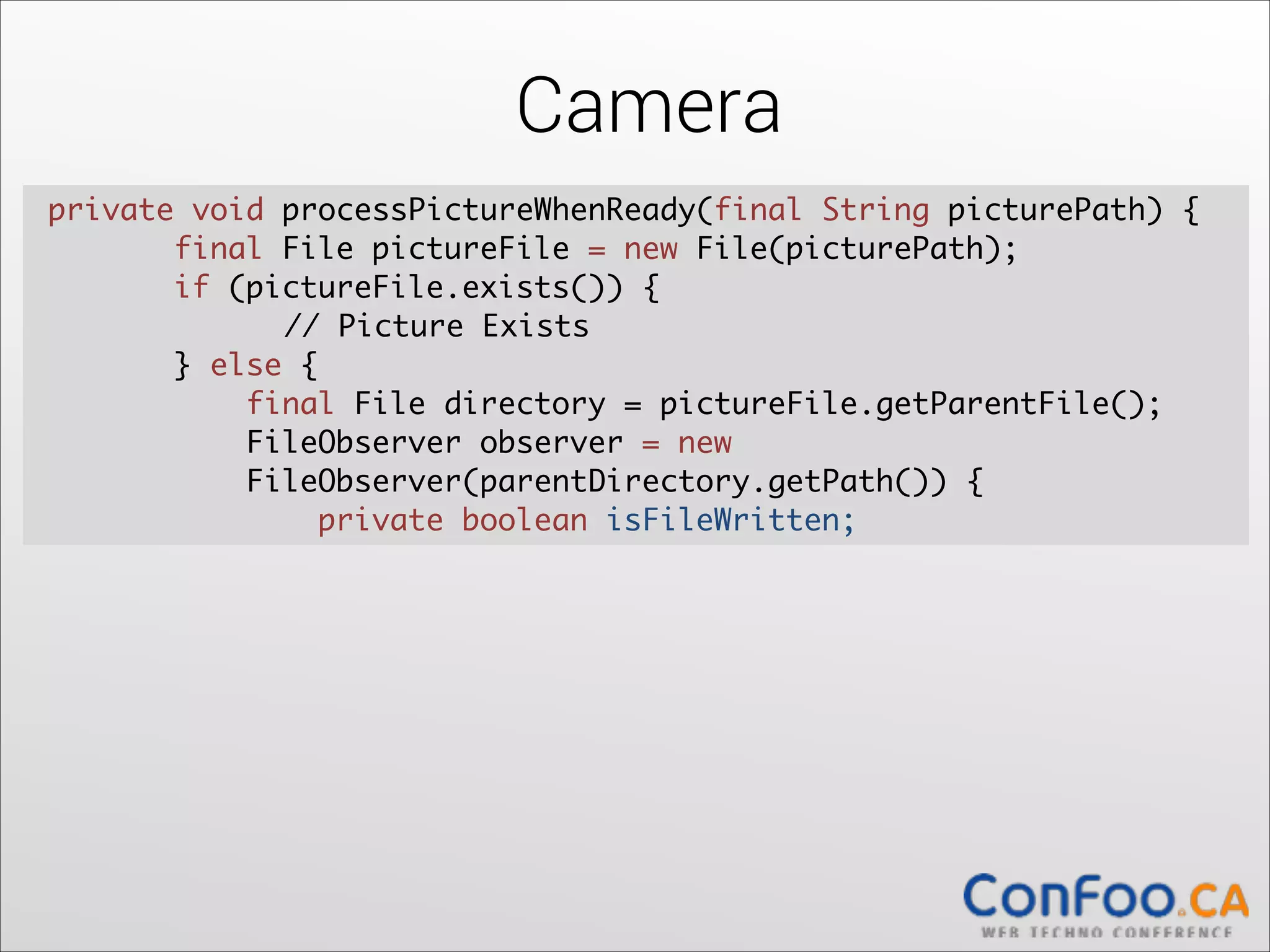
Camera
private void processPictureWhenReady(final String picturePath) {	
  
final File pictureFile = new File(picturePath);	
  
if (pictureFile.exists()) {	
  
	
// Picture Exists	
} else {	
  
final File directory = pictureFile.getParentFile();	
  
FileObserver observer = new 

FileObserver(parentDirectory.getPath()) {	
  
private boolean isFileWritten;
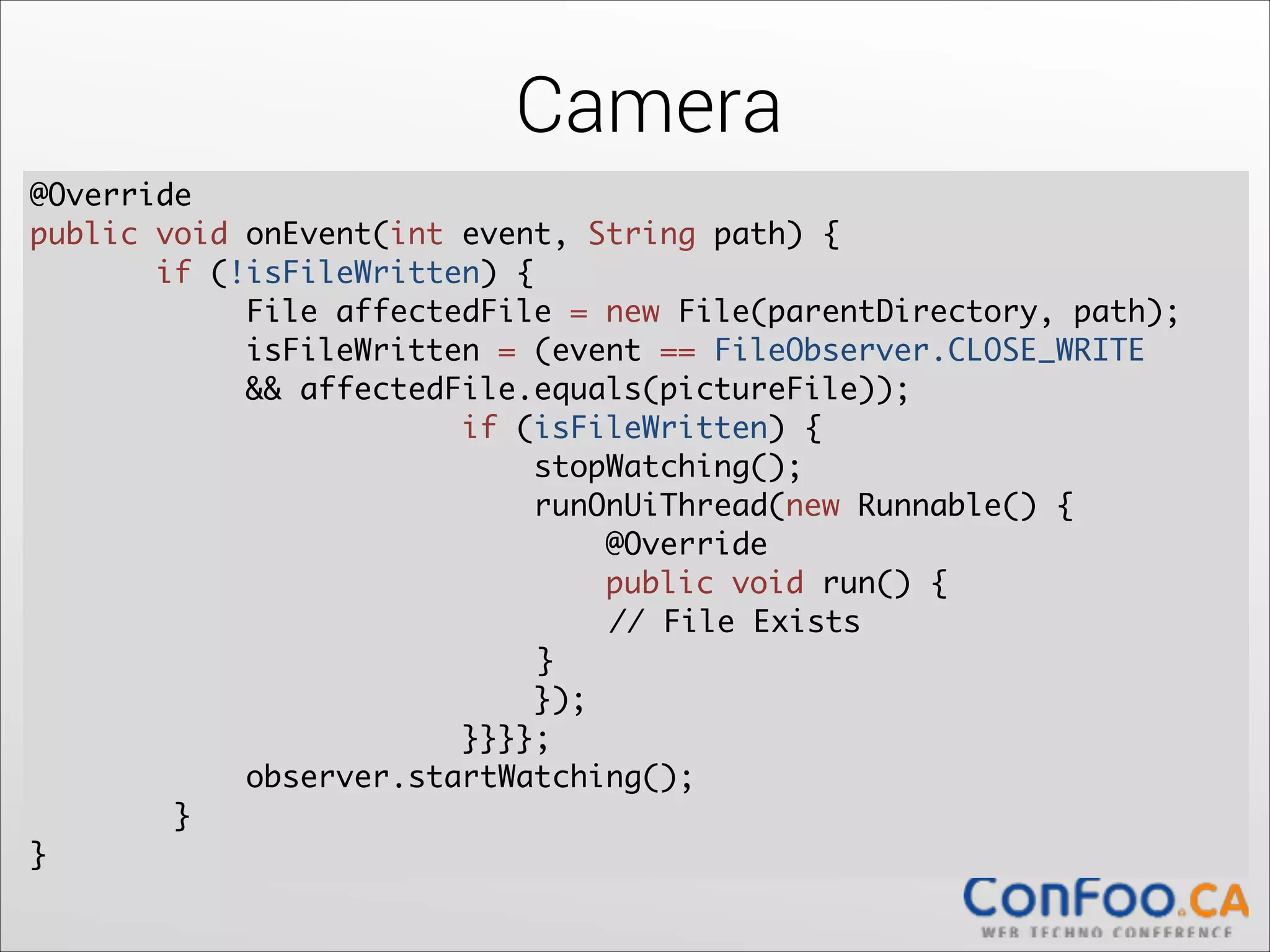
Camera
@Override	
  
public void onEvent(int event, String path) {	
  
if (!isFileWritten) {	
  
File affectedFile = new File(parentDirectory, path);	
  
isFileWritten = (event == FileObserver.CLOSE_WRITE	
&& affectedFile.equals(pictureFile));	
if (isFileWritten) {	
  
stopWatching();	
runOnUiThread(new Runnable() {	
  
@Override	
  
public void run() {	


// File Exists	


}	
});	
  
}}}};	
  
observer.startWatching();	
  
}	
  
}
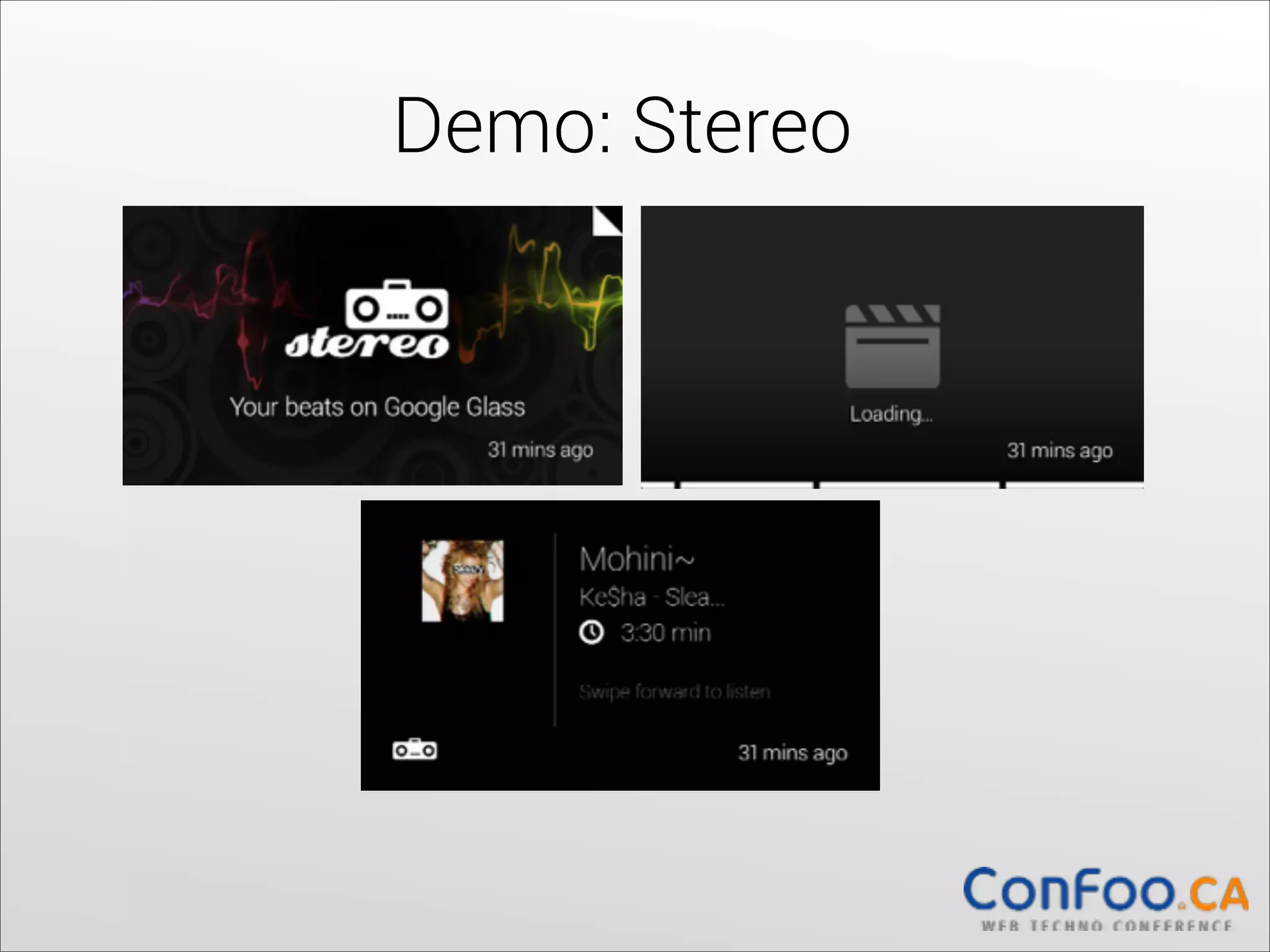
Demo: Stereo
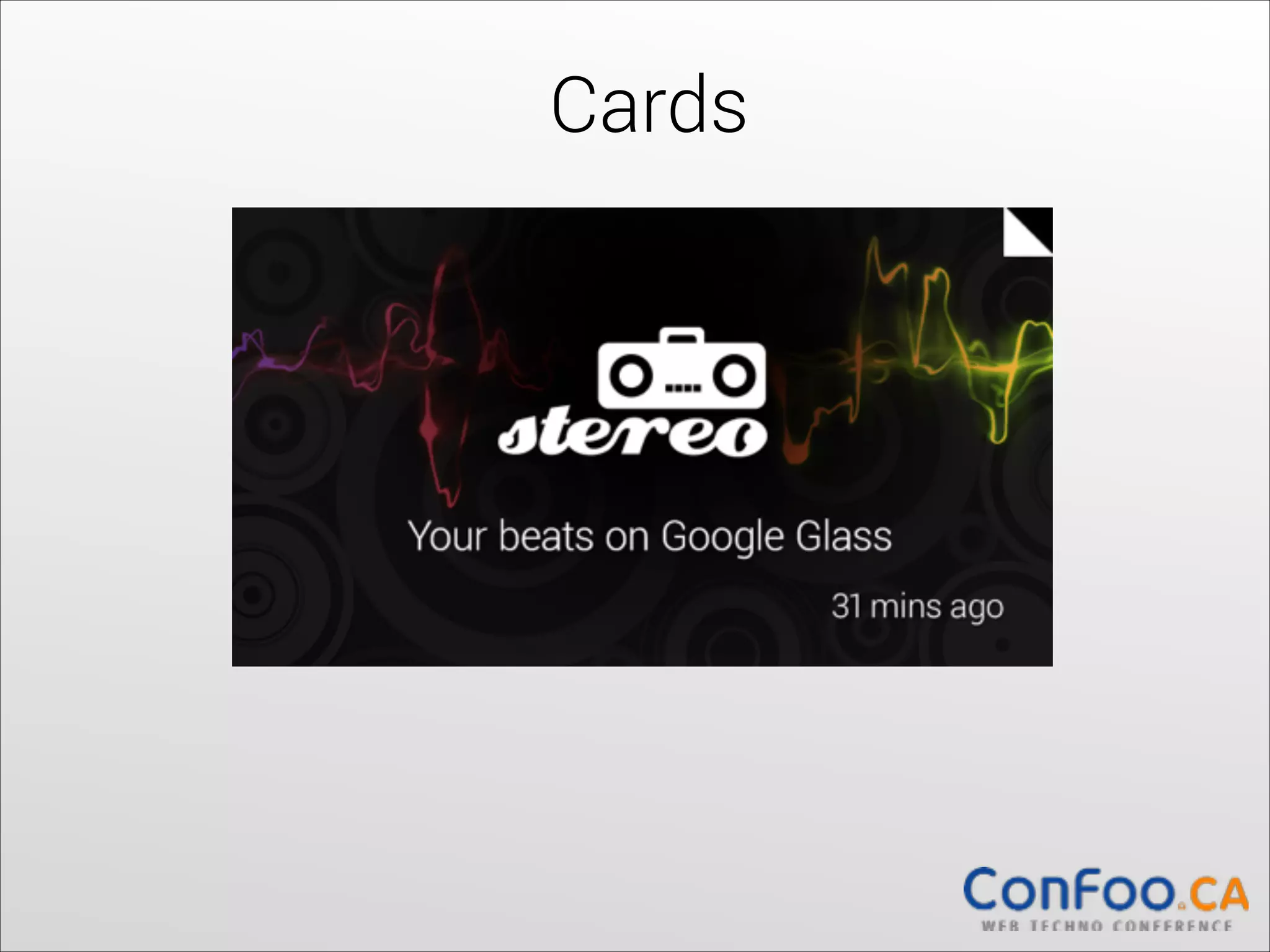
Cards
Cards
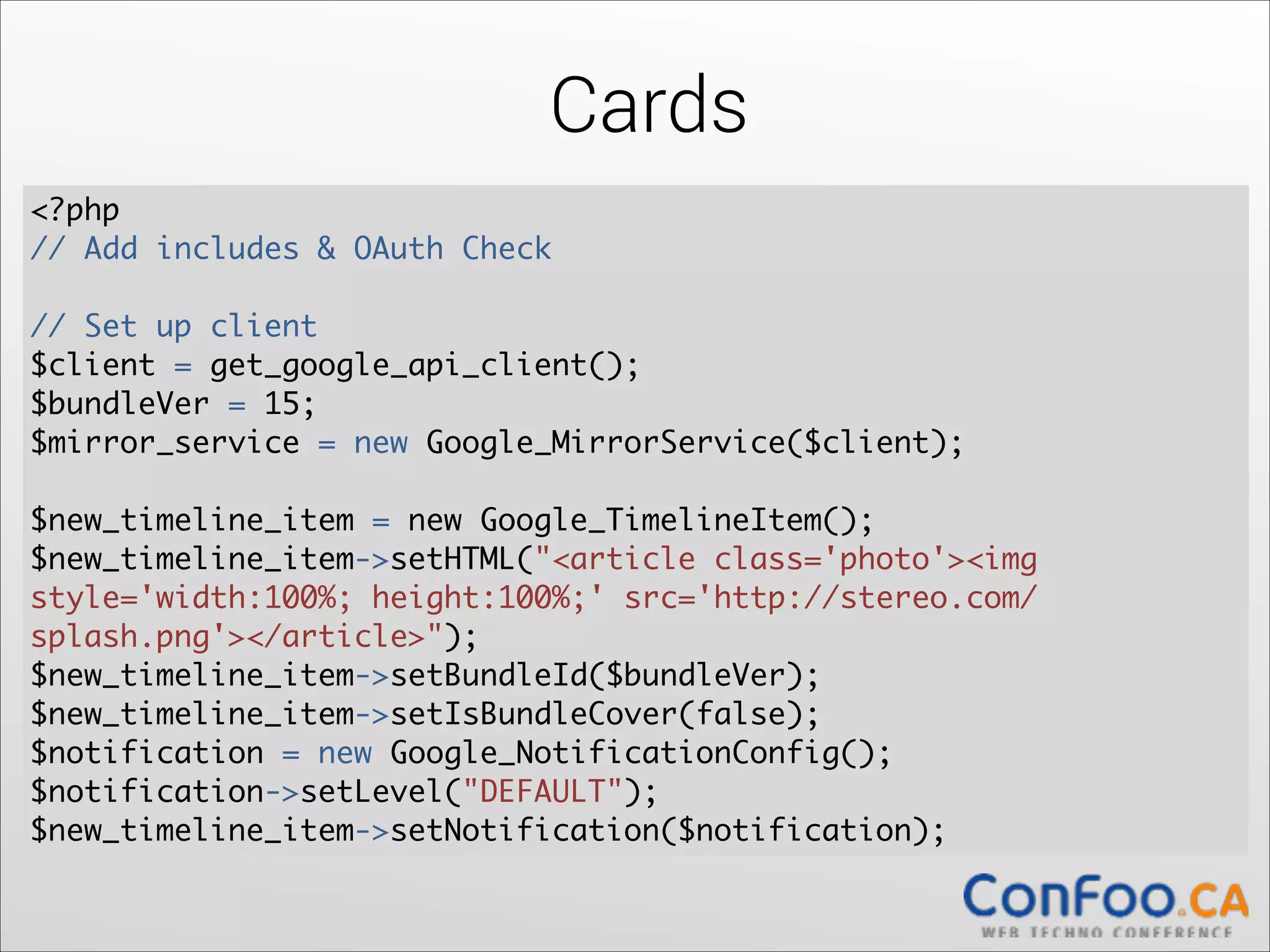
<?php	
// Add includes & OAuth Check


!

// Set up client	
$client = get_google_api_client();	
$bundleVer = 15;	
  
$mirror_service = new Google_MirrorService($client);	
  

!

$new_timeline_item = new Google_TimelineItem();	
  
$new_timeline_item->setHTML("<article class='photo'><img
style='width:100%; height:100%;' src='http://stereo.com/
splash.png'></article>");	
  
$new_timeline_item->setBundleId($bundleVer);	
  
$new_timeline_item->setIsBundleCover(false);	
  
$notification = new Google_NotificationConfig();	
  
$notification->setLevel("DEFAULT");	
  
$new_timeline_item->setNotification($notification);
Cards
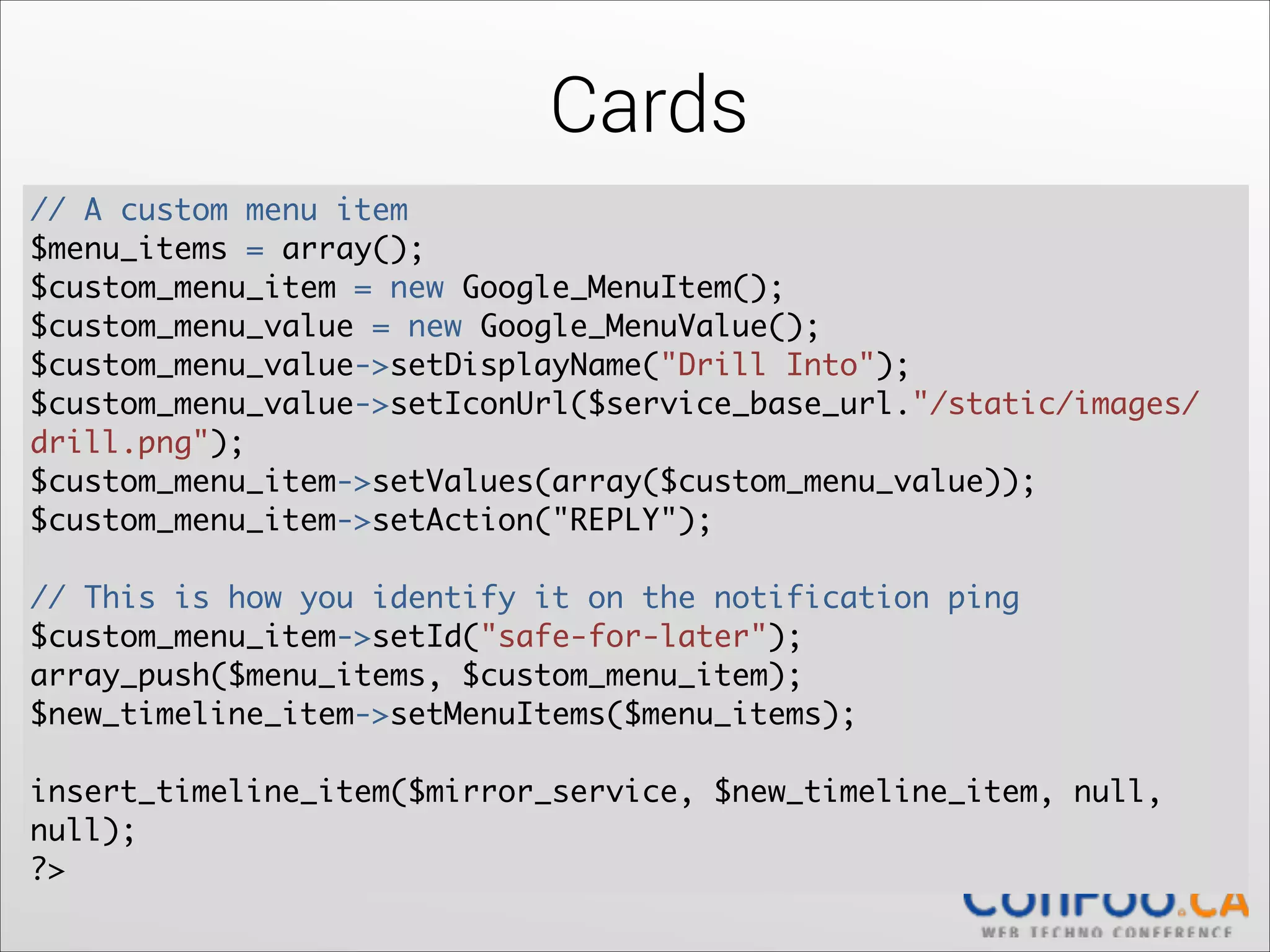
// A custom menu item	
  
$menu_items = array();	
  
$custom_menu_item = new Google_MenuItem();	
  
$custom_menu_value = new Google_MenuValue();	
  
$custom_menu_value->setDisplayName("Drill Into");	
  
$custom_menu_value->setIconUrl($service_base_url."/static/images/
drill.png");	
$custom_menu_item->setValues(array($custom_menu_value));	
  
$custom_menu_item->setAction("REPLY");	
  

!

// This is how you identify it on the notification ping	
  
$custom_menu_item->setId("safe-for-later");	
  
array_push($menu_items, $custom_menu_item);	
  
$new_timeline_item->setMenuItems($menu_items);	
  

!

insert_timeline_item($mirror_service, $new_timeline_item, null,
null);	
  
?>
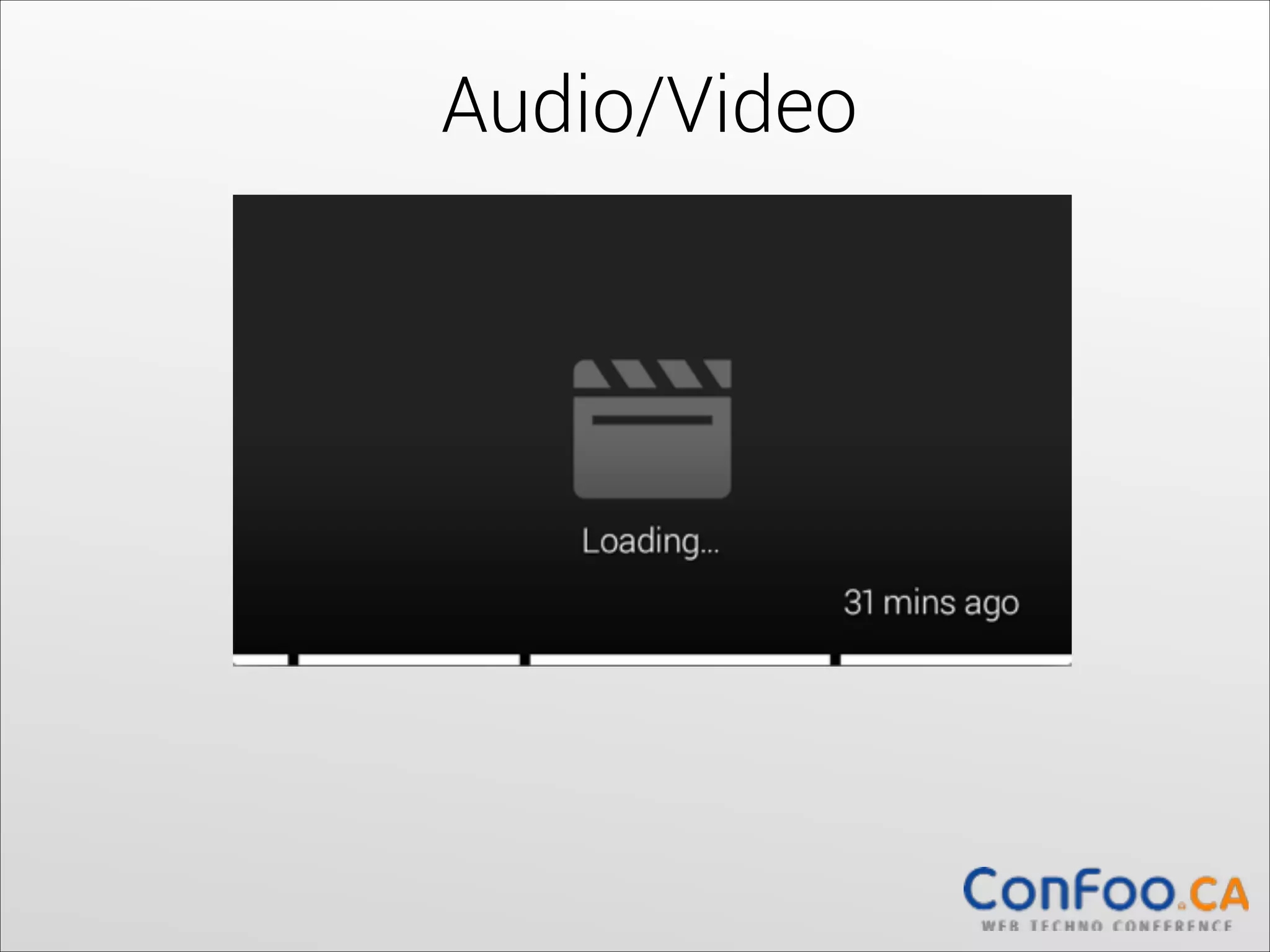
Audio/Video
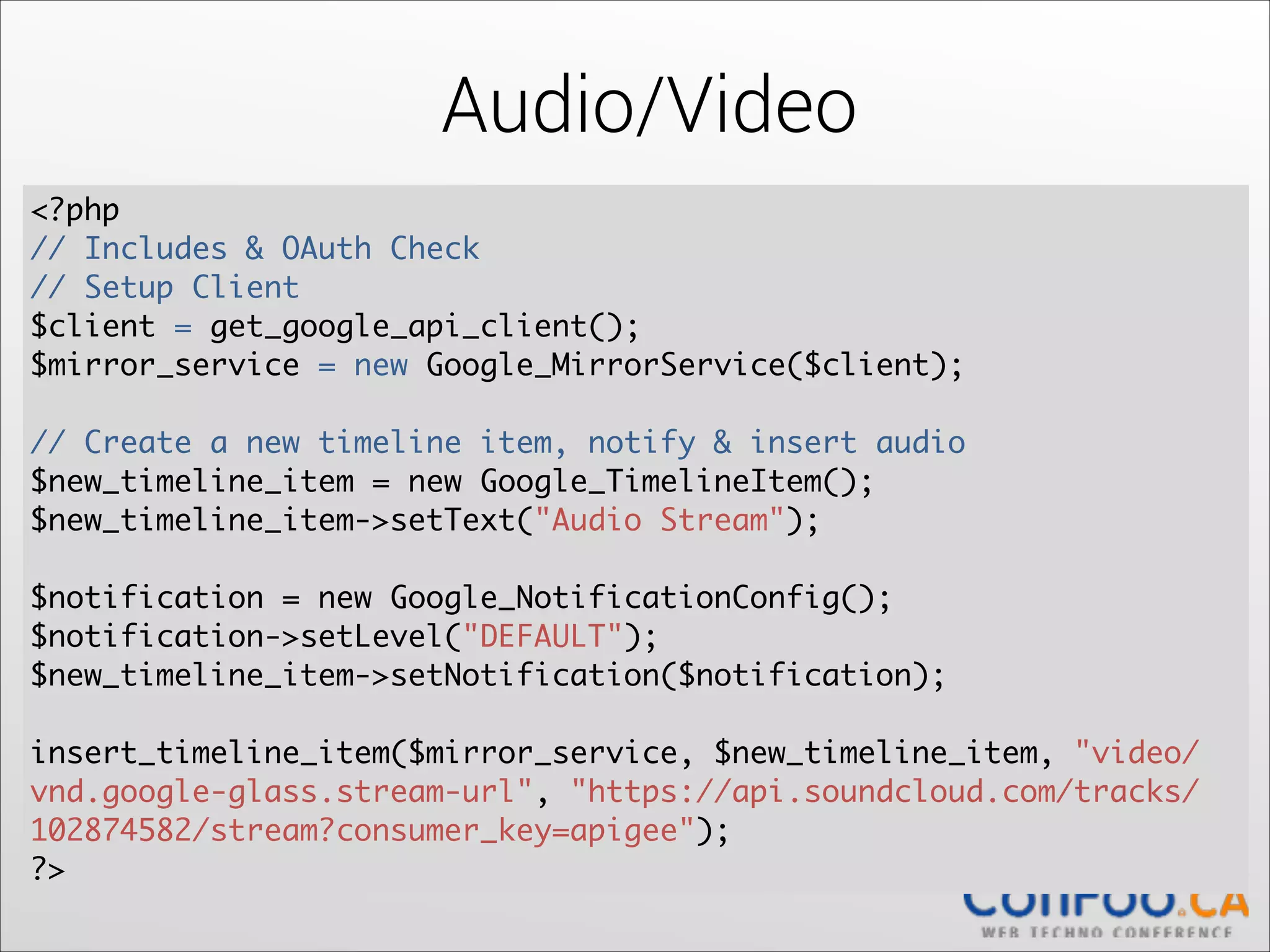
Audio/Video
<?php	
// Includes & OAuth Check

// Setup Client	
$client = get_google_api_client();	
$mirror_service = new Google_MirrorService($client);	
  

!

// Create a new timeline item, notify & insert audio	
$new_timeline_item = new Google_TimelineItem();	
  
$new_timeline_item->setText("Audio Stream");	
  

!

$notification = new Google_NotificationConfig();	
  
$notification->setLevel("DEFAULT");	
  
$new_timeline_item->setNotification($notification);	
  

!

insert_timeline_item($mirror_service, $new_timeline_item, "video/
vnd.google-glass.stream-url", "https://api.soundcloud.com/tracks/
102874582/stream?consumer_key=apigee");	
  
?>
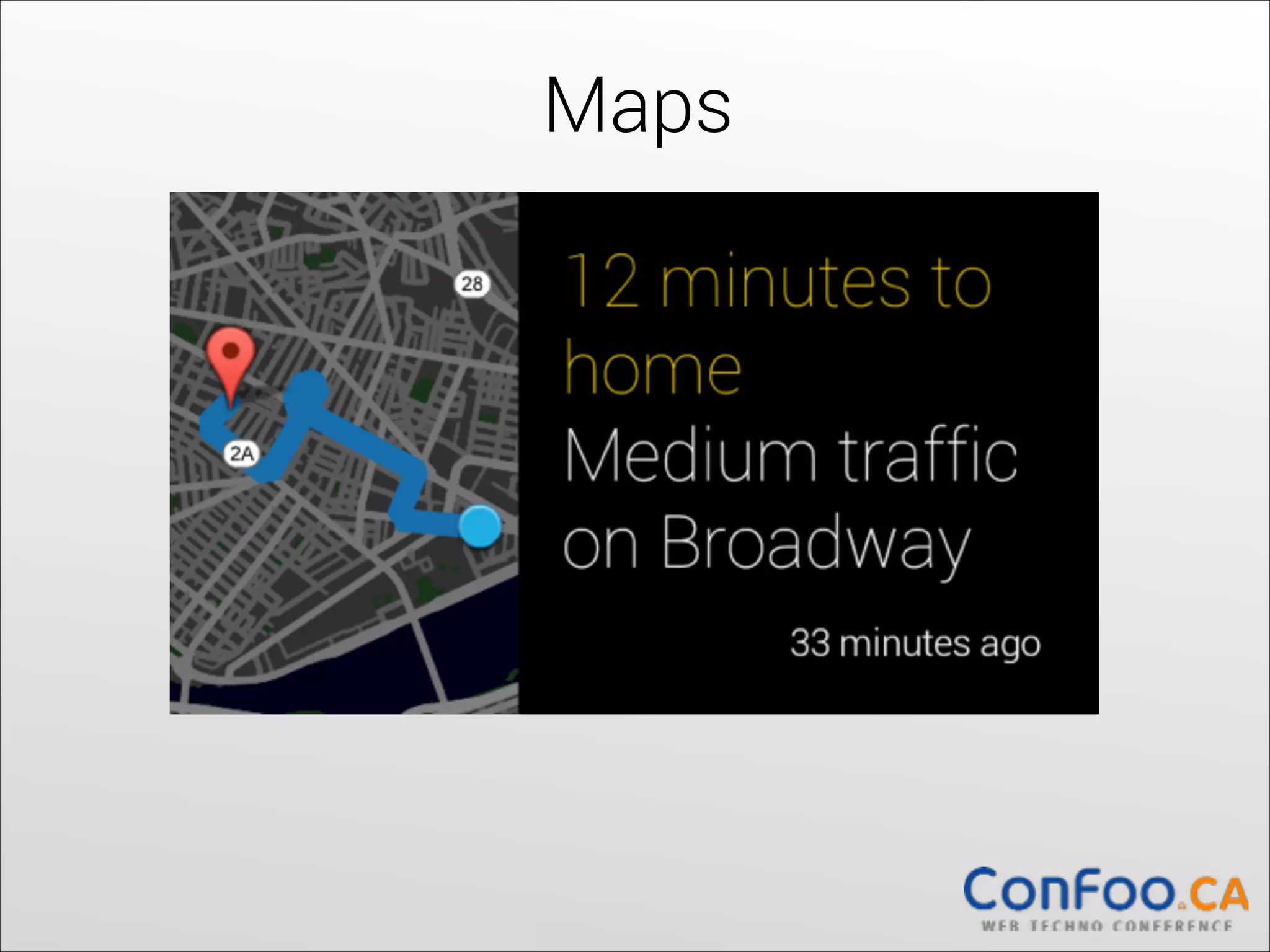
Maps
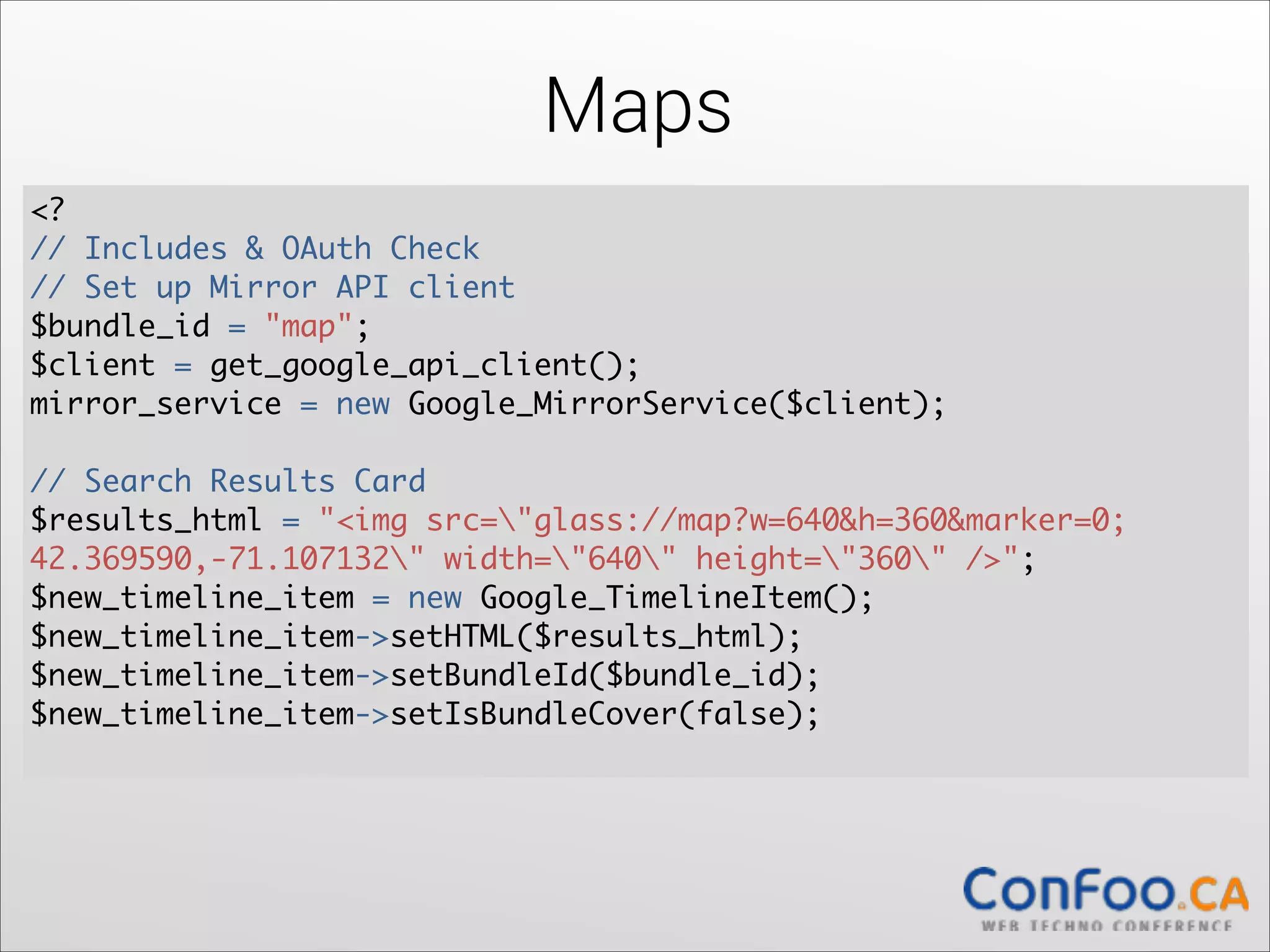
Maps
<?	
  
// Includes & OAuth Check

// Set up Mirror API client	
  
$bundle_id = "map";	
  
$client = get_google_api_client();	
  
mirror_service = new Google_MirrorService($client);	
  

!

// Search Results Card	
  
$results_html = "<img src="glass://map?w=640&h=360&marker=0;	
  
42.369590,-71.107132" width="640" height="360" />";	
  
$new_timeline_item = new Google_TimelineItem();	
  
$new_timeline_item->setHTML($results_html);	
  
$new_timeline_item->setBundleId($bundle_id);	
  
$new_timeline_item->setIsBundleCover(false);

Maps
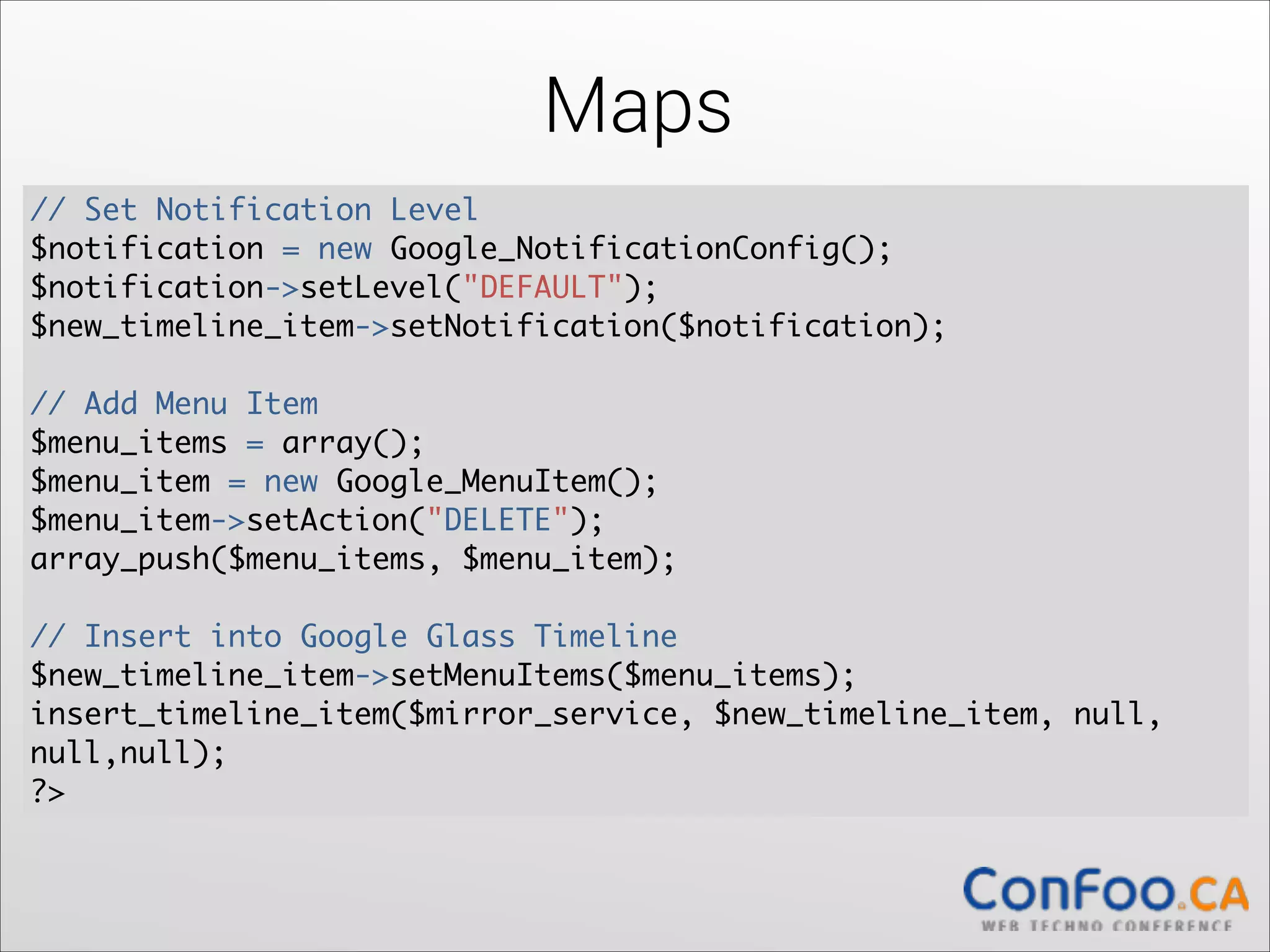
// Set Notification Level	
$notification = new Google_NotificationConfig();	
  
$notification->setLevel("DEFAULT");	
  
$new_timeline_item->setNotification($notification);	
  

!

// Add Menu Item	
$menu_items = array();	
  
$menu_item = new Google_MenuItem();	
  
$menu_item->setAction("DELETE");	
  
array_push($menu_items, $menu_item);	
  

!

// Insert into Google Glass Timeline	
$new_timeline_item->setMenuItems($menu_items);	
  
insert_timeline_item($mirror_service, $new_timeline_item, null,
null,null);	
?>
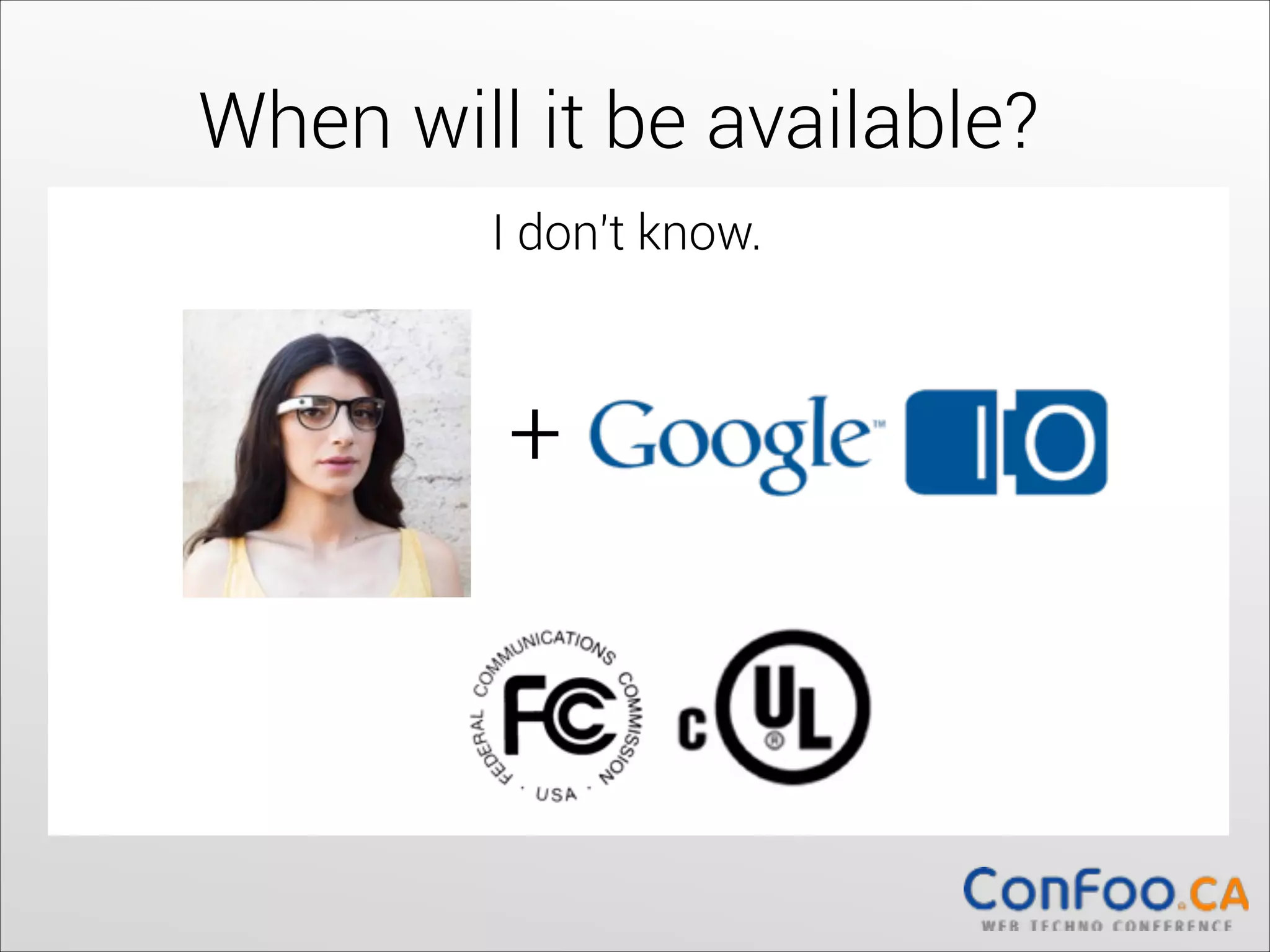
When will it be available?
I don't know.

+
How can I get my own pair?


- Be U.S. residents
- Be at least 18 years old
- Purchase Glass for $1,500 + tax within the US
- Provide a US shipping address or pick up their 

Glass at one of our locations in New York, San 

Francisco or Los Angeles


Thank you!
Slides: http://www.jldavid.com

Glass Dev: https://developers.google.com/
glass/

Want an app built or have questions?


Jean-Luc David

jldavid@gmail.com

@jldavid


Writing Mirror API and Native Apps for Google Glass

  • 1.
    Writing Mirror API& 
 Native Applications for Jean-Luc David
 jldavid@gmail.com
 jldavid.com
 @jldavid

  • 2.
    Who am I? -Freelance wearables developer   - Wrote 5 books for Wiley Publishing
 - Worked at Yellow Pages Group,
 Microsoft, Digiflare Inc.
 - I love hackathons Everyone in this room will
 get to try out !
  • 3.
    What is GoogleGlass? - Galaxy Nexus - Android 4.0.4, dual-core   - Battery ≤ 1 day   - 5MPX camera, 720p video, touchpad   - Display 640x360px (= 25' HD screen 2m)   - Gyroscope, accelerometer, compass   - Wifi, BT, GPS   - 16 GB, 682 RAM   - Sound “bone conduction”   - Microphone, eye tracker   - Calls/sms/gps/internet through phone   
  • 4.
    Why Wearables?                                 Source: Everett Rogers - Diffusion of Evolution
  • 5.
  • 6.
    What are theprogramming models for ? Glass Developer Kit    
  • 7.
    What are theprogramming models for ? Mirror API    
  • 8.
  • 9.
    Basic Android Application Layout.xml     Layout.xml Intent Activity #1 Activity #2
  • 10.
    Glass Application Card.xml Card.xml Card.xml Card.xml     CardScrollView CardScrollView Intent Activity #1 Activity #2
  • 11.
  • 12.
    Glass Application withLive Cards
 & Immersions
  • 13.
  • 14.
    Launching Glass Apps res/values/strings.xml
 ! <?xml version="1.0" encoding="utf-8"?>
 <resources>
    <string name="glass_voice_trigger">take note</string>
    <string name="glass_voice_prompt">what's on your mind?</string>
 </resources>   ! res/xml/<my_voice_trigger>.xml
 
 <?xml version="1.0" encoding="utf-8"?>
 <trigger keyword="@string/glass_voice_trigger">
   <input prompt="@string/glass_voice_prompt" />
 </trigger>
  • 15.
    Launching Glass Apps AndroidManifest.xml
 
 <?xml version="1.0" encoding="utf-8"?>
 <application ...>
     <activity ...>
         <intent-filter>
             <action            
 android:name="com.google.android.glass.action.VOICE_TRIGGER"/>
         </intent-filter>
         <meta-data 
 android:name="com.google.android.glass.VoiceTrigger"
   android:resource="@xml/my_voice_trigger" />
     </activity>
     // ...
 </application>
  • 16.
  • 17.
    Voice Commands private voiddisplaySpeechRecognizer() { Intent intent = new Intent(RecognizerIntent.ACTION_RECOGNIZE_SPEECH);   startActivityForResult(intent, SPEECH_REQUEST);   }
 ! protected void onActivityResult(int reqCode, int resCode, Intent data) { if (reqCode == SPEECH_REQUEST && resCode == RESULT_OK) {   List<String> results = data.getStringArrayListExtra(
 RecognizerIntent.EXTRA_RESULTS);   String spokenText = results.get(0);   Log.e("SPOKEN TEXT", spokenText); }   super.onActivityResult(requestCode, resultCode, data);   }
  • 18.
  • 19.
    Read Aloud import android.speech.tts.TextToSpeech;   ... private TextToSpeech mSpeech;   ! public void onCreate() {   super.onCreate();   mSpeech = new TextToSpeech(this, 
 new TextToSpeech.OnInitListener() {   @Override   public void onInit(int status) {   // Do nothing.   } }); }   !
  • 20.
    Read Aloud public voidsayStuff() {   String helloWorld = "hello world"; mSpeech.speak(helloWorld, TextToSpeech.QUEUE_FLUSH, null);   }
  • 21.
  • 22.
    Camera // Start CameraIntent   Intent cameraIntent = new Intent(MediaStore.ACTION_IMAGE_CAPTURE);   startActivityForResult(cameraIntent, TAKE_PICTURE_REQUEST);   ! @Override   protected void onActivityResult(int requestCode, int resultCode, Intent data) {   if (requestCode == TAKE_PICTURE_REQUEST 
 && resultCode == RESULT_OK) {   String picturePath = 
 data.getStringExtra(CameraManager.EXTRA_PICTURE_FILE_PATH);   processPictureWhenReady(picturePath);   } super.onActivityResult(requestCode, resultCode, data);   }
  • 23.
    Camera private void processPictureWhenReady(finalString picturePath) {   final File pictureFile = new File(picturePath);   if (pictureFile.exists()) {   // Picture Exists } else {   final File directory = pictureFile.getParentFile();   FileObserver observer = new 
 FileObserver(parentDirectory.getPath()) {   private boolean isFileWritten;
  • 24.
    Camera @Override   public voidonEvent(int event, String path) {   if (!isFileWritten) {   File affectedFile = new File(parentDirectory, path);   isFileWritten = (event == FileObserver.CLOSE_WRITE && affectedFile.equals(pictureFile)); if (isFileWritten) {   stopWatching(); runOnUiThread(new Runnable() {   @Override   public void run() {   // File Exists } });   }}}};   observer.startWatching();   }   }
  • 25.
  • 26.
  • 27.
    Cards <?php // Add includes& OAuth Check
 ! // Set up client $client = get_google_api_client(); $bundleVer = 15;   $mirror_service = new Google_MirrorService($client);   ! $new_timeline_item = new Google_TimelineItem();   $new_timeline_item->setHTML("<article class='photo'><img style='width:100%; height:100%;' src='http://stereo.com/ splash.png'></article>");   $new_timeline_item->setBundleId($bundleVer);   $new_timeline_item->setIsBundleCover(false);   $notification = new Google_NotificationConfig();   $notification->setLevel("DEFAULT");   $new_timeline_item->setNotification($notification);
  • 28.
    Cards // A custommenu item   $menu_items = array();   $custom_menu_item = new Google_MenuItem();   $custom_menu_value = new Google_MenuValue();   $custom_menu_value->setDisplayName("Drill Into");   $custom_menu_value->setIconUrl($service_base_url."/static/images/ drill.png"); $custom_menu_item->setValues(array($custom_menu_value));   $custom_menu_item->setAction("REPLY");   ! // This is how you identify it on the notification ping   $custom_menu_item->setId("safe-for-later");   array_push($menu_items, $custom_menu_item);   $new_timeline_item->setMenuItems($menu_items);   ! insert_timeline_item($mirror_service, $new_timeline_item, null, null);   ?>
  • 29.
  • 30.
    Audio/Video <?php // Includes &OAuth Check
 // Setup Client $client = get_google_api_client(); $mirror_service = new Google_MirrorService($client);   ! // Create a new timeline item, notify & insert audio $new_timeline_item = new Google_TimelineItem();   $new_timeline_item->setText("Audio Stream");   ! $notification = new Google_NotificationConfig();   $notification->setLevel("DEFAULT");   $new_timeline_item->setNotification($notification);   ! insert_timeline_item($mirror_service, $new_timeline_item, "video/ vnd.google-glass.stream-url", "https://api.soundcloud.com/tracks/ 102874582/stream?consumer_key=apigee");   ?>
  • 31.
  • 32.
    Maps <?   // Includes& OAuth Check
 // Set up Mirror API client   $bundle_id = "map";   $client = get_google_api_client();   mirror_service = new Google_MirrorService($client);   ! // Search Results Card   $results_html = "<img src="glass://map?w=640&h=360&marker=0;   42.369590,-71.107132" width="640" height="360" />";   $new_timeline_item = new Google_TimelineItem();   $new_timeline_item->setHTML($results_html);   $new_timeline_item->setBundleId($bundle_id);   $new_timeline_item->setIsBundleCover(false);

  • 33.
    Maps // Set NotificationLevel $notification = new Google_NotificationConfig();   $notification->setLevel("DEFAULT");   $new_timeline_item->setNotification($notification);   ! // Add Menu Item $menu_items = array();   $menu_item = new Google_MenuItem();   $menu_item->setAction("DELETE");   array_push($menu_items, $menu_item);   ! // Insert into Google Glass Timeline $new_timeline_item->setMenuItems($menu_items);   insert_timeline_item($mirror_service, $new_timeline_item, null, null,null); ?>
  • 34.
    When will itbe available? I don't know. +
  • 35.
    How can Iget my own pair?     - Be U.S. residents - Be at least 18 years old - Purchase Glass for $1,500 + tax within the US - Provide a US shipping address or pick up their 
 Glass at one of our locations in New York, San 
 Francisco or Los Angeles  
  • 36.
    Thank you! Slides: http://www.jldavid.com
 GlassDev: https://developers.google.com/ glass/ Want an app built or have questions?
 
 Jean-Luc David
 jldavid@gmail.com
 @jldavid