Load distributionLoad distribution
with DNS Delegationwith DNS Delegation
Andrii Gakhov, ferret go GmbHAndrii Gakhov, ferret go GmbH
Lightning talk, Feb 14, 2018Lightning talk, Feb 14, 2018
The ProblemThe Problem
Balance the load without a single point of failureBalance the load without a single point of failure
Balance the load geographicallyBalance the load geographically
DNS DelegationDNS Delegation
A technique to route usersA technique to route users
to di erent application serversto di erent application servers
by using DNS tricksby using DNS tricks
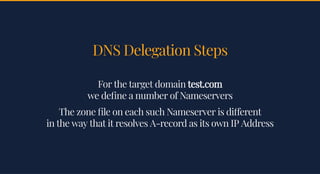
DNS Delegation StepsDNS Delegation Steps
For the target domainFor the target domain test.comtest.com
we de ne a number of Nameserverswe de ne a number of Nameservers
The zone le on each such Nameserver is di erentThe zone le on each such Nameserver is di erent
in the way that it resolves A-record as its own IP Addressin the way that it resolves A-record as its own IP Address
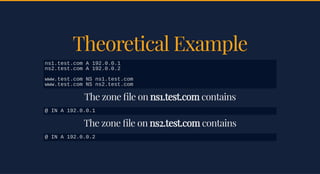
Theoretical ExampleTheoretical Example
The zone le onThe zone le on ns1.test.comns1.test.com containscontains
The zone le onThe zone le on ns2.test.comns2.test.com containscontains
ns1.test.com A 192.0.0.1
ns2.test.com A 192.0.0.2
www.test.com NS ns1.test.com
www.test.com NS ns2.test.com
@ IN A 192.0.0.1
@ IN A 192.0.0.2
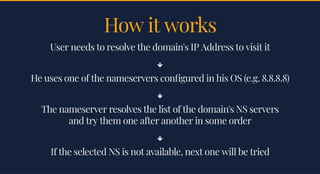
How it worksHow it works
User needs to resolve the domain's IP Address to visit itUser needs to resolve the domain's IP Address to visit it

He uses one of the nameservers con gured in his OS (e.g. 8.8.8.8)He uses one of the nameservers con gured in his OS (e.g. 8.8.8.8)

The nameserver resolves the list of the domain's NS serversThe nameserver resolves the list of the domain's NS servers
and try them one after another in some orderand try them one after another in some order

If the selected NS is not available, next one will be triedIf the selected NS is not available, next one will be tried
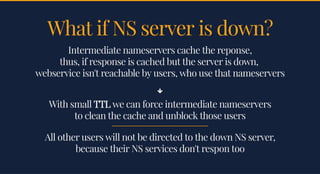
What if NS server is down?What if NS server is down?
Intermediate nameservers cache the reponse,Intermediate nameservers cache the reponse,
thus, if response is cached but the server is down,thus, if response is cached but the server is down,
webservice isn't reachable by users, who use that nameserverswebservice isn't reachable by users, who use that nameservers

With smallWith small TTLTTL we can force intermediate nameserverswe can force intermediate nameservers
to clean the cache and unblock those usersto clean the cache and unblock those users
All other users will not be directed to the down NS server,All other users will not be directed to the down NS server,
because their NS services don't respon toobecause their NS services don't respon too
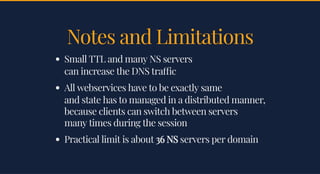
Notes and LimitationsNotes and Limitations
Small TTL and many NS serversSmall TTL and many NS servers
can increase the DNS tra ccan increase the DNS tra c
All webservices have to be exactly sameAll webservices have to be exactly same
and state has to managed in a distributed manner,and state has to managed in a distributed manner,
because clients can switch between serversbecause clients can switch between servers
many times during the sessionmany times during the session
Practical limit is aboutPractical limit is about 36 NS36 NS servers per domainservers per domain
Puppet examplePuppet example
class { 'bind': # I use **aneesh-bind** module for Puppet
listen_on => 'port 53 { any; }',
listen_on_v6 => 'port 53 { ::1; }',
allow_query => '{ any; }',
allow_update => '{ none; }',
allow_transfer => '{ none; }',
recursion => 'no',
auth_nxdomain => 'yes',
zone => {
'test.com' => [
'type master',
'file "test.com.db"',
'allow-transfer { none; }',
'allow-query { any; }',
'allow-update { none; }',
],
},
}
Create a zone le for theCreate a zone le for the test.comtest.com
bind::zone_file { 'test.com.db':
file_name => 'test.com.db',
nameserver => 'ns1.test.com.',
admin => 'admin.test.com.',
ttl => '60',
serial => '2018021304',
refresh => '36',
retry => '18',
expire => '36',
minimum => '36',
records => [
'@ IN NS ns1.test.com.',
'@ IN NS ns2.test.com.',
'@ IN A 192.0.0.1',
],
}
Step by StepStep by Step
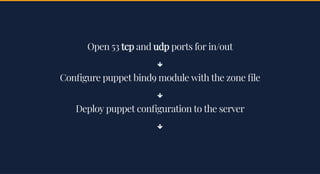
Open 53Open 53 tcptcp andand udpudp ports for in/outports for in/out

Con gure puppet bind9 module with the zone leCon gure puppet bind9 module with the zone le

Deploy puppet con guration to the serverDeploy puppet con guration to the server

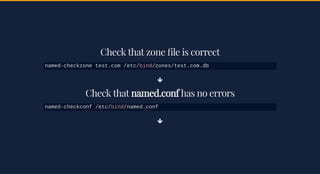
Check that zone le is correctCheck that zone le is correct

Check thatCheck that named.confnamed.conf has no errorshas no errors

named-checkzone test.com /etc/bind/zones/test.com.db
named-checkconf /etc/bind/named.conf
RestartRestart bind9bind9 and load the zone lesand load the zone les

Ensure everything works correctlyEnsure everything works correctly
service bind9 restart
rndc reconfig
dig +noadditional +noquestion +nocomments +cmd 
+stats test.com. @ns1.test.com
Thank youThank you

DNS Delegation

  • 1.
    Load distributionLoad distribution withDNS Delegationwith DNS Delegation Andrii Gakhov, ferret go GmbHAndrii Gakhov, ferret go GmbH Lightning talk, Feb 14, 2018Lightning talk, Feb 14, 2018
  • 2.
    The ProblemThe Problem Balancethe load without a single point of failureBalance the load without a single point of failure Balance the load geographicallyBalance the load geographically
  • 3.
    DNS DelegationDNS Delegation Atechnique to route usersA technique to route users to di erent application serversto di erent application servers by using DNS tricksby using DNS tricks
  • 4.
    DNS Delegation StepsDNSDelegation Steps For the target domainFor the target domain test.comtest.com we de ne a number of Nameserverswe de ne a number of Nameservers The zone le on each such Nameserver is di erentThe zone le on each such Nameserver is di erent in the way that it resolves A-record as its own IP Addressin the way that it resolves A-record as its own IP Address
  • 5.
    Theoretical ExampleTheoretical Example Thezone le onThe zone le on ns1.test.comns1.test.com containscontains The zone le onThe zone le on ns2.test.comns2.test.com containscontains ns1.test.com A 192.0.0.1 ns2.test.com A 192.0.0.2 www.test.com NS ns1.test.com www.test.com NS ns2.test.com @ IN A 192.0.0.1 @ IN A 192.0.0.2
  • 6.
    How it worksHowit works User needs to resolve the domain's IP Address to visit itUser needs to resolve the domain's IP Address to visit it  He uses one of the nameservers con gured in his OS (e.g. 8.8.8.8)He uses one of the nameservers con gured in his OS (e.g. 8.8.8.8)  The nameserver resolves the list of the domain's NS serversThe nameserver resolves the list of the domain's NS servers and try them one after another in some orderand try them one after another in some order  If the selected NS is not available, next one will be triedIf the selected NS is not available, next one will be tried
  • 7.
    What if NSserver is down?What if NS server is down? Intermediate nameservers cache the reponse,Intermediate nameservers cache the reponse, thus, if response is cached but the server is down,thus, if response is cached but the server is down, webservice isn't reachable by users, who use that nameserverswebservice isn't reachable by users, who use that nameservers  With smallWith small TTLTTL we can force intermediate nameserverswe can force intermediate nameservers to clean the cache and unblock those usersto clean the cache and unblock those users All other users will not be directed to the down NS server,All other users will not be directed to the down NS server, because their NS services don't respon toobecause their NS services don't respon too
  • 8.
    Notes and LimitationsNotesand Limitations Small TTL and many NS serversSmall TTL and many NS servers can increase the DNS tra ccan increase the DNS tra c All webservices have to be exactly sameAll webservices have to be exactly same and state has to managed in a distributed manner,and state has to managed in a distributed manner, because clients can switch between serversbecause clients can switch between servers many times during the sessionmany times during the session Practical limit is aboutPractical limit is about 36 NS36 NS servers per domainservers per domain
  • 9.
    Puppet examplePuppet example class{ 'bind': # I use **aneesh-bind** module for Puppet listen_on => 'port 53 { any; }', listen_on_v6 => 'port 53 { ::1; }', allow_query => '{ any; }', allow_update => '{ none; }', allow_transfer => '{ none; }', recursion => 'no', auth_nxdomain => 'yes', zone => { 'test.com' => [ 'type master', 'file "test.com.db"', 'allow-transfer { none; }', 'allow-query { any; }', 'allow-update { none; }', ], }, }
  • 10.
    Create a zonele for theCreate a zone le for the test.comtest.com bind::zone_file { 'test.com.db': file_name => 'test.com.db', nameserver => 'ns1.test.com.', admin => 'admin.test.com.', ttl => '60', serial => '2018021304', refresh => '36', retry => '18', expire => '36', minimum => '36', records => [ '@ IN NS ns1.test.com.', '@ IN NS ns2.test.com.', '@ IN A 192.0.0.1', ], }
  • 11.
  • 12.
    Open 53Open 53tcptcp andand udpudp ports for in/outports for in/out  Con gure puppet bind9 module with the zone leCon gure puppet bind9 module with the zone le  Deploy puppet con guration to the serverDeploy puppet con guration to the server 
  • 13.
    Check that zonele is correctCheck that zone le is correct  Check thatCheck that named.confnamed.conf has no errorshas no errors  named-checkzone test.com /etc/bind/zones/test.com.db named-checkconf /etc/bind/named.conf
  • 14.
    RestartRestart bind9bind9 andload the zone lesand load the zone les  Ensure everything works correctlyEnsure everything works correctly service bind9 restart rndc reconfig dig +noadditional +noquestion +nocomments +cmd +stats test.com. @ns1.test.com
  • 15.