Fighting Spam with a Perimeter Mail System


           Garrett Honeycutt
           Eric Heydrick


           08-Nov-2007 @ SASAG
Intro

Hello and stuff
 Speakeasy started as the first internet cafe in 1995 and soon
 became a broadband provider. We currently provide DSL and T1
 connectivity nation wide as well as managed services.
 One of our more exciting endeavours is VoIP
 You should probably be working for us
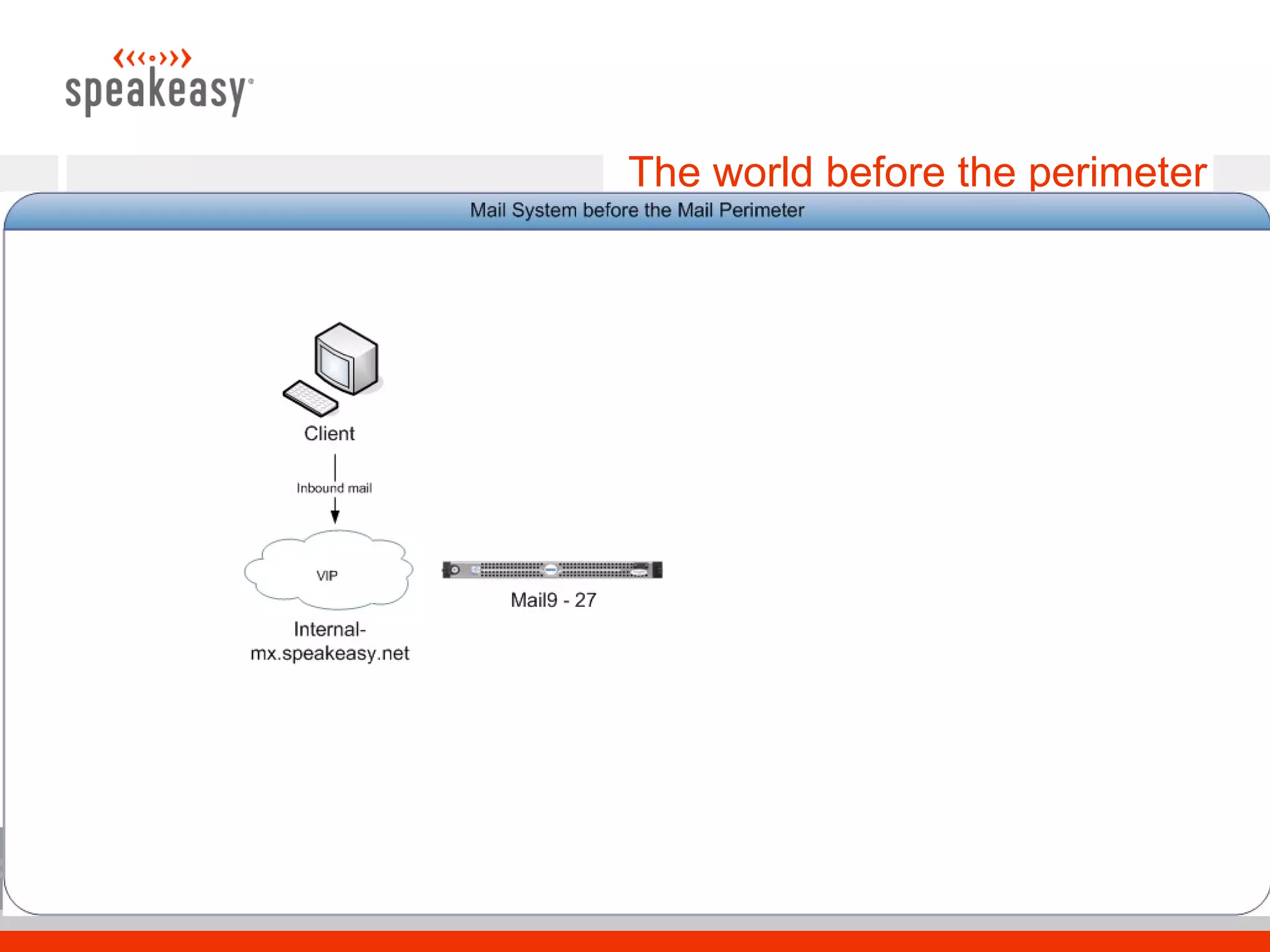
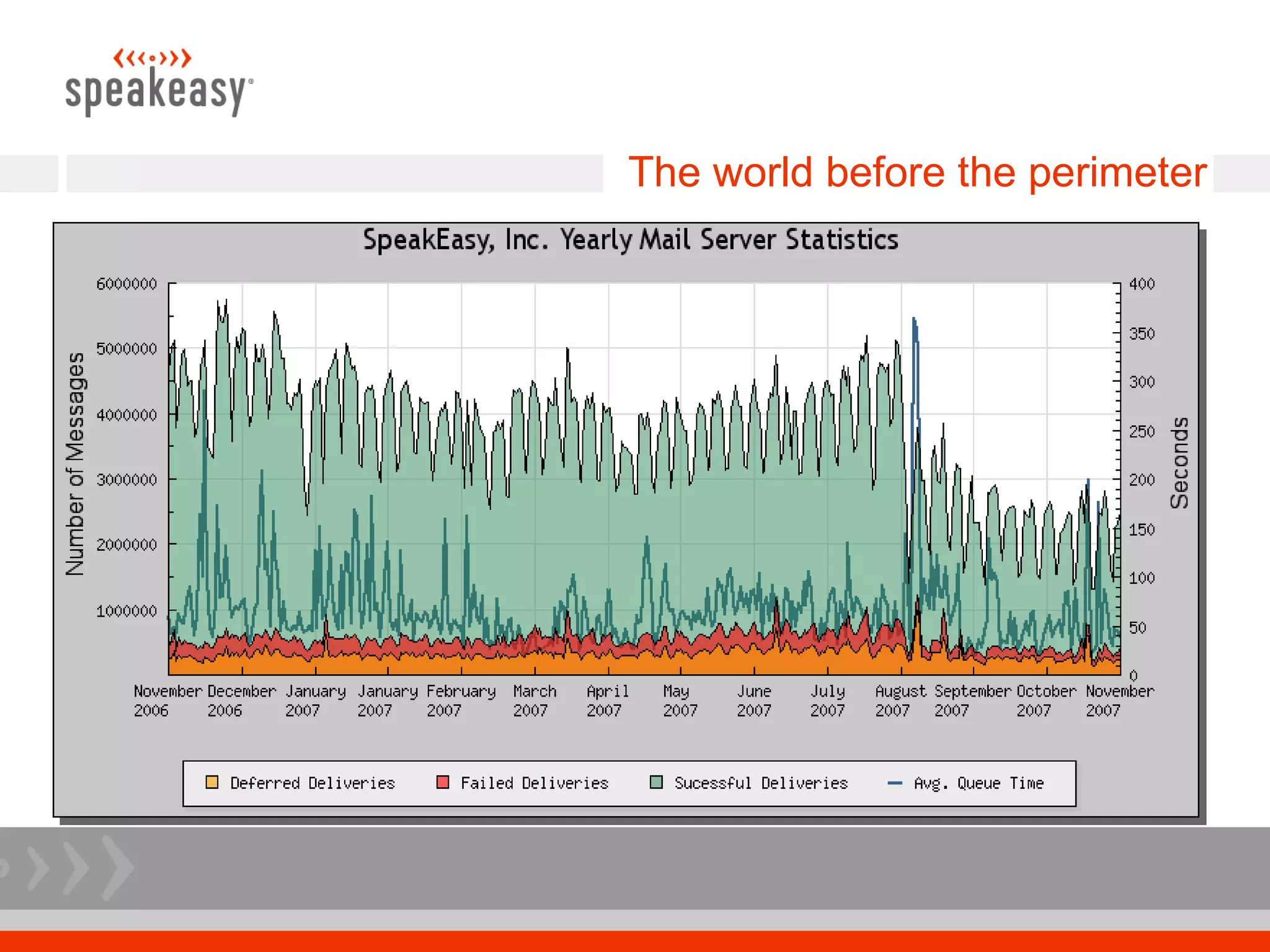
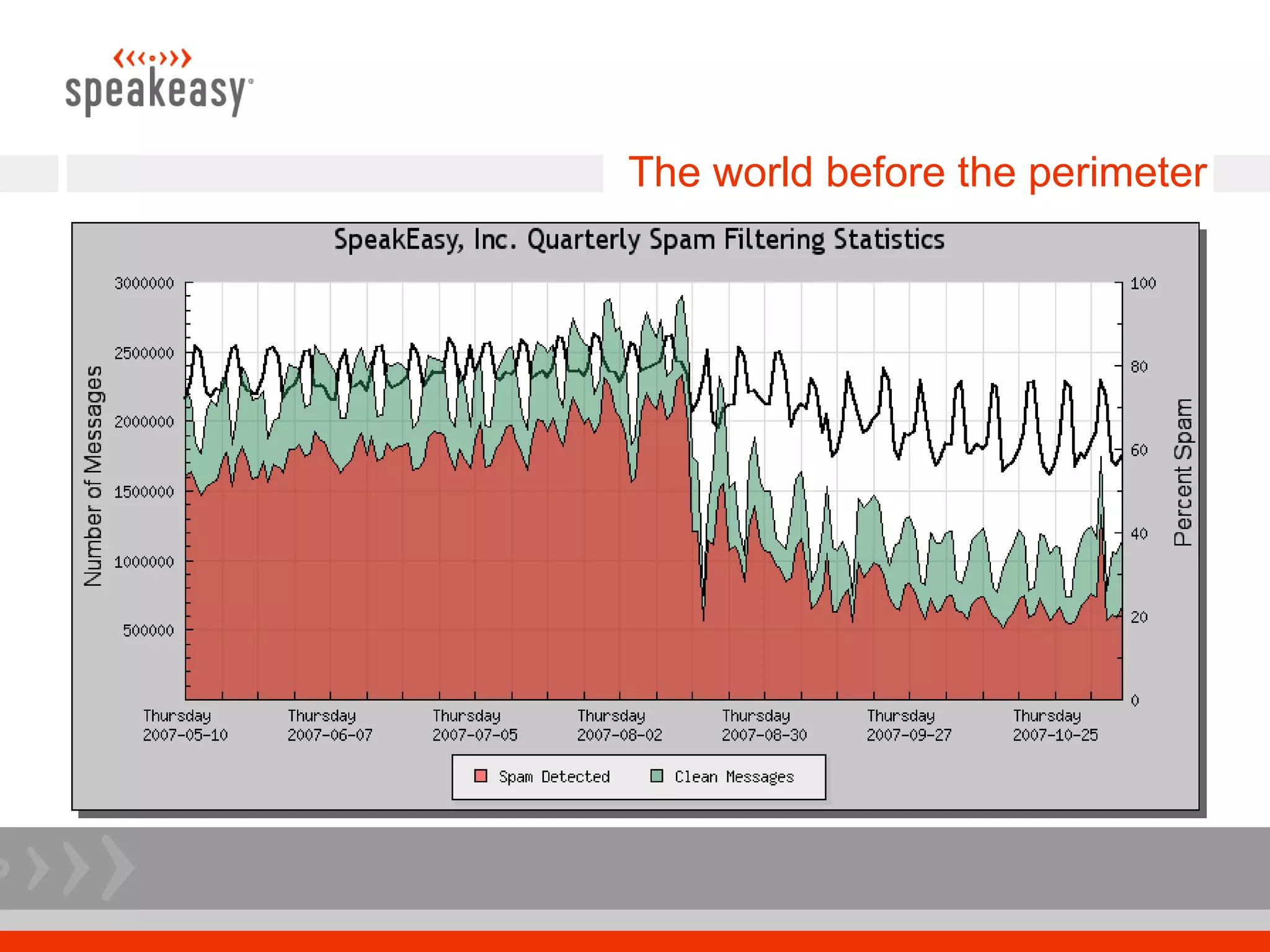
The world before the perimeter
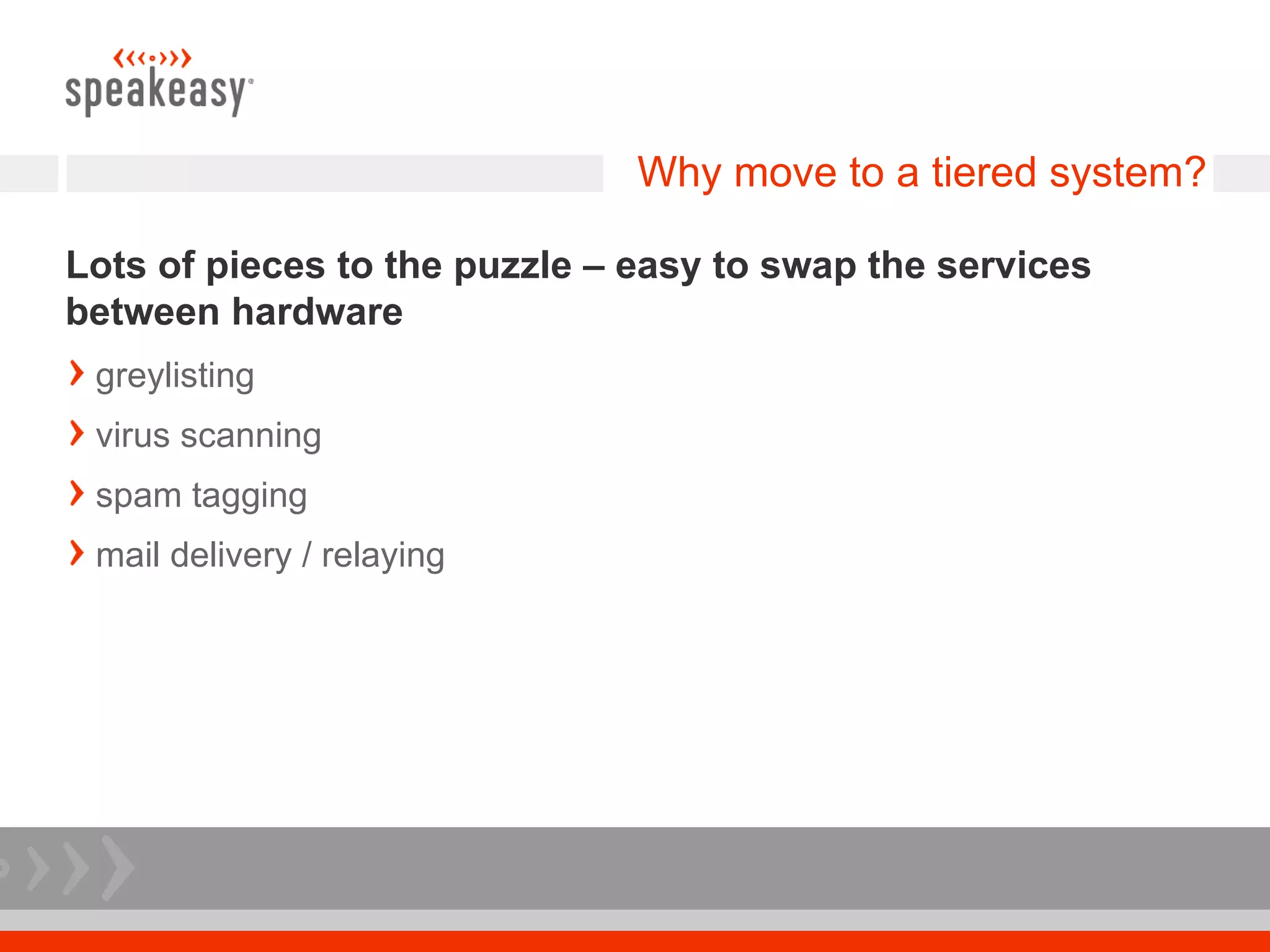
Why move to a tiered system?

Lots of pieces to the puzzle – easy to swap the services
between hardware
 greylisting
 virus scanning
 spam tagging
 mail delivery / relaying
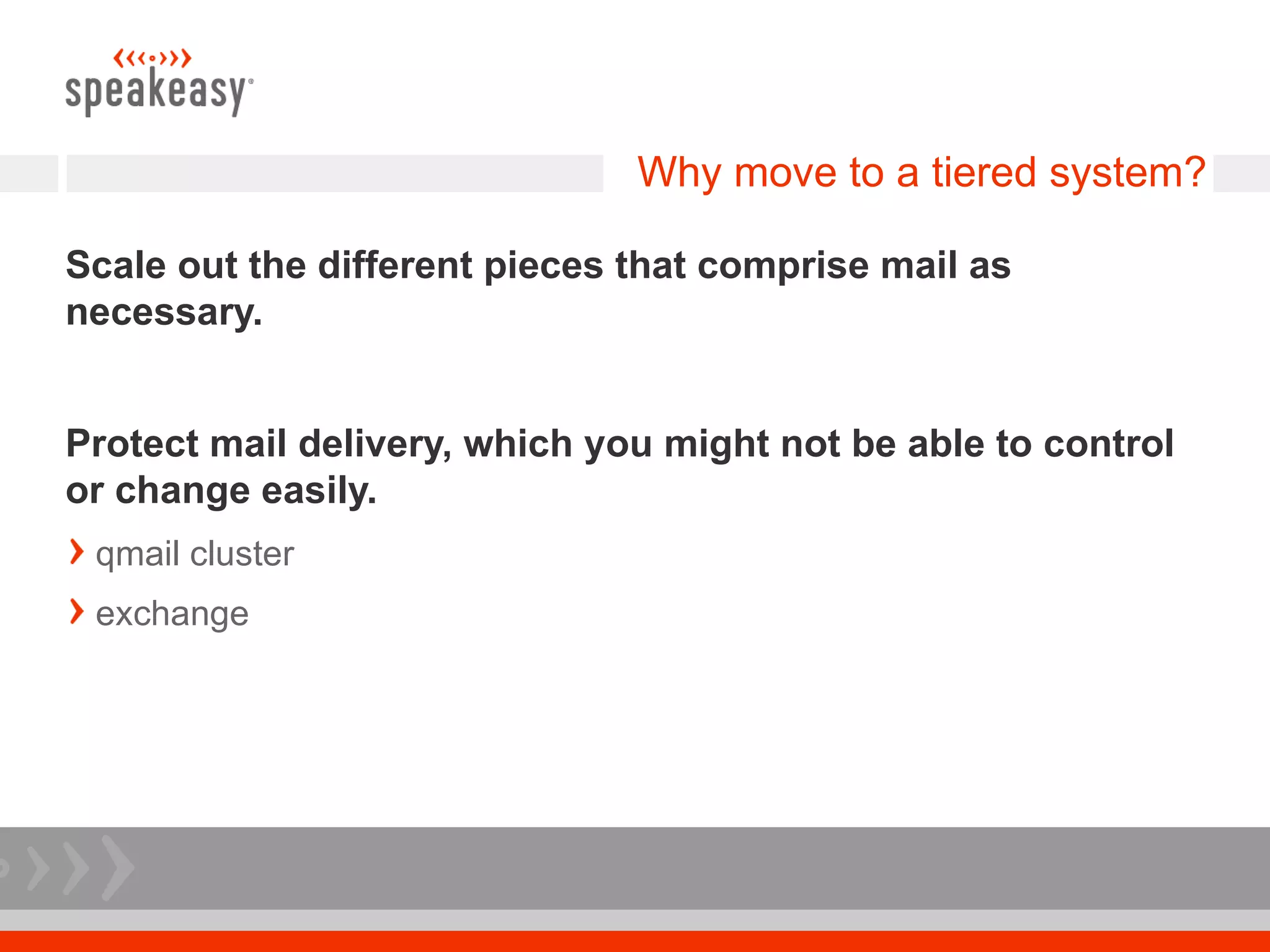
Why move to a tiered system?

Scale out the different pieces that comprise mail as
necessary.


Protect mail delivery, which you might not be able to control
or change easily.
 qmail cluster
 exchange
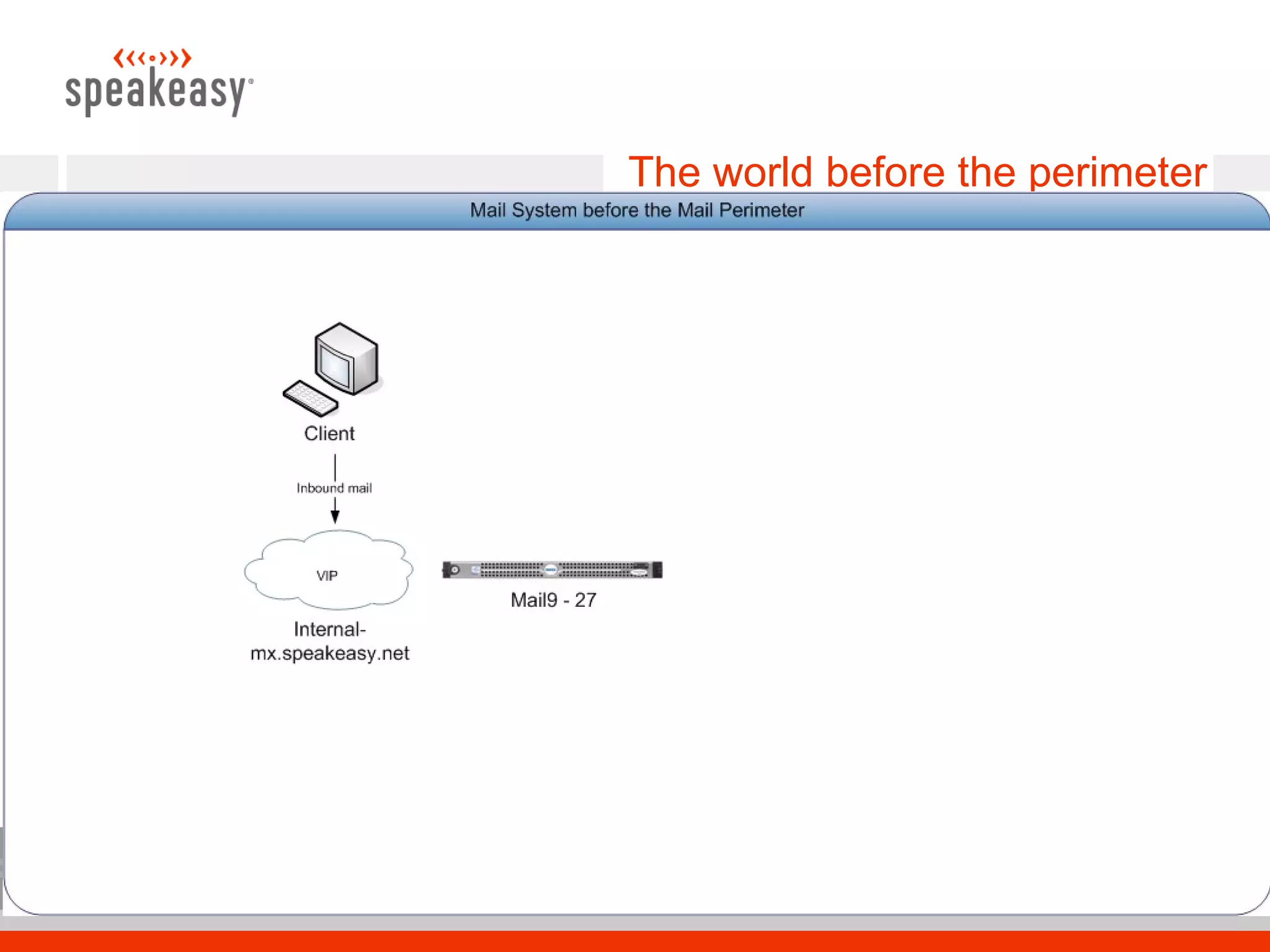
The world before the perimeter
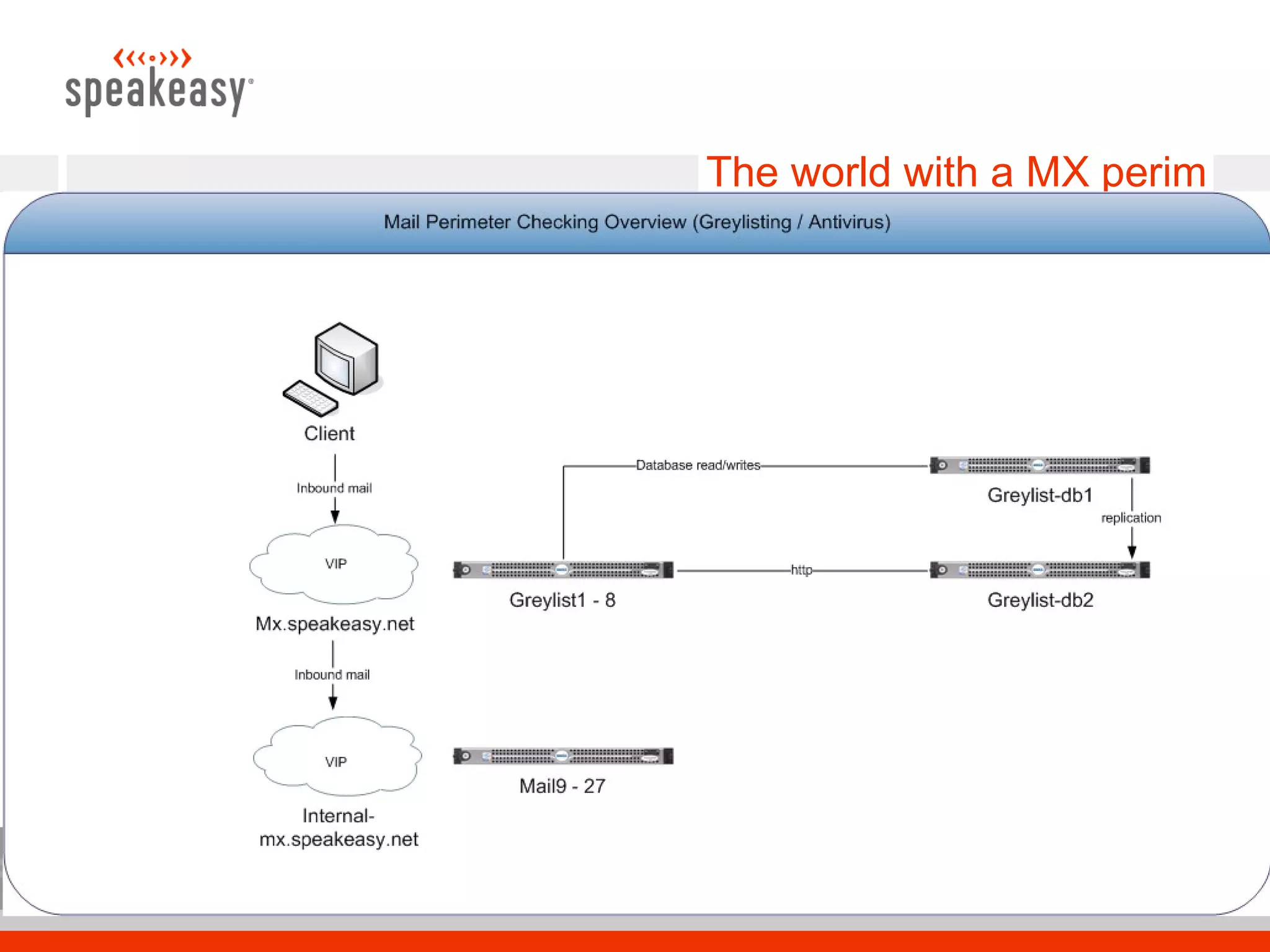
The world with a MX perim
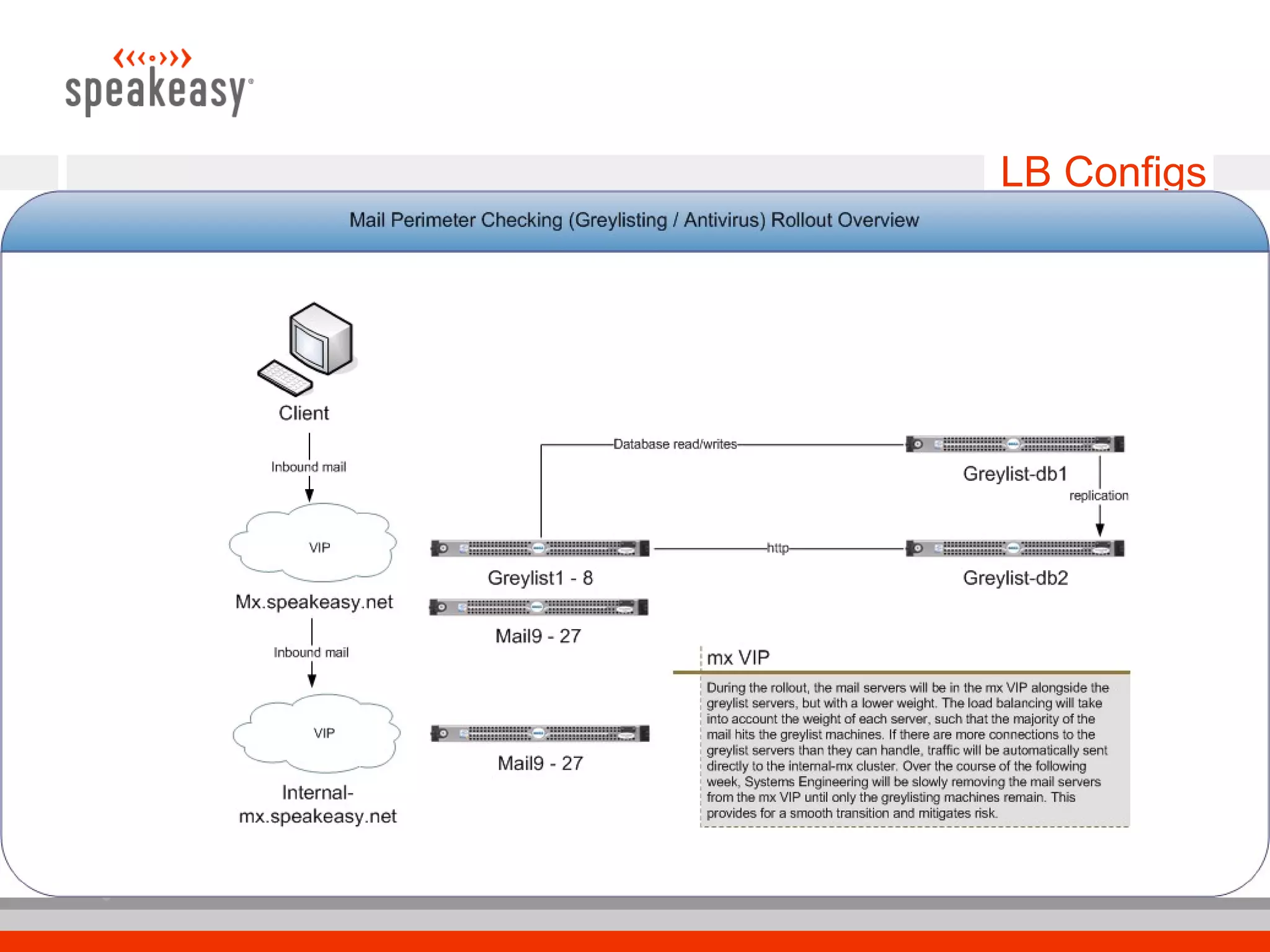
LB Configs
The world with a MX perim

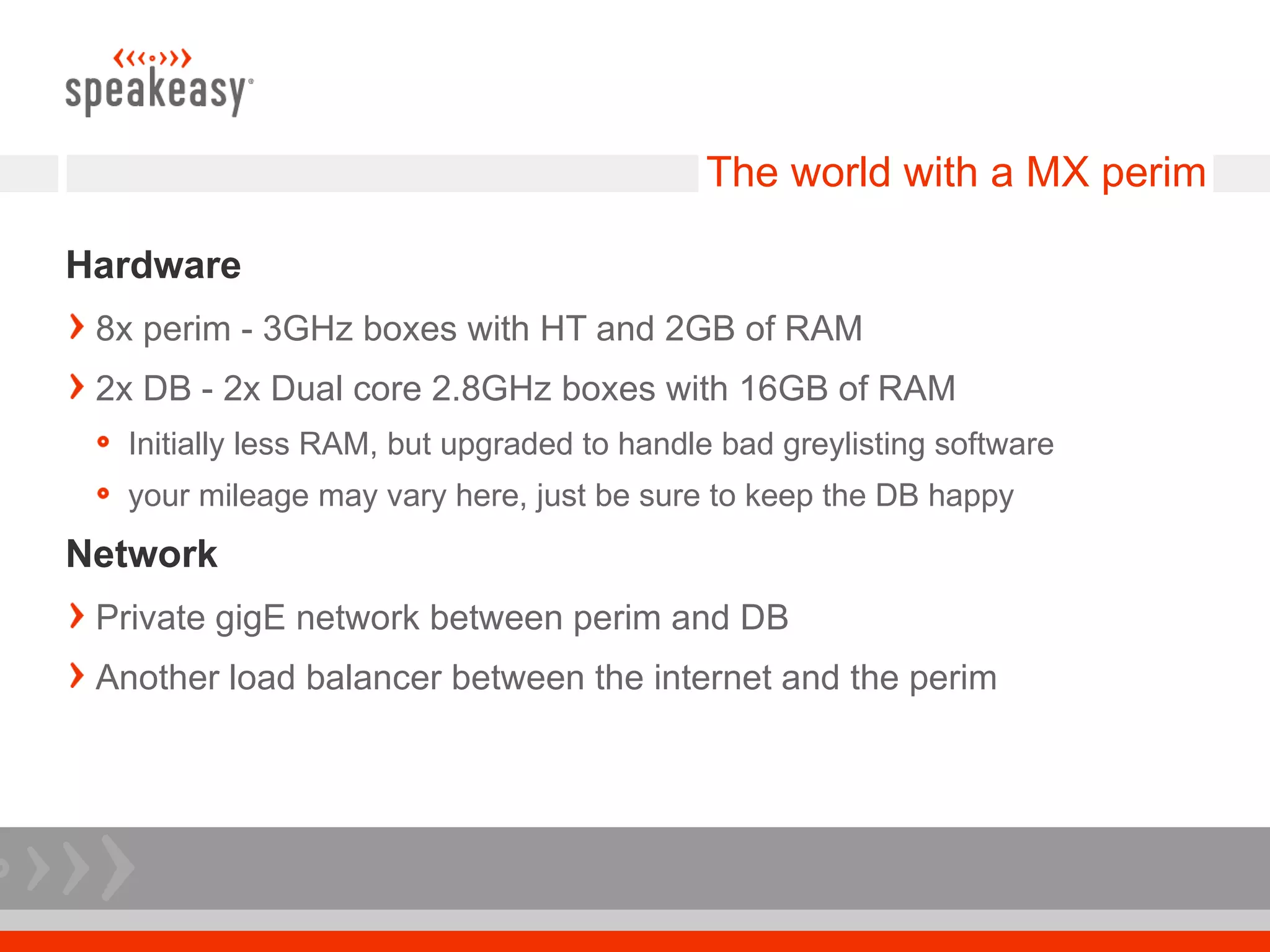
Hardware
 8x perim - 3GHz boxes with HT and 2GB of RAM
 2x DB - 2x Dual core 2.8GHz boxes with 16GB of RAM
   Initially less RAM, but upgraded to handle bad greylisting software
   your mileage may vary here, just be sure to keep the DB happy
Network
 Private gigE network between perim and DB
 Another load balancer between the internet and the perim
Postfix

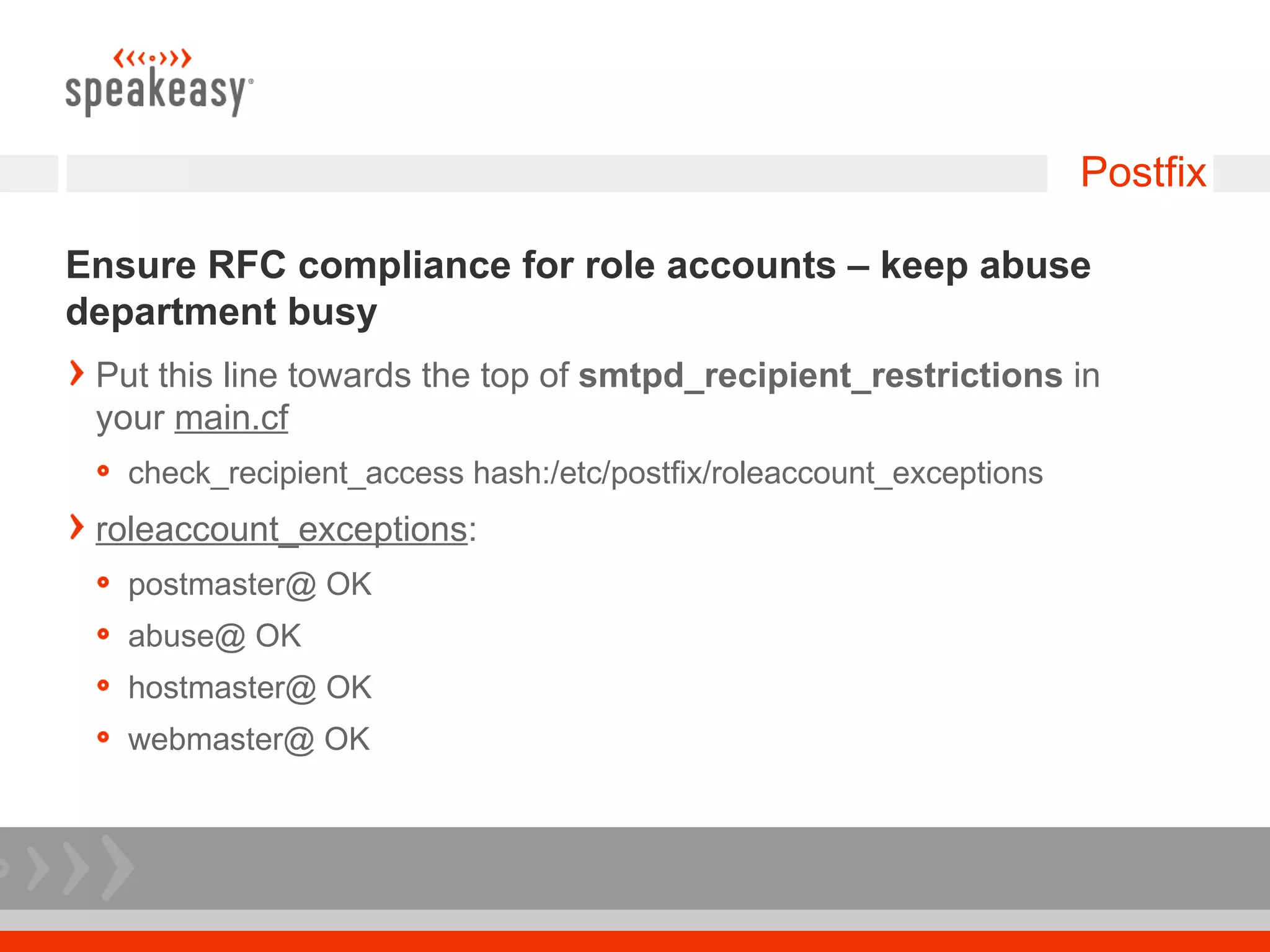
Ensure RFC compliance for role accounts – keep abuse
department busy
 Put this line towards the top of smtpd_recipient_restrictions in
 your main.cf
   check_recipient_access hash:/etc/postfix/roleaccount_exceptions
 roleaccount_exceptions:
   postmaster@ OK
   abuse@ OK
   hostmaster@ OK
   webmaster@ OK
Postfix

LDAP recipient check
 Could be file / mysql / etc
 This check is done pre-queue, which gives the sender an immediate
 failure instead of a message after the fact
 Be sure that your user backend system can keep up, since you are
 not queuing
 use proxy map – provides read-only table lookup service to all
 Postfix processes
   check_recipient_access proxy:ldap:/etc/postfix/ldap-recip-check.cf
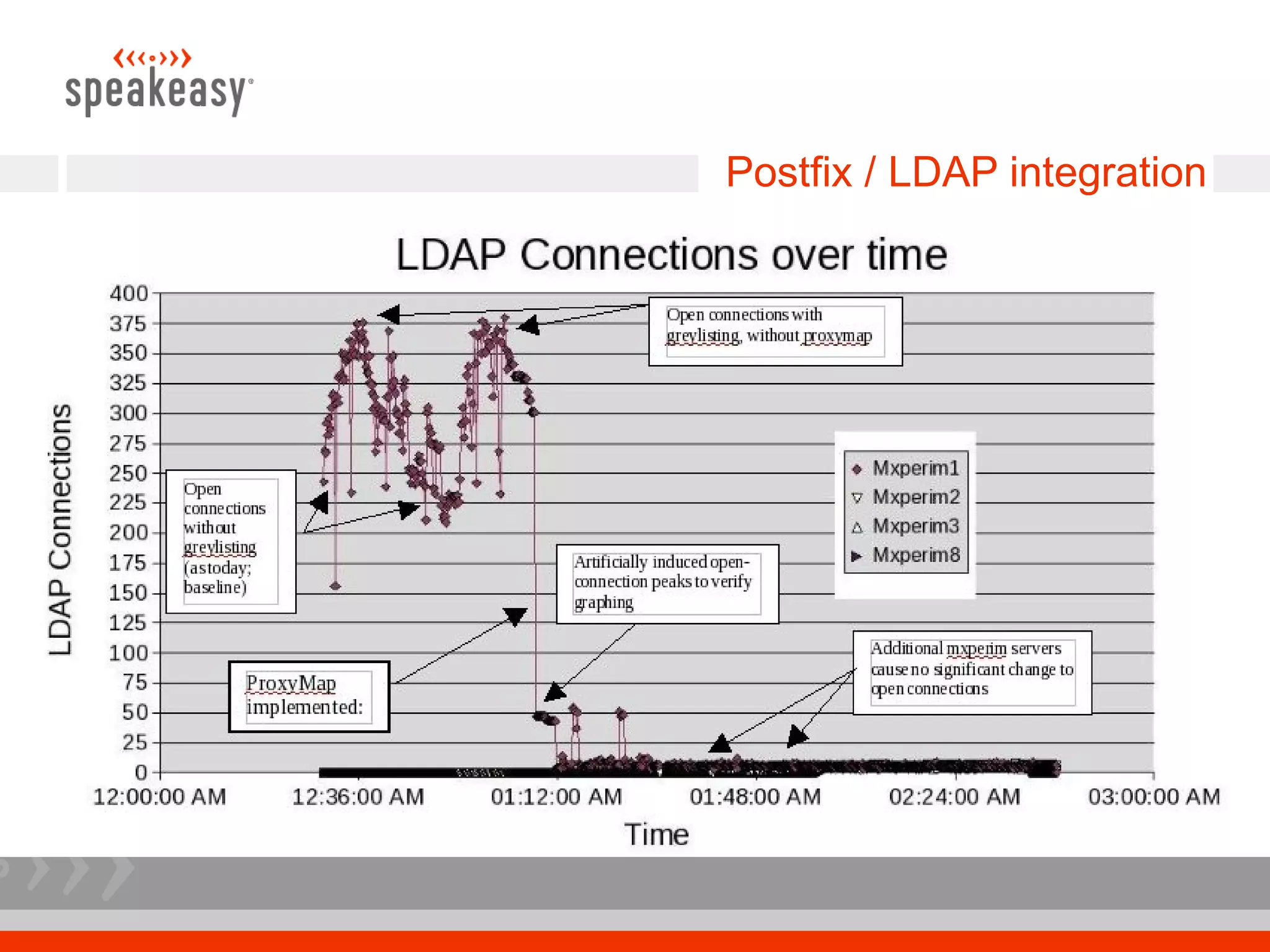
Postfix / LDAP integration
Postfix

Bump up default limits
# The maximal number of parallel deliveries to the same
destination via the relay message delivery transport. Default
is 20.
relay_destination_concurrency_limit = 100
# let more than the default number of daemons run, so we
can handle more simultaneous inbound connections
default_process_limit = 512
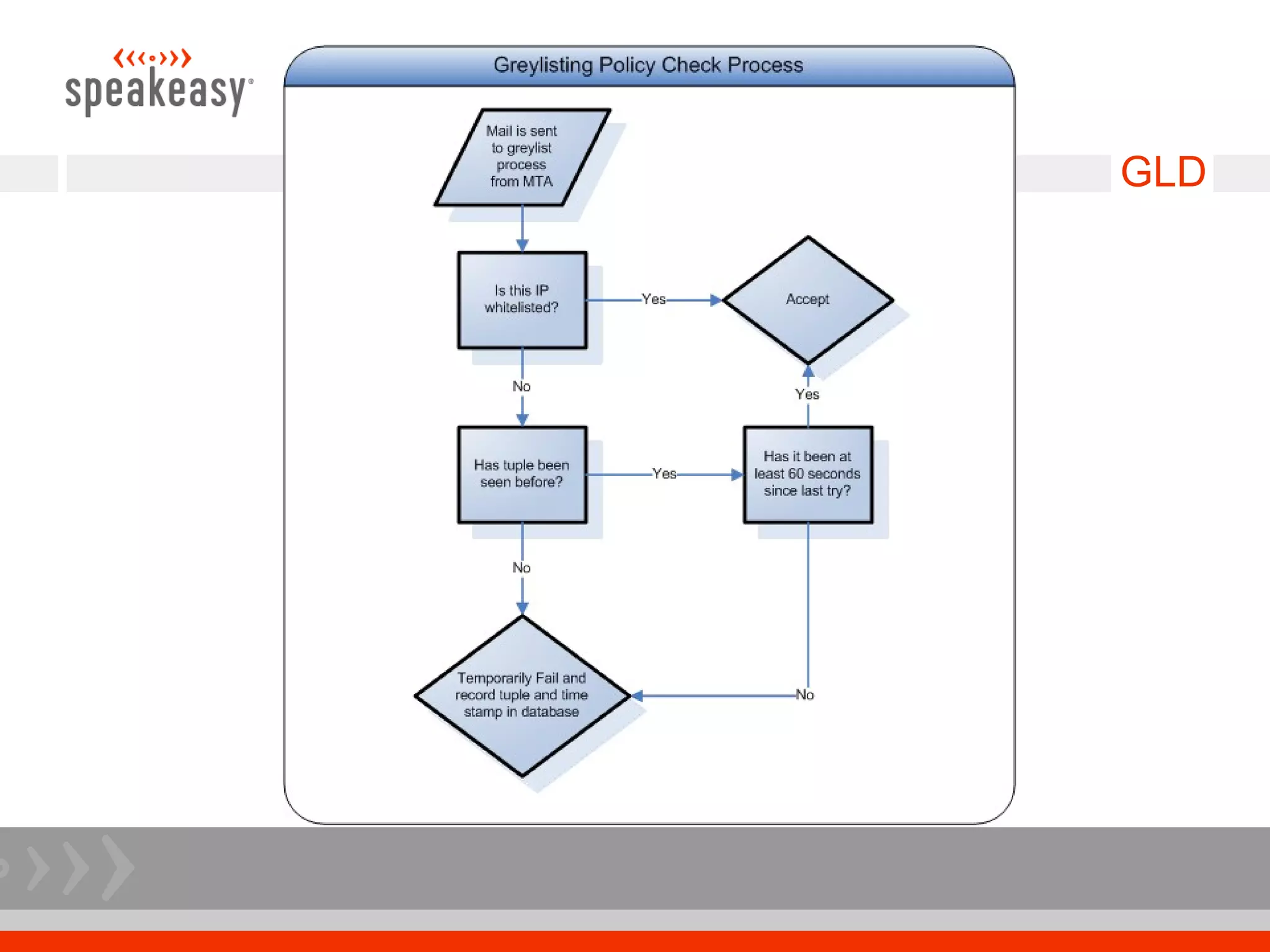
GLD

Greylisting service written in C
 Why GLD?
   Inherited it with project – Checking out sqlgrey
 Only two SQL tables, horribly inefficient
 Allows for greylisting a /24 instead of each IP – needed for clusters
 After x successful mails the sender/IP combo is trusted and not
 greylisted – helps for legitimate bulk mail
 Be sure to check out whitelist on greylist.org and whitelist time
 sensitive sites, like eBay.
 check_policy_service inet:127.0.0.1:2525 in your main.cf
GLD
GLD

Performance Tuning
 Upped max connections – this has a direct relation to DB access
 Changed DB to use InnoDB for row level locking
 Changed table to use varchar instead of char
 Tuned the DB's extensively to handle large InnoDB tables
 Used a private gigE network for DB traffic
GLD

Results
 60% of mail greylisted did not come back
 Less mail for the more hardware intensive antivirus checking and
 spam tagging
 Less mail for the mail delivery system to store
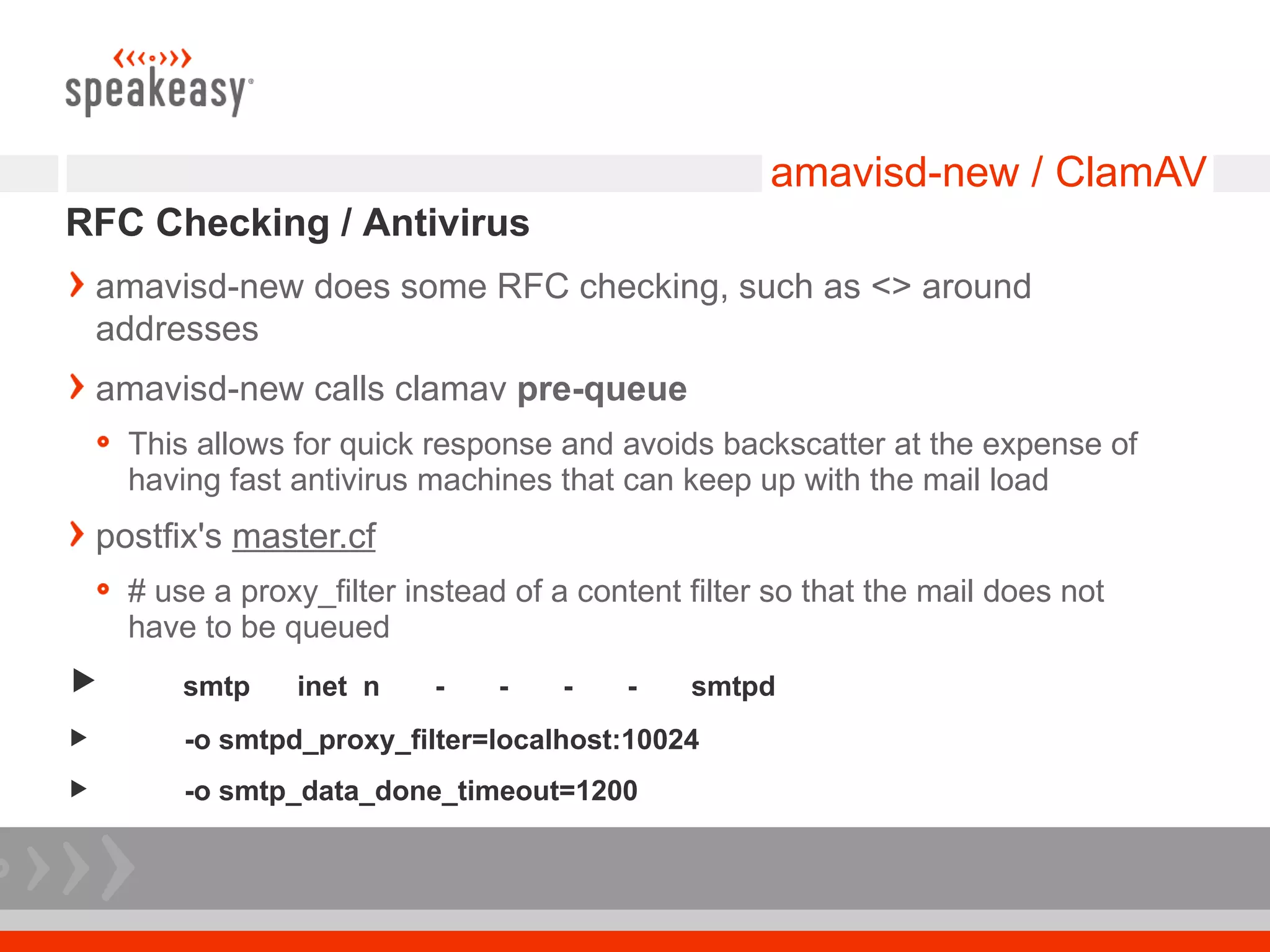
amavisd-new / ClamAV
RFC Checking / Antivirus
    amavisd-new does some RFC checking, such as <> around
    addresses
    amavisd-new calls clamav pre-queue
      This allows for quick response and avoids backscatter at the expense of
      having fast antivirus machines that can keep up with the mail load
    postfix's master.cf
      # use a proxy_filter instead of a content filter so that the mail does not
      have to be queued
         smtp    inet n     -    -   -    -    smtpd
         -o smtpd_proxy_filter=localhost:10024
         -o smtp_data_done_timeout=1200
amavisd-new / ClamAV

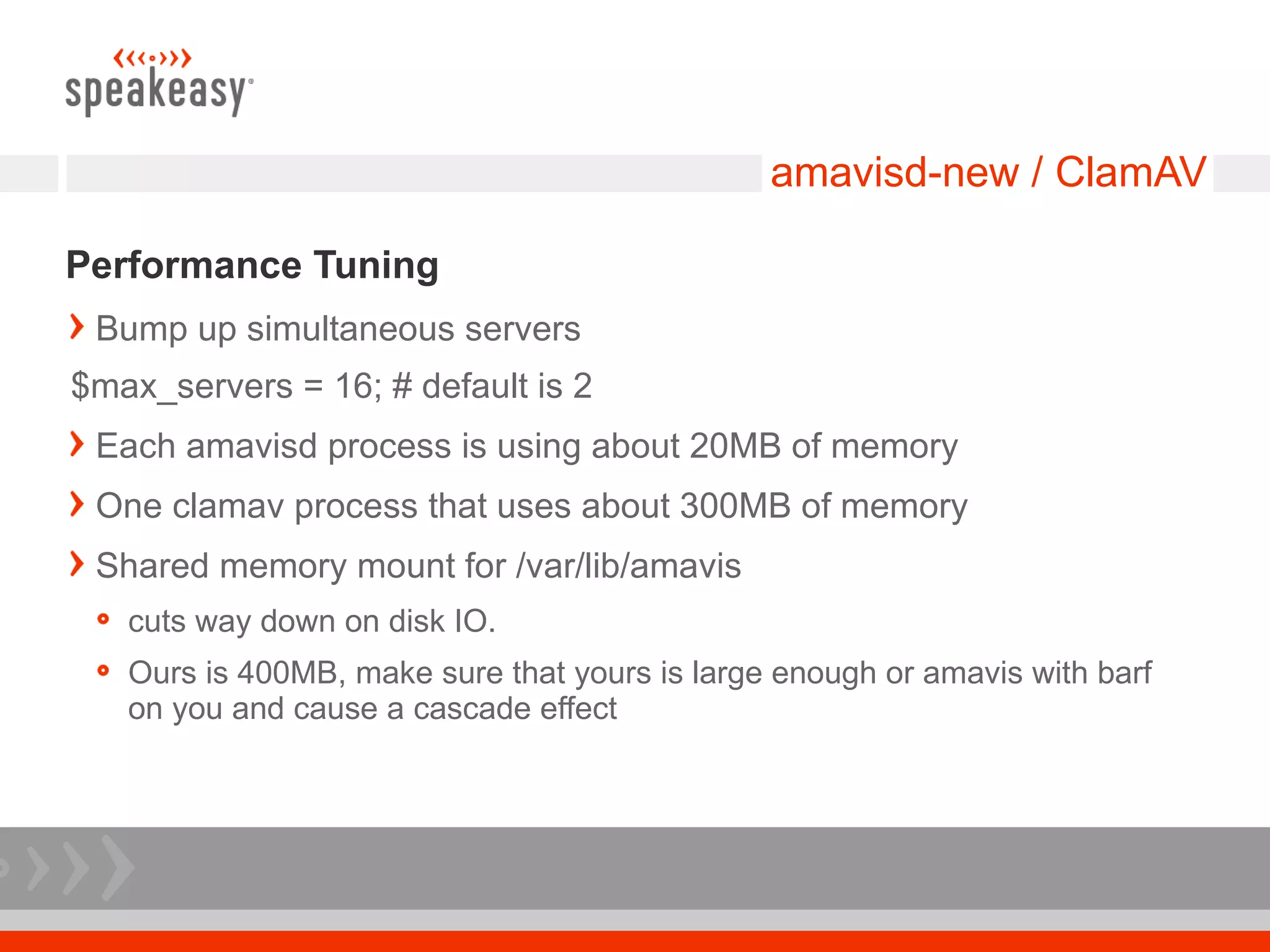
Performance Tuning
 Bump up simultaneous servers
$max_servers = 16; # default is 2
 Each amavisd process is using about 20MB of memory
 One clamav process that uses about 300MB of memory
 Shared memory mount for /var/lib/amavis
   cuts way down on disk IO.
   Ours is 400MB, make sure that yours is large enough or amavis with barf
   on you and cause a cascade effect
amavisd-new / ClamAV

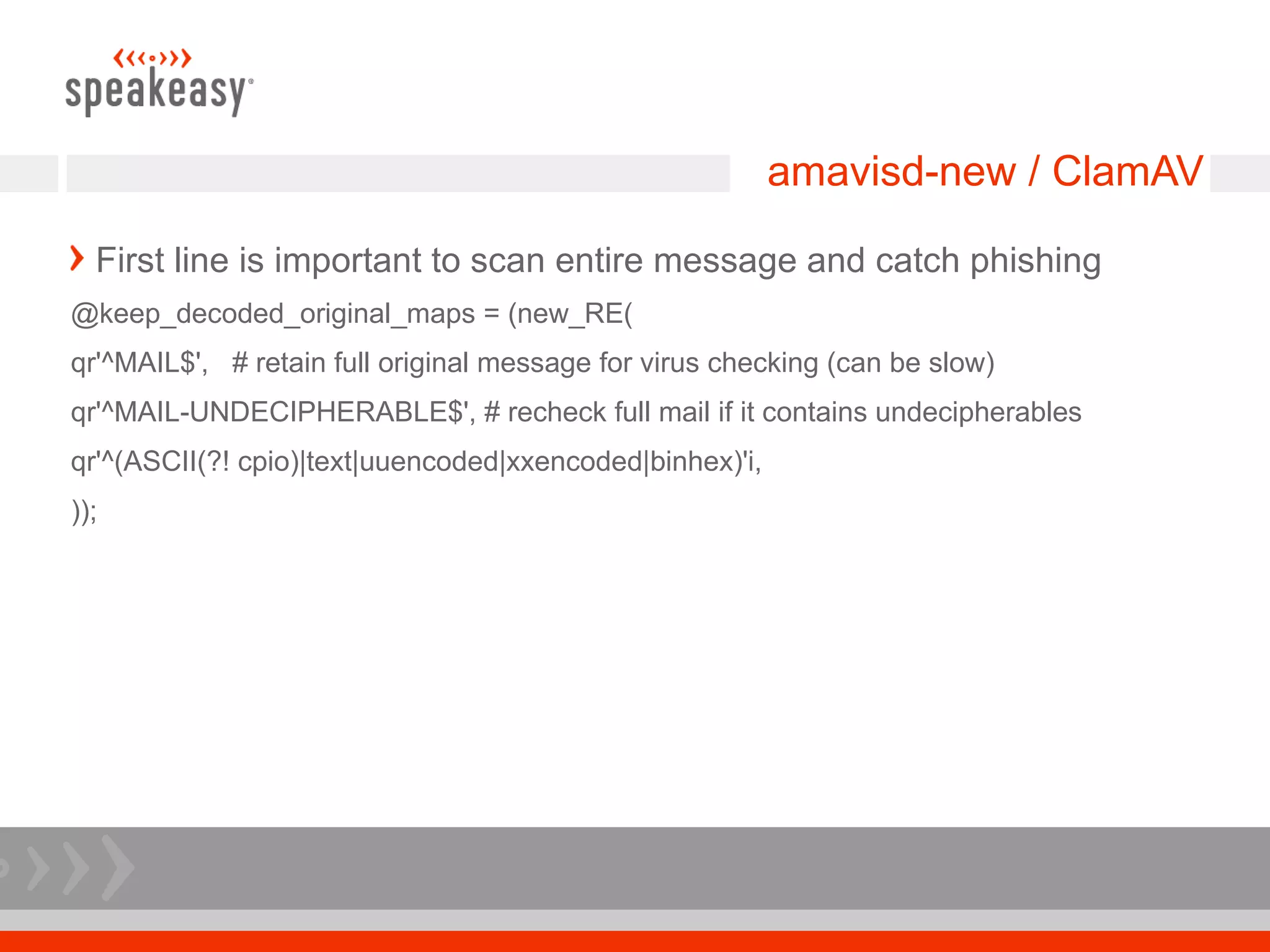
  First line is important to scan entire message and catch phishing
@keep_decoded_original_maps = (new_RE(
qr'^MAIL$', # retain full original message for virus checking (can be slow)
qr'^MAIL-UNDECIPHERABLE$', # recheck full mail if it contains undecipherables
qr'^(ASCII(?! cpio)|text|uuencoded|xxencoded|binhex)'i,
));
DNS queries

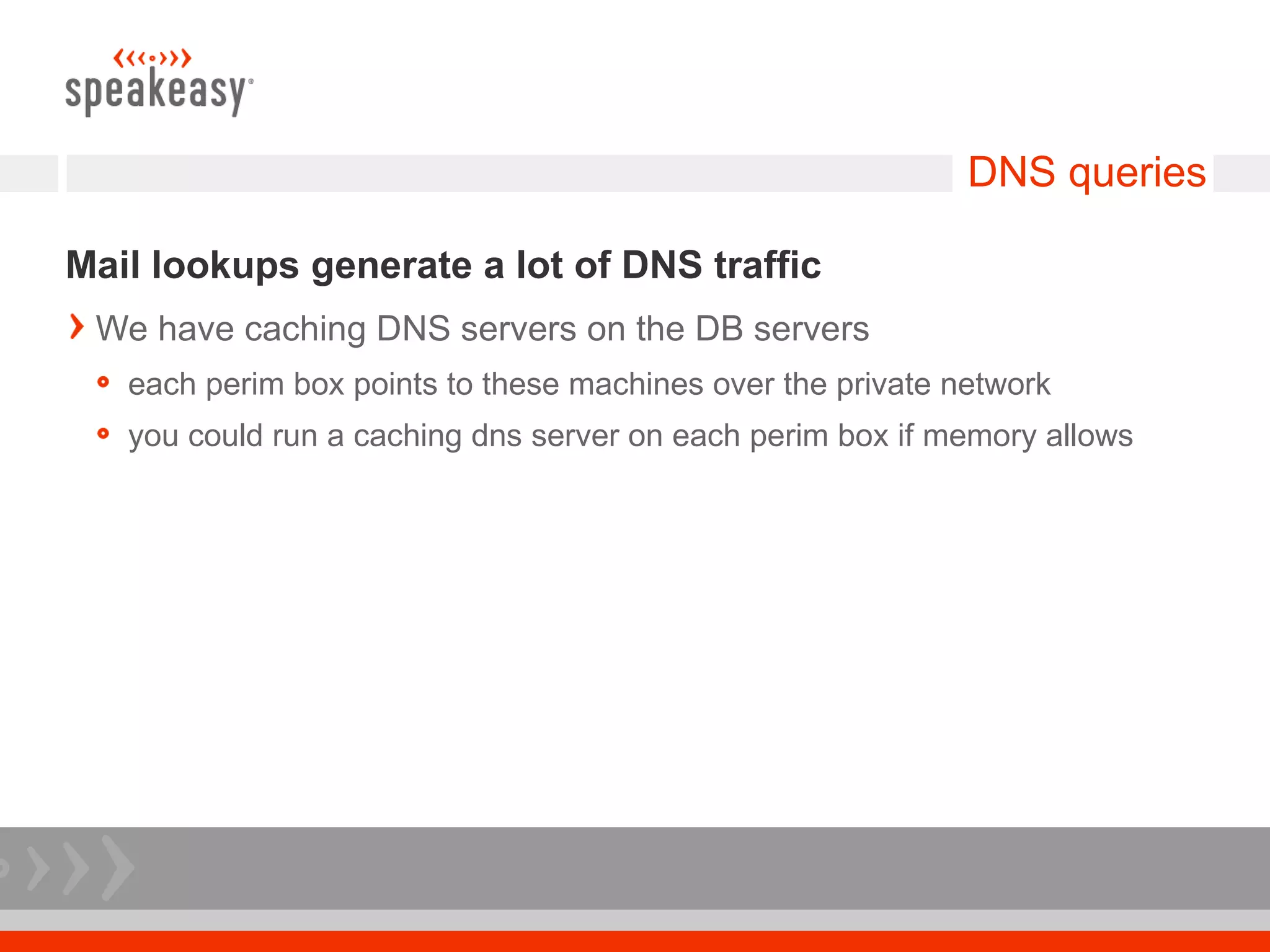
Mail lookups generate a lot of DNS traffic
 We have caching DNS servers on the DB servers
   each perim box points to these machines over the private network
   you could run a caching dns server on each perim box if memory allows
Graphs are good

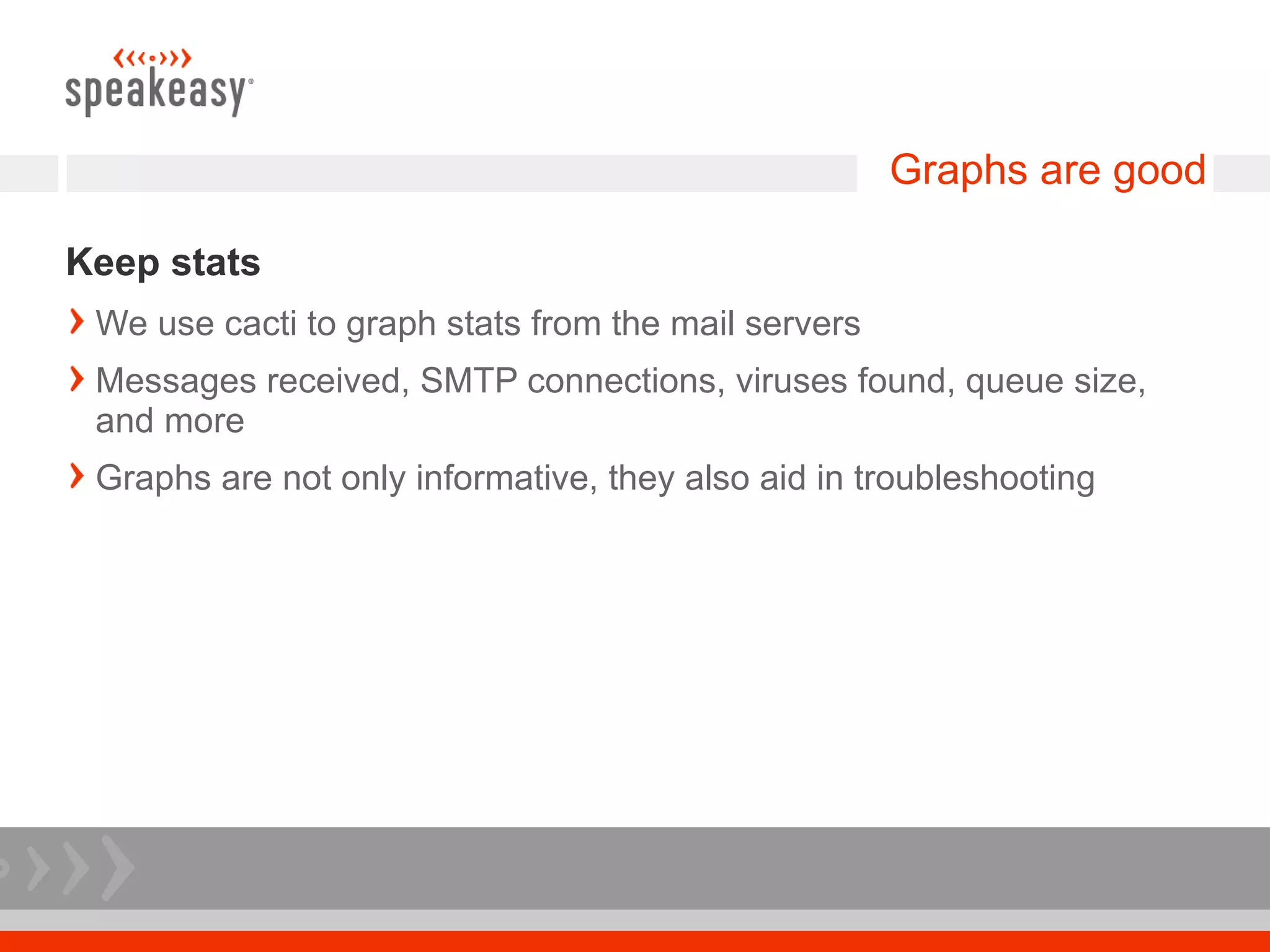
Keep stats
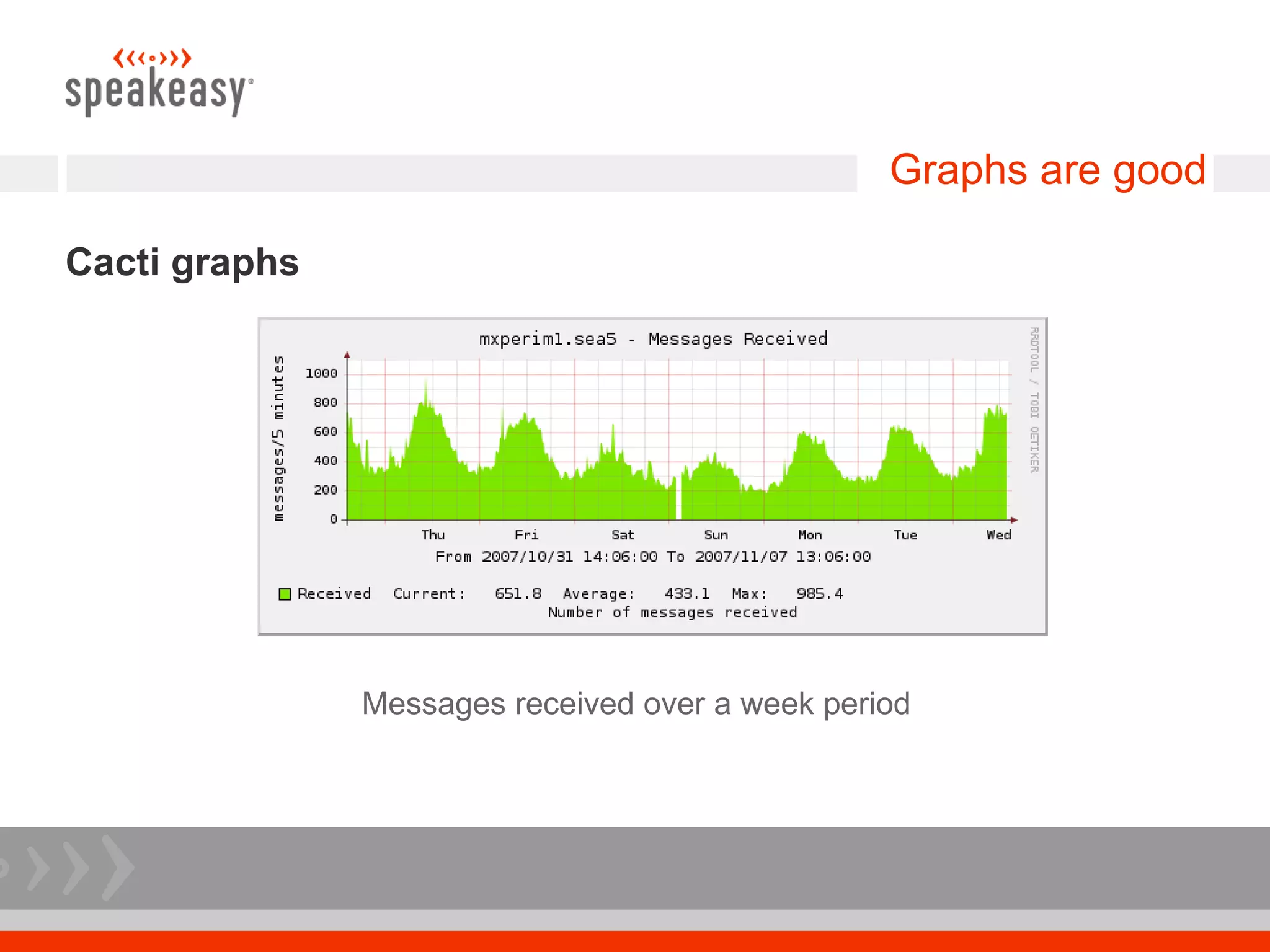
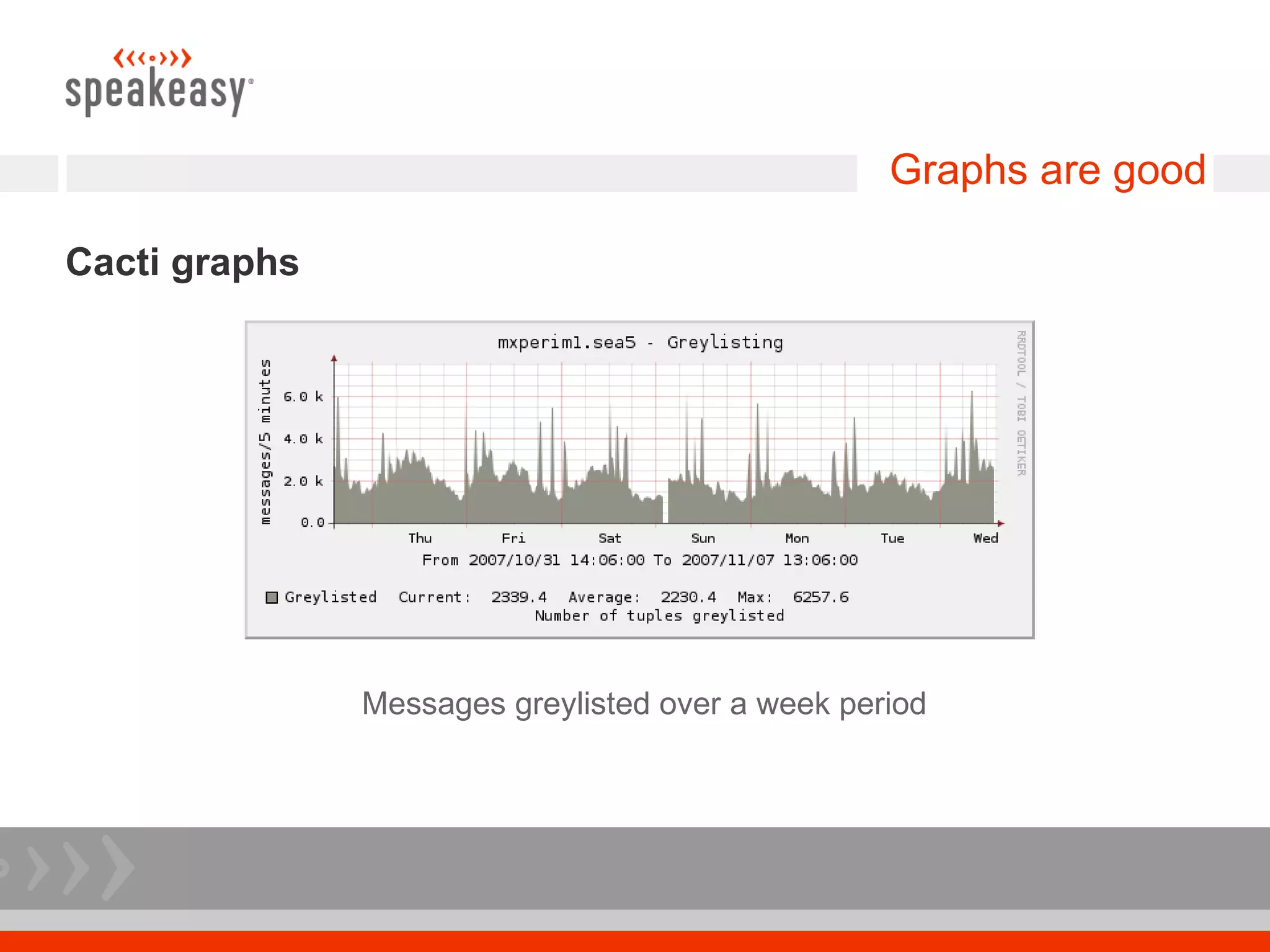
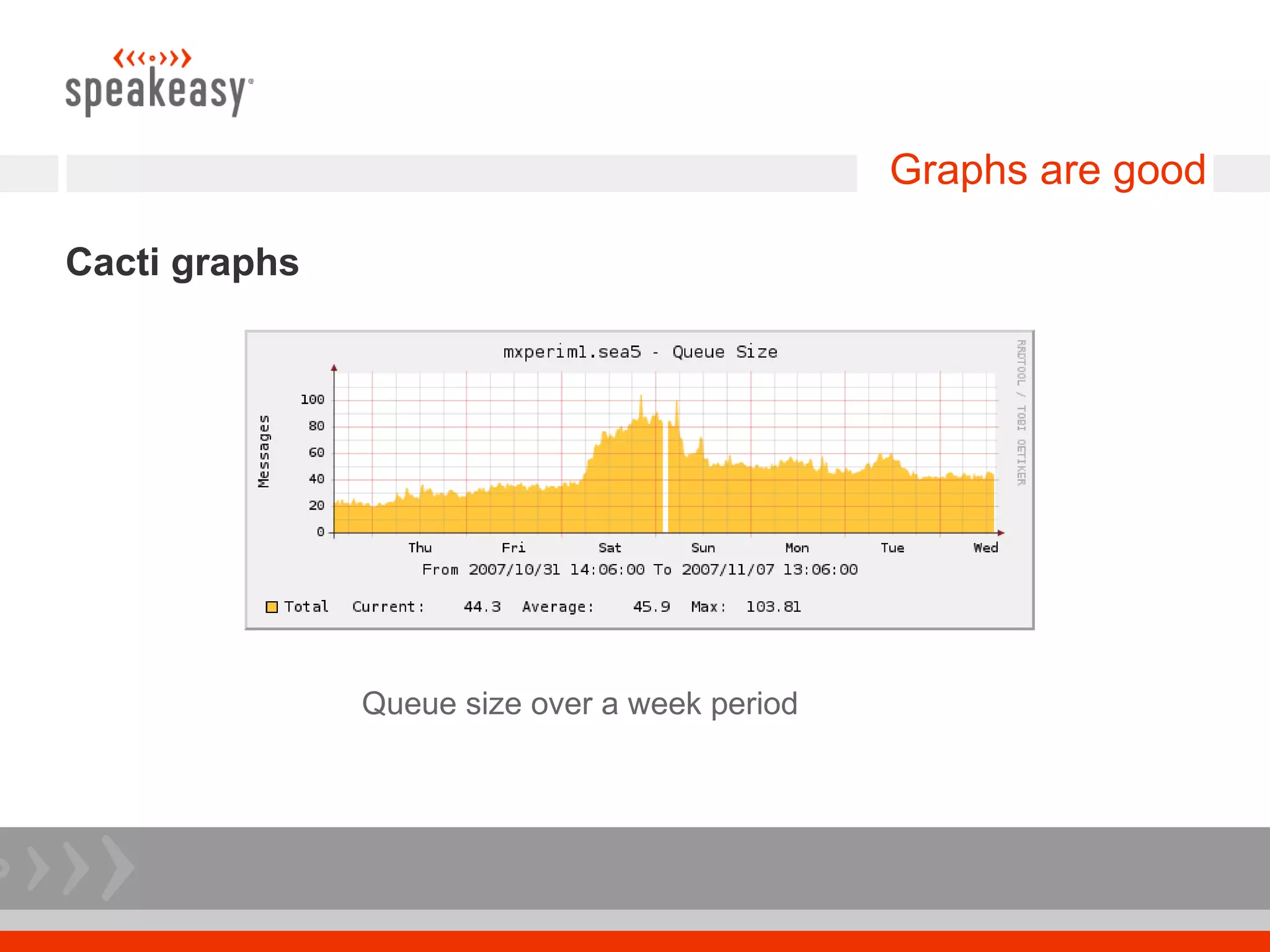
 We use cacti to graph stats from the mail servers
 Messages received, SMTP connections, viruses found, queue size,
 and more
 Graphs are not only informative, they also aid in troubleshooting
Graphs are good

Cacti graphs


               Messages received over a week period
Graphs are good

Cacti graphs


               Messages greylisted over a week period
Graphs are good

Cacti graphs


               Queue size over a week period
Load Testing

Load test before putting service into production
 Step 1: determine the load of the current system
 Step 2: attempt to simulate current load on new system
 Step 3: analyze test results to validate that new system can handle
 the load
Load Testing

Postfix includes handy mail load testing tools
 We used smtp-source and smtp-sink included with Postfix
 smtp-source generates mail, smtp-sink listens on port 25 and shoves
 messages to /dev/null
 We used 2 load generation boxes and 3 sink boxes. Scale this as
 appropriate
Load Testing

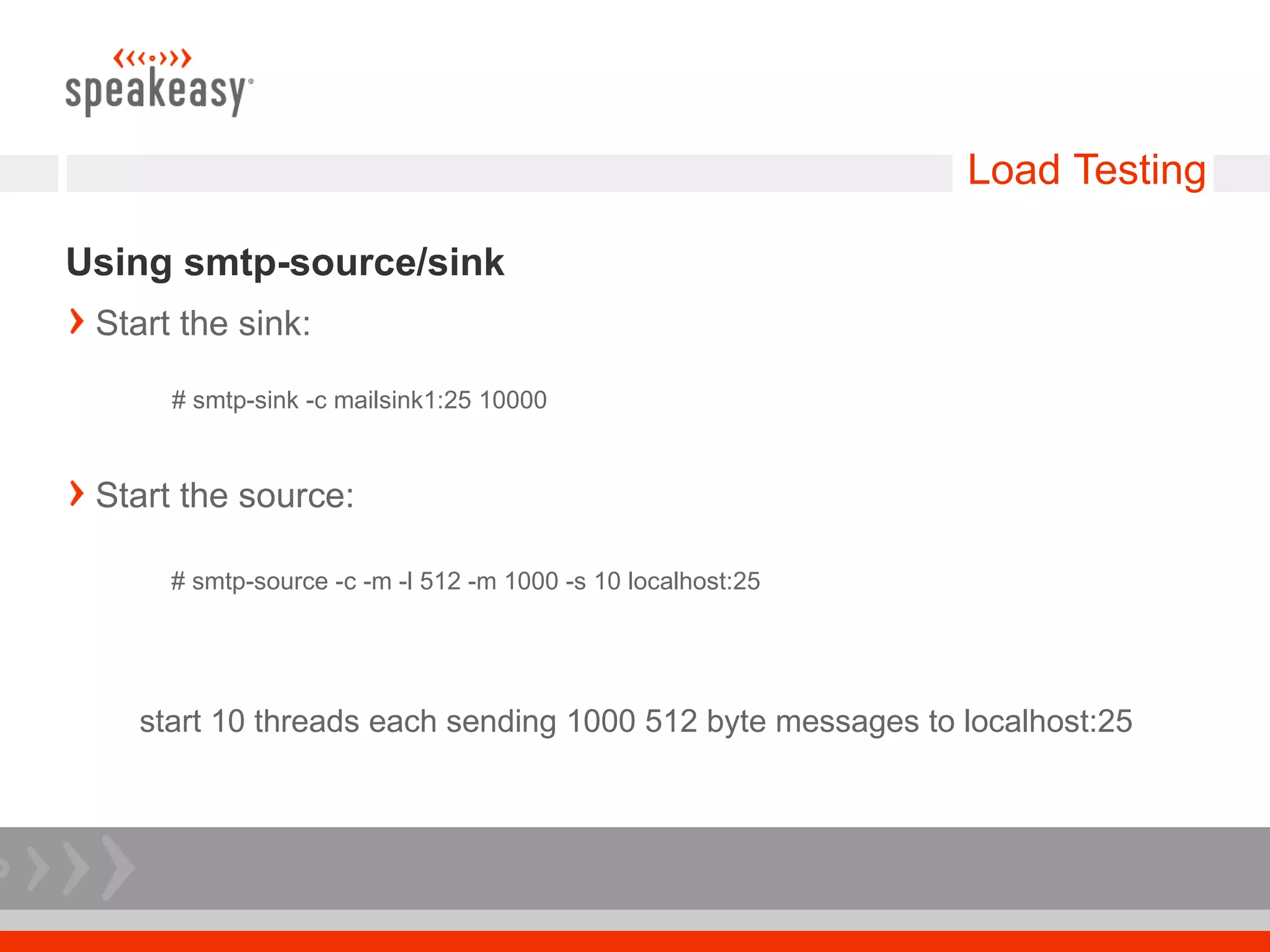
Using smtp-source/sink
 Start the sink:

      # smtp-sink -c mailsink1:25 10000


 Start the source:

      # smtp-source -c -m -l 512 -m 1000 -s 10 localhost:25


    start 10 threads each sending 1000 512 byte messages to localhost:25
Load Testing
It's important to load test all system parts
 Load test all moving parts
 Mail servers, database servers, load balancers, LDAP, DNS queries
 You don't want any surprises in production!

Fighting Spam With A Perimeter Mail System 20071108 Sasag

  • 2.
    Fighting Spam witha Perimeter Mail System Garrett Honeycutt Eric Heydrick 08-Nov-2007 @ SASAG
  • 3.
    Intro Hello and stuff Speakeasy started as the first internet cafe in 1995 and soon became a broadband provider. We currently provide DSL and T1 connectivity nation wide as well as managed services. One of our more exciting endeavours is VoIP You should probably be working for us
  • 4.
    The world beforethe perimeter
  • 5.
    The world beforethe perimeter
  • 6.
    The world beforethe perimeter
  • 7.
    Why move toa tiered system? Lots of pieces to the puzzle – easy to swap the services between hardware greylisting virus scanning spam tagging mail delivery / relaying
  • 8.
    Why move toa tiered system? Scale out the different pieces that comprise mail as necessary. Protect mail delivery, which you might not be able to control or change easily. qmail cluster exchange
  • 9.
    The world beforethe perimeter
  • 10.
    The world witha MX perim
  • 11.
  • 12.
    The world witha MX perim Hardware 8x perim - 3GHz boxes with HT and 2GB of RAM 2x DB - 2x Dual core 2.8GHz boxes with 16GB of RAM Initially less RAM, but upgraded to handle bad greylisting software your mileage may vary here, just be sure to keep the DB happy Network Private gigE network between perim and DB Another load balancer between the internet and the perim
  • 13.
    Postfix Ensure RFC compliancefor role accounts – keep abuse department busy Put this line towards the top of smtpd_recipient_restrictions in your main.cf check_recipient_access hash:/etc/postfix/roleaccount_exceptions roleaccount_exceptions: postmaster@ OK abuse@ OK hostmaster@ OK webmaster@ OK
  • 14.
    Postfix LDAP recipient check Could be file / mysql / etc This check is done pre-queue, which gives the sender an immediate failure instead of a message after the fact Be sure that your user backend system can keep up, since you are not queuing use proxy map – provides read-only table lookup service to all Postfix processes check_recipient_access proxy:ldap:/etc/postfix/ldap-recip-check.cf
  • 15.
    Postfix / LDAPintegration
  • 16.
    Postfix Bump up defaultlimits # The maximal number of parallel deliveries to the same destination via the relay message delivery transport. Default is 20. relay_destination_concurrency_limit = 100 # let more than the default number of daemons run, so we can handle more simultaneous inbound connections default_process_limit = 512
  • 17.
    GLD Greylisting service writtenin C Why GLD? Inherited it with project – Checking out sqlgrey Only two SQL tables, horribly inefficient Allows for greylisting a /24 instead of each IP – needed for clusters After x successful mails the sender/IP combo is trusted and not greylisted – helps for legitimate bulk mail Be sure to check out whitelist on greylist.org and whitelist time sensitive sites, like eBay. check_policy_service inet:127.0.0.1:2525 in your main.cf
  • 18.
  • 19.
    GLD Performance Tuning Uppedmax connections – this has a direct relation to DB access Changed DB to use InnoDB for row level locking Changed table to use varchar instead of char Tuned the DB's extensively to handle large InnoDB tables Used a private gigE network for DB traffic
  • 20.
    GLD Results 60% ofmail greylisted did not come back Less mail for the more hardware intensive antivirus checking and spam tagging Less mail for the mail delivery system to store
  • 21.
    amavisd-new / ClamAV RFCChecking / Antivirus amavisd-new does some RFC checking, such as <> around addresses amavisd-new calls clamav pre-queue This allows for quick response and avoids backscatter at the expense of having fast antivirus machines that can keep up with the mail load postfix's master.cf # use a proxy_filter instead of a content filter so that the mail does not have to be queued  smtp inet n - - - - smtpd  -o smtpd_proxy_filter=localhost:10024  -o smtp_data_done_timeout=1200
  • 22.
    amavisd-new / ClamAV PerformanceTuning Bump up simultaneous servers $max_servers = 16; # default is 2 Each amavisd process is using about 20MB of memory One clamav process that uses about 300MB of memory Shared memory mount for /var/lib/amavis cuts way down on disk IO. Ours is 400MB, make sure that yours is large enough or amavis with barf on you and cause a cascade effect
  • 23.
    amavisd-new / ClamAV First line is important to scan entire message and catch phishing @keep_decoded_original_maps = (new_RE( qr'^MAIL$', # retain full original message for virus checking (can be slow) qr'^MAIL-UNDECIPHERABLE$', # recheck full mail if it contains undecipherables qr'^(ASCII(?! cpio)|text|uuencoded|xxencoded|binhex)'i, ));
  • 24.
    DNS queries Mail lookupsgenerate a lot of DNS traffic We have caching DNS servers on the DB servers each perim box points to these machines over the private network you could run a caching dns server on each perim box if memory allows
  • 25.
    Graphs are good Keepstats We use cacti to graph stats from the mail servers Messages received, SMTP connections, viruses found, queue size, and more Graphs are not only informative, they also aid in troubleshooting
  • 26.
    Graphs are good Cactigraphs Messages received over a week period
  • 27.
    Graphs are good Cactigraphs Messages greylisted over a week period
  • 28.
    Graphs are good Cactigraphs Queue size over a week period
  • 29.
    Load Testing Load testbefore putting service into production Step 1: determine the load of the current system Step 2: attempt to simulate current load on new system Step 3: analyze test results to validate that new system can handle the load
  • 30.
    Load Testing Postfix includeshandy mail load testing tools We used smtp-source and smtp-sink included with Postfix smtp-source generates mail, smtp-sink listens on port 25 and shoves messages to /dev/null We used 2 load generation boxes and 3 sink boxes. Scale this as appropriate
  • 31.
    Load Testing Using smtp-source/sink Start the sink: # smtp-sink -c mailsink1:25 10000 Start the source: # smtp-source -c -m -l 512 -m 1000 -s 10 localhost:25 start 10 threads each sending 1000 512 byte messages to localhost:25
  • 32.
    Load Testing It's importantto load test all system parts Load test all moving parts Mail servers, database servers, load balancers, LDAP, DNS queries You don't want any surprises in production!