DNS – Domain Name
Service
WeeSan Lee <weesan@cs.ucr.edu>
http://www.cs.ucr.edu/~weesan/cs183/
Roadmap
 Introduction
 The DNS Namespace
 Top-level Domains
 Second-level Domains
 Domain Names
 How to Register a Domain Name?
 How DNS Works?
 BIND
 Tools
 Q&A
Introduction
 A service that maps between hostnames and
IP addresses
 A hierarchical distributed caching database
with delegated authority.
 Uses port 53
 UDP for the queries and responses
 TCP for the zone transfer
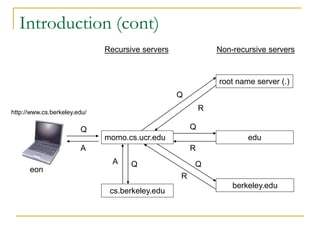
Introduction (cont)
momo.cs.ucr.edu
root name server (.)
edu
berkeley.edu
cs.berkeley.edu
Q
Q
R
Q
R
Q
R
Q
A
A
Recursive servers Non-recursive servers
eon
http://www.cs.berkeley.edu/
The DNS Namespace
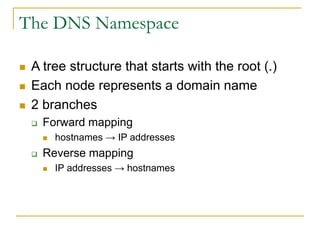
 A tree structure that starts with the root (.)
 Each node represents a domain name
 2 branches
 Forward mapping
 hostnames → IP addresses
 Reverse mapping
 IP addresses → hostnames
Top-level Domains
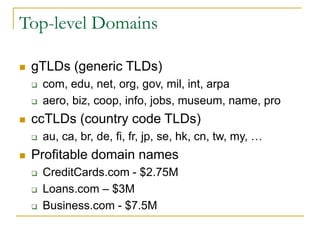
 gTLDs (generic TLDs)
 com, edu, net, org, gov, mil, int, arpa
 aero, biz, coop, info, jobs, museum, name, pro
 ccTLDs (country code TLDs)
 au, ca, br, de, fi, fr, jp, se, hk, cn, tw, my, …
 Profitable domain names
 CreditCards.com - $2.75M
 Loans.com – $3M
 Business.com - $7.5M
Second-level Domain Name
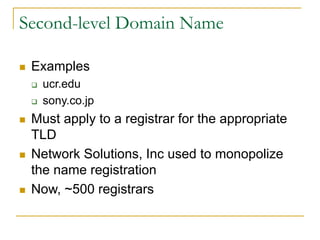
 Examples
 ucr.edu
 sony.co.jp
 Must apply to a registrar for the appropriate
TLD
 Network Solutions, Inc used to monopolize
the name registration
 Now, ~500 registrars
Domain Names
 Valid domain names
 Each component: [a-zA-Z0-9-]{1,63}
 Each name < 256 chars
 Case insensitive
 www.cs.ucr.edu == WWW.CS.UCR.EDU
 FQDN
 Fully Qualified Domain Name
 eon.cs.ucr.edu
 eon – hostname
 cs.ucr.edu – domain name
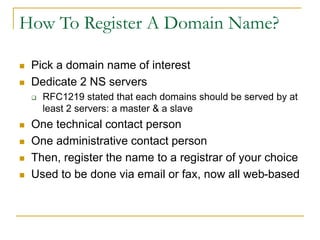
How To Register A Domain Name?
 Pick a domain name of interest
 Dedicate 2 NS servers
 RFC1219 stated that each domains should be served by at
least 2 servers: a master & a slave
 One technical contact person
 One administrative contact person
 Then, register the name to a registrar of your choice
 Used to be done via email or fax, now all web-based
How DNS Works?
 Delegation
 All name servers read all the 13 root servers from
a local configuration file
 [a-m].root-servers.net
 $ dig
 Those servers in turn knows all the TLDs
 .edu knows .ucr.edu
 .com knows .google.com
 etc
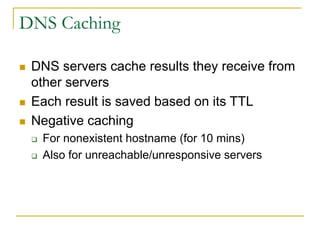
DNS Caching
 DNS servers cache results they receive from
other servers
 Each result is saved based on its TTL
 Negative caching
 For nonexistent hostname (for 10 mins)
 Also for unreachable/unresponsive servers
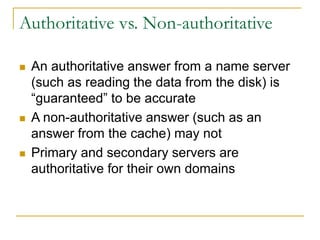
Authoritative vs. Non-authoritative
 An authoritative answer from a name server
(such as reading the data from the disk) is
“guaranteed” to be accurate
 A non-authoritative answer (such as an
answer from the cache) may not
 Primary and secondary servers are
authoritative for their own domains
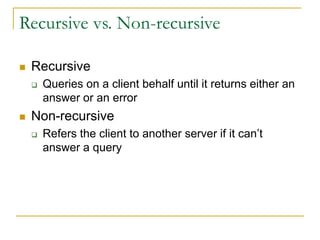
Recursive vs. Non-recursive
 Recursive
 Queries on a client behalf until it returns either an
answer or an error
 Non-recursive
 Refers the client to another server if it can’t
answer a query
DNS Database
 A set of text files, called zone files,
maintained by the system admin. on the
master NS
 2 types of entries
 Parser commands, eg.
 $ORIGIN and $TTL
 Resource Records (RR)
 [name] [tt] [class] type data
 eon 76127 IN A 138.23.169.9
 orpheus.cs.ucr.edu. 76879 IN A 138.23.169.17
A very important . there!
DNS Database (cont)
 Resource Record Types
 SOA Start Of Authority
 NS Name Server
 A IPv4 name-to-address translation
 AAAA IPv6 name-to-address translation
 PTR Address-to-name translation
 MX Mail eXchanger
 CNAME Canonical NAME
 TXT Text
 …
BIND
 The Berkeley Internet Name Domain system
 Current maintainer: Paul Vixie @ ISC
 BIND 9
 Use RTT to pick the best root servers and
use them in round-robin fashion
 named
/etc/named.conf
 options {
 directory "/var/named";
 // query-source address * port 53;
 forwarders { 138.23.169.10; };
 };
 zone "." IN {
 type hint;
 file "named.ca"; // Read from /var/named/named.ca
 };
/etc/named.conf
 zone "localhost" IN {
 type master;
 file "localhost.zone"; // Read from /var/named/localhost.zone
 allow-update { none; };
 };
 zone "0.0.127.in-addr.arpa" IN {
 type master;
 file "named.local"; // Read from /var/named/named.local
 allow-update { none; };
 };
/etc/named.conf
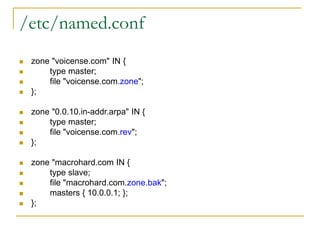
 zone "voicense.com" IN {
 type master;
 file "voicense.com.zone";
 };
 zone "0.0.10.in-addr.arpa" IN {
 type master;
 file "voicense.com.rev";
 };
 zone "macrohard.com IN {
 type slave;
 file "macrohard.com.zone.bak";
 masters { 10.0.0.1; };
 };
/var/named/voicense.com.zone
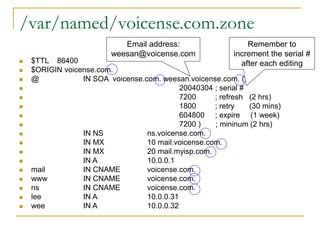
 $TTL 86400
 $ORIGIN voicense.com.
 @ IN SOA voicense.com. weesan.voicense.com. (
 20040304 ; serial #
 7200 ; refresh (2 hrs)
 1800 ; retry (30 mins)
 604800 ; expire (1 week)
 7200 ) ; mininum (2 hrs)
 IN NS ns.voicense.com.
 IN MX 10 mail.voicense.com.
 IN MX 20 mail.myisp.com.
 IN A 10.0.0.1
 mail IN CNAME voicense.com.
 www IN CNAME voicense.com.
 ns IN CNAME voicense.com.
 lee IN A 10.0.0.31
 wee IN A 10.0.0.32
Email address:
weesan@voicense.com
Remember to
increment the serial #
after each editing
/var/named/voicense.com.zone
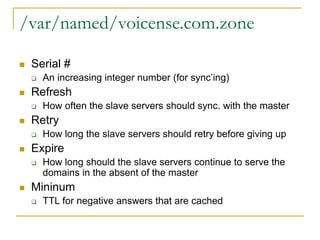
 Serial #
 An increasing integer number (for sync’ing)
 Refresh
 How often the slave servers should sync. with the master
 Retry
 How long the slave servers should retry before giving up
 Expire
 How long should the slave servers continue to serve the
domains in the absent of the master
 Mininum
 TTL for negative answers that are cached
/var/named/voicense.com.rev
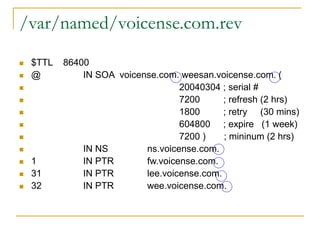
 $TTL 86400
 @ IN SOA voicense.com. weesan.voicense.com. (
 20040304 ; serial #
 7200 ; refresh (2 hrs)
 1800 ; retry (30 mins)
 604800 ; expire (1 week)
 7200 ) ; mininum (2 hrs)
 IN NS ns.voicense.com.
 1 IN PTR fw.voicense.com.
 31 IN PTR lee.voicense.com.
 32 IN PTR wee.voicense.com.
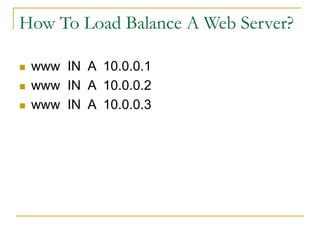
How To Load Balance A Web Server?
 www IN A 10.0.0.1
 www IN A 10.0.0.2
 www IN A 10.0.0.3
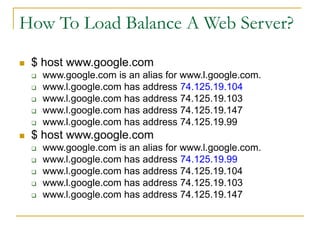
How To Load Balance A Web Server?
 $ host www.google.com
 www.google.com is an alias for www.l.google.com.
 www.l.google.com has address 74.125.19.104
 www.l.google.com has address 74.125.19.103
 www.l.google.com has address 74.125.19.147
 www.l.google.com has address 74.125.19.99
 $ host www.google.com
 www.google.com is an alias for www.l.google.com.
 www.l.google.com has address 74.125.19.99
 www.l.google.com has address 74.125.19.104
 www.l.google.com has address 74.125.19.103
 www.l.google.com has address 74.125.19.147
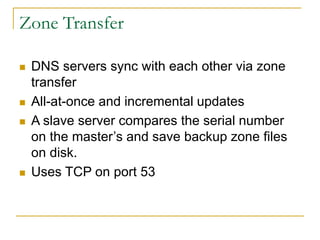
Zone Transfer
 DNS servers sync with each other via zone
transfer
 All-at-once and incremental updates
 A slave server compares the serial number
on the master’s and save backup zone files
on disk.
 Uses TCP on port 53
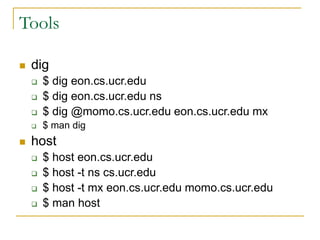
Tools
 dig
 $ dig eon.cs.ucr.edu
 $ dig eon.cs.ucr.edu ns
 $ dig @momo.cs.ucr.edu eon.cs.ucr.edu mx
 $ man dig
 host
 $ host eon.cs.ucr.edu
 $ host -t ns cs.ucr.edu
 $ host -t mx eon.cs.ucr.edu momo.cs.ucr.edu
 $ man host
Tools (cont)
 nslookup
 $ nslookup eon.cs.ucr.edu
 $ nslookup eon.cs.ucr.edu momo.cs.ucr.edu
 whois
 $ whois google.com
 $ whois ucr.edu
/etc/resolv.conf
 Resolver
 $ cat /etc/resolv.conf
 search cs.ucr.edu weesan.com
 nameserver 138.23.169.10
 nameserver 138.23.178.2
/etc/nsswitch.conf
 Used by C library
 gethostbyname()
 $ cat /etc/nsswitch.conf
 hosts: file nis dns
Reference
 LAH
 Ch 15: DNS – The Domain Name System

DNS

  • 1.
    DNS – DomainName Service WeeSan Lee <weesan@cs.ucr.edu> http://www.cs.ucr.edu/~weesan/cs183/
  • 2.
    Roadmap  Introduction  TheDNS Namespace  Top-level Domains  Second-level Domains  Domain Names  How to Register a Domain Name?  How DNS Works?  BIND  Tools  Q&A
  • 3.
    Introduction  A servicethat maps between hostnames and IP addresses  A hierarchical distributed caching database with delegated authority.  Uses port 53  UDP for the queries and responses  TCP for the zone transfer
  • 4.
    Introduction (cont) momo.cs.ucr.edu root nameserver (.) edu berkeley.edu cs.berkeley.edu Q Q R Q R Q R Q A A Recursive servers Non-recursive servers eon http://www.cs.berkeley.edu/
  • 5.
    The DNS Namespace A tree structure that starts with the root (.)  Each node represents a domain name  2 branches  Forward mapping  hostnames → IP addresses  Reverse mapping  IP addresses → hostnames
  • 6.
    Top-level Domains  gTLDs(generic TLDs)  com, edu, net, org, gov, mil, int, arpa  aero, biz, coop, info, jobs, museum, name, pro  ccTLDs (country code TLDs)  au, ca, br, de, fi, fr, jp, se, hk, cn, tw, my, …  Profitable domain names  CreditCards.com - $2.75M  Loans.com – $3M  Business.com - $7.5M
  • 7.
    Second-level Domain Name Examples  ucr.edu  sony.co.jp  Must apply to a registrar for the appropriate TLD  Network Solutions, Inc used to monopolize the name registration  Now, ~500 registrars
  • 8.
    Domain Names  Validdomain names  Each component: [a-zA-Z0-9-]{1,63}  Each name < 256 chars  Case insensitive  www.cs.ucr.edu == WWW.CS.UCR.EDU  FQDN  Fully Qualified Domain Name  eon.cs.ucr.edu  eon – hostname  cs.ucr.edu – domain name
  • 9.
    How To RegisterA Domain Name?  Pick a domain name of interest  Dedicate 2 NS servers  RFC1219 stated that each domains should be served by at least 2 servers: a master & a slave  One technical contact person  One administrative contact person  Then, register the name to a registrar of your choice  Used to be done via email or fax, now all web-based
  • 10.
    How DNS Works? Delegation  All name servers read all the 13 root servers from a local configuration file  [a-m].root-servers.net  $ dig  Those servers in turn knows all the TLDs  .edu knows .ucr.edu  .com knows .google.com  etc
  • 11.
    DNS Caching  DNSservers cache results they receive from other servers  Each result is saved based on its TTL  Negative caching  For nonexistent hostname (for 10 mins)  Also for unreachable/unresponsive servers
  • 12.
    Authoritative vs. Non-authoritative An authoritative answer from a name server (such as reading the data from the disk) is “guaranteed” to be accurate  A non-authoritative answer (such as an answer from the cache) may not  Primary and secondary servers are authoritative for their own domains
  • 13.
    Recursive vs. Non-recursive Recursive  Queries on a client behalf until it returns either an answer or an error  Non-recursive  Refers the client to another server if it can’t answer a query
  • 14.
    DNS Database  Aset of text files, called zone files, maintained by the system admin. on the master NS  2 types of entries  Parser commands, eg.  $ORIGIN and $TTL  Resource Records (RR)  [name] [tt] [class] type data  eon 76127 IN A 138.23.169.9  orpheus.cs.ucr.edu. 76879 IN A 138.23.169.17 A very important . there!
  • 15.
    DNS Database (cont) Resource Record Types  SOA Start Of Authority  NS Name Server  A IPv4 name-to-address translation  AAAA IPv6 name-to-address translation  PTR Address-to-name translation  MX Mail eXchanger  CNAME Canonical NAME  TXT Text  …
  • 16.
    BIND  The BerkeleyInternet Name Domain system  Current maintainer: Paul Vixie @ ISC  BIND 9  Use RTT to pick the best root servers and use them in round-robin fashion  named
  • 17.
    /etc/named.conf  options { directory "/var/named";  // query-source address * port 53;  forwarders { 138.23.169.10; };  };  zone "." IN {  type hint;  file "named.ca"; // Read from /var/named/named.ca  };
  • 18.
    /etc/named.conf  zone "localhost"IN {  type master;  file "localhost.zone"; // Read from /var/named/localhost.zone  allow-update { none; };  };  zone "0.0.127.in-addr.arpa" IN {  type master;  file "named.local"; // Read from /var/named/named.local  allow-update { none; };  };
  • 19.
    /etc/named.conf  zone "voicense.com"IN {  type master;  file "voicense.com.zone";  };  zone "0.0.10.in-addr.arpa" IN {  type master;  file "voicense.com.rev";  };  zone "macrohard.com IN {  type slave;  file "macrohard.com.zone.bak";  masters { 10.0.0.1; };  };
  • 20.
    /var/named/voicense.com.zone  $TTL 86400 $ORIGIN voicense.com.  @ IN SOA voicense.com. weesan.voicense.com. (  20040304 ; serial #  7200 ; refresh (2 hrs)  1800 ; retry (30 mins)  604800 ; expire (1 week)  7200 ) ; mininum (2 hrs)  IN NS ns.voicense.com.  IN MX 10 mail.voicense.com.  IN MX 20 mail.myisp.com.  IN A 10.0.0.1  mail IN CNAME voicense.com.  www IN CNAME voicense.com.  ns IN CNAME voicense.com.  lee IN A 10.0.0.31  wee IN A 10.0.0.32 Email address: weesan@voicense.com Remember to increment the serial # after each editing
  • 21.
    /var/named/voicense.com.zone  Serial # An increasing integer number (for sync’ing)  Refresh  How often the slave servers should sync. with the master  Retry  How long the slave servers should retry before giving up  Expire  How long should the slave servers continue to serve the domains in the absent of the master  Mininum  TTL for negative answers that are cached
  • 22.
    /var/named/voicense.com.rev  $TTL 86400 @ IN SOA voicense.com. weesan.voicense.com. (  20040304 ; serial #  7200 ; refresh (2 hrs)  1800 ; retry (30 mins)  604800 ; expire (1 week)  7200 ) ; mininum (2 hrs)  IN NS ns.voicense.com.  1 IN PTR fw.voicense.com.  31 IN PTR lee.voicense.com.  32 IN PTR wee.voicense.com.
  • 23.
    How To LoadBalance A Web Server?  www IN A 10.0.0.1  www IN A 10.0.0.2  www IN A 10.0.0.3
  • 24.
    How To LoadBalance A Web Server?  $ host www.google.com  www.google.com is an alias for www.l.google.com.  www.l.google.com has address 74.125.19.104  www.l.google.com has address 74.125.19.103  www.l.google.com has address 74.125.19.147  www.l.google.com has address 74.125.19.99  $ host www.google.com  www.google.com is an alias for www.l.google.com.  www.l.google.com has address 74.125.19.99  www.l.google.com has address 74.125.19.104  www.l.google.com has address 74.125.19.103  www.l.google.com has address 74.125.19.147
  • 25.
    Zone Transfer  DNSservers sync with each other via zone transfer  All-at-once and incremental updates  A slave server compares the serial number on the master’s and save backup zone files on disk.  Uses TCP on port 53
  • 26.
    Tools  dig  $dig eon.cs.ucr.edu  $ dig eon.cs.ucr.edu ns  $ dig @momo.cs.ucr.edu eon.cs.ucr.edu mx  $ man dig  host  $ host eon.cs.ucr.edu  $ host -t ns cs.ucr.edu  $ host -t mx eon.cs.ucr.edu momo.cs.ucr.edu  $ man host
  • 27.
    Tools (cont)  nslookup $ nslookup eon.cs.ucr.edu  $ nslookup eon.cs.ucr.edu momo.cs.ucr.edu  whois  $ whois google.com  $ whois ucr.edu
  • 28.
    /etc/resolv.conf  Resolver  $cat /etc/resolv.conf  search cs.ucr.edu weesan.com  nameserver 138.23.169.10  nameserver 138.23.178.2
  • 29.
    /etc/nsswitch.conf  Used byC library  gethostbyname()  $ cat /etc/nsswitch.conf  hosts: file nis dns
  • 30.
    Reference  LAH  Ch15: DNS – The Domain Name System