
Building Online Reading
Comprehension

Emily Kissner
February 2014
elkissn@gmail.com
Agenda

A look at reading comprehension
Why online reading comprehension matters
Skills for online reading comprehension
Creating multimedia experiences
Exploring and connecting
Reading Comprehension
Levels of Text Processing (van Dijk and Kintsch)
Readers can process text at three different levels:
Surface level: The level of the way that individual
letters and words look on a page
Textbase: Understanding the “gist” of a text and
the main propositions
Situations model: Synthesizing the author’s
propositions with the reader’s background
knowledge
Reading Comprehension
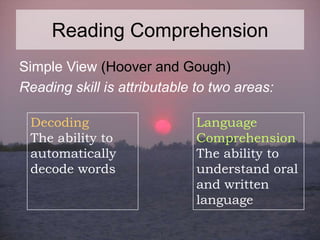
Simple View (Hoover and Gough)
Reading skill is attributable to two areas:
Decoding
The ability to
automatically
decode words

Language
Comprehension
The ability to
understand oral
and written
language
Reading Comprehension
These theories translate into everyday
classroom activities such as:
•
•
•
•
•

Decoding drills
Summarizing
Visualizing
Inferring
Vocabulary instruction
What happens online?

At first, it was easy to think that online reading
would be just like offline reading
….but it’s not. Which means that much of our
conventional thinking about the nature of
reading comprehension—and comprehension
instruction—will have to be rethought.
Reading Online
Many adolescents report spending
roughly equal amounts of time reading
online and offline (Roberts et
al, 2005).

Students are now expected to be able
to locate, read, and understand text
from the Internet more than ever
before.
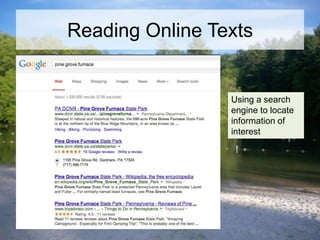
Reading Online Texts

Using a search
engine to locate
information of
interest
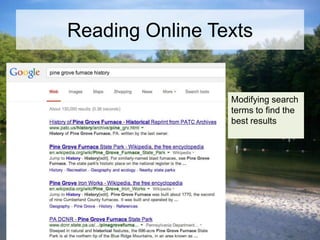
Reading Online Texts

Modifying search
terms to find the
best results
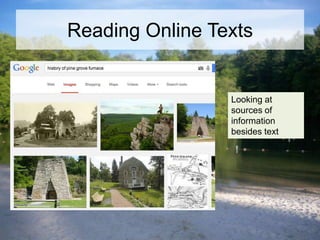
Reading Online Texts

Looking at
sources of
information
besides text
How do people read online?
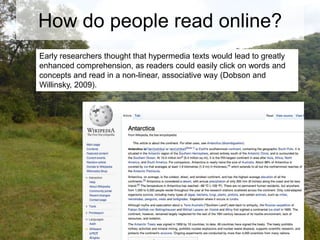
Early researchers thought that hypermedia texts would lead to greatly
enhanced comprehension, as readers could easily click on words and
concepts and read in a non-linear, associative way (Dobson and
Willinsky, 2009).
How do people read online?
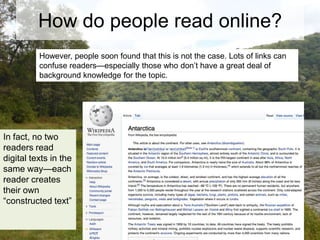
However, people soon found that this is not the case. Lots of links can
confuse readers—especially those who don’t have a great deal of
background knowledge for the topic.

In fact, no two
readers read
digital texts in the
same way—each
reader creates
their own
“constructed text”
How do people read online?
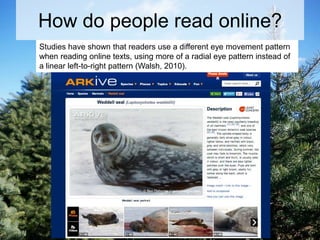
Studies have shown that readers use a different eye movement pattern
when reading online texts, using more of a radial eye pattern instead of
a linear left-to-right pattern (Walsh, 2010).
“Kids are so good at this!”
The cliché of the “digital
native” is so wellentrenched that many
teachers think students
don’t need explicit
instruction in online
reading comprehension.
“Kids are so good at this!”
There is evidence of poor
transfer between the
informal social skills that
students develop on their
own and the more formal
academic online reading
they are expected to use
(Littlejohn, Beetham, and
McGill, 2012).
Visual Literacy
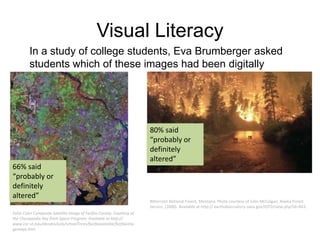
In a study of college students, Eva Brumberger asked
students which of these images had been digitally
altered.

66% said
“probably or
definitely
altered”
False Color Composite Satellite Image of Fairfax County. Courtesy of
the Chesapeake Bay from Space Program. Available at http://
www.cnr.vt.edu/dendro/sols/schoolTrees/fairfaxsatalite/fairfaxima
gemaps.htm.

80% said
“probably or
definitely
altered”

Bitterroot National Forest, Montana. Photo courtesy of John McColgan, Alaska Forest
Service. (2000). Available at http:// earthobservatory.nasa.gov/IOTD/view.php?id=843.
Skills for Online Readers
Online reading and offline reading skills are correlated, but
online reading skill seems to be more complex and require
more decision-making and critical reading (Malloy et
al, 2010).

Some evidence shows that low-income students
may use less effective search strategies, causing
them to locate less credible information (Leu et
al, 2010).
Building Collaboration
Research seems to indicate that students
learn Internet reading strategies best when
they have the chance to learn from each
other within the structure of a challenging
task created by the teacher (Henry et al,
2012).
Planning for instruction
A useful way to think about structuring
online reading comprehension instruction
is to use the framework of the four roles for
reading (Hirsh, 2000):
-Code Breaker
-Meaning Maker
-Text User
-Text Analyst
Code Breaking
With traditional texts, instruction on “code
breaking” focuses on phonics
instruction, word meanings, and text
features.
Online texts add new layers of codes that
readers must figure out—codes of
gestures to get from one screen to
another, new word meanings, and different
text features.
Code Breaking

Navigation: In digital text, this includes
scrolling, moving between pages,
understanding the meaning of the cursor,
and even knowing which applications are
running what (Hinrichsen and Coombs,
2013).
Scaffolding Code Breaking

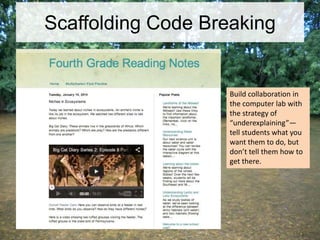
Build collaboration in
the computer lab with
the strategy of
“underexplaining”—
tell students what you
want them to do, but
don’t tell them how to
get there.
Code Breaking

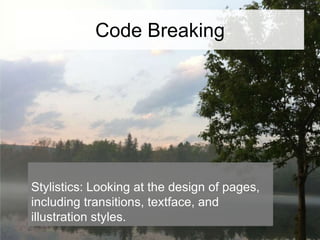
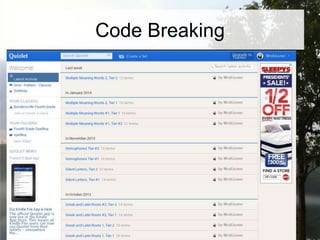
Stylistics: Looking at the design of pages,
including transitions, textface, and
illustration styles.
Code Breaking
Code Breaking
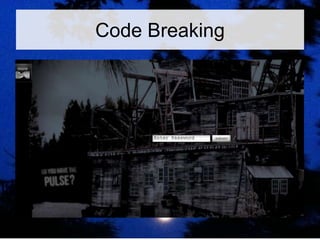
Modalities: Understanding the different
modes of online texts—
games, databases, educational sites—and
how they have different characteristics.
Code Breaking
Meaning Making
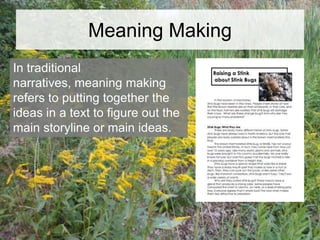
In traditional
narratives, meaning making
refers to putting together the
ideas in a text to figure out the
main storyline or main ideas.
Meaning Making
In digital texts, piecing together the
narrative can be more tricky. Texts are
made by multiple authors. Comments
unfold over time. There may be conflicting
viewpoints even within one text (Hinrichsen
and Coombs, 2013).
Meaning Making
Students do seem to learn online reading
strategies more readily in a collaborative
environment than within the structure of a
highly structured lesson.
Text Users

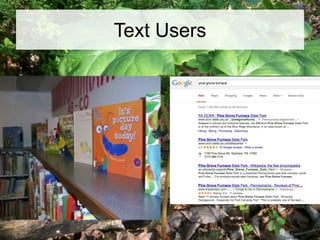
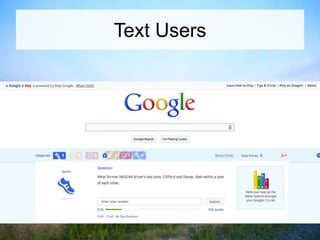
Another reading role is that of text user—
someone who finds the right text for their
purposes, solves problems, and uses what
they learn to create new works.
Text Users
Text Users
Text Users

-What do we notice?
-What can we use this text to accomplish?
-Who would like this text?
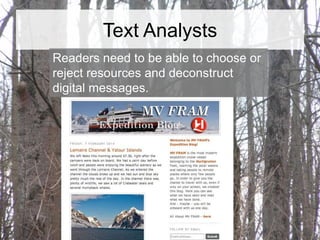
Text Analysts
Who wrote this text, anyway?

Even though students seem to dissociate
their academic selves from their personal
technology use, these two exist very
closely together in digital media.
Text Analysts
Readers need to be able to choose or
reject resources and deconstruct
digital messages.
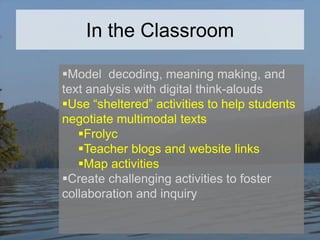
In the Classroom
Model decoding, meaning making, and
text analysis with digital think-alouds
Use “sheltered” activities to help students
negotiate multimodal texts
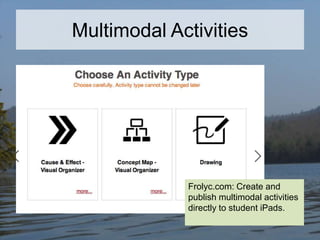
Frolyc
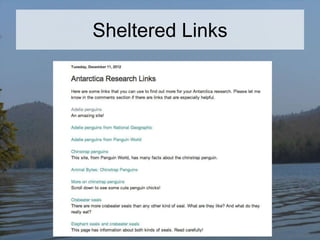
Teacher blogs and website links
Map activities
Create challenging activities to foster
collaboration and inquiry
Digital Think-Alouds
I notice…
I wonder…
I am thinking…
This text is like another text
because…
Digital Think-Alouds
How does this help students
become…
-code breakers?
-meaning makers?
-text users?
-text analysts?
In the Classroom
Model decoding, meaning making, and
text analysis with digital think-alouds
Use “sheltered” activities to help students
negotiate multimodal texts
Frolyc
Teacher blogs and website links
Map activities
Create challenging activities to foster
collaboration and inquiry
Sheltered Links
Multimodal Activities

Frolyc.com: Create and
publish multimodal activities
directly to student iPads.
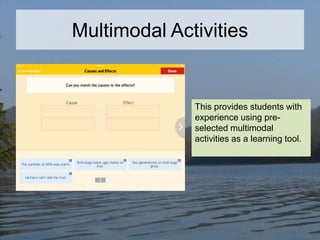
Multimodal Activities

This provides students with
experience using preselected multimodal
activities as a learning tool.
In the Classroom
Model decoding, meaning making, and
text analysis with digital think-alouds
Use “sheltered” activities to help students
negotiate multimodal texts
Frolyc
Teacher blogs and website links
Map activities
Create challenging activities to foster
collaboration and inquiry
Collaborative Activities
“Collaborative” doesn’t equal group—for
example, students can work on their own
projects in a collaborative environment.
Collaborative Activities
-What collaborative activities do you see
working well to build online reading
comprehension?
-How can readers transition between the
four roles (code breaker, meaning
maker, text user, text analyst) in the
context of a larger activity?
More Resources
 Visit my blog at
emilykissner.blogspot.com for links to
resources
References

Bearne et al. 2007. Castek, Jill, L. Zawilinski, J. G. McVerry, W. I. O'Byrne, and D. Leu. (2008). The
new literacies of online reading comprehension.
Brumberger, Eva. (2011). Visual Literacy and the Digital Native: An Examination of the Millenial
Learner. Journal of Visual Literacy.
Dobson, Teresa, and J. Willinsky. 2009. Digital Literacy. In D. Olson and N. Torrance (Eds), Cambridge
Handbook on Literacy.

Henry, Laurie, J. Castek, W.I. O’Byrne, and L. Zawalinski (2012). Using Peer Collaboration to Support
Reading, Writing, and Communication: An Empowerment Model for Struggling Readers. Reading and
Writing Quarterly, 28.
References

Hinrichsen, Juliet, and A. Coombs. 2013. The five resources of critical digital literacy: a framework for
curriculum integration. Research in Learning Technology, v. 21.

Littlejohn, A., Beetham, H., and McGill, L. 2012. Learning at the digital frontier: a review of digital
literacies in theory and practice. Journal of Computer Assisted Learning, 28:6.
Malloy, Jacquelynn, J. Castek, and D. Leu. 2010. Silent Reading and Online Reading Comprehension.
In Revisiting Silent Reading: New Directions for Teachers and Researchers, E. Hiebert and D.
Reutzel, eds.

Walsh, Maureen. 2010. Multimodal Literacy: What Does It Mean for Classroom Practice? Australian
Journal of Language and Literacy, 33:3.

Building Online Reading Comprehension

  • 1.
    Building Online Reading Comprehension EmilyKissner February 2014 elkissn@gmail.com
  • 2.
    Agenda A look atreading comprehension Why online reading comprehension matters Skills for online reading comprehension Creating multimedia experiences Exploring and connecting
  • 3.
    Reading Comprehension Levels ofText Processing (van Dijk and Kintsch) Readers can process text at three different levels: Surface level: The level of the way that individual letters and words look on a page Textbase: Understanding the “gist” of a text and the main propositions Situations model: Synthesizing the author’s propositions with the reader’s background knowledge
  • 4.
    Reading Comprehension Simple View(Hoover and Gough) Reading skill is attributable to two areas: Decoding The ability to automatically decode words Language Comprehension The ability to understand oral and written language
  • 5.
    Reading Comprehension These theoriestranslate into everyday classroom activities such as: • • • • • Decoding drills Summarizing Visualizing Inferring Vocabulary instruction
  • 6.
    What happens online? Atfirst, it was easy to think that online reading would be just like offline reading
  • 7.
    ….but it’s not.Which means that much of our conventional thinking about the nature of reading comprehension—and comprehension instruction—will have to be rethought.
  • 8.
    Reading Online Many adolescentsreport spending roughly equal amounts of time reading online and offline (Roberts et al, 2005). Students are now expected to be able to locate, read, and understand text from the Internet more than ever before.
  • 9.
    Reading Online Texts Usinga search engine to locate information of interest
  • 10.
    Reading Online Texts Modifyingsearch terms to find the best results
  • 11.
    Reading Online Texts Lookingat sources of information besides text
  • 12.
    How do peopleread online? Early researchers thought that hypermedia texts would lead to greatly enhanced comprehension, as readers could easily click on words and concepts and read in a non-linear, associative way (Dobson and Willinsky, 2009).
  • 13.
    How do peopleread online? However, people soon found that this is not the case. Lots of links can confuse readers—especially those who don’t have a great deal of background knowledge for the topic. In fact, no two readers read digital texts in the same way—each reader creates their own “constructed text”
  • 14.
    How do peopleread online? Studies have shown that readers use a different eye movement pattern when reading online texts, using more of a radial eye pattern instead of a linear left-to-right pattern (Walsh, 2010).
  • 15.
    “Kids are sogood at this!” The cliché of the “digital native” is so wellentrenched that many teachers think students don’t need explicit instruction in online reading comprehension.
  • 16.
    “Kids are sogood at this!” There is evidence of poor transfer between the informal social skills that students develop on their own and the more formal academic online reading they are expected to use (Littlejohn, Beetham, and McGill, 2012).
  • 17.
    Visual Literacy In astudy of college students, Eva Brumberger asked students which of these images had been digitally altered. 66% said “probably or definitely altered” False Color Composite Satellite Image of Fairfax County. Courtesy of the Chesapeake Bay from Space Program. Available at http:// www.cnr.vt.edu/dendro/sols/schoolTrees/fairfaxsatalite/fairfaxima gemaps.htm. 80% said “probably or definitely altered” Bitterroot National Forest, Montana. Photo courtesy of John McColgan, Alaska Forest Service. (2000). Available at http:// earthobservatory.nasa.gov/IOTD/view.php?id=843.
  • 18.
    Skills for OnlineReaders Online reading and offline reading skills are correlated, but online reading skill seems to be more complex and require more decision-making and critical reading (Malloy et al, 2010). Some evidence shows that low-income students may use less effective search strategies, causing them to locate less credible information (Leu et al, 2010).
  • 19.
    Building Collaboration Research seemsto indicate that students learn Internet reading strategies best when they have the chance to learn from each other within the structure of a challenging task created by the teacher (Henry et al, 2012).
  • 20.
    Planning for instruction Auseful way to think about structuring online reading comprehension instruction is to use the framework of the four roles for reading (Hirsh, 2000): -Code Breaker -Meaning Maker -Text User -Text Analyst
  • 21.
    Code Breaking With traditionaltexts, instruction on “code breaking” focuses on phonics instruction, word meanings, and text features. Online texts add new layers of codes that readers must figure out—codes of gestures to get from one screen to another, new word meanings, and different text features.
  • 22.
    Code Breaking Navigation: Indigital text, this includes scrolling, moving between pages, understanding the meaning of the cursor, and even knowing which applications are running what (Hinrichsen and Coombs, 2013).
  • 23.
    Scaffolding Code Breaking Buildcollaboration in the computer lab with the strategy of “underexplaining”— tell students what you want them to do, but don’t tell them how to get there.
  • 24.
    Code Breaking Stylistics: Lookingat the design of pages, including transitions, textface, and illustration styles.
  • 25.
  • 26.
    Code Breaking Modalities: Understandingthe different modes of online texts— games, databases, educational sites—and how they have different characteristics.
  • 27.
  • 28.
    Meaning Making In traditional narratives,meaning making refers to putting together the ideas in a text to figure out the main storyline or main ideas.
  • 29.
    Meaning Making In digitaltexts, piecing together the narrative can be more tricky. Texts are made by multiple authors. Comments unfold over time. There may be conflicting viewpoints even within one text (Hinrichsen and Coombs, 2013).
  • 30.
    Meaning Making Students doseem to learn online reading strategies more readily in a collaborative environment than within the structure of a highly structured lesson.
  • 31.
    Text Users Another readingrole is that of text user— someone who finds the right text for their purposes, solves problems, and uses what they learn to create new works.
  • 32.
  • 33.
  • 34.
    Text Users -What dowe notice? -What can we use this text to accomplish? -Who would like this text?
  • 35.
    Text Analysts Who wrotethis text, anyway? Even though students seem to dissociate their academic selves from their personal technology use, these two exist very closely together in digital media.
  • 36.
    Text Analysts Readers needto be able to choose or reject resources and deconstruct digital messages.
  • 37.
    In the Classroom Modeldecoding, meaning making, and text analysis with digital think-alouds Use “sheltered” activities to help students negotiate multimodal texts Frolyc Teacher blogs and website links Map activities Create challenging activities to foster collaboration and inquiry
  • 38.
    Digital Think-Alouds I notice… Iwonder… I am thinking… This text is like another text because…
  • 39.
    Digital Think-Alouds How doesthis help students become… -code breakers? -meaning makers? -text users? -text analysts?
  • 40.
    In the Classroom Modeldecoding, meaning making, and text analysis with digital think-alouds Use “sheltered” activities to help students negotiate multimodal texts Frolyc Teacher blogs and website links Map activities Create challenging activities to foster collaboration and inquiry
  • 41.
  • 42.
    Multimodal Activities Frolyc.com: Createand publish multimodal activities directly to student iPads.
  • 43.
    Multimodal Activities This providesstudents with experience using preselected multimodal activities as a learning tool.
  • 44.
    In the Classroom Modeldecoding, meaning making, and text analysis with digital think-alouds Use “sheltered” activities to help students negotiate multimodal texts Frolyc Teacher blogs and website links Map activities Create challenging activities to foster collaboration and inquiry
  • 45.
    Collaborative Activities “Collaborative” doesn’tequal group—for example, students can work on their own projects in a collaborative environment.
  • 46.
    Collaborative Activities -What collaborativeactivities do you see working well to build online reading comprehension? -How can readers transition between the four roles (code breaker, meaning maker, text user, text analyst) in the context of a larger activity?
  • 47.
    More Resources  Visitmy blog at emilykissner.blogspot.com for links to resources
  • 48.
    References Bearne et al.2007. Castek, Jill, L. Zawilinski, J. G. McVerry, W. I. O'Byrne, and D. Leu. (2008). The new literacies of online reading comprehension. Brumberger, Eva. (2011). Visual Literacy and the Digital Native: An Examination of the Millenial Learner. Journal of Visual Literacy. Dobson, Teresa, and J. Willinsky. 2009. Digital Literacy. In D. Olson and N. Torrance (Eds), Cambridge Handbook on Literacy. Henry, Laurie, J. Castek, W.I. O’Byrne, and L. Zawalinski (2012). Using Peer Collaboration to Support Reading, Writing, and Communication: An Empowerment Model for Struggling Readers. Reading and Writing Quarterly, 28.
  • 49.
    References Hinrichsen, Juliet, andA. Coombs. 2013. The five resources of critical digital literacy: a framework for curriculum integration. Research in Learning Technology, v. 21. Littlejohn, A., Beetham, H., and McGill, L. 2012. Learning at the digital frontier: a review of digital literacies in theory and practice. Journal of Computer Assisted Learning, 28:6. Malloy, Jacquelynn, J. Castek, and D. Leu. 2010. Silent Reading and Online Reading Comprehension. In Revisiting Silent Reading: New Directions for Teachers and Researchers, E. Hiebert and D. Reutzel, eds. Walsh, Maureen. 2010. Multimodal Literacy: What Does It Mean for Classroom Practice? Australian Journal of Language and Literacy, 33:3.

Editor's Notes

  • #10 Google search results, February 2014
  • #12 Google search results, February 2014
  • #15 Source: ARKive.org, February 2014
  • #24 Upperadamsreading.blogspot.com