The document outlines a detailed approval and review process for knowledge articles, which includes mandatory reviews by subject matter experts (SMEs) and automatic retirement of articles once the validity period expires. It defines roles and responsibilities for knowledge contributors, builders, and consumers, along with the necessary steps for creating, editing, and retiring articles. Notifications are sent to stakeholders regarding article statuses, and provisions are made to prevent duplicate articles during creation.
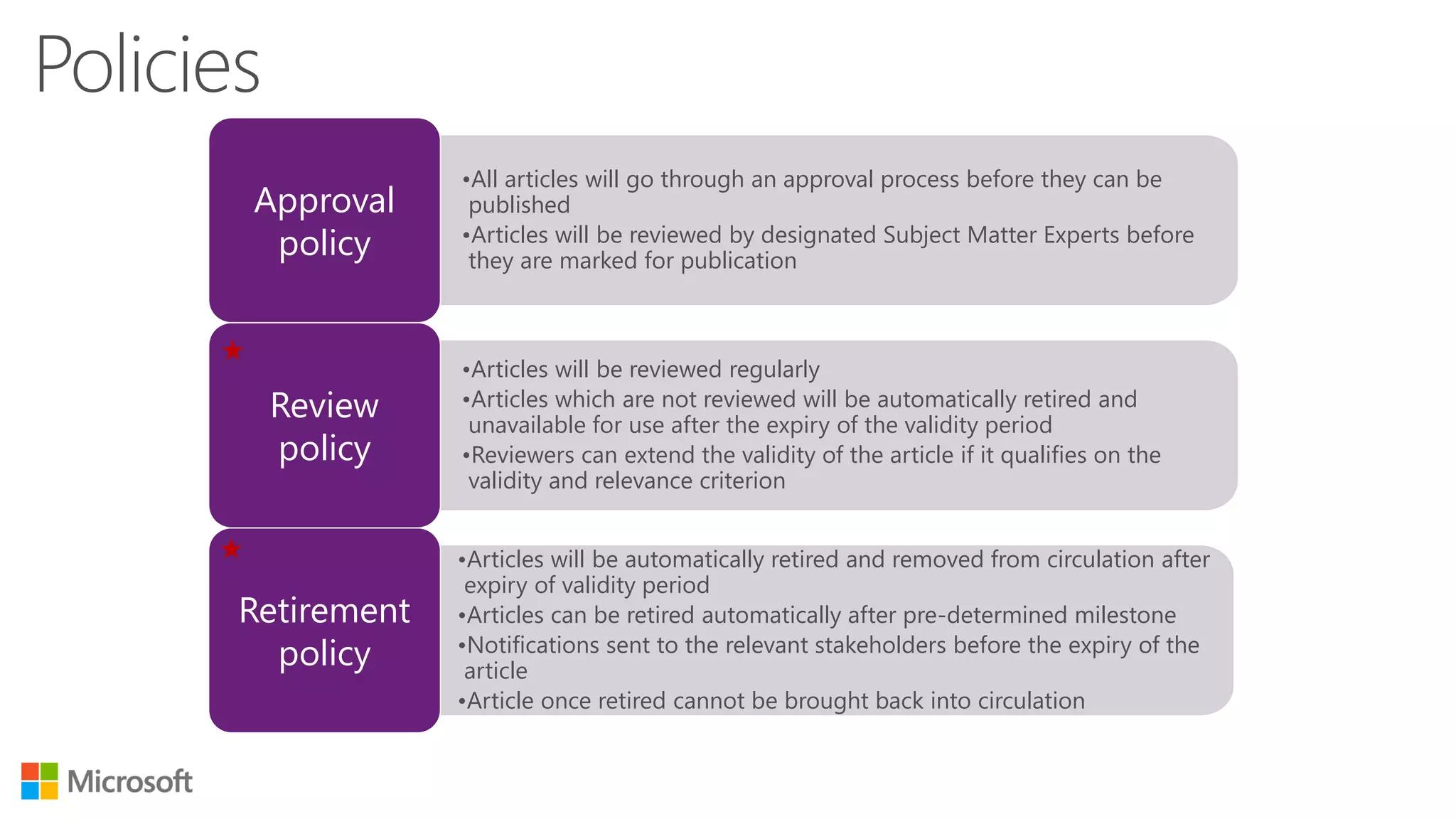
•All articles willgo through an approval process before they can be
published
•Articles will be reviewed by designated Subject Matter Experts before
they are marked for publication
•Articles will be reviewed regularly
•Articles which are not reviewed will be automatically retired and
unavailable for use after the expiry of the validity period
•Reviewers can extend the validity of the article if it qualifies on the
validity and relevance criterion
•Articles will be automatically retired and removed from circulation after
expiry of validity period
•Articles can be retired automatically after pre-determined milestone
•Notifications sent to the relevant stakeholders before the expiry of the
article
•Article once retired cannot be brought back into circulation
Retirement
policy
Review
policy
Approval
policy
Status Phase
“Transition
from”
Status Phase
“Transition
to”
Requisite
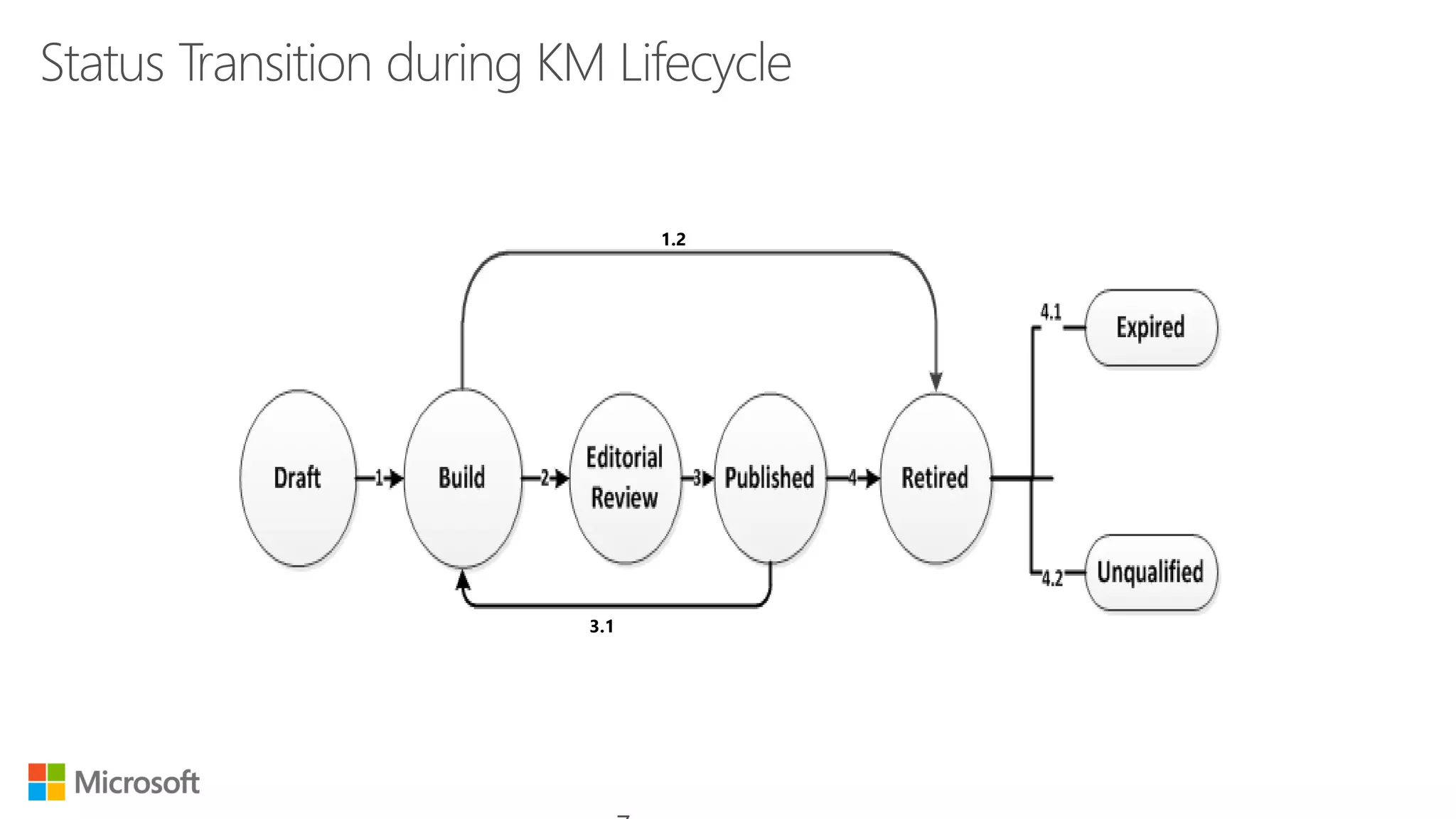
DraftBuild All mandatory fields need to be filled in order to move
the status from “Draft” to “Build”
Build Editorial Review The status gets changed from “Build” to “Editorial
Review” only when approved by knowledge SME
Editorial Review Published Status will get changed from “Editorial Review” to
“Published”, once reviewed & approved by Knowledge
Manager
Published Published Status will not get changed from if article is
edited/updated but it will capture the activity logs.
Build Retired(Unqualifie
d)
If article does not qualify to be knowledge article, it
will be retired as “unqualified” by respective SME
Published Retired(Expired) If “valid to” date of an article passes, article will be
retired as an “Expired” article.
9.
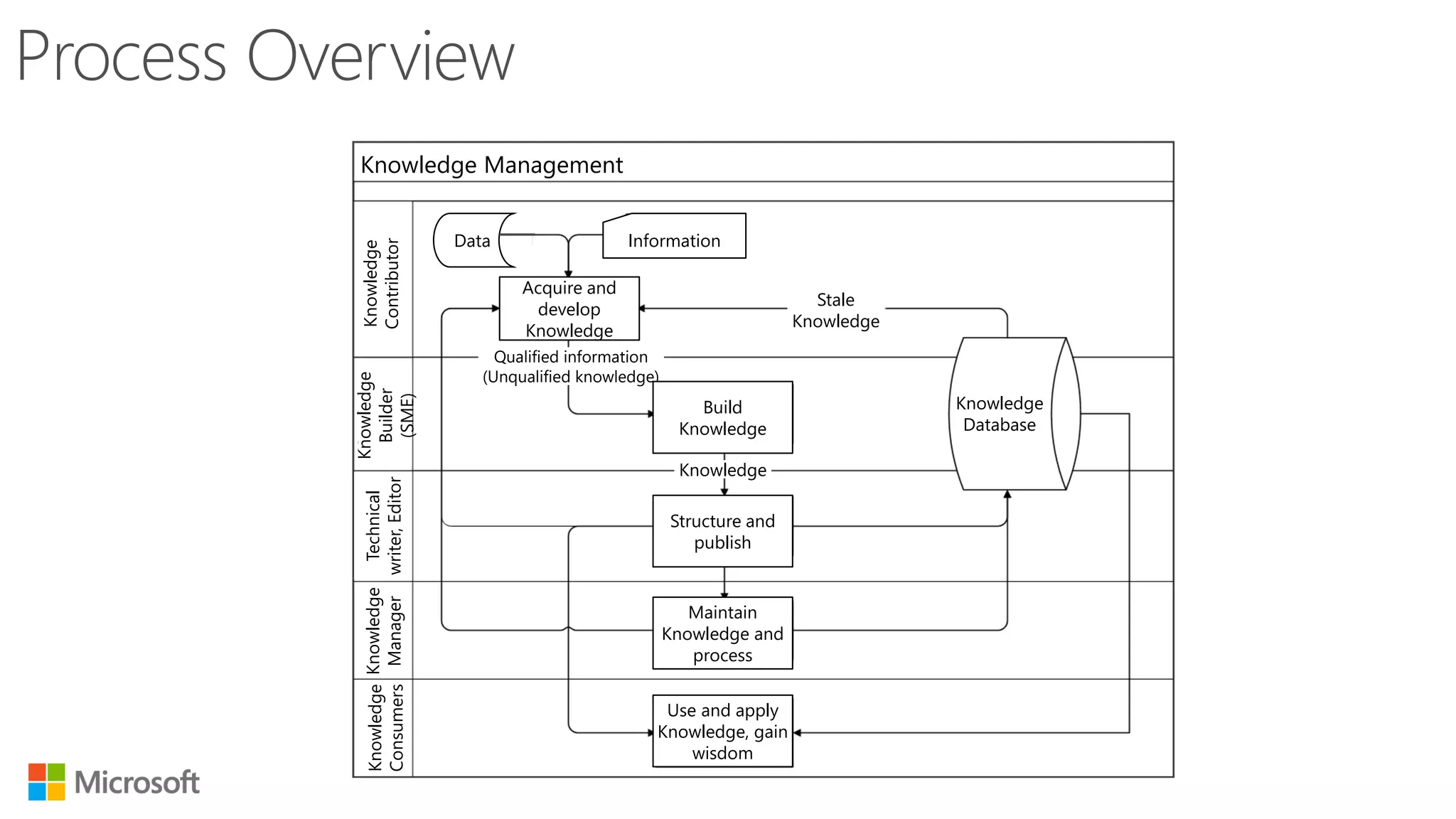
Data Information
Acquire and
develop
Knowledge
Qualifiedinformation
(Unqualified knowledge)
Stale
Knowledge
Knowledge
Build
Knowledge
Structure and
publish
Maintain
Knowledge and
process
Use and apply
Knowledge, gain
wisdom
Knowledge
Database
Knowledge Management
Knowledge
Contributor
Knowledge
Builder
(SME)
Technical
writer,Editor
Knowledge
Manager
Knowledge
Consumers
10.
The knowledge contributorwill collect data and information from various sources, verify
the data to develop knowledge articles.
14.
Notification Trigger KMGroup
Approver
(SME) Created By
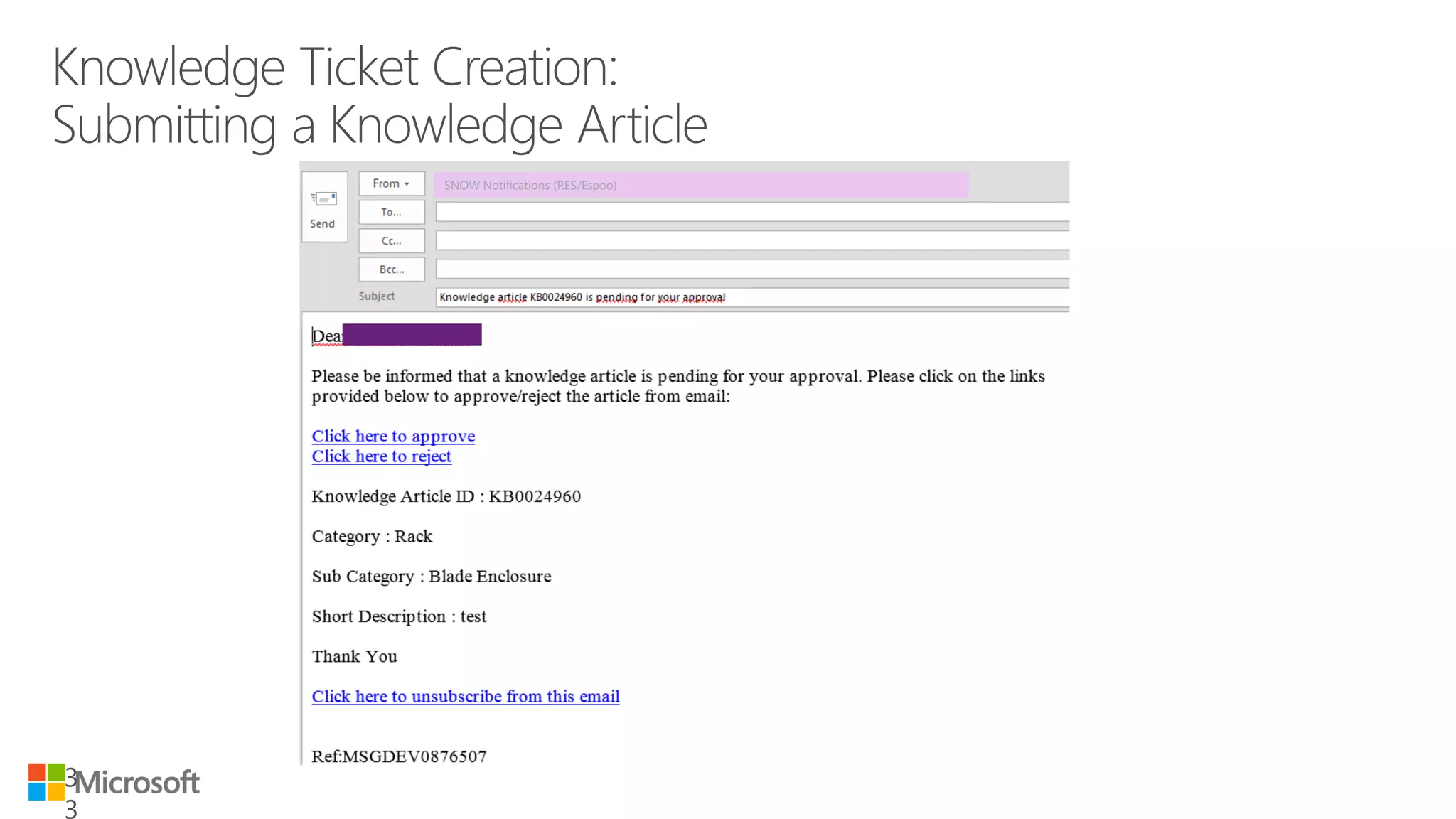
When the Knowledge ticket is assigned for approval Y
When the Knowledge ticket is rejected Y
When the Knowledge ticket is published Y
30 days before the retirement of knowledge ticket Y Y
15 days before the retirement of knowledge ticket Y Y
7 days before the retirement of knowledge ticket Y Y
On retirement of knowledge ticket Y Y
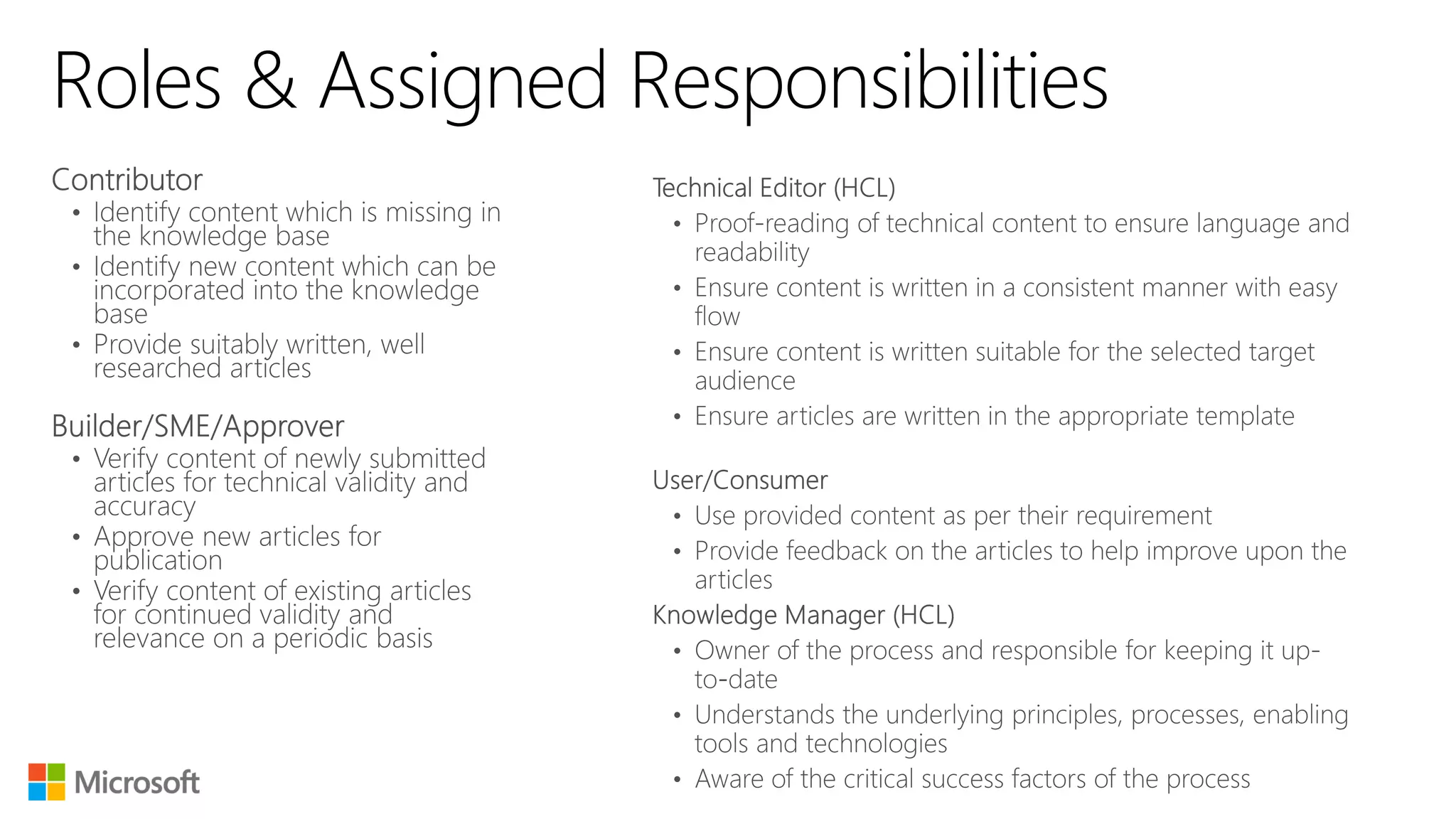
Role Mapping
Role NameActors
Knowledge Contributors All IT Support Staff
Builder / SME / Approver Technical SME(s) from Technology tracks
Service Managers
User / Consumer of Knowledge All IT Users
IT Support Staff
SME = Subject Matter Expert
Create New: Createa new Knowledge Article
Published: View all published Knowledge
Article
All: View All the Knowledge Articles
in the Knowledge Base
Retired: View all retired Knowledge
Articles
Assigned View Knowledge Articles
to me: assigned to you
23.
Articles can besearched by typing
keywords in Global Search bar present at
the right hand side corner
24.
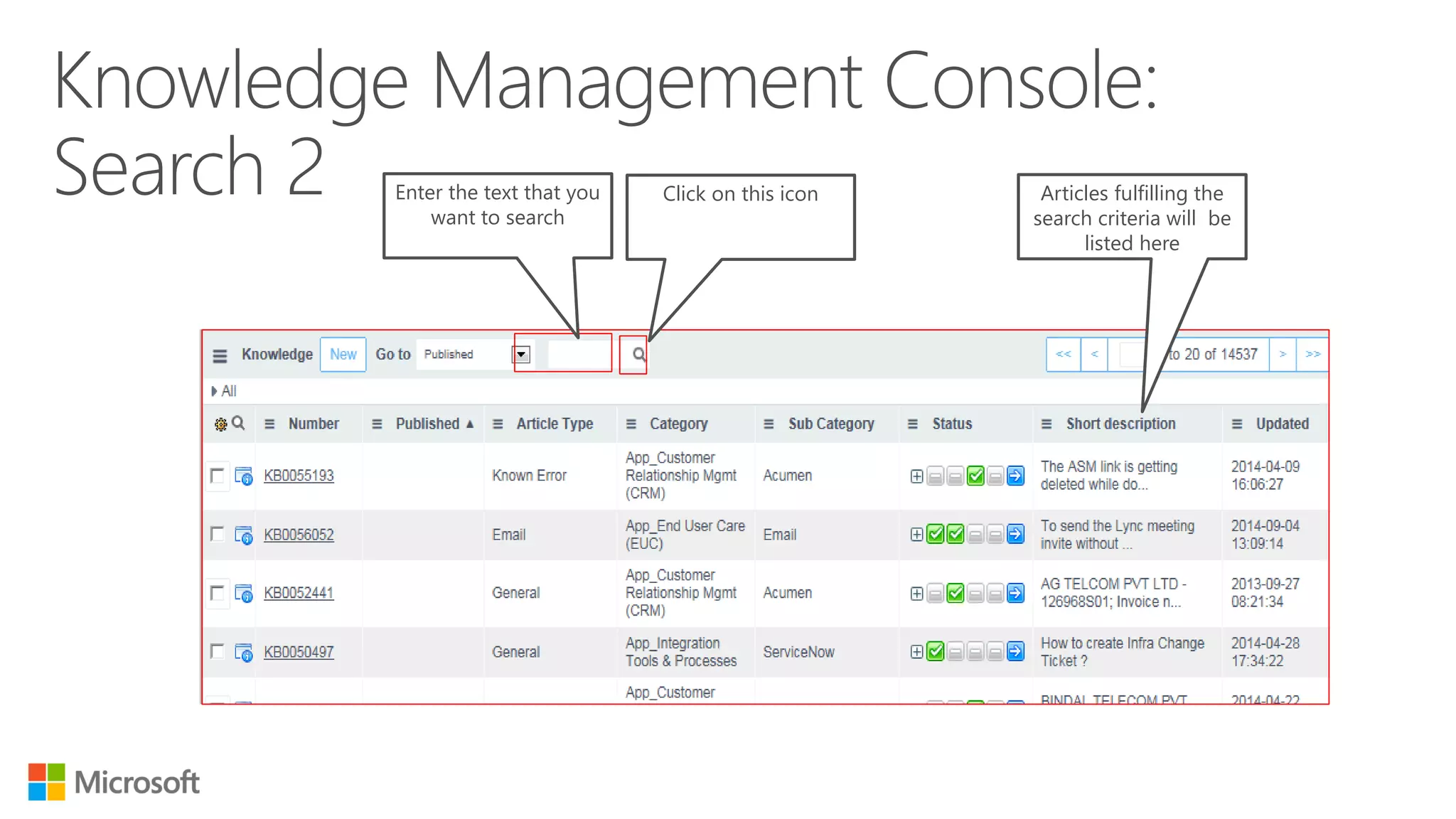
Enter the textthat you
want to search
Click on this icon Articles fulfilling the
search criteria will be
listed here
25.
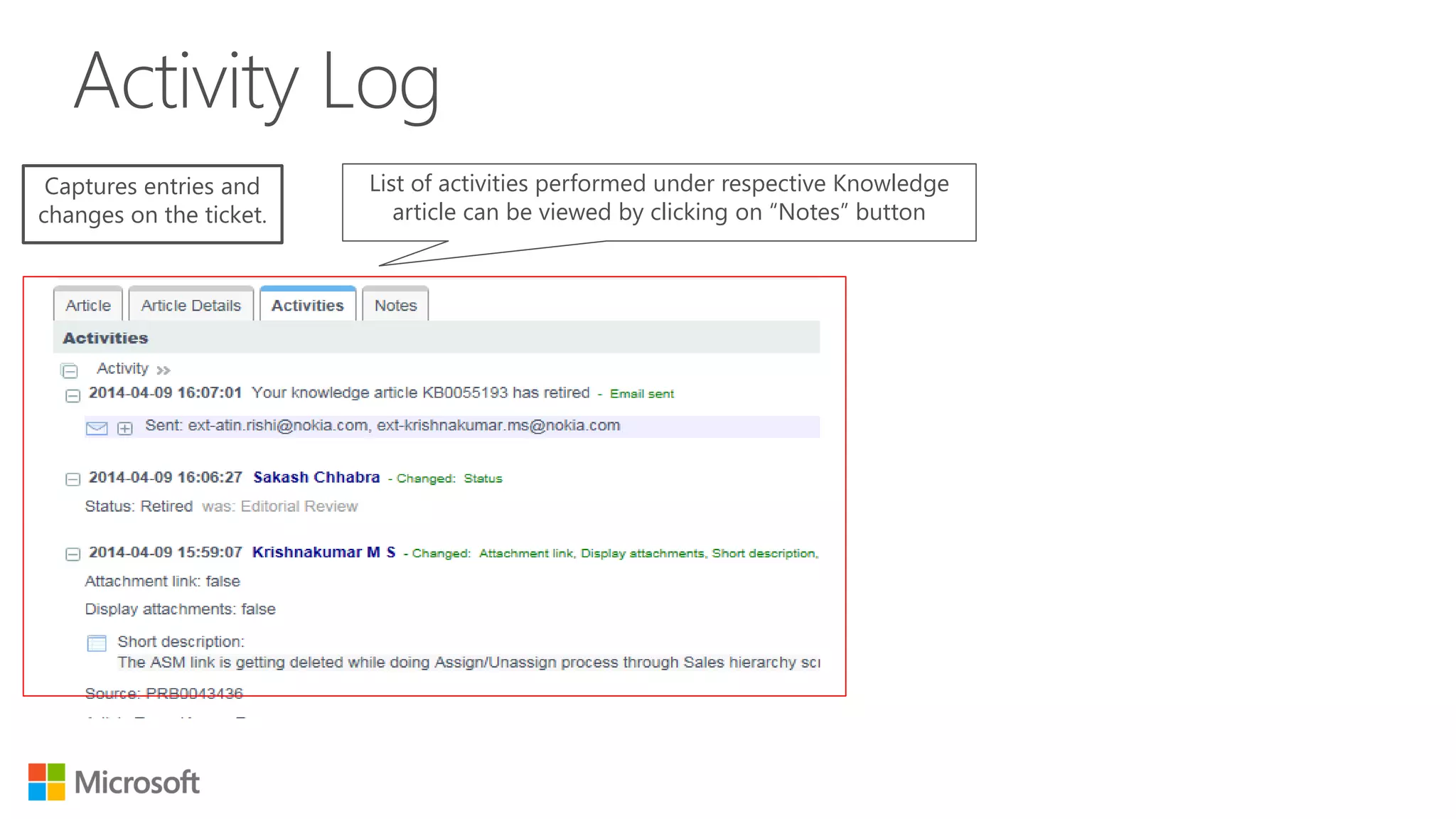
Captures entries and
changeson the ticket.
List of activities performed under respective Knowledge
article can be viewed by clicking on “Notes” button
26.
The knowledge articles
availableunder “List View”
- can be modified by
adding/removing columns
mentioned under
“Personalize List Columns”
28.
Category, Sub Categoryand Description
are mandatory fields to be entered for
knowledge article creation.
All the mandatory fields are
marked in “red” color
29.
CI = ConfigurationItem
To add CI with knowledge article, click
on “Search” icon against CI field and
choose respective CI from popped-up
list of values
CI can be added by filling-in
this field
30.
1. Click onAttachment Icon
2. Click on Choose files and
browse for the document to
be attached
3. Click on Attach
4. Click here to make
another attachment
31.
1. Click onInsert Image Icon
2. Select Attachment from
the dropdown for Type field
3. Click on
choose
and
browse for
the image
to be
inserted
4. Click on Attach to complete image insertion
32.
Once “Search ForDuplicate”
chosen, tool performs search
based upon keywords and
produces relevant results
While creating a knowledge article,
knowledge contributor can “Search For
Duplicates” to ensure that duplicate
article does not get created
OR
Click on ‘Knowledge
Approvals’tab
Click on ‘Knowledge
Approvals’ tab
SSO = Employee Self Service
On the ESS page click on
‘Approvals’ tab
35.
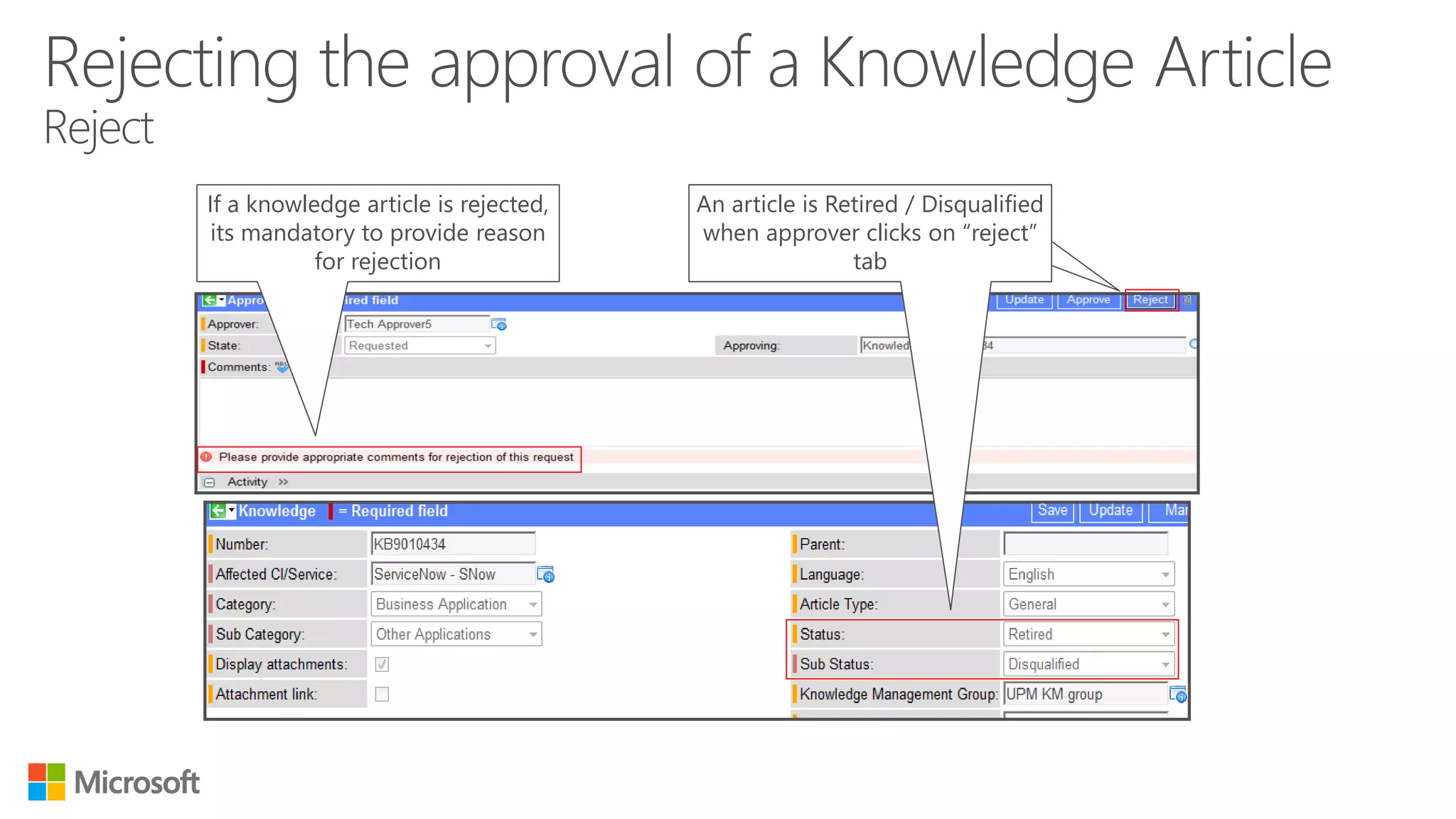
If a knowledgearticle is rejected,
its mandatory to provide reason
for rejection
An article is Retired or
Disqualified when approver clicks
on “reject” tab
An article is Retired / Disqualified
when approver clicks on “reject”
tab
36.
To make anarticle available for all users, SME or
Knowledge Manager clicks “Mark Public” button
SME = Subject Matter Expert
37.
The knowledge articleis Rejected by the approver
at Build phase.
• The current date/published date exceeds the Valid
To date of the knowledge article.
• Knowledge article created from a problem ticket
retires when the identified workaround is
implemented and the problem ticket is closed
38.
“Rejecting an articlewill retire it automatically – if any changes are
needed, approver is requested to make those before approving or it
could be performed after publishing the article”.
39.
An article isRetired / Expired when the
validity of the article expires.
40.
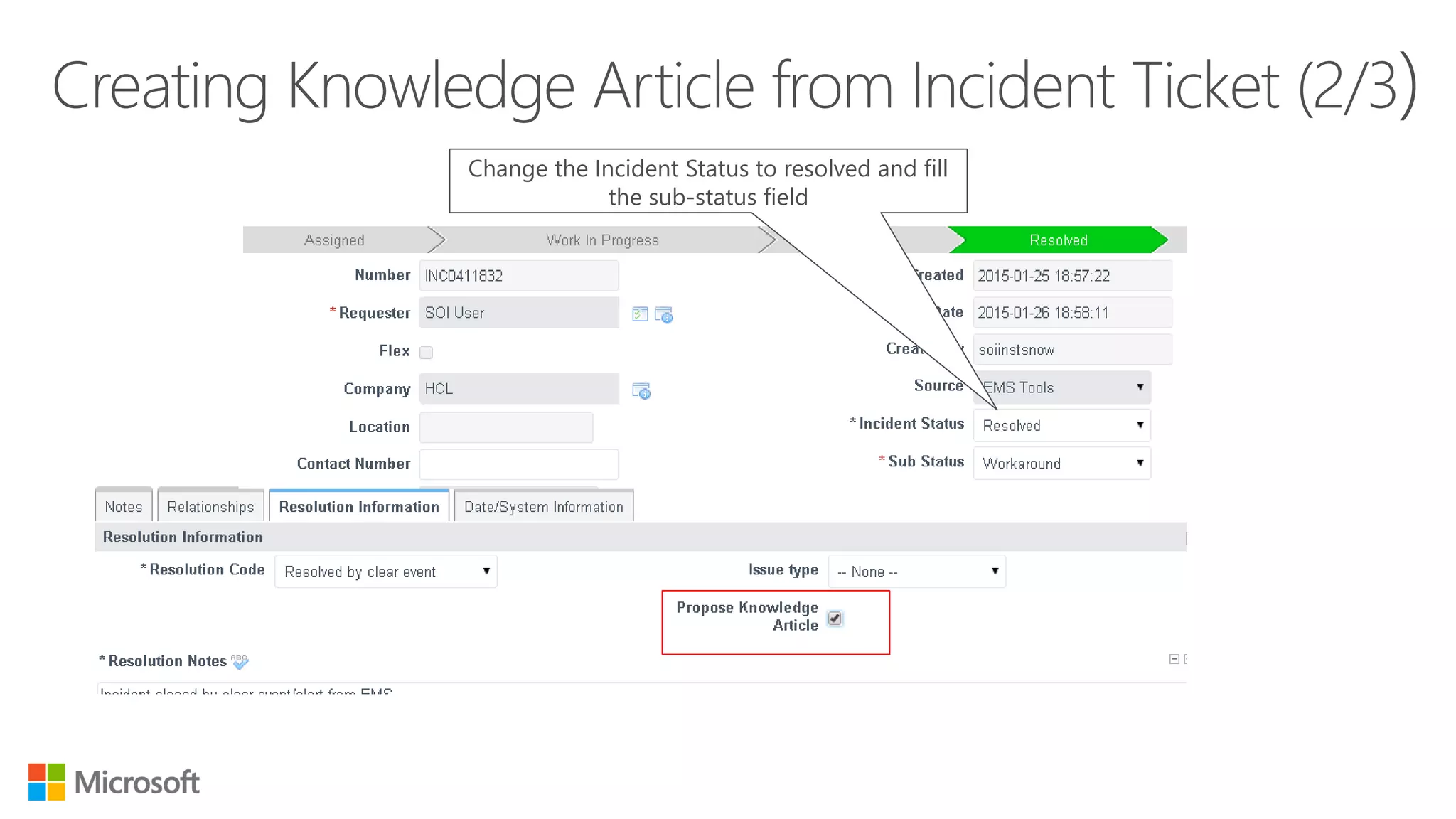
In order tocreate an Incident ticket as knowledge
article, open ticket when Incident Status is ‘Work
In Progress’
A knowledge articleis created and gets
related to the incident
The established relationship can be
viewed by clicking “ Related Records” tab
43.
1. When aproblem ticket status changes to ‘under
investigation’ / ‘solution identification’, a knowledge
article is automatically created
2. The number of the
article pops-up on the
screen
44.
The status ofknowledge
article is set to “Editorial
Review” automatically
Newly created knowledge article inherits the
information like “symptom”, “cause” and
“workaround” from its parent problem ticket.
HCL